# Chainlink CCIP - Cross-Chain Interoperability Protocol
Source: https://docs.chain.link/ccip
Last Updated: 2025-05-19
> **NOTE: Talk to a CCIP expert**
>
> If you require technical advice or wish to consult on your project's implementation, please contact a CCIP expert. Our
> dedicated team is ready to support your projects and ensure their success. For expert guidance, visit the [Chainlink
> CCIP Contact form](https://chain.link/ccip-contact).
> **NOTE: CCIP UPGRADE**
>
> A new version of CCIP is being progressively deployed across supported blockchains. No disruption to existing
> integrations or protocol downtime is anticipated during the upgrade process. For more information, please reach out to
> your Chainlink Labs point of contact or visit the [Chainlink CCIP Contact form](https://chain.link/ccip-contact).
Blockchain interoperability protocols are important for the Web3 ecosystem and traditional systems that need to interact with different blockchains. These protocols are the foundation for building blockchain abstraction layers, allowing traditional backends and dApps to interact with any blockchain network through a single middleware solution. Without a blockchain interoperability protocol, Web2 systems and dApps would need to build separate in-house implementations for each cross-chain interaction that they want to use, which is a time-consuming, resource-intensive, and complex process.
Blockchain interoperability protocols provide the following capabilities:
- You can transfer assets and information across multiple blockchains.
- Application developers can leverage the strengths and benefits of different chains.
- Collaboration between developers from diverse blockchain ecosystems enables the building of cross-chain applications to serve more users and provide additional features or products for them.
The *Chainlink Cross-Chain Interoperability Protocol (CCIP)* provides these capabilities and enables a variety of [use cases](#common-use-cases).
## What is Chainlink CCIP?
Chainlink CCIP is a blockchain interoperability protocol that enables developers to build secure applications that can transfer tokens, messages (data), or both tokens and messages across chains.
Given the [inherent risks of cross-chain interoperability](/resources/bridge-risks), CCIP features defense-in-depth security and is powered by Chainlink's industry-standard oracle networks which have a proven track record of securing tens of billions of dollars and enabling over $14 trillion in onchain transaction value.
CCIP's robust security framework is built upon several core components:
- **Proven Decentralized Architecture**: CCIP leverages the same highly reliable infrastructure as Chainlink Data Feeds, which has enabled trillions in transaction value across hundreds of DeFi applications. Cross-chain transactions leverage multiple decentralized oracle networks (DONs).
- **Rate Limiting**: To mitigate risk, CCIP includes a rate limiting feature. This allows owners to establish and configure policies for Cross-Chain Tokens, which are then enforced on both the source and destination chains.
- **Timelocked Upgrades**: All on-chain, security-critical configuration changes and core infrastructure upgrades must pass through a Role-based Access Control Timelock contract. This process provides a review period during which CCIP node operators can veto the upgrade, or, in time-sensitive situations, explicitly approve it.
- **High-Quality, Sybil-Resistant Node Operators**: The system is secured by the same globally distributed, security-reviewed, public node operators that secure other Chainlink services, validate leading blockchain networks, and operate traditional Web2 infrastructure. Each independent CCIP node is run by a distinct organization with extensive DevOps expertise and rigorous private key management security practices.
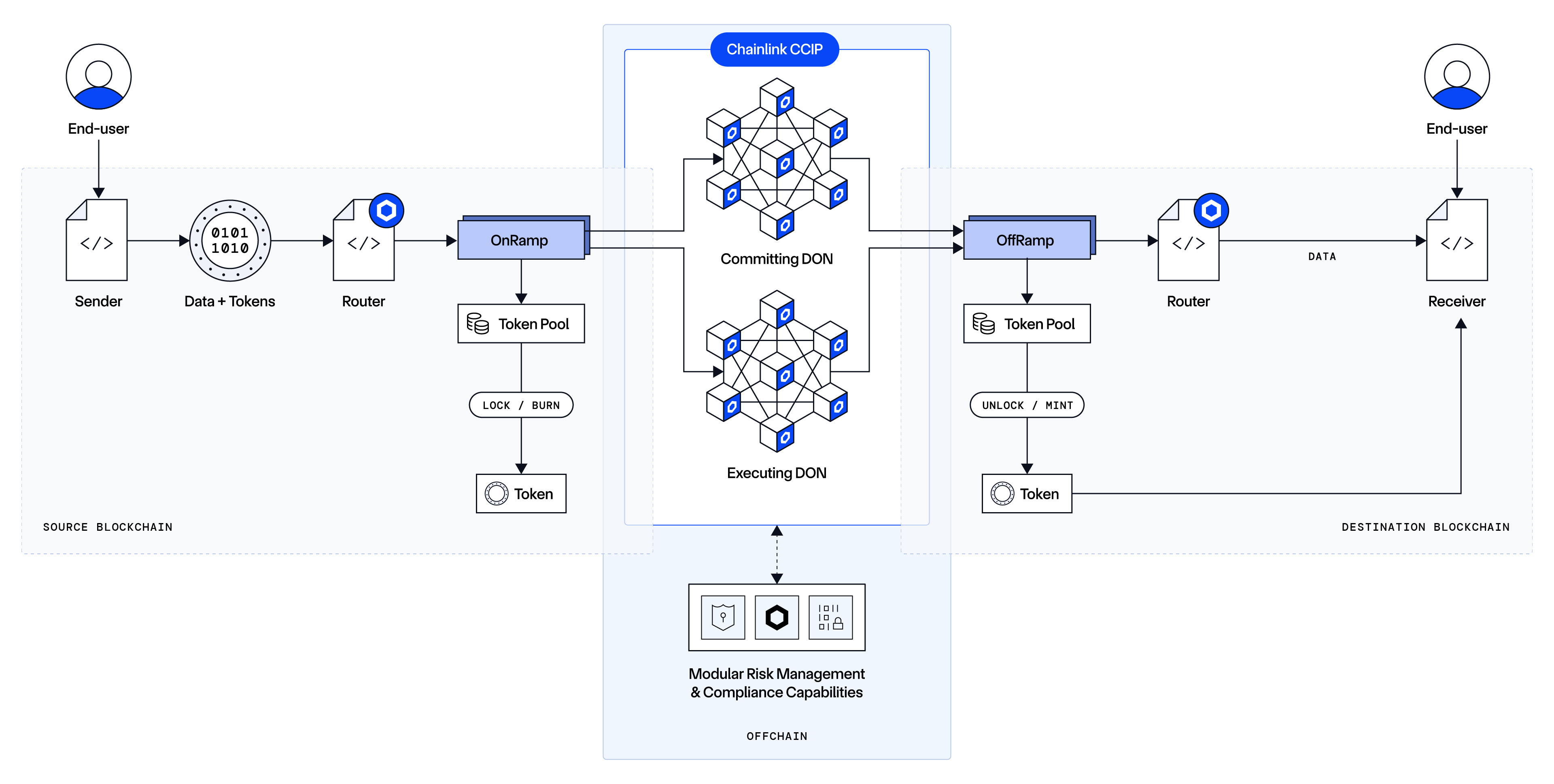
To understand how Chainlink CCIP works, refer to the [architecture](/ccip/concepts/architecture/overview) section. If you are new to using Chainlink CCIP, read these guides before you deploy any contracts that use CCIP.
## Chainlink CCIP core capabilities
Chainlink CCIP supports three main capabilities:
### Arbitrary Messaging
The ability to send arbitrary data (encoded as bytes) to a receiving smart contract on a different blockchain. The developer is free to encode any data they wish to send.
Typically, developers use arbitrary messaging to trigger an informed action on the receiving smart contract, such as rebalancing an index, minting a specific NFT, or calling an arbitrary function with the sent data as custom parameters. Developers can encode multiple instructions in a single message, enabling them to orchestrate complex, multi-step, multi-chain tasks.
### Token Transfer
The ability to transfer tokens to an account on a different blockchain. This capability enables the seamless movement of assets across chains.
### Programmable Token Transfer
The ability to simultaneously transfer tokens and arbitrary data (encoded as bytes) within a single transaction. This mechanism allows users to transfer tokens and send instructions on what to do with those tokens.
For example, a user could transfer tokens to a lending protocol with instructions to leverage those tokens as collateral for a loan, borrowing another asset to be sent back to the user.
### Receiving account types
With CCIP, you send transactions with data (arbitrary messaging), tokens, or both data and tokens (programmable token transfer). The receiver of a CCIP transaction varies by blockchain family:
| CCIP capability | What is sent | Receiving account types |
| --------------------------- | --------------- | -------------------------------------------------------------------------------------------------------------------------------------- |
| Arbitrary Messaging | Data | EVM: Smart contracts onlySVM: Programs onlyAptos: Modules only |
| Token Transfer | Tokens | EVM: Smart contracts and EOAsSVM: User wallets or program-controlled PDAsAptos: User accounts or modules deployed to resource accounts |
| Programmable Token Transfer | Data and tokens | EVM: Smart contracts onlySVM: Data to programs, tokens to program-controlled PDAsAptos: Modules deployed to resource accounts |
**Note**: On EVM chains, EOAs cannot receive messages. On Solana (SVM), programs work with Program Derived Addresses (PDAs) to manage token reception.
## Common use cases
Chainlink CCIP enables a variety of use cases:
- **Cross-chain lending:** Chainlink CCIP enables users to lend and borrow a wide range of crypto assets across multiple DeFi platforms running on independent chains.
- **Low-cost transaction computation:** Chainlink CCIP can help offload the computation of transaction data on cost-optimized chains.
- **Optimizing cross-chain yield:** Users can leverage Chainlink CCIP to move collateral to new DeFi protocols to maximize yield across chains.
- **Creating new kinds of dApps:** Chainlink CCIP enables users to take advantage of network effects on certain chains while harnessing compute and storage capabilities of other chains.
Read [What Are Cross-Chain Smart Contracts](https://chain.link/education-hub/cross-chain-smart-contracts) to learn about cross-chain smart contracts and examples of use cases they enable.
## CCIP Directory
See the [CCIP Directory](/ccip/directory) page for a list of supported networks, tokens, and contract addresses.
To learn about tokens, token pools, and the token onboarding process, see the [CCIP Architecture](/ccip/concepts/cross-chain-token/evm/token-pools) page.
---
# Get Started with CCIP (EVM)
Source: https://docs.chain.link/ccip/getting-started/evm
Last Updated: 2025-12-25
**Build and run a secure cross-chain messaging workflow between two EVM chains using Chainlink CCIP.**
In this guide, you will:
1. Deploy a sender on a source chain
2. Deploy a receiver on a destination chain
3. Send and verify a cross-chain message
## Before you begin
> **NOTE: Please note**
>
> We use the same two smart contracts throughout the tutorial. You can check them out in the [Examine the example
> code](#examine-the-example-code) section.
You will need:
- Basic [Solidity](https://soliditylang.org/) and [smart contract deployment](/quickstarts/deploy-your-first-contract) experience
- One [wallet](https://metamask.io/) funded on two CCIP-supported EVM testnets: [Avalanche Fuji and Ethereum Sepolia](/ccip/directory/testnet). You will need some native tokens and `LINK` on both networks.
- Choose one of the following development environments:
- **[Hardhat 3](https://hardhat.org/docs/getting-started)**
- **[Foundry](https://book.getfoundry.sh/)**
- **[Remix](https://remix-ide.readthedocs.io/en/latest/)**
## Examine the example code
This section goes through the code for the `sender` and `receiver` contracts
needed to complete the tutorial.
We will use the same contracts for all three development environments.
### 1. Sender code
The smart contract in this tutorial is designed to interact with CCIP to send data. The contract code includes comments to clarify the various functions, events, and underlying logic. However, this section explains the key elements. You can see the full contract code below.
```sol
// SPDX-License-Identifier: MIT
pragma solidity 0.8.24;
import {IRouterClient} from "@chainlink/contracts-ccip/contracts/interfaces/IRouterClient.sol";
import {Client} from "@chainlink/contracts-ccip/contracts/libraries/Client.sol";
import {OwnerIsCreator} from "@chainlink/contracts/src/v0.8/shared/access/OwnerIsCreator.sol";
import {LinkTokenInterface} from "@chainlink/contracts/src/v0.8/shared/interfaces/LinkTokenInterface.sol";
/**
* THIS IS AN EXAMPLE CONTRACT THAT USES HARDCODED VALUES FOR CLARITY.
* THIS IS AN EXAMPLE CONTRACT THAT USES UN-AUDITED CODE.
* DO NOT USE THIS CODE IN PRODUCTION.
*/
/// @title - A simple contract for sending string data across chains.
contract Sender is OwnerIsCreator {
// Custom errors to provide more descriptive revert messages.
error NotEnoughBalance(uint256 currentBalance, uint256 calculatedFees); // Used to make sure contract has enough
// balance.
// Event emitted when a message is sent to another chain.
// The chain selector of the destination chain.
// The address of the receiver on the destination chain.
// The text being sent.
// the token address used to pay CCIP fees.
// The fees paid for sending the CCIP message.
event MessageSent( // The unique ID of the CCIP message.
bytes32 indexed messageId,
uint64 indexed destinationChainSelector,
address receiver,
string text,
address feeToken,
uint256 fees
);
IRouterClient private s_router;
LinkTokenInterface private s_linkToken;
/// @notice Constructor initializes the contract with the router address.
/// @param _router The address of the router contract.
/// @param _link The address of the link contract.
constructor(
address _router,
address _link
) {
s_router = IRouterClient(_router);
s_linkToken = LinkTokenInterface(_link);
}
/// @notice Sends data to receiver on the destination chain.
/// @dev Assumes your contract has sufficient LINK.
/// @param destinationChainSelector The identifier (aka selector) for the destination blockchain.
/// @param receiver The address of the recipient on the destination blockchain.
/// @param text The string text to be sent.
/// @return messageId The ID of the message that was sent.
function sendMessage(
uint64 destinationChainSelector,
address receiver,
string calldata text
) external onlyOwner returns (bytes32 messageId) {
// Create an EVM2AnyMessage struct in memory with necessary information for sending a cross-chain message
Client.EVM2AnyMessage memory evm2AnyMessage = Client.EVM2AnyMessage({
receiver: abi.encode(receiver), // ABI-encoded receiver address
data: abi.encode(text), // ABI-encoded string
tokenAmounts: new Client.EVMTokenAmount[](0), // Empty array indicating no tokens are being sent
extraArgs: Client._argsToBytes(
// Additional arguments, setting gas limit and allowing out-of-order execution.
// Best Practice: For simplicity, the values are hardcoded. It is advisable to use a more dynamic approach
// where you set the extra arguments off-chain. This allows adaptation depending on the lanes, messages,
// and ensures compatibility with future CCIP upgrades. Read more about it here:
// https://docs.chain.link/ccip/concepts/best-practices/evm#using-extraargs
Client.GenericExtraArgsV2({
gasLimit: 200_000, // Gas limit for the callback on the destination chain
allowOutOfOrderExecution: true // Allows the message to be executed out of order relative to other messages
// from
// the same sender
})
),
// Set the feeToken address, indicating LINK will be used for fees
feeToken: address(s_linkToken)
});
// Get the fee required to send the message
uint256 fees = s_router.getFee(destinationChainSelector, evm2AnyMessage);
if (fees > s_linkToken.balanceOf(address(this))) {
revert NotEnoughBalance(s_linkToken.balanceOf(address(this)), fees);
}
// approve the Router to transfer LINK tokens on contract's behalf. It will spend the fees in LINK
s_linkToken.approve(address(s_router), fees);
// Send the message through the router and store the returned message ID
messageId = s_router.ccipSend(destinationChainSelector, evm2AnyMessage);
// Emit an event with message details
emit MessageSent(messageId, destinationChainSelector, receiver, text, address(s_linkToken), fees);
// Return the message ID
return messageId;
}
}
```
#### Initializing the contract
When deploying the contract, you define the router address and the LINK contract address of the blockchain where you choose to deploy the contract.
The router address provides functions that are required for this example:
- The `getFee` [function](/ccip/api-reference/evm/v1.6.1/i-router-client#getfee) to estimate the CCIP fees.
- The `ccipSend` [function](/ccip/api-reference/evm/v1.6.1/i-router-client#ccipsend) to send CCIP messages.
#### Sending data
The `sendMessage` function completes several operations:
1. Construct a CCIP-compatible message using the `EVM2AnyMessage` [struct](/ccip/api-reference/evm/v1.6.1/client#evm2anymessage):
- The `receiver` address is encoded in bytes format to accommodate non-EVM destination blockchains with distinct address formats. The encoding is achieved through [abi.encode](https://docs.soliditylang.org/en/develop/abi-spec.html).
- The `data` is encoded from a string text to bytes using [abi.encode](https://docs.soliditylang.org/en/develop/abi-spec.html).
- The `tokenAmounts` is an array. Each element comprises a [struct](/ccip/api-reference/evm/v1.6.1/client#evmtokenamount) that contains the token address and amount. In this example, the array is empty because no tokens are sent.
- The `extraArgs` specify the `gasLimit` for relaying the CCIP message to the recipient contract on the destination blockchain. In this example, the `gasLimit` is set to `200000`.
- The `feeToken` designates the token address used for CCIP fees. Here, `address(linkToken)` signifies payment in LINK.
2. Compute the fees by invoking the router's `getFee` [function](/ccip/api-reference/evm/v1.6.1/i-router-client#getfee).
3. Ensure that your contract balance in LINK is enough to cover the fees.
4. Grant the router contract permission to deduct the fees from the contract's LINK balance.
5. Dispatch the CCIP message to the destination chain by executing the router's `ccipSend` [function](/ccip/api-reference/evm/v1.6.1/i-router-client#ccipsend).
> **CAUTION: Best Practices**
>
> This example is simplified for educational purposes. For production code, please adhere to the following best practices:
>
> - **Do Not Hardcode `extraArgs`**: In this example, `extraArgs` are hardcoded within the contract for simplicity. It is recommended to make `extraArgs` mutable. For instance, you can construct `extraArgs` off-chain and pass them into your function calls, or store them in a storage variable that can be updated as needed. This approach ensures that `extraArgs` remain backward compatible with future CCIP upgrades. Refer to the [Best Practices](/ccip/concepts/best-practices/evm) guide for more information.
>
> - **Validate the Destination Chain**: Always ensure that the destination chain is valid and supported before sending messages.
>
> - **Understand `allowOutOfOrderExecution` Usage**: This example sets `allowOutOfOrderExecution` to `true` (see [GenericExtraArgsV2](/ccip/api-reference/evm/v1.6.1/client#genericextraargsv2)). Read the [Best Practices: Setting `allowOutOfOrderExecution`](/ccip/concepts/best-practices/evm#setting-allowoutoforderexecution) to learn more about this parameter.
>
> - **Understand CCIP Service Limits**: Review the [CCIP Service Limits](/ccip/service-limits) for constraints on message data size, execution gas, and the number of tokens per transaction. If your requirements exceed these limits, you may need to [contact the Chainlink Labs Team](https://chain.link/ccip-contact).
>
> Following these best practices ensures that your contract is robust, future-proof, and compliant with CCIP standards.
### 2. Receiver code
The smart contract in this tutorial is designed to interact with CCIP to receive data. The contract code includes comments to clarify the various functions, events, and underlying logic. However, this section explains the key elements. You can see the full contract code below.
```sol
// SPDX-License-Identifier: MIT
pragma solidity 0.8.24;
import {CCIPReceiver} from "@chainlink/contracts-ccip/contracts/applications/CCIPReceiver.sol";
import {Client} from "@chainlink/contracts-ccip/contracts/libraries/Client.sol";
/**
* THIS IS AN EXAMPLE CONTRACT THAT USES HARDCODED VALUES FOR CLARITY.
* THIS IS AN EXAMPLE CONTRACT THAT USES UN-AUDITED CODE.
* DO NOT USE THIS CODE IN PRODUCTION.
*/
/// @title - A simple contract for receiving string data across chains.
contract Receiver is CCIPReceiver {
// Event emitted when a message is received from another chain.
event MessageReceived( // The unique ID of the message.
// The chain selector of the source chain.
// The address of the sender from the source chain.
// The text that was received.
bytes32 indexed messageId,
uint64 indexed sourceChainSelector,
address sender,
string text
);
bytes32 private s_lastReceivedMessageId; // Store the last received messageId.
string private s_lastReceivedText; // Store the last received text.
/// @notice Constructor initializes the contract with the router address.
/// @param router The address of the router contract.
constructor(
address router
) CCIPReceiver(router) {}
/// handle a received message
function _ccipReceive(
Client.Any2EVMMessage memory any2EvmMessage
) internal override {
s_lastReceivedMessageId = any2EvmMessage.messageId; // fetch the messageId
s_lastReceivedText = abi.decode(any2EvmMessage.data, (string)); // abi-decoding of the sent text
emit MessageReceived(
any2EvmMessage.messageId,
any2EvmMessage.sourceChainSelector, // fetch the source chain identifier (aka selector)
abi.decode(any2EvmMessage.sender, (address)), // abi-decoding of the sender address,
abi.decode(any2EvmMessage.data, (string))
);
}
/// @notice Fetches the details of the last received message.
/// @return messageId The ID of the last received message.
/// @return text The last received text.
function getLastReceivedMessageDetails() external view returns (bytes32 messageId, string memory text) {
return (s_lastReceivedMessageId, s_lastReceivedText);
}
}
```
#### Initializing the contract
When you deploy the contract, you define the router address. The receiver contract inherits from the [CCIPReceiver.sol](/ccip/api-reference/evm/v1.6.1/ccip-receiver) contract, which uses the router address.
#### Receiving data
On the destination blockchain:
1. The CCIP Router invokes the `ccipReceive` [function](/ccip/api-reference/evm/v1.6.1/ccip-receiver#ccipreceive). **Note**: This function is protected by the `onlyRouter` [modifier](/ccip/api-reference/evm/v1.6.1/ccip-receiver#onlyrouter), which ensures that only the router can call the receiver contract.
2. The `ccipReceive` [function](/ccip/api-reference/evm/v1.6.1/ccip-receiver#ccipreceive) calls an internal function `_ccipReceive` [function](/ccip/api-reference/evm/v1.6.1/ccip-receiver#_ccipreceive). The receiver contract implements this function.
> **CAUTION: _ccipReceive**
>
> - It is critical for the receiver contract to implement this function.
>
> - The CCIP router will look for this function to deliver the message to the receiver contract.
>
> - The message won't be delivered to the receiver contract if this
> function is not implemented correctly.
3. This `_ccipReceive` [function](/ccip/api-reference/evm/v1.6.1/ccip-receiver#_ccipreceive) expects an `Any2EVMMessage` [struct](/ccip/api-reference/evm/v1.6.1/client#any2evmmessage) that contains the following values:
- The CCIP `messageId`.
- The `sourceChainSelector`.
- The `sender` address in bytes format. The sender is a contract deployed on an EVM-compatible blockchain, so the address is decoded from bytes to an Ethereum address using the [ABI specification](https://docs.soliditylang.org/en/v0.8.20/abi-spec.html).
- The `data` is also in bytes format. A `string` is expected, so the data is decoded from bytes to a string using the [ABI specification](https://docs.soliditylang.org/en/v0.8.20/abi-spec.html).
> **CAUTION: Recommendations Receiver contract**
>
> The example was simplified for learning purposes. For production code, use the following best practices:
>
> - Validate the source chain.
> - Depending on your use case, analyze whether you should validate the sender address.
>
> Note that the receiver contract in this example inherits from the base contract [CCIPReceiver.sol](/ccip/api-reference/evm/v1.6.1/ccip-receiver), which uses the `onlyRouter` [modifier](/ccip/api-reference/evm/v1.6.1/ccip-receiver#onlyrouter) to ensure that only the router can call the `ccipReceive` [function](/ccip/api-reference/evm/v1.6.1/ccip-receiver#ccipreceive).
## Send a cross-chain message using CCIP
Send and verify a cross-chain message using CCIP in under 10 minutes, with your favorite development framework.
### Hardhat 3
Best for a `Typescript` based scripting workflow where you deploy contracts, send a CCIP message, and verify delivery from the command line.
### 1. Bootstrap a new Hardhat project
1. Open a new terminal in a directory of your choice and run this command:
```bash filename="Terminal"
npx hardhat --init
```
Create a project with the following options:
- Hardhat Version: hardhat-3
- Initialize project: At root of the project
- Type of project: A minimal Hardhat project
- Install the necessary dependencies: Yes
2. Install the additional dependencies required by this tutorial:
```bash filename="Terminal"
npm install @chainlink/contracts-ccip @chainlink/contracts viem
npm install --save-dev @nomicfoundation/hardhat-viem @nomicfoundation/hardhat-keystore
```
> **CAUTION: WE HIGHLY RECOMMEND NOT USING PLAINTEXT PRIVATE KEYS**
>
> 1. It is not recommended to store your sensitive keys in plaintext in `.env` files.
> 2. In this tutorial we use in-built keystores for both Hardhat and Foundry for their respective projects.
3. Update `hardhat.config.ts` to use the `hardhat-viem` and `hardhat-keystore` plugins:
```typescript filename="hardhat.config.ts"
import { configVariable, defineConfig } from "hardhat/config"
import hardhatKeystore from "@nomicfoundation/hardhat-keystore"
import hardhatViem from "@nomicfoundation/hardhat-viem"
export default defineConfig({
plugins: [hardhatViem, hardhatKeystore],
solidity: {
version: "0.8.24",
},
networks: {
sepolia: {
type: "http",
url: configVariable("SEPOLIA_RPC_URL"),
accounts: [configVariable("PRIVATE_KEY")],
},
avalancheFuji: {
type: "http",
url: configVariable("FUJI_RPC_URL"),
accounts: [configVariable("PRIVATE_KEY")],
},
},
})
```
4. Finally, set the environment variables being referenced in the `hardhat.config.ts` file using `hardhat-keystore`. \
If you have followed the tutorial you have already installed the required package.
You will need to run the following three commands **in succession** to configure the environment variables, Hardhat will ask you to enter the password for the keystore
for each of the variables:
```bash filename="Terminal"
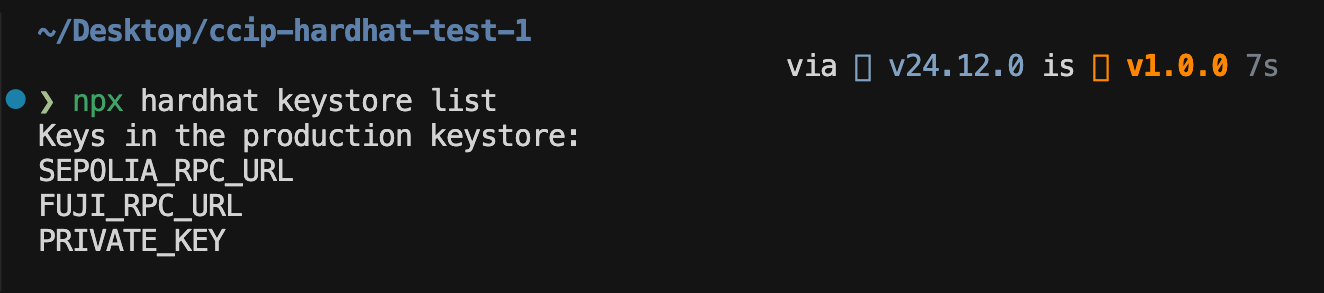
npx hardhat keystore set SEPOLIA_RPC_URL
npx hardhat keystore set FUJI_RPC_URL
npx hardhat keystore set PRIVATE_KEY
```
The output of `npx hardhat keystore list ` should look like this:
### 2. Set up the contracts
1. Create a new directory named `contracts` for your smart contracts if it doesn't already exist.
2. Create a new file named `Sender.sol` in this directory and paste the [sender contract code](#examine-the-example-code) inside it.
3. Create a new file named `Receiver.sol` in the same directory and paste the [receiver contract code](#examine-the-example-code) inside it.
4. Run the following command to compile the contracts:
```bash filename="Terminal"
npx hardhat build
```
### 3. Send a cross-chain message using CCIP
1. Create a new directory named `scripts` at the root of the project if it doesn't already exist.
2. Create a new file named `send-cross-chain-message.ts` in this directory and paste the following code inside it:
```typescript filename="scripts/send-cross-chain-message.ts"
import { network } from "hardhat"
import { getContract, parseAbi, parseUnits } from "viem"
// Avalanche Fuji configuration
const FUJI_ROUTER = "0xF694E193200268f9a4868e4Aa017A0118C9a8177"
const FUJI_LINK = "0x0b9d5D9136855f6FEc3c0993feE6E9CE8a297846"
// Ethereum Sepolia configuration
// Note that the contract on Sepolia doesn't need to have LINK to pay for CCIP fees.
const SEPOLIA_ROUTER = "0x0BF3dE8c5D3e8A2B34D2BEeB17ABfCeBaf363A59"
const SEPOLIA_CHAIN_SELECTOR = 16015286601757825753n
// Connect to Avalanche Fuji
console.log("Connecting to Avalanche Fuji...")
const fujiNetwork = await network.connect("avalancheFuji")
// Connect to Ethereum Sepolia
console.log("Connecting to Ethereum Sepolia...")
const sepoliaNetwork = await network.connect("sepolia")
// Step 1: Deploy Sender on Fuji
console.log("\n[Step 1] Deploying Sender contract on Avalanche Fuji...")
const sender = await fujiNetwork.viem.deployContract("Sender", [FUJI_ROUTER, FUJI_LINK])
const fujiPublicClient = await fujiNetwork.viem.getPublicClient()
console.log(`Sender contract has been deployed to this address on the Fuji testnet: ${sender.address}`)
console.log(`View on Avascan: https://testnet.avascan.info/blockchain/all/address/${sender.address}`)
// Step 2: Fund Sender with LINK
console.log("\n[Step 2] Funding Sender with 1 LINK...")
const [fujiWalletClient] = await fujiNetwork.viem.getWalletClients()
if (!fujiWalletClient) {
throw new Error("No wallet client available. Check PRIVATE_KEY + network config in hardhat.config.ts.")
}
// We create a minimal interface for the LINK token to be able to call the transfer function.
const linkTokenInterfaceAbi = parseAbi(["function transfer(address to, uint256 value) returns (bool)"])
const link = getContract({
address: FUJI_LINK,
abi: linkTokenInterfaceAbi,
client: { public: fujiPublicClient, wallet: fujiWalletClient },
})
const transferLinkToFujiContract = await link.write.transfer([sender.address, parseUnits("1", 18)])
console.log("LINK token transfer in progress, awaiting confirmation...")
await fujiPublicClient.waitForTransactionReceipt({ hash: transferLinkToFujiContract, confirmations: 1 })
console.log(`Funded Sender with 1 LINK`)
// Step 3: Deploy Receiver on Sepolia
console.log("\n[Step 3] Deploying Receiver on Ethereum Sepolia...")
const receiver = await sepoliaNetwork.viem.deployContract("Receiver", [SEPOLIA_ROUTER])
const sepoliaPublicClient = await sepoliaNetwork.viem.getPublicClient()
console.log(`Receiver contract has been deployed to this address on the Sepolia testnet: ${receiver.address}`)
console.log(`View on Etherscan: https://sepolia.etherscan.io/address/${receiver.address}`)
console.log(`\n📋 Copy the receiver address since it will be needed to run the verification script 📋 \n`)
// Step 4: Send cross-chain message
console.log("\n[Step 4] Sending cross-chain message...")
const sendMessageTx = await sender.write.sendMessage([
SEPOLIA_CHAIN_SELECTOR,
receiver.address,
"Hello World from Hardhat script!",
])
console.log("Cross-chain message sent, awaiting confirmation...")
console.log(`Message sent from source contract! ✅ \n Tx hash: ${sendMessageTx}`)
console.log(`View transaction status on CCIP Explorer: https://ccip.chain.link`)
console.log(
"Run the receiver script after 10 minutes to check if the message has been received on the destination contract."
)
```
This script does the following:
- Connects to the Avalanche Fuji and Ethereum Sepolia networks.
- Deploys the sender contract on Avalanche Fuji.
- Funds the sender contract with 1 LINK.
- Deploys the receiver contract on Ethereum Sepolia.
- Sends a cross-chain message from the sender contract to the receiver contract.
> **NOTE: LINK token Interface**
>
> You will notice that we create a minimal interface for the `LINK` token as part of our script. Another option could
> have been to generate a compiled artifact out of an empty contract that extends the `LinkTokenInterface` from the
> `@chainlink/contracts` package.
>
> Which approach do you prefer?
3. Run the following command to send the cross-chain message:
```bash filename="Terminal"
npx hardhat run scripts/send-cross-chain-message.ts
```
### 4. Verify message delivery
1. Wait for a few minutes for the message to be delivered to the receiver contract.
2. Create a new file named `verify-cross-chain-message.ts` in the `scripts` directory and paste the following code inside it:
> **NOTE: Paste the Receiver contract address here**
>
> The second script will call the `getLastReceivedMessageDetails` function on the receiver contract to verify if the
> message has been received. It will need the correct address to call the function.
```typescript filename="scripts/verify-cross-chain-message.ts"
import { network } from "hardhat"
// Paste the Receiver contract address
const RECEIVER_ADDRESS = ""
console.log("Connecting to Ethereum Sepolia...")
const sepoliaNetwork = await network.connect("sepolia")
console.log("Checking for received message...\n")
const receiver = await sepoliaNetwork.viem.getContractAt("Receiver", RECEIVER_ADDRESS)
const [messageId, text] = await receiver.read.getLastReceivedMessageDetails()
// A null hexadecimal value means no message has been received yet
const ZERO_BYTES32 = "0x0000000000000000000000000000000000000000000000000000000000000000"
if (messageId === ZERO_BYTES32) {
console.log("No message received yet.")
console.log("Please wait a bit longer and try again.")
process.exit(1)
} else {
console.log(`✅ Message ID: ${messageId}`)
console.log(`Text: "${text}"`)
}
```
This script does the following:
- Connects to the Ethereum Sepolia network.
- Reads the last received message details from the receiver contract.
- Checks if any message has been received.
- Prints the message ID and text of the last received message.
3. Run the following command to verify the cross-chain message:
```bash filename="Terminal"
npx hardhat run scripts/verify-cross-chain-message.ts
```
4. You should see the message ID and text of the last received message printed in the terminal.
### Foundry
Best for **Solidity-native** workflows that prefer a modular, powerful scripting framework.
### 1. Bootstrap a new Foundry project
1. Open a new terminal in a directory of your choice and run this command to initialize a new Foundry project at the root:
```bash filename="Terminal"
forge init
```
2. Install the required dependencies:
```bash filename="Terminal"
forge install smartcontractkit/chainlink-ccip smartcontractkit/chainlink-evm
```
> **NOTE: Note**
>
> `cast wallet import` will throw an error if an `env` variable with the same name already exists. Use `cast wallet
> list` to check previously set variables.
3. Use Foundry's `cast` command to create a new keystore for your `PRIVATE_KEY`:
```bash filename="Terminal"
cast wallet import --interactive PRIVATE_KEY
```
And use the `cast wallet list` command to verify:

> **CAUTION: Note**
>
> You will notice that while we pulled in our RPC URLs via encrypted keystore variables in the Hardhat project, we only
> encrypt the `PRIVATE_KEY` in Foundry. This is because as of of writing, Foundry supports keystore encryption only for
> Private keys, and not generic strings.
4. Configure the remappings so that your `foundry.toml` file looks like this:
```toml filename="foundry.toml"
[profile.default]
solc = "0.8.24"
src = "src"
out = "out"
libs = ["lib"]
remappings = [
"forge-std/=lib/forge-std/src/",
"@chainlink/contracts-ccip/contracts/=lib/chainlink-ccip/chains/evm/contracts/",
"@chainlink/contracts/=lib/chainlink-evm/contracts/",
"@openzeppelin/contracts@5.0.2/utils/introspection/=lib/forge-std/src/interfaces/"
]
# RPC URLs will be fed to our script via Foundry's config file
[rpc_endpoints]
sepolia = "ENTER_YOUR_SEPOLIA_RPC_URL_HERE"
fuji = "ENTER_YOUR_FUJI_RPC_URL_HERE"
```
### 2. Set up the contracts
1. Create a new directory named `src` at the root of the project if it doesn't already exist.
2. Create a new file named `Sender.sol` in this directory and paste the [sender contract code](#examine-the-example-code) inside it.
3. Create a new file named `Receiver.sol` in the same directory and paste the [receiver contract code](#examine-the-example-code) inside it.
4. Run the following command to compile the contracts:
```bash filename="Terminal"
forge build
```
### 3. Send a cross-chain message using CCIP
1. Create a new directory named `script` at the root of the project if it doesn't already exist.
2. Create a new file named `SendCrossChainMessage.s.sol` in this directory and paste the following code inside it:
```solidity filename="script/SendCrossChainMessage.s.sol"
// SPDX-License-Identifier: UNLICENSED
pragma solidity 0.8.24;
import {Script, console} from "forge-std/Script.sol";
import {Sender} from "../src/Sender.sol";
import {Receiver} from "../src/Receiver.sol";
import {LinkTokenInterface} from "@chainlink/contracts/src/v0.8/shared/interfaces/LinkTokenInterface.sol";
contract SendCrossChainMessage is Script {
// Avalanche Fuji configuration
address constant FUJI_ROUTER = 0xF694E193200268f9a4868e4Aa017A0118C9a8177;
address constant FUJI_LINK = 0x0b9d5D9136855f6FEc3c0993feE6E9CE8a297846;
// Ethereum Sepolia configuration
address constant SEPOLIA_ROUTER =0x0BF3dE8c5D3e8A2B34D2BEeB17ABfCeBaf363A59;
uint64 constant SEPOLIA_CHAIN_SELECTOR = 16015286601757825753;
// Configuring decimal value for LINK token
uint256 ONE_LINK = 1e18;
function run() public {
// Load form configs from foundry.toml
uint256 fujiFork = vm.createFork(vm.rpcUrl("fuji"));
uint256 sepoliaFork = vm.createFork(vm.rpcUrl("sepolia"));
// Step 1: Deploy Sender on Fuji
// Connect to Fuji Network
console.log("Connecting to Avalanche Fuji...");
vm.selectFork(fujiFork);
vm.startBroadcast();
// Deploy Sender contract
console.log("\n[Step 1] Deploying Sender contract on Avalanche Fuji...");
Sender sender = new Sender(FUJI_ROUTER, FUJI_LINK);
console.log("Sender contract has been deployed to this address on the Fuji testnet:", address(sender));
console.log(
string.concat(
"View on Avascan: https://testnet.avascan.info/blockchain/all/address/",
vm.toString(address(sender))
)
);
// Step 2: Fund Sender with 1 LINK
console.log("\n[Step 2] Funding Sender with 1 LINK on Avalanche Fuji...");
LinkTokenInterface(FUJI_LINK).transfer(address(sender), ONE_LINK);
vm.stopBroadcast();
console.log("Funded Sender with 1 LINK on Fuji");
// Step 3: Deploy Receiver on Sepolia
// Connect to Sepolia Network
console.log("Connecting to Ethereum Sepolia...");
vm.selectFork(sepoliaFork);
vm.startBroadcast();
// Deploy Receiver contract
console.log("\n[Step 3] Deploying Receiver contract on Ethereum Sepolia...");
Receiver receiver = new Receiver(SEPOLIA_ROUTER);
vm.stopBroadcast();
console.log("Receiver deployed on Sepolia at this address:", address(receiver));
console.log(
string.concat(
"View on Etherscan: https://sepolia.etherscan.io/address/",
vm.toString(address(receiver))
)
);
console.log("\n .....Copy the receiver address since it will be needed to run the verification script.....\n");
console.log(address(receiver));
// Step 4: Send cross-chain message (Fuji -> Sepolia)
vm.selectFork(fujiFork);
vm.startBroadcast();
// Send cross-chain message
console.log("Sending cross-chain message from Fuji to Sepolia...");
bytes32 messageId = sender.sendMessage(
SEPOLIA_CHAIN_SELECTOR,
address(receiver),
"Hello World from Foundry script!"
);
vm.stopBroadcast();
console.log("The message has been sent to the CCIP router on Fuji, check for successful delivery after 5 minutes...");
console.log("CCIP messageId:");
console.logBytes32(messageId);
console.log("View transaction status on CCIP Explorer: https://ccip.chain.link");
}
}
```
3. Run the following command to send the cross-chain message:
```bash filename="Terminal"
forge script script/SendCrossChainMessage.s.sol:SendCrossChainMessage --broadcast --multi --account PRIVATE_KEY
```
> **NOTE**
>
> - The `--broadcast` flag is used to broadcast transactions to an actual network.
> - You can get detailed runtime logs by using the `-vvvv` verbosity flag. - The `--multi` flag is used to send transactions to multiple chains.
### 4. Verify message delivery
1. Create a new file named `VerifyCrossChainMessage.s.sol` in the `script` directory and paste the following code inside it:
```solidity filename="script/VerifyCrossChainMessage.s.sol"
// SPDX-License-Identifier: UNLICENSED
pragma solidity 0.8.24;
import {Script, console} from "forge-std/Script.sol";
import {Receiver} from "../src/Receiver.sol";
contract VerifyCrossChainMessage is Script {
bytes32 constant ZERO_BYTES32 = bytes32(0);
function run() public {
address receiverAddress = PASTE_RECEIVER_ADDRESS_HERE;
require(receiverAddress != address(0), "Set RECEIVER_ADDRESS");
console.log("Connecting to Ethereum Sepolia...");
uint256 sepoliaFork = vm.createFork(vm.rpcUrl("sepolia"));
vm.selectFork(sepoliaFork);
console.log("Checking for received message...\n");
Receiver receiver = Receiver(receiverAddress);
(bytes32 messageId, string memory text) = receiver
.getLastReceivedMessageDetails();
if (messageId == ZERO_BYTES32) {
console.log("No message received yet.");
console.log("Please wait a bit longer and try again.");
revert("No message received yet");
}
console.log("Received Message ID:");
console.logBytes32(messageId);
console.log(string.concat('Received Text: "', text, '"'));
}
}
```
2. Run the following command to verify the cross-chain message:
```bash filename="Terminal"
forge script script/VerifyCrossChainMessage.s.sol:VerifyCrossChainMessage
```
### Remix
Best for **Web3-native** workflows that prefer a browser-based IDE.
### 1. Deploy the sender contract
Deploy the `Sender.sol` contract on *Avalanche Fuji*. To see a detailed explanation of this contract, read the [Code Explanation](#sender-code) section.
1. Open the Sender.sol contract in Remix.
2. Compile the contract.
3. Deploy the sender contract on *Avalanche Fuji*:
1. Open MetaMask and select the *Avalanche Fuji* network.
2. In Remix under the **Deploy & Run Transactions** tab, select *Injected Provider - MetaMask* in the **Environment** list. Remix will use the MetaMask wallet to communicate with *Avalanche Fuji*.
3. Under the **Deploy** section, fill in the router address and the LINK token contract addresses for your specific blockchain. You can find both of these addresses on the [CCIP Directory](/ccip/directory). The LINK token contract address is also listed on the [LINK Token Contracts](/resources/link-token-contracts) page. For *Avalanche Fuji*, the router address is 0xF694E193200268f9a4868e4Aa017A0118C9a8177 and the LINK address is 0x0b9d5D9136855f6FEc3c0993feE6E9CE8a297846.
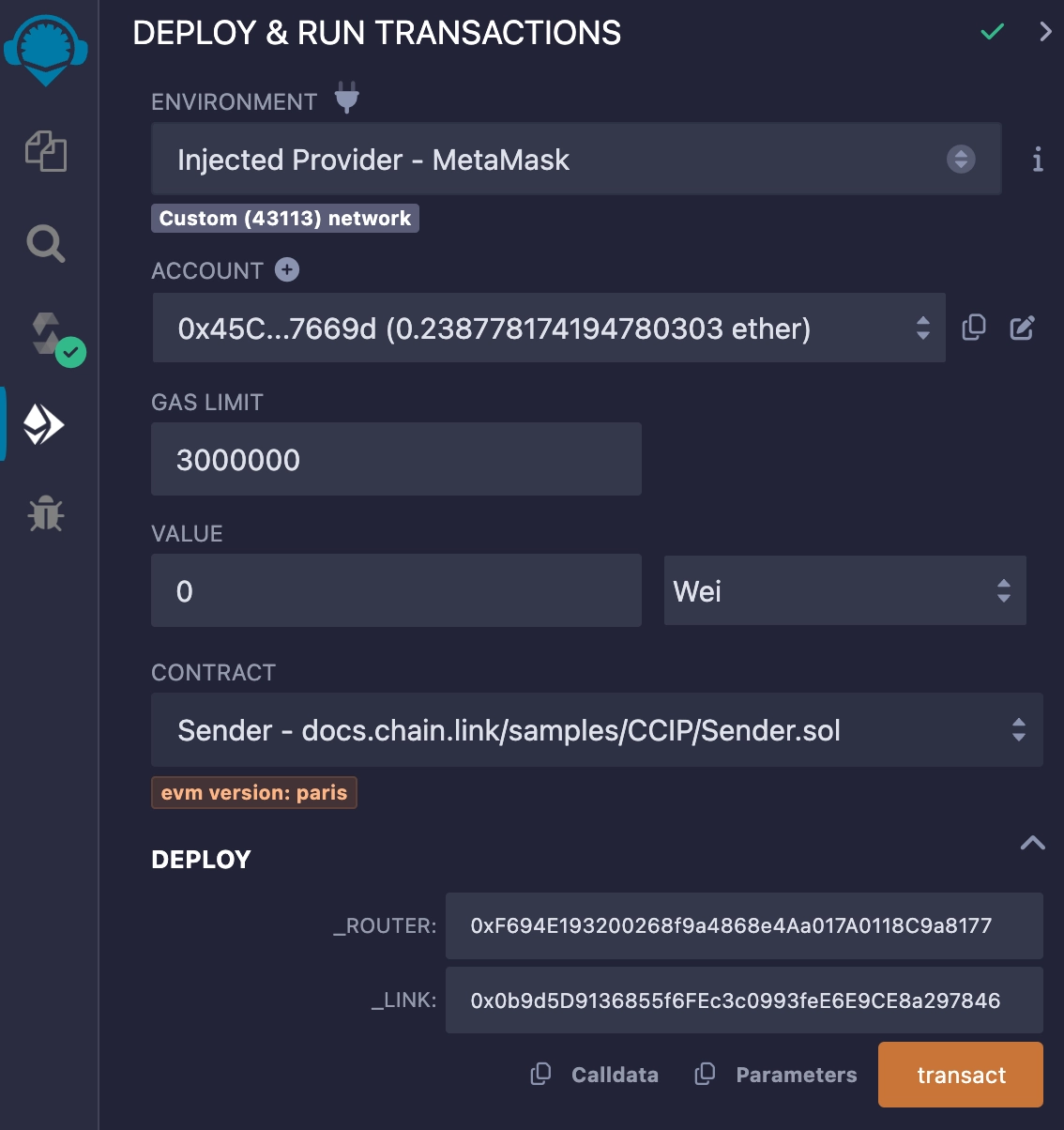
4. Click the **transact** button to deploy the contract. MetaMask prompts you to confirm the transaction. Check the transaction details to make sure you are deploying the contract to *Avalanche Fuji*.
5. After you confirm the transaction, the contract address appears in the **Deployed Contracts** list. Copy your contract address.
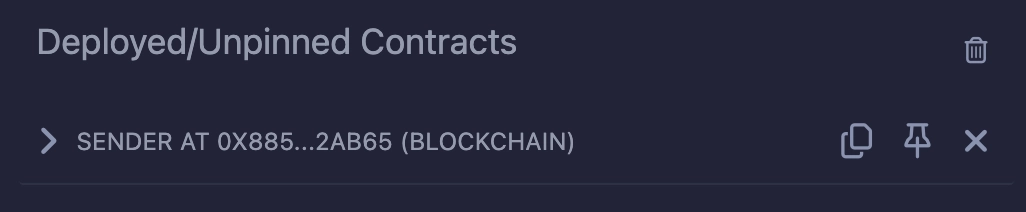
6. Open MetaMask and send 70 LINK to the contract address that you copied. Your contract will pay CCIP fees in LINK.
**Note:** This transaction fee is significantly higher than normal due to gas spikes on Sepolia. To run this example, you can get additional testnet LINK
from [faucets.chain.link](https://faucets.chain.link) or use a supported testnet other than Sepolia.
### 2. Deploy the receiver contract
Deploy the receiver contract on *Ethereum Sepolia*. You will use this contract to receive data from the sender that you deployed on *Avalanche Fuji*. To see a detailed explanation of this contract, read the [Code Explanation](#receiver-code) section.
1. [Open the Receiver.sol](https://remix.ethereum.org/#url=https://docs.chain.link/samples/CCIP/Receiver.sol) contract in Remix.
[Open Receiver.sol in Remix](https://remix.ethereum.org/#url=https://docs.chain.link/samples/CCIP/Receiver.sol)
2. Compile the contract.
3. Deploy the receiver contract on *Ethereum Sepolia*:
1. Open MetaMask and select the *Ethereum Sepolia* network.
2. In Remix under the **Deploy & Run Transactions** tab, make sure the **Environment** is still set to *Injected Provider - MetaMask*.
3. Under the **Deploy** section, fill in the router address field. For *Ethereum Sepolia*, the Router address is 0x0BF3dE8c5D3e8A2B34D2BEeB17ABfCeBaf363A59. You can find the addresses for each network on the [CCIP Directory](/ccip/directory).
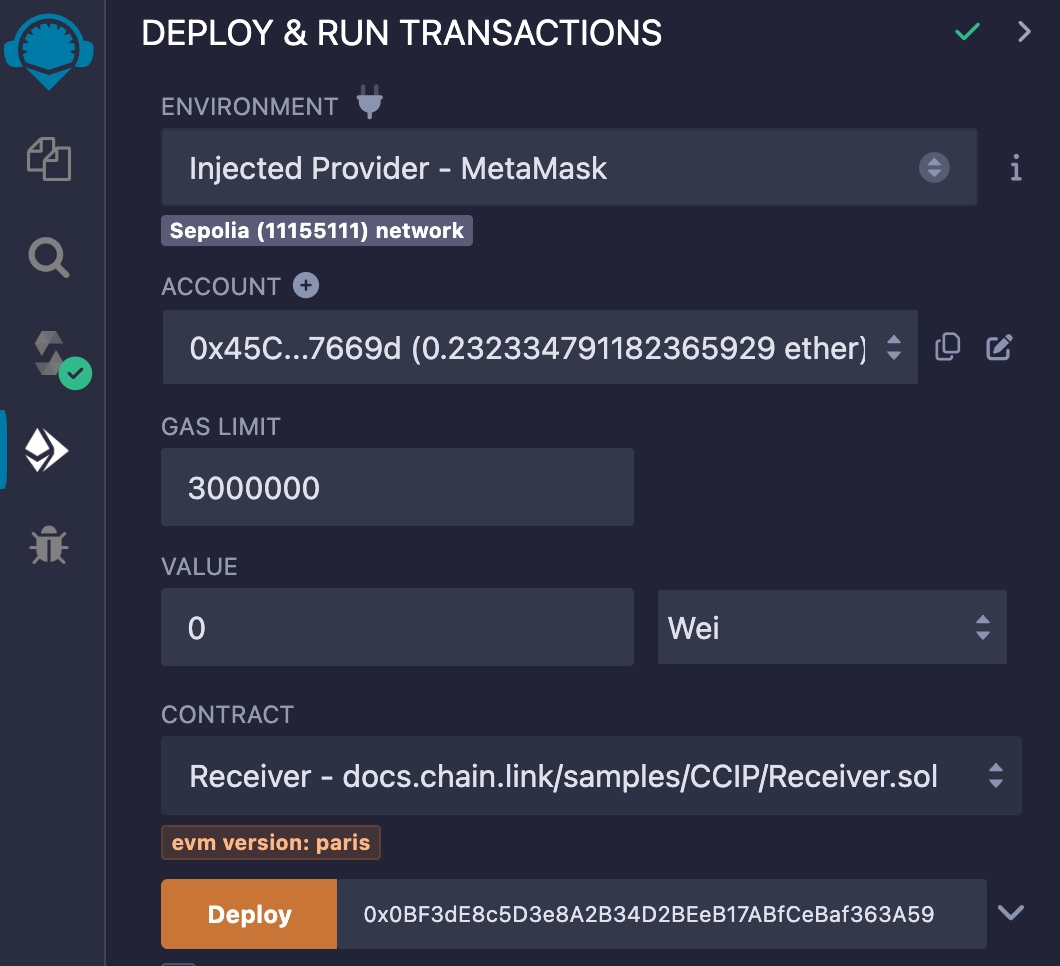
4. Click the **Deploy** button to deploy the contract. MetaMask prompts you to confirm the transaction. Check the transaction details to make sure you are deploying the contract to *Ethereum Sepolia*.
5. After you confirm the transaction, the contract address appears as the second item in the **Deployed Contracts** list. Copy this contract address.
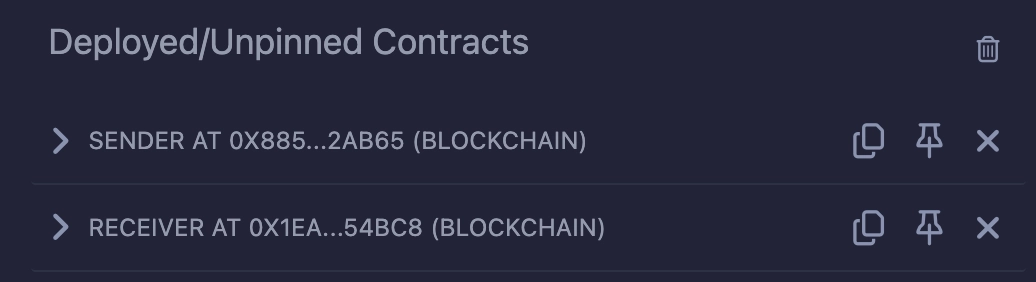
You now have one *sender* contract on *Avalanche Fuji* and one *receiver* contract on *Ethereum Sepolia*. You sent `70` LINK to the *sender* contract to pay the CCIP fees. Next, send data from the sender contract to the receiver contract.
### 3. Send data
Send a `Hello World!` string from your contract on *Avalanche Fuji* to the contract you deployed on *Ethereum Sepolia*:
1. Open MetaMask and select the *Avalanche Fuji* network.
2. In Remix under the **Deploy & Run Transactions** tab, expand the first contract in the **Deployed Contracts** section.
3. Expand the **sendMessage** function and fill in the following arguments:
| Argument | Description | Value (*Ethereum Sepolia*) |
| ------------------------ | ----------------------------------------------------------------------------------------------------------------------------------- | ------------------------------ |
| destinationChainSelector | CCIP Chain identifier of the target blockchain. You can find each network's chain selector on the [CCIP Directory](/ccip/directory) | 16015286601757825753 |
| receiver | The destination smart contract address | Your deployed contract address |
| text | Any `string` | Hello World! |
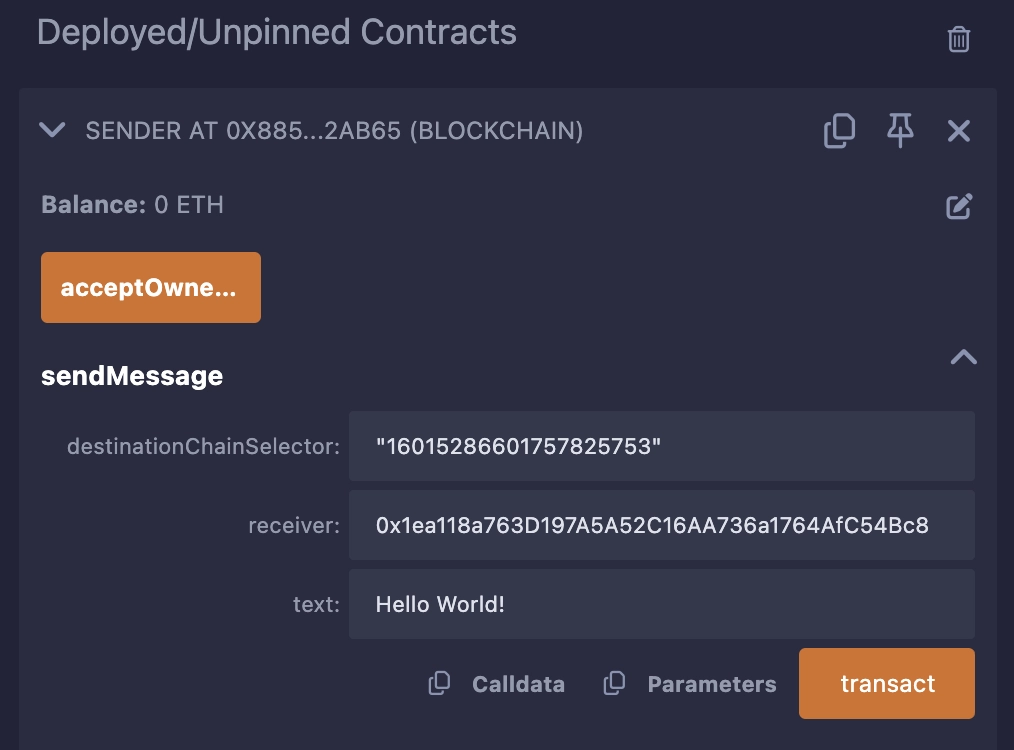
4. Click the **transact** button to run the function. MetaMask prompts you to confirm the transaction.
> **NOTE: Gas price spikes**
>
> Under normal circumstances, transactions on the Ethereum Sepolia network require significantly fewer tokens to pay for gas. However, during exceptional periods of high gas price spikes, your transactions may fail if not sufficiently funded. In such cases, you may need to fund your contract with additional tokens. We recommend paying for your CCIP transactions in **LINK** tokens (rather than native tokens) as you can obtain extra LINK testnet tokens from [faucets.chain.link](https://faucets.chain.link/). If you encounter a transaction failure due to these gas price spikes, please add additional LINK tokens to your contract and try again.
> Alternatively, you can use a supported testnet other than Sepolia.
5. After the transaction is successful, note the transaction hash. Here is an [example](https://testnet.snowtrace.io/tx/0x113933ec9f1b2e795a1e2f564c9d452db92d3e9a150545712687eb546916e633) of a successful transaction on *Avalanche Fuji*.
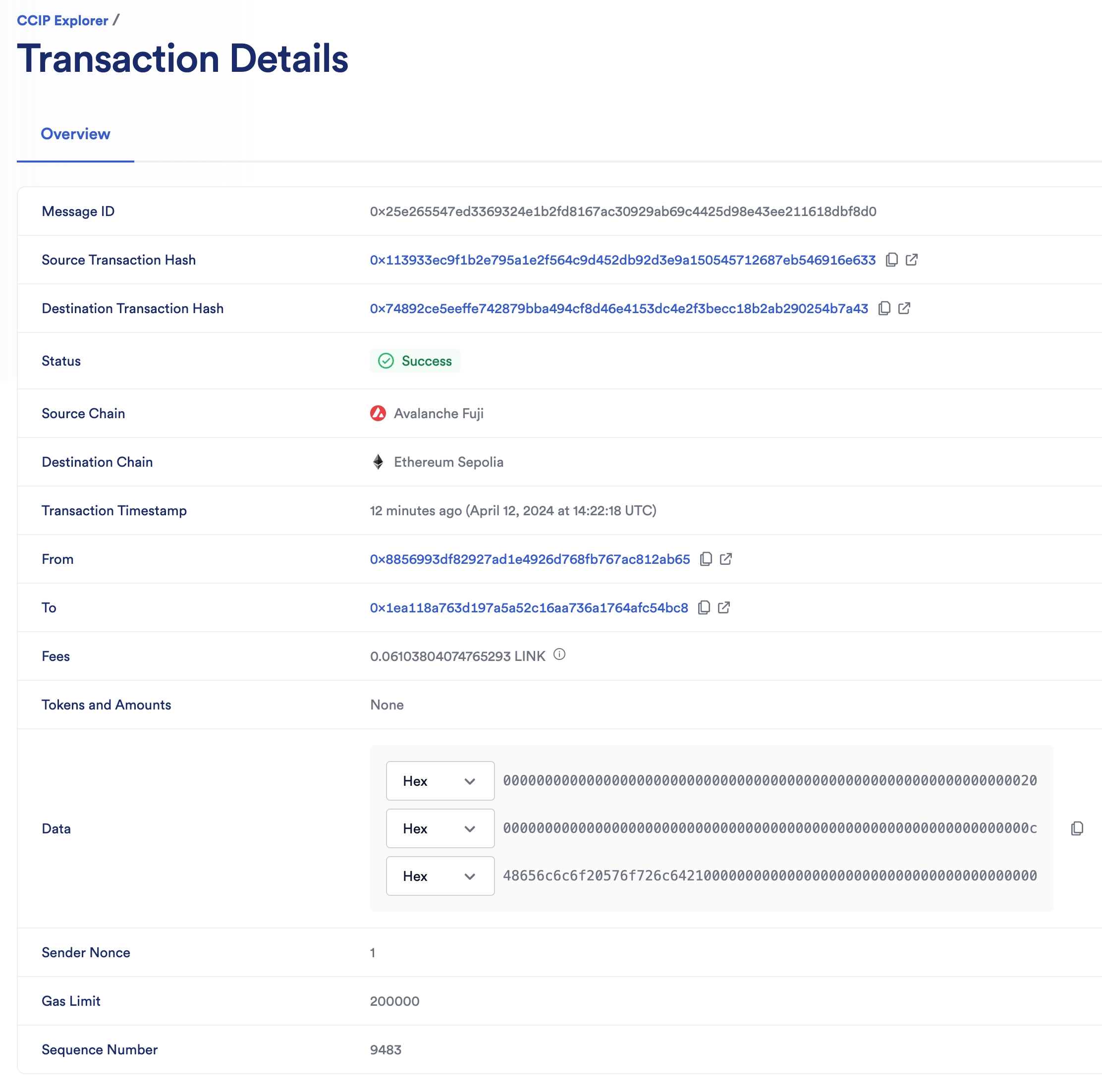
After the transaction is finalized on the source chain, it will take a few minutes for CCIP to deliver the data to *Ethereum Sepolia* and call the `ccipReceive` function on your receiver contract. You can use the [CCIP explorer](https://ccip.chain.link/) to see the status of your CCIP transaction and then read data stored by your receiver contract.
6. Open the [CCIP explorer](https://ccip.chain.link/) and use the transaction hash that you copied to search for your cross-chain transaction. The explorer provides several details about your request.
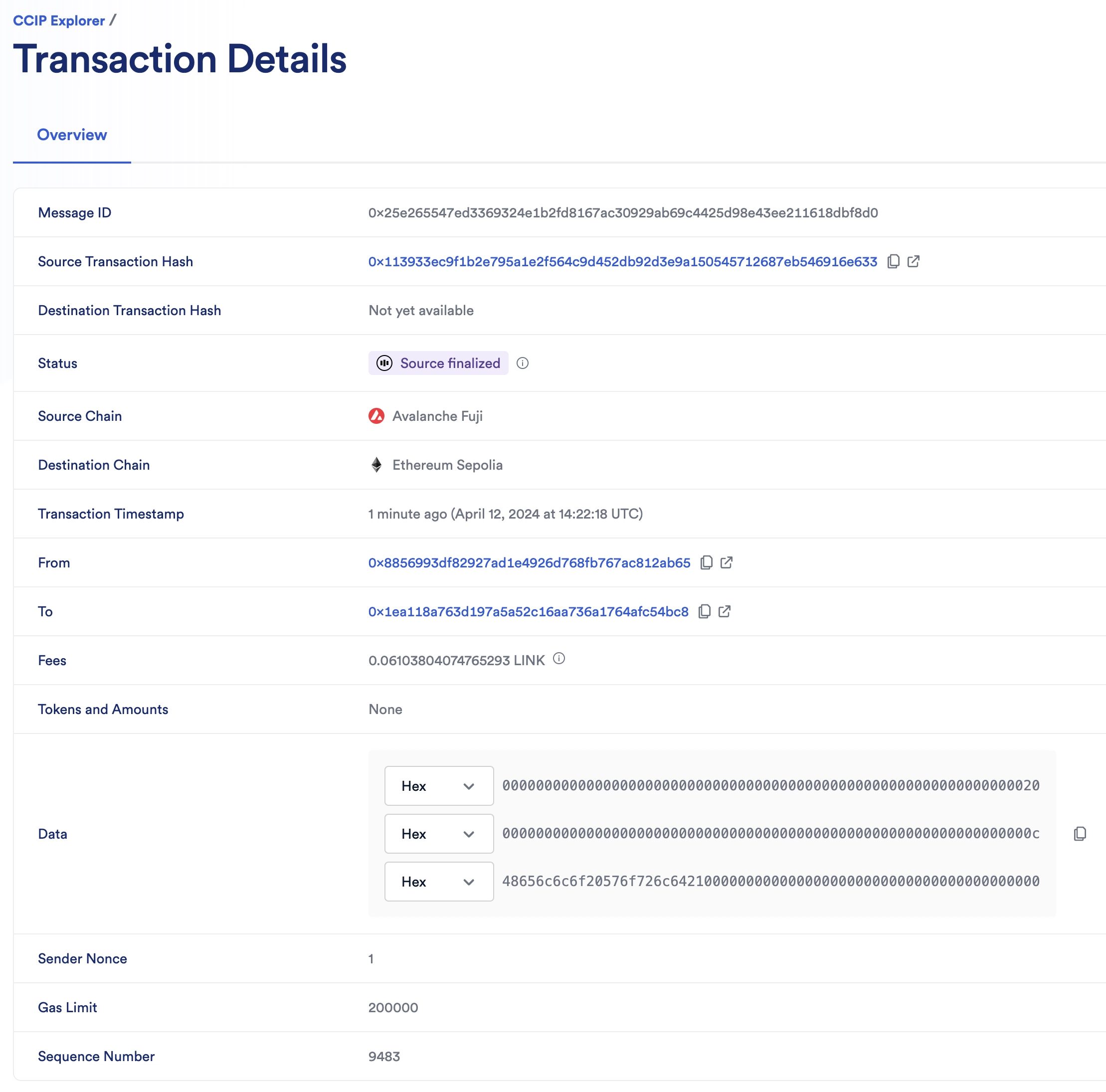
7. When the status of the transaction is marked with a "Success" status, the CCIP transaction and the destination transaction are complete.
### 4. Read data
Read data stored by the receiver contract on *Ethereum Sepolia*:
1. Open MetaMask and select the *Ethereum Sepolia* network.
2. In Remix under the **Deploy & Run Transactions** tab, expand the receiver contract deployed on *Ethereum Sepolia*.
3. Click the **getLastReceivedMessageDetails** function button to read the stored data. In this example, it should be "Hello World!".
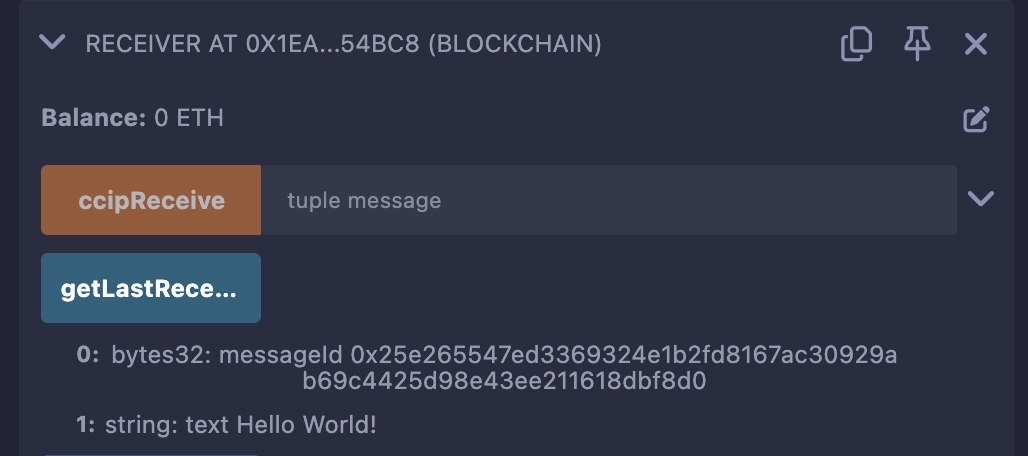
Congratulations! You just sent your first cross-chain data using CCIP. Next, examine the example code to learn how this contract works.
---
# Getting Started (Solana)
Source: https://docs.chain.link/ccip/getting-started/svm
Last Updated: 2025-08-22
> **NOTE: Talk to a CCIP expert**
>
> If you require technical advice or wish to consult on your project's implementation, please contact a CCIP expert. Our
> dedicated team is ready to support your projects and ensure their success. For expert guidance, visit the [Chainlink
> CCIP Contact form](https://chain.link/ccip-contact).
## Solana (SVM) Support in CCIP
Chainlink CCIP supports Solana through the Solana Virtual Machine (SVM), enabling cross-chain interoperability between Solana and other blockchain families including EVM chains.
## What You Can Build with CCIP on Solana
- **Cross-Chain Token Transfers**: Transfer tokens from/to Solana
- **Cross-Chain Data Messaging**: Send arbitrary data between Solana programs and smart contracts on other chains
- **Programmable Token Transfers**: Combine token transfers with messaging to trigger specific actions on destination chains
- **Cross-Chain Token (CCT) Standard**: Enable your tokens in CCIP to be transferred to/from Solana
## Getting Started with Solana CCIP
SVM tutorials can be found [here](/ccip/tutorials/svm).
---
# Getting Started (Aptos)
Source: https://docs.chain.link/ccip/getting-started/aptos
Last Updated: 2025-08-22
> **NOTE: Talk to a CCIP expert**
>
> If you require technical advice or wish to consult on your project's implementation, please contact a CCIP expert. Our
> dedicated team is ready to support your projects and ensure their success. For expert guidance, visit the [Chainlink
> CCIP Contact form](https://chain.link/ccip-contact).
## Aptos Support in CCIP
Chainlink CCIP supports Aptos through the Move programming language, enabling cross-chain interoperability between Aptos and other blockchain families including EVM chains. The integration leverages Aptos's resource model and Fungible Asset standard to provide secure cross-chain token transfers and messaging.
## What You Can Build with CCIP on Aptos
- **Cross-Chain Token Transfers**: Transfer tokens from/to Aptos using the Fungible Asset standard
- **Cross-Chain Data Messaging**: Send arbitrary data between Aptos modules and smart contracts on other chains
- **Programmable Token Transfers**: Combine token transfers with messaging to trigger specific actions on destination chains
- **Cross-Chain Token (CCT) Standard**: Enable your tokens in CCIP to be transferred to/from Aptos
## Getting Started with Aptos CCIP
Aptos tutorials can be found [here](/ccip/tutorials/aptos).
---
# Getting Started (Canton)
Source: https://docs.chain.link/ccip/getting-started/canton
Last Updated: 2026-07-07
> **CAUTION**
>
> Addresses shown may change due to upgrades since Canton contracts are immutable. Confirm party IDs and contract addresses with [Chainlink CCIP](https://chain.link/ccip-contact).
**Connect a Canton party to CCIP and run a cross-chain workflow on testnet.**
In this guide, you will:
1. Learn Canton-specific concepts CCIP relies on ([Key Concepts](/ccip/concepts/canton/key-concepts))
2. Choose the right tooling ([`ccip-starter-kit-canton`](https://github.com/smartcontractkit/ccip-starter-kit-canton) tutorials vs [`ccip-tools-ts`](https://github.com/smartcontractkit/ccip-tools-ts) SDK/CLI for production)
3. Complete prerequisites and run your first **Canton ↔ Sepolia** tutorial (send or receive, including **manual execution** when Canton is the destination)
> **CAUTION: Manual execution required on Canton**
>
> When Canton is the **destination**, incoming messages are **not** executed automatically. The **receiver** must [manually execute](/ccip/concepts/canton/manual-execution) each message after proofs are on the indexer.
## Who this is for
Institution and enterprise engineers who need to:
- Bridge **CIP-56** instruments or Registry-issued tokens across CCIP lanes
- Send arbitrary data or programmable token transfers to or from Canton
- Operate token pool and Explicit Disclosure Service (EDS) infrastructure for their instruments
No permission from Chainlink is required for your party to send messages on a configured lane — you need participant access, disclosures, and fee-token holdings.
## What you can build
| Goal | Start here |
| :----------------------------------------------- | :--------------------------------------------------------------------------------------------------------------- |
| First testnet send or receive (Canton ↔ Sepolia) | [Canton as Source](/ccip/tutorials/canton/source) or [Canton as Destination](/ccip/tutorials/canton/destination) |
| Deploy a token pool and register on TAR | [Cross-Chain Token (CCT)](/ccip/tutorials/canton/cross-chain-tokens) |
| Understand send/execute flows | [Overview](/ccip/concepts/canton/overview) |
| Operate pool EDS | [Explicit Disclosure API](/ccip/concepts/canton/explicit-disclosure) |
## Tooling
| Tool | Role |
| :------------------------------------------------------------------------------------------------------------------------------------------- | :------------------------------------------------------------------------------------------------------------------ |
| [`@chainlink/ccip-sdk`](https://www.npmjs.com/package/@chainlink/ccip-sdk) / [`ccip-cli`](https://github.com/smartcontractkit/ccip-tools-ts) | Production library and CLI — disclosures, fees, send, execute, proofs |
| [`ccip-starter-kit-canton`](https://github.com/smartcontractkit/ccip-starter-kit-canton) | Testnet tutorial scripts (`canton2any:*`, `any2canton:*`, `cct:*`) pre-configured for Canton CCIP testnet ↔ Sepolia |
The starter kit uses the same SDK and ledger submit model as `ccip-cli` with `canton-config.json`. Use the starter kit to learn; use the SDK or CLI directly for your own applications.
## Fees (summary)
- **Sending from Canton:** CCIP fees are paid on-ledger in **Amulet** by default, or **LINK** with `--feeToken link`. See [Key Concepts — Fees](/ccip/concepts/canton/key-concepts#fees-on-canton).
- **Sending to Canton:** Fees are paid on the **source** chain (Sepolia ETH or LINK in the starter kit).
Fund your party before running tutorials — `npm run check-balance` in the starter kit.
## Quick start (testnet tutorial)
1. Read [Key Concepts](/ccip/concepts/canton/key-concepts) (parties, privacy, manual execution, fees).
2. Clone and configure the [starter kit](/ccip/tutorials/canton/source/prerequisites) (`party`, ledger URL, validator user, `transferInstructionUrl`).
3. Pick a direction and tutorial:
- **Canton → Sepolia:** [Arbitrary Messaging](/ccip/tutorials/canton/source/arbitrary-messaging), [Token Transfers](/ccip/tutorials/canton/source/token-transfers), or [Programmable Token Transfers](/ccip/tutorials/canton/source/programmable-token-transfers)
- **Sepolia → Canton:** [Arbitrary Messaging](/ccip/tutorials/canton/destination/arbitrary-messaging), [Token Transfers](/ccip/tutorials/canton/destination/token-transfers), or [Programmable Token Transfers](/ccip/tutorials/canton/destination/programmable-token-transfers) — each ends with `any2canton:manual-exec`
## Before you begin
Coordinate with **Chainlink CCIP operations** for:
- CCIP owner party ID and hosted contract addresses (Token Admin Registry, FeeQuoter, RMNRemote)
- Remote chain selectors and lane configuration for your target networks
- CCIP DAR packages on your participant (typically provisioned by ops)
> **NOTE: Talk to a CCIP expert**
>
> If you require technical advice or wish to consult on your project's implementation, please contact a CCIP expert. Our
> dedicated team is ready to support your projects and ensure their success. For expert guidance, visit the [Chainlink
> CCIP Contact form](https://chain.link/ccip-contact).
---
# CCIP Service Limits (EVM)
Source: https://docs.chain.link/ccip/service-limits/evm
Last Updated: 2025-05-19
## Mainnet
> **NOTE: Increase the gas limit**
>
> If you consistently need more than 3M for your use case, please reach out to your Chainlink Labs point of contact or
> contact us via this [contact form](https://chain.link/ccip-contact).
> **NOTE: Need more gas for releaseOrMint?**
>
> If you're building a token pool where the combined execution consumes more than 90,000 gas—including the `balanceOf`
> function calls (from the token contract) before and after minting/releasing, and the `releaseOrMint` function (from
> the token pool contract)—and you cannot optimize it further, please contact your Chainlink Labs point of contact or
> use this [contact form](https://chain.link/ccip-contact?v=Tokens:%20Gas%20limit%20update) to request assistance.
| Item | Description | Limit |
| ------------------------------ | ----------------------------------------------------------------------------------------------------------------------------------------------------------------------------------------------------------------------------------------------------------------------------------------------------------------------------------------------------------------------------------------------------------------------------------- | ------------ |
| Maximum message `data` length | `data` payload sent within the [CCIP message](/ccip/api-reference/evm/v1.6.1/client#evm2anymessage) | 30 kilobytes |
| Message Execution Gas Limit | User specified [gas limit](/ccip/api-reference/evm/v1.6.1/client#genericextraargsv2) Exception: Lanes originating from CORN have a maximum gas limit of 500,000. | 3,000,000 |
| Maximum number of tokens | Maximum number of distinct tokens a user can transfer in a single transaction. | 1 |
| Token Pool Execution Gas Limit | Maximum gas for executing the combined steps in token pools during cross-chain transfers, including: (1) `balanceOf` check before minting/releasing, (2) `releaseOrMint` function, and (3) `balanceOf` check after minting/releasing. For more details on building custom token pools and handling gas constraints, refer to the [Token Pools documentation](/ccip/concepts/cross-chain-token/evm/token-pools#common-requirements). | 90,000 |
## Testnet
| Item | Description | Limit |
| ------------------------------ | ----------------------------------------------------------------------------------------------------------------------------------------------------------------------------------------------------------------------------------------------------------------------------------------------------------------------------------------------------------------------------------------------------------------------------------- | ------------ |
| Maximum message `data` length | `data` payload sent within the [CCIP message](/ccip/api-reference/evm/v1.6.1/client#evm2anymessage) | 30 kilobytes |
| Message Execution Gas Limit | User specified [gas limit](/ccip/api-reference/evm/v1.6.1/client#genericextraargsv2) Exception: Lanes originating from CORN have a maximum gas limit of 500,000. | 3,000,000 |
| Maximum number of tokens | Maximum number of distinct tokens a user can transfer in a single transaction | 1 |
| Token Pool Execution Gas Limit | Maximum gas for executing the combined steps in token pools during cross-chain transfers, including: (1) `balanceOf` check before minting/releasing, (2) `releaseOrMint` function, and (3) `balanceOf` check after minting/releasing. For more details on building custom token pools and handling gas constraints, refer to the [Token Pools documentation](/ccip/concepts/cross-chain-token/evm/token-pools#common-requirements). | 90,000 |
## Network-Specific Limitations
Some EVM networks have additional constraints beyond the standard limits above:
| Network | Special Considerations | Documentation |
| -------- | ------------------------------------------------- | ------------------------------------------------------------ |
| HyperEVM | Data availability limitations during RPC downtime | [HyperEVM Service Limits](/ccip/service-limits/evm/hyperevm) |
## Private / Permissioned Network Limitations
Some CCIP integrations are with private / permissioned networks (see list below). CCIP's integration with these networks depends on a single centralized RPC provider rather than a distinct set of local nodes or RPCs utilized by node operators. As a result:
- Transaction data sourced from these networks cannot be independently verified across multiple nodes in the same way as public chains.
- A compromised RPC provider could manipulate transaction data, up to and including theft of bridged funds.
- Anomalous or malicious activity on these networks may be harder to detect and alert on, as monitoring infrastructure relies on the same private RPC layer.
Developers and integrators building CCIP integrations on private / permissioned networks should review these constraints carefully and implement additional safeguards appropriate to their application's use case. These include, but not limited to: more conservative token pool rate limits, monitoring of messages and token transfers, and emergency preparedness.
Private / permissioned networks:
- [Memento](/ccip/directory/mainnet/chain/memento-mainnet)
- [Henesys](/ccip/directory/mainnet/chain/nexon-mainnet-henesys)
---
# CCIP Service Limits (SVM)
Source: https://docs.chain.link/ccip/service-limits/svm
Last Updated: 2025-05-19
> **NOTE: Contact for Exception Requests**
>
> If you consistently need more gas/Compute Units for your use case, please reach out to your Chainlink Labs point of
> contact or contact us via this [contact form](https://chain.link/ccip-contact).
## EVM to SVM
| Item | Description | Limit |
| :------------------------------------ | :-------------------------------------------------------------------------------------------------------------------------------- | :----------- |
| Maximum message data length | The total payload for the message (includes the user specified message.data as well as the accounts, Bitmap, token transfer data) | 1280 bytes |
| Message execution compute units limit | User specified compute units limit. Mandatory to be set | 400,000 CU |
| Maximum number of tokens | Maximum number of distinct tokens a user can transfer in a single transaction. | 1 |
| Smart Execution time window | Maximum duration CCIP will attempt automatic execution of message | 8 hours |
| Token pool execution gas limit | Default compute units for TokenPool execution at the destination, ie., Solana | 150,000 CU |
| Out of Order execution | Parameter in the extraArgs of a CCIP message | Must be True |
## SVM to EVM
| Item | Description | Limit |
| :----------------------------- | :-------------------------------------------------------------------------------------------------- | :------------ |
| Maximum message data length | data payload sent within the [CCIP message](/ccip/api-reference/svm/v1.6.0/messages#svm2anymessage) | 400 bytes |
| Message execution gas limit | User specified gas limit. Mandatory to be set | 3,000,000 gas |
| Maximum number of tokens | Maximum number of distinct tokens a user can transfer in a single transaction. | 1 |
| Smart Execution time window | Maximum duration for the execution of a CCIP message | 8 hours |
| Token pool execution gas limit | Maximum gas for executing the combined steps in token pools during cross-chain transfers | 90,000 gas |
| Out of Order execution | Parameter in the extraArgs of a CCIP message | Must be True |
---
# CCIP Service Limits (Aptos)
Source: https://docs.chain.link/ccip/service-limits/aptos
Last Updated: 2025-09-03
> **NOTE: Contact for Exception Requests**
>
> If you consistently need more gas for your use case, please reach out to your Chainlink Labs point of contact or
> contact us via this [contact form](https://chain.link/ccip-contact).
## EVM to Aptos
These limits apply to messages sent from an EVM-compatible chain to the Aptos blockchain.
| Item | Description | Limit |
| :----------------------------- | :-------------------------------------------------------------------------------------------------------------------------------- | :------------- |
| Maximum message data length | The total payload for the message, including user data and token transfer information. | 30,000 bytes |
| Message execution gas limit | The user-specified `gasLimit` in `extraArgs` for the execution of the `ccip_receive` function on Aptos. | 100,000 gas |
| Maximum number of tokens | The maximum number of distinct tokens that can be transferred in a single transaction. | 1 |
| Smart Execution time window | The maximum duration that CCIP will attempt to automatically execute a message on Aptos before manual execution is required. | 8 hours |
| Token pool execution gas limit | The default gas overhead allocated for a standard token transfer operation on Aptos when a message is received from an EVM chain. | 10,000 gas |
| Out of Order execution | The `allowOutOfOrderExecution` parameter in the `extraArgs` of a CCIP message from an EVM chain. | Must be `true` |
## Aptos to EVM
These limits apply to messages sent from the Aptos blockchain to an EVM-compatible chain.
| Item | Description | Limit |
| :----------------------------- | :------------------------------------------------------------------------------------------------------------------------- | :------------- |
| Maximum message data length | The `data` payload sent within the [CCIP message](/ccip/api-reference/aptos/v1.6.0/messages#aptos2anymessage). | 30,000 bytes |
| Message execution gas limit | The user-specified `gasLimit` in `extraArgs` for the execution of the `ccipReceive` function on the destination EVM chain. | 3,000,000 gas |
| Maximum number of tokens | The maximum number of distinct tokens that can be transferred in a single transaction. | 1 |
| Smart Execution time window | The maximum duration for the execution of a CCIP message on the destination EVM chain. | 8 hours |
| Token pool execution gas limit | The default gas overhead for executing token pool logic on the destination EVM chain for a standard token transfer. | 90,000 gas |
| Out of Order execution | The `allow_out_of_order_execution` parameter in the `extraArgs` of a CCIP message from Aptos. | Must be `true` |
---
# CCIP Service Limits (TON)
Source: https://docs.chain.link/ccip/service-limits/ton
Last Updated: 2026-04-13
> **NOTE: Contact for Exception Requests**
>
> If you consistently need more gas for your use case, please reach out to your Chainlink Labs point of contact or
> contact us via this [contact form](https://chain.link/ccip-contact).
## EVM to TON
These limits apply to messages sent from an EVM-compatible chain to the TON blockchain.
| Item | Description | Limit |
| :-------------------------- | :------------------------------------------------------------------------------------------------------------------------- | :--------------------- |
| Maximum message data length | The data payload sent within the CCIP message. | 30,000 bytes |
| Message execution gas limit | The user-specified `gasLimit` (in nanoGRAM) in `extraArgs` for the execution of the `ccipReceive` function on TON. | 4,200,000,000 nanoGRAM |
| Smart Execution time window | The maximum duration that CCIP will attempt to automatically execute a message on TON before manual execution is required. | 8 hours |
| Out of Order execution | The `allowOutOfOrderExecution` parameter in the `extraArgs` of a CCIP message from an EVM chain. | Must be `true` |
## TON to EVM
These limits apply to messages sent from the TON blockchain to an EVM-compatible chain.
| Item | Description | Limit |
| :-------------------------- | :------------------------------------------------------------------------------------------------------------------------- | :------------- |
| Maximum message data length | The data payload sent within the CCIP message. | 30,000 bytes |
| Message execution gas limit | The user-specified `gasLimit` in `extraArgs` for the execution of the `ccipReceive` function on the destination EVM chain. | 3,000,000 gas |
| Smart Execution time window | The maximum duration for the execution of a CCIP message on the destination EVM chain before manual execution is required. | 8 hours |
| Out of Order execution | The `allowOutOfOrderExecution` parameter in the `extraArgs` of a CCIP message from TON. | Must be `true` |
> **CAUTION: Educational Example Disclaimer**
>
> This page includes an educational example to use a Chainlink system, product, or service and is provided to
> demonstrate how to interact with Chainlink's systems, products, and services to integrate them into your own. This
> template is provided "AS IS" and "AS AVAILABLE" without warranties of any kind, it has not been audited, and it may be
> missing key checks or error handling to make the usage of the system, product or service more clear. Do not use the
> code in this example in a production environment without completing your own audits and application of best practices.
> Neither Chainlink Labs, the Chainlink Foundation, nor Chainlink node operators are responsible for unintended outputs
> that are generated due to errors in code.
---
# CCIP Service Responsibility - Shared Accountability Model
Source: https://docs.chain.link/ccip/service-responsibility
Last Updated: 2025-06-27
> **NOTE: Terms Of Service**
>
> Chainlink does not hold or transfer any assets. Please review the
> [Chainlink Terms of Service](https://chain.link/terms) which provides important information and
> disclosures. By using Chainlink CCIP, you expressly acknowledge and agree to accept these terms.
The Chainlink Cross-Chain Interoperability Protocol (CCIP) is a secure, reliable, and easy-to-use interoperability protocol for building cross-chain applications and services. The use of CCIP involves application developers, blockchain development teams, token developers and Chainlink node operators, among others. These participants share responsibility for ensuring that operation and performance match expectations. Please note that CCIP support of a particular blockchain, application, or token does not constitute endorsement of such blockchain, application, or token. Please review the [CCIP Service Limits](/ccip/service-limits) which provides important additional information.
## Application Developer Responsibilities
Application developers are responsible for the correctness, security, and reliability of their application. This includes:
- **Code and application audits:** Developers are responsible for auditing their code and applications before deploying to production. Developers must determine the quality of any audits and ensure that they meet the requirements for their application.
- **CCIP upgrades and best practices:** Developers are responsible for following CCIP documentation regarding implementing CCIP upgrades and best practices for integrating CCIP in their applications.
- **Code dependencies and imports:** Developers are responsible for ensuring the quality, reliability, and security of any dependencies or imported packages that they use with Chainlink CCIP, as well as reviewing and auditing these dependencies and packages.
- **Code quality and testing:** Developers are responsible for ensuring that their application code, onchain and offchain, meets the quality expectations and has undergone rigorous testing.
- **Application monitoring and alerting:** Developers must monitor their applications, inform their users of any abnormal activity, and take appropriate action to restore normal operations.
- **Blockchain risk assessment:** Developers are responsible for the risk assessment of any blockchain network where they choose to deploy their application on or decide to interoperate with, when using Chainlink CCIP. This includes reviewing the time-to-finality formally documented by a blockchain's development team, understanding [how CCIP uses it to determine finality](/ccip/ccip-execution-latency), the nuances in the different types of deterministic finality, and being aware of the risks when CCIP uses block depth to determine chain finality.
- **Token risk assessment:** Developers are responsible for the risk assessment of any tokens they choose to support or list in their application and expose to their users.
- **Risk communication:** Developers must clearly articulate and communicate identified risks to their users.
- **Manual execution:** Developers must monitor their CCIP transactions and take action when transactions require manual execution. For example, informing their users and directing them to the appropriate page on the [CCIP Explorer](https://ccip.chain.link).
## Blockchain Development Team Responsibilities
Blockchain development teams are responsible for the correctness, security, and reliability of their blockchain software. This includes:
- **Block finality:** Blockchain development teams must ensure that blocks with a [commitment level](https://ethereum.org/en/developers/docs/apis/json-rpc/#default-block) of `finalized` are actually final. The properties of the finality mechanism, including underlying assumptions and conditions under which finality violations could occur, must be clearly documented and communicated to application developers in the blockchain ecosystem. The documented time-to-finality informs how long CCIP waits for finality for outbound transactions from that chain; however, an additional buffer may be added.
- **Governance model:** Blockchain development teams are responsible for setting up a clear and effective governance model and communicating its participants and processes clearly to its stakeholders and application developers.
- **Fixes and upgrades:** Blockchain development teams must communicate availability of fixes immediately and announce planned upgrades as much in advance as possible so blockchain validators and application developers can prepare themselves accordingly.
- **Incident management:** Blockchain development teams are responsible for clearly articulating and communicating any security, reliability and availability incidents to their community. This includes root cause analysis, post-mortem details and a clear plan of action to recover and prevent from happening in the future.
- **Blockchain liveness:** Blockchain development teams must take appropriate action to ensure their blockchain maintains a high degree of liveness and aligns with set expectations towards their community members and applications developers.
- **Data availability**: The blockchain network must ensure that complete historical data remains consistently accessible through standard RPC interfaces. This includes block headers, transactions, and emitted logs. This includes ensuring that nodes can serve past blocks and logs even after temporary downtime or restarts. Failure to provide reliable access to historical logs can result in stuck or failed transactions.
## Token Developers Responsibilities
Token Developers may enable token transfers on CCIP for the tokens that they administer. Enabling token transfers on CCIP allows users to transfer tokens between supported blockchains using either [Burn and Mint](/ccip/concepts/cross-chain-token/overview#burn-and-mint), [Lock and Mint](/ccip/concepts/cross-chain-token/overview#lock-and-mint), or [Lock and Unlock](/ccip/concepts/cross-chain-token/overview#lock-and-unlock) processes. Token Developers who choose to enable token transfers on CCIP are responsible for the correctness, security, and reliability of their token pools, token configurations, and token contracts. This includes:
- **Code and application audits**: Token Developers are responsible for auditing their token contract code and token pool contract code. Developers must determine the quality of any audits and ensure that they meet the requirements for their use cases.
- **Configuration of CCIP contracts**: Token Developers are responsible for maintaining the correct token pool and token administrator for their token in all applicable TokenAdminRegistry contracts. Users are responsible for maintaining control of the address which is set as the token administrator. This token administrator is the only role authorized to map a token to the corresponding token pool on the same network.
- **CCIP upgrades and best practices**: Token Developers are responsible for following CCIP documentation regarding implementing CCIP upgrades and best practices for enabling token transfers on CCIP for their token.
- **Code dependencies and imports**: Token Developers are responsible for ensuring the quality, reliability, and security of any dependencies or imported packages that they use with their token contracts, token pools, or configurations including the TokenAdminRegistry. Token Developers are responsible for reviewing and auditing these dependencies and packages.
- **Token Developers must retain access to the token administrator account** after it has accepted this role in the TokenAdminRegistry. Neither Chainlink Labs nor the Chainlink Foundation is responsible for any loss of access to these token pools, loss of funds, or disruption to applications due to loss of access to these required functions.
- **Blockchain risk assessment**: Token Developers are responsible for the risk assessment of any blockchain network where they choose to deploy their tokens, token pools, and tokens enabled for transfer using Chainlink CCIP.
- **Risk communication**: Token Developers must clearly articulate and communicate identified risks to the users of those tokens including any risks specific to the configuration of tokens enabled for transfer using Chainlink CCIP.
- **Authorization**: Token Developers must verify that they are authorized to create token pools for a given token. Although anyone may create a token pool, the token developer must properly register that token with Chainlink CCIP. Token Developers must also properly configure the TokenAdminRegistry.
- **Token pool configurations for [Rebasable Tokens](/ccip/concepts/cross-chain-token/evm/token-pools#tokens-with-rebasing-or-fee-on-transfer-mechanisms)**: Token Developers must properly write the logic in their token pool for burning and minting tokens based on the rebasing mechanism.
- **Token transfer rate limits**: Token DeveloperToken Owners must select and configure appropriate token transfer rate limits for tokens on each lane where they choose to enable their token.
- **Token transfer types**: Token Developers must select appropriate token transfer type for their tokens; either [Burn and Mint](/ccip/concepts/cross-chain-token/overview#burn-and-mint), [Lock and Mint](/ccip/concepts/cross-chain-token/overview#lock-and-mint), or [Lock and Unlock](/ccip/concepts/cross-chain-token/overview#lock-and-unlock). Token Developers are responsible for implementing the burn / mint / transfer functions in their token contracts correctly on all applicable chains.
- **Migration between CCIP versions**: Token Developers who wish to adopt future versions of CCIP are responsible for all migration tasks required to adopt new features and functionality.
- **Best Practices**: Token Developers are responsible for following the appropriate best practices for creating, managing, and enabling transfers of their tokens on Chainlink CCIP.
- **Token Developer Attestation**: Token Developers are responsible for ensuring the quality, reliability, and security of their associated attestation endpoint(s). Token Developers are responsible for adhering to Chainlink-defined specifications and maintaining an up-to-date implementation. Neither Chainlink Labs nor the Chainlink Foundation are responsible for the development, maintenance, or operation of Token Developer Attestation endpoints.
- **Following implementation specifications**: Failure to adhere to design specifications for the Chainlink-defined Token Developer Attestation endpoint can result in stuck or failed transactions for users, incorrect accounting of token supply, and/or potential loss of tokens.
- **Maintenance**: Failure to maintain up-to-date compatibility with the Chainlink-defined design specifications may result in downtime or unreliable attestations.
- **Reliability**: Attestation endpoints must be built to handle user demand, both in terms of transactional capacity and uptime. Failure to respond to attestation requests may result in stuck or failed transactions for users and/or potential loss of tokens.
- **Liquidity Management**: Token Developers who choose the **Lock and Mint** or **Lock and Unlock** mechanism must ensure their token pools have sufficient liquidity when releasing tokens. Failure to maintain adequate liquidity can result in stalled or failed cross-chain transfers, causing a degraded user experience. Token Developers are responsible for:
- **Ensuring sufficient liquidity**: Continuously monitor transaction volumes and add liquidity to the pool before it is depleted to avoid having user funds stuck in transit.
- **Avoiding fragmented liquidity**: Where possible, minimize the use of **Lock and Unlock** across multiple blockchains to reduce operational complexity and prevent liquidity from being split across multiple pools.
- **Monitoring liquidity health and automating alerts**: Implement monitoring and alerting systems that notify Token Developers when liquidity drops below certain thresholds, allowing for proactive liquidity management before user transfers fail.
- **Proper use of provideLiquidity and withdrawLiquidity**: Only authorized entities (such as a trusted liquidity manager) should manage liquidity. Ensure all access controls are in place to prevent unauthorized manipulation of the token pool.
Although Token Developers may request that their tokens be added to Transporter, tokens may be added to Transporter at any time even if it has not been explicitly requested.
## Chainlink Node Operator Responsibilities
High-quality Chainlink node operators participate in the decentralized oracle networks (DONs) that power CCIP using a configuration specified in the Chainlink software. As participants in these deployments, Node Operators are responsible for the following components of Chainlink CCIP:
- **Node operations:** Chainlink node operators must ensure the proper configuration, maintenance, and monitoring of their nodes participating in the Chainlink CCIP.
- **Transaction execution:** Chainlink node operators must ensure that transactions execute onchain in a timely manner and that they apply gas bumping when necessary.
- **Blockchain client:** Chainlink node operators are responsible for selecting and properly employing blockchain clients, including latest fixes and upgrades, to connect to supported blockchain networks.
- **Consensus participation:** Chainlink node operators must maintain continuous uptime and active participation in OCR consensus.
- **Infrastructure security:** Chainlink node operators must follow infrastructure security best practices. These include access control, configuration management, key management, software version & patch management, and (where applicable) physical security of the underlying hardware.
- **Software version:** Chainlink node operators are responsible for ensuring that Chainlink node deployments are running the latest software versions.
- **Responsiveness:** Chainlink node operators must respond to important communication from Chainlink Labs or from other node operators in a timely manner.
---
# CCIP Execution Latency - Transaction Finality and Timing
Source: https://docs.chain.link/ccip/ccip-execution-latency
Last Updated: 2025-06-04
## CCIP transaction lifecycle
As depicted in the [CCIP detailed architecture](/ccip/concepts/architecture/overview) section, the CCIP transaction lifecycle involves multiple stages from the source blockchain to the destination blockchain:
**Source blockchain:**
1. A sender contract or externally owned account (EOA) sends a CCIP message.
2. The transaction is included in a block and processed by "network participants" (validators in PoS and miners in PoW blockchains).
3. The Committing Decentralized Oracle Network (DON) waits for the block containing the transaction to achieve finality.
**Destination blockchain:**
1. After finality is reached on the source blockchain, the Committing DON relays the Merkle root of a batch of finalized messages to the OffRamp contract on the destination chain.
The combined latencies of each step in the transaction lifecycle on both the source and destination blockchains impact the total end-to-end execution time for a CCIP transaction. Because different blockchains have unique optimizations for their consensus mechanisms, block sizes, and block times, some blockchains are faster at processing transactions than others. However, various factors can lead to variation in transaction times, including when transferring between the same pair of blockchains:
- **Finality:** Finality is the assurance that past transactions included onchain are extremely difficult or impossible to revert. Finality varies across different blockchains. Some blockchains offer instant finality, while others require multiple block confirmations.
- **Network Congestion:** Network congestion occurs when the volume of transactions exceeds the capacity of the blockchain network, leading to delays in transaction processing. Multiple factors can contribute to network congestion, such as high transaction volumes, increased adoption of blockchain technologies, and events like token launches.
- **Gas Price:** Network participants often prioritize transactions with higher gas prices. If a low gas price is set for a transaction, it can take longer to process than one with a higher gas price, especially during network congestion.
Waiting for finality on the source blockchain is crucial when transacting across multiple networks, as it helps ensure that actions taken on the destination blockchain are based on transactions on the source blockchain that are extremely difficult or impossible to revert. Because the time to achieve finality varies across blockchains and significantly impacts the total CCIP execution latency, the following sections will focus on explaining the different types of finality and how CCIP approaches source chain security on each supported blockchain.
## Finality
Different blockchains employ various consensus mechanisms, leading to different types of finality. This affects users, as even once a transaction is onchain, they must often wait for it to be considered finalized (a time period that varies by blockchain). Finality with blockchains can primarily be categorized into two main types: **probabilistic** finality and **deterministic** finality:
- **Probabilistic finality** is mainly used by Proof-of-Work blockchains and is not the main subject of this article.
- **Deterministic finality** is widely used in most smart contract enabled blockchains that Chainlink CCIP is integrated with today.
### Types of Deterministic Finality
#### Finality on L1 PoA/PoS Chains
Typically, Proof of Authority / Proof of Stake (PoA/PoS) chains use a deterministic model to determine when a block/transaction is considered final. The consensus protocol utilized in such a system is usually designed to be Byzantine Fault Tolerant (BFT). This means that under the assumption that some subset (usually between 51% - 67%) of the participating nodes/stake are honest, and there are no errors in the protocol's implementation, the system works as expected and finality assurances are upheld.
**Examples:**
- **Ethereum's PoS:** Ethereum PoS achieves Byzantine Fault Tolerance (BFT) through economic constraints. Ethereum PoS manages finality using "checkpoint" blocks. The first block in each epoch is designated as a checkpoint. Validators vote on pairs of checkpoints. When two-thirds of the total staked ETH validators agree on the validity of the pair, the earlier of the two checkpoints becomes finalized. To revert a finalized block, an attacker would have to burn at least one-third of the total staked ether, making such an attack extremely costly and difficult to achieve.
- **Comet BFT (Cosmos Hub Network):** Comet BFT is a Byzantine Fault Tolerant (BFT) consensus algorithm designed to provide instant finality. It achieves BFT by ensuring that consensus can be reached as long as more than two-thirds of validators are honest. Once these validators confirm a block, it is immediately considered final and irreversible.
- **Avalanche:** Avalanche uses a random sampling of validators who repeatedly vote on transactions. This process continues until enough validators agree, achieving sub-second finality.
- **BNB Chain:** BNB Chain uses a combination of Proof of Staked Authority (PoSA) and Byzantine Fault Tolerance (BFT) algorithms to finalize transactions. If two-thirds or more of the validators vote as expected, it takes an average of 2.5 blocks to finalize a transaction.
#### Finality on L2s
Layer 2 blockchains, or L2s, are implementations of blockchain systems built on top of existing blockchains (known as Layer 1, or L1) to improve scalability and reduce transaction costs. While they operate independently, L2s are designed to inherit the security of the underlying Layer 1 blockchain: L2s post periodic checkpoints to the underlying blockchain they are built on top of, settling their state and providing stronger finality guarantees than what is provided by their native model.
**Optimistic Rollups:**
Most of the popular optimistic rollups that exist today are run through a centralized sequencer. The sequencer is responsible for ordering incoming transactions, including them in blocks, batching them together and posting them as a bundle to the underlying blockchain they settle on. These bundles serve as commitments and once posted provide more certainty on the finalized state of the rollup. Given that the sequencer is centralized, users are faced with the choice to trust that it won't change the order of the transactions or wait until these commitments are posted to the underlying L1 blockchain.
The optimistic model means that the commitment is valid by default when it is posted to the Layer 1 (L1) blockchain. This is why optimistic rollups typically provide a challenge period, during which a commitment can be challenged if it turns out to be fraudulent. If a challenge is successful, the commitment is replaced and the rollup state is updated to the correct one.
**The typical lifecycle of an optimistic rollup transaction is:**
1. Transaction is included in an L2 block by the sequencer.
2. Transaction is included in a batch that is committed to the L1.
3. Challenge period during which a batch can be challenged if it's invalid - usually lasts a week or more.
4. Transaction is finalized on the L1 - at this point it is considered irreversible.
In the popular optimistic rollup implementations that exist (e.g. OP, Arbitrum, etc.), a commitment can only be challenged if it contains an invalid state root. If the commitment is a valid continuation of the L2, it cannot be challenged. Therefore, seeing a commitment and verifying that it is valid is sufficient certainty for most users to assume finality on this type of L2s, as long as they trust the finality guarantees of the underlying L1. Importantly, this guarantee is supported by waiting for the commitment to the L1 to be finalized according to the L1's finality model.
**ZK Rollups:**
Similarly to optimistic rollups, most popular ZK rollups that exist today are run through a centralized sequencer. The ZK rollup sequencer is also responsible for ordering incoming transactions, including them in blocks, batching them together and posting them as a bundle to the underlying L1 blockchain they settle on. However, in the case of ZK rollups, they also post a validity proof with each batch that is automatically verified onchain on the underlying L1. This validity proof removes the need for a challenge period like on optimistic rollups.
**The typical lifecycle of a ZK rollup transaction is:**
1. Transaction is included in an L2 block by the sequencer.
2. Transaction is included in a batch that is committed to the L1.
3. Validity proof is posted on the L1 that proves the commitment from step 2.
4. Transaction is finalized on the L1.
5. Transaction is considered irreversible. In many cases this happens after a considerable rollup-specific "safety delay" (12-24 hours) from the previous step, which is expected to be reduced as the technology matures.
### How CCIP Determines Finality
The end-to-end transaction times of CCIP messages depend largely on the time-to-finality of the source blockchain. Different blockchains have varying finality types, leading to different times to reach finality. This section explains how CCIP determines finality for different blockchains.
#### Finality Tag
Blockchains with deterministic finality often use a finality tag to indicate when a block is considered final. The finality tag delineates which blocks are finalized, offering a standardized way to determine transaction finality.
- After The Merge, Ethereum shifted to an epoch-based process in PoS, where finality is achieved when two-thirds of validators agree on block finalization over two epochs (64 slots, approximately 12.8 minutes). The Ethereum team introduced the finality tag to provide a default block parameter in specific [JSON-RPC calls](https://ethereum.org/en/developers/docs/apis/json-rpc/), delineating finalized blocks without ambiguity. The finality tag is supported by various Ethereum clients, including Geth.
- Other blockchains have adopted similar finality tags to indicate finalized blocks.
#### Block Depth
In some cases, CCIP relies on block depth to determine when a transaction can be considered final. The block depth refers to the number of successive blocks added after the one containing a given transaction. CCIP uses a sufficient number of blocks to consider the transaction most likely safe from reorgs. There are three cases where CCIP would use block depth:
- Blockchains with probabilistic finality.
- Blockchains with deterministic finality but without a finality tag: In some cases, blockchains have deterministic finality but do not provide a finality tag.
- Blockchains with deterministic finality but slow finality times: In some cases, deterministic finality can take a significant amount of time to reach, leading to a poor user experience.
> **NOTE: Risks of Utilizing Block Depths for Finality**
>
> Utilizing block depth carries inherent risks, as absolute certainty of irreversibility cannot be guaranteed. Users
> should be aware of these risks, including the potential for chain reorgs, when relying on CCIP or any other
> cross-chain bridges for blockchains where block depth is used to determine finality.
### Finality by blockchain
This section provides an overview of the finality methods CCIP uses to determine finality for each currently supported blockchain. The table below lists each blockchain and its finality method—whether it uses a finality tag or block depth (with the number of blocks specified for block depth)—and the estimated time required to achieve finality.
> **NOTE: Understanding Estimated Finality Times**
>
> The estimated finality times presented in the table below are averages calculated over several transactions. These
> times can vary significantly due to network conditions and other factors. For instance, in rollup chains, finality
> depends on when transactions are committed by the sequencer on Layer 1 (L1) and finalized there.
| Source Blockchain | Finality Method | Estimated Time for Finality |
| ----------------- | ----------------------------------------- | --------------------------- |
| Apechain | Finality tag | 50 minutes |
| Arbitrum | Finality tag | 17 minutes |
| Astar | Finality tag | 35 seconds |
| Avalanche | Finality tag | \< 1 second |
| Base | Finality tag | 18 minutes |
| Berachain | Finality tag | 7 seconds |
| BitLayer | [Block depth](#block-depth) (21 blocks) | 1 minute |
| Blast | Finality tag | 20 minutes |
| BNB | Finality tag | 5 seconds |
| Bob | Finality tag | 2 hours |
| B² | Finality tag | 20 minutes |
| Celo | Finality tag | \< 1 second |
| Core | [Block depth](#block-depth) (7 blocks) | 1 minute |
| Corn | Finality tag | 12 hours |
| Cronos | Finality tag | 1 second |
| Cronos zkEVM | Finality tag | 31 hours |
| Ethereum | Finality tag | 15 minutes |
| Fraxtal | Finality tag | 30 minutes |
| Gnosis | Finality tag | 3 minutes |
| Hashkey | Finality tag | 1 hour |
| Ink | Finality tag | 2 hours |
| Kroma | Finality tag | 25 minutes |
| Linea | [Block depth](#block-depth) (600 blocks) | 20 minutes |
| Mantle | Finality tag | 28 minutes |
| Metis | Finality tag | 2 hours |
| Mind Network | Finality tag | 1 hour |
| Mode | Finality tag | 37 minutes |
| Monad | [Block depth](#block-depth) (120 blocks) | 48 seconds |
| Neo X | [Block depth](#block-depth) (11 blocks) | \< 1 minute |
| OP | Finality tag | 20 minutes |
| Polygon | [Block depth](#block-depth) (500 blocks) | 17 minutes |
| Polygon zkEVM | Finality tag | 2 hours |
| Ronin | Finality tag | 10 seconds |
| Scroll | Finality tag | 1 hour |
| Sei | Finality tag | 1 second |
| Solana | Finality tag | \< 1 second |
| Soneium | Finality tag | 27 minutes |
| Sonic | [Block depth](#block-depth) (10 blocks) | 7 seconds |
| Shibarium | Finality tag | 1 minute |
| Unichain | Finality tag | 24 minutes |
| Wemix | Finality tag | \< 1 second |
| Worldchain | Finality tag | 40 minutes |
| XLayer | Finality tag | 1 hour |
| Zircuit | Finality tag | 21 minutes |
| ZKsync | [Block depth](#block-depth) (1200 blocks) | 20 minutes |
This page provides details on the expected latency for a cross-chain transaction using CCIP, covering the different stages of transaction processing and the factors that influence overall execution times.
For a comprehensive understanding of CCIP's architecture and how messages flow through the system, refer to the [CCIP detailed architecture](/ccip/concepts/architecture/overview) documentation.
---
# CCIP Billing
Source: https://docs.chain.link/ccip/billing
Last Updated: 2025-05-19
> **NOTE: Prerequisites**
>
> Read the CCIP [Introduction](/ccip) and [Concepts](/ccip/concepts) to understand all the concepts discussed on this
> page.
The CCIP billing model uses the `feeToken` specified in the [message](/ccip/api-reference/evm/v1.6.1/client#evm2anymessage) to pay a single fee on the source blockchain. CCIP uses a gas-locked fee payment mechanism to help ensure the reliable execution of cross-chain transactions regardless of destination blockchain gas spikes. For developers, this means you can simply pay on the source blockchain and CCIP will take care of execution on the destination blockchain.
CCIP supports fee payments in LINK and in alternative assets, including blockchain-native gas tokens and their ERC-20 wrapped versions. The payment model for CCIP is designed to significantly reduce friction for users and quickly scale CCIP to more blockchains by supporting fee payments that originate across a multitude of blockchains over time.
Aside from billing, remember to [carefully estimate the `gasLimit` that you set](/ccip/concepts/best-practices/evm#setting-gaslimit) for your destination contract so CCIP can have enough gas to execute `ccipReceive()`, if applicable. Any unspent gas from this user-set limit is not refunded.
## Billing mechanism
The fee is calculated by the following formula:
```
fee = blockchain fee + network fee
```
Where:
- `fee`: The total fee for processing a [CCIP message](/ccip/api-reference/evm/v1.6.1/client#evm2anymessage). **Note:** Users can call the [getFee](/ccip/api-reference/evm/v1.6.1/i-router-client#getfee) function to estimate the fee.
- `blockchain fee`: This represents an estimation of the gas cost the node operators will pay to deliver the CCIP message to the destination blockchain.
- `network fee`: The fee paid to RMN node operators running the [Decentralized Oracle Network](/ccip/concepts/architecture/key-concepts#decentralized-oracle-network-don).
### Blockchain fee
The blockchain fee is calculated by the following formula:
```
blockchain fee = execution cost + data availability cost
```
#### Execution cost
The execution cost is directly correlated with the estimated gas usage to execute the transaction on the destination blockchain:
```
execution cost = gas price * gas usage * gas multiplier
```
Where:
- `gas price`: The destination gas price. CCIP maintains a cache of destination gas prices on each source blockchain, denominated in each `feeToken`.
- `gas multiplier`: Scaling factor. This multiplier ensures the reliable execution of transactions regardless of destination blockchain gas spikes.
- `gas usage`:
```
gas usage = gas limit + destination gas overhead + destination gas per payload + gas for token transfers`
```
Where:
- `gas limit`: This specifies the maximum amount of gas CCIP can consume to execute [ccipReceive()](/ccip/api-reference/evm/v1.6.1/ccip-receiver#ccipreceive) on the receiver contract located on the destination blockchain. Users set the gas limit in the [extra argument field](/ccip/api-reference/evm/v1.6.1/client#genericextraargsv2) of the CCIP message. **Note:** Remember to [carefully estimate the `gasLimit` that you set](/ccip/concepts/best-practices/evm#setting-gaslimit) for your destination contract so CCIP can have enough gas to execute `ccipReceive()`. Any unspent gas from this user-set limit is not refunded.
- `destination gas overhead`: This is the fixed gas cost incurred on the destination blockchain by CCIP (Committing DON + Executing DON) and Risk Management Network.
- `destination gas per payload`: This variable gas depends on the length of the data field in the [CCIP message](/ccip/api-reference/evm/v1.6.1/client#evm2anymessage). If there is no payload (CCIP only transfers tokens), the value is `0`.
- `gas for token transfers`: This variable gas cost is for transferring tokens onto the destination blockchain. If there are no token transfers, the value is `0`.
#### Data availability cost
This cost is only relevant if the destination blockchain is a [L2 layer](https://chain.link/education-hub/what-is-layer-2). Some L2s charge fees for [data availability](https://ethereum.org/en/developers/docs/data-availability). For instance, [optimistic rollups](https://ethereum.org/en/developers/docs/scaling/optimistic-rollups/) process the transactions offchain then post the transaction data to Ethereum as calldata, which costs additional gas.
### Network fee
The fee paid to node operators running the [Decentralized Oracle Network](/ccip/concepts/architecture/key-concepts#decentralized-oracle-network-don):
#### Token transfers or programmable token transfers
For token transfers or programmable token transfers (token + data), the network fee varies based on the [token handling mechanism](/ccip/concepts/cross-chain-token/overview#token-handling-mechanisms) and the lanes:
- **Lock and Unlock**: The network fee is percentage-based. For each token, it is calculated using the following expression:
```
tokenAmount * price * percentage
```
Where:
- `tokenAmount`: The amount of tokens being transferred.
- `price`: Initially priced in USD and converted into the `feeToken`.
- `percentage`: The values are provided in the [network fee table](#network-fee-table).
- **Lock and Mint**, **Burn and Mint** and **Burn and Unlock**: The network fee is a static amount. See the [network fee table](#network-fee-table).
> **NOTE: Determine Token Handling Mechanism**
>
> Use the [calculator](#network-token-calculator) below or consult the CCIP Directory on the
> [mainnet](/ccip/directory/mainnet) or (/ccip/directory/testnet) pages to determine a token's handling mechanism on a
> given lane.
#### Messaging (only data)
For messaging (only data): The network fee is a static amount, denominated in USD. See the [network fee table](#network-fee-table).
#### Network fee table
The table below provides an overview of the network fees charged for different use cases on different lanes. Percentage-based fees are calculated on the value transferred in a message. USD-denominated fees are applied per message.
> **Note:** The following applies to **Token Transfers** and **Programmable Token Transfers**, not **Messaging**:
>
> - In the table below, "Not Ethereum" on the **source** side includes Solana; on the **destination** side it excludes Solana.
> - When Solana is the destination, an additional 0.10 USD fee applies for [ATA](https://solana.com/docs/tokens#associated-token-account) generation.
| Use case | Token Pool Mechanism | Source Chain | Destination Chain | LINK | Others |
| ---------------------------------------------- | ----------------------------------------------- | ------------ | ----------------- | --------- | -------- |
| Token Transfers / Programmable Token Transfers | Lock and Unlock | All Chains | All Chains | 0.045 % | 0.05 % |
| Token Transfers / Programmable Token Transfers | Lock and Mint / Burn and Mint / Burn and Unlock | Ethereum | Not Ethereum | 0.45 USD | 0.50 USD |
| Token Transfers / Programmable Token Transfers | Lock and Mint / Burn and Mint / Burn and Unlock | Ethereum | Solana | 0.54 USD | 0.60 USD |
| Token Transfers / Programmable Token Transfers | Lock and Mint / Burn and Mint / Burn and Unlock | Not Ethereum | Solana | 0.315 USD | 0.35 USD |
| Token Transfers / Programmable Token Transfers | Lock and Mint / Burn and Mint / Burn and Unlock | Not Ethereum | Ethereum | 1.35 USD | 1.50 USD |
| Token Transfers / Programmable Token Transfers | Lock and Mint / Burn and Mint / Burn and Unlock | Not Ethereum | Not Ethereum | 0.225 USD | 0.25 USD |
| Messaging | N/A | Ethereum | Not Ethereum | 0.45 USD | 0.50 USD |
| Messaging | N/A | Ethereum | Solana | 0.45 USD | 0.50 USD |
| Messaging | N/A | Not Ethereum | Solana | 0 | 0 |
| Messaging | N/A | Not Ethereum | Ethereum | 0.45 USD | 0.50 USD |
| Messaging | N/A | Not Ethereum | Not Ethereum | 0.09 USD | 0.10 USD |
You can use the calculator below to learn the network fees for a specific token. Select the environment (mainnet/testnet), the token, the source blockchain, and the destination blockchain to get the network fee:
---
# CCIP Architecture - Overview
Source: https://docs.chain.link/ccip/concepts/architecture/overview
Last Updated: 2025-08-05
CCIP is a cross-chain messaging protocol built on Chainlink and secured by its decentralized oracle networks (DONs). It provides the following core capabilities:
- **Token Transfers**: Transfer tokens to an externally owned account (EOA) or a receiving contract.
- **Data Transmission**: Send arbitrary data (i.e., bytes) to a receiving contract.
- **Programmable Token Transfers**: Transfer tokens along with instructions for handling them to a receiving contract (referred to as a programmable token transfer or PTT).
CCIP supports several token transfer mechanisms—including Burn-and-Mint, Lock-and-Mint, and Lock-and-Unlock—using a common interface. Token developers can enable permissionless cross-chain transfers of their tokens via the Chainlink CCT (Cross-Chain Token) standard (detailed documentation is available here).
> **NOTE: Terminology**
>
> While this documentation references concepts like "smart contracts" and "Externally Owned Accounts (EOAs)", the implementation of these ideas varies across different blockchain families (e.g., EVM-based, Move-based, SVM-based). For instance:
>
> - In **EVM-based chains** such as Ethereum, "smart contracts" are code deployed on the EVM with logic called via functions. Smart contracts are stateful (they store their state internally), can receive both data and tokens directly, and execute code when called. [Externally Owned Accounts (EOAs)](https://ethereum.org/en/developers/docs/accounts/#types-of-account) are user-controlled addresses with private keys that can hold tokens but cannot execute code.
>
> - In **SVM-based chains** such as Solana, the equivalent to "smart contracts" are "programs," but they function differently. Programs are deployed code that executes when invoked through "instructions." Unlike EVM contracts, Solana programs are stateless—they store state in separate "accounts" that they have authority over (often [Program Derived Addresses or PDAs](https://solana.com/docs/core/pda)). On Solana, wallet accounts can hold tokens, but programs themselves cannot directly receive tokens. Instead, tokens are held in token accounts (often [PDAs](https://solana.com/docs/core/pda)) that programs can control. This separation of code, state, and token ownership is a fundamental architectural difference from EVM chains.
## High-level Architecture
CCIP delivers cross-chain messages from a source chain to a destination chain by combining offchain consensus and onchain execution components. The architecture is composed of two primary layers:
1. **Offchain Architecture**
- Decentralized Oracle Network (DON) with nodes that perform distinct roles:
- Commit: Observes and validates source-chain events to build a consensus-based report.
- Execution: Validates pending messages and optimizes them for execution on the destination chain.
2. **Onchain Architecture**
- Router:
- Each blockchain has a single immutable Router contract that serves as the unified interface for users and decentralized applications (dApps).
- On the source blockchain, onramp functionality consists of:
- Providing fee estimates.
- Locking or burning tokens.
- Dispatching the message (data and/or tokens).
- On the destination blockchain, offramping functionality consists of:
- Accepting and verifying commit reports from the Committing DON.
- Releasing or minting tokens to the receiver.
- Routing the processed message to the designated receiver.
**Note:** These high-level descriptions outline the core principles of CCIP. The detailed architectures for offchain and onchain architecture—and variations across implementations (e.g., on Solana, the Router incorporates OnRamp functionalities)—can be found in the relevant documentation.
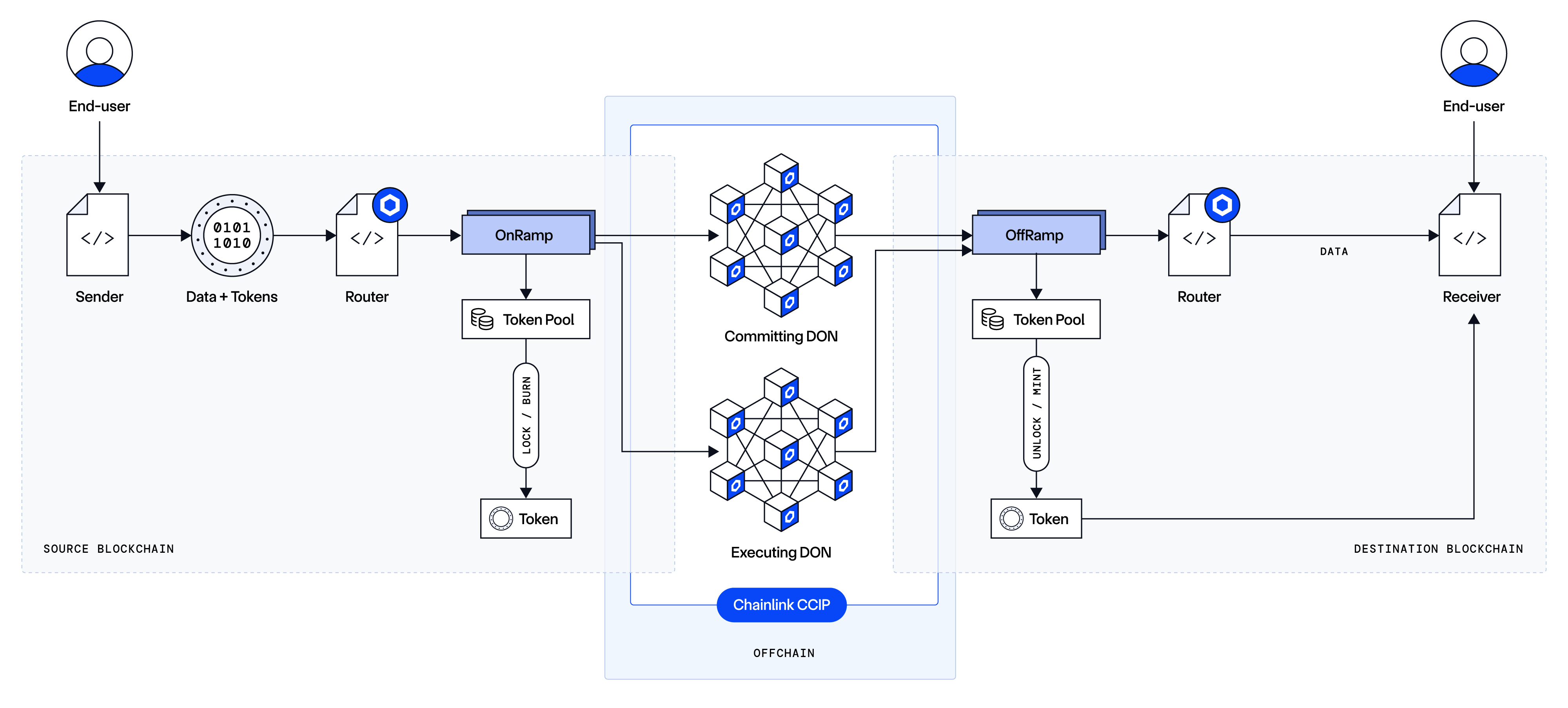
---
# CCIP Architecture - Overview (TON)
Source: https://docs.chain.link/ccip/concepts/architecture/ton/overview
Last Updated: 2026-04-07
CCIP is a cross-chain messaging protocol built on Chainlink and secured by its decentralized oracle networks (DONs). On TON, CCIP provides the following capability:
- **Data Transmission**: Send arbitrary data (i.e., bytes) to a receiving contract.
> **NOTE: Terminology**
>
> While this documentation references concepts like "smart contracts", the implementation of these ideas varies across different blockchain families. On TON, onchain logic is written in **Tolk** or **FunC** and compiled to the TVM (TON Virtual Machine) instruction set. TON smart contracts are stateful, communicate exclusively through internal and external messages, and cannot call each other's getters synchronously — all cross-contract interaction is asynchronous.
## High-level Architecture
CCIP delivers cross-chain messages from a source chain to a destination chain by combining offchain consensus and onchain execution components. The architecture is composed of two primary layers:
1. **Offchain Architecture**
- Decentralized Oracle Network (DON) with nodes that perform distinct roles:
- Commit: Observes and validates source-chain events to build a consensus-based report.
- Execution: Validates pending messages and optimizes them for execution on the destination chain.
2. **Onchain Architecture**
- Router:
- Each blockchain has a single immutable Router contract that serves as the unified interface for users and decentralized applications (dApps).
- On the source blockchain, onramp functionality consists of:
- Providing fee estimates.
- Dispatching the message data.
- On the destination blockchain, offramping functionality consists of:
- Accepting and verifying commit reports from the Committing DON.
- Routing the processed message to the designated receiver.
**Note:** These high-level descriptions outline the core principles of CCIP. The detailed onchain and offchain architectures for TON can be found in the relevant documentation.
---
# CCIP Architecture - Key Concepts
Source: https://docs.chain.link/ccip/concepts/architecture/key-concepts
Last Updated: 2025-05-19
This page explains the high-level, chain-agnostic concepts behind Chainlink CCIP. We recommend reading these concepts before diving deep into the architecture pages.
## Prerequisites
Before diving into Chainlink CCIP, ensure you understand these fundamental blockchain concepts:
- **Accounts / Addresses**: Many blockchains distinguish between user-controlled addresses (called Externally Owned Accounts (EOAs) on EVM blockchains) and onchain program addresses (often called contract accounts in EVM ecosystems). Even if the name or the underlying account model differs, the principle is that a user's private key or authority controls one address (EOA) while the other is controlled by onchain code or logic (contract account).
- **Smart Contracts**: On EVM-based blockchains, these are pieces of logic (often written in languages like Solidity) that get compiled into bytecode and deployed onchain. Other blockchains—such as SVM-based (e.g., Solana), **Aptos**, or **Sui**—may refer to these as "modules," "programs," or simply "onchain code." The basic idea is the same: executable code that lives on the blockchain and enforces rules without centralized control.
- **Decentralized Applications (dApps)**: [dApps](https://ethereum.org/en/developers/docs/dapps/) are applications that use onchain logic to manage data and transactions.
- **Token Standards**: Many chains use standards (like [ERC-20](https://ethereum.org/en/developers/docs/standards/tokens/erc-20/) on EVM-based blockchains) or equivalents (e.g., [SPL tokens on Solana](https://spl.solana.com/token), the [Fungible Asset standard on Aptos](https://aptos.dev/en/build/smart-contracts/fungible-asset), or the [Coin standard on Sui](https://docs.sui.io/standards/coin)) to represent fungible tokens.
- **Merkle Trees**: A data structure that summarizes and verifies large information sets with small cryptographic proofs. To learn more, try this [tutorial](https://ethereum.org/en/developers/tutorials/merkle-proofs-for-offline-data-integrity/).
## Blockchain Families
When you see references to "smart contracts" or "onchain programs," they are executed within a virtual machine (VM). Different blockchains implement different VMs with unique design choices:
- **EVM (Ethereum Virtual Machine)**: Used by Ethereum and many other EVM-compatible chains. Contracts are typically written in languages like [Solidity](https://docs.soliditylang.org/) or [Vyper](https://vyper.readthedocs.io/), compiled to EVM bytecode, and executed in a single-threaded environment. Read this [page](https://ethereum.org/en/developers/docs/evm/) to learn more.
- **SVM (Solana Virtual Machine)**: Solana uses the Sealevel parallelization engine to execute onchain programs compiled to Berkeley Packet Filter (BPF) bytecode. This parallel processing approach can handle multiple simultaneous transactions. Read this [page](https://solana.com/news/sealevel---parallel-processing-thousands-of-smart-contracts) to learn more.
- **Aptos**: The Aptos blockchain uses the Move language and its own implementation of the Move Virtual Machine (MoveVM). The MoveVM is designed for safety and verification, and Aptos processes transactions in parallel using its Block-STM execution engine. Read this [page](https://aptos.dev/en/network/blockchain/move) to learn more.
- **Sui**: The Sui blockchain uses a variant of the Move language. Its architecture is object-centric and designed for high-throughput, parallel execution of transactions, enabling horizontal scaling. Read this [page](https://docs.sui.io/concepts/sui-move-concepts) to learn more.
- **TVM (TON Virtual Machine)**: TON uses the TVM, a stack-based virtual machine tailored for the TON blockchain's actor model. Contracts written in Tolk or FunC are compiled to TVM bytecode. Read this [page](https://docs.ton.org/) to learn more. **Note:** CCIP currently supports arbitrary message passing on TON only. Token transfers are not yet supported.
## Cross-Chain dApps
**Cross-chain dApps** are decentralized applications designed to run on—or interact with—multiple blockchains. By leveraging CCIP for cross-chain interoperability, these dApps can:
- Execute transactions, send data, and transfer tokens between different blockchains.
- Provide their users with access to features or liquidity across multiple ecosystems via a unified experience.
- Specialize in the strengths of each underlying chain, such as high throughput, low fees, or specialized contract (or module) functionality.
Because of this multi-chain support, cross-chain dApps can offer broader functionality than dApps confined to a single blockchain.
## Blockchain Finality
**Blockchain finality** is the assurance that past transactions included on a given blockchain are extremely difficult or impossible to revert. Finality varies across different blockchains. Some blockchains offer instant finality, while others require multiple block confirmations.
Finality is crucial for cross-chain transfers, both for arbitrary messaging and non-intents-based token transfers. It ensures that funds are released/minted or that any specified action is executed on the destination chain only after the source chain action (such as a lock or burn) is finalized. This minimizes loss of funds (in the case of token transfers) or unintended actions (in the case of arbitrary messaging) due to source chain reorganizations.
To learn more about finality and how CCIP handles this, read the [CCIP Execution Latency](/ccip/ccip-execution-latency) conceptual guide.
## Lane
A **lane** in CCIP is a conceptual unidirectional path from one specific blockchain (the source) to another (the destination). For example, the lane from Blockchain A to Blockchain B is distinct from the lane from Blockchain B to Blockchain A. This concept helps in configuring settings that apply uniquely to each path, such as rate limits or other parameters. For instance, sending a message from an EVM blockchain to an SVM blockchain may require different parameters compared to sending a message in the reverse direction.
## Node Operators
Organizations with specialized expertise in running Chainlink nodes. Each operator can run multiple nodes across different decentralized oracle networks.
## Decentralized Oracle Network (DON)
A **decentralized oracle network (DON)** consists of multiple independent Chainlink nodes. These nodes monitor and retrieve data from specified sources (e.g., a source chain), reach consensus off-chain, and post results to a blockchain (e.g., a destination chain) in a [trust-minimized manner](https://blog.chain.link/what-is-trust-minimization/). For more details on the DONs used in CCIP, refer to the CCIP Offchain architecture page.
## Risk Management Network (RMN)
*Based on user demand, CCIP's architecture is evolving to provide enhanced support for configurable security, compliance, and monitoring capabilities. As part of that ongoing evolution, the Risk Management Network's automated offchain role is no longer active in current CCIP deployments, but is expected to be offered as an optional validation layer in future releases. The [onchain RMN contract](https://docs.chain.link/ccip/concepts/architecture/onchain/evm/components#rmn-contract) remains part of CCIP's architecture as an emergency safeguard over certain per-chain or network-wide functions when required. CCIP continues to provide robust risk management controls, including configurable rate limits, developer token attestations, and monitoring capabilities.*
---
# CCIP Architecture - Key Concepts (TON)
Source: https://docs.chain.link/ccip/concepts/architecture/ton/key-concepts
Last Updated: 2026-04-07
This page explains the high-level, chain-agnostic concepts behind Chainlink CCIP, with notes specific to TON where relevant. We recommend reading these concepts before diving deep into the architecture pages.
## Prerequisites
Before diving into Chainlink CCIP on TON, ensure you understand these fundamental concepts:
- **Accounts / Addresses**: On TON, all entities — users and contracts alike — are addresses in a workchain. There is no distinction between "externally owned accounts" and "contract accounts" at the protocol level; every address can hold a contract. Addresses are identified by their workchain ID and 256-bit account hash.
- **Smart Contracts**: On TON, smart contracts are written in **Tolk** or **FunC** and compiled to the TVM instruction set. Unlike EVM contracts, TON contracts communicate exclusively through asynchronous messages — they cannot call each other's functions or getters synchronously.
- **Decentralized Applications (dApps)**: [dApps](https://ethereum.org/en/developers/docs/dapps/) are applications that use onchain logic to manage data and transactions.
- **Merkle Trees**: A data structure that summarizes and verifies large information sets with small cryptographic proofs. To learn more, try this [tutorial](https://ethereum.org/en/developers/tutorials/merkle-proofs-for-offline-data-integrity/).
## Blockchain Families
When you see references to "smart contracts" or "onchain programs," they are executed within a virtual machine (VM). Different blockchains implement different VMs with unique design choices:
- **EVM (Ethereum Virtual Machine)**: Used by Ethereum and many other EVM-compatible chains. Contracts are typically written in languages like [Solidity](https://docs.soliditylang.org/) or [Vyper](https://vyper.readthedocs.io/), compiled to EVM bytecode, and executed in a single-threaded environment. Read this [page](https://ethereum.org/en/developers/docs/evm/) to learn more.
- **SVM (Solana Virtual Machine)**: Solana uses the Sealevel parallelization engine to execute onchain programs compiled to Berkeley Packet Filter (BPF) bytecode. This parallel processing approach can handle multiple simultaneous transactions. Read this [page](https://solana.com/news/sealevel---parallel-processing-thousands-of-smart-contracts) to learn more.
- **Aptos**: The Aptos blockchain uses the Move language and its own implementation of the Move Virtual Machine (MoveVM). The MoveVM is designed for safety and verification, and Aptos processes transactions in parallel using its Block-STM execution engine. Read this [page](https://aptos.dev/en/network/blockchain/move) to learn more.
- **TVM (TON Virtual Machine)**: TON uses the TVM, a stack-based virtual machine tailored for the TON blockchain's actor model. Contracts written in Tolk or FunC are compiled to TVM bytecode. Read this [page](https://docs.ton.org/) to learn more. **Note:** CCIP currently supports arbitrary message passing on TON only. Token transfers are not yet supported.
## Cross-Chain dApps
**Cross-chain dApps** are decentralized applications designed to run on—or interact with—multiple blockchains. By leveraging CCIP for cross-chain interoperability, these dApps can:
- Execute transactions and send data between different blockchains.
- Provide their users with access to features across multiple ecosystems via a unified experience.
- Specialize in the strengths of each underlying chain, such as high throughput, low fees, or specialized contract functionality.
Because of this multi-chain support, cross-chain dApps can offer broader functionality than dApps confined to a single blockchain.
## Blockchain Finality
**Blockchain finality** is the assurance that past transactions included on a given blockchain are extremely difficult or impossible to revert. Finality varies across different blockchains. Some blockchains offer instant finality, while others require multiple block confirmations.
Finality is crucial for cross-chain transfers. It ensures that any specified action is executed on the destination chain only after the source chain action is finalized, minimizing unintended actions due to source chain reorganizations.
To learn more about finality and how CCIP handles this, read the [CCIP Execution Latency](/ccip/ccip-execution-latency) conceptual guide.
## Lane
A **lane** in CCIP is a conceptual unidirectional path from one specific blockchain (the source) to another (the destination). For example, the lane from Blockchain A to Blockchain B is distinct from the lane from Blockchain B to Blockchain A. This concept helps in configuring settings that apply uniquely to each path. For instance, sending a message from a TON blockchain to an EVM blockchain may require different parameters compared to sending a message in the reverse direction.
## Node Operators
Organizations with specialized expertise in running Chainlink nodes. Each operator can run multiple nodes across different decentralized oracle networks.
## Decentralized Oracle Network (DON)
A **decentralized oracle network (DON)** consists of multiple independent Chainlink nodes. These nodes monitor and retrieve data from specified sources (e.g., a source chain), reach consensus off-chain, and post results to a blockchain (e.g., a destination chain) in a [trust-minimized manner](https://blog.chain.link/what-is-trust-minimization/). For more details on the DONs used in CCIP, refer to the CCIP Offchain architecture page.
---
# CCIP Onchain Architecture (EVM)
Source: https://docs.chain.link/ccip/concepts/architecture/onchain/evm
Last Updated: 2025-05-19
Chainlink CCIP's EVM onchain architecture consists of a set of smart contracts deployed on both source and destination chains. These components work together with CCIP's offchain infrastructure to provide end-to-end cross-chain interoperability.
- **[Overview](/ccip/concepts/architecture/onchain/evm/overview)**: Provides a high-level introduction to CCIP's onchain architecture, including a component diagram, key roles, and a detailed walk-through of a message's lifecycle from source to destination chain.
- **[Components](/ccip/concepts/architecture/onchain/evm/components)**: Describes each architectural component in detail.
- **[Upgradability](/ccip/concepts/architecture/onchain/evm/upgradability)**: Explains CCIP's approach to secure system evolution.
---
# Onchain Architecture - Overview (EVM)
Source: https://docs.chain.link/ccip/concepts/architecture/onchain/evm/overview
Last Updated: 2025-05-19
CCIP's onchain architecture includes key smart contracts that receive and process cross-chain messages on the source and destination chains. A sender of a cross-chain message can be either a smart contract or an [externally owned account (EOA)](https://ethereum.org/en/developers/docs/accounts/#types-of-account).
The interface for senders is the Router contract, which interacts with other internal CCIP contracts as described in the sections below. When the source chain CCIP contracts successfully process the cross-chain request, a unique message ID is returned to the sender. The offchain components listening to the events on the source chain process the message and submit it to the destination chain, where further verification and execution happen. The different components are described below.
## Key Components
> **NOTE**
>
> For simplicity, the diagrams and flows primarily illustrate messages moving between EVM blockchains (source and
> destination). However, CCIP also supports cross-chain communication involving other blockchain families, such as SVM
> (e.g., Solana). Please refer to the relevant documentation sections for details on the specific components involved
> when non-EVM chains act as the source or destination.
The following diagram illustrates the key onchain components:
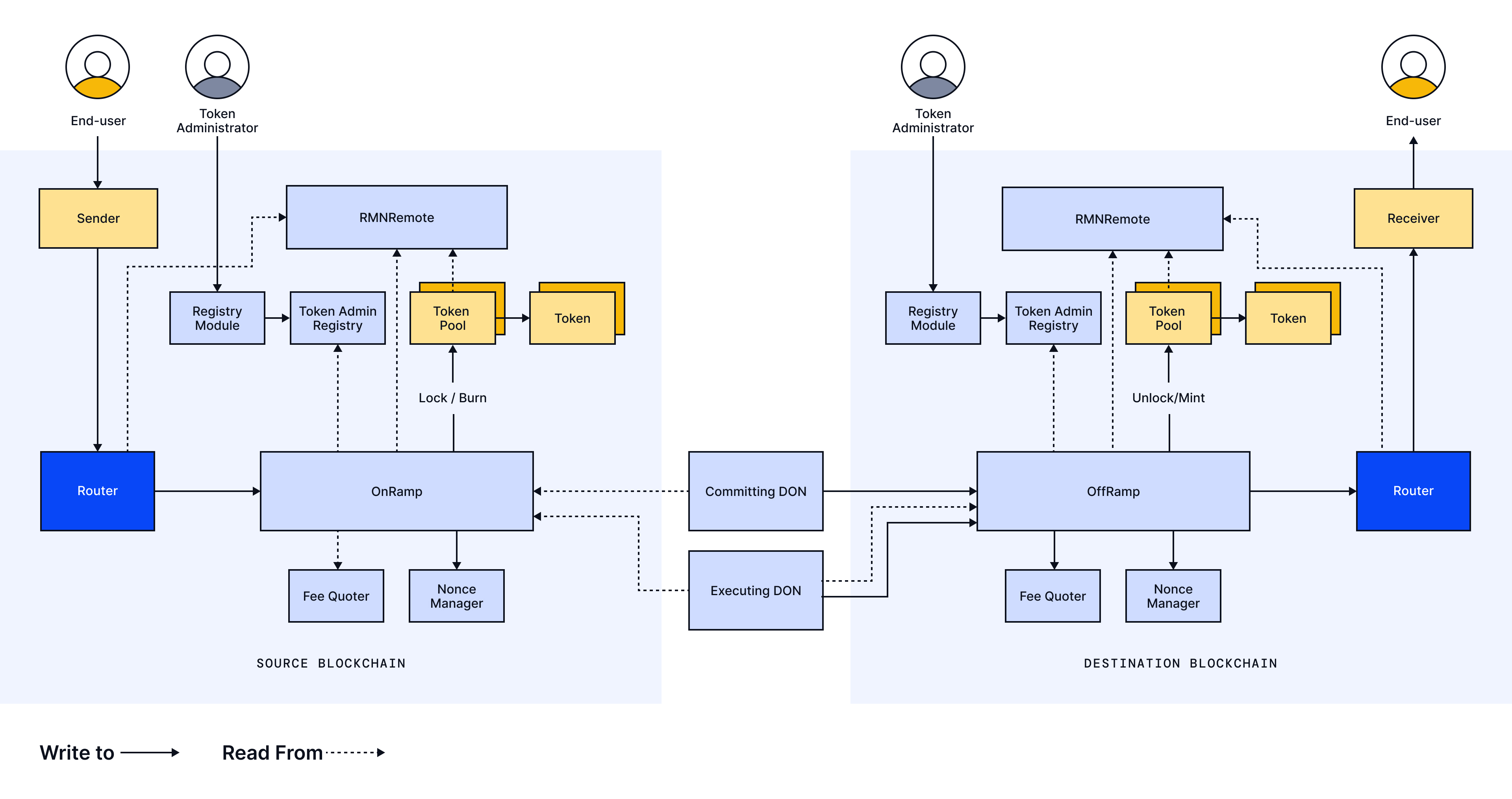
| Component | Ownership | Role |
| ------------------------ | -------------------------- | -------------------------------------------------------------------------------------------------------------------------------------------------------------------------------------------------------------------------------------------------------- |
| Sender/Receiver | External (User/dApp) | dApp / EOA / smart contract that initiates the cross-chain message on the source chain and/or receives the message on the destination chain. |
| Router | CCIP | The interface on a chain for all CCIP messages, which takes the form of a minimal, immutable contract. On the source chain, the sender calls it to send a cross-chain message. On the destination chain, it routes the message to the receiver contract. |
| OnRamp | CCIP | A source chain contract that validates and processes messages. It interacts with other contracts for specific actions, such as fees, nonce management, or token handling. It also emits events that are listened to by the CCIP offchain components. |
| OffRamp | CCIP | A destination chain contract that receives a committed message from the Chainlink DON and processes the message on the destination chain. It interacts with other contracts for specific actions, such as nonce management or token handling. |
| Fee Quoter | CCIP | A contract that validates and computes fees for cross-chain messages. |
| Nonce Manager | CCIP | A contract that implements message ordering by tracking nonces. |
| Token Admin Registry | CCIP | A contract that contains the mapping of tokens to their token pools. |
| Token Pool | External (Token Developer) | A contract that implements token handling mechanisms, such as Lock/Burn/Release, typically set up by the token Developer. There is one token pool per token on a given chain. |
| Token Contract | External (Token Developer) | An ERC20 token contract owned by the token Developer |
| RMN Contract (RMNRemote) | CCIP | Handles cursing. |
## Typical Lifecycle of a Message
### Source Blockchain
1. **Preparation**
- The Sender prepares a CCIP Message for a destination blockchain of choice. A CCIP Message includes the following information:
- Receiver (EOA or smart contract)
- Data payload
- Tokens and amounts (if applicable)
- Fee token
- Extra Arguments (e.g., gas limit to use when calling the receiver on the destination chain)
- The Sender calls `Router.getFee()` to receive the total fees to pay for using CCIP. Internally, the Router calls the OnRamp, which calls the Fee Quoter to get the fee.
- The Sender approves the fee if the fee is not the native token.
- The Sender calls the `Router.ccipSend()` function with the CCIP Message and the destination chain selector. For token transfers, the token amount to be transferred must be approved to the Router before this call is made.
2. **Sending**
The Router receives the fee tokens and transfers them to the OnRamp:
- The Router receives the tokens and transfers them to their corresponding Token Pools, which are retrieved from the Token Admin Registry. If the sender has not approved the tokens to the Router, the operation will fail.
- The Router forwards the CCIP Message to the OnRamp for processing, which:
- Validates the message by checking parameters, such as the number of tokens, gas limit, and data length.
- Validates that the destination chain is not cursed.
- For each token included in the Message, instructs the corresponding token pool to lock or burn the tokens, which also verifies the token pool rate limit for that lane.
- A `messageId` is generated and returned to the Sender.
- The OnRamp emits a `CCIPMessageSent` event containing the sequenced message. The Committing DON detects this event and processes the Message.
3. **Initial Offchain Processing**
- The CCIP Commit DON monitors for the `CCIPMessageSent` event to process the Message offchain. More details about the offchain processing are available here.
### Destination Blockchain
1. **Commit Phase**
- The final OCR report from the Committing DON is recorded onchain in the OffRamp contract via the `commit` function. This OCR report may include a mix of merkle roots and price updates from multiple source chains.
- The OffRamp emits a `CommitReportAccepted` event, confirming that a valid commit has been accepted.
2. **Secondary Offchain Processing**
- The CCIP Executing DON monitors for the `CommitReportAccepted` event to identify commit reports with pending executions. All messages associated with these commit reports are collected and a merkle proof is computed for every message ready for execution. The execution plugin considers each message's gas limits and calldata size during the batching process. Note that the message batch executed by the Executing DON may be a subset of a Committing DON batch. The computed merkle proof is then included in the Execute Plugin Report. More details regarding the offchain architecture are available here.
3. **Execution Phase**
- When the execution plugin submits the report, the OffRamp verifies the merkle proofs against the stored merkle roots.
- The OffRamp performs validations, including ensuring that the source chain is not cursed.
- If the CCIP Message includes tokens, the OffRamp retrieves the relevant token pool from the Token Admin Registry and calls the Token Pool's `releaseOrMint` function. This function validates token pool rate limits, releases or mints the tokens, and transfers them to the specified receiver.
- If the CCIP Message contains an arbitrary bytes payload, the OffRamp calls the Router to deliver the CCIP Message to the Receiver.
- The OffRamp emits a final event, `ExecutionStateChanged`, containing the execution state. This state corresponds to one of the following numerical values:
- `0`: `UNTOUCHED`
- `1`: `IN_PROGRESS`
- `2`: `SUCCESS`
- `3`: `FAILURE`
---
# Onchain Architecture - Components (EVM)
Source: https://docs.chain.link/ccip/concepts/architecture/onchain/evm/components
Last Updated: 2025-05-19
This section provides more detail on the Onchain components. The [API Reference page](/ccip/api-reference/evm) contains the interface functions and revert reasons.
## Sender/Receiver
**CCIP supports the following as senders and receivers:**
- An externally owned account (EOA)
- A smart contract or smart account
**CCIP messages can be sent in any of the following combinations:**
- EOA → EOA
- EOA → Smart Contract
- Smart Contract → EOA
- Smart Contract → Smart Contract
**Depending on a dApp's architecture, an EOA may interact with the Router using:**
- A frontend or middleware component (e.g., a JavaScript program)
- A sender smart contract
**A CCIP Message can include:**
- An arbitrary bytes payload
- A token transfer
- A programmable token transfer
**Sender Responsibilities:**
- Prepare a structured CCIP Message.
- Retrieve a fee estimate from the Router.
- Call the Router to send the message, as described in the Message Lifecycle section.
**Receiver Considerations:**
- **Data Processing:** If the CCIP Message contains a bytes payload or a programmable token transfer, the receiver must be a smart contract capable of processing the data. Messages sent to an EOA will not deliver the payload.
- **Function Implementation:** The receiver should implement the `ccipReceive()` function using the `IAny2EVMMessageReceiver` interface. The Router is the only contract authorized to call this function.
**Additional Resources:**
- CCIP provides smart contract examples for a Sender/Receiver in the [Applications folder](https://github.com/smartcontractkit/chainlink-ccip/tree/release/contracts-ccip-1.6.2/chains/evm/contracts/applications). For most use cases, consider implementing try-catch mechanisms using a defensive receiver. More details are available [here](https://github.com/smartcontractkit/chainlink-ccip/blob/release/contracts-ccip-1.6.2/chains/evm/contracts/applications/DefensiveExample.sol).
## Router
The Router serves as the single interface for a sender or interfacing dApp on the source chain for all CCIP messages. As a minimal, immutable contract, there is only one Router contract per chain.
The Router exposes two primary functions for the sender:
- `getFee()`: Retrieves the CCIP fee for a given message.
- `ccipSend()`: Sends a cross-chain message and returns a unique message ID to the sender.
For function signatures and revert reasons, see the [API reference docs](/ccip/api-reference/evm).
On the destination chain, if the CCIP Message contains arbitrary data (or data from a programmable token transfer), the Router routes the message from the OffRamp to the receiver contract. Once the receiving smart contract successfully processes the message, the Router emits a `MessageExecuted` event.
## OnRamp
The OnRamp is an internal CCIP smart contract and is not meant to be user-facing. It operates on the source chain and is the primary contract that the Router calls to process a message. In previous versions of CCIP, there was an OnRamp per destination chain; with the latest release, a single OnRamp on a chain handles messages for any destination chain.
When the Router forwards a `ccipSend()` request to the OnRamp, the contract performs the following actions:
1. **Validations**
- Performs required validations before processing the message, such as verifying that the receiver address is valid.
2. **Token Transfer Processing**
- If the message involves token transfers, it retrieves the correct Token Pool from the Token Admin Registry.
- Initiates calls to lock or burn the token, based on the token handling mechanism.
3. **Nonce Management**
- Uses the Nonce Manager to ensure messages requiring in-order execution are processed in the correct order. Note: In-Order enforcement using Nonce Manager will be deprecated in early 2026.
4. **Message ID Generation**
- Returns a unique message ID to the Router.
5. **Event Emission**
- Emits a `CCIPMessageSent` event containing the message ID, source and destination chain information, sender, receiver, and other key message details.
> **NOTE**
>
> The OnRamp address may change over time due to product feature updates. Therefore, users and integrating dApps should
> not hardcode it; instead, they should derive it from the Router contract.
## OffRamp
The OffRamp is an internal CCIP smart contract that operates on the destination chain. It is the primary contract that the CCIP DONs call to process incoming messages.
### Commit Phase
During the **Commit Phase**, the following steps occur:
1. **Commit Report Submission**
- The Committing DON calls the `commit()` function on the OffRamp with a Commit Report that includes messages and/or price reports.
2. **Price Report Staleness Check**
- The OffRamp validates the staleness of price reports before forwarding the price to the FeeQuoter.
3. **Cursed Source Chain Check**
- The OffRamp verifies the RMN status to ensure that messages from a cursed source chain are blocked.
4. **Event Emission**
- At the end of the Commit Phase, the OffRamp emits a `CommitReportAccepted` event, which the Execution plugin monitors.
### Execution Phase
In the **Execution Phase**, the OffRamp processes the message for final execution:
1. **Merkle Proof Verification**
- The OffRamp verifies the merkle proofs included in the Execution Reports against the committed merkle roots.
2. **Additional Validations**
- The OffRamp performs validations, including ensuring that the source chain is not cursed.
3. **Token Processing (if applicable)**
- If the CCIP Message includes tokens, the OffRamp retrieves the relevant Token Pool from the Token Admin Registry and calls the Token Pool's `unlock/mint` function. This function validates token pool rate limits, unlocks or mints the tokens, and transfers them to the specified receiver.
4. **Message Delivery**
- If the CCIP Message contains arbitrary data, the OffRamp uses the Router to deliver the CCIP Message to the Receiver.
5. **Nonce Management**
- For ordered messages (i.e., messages with a non-zero nonce), the OffRamp interacts with the Nonce Manager to ensure inbound messages are processed sequentially.
6. **Final Execution Status**
- The OffRamp sets the message's final execution status and emits a final ExecutionStateChanged event, indicating either a "Success" or "Failure" state.
**Permissionless Manual Execution (Fallback):** If execution fails—due to insufficient gas limit or a logical error in the receiver smart contract—the message can be manually executed by the user or dApp by directly interacting with the OffRamp. Read the [manual execution](/ccip/concepts/manual-execution) documentation for more details.
> **NOTE**
>
> The OffRamp address may change over time due to product feature updates. Therefore, users and integrating dApps should
> not hardcode it; instead, they should derive it from the Router contract.
## FeeQuoter
The FeeQuoter is an internal CCIP smart contract that calculates and returns CCIP fees on the source chain.
- **Fee Calculation**
- When the Router's `getFee()` function is called, the request is forwarded to the FeeQuoter, which estimates and returns the CCIP fee.
- **Price Management**
- Maintains token and gas prices in USD
- Enforces price staleness rules
- Calculates all cross-chain fees based on current pricing data
- Stores token-specific fee configurations
- **Price Updates**
- When a Commit Report contains price updates, the FeeQuoter on the destination chain is updated accordingly.
For additional details on how CCIP fees are calculated, refer to the [CCIP Billing page](/ccip/billing).
## Token Admin Registry
The Token Admin Registry is a user-facing CCIP smart contract that maintains a one-to-one mapping between token addresses and their corresponding token pool addresses on a given chain. The OnRamp and OffRamp contracts use the Token Admin Registry to retrieve a token's configured token pool address to call the appropriate functions:
- **On the source blockchain:** Lock/Burn tokens
- **On the destination blockchain:** Release/Mint tokens
The `setPool()` method can be invoked by a registered CCIP token administrator via the Registry Module. See the [CCT (Cross-Chain Token)](/ccip/concepts/cross-chain-token/evm) documentation for more details on this interaction.
## Tokens and Token Pools
**Tokens:**
- Tokens are developed by token developers and exist independently of the core CCIP contracts.
- Most ERC20 tokens are compatible with CCIP. For more information on compatibility, see [CCT Compatibility](/ccip/concepts/cross-chain-token/evm/tokens).
**Token Pools:**
- Token Pools are external contracts that interact with token contracts. The OnRamp/OffRamp calls them to perform operations such as burning, minting, locking, or releasing tokens.
- Most token pools follow standard models (Lock/Release and Burn/Mint), with audited code available in the CCIP repository.
- For tokens requiring bespoke logic before burn/mint/lock/release, custom pools can be built on top of the base pools. More details are available in the [CCT Pool Types](/ccip/concepts/cross-chain-token/evm/token-pools#standard-token-pools) and [Custom Pools](/ccip/concepts/cross-chain-token/evm/token-pools#custom-token-pools).
## RMN Contract
The RMN Contract is deployed on every chain where CCIP is integrated. Its key functions include:
1. **Cursing Mechanism**
- **Curse Initiation**: When the CCIP Owner manually initiates a curse, the `curse()` function is invoked to mark the appropriate subjects as cursed.
- **Curse Detection**: Onchain components (such as the Router, OnRamp, OffRamp, and TokenPool) call the `isCursed()` function on the RMNRemote contract to detect global curses or curses targeting a remote chain.
> **NOTE**
>
> Based on user demand, CCIP's architecture is evolving to provide enhanced support for configurable security,
> compliance, and monitoring capabilities. As part of that ongoing evolution, the Risk Management Network's automated
> offchain role is no longer active in current CCIP deployments, but is expected to be offered as an optional validation
> layer in future releases. The [onchain RMN contract](/ccip/concepts/architecture/onchain/evm/components#rmn-contract)
> remains part of CCIP's architecture as an emergency safeguard over certain per-chain or network-wide functions when
> required. CCIP continues to provide robust risk management controls, including configurable rate limits, developer
> token attestations, and monitoring capabilities.
---
# Onchain Architecture - Upgradability (EVM)
Source: https://docs.chain.link/ccip/concepts/architecture/onchain/evm/upgradability
Last Updated: 2025-05-19
Chainlink Cross‐Chain Interoperability Protocol (CCIP) is designed to evolve in response to new emerging feature requests, security considerations, and the need to support additional blockchains over time. This requires a secure upgrade process that preserves CCIP's robust security while allowing for iterative improvements.
**Note**: The Router contract is intentionally immutable. It remains the primary user entry point on both source and destination blockchains—unmodifiable to preserve reliability, stability, and developer predictability over time.
## What Can Be Upgraded
Upgradability in CCIP primarily refers to two categories of changes:
1. **Onchain Configuration**
- Many CCIP contracts expose public setter functions that can adjust operational parameters.
- Since these parameters can be adjusted without requiring the redeployment of an entire contract, it offers a flexible way to help ensure CCIP's security and reliability over time.
2. **Redeploying Contracts and Redirecting References**
- Once a smart contract is deployed, its code cannot be modified. If a new contract version (e.g., OnRamp, OffRamp, or Token Pool) is required, a new updated contract can be deployed, with all existing references updated to point to the new contract address.
- For example, an OffRamp address might be updated in the Router or a local mapping so that new inbound messages go through the upgraded contract.
- This approach ensures older versions remain stable while new versions can be phased in.
## Implementation Process
All onchain configuration changes must pass through a Role-Based Access Control Timelock (RBACTimelock) contract. This mechanism ensures that:
1. **Proposals**
- All proposals originate from a ManyChainMultiSig (MCMS), which requires multiple independent signers to sign off.
- Signers are selected from multiple high-quality Chainlink node operators with a proven, multi-year track record of securing billions in value within the Chainlink Network, as well as from Chainlink Labs.
- Signers are also spread across multiple different geographic locations globally and may be rotated on a periodic basis to help mitigate potential risks as they arise, such as geographic concentration.
- Two distinct paths exist for a proposal to succeed:
- **Time-locked review:** Node operators securing CCIP can veto a proposal within a defined review period. If no veto occurs, the update proceeds.
- **Explicit approval:** A quorum of independent signers (including node operators) actively endorse the proposal, allowing for urgent or time-sensitive fixes.
2. **Review and Veto Window**
- During the timelock review period, CCIP node operators can inspect the onchain proposal (e.g., adjusting a rate limit) and reject it if it appears incorrect, preventing the proposal from being executed.
3. **Execution**
- Once the timelock finishes (with no veto), the proposal transitions to an "executable" state.
- Any party can call the timelock contract to finalize the proposal (e.g., via a [timelock-worker](https://github.com/smartcontractkit/timelock-worker) script).
- The timelock then calls the target CCIP contracts with the specified changes.
4. **Public Verifiability**
- Information about the MCMS, including the timelock configuration, signer set, and ongoing timelocked proposals are visible onchain.
- For instance, the Ethereum mainnet MCMS can be viewed on [Etherscan](https://etherscan.io/address/0xE53289F32c8E690b7173aA33affE9B6B0CB0012F#readContract).
- Anyone can track in-progress proposals, track any node operators vetos, and monitor the final execution status using onchain data.
## Additional Resources
- **[CCIP Owner Contracts - GitHub](https://github.com/smartcontractkit/ccip-owner-contracts)**: Further documentation and source code for the ManyChainMultiSig, timelock, and other related contracts.
- **[Etherscan: MCMS on Ethereum Mainnet](https://etherscan.io/address/0xE53289F32c8E690b7173aA33affE9B6B0CB0012F#readContract)**: Allows anyone to see the current configuration, pending proposals, and signer addresses on Ethereum.
- **[Timelock Worker Repo](https://github.com/smartcontractkit/timelock-worker)**: Demonstrates how to automate final execution for proposals that have cleared the timelock period.
---
# CCIP Onchain Architecture (SVM)
Source: https://docs.chain.link/ccip/concepts/architecture/onchain/svm
Last Updated: 2025-05-19
Chainlink CCIP's SVM onchain architecture consists of specialized Solana programs deployed on both source and destination chains. These components work together with CCIP's offchain infrastructure to provide end-to-end cross-chain interoperability.
- **[Overview](/ccip/concepts/architecture/onchain/svm/overview)**: Provides a high-level introduction to CCIP's SVM-based architecture, including component diagrams, key roles, and a detailed walk-through of a message's lifecycle from source to destination chain.
- **[Components](/ccip/concepts/architecture/onchain/svm/components)**: Describes each architectural component in detail.
- **[Upgradability](/ccip/concepts/architecture/onchain/svm/upgradability)**: Explains CCIP's approach to secure system evolution.
---
# Onchain Architecture - Overview (SVM)
Source: https://docs.chain.link/ccip/concepts/architecture/onchain/svm/overview
Last Updated: 2025-05-19
On a Solana Virtual Machine (SVM)-based source blockchain, an onchain program or user wallet interacts with the CCIP Router program, which provides a standard interface for sending messages cross-chain. The Router internally calculates fees, locks or burns tokens via a Token Pool program, and then emits a CCIPMessageSent event. The Committing DON observes that event offchain and relays the messages to a destination blockchain.
On an SVM-based destination blockchain, an onchain program called the OffRamp receives a commit from the Committing DON containing merkle roots of batched messages. The OffRamp verifies the OCR signatures, checks with the RMN Contract Remote program that the source chain is not cursed, and then stores the merkle root. Later, the Executing DON submits individual messages for execution, one per transaction (unlike EVM chains, which can execute in batches). The OffRamp verifies each message's merkle proof against the previously committed root, tracks the execution state, and processes the message. This includes making CPI calls to Token Pools to release or mint tokens and, if applicable, delivering message data to a receiver program that implements the CCIP Receive interface.
## Key Components
> **NOTE**
>
> The following diagrams illustrate how messages and tokens flow between two blockchains. While CCIP supports a variety
> of blockchains, these diagrams specifically depict Solana Virtual Machine (SVM) implementations at both source and
> destination.
**Source Chain**:
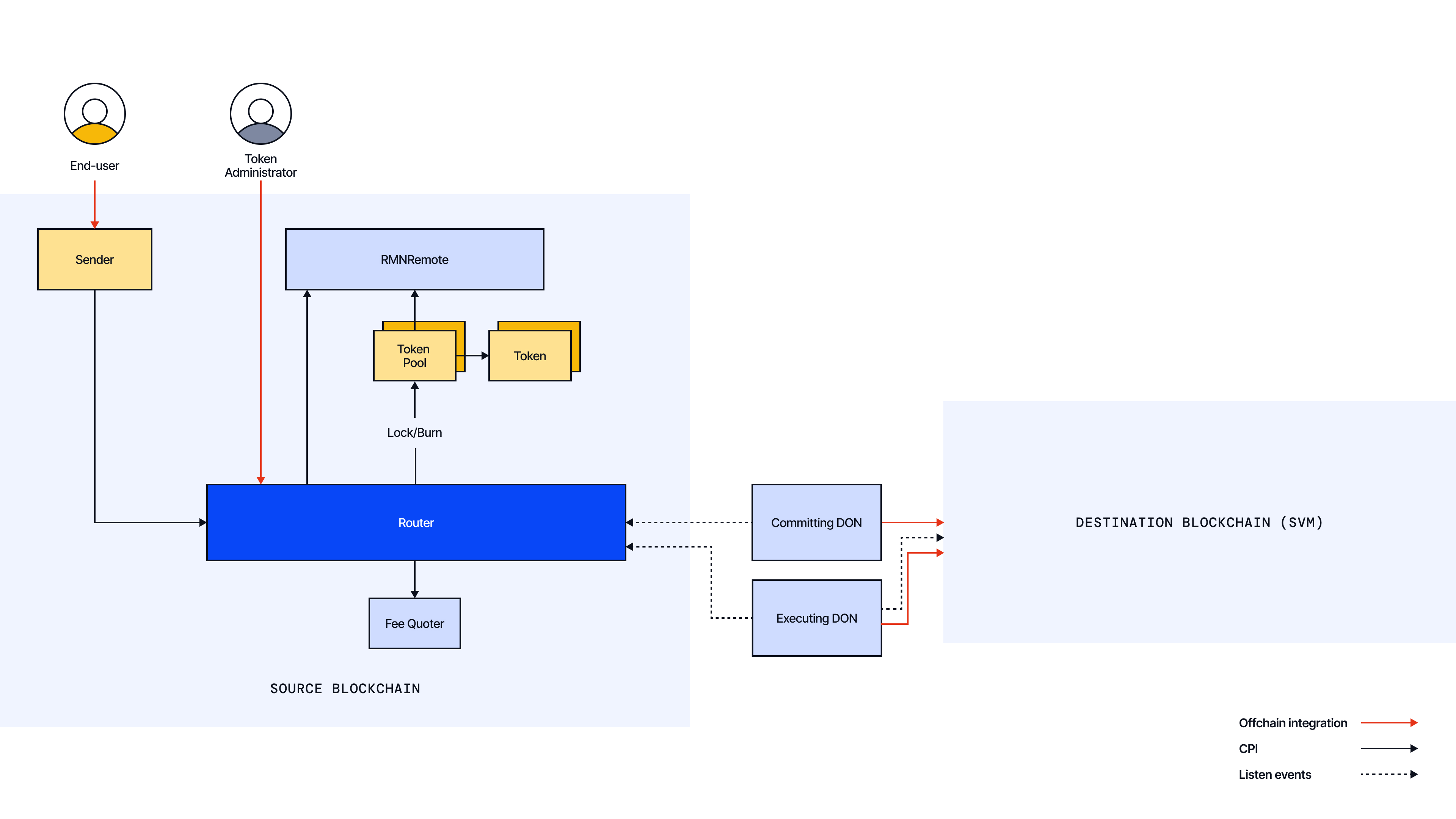
**Destination Chain**:
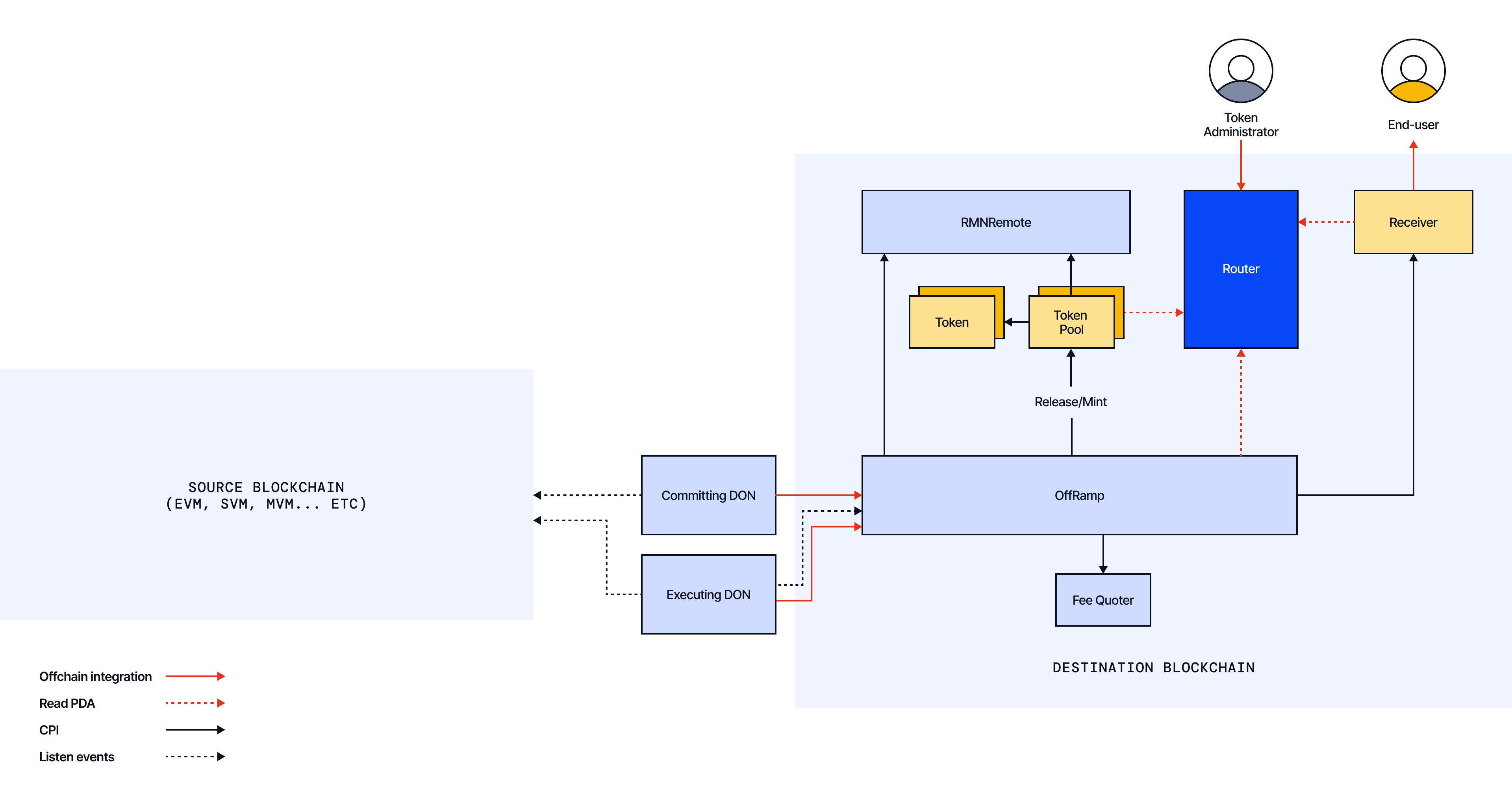
| Component | Ownership | Role |
| ------------------- | -------------------------- | ------------------------------------------------------------------------------------------------------------------------------------------------------------------------------------------------------------------------------------------------------------------------------------------------ |
| Sender | External (User/Program) | The sender could be a wallet or onchain program. It initiates the cross-chain request by calling the Router program's `ccip_send` instruction. |
| Router | CCIP | The Router program is the entry point for sending cross-chain messages from SVM-based blockchains (outbound only). It validates accounts, calculates fees via the Fee Quoter program, collects fees, manages outbound sequence numbers, and transfers tokens to Token Pools when sending tokens. |
| OffRamp | CCIP | Receives and processes cross-chain messages on the destination blockchain. It commits message batches (via merkle roots), executes individual messages, verifies RMN curses, and initiates token releases/minting through Token Pools. |
| Fee Quoter | CCIP | Computes gas and token fees for cross-chain messages and maintains updated price data for tokens and destination chain gas costs. |
| Token Pools | External (Token Developer) | Specialized programs that handle cross-chain token transfers. Used by the Router for `lock_or_burn_tokens` operations on the source blockchain and by the OffRamp for `release_or_mint_tokens` operations on the destination blockchain. |
| Token | External (Token Developer) | A token program |
| Receiver | External (User/Program) | A wallet or onchain program. If the receiver is a program implementing the `ccip_receive` function, it can handle data and/or tokens, but can only receive tokens to a PDA it has authority over. If it's a wallet, it can only receive tokens through its Associated Token Accounts (ATAs). |
| RMN Contract Remote | CCIP | An onchain program that maintains a registry of "curses" (blocklisted chains). Router, OffRamp, and Token Pools all verify with this program that relevant chains are not cursed before processing messages. |
## Typical Lifecycle of a Message
### Source Blockchain (SVM)
When initiating a CCIP transaction from a SVM-based source chain.
1. **Preparation**
- The Sender prepares a CCIP Message on a SVM-based chain to a destination blockchain of choice. A CCIP message includes the following information:
- **Receiver**: A byte array representing the destination address (e.g., Ethereum account).
- **Data payload**: Arbitrary bytes to be delivered to the receiver.
- **Tokens and amounts** (if applicable)
- **Fee token**: A Solana `Pubkey` for the token used to pay fees or default `PubKey` for the native gas token.
- **Extra Arguments** (e.g., gas limit to use when calling the receiver on a EVM compatible blockchain).
- The Sender calls the Router `get_fee` to receive the total fees for paying CCIP. Internally, the Router calls the Fee Quoter program to determine the fees.
- If the fee token is not the native gas token (e.g., LINK):
- **For wallet senders**: The sender must include their Associated Token Account (ATA) as a writable account in the transaction and sign it, granting the Router one-time permission to transfer the fee tokens to the fee receiver ATA.
- **For program senders**: The sender program must call the SPL token `approve` instruction to authorize the Router's fee billing signer PDA to transfer tokens from the program's token account to the fee receiver ATA.
- **Note**: The fee receiver ATA is a token account owned by the Router's fee billing signer PDA that accumulates CCIP fees. There is a separate fee receiver ATA for each supported fee token.
- The Sender calls the Router `ccip_send`, with:
- The destination chain selector.
- The CCIP message (as detailed above).
- For token transfers: An ordered list of indexes that tell the Router which accounts in the transaction correspond to which tokens being transferred.
- All required accounts in the transaction context, including:
1. Router configuration accounts.
2. RMN accounts that are required for the curse verification.
3. Destination chain state accounts.
4. User nonce account for sequence tracking.
5. Fee token accounts.
6. For each token being transferred: token accounts, pool accounts, and token-specific configuration accounts.
- **Note**: SVM's architecture requires explicitly specifying all accounts a transaction will interact with. Developers should consult the [API reference](/ccip/api-reference/svm) for complete details on required accounts and recommended patterns for constructing `ccip_send` transactions.
2. **Sending**
- Verifications
- The Router verifies with the RMN program that the destination chain is not cursed and that the system-wide emergency (global curse) is not activated. If either check fails, the transaction reverts.
- The Router verifies that all token-related accounts in the transaction are legitimate, correctly structured, and properly connected to each other (e.g., user token accounts are proper ATAs, pool accounts are derived from the correct seeds, etc.).
- Fee Collection
- The Router makes a CPI call to the Fee Quoter program to calculate the exact fee amount based on message size, token transfers, and destination chain gas cost.
- For native gas fee token: The Router transfers native gas tokens from the sender's account to the fee receiver's wrapped native token ATA, then issues a synchronize instruction to update the token account balance.
- For non-native fee tokens: The Router transfers tokens from the sender's Associated Token Account (ATA) to the fee receiver's ATA using the Router's fee billing signer PDA as the authority for the transfer.
- Sequence Management
- The Router increments and records the destination chain's message sequence number.
- It updates the sender's nonce value, which is used to maintain message ordering within a specific lane (source + destination chain pair) for this sender.
- Token Handling (if applicable) for each token being transferred
- The Router transfers tokens from the user's ATA to the corresponding token pool ATA.
- The Router makes a CPI call to the token pool `lock_or_burn_tokens` function to lock or burn tokens, which also verifies token pool rate limits for the specific destination chain.
- A unique message ID is generated.
- The Router emits a `CCIPMessageSent` event with the full message details.
- The message is returned to the Sender.
3. **Initial Offchain Processing**
- The CCIP Commit DON monitors for the `CCIPMessageSent` event to process the message offchain. More details about the offchain processing are available here.
### Destination Blockchain (SVM)
When processing a CCIP transaction on a SVM-based destination chain:
1. **Commit Phase**
- The final OCR report from the Committing DON is recorded onchain in the OffRamp program via the `commit` function. This report contains information from a single source chain and includes a merkle root of messages along with optional token and gas price updates.
- The OffRamp first validates the report's signatures and consensus requirements, ensuring that sufficient CCIP nodes have signed and that sequence numbers are valid and in order.
- The OffRamp makes a CPI call to the RMN program, checking that the source chain is not cursed and that the system-wide emergency (global curse) is not activated.
- The OffRamp verifies and stores the merkle root, which represents a batch of messages from the source chain.
- If the report contains price updates, the OffRamp calls the Fee Quoter program to update token and gas price data.
- Upon successful processing, the OffRamp emits a `CommitReportAccepted` event containing the merkle root and any price updates, confirming that the messages are now committed and available for execution.
2. **Secondary Offchain Processing**
- The CCIP Executing DON monitors for the `CommitReportAccepted` event to identify commit reports with pending executions. Each message associated with these commit reports is processed individually. For each message ready for execution, the Executing DON computes its specific merkle proof against the committed merkle root. Each message is then submitted in a separate transaction to the SVM chain, with the message's merkle proof included in the Execute Plugin Report. The execution plugin implementation for SVM chains executes one message per transaction.
3. **Execution Phase**
- When the execution plugin submits a report, it calls the Offramp program's `execute` function, which verifies the merkle proof against the stored merkle root. **Note**: Unlike EVM implementations, the SVM Offramp verifies a single message execution at a time, with each execution report containing proof specifically for that message.
- The OffRamp performs several validations:
- Verifying the message sequence number is correct.
- Making a CPI call to the RMN program to verify that the source chain is not cursed.
- Checking that the message hasn't already been executed successfully.
- If the message includes token transfers, the OffRamp makes a CPI call to the token pool `release_or_mint_tokens` function to release or mint the corresponding tokens to the intended Receiver's ATA. This call also verifies token pool rate limits for the specific source chain.
- If the message contains arbitrary data, the OffRamp makes a CPI call to the Receiver program to deliver the CCIP message.
- Upon successful execution, the OffRamp emits an `ExecutionStateChanged` event containing the source chain selector, sequence number, message ID, message hash, and execution state (2 for `"SUCCESS"`).
- **Note**: In SVM transaction model, a failed execution transaction will revert all state changes. So if execution fails, the message remains in its original state rather than being marked as `"FAILED"`.
- If automated execution fails, the OffRamp program provides a `manually_execute` function that can be permissionlessly called after a configured time period has passed. This ensures messages can still be executed even if the primary execution path encounters issues. For more information, read the [manual execution](/ccip/concepts/manual-execution) page.
---
# Onchain Architecture - Components (SVM)
Source: https://docs.chain.link/ccip/concepts/architecture/onchain/svm/components
Last Updated: 2025-05-19
This section provides more detail on the Onchain components.
## Sender/Receiver
**CCIP supports the following as senders and receivers**:
- A user wallet.
- An onchain program.
**CCIP messages can be sent in any of the following combinations**:
- Wallet → Wallet (or an EOA if the destination is an EVM-based blockchain).
- Wallet → Program (or a smart contract if the destination is an EVM-based blockchain).
- Program → Wallet (or an EOA if the destination is an EVM-based blockchain).
- Program → Program (or a smart contract if the destination is an EVM-based blockchain).
**Depending on a dApp's architecture, a wallet may interact with the Router using**:
- A frontend or middleware component (e.g., a JavaScript program).
- A sender program.
**A CCIP Message can include**:
- An arbitrary bytes payload.
- A token transfer.
- A programmable token transfer (data + tokens).
**Sender Responsibilities**:
- Prepare a structured CCIP Message.
- Include all required accounts in the transaction context, due to the SVM account model. To learn more, read the `ccip_send` [API reference](/ccip/api-reference/svm/v1.6.0/router).
- Retrieve a fee estimate from the Router.
- Call the Router to send the message, as described in the Message Lifecycle section.
- Authorization Mechanisms:
- For fee payments:
- When paying with native gas token (e.g., SOL): No special authorization is needed as the Router will use a system transfer instruction.
- When paying with SPL tokens (e.g., wSOL, LINK):
- Wallet senders: Must include their fee token account (ATA) as a writable account and sign the transaction.
- Program senders: Must call the SPL token `approve` instruction to authorize the Router's fee billing signer PDA to transfer tokens.
- For token transfers (if applicable):
- Wallet senders: Must include their token accounts (ATAs) as writable accounts and sign the transaction.
- Program senders: Must call the SPL token `approve` instruction to authorize the Router's token pools signer PDA to transfer tokens.
**Receiver Considerations**:
- **Data Processing**: If the CCIP Message contains a bytes payload or a programmable token transfer, the receiver must be a program implementing the `ccip_receive` function with a specific discriminator. To learn more, read the `ccip_receive` [API reference](/ccip/api-reference/svm/v1.6.0/messages).
- **Security Validation**: The receiver program should validate that the caller is an authorized OffRamp by checking the `ALLOWED_OFFRAMP` PDA from the Router program.
**Additional Resources**:
- CCIP provides program examples for a Sender/Receiver in the [Programs folder](https://github.com/smartcontractkit/chainlink-ccip/tree/solana-v1.6.0/chains/solana/contracts/programs).
## Router
The Router program serves as the entry point for sending cross-chain messages from SVM-based blockchains.
1. **Key Functions**
- `get_fee`: Retrieves the CCIP fees for a given message by calling the Fee Quoter program.
- `ccip_send`: Sends a cross-chain message, emits a CCIPMessageSent event, and returns a unique message ID.
2. **Key Responsibilities**
- **Account Validation**:
- Verifies that all provided accounts are properly owned by expected programs.
- Checks that token accounts are valid Associated Token Accounts (ATAs).
- Ensures token pool accounts are derived from the correct seeds with proper authority.
- Validates that all required configuration accounts are included.
- **Sequence Management**:
- Maintains outbound sequence numbers for message ordering.
- Uses a PDA to store nonce values for each lane (sender-destination chain pair).
- Initializes the nonce PDA if needed (first-time senders pay the rent for this account).
- Updates the nonce value when sequential ordering is required.
- **Fee Collection**:
- Calculates the exact fee amount by making a CPI call to the Fee Quoter program.
- For native gas tokens: Directly transfers tokens from the Sender's account to the fee receiver wrapped native ATA, then issues a synchronize instruction.
- For non-native tokens: Transfers tokens from the sender's ATA to the fee receiver's ATA.
- **Token Handling (if applicable)**:
- Transfers tokens from the sender ATA to the corresponding token pool ATA.
- Calls the token pool `lock_or_burn_tokens` function, which also verifies token pool rate limits for the specified destination chain.
- **Security Verification**:
- Checks with the RMN program that chains are not cursed.
## OffRamp
The OffRamp program operates on the destination SVM chain and processes incoming cross-chain messages. It has two distinct phases: Commit and Execute.
1. **Key Functions**
- `commit`: Receives and verifies commit reports from the Committing DON containing merkle roots of message batches.
- `execute`: Processes individual messages with their merkle proofs against previously committed roots.
- `manually_execute`: Provides a fallback mechanism for permissionlessly executing messages after a waiting period. Read the manual execution page to learn more.
2. **Key Responsibilities**
1. **Commit Phase**
- Validates nodes' signatures from the Committing DON.
- Verifies with the RMN program that the source chain is not cursed.
- Stores the merkle root.
- Processes optional price updates by calling the Fee Quoter program.
- Emits a `CommitReportAccepted` event.
2. **Execute Phase**
- Processes one message per transaction.
- Verifies the merkle proof against the stored Merkle root.
- Sequence Management:
- Tracks and validates message sequence numbers to ensure proper ordering.
- For sequential messages (non-zero nonce), checks that the message's nonce matches the expected inbound nonce.
- If a nonce mismatch is detected, skips the message until the correct sequenced message is received.
- Updates the nonce PDA after successful execution to maintain sequence integrity.
- **Token Handling (if applicable)**, for each token:
- Verifies that token pool addresses are correct by checking with the Router's token admin registry PDA, which maps token mints to an Address Lookup Table (ALT) containing the approved token pool accounts.
- Records initial token balances of receiver ATAs.
- Makes CPI call to the corresponding token pool `release_or_mint_tokens` function to mint or release tokens to the receiver token account (ATA).
- Verifies that post-execution token balances match expected increases.
- **Data Delivery (if applicable)**:
- Verifies that the Receiver program ID matches what was specified in the original message by including the program ID in the merkle proof verification.
- Verifies that all accounts match exactly those specified in the original message on the source chain—any mismatch will cause execution to fail, potentially resulting in blocked funds.
- Creates an instruction with:
- The `ccip_receive` discriminator `[0x0b, 0xf4, 0x09, 0xf9, 0x2c, 0x53, 0x2f, 0xf5]`.
- The serialized `Any2SVMMessage` struct (containing the message ID, source chain selector, sender, data payload and token amounts). Read the API reference to learn more.
- Makes a CPI call to the receiver program using the accounts specified in the original message.
- **Completion**:
- Marks the message as "Success" in the commit report's state tracking.
- Emits an `ExecutionStateChanged` event with details, including the source chain selector, sequence number, message ID, message hash and the new state.
- **Note**: If any part of the execution process fails, the entire transaction will revert. This means no state changes are persisted, no tokens are transferred, and no events are emitted. The message will remain in the previous state, allowing for retry.
3. **Manual Execution (fallback mechanism)**
- Allows any user to permissionlessly execute messages through the `manually_execute` function after a waiting period set by the CCIP admin.
- This mechanism primarily addresses where automated execution fails due to:
- Temporary network congestion.
- Messages requiring more compute units than allocated in the transaction.
- Important points about compute units:
- Manual executors can allocate more computer units to their transactions.
- No modification of the message itself is needed: The same message and execution report are used.
- The `compute_units` field in the message specifies the compute units allocated to the Receiver's program `ccip_receive` execution. During manual execution, users can allocate more compute units to their overall transaction, potentially allowing messages that exceeded compute limits during DON execution to complete successfully.
- Manual execution follows exactly the same verification and execution process as the Execute Phase:
- Validate the source chain is not cursed via a CPI call to the RMN program.
- Validates the merkle proof against the committed root.
- Verifies accounts.
- Processes token transfers and data delivery.
- Updates message state and emits `ExecutionStateChanged` event.
- **Note**: This mechanism cannot fix fundamental issues with the CCIP message payload. If accounts are incorrectly specified in the source chain, even manual execution will fail and funds may remain locked.
## FeeQuoter
The FeeQuoter is a central component in Chainlink CCIP that maintains token and gas prices in USD, enforces rules around price freshness, and calculates all cross-chain fees.
1. **Key Functions**
- `get_fee`: Calculates the total fee required to send a CCIP message.
- `update_prices`: Updates token and gas prices based on data from commit reports.
2. **Key Responsibilities**
- **Fee Calculation**:
- Computes execution costs based on destination chain parameters.
- Converts costs to USD-denominated rates.
- The CCIP Billing page provides further details on how CCIP fees are calculated.
- **Price Management**:
- Maintains token and gas prices in USD.
- Enforces price freshness rules.
- Stores token-specific fee configurations.
## Tokens and Token Pools
### Tokens
- Tokens are developed by token developers and exist independently of the core CCIP programs.
- Most SPL tokens are compatible with CCIP. For more information on compatibility, read the CCT documentation.
### Token Pools
- Token Pools are deployed by token developers and exist independently of the core CCIP programs.
- Token Pools are programs that interact with SPL token programs.
- Token pools follow standard models (Lock/Release and Burn/Mint), with audited code available in the [CCIP repository](https://github.com/smartcontractkit/chainlink-ccip/tree/solana-v1.6.0/chains/solana/contracts/programs).
- For tokens requiring bespoke logic before burn/mint/lock/release, custom pools can be built on top of the base pools. More details are available in the CCT documentation.
## Risk Management Network (RMN) Contract
The RMN Contract adds an additional security layer to CCIP by maintaining an onchain "cursing" mechanism. The RMN program enables verification of cross-chain messages and can halt message transmission for specific blockchains or globally when security threats are detected.
### Cursing Mechanism
- The RMN program lets an owner curse any blockchain (by chain selector) or declare a global curse through the `curse` instruction that halts all CCIP traffic.
- Once cursed, any CCIP transaction that performs the verification check for that chain selector (or the global curse) will revert, preventing cross-chain message processing.
- The owner calls `uncurse` to lift the curse when the threat is resolved, restoring normal CCIP operations.
> **NOTE**
>
> Based on user demand, CCIP's architecture is evolving to provide enhanced support for configurable security,
> compliance, and monitoring capabilities. As part of that ongoing evolution, the Risk Management Network's automated
> offchain role is no longer active in current CCIP deployments, but is expected to be offered as an optional validation
> layer in future releases. The [onchain RMN contract](/ccip/concepts/architecture/onchain/evm/components#rmn-contract)
> remains part of CCIP's architecture as an emergency safeguard over certain per-chain or network-wide functions when
> required. CCIP continues to provide robust risk management controls, including configurable rate limits, developer
> token attestations, and monitoring capabilities.
---
# Onchain Architecture - Upgradability (SVM)
Source: https://docs.chain.link/ccip/concepts/architecture/onchain/svm/upgradability
Last Updated: 2025-05-19
Chainlink's Cross-Chain Interoperability Protocol (CCIP) is designed to evolve in response to new security considerations, emerging feature requests, and the need to onboard additional blockchains. This evolution requires a secure, transparent upgrade process that preserves users' trust in CCIP while allowing for iterative improvements.
## What Can Be Upgraded
On SVM-based blockchains, upgradability primarily happens in two ways:
1. **Onchain Configuration**
Many CCIP programs (e.g., Router, OffRamp) offer public functions that allow for parameter updates without redeploying the entire program. Examples might include:
- Adding or removing supported blockchains.
- Enabling a new fee token.
Because these modifications only change onchain data, operational parameters can be adjusted without redeploying an entire program.
2. **Program Code Upgrades**
In SVM-based blockchains, programs are mutable by default (unless the upgrade authority is removed after deploying them). This allows the same program ID to point to new code if an upgrade is published. Developers typically use this mechanism to:
- Patch vulnerabilities or correct unforeseen implementation errors.
- Introduce new features or improved logic for cross-chain messaging.
Once the program code is upgraded, external references (such as PDAs or user accounts) are not broken because they rely on the original program ID.
**Special case:** Unlike other CCIP components, the OffRamp program follows a different upgrade pattern. Instead of upgrading in place, new OffRamp program instances are deployed when upgrades are needed. This approach ensures backward compatibility with in-flight messages that need to be processed by the correct OffRamp version.
## Implementation Process
All security-critical onchain configuration changes to CCIP on Solana pass through a secure upgrade process using the ManyChainMultiSig (MCMS) and Timelock programs.
Any proposal must follow one of two paths:
1. **Time-locked Review**: The proposal is submitted to the Timelock program and enters a mandatory review period. During this window, node operators securing CCIP can veto the proposal. If no veto occurs, the proposal becomes executable after the delay expires.
2. **Expedited Approval**: The proposal receives explicit approval from a quorum of independent signers, providing an alternative path for time-sensitive circumstances.
Any onchain update that passes the timelock review period without a veto becomes executable and can be implemented by accounts with the Executor role calling the `execute_batch` instruction.
The MCMS program's configuration and all scheduled operations are stored in public accounts that anyone can inspect for transparency and verification.
---
# CCIP Onchain Architecture (Aptos)
Source: https://docs.chain.link/ccip/concepts/architecture/onchain/aptos
Last Updated: 2025-09-03
Chainlink CCIP's Aptos onchain architecture consists of specialized Move modules deployed on both source and destination chains. These modules work together with CCIP's offchain infrastructure to provide end-to-end cross-chain interoperability.
- **[Overview](/ccip/concepts/architecture/onchain/aptos/overview)**: Provides a high-level introduction to CCIP's Aptos-based onchain architecture, including a component diagram, key roles, and a detailed walk-through of a message's lifecycle from source to destination chain.
- **[Components](/ccip/concepts/architecture/onchain/aptos/components)**: Describes each architectural component in detail.
- **[Upgradability](/ccip/concepts/architecture/onchain/aptos/upgradability)**: Explains CCIP's approach to secure system evolution.
---
# Onchain Architecture - Overview (Aptos)
Source: https://docs.chain.link/ccip/concepts/architecture/onchain/aptos/overview
Last Updated: 2025-09-03
## Aptos as Source Chain
On the Aptos source blockchain, a user or another module initiates a transaction by calling an entry function in the CCIP `Router` module. The `Router` module serves as the primary entry point, performing initial validations before forwarding the call to the appropriate `OnRamp` module. The `OnRamp` module then calculates fees, interacts with a designated Token Pool to lock or burn tokens, and finally emits a `CCIPMessageSent` event. This event is observed offchain by the Committing DON, which then securely relays the message to the destination blockchain.
## Aptos as Destination Chain
On the Aptos destination blockchain, an onchain module called the `OffRamp` receives a `commit` from the Committing DON. This `commit` contains Merkle roots of batched messages. The `OffRamp` module verifies the OCR signatures from the DON, checks the Risk Management Network (RMN) Remote module to ensure the source chain is not cursed, and then stores the verified Merkle root onchain. Subsequently, the Executing DON submits messages for execution. Aptos, like SVM, follows a one-message-per-transaction execution pattern, which is different from the batch execution possible on EVM chains. For each message, the `OffRamp` verifies its Merkle proof against a committed root, tracks the execution state by emitting an `ExecutionStateChanged` event, and processes the payload. This processing includes calling the appropriate Token Pool to release or mint tokens and, if the message contains data, calling the `ccip_receive` entry function on a designated receiver module.
## Key Components
> **NOTE**
>
> The following diagrams illustrate how messages and tokens flow between two blockchains. While CCIP supports a variety
> of blockchains, these diagrams specifically depict Aptos implementations at both source and destination.
**Source Chain**:
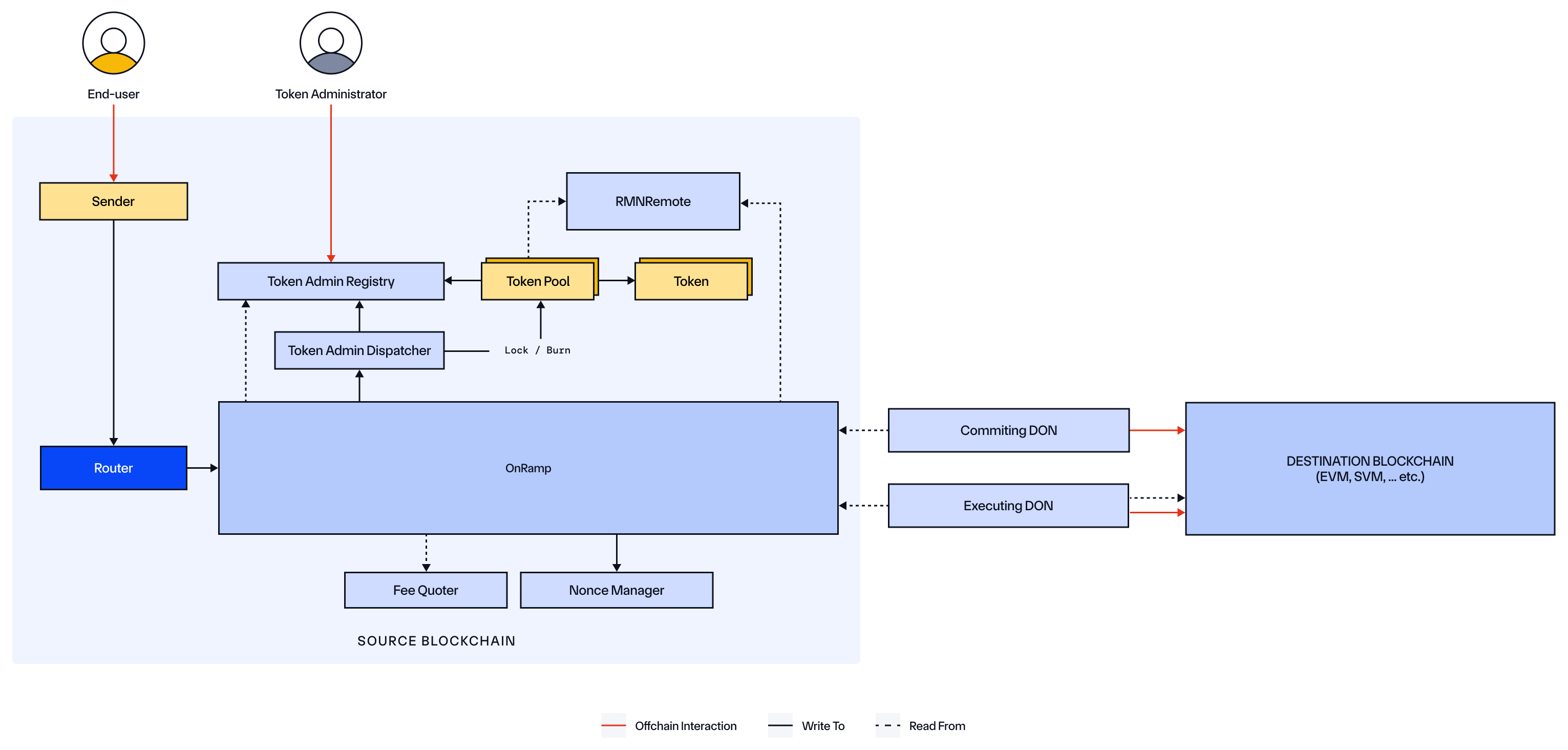
**Destination Chain**:
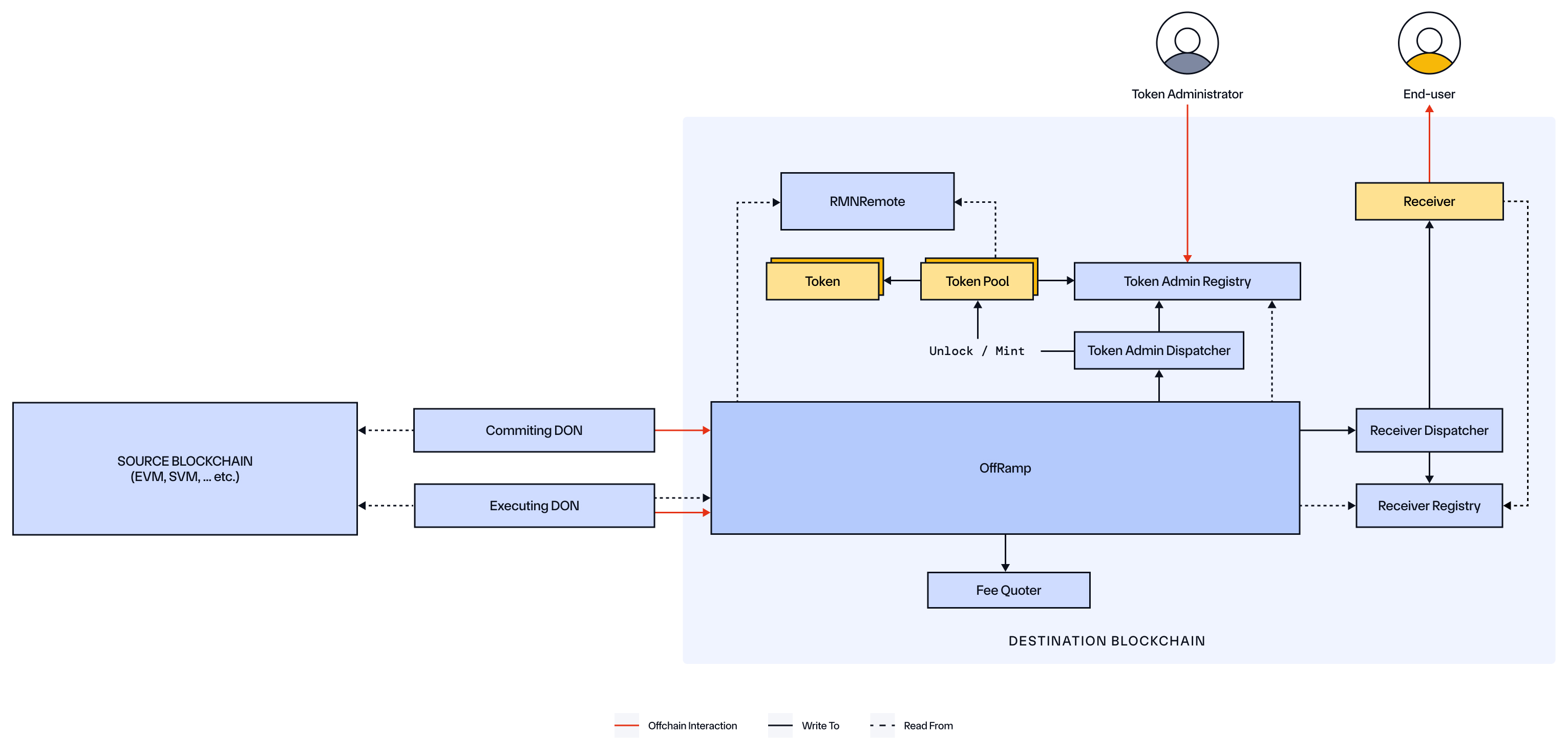
| Component | Ownership | Role |
| ---------------------- | -------------------------- | ----------------------------------------------------------------------------------------------------------------------------------------------------------------------------------------------------------------------------------------------------------------------------------------------------------------------------------- |
| Sender/Receiver | External (User/Module) | An end-user wallet or a custom Move module that initiates a cross-chain message on the source chain and/or receives the message on the destination chain via the `ccip_receive` function. |
| Router | CCIP | The primary, user-facing entry point for sending outbound messages from Aptos. It validates the destination chain, determines the correct `OnRamp` version to use, and forwards the `ccip_send` call. |
| OnRamp | CCIP | A module that processes outbound messages on the source chain. It validates parameters, calculates fees by calling the FeeQuoter, manages token interactions with `Token Pools` via the TokenAdminDispatcher, increments sequence numbers, and emits a `CCIPMessageSent` event that offchain DONs observe. |
| Nonce Manager | CCIP | A module that tracks outbound nonces for messages on a per-destination-chain and per-sender basis, ensuring ordered message processing where required. |
| OffRamp | CCIP | A destination chain module that receives committed message roots from the offchain DON. It verifies these roots, checks the `RMN Remote` for curses, executes messages by verifying their Merkle proofs, and dispatches token/data payloads to their final destinations. It emits an `ExecutionStateChanged` event upon completion. |
| Fee Quoter | CCIP | A module that calculates the total fee required for a cross-chain message. It uses onchain price data for tokens and destination chain gas to provide an accurate cost estimate in the user's chosen fee_token. |
| Token Admin Dispatcher | CCIP | A dispatcher module that acts as a middleman between the `OnRamp`/`OffRamp` and the TokenAdminRegistry. It ensures that only authorized CCIP modules can initiate token lock, burn, release, or mint operations. |
| Token Admin Registry | CCIP | A module that acts as a central registry and maps a given token's address to its designated Token Pool module. It also manages administrative roles for each token, such as who can update its pool configuration. |
| Receiver Dispatcher | CCIP | A dispatcher module that ensures only the authorized `OffRamp` module can call the `ccip_receive` function on a registered receiver module. It uses the ReceiverRegistry to verify the destination. |
| Receiver Registry | CCIP | A module where custom Move modules can register themselves as valid CCIP message receivers. This registration is necessary for the `OffRamp` to be able to dispatch data and tokens to them. |
| Token Pools | External (Token Developer) | Specialized modules that handle cross-chain token transfers. Used by the `Token Admin Dispatcher` for dispatch_lock_or_burn operations on the source blockchain and dispatch_release_or_mint operations on the destination blockchain. |
| Token | External (Token Developer) | A fungible asset created on Aptos. |
| RMN Remote | CCIP | A module that maintains a list of "cursed" (i.e., blocklisted) chains. Various CCIP modules query this component to ensure they are not interacting with a cursed chain before processing a message. |
## Typical Lifecycle of a Message
### Source Blockchain (Aptos)
This outlines the process when initiating a CCIP transaction from the Aptos blockchain.
1. **Preparation**
- The Sender (a user's wallet or another module) prepares the information for a CCIP Message, including:
- **Receiver**: A byte array representing the destination address (e.g., a 20-byte EVM address).
- **Data payload**: Arbitrary bytes to be delivered to the receiver.
- **Tokens and amounts** (if applicable).
- **Fee token**: The address of the token for paying fees (e.g., native APT or LINK).
- **Extra Arguments**: An encoded byte vector containing destination-specific parameters, like a gas limit for EVM.
- The Sender calls the `ccip_router::router::get_fee` view function to determine the total CCIP fee required for the message. This function internally calls the `Fee Quoter` module for the cost calculation.
- The Sender prepares to call the `ccip_router::router::ccip_send` entry function. Unlike EVM and SVM chains, a separate token approve transaction is not required. The user's signature on the `ccip_send` transaction itself authorizes the CCIP modules to withdraw the necessary tokens and fees from the sender's account.
2. **Sending**
- When the `ccip_send` transaction is executed:
- The `Router` module, as the entry point, performs initial validations and forwards the call to the appropriate `OnRamp` module.
- The `OnRamp` module executes the core logic:
- Verifications: It ensures that the destination chain is not cursed by checking with the `RMN Remote` module.
- Fee Collection: It withdraws the required fee from the sender's fungible asset store. If the fee_token_store address is specified as 0x0, the module automatically resolves to the primary_fungible_store corresponding to the sender's account and the chosen fee_token.
- Sequence Management: It increments the sequence number for the given destination chain. If required, it also interacts with the `Nonce Manager` to handle ordered message nonces.
- Token Handling (if applicable): For each token in the message, the `OnRamp` withdraws the funds from the sender's token store and calls the `Token Admin Dispatcher`. This dispatcher uses the `Token Admin Registry` as a secure state machine:
- It first calls `start_lock_or_burn` on the registry to store the message context (sender, receiver, etc.).
- It then invokes the appropriate Token Pool's `lock_or_burn` function.
- The Token Pool module, in turn, calls back into the registry to securely `get_lock_or_burn_input` and, after processing, `set_lock_or_burn_output`. This secure callback pattern ensures token operations are only performed within a valid CCIP transaction context.
- Event Emission: A unique messageId is generated, and the `OnRamp` emits a `CCIPMessageSent` event containing the full, sequenced message details.
3. **Initial Offchain Processing**
- The CCIP Committing DON monitors the Aptos blockchain for the `CCIPMessageSent` event and begins processing the message offchain to prepare it for commitment on the destination chain.
### Destination Blockchain (Aptos)
This outlines the process when Aptos is the receiving chain for a CCIP message.
1. **Commit Phase**
- The final OCR report from the Committing DON, containing Merkle roots of batched messages and any price updates, is submitted to the `OffRamp` module's `commit` function.
- The `OffRamp` verifies the DON's signatures.
- If the report includes blessed Merkle roots, the `OffRamp` verifies the RMN signatures.
- If the report contains price updates, the `OffRamp` calls the `Fee Quoter` module to update its onchain token and gas price data.
- The `OffRamp` stores the verified Merkle root and emits a `CommitReportAccepted` event, confirming the messages are ready for execution.
2. **Secondary Offchain Processing**
- The CCIP Executing DON monitors for the `CommitReportAccepted` event. For each message in the committed batch, the DON computes its specific Merkle proof. Each message is then submitted in a separate transaction to the Aptos blockchain.
3. **Execution Phase**
- When the Executing DON calls the `OffRamp` module's `execute` function, the `OffRamp` first verifies the message's Merkle proof against a stored Merkle root. It performs several validations, including checking the `RMN Remote` module and ensuring the message has not already been executed.
- If the message includes tokens, the `OffRamp` calls the `Token Admin Dispatcher`. This dispatcher follows a secure callback pattern using the `Token Admin Registry`: it initiates a `release_or_mint` operation, which invokes the correct Token Pool. The pool then calls the registry to get its input data, mints or releases the tokens, and sets the output. The released tokens are then deposited into the receiver's primary fungible store.
- If the message contains arbitrary data, the `OffRamp` calls the `Receiver Dispatcher`. The dispatcher does not pass the message data directly. Instead, it securely stores the payload in the `Receiver Registry` and then triggers the `ccip_receive` entry function of the registered receiver module. The receiver module, in turn, must call receiver_registry::`get_receiver_input` within its own execution to securely fetch the message payload it is meant to process.
- The `OffRamp` emits a final `ExecutionStateChanged` event with the outcome. Due to the atomic nature of Aptos transactions, a successfully processed message will have a state of `SUCCESS` (2). If the transaction fails for any reason, it fully reverts, and the message remains `UNTOUCHED` (0), allowing for a later retry.
- The `OffRamp` module also provides a `manually_execute` function. If automated execution by the DON fails, this function can be permissionlessly called after a configured time delay to ensure the message can still be processed. For more information, read the [manual execution](/ccip/concepts/manual-execution) page.
---
# Onchain Architecture - Components (Aptos)
Source: https://docs.chain.link/ccip/concepts/architecture/onchain/aptos/components
Last Updated: 2025-09-03
This section provides more detail on the Onchain components for Aptos.
## Sender/Receiver
**CCIP supports the following as senders and receivers:**
- A user-controlled account – A wallet/user account controlled by a private key (also called EOA on EVM blockchains).
- An onchain program – Smart contract logic (called "programs" on Solana, "modules" on Aptos, "smart contracts" on EVM chains).
**CCIP messages can be sent in any of the following combinations (terminology adapts to the destination blockchain):**
- **User Account → User Account / EOA / Wallet**
- **Supported Message Type**: Token-only transfers.
- **Reason**: The recipient is a simple user account that does not have executable code. While a data payload can be sent in the CCIP message, the recipient account has no way to act upon or process that data.
- **User Account → Module / Smart Contract / Program**
- **Supported Message Type**: Token transfers, arbitrary data, and programmable token transfers (data + tokens).
- **Reason**: The receiving module is designed with a `ccip_receive` function that can be programmed to handle incoming tokens, process arbitrary data, or both simultaneously according to your application's logic.
- **Module / Smart Contract / Program → User Account / EOA / Wallet**
- **Supported Message Type**: Token-only transfers.
- **Reason**: Similar to the first case, the destination is a simple user account that cannot execute logic to process an incoming data payload.
- **Module / Smart Contract / Program → Module / Smart Contract / Program**
- **Supported Message Type**: Token transfers, arbitrary data, and programmable token transfers (data + tokens).
- **Reason**: Both the sender and receiver are programmable entities, allowing for any combination of token and data to be sent and processed according to custom application logic.
**A CCIP Message can include:**
- An arbitrary bytes payload.
- A token transfer.
- A programmable token transfer (data + tokens).
**Sender Responsibilities:**
- Prepare the arguments for the `ccip_send` function.
- Retrieve a fee estimate by calling the `router::get_fee` view function.
- Call the `router::ccip_send` entry function to send the message. The sender's signature on this transaction authorizes the withdrawal of any tokens and fees.
**Receiver Considerations:**
- **Data Processing:** If the CCIP Message contains a data payload or a programmable token transfer, the receiver must be a Move module that implements a `ccip_receive` entry function.
- **Registration:** The receiver module must be registered with the `Receiver Registry` to be able to receive messages from the CCIP OffRamp.
- **Security Validation:** The receiver module should validate that any call to its `ccip_receive` function originates from an authorized CCIP OffRamp address.
## Router
The `ccip_router::router` module serves as the single, user-facing interface for sending all outbound CCIP messages from the Aptos blockchain. As a minimal module, its primary role is to act as a stable entry point that directs traffic to the appropriate `OnRamp`.
The Router exposes two primary functions for the sender:
- `get_fee`: A view function that retrieves the CCIP fee for a given message by forwarding the request to the `OnRamp`.
- `ccip_send`: The entry function that initiates a cross-chain message. It performs initial validations and then forwards the call to the correct `OnRamp` module for processing.
## OnRamp
The `ccip_onramp::onramp` module is an internal CCIP module that handles the core logic for processing outbound messages on the source chain.
When the Router forwards a `ccip_send` request, the OnRamp performs the following actions:
- **Validations**
- Ensures that the destination chain is not cursed.
- Verifies that the sender is on the allowlist if one is enabled for the destination lane.
- **Fee Collection**
- Withdraws the pre-calculated fee amount from the sender's specified `fee_token_store`, defaulting to the user's primary store if `0x0` is provided.
- **Token Handling**
- If the message involves token transfers, it initiates a secure callback pattern by calling the `Token Admin Dispatcher`.
- The dispatcher uses the `Token Admin Registry` to store the message context (sender, receiver, etc.) before invoking the correct `Token Pool` to `lock_or_burn` the assets.
- **Event Emission**
- Generates a unique `messageId` and emits a `CCIPMessageSent` event containing the complete, sequenced message details.
## OffRamp
The `ccip_offramp::offramp` module is an internal CCIP module that operates on the destination chain. It is the primary module that the offchain DONs interact with to deliver messages to Aptos.
### Commit Phase
During the **Commit Phase**, the following steps occur:
1. **Commit Report Submission**:\
The Committing DON calls the `commit` function on the `OffRamp` with a report that includes Merkle roots and price updates.
2. **Validation**:
- The `OffRamp` verifies the DON's signatures.
- It verifies any "blessed" Merkle roots.
3. **Price Updates**:\
It calls the `Fee Quoter` to update its onchain token and gas price data.
4. **Event Emission**:\
At the end of the Commit Phase, the `OffRamp` emits a `CommitReportAccepted` event.
### Execution Phase
In the **Execution Phase**, the `OffRamp` processes messages one by one:
1. **Merkle Proof Verification**:\
The `OffRamp` verifies the message's Merkle proof against a previously committed Merkle root.
2. **Additional Validations**:\
The `OffRamp` performs final validations, including ensuring the source chain is not cursed.
3. **Token Processing (if applicable)**:\
It calls the `Token Admin Dispatcher` to initiate the `release_or_mint` process. This follows a secure callback pattern where the dispatcher and `Token Pool` interact with the `Token Admin Registry` to securely process the token transfer before depositing the assets into the receiver's primary fungible store.
4. **Message Delivery (if applicable)**:\
It calls the `Receiver Dispatcher`, which securely stores the message payload in the `Receiver Registry` and then triggers the `ccip_receive` function on the registered receiver module. The receiver module is then responsible for calling the `Receiver Registry` to fetch this payload.
5. **Final Execution Status**:\
The `OffRamp` emits a final `ExecutionStateChanged` event, indicating a `SUCCESS` state. Due to Aptos's transaction atomicity, failed executions revert entirely, leaving the message state as `UNTOUCHED` for a potential retry.
### Permissionless Manual Execution (Fallback)
The `OffRamp` includes a `manually_execute` function. If automated execution fails, this function can be called permissionlessly after a configured time delay to ensure message delivery. For more information, read the [manual execution](/ccip/concepts/manual-execution) page.
## Fee Quoter
The `ccip::fee_quoter` module is responsible for all fee-related calculations.
- **Source Chain**: Called by the `OnRamp` to provide a precise fee estimate for a given message.
- **Destination Chain**: Called by the `OffRamp` to receive and store updated token and gas price data included in commit reports from the CCIP network.
## Token Admin Dispatcher
The `ccip::token_admin_dispatcher` is a security-focused module that acts as a secure entry point for all token operations. Only authorized CCIP modules (specifically, the `OnRamp` and `OffRamp`) are permitted to call this dispatcher. It then looks up the correct `Token Pool` via the `Token Admin Registry` and initiates the `lock_or_burn` or `release_or_mint` operations, preventing direct, unauthorized calls to the token pools.
## Token Admin Registry
The `ccip::token_admin_registry` is a central onchain module that maintains the critical mapping between a token's address and the address of its designated `Token Pool` module. It serves as the single source of truth for the CCIP network to determine how to handle a specific token for cross-chain transfers. It also manages administrative rights for token configurations.
## Receiver Dispatcher
The `ccip::receiver_dispatcher` is a security-focused module that ensures only the authorized `OffRamp` module can deliver a message to a registered receiver module. When a message containing data arrives, the `OffRamp` calls this dispatcher. The dispatcher first verifies that the destination module is registered in the `Receiver Registry` before safely calling the `ccip_receive` function on that end-user's module.
## Receiver Registry
The `ccip::receiver_registry` is a module where developers can register their custom Move modules to make them officially recognizable as valid CCIP message receivers. A module must be registered here before it can receive data or programmable token transfers from the `OffRamp` via the `Receiver Dispatcher`.
## Tokens and Token Pools
### Tokens
- Tokens are developed by token developers and exist independently of the core CCIP modules.
- Most tokens built on the Aptos [Fungible Asset](https://aptos.dev/en/build/smart-contracts/fungible-asset) standard are compatible with CCIP. For more information on compatibility, refer to the CCT documentation.
### Token Pools
- Token Pools are deployed by token developers and exist independently of the core CCIP modules.
- Token Pools are modules interact with tokens created using the [Fungible Asset](https://aptos.dev/en/build/smart-contracts/fungible-asset) standard.
- Token pools follow standard models:
- **Lock/Release**
- **Burn/Mint**
- Audited code for `lock_release_token_pool` and `burn_mint_token_pool` modules is available in the CCIP repository.
- For tokens requiring custom logic before burn/mint/lock/release, developers may build custom pools on top of these base modules. More details are available in the CCT documentation.
## RMN Contract Remote
The `ccip::rmn_remote` module is a critical security component deployed on every CCIP-enabled chain. Various CCIP modules (like `OnRamp`, `OffRamp`, `Token Pools`) query this component to verify the status of other chains in the network. It maintains an onchain list of "cursed" (i.e., blocklisted) chains. If a source or destination chain is cursed, CCIP transactions involving that chain are halted.
> **NOTE**
>
> Based on user demand, CCIP's architecture is evolving to provide enhanced support for configurable security,
> compliance, and monitoring capabilities. As part of that ongoing evolution, the Risk Management Network's automated
> offchain role is no longer active in current CCIP deployments, but is expected to be offered as an optional validation
> layer in future releases. The [onchain RMN contract](/ccip/concepts/architecture/onchain/evm/components#rmn-contract)
> remains part of CCIP's architecture as an emergency safeguard over certain per-chain or network-wide functions when
> required. CCIP continues to provide robust risk management controls, including configurable rate limits, developer
> token attestations, and monitoring capabilities.
---
# Onchain Architecture - Upgradability (Aptos)
Source: https://docs.chain.link/ccip/concepts/architecture/onchain/aptos/upgradability
Last Updated: 2025-09-03
Chainlink's Cross-Chain Interoperability Protocol (CCIP) is designed to evolve in response to new feature requests, security considerations, and the need to support additional blockchains over time. This requires a secure upgrade process that preserves CCIP's robust security while allowing for iterative improvements.
## What Can Be Upgraded
On the Aptos blockchain, upgradability primarily happens in two ways:
1. **Onchain Configuration**
Many CCIP modules (like `onramp`, `offramp`, `fee_quoter`) expose public entry functions that allow authorized accounts to adjust operational parameters. These functions modify onchain data stored in resources without requiring a new deployment.
Examples include:
- Enabling support for a new destination chain.
- Updating fee parameters.
2. **Module Code Upgrades**
In the CCIP deployment on Aptos, the core modules (`router`, `onramp`, `offramp`, `fee_quoter`, etc.) are grouped into packages and published under a single, unified Object.
Aptos allows for module code to be upgraded in-place. This means a code upgrade for the CCIP protocol involves publishing the new, updated module bytecode to the existing Object address.
Because the Object address remains unchanged:
- External modules and off-chain clients that interact with CCIP do not need to update their stored addresses.
- They seamlessly begin interacting with the new code after the upgrade is published.
This approach ensures that bug fixes and new features can be rolled out atomically and consistently while maintaining a stable on-chain address for the protocol.
## Implementation Process
All critical onchain configuration changes to CCIP on Aptos are governed by a secure, cross-chain process using the **ManyChainMultiSig (MCMS)** system, which functions similarly across all CCIP-supported chains.
The onchain mechanism for this on Aptos is the `mcms_entrypoint` function found within the core CCIP modules. This function is designed to be called by the `mcms_registry`, allowing the multi-chain governance process to execute proposals.
Any proposal must follow one of two paths:
1. **Time-locked Review**: The proposal is submitted onchain and enters a mandatory review period. During this window, node operators securing CCIP can inspect the proposed change and veto it if necessary. If no veto occurs, the proposal becomes executable after the delay expires.
2. **Expedited Approval**: For time-sensitive situations, a proposal can be passed via an expedited path if it receives explicit approval from a quorum of independent signers.
Once a proposal is approved through either path, it can be executed, and the `mcms_entrypoint` on the target Aptos module is called with the specified changes. This entire process is publicly verifiable, ensuring transparency for all onchain upgrades.
---
# CCIP Onchain Architecture (TON)
Source: https://docs.chain.link/ccip/concepts/architecture/onchain/ton
Last Updated: 2026-04-07
Chainlink CCIP's TON onchain architecture consists of specialized Tolk contracts deployed on both source and destination chains. These contracts work together with CCIP's offchain infrastructure to provide end-to-end cross-chain interoperability.
- **[Overview](/ccip/concepts/architecture/onchain/ton/overview)**: Provides a high-level introduction to CCIP's TON-based onchain architecture, including a component diagram, key roles, and a detailed walk-through of a message's lifecycle from source to destination chain.
- **[Components](/ccip/concepts/architecture/onchain/ton/components)**: Describes each architectural component in detail.
- **[Upgradability](/ccip/concepts/architecture/onchain/ton/upgradability)**: Explains CCIP's approach to secure system evolution.
---
# Onchain Architecture - Overview (TON)
Source: https://docs.chain.link/ccip/concepts/architecture/onchain/ton/overview
Last Updated: 2026-04-07
## TON as Source Chain
On the TON source blockchain, a user or another contract initiates a cross-chain message by sending a `CCIPSend` internal message to the CCIP `Router` contract. The `Router` validates that sufficient GRAM is attached for gas and forwards the message to the appropriate `OnRamp` contract. The `OnRamp` assigns a unique message ID, deploys an ephemeral `SendExecutor{id}` contract to isolate fee validation, and instructs it to call the `FeeQuoter` for a price check. Once the `FeeQuoter` confirms the fee, the `SendExecutor` reports back to the `OnRamp`, which then assigns a sequence number and emits a chain log (`ExtOutLogMessage`) containing the full `CCIPSend` payload. This external log is observed offchain by the Committing DON, which relays the message to the destination blockchain.
## TON as Destination Chain
> **CAUTION: Low gasLimit can permanently burn a message**
>
> When sending from an EVM chain to TON, the `gasLimit` field in `extraArgs` is denominated in **nanoGRAM** — not EVM
> gas units. This value is the amount of GRAM the protocol reserves and forwards to cover execution on the TON
> destination chain, including the GRAM your receiver contract needs to send `Router_CCIPReceiveConfirm` back through
> the protocol chain.
>
> If `gasLimit` is set too low, the Router will not forward enough GRAM for your receiver contract to successfully
> acknowledge delivery. A message that fails in this way **cannot be retried** and the attached value can be
> permanently lost. Start with a `gasLimit` of at least `100_000_000` nanoGRAM (0.1 GRAM)) and benchmark your receiver
> under realistic conditions before deploying to mainnet. See [Set MIN_VALUE correctly](/ccip/concepts/best-practices/ton#set-min_value-correctly)
> for receiver-side guidance.
On the TON destination blockchain, the `OffRamp` contract receives two types of OCR3 reports from the offchain DONs. The Committing DON submits a `Commit` report containing a Merkle root of batched messages. The `OffRamp` verifies the OCR3 signatures, deploys an ephemeral `MerkleRoot{id}` contract to track per-message execution state for that root, and emits a `CommitReportAccepted` log. The Executing DON observes this log along with the original source chain messages, and for each message submits an `Execute` report. The `OffRamp` sends a `Validate` message to the relevant `MerkleRoot{id}` contract to verify the Merkle proof and mark the message as in-progress. The `MerkleRoot{id}` replies with `ExecuteValidated`, after which the `OffRamp` deploys (or reuses) an ephemeral `ReceiveExecutor{id}` to track the delivery state. The `ReceiveExecutor{id}` dispatches the message back to the `OffRamp`, which routes it via the `Router` to the Receiver contract. The Receiver processes the data and sends a `CCIPReceiveConfirm` back through the `Router` and `OffRamp`, which forwards a `Confirm` to the `ReceiveExecutor{id}`. On success, the `ReceiveExecutor{id}` reports `NotifySuccess` to the `OffRamp`, which emits an `ExecutionStateChanged` log marking the message as `Success`.
## Key Components
> **NOTE**
>
> The following diagrams illustrate how messages flow between two blockchains. While CCIP supports a variety of
> blockchains, these diagrams specifically depict TON implementations at both source and destination.
**Source Chain**:
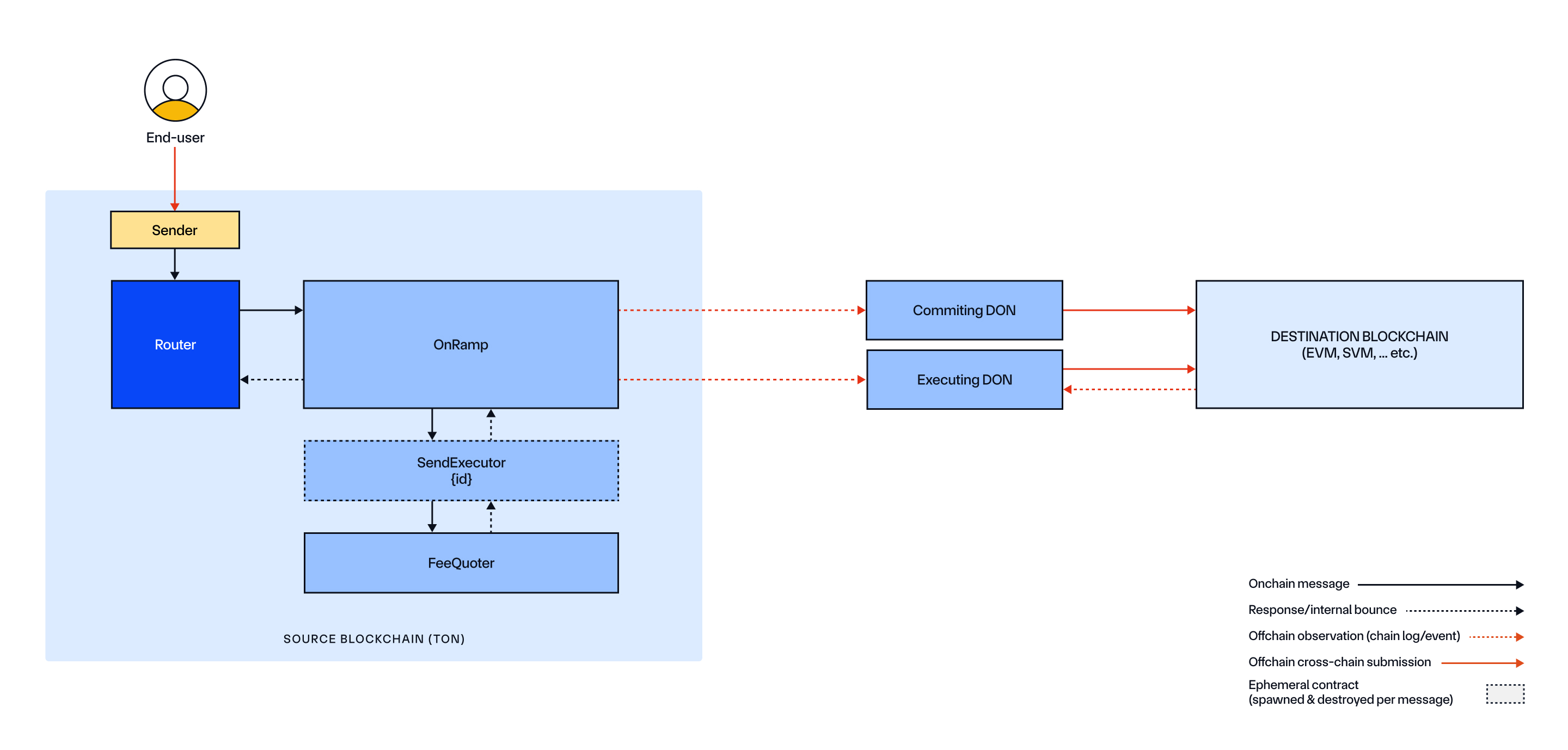
**Destination Chain**:
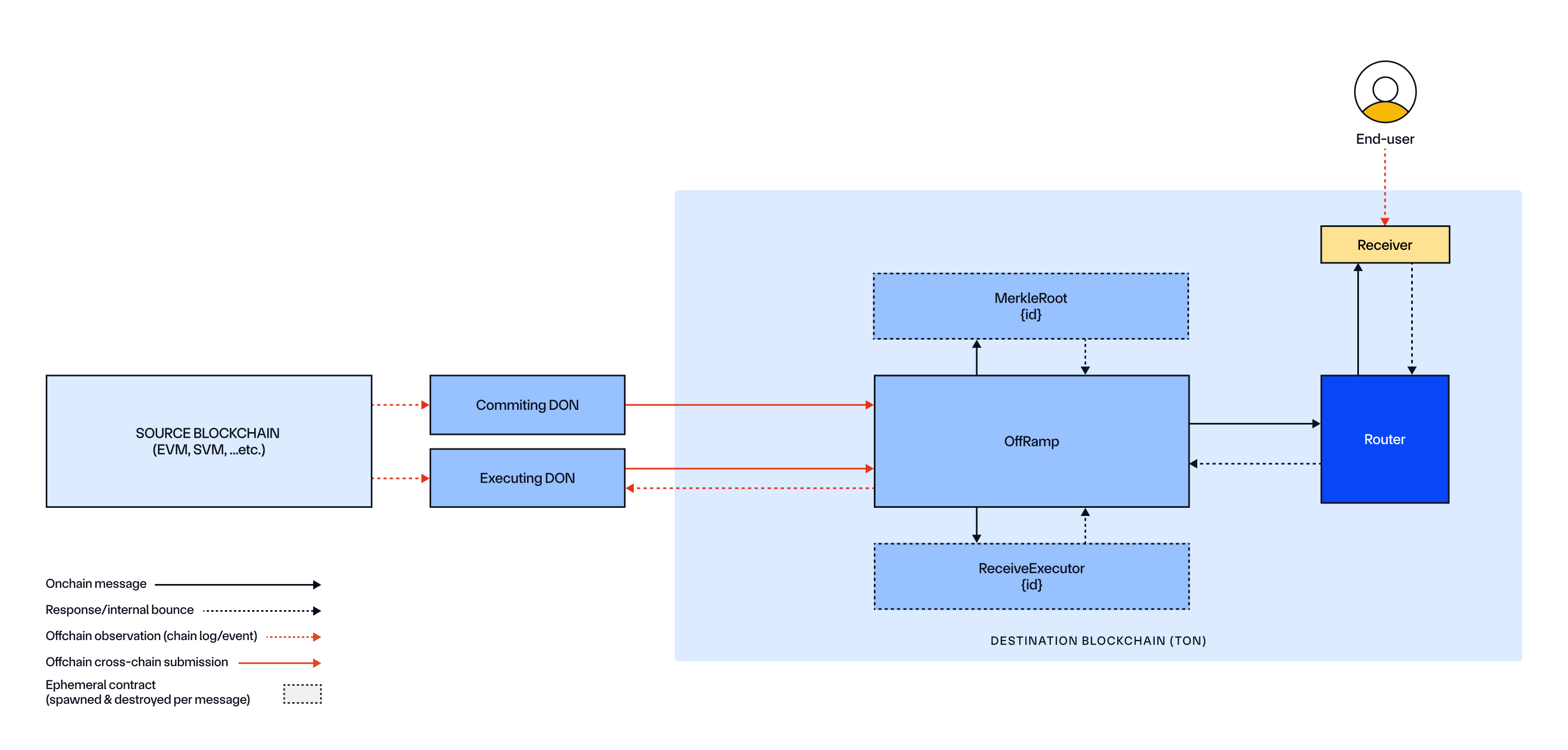
| Component | Ownership | Role |
| --------------------- | ------------------------ | ----------------------------------------------------------------------------------------------------------------------------------------------------------------------------------------------------------------------------------------------------------------------------------------------------------------------------------------------------------------------------------------------------------------------------------------------------------------------------------------------------------------------------------------------------------------------------------------------------- |
| Sender | External (User/Contract) | A user wallet or a custom contract that initiates a cross-chain message on the source chain by sending `CCIPSend` to the `Router`. |
| Receiver | External (User/Contract) | A custom contract on the destination chain that receives `CCIPReceive` from the `Router`, sends back a `CCIPReceiveConfirm`, and processes the message data. |
| Router | CCIP | The primary entry point for both sending and receiving. On the source chain it validates the attached GRAM, checks for sufficient gas, and forwards to the `OnRamp`. On the destination chain it routes executed messages from the `OffRamp` to the Receiver and relays the confirmation back. The `Router` also acts as the RMN Remote: it stores the set of cursed subjects, accepts `Router_RMNRemoteCurse` and `Router_RMNRemoteUncurse` messages from the authorized RMN admin, and propagates the updated curse state to all registered `OffRamp` contracts via `OffRamp_UpdateCursedSubjects`. |
| OnRamp | CCIP | Processes outbound messages. Assigns a message ID, deploys a `SendExecutor{id}` for fee validation, assigns a sequence number on success, and emits a chain log (`CCIPMessageSent`) observed by the offchain DONs. |
| `SendExecutor{id}` | CCIP | An ephemeral contract deployed by the `OnRamp` per outgoing message. It calls `FeeQuoter` for fee validation, verifies the sender attached enough GRAM to cover the CCIP fee, and reports the result back to the `OnRamp`. It is destroyed after reporting. |
| FeeQuoter | CCIP | Stores destination-chain fee configuration, fee token prices, and premium multipliers. Validates the `CCIPSend` request and returns the computed fee or a validation error to the `SendExecutor{id}`. |
| OffRamp | CCIP | Receives OCR3 `Commit` and `Execute` reports from the DONs. On commit, deploys a `MerkleRoot{id}` and emits `CommitReportAccepted`. On execute, validates each message via the `MerkleRoot{id}`, orchestrates delivery through a `ReceiveExecutor{id}` and the `Router`, and emits `ExecutionStateChanged`. Maintains a local replica of cursed subjects, pushed by the `Router` whenever the RMN admin curses or un-curses a subject. This replicated state is checked synchronously during every `Commit` and `Execute` call. |
| `MerkleRoot{id}` | CCIP | An ephemeral contract deployed once per committed Merkle root. Stores the two-bit execution state for every message in the root, verifies Merkle proofs, and gates retries. Destroyed when all messages in the root reach `Success`. |
| `ReceiveExecutor{id}` | CCIP | An ephemeral contract deployed (or reused on retry) per incoming message. Holds the message content and its delivery state (`Untouched`, `Execute`, `ExecuteFailed`, `Success`). Dispatches delivery back to the `OffRamp` and tracks the confirmation or bounce result. |
## Typical Lifecycle of a Message
### Source Blockchain (TON)
This outlines the process when initiating a CCIP transaction from the TON blockchain.
1. **Preparation**
- The Sender prepares the CCIP message, including:
- **Receiver**: An encoded destination address (e.g., a 20-byte EVM address).
- **Data payload**: Arbitrary bytes to be delivered to the receiver contract.
- **Destination chain selector**: Identifies the target blockchain.
- **Extra arguments**: Destination-specific parameters such as a gas limit for EVM chains.
- The fee can be estimated in two ways. Unlike EVM integrations, TON contracts cannot proxy-query each other's state, so there is no free getter path through the Router:
- **Via FeeQuoter getter (free)**: Call the `validatedFeeCell` getter directly on the `FeeQuoter` contract. This requires no transaction and incurs no gas cost. The `FeeQuoter` address is stable and does not change on protocol upgrades. To resolve it programmatically, call two getters in sequence: `Router.onRamp(destChainSelector)` → `OnRamp.feeQuoter(destChainSelector)`. The `getCCIPFeeForEVM` helper performs this lookup automatically — see [Estimating the CCIP Fee](/ccip/tutorials/ton/source/build-messages#estimating-the-ccip-fee) for a full example.
- **Via Router message (costs gas)**: Send a `Router_GetValidatedFee` internal message to the `Router`. This is an actual on-chain transaction — the `Router` forwards the request to the `FeeQuoter` via an internal message, and the `FeeQuoter` replies back to the `Router`, which returns `Router_MessageValidated` (or `Router_MessageValidationFailed`) containing the computed fee.
- The fee is paid in native GRAM. The Sender must attach the CCIP fee plus additional GRAM to cover internal message forwarding gas costs.
2. **Sending**
- The Sender sends a `CCIPSend` internal message to the `Router`, attaching the required GRAM.
- The `Router` validates that sufficient GRAM is attached and forwards the message to the `OnRamp`.
- The `OnRamp` assigns a message ID, then deploys a `SendExecutor{id}` contract with a deterministic address derived from the `OnRamp` address and a randomized `id`. It sends an `Execute` message to the `SendExecutor{id}` containing the full `CCIPSend` payload.
- The `SendExecutor{id}` sends `GetValidatedFee` to the `FeeQuoter`. If the fee is valid and the sender attached sufficient GRAM, the `FeeQuoter` replies with `MessageValidated`. The `SendExecutor{id}` then destroys itself and reports `ExecutorFinishedSuccessfully` to the `OnRamp`, returning any remaining balance.
- If the fee is insufficient or validation fails, the `FeeQuoter` replies with `MessageValidationFailed` and the `SendExecutor{id}` reports `ExecutorFinishedWithError`, triggering a rejection path back through the `OnRamp` and `Router` to the Sender (`CCIPSendNACK`).
- On success, the `OnRamp` assigns a sequence number and emits a chain log (`ExtOutLogMessage`) containing the sequenced `CCIPSend` message. The Sender receives a `CCIPSendACK` with the unused GRAM.
3. **Initial Offchain Processing**
- The Committing DON observes the `CCIPMessageSent` chain log emitted by the `OnRamp` and begins batching messages offchain to prepare a Merkle root for commitment on the destination chain.
### Destination Blockchain (TON)
This outlines the process when TON is the receiving chain for a CCIP message.
1. **Commit Phase**
- The Committing DON submits a `Commit` OCR3 report to the `OffRamp`, containing a Merkle root covering a batch of sequenced messages and any price updates.
- The `OffRamp` verifies the source chain is enabled and checks its locally replicated cursed subjects. If the source chain is cursed, the report is rejected.
- The `OffRamp` deploys a `MerkleRoot{id}` contract initialized with the Merkle root and the expected message sequence range, and advances the next expected sequence number.
- If the report includes price updates that are newer than the latest recorded OCR sequence number, the `OffRamp` forwards them to the `FeeQuoter`.
- The `OffRamp` verifies the Committing DON's OCR3 signatures and emits an `OCR3Base_Transmitted` log. Signature verification is enabled for the Commit plugin and required. RMN BLS signature verification over blessed Merkle roots is not performed on TON; curse protection is provided exclusively through the `Router`'s curse mechanism.
- The `OffRamp` emits a `CommitReportAccepted` log, signaling that the root is stored and messages are ready for execution.
2. **Secondary Offchain Processing**
- The Executing DON observes the `CommitReportAccepted` log on the destination chain and the original source chain logs. For each message in the committed batch, it computes the Merkle proof and submits a separate `Execute` OCR3 report.
3. **Execution Phase**
- The `OffRamp` receives the `Execute` report and immediately checks its locally replicated cursed subjects. If the source chain is cursed, execution is rejected before any further processing.
- The `OffRamp` verifies the source chain is enabled and computes a metadata hash from the source chain selector, destination chain selector, and the known OnRamp address. This hash is used together with the Merkle proof to reconstruct and verify the committed root, ensuring the message has not been tampered with. The Execute plugin does not perform OCR3 signature verification; signature verification is disabled for the Execute plugin by configuration.
- The `OffRamp` sends a `Validate` message to the `MerkleRoot{id}` contract corresponding to this root.
- The `MerkleRoot{id}` verifies the Merkle proof, checks that the message has not already been executed (state must be `Untouched`), marks it as `InProgress`, and replies with `ExecuteValidated`. If this is the last message in the root, the `MerkleRoot{id}` destroys itself.
- The `OffRamp` emits `ExecutionStateChanged` with state `InProgress`, then deploys (or reuses on retry) a `ReceiveExecutor{id}` for the message. It sends `InitExecute` to the `ReceiveExecutor{id}`.
- The `ReceiveExecutor{id}` sends `DispatchValidated` back to the `OffRamp` and sets its state to `Execute`.
- The `OffRamp` sends `RouteMessage` to the `Router`, which forwards a `CCIPReceive` internal message to the Receiver contract. The `CCIPReceive` payload includes the `execId`, `messageId`, source chain selector, sender address, and data.
- The Receiver verifies that the sender is the `Router`, sends back `CCIPReceiveConfirm{execId}` to the `Router`, and processes the message data.
- The `Router` forwards `CCIPReceiveConfirm` to the `OffRamp`, which sends `Confirm` to the `ReceiveExecutor{id}`.
- The `ReceiveExecutor{id}` verifies the confirm came from the `OffRamp` and that the original sender matches the Receiver. It sets its state to `Success`, destroys itself, and replies `NotifySuccess` to the `OffRamp`.
- The `OffRamp` emits `ExecutionStateChanged` with state `Success`.
4. **Failure and Retry**
- If the Receiver bounces the `CCIPReceive` message (fails to process it), the `Router` sends `CCIPReceiveBounced` to the `OffRamp`. The `OffRamp` forwards `Bounced` to the `ReceiveExecutor{id}`, which sets its state to `ExecuteFailed` and reports `NotifyFailure`. The `OffRamp` emits `ExecutionStateChanged` with state `Failure` and calls `MarkState(Failure)` on the `MerkleRoot{id}`.
- **Retryable failures**: If the Receiver bounced the message due to application logic (e.g., a bug that has since been fixed, or a receiver upgrade), the `MerkleRoot{id}` allows a transition from `Failure` back to `InProgress` on a subsequent `Validate` call the existing `ReceiveExecutor{id}` is reused for the retry attempt. Manual execution is also supported permissionlessly after a configured time delay. For more information, read the [manual execution](/ccip/concepts/manual-execution) page.
- **Non-retryable failures**: If the message was never successfully delivered because the `gasLimit` set by the EVM sender was too low — leaving the `ReceiveExecutor{id}` without enough GRAM to forward `CCIPReceiveConfirm` back through the protocol chain — the message cannot be retried and the attached GRAM value can be permanently lost. This is distinct from an application-level bounce. Set `gasLimit` (in nanoGRAM) conservatively and validate it against your receiver's actual execution costs before deploying to mainnet.
---
# Onchain Architecture - Components (TON)
Source: https://docs.chain.link/ccip/concepts/architecture/onchain/ton/components
Last Updated: 2026-04-07
This section provides more detail on the onchain components for TON.
## Sender/Receiver
**CCIP supports the following as senders and receivers on TON:**
- A user-controlled wallet — A wallet account controlled by a private key.
- A smart contract — Onchain executable logic written in Tolk or FunC.
**For arbitrary message passing, the supported sender/receiver combinations are:**
- **Wallet → Smart Contract**
- **Supported Message Type**: Arbitrary data.
- **Reason**: The receiving contract implements a handler for `CCIPReceive` internal messages and can process the data payload.
- **Smart Contract → Smart Contract**
- **Supported Message Type**: Arbitrary data.
- **Reason**: Both the sender and receiver are programmable contracts that can initiate and handle CCIP messages with arbitrary data.
**A CCIP Message on TON can include:**
- An arbitrary bytes data payload.
**Sender Responsibilities:**
- Prepare the `CCIPSend` message, including the encoded receiver address, data payload, destination chain selector, and extra arguments (e.g., gas limit for EVM destination chains).
- Retrieve a fee estimate using one of two methods. Unlike EVM integrations, TON contracts cannot proxy-query each other's state, so there is no free getter path through the Router:
- **Via FeeQuoter getter (free)**: Call the `validatedFeeCell` getter directly on the `FeeQuoter` contract. This requires no transaction and incurs no gas cost. To resolve the `FeeQuoter` address programmatically, call `Router.onRamp(destChainSelector)` → `OnRamp.feeQuoter(destChainSelector)`. The `getCCIPFeeForEVM` helper performs this lookup automatically — see [Estimating the CCIP Fee](/ccip/tutorials/ton/source/build-messages#estimating-the-ccip-fee) for a full example.
- **Via Router message (costs gas)**: Send a `Router_GetValidatedFee` message to the `Router`. This is an actual on-chain transaction — the `Router` relays the request to the `OnRamp`, which forwards it to the `FeeQuoter`. The result is returned via `Router_MessageValidated` (or `Router_MessageValidationFailed`).
- Send `CCIPSend` to the `Router` with sufficient GRAM attached to cover both the CCIP fee and internal message forwarding gas costs. The router checks that the attached value meets the minimum required (`Router_Costs.CCIPSend()`).
**Receiver Responsibilities:**
- **Security validation**: The receiver contract must verify that the sender of any `CCIPReceive` internal message is the registered CCIP `Router` contract.
- **Confirmation**: The receiver must reply with a `CCIPReceiveConfirm{execId}` message back to the `Router` after processing the message. This confirmation must carry sufficient GRAM to cover the confirmation trace costs (`Router_Costs.receiveConfirm()`). Without this confirmation the execution is treated as failed.
- **Failure handling**: If the receiver cannot process the message, it may allow `CCIPReceive` to bounce. The `Router` detects the bounce and forwards `CCIPReceiveBounced` to the `OffRamp`, initiating the failure path.
## Router
The `Router` contract is the single user-facing entry point for both sending and receiving CCIP messages on TON.
**On the source chain (sending)**, the `Router`:
- Accepts `CCIPSend` messages from senders. Requires a minimum GRAM value (`Router_Costs.CCIPSend()`); messages with insufficient value are rejected before any further processing.
- Checks the destination chain is not cursed (using its locally stored `CursedSubjects`) before forwarding to the `OnRamp`.
- Resolves the `OnRamp` address for the given destination chain selector from its `onRamps` map and forwards the `OnRamp_Send` message, carrying all remaining value.
- Receives `Router_MessageSent` from the `OnRamp` on success and delivers `CCIPSendACK` back to the original sender with unused GRAM.
- Receives `Router_MessageRejected` from the `OnRamp` on failure and delivers `CCIPSendNACK` to the sender.
- Accepts `Router_GetValidatedFee` from any caller, relays to the `OnRamp`, and returns the result (`Router_MessageValidated` or `Router_MessageValidationFailed`).
**On the destination chain (receiving)**, the `Router`:
- Accepts `Router_RouteMessage` from the registered `OffRamp` for the source chain and forwards `CCIPReceive` to the Receiver contract.
- Accepts `Router_CCIPReceiveConfirm` from any caller (permissionless at the Router level; authorization is enforced by the `ReceiveExecutor`) and forwards `OffRamp_CCIPReceiveConfirm` to the `OffRamp`.
- Detects a bounced `CCIPReceive` from the Receiver and forwards `OffRamp_CCIPReceiveBounced` to the `OffRamp`.
**As the RMN Contract**, the `Router`:
- Stores the set of cursed subjects (`CursedSubjects`) in its own storage, acting as the RMN Contract for the TON chain family. There is no separate RMN Contract contract.
- Accepts `Router_RMNRemoteCurse` and `Router_RMNRemoteUncurse` messages exclusively from the authorized RMN admin (`Ownable2Step`-gated).
- On each curse or un-curse operation, emits a `Cursed` or `Uncursed` chain log and updates the `forwardUpdates` set, then propagates `OffRamp_UpdateCursedSubjects` to every registered `OffRamp` address (one message per unique OffRamp). The `forwardUpdates` set is rebuilt automatically whenever the `onRamps`/`offRamps` maps change.
- Accepts permissionless `Router_RMNRemoteVerifyNotCursed` queries and synchronously replies with whether the given subject is cursed.
## OnRamp
The `OnRamp` contract processes all outbound CCIP messages on the source chain. It is not called directly by users; the `Router` is the only authorized caller of `OnRamp_Send`.
When the `Router` forwards `OnRamp_Send`, the `OnRamp`:
- **Allowlist check**: If `allowlistEnabled` is set for the destination chain configuration, verifies the sender address is in the `allowedSenders` map for that lane. Rejects the message if not.
- **SendExecutor deployment**: Generates a random `executorID` (`uint224` derived from a 256-bit random value), computes a deterministic address using `autoDeployAddress(executorID)`, and sends `Deployable_InitializeAndSend` to deploy and initialize the ephemeral `SendExecutor{id}` contract in a single message. All remaining value is carried to the `SendExecutor`.
- **ExecutorFinishedSuccessfully handling**: When the `SendExecutor` reports success, the `OnRamp` assigns the next sequence number for the destination chain, generates the `messageId` (as a hash over a metadata preimage, the sender address, sequence number, nonce, and message body), emits a `CCIPMessageSent` chain log containing the complete `TVM2AnyRampMessage`, and sends `Router_MessageSent` back to the `Router`. The collected CCIP fee is retained in the `OnRamp`'s balance.
- **ExecutorFinishedWithError handling**: Forwards a `Router_MessageRejected` notification to the `Router` with the error code.
The `OnRamp` also handles fee withdrawal (`OnRamp_WithdrawFeeTokens`, permissionless), dynamic config updates (owner-only), destination chain config updates (owner-only), and allowlist updates (allowlist admin or owner).
## SendExecutor\{id}
The `SendExecutor{id}` is an ephemeral contract deployed by the `OnRamp` once per outgoing message. Its address is deterministically derived from the `OnRamp`'s address and a randomly generated `id`, so the `OnRamp` can authenticate replies without storing any state.
The `SendExecutor{id}`:
- Is deployed and immediately receives `CCIPSendExecutor_Execute` (a self-message sent as part of `Deployable_InitializeAndSend`), which carries the full `OnRamp_Send` payload and the `FeeQuoter` address.
- Sends `FeeQuoter_GetValidatedFee` to the `FeeQuoter` and transitions to state `OnGoingFeeValidation`.
- On `FeeQuoter_MessageValidated`: verifies the sender attached enough value to cover the CCIP fee, then reports `OnRamp_ExecutorFinishedSuccessfully` to the `OnRamp` carrying the fee amount and returning any remaining balance.
- On `FeeQuoter_MessageValidationFailed` or a bounce of `FeeQuoter_GetValidatedFee`: reports `OnRamp_ExecutorFinishedWithError` to the `OnRamp`.
- Is destroyed after reporting (state `Finalized` is terminal; the contract returns its remaining balance to the `OnRamp`).
## FeeQuoter
The `FeeQuoter` contract is responsible for fee validation and price data storage.
**On the source chain**, the `FeeQuoter`:
- Accepts `FeeQuoter_GetValidatedFee` from the `SendExecutor{id}` (routed via the `OnRamp`). Validates the message payload (receiver encoding, gas limit, supported destination chain, fee token), computes the total fee from execution cost, premium multiplier, and data availability cost, and replies with either `FeeQuoter_MessageValidated` (including the fee amount) or `FeeQuoter_MessageValidationFailed`.
- Stores fee token premium multipliers, destination-chain fee configuration, and token prices with staleness enforcement.
- Accepts `FeeQuoter_UpdatePrices` from the `OffRamp` (forwarded from OCR `Commit` reports) to update token and gas prices onchain.
Unlike EVM integrations, TON contracts cannot proxy-query each other's state, so there is no free getter path through the `Router`. End users have two options for fee estimation: call the `validatedFeeCell` getter directly on the `FeeQuoter` (free, no transaction required), or send a `Router_GetValidatedFee` internal message to the `Router` (an actual on-chain transaction that costs gas). See [Sender Responsibilities](#senderreceiver) above for details on both paths.
## OffRamp
The `OffRamp` contract operates on the destination chain and is the primary contract that the offchain Committing and Executing DONs interact with.
### Commit Phase
1. **Report submission**: The Committing DON calls `OffRamp_Commit` with an OCR3 report containing a Merkle root (covering a batch of messages from a source chain) and optional token/gas price updates.
2. **Fee check**: The `OffRamp` verifies the attached GRAM covers the minimum commit cost. Price-update-only reports require less GRAM than reports with Merkle roots.
3. **Curse and source chain check**: The `OffRamp` checks its locally replicated `CursedSubjects` and verifies the source chain is enabled in `sourceChainConfigs`. If either check fails, the report is rejected.
4. **Sequence number validation**: Verifies the root's `minSeqNr` matches the next expected sequence number for the source chain and that the range covers at most 64 messages. If valid, advances `minSeqNr` to `maxSeqNr + 1`.
5. **MerkleRoot deployment**: Deploys a `MerkleRoot{id}` contract by sending `Deployable_Initialize` to its deterministic address. The `MerkleRoot{id}` is initialized with the Merkle root value, the `OffRamp`'s address as owner, the current timestamp, and the sequence number range.
6. **Price updates**: If the report includes price updates and their OCR sequence number is newer than `latestPriceSequenceNumber`, forwards `FeeQuoter_UpdatePrices` to the `FeeQuoter`.
7. **OCR3 signature verification and event emission**: Calls `ocr3Base.transmit()` to verify the Committing DON's signatures and emit `OCR3Base_Transmitted`. Then emits `CommitReportAccepted`.
> **NOTE**
>
> RMN BLS signature verification over blessed Merkle roots is not performed on TON. The `isRMNVerificationDisabled`
> flag is always set to `true` in `SourceChainConfig`. Curse protection is provided by the `Router`'s curse
> mechanism.
### Execution Phase
1. **Report submission**: The Executing DON calls `OffRamp_Execute` with an OCR3 execute report. The OCR3 transmit call for the Execute plugin uses an empty signatures cell because signature verification is disabled for the Execute plugin by configuration.
2. **Curse check**: The `OffRamp` checks `CursedSubjects` immediately. If the source chain is cursed, the report is rejected before any further processing.
3. **Source chain and message validation**: Verifies the source chain is enabled, computes the metadata hash from the source chain selector, destination chain selector, and the known `OnRamp` cross-chain address. Verifies the message's `destChainSelector` and `sourceChainSelector` match the stored configuration. Reconstructs the Merkle root from the message and the provided proof, then resolves the `MerkleRoot{id}` contract address from this root.
4. **MerkleRoot validation**: Sends `MerkleRoot_Validate` to the `MerkleRoot{id}` contract. The `MerkleRoot{id}` checks the per-message execution state (must be `Untouched` for DON execution, or `Failure` for retries after the permissionless threshold), marks it `InProgress`, and replies with `OffRamp_ExecuteValidated`. If this was the last message in the root, the `MerkleRoot{id}` destroys itself and returns its balance.
5. **ExecutionStateChanged emission**: Emits `ExecutionStateChanged` with state `InProgress`.
6. **ReceiveExecutor deployment or reuse**: Deploys (or, on retry, reuses) a `ReceiveExecutor{id}` contract at a deterministic address derived from the `messageId` and `sourceChainSelector`. Sends `Deployable_Initialize` followed immediately by `ReceiveExecutor_InitExecute`.
7. **Dispatch**: The `ReceiveExecutor{id}` replies with `OffRamp_DispatchValidated`. The `OffRamp` sends `Router_RouteMessage` to the `Router`, which forwards `CCIPReceive` to the Receiver contract.
8. **Confirmation**: If the Receiver confirms (`Router_CCIPReceiveConfirm` → `OffRamp_CCIPReceiveConfirm`), the `OffRamp` sends `ReceiveExecutor_Confirm` to the `ReceiveExecutor{id}`. The `ReceiveExecutor{id}` verifies the confirm came from the `OffRamp` and that the confirming address matches the intended Receiver, transitions to `Success`, destroys itself, and sends `OffRamp_NotifySuccess`. The `OffRamp` calls `MerkleRoot_MarkState(Success)` and emits `ExecutionStateChanged` with state `Success`.
9. **Failure**: If the Receiver bounces `CCIPReceive`, the `Router` sends `OffRamp_CCIPReceiveBounced`. The `OffRamp` sends `ReceiveExecutor_Bounced` to the `ReceiveExecutor{id}`, which transitions to `ExecuteFailed` and sends `OffRamp_NotifyFailure`. The `OffRamp` calls `MerkleRoot_MarkState(Failure)` and emits `ExecutionStateChanged` with state `Failure`.
### Permissionless Manual Execution (Fallback)
The `OffRamp` includes an `OffRamp_ManuallyExecute` handler that follows the same path as `OffRamp_Execute` but accepts a `gasOverride` field. Manual execution is permissionless and becomes available after `permissionlessExecutionThresholdSeconds` have elapsed since the `MerkleRoot{id}` was deployed. It can retry messages in `Failure` state or, after the threshold, messages still in `Untouched` state. For more information, read the [manual execution](/ccip/concepts/manual-execution) page.
### Curse Propagation
The `OffRamp` accepts `OffRamp_UpdateCursedSubjects` exclusively from the address stored as `rmnRouter` in its `deployables` storage (which is the `Router` address). When received, it overwrites the local `CursedSubjects` replica. This is the only mechanism by which the curse state is updated in the `OffRamp`.
## MerkleRoot\{id}
The `MerkleRoot{id}` is an ephemeral contract deployed once per committed Merkle root by the `OffRamp`. Its address is deterministic, derived from the `OffRamp`'s address and the Merkle root value itself.
- Tracks the execution state of every message in the committed root using a packed two-bit bitmap keyed by sequence number offset. Supports up to 64 messages per root.
- Per-message states are: `Untouched` (0), `InProgress` (1), `Success` (2), `Failure` (3).
- Accepts `MerkleRoot_Validate` from the `OffRamp`. Verifies the sender is the owning `OffRamp`, checks the message's current state (must be `Untouched` for normal DON execution; `Failure` or stale `Untouched` for manual retry), marks the message as `InProgress`, and replies `OffRamp_ExecuteValidated`.
- Accepts `MerkleRoot_MarkState` from the `OffRamp` to transition a message to `Success` or `Failure`. Increments a delivered count on `Success`. When delivered count equals the total expected messages, the `MerkleRoot{id}` freezes and returns its balance to the `OffRamp`.
- Is never directly redeployed; if a root's `MerkleRoot{id}` was destroyed (all messages succeeded) and a retry attempt arrives, the address will not exist and the message will bounce.
## ReceiveExecutor\{id}
The `ReceiveExecutor{id}` is an ephemeral contract deployed (or reused on retry) by the `OffRamp` per incoming message. Its address is deterministic, derived from the `OffRamp`'s address, the `messageId`, and the `sourceChainSelector`.
- Stores the message content, the owning `MerkleRoot{id}` address (`root`), the execution ID, the current per-message delivery state, and the last execution timestamp.
- Per-message delivery states are: `Untouched`, `Execute`, `ExecuteFailed`, `Success`.
- Accepts `ReceiveExecutor_InitExecute` from the `OffRamp`. Records the current timestamp, transitions to `Execute`, and replies `OffRamp_DispatchValidated` carrying all remaining value.
- Accepts `ReceiveExecutor_Confirm` from the `OffRamp`. Verifies the `OffRamp` is the sender and that the provided receiver address matches the intended receiver. Transitions to `Success`, destroys itself, and replies `OffRamp_NotifySuccess`.
- Accepts `ReceiveExecutor_Bounced` from the `OffRamp`. Verifies the `OffRamp` is the sender and that the bounced receiver matches the intended receiver. Transitions to `ExecuteFailed` and replies `OffRamp_NotifyFailure`.
- On retry (`ExecuteFailed` → `Execute`): the same `ReceiveExecutor{id}` contract at the same deterministic address is reused. The `OffRamp` sends `ReceiveExecutor_InitExecute` again, which updates the timestamp and re-triggers the dispatch.
---
# Onchain Architecture - Upgradability (TON)
Source: https://docs.chain.link/ccip/concepts/architecture/onchain/ton/upgradability
Last Updated: 2026-04-07
Chainlink's Cross-Chain Interoperability Protocol (CCIP) is designed to evolve in response to new feature requests, security considerations, and the need to support additional blockchains over time. This requires a secure upgrade process that preserves CCIP's robust security while allowing for iterative improvements.
## What Can Be Upgraded
On the TON blockchain, upgradability primarily happens in two ways:
1. **Onchain Configuration**
The core CCIP contracts (`Router`, `OnRamp`, `OffRamp`, `FeeQuoter`) expose owner-gated message handlers that allow authorized accounts to adjust operational parameters without requiring a new deployment.
Examples include:
- Enabling support for a new destination chain on the OnRamp.
- Updating fee parameters on the FeeQuoter.
- Updating OCR3 configuration on the OffRamp.
2. **Contract Code Upgrades**
Each persistent CCIP contract (`Router`, `OnRamp`, `OffRamp`, `FeeQuoter`) implements the `Upgradeable` library. This library handles the `Upgradeable_Upgrade` message (opcode `0x0aa811ed`), which carries a `code` cell containing the new compiled [Tolk](https://docs.ton.org/tolk/overview) bytecode.
On TON, the [TVM](https://docs.ton.org/tvm/overview) supports in-place code replacement within a single compute phase. When an upgrade message is processed:
1. `contract.setCodePostponed(msg.code)` schedules the new bytecode to take effect at the end of the compute phase.
2. The [TVM `c3` register](https://docs.ton.org/tvm/registers#c3--function-selector) (the continuation dispatch table) is immediately redirected to the new code, so the remainder of the upgrade handler runs under the new version.
3. The `migrate` function — called from the new code with the current storage cell and the previous version string — transforms the old storage layout into the new one.
4. The migrated storage is written back via `contract.setData`.
5. An `Upgradeable_UpgradedEvent` is emitted containing the new code cell, its SHA256 hash, and the new version string.
Because the TVM account (and its address) persists across code changes, no external client or off-chain system needs to update a stored address after an upgrade. The `migrate` and `version` functions are assigned stable method IDs (`@method_id(1000)` and `@method_id(1001)` respectively) that are preserved in every version, ensuring the new code can always locate and call the correct function from the previous version during the upgrade.
Authorization is enforced before the upgrade executes: every contract checks `ownable.requireOwner(senderAddress)`, so only the `Ownable2Step` owner of the contract — in production, the RBACTimelock — can initiate an upgrade.
## Implementation Process
All critical changes to CCIP on TON are governed by a secure, cross-chain process using the **ManyChainMultiSig (MCMS)** system and the **RBACTimelock** contract, which function consistently across all CCIP-supported chains.
The MCMS deployment on TON consists of three independent MCMS instances — **Proposer**, **Canceller**, and **Bypasser** — each holding its own Merkle root of authorized operations and its own signer quorum configuration. Signers are identified by EVM addresses and arranged in a hierarchical group tree, where each group has its own quorum threshold; a proposal is authorized only when the root group of the tree is satisfied. The MCMS contract stores a `seenSignedHashes` map, so a signed root cannot be replayed once it has been submitted.
The RBACTimelock is the `Ownable2Step` owner of all core CCIP contracts. The Proposer, Canceller, and Bypasser MCMS instances hold the corresponding roles within the Timelock. Any change to a CCIP contract — whether a configuration update or a code upgrade — requires a message to be sent from the Timelock to the target contract.
Any proposal must follow one of two paths:
1. **Time-locked Review**: An authorized quorum of signers approves an operation off-chain and the Proposer MCMS submits the resulting Merkle root onchain via `MCMS_SetRoot`. Anyone who holds a valid Merkle inclusion proof can then call `MCMS_Execute` to deliver the operation to the Timelock as a `Timelock_ScheduleBatch` call, which places the batch into a pending queue with a mandatory `minDelay`. During this review window, the Canceller MCMS can cancel a pending batch via `Timelock_Cancel`. If no cancellation occurs, once the delay expires anyone can deliver a `Timelock_ExecuteBatch` message directly to the Timelock. There is no separate Executor role or Executor MCMS instance on TON: the Timelock is deployed with the executor role check disabled, because TON has no CallProxy equivalent. The Timelock then forwards the contained operation (for example, an `Upgradeable_Upgrade` message or a configuration update) to the target CCIP contract.
2. **Expedited Approval**: For time-sensitive situations such as emergency responses, the Bypasser MCMS can authorize an operation that is delivered to the Timelock as `Timelock_BypasserExecuteBatch`. This path bypasses the mandatory review delay and immediately forwards the operation to the target contract.
The entire process is publicly verifiable on-chain. All MCMS roots and executed operations, the Timelock batch schedule and execution history, and the `Upgradeable_UpgradedEvent` emissions from upgraded contracts are recorded as on-chain events.
---
# Offchain Architecture - Overview
Source: https://docs.chain.link/ccip/concepts/architecture/offchain/overview
Last Updated: 2025-05-19
CCIP's offchain architecture includes the following:
- **Decentralized Oracle Networks (DONs)**: Running offchain consensus using the Offchain Reporting Protocol (OCR).
- **Interaction Components**: Managing communication between the CCIP DONs.
> **NOTE**
>
> Based on user demand, CCIP's architecture is evolving to provide enhanced support for configurable security,
> compliance, and monitoring capabilities. As part of that ongoing evolution, the Risk Management Network's automated
> offchain role is no longer active in current CCIP deployments, but is expected to be offered as an optional validation
> layer in future releases. The [onchain RMN contract](/ccip/concepts/architecture/onchain/evm/components#rmn-contract)
> remains part of CCIP's architecture as an emergency safeguard over certain per-chain or network-wide functions when
> required. CCIP continues to provide robust risk management controls, including configurable rate limits, developer
> token attestations, and monitoring capabilities.
## Components
### CCIP Decentralized Oracle Networks
With the CCIP v1.6 architecture, there is a single DON called the Role DON that includes all participating nodes. Two OCR plugins run on these nodes:
1. **Commit OCR Plugin**
- Coordinates observations from multiple source chains.
2. **Executing OCR Plugin**
- Monitors pending executions on the destination chain.
- Verifies events on the source chain and executes messages accordingly.
**Note**: For simplicity, we sometimes refer to the nodes running the Commit OCR Plugin as the Committing DON and those running the Executing OCR Plugin as the Executing DON. However, these are not separate oracle networks; they are subsets of the same Role DON, distinguished solely by their assigned roles.
## High Level Flow
Below are the high-level steps for the Commit OCR process and the Executing OCR process.
### Commit OCR Process
- **Observation Phase**
- Each subcommittee reading from a source chain reaches consensus on the range of messages to build a merkle root.
- A minimum threshold of valid observations is required for consensus.
- **Query Phase**
- The leader shares the Commit Report with the rest of the nodes in the Role DON for validation.
- Invalid observations are dropped and the remaining valid ones must meet the threshold to achieve consensus among the nodes.
- **Reporting Phase**
- A subcommittee of nodes writing to the destination chain submits the final Commit Report onchain.
- The report may include merkle roots from multiple sources.
- Additionally, the Commit plugin posts price reports for fee tokens, so the Commit Report can contain a combination of merkle roots and price reports.
### Executing OCR Process
- **Pending Execution Check**
- The subcommittee connected to the destination chain checks for pending executions that have been committed via a Commit Report.
- **Validation and Optimization**:
- The DON coordinates to validate the corresponding source chain events for these pending executions.
- Once validated, the Executing DON optimizes the set of messages to be batched for execution. This optimization considers factors such as the gas limit and specific nuances of the destination chain.
- **Execution**:
- The message (or batch of messages) is executed on the destination chain.
---
# Cross-Chain Token Standard
Source: https://docs.chain.link/ccip/concepts/cross-chain-token
Last Updated: 2025-06-09
This section explains the Cross-Chain Token (CCT) standard, a Chainlink CCIP feature enabling secure and reliable cross-chain token transfers. Learn about the architecture, token requirements, token pool types (Lock and Release, Burn and Mint), registration processes, administrative roles, and upgrade mechanisms needed to make your tokens compatible with CCIP across different blockchain families.
For a high-level summary of the CCT standard and its benefits, see the [Overview](/ccip/concepts/cross-chain-token/overview) page.
---
# Cross-Chain Token Standard - Overview
Source: https://docs.chain.link/ccip/concepts/cross-chain-token/overview
Last Updated: 2025-05-19
> **NOTE: Launch or upgrade your cross-chain token in just a few clicks**
>
> Did you know about the [Token Manager](https://tokenmanager.chain.link/). This newly released app gives you the
> ability to launch new tokens or upgrade existing tokens into CCTs, no code required. Read more about it
> [here](/ccip/tools-resources/token-manager).
The Cross-Chain Token (CCT) standard offers a streamlined and decentralized approach to enabling token transfers across blockchains using Chainlink's Cross-Chain Interoperability Protocol (CCIP). Traditionally, token developers had a friction-laden and manual process to enable their tokens for cross-chain operations. This process required manual deployment of token pools, making it time-consuming. With the introduction of CCTs, token developers now have the power to deploy, configure, and manage their own token pools in CCIP via a simple interface. This self-service model not only accelerates the deployment process but also empowers token developers with greater autonomy and control over their cross-chain token operations. This guide will explore the motivations behind Cross-Chain Token (CCT) and provide an overview of the architectural components in enabling a compatible token in CCIP.
## Motivations
The motivation for Cross-Chain Token (CCT) originates from two primary challenges: liquidity fragmentation in a multi-chain ecosystem and the need for greater autonomy for token developers.
### Liquidity Fragmentation
[Hundreds](https://chainlist.org/) of blockchains exist, each with their own rules, consensus mechanisms, and liquidity. This expansion has created fragmented liquidity, where assets are siloed on individual blockchains, making it difficult for users and developers to access liquidity across different ecosystems. Token developers face the dilemma of choosing which blockchain to deploy on, often deciding between the blockchain with the most liquidity or a new, emerging chain with future potential. Each decision comes with risks, such as competing in a crowded market or dealing with trust assumptions on new blockchains.
### Need for Greater Autonomy
Another critical motivation behind Cross-Chain Token is to empower projects to enable their tokens for cross-chain operations without the support of third-parties. By providing a self-service model, Cross-Chain Token allows projects to take control of their cross-chain applications. This enables rapid expansion to other blockchains supported by CCIP.
Cross-Chain Token (CCT) solves these challenges by allowing token developers to create assets that can move seamlessly across multiple blockchains without fragmenting liquidity. By deploying a token in multiple blockchain environments, token developers can maintain a consistent supply, manage liquidity efficiently, and reach users on different blockchains without introducing complex bridging processes. The CCT standard offers the following benefits:
#### Self-service and Permissionless Deployment
With CCT, token developers can launch a cross-chain token or enable an existing token in a self-service manner within minutes. The fully audited token pool contracts handle the complexities of burning/minting or locking/minting tokens across blockchains, all without requiring liquidity pools. This enables a streamlined and permissionless deployment process that significantly reduces the barriers to cross-chain expansion. Starting from v1.5.1, token pools support zero-downtime upgrades, allowing seamless transitions between pool versions while maintaining support for in-flight messages.
#### Developer Control and Flexibility
Token developers retain complete ownership of their token contracts, token pools, and implementation logic. This includes configuring rate limits across all blockchains, ensuring that token developers have full autonomy to manage their deployments. The CCT standard avoids vendor lock-in, hard-coded functions, and external dependencies, giving projects the flexibility they need to succeed.
#### Defense-in-Depth Security
The CCT standard leverages Chainlink's industry-standard oracle networks, which secure over $16 trillion in Total Value Enabled (TVE). This strong foundation is further enhanced by additional layers of protection, such as configurable transfer rate limits, providing comprehensive security for cross-chain operations.
#### Programmable Token Transfers
Cross-Chain Token (CCT) supports the simultaneous transfer of tokens and messages in a single transaction. This programmability allows for complex use cases, improving the overall efficiency of cross-chain transactions. For instance, a programmable token transfer could execute a function to stake tokens on the destination blockchain.
#### No Liquidity Pools Required
The fully audited token pool contracts provided by CCT eliminate the need for liquidity pools, simplifying cross-chain token management. By locking or burning tokens on the source chain and minting or unlocking them on the destination chain, token developers can maintain consistent liquidity without managing fragmented liquidity pools across multiple blockchains.
#### Reduced Liquidity Fragmentation
The CCT standard addresses liquidity fragmentation by allowing tokens to move seamlessly across multiple blockchains rather than requiring liquidity to be present on both source and destination chains. This unified approach ensures that liquidity remains consistent and accessible across all supported blockchains, reducing inefficiencies and improving the user experience.
#### Zero-Slippage Transfers
Token developers are provided access to pre-audited token pool contracts that enable zero-slippage cross-chain transfers of CCTs. The exact amount of tokens sent to the CCIP OnRamp on the source chain is always the exact amount of tokens received on the CCIP OffRamp on the destination chain.
#### Ease of Cross-Chain Integration
With CCT, existing compatible tokens can be easily extended to support cross-chain functionality. This makes it possible for token developers to extend their token's reach across multiple blockchains with minimal effort, avoiding the complexities associated with traditional bridging solutions.
## Key Concepts
### Token Developer
The entity responsible for issuing and managing the token. Token developers decide which blockchains to deploy the token on, manage its lifecycle, and control its availability across different blockchains.
### Token Owner
The entity that owns the token contract. The token owner has the authority to manage the token contract, including upgrading the contract, changing the token administrator, or transferring ownership to another address.
### Token Administrator
A role assigned to manage cross-chain operations of a token. The token administrator is responsible for mapping a token to a token pool in the TokenAdminRegistry.. The token administrator can be the token owner or another designated entity assigned by the token owner. Technically, the token administrator can be an EOA or a smart account.
### EOA (Externally Owned Account)
A standard blockchain account controlled by a private key, typically used by individuals. EOAs do not have associated code, unlike smart accounts, and are used for directly signing transactions.
### Smart Account
A blockchain account represented by a smart contract, offering advanced functionality like multi-signature authorization or custom transaction logic. Smart accounts provide better security and flexibility compared to EOAs. For example, smart accounts can use multi-signature mechanisms to add an extra layer of security.
### Compatible Token
Cross-Chain tokens need to adhere to specific requirements to ensure interoperability across different blockchain ecosystems. Each blockchain family has its own requirements documentation. For example, you can read about [EVM token requirements](/ccip/concepts/cross-chain-token/evm/tokens) or visit the respective documentation pages for other blockchain families like SVM.
### Token Pool
Each token is associated with its own token pool, which acts as an abstraction layer over compatible tokens designed to facilitate token-related operations for OnRamping and OffRamping. Token pools provide rate limits, a security feature enabling token developers to set a maximum rate at which their token can be transferred per lane. Token pools are configured to `lock` or `burn` tokens on the source blockchain and `unlock` or `mint` tokens on the destination blockchain.
## Token Pool rate limits
Token administrators may set-up token pool rate limits. A token pool rate limit (TPRL) has a maximum capacity and a refill rate, which is the speed at which the maximum capacity is restored after a token transfer has consumed some or all of the available capacity.

You can find the complete list of CCIP supported tokens and their rate limits on the [CCIP Directory page](/ccip/directory).
## Token Handling Mechanisms
The setup of token pools on source and destination blockchain results in four primary token handling mechanisms:
### Burn and Mint
Tokens are burned on the source blockchain, and an equivalent amount of tokens are minted on the destination blockchain. This keeps the total supply of the token constant across blockchains.
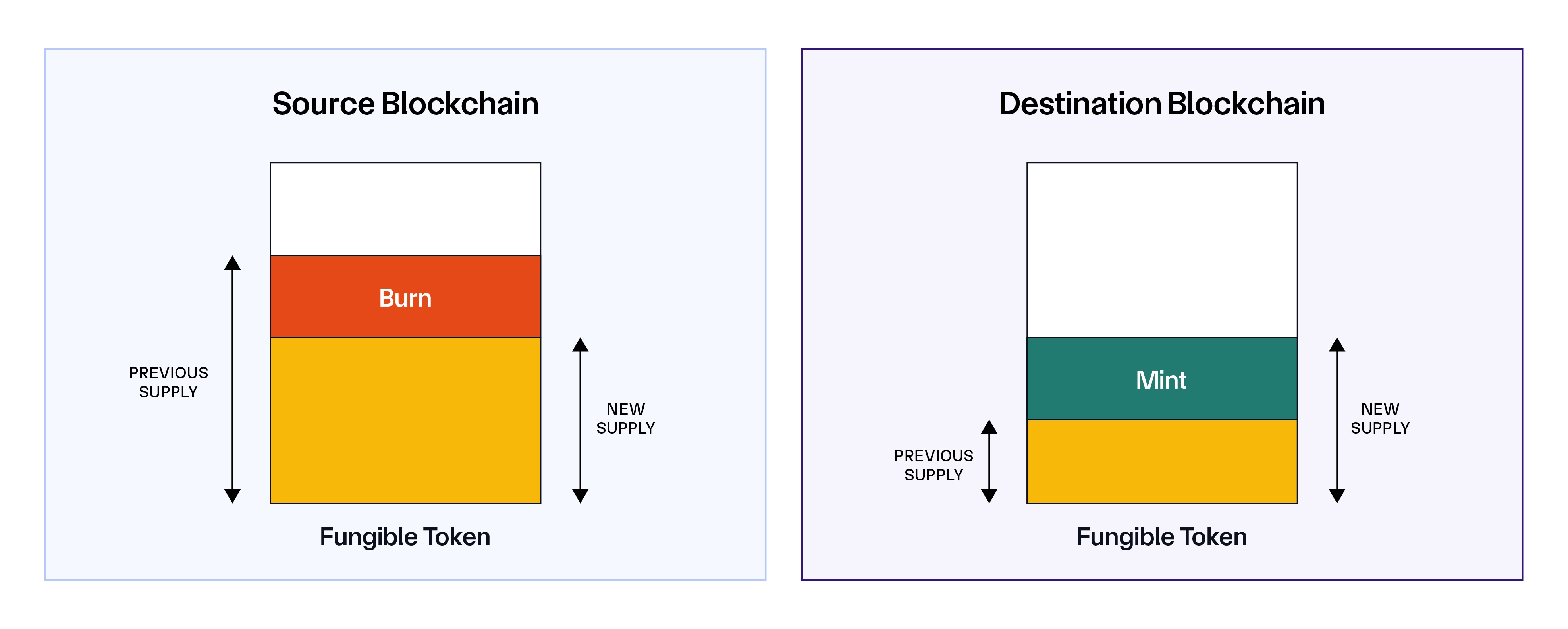
### Lock and Mint
This mechanism is suitable for projects with existing tokens on a single blockchain that have already been minted and lack functionality to control the supply via burn and mint functions on the source blockchain. In this approach, tokens are locked on the issuing blockchain, and fully collateralized "wrapped" tokens are minted on the destination blockchain. These wrapped tokens, which must support burn and mint functionality, can subsequently be transferred across other non-issuing blockchains using the Burn and Mint mechanism.
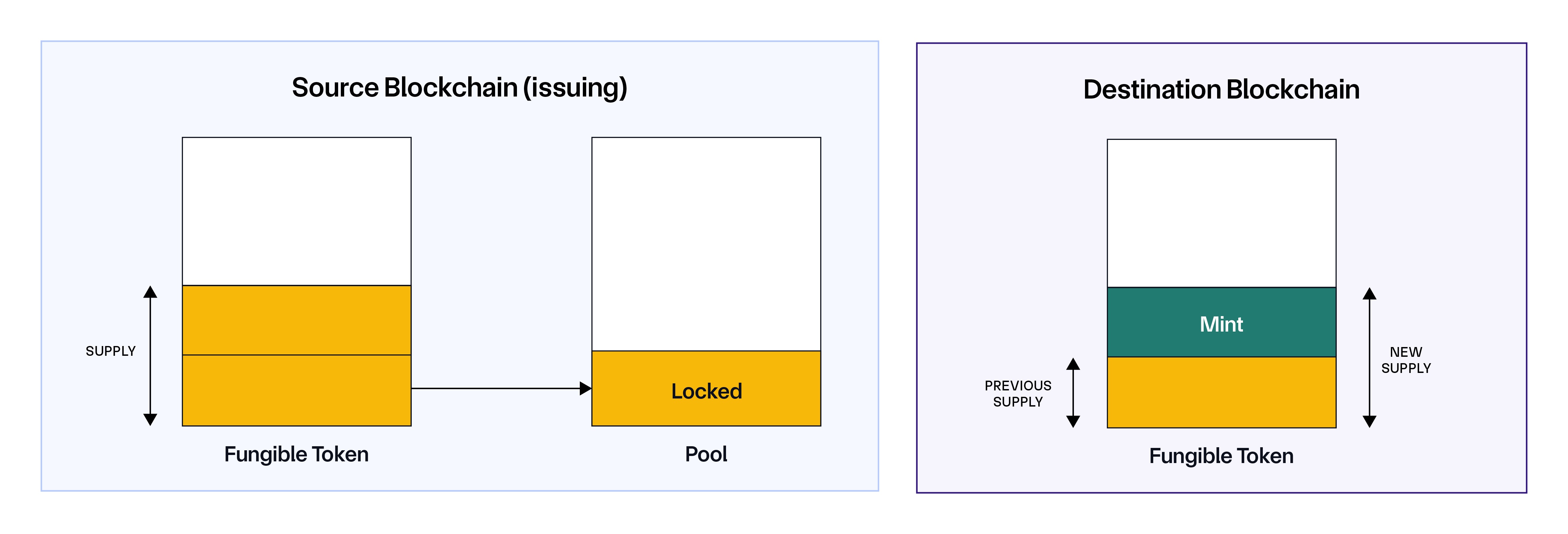
### Burn and Unlock
Tokens are burned on the source blockchain (which is the non-issuing blockchain), and an equivalent amount of tokens are released on the destination blockchain (the issuing blockchain). This mechanism is the inverse of the Lock and Mint mechanism and applies when you send tokens back to their issuing source blockchain.
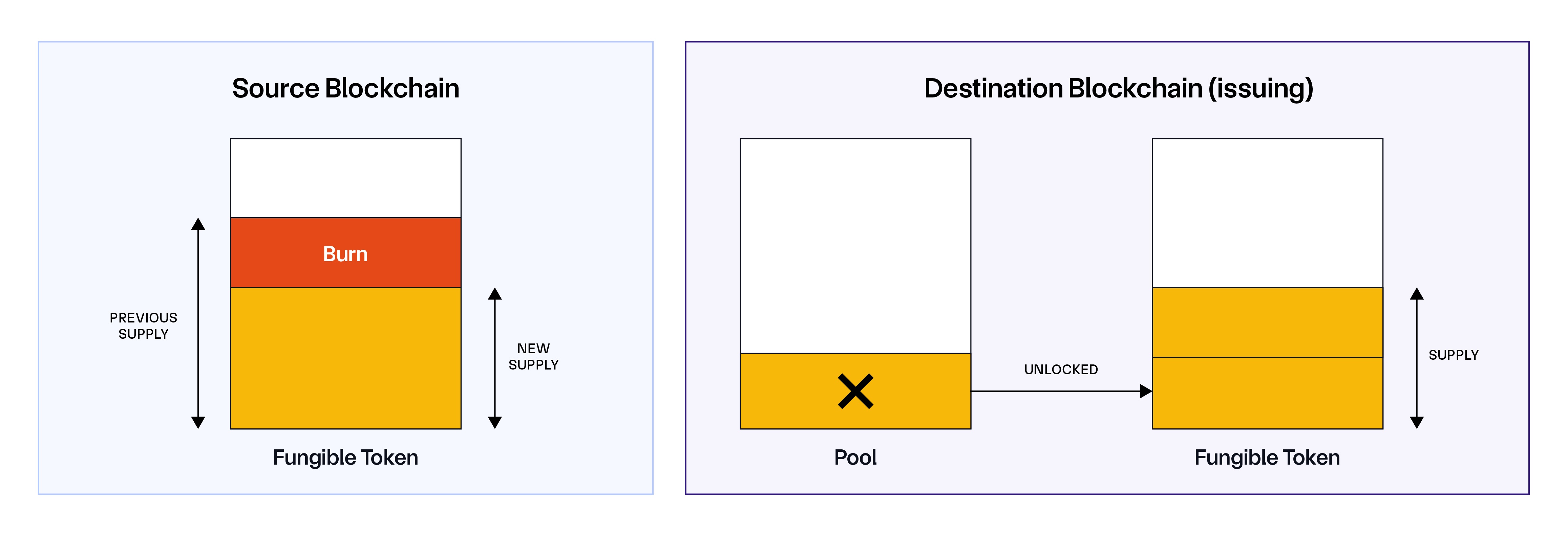
### Lock and Unlock
Tokens are locked on the source blockchain, and an equivalent amount of tokens are released on the destination blockchain. For additional guidance on Lock and Unlock configuration, please review best practices.
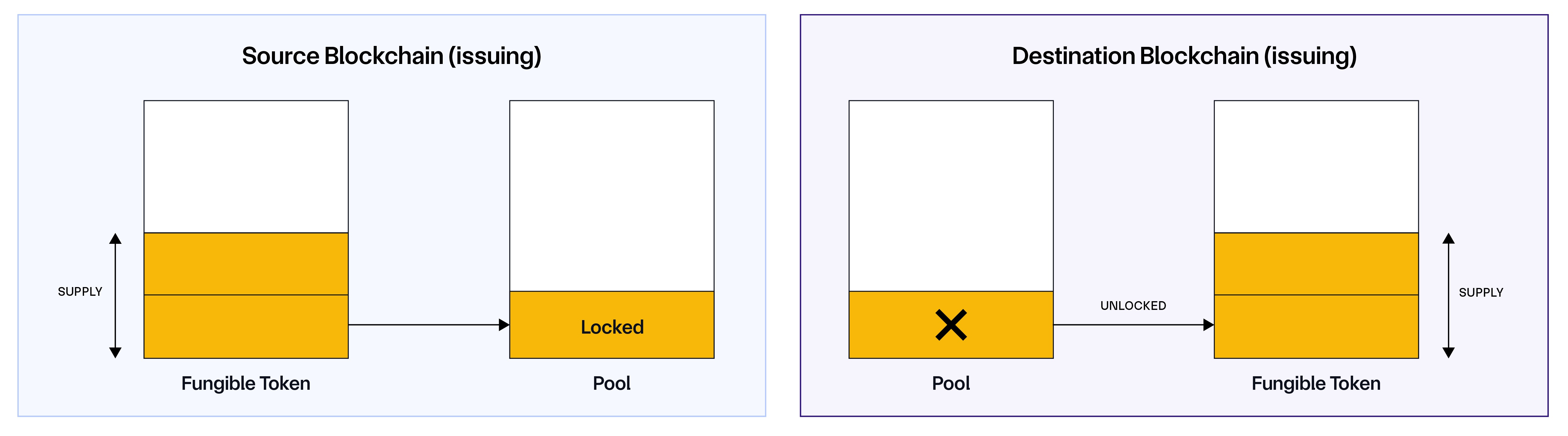
### Token-Specific Transfer Mechanisms
The mechanism for handling tokens varies depending on the characteristics of each token. Below are several examples to illustrate this:
- LINK Token is minted on a single blockchain (Ethereum mainnet) and has a fixed total supply. Consequently, CCIP cannot natively mint it on another blockchain. For LINK, the token pool is configured to lock tokens on Ethereum mainnet (the issuing blockchain) and mint them on the destination blockchain. Conversely, when transferring from a non-issuing blockchain to Ethereum mainnet, the LINK token pool is set to burn the tokens on the source (non-issuing) blockchain and unlock them on Ethereum Mainnet (issuing). For example, transferring 10 LINK from Ethereum mainnet to Base mainnet involves the LINK token pool locking 10 LINK on Ethereum mainnet and minting 10 LINK on Base mainnet. Conversely, transferring 10 LINK from Base mainnet to Ethereum mainnet involves the LINK token pool burning 10 LINK on Base mainnet and unlocking 10 LINK on Ethereum mainnet.
- Wrapped native Assets (e.g., WETH) use a Lock and Unlock mechanism. For instance, when transferring 10 WETH from Ethereum mainnet to Optimism mainnet, the WETH token pool will lock 10 WETH on Ethereum mainnet and unlock 10 WETH on Optimism mainnet. Conversely, transferring from Optimism mainnet back to Ethereum mainnet involves the WETH token pool locking 10 WETH on Optimism mainnet and unlocking 10 WETH on the Ethereum mainnet.
- Stablecoins (e.g., USDC) can be minted natively on multiple blockchains. Their respective token pools employ a Burn and Mint mechanism, burning the token on the source blockchain and then minting it natively on the destination blockchain.
- Tokens with a Proof Of Reserve (PoR) with a PoR feed on a specific blockchain present a challenge for the Burn and Mint mechanism when applied across other blockchains due to conflicts with the PoR feed. For such tokens, the Lock and Mint approach is preferred.
> **NOTE: Transferring Native Gas Tokens**
>
> Below is an example of transferring native gas tokens on EVM-based blockchains:
>
> To transfer **ETH**, from one blockchain to another, follow these steps:
>
> 1. Wrap ETH into WETH: Users must first interact with the WETH contract or use a DEX to convert their ETH into Wrapped Ether (WETH).
> 2. Send WETH via CCIP: Next, users call the CCIP Router to send WETH to the receiver account on the desired destination blockchain.
> 3. Unwrap WETH back into ETH: Finally, on the destination blockchain, users call the WETH contract or use a DEX to convert the WETH into ETH.
>
> **Note:** You can use the [EthSenderContract.sol](https://github.com/smartcontractkit/chainlink-ccip/blob/release/contracts-ccip-1.6.2/chains/evm/contracts/applications/EtherSenderReceiver.sol) contract as a reference to transfer ETH across EVM-based blockchains using CCIP.
---
# Cross-Chain Token Standard - Tokens (EVM)
Source: https://docs.chain.link/ccip/concepts/cross-chain-token/evm/tokens
Last Updated: 2025-05-19
Before enabling an ERC20-compatible token in CCIP, it's important to understand the requirements it must fulfill to integrate with CCIP.
## Registration functions
A token administrator can use any of the following supported function signatures for enabling their tokens in CCIP:
- `owner()`: This function returns the token contract owner's address.
- `getCCIPAdmin()`: This function returns the token administrator's address and is recommended for new tokens, as it allows for abstraction of the CCIP Token Administrator role from other common roles, like `owner()`.
> **NOTE: Token Admin Registration**
>
> If these functions are not available, use this [contact
> form](https://chain.link/ccip-contact?v=Tokens:%20Token%20admin%20registration) to request assistance with
> registration.
## Transfer functions
The token's smart contract must meet minimum requirements to integrate with CCIP.
### BurnMint Requirements
This section describes the requirements for tokens that are used with the BurnMint token pools.
- The token smart contract must have the following functions:
- `mint(address account, uint256 amount)`: This function is used to mint the `amount` of tokens to a given `account` on the destination blockchain.
- `burn(uint256 amount)`: This function is used to burn the `amount` of tokens on the source blockchain.
- `decimals()`: Returns the token's number of decimals.
- `balanceOf(address account)`: Returns the current token balance of the specified `account`.
- `burnFrom(address account, uint256 amount)`: This function burns a specified number of tokens from the provided account on the source blockchain. Note: This is an optional function. We generally recommend using the `burn` function, but if you use a tokenPool that calls `burnFrom`, your token contract will need to implement this function.
- The token contract must support granting mint and burn permissions. The token developers or another role (such as the token administrator) will grant these permissions to the token pool.
> **NOTE: Token Deployment**
>
> If you don't have an existing token: For all blockchains where tokens need to be burned and minted, Chainlink provides
> a
> [BurnMintERC20](https://github.com/smartcontractkit/chainlink-evm/blob/contracts-solidity/1.5.0/contracts/src/v0.8/shared/token/ERC20/BurnMintERC20.sol)
> contract that you can use to deploy your token in minutes.
### LockRelease Requirements
This section describes the requirements for tokens that are used with the LockRelease token pools.
- The token smart contract must have the following functions:
- `decimals()`: Returns the token's number of decimals.
- `balanceOf(address account)`: Returns the current token balance of the specified `account`.
- On the destination blockchain, the token contract must support granting mint and burn permissions. The token developers or another role (such as the token administrator) will grant these permissions to the token pool.
## Token Handling Mechanisms
To facilitate cross-chain token transfers, you need to choose the appropriate token handling mechanism and deploy the correct combination of token pools for the source and destination blockchains. The table below summarizes the different token handling mechanisms and the [recommended token pools](https://github.com/smartcontractkit/chainlink-ccip/tree/release/contracts-ccip-1.6.2/chains/evm/contracts/pools) to deploy for each scenario, ensuring a seamless token transfer process.
| Token Handling Mechanism | Source Blockchain Token Pool | Destination Blockchain Token Pool | Notes |
| ------------------------ | ---------------------------- | --------------------------------- | --------------------------------------------------------------------------------------------------------------------------------------------------------------------------------------------------------------- |
| Burn and Mint | BurnMintTokenPool | BurnMintTokenPool | - Standard burn and mint mechanism for cross-chain token transfers. |
| Lock and Mint | LockReleaseTokenPool | BurnMintTokenPool | - The source blockchain is the issuing blockchain.- LockReleaseTokenPool must be deployed on the issuing blockchain. |
| Burn and Unlock | BurnMintTokenPool | LockReleaseTokenPool | - The destination blockchain is the issuing blockchain.- BurnMintTokenPool is used to burn tokens on the source blockchain, and LockReleaseTokenPool is used to unlock tokens on the issuing blockchain. |
| Lock and Unlock | LockReleaseTokenPool | LockReleaseTokenPool | - Tokens are locked on the source blockchain and unlocked on the destination blockchain.- Not recommended due to fragmented liquidity and requires careful management of liquidity across multiple blockchains. |
---
# Cross-Chain Token Standard - Token Pools (EVM)
Source: https://docs.chain.link/ccip/concepts/cross-chain-token/evm/token-pools
Last Updated: 2025-05-19
Learn about standard and custom token pool contracts for facilitating CCT transfers on EVM chains. This page covers common requirements like mandatory functions, gas limit considerations, and token decimal handling.
## Common Requirements
All token pools, whether standard or custom, must adhere to the following guidelines:
### Function Requirements
When CCIP interacts with your token pools, it expects the presence of the following functions:
1. **Sending Tokens (Source)**:
- This must include the following function: `lockOrBurn(Pool.LockOrBurnInV1 calldata lockOrBurnIn) external returns (Pool.LockOrBurnOutV1 memory)`.
- This function locks or burns tokens depending on the implementation of the token pool.
- See implementation details in [`TokenPool.lockOrBurn`](/ccip/api-reference/evm/v1.6.1/token-pool#lockorburn).
2. **Receiving Tokens (Destination)**:
- This must include the following function: `releaseOrMint(Pool.ReleaseOrMintInV1 calldata releaseOrMintIn) external returns (Pool.ReleaseOrMintOutV1 memory)`.
- This function releases or mints tokens depending on the implementation of the token pool.
- See implementation details in [`TokenPool.releaseOrMint`](/ccip/api-reference/evm/v1.6.1/token-pool#releaseormint).
### Gas Requirements
On the destination blockchain, the CCIP OffRamp contract performs three key calls:
1. **`balanceOf` before minting/releasing tokens**: To check the token balance of the receiver before the minting or releasing operation.
2. **`releaseOrMint` to mint or release tokens**: To execute the minting or releasing of tokens on the destination blockchain.
> **NOTE**
>
> The total execution of the `releaseOrMint` function includes both the *token pool's logic* and the *token's
> execution logic*. For example, if minting tokens is part of the process, the gas consumed by the minting operation
> is included in the total gas consumed by the `releaseOrMint` function.
3. **`balanceOf` after minting/releasing tokens**: To verify the token balance of the receiver after the operation is complete.
#### Default Gas Limits
- The combined execution of these three calls should not exceed the default gas limit of 90,000 gas.
- To verify this cost, it is recommended to perform a token transfer on testnet.
#### Handling Execution Failures
- If the default gas limit of **90,000 gas** is exceeded and a custom limit has not been configured, the CCIP execution on the destination blockchain will fail.
- In such cases, manual intervention by the user will be required to execute the transaction. For more information, see the [manual execution page](/ccip/concepts/manual-execution). - The resulting transaction can be inspected for the amount of gas that was used.
#### Requesting Gas Limit Adjustments
- If the combined execution requires consistently more than **90,000 gas** on the destination blockchain, you should [contact Chainlink Labs](https://chain.link/ccip-contact?v=Tokens:%20Gas%20limit%20update) to update an internal CCIP parameter to avoid execution failure.
- It is highly recommended to design your token pool to stay within the 90,000 gas limit whenever possible to ensure you enabled your tokens in CCIP without Chainlink Labs intervention.
### Token Decimal Handling
When you deploy the same token on multiple blockchains, you set decimals independently on each chain. Those settings determine how CCIP converts amounts during transfers. Use matching decimals on every chain when you can. If decimals differ between chains, read the examples and notes below and account for effects on token supply and on Token Pool Rate Limits; enforcement and scaling depend on your TokenPool contract version.
#### Precision Loss Examples
> **CAUTION: Impact on Token Supply**
>
> When you move tokens from a higher-decimal chain to a lower-decimal chain, amounts round to the destination's
> precision and a small remainder is lost on each transfer. With lock/release pools that remainder can remain on the
> source chain; with burn/mint pools it is typically not included in what is minted on the destination.
For example:
- On Ethereum: you configure 18 decimals (0.123456789123456789)
- On Polygon: you configure 9 decimals (0.123456789)
When tokens move between chains with different decimals, CCIP converts values automatically and rounds to match the destination chain's precision.
**Impact Scenario**
Consider a token deployed across three blockchains:
- Blockchain A: 18 decimals
- Blockchain B: 9 decimals
- Blockchain C: 18 decimals
| Scenario | Transfer Path | Example | Impact |
| ---------------- | ------------- | ----------------------------------------------------------- | ------------------------------------------------------------------------------------------------------------------------------------------------------------------------------------------------------------------------------------------------- |
| **High → Low ❌** | A → B | • Send: 1.123456789123456789• Receive: 1.123456789 | Precision is lost when converting to the destination chain's decimals. The difference (0.000000000123456789) is not represented on the destination chain.• Burn/mint: not included in the minted amount• Lock/release: remains in the source pool |
| **Low → High ✅** | B → A | • Send: 1.123456789• Receive: 1.123456789000000000 | No precision loss |
| **Equal ✅** | A → C | • Send: 1.123456789123456789• Receive: 1.123456789123456789 | No precision loss |
#### Token Pool Version Considerations
> **CAUTION: Token amounts and TPRLs vary by TokenPool version**
>
> Decimal differences affect both token amounts and how rate limits are interpreted depending on the version of the
> TokenPool contract you are using.
##### v1.6.0+ (Recommended)
TokenPool contracts in v1.6.0 and higher correctly handle mixed-decimal tokens and enforce Token Pool Rate Limits (TPRLs) across chains without additional configuration.
[Use the latest TokenPool (v1.6.1)](https://www.npmjs.com/package/@chainlink/contracts-ccip/v/1.6.1)
##### v1.5.1
Token pools in **v1.5.1** introduce support for tokens with different decimal places across blockchains. However, **INBOUND Token Pool Rate Limits (TPRLs) are not properly enforced when decimals differ between chains** (OUTBOUND TPRLs are properly enforced). If you use mixed-decimal tokens in this version, you must manually account for how decimals affect TPRL configuration—and even then, enforcement may be significantly higher or lower than intended. This includes both capacity and refill rate.
**Token Pool Rate Limits (TPRL)**
When configuring TPRLs for mixed-decimal tokens, you must base calculations on the **remote token decimals** (the source chain). Using local decimals when they differ will incorrectly scale the configured limits.
Definitions:
- Remote decimals: token decimals on the destination chain (where tokens are being transferred from)
- Local decimals: token decimals on the source chain (where tokens are being transferred to)
**Inbound capacity rule**
- If remote decimals ≠ local decimals\
→ `capacity = whole_tokens × 10^remote_decimals`
- If remote decimals = local decimals\
→ `capacity = whole_tokens × 10^local_decimals`
**Example (Solana → Ethereum)**
- Solana: 9 decimals
- Ethereum: 18 decimals
- Desired inbound capacity: 50,000 tokens
`50_000 × 10^9 = 50_000_000_000_000`
If you instead use local decimals (`10^18`), you will misconfigure the limit. This can cause rate limits to be higher or lower than intended.
> **CAUTION: v1.5.1 limitation**
>
> Even if you configure TPRLs using the correct model, enforcement may not match your configured values when token
> decimals differ between chains. Upgrade to the latest TokenPool (v1.6.0+) to avoid misconfiguration and drift.
> [View package](https://www.npmjs.com/package/@chainlink/contracts-ccip/v/1.6.1).
##### v1.5.0
Token pools on **v1.5.0** do **not** support tokens with different decimal places across blockchains. If you deploy tokens with different decimals across chains in this version, transfers will produce inconsistent token amounts.
| Transfer Path | Example | Impact |
| ------------- | ------------------------------------------------ | ------------------- |
| 12 → 6 | Send 1.0 (= 10¹² base units) → Receive 1,000,000 | Artificial increase |
| 6 → 12 | Send 1.0 (= 10⁶ base units) → Receive 0.000001 | Significant loss |
Upgrade to **v1.6.0 or higher** for correct handling of mixed-decimal tokens.
#### Best Practices
- Use the same token decimals across chains unless you have a clear reason not to
- If you choose different decimals, account for rounding in both directions
- Test transfers between all chain pairs before production
- Monitor lock/release pools for accumulation over time
- Add UI warnings for transfers that may lose precision
## Standard Token Pools
Depending on your use case (token handling mechanism), you need to deploy the appropriate token pool type for each blockchain you want to support. Chainlink provides a set of token pool contracts that you can use to deploy your token pools in minutes. These token pools are fully audited and ready for deployment on your blockchains. You can find the token pool contracts in the [Chainlink GitHub repository](https://github.com/smartcontractkit/chainlink-ccip/tree/release/contracts-ccip-1.6.2/chains/evm/contracts/pools). For most use cases, you should use either:
- **[BurnMintTokenPool](https://github.com/smartcontractkit/chainlink-ccip/blob/release/contracts-ccip-1.6.2/chains/evm/contracts/pools/BurnMintTokenPool.sol)**: This token pool is used to burn or mint tokens. You can read the API reference here.
- **[BurnFromMintTokenPool](https://github.com/smartcontractkit/chainlink-ccip/blob/release/contracts-ccip-1.6.2/chains/evm/contracts/pools/BurnFromMintTokenPool.sol)**: This is a variant of the BurnMintTokenPool that uses the `burnFrom(from, amount)` function to burn tokens from a specified account. You can read the API reference here. **Note**: If your token supports the standard `burn` function, you should typically use the BurnMintTokenPool instead of BurnFromMintTokenPool.
- **[LockReleaseTokenPool](https://github.com/smartcontractkit/chainlink-ccip/blob/release/contracts-ccip-1.6.2/chains/evm/contracts/pools/LockReleaseTokenPool.sol)**: This token pool is used to lock or release tokens. You can read the API reference here.
**Note**: Both token pools inherit from the same base [TokenPool](https://github.com/smartcontractkit/chainlink-ccip/blob/release/contracts-ccip-1.6.2/chains/evm/contracts/pools/TokenPool.sol) contract, which provides all the common functions necessary for a token pool. For example, it includes the `applyChainUpdates` function, which is used to configure the token pool. You can read the API reference here.
## Custom Token Pools
### Guidelines for Custom Token Pools
If the standard token pools do not meet your requirements, you have the option to build a custom TokenPool. However, it is essential to adhere to the following guidelines:
- Your custom token pool must inherit from the appropriate base token pool contract depending on your token handling mechanism:
- **Burn and Mint**: Your custom token pool should inherit from `BurnMintTokenPoolAbstract`. Use this base contract if your custom pool involves burning tokens on the source chain and minting them on the destination chain.
- **Lock and Release**: Your custom token pool can either inherit from `TokenPool` and implement the `ILiquidityContainer` interface, or directly inherit from `LockReleaseTokenPool` and reimplement `lockOrBurn` and `releaseOrMint` functions as needed. This setup is appropriate when your pool involves locking tokens on the source blockchain and releasing them on the destination blockchain.
- Your custom TokenPool must implement the mandatory functions for both the source and destination blockchains. (Refer to the [Common Requirements](#common-requirements) section for more details.)
### Use Cases for Custom Token Pools
Here are some examples of use cases that may require custom token pools:
#### Tokens with rebasing or fee-on-transfer mechanisms
##### Use Case
Rebasing tokens are a unique type of token that adjusts its supply in response to specific parameters or events (e.g., price or transfer tax). These tokens require custom logic to handle rebasing events during cross-chain transfers.
##### Solution
- **Source Blockchain**: When initiating a cross-chain transfer of rebasing tokens, the TokenPool on the source blockchain should lock or burn the underlying shares rather than a fixed amount of tokens. This ensures that the value is consistently represented, regardless of changes in supply. The number of shares being locked or burned is recorded in the `destPoolData`and passed to the destination blockchain via CCIP.
- **Destination Blockchain**: On the destination blockchain, the TokenPool should accurately convert the number of underlying shares to tokens using the current share-to-token ratio. The calculated token amount should then be minted on the destination blockchain and returned in the `destinationAmount` field of the `ReleaseOrMintOutV1` struct, which is returned by the `releaseOrMint` function.
#### Tokens with different decimals across blockchains
> **NOTE: Note**
>
> This custom implementation is only needed for v1.5.0 pools. Starting from v1.6.0+, token decimal handling is natively
> supported by all token pools. See [Token Decimal Handling](#token-decimal-handling) for more information.
For **v1.5.0** pools:
##### Use Case
Some tokens have different decimal values across various blockchains.
##### Solution
- **Source Blockchain**: During the lock or burn process on the source blockchain, the TokenPool should include a shared denomination in the `destPoolData` field of the `LockOrBurnOutV1` struct (returned by the `lockOrBurn` function) to represent the value in a standard format. This data is then passed to the destination blockchain via CCIP.
- **Destination Blockchain**: On the destination blockchain, the TokenPool should use the information contained in the `sourcePoolData` of the `ReleaseOrMintInV1` struct (used by the `releaseOrMint` function) to convert the value into the local denomination. The correct number of tokens should then be minted based on the destination blockchain's decimal format. The minted amount is returned in the `destinationAmount` field of the `ReleaseOrMintOutV1` struct, which is returned by the `releaseOrMint` function.
---
# Cross-Chain Token Standard - Architecture (EVM)
Source: https://docs.chain.link/ccip/concepts/cross-chain-token/evm/architecture
Last Updated: 2025-05-19
The Cross-Chain Token (CCT) architecture offers a streamlined, self-service approach to enabling cross-chain operations. This system integrates tightly with Chainlink's Cross-Chain Interoperability Protocol (CCIP), allowing token developers to configure, manage, and transfer tokens across multiple blockchains without requiring the support of third parties.
The detailed architecture diagram below provides a comprehensive view of how CCT fits within the CCIP ecosystem, illustrating the interaction between key components such as token contracts, token pools, and registry modules. While you can explore the full details of these components in the CCIP Architecture document, the key takeaway for Cross-Chain Token (CCT) is understanding how the `TokenAdminRegistry` contract is used.

The **TokenAdminRegistry** contract is essential when transferring tokens across blockchains. CCIP's `onRamp` and `offRamp` contracts interact with it to fetch the token pool associated with a given token. For cross-chain transfers to work, token administrators need a way to set or configure the token pool linked to a token.
In the following sections, we will explore how token administrators can register their tokens in the TokenAdminRegistry, link them to the relevant token pools, and configure them for use in CCIP.
In the Cross-Chain Token (CCT) standard, several key contracts work together to facilitate the secure transfer and management of tokens across multiple blockchains. These contracts can be categorized into three main groups:
## Registry
The Registry contracts manage the registration tokens within the CCT system. They ensure that the correct entities have control over cross-chain operations.
- `TokenAdminRegistry`: This contract stores the token administrators and pools for all registered cross-chain tokens. It allows tokens to be registered in a self-service manner and handles administrator role changes via a two-step process (transfer request and acceptance).
- `RegistryModuleOwnerCustom`: This contract facilitates the registration of token administrators. It works with the TokenAdminRegistry to ensure that only authorized administrators are assigned to manage cross-chain operations.
## Token
The Token contract represents the actual token being managed and transferred across blockchains. This contract must be ERC20-compatible and have additional functionalities depending on the cross-chain handling mechanism used. For more details on the requirements for ERC20-compatible tokens, refer to the Tokens page.
## Token Pool
The Token Pool contract is responsible for executing the cross-chain token transfers. It manages how tokens are locked, burned, minted, or unlocked across blockchains.
> **CAUTION: Token Pool Ownership**
>
> Self-Administered Token Pools are deployed and managed directly by token developers, and are not controlled by
> Chainlink Labs, the Chainlink Foundation, or Chainlink node operators. Such token pools exist outside of the CCIP
> protocol and must be evaluated by users on a case-by-case basis. Please review CCIP Service Responsibility for more
> information.
Each blockchain has its own token pool that interacts with the token contract. Depending on the token handling mechanism (e.g., Burn & Mint or Lock & Mint), different token pool contracts will be deployed. For example:
- `BurnMintTokenPool`: Handles the burning, or minting of tokens depending whether it is the source or destination blockchain.
- `LockReleaseTokenPool`: Handles the locking or releasing of tokens depending on whether it is the source or destination blockchain.
For more information on the token pool contracts and their functionalities, refer to the [Token Pools](/ccip/concepts/cross-chain-token/evm/token-pools) page.
---
# Cross-Chain Token Standard - Registration & Administration (EVM)
Source: https://docs.chain.link/ccip/concepts/cross-chain-token/evm/registration-administration
Last Updated: 2025-05-19
The process of registering your token for **Cross-Chain Token (CCT)** involves a **two-step process** to ensure that the correct administrator is assigned. The token's administrator will initially be placed in a proposed state. The administrator must then explicitly accept the role to complete the registration.
## Self-Service Registration Flow
If the token contract includes any of the necessary functions (`getCCIPAdmin()`, or `owner()`), the registration can be done autonomously by the token administrator:
1. Admin Initiates Registration: The token administrator begins the process by calling one of these functions on the `RegistryModuleOwnerCustom` contract:
- `registerAdminViaGetCCIPAdmin()`
- `registerAdminViaOwner()`
2. Determine Administrator: The RegistryModuleOwnerCustom contract retrieves the administrator from the token contract using the appropriate method:
- Via `getCCIPAdmin()`
- Via `owner()`
3. Propose Administrator: The retrieved administrator is then proposed to the `TokenAdminRegistry` using the `proposeAdministrator()` function, placing the administrator in a pending state.
4. Pending Administrator: At this point, the administrator is marked as "pending" in the `TokenAdminRegistry` and must complete the second step—**accepting the role**—before being officially assigned.
## Non-Self-Service Registration Flow
If the token contract does not have the necessary functions (`getCCIPAdmin()` or `owner()`), the token developer must manually initiate the registration by submitting a request here.
## Interacting with the Registry
### Proposing the Administrator
The following sequence diagram illustrates the process of proposing the administrator for both self-service
registration flow:
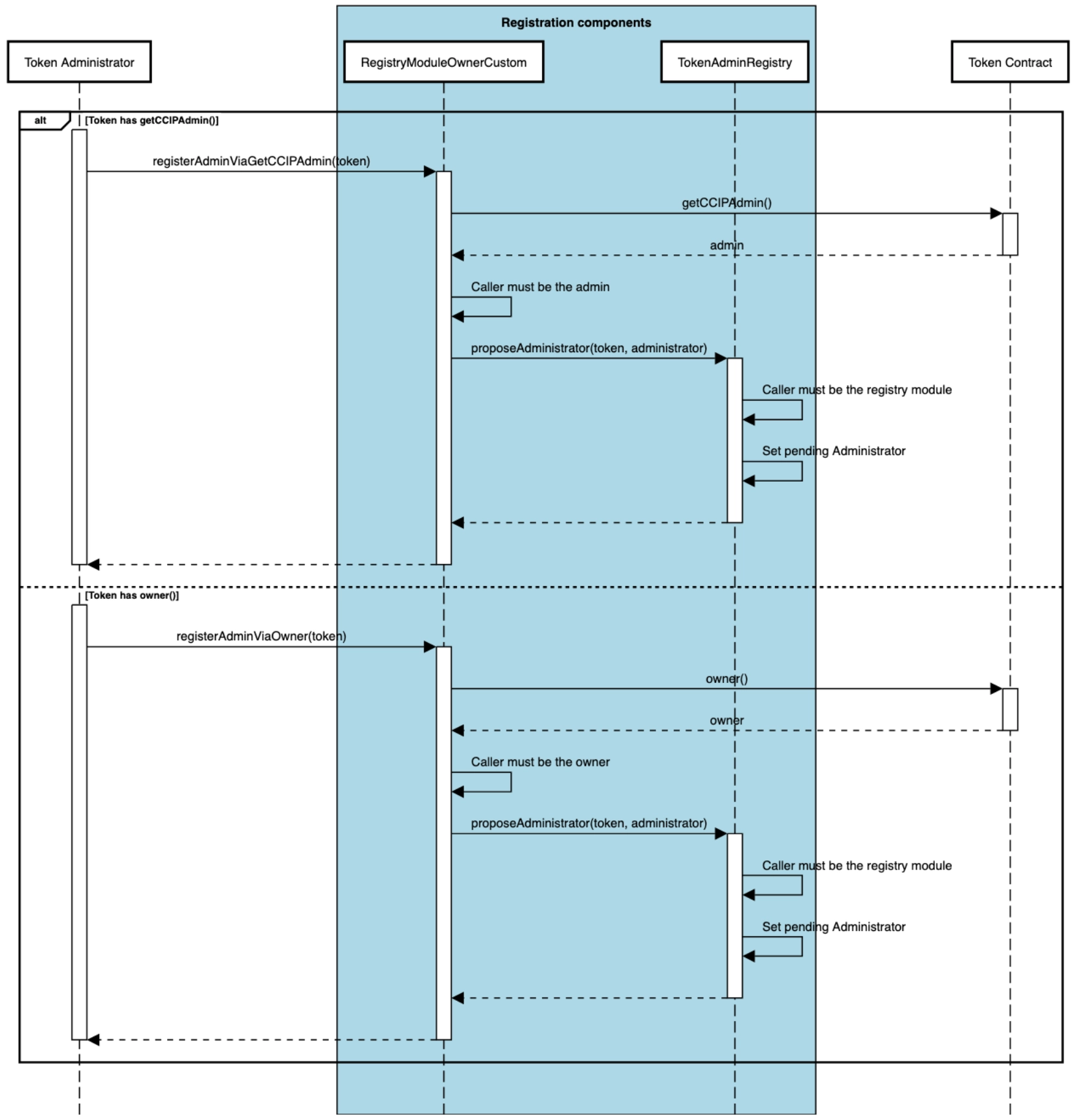
### Accepting the Administrator Role
Once the administrator has been proposed and is in a pending state, they must accept the role to complete the registration process. This step finalizes the assignment of the administrator.
1. **Administrator Accepts Role**: The pending administrator must explicitly call the `acceptAdminRole()` function on the `TokenAdminRegistry` to complete the registration.
2. **Finalize Registration**: Once the administrator accepts the role, they are assigned as the token administrator, and the registration process is complete. At this point, the token administrator can set a token pool for the token in the `TokenAdminRegistry`.
Once the administrator has been proposed and is in a pending state, the final step in the registration process is for the pending administrator to accept the role. This sequence diagram illustrates how the pending administrator interacts with the `TokenAdminRegistry` to complete the registration. It also covers the scenario where an incorrect entity attempts to accept the role, leading to an error.
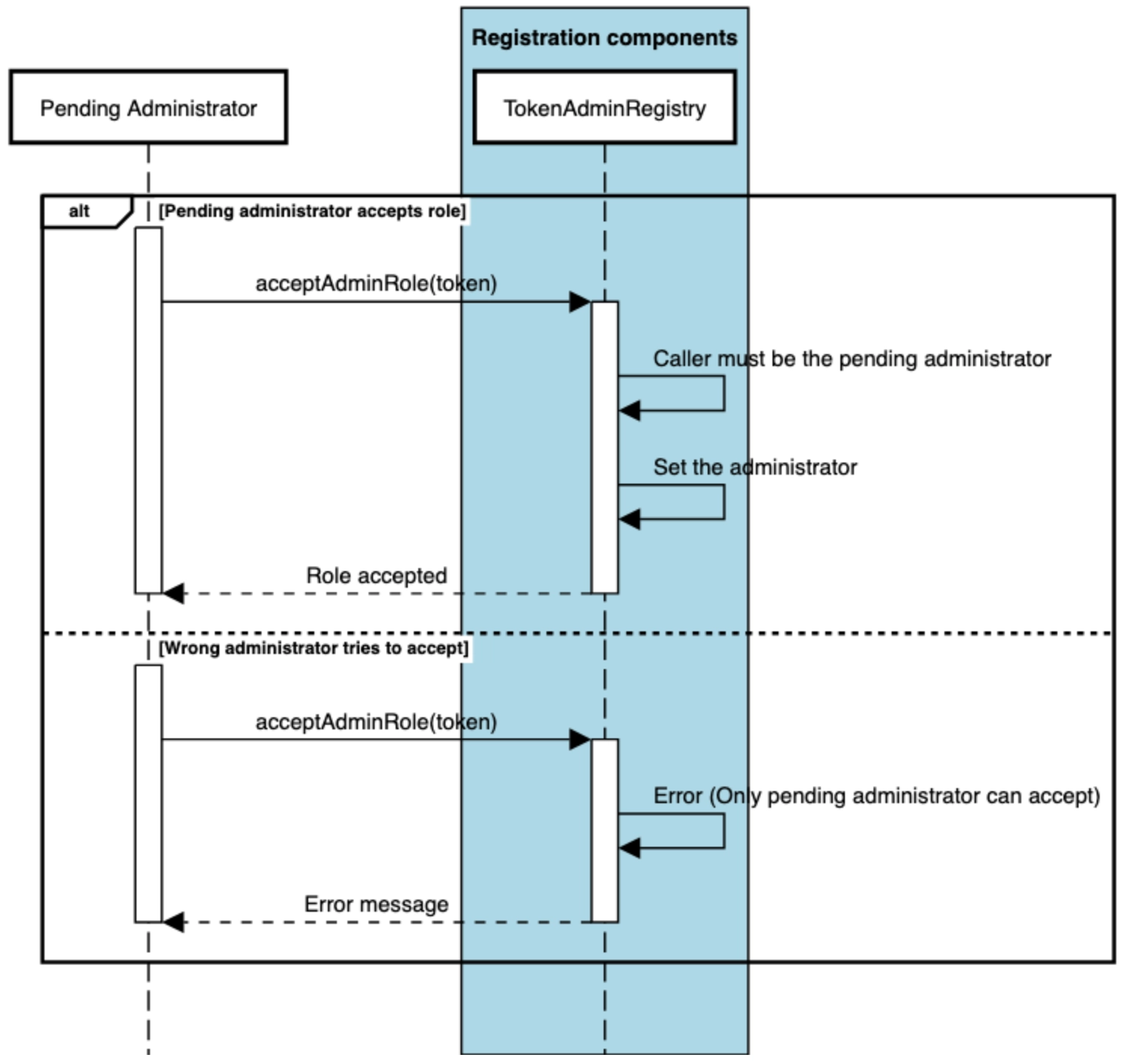
### Transfer Administrator Role
The `transferAdminRole` function allows the current token administrator to initiate the transfer of their role to a new administrator. The transfer process is a secure two-step procedure, requiring the new administrator to explicitly accept the role before the transfer is finalized.
1. **Initiate Role Transfer**: The current administrator calls the `transferAdminRole()` function on the `TokenAdminRegistry`, specifying the token address and the new administrator's address.
2. **Set Pending Administrator**: The `TokenAdminRegistry` contract verifies that the caller is the current administrator of the token and sets the new administrator as pending. The role will remain in this pending state until it is accepted.
3. **Accept the Role**: The new administrator must call the `acceptAdminRole()` function to finalize the transfer and assume the administrator role.
The following sequence diagram illustrates the process of transferring the administrator role and how the new administrator must accept the role to complete the transfer.
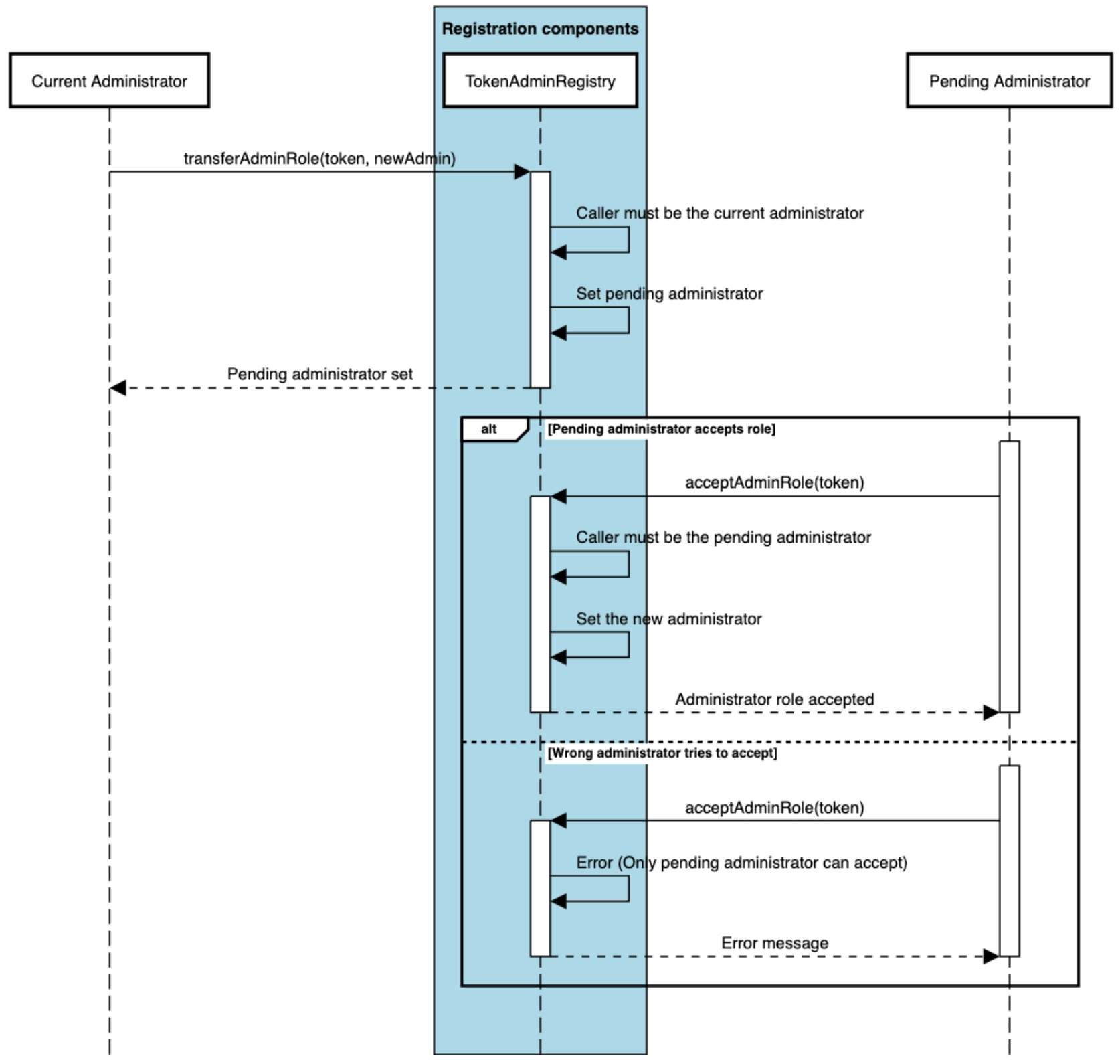
### Setting the Token Pool
The `setPool` function allows the token administrator to assign or update the token pool for a specific token in the **TokenAdminRegistry**.
1. **Set Token Pool**: The current administrator calls the `setPool()` function on the `TokenAdminRegistry`, providing the token address and the new pool address.
2. **Validate Pool**: If the new pool address is not `address(0)`, the contract validates that the provided pool supports the token by calling `isSupportedToken()` on the pool contract.
3. **Update or Remove Pool**: If validation succeeds, the token's pool is updated in the registry. Setting the pool to `address(0)` effectively delists the token from cross-chain operations.
The sequence diagram below shows how the token administrator sets or updates the pool for a token. If the pool is set to `address(0)`, the token is delisted from cross-chain operations.
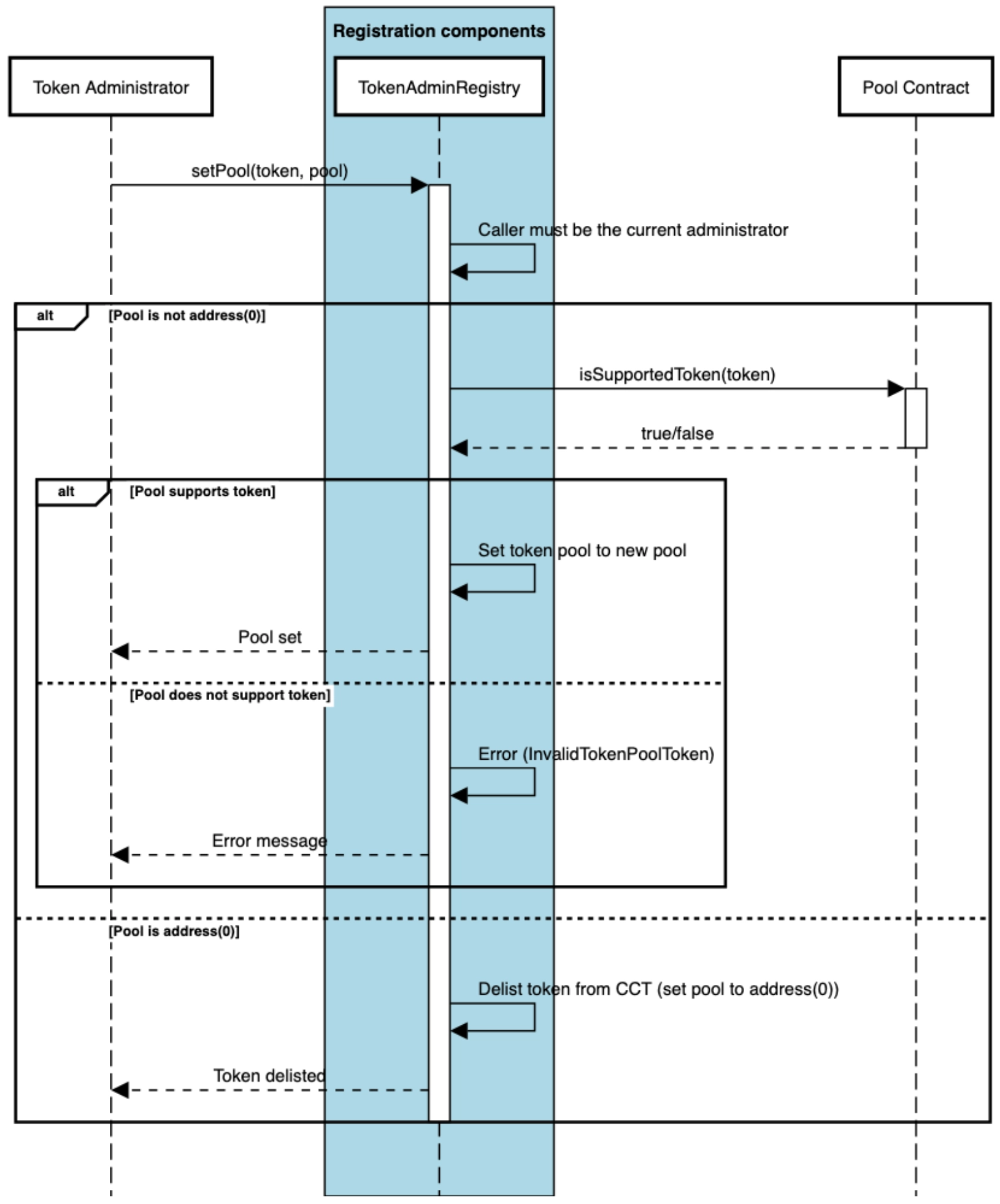
## Configuring the Token Pool
The configuration of token pools includes adding new blockchains, setting remote pool addresses, and applying rate limits for cross-chain transfers. The following functions from the `TokenPool` contract are used for configuring token pools:
### `applyChainUpdates`
- **Purpose**: This function is the primary method for configuring which blockchains the token pool supports and defining rate limits for cross-chain transfers.
- **Details**:
- It allows the token pool owner to add new chains or remove existing ones.
- Configures the pool and token addresses for remote blockchains.
- Sets rate limits for both outbound and inbound transfers.
- **Usage**:
- To add a new blockchain, the pool owner provides the remote chain selector, pool address, token address, and rate limiter configurations.
- To remove a blockchain, the `allowed` flag is set to `false`, and the chain is removed from the list of supported chains.
### `addRemotePool`
- **Purpose**: Adds a new remote pool address for a specific blockchain, enabling support for multiple pools per chain.
- **Details**:
- Allows adding multiple pools for a single chain selector, which is crucial during pool upgrades
- Maintains support for in-flight messages from existing pools while adding new ones
- Validates chain selector support and prevents duplicate pool additions
- Each pool address is hashed and stored for efficient lookup
- **Usage**: This function is particularly useful during pool upgrades, allowing seamless transitions between pool versions while maintaining transaction support.
### `setChainRateLimiterConfig`
- **Purpose**: Configures the rate limits for outbound and inbound token transfers between blockchains.
- **Details**:
- The outbound rate limiter config controls how many tokens can be transferred out of the token pool per unit of time.
- The inbound rate limiter config limits how many tokens can be transferred into the token pool per unit of time.
- Only the pool owner or rate limit admin can call this function.
- **Notes on Rate Limit Admin**: The rate limit admin is a designated address that is authorized to configure the rate limits for a token pool. This admin can be set by the pool owner using the `setRateLimitAdmin` function. If no rate limit admin is set, only the pool owner can modify the rate limits. You can retrieve the current rate limit admin address using the `getRateLimitAdmin` function.
- **Usage**: This function adjusts rate limits to prevent excessive token transfers or overload of the token pool. Note: This function also supports disabling rate limits.
### `applyAllowListUpdates`
- **Purpose**: Manages an allowlist of addresses permitted to interact with the token pool.
- **Details**:
- This function is only relevant if the token pool is access-controlled (i.e., an allowlist is enabled).
- The allowlist ensures that only specific addresses, such as trusted addresses, can transfer tokens.
- **Usage**: The pool owner uses this function to add or remove addresses from the allowlist, controlling who can transfer the tokens through CCIP.
---
# Cross-Chain Token Standard - Upgradability (EVM)
Source: https://docs.chain.link/ccip/concepts/cross-chain-token/evm/upgradability
Last Updated: 2025-05-19
Starting from **CCIP v1.5.1**, token pools support zero-downtime upgrades, allowing seamless transitions between versions while maintaining support for in-flight messages. This section outlines the requirements and considerations for upgrading token pools.
> **CAUTION: Upgrading from v1.5.0**
>
> If you are currently using CCIP **v1.5.0** token pools, please read the [Upgrading from v1.5.0](#upgrading-from-v150)
> section carefully. **v1.5.0** pools have specific limitations regarding in-flight messages during upgrades.
## Upgrade Paths
When upgrading token pools, there are three scenarios to consider:
### Complete Blockchain Upgrade (Recommended)
In this scenario, you upgrade all token pools across your connected blockchains to the latest version simultaneously. For example, if you have pools deployed on Ethereum and Polygon:
- Both pools are upgraded to the latest version
- All cross-chain messages continue processing without interruption
- No manual intervention is required for in-flight transactions
### Partial Network Upgrade (Not Recommended)
In this scenario, not all token pools are upgraded uniformly across blockchains (e.g., upgrading the token pool on Ethereum to version **v1.5.1** while retaining version **v1.5.0** on Polygon). This approach primarily affects v1.5.0 pools due to their strict source blockchain validation requirements.
For example, consider an upgrade between Ethereum and Polygon:
- If you upgrade only the Ethereum pool to **v1.5.1**, any messages that were already sent ("in-flight messages") through the **v1.5.0** pool will fail when they reach Polygon. This happens because **v1.5.0** pools are designed to accept messages only from a single configured remote pool address. When you upgrade the Ethereum pool, messages will come from its new address, which the Polygon pool won't recognize as valid.
- To prevent message delivery failures:
- Always upgrade all connected **v1.5.0** pools to **v1.5.1** simultaneously
- Follow the detailed steps in the [Upgrading from v1.5.0](#upgrading-from-v150) section
### Adding New Blockchains
You can safely deploy the latest pool version when expanding to new blockchains without affecting existing operations. For example, if you have pools on Ethereum and Polygon and want to expand to Avalanche:
- Deploy the latest version on Avalanche
- Existing pools continue operating normally
- New cross-chain routes become available through Avalanche
## Upgrading from v1.5.0
> **CAUTION: Test upgrades on Testnets**
>
> Test the upgrade process on testnet blockchains before deploying to mainnet.
Token pools in **v1.5.0** have a strict source validation mechanism in their `_validateReleaseOrMint` function that only accepts messages from a single configured remote pool address. Unlike **v1.5.1**, which can validate against multiple remote pools, **v1.5.0** pools reject messages if the source pool address doesn't match their configured remote pool. This limitation requires careful handling of upgrades to prevent in-flight messages from failing validation.
### 1. **Deploy New Pools**
- Deploy v1.5.1 pool on Ethereum -> `0xNewPoolEth`
- Deploy v1.5.1 pool on Polygon -> `0xNewPoolPoly`
### 2. **Configure New Pools**
Configure both new pools to accept messages from both the old and new pools. This dual configuration ensures that after the upgrade, the new pools can still process any in-flight messages sent from the old pools before the upgrade.Use `applyChainUpdates` to set up the new pools:
- On Ethereum's new pool:
```solidity
ChainUpdate memory updateForPoly = ChainUpdate({
remoteChainSelector: POLYGON_SELECTOR,
remotePoolAddresses: [abi.encode(0xOldPoolPoly), abi.encode(0xNewPoolPoly)], // Both old and new pools
remoteTokenAddress: TOKEN_POLY_ADDRESS,
outboundRateLimiterConfig: outboundConfig,
inboundRateLimiterConfig: inboundConfig
});
tokenPool.applyChainUpdates([], [updateForPoly]);
```
- On Polygon's new pool:
```solidity
ChainUpdate memory updateForEth = ChainUpdate({
remoteChainSelector: ETH_SELECTOR,
remotePoolAddresses: [abi.encode(0xOldPoolEth), abi.encode(0xNewPoolEth)], // Both old and new pools
remoteTokenAddress: TOKEN_ETH_ADDRESS,
outboundRateLimiterConfig: outboundConfig,
inboundRateLimiterConfig: inboundConfig
});
tokenPool.applyChainUpdates([], [updateForEth]);
```
### 3. **Throttle Existing Pools**
Before upgrading, minimize new token transfers by setting near-zero rate limits on the existing pools. Use `setChainRateLimiterConfig` on both existing pools:
- On Ethereum's old pool:
```solidity
// Set minimal rate limit on old pools
RateLimiter.Config memory minConfig = RateLimiter.Config({
rate: 1, // 1 wei per second
capacity: 1, // 1 wei capacity
isEnabled: true // Keep enabled but effectively paused
});
oldPoolEth.setChainRateLimiterConfig(POLYGON_SELECTOR, minConfig, minConfig);
```
- On Polygon's old pool:
```solidity
oldPoolPoly.setChainRateLimiterConfig(ETH_SELECTOR, minConfig, minConfig);
```
### 4. **Update Token Admin Registry**
Use `setPool` to update the registry on both blockchains. This step switches token transfers to use the new pools.
- On Ethereum:
```solidity
tokenAdminRegistry.setPool(tokenAddress, 0xNewPoolEth);
```
- On Polygon:
```solidity
tokenAdminRegistry.setPool(tokenAddress, 0xNewPoolPoly);
```
### 5. **Handle Manual Executions**
For any failed transactions, follow the manual execution process.
### 6. **Clean Up**
After verifying all transactions are processed successfully:
- Use `removeRemotePool` to remove old pool addresses
- This prevents future messages from using the old pools
- Only proceed with cleanup after confirming:
- No pending transactions in CCIP Explorer
- All manual executions are complete
- New pools are operating correctly
- On Ethereum's new pool:
```solidity
newPoolEth.removeRemotePool(POLYGON_SELECTOR, abi.encode(0xOldPoolPoly));
```
- On Polygon's new pool:
```solidity
newPoolPoly.removeRemotePool(ETH_SELECTOR, abi.encode(0xOldPoolEth));
```
---
# Cross-Chain Token Standard - Architecture (SVM)
Source: https://docs.chain.link/ccip/concepts/cross-chain-token/svm/architecture
Last Updated: 2025-05-19
The Cross-Chain Token (CCT) architecture offers a streamlined, self-service approach to enabling cross-chain operations to any token. The CCT standard is token logic agnostic, meaning token developers can deploy pre-audited token pool contracts to turn any SPL-compatible token into a CCT or deploy their own custom token pool contracts for bespoke token use cases. Importantly, CCTs do not require token developers to inherit any CCIP-specific code within their token's smart contract.
The CCT standard leverages the Chainlink Cross-Chain Interoperability Protocol (CCIP) for cross-chain transfers and allows token developers to configure, manage, and transfer tokens across multiple blockchains.
The architecture diagrams below provide an overview of how CCT fits within the CCIP ecosystem, illustrating the interaction between key components.
**Source Chain**

**Destination Chain**

The CCIP architecture for SVM-based blockchains (e.g., Solana) is described on this page, where we focus specifically on cross-chain token management.
## Architecture
This document explains the four key components of CCIP's Cross-Chain Token architecture on SVM:
1. **Token**: SPL token requirements and registration for CCIP integration
2. **Token Pool**: Self-contained programs that execute cross-chain token operations
3. **Router**: Central coordinator for token administration and outbound transfers
4. **OffRamp**: Handler for inbound cross-chain token reception and release
Each component builds on the previous, forming a secure, integrated system for cross-chain token transfers. The sections below are organized in dependency order - understanding each component provides the foundation for understanding how they work together in the complete architecture.
## Token
In the Cross-Chain Token (CCT) architecture, the token is an SPL Mint managed by either the standard SPL Token program or Token-2022 (Token Extensions). To enable cross-chain transfers, every token requires:
1. **Registration**: Establishes a [token administrator](/ccip/concepts/cross-chain-token/overview#token-administrator) role and creates the TokenAdminRegistry [PDA](https://solana.com/docs/core/pda) that governs CCIP integration
2. **Pool-Specific Requirements**: Token requirements vary by chosen pool type:
- **BurnMint pools**: Must support `mint_to` and `burn` instructions; mint authority must be transferable to the pool
- **LockRelease pools**: Must support `transfer_checked` instruction; no mint authority requirements
3. **Compatibility**: Must support standard token interfaces including [Associated Token Accounts](https://spl.solana.com/associated-token-account) and provide decimal precision
For detailed compatibility requirements and pool type selection guidance, see [Tokens documentation](/ccip/concepts/cross-chain-token/svm/tokens). For the complete registration process and administrator role management, see [Registration & Administration](/ccip/concepts/cross-chain-token/svm/registration-administration).
## Token Pool
A Token Pool is a self-contained program responsible for executing cross-chain token transfers for a specific token. Each token must have exactly one pool per blockchain, deployed using one of three approaches: self-serve mode (recommended), self-deployed standard pools, or custom pools.
> **CAUTION: Token Pool Ownership**
>
> Self-deployed standard pools and custom token pools are deployed and managed directly by token developers and are not
> controlled by Chainlink Labs, the Chainlink Foundation, or Chainlink node operators. Such token pools exist outside of
> the CCIP protocol and must be evaluated by users on a case-by-case basis. Please review CCIP Service Responsibility
> for more information.
**Cross-Chain Token Operations:**
- **Source Chain Operations** (called by Router during `ccip_send`):
- **BurnMint pools**: Transfer tokens from sender's [ATA](https://spl.solana.com/associated-token-account) to pool's ATA, then burn from pool's ATA
- **LockRelease pools**: Lock tokens by transferring from sender's ATA to pool's [ATA](https://spl.solana.com/associated-token-account)
- **Destination Chain Operations** (called by OffRamp during `execute`):
- **BurnMint pools**: Mint tokens directly to receiver's [ATA](https://spl.solana.com/associated-token-account)
- **LockRelease pools**: Release tokens by transferring from pool's [ATA](https://spl.solana.com/associated-token-account) to receiver's ATA
For comprehensive implementation details, deployment approaches, and technical requirements, see [Token Pools documentation](/ccip/concepts/cross-chain-token/svm/token-pools).
## Router
The CCIP Router program is central to cross-chain token management. It has two flows:
1. **Token Administration**
- **TokenAdminRegistry (one [PDA](https://solana.com/docs/core/pda) per mint):** Stores the designated CCIP [token administrator](/ccip/concepts/cross-chain-token/overview#token-administrator) public key for a specific token mint (distinct from the SPL token's own mint authority) and references the token's pool [address lookup table](https://docs.solana.com/developing/lookup-tables) (ALT). The PDA is derived using seeds `[seed::TOKEN_ADMIN_REGISTRY, mint.key().as_ref()]`. This registry is created during token registration (see [Token section](#token)) and governs all subsequent CCIP operations for that token.
- **Token Pool Address Lookup Table:** A Solana [address lookup table](https://docs.solana.com/developing/lookup-tables) that precisely defines the set of account addresses (including pool configuration [PDAs](https://solana.com/docs/core/pda), pool signer PDAs, and other required accounts) that are authorized for cross-chain operations with this token. For the complete list of required accounts and their exact order, see the [`set_pool` ALT requirements](/ccip/api-reference/svm/v1.6.0/router#address-lookup-table-requirements).
- **Administrator Methods:** The token administrator can register or update cross-chain support for their mint through a sequence of instructions:
1. [`owner_propose_administrator`](/ccip/api-reference/svm/v1.6.0/router#owner_propose_administrator): Initiated by the mint authority to designate a token administrator.
2. [`accept_admin_role_token_admin_registry`](/ccip/api-reference/svm/v1.6.0/router#accept_admin_role_token_admin_registry): Confirmation by the proposed administrator to accept the role.
3. [`set_pool`](/ccip/api-reference/svm/v1.6.0/router#set_pool): Links the token to a specific token pool configuration via an address lookup table, including writable account indexes for proper permission management.
For detailed step-by-step procedures, sequence diagrams, and complete registration workflows, see [Registration & Administration](/ccip/concepts/cross-chain-token/svm/registration-administration).
- **Pool configuration:** The TokenAdminRegistry maps each mint to exactly one token pool configuration through the ALT. This ensures that during cross-chain transfers, only the authorized token pool implementation can interact with the token.
- **Security Architecture:** The one-to-one mapping between tokens and pools provides critical security guarantees:
- **Single Authorized Pool:** Each token mint can only have one authorized pool configuration, preventing unauthorized token handling
- **Atomic Pool Updates:** Changing pool configurations requires updating the entire ALT reference, ensuring consistent state
- **Access Control:** Only the registry administrator can modify pool assignments, maintaining strict governance
2. **Lock or Burn Flow (when sending tokens cross-chain)**
- [`ccip_send`](/ccip/api-reference/svm/v1.6.0/router#ccip_send) entrypoint: When a CCIP sender initiates a cross-chain token transfer, they invoke the [`ccip_send`](/ccip/api-reference/svm/v1.6.0/router#ccip_send) instruction on the Router, providing the token mint, amount, destination chain, receiver address, and other transaction parameters.
- **Multi-step Validation:** The Router performs comprehensive validation:
- Verifies the destination chain is not cursed (via RMN Remote CPI)
- Checks sender authorization against allow-list if enabled
- Validates token amounts are non-zero
- Ensures proper account relationships and permissions
- **Registry Validation:** The sender must provide the token pool account addresses as part of the transaction. The Router validates these accounts by checking them against the addresses stored in the address lookup table (ALT) referenced by the mint's TokenAdminRegistry PDA, including proper writable permissions.
- **Fee Processing:** Before token interaction, the Router handles fee collection either in native SOL (with wrapping to WSOL) or supported fee SPL tokens through the fee quoter program.
- **[CPI](https://docs.solana.com/developing/programming-model/calling-between-programs) to [`lock_or_burn_tokens`](/ccip/api-reference/svm/v1.6.0/burn-mint-token-pool#lock_or_burn_tokens):** After validation, the Router executes a CPI call to the token pool's [`lock_or_burn_tokens`](/ccip/api-reference/svm/v1.6.0/burn-mint-token-pool#lock_or_burn_tokens) instruction, passing the appropriate context including nonce information and destination chain details for the token pool to either lock tokens in its [Associated Token Account](https://spl.solana.com/associated-token-account) (ATA) or burn them from circulation, depending on the pool implementation (see [Token Pool section](#token-pool) for operation details).
## OffRamp
The CCIP OffRamp program handles cross-chain token reception and release on the destination chain. This section focuses specifically on the **execute phase**. For the complete OffRamp functionality including commit phase and general message processing, see [OffRamp Components](/ccip/concepts/architecture/onchain/svm/components#offramp).
During the execute phase, when processing messages containing token transfers, the OffRamp performs comprehensive token-specific validations and operations.
1. **Token Pool Authorization Validation**
Before releasing or minting tokens, the OffRamp validates its authorization to interact with token pools:
- **Router Authorization Check**: Verifies a special [PDA](https://solana.com/docs/core/pda) exists, derived using seeds `[seed::ALLOWED_OFFRAMP, source_chain_selector.to_le_bytes().as_ref(), offramp.key().as_ref()]` with the Router as the program ID. This PDA must be owned by the Router, ensuring only authorized OffRamps can trigger token operations.
- **TokenAdminRegistry Validation**: Checks the TokenAdminRegistry [PDA](https://solana.com/docs/core/pda) (owned by the Router) to confirm the provided token pool accounts match the authorized configuration for the token mint.
- **[Address Lookup Table](https://docs.solana.com/developing/lookup-tables) Verification**: Validates that the address lookup table and TokenAdminRegistry PDAs correspond to the mint's registry record, ensuring interaction with the correct token pool program.
2. **Token Pool Operations**
Once authorization is confirmed, the OffRamp executes token operations:
- **[CPI](https://docs.solana.com/developing/programming-model/calling-between-programs) to [`release_or_mint_tokens`](/ccip/api-reference/svm/v1.6.0/burn-mint-token-pool#release_or_mint_tokens)**: Makes a cross-program invocation to the token pool's [`release_or_mint_tokens`](/ccip/api-reference/svm/v1.6.0/burn-mint-token-pool#release_or_mint_tokens) instruction, passing the validated cross-chain token transfer details.
- **Authorization Signer**: Uses the `external_token_pools_signer` [PDA](https://solana.com/docs/core/pda) as the CPI signer, derived using seeds `[seed::EXTERNAL_TOKEN_POOLS_SIGNER, pool_program.key().as_ref()]` with the OffRamp as the program ID. Token pools recognize this as an authorized caller from the OffRamp.
- **Token Balance Verification**: Validates that the recipient's [Associated Token Account](https://spl.solana.com/associated-token-account) receives the correct amount of tokens as specified by the pool's response.
3. **Cross-Chain Token Operations**
The OffRamp handles different token pool types based on their configuration:
- **BurnMint token pools**: Mint new tokens directly to the recipient's [ATA](https://spl.solana.com/associated-token-account)
- **LockRelease token pools**: Transfer (release) tokens from the pool's [ATA](https://spl.solana.com/associated-token-account) to the recipient's ATA
The OffRamp ensures secure token operations by leveraging the same TokenAdminRegistry and address lookup table system established by the Router (see [Token section](#token)), maintaining the one-to-one mapping between tokens and their authorized pools while providing the necessary authorization for cross-chain token reception.
## Component Integration
The four components work together to enable secure cross-chain transfers:
1. **Token Registration**: Creates the TokenAdminRegistry [PDA](https://solana.com/docs/core/pda) that authorizes all subsequent operations and links to the designated token pool
2. **Token Pool Deployment**: Provides the execution logic for transfers, with the specific pool type (BurnMint or LockRelease) determined by the token's requirements and operational preferences
3. **Router Coordination**: Manages token administration through the TokenAdminRegistry and validates outbound transfers by ensuring proper authorization against the pool's [Address Lookup Table](https://docs.solana.com/developing/lookup-tables)
4. **OffRamp Execution**: Validates authorization against the same TokenAdminRegistry system and executes inbound transfers through [CPI](https://docs.solana.com/developing/programming-model/calling-between-programs) calls to the authorized token pool
This architecture ensures that every cross-chain token operation is governed by the initial registration decision, maintaining security and consistency across the entire transfer lifecycle. The one-to-one mapping between tokens and pools, established during registration and enforced by all components, provides the foundation for secure cross-chain token transfers.
---
# Cross-Chain Token Standard - Tokens (SVM)
Source: https://docs.chain.link/ccip/concepts/cross-chain-token/svm/tokens
Last Updated: 2025-05-19
This document provides essential guidance for integrating tokens with Chainlink CCIP on SVM-based blockchains, such as Solana, using the Cross-Chain Token (CCT) standard. It covers token compatibility requirements, decimal planning considerations, registration processes, and strategic guidance for selecting the right token pool type for your use case.
> **NOTE: New to CCIP Cross-Chain Tokens?**
>
> If you're new to CCIP's Cross-Chain Token system, start with the [Architecture
> Overview](/ccip/concepts/cross-chain-token/svm/architecture) to understand how all components work together before
> diving into token-specific requirements.
## Compatibility
Before implementing CCIP support for your token, it's crucial to understand the compatibility requirements. These requirements ensure proper functionality of your token within the CCIP ecosystem.
### Mandatory Compatibility Requirements
All tokens must meet these requirements for CCIP compatibility:
1. **Supported Token Programs**: Must use either the standard SPL Token program or Token-2022 (Token Extensions) program
2. **Interface Requirements**: Must support standard token interfaces:
- **Associated Token Accounts (ATA)**: Required for all CCIP operations
- **Decimals**: Must provide decimal precision via `mint.decimals`
- **Program Identification**: Must be correctly referenced through `mint.to_account_info().owner`
### Decimal Planning
When deploying your token across multiple blockchains, **decimal configuration is a critical strategic decision** that affects cross-chain transfer behavior and token supply management:
**Key Decision:** Deploy your token with the **same number of decimals across all blockchains** whenever possible. This eliminates precision loss during cross-chain transfers.
**Impact on Token Pools:**
- **Different decimals**: Can result in precision loss and permanently locked/burned tokens
- **Same decimals**: Enable perfect 1:1 cross-chain transfers
For comprehensive guidance on decimal compatibility impacts, strategic recommendations, and technical implementation requirements, see [Decimal Compatibility Considerations](/ccip/concepts/cross-chain-token/svm/token-pools#decimal-compatibility-considerations).
### Token Requirements by Pool Type
Your token's requirements depend on which token pool type you'll deploy, determined by your chosen [token handling mechanism](/ccip/concepts/cross-chain-token/svm/token-pools#token-handling-mechanisms). Refer to the token handling mechanisms table to understand which pool type you need for your SVM chain deployment.
#### BurnMint Pool
**Token Requirements:**
- Must support `mint_to` and `burn` instructions
- **Mint authority** must be transferable (directly to pool signer PDA or via SPL Token Multisig). See [BurnMint Pool mint authority configuration](/ccip/concepts/cross-chain-token/svm/token-pools#mint-authority-management) for detailed multisig requirements
#### LockRelease Pool
**Token Requirements:**
- Must support `transfer_checked` instruction
- **No mint authority requirements** (pool operates through transfers only)
For detailed pool implementation, deployment approaches, and configuration requirements, see [Token Pools documentation](/ccip/concepts/cross-chain-token/svm/token-pools).
### Custom Token Pool Implementation
Token developers can alternatively implement their own custom Token Pool Programs to support additional Token-2022 extensions not supported by the standard token pools. Custom implementations must adhere to CCIP's interface specifications while allowing developers to control which instructions are called when handling tokens.
For technical requirements and implementation guidance for custom pools, see [Custom Token Pools](/ccip/concepts/cross-chain-token/svm/token-pools#custom-token-pools).
## Registration
To enable your token for CCIP cross-chain transfers, you must register it and establish a token administrator role. This process ensures secure assignment of administrative control over your token's CCIP integration.
### Registration Requirements
- **Self-Registration**: If you control the token's `mint_authority`, you can complete registration automatically
- **Manual Registration**: If `mint_authority` is not accessible (e.g., set to `None` to cap supply), manual registration is available
### Registration Process
The registration follows a secure two-step process:
1. **Propose Administrator**: Designate who will administer your token's CCIP integration
2. **Accept Role**: The proposed administrator must explicitly accept the role to complete registration
> **NOTE**
>
> If `mint_authority` is no longer accessible, use this [contact form](https://chain.link/ccip-contact?v=Tokens:%20Token%20admin%20registration) to request assistance with registration.
For comprehensive guidance including detailed instructions, sequence diagrams, and administrator role management, see [Registration & Administration](/ccip/concepts/cross-chain-token/svm/registration-administration).
## Next Steps
Once your token meets the compatibility requirements, you need to complete two key steps to enable cross-chain transfers:
### Register Your Token
Complete the token registration process to establish administrative control over your token's CCIP integration.
For detailed instructions, sequence diagrams, and administrator role management, see [Registration & Administration](/ccip/concepts/cross-chain-token/svm/registration-administration).
### Deploy and Configure Token Pool
After registration, deploy and configure a token pool to enable cross-chain transfer operations.
For comprehensive implementation guidance including deployment approaches (self-serve, self-deployed, custom), detailed architecture requirements, and step-by-step configuration instructions, see [Token Pools documentation](/ccip/concepts/cross-chain-token/svm/token-pools).
---
# Cross-Chain Token Standard - Token Pools (SVM)
Source: https://docs.chain.link/ccip/concepts/cross-chain-token/svm/token-pools
Last Updated: 2025-05-19
On SVM-based blockchains (e.g., Solana), a [token pool](/ccip/concepts/cross-chain-token/overview#token-pool) program mediates the cross-chain transfer of [cross-chain tokens](/ccip/concepts/cross-chain-token/overview) by coordinating with the SPL Token Program. This guide describes all the requirements that your token pools must meet.
For architectural context and how token pools fit into the complete CCIP system, see [Architecture Overview](/ccip/concepts/cross-chain-token/svm/architecture). For token-specific requirements and pool type selection guidance, see [Tokens documentation](/ccip/concepts/cross-chain-token/svm/tokens).
## Deployment Approaches
Before diving into the technical details, it's important to understand your three deployment options. Each approach offers different levels of control and responsibility based on your operational preferences and infrastructure requirements.
### Approach 1: Self-Serve Mode (Recommended)
**What it is:** Chainlink Labs deploys and maintains the standard token pool programs (BurnMint and LockRelease) on Solana Devnet and Mainnet. You simply initialize your token pool from these existing deployed programs.
**Key Benefits:**
- No need to build, audit, or deploy pool programs yourself
- Automatic access to upgrades and security fixes
- Fastest time to deployment
- Lower operational overhead
**Who should use this:** [Token developers](/ccip/concepts/cross-chain-token/overview#token-developer) that want to integrate with CCIP quickly without managing infrastructure.
**How it works:**
1. **Program Admin** (Chainlink's upgrade authority) deploys the program and initializes the Global Config PDA with:
- `self_served_allowed: true` (enables user self-service)
- Default router address for the network
- Default RMN remote address for security
2. **Users** can initialize pools for their tokens by calling the [`initialize`](/ccip/api-reference/svm/v1.6.0/burn-mint-token-pool#initialize) instruction, provided they control the token's mint authority
3. New pools automatically inherit the default router and RMN addresses from the Global Config PDA
### Approach 2: Self-Deployed Standard Pools
**What it is:** You build and deploy the standard Chainlink token pool programs yourself, giving you control over the upgrade authority.
**Key Benefits:**
- Full control over when to apply upgrades
- Can customize deployment timing and parameters
- Maintain upgrade authority for your pools
- Use proven, audited standard implementations
**Who should use this:** Projects that need control over upgrade timing or have specific governance requirements.
**How it works:** You compile and deploy the Chainlink-provided [BurnMint](https://github.com/smartcontractkit/chainlink-ccip/tree/solana-v1.6.0/chains/solana/contracts/programs/burnmint-token-pool) or [LockRelease](https://github.com/smartcontractkit/chainlink-ccip/tree/solana-v1.6.0/chains/solana/contracts/programs/lockrelease-token-pool) programs to your chosen address, retaining upgrade authority.
### Approach 3: Custom Token Pools
**What it is:** You build your own token pool program with custom logic while ensuring CCIP compatibility.
**Key Benefits:**
- Complete customization for unique token mechanics
- Support for specialized features (rebasing, fee-on-transfer, etc.)
- Full control over program logic
**Who should use this:** Projects with unique token mechanics that standard pools cannot accommodate.
**Requirements:** Must implement all [technical requirements](#technical-requirements) and follow the specifications detailed in the [Custom Token Pools](#custom-token-pools) section. Pay special attention to [decimal compatibility considerations](#decimal-compatibility-considerations) as custom pools require manual decimal conversion implementation.
## Token Handling Mechanisms
Before implementing token pools, you need to choose the appropriate [token handling mechanism](/ccip/concepts/cross-chain-token/overview#token-handling-mechanisms) for your cross-chain token transfers. This strategic decision determines which combination of token pools you'll deploy on source and destination blockchains.
The table below summarizes the different token handling mechanisms and the [recommended token pools](https://github.com/smartcontractkit/chainlink-ccip/tree/solana-v1.6.0/chains/solana/contracts/programs) to deploy for each scenario, ensuring a seamless token transfer process.
| Token Handling Mechanism | Source Blockchain Token Pool Type | Destination Blockchain Token Pool Type | How it Works |
| ------------------------ | --------------------------------- | -------------------------------------- | --------------------------------------------------------------------------------------------------------------------------------------------------------------------------------------------------------------------------------------------------------------------------------------------------------------------------- |
| Burn & Mint | BurnMint | BurnMint | - Standard burn and mint mechanism for CCT transfers. |
| Lock & Mint | LockRelease | BurnMint | - The source blockchain is the issuing blockchain. - The LockRelease token pool must be deployed on the issuing blockchain. |
| Burn & Unlock | BurnMint | LockRelease | - The destination blockchain is the issuing blockchain. - The BurnMint token pool burns tokens on the source blockchain, and the LockRelease token pool unlocks tokens on the issuing blockchain. |
| Lock & Unlock | LockRelease | LockRelease | - Tokens are locked on the source blockchain and unlocked on the destination blockchain. - Can result in fragmented liquidity and requires careful management of liquidity across multiple blockchains to avoid stuck token transfers due to insufficient liquidity locked in the token pool on the destination blockchain. |
## Decimal Compatibility Considerations
Before implementing token pools, it's critical to understand how decimal differences across blockchains can impact your cross-chain token transfers. This section provides strategic guidance for making informed decisions about token deployment and decimal configuration. For initial decimal planning considerations when deploying your token, see [Decimal Planning](/ccip/concepts/cross-chain-token/svm/tokens#decimal-planning).
### The Decimal Challenge
When deploying a token across multiple blockchains, [token developers](/ccip/concepts/cross-chain-token/overview#token-developer) can configure different decimal places for each blockchain. However, this flexibility comes with important trade-offs:
**Example Configuration:**
- **Ethereum**: 18 decimals (0.123456789123456789)
- **Solana**: 9 decimals (0.123456789)
**What Happens During Transfers:**
When transferring between blockchains with different decimal precision, CCIP automatically handles conversion but **must round numbers** to match the destination's configured precision.
### Impact on Token Supply
Different decimal configurations can affect your token's total supply across chains:
| Transfer Direction | Result | Supply Impact |
| ------------------------ | --------------------------------------------------------------- | --------------------------------------------------------------- |
| **High → Low Precision** | Precision loss due to rounding (e.g., 18 decimals → 9 decimals) | **Permanent loss**: Tokens burned/locked exceed tokens released |
| **Low → High Precision** | No precision loss (e.g., 9 decimals → 18 decimals) | **No impact**: Perfect conversion possible |
| **Equal Precision** | No precision loss (e.g., 18 decimals → 18 decimals) | **No impact**: Perfect 1:1 transfers |
**Critical Considerations:**
- **BurnMint Pools**: Lost precision results in **permanently burned tokens** on the source chain
- **LockRelease Pools**: Lost precision results in **tokens permanently locked** in the source pool
- Small amounts are most affected by rounding; large transfers typically see minimal percentage impact
### Strategic Recommendations
**Primary Recommendation:**
Deploy tokens with the **same number of decimals across all blockchains** whenever possible. This completely eliminates precision loss during cross-chain transfers.
**When Different Decimals Are Necessary:**
- Only use different decimals when required by blockchain limitations
- Clearly communicate rounding risks to users in your UI
- Consider implementing transfer warnings for high-to-low precision transfers
- Plan for locked/burned token accumulation in your tokenomics
**Development Considerations:**
- Verify decimal configurations on both source and destination before going live
- Test small-amount transfers to understand rounding behavior
- Consider implementing minimum transfer amounts to minimize relative precision loss
**Standard token pools** (BurnMint, LockRelease) handle decimal conversion automatically - no additional implementation required.
**Custom token pools** must implement decimal conversion manually - see [Decimal Implementation Requirements](#decimal-implementation-requirements) for technical details.
## Standard Token Pools: An Overview
Chainlink provides two standard token pool types that implement the token handling mechanisms described above. Each pool type implements specific logic for how tokens are managed during cross-chain transfers.
### SVM Program Architecture Overview
On SVM-based blockchains like Solana, applications consist of **programs** (executable code) and **accounts** (data storage). Programs are stateless and store their data in separate accounts.
**Program-Derived Addresses (PDAs)** are special accounts with addresses [deterministically derived](https://solana.com/docs/core/pda) from seeds and a program ID. PDAs have no private keys, allowing programs to "sign" for them. This enables secure, predictable account management.
### CCIP Token Pool Architecture
Both BurnMint and LockRelease token pool programs use PDAs to organize data into two categories:
- **Global PDAs**: Shared configuration for all pools deployed from this program
- **Pool-Specific PDAs**: Individual configuration for each token's pool
Each token has its own independent pool (one pool per mint), with pool-specific PDAs derived using the mint address as a seed.
### Program-Derived Addresses (PDAs)
**Global Configuration:**
- **Global Config PDA** (`seeds: ["config"]`): Program-wide settings including `self_served_allowed`, default router, and RMN remote addresses
**Pool-Specific Configuration (per mint):**
- **Pool State PDA** (`seeds: ["ccip_tokenpool_config", mint]`): Token-specific pool configuration, ownership, and operational settings
- **Pool Signer PDA** (`seeds: ["ccip_tokenpool_signer", mint]`): Signing authority for token operations (burns, mints, transfers)
- **Chain Config PDAs** (`seeds: ["ccip_tokenpool_chainconfig", chain_selector, mint]`): Per-destination chain configuration including rate limits and remote pool addresses
The detailed sections below will help you understand the specific requirements and implementation details for each pool type.
### BurnMint Token Pool

The BurnMint token pool provides burn and mint operations for cross-chain token transfers:
#### How It Works
**Outbound token transfer (when the SVM chain is the source chain):**
- User transfers tokens to the pool's Associated Token Account (ATA)
- Pool program burns the tokens using the standard SPL burn instruction
- Tokens are permanently removed from circulation on the source chain
**Inbound token transfer (when the SVM chain is the destination chain):**
- Pool program mints new tokens using the SPL `mint_to` instruction
- New tokens are created in the user's associated token account (ATA)
- Pool program must control the `mint_authority` for the token
#### BurnMint Pool Specifics
The BurnMint token pool specializes in burn and mint operations, requiring specific mint authority management for minting operations.
#### Mint Authority Management
**Mint Authority Control:**
The mint authority follows this lifecycle for BurnMint pools:
**Required First: Pool Initialization**
- You must control the token's `mint_authority` to initialize the pool
- The [`initialize`](/ccip/api-reference/svm/v1.6.0/burn-mint-token-pool#initialize) instruction requires the mint authority as the signer
- **The pool automatically sets the initializer as the pool owner during initialization**
- Pool owner must create the [Associated Token Account (ATA)](https://www.solana-program.com/docs/associated-token-account) for the Pool Signer PDA before pool operations can begin
> **NOTE: Ownership Flexibility After Initialization**
>
> **Important**: During initialization, the pool sets the initializer as the pool owner. However, once the token pool is
> initialized in the token pool program AND the token admin registry PDA is created in the router, **the pool owner can
> transfer pool ownership to any address** using
> [`transfer_ownership`](/ccip/api-reference/svm/v1.6.0/burn-mint-token-pool#transfer_ownership). The new owner will
> have full control over pool configuration and management, regardless of who originally held the `mint_authority` or
> who currently holds it.
**Ongoing: Pool Management**
- As the pool owner, you can configure CCIP settings throughout the pool's lifetime:
- Set up chain configurations for new remote chains
- Configure or update rate limits for existing chains
- Manage allowlists and other pool settings
- Add or remove remote pool addresses
- **Transfer pool ownership to any address using [`transfer_ownership`](/ccip/api-reference/svm/v1.6.0/burn-mint-token-pool#transfer_ownership)**
**When Ready: Mint Authority Transfer**
- Transfer the `mint_authority` when you're ready to enable the pool for minting operations
- This enables the pool to mint tokens on inbound flows when the SVM chain is the destination
- Choose one of two transfer mechanisms (multisig approach strongly recommended for production):
**Option 1: Direct Transfer (Simple)**
**Configuration:**
- Transfer the `mint_authority` directly to the Pool Signer PDA
**Best suited for:**
- Development environments
- Simple production deployments where the token exclusively integrates with CCIP
- Scenarios with a single trusted actor interacting with the token
**Limitations:**
- Only the token pool can mint tokens
- Reduced flexibility for future integrations
**Option 2: Multisig Configuration (Recommended for Production)**
**Configuration:**
- Set up an M-of-N [SPL token multisig account](https://spl.solana.com/token#multisig-usage) as the mint authority
- Include the Pool Signer PDA as a required signer **exactly M times** (where M is your threshold)
- Include additional signers under your exclusive control as needed
**SPL Token Multisig Requirements:**
- **Threshold (M)**: Any value from 1 to N (your choice based on security needs)
- **Total Signers (N)**: At least 2 signers total
- **Pool Signer Repetition**: The Pool Signer PDA must appear **at least M times** in the signer list (typically exactly M times for optimal configuration)
- **Additional Signers**: Remaining (N-M) signer slots for your governance control
**Valid Configuration Examples:**
| Threshold (M) | Total Signers (N) | Pool Signer PDA Occurrences | Your Signers |
| ------------- | ----------------- | --------------------------- | ------------ |
| 1 | 3 | 1 | 2 |
| 2 | 4 | 2 | 2 |
| 2 | 5 | 2 | 3 |
| 3 | 6 | 3 | 3 |
**Key benefits:**
- Enables multiple authorized parties to mint tokens
- Maintains governance control through other multisig signers
- Provides extensibility for future integrations
- Enhanced security through distributed control
- Flexible threshold configuration for different security requirements
**Technical Requirements:**
- Must use [SPL token multisig](https://spl.solana.com/token#multisignatures) - other multisig implementations are not supported
- The Pool Signer PDA must be included at least M times as a multisig signer
- Pool must be able to mint tokens for cross-chain transfers without requiring additional manual signatures
**Why Pool Signer Must Appear At Least M Times:**
This design ensures the pool can always mint tokens for cross-chain transfers without requiring your manual intervention, while still maintaining your governance control:
- **Autonomous Operation**: Pool operations always have sufficient signatures (≥M occurrences of Pool Signer)
- **Governance Control**: Your additional signers can still initiate mint operations independent of the pool (≤N-M pool signer occurrences ensures ≥M governance signer slots remain)
- **Flexible Security**: You choose the threshold (M) based on your security requirements, constrained by M ≤ N/2
- **Optimal Configuration**: Most deployments use exactly M pool signer occurrences for optimal balance
**Multisig Configuration Validation:**
The system validates your multisig configuration with these rules:
- `total_signers >= 2` (must have at least 2 signers)
- `threshold >= 1` (must require at least 1 signature)
- `threshold <= total_signers` (can't require more signatures than available signers)
- `pool_signer_occurrences >= threshold` (Pool Signer PDA must appear at least M times for autonomous operation)
- `pool_signer_occurrences <= (total_signers - threshold)` (Pool Signer PDA cannot occupy all governance signer slots)
**Constraint Implications:**
- **Minimum Pool Signer Occurrences**: M times (enables autonomous pool operation)
- **Maximum Pool Signer Occurrences**: N-M times (preserves governance control capability)
- **Threshold Limit**: M ≤ N/2 (ensures both pool autonomy and governance control are possible)
**Common Misconceptions:**
To ensure proper implementation, avoid these common misconceptions about SPL token multisig configurations:
**Incorrect**: "Only 1-of-N multisig is supported"\
**Correct**: "Any M-of-N multisig is supported with proper Pool Signer repetition"
**Incorrect**: "Pool Signer appears once in the multisig"\
**Correct**: "Pool Signer appears at least M times (typically exactly M times) in the multisig"
**Incorrect**: "Pool can operate with any multisig configuration"\
**Correct**: "Pool Signer must appear ≥M and ≤(N-M) times to ensure both autonomous operation and governance control capability"
**Incorrect**: "Any threshold M is valid for any total signers N"\
**Correct**: "Threshold M must satisfy M ≤ N/2 to allow both pool autonomy and governance control"
After this transfer, the pool can mint tokens when the SVM chain is the destination chain for cross-chain transfers.
> **NOTE: Advanced Multisig Scenarios**
>
> If your token already uses an [SPL token multisig](https://spl.solana.com/token#multisignatures) mint authority, you
> can still integrate with CCIP by ensuring the Pool Signer PDA appears exactly M times (where M is your threshold) in
> the signer list and the pool program can validate the signing logic during operations.
#### Access Control
Understanding who can call which instructions is critical for secure pool operation and proper integration. This table shows the authorization model for all BurnMint token pool instructions, helping you understand the security boundaries and operational responsibilities.
| Instruction Category | Instruction | Program Upgrade Authority | Pool Owner | Router Authority |
| -------------------- | -------------------------------------------------------------------------------------------------------------------------------- | :-----------------------: | :--------: | :--------------: |
| **Global Config** | [`init_global_config`](/ccip/api-reference/svm/v1.6.0/burn-mint-token-pool#init_global_config) | ✅ | ❌ | ❌ |
| | [`update_self_served_allowed`](/ccip/api-reference/svm/v1.6.0/burn-mint-token-pool#update_self_served_allowed) | ✅ | ❌ | ❌ |
| | [`update_default_router`](/ccip/api-reference/svm/v1.6.0/burn-mint-token-pool#update_default_router) | ✅ | ❌ | ❌ |
| | [`update_default_rmn`](/ccip/api-reference/svm/v1.6.0/burn-mint-token-pool#update_default_rmn) | ✅ | ❌ | ❌ |
| **Pool Lifecycle** | [`initialize`](/ccip/api-reference/svm/v1.6.0/burn-mint-token-pool#initialize) | ✅ OR Mint Authority | ❌ | ❌ |
| **Ownership** | [`transfer_ownership`](/ccip/api-reference/svm/v1.6.0/burn-mint-token-pool#transfer_ownership) | ❌ | ✅ | ❌ |
| | [`accept_ownership`](/ccip/api-reference/svm/v1.6.0/burn-mint-token-pool#accept_ownership) | ❌ | ✅\*\* | ❌ |
| **Security** | [`transfer_mint_authority_to_multisig`](/ccip/api-reference/svm/v1.6.0/burn-mint-token-pool#transfer_mint_authority_to_multisig) | ✅ | ❌ | ❌ |
| | [`configure_allow_list`](/ccip/api-reference/svm/v1.6.0/burn-mint-token-pool#configure_allow_list) | ❌ | ✅ | ❌ |
| | [`remove_from_allow_list`](/ccip/api-reference/svm/v1.6.0/burn-mint-token-pool#remove_from_allow_list) | ❌ | ✅ | ❌ |
| **Chain Config** | [`init_chain_remote_config`](/ccip/api-reference/svm/v1.6.0/burn-mint-token-pool#init_chain_remote_config) | ❌ | ✅ | ❌ |
| | [`edit_chain_remote_config`](/ccip/api-reference/svm/v1.6.0/burn-mint-token-pool#edit_chain_remote_config) | ❌ | ✅ | ❌ |
| | [`append_remote_pool_addresses`](/ccip/api-reference/svm/v1.6.0/burn-mint-token-pool#append_remote_pool_addresses) | ❌ | ✅ | ❌ |
| | [`set_chain_rate_limit`](/ccip/api-reference/svm/v1.6.0/burn-mint-token-pool#set_chain_rate_limit) | ❌ | ✅ | ❌ |
| | [`delete_chain_config`](/ccip/api-reference/svm/v1.6.0/burn-mint-token-pool#delete_chain_config) | ❌ | ✅ | ❌ |
| **Cross-Chain** | [`lock_or_burn_tokens`](/ccip/api-reference/svm/v1.6.0/burn-mint-token-pool#lock_or_burn_tokens) | ❌ | ❌ | ✅ |
| | [`release_or_mint_tokens`](/ccip/api-reference/svm/v1.6.0/burn-mint-token-pool#release_or_mint_tokens) | ❌ | ❌ | ✅ |
**Notes:**
- \* **accept_ownership**: Must be the `proposed_owner` from `transfer_ownership`
- **Critical**: Pool Signer PDA MUST have mint capability (direct or via multisig) for minting operations
- **Critical**: Pool owner must create the [Associated Token Account (ATA)](https://www.solana-program.com/docs/associated-token-account) for the Pool Signer PDA before pool operations can begin
#### When to Use
**Key Characteristics:**
- Requires mint authority control for initialization, then transfer to pool for operations
- Total supply can vary across chains during transfers
- No liquidity management needed
- Suitable for tokens designed to expand/contract supply
**Choose BurnMint When:**
- You control the `mint_authority` for your token (required for initialization)
- You are willing to transfer mint authority to the pool after CCIP registration
- Your token is designed to have variable supply across chains
- You want to avoid liquidity management complexity
- Your token participates in [Burn and Mint](/ccip/concepts/cross-chain-token/overview#burn-and-mint) or [Lock and Mint/Burn and Unlock](/ccip/concepts/cross-chain-token/overview#lock-and-mint) token handling mechanisms
For detailed mint authority configuration options, see [Mint Authority Management](#mint-authority-management).
### LockRelease Token Pool

The LockRelease token pool implements a lock-and-release strategy for cross-chain token transfers:
#### How It Works
**Outbound token transfer (when the SVM chain is the source chain):**
- User transfers tokens to the pool's Associated Token Account (ATA)
- Pool program "locks" tokens by holding them in its account
- Tokens remain in circulation but are held by the pool as escrow
- No tokens are destroyed - total supply remains constant
**Inbound token transfer (when the SVM chain is the destination chain):**
- Pool program transfers tokens from its ATA to the user's ATA
- Pool must have sufficient token balance (liquidity) to fulfill transfers
- No minting occurs - only transfers of existing tokens from the pool's reserves
#### LockRelease Pool Specifics
The LockRelease token pool specializes in lock and release operations, requiring liquidity management rather than mint authority control. Unlike BurnMint pools, LockRelease pools:
- **Do not require mint authority transfer** - the original mint authority remains unchanged
- **Rely on token reserves** - manage liquidity through the pool's token holdings
- **Use rebalancer role** - designated address manages liquidity operations
#### Liquidity Management
**Pool Initialization:**
- Program upgrade authority can always initialize pools
- When self-serve is enabled (`self_served_allowed: true`), the token's mint authority can also initialize pools
- **The pool automatically sets the initializer as the pool owner during initialization**
- Pool is configured with liquidity acceptance settings during initialization
- Pool owner must create the [Associated Token Account (ATA)](https://www.solana-program.com/docs/associated-token-account) for the Pool Signer PDA before pool operations can begin
> **NOTE: Ownership Flexibility After Initialization**
>
> **Important**: During initialization, the pool sets the initializer as the pool owner. However, once the token pool is
> initialized, **the pool owner can transfer pool ownership to any address** using
> [`transfer_ownership`](/ccip/api-reference/svm/v1.6.0/lock-release-token-pool#transfer_ownership). The new owner will
> have full control over pool configuration and management, regardless of who originally held the `mint_authority` or
> who currently holds it.
**Ongoing Liquidity Operations:**
- **Rebalancer Role**: Designated address that can provide or withdraw pool liquidity
- **Liquidity Acceptance**: Configurable setting (`can_accept_liquidity`) controls whether the pool accepts new liquidity
- **Liquidity Operations**:
- `provide_liquidity`: Rebalancer adds tokens to pool reserves
- `withdraw_liquidity`: Rebalancer removes tokens from pool reserves (can transfer to other pools)
**Liquidity Requirements:**
- Pool must maintain sufficient token balance to fulfill cross-chain transfers
- Insufficient liquidity will cause transfer failures
- Rebalancer responsible for maintaining adequate liquidity across all supported chains
#### Access Control
Understanding who can call which instructions is critical for secure pool operation and proper integration. This table shows the authorization model for all LockRelease token pool instructions, helping you understand the security boundaries and operational responsibilities.
| Instruction Category | Instruction | Program Upgrade Authority | Pool Owner | Router Authority | Rebalancer |
| -------------------- | --------------------------------------------------------------------------------------------------------------------- | :-----------------------: | :--------: | :--------------: | :--------: |
| **Global Config** | [`init_global_config`](/ccip/api-reference/svm/v1.6.0/lock-release-token-pool#init_global_config) | ✅ | ❌ | ❌ | ❌ |
| | [`update_self_served_allowed`](/ccip/api-reference/svm/v1.6.0/lock-release-token-pool#update_self_served_allowed) | ✅ | ❌ | ❌ | ❌ |
| | [`update_default_router`](/ccip/api-reference/svm/v1.6.0/lock-release-token-pool#update_default_router) | ✅ | ❌ | ❌ | ❌ |
| | [`update_default_rmn`](/ccip/api-reference/svm/v1.6.0/lock-release-token-pool#update_default_rmn) | ✅ | ❌ | ❌ | ❌ |
| **Pool Lifecycle** | [`initialize`](/ccip/api-reference/svm/v1.6.0/lock-release-token-pool#initialize) | ✅ OR Mint Authority | ❌ | ❌ | ❌ |
| **Ownership** | [`transfer_ownership`](/ccip/api-reference/svm/v1.6.0/lock-release-token-pool#transfer_ownership) | ❌ | ✅ | ❌ | ❌ |
| | [`accept_ownership`](/ccip/api-reference/svm/v1.6.0/lock-release-token-pool#accept_ownership) | ❌ | ✅\*\* | ❌ | ❌ |
| **Security** | [`configure_allow_list`](/ccip/api-reference/svm/v1.6.0/lock-release-token-pool#configure_allow_list) | ❌ | ✅ | ❌ | ❌ |
| | [`remove_from_allow_list`](/ccip/api-reference/svm/v1.6.0/lock-release-token-pool#remove_from_allow_list) | ❌ | ✅ | ❌ | ❌ |
| **Liquidity Mgmt** | [`set_rebalancer`](/ccip/api-reference/svm/v1.6.0/lock-release-token-pool#set_rebalancer) | ❌ | ✅ | ❌ | ❌ |
| | [`set_can_accept_liquidity`](/ccip/api-reference/svm/v1.6.0/lock-release-token-pool#set_can_accept_liquidity) | ❌ | ✅ | ❌ | ❌ |
| | [`provide_liquidity`](/ccip/api-reference/svm/v1.6.0/lock-release-token-pool#provide_liquidity) | ❌ | ❌ | ❌ | ✅ |
| | [`withdraw_liquidity`](/ccip/api-reference/svm/v1.6.0/lock-release-token-pool#withdraw_liquidity) | ❌ | ❌ | ❌ | ✅ |
| **Chain Config** | [`init_chain_remote_config`](/ccip/api-reference/svm/v1.6.0/lock-release-token-pool#init_chain_remote_config) | ❌ | ✅ | ❌ | ❌ |
| | [`edit_chain_remote_config`](/ccip/api-reference/svm/v1.6.0/lock-release-token-pool#edit_chain_remote_config) | ❌ | ✅ | ❌ | ❌ |
| | [`append_remote_pool_addresses`](/ccip/api-reference/svm/v1.6.0/lock-release-token-pool#append_remote_pool_addresses) | ❌ | ✅ | ❌ | ❌ |
| | [`set_chain_rate_limit`](/ccip/api-reference/svm/v1.6.0/lock-release-token-pool#set_chain_rate_limit) | ❌ | ✅ | ❌ | ❌ |
| | [`delete_chain_config`](/ccip/api-reference/svm/v1.6.0/lock-release-token-pool#delete_chain_config) | ❌ | ✅ | ❌ | ❌ |
| **Cross-Chain** | [`lock_or_burn_tokens`](/ccip/api-reference/svm/v1.6.0/lock-release-token-pool#lock_or_burn_tokens) | ❌ | ❌ | ✅ | ❌ |
| | [`release_or_mint_tokens`](/ccip/api-reference/svm/v1.6.0/lock-release-token-pool#release_or_mint_tokens) | ❌ | ❌ | ✅ | ❌ |
**Notes:**
- \* **accept_ownership**: Must be the `proposed_owner` from `transfer_ownership`
- **Critical**: Pool owner must create the [Associated Token Account (ATA)](https://www.solana-program.com/docs/associated-token-account) for the Pool Signer PDA before pool operations can begin
#### When to Use
**Key Characteristics:**
- Program upgrade authority can always initialize pools; mint authority can self-initialize when accessible
- No mint authority required for ongoing operations (unlike BurnMint)
- Fixed total supply per chain - tokens are only transferred, never created or destroyed
- Requires active liquidity management and funding
- Suitable for tokens where you want to retain mint authority control OR where mint authority is no longer accessible
**Choose LockRelease When:**
- You want to retain control of the token's mint authority (not transfer it to the pool)
- Your token's mint authority is disabled/revoked (e.g., to cap token supply) or otherwise inaccessible
- You prefer not to delegate minting capabilities to the token pool
- You want to maintain fixed total supply on each blockchain
- You can manage liquidity requirements and rebalancing across chains
- You have operational capacity to monitor and maintain pool liquidity levels
- Your token participates in [Lock and Mint/Burn and Unlock](/ccip/concepts/cross-chain-token/overview#burn-and-unlock) or [Lock and Unlock](/ccip/concepts/cross-chain-token/overview#lock-and-unlock) token handling mechanisms
Both pool types are built on the shared [`base-token-pool`](https://github.com/smartcontractkit/chainlink-ccip/tree/solana-v1.6.0/chains/solana/contracts/programs/base-token-pool) foundation, which provides common functionality including [rate limiting](/ccip/concepts/cross-chain-token/overview#token-pool-rate-limits), allowlists, cross-chain configuration, and event handling.
## Next Steps: Pool Configuration
After deploying your token pool using any of the approaches above, you'll need to configure it for cross-chain operations. This includes:
- Setting up remote chain configurations
- Configuring rate limits for cross-chain transfers
- Managing allowlists and access controls
- Setting up liquidity management (for LockRelease pools)
For detailed instructions on configuring your token pool parameters, see [Token Pool Configuration](/ccip/concepts/cross-chain-token/svm/registration-administration#token-pool-configuration-pool-side).
## Custom Token Pools
If the standard BurnMint and LockRelease token pool programs don't meet your requirements, you can create a custom token pool program that is compatible with CCIP. This advanced approach gives you complete control over token handling logic while maintaining CCIP compatibility.
### When to Build Custom Token Pools
**Consider building a custom token pool when:**
- **Complex Token Mechanics**: Your token has unique behavior like rebasing, fee-on-transfer, or complex reward mechanisms
- **Specialized Business Logic**: You need custom validation, compliance checks, or integration with other protocols
- **Governance Requirements**: You need custom access control patterns
**Standard pools are sufficient for:**
- Basic SPL tokens with standard mint/burn/transfer functionality
- Tokens that don't require custom logic during cross-chain transfers
- SPL tokens and Token-2022 tokens
### Technical Requirements
All custom token pools must implement the following requirements to be CCIP-compatible:
#### Required Program-Derived Addresses (PDAs)
Your custom token pool **must** use these exact PDA seeds so the CCIP Router can correctly derive and interact with your pool accounts:
**Required PDAs and Their Seeds:**
1. **Global Config PDA**
- Seeds: `["config"]`
- Purpose: Program-wide settings including `self_served_allowed`, default router, and RMN addresses
- Used by: Program admin for deployment configuration
2. **Pool State PDA**
- Seeds: `["ccip_tokenpool_config", mint_address]`
- Purpose: Token-specific pool configuration, ownership, and operational settings
- Used by: Pool management and cross-chain operations
3. **Pool Signer PDA**
- Seeds: `["ccip_tokenpool_signer", mint_address]`
- Purpose: Signing authority for token operations (burns, mints, transfers)
- Used by: Token transfer operations and mint authority control
4. **Chain Config PDAs**
- Seeds: `["ccip_tokenpool_chainconfig", chain_selector, mint_address]`
- Purpose: Per-destination chain configuration including rate limits and remote pool addresses
- Used by: Cross-chain transfer validation and routing
> **NOTE**
>
> Your token pool program must use these exact seeds so that the CCIP Router can correctly derive your program's PDAs.
> The CCIP Router's built-in instructions rely on these well-known seeds to locate your pool's accounts.
#### Mandatory Instructions
When CCIP interacts with your custom token pools, it expects the presence of the following functions with exact signatures:
1. **For source chain operations (locking or burning tokens):**
- [`lock_or_burn_tokens(ctx: Context, lock_or_burn: LockOrBurnInV1,) -> Result`](/ccip/api-reference/svm/v1.6.0/burn-mint-token-pool#lock_or_burn_tokens)
- This function handles token operations when your chain is the source of a cross-chain transfer
- Read the [API reference](/ccip/api-reference/svm/v1.6.0/base-token-pool#lockorburnoutv1) to learn more about the parameters
2. **For destination chain operations (releasing or minting tokens):**
- [`release_or_mint_tokens(ctx: Context, release_or_mint: ReleaseOrMintInV1,) -> Result`](/ccip/api-reference/svm/v1.6.0/burn-mint-token-pool#release_or_mint_tokens)
- This function handles token operations when your chain is the destination of a cross-chain transfer
- Read the [API reference](/ccip/api-reference/svm/v1.6.0/base-token-pool#releaseormintinv1) to learn more about the parameters
#### Integration with Base Token Pool
All custom token pools should integrate the [`base-token-pool`](https://github.com/smartcontractkit/chainlink-ccip/tree/solana-v1.6.0/chains/solana/contracts/programs/base-token-pool) library for core functionality:
- **Ownership management**: Pool ownership and proposed ownership transfers
- **Rate limiting**: Inbound and outbound rate limit controls per destination chain
- **Cross-chain configuration**: Remote pool addresses and chain-specific settings
- **Access control**: Allowlists and permission management
- **Event handling**: Standardized event emissions for monitoring
- **Decimal conversion**: Use `to_svm_token_amount` for proper decimal handling between chains
#### Decimal Implementation Requirements
All custom token pools **must** implement proper decimal conversion to handle tokens with different decimal configurations across blockchains. For strategic guidance on decimal compatibility decisions, see [Decimal Compatibility Considerations](#decimal-compatibility-considerations).
**Required Implementation:**
All standard token pools (BurnMint, LockRelease) automatically call [`to_svm_token_amount`](/ccip/api-reference/svm/v1.6.0/base-token-pool#to_svm_token_amount) during the [`release_or_mint_tokens`](/ccip/api-reference/svm/v1.6.0/burn-mint-token-pool#release_or_mint_tokens) flow. If you build a custom token pool, you **must** use [`to_svm_token_amount`](/ccip/api-reference/svm/v1.6.0/base-token-pool#to_svm_token_amount) from the base token pool library.
**How [`to_svm_token_amount`](/ccip/api-reference/svm/v1.6.0/base-token-pool#to_svm_token_amount) Works:**
1. Reads the incoming amount from the source chain
2. Converts it from the source token decimals to the local token decimals
3. Returns a u64 amount or an error if the conversion exceeds u64::Max (maximum token supply on SVM-based blockchains)
> **CAUTION: Decimal Conversion Required**
>
> Failure to implement proper decimal conversion can result in incorrect token amounts, precision loss, or transaction
> failures during cross-chain transfers.
### Implementation Examples
#### Example 1: Rebasing Token Pool
**Use Case**: Rebasing tokens adjust their supply periodically based on external parameters (e.g., price, yield). These tokens require custom logic to handle rebasing events during cross-chain transfers.
**Implementation Approach**:
- **Source Blockchain**: Instead of burning or locking a specific amount of tokens, track "underlying shares" that represent proportional ownership. In [`lock_or_burn_tokens`](/ccip/api-reference/svm/v1.6.0/burn-mint-token-pool#lock_or_burn_tokens), convert the user's tokens into an internal share count and store that in [`LockOrBurnOutV1.dest_pool_data`](/ccip/api-reference/svm/v1.6.0/base-token-pool#lockorburnoutv1) for the destination token pool.
- **Destination Blockchain**: In [`release_or_mint_tokens`](/ccip/api-reference/svm/v1.6.0/burn-mint-token-pool#release_or_mint_tokens), parse the share count from [`ReleaseOrMintInV1.source_pool_data`](/ccip/api-reference/svm/v1.6.0/base-token-pool#releaseormintinv1) and convert those shares back into the current token amount based on the latest rebase. If your token supply has been rebased upward/downward since the transfer initiated, recalculate the final amount before minting or transferring to the user's ATA.
#### Example 2: Fee-on-Transfer Token Pool
**Use Case**: Tokens that deduct fees during transfers need custom logic to ensure cross-chain transfer amounts are accurate.
**Implementation Approach**:
- **Source Blockchain**: In [`lock_or_burn_tokens`](/ccip/api-reference/svm/v1.6.0/burn-mint-token-pool#lock_or_burn_tokens), calculate the net amount after fees and ensure the correct amount is locked/burned. Store the original intended amount in `dest_pool_data`.
- **Destination Blockchain**: In [`release_or_mint_tokens`](/ccip/api-reference/svm/v1.6.0/burn-mint-token-pool#release_or_mint_tokens), use the original intended amount from `source_pool_data` to mint/release the correct amount, accounting for any destination-side fees.
### Development Resources
**Implementation References:**
- [BurnMint Token Pool](https://github.com/smartcontractkit/chainlink-ccip/tree/solana-v1.6.0/chains/solana/contracts/programs/burnmint-token-pool) - Standard burn/mint implementation
- [LockRelease Token Pool](https://github.com/smartcontractkit/chainlink-ccip/tree/solana-v1.6.0/chains/solana/contracts/programs/lockrelease-token-pool) - Standard lock/release implementation
- [Base Token Pool Library](https://github.com/smartcontractkit/chainlink-ccip/tree/solana-v1.6.0/chains/solana/contracts/programs/base-token-pool) - Shared functionality foundation
**Testing and Validation:**
- Test with CCIP Router integration to ensure proper PDA derivation
- Validate decimal conversion handling for cross-chain transfers
- Ensure rate limiting and access control functions work correctly
- Test both source and destination chain operations thoroughly
---
# Cross-Chain Token Standard - Token Mint Authority
Source: https://docs.chain.link/ccip/concepts/cross-chain-token/svm/token-mint-authority
Last Updated: 2025-05-19
This applies only for Burn And Mint Token Pools onboarded in CCIP
## Mint Authority on Solana
For CCIP to work, the token pool program onboarded must be able to mint tokens. Because of that, the pool signer PDA of the token pool program must be the mint authority.
A PDA has no private key. Therefore, no individual, wallet, or external system can directly sign as this mint authority. Only the program from which the PDA was derived can authorize it to sign, and only while executing an instruction on Solana.
### How minting works
1. CCIP verifies and executes the incoming cross-chain message.
2. The token pool program validates that the transfer is authorized and satisfies its configured controls.
3. The token pool program invokes the Solana Token Program to mint the token.
4. During this invocation, the Solana runtime allows the token pool program to sign on behalf of its mint-authority PDA.
5. The Token Program verifies that this PDA matches the mint authority configured on the token mint before issuing any tokens.
6. The mint authority cannot sign arbitrary transactions independently. It can only participate as a signer through the token pool program’s defined execution paths.
### Why the address appears as “off-curve”
PDAs are intentionally generated outside the Ed25519 cryptographic curve. This guarantees that no corresponding private key can exist.
Solana derives a PDA deterministically from:
- A program address
- A defined set of seeds
- A bump value
*Only the program used in this derivation* can cause the PDA to be recognized as a signer by the Solana runtime. This is part of Solana’s native security model, documented in [Solana’s PDA documentation](https://solana.com/docs/core/pda).
Therefore, the mint authority appearing as `“off-curve”` is expected and does not indicate an unknown or inaccessible private key.
### Why the PDA may not appear as an initialized account
A PDA does not need to hold data or be initialized as an on-chain account to act as a program signer.
Creating an account at the PDA address would allocate storage and assign an account owner, but it would not change:
- Which program derived the PDA
- Which program can sign for it
- The program logic governing minting
- The security of the mint authority
Initializing it only to improve explorer visibility would therefore add operational state without providing an additional security guarantee. Some explorers also cannot infer a PDA’s originating program or derivation seeds from the address alone.
## Token Multisig as Mint Authority
It can happen that the token needs to have another address able to mint, so when that's the case a Token Multisig Mint Authority needs to be used.
The mint authority is an [SPL Token Multisig account](https://www.solana-program.com/docs/token#multisig-usage). It defines a set of authorized signers and the number of signatures required to approve minting.
### How CCIP Minting Works
When a token is transferred to Solana through CCIP:
1. CCIP verifies and executes the incoming cross-chain message.
2. The token pool program validates the transfer and its configuration.
3. The token pool invokes the SPL Token Program to mint the token.
4. The token pool program signs for its token pool signer PDA.
5. The SPL Token Program verifies that the PDA is an authorized signer of the mint-authority multisig.
6. The multisig’s configured signing requirements are applied before minting is authorized.
*The CCIP token pool can therefore participate in token minting without storing or managing a private key.*
---
# Cross-Chain Token Standard - Integration Guide (SVM)
Source: https://docs.chain.link/ccip/concepts/cross-chain-token/svm/integration-guide
This integration guide helps you determine the optimal path for integrating your SPL token with Chainlink CCIP on SVM-based blockchains like Solana. Follow the decision tree below to understand your specific requirements, deployment options, and when you can use self-service versus when you need Chainlink assistance.
> **NOTE: Need Assistance?**
>
> If your integration requires Chainlink assistance (manual registration or pool initialization), submit a [registration
> request](https://chain.link/ccip-contact?v=Tokens:%20Token%20admin%20registration) with details about your token and
> requirements.
## Prerequisites
Before starting integration, ensure you meet these requirements:
- **Token Compatibility**: Your token must meet [compatibility requirements](/ccip/concepts/cross-chain-token/svm/tokens#compatibility)
- **Decimal Planning**: Plan [decimal configuration](/ccip/concepts/cross-chain-token/svm/tokens#decimal-planning) across all target blockchains
- **Pool Type Selection**: Choose the appropriate token pool type for your use case:
- **[BurnMint Pools](/ccip/concepts/cross-chain-token/svm/token-pools#burnmint-token-pool)**: Burn tokens on source, mint on destination. Requires transferring mint authority to pool. Best for tokens designed to have variable supply across chains.
- **[LockRelease Pools](/ccip/concepts/cross-chain-token/svm/token-pools#lockrelease-token-pool)**: Lock tokens on source, release on destination. No mint authority transfer required. Requires liquidity management. Best for retaining mint authority control or capped-supply tokens.
For detailed comparisons and technical requirements, see [Token Handling Mechanisms](/ccip/concepts/cross-chain-token/svm/token-pools#token-handling-mechanisms).
## Integration Overview
CCIP Cross-Chain Token (CCT) integration involves two key phases:
1. **Token Registration**: Establishing a CCIP token administrator role
2. **Token Pool Deployment**: Setting up the pool program that handles cross-chain operations
Your path through these phases depends on your **mint authority control** and chosen **[deployment approach](/ccip/concepts/cross-chain-token/svm/token-pools#deployment-approaches)**.
## Decision Flow Diagram
The following diagram visualizes the complete decision process based on your mint authority control:

## Mint Authority Assessment
The first critical decision point is understanding your mint authority control, as this determines your available options throughout the integration process.
**Why mint authority control matters for token registration:** The Router's [`owner_propose_administrator`](/ccip/api-reference/svm/v1.6.0/router#owner_propose_administrator) instruction can only be called by the actual mint authority holder. The Router verifies onchain that the signer account matches the token's `mint_authority` field. If you cannot sign this instruction as the mint authority, the Router cannot verify your authorization onchain, requiring manual governance assistance.
**You have direct control when:**
- You hold the mint authority private key directly
- You control a governance multisig that holds the mint authority (non-SPL token multisig)
- You can execute mint authority operations through your governance process
**You do NOT have direct control when:**
- Mint authority is set to `None` (supply capped)
- Mint authority is held by an SPL token multisig
- Mint authority is controlled by another party you cannot coordinate with
- You have lost access to the mint authority private key
> **CAUTION: SPL Token Multisig Limitation**
>
> **Critical:** While SPL token multisigs can mint tokens, they can only execute SPL token program instructions. They
> cannot call other program instructions required for CCIP registration
> ([`owner_propose_administrator`](/ccip/api-reference/svm/v1.6.0/router#owner_propose_administrator)) or pool
> initialization ([`initialize`](/ccip/api-reference/svm/v1.6.0/burn-mint-token-pool#initialize)). If your mint
> authority is an SPL token multisig, you will need Chainlink assistance for both registration and pool initialization.
## Integration Paths
Based on your mint authority control, follow the appropriate integration path:
### Path A: Full Self-Service (Mint Authority Controlled)
**When to use:** You have direct control over the mint authority
**Registration Process:**
- **Self-service registration**: Use [`owner_propose_administrator`](/ccip/api-reference/svm/v1.6.0/router#owner_propose_administrator) and [`accept_admin_role_token_admin_registry`](/ccip/api-reference/svm/v1.6.0/router#accept_admin_role_token_admin_registry) instructions (propose + accept)
- **Immediate control**: Complete registration without external assistance
- **Administrator flexibility**: Choose any address as the CCIP token administrator
**Pool Deployment Options:**
1. **[Self-Serve Mode](/ccip/concepts/cross-chain-token/svm/token-pools#approach-1-self-serve-mode-recommended) (Recommended)**
- Use Chainlink-deployed standard pool programs
- Initialize your pool using [`initialize`](/ccip/api-reference/svm/v1.6.0/burn-mint-token-pool#initialize) instruction
- Automatic governance-controlled upgrades
- Lowest operational overhead
2. **[Self-Deployed Standard Pools](/ccip/concepts/cross-chain-token/svm/token-pools#approach-2-self-deployed-standard-pools)**
- Deploy standard pool programs yourself
- Control upgrade authority and timing
- Initialize your own pools
3. **[Custom Token Pools](/ccip/concepts/cross-chain-token/svm/token-pools#approach-3-custom-token-pools)**
- Build custom pool logic for specialized requirements
- Full control over implementation and upgrades
### Path B: Assisted Registration + Self-Serve Pools (Mint Authority Not Controlled)
**When to use:** You want to use self-serve mode pools, but you cannot call [`owner_propose_administrator`](/ccip/api-reference/svm/v1.6.0/router#owner_propose_administrator) as the mint authority
**Registration Process:**
- **Manual registration required**: Submit [registration request](https://chain.link/ccip-contact?v=Tokens:%20Token%20admin%20registration)
- **CCIP governance assistance**: Router upgrade authority will propose the administrator using [`ccip_admin_propose_administrator`](/ccip/api-reference/svm/v1.6.0/router#ccip_admin_propose_administrator)
- **Choose administrator**: You specify who should be the CCIP token administrator
**Pool Deployment:**
- **Assisted pool initialization**: Submit [registration request](https://chain.link/ccip-contact?v=Tokens:%20Token%20admin%20registration) to have the pool program upgrade authority initialize your pool
- **Self-serve mode benefits**: Once initialized, you become the pool owner with full configuration control
- **Governance-controlled upgrades**: Benefit from automatic security updates and features
### Path C: Full Manual Process (Custom or Self-Deployed)
**When to use:** You cannot call [`owner_propose_administrator`](/ccip/api-reference/svm/v1.6.0/router#owner_propose_administrator) as the mint authority and want self-deployed or custom pools
**Registration Process:**
- Same manual registration process as Path B
**Pool Deployment:**
- **Deploy your own programs**: Full control over pool program deployment
- **Control upgrade authority**: Manage your own upgrade process
- **Initialize independently**: Use your upgrade authority to initialize pools
> **NOTE: Why Manual Registration is Required**
>
> Paths B and C require manual registration because the Router's
> [`owner_propose_administrator`](/ccip/api-reference/svm/v1.6.0/router#owner_propose_administrator) instruction can
> only be called by the actual mint authority holder. The Router verifies onchain that the signer account matches the
> token's `mint_authority` field. If you cannot sign this instruction as the mint authority (because you don't control
> it, it's set to `None`, or it's an SPL token multisig), the Router cannot verify your authorization onchain, requiring
> manual governance assistance.
## Implementation Steps
Once you've determined your path, follow these implementation steps:
### Step 1: Complete Registration
- **Self-service path**: Follow [self-service registration](/ccip/concepts/cross-chain-token/svm/registration-administration#self-service-registration-flow)
- **Assisted path**: Submit [registration request](https://chain.link/ccip-contact?v=Tokens:%20Token%20admin%20registration)
### Step 2: Deploy and Initialize Token Pool
Choose your deployment approach:
- **Self-serve mode**: Initialize pool from existing Chainlink-deployed programs
- **If you can sign as mint authority**: Use the [`initialize`](/ccip/api-reference/svm/v1.6.0/burn-mint-token-pool#initialize) instruction directly
- **If you cannot sign as mint authority** (mint authority is `None`, held by SPL token multisig, or controlled by another party): Submit [registration request](https://chain.link/ccip-contact?v=Tokens:%20Token%20admin%20registration) for assisted initialization
- **Self-deployed**: Deploy standard pool programs yourself, then initialize pool from your deployed program
- **Custom**: Implement and deploy custom pool following [technical requirements](/ccip/concepts/cross-chain-token/svm/token-pools#custom-token-pools), then initialize pool from your deployed program
### Step 3: Create Associated Token Account
- Create the [Associated Token Account (ATA)](https://www.solana-program.com/docs/associated-token-account) for the Pool Signer PDA
- **Required**: Pool operations cannot begin without this ATA
- The ATA will hold tokens for LockRelease pools or serve as the burn account for BurnMint pools
### Step 4: Transfer Mint Authority (BurnMint Pools Only)
Choose one of two approaches:
- **Direct Transfer**: Transfer `mint_authority` directly to the Pool Signer PDA (simple, pool-only minting)
- **Multisig Setup (Recommended)**: Create an M-of-N [SPL token multisig](https://spl.solana.com/token#multisig-usage) with Pool Signer PDA appearing at least M times as a signer (flexible, multiple authorized minters)
See [Mint Authority Management](/ccip/concepts/cross-chain-token/svm/token-pools#mint-authority-management) for detailed configuration options.
### Step 5: Create Address Lookup Table (ALT)
- Create an ALT containing all required accounts for your pool operations
- Must include required accounts in specific order as detailed in the [`set_pool` API reference](/ccip/api-reference/svm/v1.6.0/router#address-lookup-table-requirements)
- See the complete [ALT requirements table](/ccip/api-reference/svm/v1.6.0/router#address-lookup-table-requirements) for exact account order and derivations
### Step 6: Link Pool to Token Registry
- Call [`set_pool`](/ccip/api-reference/svm/v1.6.0/router#set_pool) instruction on the Router
- Links your pool's ALT to your token in the TokenAdminRegistry
- Enables CCIP to route cross-chain transfers to your pool
### Step 7: Configure Pool Settings
- Complete [remote chain configuration](/ccip/concepts/cross-chain-token/svm/registration-administration#remote-chain-configuration)
- Set up [rate limits and security settings](/ccip/concepts/cross-chain-token/svm/registration-administration#rate-limits-and-security)
- **For LockRelease pools**: Configure [liquidity management](/ccip/concepts/cross-chain-token/svm/registration-administration#liquidity-management-lockrelease-pools-only)
## Next Steps
After determining your integration path:
1. **Review Detailed Documentation**:
- [Architecture](/ccip/concepts/cross-chain-token/svm/architecture): Understand component interactions
- [Tokens](/ccip/concepts/cross-chain-token/svm/tokens): Token requirements and compatibility
- [Token Pools](/ccip/concepts/cross-chain-token/svm/token-pools): Pool implementation details
- [Registration & Administration](/ccip/concepts/cross-chain-token/svm/registration-administration): Complete registration and configuration procedures
2. **For Assisted Paths**: Submit your [registration request](https://chain.link/ccip-contact?v=Tokens:%20Token%20admin%20registration) with detailed information about your token and requirements
3. **For Self-Service Paths**: Begin with token registration following the appropriate workflow for your chosen deployment approach
---
# Cross-Chain Token Standard - Registration & Administration (SVM)
Source: https://docs.chain.link/ccip/concepts/cross-chain-token/svm/registration-administration
Last Updated: 2025-05-19
When token administrators want to register their SPL token for Cross‐Chain Token (CCT) operations, they interact with both the Router program and Token Pool programs. This guide covers both token registration/administration (Router side) and token pool configuration (Pool side).
## Token Registration & Administration (Router Side)
This section covers all operations performed through the Router program to manage token administrator roles and basic token configuration.
### Router Access Control for Token Administration
Understanding who can call which Router instructions is critical for secure token administration. This table shows the authorization model for all token admin registry instructions:
| Instruction | Mint Authority | Router Upgrade Authority | Current Token Admin | Pending Token Admin |
| ---------------------------------------------------------------------------------------------------------------------------- | :------------: | :----------------------: | :-----------------: | :-----------------: |
| [`owner_propose_administrator`](/ccip/api-reference/svm/v1.6.0/router#owner_propose_administrator) | ✅ | ❌ | ❌ | ❌ |
| [`owner_override_pending_administrator`](/ccip/api-reference/svm/v1.6.0/router#owner_override_pending_administrator) | ✅ | ❌ | ❌ | ❌ |
| [`ccip_admin_propose_administrator`](/ccip/api-reference/svm/v1.6.0/router#ccip_admin_propose_administrator) | ❌ | ✅ | ❌ | ❌ |
| [`accept_admin_role_token_admin_registry`](/ccip/api-reference/svm/v1.6.0/router#accept_admin_role_token_admin_registry) | ❌ | ❌ | ❌ | ✅ |
| [`transfer_admin_role_token_admin_registry`](/ccip/api-reference/svm/v1.6.0/router#transfer_admin_role_token_admin_registry) | ❌ | ❌ | ✅ | ❌ |
| [`set_pool`](/ccip/api-reference/svm/v1.6.0/router#set_pool) | ❌ | ❌ | ✅ | ❌ |
**Notes:**
- **Mint Authority**: The SPL token's `mint_authority` holder
- **Router Upgrade Authority**: The Router program's upgrade authority
- **Current Token Admin**: The active CCIP [token administrator](/ccip/concepts/cross-chain-token/overview#token-administrator)
- **Pending Token Admin**: [Token administrator](/ccip/concepts/cross-chain-token/overview#token-administrator) proposed but not yet accepted
**Focus on Self-Service Registration:** The following sections focus on the **self-service registration flow** where you control your token's mint authority. While the Router also supports `ccip_admin_propose_administrator` for cases where mint authority is not accessible, we detail the self-service approach as it's the primary registration method for most token developers.
### Self-Service Registration Flow
If your SPL token supports an automatic way to determine an admin using onchain verifiable data (e.g., you hold the mint authority), you can complete self-registration in a permissionless manner by calling the Router's [`owner_propose_administrator`](/ccip/api-reference/svm/v1.6.0/router#owner_propose_administrator) instruction:
1. **Admin Initiates Registration:** The token admin calls the Router's [`owner_propose_administrator`](/ccip/api-reference/svm/v1.6.0/router#owner_propose_administrator) instruction, passing in the mint and the proposed administrator's public key. This instruction initializes a `TokenAdminRegistry` PDA for this mint.
2. **Determine Administrator:** The Router ensures that the caller is the SPL token's mint authority, confirming they have the right to set a CCIP admin.
3. **Propose Administrator:** The Router sets the proposed administrator as the pending administrator. The token admin is not fully recognized yet; they remain `pending`. The `TokenAdminRegistry` now stores this user as `pending_administrator`. The next step is to accept the role.
**Self-Service Registration Requirements:**
- **Caller Authorization**: Only the SPL token's `mint_authority` can call [`owner_propose_administrator`](/ccip/api-reference/svm/v1.6.0/router#owner_propose_administrator)
- **Registry State**: TokenAdminRegistry PDA must not already exist for this mint
- **Result**: Creates new TokenAdminRegistry PDA with proposed administrator in pending state
### Non-Self-Service Registration Flow
> **NOTE: Need Alternative Registration?**
>
> If you cannot access your token's mint authority (e.g., set to `None` to cap supply) or need Router upgrade authority
> assistance, submit a registration request
> [here](https://chain.link/ccip-contact?v=Tokens:%20Token%20admin%20registration).
For token programs that do not have a standard way to identify an administrator using onchain verifiable data (e.g., no direct mint authority check), the token developer can manually initiate the registration by submitting a request above.
### Administrator Role Management
#### Proposing the Administrator
The following sequence diagram illustrates the process of proposing the administrator.
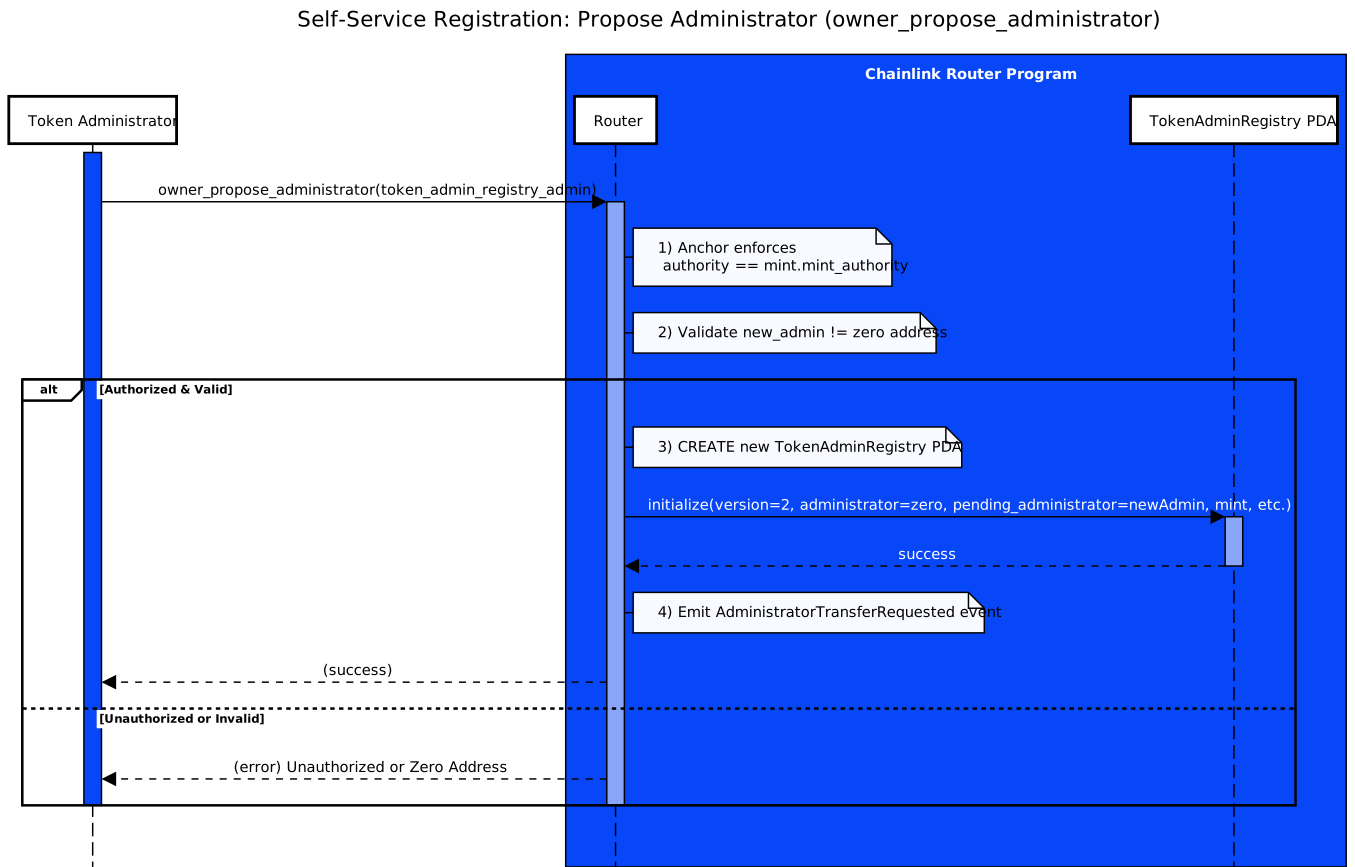
#### Overriding Pending Administrator
If you need to change the pending administrator before they accept the role, you can use the [`owner_override_pending_administrator`](/ccip/api-reference/svm/v1.6.0/router#owner_override_pending_administrator) instruction. This is useful when you initially proposed the wrong administrator or need to update the pending administrator for other reasons.
1. **Override Pending Administrator:** The mint authority calls the Router's [`owner_override_pending_administrator`](/ccip/api-reference/svm/v1.6.0/router#owner_override_pending_administrator) instruction, passing in the mint and the new proposed administrator's public key.
2. **Validate Authority:** The Router ensures that the caller is the SPL token's mint authority and that no administrator has been accepted yet (the `administrator` field must be zero).
3. **Update Pending Administrator:** The Router replaces the existing `pending_administrator` with the new proposed administrator. The previous pending administrator can no longer accept the role.
**Override Requirements:**
- **Caller Authorization**: Only the SPL token's `mint_authority` can call [`owner_override_pending_administrator`](/ccip/api-reference/svm/v1.6.0/router#owner_override_pending_administrator)
- **Registry State**: TokenAdminRegistry PDA must exist but have no accepted administrator yet (`administrator` field is zero)
- **Result**: Updates the `pending_administrator` field with the new proposed administrator
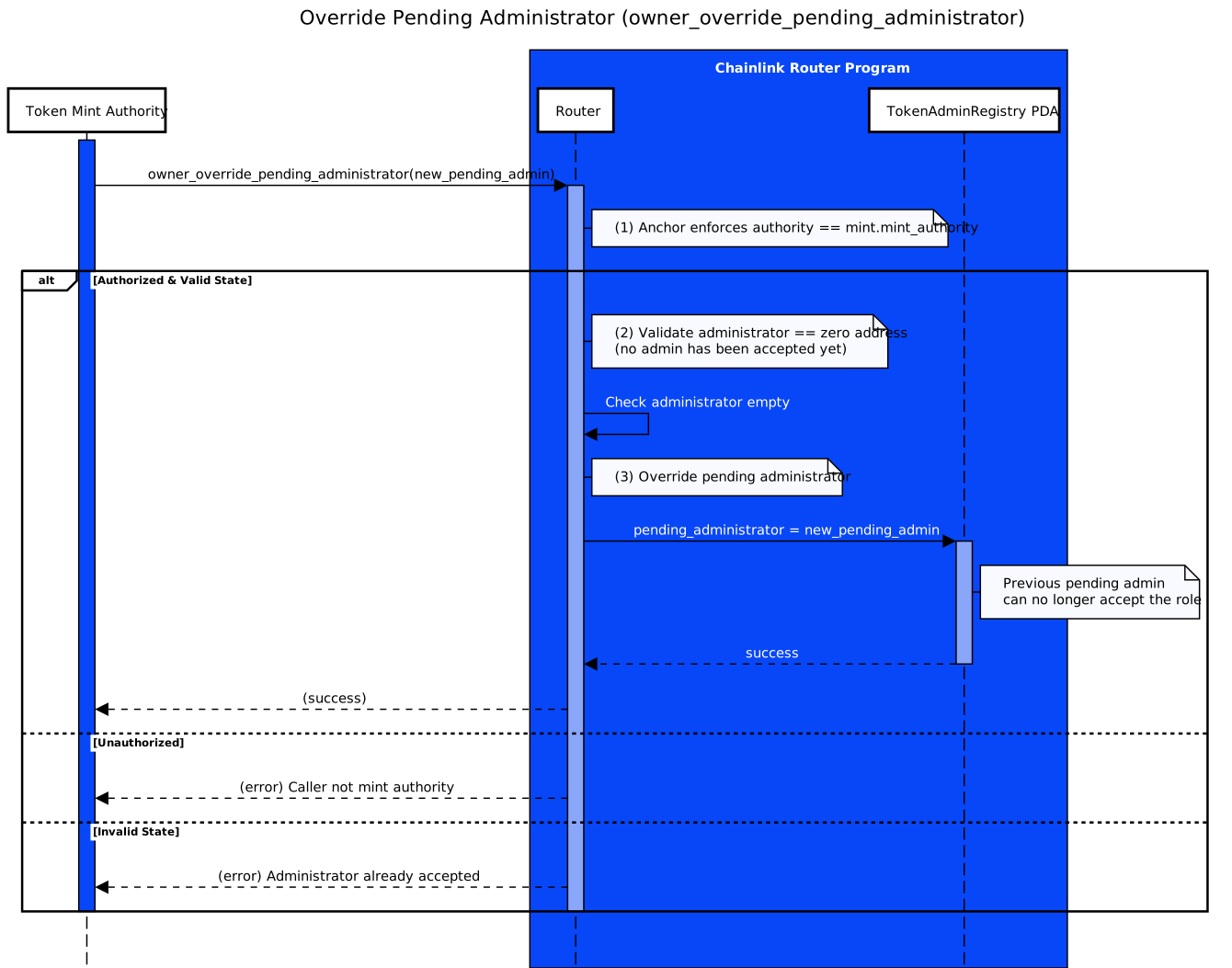
#### Accepting the Administrator Role
Once the administrator has been proposed and is pending, they must accept the role to complete the registration process. This step finalizes the administrator's assignment.
1. **Pending Administrator Calls [`accept_admin_role_token_admin_registry`](/ccip/api-reference/svm/v1.6.0/router#accept_admin_role_token_admin_registry)**
The pending admin invokes [`accept_admin_role_token_admin_registry()`](/ccip/api-reference/svm/v1.6.0/router#accept_admin_role_token_admin_registry) on the Router program, specifying the mint account in the transaction context.
2. **Finalize Registration**
- The Router checks that the caller's public key matches the `pending_administrator` field in the `TokenAdminRegistry` PDA.
- If authorized, the Router sets `administrator = pending_administrator` and clears `pending_administrator`. At this point, the role is fully active.
Below is the sequence diagram illustrating how the pending administrator interacts with the Router program to complete registration.
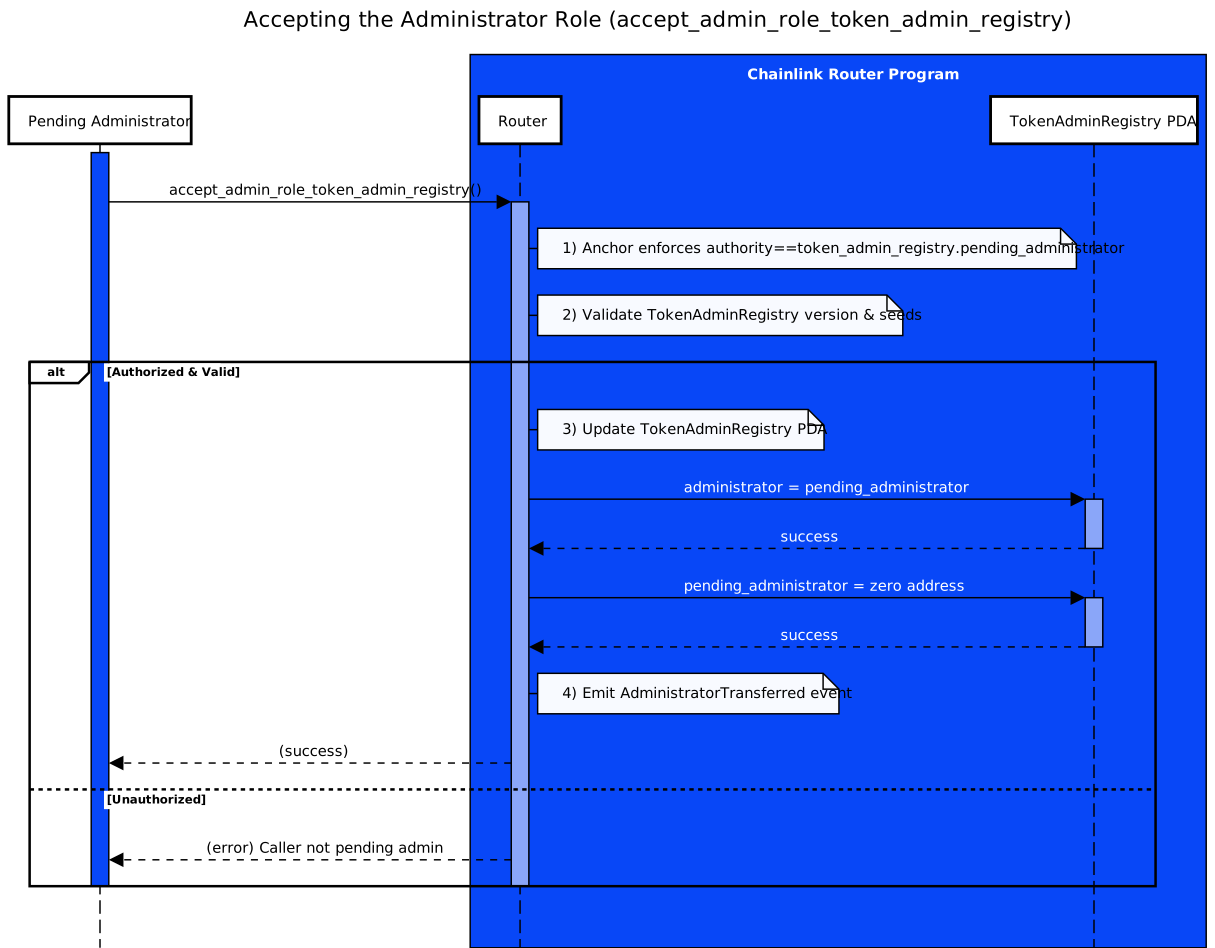
#### Transfer Administrator Role
The [`transfer_admin_role_token_admin_registry`](/ccip/api-reference/svm/v1.6.0/router#transfer_admin_role_token_admin_registry) instruction allows the current token administrator to transfer their role to a new administrator. This transfer process is secure and involves two steps, requiring the new admin to accept it explicitly before finalization.
1. **Initiate Role Transfer**
- The current admin calls [`transfer_admin_role_token_admin_registry(new_admin)`](/ccip/api-reference/svm/v1.6.0/router#transfer_admin_role_token_admin_registry) on the Router, passing the new administrator's public key.
- The Router checks that the caller is the token's existing administrator. If so, it sets `pending_administrator = new_admin` in the `TokenAdminRegistry` (PDA).
2. **Pending Administrator**
- The registry is now pending. The existing admin will still be active until the new admin accepts.
3. **Accept the Role**
- The new administrator must call [`accept_admin_role_token_admin_registry()`](/ccip/api-reference/svm/v1.6.0/router#accept_admin_role_token_admin_registry) to finalize the transfer.
- If `authority.key()` matches `pending_administrator`, the Router updates `administrator = pending_administrator`. Otherwise, it will fail.
- Once accepted, the new administrator can set or modify the token pool.
Below is a sequence diagram showing how the transfer is requested, followed by how the new admin must accept to complete the handover.
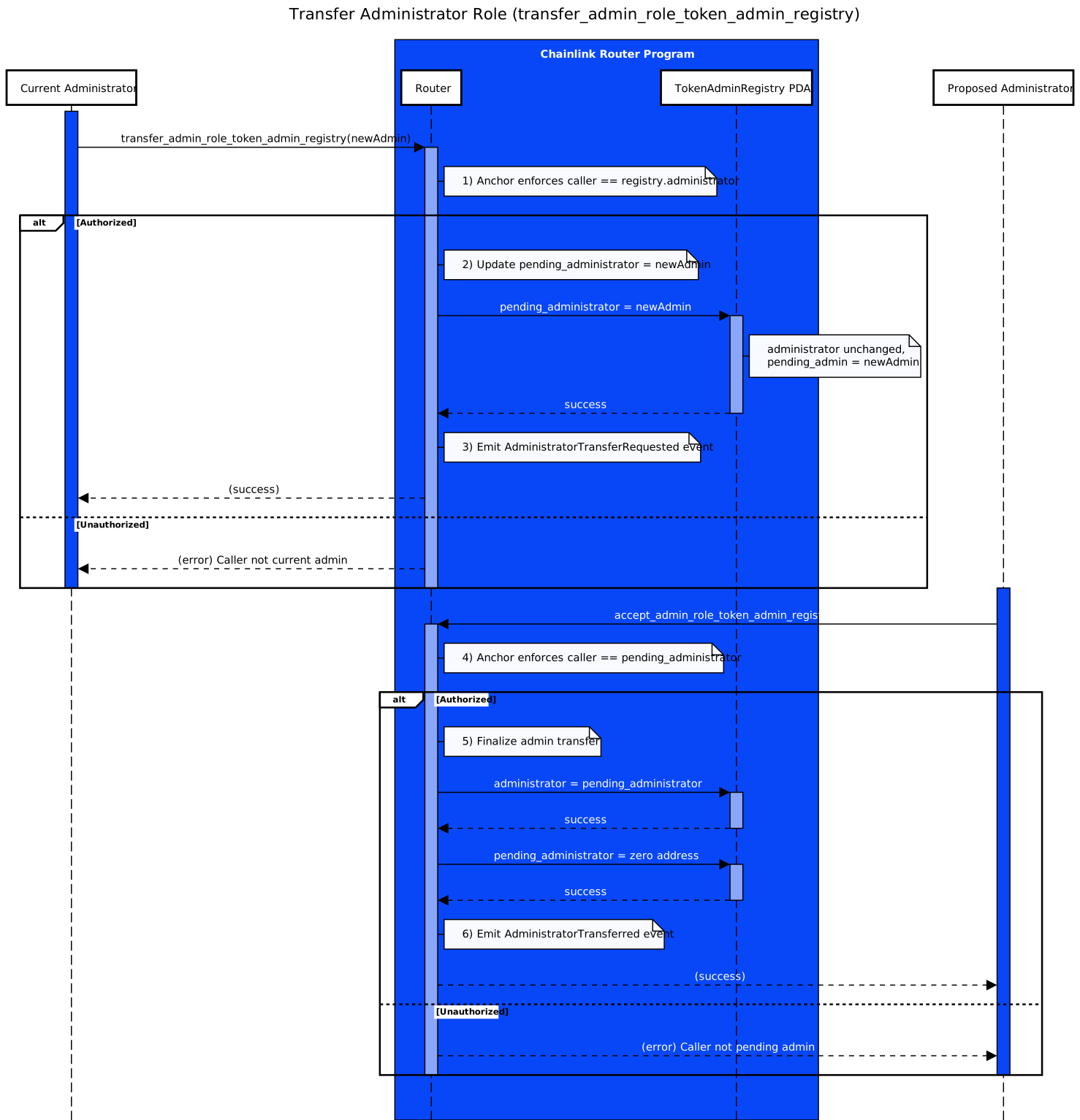
### Setting the Token Pool
On SVM-based blockchains (e.g., Solana), the [`set_pool`](/ccip/api-reference/svm/v1.6.0/router#set_pool) instruction enables a token administrator to map a given mint to the pool lookup table that defines how that token is handled in cross-chain transfers. This instruction modifies the `TokenAdminRegistry` PDA so the Route program knows which token pool accounts can lock or burn tokens on the source chain (and release or mint them on the destination).
1. **Set Token Pool:** The current administrator calls the [`set_pool`](/ccip/api-reference/svm/v1.6.0/router#set_pool) instruction on the Router program, passing in:
- The token mint (for which we are configuring cross-chain transfers).
- The `pool_lookuptable` account (the Address Lookup Table containing the mandatory PDAs and program addresses for that token pool).
- A list of "writable indexes" indicating which lookup table entries should be marked as writable during cross-chain transfers. These indexes specify positions in the ALT that require write permission for successful transaction execution.
2. **Reset Old Pool, Apply New Settings:** Under the hood, the Router updates the `TokenAdminRegistry` PDA:
- Overwrites any previously stored Address Lookup Table reference.
- Resets the old permission bits, then enables the specified "writable indexes."
- This ensures the new token pool has the correct set of PDAs with the correct writable permissions.
3. **Validate or Delist:**
- If the new `pool_lookuptable` is not the zero address, the Router checks that this lookup table has at least the minimal set of addresses required for cross-chain transfers. For the complete list of required accounts and their exact order, see the [`set_pool` ALT requirements](/ccip/api-reference/svm/v1.6.0/router#address-lookup-table-requirements). If valid, the token becomes enabled for cross-chain transfers.
- If the `pool_lookuptable` is the zero address, the token is effectively delisted from CCIP, meaning no new cross-chain transfers can occur.
The sequence diagram below explains how the [`set_pool`](/ccip/api-reference/svm/v1.6.0/router#set_pool) instruction updates the `TokenAdminRegistry` PDA and either enables or delists the token for cross-chain transfers.
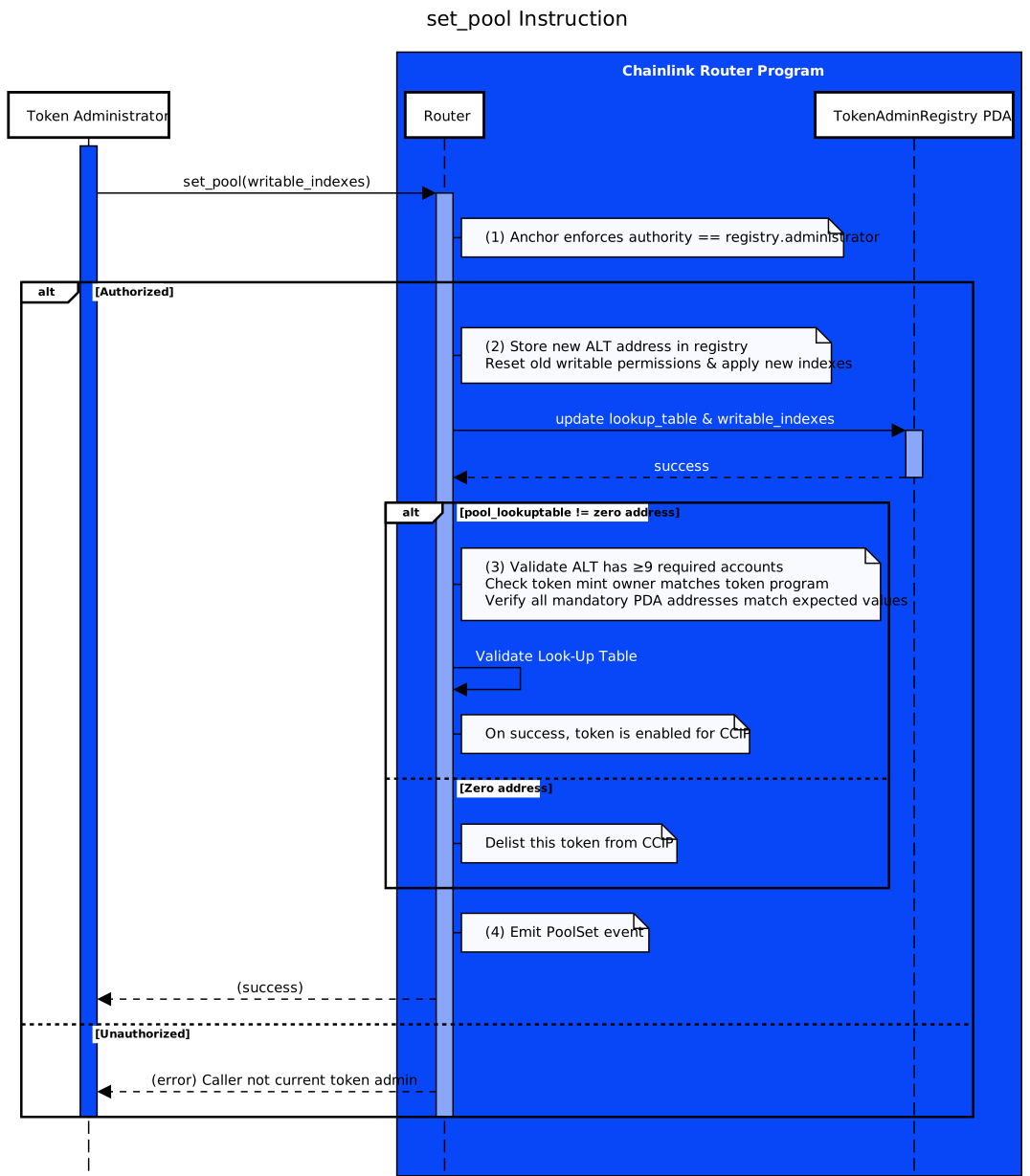
## Token Pool Configuration (Pool Side)
Once you have registered your token and set the token pool via the Router, you need to configure the specific pool parameters. These operations are performed directly on the Token Pool programs, not the Router.
> **NOTE: Pool Implementation Details**
>
> For pool deployment approaches, implementation details, and complete access control tables, see [Token
> Pools](/ccip/concepts/cross-chain-token/svm/token-pools). The access control tables show exactly who can call each
> instruction.
### Pool Initialization
Before any other configuration can occur, you must initialize your token pool:
1. **Initialize Token Pool**
- **Instruction:** [`initialize`](/ccip/api-reference/svm/v1.6.0/burn-mint-token-pool#initialize)
- **Use Case:** Create the pool state PDA for your specific mint. This is the first mandatory step that must be completed before any other pool configuration operations.
- **Authorization:** Program upgrade authority can always initialize pools. When self-serve is enabled (`self_served_allowed: true`), the token's mint authority can also initialize pools.
- **Requirements:** Pool owner must create the [Associated Token Account (ATA)](https://www.solana-program.com/docs/associated-token-account) for the Pool Signer PDA before pool operations can begin.
- Read the [API reference](/ccip/api-reference/svm/v1.6.0/burn-mint-token-pool#initialize) to learn more.
### Remote Chain Configuration
Configure your token pool for specific destination blockchains:
1. **Initialize a Remote Configuration**
- **Instruction:** [`init_chain_remote_config`](/ccip/api-reference/svm/v1.6.0/burn-mint-token-pool#init_chain_remote_config)
- **Use Case:** Create a new onchain account (PDA derived from the chain selector and token pool program ID) holding configuration details for a specific remote blockchain (e.g., remote token address).
- **Authorization:** Pool Owner only
- Read the [API reference](/ccip/api-reference/svm/v1.6.0/burn-mint-token-pool#init_chain_remote_config) to learn more.
2. **Edit an Existing Remote Configuration**
- **Instruction:** [`edit_chain_remote_config`](/ccip/api-reference/svm/v1.6.0/burn-mint-token-pool#edit_chain_remote_config)
- **Use Case:** Update the entire stored configuration for a remote chain (`RemoteConfig`), including the remote token address and decimals.
- **Authorization:** Pool Owner only
- Read the [API reference](/ccip/api-reference/svm/v1.6.0/burn-mint-token-pool#edit_chain_remote_config) to learn more.
3. **Add Remote Pool Address**
- **Instruction:** [`append_remote_pool_addresses`](/ccip/api-reference/svm/v1.6.0/burn-mint-token-pool#append_remote_pool_addresses)
- **Use Case:** Register one or more remote pool addresses for the same remote chain. This can happen when you deploy a new pool version on that blockchain but keep the old address functional until all in-flight messages are processed.
- **Authorization:** Pool Owner only
- Read the [API reference](/ccip/api-reference/svm/v1.6.0/burn-mint-token-pool#append_remote_pool_addresses) to learn more.
4. **Remove Remote Pool Address**
- **Instruction:** [`edit_chain_remote_config`](/ccip/api-reference/svm/v1.6.0/burn-mint-token-pool#edit_chain_remote_config)
- **Use Case:** Remove one or more remote pool addresses from an existing remote chain configuration. Call this instruction with a new `RemoteConfig` that excludes the addresses you want to remove.
- **Authorization:** Pool Owner only
- Read the [API reference](/ccip/api-reference/svm/v1.6.0/burn-mint-token-pool#edit_chain_remote_config) to learn more.
5. **Remove Chain Config**
- **Instruction:** [`delete_chain_config`](/ccip/api-reference/svm/v1.6.0/burn-mint-token-pool#delete_chain_config)
- **Use Case:** Remove the remote blockchain configuration PDA to stop supporting it permanently.
- **Authorization:** Pool Owner only
- Read the [API reference](/ccip/api-reference/svm/v1.6.0/burn-mint-token-pool#delete_chain_config) to learn more.
### Rate Limits and Security
Configure transfer limits and access controls for your token pool:
1. **Configure Rate Limits**
- **Instruction:** [`set_chain_rate_limit`](/ccip/api-reference/svm/v1.6.0/burn-mint-token-pool#set_chain_rate_limit)
- **Use Case:** Apply or modify the remote blockchain's inbound/outbound rate-limit configuration. This uses a token bucket algorithm in which you can configure the capacity (maximum tokens) and rate (tokens per second refill rate) for both inbound and outbound transfers.
- **Authorization:** Pool Owner only
- Read the [API reference](/ccip/api-reference/svm/v1.6.0/burn-mint-token-pool#set_chain_rate_limit) to learn more.
2. **Optional Allowlist**
- **Instructions:** [`configure_allow_list`](/ccip/api-reference/svm/v1.6.0/burn-mint-token-pool#configure_allow_list), [`remove_from_allow_list`](/ccip/api-reference/svm/v1.6.0/burn-mint-token-pool#remove_from_allow_list)
- **Use case:** You can add or remove addresses if the pool has an allowlist. When the allowlist is enabled, only addresses that appear on it can initiate cross‐chain transfers. This provides an additional layer of access control for who can initiate cross-chain token transfers.
- **Authorization:** Pool Owner only
- Read the [API reference](/ccip/api-reference/svm/v1.6.0/burn-mint-token-pool#configure_allow_list) to learn more.
For detailed authorization requirements, see the access control tables for [BurnMint pools](/ccip/concepts/cross-chain-token/svm/token-pools#access-control) and [LockRelease pools](/ccip/concepts/cross-chain-token/svm/token-pools#access-control-1).
### Liquidity Management (Lock/Release Pools Only)
Configure liquidity providers and settings for Lock/Release token pools:
#### Liquidity Configuration
1. **Set Rebalancer**
- **Instruction:** [`set_rebalancer`](/ccip/api-reference/svm/v1.6.0/lock-release-token-pool#set_rebalancer)
- **Use Case:** Configure which public key is authorized to add or withdraw liquidity from the pool.
- **Authorization:** Pool Owner only
- Read the [API reference](/ccip/api-reference/svm/v1.6.0/lock-release-token-pool#set_rebalancer) to learn more.
2. **Configure Liquidity Acceptance**
- **Instruction:** [`set_can_accept_liquidity`](/ccip/api-reference/svm/v1.6.0/lock-release-token-pool#set_can_accept_liquidity)
- **Use Case:** Enable or disable whether the pool can accept incoming liquidity via the [`provide_liquidity`](/ccip/api-reference/svm/v1.6.0/lock-release-token-pool#provide_liquidity) instruction.
- **Authorization:** Pool Owner only
- Read the [API reference](/ccip/api-reference/svm/v1.6.0/lock-release-token-pool#set_can_accept_liquidity) to learn more.
#### Liquidity Operations
1. **Provide Liquidity**
- **Instruction:** [`provide_liquidity`](/ccip/api-reference/svm/v1.6.0/lock-release-token-pool#provide_liquidity)
- **Use Case:** Add tokens to the pool's reserves to enable cross-chain releases. The rebalancer transfers tokens from their account to the pool's Associated Token Account.
- **Authorization:** Rebalancer only
- **Requirements:** Pool must have `can_accept_liquidity` enabled
- Read the [API reference](/ccip/api-reference/svm/v1.6.0/lock-release-token-pool#provide_liquidity) to learn more.
2. **Withdraw Liquidity**
- **Instruction:** [`withdraw_liquidity`](/ccip/api-reference/svm/v1.6.0/lock-release-token-pool#withdraw_liquidity)
- **Use Case:** Remove tokens from the pool's reserves. Can be used to transfer liquidity between pools by setting the destination as another pool's rebalancer.
- **Authorization:** Rebalancer only
- **Requirements:** Pool must have `can_accept_liquidity` enabled
- Read the [API reference](/ccip/api-reference/svm/v1.6.0/lock-release-token-pool#withdraw_liquidity) to learn more.
**Note:** Lock/Release token pools require active liquidity management to ensure sufficient tokens are available for releases. Insufficient liquidity will cause cross-chain transfer failures. For complete authorization details, see the [LockRelease Access Control table](/ccip/concepts/cross-chain-token/svm/token-pools#access-control-1).
---
# Cross-Chain Token Standard - Upgradability (SVM)
Source: https://docs.chain.link/ccip/concepts/cross-chain-token/svm/upgradability
Last Updated: 2025-05-19
Token pool upgradability on SVM-based blockchains (e.g., Solana) depends entirely on which [deployment approach](/ccip/concepts/cross-chain-token/svm/token-pools#deployment-approaches) you choose. Your upgrade responsibilities and capabilities vary significantly based on whether you use self-serve mode, deploy standard pools yourself, or build custom pools.
## Upgrade Approaches by Deployment Type
Your upgrade experience depends entirely on which deployment approach you chose when setting up your token pool:
### Approach 1: Self-Serve Mode (Recommended - No Action Required)
**How it works:**
This approach follows the same pattern as **SPL Token programs** on Solana: you create and manage your own token pools (like creating your own mints), but the underlying token pool programs are maintained by the program authority through established governance processes.
**What it means for upgrades:**
- **Governance-controlled upgrades**: The standard BurnMint and LockRelease programs are upgraded through CCIP's [governance process](/ccip/concepts/architecture/onchain/svm/upgradability) involving multisig approvals, timelock reviews, and node operator oversight
- **Seamless updates**: Security fixes and feature updates are deployed through the governance process without breaking your pool configuration or mint authority
- **No action required**: You don't manage program upgrades, similar to how you don't upgrade the SPL Token program when using standard Solana tokens
- **Preserved functionality**: Updates happen at the program level while your individual pool state and configuration remain intact
**Your responsibilities:**
- **None** - program upgrades are handled through CCIP governance
- Monitor CCIP announcements for new features or breaking changes
- Test your integration after major protocol updates
**Benefits:**
- Always up-to-date with latest security patches through proven governance
- No operational overhead for program upgrade management
- Professional maintenance through decentralized governance
- Immediate access to new CCIP features
> **NOTE: Most Users Stop Here**
>
> If you're using **self-serve mode** (the recommended approach), you don't need to read the rest of this document. Your
> pools are automatically maintained through CCIP's governance process.
### Approach 2: Self-Deployed Standard Pools (User-Controlled Upgrades)
**What it means for upgrades:**
- **You control the upgrade authority** for your deployed standard pool programs
- **Manual upgrades**: You decide when to apply updates from the Chainlink repository
- **Full control**: You can customize timing, test extensively, and coordinate with your governance
**Your responsibilities:**
- Monitor Chainlink repository for new releases
- Test upgrades in development environments
- Execute upgrade transactions using Solana CLI or Anchor tooling
- Coordinate upgrades with your governance/operational processes
### Approach 3: Custom Token Pools (User-Controlled Upgrades)
**What it means for upgrades:**
- **You control the upgrade authority** for your custom pool program
- **Custom development**: You develop your own upgrades and improvements
- **Complete responsibility**: All upgrade planning, development, and execution is your responsibility
**Your responsibilities:**
- Develop custom upgrade code
- Ensure CCIP compatibility after upgrades
- Test thoroughly with CCIP Router integration
- Execute upgrade transactions
- Monitor for breaking changes in CCIP protocol updates
## In-Place Upgrades (Approaches 2 & 3 Only)
> **CAUTION: Advanced Users Only**
>
> This section applies only to **self-deployed** and **custom** token pools where you control the upgrade authority. If
> you're using self-serve mode, these upgrades are handled through CCIP's governance process.
When you control the upgrade authority, in-place upgrades provide significant benefits:
### Benefits of In-Place Upgrades
1. **Retain Mint Authority (Burn and Mint Pools):** SPL tokens have a single `mint_authority`. When you delegate this authority to a Burn and Mint token pool program, that program holds the exclusive rights to mint tokens. As detailed in the [Mint Authority Management](/ccip/concepts/cross-chain-token/svm/token-pools#mint-authority-management) section, in-place upgrades allow you to:
- **Maintain Control:** Upgrade the pool code without reassigning the mint authority, which avoids the complexity of modifying the multisig membership or reconfiguring authorities.
- **Reduce Overhead:** Avoid manual reassignments, such as adding a new pool to the multisig and removing the old one, thereby simplifying maintenance and reducing the risk of errors.
2. **Preserve User Workflow (All Pools):** On SVM-based blockchains, instructions require specifying all involved accounts, including the token pool program ID. If you redeploy your pool to a new Program ID, users and integrators must update their transaction code to reference it. In-place upgrades keep the original ID so that existing references and account parameters remain valid.
## Best Practices for User-Controlled Upgrades
> **NOTE: Responsibility Disclaimer**
>
> You bear responsibility for any manner in which you use the Chainlink Network, its software, and documentation.
> Chainlink Labs does not take responsibility for the use of Chainlink software. Neither Chainlink Labs, the Chainlink
> Foundation, nor Chainlink node operators are responsible for unintended outputs that are generated due to errors in
> code.
### Governance and Security
1. **Secure Upgrade Authority Management**
- Configure the upgrade authority to a trusted multisig or governance program
- Never use single-key control for production pools
- Implement time delays and approval processes for critical upgrades
2. **Plan Governance Processes**
- Establish clear governance rules for when and how upgrades are approved
- Consider community input for significant changes
- Document upgrade procedures and emergency response plans
### Development and Testing
3. **Comprehensive Testing**
- Develop and validate pool updates in test environments first
- Test integration with CCIP Router and cross-chain operations
- Verify all existing functionality works after upgrade
- Test edge cases and error conditions
4. **Backward Compatibility**
- Design upgrades to maintain compatibility with existing state accounts and PDAs
- Ensure existing user configurations remain valid
- Plan migration strategies for breaking changes
### Execution
5. **Upgrade Execution**
- Use Solana CLI or Anchor tooling to execute upgrade transactions
- Perform upgrades during low-traffic periods when possible
- Have rollback plans ready in case of issues
- Monitor system behavior immediately after upgrades
6. **Prefer Upgrades Over Redeployment**
- In-place upgrades preserve all existing references and authorities
- Redeployment forces re-registration, mint authority reassignment, and user workflow updates
- Only redeploy when absolutely necessary (e.g., fundamental architecture changes)
---
# CCIP Manual Execution
Source: https://docs.chain.link/ccip/concepts/manual-execution
Last Updated: 2025-07-21
> **NOTE: Prerequisites**
>
> Read the CCIP [Concepts](/ccip/concepts) and [Architecture](/ccip/concepts/architecture/overview) pages to understand
> all the concepts discussed on this page.
In general, messages are successfully delivered and processed via CCIP as described in the [Architecture](/ccip/concepts/architecture/overview) page. However, some exceptional conditions might require users to manually execute the transaction on the destination blockchain:
- The receiver contract on the destination blockchain reverted due to an unhandled exception such as a logical error.
- For token pools, if the combined execution of the required functions (`balanceOf` checks and `releaseOrMint`) exceeds the default gas limit of **90,000 gas** on the destination blockchain, CCIP execution will fail. Read the Token pools [common requirements](/ccip/concepts/cross-chain-token/evm/token-pools#common-requirements) to learn more.
- The receiver contract on the destination blockchain reverted due to the gas limit being insufficient to execute the triggered function (Note: The gas limit value is set in the [extraArgs](/ccip/api-reference/evm/v1.6.1/client#genericextraargsv2) param of the message).
The flowchart below displays the process of a cross-chain transaction, detailing the steps involved in the manual execution:
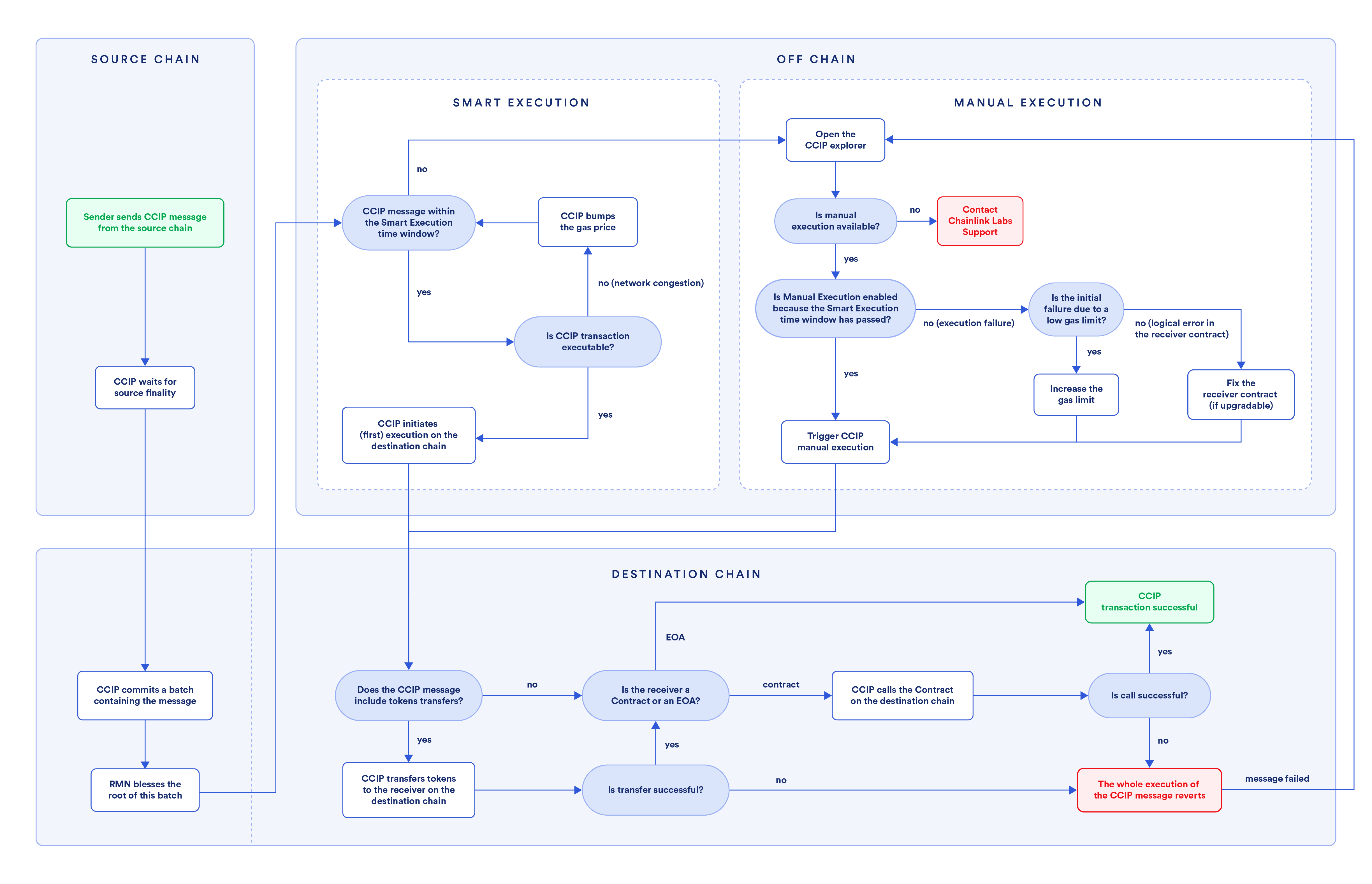
## CCIP execution
1. A sender contract or EOA initiates a CCIP message on the source blockchain.
2. [CCIP Committing DON](/ccip/concepts/architecture/offchain/overview#commit-ocr-process) awaits [finality](/ccip/concepts/architecture/key-concepts#blockchain-finality) on the source blockchain.
3. Post finality, the [CCIP Committing DON](/ccip/concepts/architecture/offchain/overview#commit-ocr-process) assembles a batch of eligible transactions, computes a Merkle root, and records it to the OffRamp contract on the destination blockchain.
4. After the committed Merkle root is blessed, the [CCIP Executing DON](/ccip/concepts/architecture/offchain/overview#executing-ocr-process) proceeds with the execution on the destination blockchain.
5. The execution on the destination blockchain works as follows:
1. If the message involves token transfers, the tokens are first transferred to the receiver. **Important:** If the combined execution of the required functions (`balanceOf` checks of the token contract and `releaseOrMint` of the token pool contract) exceeds the default gas limit of **90,000 gas** on the destination blockchain, CCIP execution will fail, and the transaction will become eligible for manual execution. It is highly recommended to design your token pools to stay within this gas limit to avoid execution failure. Read the Token Pools [common requirements](/ccip/concepts/cross-chain-token/evm/token-pools#common-requirements) to learn more.
- If the receiver is an EOA, then this transaction is considered complete with no further processing.
- If the receiver is a smart contract, the [ccipReceive](/ccip/api-reference/evm/v1.6.1/ccip-receiver#ccipreceive) function is invoked after the token transfer. The ccipReceive function processes the CCIP message and any user-specified logic in the receiver contract. The execution of the CCIP message is atomic (all or none). If the ccipReceive function successfully executes, then all aspects of the transaction are complete, and there is no revert. If, however, there is an issue in the receiver execution due to insufficient gas limit or unhandled exceptions, the attempted token transfer will also revert. The transaction then becomes eligible for manual execution.
2. If the message does not involve token transfers, only arbitrary messaging, and the receiver execution fails due to gas limits or unhandled exceptions, the transaction becomes eligible for manual execution.
## Manual execution
As described above, a CCIP message becomes eligible for manual execution for various reasons. Manual execution means that a user has to manually trigger the execution of the destination transaction after the issue that caused manual execution has been resolved.
When a CCIP message is eligible for manual execution, the [CCIP explorer](https://ccip.chain.link/) shows the following information:
- *Ready for manual execution* status
- The possibility to override the gas limit and a *Trigger Manual Execution* button
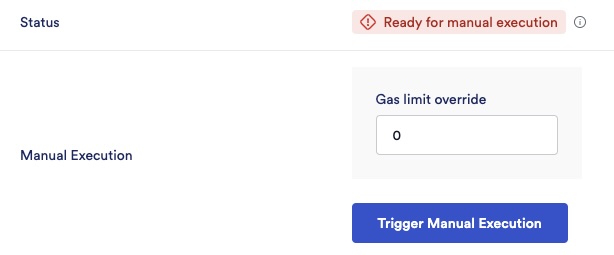
Depending on the situation, you can take one of the following steps:
- Insufficient gas limit: The executor can connect their wallet, override the gas limit parameter, increase the gas limit for this particular execution, and trigger a manual execution. If this new gas limit override is sufficient, the transaction will go through successfully. **Note:** This gas limit override applies only to this manually executed transaction.
- Unhandled exception (logical error) in the receiver contract: If the receiver contract is [upgradeable](https://blog.chain.link/upgradable-smart-contracts/), developers must correct the logic, re-deploy the logic contract, and then manually execute the same transaction. If the receiver contract is not upgradeable, developers must deploy a new receiver contract, and then users can send a new CCIP message. Non-upgradable contracts will not benefit from manual execution. **Note:** Always make sure to test your smart contracts thoroughly. As a best practice, implement fallback mechanisms in the CCIP receiver contracts to manage unhandled exceptions gracefully. Read the [Defensive example](/ccip/tutorials/evm/programmable-token-transfers-defensive) to learn more.
When manual execution is initiated, a Merkle proof is generated for the message to be executed. During execution, the CCIP explorer submits the Merkle proof and the new gas limit (if the initial failure was due to a low gas limit). This Merkle proof is verified by the [OffRamp contract](/ccip/concepts/architecture/onchain/evm/components#offramp) against the Merkle root in the OffRamp contract. This mirrors the automated execution performed by the [CCIP Executing DON](/ccip/concepts/architecture/offchain/overview#executing-ocr-process), with the addition that the execution is resubmitted using the gas limit you provide.
## Frequently asked questions
1. **Can anyone execute a transaction on the CCIP explorer even if they are not the initiator of the transaction?**
Yes, any EOA can manually execute a CCIP message that is eligible for manual execution. However, the executing account must have sufficient native gas tokens (such as ETH on Ethereum or POL on Polygon) to cover the gas costs associated with the delivery of the CCIP message.
2. **If a user sends multiple messages and the first message isn't successfully delivered and goes into a *manual execution* mode, does that mean all subsequent messages from the user will also be stuck?**
It depends. If a message goes into manual execution mode due to receiver errors (unhandled exceptions or gas limit issues), subsequent messages don't get automatically blocked, unless they would encounter the same error. However, suppose a message goes into manual execution mode after the Smart Execution time window expires (currently 8 hours). In that case, subsequent messages must wait for the first message to be processed to maintain the default sequence.
3. **If the maximum gas limit is 3M (3,000,000) on mainnet, but it turns out that the destination blockchain requires more than that, will an override of > 3M still work?**
Yes, but only for this execution. This works because the gas limit for this execution instance isn't passing through the CCIP validation for the gas limit, for which the CCIP executing DON pays the gas. However, if you consistently need more than 3M for your use case, please reach out to us via this [contact form](https://chain.link/ccip-contact).
4. What should I do if my token pool's gas consumption exceeds the 90,000 gas limit on the destination blockchain?
If your token pool's combined execution—including the `balanceOf` function calls before and after minting/releasing, and the `releaseOrMint` function—consumes more than **90,000 gas** on the destination blockchain, CCIP execution will fail. It's highly recommended to optimize your token and token pool contracts to stay within this limit. However, if you cannot optimize further and consistently require more gas, please [contact](https://chain.link/ccip-contact?v=Tokens:%20Gas%20limit%20update) Chainlink Labs to request assistance.
1. **Will Chainlink Labs reimburse us for manual execution fees?**
Since most manual execution situations are due to insufficient gas limit or an unhandled exception in the receiver contract, Chainlink Labs does not reimburse these fees. If you are a dApp developer, please ensure you test thoroughly to avoid manual executions to the extent possible.
2. **Do I have to manually execute via the CCIP explorer? Are there any other ways to do this?**
The CCIP explorer provides the easiest way to execute manually. It handles all the complexity of submitting the Merkle proof needed for successful transaction execution.
3. **How do I know if my receiver error is due to a gas limit issue or an unhandled exception?**
If you see a *ReceiverError* with a revert reason as empty (0x), this is likely due to a gas limit issue. You can look at the transaction trace for the destination transaction on a tool such as [Tenderly](https://tenderly.co/), and you will likely see an *out of gas* reason mentioned in such cases. Determine the gas limit that would work for your transaction and manually override it. Read the [manual execution](/ccip/tutorials/evm/manual-execution) tutorial to analyze an example of an exception due to a low gas limit.
4. **How can I write contracts that avoid manual execution situations in the first place?**
- Test thoroughly to ensure logical conditions for all paths are gracefully handled in your receiver contract.
- Set a gas limit that works for complex execution paths, not just the simplest ones. Read the [best practices](/ccip/concepts/best-practices/evm#setting-gaslimit) for gas estimation.
- Refer to the [Defensive example](/ccip/tutorials/evm/programmable-token-transfers-defensive) tutorial for an example of how to design a programmable token transfer that handles errors gracefully.
5. **My transaction meets one of the conditions to trigger manual execution, but I do not see this option on the CCIP explorer. How am I supposed to execute this manually?**
This should not happen, but in the unlikely scenario that it does, please submit a support ticket as shown below. Include the CCIP Message ID, your preferred contact details, and a detailed description of the issue you faced. This will help us assist you more effectively.
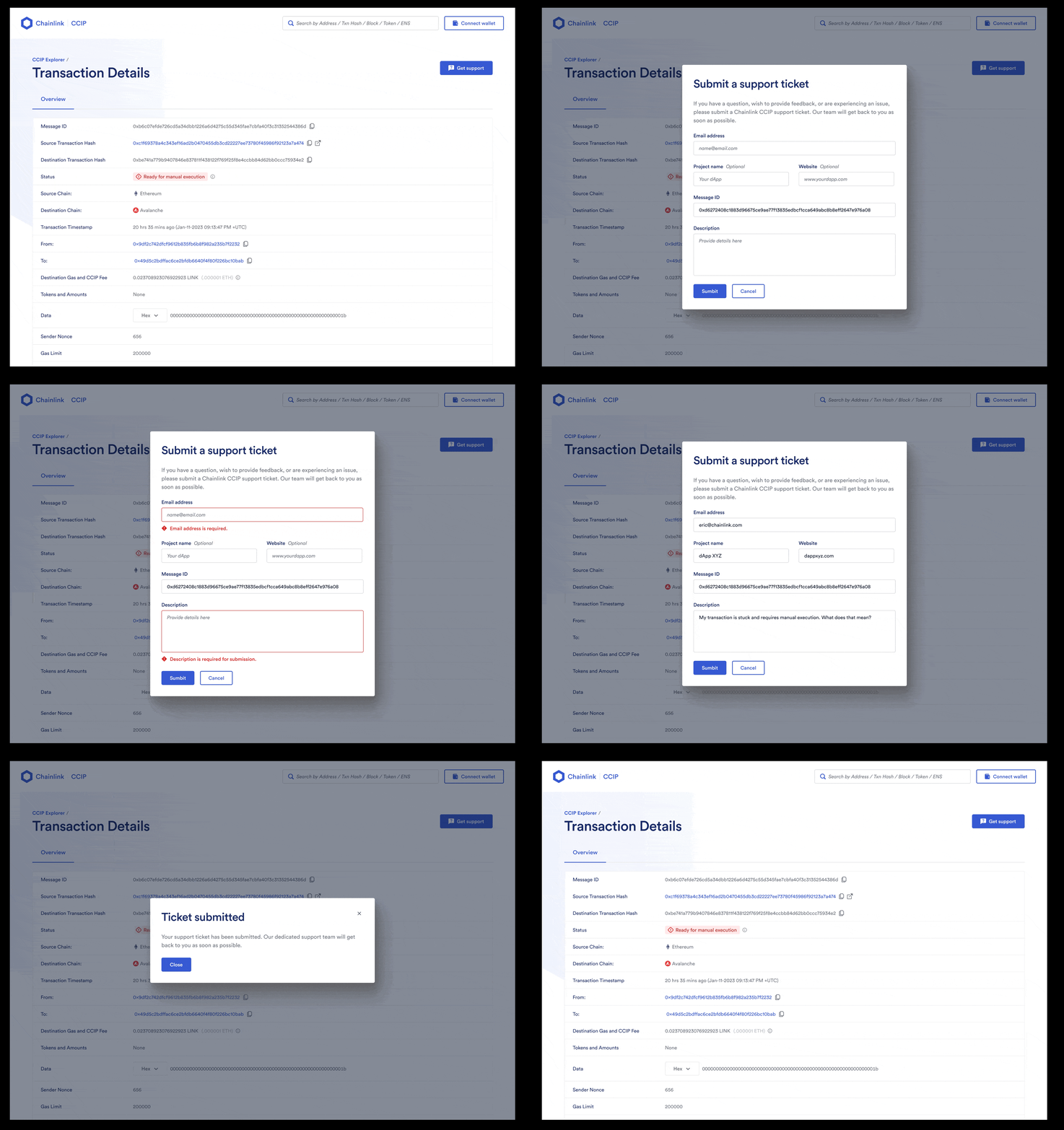
---
# CCIP Manual Execution (TON)
Source: https://docs.chain.link/ccip/concepts/ton/manual-execution
Last Updated: 2026-04-07
> **NOTE: Prerequisites**
>
> Read the CCIP [Key Concepts](/ccip/concepts/architecture/ton/key-concepts) and
> [Architecture](/ccip/concepts/architecture/ton/overview) pages to understand all the concepts discussed on this page.
In general, messages are successfully delivered and processed via CCIP as described in the [Architecture](/ccip/concepts/architecture/ton/overview) page. However, some exceptional conditions might require users to manually execute the transaction on the destination blockchain:
- The receiver contract on the destination blockchain reverted due to an unhandled exception such as a logical error.
- The receiver contract on the destination blockchain reverted due to the gas limit being insufficient to execute the triggered function (Note: The gas limit value is set in the [extraArgs](/ccip/api-reference/evm/v1.6.1/client#genericextraargsv2) param of the message).
The flowchart below displays the process of a cross-chain transaction, detailing the steps involved in the manual execution:

## CCIP execution
1. A sender contract or EOA initiates a CCIP message on the source blockchain.
2. [CCIP Committing DON](/ccip/concepts/architecture/offchain/overview#commit-ocr-process) awaits [finality](/ccip/concepts/architecture/ton/key-concepts#blockchain-finality) on the source blockchain.
3. Post finality, the [CCIP Committing DON](/ccip/concepts/architecture/offchain/overview#commit-ocr-process) assembles a batch of eligible transactions, computes a Merkle root, and records it to the OffRamp contract on the destination blockchain.
4. After the committed Merkle root is blessed, the [CCIP Executing DON](/ccip/concepts/architecture/offchain/overview#executing-ocr-process) proceeds with the execution on the destination blockchain.
5. The execution on the destination blockchain works as follows: if the receiver execution fails due to gas limits or unhandled exceptions, the transaction becomes eligible for manual execution.
## Manual execution
As described above, a CCIP message becomes eligible for manual execution for various reasons. Manual execution means that a user has to manually trigger the execution of the destination transaction after the issue that caused manual execution has been resolved.
When a CCIP message is eligible for manual execution, the [CCIP explorer](https://ccip.chain.link/) shows the following information:
- *Ready for manual execution* status
- The possibility to override the gas limit and a *Trigger Manual Execution* button

Depending on the situation, you can take one of the following steps:
- Insufficient gas limit: The executor can connect their wallet, override the gas limit parameter, increase the gas limit for this particular execution, and trigger a manual execution. If this new gas limit override is sufficient, the transaction will go through successfully. **Note:** This gas limit override applies only to this manually executed transaction.
- Unhandled exception (logical error) in the receiver contract: If the receiver contract is [upgradeable](https://blog.chain.link/upgradable-smart-contracts/), developers must correct the logic, re-deploy the logic contract, and then manually execute the same transaction. If the receiver contract is not upgradeable, developers must deploy a new receiver contract, and then users can send a new CCIP message. Non-upgradable contracts will not benefit from manual execution. **Note:** Always make sure to test your smart contracts thoroughly. As a best practice, implement fallback mechanisms in the CCIP receiver contracts to manage unhandled exceptions gracefully.
When manual execution is initiated, a Merkle proof is generated for the message to be executed. During execution, the CCIP explorer submits the Merkle proof and the new gas limit (if the initial failure was due to a low gas limit). This Merkle proof is verified by the [OffRamp contract](/ccip/concepts/architecture/onchain/ton/components#offramp) against the Merkle root in the OffRamp contract. This mirrors the automated execution performed by the [CCIP Executing DON](/ccip/concepts/architecture/offchain/overview#executing-ocr-process), with the addition that the execution is resubmitted using the gas limit you provide.
## Frequently asked questions
1. **Can anyone execute a transaction on the CCIP explorer even if they are not the initiator of the transaction?**
Yes, any EOA can manually execute a CCIP message that is eligible for manual execution. However, the executing account must have sufficient native gas tokens to cover the gas costs associated with the delivery of the CCIP message.
2. **If a user sends multiple messages and the first message isn't successfully delivered and goes into a *manual execution* mode, does that mean all subsequent messages from the user will also be stuck?**
It depends. If a message goes into manual execution mode due to receiver errors (unhandled exceptions or gas limit issues), subsequent messages don't get automatically blocked, unless they would encounter the same error. However, suppose a message goes into manual execution mode after the Smart Execution time window expires (currently 8 hours). In that case, subsequent messages must wait for the first message to be processed to maintain the default sequence.
3. **If the maximum gas limit is 3M (3,000,000) on mainnet, but it turns out that the destination blockchain requires more than that, will an override of > 3M still work?**
Yes, but only for this execution. This works because the gas limit for this execution instance isn't passing through the CCIP validation for the gas limit, for which the CCIP executing DON pays the gas. However, if you consistently need more than 3M for your use case, please reach out to us via this [contact form](https://chain.link/ccip-contact).
4. **Will Chainlink Labs reimburse us for manual execution fees?**
Since most manual execution situations are due to insufficient gas limit or an unhandled exception in the receiver contract, Chainlink Labs does not reimburse these fees. If you are a dApp developer, please ensure you test thoroughly to avoid manual executions to the extent possible.
5. **Do I have to manually execute via the CCIP explorer? Are there any other ways to do this?**
The CCIP explorer provides the easiest way to execute manually. It handles all the complexity of submitting the Merkle proof needed for successful transaction execution. Alternatively, you can use [CCIP Tools](https://docs.chain.link/ccip/tools) — either the [CCIP SDK](https://docs.chain.link/ccip/tools/sdk/guides/manual-execution) or the [CCIP CLI](https://docs.chain.link/ccip/tools/cli/manual-exec) — to trigger manual execution programmatically.
6. **How do I know if my receiver error is due to a gas limit issue or an unhandled exception?**
If you see a *ReceiverError* with a revert reason as empty (0x), this is likely due to a gas limit issue. Determine the gas limit that would work for your transaction and manually override it.
7. **How can I write contracts that avoid manual execution situations in the first place?**
- Test thoroughly to ensure logical conditions for all paths are gracefully handled in your receiver contract.
- Set a gas limit that works for complex execution paths, not just the simplest ones. Read the [best practices](/ccip/concepts/best-practices/ton) for TON-specific guidance.
8. **My transaction meets one of the conditions to trigger manual execution, but I do not see this option on the CCIP explorer. How am I supposed to execute this manually?**
This should not happen, but in the unlikely scenario that it does, please submit a support ticket as shown below. Include the CCIP Message ID, your preferred contact details, and a detailed description of the issue you faced. This will help us assist you more effectively.

---
# Rate Limit Management Overview
Source: https://docs.chain.link/ccip/concepts/rate-limit-management/overview
CCIP rate limits are an **operator-level control** that apply to token pools used for cross-chain transfers. They are designed to limit the volume of tokens that can move across a specific CCIP lane over time, reducing the blast radius of unexpected behavior and helping manage operational risk.
This documentation is intended for **CCIP operators, token issuers, and administrators** who have been granted permission to manage rate limits on their token pool contracts. Most CCIP users do **not** need to interact with rate limits as part of a standard integration.
Rate limit changes are applied on-chain, take effect immediately, and directly affect user-facing transfer availability.
> **NOTE: Private/Permissioned Networks**
>
> It is strongly recommended to configure Token Pool Rate Limits (TPRLs) for CCTs on all lanes. Note that private /
> permissioned networks exhibit increased risks for Token Developers; please ensure you understand the implications
> before proceeding. [Learn More](/ccip/service-limits/evm#private--permissioned-network-limitations).
## What rate limits are
Rate limits in CCIP act as **capacity buckets** that refill over time. Each token pool maintains two independent limits for every connected chain:
- **Outbound rate limits**: how much of a token can be sent *from* the current chain to a remote chain
- **Inbound rate limits**: how much of a token can be received *from* a remote chain into the current chain
Each limit is defined by:
- whether it is enabled
- a maximum capacity
- a refill rate (tokens per second)
Together, these parameters control how much value can flow through a CCIP lane within a given time window.
## Why rate limits exist
Rate limits are a defensive mechanism. They help:
- prevent large, single transfers from draining liquidity unexpectedly
- limit exposure during misconfiguration, incidents, or active investigations
- give operators time to react if abnormal activity is detected
Inbound and outbound limits are intentionally separate so that operators can tune risk asymmetrically depending on the direction of flow.
## Who this applies to
You should only interact with CCIP rate limits if **all** of the following are true:
- You operate or administer a CCIP token pool
- Your wallet (typically a multisig) has been granted the `rateLimitAdmin` role
- You understand the decimal precision and units used by the token
- You are prepared to take responsibility for the operational impact of changes
If these conditions are not met, you should not attempt to modify rate limits.
## Responsibility and risk
Managing rate limits directly affects the availability of cross-chain transfers for a token. Incorrect configuration can:
- unintentionally halt bridging
- allow more volume than intended
- create congestion or stuck transfers
Changes are applied on-chain and take effect immediately. Always review parameters carefully, verify units, and use a multisig workflow where possible.
## What this section covers
The pages in this section walk through:
- how CCIP rate limits work
- required permissions and prerequisites
- inspecting current inbound and outbound configurations
- accounting for token decimals and units
- updating rate limits safely
- emergency actions such as locking down a lane
- common configuration scenarios
This content focuses on **operational control**, not on basic CCIP integration or application development.
---
# How Rate Limits Work
Source: https://docs.chain.link/ccip/concepts/rate-limit-management/how-rate-limits-work
This page explains how CCIP rate limits function at a conceptual level. It focuses on *what the system does* and *how the parameters interact*, without covering how to make changes on-chain.
## Rate limits as capacity buckets
CCIP rate limits are implemented as **capacity buckets** that refill over time. Each bucket starts with a defined maximum capacity and refills continuously at a fixed rate.
Transfers draw down capacity from the relevant bucket. If insufficient capacity is available, the transfer is rejected until enough capacity has refilled.
This model limits how much value can move through a CCIP lane within a given time window, even if many transfers are attempted.
## Inbound and outbound rate limits
Each token pool maintains **two independent rate limits per connected chain**:
- **Outbound rate limit**: limits transfers *from* the local chain *to* a remote chain
- **Inbound rate limit**: limits transfers *from* a remote chain *into* the local chain
Inbound and outbound limits are configured separately and can differ in capacity and refill rate. This allows operators to tune risk asymmetrically depending on the direction of flow.
In practice, outbound limits are often configured to be slightly lower than inbound limits to provide buffer room and reduce the risk of in-flight congestion.
## Core rate limit parameters
Each inbound or outbound rate limit is defined by three parameters:
- **isEnabled**: whether the rate limit is active
- **capacity**: the maximum amount of tokens that can be transferred before the bucket is depleted
- **rate**: the speed at which capacity refills, measured in tokens per second
All values are expressed in the token's **smallest unit**, not in whole tokens.
## Token bucket state
At any moment, a rate limiter tracks the current state of its bucket, including:
- the remaining number of tokens available
- the timestamp of the last refill
- whether the limiter is enabled
- the configured capacity and refill rate
This state determines whether a transfer can proceed and how quickly capacity becomes available again after use.
## Enabled vs disabled behavior
When a rate limit is **enabled**, transfers are constrained by the configured capacity and refill rate.
When a rate limit is **disabled**, transfers are not subject to any volume limits for that lane.
Disabling rate limits removes an important safety mechanism and should only be done intentionally and with a clear understanding of the associated risk.
## Scope and granularity
Rate limits are applied:
- per token pool
- per remote chain
- independently for inbound and outbound directions
This means changes to a rate limit affect only a specific token and lane, not all CCIP traffic.
## What this page does not cover
This page does not cover:
- required permissions to manage rate limits
- how to inspect current configurations
- how to update or disable rate limits
- emergency or incident response actions
Those topics are covered in the subsequent pages of this section.
---
# Prerequisites and Permissions
Source: https://docs.chain.link/ccip/concepts/rate-limit-management/prerequisites-and-permissions
Managing CCIP rate limits is a privileged, operator-level action. Before attempting to inspect or modify any rate limit configuration, you must meet the prerequisites described on this page.
## Required permissions
To manage rate limits, your wallet must be granted the **`rateLimitAdmin`** role on the relevant token pool contracts.
This role allows the wallet to update inbound and outbound rate limit configurations for specific cross-chain lanes. Without it, you can read on-chain data but cannot make changes.
In most cases, the `rateLimitAdmin` role is assigned to a **multisig wallet** rather than to an individual externally owned account.
## How admin access is granted
Admin access is not self-assigned.
To receive the `rateLimitAdmin` role:
- You provide the address of your designated wallet (typically a multisig)
- Chainlink Labs assigns that address as the rate limit administrator on the relevant token pool contracts
Once the on-chain transaction granting this role is confirmed, the wallet can update rate limit configurations.
## Scope of admin authority
The `rateLimitAdmin` role applies:
- per token pool
- across inbound and outbound directions
- per connected chain
This means:
- you can manage rate limits only for token pools where your wallet has been granted access
- changes affect only the specified token and lane
- core CCIP configuration outside of rate limits is not affected
## Operational expectations
Before making any changes, you should ensure that:
- you understand the token's decimal precision and smallest unit
- you have reviewed the current inbound and outbound configurations
- you are prepared to validate values carefully before submitting transactions
Rate limit changes are applied on-chain and take effect immediately.
## Responsibility boundary
By managing rate limits, you take responsibility for the availability of cross-chain transfers for the affected token and lane.
Incorrect configuration can:
- unintentionally block transfers
- allow more volume than intended
- create operational or user-facing disruption
For this reason, rate limit management should follow a deliberate review process and use a multisig workflow where possible.
## What's next
If you meet these prerequisites, the next step is to [inspect the current inbound and outbound rate limit](/ccip/concepts/rate-limit-management/inspect-current-rate-limits) configuration before making any changes.
---
# Inspect Current Rate Limits
Source: https://docs.chain.link/ccip/concepts/rate-limit-management/inspect-current-rate-limits
Before updating any rate limit configuration, you should inspect the **current inbound and outbound settings** for the token pool and lane you are managing. This ensures you understand the existing capacity, refill rate, and enabled state before making changes.
## What you can inspect
Each token pool exposes read-only functions that return the current rate limiter state for a given remote chain. These values describe:
- whether the inbound or outbound rate limit is enabled
- the configured capacity
- the configured refill rate
- the current number of tokens available in the bucket
- the timestamp of the last refill
Together, these values determine whether transfers are currently allowed and how quickly capacity becomes available.
## Identify the token pool contract
To inspect rate limits, you first need the **token pool contract address** for the token you are managing.
You can find token pool addresses using the Token Manager or by searching for the token contract address in the token manager search interface.
## Select the remote chain
Rate limits are configured per remote chain. When querying a rate limiter, you must provide the **remote chain selector** that identifies the cross-chain lane you want to inspect.
Chain selectors are represented as `uint64` values. You can find the correct selector for each supported network in the CCIP directory.
## Query inbound and outbound limiter state
Most token pool contracts expose public getter functions similar to:
```solidity
function getCurrentInboundRateLimiterState(
uint64 remoteChainSelector
) external view returns (TokenBucket memory);
function getCurrentOutboundRateLimiterState(
uint64 remoteChainSelector
) external view returns (TokenBucket memory);
```
These functions take a remote chain selector as input and return the current **TokenBucket** state for that lane.
You can call these functions using:
- a block explorer's "Read Contract" interface
- a web3-enabled script or client
## Interpreting the TokenBucket state
A typical rate limiter state includes the following fields:
```solidity
struct TokenBucket {
uint128 tokens;
uint32 lastUpdated;
bool isEnabled;
uint128 capacity;
uint128 rate;
}
```
Where:
- tokens (uint128): the current number of tokens available in the bucket
- lastUpdated (uint32): the timestamp of the last refill
- isEnabled (bool): whether the rate limit is active
- capacity (uint128): the maximum bucket size
- rate (uint128): the refill rate in tokens per second
- All numeric values are expressed in the token's **smallest unit**, not in whole tokens.
## Inbound vs outbound inspection
Inbound and outbound configurations should be inspected **independently**:
- outbound limits control transfers leaving the current chain
- inbound limits control transfers entering the current chain
Although these values are often similar, they may intentionally differ based on risk tolerance and traffic patterns.
## Before proceeding
After inspecting the current configuration:
- record the existing values
- confirm token decimals and unit conversions
- identify which direction and lane you intend to modify
Only proceed to updating rate limits once you fully understand the current state.
---
# Token Units and Decimals
Source: https://docs.chain.link/ccip/concepts/rate-limit-management/token-units-and-decimals
When configuring CCIP rate limits, **all values are specified in the token's smallest unit**, not in whole tokens. Understanding token decimals is critical to setting correct capacity and refill rates.
Incorrect unit handling can result in rate limits that are orders of magnitude larger or smaller than intended.
## Smallest unit vs human-readable amounts
Every ERC-20 token defines a number of decimal places that determine its smallest unit:
- An 18-decimal token (for example, LINK or ETH) uses `10^18` base units per token
- A 6-decimal token (for example, USDC or USDT) uses `10^6` base units per token
Rate limit parameters such as **capacity** and **rate** must always be provided in these base units.
## Converting values for on-chain configuration
To convert a human-readable token amount into the value used on-chain, apply the following formula:
```
On-chain value = human-readable amount × (10 ^ token decimals)
```
This conversion applies to:
- capacity values
- refill rate values
## Example: 18-decimal token
Token:
- Decimals: 18
- Desired capacity: 100 tokens
Calculation:
```
100 × 10^18 = 100000000000000000000
```
The capacity value passed to the token pool contract must be `100000000000000000000`.
## Example: 6-decimal token
Token:
- Decimals: 6
- Desired capacity: 500 tokens
Calculation:
```
500 × 10^6 = 500000000
```
The capacity value passed to the token pool contract must be `500000000`.
## Common failure modes
The most common causes of misconfiguration include:
- assuming values are specified in whole tokens
- applying the wrong decimal precision
- copying example values without recalculating for the target token
Any of these mistakes can:
- unintentionally block transfers
- allow far more volume than expected
- create operational risk that is difficult to detect immediately
## Before updating rate limits
Before submitting any transaction that updates rate limits:
- verify the token's decimal precision
- recompute capacity and rate values from first principles
- double-check values in base units
Once values are submitted on-chain, they take effect immediately.
## What's next
After validating units and conversions, you can proceed to [updating inbound and outbound rate limits](/ccip/concepts/rate-limit-management/update-rate-limits) for the selected token pool and lane.
---
# Update Rate Limits
Source: https://docs.chain.link/ccip/concepts/rate-limit-management/update-rate-limits
Once you understand the current configuration and have validated token units and decimals, you can update inbound and outbound rate limits for a specific token pool and lane.
Rate limit updates are applied on-chain and take effect immediately. Changes should be made deliberately and reviewed carefully before submission.
## Function used to update rate limits
Rate limits are updated by calling the `setChainRateLimiterConfig` function on the token pool contract.
This function updates both the inbound and outbound rate limit configuration for a given remote chain.
## Required parameters
The `setChainRateLimiterConfig` function takes three parameters:
```solidity
function setChainRateLimiterConfig(
uint64 remoteChainSelector,
RateLimiter.Config outboundConfig,
RateLimiter.Config inboundConfig
) external;
```
Each configuration tuple contains:
```solidity
struct Config {
bool isEnabled;
uint128 capacity;
uint128 rate;
}
```
- **isEnabled**: whether the rate limit is active
- **capacity**: maximum bucket size (in base units)
- **rate**: refill rate in tokens per second (in base units)
## Inbound and outbound configuration guidance
Inbound and outbound limits are configured independently, but they are related.
A common operational pattern is:
- configure **outbound capacity** to be lower than inbound capacity
- set outbound capacity to approximately **90% of the inbound value**
This provides buffer room and reduces the likelihood of in-flight congestion.
## Example interaction (conceptual)
Rate limit updates are typically executed using a web3-enabled client or a multisig wallet.
At a high level, updating a rate limit involves:
- selecting the token pool contract address
- providing the remote chain selector
- supplying outbound and inbound configuration tuples
- submitting the transaction from a wallet with the `rateLimitAdmin` role
The exact tooling used does not change the on-chain behavior.
## Verifying before submission
Before submitting a rate limit update:
- re-check all values are expressed in the token's smallest unit
- confirm inbound and outbound directions are not swapped
- verify the correct remote chain selector is used
- review existing values to ensure changes are intentional
## After the update
Once the transaction is confirmed:
- the new rate limits apply immediately
- transfers are accepted or rejected based on the updated configuration
You should monitor behavior after changes to confirm the limits behave as expected.
## What this page does not cover
This page does not cover:
- emergency actions such as locking down a lane
- worked examples for specific token decimals
- tool-specific execution steps
Those topics are covered in the following pages.
---
# Emergency Actions (Incident Response Only)
Source: https://docs.chain.link/ccip/concepts/rate-limit-management/emergency-actions
This page describes emergency actions that can be taken to **contain or halt cross-chain transfers on a specific CCIP lane** using rate limit configuration.
These actions are intended for **incident response, maintenance, or risk containment** scenarios. They should not be used for routine configuration.
## When to use emergency actions
You may need to take emergency action if:
- abnormal or unexpected transfer activity is detected
- a misconfiguration or incident is under investigation
- maintenance requires temporarily stopping transfers on a lane
Emergency actions are scoped to a **specific token pool and lane**. They do not pause CCIP globally.
## Locking down a lane with minimal values
To effectively stop bridging activity on a lane, you can configure rate limits with **very small capacity and refill values**.
Because rate limits cannot be set to zero while enabled, the practical approach is to set:
- **capacity** to the smallest transferable unit (for example, `1`)
- **rate** to `1`
This configuration allows only a negligible transfer before the bucket is depleted, causing subsequent transfers to fail.
## Example configuration
Conceptually, a lane can be locked down by calling `setChainRateLimiterConfig` with the following values:
```solidity
outboundConfig = [true, 1, 1];
inboundConfig = [true, 1, 1];
```
Both inbound and outbound limits should be set to ensure transfers are blocked in both directions.
## Important considerations
When locking down a lane:
- transfers may still succeed for a minimal amount before capacity is exhausted
- behavior depends on the token's smallest unit
- the change takes effect immediately after the transaction is confirmed
This approach is intended to **contain activity**, not to permanently disable rate limits.
## Restoring normal operation
To resume normal transfers, update the inbound and outbound rate limit configuration with appropriate capacity and refill values.
Always revalidate token units and existing configuration before restoring service.
## What this page does not cover
This page does not cover:
- routine rate limit tuning
- worked examples for different token decimals
- fully removing rate limits
Those topics are covered in the [common scenarios](/ccip/concepts/rate-limit-management/common-scenarios) section.
---
# Common Scenarios
Source: https://docs.chain.link/ccip/concepts/rate-limit-management/common-scenarios
This page provides worked configuration scenarios for common rate limit use cases. These examples illustrate how capacity and refill values are calculated and applied for different token types and operational goals.
All scenarios assume:
- you have the `rateLimitAdmin` role
- you have inspected the current configuration
- you have validated token units and decimals
These scenarios are examples, not defaults. Values must always be recalculated for the specific token, lane, and risk tolerance.
## Scenario: 18-decimal tokens
This scenario applies to tokens with **18 decimals**, such as LINK or ETH.
### When to use this
Use this pattern when managing rate limits for an 18-decimal token and you want to allow a bounded amount of value to flow steadily between two chains.
### Example configuration
Assumptions:
- desired inbound capacity: 20 tokens
- desired outbound capacity: 10 tokens
- refill rate: 0.1 tokens per second
Converted to base units:
- inbound capacity: `20 × 10^18 = 20000000000000000000`
- outbound capacity (90% of inbound): `10 × 10^18 = 10000000000000000000`
- refill rate: `0.1 × 10^18 = 100000000000000000`
Inbound and outbound limits are configured separately for each token pool, with values swapped appropriately on each side of the lane.
## Scenario: 6-decimal tokens
This scenario applies to tokens with **6 decimals**, such as USDC or USDT.
### When to use this
Use this pattern when configuring rate limits for stablecoins or other low-decimal tokens.
### Example configuration
Assumptions:
- desired inbound capacity: 2000 tokens
- desired outbound capacity: 1000 tokens
- inbound refill rate: 5 tokens per second
- outbound refill rate: 10 tokens per second
Converted to base units:
- inbound capacity: `2000 × 10^6 = 2000000000`
- outbound capacity (90% of inbound): `1000 × 10^6 = 1000000000`
- inbound refill rate: `5 × 10^6 = 5000000`
- outbound refill rate: `10 × 10^6 = 10000000`
As with 18-decimal tokens, inbound and outbound configurations must be applied on both sides of the lane.
## Scenario: pausing a lane
This scenario demonstrates how to effectively pause transfers on a specific lane using rate limits.
### When to use this
Use this pattern during incidents, investigations, or maintenance when transfers must be temporarily halted.
### Configuration pattern
To lock down a lane:
- enable the rate limit
- set capacity to `1`
- set refill rate to `1`
Apply this configuration to **both inbound and outbound** limits for the lane.
This allows only a negligible transfer before capacity is exhausted, causing subsequent transfers to fail.
## Scenario: removing rate limits
This scenario demonstrates how to remove rate limits entirely for a lane.
### When to use this
Use this pattern only when you intentionally want transfers to be unconstrained by rate limits.
### Configuration pattern
To remove rate limits:
- set `isEnabled` to `false`
- set `capacity` to `0`
- set `rate` to `0`
Apply this configuration to both inbound and outbound limits.
## Important notes
- Scenario values must always be recalculated for the specific token and lane
- Do not copy example values without adjusting for decimals and desired behavior
- Changes take effect immediately once the transaction is confirmed
---
# Executing with a Multisig
Source: https://docs.chain.link/ccip/concepts/rate-limit-management/executing-with-a-multisig
Rate limit changes are commonly executed from a **multisig wallet** to reduce operational risk and ensure changes are reviewed before being applied on-chain.
This page describes the high-level execution model for multisig-based updates and points to tooling that can be used to submit transactions safely.
## Why use a multisig
Managing CCIP rate limits directly affects cross-chain transfer availability. Using a multisig helps:
- require multiple reviewers before changes are executed
- reduce the risk of accidental misconfiguration
- provide an auditable record of approvals
For this reason, the `rateLimitAdmin` role is typically assigned to a multisig wallet rather than to an individual account.
## What the multisig submits
Regardless of the interface used, a multisig ultimately submits a transaction that calls:
- the token pool contract address
- the `setChainRateLimiterConfig` function
- the selected remote chain selector
- inbound and outbound configuration tuples
The multisig does not change how rate limits work on-chain; it only controls how the transaction is approved and submitted.
## Building the transaction
To build a rate limit update transaction using a multisig:
- identify the correct token pool contract address
- prepare the `setChainRateLimiterConfig` function call
- supply the remote chain selector
- enter the inbound and outbound configuration values as tuples
Configuration tuples must be entered as arrays containing:
- `isEnabled`
- `capacity`
- `rate`
All numeric values must be expressed in the token's smallest unit.
## Tooling options
Common tooling options for executing multisig transactions include:
- Safe transaction builder
- custom scripts that submit transactions to the multisig
- internal operator tooling built on top of web3 libraries
The specific interface used does not affect the on-chain outcome.
## Verification before submission
Before submitting a multisig transaction:
- confirm the token pool contract address
- verify the remote chain selector
- recheck inbound and outbound directions
- validate capacity and rate values in base units
Because rate limit changes take effect immediately, careful review is essential.
## After execution
Once the multisig transaction is executed and confirmed on-chain:
- the updated rate limits apply immediately
- transfers follow the new configuration
Monitor behavior after execution to confirm the expected outcome.
## setChainRateLimiterConfig ABI
The following ABI is provided to support multisig and transaction builder workflows where the function interface must be supplied manually. This is a direct representation of the function used to update CCIP rate limits.
```json
[
{
"inputs": [
{
"internalType": "uint64",
"name": "remoteChainSelector",
"type": "uint64"
},
{
"components": [
{
"internalType": "bool",
"name": "isEnabled",
"type": "bool"
},
{
"internalType": "uint128",
"name": "capacity",
"type": "uint128"
},
{
"internalType": "uint128",
"name": "rate",
"type": "uint128"
}
],
"internalType": "struct RateLimiter.Config",
"name": "outboundConfig",
"type": "tuple"
},
{
"components": [
{
"internalType": "bool",
"name": "isEnabled",
"type": "bool"
},
{
"internalType": "uint128",
"name": "capacity",
"type": "uint128"
},
{
"internalType": "uint128",
"name": "rate",
"type": "uint128"
}
],
"internalType": "struct RateLimiter.Config",
"name": "inboundConfig",
"type": "tuple"
}
],
"name": "setChainRateLimiterConfig",
"outputs": [],
"stateMutability": "nonpayable",
"type": "function"
}
]
```
## Related references
- [Inspect Current Rate Limits](/ccip/concepts/rate-limit-management/inspect-current-rate-limits)
- [Update Rate Limits](/ccip/concepts/rate-limit-management/update-rate-limits)
- [Common Scenarios](/ccip/concepts/rate-limit-management/common-scenarios)
For tool-specific walkthroughs, refer to the Token Manager and multisig documentation linked from the Tools section.
---
# CCIP Best Practices (EVM)
Source: https://docs.chain.link/ccip/concepts/best-practices/evm
Last Updated: 2025-05-19
> **NOTE: Talk to a CCIP expert**
>
> If you require technical advice or wish to consult on your project's implementation, please contact a CCIP expert. Our
> dedicated team is ready to support your projects and ensure their success. For expert guidance, visit the [Chainlink
> CCIP Contact form](https://chain.link/ccip-contact).
> **NOTE: Interfaces and Applications**
>
> Chainlink CCIP is a messaging protocol. Third parties may build user interfaces or other applications on top of CCIP.
> Neither Chainlink Labs nor the Chainlink Foundation owns, controls, endorses, or assumes any responsibility for any
> such interfaces or applications. You are solely responsible for your use of such interfaces or applications. Please
> visit the Chainlink Foundation [Terms of Service](https://chain.link/terms) for more information.
Before you deploy your cross-chain dApps to mainnet, make sure that your dApps follow the best practices in this document. You are responsible for thoroughly reviewing your code and applying best practices to ensure that your cross-chain dApps are secure and reliable. If you have a unique use case for CCIP that might involve additional cross-chain risk, [contact the Chainlink Labs Team](https://chain.link/ccip-contact) before deploying your application to mainnet.
## Verify destination chain
Before calling the router's `ccipSend` [function](/ccip/api-reference/evm/v1.6.1/i-router-client#ccipsend), ensure that your code allows users to send CCIP messages to trusted destination chains.
**Example**: For an example of how to verify the destination chain, refer to the [Transfer Tokens with Data - Defensive](/ccip/tutorials/evm/programmable-token-transfers-defensive#tutorial) example.
## Verify source chain
When implementing the `ccipReceive` [method](/ccip/api-reference/evm/v1.6.1/ccip-receiver#ccipreceive) in a contract residing on the destination chain, ensure to verify the source chain of the incoming CCIP message. This verification ensures that CCIP messages can only be received from trusted source chains.
**Example**: For an example of how to verify the source chain, refer to the [Transfer Tokens with Data - Defensive](/ccip/tutorials/evm/programmable-token-transfers-defensive#tutorial) example.
## Verify sender
When implementing the `ccipReceive` [method](/ccip/api-reference/evm/v1.6.1/ccip-receiver#ccipreceive) in a contract residing on the destination chain, it's important to validate the sender of the incoming CCIP message. This check ensures that CCIP messages are received only from trusted sender addresses.
**Note**: Depending on your use case, this verification might not always be necessary.
**Example**: For an example of how to verify the sender of the incoming CCIP message, refer to the [Transfer Tokens with Data - Defensive](/ccip/tutorials/evm/programmable-token-transfers-defensive#tutorial) example.
## Verify router addresses
When you implement the `ccipReceive` [method](/ccip/api-reference/evm/v1.6.1/ccip-receiver#ccipreceive) in the contract residing on the destination chain, validate that the `msg.sender` is the correct router address. This verification ensures that only the router contract can call the `ccipReceive` function on the receiver contract and is for developers that want to restrict which accounts are allowed to call `ccipReceive`.
**Example**: For an example of how to verify the router, refer to the [Transfer Tokens with Data - Defensive](/ccip/tutorials/evm/programmable-token-transfers-defensive#tutorial) example.
## Using `extraArgs`
The purpose of [`extraArgs`](/ccip/api-reference/evm/v1.6.1/client#genericextraargsv2) is to allow compatibility with future CCIP upgrades. To get this benefit, make sure that `extraArgs` is mutable in production deployments. This allows you to build it offchain and pass it in a call to a function or store it in a variable that you can update on-demand.
If `extraArgs` are left empty, a default of *200000* `gasLimit` will be set.
### Setting `gasLimit`
The `gasLimit` specifies the maximum amount of gas CCIP can consume to execute `ccipReceive()` on the contract located on the destination blockchain. It is the main factor in determining the fee to send a message. Unspent gas is not refunded.
To transfer tokens directly to an EOA as a *receiver* on the destination blockchain, the `gasLimit` should be set to `0` since there is no `ccipReceive()` implementation to call.
To estimate the accurate gas limit for your destination contract, consider the following options:
- Leveraging Ethereum client RPC by applying `eth_estimateGas` on `receiver.ccipReceive()`. You can find more information on the [Ethereum API Documentation](https://ethereum.github.io/execution-apis/api-documentation/) and [Alchemy documentation](https://docs.alchemy.com/reference/eth-estimategas).
- Conducting [Foundry gas tests](https://book.getfoundry.sh/forge/gas-tracking).
- Using [Hardhat plugin for gas tests](https://github.com/cgewecke/eth-gas-reporter).
- Using a blockchain explorer to look up the gas consumption of a particular internal transaction.
**Example**: For an example of how to estimate the gas limit, refer to the [Optimizing Gas Limit Settings in CCIP Messages](/ccip/tutorials/evm/ccipreceive-gaslimit) guide.
### Setting `allowOutOfOrderExecution`
The `allowOutOfOrderExecution` parameter enables you to control the execution order of your messages on the destination blockchain. This parameter is part of [`GenericExtraArgsV2`](/ccip/api-reference/evm/v1.6.1/client#genericextraargsv2) and is available only on lanes where the **Out of Order Execution** property is set to **Optional** or **Required**. Refer to the [CCIP Directory](/ccip/directory) to determine if your target lane supports this feature.
#### Best Practices
- **When `allowOutOfOrderExecution` is Optional:**
- You can set `allowOutOfOrderExecution` to either `true` or `false`, depending on your application's requirements.
- **`true`:** Messages can be executed in any order relative to other messages from the same sender. If a previous message has not yet been executed on the destination chain, it does not block the execution of subsequent messages.
- **`false`:** Messages are executed in order. CCIP ensures that preceding messages are processed before executing the current message. Note: Functionality for `allowOutofOrderExecution` = `false` (ie., enforcing In-Order cross-chain messages) is being deprecated in early 2026.
- **When `allowOutOfOrderExecution` is Required:**
- You **must** set `allowOutOfOrderExecution` to `true`. This setting acknowledges that messages may be executed out of order. If set to `false`, the message will revert and will not be processed.
- This requirement is enforced on lanes where technical constraints necessitate out-of-order execution, such as mitigating issues related to zero-knowledge proof limitations. For more information, see the [proof overflow problem](https://community.scroll.io/t/the-proof-overflow-problem/841).
## Decoupling CCIP Message Reception and Business Logic
As a best practice, separate the reception of CCIP messages from the core business logic of the contract. Implement 'escape hatches' or fallback mechanisms to gracefully manage situations where the business logic encounters issues. To explore this concept further, refer to the [Defensive Example](/ccip/tutorials/evm/programmable-token-transfers-defensive) guide.
## Evaluate the security and reliability of the networks that you use
Although CCIP has been thoroughly reviewed and audited, inherent risks might still exist based on your use case, the blockchain networks where you deploy your contracts, and the network conditions on those blockchains.
## Review and audit your code
Before securing value with contracts that implement CCIP interfaces and routers, ensure that your code is secure and reliable. If you have a unique use case for CCIP that might involve additional cross-chain risk, [contact the Chainlink Labs Team](https://chain.link/ccip-contact) before deploying your application to mainnet.
## Soak test your dApps
Be aware of the [Service Limits and Rate Limits for Supported Networks](/ccip/directory). Before you provide access to end users or secure value, soak test your cross-chain dApps. Ensure that your dApps can operate within these limits and operate correctly during usage spikes or unfavorable network conditions.
## Monitor your dApps
When you build applications that depend on CCIP, include monitoring and safeguards to protect against the negative impact of extreme market events, possible malicious activity on your dApp, potential delays, and outages.
Create your own monitoring alerts based on deviations from normal activity. This will notify you when potential issues occur so you can respond to them.
## Best Practices for Cross-Chain Token (CCT) Administration
When managing your tokens and token pools, it's critical to follow best practices to ensure the security and integrity of your cross-chain operations. This includes proper handling of admin roles and safeguarding against unauthorized access.
### Securely Manage Admin Roles
The **token admin** is responsible for configuring token pools across blockchains and enabling cross-chain operations. This role allows the token admin to set the token pool for a token on each supported CCIP blockchain. To ensure security, follow these guidelines:
- **Understand the Responsibilities of a Token Developer**: Review [Token Developer Responsibilities](/ccip/service-responsibility#token-developers-responsibilities).
- **Assign Admin Roles with Caution**: Only trusted EOAs or smart accounts should be assigned the **token admin** role.
- **Use Multi-Signature Smart Accounts**: For added security, consider assigning the token admin role to a **multi-signature smart account**. This ensures that multiple approvals are required for critical operations.
### Protect Against Unauthorized Admin Actions
- **Monitor Admin Activity**: Implement monitoring systems to track any actions taken by **token admins**, **token pool owners**, and **rate limit admins**. This helps detect unauthorized attempts to modify configurations or execute cross-chain transfers.
- **Limit Admin Privileges When Possible**: For example, instead of giving the full owner access to manage rate limits, consider assigning the **rate limit admin** role, which is specifically responsible for updating rate limits.
- **Leverage Smart Contract Audits**: Ensure your tokens and token pools are audited and follow secure development practices.
### Best Practices for Token Pool Owners and Rate Limit Admins
- **Token Pool Owner Responsibilities**: The **token pool owner** can enable remote chains, set remote pool addresses for a given chain selector, and configure rate limits. Ensure that this role is assigned to a trusted EOA or smart account, and monitor activity regularly.
- **Set Rate Limits Appropriately**: Ensure that you set appropriate rate limits for outbound and inbound token transfers when configuring token pools.
- \*\* Delegate Rate Limit Admin Role \*\*: The rate limit admin is an optional role that the token pool owner can assign to another trusted entity using the `setRateLimitAdmin ()` function. The rate limit admin can only manage rate limits, so this role provides a way to delegate responsibility without giving full access to the token pool configuration.
## Best Practices for Liquidity Management
Effective liquidity management is crucial for ensuring the smooth operation of token pools, especially in [**Lock and Release**](https://github.com/smartcontractkit/ccip/blob/release/contracts-ccip-1.5.1/contracts/src/v0.8/ccip/pools/LockReleaseTokenPool.sol) token pools. The most critical aspect is ensuring that the token pool has enough liquidity available when it is acting in **reception mode** (on the destination blockchain), allowing tokens to be released to the receiver. Failure to manage liquidity will result in a degraded user experience and can result in user funds being 'stuck' in transit.
### Ensure Sufficient Liquidity
When a **LockReleaseTokenPool** operates in **reception mode** (on the destination blockchain), it releases the tokens locked in the token pool. The pool ***must*** have sufficient liquidity to ensure that tokens can be released to the receiver. If the pool lacks liquidity, the release operation will fail and user funds will not be available on the destination blockchain until sufficient liquidity is replenished and manual execution is performed.
- **Best Practice**: Estimate expected volume when preparing to add and manage liquidity to ensure sustainable operations.
- **Best Practice**: Regularly monitor the liquidity available in your token pool and ensure that there is always enough liquidity to support the release of tokens to the receiver when the pool acts as the destination.
### Avoid Fragmented Liquidity with Multiple Issuing Blockchains
Using a **Lock and Unlock** mechanism across multiple issuing blockchains can lead to fragmented liquidity, making it more difficult to maintain sufficient liquidity in each pool.
- **Best Practice**: Where possible, avoid using the **Lock and Unlock** mechanism across multiple issuing blockchains. Fragmented liquidity increases operational overhead and complicates liquidity management.
### Monitor Liquidity Health and Automate Alerts
Monitoring the health of your token pool's liquidity is essential for ensuring the liveness of cross-chain transfers. Automated alerts can notify you if liquidity falls below a certain threshold, allowing you to take action before transfers fail.
- **Best Practice**: Calculate the amount of time required to deplete your token pool to various threshold levels (ie: Low: 50% [Warning], Very Low [Critical] 30%) and utilize automated alerting and pre-defined operational procedures to ensure adequate preparedness to respond by replenishing the pool before users are impacted. For this calculation, be sure to assume users will utilize max capacity transfers paired with token pool's refill rate.
### Use the `provideLiquidity` and `withdrawLiquidity` Functions Properly
In pools like the **LockReleaseTokenPool**, liquidity providers can add and remove liquidity using the [`provideLiquidity`](/ccip/api-reference/evm/v1.6.1/lock-release-token-pool#provideliquidity) and [`withdrawLiquidity`](/ccip/api-reference/evm/v1.6.1/lock-release-token-pool#withdrawliquidity) functions.
- **Best Practice**: Only trusted entities, such as a designated rebalancer, should be allowed to manage liquidity. Make sure to configure liquidity controls securely to prevent unauthorized liquidity manipulation.
### Set and Manage the Rebalancer Role
The **rebalancer** is responsible for managing the liquidity of the pool and ensuring that there is always sufficient liquidity when needed. They can rebalance liquidity between different pools or pool versions if necessary.
- **Best Practice**: Assign the rebalancer role to a trusted entity and ensure they understand the responsibilities, such as maintaining liquidity in the pool to support token releases.
## Multi-Signature Contracts
Multi-signature contracts, such as [Safe Smart Accounts](https://github.com/safe-global/safe-smart-account), enhance security by requiring multiple signatures to authorize transactions.
### Threshold configuration
Set an optimal threshold for signers based on the trust level of participants and the required security.
### Role-based access control
Assign roles with specific permissions to different signers, limiting access to critical operations to trusted individuals.
### Hardware wallet integration
Use hardware-backed keys for signers to safeguard private keys from online vulnerabilities. Ensure that these devices are secure and regularly updated.
### Regular audits and updates
Conduct periodic audits of signer access and contract settings. Update the multisig setup as necessary, especially when personnel changes occur.
### Emergency recovery plans
Implement procedures for recovering from lost keys or compromised accounts, such as a predefined recovery multisig or recovery key holders.
### Transaction review process
Establish a standard process for reviewing and approving transactions, which can include a waiting period for large transfers to mitigate risks and verifying data on a hardware wallet before signing to protect against front-end compromises.
### Security tooling
Tools such as [Tenderly](https://tenderly.co/) or [Hypernative](https://www.hypernative.io/) can provide additional layers of security related to transaction simulation, risk monitoring, and alerting.
### Documentation and training
Maintain thorough documentation of multisig operations and provide training for all signers to ensure familiarity with processes and security protocols.
## Chain-Specific Considerations
### Hedera Fee Decimal Handling
When using Chainlink CCIP with Hedera, you must be aware of a critical difference in decimal handling. Hedera's native HBAR token and wrapped WHBAR both use 8 decimals, while most EVM chains use 18 decimals for their native tokens.
#### Impact on CCIP Fee Calculation
When interacting with Hedera using HBAR or WHBAR as fee tokens:
1. HBAR and WHBAR natively use 8 decimals
2. Hedera's JSON-RPC conversion layer expects a value with 18 decimals for `msg.value` when sending transactions
*Source: [Hedera Documentation on HBAR Decimal Places](https://docs.hedera.com/hedera/sdks-and-apis/sdks/hbars#hbar-decimal-places)*
#### Required Fee Scaling
For off-chain applications (like frontends or scripts) that:
1. Call `getFee()` to determine the fee amount
2. Then use that amount to send CCIP messages
You **must scale the fee** by multiplying it by **10 decimals**:
```
Scaled Fee = getFee() * 10^10
```
When using native HBAR as the fee token, you need to send this scaled value as `msg.value` during the `ccipSend()` call.
When using WHBAR as the fee token, users must approve (ERC20) at least this scaled amount before calling `ccipSend()` with no msg.value.
> **NOTE**
>
> This decimal inconsistency affects only off-chain applications using RPCs. Smart contracts calling `getFee()` directly
> within Solidity code are not affected. **Who is affected**: Applications sending CCIP messages via RPCs on Hedera with
> HBAR/WHBAR fee tokens.
---
# CCIP Best Practices (SVM)
Source: https://docs.chain.link/ccip/concepts/best-practices/svm
Last Updated: 2025-05-19
> **NOTE: Talk to a CCIP expert**
>
> If you require technical advice or wish to consult on your project's implementation, please contact a CCIP expert. Our
> dedicated team is ready to support your projects and ensure their success. For expert guidance, visit the [Chainlink
> CCIP Contact form](https://chain.link/ccip-contact).
> **NOTE: Interfaces and Applications**
>
> Chainlink CCIP is a messaging protocol. Third parties may build user interfaces or other applications on top of CCIP.
> Neither Chainlink Labs nor the Chainlink Foundation owns, controls, endorses, or assumes any responsibility for any
> such interfaces or applications. You are solely responsible for your use of such interfaces or applications. Please
> visit the Chainlink Foundation [Terms of Service](https://chain.link/terms) for more information.
Before you deploy your cross-chain dApps to mainnet, make sure that your dApps follow the best practices in this document. You are responsible for thoroughly reviewing your code and applying best practices to ensure that your cross-chain dApps are secure and reliable. If you have a unique use case for CCIP that might involve additional cross-chain risk, [contact the Chainlink Labs Team](https://chain.link/ccip-contact) before deploying your application to mainnet.
## Verify destination chain
Before calling the router's `ccip_send` [instruction](/ccip/api-reference/svm/v1.6.0/router#ccip_send), ensure your code verifies that the destination chain is supported by the CCIP Router. Sending messages to unsupported chains will fail and potentially waste transaction fees.
You can programmatically verify destination chain support using Solana PDAs (Program Derived Addresses). Here below is a JavaScript example of how to verify destination chain support:
```javascript
import { Connection, PublicKey } from "@solana/web3.js"
/**
* Verifies if a destination chain is supported by the CCIP Router
*
* @param {Connection} connection - Solana connection object
* @param {string} routerProgramId - The CCIP Router program ID
* @param {BigInt} destinationChainSelector - Chain selector to verify
* @returns {Promise} - Whether the chain is supported
*/
async function isDestinationChainSupported(connection, routerProgramId, destinationChainSelector) {
// Convert chain selector to little-endian buffer (Solana standard)
const chainSelectorBuffer = Buffer.alloc(8)
chainSelectorBuffer.writeBigUInt64LE(BigInt(destinationChainSelector))
// Derive the PDA for this destination chain
// The Router stores chain state in PDAs with seed ["dest_chain_state", chainSelector]
const [destChainPda] = PublicKey.findProgramAddressSync(
[Buffer.from("dest_chain_state"), chainSelectorBuffer],
new PublicKey(routerProgramId)
)
// If the account exists, the chain is supported
const accountInfo = await connection.getAccountInfo(destChainPda)
return accountInfo !== null
}
```
## Verify source chain
When implementing the `ccip_receive` [method](/ccip/api-reference/svm/v1.6.0/receiver#ccip_receive) in a program residing on the destination chain, ensure to verify the source chain of the incoming CCIP message. This verification ensures that CCIP messages can only be received from trusted source chains.
## Verify sender
When implementing the [`ccip_receive`](/ccip/api-reference/svm/v1.6.0/receiver#ccip_receive) instruction in a program residing on the destination chain, it's important to validate the sender of the incoming CCIP message. This check ensures that CCIP messages are received only from trusted sender addresses.
**Note**: Depending on your use case, this verification might not always be necessary.
## Verify authority and allowed offramp
When you implement the [`ccip_receive`](/ccip/api-reference/svm/v1.6.0/receiver#ccip_receive) instruction in the program residing on the destination chain, validate that the `authority` account is the correct Offramp CPI signer PDA and that `allowed_offramp` is the correct PDA owned by the router program. This verification ensures that only the authorized CCIP Offramp program can call the `ccip_receive` function.
**Example in Rust**:
```rust
#[derive(Accounts)]
#[instruction(message: Any2SVMMessage)]
pub struct CcipReceive<'info> {
// Offramp CPI signer PDA must be first
#[account(
seeds = [EXTERNAL_EXECUTION_CONFIG_SEED, crate::ID.as_ref()],
bump,
seeds::program = offramp_program.key(),
)]
pub authority: Signer<'info>,
/// CHECK: Offramp program exists only to derive the allowed offramp PDA
pub offramp_program: UncheckedAccount<'info>,
/// CHECK: PDA owned by the router program verifying this is an allowed offramp
#[account(
owner = state.router @ CcipReceiverError::InvalidCaller,
seeds = [
ALLOWED_OFFRAMP,
message.source_chain_selector.to_le_bytes().as_ref(),
offramp_program.key().as_ref()
],
bump,
seeds::program = state.router,
)]
pub allowed_offramp: UncheckedAccount<'info>,
// Your state account containing the router address
#[account(seeds = [STATE_SEED], bump)]
pub state: Account<'info, ProgramState>,
// Additional accounts as needed
// ...
}
```
## Using `extra_args`
> **NOTE**
>
> The `extra_args` parameter enables forward compatibility with future CCIP upgrades. For maximum flexibility, implement
> your application to build this parameter dynamically rather than hardcoding it. This approach lets you adapt to
> protocol changes without updating your application code.
The `extra_args` parameter provides chain-specific configuration for cross-chain messaging. It controls execution parameters on the destination chain, including resource allocation and message ordering guarantees.
> **NOTE: EVM Destination Best Practices**
>
> For sending messages to EVM-based blockchains, refer to the [EVM Best
> Practices](/ccip/concepts/best-practices/evm#using-extraargs) guide.
### Parameter Selection
When sending a CCIP message, you must select the appropriate `extra_args` structure based on your destination chain:
- `SVMExtraArgsV1`: For Solana and other SVM-based destinations
- `EVMExtraArgsV2`: For Ethereum and other EVM-based destinations
For the full parameter specification, refer to the [CCIP API Reference](/ccip/api-reference/svm/v1.6.0/messages#extra-args).
### Setting `compute_units` (SVM destinations)
The `compute_units` parameter specifies the maximum Solana compute budget (in units) that the CCIP OffRamp can use when executing the `ccip_receive()` instruction on the destination program. This parameter directly affects fee calculation since higher compute budgets require more resources.
**Best Practices:**
- **For Program Receivers**: Set sufficient compute units for your program logic execution; any unused units are not refunded.
- **For Wallet Receivers**: When transferring tokens directly to a wallet with no `ccip_receive()` implementation, set `compute_units` to `0` since no program execution is needed.
- **For Compute Unit Estimation**: Test your receiver program under varying conditions to determine optimal values. Consider:
- Message size and complexity
- Token transfer operations
- Program execution paths
- Additional accounts referenced
### Setting `accountIsWritableBitmap`
When using the `SVMExtraArgsV1` structure, the `accountIsWritableBitmap` field specifies which additional accounts in your message should be marked as writable:
- This is a 64-bit bitmap where each bit position corresponds to an account in the `accounts` array.
- Set the corresponding bit to `1` to mark an account as writable (bit 0 for the first account, bit 1 for the second, etc.).
- Must be provided in little-endian format for Solana compatibility.
### Setting `tokenReceiver`
The `tokenReceiver` parameter in `SVMExtraArgsV1` specifies which Solana account will receive the tokens:
#### When Receiving at Wallet Addresses
When sending tokens to an end-user wallet:
- Set `tokenReceiver` to the user's wallet address (base58 encoded)
- Do NOT use an Associated Token Account (ATA) - use the wallet address directly
- The CCIP infrastructure will automatically derive the proper ATA on the recipient's behalf
```javascript
// Example: Setting tokenReceiver to a user's wallet
tokenReceiver: "EPUjBP3Xf76K1VKsDSc6GupBWE8uykNksCLJgXZn87CB" // Recipient wallet
```
#### When Receiving at Program Addresses
When sending tokens to a Solana program:
- Set `tokenReceiver` to a Program Derived Address (PDA) that the program has authority over
- The PDA must be derived using seeds that the program recognizes
- The program must include logic to handle and manage the received tokens
```javascript
// Example: Setting tokenReceiver to a PDA the program controls
tokenReceiver: "57y3NXjkiAzP5Gw9WuUwzJMJbJQAHH6jUYBQfZdTE5zJ" // PDA with program authority
```
In Solana's security model, programs cannot directly control tokens unless they have authority over the token account:
1. **Program Derived Addresses (PDAs)** must be derived from the program's ID using specified seeds
2. Only the program that created the PDA can sign as that PDA
3. Without proper authority, the program cannot transfer, burn, or otherwise manipulate the tokens
> **CAUTION: Important**
>
> If you set `tokenReceiver` to an address the program doesn't have authority over (like a random wallet or incorrectly
> derived PDA), **the tokens will be permanently locked**. The program will not be able to access or move those tokens,
> effectively resulting in lost funds.
#### For Data-Only Messages
When sending only data (no tokens):
- Set `tokenReceiver` to the default Solana PublicKey (`11111111111111111111111111111111`)
- This is required even though no tokens are being transferred
### Setting `allowOutOfOrderExecution`
The `allowOutOfOrderExecution` parameter controls message ordering guarantees:
- `true`: Messages may be processed out of sequence relative to other messages from the same sender
- `false`: Messages are processed in the exact sequence they were sent
> **CAUTION: Important**
>
> For Solana (SVM) chains, you **must** set `allowOutOfOrderExecution` to `true` regardless of whether your chain is the
> source or destination.
## Evaluate the security and reliability of the networks that you use
Although CCIP has been thoroughly reviewed and audited, inherent risks might still exist based on your use case, the blockchain networks where you deploy your programs, and the network conditions on those blockchains.
## Review and audit your code
Before securing value with programs that implement CCIP interfaces and routers, ensure that your code is secure and reliable. If you have a unique use case for CCIP that might involve additional cross-chain risk, [contact the Chainlink Labs Team](https://chain.link/ccip-contact) before deploying your application to mainnet.
## Soak test your dApps
Be aware of the [Service Limits and Rate Limits for Supported Networks](/ccip/directory). Before you provide access to end users or secure value, soak test your cross-chain dApps. Ensure that your dApps can operate within these limits and operate correctly during usage spikes or unfavorable network conditions.
## Monitor your dApps
When you build applications that depend on CCIP, include monitoring and safeguards to protect against the negative impact of extreme market events, possible malicious activity on your dApp, potential delays, and outages.
Create your own monitoring alerts based on deviations from normal activity. This will notify you when potential issues occur so you can respond to them.
## Multi-Signature Authorities
Multi-signature authorities enhance security by requiring multiple signatures to authorize transactions.
### Threshold configuration
Set an optimal threshold for signers based on the trust level of participants and the required security.
### Role-based access control
Assign roles with specific permissions to different signers, limiting access to critical operations to trusted individuals.
### Hardware wallet integration
Use hardware wallets for signers to safeguard private keys from online vulnerabilities. Ensure that these devices are secure and regularly updated.
### Regular audits and updates
Conduct periodic audits of signer access and authority settings. Update the multisig setup as necessary, especially when personnel changes occur.
### Emergency recovery plans
Implement procedures for recovering from lost keys or compromised accounts, such as a predefined recovery multisig or recovery key holders.
### Transaction review process
Establish a standard process for reviewing and approving transactions, which can include a waiting period for large transfers to mitigate risks.
### Documentation and training
Maintain thorough documentation of multisig operations and provide training for all signers to ensure familiarity with processes and security protocols.
---
# CCIP Best Practices (Aptos)
Source: https://docs.chain.link/ccip/concepts/best-practices/aptos
Last Updated: 2025-09-03
> **NOTE: Talk to a CCIP expert**
>
> If you require technical advice or wish to consult on your project's implementation, please contact a CCIP expert. Our
> dedicated team is ready to support your projects and ensure their success. For expert guidance, visit the [Chainlink
> CCIP Contact form](https://chain.link/ccip-contact).
> **NOTE: Interfaces and Applications**
>
> Chainlink CCIP is a messaging protocol. Third parties may build user interfaces or other applications on top of CCIP.
> Neither Chainlink Labs nor the Chainlink Foundation owns, controls, endorses, or assumes any responsibility for any
> such interfaces or applications. You are solely responsible for your use of such interfaces or applications. Please
> visit the Chainlink Foundation [Terms of Service](https://chain.link/terms) for more information.
Before you deploy your cross-chain dApps to mainnet, make sure that your dApps follow the best practices in this document. You are responsible for thoroughly reviewing your code and applying best practices to ensure that your cross-chain dApps are secure and reliable. If you have a unique use case for CCIP that might involve additional cross-chain risk, [contact the Chainlink Labs Team](https://chain.link/ccip-contact) before deploying your application to mainnet.
## Verify destination chain
Before calling the `router::ccip_send` entry function, your application should verify that the destination chain is supported. Sending messages to unsupported chains will fail and waste transaction fees.
**Example**: You can programmatically check for support by calling the `onramp::is_chain_supported` view function. Here is a TypeScript example:
```ts
import { Aptos, AptosConfig, Network } from "@aptos-labs/ts-sdk"
async function isDestinationChainSupported(
aptos: Aptos,
onRampAddress: string,
destinationChainSelector: string
): Promise {
const result = await aptos.view({
payload: {
function: `${onRampAddress}::onramp::is_chain_supported`,
functionArguments: [destinationChainSelector],
},
})
return result[0] as boolean
}
```
## Verify source chain
When implementing the `ccip_receive` entry function in your custom module, you should verify the `source_chain_selector` from the incoming `Any2AptosMessage`. This ensures your module only accepts messages from blockchains you trust.
```rust
use ccip::client;
fun ccip_receive(
_proof: ProofType,
) {
let message = receiver_registry::get_receiver_input(module_address, _proof);
let source_chain = client::get_source_chain_selector(&message);
// Your allowlist logic
assert!(is_allowed_source_chain(source_chain), E_UNTRUSTED_SOURCE_CHAIN);
// ... rest of your logic
}
```
## Verify sender
Your `ccip_receive` implementation should also validate the sender address in the `Any2AptosMessage` if your application logic depends on messages coming from specific source addresses.
**Note**: This verification may not be necessary for all use cases, such as an application that accepts messages from any sender.
```rust
// Inside your ccip_receive function
let sender_bytes = client::get_sender(&message);
assert!(is_trusted_sender(sender_bytes), E_UNTRUSTED_SENDER);
```
## Using `extraArgs`
> **NOTE**
>
> The `extra_args` parameter enables forward compatibility with future CCIP upgrades. For maximum flexibility, implement
> your application to build this parameter dynamically rather than hardcoding it. This approach lets you adapt to
> protocol changes without updating your application code.
The `extra_args` parameter provides chain-specific configuration for cross-chain messaging. It controls execution parameters on the destination chain, including resource allocation and message ordering guarantees.
> **NOTE: EVM Destination Best Practices**
>
> For sending messages to EVM-based blockchains, refer to the [EVM Best
> Practices](/ccip/concepts/best-practices/evm#using-extraargs) guide.
### Setting `gasLimit`
When sending a message from Aptos to an EVM chain, the `gasLimit` in `extraArgs` specifies the gas for the `ccipReceive` execution on the destination.
- To transfer tokens directly to an EVM wallet (EOA), set the `gasLimit` to `0` because no contract execution is required.
- To call a receiver contract on EVM, you must estimate the required gas and set an appropriate `gasLimit`. Unused gas is not refunded.
- When sending a message from Aptos to another Aptos module, the `gasLimit` can be used to allocate a specific amount of gas for your `ccip_receive` function's execution.
### Message Ordering (`allowOutOfOrderExecution` flag)
- When sending a message **from EVM to Aptos**, the `extraArgs` on the EVM side contains an `allowOutOfOrderExecution: bool` parameter.
- When sending a message **from Aptos**, the `extra_args` contains an `allow_out_of_order_execution: bool` parameter.
> **CAUTION: Important**
>
> For Aptos, you **must** set `allowOutOfOrderExecution`/`allow_out_of_order_execution` to `true` regardless of whether
> your chain is the source or destination.
## Decoupling CCIP Message Reception and Business Logic
As a best practice, separate the logic for receiving a CCIP message from your core application logic. Your `ccip_receive` function should be lightweight, focusing on:
- Verifying the caller and payload.
- Storing the message data in an onchain resource.
- Emitting an event.
A separate function can then be called by a user or another process to consume the stored data and execute the main business logic. This pattern provides more control and allows for "escape hatches" to manage situations where the business logic encounters issues.
## Key Concepts for Aptos Receivers
When implementing a custom receiver module on Aptos to interact with CCIP, there are several key architectural patterns and constraints to understand.
### Why must `ccip_receive` fetch its own data payload?
The `ccip_receive` function in your module acts as a secure callback, triggered by the CCIP Off-Ramp, but it does not receive the message payload directly in its function arguments. Instead, the receiver module is responsible for actively retrieving the payload.
- **Mechanism**: When a message arrives, the CCIP protocol temporarily stores the payload (the `Any2AptosMessage` struct) within the `ReceiverRegistry` module. Your `ccip_receive` function must then call `receiver_registry::get_receiver_input` to securely fetch this data within the same transaction.
- **Rationale**: This design pattern ensures security. It confirms that only the correctly registered module at the designated receiver address can access the message payload, and only during the context of a valid CCIP execution initiated by the Off-Ramp. This prevents unauthorized access to message data.
### When must a receiver module be deployed under a Resource Account?
The choice between a **resource account** and a **user account** / **code object account** for deploying your receiver module depends entirely on whether the module will ever need to programmatically control assets.
- **Modules That Handle Tokens**: If your module will receive tokens via CCIP and later needs to transfer them, it **must** be deployed under a **resource account**. This is because a resource account allows the module to generate a signer for its own address onchain, which is required to authorize the withdrawal or transfer of those assets. Without this signer capability, any tokens the module receives would be locked.
- **Data-Only Modules**: Conversely, if your receiver module is designed **only to process arbitrary data** — for example, to update its own internal state or trigger an event—and will never hold or transfer assets, it can be deployed under a regular **user account** or **code object account** (the code object account is recommended). In this scenario, the module doesn't need to sign for any transactions on its own behalf, so the signer capability of a resource account is not necessary.
### Why must each `ccip_receive` module be deployed under a unique account?
The CCIP `ReceiverRegistry` is designed to map a single account address to a single, unique `ccip_receive` function.
- **Constraint**: When a CCIP message arrives, it targets a specific receiver address. The protocol requires a deterministic way to find and invoke the correct function. Registering multiple `ccip_receive` functions at the same address would create an ambiguity that the protocol cannot resolve.
- **Recommended Design Pattern**: While you are limited to one registered entry point per account, this does not limit your application's complexity. The recommended approach is to use your single `ccip_receive` function as a **dispatcher**.
- Your application can encode additional routing information inside the data payload of the CCIP message (e.g., using a function name or an action ID).
- Your single `ccip_receive` function then parses this data and calls the appropriate internal functions within your module to handle different logic paths.
This pattern maintains a single, secure entry point for CCIP while allowing for flexible and sophisticated application logic.
## Evaluate the security and reliability of the networks that you use
Although CCIP has been thoroughly reviewed and audited, inherent risks might still exist based on your use case, the blockchain networks where you deploy your programs, and the network conditions on those blockchains.
## Review and audit your code
Before securing value with programs that implement CCIP interfaces and routers, ensure that your code is secure and reliable. If you have a unique use case for CCIP that might involve additional cross-chain risk, [contact the Chainlink Labs Team](https://chain.link/ccip-contact) before deploying your application to mainnet.
## Soak test your dApps
Be aware of the [Service Limits and Rate Limits for Supported Networks](/ccip/directory). Before you provide access to end users or secure value, soak test your cross-chain dApps. Ensure that your dApps can operate within these limits and operate correctly during usage spikes or unfavorable network conditions.
## Monitor your dApps
When you build applications that depend on CCIP, include monitoring and safeguards to protect against the negative impact of extreme market events, possible malicious activity on your dApp, potential delays, and outages.
Create your own monitoring alerts based on deviations from normal activity. This will notify you when potential issues occur so you can respond to them.
## Multi-Signature Authorities
Multi-signature authorities enhance security by requiring multiple signatures to authorize transactions.
### Threshold configuration
Set an optimal threshold for signers based on the trust level of participants and the required security.
### Role-based access control
Assign roles with specific permissions to different signers, limiting access to critical operations to trusted individuals.
### Hardware wallet integration
Use hardware wallets for signers to safeguard private keys from online vulnerabilities. Ensure that these devices are secure and regularly updated.
### Regular audits and updates
Conduct periodic audits of signer access and authority settings. Update the multisig setup as necessary, especially when personnel changes occur.
### Emergency recovery plans
Implement procedures for recovering from lost keys or compromised accounts, such as a predefined recovery multisig or recovery key holders.
### Transaction review process
Establish a standard process for reviewing and approving transactions, which can include a waiting period for large transfers to mitigate risks.
### Documentation and training
Maintain thorough documentation of multisig operations and provide training for all signers to ensure familiarity with processes and security protocols.
---
# CCIP Best Practices (TON)
Source: https://docs.chain.link/ccip/concepts/best-practices/ton
Last Updated: 2026-04-07
> **NOTE: Talk to a CCIP expert**
>
> If you require technical advice or wish to consult on your project's implementation, please contact a CCIP expert. Our
> dedicated team is ready to support your projects and ensure their success. For expert guidance, visit the [Chainlink
> CCIP Contact form](https://chain.link/ccip-contact).
> **NOTE: Interfaces and Applications**
>
> Chainlink CCIP is a messaging protocol. Third parties may build user interfaces or other applications on top of CCIP.
> Neither Chainlink Labs nor the Chainlink Foundation owns, controls, endorses, or assumes any responsibility for any
> such interfaces or applications. You are solely responsible for your use of such interfaces or applications. Please
> visit the Chainlink Foundation [Terms of Service](https://chain.link/terms) for more information.
Before you deploy your cross-chain dApps to mainnet, make sure that your dApps follow the best practices in this document. You are responsible for thoroughly reviewing your code and applying best practices to ensure that your cross-chain dApps are secure and reliable. If you have a unique use case for CCIP that might involve additional cross-chain risk, [contact the Chainlink Labs Team](https://chain.link/ccip-contact) before deploying your application to mainnet.
## Implement all three mandatory receiver protocol steps
Every TON CCIP receiver must implement three mandatory protocol steps in order. Omitting or reordering any step puts your contract into a broken state — either allowing unauthorized execution or stranding messages that cannot be retried.
> **CAUTION: Messages stuck in an in-progress state cannot be retried**
>
> If your receiver runs out of gas before reverting in a way that sends a bounced message back, or your receiver doesn't
> send `Router_CCIPReceiveConfirm` to the Router, the message is left in an in-progress state. The message was
> delivered, but CCIP doesn't know if it was successful or not. If it failed without bouncing by running out of gas, it
> cannot be retried and any gas consumed is not refunded. Implement these steps correctly to avoid having issues with
> non-retriable failed messages.
**Step 1 — Authorize the Router.** Accept `Receiver_CCIPReceive` only from the configured CCIP Router address. Reject any other sender unconditionally.
```tolk
assert(in.senderAddress == st.router) throw (Receiver_Error.Unauthorized as int);
```
**Step 2 — Check attached value.** The Router attaches GRAM to cover the cost of routing `Router_CCIPReceiveConfirm` back through the protocol chain. Verify the attached value meets your `MIN_VALUE` constant. The Router needs at least **0.02 GRAM** to process the confirmation. Use **0.03 GRAM** as your baseline and increase it to account for your own execution costs.
```tolk
assert(in.valueCoins >= MIN_VALUE) throw (Receiver_Error.LowValue as int);
```
**Step 3 — Send `Router_CCIPReceiveConfirm`.** Return the confirmation message to the Router along with enough GRAM to cover the remaining protocol chain. Using `SEND_MODE_CARRY_ALL_REMAINING_MESSAGE_VALUE` is the simplest correct choice — it forwards all remaining value automatically.
```tolk
val receiveConfirm = createMessage({
bounce: true,
value: 0,
dest: in.senderAddress,
body: Router_CCIPReceiveConfirm { execId: msg.execId },
});
receiveConfirm.send(SEND_MODE_CARRY_ALL_REMAINING_MESSAGE_VALUE);
```
The `MinimalReceiver` contract in the [TON Starter Kit](https://github.com/smartcontractkit/ccip-starter-kit-ton) implements all three steps inline and serves as the reference starting point. For a detailed explanation and multiple implementation options, see [Implementing CCIP Receivers](/ccip/tutorials/ton/receivers).
## Set `MIN_VALUE` correctly
If the `Receiver_CCIPReceive` message execution runs out of gas and fails without bouncing the message back to the Router, or if the Router does not receive `Router_CCIPReceiveConfirm`, then CCIP cannot confirm whether the message was successful or not. The message is left in an in-progress state and, if it failed, it cannot be retried.
`MIN_VALUE` is the minimum GRAM your receiver requires attached to each `Receiver_CCIPReceive` message. If the value received is lower, it manually reverts and leaves the message in a failed state where retries through manual execution are allowed. `MIN_VALUE` should be enough to cover the expected execution costs of your message. By including the 0.02 GRAM required for `Router_CCIPReceiveConfirm` in `MIN_VALUE`, you can also make sure your contract will have enough balance to send the confirmation message on successful executions.
Start at **0.03 GRAM** and benchmark your contract under realistic load to determine the right value. The 0.03 GRAM baseline includes 0.02 GRAM for the Router's confirmation cost plus 0.01 GRAM margin.
```tolk
// In your receiver contract
const MIN_VALUE: int = ton("0.03"); // increase if your logic is more expensive
```
The EVM-side `gasLimit` (set in `extraArgs`) controls how much nanoGRAM the protocol reserves for delivery. If your receiver requires more than the default 0.1 GRAM allocation, increase the `gasLimit` in `buildExtraArgsForTON` accordingly:
```typescript
// In your EVM sender script — increase gasLimit if your TON receiver is expensive
const extraArgs = buildExtraArgsForTON(200_000_000n, true) // 0.2 GRAM in nanoGRAM
```
## Verify destination chain
Before sending a CCIP message from TON, verify that the destination chain is supported. The CCIP Router on TON exposes its supported destination chains through the `OnRamp`. Sending a message to an unsupported chain selector will be rejected at the Router level, wasting the GRAM attached to the transaction.
Check the [CCIP Directory](/ccip/directory/testnet/chain/ton-testnet) for the list of supported TON → EVM lanes and their chain selectors before hardcoding a destination. Always use the chain selector constant from `helper-config.ts` in the [TON Starter Kit](https://github.com/smartcontractkit/ccip-starter-kit-ton/blob/main/helper-config.ts) rather than deriving it manually.
## Verify source chain
The CCIP protocol delivers messages to your receiver with a `sourceChainSelector` field in `Any2TVMMessage`. **Source chain validation is not enforced at the protocol level on TON** — it is your responsibility to check this field.
Inside your `Receiver_CCIPReceive` handler, validate `message.sourceChainSelector` against an allowlist of chains your application trusts:
```tolk
// After the three mandatory protocol steps, validate the source chain
assert(isAllowedSourceChain(msg.message.sourceChainSelector)) throw ERROR_UNTRUSTED_SOURCE;
```
Without this check, a valid CCIP message sent from any supported source chain will be accepted and processed by your receiver.
## Verify sender
The `sender` field in `Any2TVMMessage` is a `CrossChainAddress` (a `slice` containing the encoded source-chain address). For EVM-to-TON messages, it contains the 20-byte EVM address of the sender contract.
**Sender validation is also not enforced at the protocol level.** Your contract is responsible for checking this field if your application depends on messages arriving from specific addresses:
```tolk
// After source chain validation
// For EVM senders, msg.message.sender is a slice containing the 20-byte EVM address
assert(isTrustedSender(msg.message.sender)) throw ERROR_UNTRUSTED_SENDER;
```
> **NOTE: When to skip sender validation**
>
> Some applications intentionally accept messages from any sender on a trusted source chain — for example, a public
> message board. In that case, omitting sender validation is a deliberate design choice, not an oversight. Document this
> decision explicitly in your contract.
## Configure `extraArgs` correctly
The `extraArgs` field controls execution parameters for the destination chain. Its content and meaning differ depending on which chain is the source and which is the destination.
> **NOTE**
>
> Build `extraArgs` dynamically rather than hardcoding the raw bytes. This allows your application to adapt to future
> CCIP protocol upgrades without requiring on-chain changes.
### TON sending to EVM
When sending from TON to an EVM destination, use `buildExtraArgsForEVM` from the Starter Kit. Two fields must be set correctly:
**`gasLimit`** — EVM gas units allocated for `_ccipReceive` execution on the destination contract. `100_000` units covers simple message storage (for example, `MessageReceiver.sol`). Increase this for contracts with heavier logic. If the gas limit is too low, execution fails on EVM. For EVM destinations, failed messages can be retried with a higher gas limit via the CCIP manual execution path, but unused gas is not refunded.
**`allowOutOfOrderExecution`** — Must always be `true` for TON-to-EVM messages. The TON CCIP Router rejects any message where this flag is `false`.
```typescript filename="scripts/utils/utils.ts"
// gasLimit: EVM gas units for ccipReceive. allowOutOfOrderExecution must be true.
const extraArgs = buildExtraArgsForEVM(100_000, true)
```
### EVM sending to TON
When sending from EVM to a TON destination, use `buildExtraArgsForTON` from the Starter Kit. The parameter meanings differ from the EVM case:
**`gasLimit`** — Denominated in **nanoGRAM**, not EVM gas units. This is the amount of nanoGRAM reserved for execution on the TON destination chain. A starting value of `100_000_000n` (0.1 GRAM)) covers most receive operations. Any unused nanoGRAM is returned to the contract after execution.
**`allowOutOfOrderExecution`** — Must be `true` for TON-bound lanes.
```typescript filename="scripts/utils/utils.ts"
// gasLimit: nanoGRAM reserved for TON execution (1 GRAM = 1_000_000_000 nanoGRAM)
const extraArgs = buildExtraArgsForTON(100_000_000n, true) // 0.1 GRAM
```
> **CAUTION: nanoGRAM vs EVM gas units**
>
> The `gasLimit` in `extraArgs` means different things depending on the destination chain. For EVM destinations it is
> EVM gas units. For TON destinations it is nanoGRAM. Confusing the two will result in incorrect fee estimation and may
> cause delivery failures.
## Estimate fees accurately and apply a buffer
The CCIP protocol fee for TON-to-EVM messages is denominated in nanoGRAM and computed by the FeeQuoter contract, reachable through a chain of on-chain getter calls:
```
Router.onRamp(destChainSelector) → OnRamp address
OnRamp.feeQuoter(destChainSelector) → FeeQuoter address
FeeQuoter.validatedFeeCell(ccipSendCell) → fee in nanoGRAM
```
Use the `getCCIPFeeForEVM` helper in the [TON Starter Kit](https://github.com/smartcontractkit/ccip-starter-kit-ton/blob/main/scripts/utils/utils.ts) to perform this lookup. The CCIP message Cell passed to it must be fully populated — all fields must match the values used in the final send.
Apply two buffers on top of the quoted fee:
- **10% fee buffer**: Accounts for small fluctuations between quote time and execution time.
- **0.5 GRAM gas reserve**: Covers the wallet-level transaction cost and source-chain execution overhead. Any surplus above actual costs is returned via the ACK message.
```typescript filename="scripts/ton2evm/sendMessage.ts"
const fee = await getCCIPFeeForEVM(client, routerAddress, destChainSelector, ccipSendMessage)
const feeWithBuffer = (fee * 110n) / 100n // +10%
const gasReserve = 500_000_000n // 0.5 GRAM in nanoGRAM
const valueToAttach = feeWithBuffer + gasReserve // total value sent to Router
```
For EVM-to-TON messages, apply the same 10% buffer to the fee returned by `router.getFee()`:
```typescript filename="scripts/evm2ton/sendMessage.ts"
const fee = await router.getFee(TON_TESTNET_CHAIN_SELECTOR, message)
const feeWithBuffer = (fee * 110n) / 100n
```
## Decouple CCIP message reception from business logic
Your `Receiver_CCIPReceive` handler should perform the three mandatory protocol steps and then delegate to a separate internal function for application logic. Keep the handler itself minimal:
1. Perform the three mandatory protocol steps (Router check, value check, send confirm).
2. Optionally validate source chain and sender.
3. Store the incoming message or its processed result in contract storage.
4. Emit an event (if needed for monitoring).
5. Call your application logic from a separate function.
Keeping reception and business logic separate provides a natural "escape hatch": if your business logic encounters a critical issue, you can upgrade or replace that function without touching the protocol-facing entry point. This pattern also simplifies testing — you can unit-test the business logic independently of the Receiver protocol.
## Monitor your dApps
### TON → EVM: track ACK and NACK responses
After sending a message from TON, the CCIP Router sends back a `Router_CCIPSendACK` (accepted) or `Router_CCIPSendNACK` (rejected). Use the `queryID` field to correlate responses to their originating send. The recommended value for `queryID` is the wallet's current sequence number (`seqno`), which is monotonically increasing and collision-free.
Use the Starter Kit verification scripts to check the status of your sends:
```bash filename="Terminal"
# Check ACK/NACK for recent transactions
npm run utils:checkLastTxs -- --ccipSendOnly true
# Filter to a specific send by QueryID
npm run utils:checkLastTxs -- --queryId
```
An ACK contains the CCIP Message ID and a CCIP Explorer URL. A NACK means the Router rejected the message — both the fee and any GRAM surplus are returned to the sender.
### EVM → TON: track delivery on TON
After sending from EVM, track delivery on TON using the message ID from the `ccipSend` transaction:
```bash filename="Terminal"
# Check delivery of an EVM-to-TON message
npm run utils:checkTON -- \
--sourceChain sepolia \
--tonReceiver \
--msg "your message"
```
EVM-to-TON delivery typically takes 5–15 minutes. You can also track the full message lifecycle on the [CCIP Explorer](https://ccip.chain.link) using the message ID printed by the send script.
### Set up monitoring alerts
Build monitoring on top of the verification scripts or TON Testnet block explorer data. Create alerts for:
- NACKs on TON → EVM sends (rejected messages, insufficient fees).
- Messages that remain in-progress on TON beyond the expected delivery window.
- Sudden changes in CCIP fee levels that may indicate network conditions affecting your buffer assumptions.
## Evaluate the security and reliability of the networks that you use
Although CCIP has been thoroughly reviewed and audited, inherent risks might still exist based on your use case, the blockchain networks where you deploy your contracts, and the network conditions on those blockchains.
## Review and audit your code
Before securing value with contracts that implement CCIP interfaces and routers, ensure that your code is secure and reliable. If you have a unique use case for CCIP that might involve additional cross-chain risk, [contact the Chainlink Labs Team](https://chain.link/ccip-contact) before deploying your application to mainnet.
## Soak test your dApps
Be aware of the [Service Limits for Supported Networks](/ccip/directory). Before you provide access to end users or secure value, soak test your cross-chain dApps. Ensure that your dApps can operate within these limits and operate correctly during usage spikes or unfavorable network conditions.
## Monitor your dApps
When you build applications that depend on CCIP, include monitoring and safeguards to protect against the negative impact of extreme market events, possible malicious activity on your dApp, potential delays, and outages.
Create your own monitoring alerts based on deviations from normal activity. This will notify you when potential issues occur so you can respond to them.
## Multi-Signature Authorities
Multi-signature authorities enhance security by requiring multiple signatures to authorize transactions.
### Threshold configuration
Set an optimal threshold for signers based on the trust level of participants and the required security.
### Role-based access control
Assign roles with specific permissions to different signers, limiting access to critical operations to trusted individuals.
### Hardware wallet integration
Use hardware wallets for signers to safeguard private keys from online vulnerabilities. Ensure that these devices are secure and regularly updated.
### Regular audits and updates
Conduct periodic audits of signer access and authority settings. Update the multisig setup as necessary, especially when personnel changes occur.
### Emergency recovery plans
Implement procedures for recovering from lost keys or compromised accounts, such as a predefined recovery multisig or recovery key holders.
### Transaction review process
Establish a standard process for reviewing and approving transactions, which can include a waiting period for large transfers to mitigate risks.
### Documentation and training
Maintain thorough documentation of multisig operations and provide training for all signers to ensure familiarity with processes and security protocols.
---
# Key Concepts (Canton)
Source: https://docs.chain.link/ccip/concepts/canton/key-concepts
Last Updated: 2026-07-07
> **CAUTION**
>
> Addresses shown may change due to upgrades since Canton contracts are immutable. Confirm party IDs and contract addresses with [Chainlink CCIP](https://chain.link/ccip-contact).
Read this page before the [flow overview](/ccip/concepts/canton/overview) or the tutorials. It defines Canton-specific terms and CCIP-on-Canton behavior that appear throughout the docs.
## Who this is for
Engineers at enterprises and institutions who need to:
- Send or receive CCIP messages and token transfers on Canton
- Connect CIP-56 instruments to CCIP token pools
- Operate token pool disclosure infrastructure
You do not need Chainlink to permission your party to use CCIP — any party can send to supported lanes programmatically once your participant, validator user, and disclosures are configured.
## Canton fundamentals
Canton is a privacy-preserving network for regulated institutions. Smart contracts are written in **Daml** and run on **participant** nodes operated by institutions.
| Term | Meaning |
| :-------------- | :------------------------------------------------------------------------------------------------------------------------------------------ |
| **Party** | An on-ledger identity that owns rights and obligations in contracts. Your `party` in `canton-config.json` is the party your scripts act as. |
| **User** | A human or system account that authenticates to a participant and is granted permission to act as one or more parties. |
| **Participant** | A node that hosts contract data for its parties and enforces privacy — it only stores data relevant to those parties. |
| **Signatory** | A party that owns a contract and must authorize its creation or archival. |
| **Observer** | A party that can see a contract and its updates but does not own it unless given a specific choice. |
| **Stakeholder** | Any signatory or observer on a contract — stakeholders can see contract creation and updates. |
| **Choice** | An authorized action on a Daml contract (Canton's equivalent of a contract function). |
| **DAR** | A packaged Daml archive deployed to a participant. CCIP and Registry DARs must be present before you can create CCIP contracts. |
### Privacy and explicit disclosure
Unlike public chains, Canton **compartmentalizes data**: parties only see contracts they are stakeholders on. CCIP core contracts are not visible to arbitrary users by default.
**Explicit disclosure** grants a submitting party temporary visibility into contracts they are not a stakeholder on, so they can exercise choices in a single transaction. Off-ledger **Explicit Disclosure Services (EDS)** return these disclosures before send and execute — see [Explicit Disclosure API](/ccip/concepts/canton/explicit-disclosure).
## Manual execution on Canton
> **CAUTION: No automatic execution on Canton**
>
> When Canton is the **destination**, Chainlink does **not** automatically execute incoming messages. The **receiver** (or a party they authorize via disclosures) must **manually execute** each message after proofs are on the indexer.
This is a core integration requirement on Canton — not an error-recovery path like manual execution on EVM chains. See [Manual Execution (Canton)](/ccip/concepts/canton/manual-execution) for the full workflow and tutorial links.
When Canton is the **source**, remote destination chains may still auto-execute unless you skip execution in your send script.
## Fees on Canton
CCIP fees are quoted and collected by the on-ledger **FeeQuoter** contract as part of the send flow.
| Direction | Who pays | Typical fee token (testnet starter kit) |
| :------------------------ | :------------------------- | :-------------------------------------------------------------------------------- |
| **Canton → remote chain** | Sender party on Canton | **Amulet** (default) or **LINK** (`--feeToken link`) |
| **Remote chain → Canton** | Sender on the source chain | Native gas token on source (e.g. Sepolia **ETH**) or **LINK** (`--feeToken link`) |
Before sending from Canton, fund your party with the fee token you plan to use. Token transfer demos may also require holdings of the instrument you are bridging (for example LINK on Canton for `canton2any:token`).
Fee rates depend on lane configuration in FeeQuoter. Coordinate with **Chainlink CCIP operations** for production fee tokens and quoting details on your lanes.
## CCIP on-ledger components
Terms you will see in the [overview](/ccip/concepts/canton/overview) and tutorials:
| Component | Role |
| :-------------------------------- | :------------------------------------------------------------------------------------------------------------------------------------------- |
| **PerPartyRouter** | Per-party CCIP state (sequence numbers, execution tracking). One router per party; create via `PerPartyRouterFactory` on first use. |
| **CCIPSender** / **CCIPReceiver** | Contracts your party uses to send from or execute on Canton. |
| **Committee Verifier** | Validates cross-chain proofs. The default verifier is operated by Chainlink NOPs; custom verifiers may be required for some lanes or assets. |
| **Committee Verifier ticket** | Returned when forwarding a message to a Committee Verifier during a Canton send. |
| **Token pool ticket** | Issued by the token pool when locking or burning tokens on send. |
| **Token receive ticket** | Issued by the OffRamp after successful execution; used to claim tokens from the pool. |
| **TransferInstruction** | CIP-56 token transfer object. Receivers **accept** it to take custody after a token message executes. |
| **Token Admin Registry (TAR)** | Maps each instrument to its CCIP token pool. |
| **Indexer** | Aggregates Committee Verifier proofs so clients know when a message is ready to execute. |
| **EDS** | Off-ledger API that returns explicit disclosures for CCIP and token pool contracts. |
### Finality modes
Senders set requested finality in the message. Receivers configure `receiverFinalityConfig` on `CCIPReceiver` to allow:
- **FTF** — faster than finality
- **FCR** — safe confirmation
- **Default** — standard finality tag for the lane
The receiver configuration must permit the finality level the sender requested.
## Tooling
| Tool | What it is | When to use it |
| :--------------------------------------------------------------------------------------- | :----------------------------------------------------------- | :-------------------------------------------------------------------------------------------------------- |
| [`ccip-tools-ts`](https://github.com/smartcontractkit/ccip-tools-ts) | Source repo for **`@chainlink/ccip-sdk`** and **`ccip-cli`** | Library and CLI for production integrations — disclosures, send, execute, proofs |
| [`ccip-starter-kit-canton`](https://github.com/smartcontractkit/ccip-starter-kit-canton) | Tutorial scripts and testnet config | Learn Canton ↔ Sepolia flows; `cct:*` pool deployment helpers |
| **`ccip-cli`** | CLI in `ccip-tools-ts` | Same underlying SDK as the starter kit — direct ledger submit with `canton-config.json` and JWT/OIDC auth |
The starter kit is a thin wrapper around `@chainlink/ccip-sdk`. Scripts load `canton-config.json`, authenticate to your participant, and call the same send/execute paths documented for `ccip-cli` (without `--wallet`).
**Suggested path:** skim this page → [Getting Started (Canton)](/ccip/getting-started/canton) → [Canton as Source prerequisites](/ccip/tutorials/canton/source/prerequisites) → a tutorial matching your direction.
---
# CCIP on Canton — Overview
Source: https://docs.chain.link/ccip/concepts/canton/overview
Last Updated: 2026-06-27
> **CAUTION**
>
> Addresses shown may change due to upgrades since Canton contracts are immutable. Confirm party IDs and contract addresses with [Chainlink CCIP](https://chain.link/ccip-contact).
> **NOTE**
>
> Examples below may use a public chain (such as Ethereum) illustratively. CCIP supports 85+ chains and can connect Canton to any supported chain family.
> **CAUTION: Manual execution on Canton**
>
> When Canton is the **destination**, messages are **not** auto-executed. The receiver must [manually execute](/ccip/concepts/canton/manual-execution) each message after proofs are on the indexer.
For definitions of parties, stakeholders, tickets, and other terms used below, see [Key Concepts](/ccip/concepts/canton/key-concepts).
The following outlines the end-to-end data journey between a public chain and Canton addresses, including execution responsibilities and the components involved at each step.
## Public chain → Canton
When Canton is the **destination** (receiving) chain.
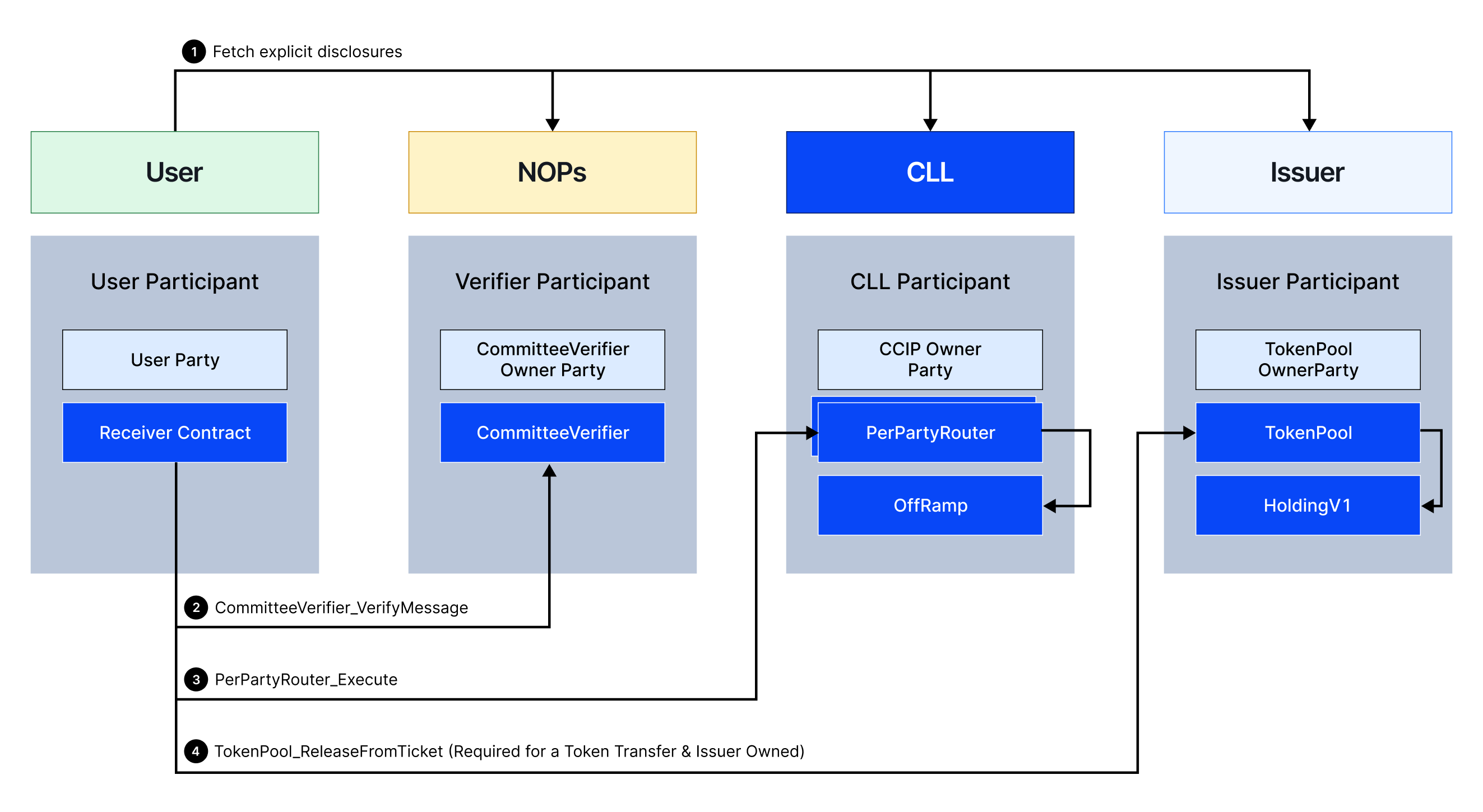
*Figure 1. Execute flow, on Canton, when Canton is the destination (receiving) chain.*
### 1. On the source chain
Using the [CCIP SDK/CLI](https://github.com/smartcontractkit/ccip-tools-ts), the sending user or dApp calls the Router on the source chain, which forwards the message to the chain's OnRamp. The OnRamp:
- Validates the message structure and contents.
- Forwards the message to all specified CommitteeVerifiers for additional validation if required.
- For token transfers: forwards the message to the token pool, which locks or burns tokens to be sent.
- Calculates the message fee and collects payment.
- Emits a [`CCIPMessageSent`](https://github.com/smartcontractkit/chainlink-ccip/blob/6ea6cc1d3db9c6075133dfc45fc4a8a5d1ca6abf/chains/evm/contracts/onRamp/OnRamp.sol#L58-L67) event containing the message payload.
CommitteeVerifier operators (for the default verifier, Chainlink NOPs) observe the event, validate it, generate proofs, sign with their signer keys, and aggregate proofs to the indexer.
Once all requested CommitteeVerifiers have submitted proofs, the message is ready for the **receiver to execute on Canton** — there is no automatic execution on Canton.
### 2. On Canton
Using the [CCIP API](/ccip/tools-resources/ccip-explorer), the status of messages destined for Canton can be retrieved. When a message is ready to execute, the receiver uses the [CCIP CLI](https://github.com/smartcontractkit/ccip-tools-ts/blob/main/ccip-cli/README.md) to manually execute it. Preparation includes:
- Fetching proofs from the indexer for the target transaction.
- Querying the CCIP EDS for explicit disclosures of CCIP contracts.
- Looking up the `PerPartyRouter` (or creating one via `PerPartyRouterFactory` on first use).
- For custom CommitteeVerifiers: querying the verifier's EDS for disclosures.
- For token transfers: querying the asset's Token Standard Registry and token pool operator's EDS.
To execute, the user interacts with the [`CCIPReceiver` contract](https://github.com/smartcontractkit/chainlink-canton/blob/main/contracts/ccip/receiver/daml/CCIP/CCIPReceiver.daml):
1. Deploy and configure a `CCIPReceiver`. Set `receiverFinalityConfig` according to how the receiver handles finality. The sender chooses requested finality in the message; the receiver config must allow it (FTF = faster than finality, FCR = safe confirmation, or default finality tag).
2. Call the receiver with the message and message proof.
3. The receiver calls each CommitteeVerifier; each verifies its proof and returns validation.
4. The receiver calls `PerPartyRouter_Execute` with CommitteeVerifier validations:
- `PerPartyRouter` forwards to the OffRamp, which verifies all required CommitteeVerifiers have validated.
- On success, the OffRamp/TokenPool consumes tickets and, for token transfers, issues a `TokenReceiveTicket`.
- `PerPartyRouter` marks the message executed to prevent double execution.
If the message contained a token transfer, the receiver uses the `TokenReceiveTicket` to call the token pool:
1. The token pool verifies the ticket was issued by the CCIP owner and creates an outgoing `TransferInstruction` to the token receiver party.
2. The receiver party accepts the `TransferInstruction` to gain access to the transferred tokens.
## Canton → Public chain
When Canton is the **source** (sending) chain.
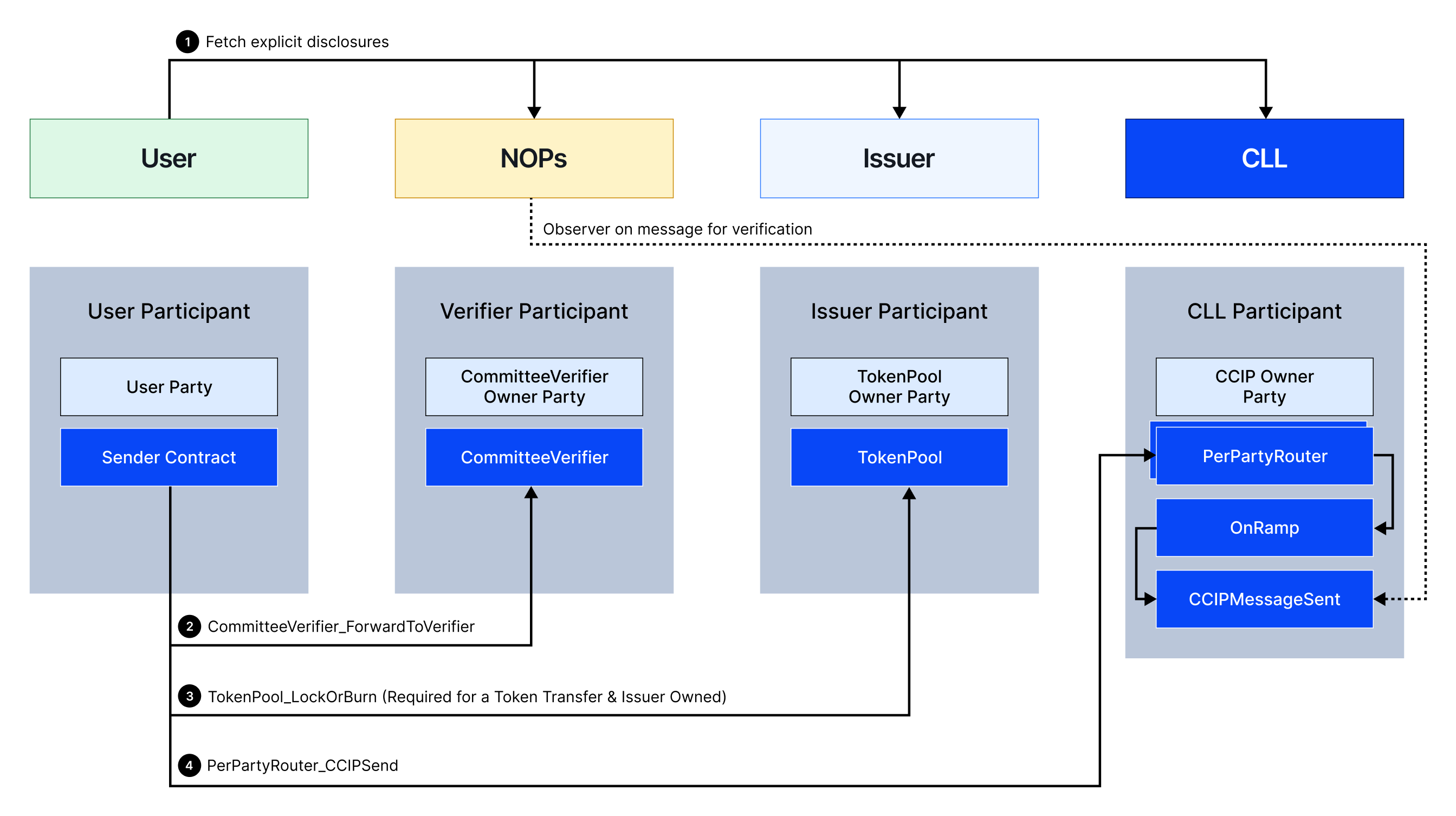
*Figure 2. Execute flow, on Canton, when Canton is the source (sending) chain.*
### 1. On Canton
Before sending, fetch explicit disclosures and prerequisites using the CCIP CLI:
- Query the CCIP EDS for disclosures of CCIP contracts.
- For custom CommitteeVerifiers: query the verifier's EDS.
- For token transfers: query the token pool operator's EDS and the asset registry API to create a `TransferInstruction` to the token pool owner party.
- Retrieve or create the current `PerPartyRouter` via `PerPartyRouterFactory`.
Using the CCIP CLI, create a `CCIPSender` contract and send a message:
- Call each CommitteeVerifier's `CommitteeVerifier_ForwardToVerifier`, returning a `CCVTicket`. Each verifier includes observer parties on the `CCIPMessageSent` event.
- For token transfers: call the token pool to lock/burn tokens; the pool issues a `TokenPoolTicket`.
- Call `PerPartyRouter_CCIPSend` with `CCVTicket`(s) and `TokenPoolTicket`(s). `PerPartyRouter` forwards to the OnRamp, which validates tickets and emits `CCIPMessageSent`.
- CommitteeVerifier operators observe, validate, generate proofs, and submit to the indexer.
- Once proofs are aggregated, the indexer marks the message ready for destination execution.
The message is written to the destination chain OffRamp by a custom executor or automatically by Chainlink NOPs (default executor).
### 2. On the destination chain
The OffRamp calls the receiving contract's `ccipReceive`. The OffRamp:
- Validates message structure and contents.
- Forwards to CommitteeVerifiers for signature validation.
- For token transfers: forwards to the token pool to unlock or mint received tokens.
## Key tools
| Tool | Role |
| :------------------------------------------------------------------ | :--------------------------------------------------------------- |
| [CCIP CLI / SDK](https://github.com/smartcontractkit/ccip-tools-ts) | Assemble disclosures, build messages, send and execute on Canton |
| [Global CCIP EDS](https://eds.ccip.chain.link) | Disclosures for Chainlink-hosted CCIP contracts |
| [CCIP Explorer](/ccip/tools-resources/ccip-explorer) | Track message status |
| Token pool operator EDS | Disclosures for issuer token pools during send/execute |
---
# Manual Execution (Canton)
Source: https://docs.chain.link/ccip/concepts/canton/manual-execution
Last Updated: 2026-07-07
> **CAUTION**
>
> Addresses shown may change due to upgrades since Canton contracts are immutable. Confirm party IDs and contract addresses with [Chainlink CCIP](https://chain.link/ccip-contact).
> **NOTE: Prerequisites**
>
> Read [Key Concepts](/ccip/concepts/canton/key-concepts) and the [flow overview](/ccip/concepts/canton/overview) before this page.
On Canton, **manual execution is required** when Canton is the **destination** chain. This is different from EVM-style CCIP, where manual execution is usually a fallback when automatic execution fails.
## Why Canton requires manual execution
Canton enforces **data privacy**: parties only see contracts they are stakeholders on. Incoming messages may involve private receiver contracts, token DARs, and token pool contracts that Chainlink operators cannot access on your participant.
Chainlink does **not** provide automatic execution of receiver contracts on Canton. The **receiver party** (or a party the receiver authorizes via [explicit disclosure](/ccip/concepts/canton/explicit-disclosure)) must execute each message after Committee Verifier proofs are aggregated on the indexer.
## When manual execution applies
| Scenario | Execution on Canton |
| :------------------------ | :------------------------------------------------------------------------------------------------------------------------------------------- |
| **Remote chain → Canton** | **Always manual** — receiver runs execute after proofs are ready |
| **Canton → remote chain** | Not applicable on Canton for inbound; destination chain may auto-execute (for example Sepolia via Chainlink NOPs) unless the sender skips it |
Plan every inbound integration for: send on source → wait for verification → **manual execute on Canton**.
## Execution workflow (remote chain → Canton)

*Figure 1. Execute flow when Canton is the destination (receiving) chain.*
### 1. Wait for the message to be ready
1. Track the message in the [CCIP Explorer](/ccip/tools-resources/ccip-explorer) or CCIP API.
2. Committee Verifier operators (for the default verifier, Chainlink NOPs) validate the source `CCIPMessageSent` event, generate proofs, and submit them to the **indexer**.
3. Once all required Committee Verifiers have submitted proofs, the message is ready for you to execute on Canton.
### 2. Prepare disclosures and proofs
Before submitting to the ledger, gather:
- **Proofs** from the indexer for the target transaction
- **Explicit disclosures** from the Global CCIP **EDS** for CCIP contracts
- Your **`PerPartyRouter`** (or create one via `PerPartyRouterFactory` on first use)
- For custom Committee Verifiers: disclosures from the verifier's EDS
- For token transfers: disclosures from the asset's Token Standard Registry and the **token pool operator's EDS**
See [Explicit Disclosure API](/ccip/concepts/canton/explicit-disclosure) for EDS endpoints.
### 3. Execute on Canton
Using the [CCIP CLI](https://github.com/smartcontractkit/ccip-tools-ts/blob/main/ccip-cli/README.md) or [`ccip-starter-kit-canton`](https://github.com/smartcontractkit/ccip-starter-kit-canton) `any2canton:manual-exec`, interact with [`CCIPReceiver`](https://github.com/smartcontractkit/chainlink-canton/blob/main/contracts/ccip/receiver/daml/CCIP/CCIPReceiver.daml):
1. Deploy and configure a `CCIPReceiver` if needed. Set `receiverFinalityConfig` to match how you handle finality (FTF, FCR, or default — the sender's requested finality must be allowed).
2. Call the receiver with the message and message proof.
3. The receiver validates proofs via each Committee Verifier and calls `PerPartyRouter_Execute`.
4. On success, the OffRamp marks the message executed (preventing double execution).
The SDK **finds or creates** a compatible `CCIPReceiver` on the default path — see [Canton as Destination](/ccip/tutorials/canton/destination) tutorials.
### 4. Token transfers — accept holdings
If the message included a token transfer:
1. The token pool creates a **`TransferInstruction`** to the receiver party.
2. The receiver party must **accept** the `TransferInstruction` to take custody — this is separate from the CCIP execute step.
For programmable token transfers, your receiver logic runs after tokens are available.
> **NOTE: Which identifier to pass**
>
> The manual-exec scripts accept **either** the source-chain transaction **or** the **CCIP Message ID** (`🆔 CCIP Message ID`, `0x…`) from the send output:
>
> - **Sepolia → Canton** (`any2canton:manual-exec`): Sepolia tx hash (`📜 Source transaction`) **or** the CCIP Message ID
> - **Canton → Sepolia** (`canton2any:manual-exec`): Canton update ID (`📜 Canton transaction` / Lighthouse link) **or** the CCIP Message ID
>
> Passing the **source transaction / update ID** builds the OffRamp and proofs locally from on-chain data (the indexer aggregates Committee Verifier proofs by transaction). Passing the **CCIP Message ID** lets the SDK fetch the OffRamp and verifications from the CCIP API instead. A Sepolia tx hash and a CCIP Message ID share the same `0x`+64-hex shape, so the script resolves the message from whichever matches.
## Tooling
| Tool | Execute command (starter kit) |
| :-------------------------- | :--------------------------------------------------------------------------------------- |
| Data-only message | `npm run any2canton:manual-exec -- ` after `any2canton:data` |
| Token transfer | Same after `any2canton:token` |
| Programmable token transfer | Same after `any2canton:data-and-token` |
Scripts use `@chainlink/ccip-sdk` with `canton-config.json` and ledger auth — the same model as `ccip-cli` without `--wallet`.
## Tutorials
Step-by-step walkthroughs:
- [Arbitrary Messaging (destination)](/ccip/tutorials/canton/destination/arbitrary-messaging)
- [Token Transfers (destination)](/ccip/tutorials/canton/destination/token-transfers)
- [Programmable Token Transfers (destination)](/ccip/tutorials/canton/destination/programmable-token-transfers)
Complete [Canton as Destination prerequisites](/ccip/tutorials/canton/destination/prerequisites) before running them.
---
# Token Pools (Canton)
Source: https://docs.chain.link/ccip/concepts/canton/token-pools
Last Updated: 2026-06-27
> **CAUTION**
>
> Addresses shown may change due to upgrades since Canton contracts are immutable. Confirm party IDs and contract addresses with [Chainlink CCIP](https://chain.link/ccip-contact).
CCIP supports the [CIP-56 Token Standard](https://github.com/canton-foundation/cips/blob/main/cip-0056/cip-0056.md). Making tokens transferable via CCIP is unpermissioned: the owner of a token or asset can deploy and configure a token pool to allow users to transfer the underlying asset to and from Canton.
A token pool deployment consists of:
- **On-ledger**: Token pool contract and Token Admin Registry (TAR) entry.
- **Off-ledger**: [Explicit Disclosure Service](/ccip/concepts/canton/explicit-disclosure) for the pool so users can obtain contract disclosures during send and execute flows.
## Token pool types
### BurnMint Token Pool
Designed for tokens whose supply can vary across chains. Requires the optional [`BurnMintFactory`](https://docs.canton.network/sdks-tools/api-reference/splice-daml/splice-api-token-burn-mint-v1/splice-api-token-burnmintv1) interface on the underlying token.
| Direction | Behavior |
| :------------------------ | :------------------------------------------------------------------------------------- |
| **Send (source)** | Sender tokens are **burned**; supply decreases on the source chain. |
| **Receive (destination)** | New tokens are **minted** for the receiver; supply increases on the destination chain. |
**Characteristics:**
- No pool liquidity required — mints on demand on receive.
- Underlying token must support `BurnMintFactory`.
- Pool owner **must** be the instrument admin (`instrumentId.admin == poolOwner`).
[Deploy a BurnMint pool →](/ccip/tutorials/canton/cross-chain-tokens/burn-mint-token-pool)
### LockRelease Token Pool
Designed for fixed-supply tokens where cross-chain transfers are backed by locked liquidity. Uses the CIP-56 `TransferFactory` interface.
| Direction | Behavior |
| :------------------------ | :--------------------------------------------------------------------------------------------------------------- |
| **Send (source)** | Sender tokens are **locked** (transferred to the pool owner via preapproval). |
| **Receive (destination)** | Tokens are **released** from pool holdings to the receiver — immediately or via a pending `TransferInstruction`. |
**Characteristics:**
- Pool must hold sufficient liquidity for inbound releases.
- Total supply remains constant; tokens move between pool and users.
- Token must support transfer preapprovals.
- Pool owner is not enforced to be instrument admin, but **strongly recommended** (see trust model below).
- Caller must provide pool holdings via `extraContext` on execute.
[Deploy a LockRelease pool →](/ccip/tutorials/canton/cross-chain-tokens/lock-release-token-pool)
## Token pool owner trust model
> **CAUTION: Trust boundary**
>
> CCIP fully trusts the **token pool owner party**. The pool owner controls remote-chain configuration, rate limits, fees, and how tokens are locked, burned, released, or minted. CCIP is not a stakeholder of the pool contract and delegates all token handling to the owner. CCIP cannot verify on Canton that tokens were actually locked or burned — it only verifies that the pool owner signed the outgoing transfer.
**Recommendations:**
- Use the **same party** for pool owner and instrument admin.
- **Decentralize** the party across multiple nodes so no single node is a point of failure. See [Canton Network decentralization docs](https://docs.canton.network/overview/reference/decentralization#decentralized-parties) and [Canton Foundation validators](https://canton.foundation/validators/).
## Registering on the Token Admin Registry
The Token Admin Registry maps each instrument to a single token pool. Registration is a three-step flow:
1. **Propose an administrator** — Instrument admin or CCIP owner calls `ProposeAdministrator` with a proposed admin party.
2. **Accept the admin role** — Proposed admin calls `AcceptAdminRole`.
3. **Set the pool** — Admin calls `SetPool` to link the instrument to the pool.
The admin role can be transferred via `TransferAdminRole` followed by `AcceptAdminRole`.
Deployment guides walk through TAR registration step by step:
- [BurnMint Token Pool Deployment](/ccip/tutorials/canton/cross-chain-tokens/burn-mint-token-pool)
- [LockRelease Token Pool Deployment](/ccip/tutorials/canton/cross-chain-tokens/lock-release-token-pool)
---
# Explicit Disclosure API (Canton)
Source: https://docs.chain.link/ccip/concepts/canton/explicit-disclosure
Last Updated: 2026-06-27
> **CAUTION**
>
> Addresses shown may change due to upgrades since Canton contracts are immutable. Confirm party IDs and contract addresses with [Chainlink CCIP](https://chain.link/ccip-contact).
On Canton, users must be given explicit access to contracts they interact with but are not stakeholders of. Token pool operators run an **Explicit Disclosure Service (EDS)** API that returns these disclosures so users can include them in ledger transactions.
## Global CCIP API
The Global CCIP API is **operated by Chainlink Labs** and provides disclosures for the core CCIP contracts (FeeQuoter, OnRamp, OffRamp, PerPartyRouterFactory, RMNRemote, TokenAdminRegistry, etc.). This API is made available to all users and does not need to be operated by third parties.
| Environment | URL |
| :---------- | :------------------------------------ |
| Testnet | `https://eds.testnet.ccip.chain.link` |
| Mainnet | `https://eds.ccip.chain.link` |
Example — fetch TAR disclosure via batch endpoint:
```shell
curl --request POST \
--url https://eds.testnet.ccip.chain.link/ccip/v1/global/disclosure/batch \
--header 'content-type: application/json' \
--data '{
"addresses": [
"tokenadminregistry-lzrnd@ccipOwner::1220e382f4e57b0815e6be737006e381e6b7de448e06bd033ece6df498017879f551"
]
}'
```
OpenAPI spec: [`eds-global.yaml`](https://github.com/smartcontractkit/chainlink-canton/blob/main/openapi/src/eds/global/eds-global.yaml) (`postGetExplicitDisclosureBatch` on `/ccip/v1/global/disclosure/batch`).
## External APIs (third-party operated)
Third-party operators of Token Pools, CommitteeVerifiers, and Executors are each responsible for running their own EDS API so that users can obtain the disclosures needed to interact with their contracts. These APIs follow a standardized API definition:
| API | Endpoints |
| :----------------------------------------------- | :---------------------------------------------------------------------------------------------------------------------------------------------------------------------------------------------------------------------------- |
| **Token Pool** | `POST /ccip/v1/external/tokenPool/{address}/send` — called before sending a message that includes a transfer of the operator's token; returns disclosures for the token pool along with a list of required CommitteeVerifiers |
| | `POST /ccip/v1/external/tokenPool/{address}/execute` — called before executing an incoming message that includes a transfer of the operator's token; returns disclosures and inputs for the token pool |
| **CommitteeVerifier API (optional coming soon)** | Provides disclosures and inputs for the CommitteeVerifier contract during send and execute flows |
Full API reference: [`openapi/src/eds/README.md`](https://github.com/smartcontractkit/chainlink-canton/blob/main/openapi/src/eds/README.md).
## EDS URL discovery
Users need the token pool operator's EDS URL. Recommended approach:
1. Operator creates a **Canton Name Service (CNS)** entry for their party with key `ccip.chain.link/edsUrls` and a comma-separated list of API URLs.
2. CCIP SDK/CLI discovers the URL automatically from the pool's `RawInstanceAddress` party ID.
Alternatively, communicate the EDS URL out-of-band via documentation or direct coordination.
## Reference implementation
A reference EDS is available as a [Docker image](https://github.com/smartcontractkit/chainlink-canton/blob/main/eds/eds.Dockerfile). It supports BurnMint and LockRelease token pools, default Token Pool / CommitteeVerifier / Executor APIs, and native Canton Token Standard APIs — configured via a single TOML file.
Example config: [`eds/testdata/config.toml`](https://github.com/smartcontractkit/chainlink-canton/blob/main/eds/testdata/config.toml).
> **TIP**
>
> Most issuers only need the `token_pool_api` block. Set `type = ""` or omit the block to disable token pool API serving during development.
### Configuration reference
| Field | Meaning |
| :--------------------------- | :-------------------------------------------------------------------------------------------- |
| `chain_selector` | Local Canton chain selector (distinct from remote selectors in `ApplyChainUpdates`). |
| `[node].url` | Participant gRPC Ledger API endpoint. EDS reads the Active Contract Set over this connection. |
| `[node.auth].type` | `static`, `insecureStatic`, `clientCredentials`, or `authorizationCode`. |
| `map key / instance_address` | Each pool keyed by instance address hex; map key **must** equal `instance_address`. |
| `type` | `burnMint` or `lockRelease`. |
| `pool_owner` | Pool owner party (should equal `instrumentId.admin`). |
Operators using the provided token pool contracts can run the reference implementation without custom code. **Custom pool implementations** must implement the standardized API endpoints or adapt the reference.
## Operator responsibilities
- **Availability** — EDS must stay reachable; users cannot send or execute token transfers involving your pool if it is down.
- **TLS** — Terminate TLS at a reverse proxy or load balancer; expose HTTPS publicly.
- **Participant connectivity** — EDS connects to your Canton participant via gRPC; configure permissions for ACS reads.
- **Authentication (optional)** — Default is unauthenticated; restrict at the proxy if needed.
- **CNS registration (recommended)** — Register `ccip.chain.link/edsUrls` for SDK/CLI discovery.
---
# Upgradability (Canton)
Source: https://docs.chain.link/ccip/concepts/canton/upgradability
Last Updated: 2026-07-10
> **CAUTION**
>
> Addresses shown may change due to upgrades since Canton contracts are immutable. Confirm party IDs and contract addresses with [Chainlink CCIP](https://chain.link/ccip-contact).
On Canton, CCIP logic ships as **Daml packages** packaged in **DAR** files. Participants load and **vet** packages on their nodes before they can interpret transactions. CCIP evolves by publishing new DAR versions — see the [chainlink-canton](https://github.com/smartcontractkit/chainlink-canton) repository for contract sources.
For participant operations (uploading DARs, vetting, and unvetting packages), see the [Canton Network documentation](https://docs.canton.network/) — for example [Manage Daml packages and archives](https://docs.canton.network/global-synchronizer/production-operations/manage-packages).
## Package structure
CCIP on Canton is organized as a tree of Daml packages with stable **interface** packages at the top, **core** implementations in the middle, and **third-party owned** packages — such as token pools, executors, and Committee Verifier operators — at the bottom.
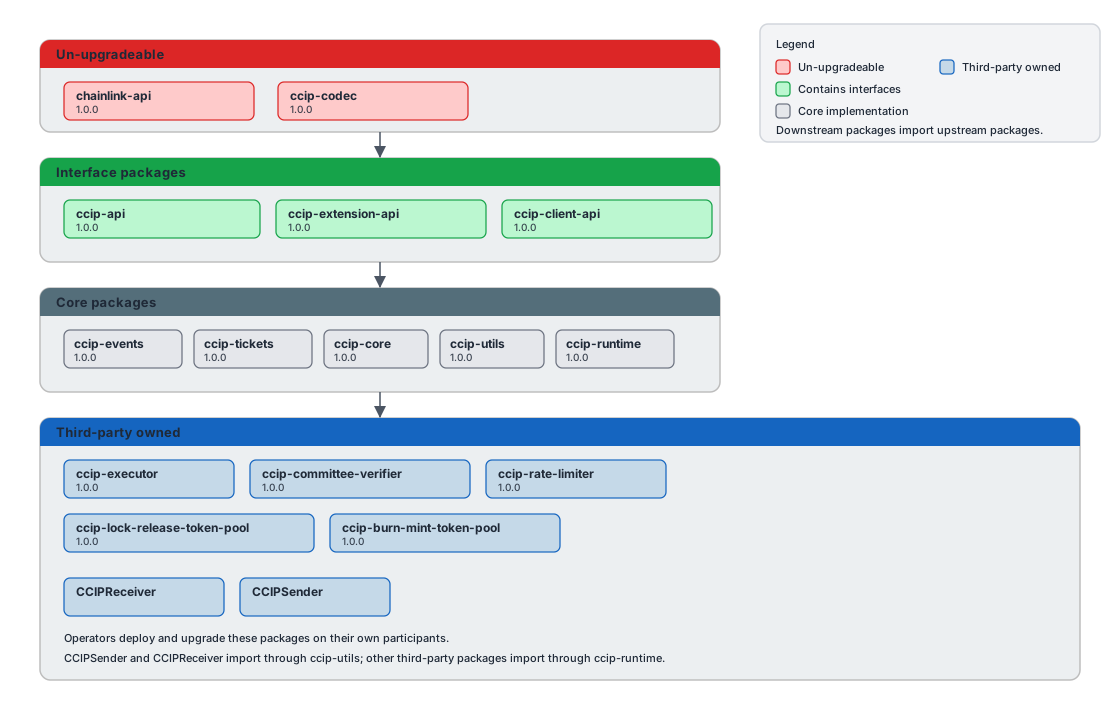
*Figure 1. CCIP Canton package dependencies. Downstream packages import upstream packages.*
Interface packages are not modified in place. When an implementation package is updated, any **downstream** package that imports it must be rebuilt and released. CCIP minimizes this by keeping extension points behind stable interfaces.
## Upgrading DARs on your participant
When Chainlink CCIP communicates a new version, **every validator that interacts with the updated contracts must upload and vet the new DARs**. In practice:
- **Users** who send or execute CCIP messages must vet new DARs for packages their workflows depend on.
- **Third-party operators** — token pool owners, Committee Verifier operators, executors, and similar parties — must upgrade when packages they operate are updated.
Typical rollout:
1. Chainlink builds the new DAR and communicates it to affected parties.
2. Chainlink uploads the DAR on its validators.
3. After a coordination window, affected parties upload the DAR on their own participants.
4. Depending on urgency, operators may **unvet** the previous package version so validators still on the old DAR can no longer interpret new transactions.
For low-impact enhancements, step 4 may be skipped — both versions can coexist until participants choose to upgrade.
Upload new DARs on your participant using the process in [Upload a DAR](https://docs.canton.network/global-synchronizer/production-operations/manage-packages#upload-a-dar).
### Token pools
If a new DAR affecting token pools is released, **deploy a new token pool**, register it in the [Token Admin Registry](/ccip/concepts/canton/token-pools#registering-on-the-token-admin-registry), and retire the old pool once traffic has moved.
> **NOTE: No liquidity migration on Canton**
>
> Canton token pools do **not** custody liquidity on-ledger — LockRelease pools use the pool owner's holdings; BurnMint pools mint and burn against instrument supply. As long as there are **no pending cross-chain messages** for the old pool, there is no on-ledger liquidity to migrate. Coordinate the cutover using the [CCIP Explorer](/ccip/tools-resources/ccip-explorer) and complete or execute any in-flight transfers before switching TAR registration to the new pool.
See the [BurnMint](/ccip/tutorials/canton/cross-chain-tokens/burn-mint-token-pool) and [LockRelease](/ccip/tutorials/canton/cross-chain-tokens/lock-release-token-pool) deployment guides for pool setup and TAR registration.
## Staying current
- Monitor communications from Chainlink CCIP operations for required DAR versions on your lanes.
- Confirm your participant has the CCIP DARs your workflows need before sending or executing — see [Key Concepts](/ccip/concepts/canton/key-concepts) and [source prerequisites](/ccip/tutorials/canton/source/prerequisites).
- Confirm party IDs and contract addresses with [Chainlink CCIP](https://chain.link/ccip-contact) when deployments change.
---
# CCIP Tutorials (EVM)
Source: https://docs.chain.link/ccip/tutorials/evm
Last Updated: 2025-05-19
You can explore several comprehensive guides to learn about cross-chain interoperability using CCIP. These tutorials provide step-by-step instructions to help you understand different patterns that you can incorporate into your blockchain projects.
## Guides
- [Transfer Tokens](/ccip/tutorials/evm/transfer-tokens-from-contract)
- [Transfer Tokens with Data](/ccip/tutorials/evm/programmable-token-transfers)
- [Transfer Tokens with Data - Defensive Example](/ccip/tutorials/evm/programmable-token-transfers-defensive)
- [Cross-Chain Token (CCT)](/ccip/tutorials/evm/cross-chain-tokens)
- [Test CCIP Locally](/ccip/tutorials/evm/test-ccip-locally)
- [Offchain](/ccip/tutorials/offchain)
- [Transfer USDC with Data](/ccip/tutorials/evm/usdc)
- [Send Arbitrary Data](/ccip/tutorials/evm/send-arbitrary-data)
- [Send Arbitrary Data and Receive Transfer Confirmation: A -> B -> A](/ccip/tutorials/evm/send-arbitrary-data-receipt-acknowledgment)
- [Manual Execution](/ccip/tutorials/evm/manual-execution)
- [Optimizing Gas Limit Settings in CCIP Messages](/ccip/tutorials/evm/ccipreceive-gaslimit)
- [Acquire Test Tokens](/ccip/test-tokens)
---
# CCIP Tutorials (SVM)
Source: https://docs.chain.link/ccip/tutorials/svm
Last Updated: 2025-08-22
Chainlink CCIP enables secure cross-chain communication between Solana and EVM blockchains. These tutorials will help you implement cross-chain functionality in both directions.
## Getting Started
Before diving into specific implementations, ensure you understand the fundamentals:
- [Prerequisites for SVM to EVM Tutorials](/ccip/tutorials/svm/source/prerequisites) - Set up your development environment for Solana-based CCIP development
- [Implementing CCIP Receivers](/ccip/tutorials/svm/receivers) - Learn how to build secure Solana programs that can receive cross-chain messages
## Using Solana as a Source Chain
Send messages and tokens from Solana to EVM chains:
- [SVM to EVM Guide](/ccip/tutorials/svm/source) - Comprehensive guide for building all types of CCIP messages from Solana to EVM chains
- [Token Transfers](/ccip/tutorials/svm/source/token-transfers) - Transfer tokens from Solana to EVM chains without executing code on the destination
## Using Solana as a Destination Chain
Send messages and tokens from EVM chains to Solana:
- [EVM to SVM Guide](/ccip/tutorials/svm/destination) - Comprehensive guide for building all types of CCIP messages from EVM chains to Solana
- [Token Transfers](/ccip/tutorials/svm/destination/token-transfers) - Transfer tokens from EVM chains to Solana wallets
- [Arbitrary Messaging](/ccip/tutorials/svm/destination/arbitrary-messaging) - Send data from EVM chains to execute programs on Solana
## Cross-Chain Token (CCT) Standard
Implement cross-chain tokens that can transfer between Solana and EVM chains using different governance approaches:
- [Cross-Chain Token Tutorials](/ccip/tutorials/svm/cross-chain-tokens) - Complete guide to implementing cross-chain tokens with various governance models
- [Direct Mint Authority Transfer](/ccip/tutorials/svm/cross-chain-tokens/direct-mint-authority) - Simplified approach for development and testing environments
- [SPL Token Multisig Tutorial](/ccip/tutorials/svm/cross-chain-tokens/spl-token-multisig-tutorial) - Educational multisig concepts for learning governance patterns
- [Production Multisig Governance](/ccip/tutorials/svm/cross-chain-tokens/production-multisig-tutorial) - Enterprise-grade dual-layer governance for production deployments
## Architecture Reference
Key Differences from EVM:
- **Account Model:** Solana uses an account-based architecture where programs are stateless and all data is stored in accounts
- **PDAs:** Program Derived Addresses provide deterministic storage for Solana programs
- **Explicit Access:** Programs can only access accounts explicitly provided to them
- **Token Accounts:** Each token requires a separate Associated Token Account (ATA)
Message Types:
- **Token Transfers:** Send tokens across chains without program execution
- **Arbitrary Messaging:** Send data to trigger program execution on the destination chain
- **Programmable Token Transfers:** Send both tokens and data in a single message to trigger program execution with token transfers
> **NOTE**
>
> These tutorials use the Solana Devnet and Ethereum Sepolia testnet for demonstration purposes. When deploying to
> production, make sure to thoroughly test your implementation and follow all security best practices.
---
# CCIP Tutorials (Aptos)
Source: https://docs.chain.link/ccip/tutorials/aptos
Last Updated: 2025-09-03
Chainlink CCIP enables secure cross-chain communication between Aptos and EVM blockchains. These tutorials will help you implement cross-chain functionality in both directions.
## Getting Started
Before diving into specific implementations, ensure you understand the fundamentals:
- [Prerequisites for Aptos to EVM Tutorials](/ccip/tutorials/aptos/source/prerequisites) - Set up your development environment for Aptos -> EVM CCIP development.
- [Prerequisites for EVM to Aptos Tutorials](/ccip/tutorials/aptos/destination/prerequisites) - Set up your development environment for EVM -> Aptos CCIP development.
## Using Aptos as a Source Chain
Send messages and tokens from Aptos to EVM chains:
- [Aptos to EVM Guide](/ccip/tutorials/aptos/source) - Comprehensive guide for building all types of CCIP messages from Aptos to EVM chains.
- [Token Transfers](/ccip/tutorials/aptos/source/token-transfers) - Transfer tokens from Aptos to EVM chains without executing code on the destination.
## Using Aptos as a Destination Chain
Send messages and tokens from EVM chains to Aptos:
- [EVM to Aptos Guide](/ccip/tutorials/aptos/destination) - Comprehensive guide for building all types of CCIP messages from EVM chains to Aptos.
- [Token Transfers](/ccip/tutorials/aptos/destination/token-transfers) - Transfer tokens from EVM chains to Aptos wallets.
## Architecture Reference
Key Differences from EVM:
- **Account Model:** Aptos uses an account-based model where code (modules) and data (resources) are stored directly within accounts.
- **Resource Model:** The Move language on Aptos uses a resource model that provides strong ownership and access control, ensuring resources cannot be duplicated or accidentally destroyed.
- **Explicit Access:** Modules define functions that can explicitly access and modify the resources stored within an account.
- **Fungible Assets:** Tokens are typically handled via the Fungible Asset standard, where assets are stored as resources within an owner's account.
Message Types:
- **Token Transfers:** Send tokens across chains without program execution.
- **Arbitrary Messaging:** Send data to trigger program execution on the destination chain.
- **Programmable Token Transfers:** Send both tokens and data in a single message to trigger program execution with token transfers.
> **NOTE**
>
> These tutorials use the Aptos Testnet and Ethereum Sepolia testnet for demonstration purposes. When deploying to
> production, make sure to thoroughly test your implementation and follow all security best practices.
---
# CCIP Tutorials (TON)
Source: https://docs.chain.link/ccip/tutorials/ton
Last Updated: 2026-03-29
Chainlink CCIP enables secure cross-chain communication between TON and EVM blockchains. These tutorials will help you implement cross-chain arbitrary messaging in both directions.
## Getting Started
Before diving into specific implementations, ensure you understand the fundamentals:
- [Prerequisites for TON to EVM Tutorials](/ccip/tutorials/ton/source/prerequisites) - Set up your development environment for TON → EVM CCIP development.
- [Prerequisites for EVM to TON Tutorials](/ccip/tutorials/ton/destination/prerequisites) - Set up your development environment for EVM → TON CCIP development.
## Implementing CCIP Receivers on TON
Before sending any cross-chain message to TON, you need a receiver contract deployed on TON Testnet:
- [Implementing CCIP Receivers](/ccip/tutorials/ton/receivers) - Understand the TON CCIP receiver protocol and deploy a `MessageReceiver`, `MinimalReceiver`, or `ReceiverWithValidateAndConfirm` contract.
## Using TON as a Source Chain
Send messages from TON to EVM chains:
- [TON to EVM Guide](/ccip/tutorials/ton/source) - Guide for building CCIP messages from TON to EVM chains.
- [Arbitrary Messaging](/ccip/tutorials/ton/source/arbitrary-messaging) - Send a data payload from a TON wallet to a receiver contract on Ethereum Sepolia.
## Using TON as a Destination Chain
Send messages from EVM chains to TON:
- [EVM to TON Guide](/ccip/tutorials/ton/destination) - Guide for building CCIP messages from EVM chains to TON.
- [Arbitrary Messaging](/ccip/tutorials/ton/destination/arbitrary-messaging) - Send a data payload from Ethereum Sepolia to a receiver contract on TON Testnet.
## Architecture Reference
Key Differences from EVM:
- **Cell-Based Storage:** TON uses a Cell data structure (TL-B format) instead of ABI-encoded byte arrays. All CCIP message fields are serialized into Cells using builder primitives.
- **Actor Model:** TON contracts communicate by passing messages between actors. CCIP delivery follows a multi-step internal message flow: `Receiver_CCIPReceive` → contract logic → `Router_CCIPReceiveConfirm`.
- **Tolk Language:** TON smart contracts in the starter kit are written in Tolk, a statically-typed language that compiles to TVM bytecode.
Message Types:
- **Arbitrary Messaging:** Send a data payload to trigger logic execution on the destination chain. Currently the only supported message type on TON CCIP lanes.
> **NOTE**
>
> These tutorials use TON Testnet and Ethereum Sepolia for demonstration purposes. When deploying to production, make
> sure to thoroughly test your implementation and follow all security best practices.
---
# CCIP Test Tokens - Faucets for EVM and Solana
Source: https://docs.chain.link/ccip/test-tokens
Last Updated: 2025-08-19
CCIP provides test tokens that you can mint on testnets for development and testing.
## Quick Start
### EVM Chains
Call the `drip` function directly on token contracts using the interface below or through block explorers:
> **CAUTION**
>
> Some wallet extensions may have incomplete or buggy EVM testnet support. If you run into issues adding/switching
> networks or minting, try an EVM-focused wallet.
### Solana Devnet
Use the dedicated faucet interface for CCIP-BnM tokens:
#### Amount and rate limits
- The faucet mints **1 CCIP‑BnM** per request.
- Requests are **rate‑limited to about once every 3 hours per wallet**.
#### Signature requirement
The faucet requires wallet signature verification. When you request tokens, your wallet will prompt you to sign a message.
- Message signing is free (no SOL required) and grants no spending permissions.
- After signature verification, the server executes the token mint transaction.
## About CCIP Test Tokens
CCIP supports specialized test tokens designed for cross-chain testing. These tokens are available on all CCIP-supported testnets.
| Token | Type | Availability | Description |
| ------------ | ----------- | ------------------------------------------------------------- | -------------------------------------------------------------- |
| **CCIP-BnM** | Burn & Mint | All testnets | Burned on source chain, minted on destination chain |
| **CCIP-LnM** | Lock & Mint | Ethereum Sepolia (native)Other chains (wrapped as clCCIP-LnM) | Locked on Ethereum Sepolia, minted as wrapped tokens elsewhere |
On EVM chains, tokens are minted by calling the `drip` function directly on contracts. On Solana Devnet, CCIP-BnM tokens are available through a dedicated faucet interface.
## LINK Token Faucets
For CCIP operations, you also need LINK tokens to pay transaction fees. Use the official [Chainlink faucets](https://faucets.chain.link/) to obtain LINK tokens on supported testnets by connecting your wallet.
## Block Explorer Method (EVM Chains)
For EVM chains, you call the `drip` function directly on token contracts. You can use block explorers instead of the interface above:
```solidity
function drip(address to) external {
_mint(to, 1e18);
}
```
### General Process
Navigate to the [CCIP Directory](/ccip/directory/testnet) to find token contract addresses, open the contract on the appropriate block explorer, connect your wallet, and call the `drip` function with your wallet address.
### Example: Ethereum Sepolia CCIP-BnM
Locate the CCIP-BnM contract address in the [CCIP Directory](/ccip/directory/testnet) under [Ethereum Sepolia](/ccip/directory/testnet/chain/ethereum-testnet-sepolia). Open the [contract on Etherscan](https://sepolia.etherscan.io/address/0xFd57b4ddBf88a4e07fF4e34C487b99af2Fe82a05), navigate to the Contract tab, select Write Contract, and connect your wallet. Call the `drip` function with your wallet address to mint 1 CCIP-BnM token. Import the token in your wallet using this [MetaMask guide](https://support.metamask.io/hc/en-us/articles/360015489031#h_01FWH492CHY60HWPC28RW0872H).
---
# CCIP Tools API, SDK & CLI
Source: https://docs.chain.link/ccip/tutorials/offchain
Last Updated: 2026-03-02
Chainlink CCIP provides three tools for interacting with CCIP programmatically:
- **[CCIP Tools REST API (v2)](https://docs.chain.link/ccip/tools/api/)**: REST API with endpoints for querying messages and their details, lane latency, and intents.
- **[CCIP SDK](https://docs.chain.link/ccip/tools/sdk/)** ([`@chainlink/ccip-sdk`](https://www.npmjs.com/package/@chainlink/ccip-sdk)): A TypeScript library for sending messages, transferring tokens, estimating fees, and querying CCIP activity.
- **[CCIP CLI](https://docs.chain.link/ccip/tools/cli/)** ([`@chainlink/ccip-cli`](https://www.npmjs.com/package/@chainlink/ccip-cli)): A command-line interface built on top of the SDK.
The [ccip-sdk-examples](https://github.com/smartcontractkit/ccip-sdk-examples) repository contains code samples demonstrating common patterns for using the CCIP SDK.
For installation, usage examples, and full reference documentation, see the [CCIP Tools documentation](https://docs.chain.link/ccip/tools/).
---
# Transfer Tokens Between Chains from Smart Contracts
Source: https://docs.chain.link/ccip/tutorials/evm/transfer-tokens-from-contract
Last Updated: 2025-05-19
In this tutorial, you will use Chainlink CCIP to transfer tokens from a smart contract to an account on a different blockchain. First, you will pay for the CCIP fees on the source blockchain using LINK. Then, you will use the same contract to pay CCIP fees in native gas tokens. For example, you would use ETH on Ethereum or AVAX on Avalanche.
> **NOTE: Node Operator Rewards**
>
> CCIP rewards the oracle node in LINK.
> **CAUTION: Transferring tokens**
>
> This tutorial uses the term "transferring tokens" even though the tokens are not technically transferred. Instead,
> they are locked or burned on the source chain and then unlocked or minted on the destination chain. Read the [Token
> Pools](/ccip/concepts/cross-chain-token/evm/token-pools) section to understand the various mechanisms that are used to
> transfer value across chains.
## Before you begin
1. You should understand how to write, compile, deploy, and fund a smart contract. If you need to brush up on the basics, read this [tutorial](/quickstarts/deploy-your-first-contract), which will guide you through using the [Solidity programming language](https://soliditylang.org/), interacting with the [MetaMask wallet](https://metamask.io) and working within the [Remix Development Environment](https://remix.ethereum.org/).
2. Your account must have some AVAX and LINK tokens on *Avalanche Fuji*. Learn how to [Acquire testnet LINK](/resources/acquire-link).
3. Check the [CCIP Directory](/ccip/directory) to confirm that the tokens you will transfer are supported for your lane. In this example, you will transfer tokens from *Avalanche Fuji* to *Ethereum Sepolia* so check the list of supported tokens [here](/ccip/directory/testnet/chain/avalanche-fuji-testnet).
4. Learn how to [acquire CCIP test tokens](/ccip/test-tokens#evm-chains). Following this guide, you should have CCIP-BnM tokens, and CCIP-BnM should appear in the list of your tokens in MetaMask.
5. Learn how to [fund your contract](/resources/fund-your-contract). This guide shows how to fund your contract in LINK, but you can use the same guide to fund your contract with any ERC20 tokens as long as they appear in the list of tokens in MetaMask.
## Tutorial
> **NOTE: Optimize your development with the CCIP local simulator**
>
> Enhance your development workflow using the [Chainlink CCIP local
> simulator](https://github.com/smartcontractkit/chainlink-local), an installable package designed to simulate Chainlink
> CCIP locally within your Hardhat and Foundry projects. It provides a robust smart contracts and scripts suite,
> enabling you to build, deploy, and execute CCIP token transfers and arbitrary messages on a local Hardhat or Anvil
> development node. With Chainlink Local, you can also work on forked nodes, ensuring a seamless transition of your
> contracts to test networks without modifications. Start integrating Chainlink Local today to streamline your
> development process and validate your CCIP implementations effectively.
In this tutorial, you will transfer [CCIP-BnM](/ccip/test-tokens#about-ccip-test-tokens) tokens from a contract on Avalanche Fuji to an account on Ethereum Sepolia. First, you will pay [CCIP fees in LINK](#transfer-tokens-and-pay-in-link), then you will pay [CCIP fees in native gas](#transfer-tokens-and-pay-in-native). The destination account can be an [EOA (Externally Owned Account)](https://ethereum.org/en/developers/docs/accounts/#types-of-account) or a smart contract. Moreover, the example shows how to transfer CCIP-BnM tokens, but you can re-use the same example to transfer other tokens as long as they are supported for your [lane](/ccip/concepts/architecture/key-concepts#lane).
```sol
// SPDX-License-Identifier: MIT
pragma solidity 0.8.24;
import {IRouterClient} from "@chainlink/contracts-ccip/contracts/interfaces/IRouterClient.sol";
import {Client} from "@chainlink/contracts-ccip/contracts/libraries/Client.sol";
import {OwnerIsCreator} from "@chainlink/contracts@1.4.0/src/v0.8/shared/access/OwnerIsCreator.sol";
import {IERC20} from "@openzeppelin/contracts/token/ERC20/IERC20.sol";
import {SafeERC20} from "@openzeppelin/contracts/token/ERC20/utils/SafeERC20.sol";
/**
* THIS IS AN EXAMPLE CONTRACT THAT USES HARDCODED VALUES FOR CLARITY.
* THIS IS AN EXAMPLE CONTRACT THAT USES UN-AUDITED CODE.
* DO NOT USE THIS CODE IN PRODUCTION.
*/
/// @title - A simple contract for transferring tokens across chains.
contract TokenTransferor is OwnerIsCreator {
using SafeERC20 for IERC20;
// Custom errors to provide more descriptive revert messages.
error NotEnoughBalance(uint256 currentBalance, uint256 requiredBalance); // Used to make sure contract has enough
// token balance
error NothingToWithdraw(); // Used when trying to withdraw Ether but there's nothing to withdraw.
error FailedToWithdrawEth(address owner, address target, uint256 value); // Used when the withdrawal of Ether fails.
error DestinationChainNotAllowlisted(uint64 destinationChainSelector); // Used when the destination chain has not been
// allowlisted by the contract owner.
error InvalidReceiverAddress(); // Used when the receiver address is 0.
// Event emitted when the tokens are transferred to an account on another chain.
// The chain selector of the destination chain.
// The address of the receiver on the destination chain.
// The token address that was transferred.
// The token amount that was transferred.
// the token address used to pay CCIP fees.
// The fees paid for sending the message.
event TokensTransferred( // The unique ID of the message.
bytes32 indexed messageId,
uint64 indexed destinationChainSelector,
address receiver,
address token,
uint256 tokenAmount,
address feeToken,
uint256 fees
);
// Mapping to keep track of allowlisted destination chains.
mapping(uint64 => bool) public allowlistedChains;
IRouterClient private s_router;
IERC20 private s_linkToken;
/// @notice Constructor initializes the contract with the router address.
/// @param _router The address of the router contract.
/// @param _link The address of the link contract.
constructor(
address _router,
address _link
) {
s_router = IRouterClient(_router);
s_linkToken = IERC20(_link);
}
/// @dev Modifier that checks if the chain with the given destinationChainSelector is allowlisted.
/// @param _destinationChainSelector The selector of the destination chain.
modifier onlyAllowlistedChain(
uint64 _destinationChainSelector
) {
if (!allowlistedChains[_destinationChainSelector]) {
revert DestinationChainNotAllowlisted(_destinationChainSelector);
}
_;
}
/// @dev Modifier that checks the receiver address is not 0.
/// @param _receiver The receiver address.
modifier validateReceiver(
address _receiver
) {
if (_receiver == address(0)) revert InvalidReceiverAddress();
_;
}
/// @dev Updates the allowlist status of a destination chain for transactions.
/// @notice This function can only be called by the owner.
/// @param _destinationChainSelector The selector of the destination chain to be updated.
/// @param allowed The allowlist status to be set for the destination chain.
function allowlistDestinationChain(
uint64 _destinationChainSelector,
bool allowed
) external onlyOwner {
allowlistedChains[_destinationChainSelector] = allowed;
}
/// @notice Transfer tokens to receiver on the destination chain.
/// @notice pay in LINK.
/// @notice the token must be in the list of supported tokens.
/// @notice This function can only be called by the owner.
/// @dev Assumes your contract has sufficient LINK tokens to pay for the fees.
/// @param _destinationChainSelector The identifier (aka selector) for the destination blockchain.
/// @param _receiver The address of the recipient on the destination blockchain.
/// @param _token token address.
/// @param _amount token amount.
/// @return messageId The ID of the message that was sent.
function transferTokensPayLINK(
uint64 _destinationChainSelector,
address _receiver,
address _token,
uint256 _amount
)
external
onlyOwner
onlyAllowlistedChain(_destinationChainSelector)
validateReceiver(_receiver)
returns (bytes32 messageId)
{
// Create an EVM2AnyMessage struct in memory with necessary information for sending a cross-chain message
// address(linkToken) means fees are paid in LINK
Client.EVM2AnyMessage memory evm2AnyMessage = _buildCCIPMessage(_receiver, _token, _amount, address(s_linkToken));
// Get the fee required to send the message
uint256 fees = s_router.getFee(_destinationChainSelector, evm2AnyMessage);
uint256 requiredLinkBalance;
if (_token == address(s_linkToken)) {
// Required LINK Balance is the sum of fees and amount to transfer, if the token to transfer is LINK
requiredLinkBalance = fees + _amount;
} else {
requiredLinkBalance = fees;
}
uint256 linkBalance = s_linkToken.balanceOf(address(this));
if (requiredLinkBalance > linkBalance) {
revert NotEnoughBalance(linkBalance, requiredLinkBalance);
}
// approve the Router to transfer LINK tokens on contract's behalf. It will spend the requiredLinkBalance
s_linkToken.approve(address(s_router), requiredLinkBalance);
// If sending a token other than LINK, approve it separately
if (_token != address(s_linkToken)) {
uint256 tokenBalance = IERC20(_token).balanceOf(address(this));
if (_amount > tokenBalance) {
revert NotEnoughBalance(tokenBalance, _amount);
}
// approve the Router to spend tokens on contract's behalf. It will spend the amount of the given token
IERC20(_token).approve(address(s_router), _amount);
}
// Send the message through the router and store the returned message ID
messageId = s_router.ccipSend(_destinationChainSelector, evm2AnyMessage);
// Emit an event with message details
emit TokensTransferred(messageId, _destinationChainSelector, _receiver, _token, _amount, address(s_linkToken), fees);
// Return the message ID
return messageId;
}
/// @notice Transfer tokens to receiver on the destination chain.
/// @notice Pay in native gas such as ETH on Ethereum or POL on Polygon.
/// @notice the token must be in the list of supported tokens.
/// @notice This function can only be called by the owner.
/// @dev Assumes your contract has sufficient native gas like ETH on Ethereum or POL on Polygon.
/// @param _destinationChainSelector The identifier (aka selector) for the destination blockchain.
/// @param _receiver The address of the recipient on the destination blockchain.
/// @param _token token address.
/// @param _amount token amount.
/// @return messageId The ID of the message that was sent.
function transferTokensPayNative(
uint64 _destinationChainSelector,
address _receiver,
address _token,
uint256 _amount
)
external
onlyOwner
onlyAllowlistedChain(_destinationChainSelector)
validateReceiver(_receiver)
returns (bytes32 messageId)
{
// Create an EVM2AnyMessage struct in memory with necessary information for sending a cross-chain message
// address(0) means fees are paid in native gas
Client.EVM2AnyMessage memory evm2AnyMessage = _buildCCIPMessage(_receiver, _token, _amount, address(0));
// Get the fee required to send the message
uint256 fees = s_router.getFee(_destinationChainSelector, evm2AnyMessage);
if (fees > address(this).balance) {
revert NotEnoughBalance(address(this).balance, fees);
}
// approve the Router to spend tokens on contract's behalf. It will spend the amount of the given token
IERC20(_token).approve(address(s_router), _amount);
// Send the message through the router and store the returned message ID
messageId = s_router.ccipSend{value: fees}(_destinationChainSelector, evm2AnyMessage);
// Emit an event with message details
emit TokensTransferred(messageId, _destinationChainSelector, _receiver, _token, _amount, address(0), fees);
// Return the message ID
return messageId;
}
/// @notice Construct a CCIP message.
/// @dev This function will create an EVM2AnyMessage struct with all the necessary information for tokens transfer.
/// @param _receiver The address of the receiver.
/// @param _token The token to be transferred.
/// @param _amount The amount of the token to be transferred.
/// @param _feeTokenAddress The address of the token used for fees. Set address(0) for native gas.
/// @return Client.EVM2AnyMessage Returns an EVM2AnyMessage struct which contains information for sending a CCIP
/// message.
function _buildCCIPMessage(
address _receiver,
address _token,
uint256 _amount,
address _feeTokenAddress
) private pure returns (Client.EVM2AnyMessage memory) {
// Set the token amounts
Client.EVMTokenAmount[] memory tokenAmounts = new Client.EVMTokenAmount[](1);
tokenAmounts[0] = Client.EVMTokenAmount({token: _token, amount: _amount});
// Create an EVM2AnyMessage struct in memory with necessary information for sending a cross-chain message
return Client.EVM2AnyMessage({
receiver: abi.encode(_receiver), // ABI-encoded receiver address
data: "", // No data
tokenAmounts: tokenAmounts, // The amount and type of token being transferred
extraArgs: Client._argsToBytes(
// Additional arguments, setting gas limit and allowing out-of-order execution.
// Best Practice: For simplicity, the values are hardcoded. It is advisable to use a more dynamic approach
// where you set the extra arguments off-chain. This allows adaptation depending on the lanes, messages,
// and ensures compatibility with future CCIP upgrades. Read more about it here:
// https://docs.chain.link/ccip/concepts/best-practices/evm#using-extraargs
Client.GenericExtraArgsV2({
gasLimit: 0, // Gas limit for the callback on the destination chain
allowOutOfOrderExecution: true // Allows the message to be executed out of order relative to other messages
// from
// the same sender
})
),
// Set the feeToken to a feeTokenAddress, indicating specific asset will be used for fees
feeToken: _feeTokenAddress
});
}
/// @notice Fallback function to allow the contract to receive Ether.
/// @dev This function has no function body, making it a default function for receiving Ether.
/// It is automatically called when Ether is transferred to the contract without any data.
receive() external payable {}
/// @notice Allows the contract owner to withdraw the entire balance of Ether from the contract.
/// @dev This function reverts if there are no funds to withdraw or if the transfer fails.
/// It should only be callable by the owner of the contract.
/// @param _beneficiary The address to which the Ether should be transferred.
function withdraw(
address _beneficiary
) public onlyOwner {
// Retrieve the balance of this contract
uint256 amount = address(this).balance;
// Revert if there is nothing to withdraw
if (amount == 0) revert NothingToWithdraw();
// Attempt to send the funds, capturing the success status and discarding any return data
(bool sent,) = _beneficiary.call{value: amount}("");
// Revert if the send failed, with information about the attempted transfer
if (!sent) revert FailedToWithdrawEth(msg.sender, _beneficiary, amount);
}
/// @notice Allows the owner of the contract to withdraw all tokens of a specific ERC20 token.
/// @dev This function reverts with a 'NothingToWithdraw' error if there are no tokens to withdraw.
/// @param _beneficiary The address to which the tokens will be sent.
/// @param _token The contract address of the ERC20 token to be withdrawn.
function withdrawToken(
address _beneficiary,
address _token
) public onlyOwner {
// Retrieve the balance of this contract
uint256 amount = IERC20(_token).balanceOf(address(this));
// Revert if there is nothing to withdraw
if (amount == 0) revert NothingToWithdraw();
IERC20(_token).safeTransfer(_beneficiary, amount);
}
}
```
### Deploy your contracts
To use this contract:
1. [Open the contract in Remix](https://remix.ethereum.org/#url=https://docs.chain.link/samples/CCIP/TokenTransferor.sol).
2. Compile your contract.
3. Deploy and fund your sender contract on *Avalanche Fuji*:
1. Open MetaMask and select the *Avalanche Fuji* network.
2. In Remix IDE, click *Deploy & Run Transactions* and select *Injected Provider - MetaMask* from the environment list. Remix will then interact with your MetaMask wallet to communicate with *Avalanche Fuji*.
3. Fill in your blockchain's router and LINK contract addresses. The router address can be found on the [CCIP Directory](/ccip/directory) and the LINK contract address on the [LINK token contracts page](/resources/link-token-contracts). For *Avalanche Fuji*:
- The router address is 0xF694E193200268f9a4868e4Aa017A0118C9a8177,
- The LINK contract address is 0x0b9d5D9136855f6FEc3c0993feE6E9CE8a297846.
4. Click the **transact** button. After you confirm the transaction, the contract address appears on the *Deployed Contracts* list.
Note your contract address.
5. Open MetaMask and fund your contract with CCIP-BnM tokens. You can transfer 0.002 *CCIP-BnM* to your contract.
4. Enable your contract to transfer tokens to *Ethereum Sepolia*:
1. In Remix IDE, under *Deploy & Run Transactions*, open the list of functions for your smart contract deployed on *Avalanche Fuji*.
2. Call the `allowlistDestinationChain` function with 16015286601757825753 as the destination chain selector, and true as allowed. Each chain selector is found on the [CCIP Directory](/ccip/directory).
### Transfer tokens and pay in LINK
You will transfer *0.001 CCIP-BnM*. The CCIP fees for using CCIP will be paid in LINK. Read this [explanation](#transferring-tokens-and-pay-in-link) for a detailed description of the code example.
1. Open MetaMask and connect to *Avalanche Fuji*. Fund your contract with LINK tokens. You can transfer 70 *LINK* to your contract. **Note**: The LINK tokens are used to pay for CCIP fees.
**Note:** This transaction fee is significantly higher than normal due to gas spikes on Sepolia. To run this example, you can get additional testnet LINK
from [faucets.chain.link](https://faucets.chain.link) or use a supported testnet other than Sepolia.
2. Transfer CCIP-BnM from *Avalanche Fuji*:
1. Open MetaMask and select the network *Avalanche Fuji*.
2. In Remix IDE, under *Deploy & Run Transactions*, open the list of functions for your smart contract deployed on *Avalanche Fuji*.
3. Fill in the arguments of the ***transferTokensPayLINK*** function:
| Argument | Value and Description |
| -------------------------- | ----------------------------------------------------------------------------------------------------------------------------------------------------------------------------------------------------------------------------------------- |
| _destinationChainSelector | 16015286601757825753 CCIP Chain identifier of the destination blockchain (*Ethereum Sepolia* in this example). You can find each chain selector on the [CCIP Directory](/ccip/directory). |
| _receiver | Your account address on *Ethereum Sepolia*. The destination account address. It could be a smart contract or an EOA. |
| _token | 0xD21341536c5cF5EB1bcb58f6723cE26e8D8E90e4 The *CCIP-BnM* contract address at the source chain (*Avalanche Fuji* in this example). You can find all the addresses for each supported blockchain on the [CCIP Directory](/ccip/directory). |
| _amount | 1000000000000000 The token amount (*0.001 CCIP-BnM*). |
4. Click the **transact** button and confirm the transaction on MetaMask.
5. Once the transaction is successful, note the transaction hash. Here is an [example](https://testnet.snowtrace.io/tx/0x62ca604240fc30133646ff94dcedac5375c5e42b109f3339c85e4fa29541d42b) of a transaction on *Avalanche Fuji*.
> **NOTE: Gas price spikes**
>
> Under normal circumstances, transactions on the Ethereum Sepolia network require significantly fewer tokens to pay for gas. However, during exceptional periods of high gas price spikes, your transactions may fail if not sufficiently funded. In such cases, you may need to fund your contract with additional tokens. We recommend paying for your CCIP transactions in **LINK** tokens (rather than native tokens) as you can obtain extra LINK testnet tokens from [faucets.chain.link](https://faucets.chain.link/). If you encounter a transaction failure due to these gas price spikes, please add additional LINK tokens to your contract and try again.
> Alternatively, you can use a supported testnet other than Sepolia.
1. Open the [CCIP explorer](https://ccip.chain.link/) and search your cross-chain transaction using the transaction hash.
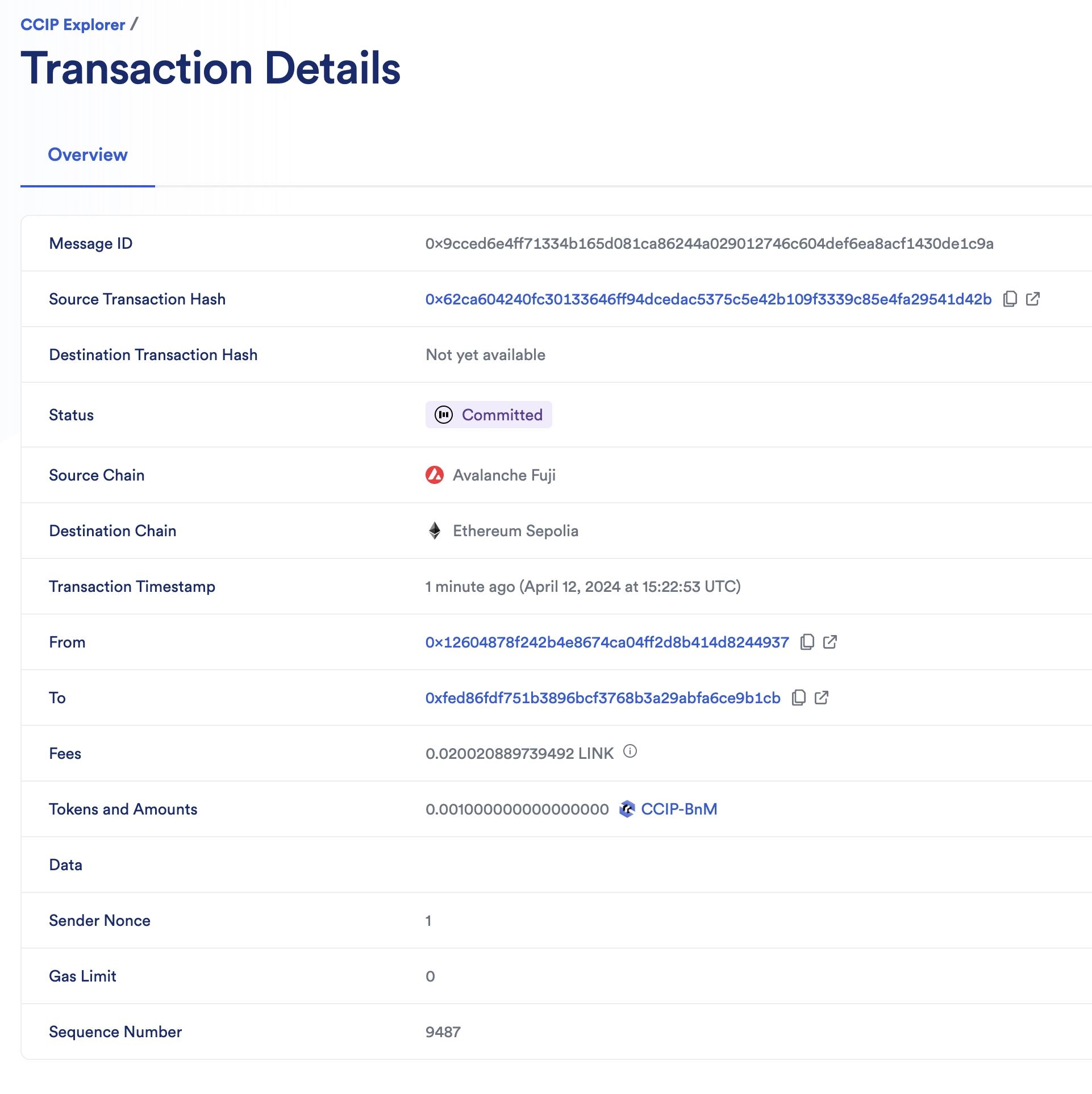
2. The CCIP transaction is completed once the status is marked as "Success". The data field is empty because you are only transferring tokens.
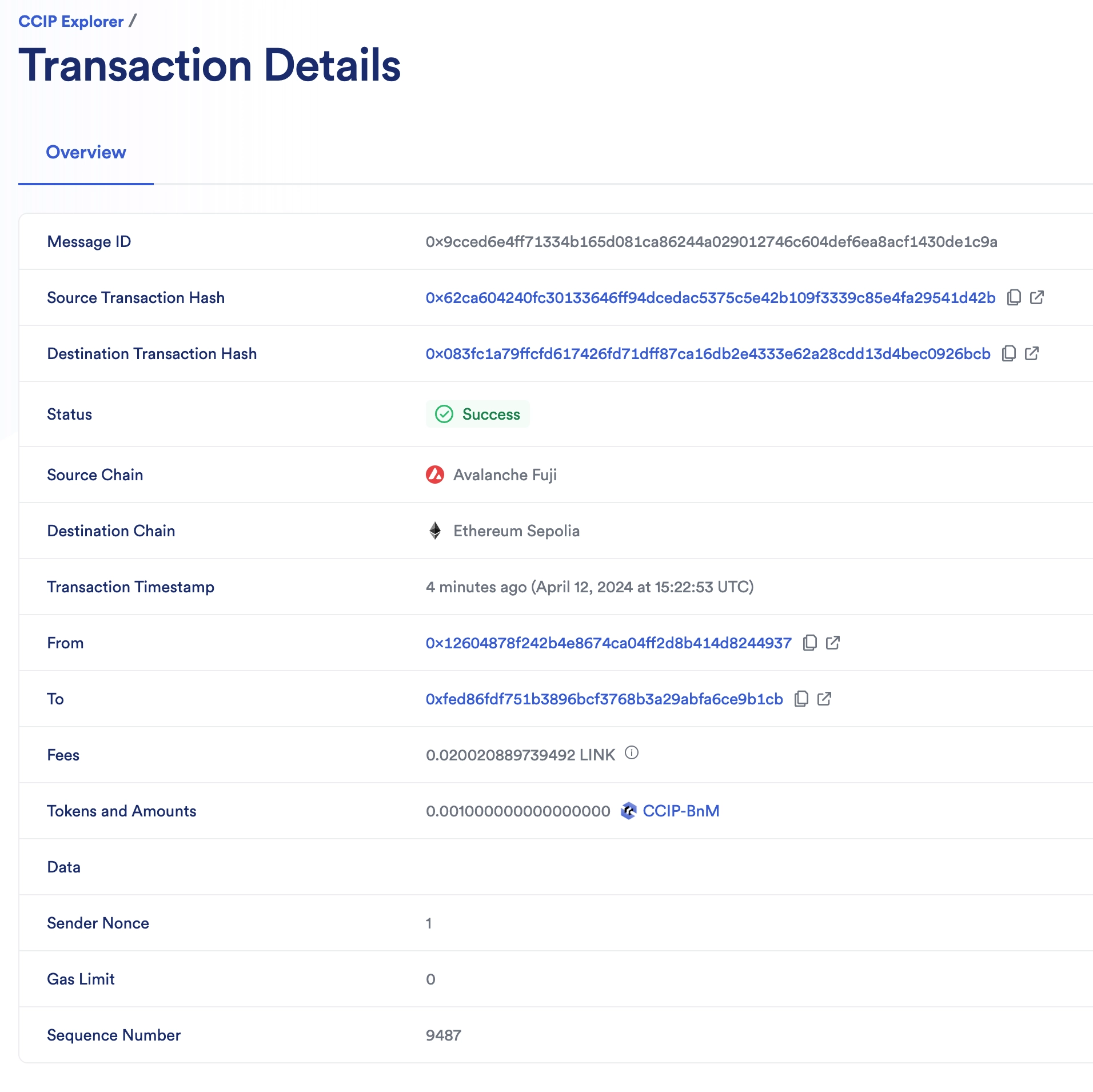
3. Check the receiver account on the destination chain:
1. Note the destination transaction hash from the CCIP explorer. `0x083fc1a79ffcfd617426fd71dff87ca16db2e4333e62a28cdd13d4bec0926bcb` in this example.
2. Open the block explorer for your destination chain. For *Ethereum Sepolia*, open [etherscan](https://sepolia.etherscan.io).
3. Search the [transaction hash](https://sepolia.etherscan.io/tx/0x083fc1a79ffcfd617426fd71dff87ca16db2e4333e62a28cdd13d4bec0926bcb).
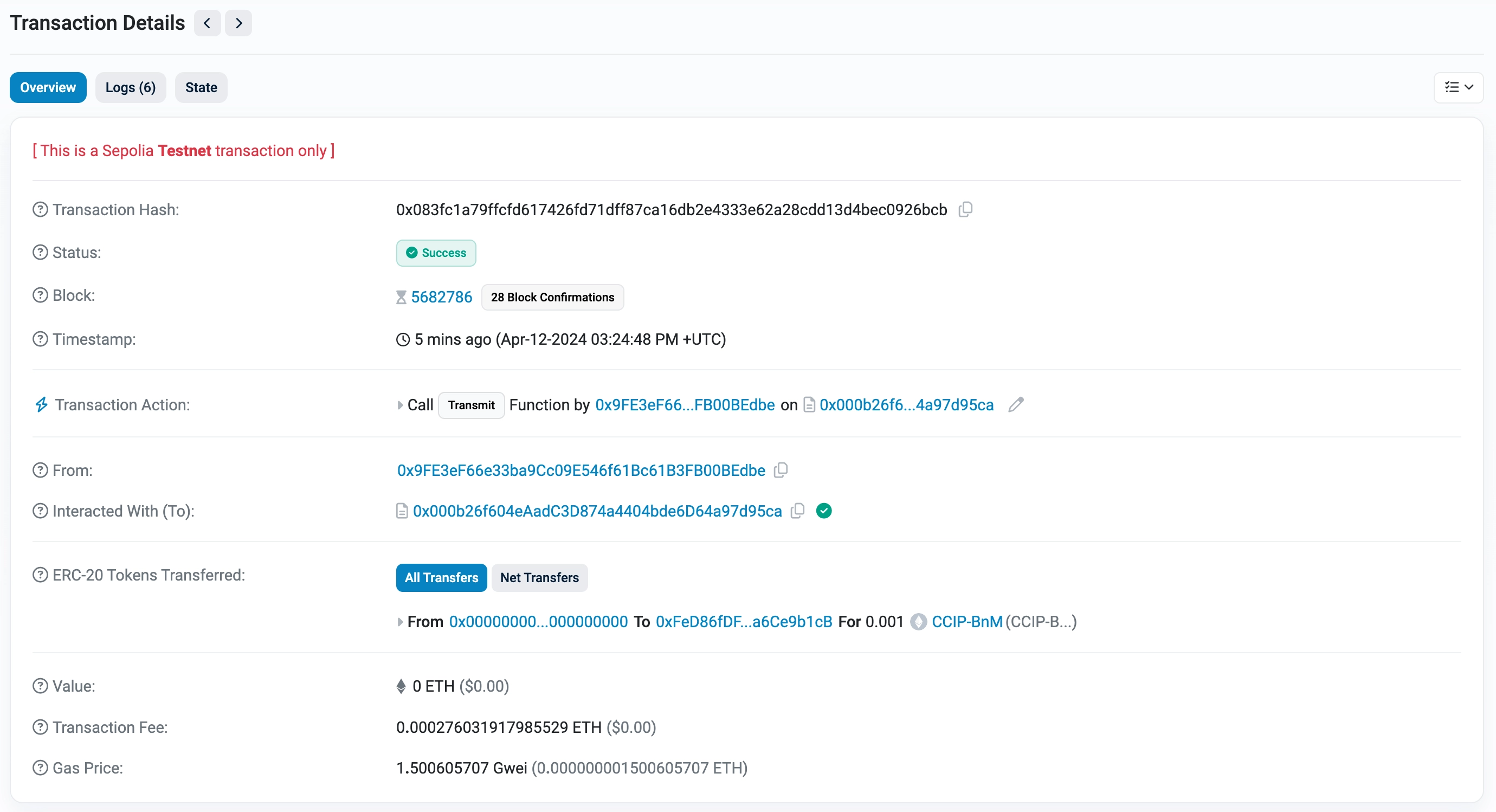
4. Notice in the *Tokens Transferred* section that CCIP-BnM tokens have been transferred to your account (0.001 CCIP-BnM).
### Transfer tokens and pay in native
You will transfer *0.001 CCIP-BnM*. The CCIP fees for using CCIP will be paid in Avalanche Fuji's native AVAX. Read this [explanation](#transferring-tokens-and-pay-in-native) for a detailed description of the code example.
1. Open MetaMask and connect to *Avalanche Fuji*. Fund your contract with native gas tokens. You can transfer 0.2 *AVAX* to your contract. **Note**: The native gas tokens are used to pay for CCIP fees.
2. Transfer CCIP-BnM from *Avalanche Fuji*:
1. Open MetaMask and select the network *Avalanche Fuji*.
2. In Remix IDE, under *Deploy & Run Transactions*, open the list of transactions of your smart contract deployed on *Avalanche Fuji*.
3. Fill in the arguments of the ***transferTokensPayNative*** function:
| Argument | Value and Description |
| -------------------------- | ------------------------------------------------------------------------------------------------------------------------------------------------------------------------------------------------------------------------------------------ |
| _destinationChainSelector | 16015286601757825753 CCIP Chain identifier of the destination blockchain (*Ethereum Sepolia* in this example). You can find each chain selector on the [CCIP Directory](/ccip/directory). |
| _receiver | Your account address on *Ethereum Sepolia*. The destination account address. It could be a smart contract or an EOA. |
| _token | 0xD21341536c5cF5EB1bcb58f6723cE26e8D8E90e4 The *CCIP-BnM* contract address at the source chain (*Avalanche Fuji* in this example). You can find all the addresses for each supported blockchain on the [CCIP Directory](/ccip/directory).. |
| _amount | 1000000000000000 The token amount (*0.001 CCIP-BnM*). |
4. Click the **transact** button and confirm the transaction on MetaMask.
5. Once the transaction is successful, note the transaction hash. Here is an [example](https://testnet.snowtrace.io/tx/0x186e5767d65dffe685c24d5ee881201e2b39fd684220a68943b0b861178ddf64) of a transaction on *Avalanche Fuji*.
> **NOTE: Gas price spikes**
>
> Under normal circumstances, transactions on the Ethereum Sepolia network require significantly fewer tokens to pay for gas. However, during exceptional periods of high gas price spikes, your transactions may fail if not sufficiently funded. In such cases, you may need to fund your contract with additional tokens. We recommend paying for your CCIP transactions in **LINK** tokens (rather than native tokens) as you can obtain extra LINK testnet tokens from [faucets.chain.link](https://faucets.chain.link/). If you encounter a transaction failure due to these gas price spikes, please add additional LINK tokens to your contract and try again.
> Alternatively, you can use a supported testnet other than Sepolia.
1. Open the [CCIP explorer](https://ccip.chain.link/) and search your cross-chain transaction using the transaction hash.
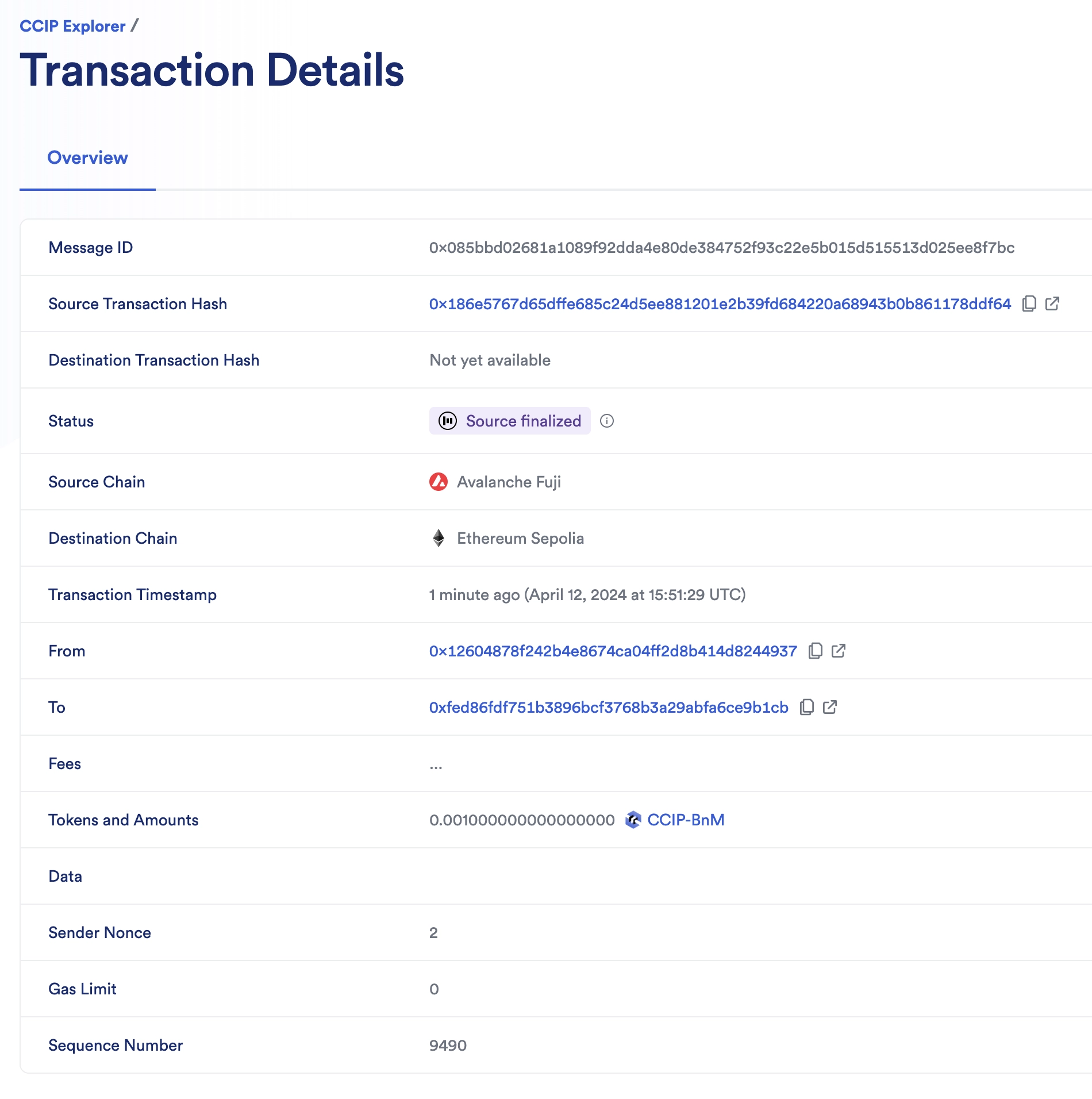
2. The CCIP transaction is completed once the status is marked as "Success". The data field is empty because you only transfer tokens. Note that CCIP fees are denominated in LINK. Even if CCIP fees are paid using native gas tokens, node operators will be paid in LINK.
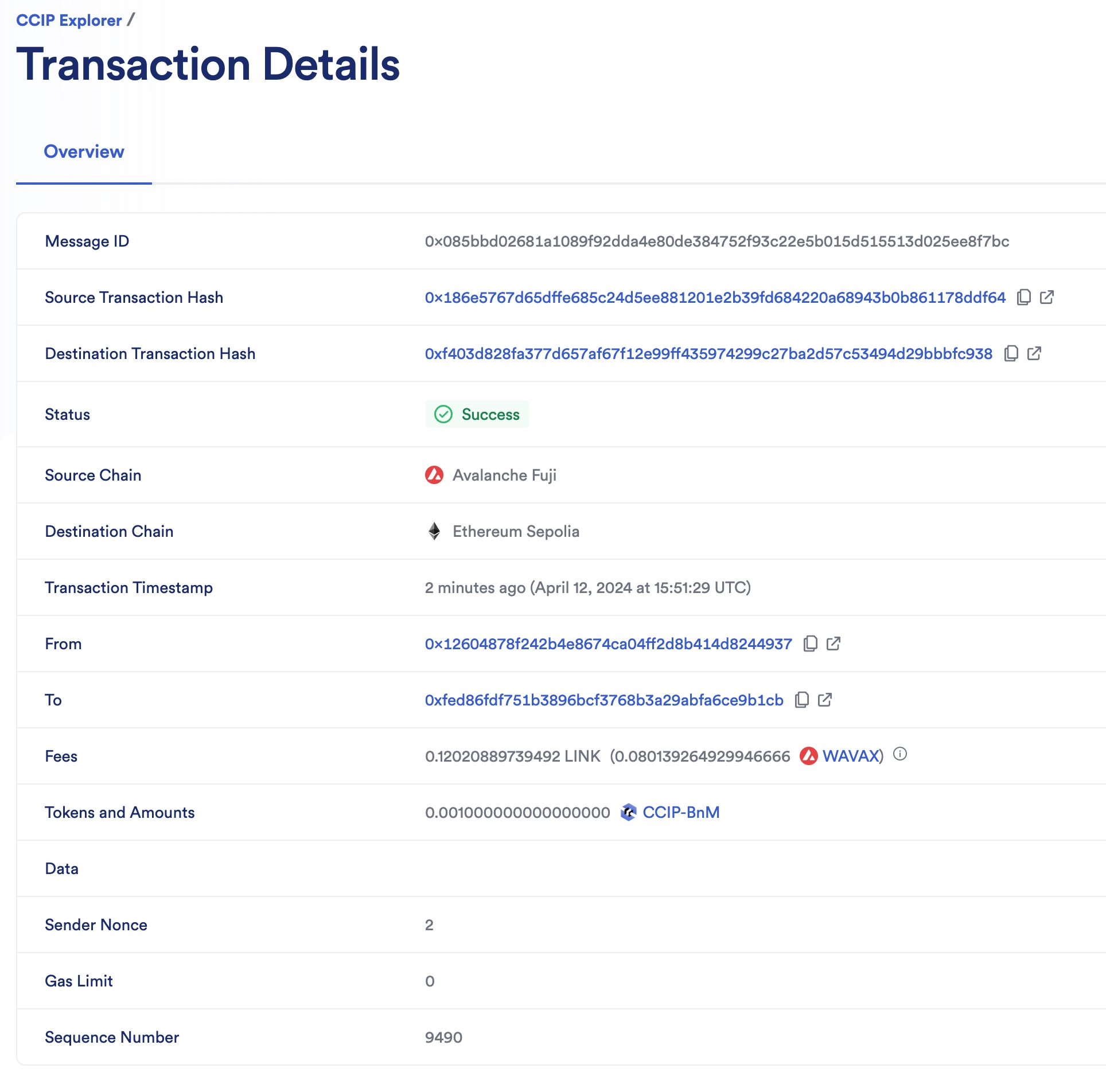
3. Check the receiver account on the destination chain:
1. Note the destination transaction hash from the CCIP explorer. `0xf403d828fa377d657af67f12e99ff435974299c27ba2d57c53494d29bbbfc938` in this example.
2. Open the block explorer for your destination chain. For *Ethereum Sepolia*, open [etherscan](https://sepolia.etherscan.io).
3. Search the [transaction hash](https://sepolia.etherscan.io/tx/0xf403d828fa377d657af67f12e99ff435974299c27ba2d57c53494d29bbbfc938).
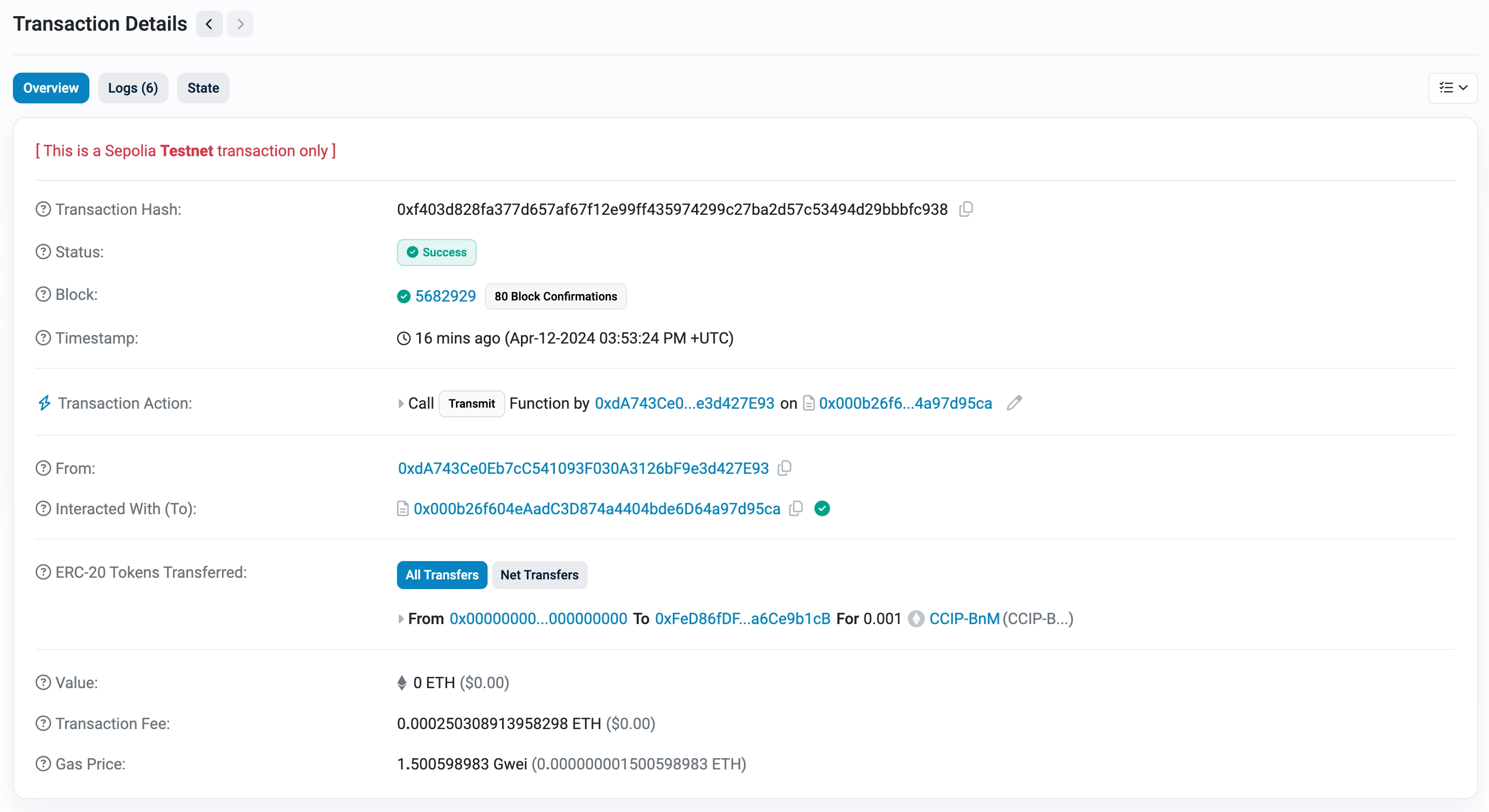
4. Notice in the *Tokens Transferred* section that CCIP-BnM tokens have been transferred to your account (0.001 CCIP-BnM).
## Explanation
> **NOTE: Integrate Chainlink CCIP v1.6.2 into your project**
>
> npm
> yarn
> foundry
>
> If you use [NPM](https://www.npmjs.com/), install the [@chainlink/contracts-ccip NPM package](https://www.npmjs.com/package/@chainlink/contracts-ccip):
>
> ```shell
> npm install @chainlink/contracts-ccip@1.6.2
> ```
>
> If you use [Yarn](https://yarnpkg.com/), install the [@chainlink/contracts-ccip NPM package](https://www.npmjs.com/package/@chainlink/contracts-ccip):
>
> ```shell
> yarn add @chainlink/contracts-ccip@1.6.2
> ```
>
> In your [Foundry](https://book.getfoundry.sh/) project, for easier integration, if you want to avoid installing the dependencies that are only used by the `chainlink-ccip` package, you can use either [NPM](https://www.npmjs.com/) or [Yarn](https://yarnpkg.com/) to install the `chainlink-ccip` package:
>
> - Using `npm`:
>
> ```shell
> npm install @chainlink/contracts-ccip@1.6.2
> ```
> - Using `yarn`:
>
> ```shell
> yarn add @chainlink/contracts-ccip@1.6.2
> ```
>
> Then, add the following remappings to your `remappings.txt` or `foundry.toml` file:
>
> ```
> "@chainlink/contracts-ccip/contracts/=node_modules/@chainlink/contracts-ccip/contracts/",
> "@chainlink/contracts/=node_modules/@chainlink/contracts/",
> "@openzeppelin/contracts@4.8.3/=node_modules/@openzeppelin/contracts-4.8.3/",
> "@openzeppelin/contracts@5.0.2/=node_modules/@openzeppelin/contracts-5.0.2/"
> ```
>
> Alternatively, if you prefer to use only [`forge install`](https://getfoundry.sh/forge/reference/install/), install the `chainlink-ccip` package along with its dependencies:
>
> ```shell
> forge install \
> smartcontractkit/chainlink-ccip@0e3e0fc5c0f70f0d50dca66b139142ddf3009294 \
> smartcontractkit/chainlink-evm@86aa5a1d34b20eda8d18fe6eb0e4882948e545ba \
> openzeppelin/openzeppelin-contracts@0a25c1940ca220686588c4af3ec526f725fe2582 \
> openzeppelin/openzeppelin-contracts@dbb6104ce834628e473d2173bbc9d47f81a9eec3
> ```
>
> Then set the remappings as follows:
>
> ```
> "@chainlink/contracts-ccip/contracts/=lib/chainlink-ccip/chains/evm/contracts/",
> "@chainlink/contracts/=lib/chainlink-evm/contracts/",
> "@openzeppelin/contracts@4.8.3/=lib/openzeppelin-contracts/contracts/",
> "@openzeppelin/contracts@5.0.2/=lib/openzeppelin-contracts/contracts/"
> ```
The smart contract featured in this tutorial is designed to interact with CCIP to transfer a supported token to an account on a destination chain. The contract code contains supporting comments clarifying the functions, events, and underlying logic. This section further explains initializing the contract and transferring tokens.
### Initializing of the contract
When you deploy the contract, you define the router address and LINK contract address of the blockchain where you deploy the contract. The contract uses the router address to interact with the router to estimate the CCIP fees and the transmission of CCIP messages.
### Transferring tokens and pay in LINK
The `transferTokensPayLINK` function undertakes six primary operations:
1. Call the `_buildCCIPMessage` private function to construct a CCIP-compatible message using the `EVM2AnyMessage` [struct](/ccip/api-reference/evm/v1.6.1/client#any2evmmessage):
- The `_receiver` address is encoded in bytes to accommodate non-EVM destination blockchains with distinct address formats. The encoding is achieved through [abi.encode](https://docs.soliditylang.org/en/develop/abi-spec.html).
- The `data` is empty because you only transfer tokens.
- The `tokenAmounts` is an array, with each element comprising a [`EVMTokenAmount` struct](/ccip/api-reference/evm/v1.6.1/client#evmtokenamount) that contains the token address and amount. The array contains one element where the `_token` (token address) and `_amount` (token amount) are passed by the user when calling the `transferTokensPayLINK` function.
- The `extraArgs` specifies the `gasLimit` for relaying the message to the recipient contract on the destination blockchain. In this example, the `gasLimit` is set to `0` because the contract only transfers tokens and does not expect function calls on the destination blockchain.
- The `_feeTokenAddress` designates the token address used for CCIP fees. Here, `address(linkToken)` signifies payment in LINK.
> **CAUTION: Best Practices**
>
> This example is simplified for educational purposes. For production code, please adhere to the following best practices:
>
> - **Do Not Hardcode `extraArgs`**: In this example, `extraArgs` are hardcoded within the contract for simplicity. It is recommended to make `extraArgs` mutable. For instance, you can construct `extraArgs` off-chain and pass them into your function calls, or store them in a storage variable that can be updated as needed. This approach ensures that `extraArgs` remain backward compatible with future CCIP upgrades. Refer to the [Best Practices](/ccip/concepts/best-practices/evm) guide for more information.
>
> - **Validate the Destination Chain**: Always ensure that the destination chain is valid and supported before sending messages.
>
> - **Understand `allowOutOfOrderExecution` Usage**: This example sets `allowOutOfOrderExecution` to `true` (see [GenericExtraArgsV2](/ccip/api-reference/evm/v1.6.1/client#genericextraargsv2)). Read the [Best Practices: Setting `allowOutOfOrderExecution`](/ccip/concepts/best-practices/evm#setting-allowoutoforderexecution) to learn more about this parameter.
>
> - **Understand CCIP Service Limits**: Review the [CCIP Service Limits](/ccip/service-limits) for constraints on message data size, execution gas, and the number of tokens per transaction. If your requirements exceed these limits, you may need to [contact the Chainlink Labs Team](https://chain.link/ccip-contact).
>
> Following these best practices ensures that your contract is robust, future-proof, and compliant with CCIP standards.
1. Computes the fees by invoking the router's `getFee` [function](/ccip/api-reference/evm/v1.6.1/i-router-client#getfee).
2. Ensures your contract balance in LINK is enough to cover the fees.
3. Grants the router contract permission to deduct the fees from the contract's LINK balance.
4. Grants the router contract permission to deduct the amount from the contract's *CCIP-BnM* balance.
5. Dispatches the CCIP message to the destination chain by executing the router's `ccipSend` [function](/ccip/api-reference/evm/v1.6.1/i-router-client#ccipsend).
**Note**: As a security measure, the `transferTokensPayLINK` function is protected by the `onlyAllowlistedChain` to ensure the contract owner has allowlisted a destination chain.
### Transferring tokens and pay in native
The `transferTokensPayNative` function undertakes five primary operations:
1. Call the `_buildCCIPMessage` private function to construct a CCIP-compatible message using the `EVM2AnyMessage` [struct](/ccip/api-reference/evm/v1.6.1/client#any2evmmessage):
- The `_receiver` address is encoded in bytes to accommodate non-EVM destination blockchains with distinct address formats. The encoding is achieved through [abi.encode](https://docs.soliditylang.org/en/develop/abi-spec.html).
- The `data` is empty because you only transfer tokens.
- The `tokenAmounts` is an array, with each element comprising an `EVMTokenAmount` [struct](/ccip/api-reference/evm/v1.6.1/client#evmtokenamount) containing the token address and amount. The array contains one element where the `_token` (token address) and `_amount` (token amount) are passed by the user when calling the `transferTokensPayNative` function.
- The `extraArgs` specifies the `gasLimit` for relaying the message to the recipient contract on the destination blockchain. In this example, the `gasLimit` is set to `0` because the contract only transfers tokens and does not expect function calls on the destination blockchain.
- The `_feeTokenAddress` designates the token address used for CCIP fees. Here, `address(0)` signifies payment in native gas tokens (ETH).
> **CAUTION: Best Practices**
>
> This example is simplified for educational purposes. For production code, please adhere to the following best practices:
>
> - **Do Not Hardcode `extraArgs`**: In this example, `extraArgs` are hardcoded within the contract for simplicity. It is recommended to make `extraArgs` mutable. For instance, you can construct `extraArgs` off-chain and pass them into your function calls, or store them in a storage variable that can be updated as needed. This approach ensures that `extraArgs` remain backward compatible with future CCIP upgrades. Refer to the [Best Practices](/ccip/concepts/best-practices/evm) guide for more information.
>
> - **Validate the Destination Chain**: Always ensure that the destination chain is valid and supported before sending messages.
>
> - **Understand `allowOutOfOrderExecution` Usage**: This example sets `allowOutOfOrderExecution` to `true` (see [GenericExtraArgsV2](/ccip/api-reference/evm/v1.6.1/client#genericextraargsv2)). Read the [Best Practices: Setting `allowOutOfOrderExecution`](/ccip/concepts/best-practices/evm#setting-allowoutoforderexecution) to learn more about this parameter.
>
> - **Understand CCIP Service Limits**: Review the [CCIP Service Limits](/ccip/service-limits) for constraints on message data size, execution gas, and the number of tokens per transaction. If your requirements exceed these limits, you may need to [contact the Chainlink Labs Team](https://chain.link/ccip-contact).
>
> Following these best practices ensures that your contract is robust, future-proof, and compliant with CCIP standards.
1. Computes the fees by invoking the router's `getFee` [function](/ccip/api-reference/evm/v1.6.1/i-router-client#getfee).
2. Ensures your contract balance in native gas is enough to cover the fees.
3. Grants the router contract permission to deduct the amount from the contract's *CCIP-BnM* balance.
4. Dispatches the CCIP message to the destination chain by executing the router's `ccipSend` [function](/ccip/api-reference/evm/v1.6.1/i-router-client#ccipsend). **Note**: `msg.value` is set because you pay in native gas.
**Note**: As a security measure, the `transferTokensPayNative` function is protected by the `onlyAllowlistedChain`, ensuring the contract owner has allowlisted a destination chain.
---
# Transfer Tokens with Data
Source: https://docs.chain.link/ccip/tutorials/evm/programmable-token-transfers
Last Updated: 2025-05-19
In this tutorial, you will use Chainlink CCIP to transfer tokens and arbitrary data between smart contracts on different blockchains. First, you will pay for the CCIP fees on the source blockchain using LINK. Then, you will use the same contract to pay CCIP fees in native gas tokens. For example, you would use ETH on Ethereum or AVAX on Avalanche.
> **NOTE: Node Operator Rewards**
>
> CCIP rewards the oracle node operators in LINK.
> **CAUTION: Transferring tokens**
>
> This tutorial uses the term "transferring tokens" even though the tokens are not technically transferred. Instead,
> they are locked or burned on the source chain and then unlocked or minted on the destination chain. Read the [Token
> Pools](/ccip/concepts/cross-chain-token/evm/token-pools) section to understand the various mechanisms that are used to
> transfer value across chains.
## Before you begin
1. You should understand how to write, compile, deploy, and fund a smart contract. If you need to brush up on the basics, read this [tutorial](/quickstarts/deploy-your-first-contract), which will guide you through using the [Solidity programming language](https://soliditylang.org/), interacting with the [MetaMask wallet](https://metamask.io) and working within the [Remix Development Environment](https://remix.ethereum.org/).
2. Your account must have some AVAX and LINK tokens on *Avalanche Fuji* and ETH tokens on *Ethereum Sepolia*. Learn how to [Acquire testnet LINK](/resources/acquire-link).
3. Check the [CCIP Directory](/ccip/directory) to confirm that the tokens you will transfer are supported for your lane. In this example, you will transfer tokens from *Avalanche Fuji* to *Ethereum Sepolia* so check the list of supported tokens [here](/ccip/directory/testnet/chain/avalanche-fuji-testnet).
4. Learn how to [acquire CCIP test tokens](/ccip/test-tokens#evm-chains). Following this guide, you should have CCIP-BnM tokens, and CCIP-BnM should appear in the list of your tokens in MetaMask.
5. Learn how to [fund your contract](/resources/fund-your-contract). This guide shows how to fund your contract in LINK, but you can use the same guide for funding your contract with any ERC20 tokens as long as they appear in the list of tokens in MetaMask.
6. Follow the previous tutorial: [*Transfer tokens*](/ccip/tutorials/evm/transfer-tokens-from-contract).
## Tutorial
> **NOTE: Optimize your development with the CCIP local simulator**
>
> Enhance your development workflow using the [Chainlink CCIP local
> simulator](https://github.com/smartcontractkit/chainlink-local), an installable package designed to simulate Chainlink
> CCIP locally within your Hardhat and Foundry projects. It provides a robust smart contracts and scripts suite,
> enabling you to build, deploy, and execute CCIP token transfers and arbitrary messages on a local Hardhat or Anvil
> development node. With Chainlink Local, you can also work on forked nodes, ensuring a seamless transition of your
> contracts to test networks without modifications. Start integrating Chainlink Local today to streamline your
> development process and validate your CCIP implementations effectively.
In this tutorial, you will send a *string* text and CCIP-BnM tokens between smart contracts on *Avalanche Fuji* and *Ethereum Sepolia* using CCIP. First, you will pay [CCIP fees in LINK](#transfer-and-receive-tokens-and-data-and-pay-in-link), then you will pay [CCIP fees in native gas](#transfer-and-receive-tokens-and-data-and-pay-in-native).
```sol
// SPDX-License-Identifier: MIT
pragma solidity 0.8.24;
import {CCIPReceiver} from "@chainlink/contracts-ccip/contracts/applications/CCIPReceiver.sol";
import {IRouterClient} from "@chainlink/contracts-ccip/contracts/interfaces/IRouterClient.sol";
import {Client} from "@chainlink/contracts-ccip/contracts/libraries/Client.sol";
import {OwnerIsCreator} from "@chainlink/contracts@1.4.0/src/v0.8/shared/access/OwnerIsCreator.sol";
import {IERC20} from "@openzeppelin/contracts/token/ERC20/IERC20.sol";
import {SafeERC20} from "@openzeppelin/contracts/token/ERC20/utils/SafeERC20.sol";
/**
* THIS IS AN EXAMPLE CONTRACT THAT USES HARDCODED VALUES FOR CLARITY.
* THIS IS AN EXAMPLE CONTRACT THAT USES UN-AUDITED CODE.
* DO NOT USE THIS CODE IN PRODUCTION.
*/
/// @title - A simple messenger contract for transferring/receiving tokens and data across chains.
contract ProgrammableTokenTransfers is CCIPReceiver, OwnerIsCreator {
using SafeERC20 for IERC20;
// Custom errors to provide more descriptive revert messages.
error NotEnoughBalance(uint256 currentBalance, uint256 requiredBalance); // Used to make sure contract has enough
// token balance
error NothingToWithdraw(); // Used when trying to withdraw Ether but there's nothing to withdraw.
error FailedToWithdrawEth(address owner, address target, uint256 value); // Used when the withdrawal of Ether fails.
error DestinationChainNotAllowed(uint64 destinationChainSelector); // Used when the destination chain has not been
// allowlisted by the contract owner.
error SourceChainNotAllowed(uint64 sourceChainSelector); // Used when the source chain has not been allowlisted by the
// contract owner.
error SenderNotAllowed(address sender); // Used when the sender has not been allowlisted by the contract owner.
error InvalidReceiverAddress(); // Used when the receiver address is 0.
// Event emitted when a message is sent to another chain.
// The chain selector of the destination chain.
// The address of the receiver on the destination chain.
// The text being sent.
// The token address that was transferred.
// The token amount that was transferred.
// the token address used to pay CCIP fees.
// The fees paid for sending the message.
event MessageSent( // The unique ID of the CCIP message.
bytes32 indexed messageId,
uint64 indexed destinationChainSelector,
address receiver,
string text,
address token,
uint256 tokenAmount,
address feeToken,
uint256 fees
);
// Event emitted when a message is received from another chain.
// The chain selector of the source chain.
// The address of the sender from the source chain.
// The text that was received.
// The token address that was transferred.
// The token amount that was transferred.
event MessageReceived( // The unique ID of the CCIP message.
bytes32 indexed messageId,
uint64 indexed sourceChainSelector,
address sender,
string text,
address token,
uint256 tokenAmount
);
bytes32 private s_lastReceivedMessageId; // Store the last received messageId.
address private s_lastReceivedTokenAddress; // Store the last received token address.
uint256 private s_lastReceivedTokenAmount; // Store the last received amount.
string private s_lastReceivedText; // Store the last received text.
// Mapping to keep track of allowlisted destination chains.
mapping(uint64 => bool) public allowlistedDestinationChains;
// Mapping to keep track of allowlisted source chains.
mapping(uint64 => bool) public allowlistedSourceChains;
// Mapping to keep track of allowlisted senders.
mapping(address => bool) public allowlistedSenders;
IERC20 private s_linkToken;
/// @notice Constructor initializes the contract with the router address.
/// @param _router The address of the router contract.
/// @param _link The address of the link contract.
constructor(
address _router,
address _link
) CCIPReceiver(_router) {
s_linkToken = IERC20(_link);
}
/// @dev Modifier that checks if the chain with the given destinationChainSelector is allowlisted.
/// @param _destinationChainSelector The selector of the destination chain.
modifier onlyAllowlistedDestinationChain(
uint64 _destinationChainSelector
) {
if (!allowlistedDestinationChains[_destinationChainSelector]) {
revert DestinationChainNotAllowed(_destinationChainSelector);
}
_;
}
/// @dev Modifier that checks the receiver address is not 0.
/// @param _receiver The receiver address.
modifier validateReceiver(
address _receiver
) {
if (_receiver == address(0)) revert InvalidReceiverAddress();
_;
}
/// @dev Modifier that checks if the chain with the given sourceChainSelector is allowlisted and if the sender is
/// allowlisted.
/// @param _sourceChainSelector The selector of the destination chain.
/// @param _sender The address of the sender.
modifier onlyAllowlisted(
uint64 _sourceChainSelector,
address _sender
) {
if (!allowlistedSourceChains[_sourceChainSelector]) {
revert SourceChainNotAllowed(_sourceChainSelector);
}
if (!allowlistedSenders[_sender]) revert SenderNotAllowed(_sender);
_;
}
/// @dev Updates the allowlist status of a destination chain for transactions.
/// @notice This function can only be called by the owner.
/// @param _destinationChainSelector The selector of the destination chain to be updated.
/// @param allowed The allowlist status to be set for the destination chain.
function allowlistDestinationChain(
uint64 _destinationChainSelector,
bool allowed
) external onlyOwner {
allowlistedDestinationChains[_destinationChainSelector] = allowed;
}
/// @dev Updates the allowlist status of a source chain
/// @notice This function can only be called by the owner.
/// @param _sourceChainSelector The selector of the source chain to be updated.
/// @param allowed The allowlist status to be set for the source chain.
function allowlistSourceChain(
uint64 _sourceChainSelector,
bool allowed
) external onlyOwner {
allowlistedSourceChains[_sourceChainSelector] = allowed;
}
/// @dev Updates the allowlist status of a sender for transactions.
/// @notice This function can only be called by the owner.
/// @param _sender The address of the sender to be updated.
/// @param allowed The allowlist status to be set for the sender.
function allowlistSender(
address _sender,
bool allowed
) external onlyOwner {
allowlistedSenders[_sender] = allowed;
}
/// @notice Sends data and transfer tokens to receiver on the destination chain.
/// @notice Pay for fees in LINK.
/// @dev Assumes your contract has sufficient LINK to pay for CCIP fees.
/// @param _destinationChainSelector The identifier (aka selector) for the destination blockchain.
/// @param _receiver The address of the recipient on the destination blockchain.
/// @param _text The string data to be sent.
/// @param _token token address.
/// @param _amount token amount.
/// @return messageId The ID of the CCIP message that was sent.
function sendMessagePayLINK(
uint64 _destinationChainSelector,
address _receiver,
string calldata _text,
address _token,
uint256 _amount
)
external
onlyOwner
onlyAllowlistedDestinationChain(_destinationChainSelector)
validateReceiver(_receiver)
returns (bytes32 messageId)
{
// Create an EVM2AnyMessage struct in memory with necessary information for sending a cross-chain message
// address(linkToken) means fees are paid in LINK
Client.EVM2AnyMessage memory evm2AnyMessage =
_buildCCIPMessage(_receiver, _text, _token, _amount, address(s_linkToken));
// Initialize a router client instance to interact with cross-chain router
IRouterClient router = IRouterClient(this.getRouter());
// Get the fee required to send the CCIP message
uint256 fees = router.getFee(_destinationChainSelector, evm2AnyMessage);
uint256 requiredLinkBalance;
if (_token == address(s_linkToken)) {
// Required LINK Balance is the sum of fees and amount to transfer, if the token to transfer is LINK
requiredLinkBalance = fees + _amount;
} else {
requiredLinkBalance = fees;
}
uint256 linkBalance = s_linkToken.balanceOf(address(this));
if (requiredLinkBalance > linkBalance) {
revert NotEnoughBalance(linkBalance, requiredLinkBalance);
}
// approve the Router to transfer LINK tokens on contract's behalf. It will spend the requiredLinkBalance
s_linkToken.approve(address(router), requiredLinkBalance);
// If sending a token other than LINK, approve it separately
if (_token != address(s_linkToken)) {
uint256 tokenBalance = IERC20(_token).balanceOf(address(this));
if (_amount > tokenBalance) {
revert NotEnoughBalance(tokenBalance, _amount);
}
// approve the Router to spend tokens on contract's behalf. It will spend the amount of the given token
IERC20(_token).approve(address(router), _amount);
}
// Send the message through the router and store the returned message ID
messageId = router.ccipSend(_destinationChainSelector, evm2AnyMessage);
// Emit an event with message details
emit MessageSent(
messageId, _destinationChainSelector, _receiver, _text, _token, _amount, address(s_linkToken), fees
);
// Return the message ID
return messageId;
}
/// @notice Sends data and transfer tokens to receiver on the destination chain.
/// @notice Pay for fees in native gas.
/// @dev Assumes your contract has sufficient native gas like ETH on Ethereum or POL on Polygon.
/// @param _destinationChainSelector The identifier (aka selector) for the destination blockchain.
/// @param _receiver The address of the recipient on the destination blockchain.
/// @param _text The string data to be sent.
/// @param _token token address.
/// @param _amount token amount.
/// @return messageId The ID of the CCIP message that was sent.
function sendMessagePayNative(
uint64 _destinationChainSelector,
address _receiver,
string calldata _text,
address _token,
uint256 _amount
)
external
onlyOwner
onlyAllowlistedDestinationChain(_destinationChainSelector)
validateReceiver(_receiver)
returns (bytes32 messageId)
{
// Create an EVM2AnyMessage struct in memory with necessary information for sending a cross-chain message
// address(0) means fees are paid in native gas
Client.EVM2AnyMessage memory evm2AnyMessage = _buildCCIPMessage(_receiver, _text, _token, _amount, address(0));
// Initialize a router client instance to interact with cross-chain router
IRouterClient router = IRouterClient(this.getRouter());
// Get the fee required to send the CCIP message
uint256 fees = router.getFee(_destinationChainSelector, evm2AnyMessage);
if (fees > address(this).balance) {
revert NotEnoughBalance(address(this).balance, fees);
}
// approve the Router to spend tokens on contract's behalf. It will spend the amount of the given token
IERC20(_token).approve(address(router), _amount);
// Send the message through the router and store the returned message ID
messageId = router.ccipSend{value: fees}(_destinationChainSelector, evm2AnyMessage);
// Emit an event with message details
emit MessageSent(messageId, _destinationChainSelector, _receiver, _text, _token, _amount, address(0), fees);
// Return the message ID
return messageId;
}
/**
* @notice Returns the details of the last CCIP received message.
* @dev This function retrieves the ID, text, token address, and token amount of the last received CCIP message.
* @return messageId The ID of the last received CCIP message.
* @return text The text of the last received CCIP message.
* @return tokenAddress The address of the token in the last CCIP received message.
* @return tokenAmount The amount of the token in the last CCIP received message.
*/
function getLastReceivedMessageDetails()
public
view
returns (bytes32 messageId, string memory text, address tokenAddress, uint256 tokenAmount)
{
return (s_lastReceivedMessageId, s_lastReceivedText, s_lastReceivedTokenAddress, s_lastReceivedTokenAmount);
}
/// handle a received message
function _ccipReceive(
Client.Any2EVMMessage memory any2EvmMessage
)
internal
override
onlyAllowlisted(any2EvmMessage.sourceChainSelector, abi.decode(any2EvmMessage.sender, (address))) // Make sure
// source chain and sender are allowlisted
{
s_lastReceivedMessageId = any2EvmMessage.messageId; // fetch the messageId
s_lastReceivedText = abi.decode(any2EvmMessage.data, (string)); // abi-decoding of the sent text
// Expect one token to be transferred at once, but you can transfer several tokens.
s_lastReceivedTokenAddress = any2EvmMessage.destTokenAmounts[0].token;
s_lastReceivedTokenAmount = any2EvmMessage.destTokenAmounts[0].amount;
emit MessageReceived(
any2EvmMessage.messageId,
any2EvmMessage.sourceChainSelector, // fetch the source chain identifier (aka selector)
abi.decode(any2EvmMessage.sender, (address)), // abi-decoding of the sender address,
abi.decode(any2EvmMessage.data, (string)),
any2EvmMessage.destTokenAmounts[0].token,
any2EvmMessage.destTokenAmounts[0].amount
);
}
/// @notice Construct a CCIP message.
/// @dev This function will create an EVM2AnyMessage struct with all the necessary information for programmable tokens
/// transfer.
/// @param _receiver The address of the receiver.
/// @param _text The string data to be sent.
/// @param _token The token to be transferred.
/// @param _amount The amount of the token to be transferred.
/// @param _feeTokenAddress The address of the token used for fees. Set address(0) for native gas.
/// @return Client.EVM2AnyMessage Returns an EVM2AnyMessage struct which contains information for sending a CCIP
/// message.
function _buildCCIPMessage(
address _receiver,
string calldata _text,
address _token,
uint256 _amount,
address _feeTokenAddress
) private pure returns (Client.EVM2AnyMessage memory) {
// Set the token amounts
Client.EVMTokenAmount[] memory tokenAmounts = new Client.EVMTokenAmount[](1);
tokenAmounts[0] = Client.EVMTokenAmount({token: _token, amount: _amount});
// Create an EVM2AnyMessage struct in memory with necessary information for sending a cross-chain message
return Client.EVM2AnyMessage({
receiver: abi.encode(_receiver), // ABI-encoded receiver address
data: abi.encode(_text), // ABI-encoded string
tokenAmounts: tokenAmounts, // The amount and type of token being transferred
extraArgs: Client._argsToBytes(
// Additional arguments, setting gas limit and allowing out-of-order execution.
// Best Practice: For simplicity, the values are hardcoded. It is advisable to use a more dynamic approach
// where you set the extra arguments off-chain. This allows adaptation depending on the lanes, messages,
// and ensures compatibility with future CCIP upgrades. Read more about it here:
// https://docs.chain.link/ccip/concepts/best-practices/evm#using-extraargs
Client.GenericExtraArgsV2({
gasLimit: 200_000, // Gas limit for the callback on the destination chain
allowOutOfOrderExecution: true // Allows the message to be executed out of order relative to other messages
// from
// the same sender
})
),
// Set the feeToken to a feeTokenAddress, indicating specific asset will be used for fees
feeToken: _feeTokenAddress
});
}
/// @notice Fallback function to allow the contract to receive Ether.
/// @dev This function has no function body, making it a default function for receiving Ether.
/// It is automatically called when Ether is sent to the contract without any data.
receive() external payable {}
/// @notice Allows the contract owner to withdraw the entire balance of Ether from the contract.
/// @dev This function reverts if there are no funds to withdraw or if the transfer fails.
/// It should only be callable by the owner of the contract.
/// @param _beneficiary The address to which the Ether should be sent.
function withdraw(
address _beneficiary
) public onlyOwner {
// Retrieve the balance of this contract
uint256 amount = address(this).balance;
// Revert if there is nothing to withdraw
if (amount == 0) revert NothingToWithdraw();
// Attempt to send the funds, capturing the success status and discarding any return data
(bool sent,) = _beneficiary.call{value: amount}("");
// Revert if the send failed, with information about the attempted transfer
if (!sent) revert FailedToWithdrawEth(msg.sender, _beneficiary, amount);
}
/// @notice Allows the owner of the contract to withdraw all tokens of a specific ERC20 token.
/// @dev This function reverts with a 'NothingToWithdraw' error if there are no tokens to withdraw.
/// @param _beneficiary The address to which the tokens will be sent.
/// @param _token The contract address of the ERC20 token to be withdrawn.
function withdrawToken(
address _beneficiary,
address _token
) public onlyOwner {
// Retrieve the balance of this contract
uint256 amount = IERC20(_token).balanceOf(address(this));
// Revert if there is nothing to withdraw
if (amount == 0) revert NothingToWithdraw();
IERC20(_token).safeTransfer(_beneficiary, amount);
}
}
```
### Deploy your contracts
To use this contract:
1. [Open the contract in Remix](https://remix.ethereum.org/#url=https://docs.chain.link/samples/CCIP/ProgrammableTokenTransfers.sol).
2. Compile your contract.
3. Deploy, fund your sender contract on *Avalanche Fuji* and enable sending messages to *Ethereum Sepolia*:
1. Open MetaMask and select the network *Avalanche Fuji*.
2. In Remix IDE, click on *Deploy & Run Transactions* and select *Injected Provider - MetaMask* from the environment list. Remix will then interact with your MetaMask wallet to communicate with *Avalanche Fuji*.
3. Fill in your blockchain's router and LINK contract addresses. The router address can be found on the [CCIP Directory](/ccip/directory) and the LINK contract address on the [LINK token contracts page](/resources/link-token-contracts). For *Avalanche Fuji*:
- The router address is 0xF694E193200268f9a4868e4Aa017A0118C9a8177,
- The LINK contract address is 0x0b9d5D9136855f6FEc3c0993feE6E9CE8a297846.
4. Click the **transact** button. After you confirm the transaction, the contract address appears on the *Deployed Contracts* list.
Note your contract address.
5. Open MetaMask and fund your contract with CCIP-BnM tokens. You can transfer 0.002 *CCIP-BnM* to your contract.
6. Enable your contract to send CCIP messages to *Ethereum Sepolia*:
1. In Remix IDE, under *Deploy & Run Transactions*, open the list of functions of your smart contract deployed on *Avalanche Fuji*.
2. Call the `allowlistDestinationChain`, setting the destination chain selector to 16015286601757825753 and setting `allowed` to true. Each chain selector is found on the [CCIP Directory](/ccip/directory).
4. Deploy your receiver contract on *Ethereum Sepolia* and enable receiving messages from your sender contract:
1. Open MetaMask and select the network *Ethereum Sepolia*.
2. In Remix IDE, under *Deploy & Run Transactions*, make sure the environment is still *Injected Provider - MetaMask*.
3. Fill in your blockchain's router and LINK contract addresses. The router address can be found on the [CCIP Directory](/ccip/directory) and the LINK contract address on the [LINK token contracts page](/resources/link-token-contracts). For *Ethereum Sepolia*, the router address is 0x0BF3dE8c5D3e8A2B34D2BEeB17ABfCeBaf363A59 and the LINK contract address is 0x779877A7B0D9E8603169DdbD7836e478b4624789.
4. Click the **transact** button. After you confirm the transaction, the contract address appears on the *Deployed Contracts* list.
Note your contract address.
5. Enable your contract to receive CCIP messages from *Avalanche Fuji*:
1. In Remix IDE, under *Deploy & Run Transactions*, open the list of functions of your smart contract deployed on *Ethereum Sepolia*.
2. Call the `allowlistSourceChain` with 14767482510784806043 as the source chain selector, and true as allowed. Each chain selector is found on the [CCIP Directory](/ccip/directory).
6. Enable your contract to receive CCIP messages from the contract that you deployed on *Avalanche Fuji*:
1. In Remix IDE, under *Deploy & Run Transactions*, open the list of functions of your smart contract deployed on *Ethereum Sepolia*.
2. Call the `allowlistSender` with the contract address of the contract that you deployed on *Avalanche Fuji*, and true as allowed.
At this point, you have one *sender* contract on *Avalanche Fuji* and one *receiver* contract on *Ethereum Sepolia*. As security measures, you enabled the sender contract to send CCIP messages to *Ethereum Sepolia* and the receiver contract to receive CCIP messages from the sender on *Avalanche Fuji*.
**Note**: Another security measure enforces that only the router can call the `_ccipReceive` function. Read the [explanation](#explanation) section for more details.
### Transfer and Receive tokens and data and pay in LINK
You will transfer *0.001 CCIP-BnM* and a text. The CCIP fees for using CCIP will be paid in LINK. Read this [explanation](#transferring-tokens-and-data-and-pay-in-link) for a detailed description of the code example.
1. Open MetaMask and connect to *Avalanche Fuji*. Fund your contract with LINK tokens. You can transfer 70 *LINK* to your contract. In this example, LINK is used to pay the CCIP fees.
**Note:** This transaction fee is significantly higher than normal due to gas spikes on Sepolia. To run this example, you can get additional testnet LINK
from [faucets.chain.link](https://faucets.chain.link) or use a supported testnet other than Sepolia.
2. Send a string data with tokens from *Avalanche Fuji*:
1. Open MetaMask and select the network *Avalanche Fuji*.
2. In Remix IDE, under *Deploy & Run Transactions*, open the list of functions of your smart contract deployed on *Avalanche Fuji*.
3. Fill in the arguments of the ***sendMessagePayLINK*** function:
| Argument | Value and Description |
| -------------------------- | ----------------------------------------------------------------------------------------------------------------------------------------------------------------------------------------------------------------------------------------- |
| _destinationChainSelector | 16015286601757825753 CCIP Chain identifier of the destination blockchain (*Ethereum Sepolia* in this example). You can find each chain selector on the [CCIP Directory](/ccip/directory). |
| _receiver | Your receiver contract address on *Ethereum Sepolia*. The destination contract address. |
| _text | Hello World!Any `string` |
| _token | 0xD21341536c5cF5EB1bcb58f6723cE26e8D8E90e4 The *CCIP-BnM* contract address at the source chain (*Avalanche Fuji* in this example). You can find all the addresses for each supported blockchain on the [CCIP Directory](/ccip/directory). |
| _amount | 1000000000000000 The token amount (*0.001 CCIP-BnM*). |
4. Click on `transact` and confirm the transaction on MetaMask.
5. After the transaction is successful, record the transaction hash. Here is an [example](https://testnet.snowtrace.io/tx/0xd3a0fade0e143fb39964c764bd4803e40062ba8c88e129f44ee795e33ade464b) of a transaction on *Avalanche Fuji*.
> **NOTE: Gas price spikes**
>
> Under normal circumstances, transactions on the Ethereum Sepolia network require significantly fewer tokens to pay for gas. However, during exceptional periods of high gas price spikes, your transactions may fail if not sufficiently funded. In such cases, you may need to fund your contract with additional tokens. We recommend paying for your CCIP transactions in **LINK** tokens (rather than native tokens) as you can obtain extra LINK testnet tokens from [faucets.chain.link](https://faucets.chain.link/). If you encounter a transaction failure due to these gas price spikes, please add additional LINK tokens to your contract and try again.
> Alternatively, you can use a supported testnet other than Sepolia.
1. Open the [CCIP explorer](https://ccip.chain.link/) and search your cross-chain transaction using the transaction hash.
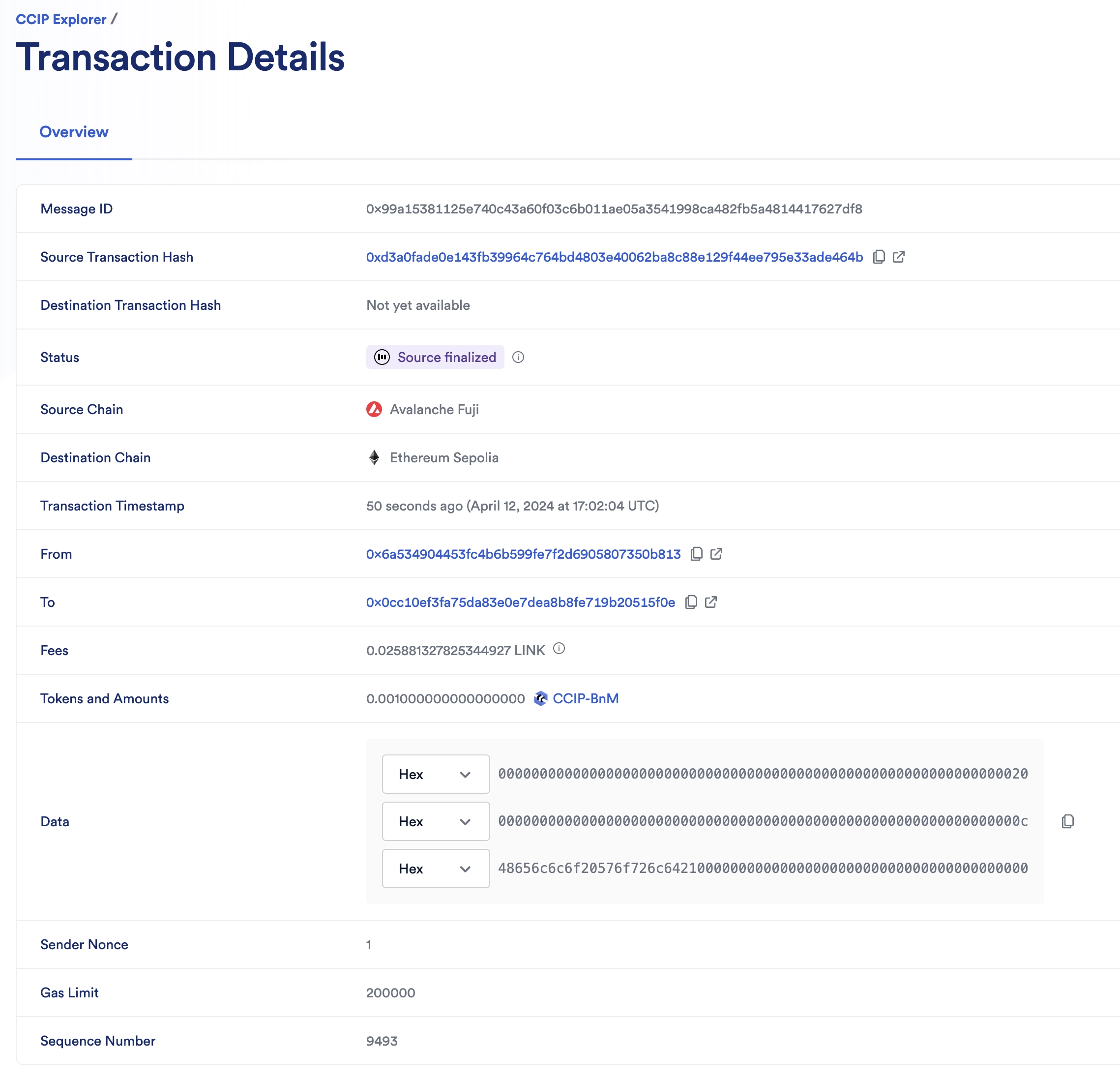
2. The CCIP transaction is completed once the status is marked as "Success". In this example, the CCIP message ID is *0x99a15381125e740c43a60f03c6b011ae05a3541998ca482fb5a4814417627df8*.
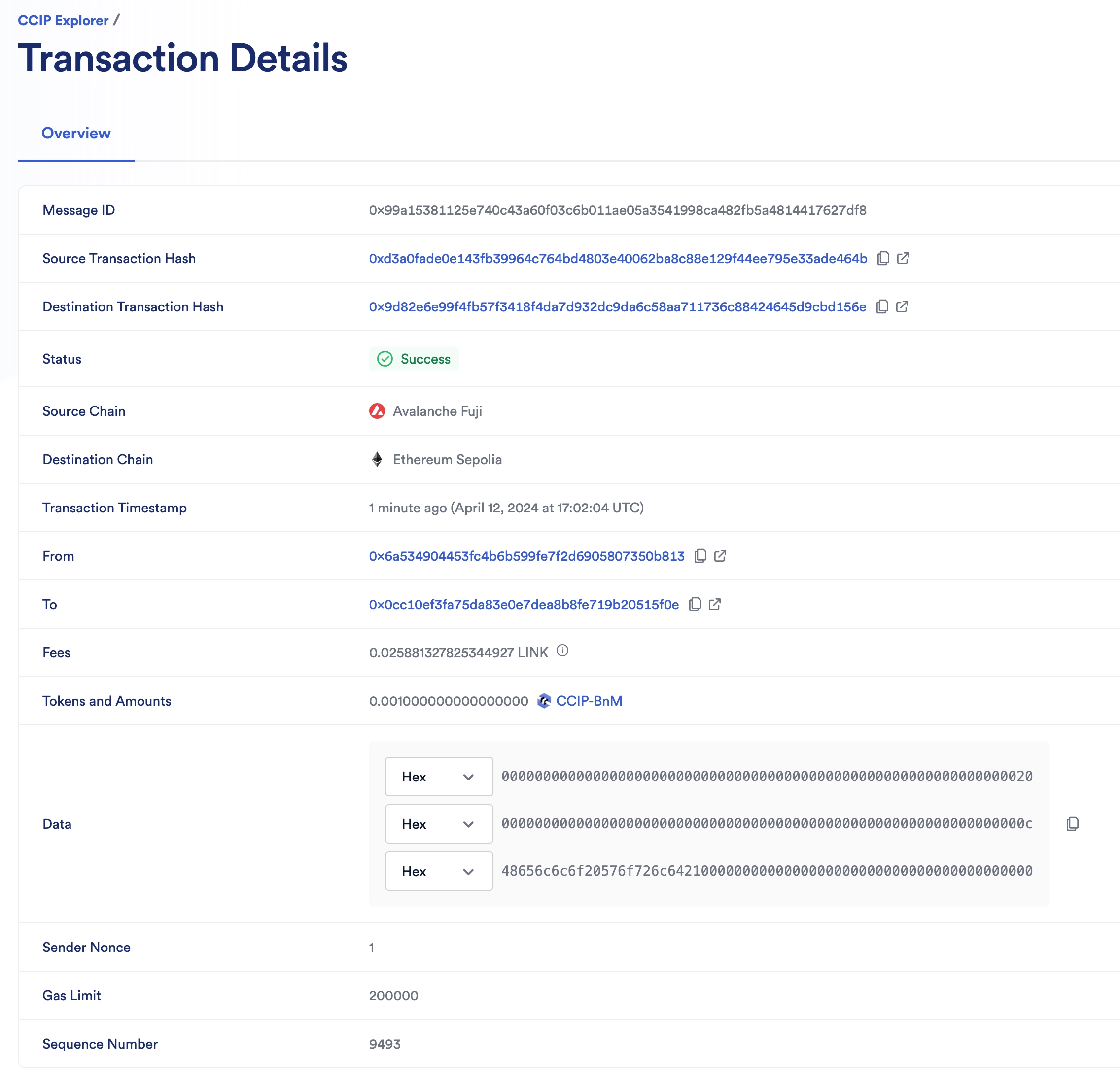
3. Check the receiver contract on the destination chain:
1. Open MetaMask and select the network *Ethereum Sepolia*.
2. In Remix IDE, under *Deploy & Run Transactions*, open the list of functions of your smart contract deployed on *Ethereum Sepolia*.
3. Call the `getLastReceivedMessageDetails` function.
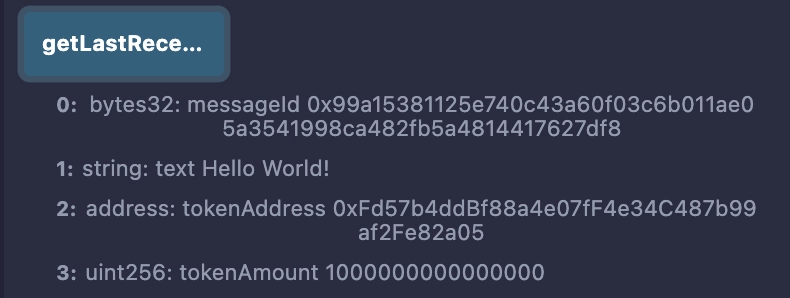
4. Notice the received messageId is *0x99a15381125e740c43a60f03c6b011ae05a3541998ca482fb5a4814417627df8*, the received text is *Hello World!*, the token address is *0xFd57b4ddBf88a4e07fF4e34C487b99af2Fe82a05* (CCIP-BnM token address on *Ethereum Sepolia*) and the token amount is 1000000000000000 (0.001 CCIP-BnM).
**Note**: These example contracts are designed to work bi-directionally. As an exercise, you can use them to transfer tokens with data from *Avalanche Fuji* to *Ethereum Sepolia* and from *Ethereum Sepolia* back to *Avalanche Fuji*.
### Transfer and Receive tokens and data and pay in native
You will transfer *0.001 CCIP-BnM* and a text. The CCIP fees for using CCIP will be paid in Avalanche's native AVAX. Read this [explanation](#transferring-tokens-and-data-and-pay-in-native) for a detailed description of the code example.
1. Open MetaMask and connect to *Avalanche Fuji*. Fund your contract with AVAX tokens. You can transfer 0.2 *AVAX* to your contract. The native gas tokens are used to pay the CCIP fees.
2. Send a string data with tokens from *Avalanche Fuji*:
1. Open MetaMask and select the network *Avalanche Fuji*.
2. In Remix IDE, under *Deploy & Run Transactions*, open the list of functions of your smart contract deployed on *Avalanche Fuji*.
3. Fill in the arguments of the ***sendMessagePayNative*** function:
| Argument | Value and Description |
| -------------------------- | ----------------------------------------------------------------------------------------------------------------------------------------------------------------------------------------------------------------------------------------- |
| _destinationChainSelector | 16015286601757825753 CCIP Chain identifier of the destination blockchain (*Ethereum Sepolia* in this example). You can find each chain selector on the [CCIP Directory](/ccip/directory). |
| _receiver | Your receiver contract address at *Ethereum Sepolia*. The destination contract address. |
| _text | Hello World!Any `string` |
| _token | 0xD21341536c5cF5EB1bcb58f6723cE26e8D8E90e4 The *CCIP-BnM* contract address at the source chain (*Avalanche Fuji* in this example). You can find all the addresses for each supported blockchain on the [CCIP Directory](/ccip/directory). |
| _amount | 1000000000000000 The token amount (*0.001 CCIP-BnM*). |
4. Click on `transact` and confirm the transaction on MetaMask.
5. Once the transaction is successful, note the transaction hash. Here is an [example](https://testnet.snowtrace.io/tx/0x8101fef78288981813915e77f8e5746bdba69711bdb7bc1706944a67ac70854b) of a transaction on *Avalanche Fuji*.
> **NOTE: Gas price spikes**
>
> Under normal circumstances, transactions on the Ethereum Sepolia network require significantly fewer tokens to pay for gas. However, during exceptional periods of high gas price spikes, your transactions may fail if not sufficiently funded. In such cases, you may need to fund your contract with additional tokens. We recommend paying for your CCIP transactions in **LINK** tokens (rather than native tokens) as you can obtain extra LINK testnet tokens from [faucets.chain.link](https://faucets.chain.link/). If you encounter a transaction failure due to these gas price spikes, please add additional LINK tokens to your contract and try again.
> Alternatively, you can use a supported testnet other than Sepolia.
1. Open the [CCIP explorer](https://ccip.chain.link/) and search your cross-chain transaction using the transaction hash.
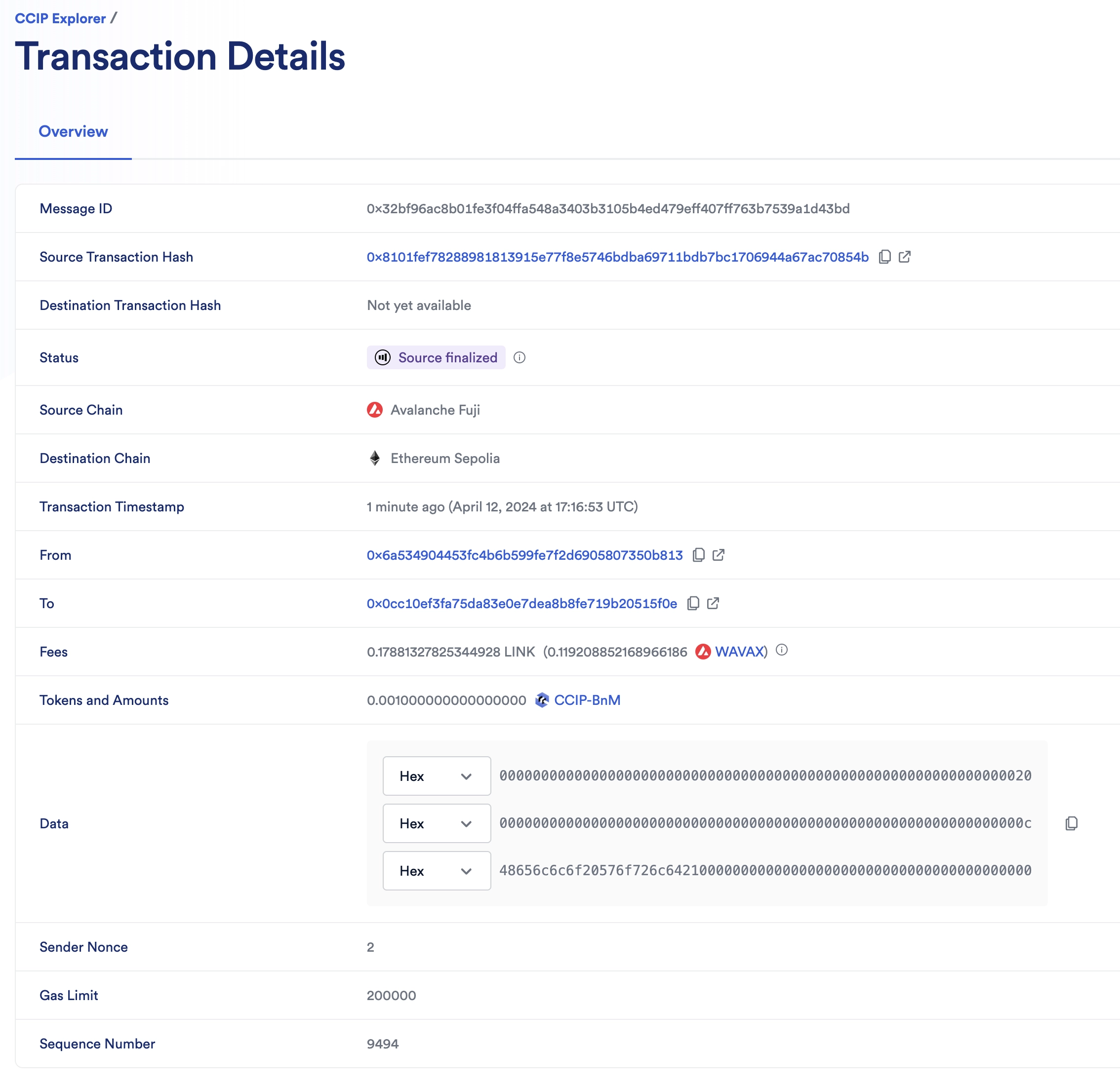
2. The CCIP transaction is completed once the status is marked as "Success". In this example, the CCIP message ID is *0x32bf96ac8b01fe3f04ffa548a3403b3105b4ed479eff407ff763b7539a1d43bd*. Note that CCIP fees are denominated in LINK. Even if CCIP fees are paid using native gas tokens, node operators will be paid in LINK.
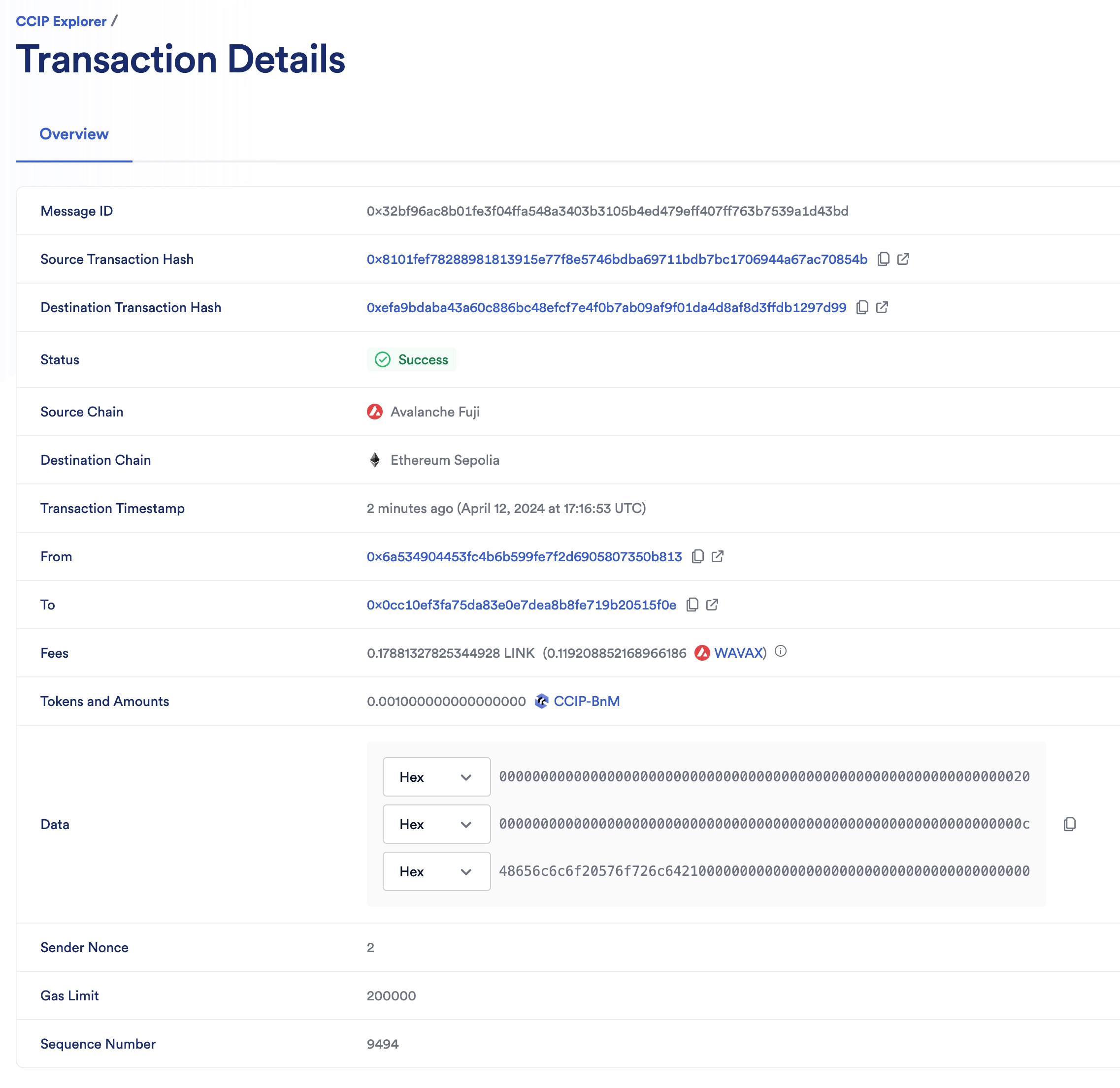
3. Check the receiver contract on the destination chain:
1. Open MetaMask and select the network *Ethereum Sepolia*.
2. In Remix IDE, under *Deploy & Run Transactions*, open the list of functions of your smart contract deployed on *Ethereum Sepolia*.
3. Call the `getLastReceivedMessageDetails` function.
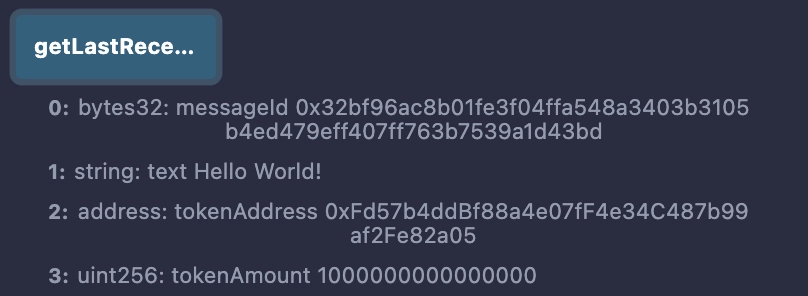
4. Notice the received messageId is *0x32bf96ac8b01fe3f04ffa548a3403b3105b4ed479eff407ff763b7539a1d43bd*, the received text is *Hello World!*, the token address is *0xFd57b4ddBf88a4e07fF4e34C487b99af2Fe82a05* (CCIP-BnM token address on *Ethereum Sepolia*) and the token amount is 1000000000000000 (0.001 CCIP-BnM).
**Note**: These example contracts are designed to work bi-directionally. As an exercise, you can use them to transfer tokens with data from *Avalanche Fuji* to *Ethereum Sepolia* and from *Ethereum Sepolia* back to *Avalanche Fuji*.
## Explanation
> **NOTE: Integrate Chainlink CCIP v1.6.2 into your project**
>
> npm
> yarn
> foundry
>
> If you use [NPM](https://www.npmjs.com/), install the [@chainlink/contracts-ccip NPM package](https://www.npmjs.com/package/@chainlink/contracts-ccip):
>
> ```shell
> npm install @chainlink/contracts-ccip@1.6.2
> ```
>
> If you use [Yarn](https://yarnpkg.com/), install the [@chainlink/contracts-ccip NPM package](https://www.npmjs.com/package/@chainlink/contracts-ccip):
>
> ```shell
> yarn add @chainlink/contracts-ccip@1.6.2
> ```
>
> In your [Foundry](https://book.getfoundry.sh/) project, for easier integration, if you want to avoid installing the dependencies that are only used by the `chainlink-ccip` package, you can use either [NPM](https://www.npmjs.com/) or [Yarn](https://yarnpkg.com/) to install the `chainlink-ccip` package:
>
> - Using `npm`:
>
> ```shell
> npm install @chainlink/contracts-ccip@1.6.2
> ```
> - Using `yarn`:
>
> ```shell
> yarn add @chainlink/contracts-ccip@1.6.2
> ```
>
> Then, add the following remappings to your `remappings.txt` or `foundry.toml` file:
>
> ```
> "@chainlink/contracts-ccip/contracts/=node_modules/@chainlink/contracts-ccip/contracts/",
> "@chainlink/contracts/=node_modules/@chainlink/contracts/",
> "@openzeppelin/contracts@4.8.3/=node_modules/@openzeppelin/contracts-4.8.3/",
> "@openzeppelin/contracts@5.0.2/=node_modules/@openzeppelin/contracts-5.0.2/"
> ```
>
> Alternatively, if you prefer to use only [`forge install`](https://getfoundry.sh/forge/reference/install/), install the `chainlink-ccip` package along with its dependencies:
>
> ```shell
> forge install \
> smartcontractkit/chainlink-ccip@0e3e0fc5c0f70f0d50dca66b139142ddf3009294 \
> smartcontractkit/chainlink-evm@86aa5a1d34b20eda8d18fe6eb0e4882948e545ba \
> openzeppelin/openzeppelin-contracts@0a25c1940ca220686588c4af3ec526f725fe2582 \
> openzeppelin/openzeppelin-contracts@dbb6104ce834628e473d2173bbc9d47f81a9eec3
> ```
>
> Then set the remappings as follows:
>
> ```
> "@chainlink/contracts-ccip/contracts/=lib/chainlink-ccip/chains/evm/contracts/",
> "@chainlink/contracts/=lib/chainlink-evm/contracts/",
> "@openzeppelin/contracts@4.8.3/=lib/openzeppelin-contracts/contracts/",
> "@openzeppelin/contracts@5.0.2/=lib/openzeppelin-contracts/contracts/"
> ```
The smart contract featured in this tutorial is designed to interact with CCIP to transfer and receive tokens and data. The contract code contains supporting comments clarifying the functions, events, and underlying logic. Here we will further explain initializing the contract and sending data with tokens.
### Initializing the contract
When deploying the contract, we define the router address and LINK contract address of the blockchain we deploy the contract on.
Defining the router address is useful for the following:
- Sender part:
- Calls the router's `getFee` [function](/ccip/api-reference/evm/v1.6.1/i-router-client#getfee) to estimate the CCIP fees.
- Calls the router's `ccipSend` [function](/ccip/api-reference/evm/v1.6.1/i-router-client#ccipsend) to send CCIP messages.
- Receiver part:
- The contract inherits from [CCIPReceiver](/ccip/api-reference/evm/v1.6.1/ccip-receiver), which serves as a base contract for receiver contracts. This contract requires that child contracts implement the `_ccipReceive` [function](/ccip/api-reference/evm/v1.6.1/ccip-receiver#_ccipreceive). `_ccipReceive` is called by the `ccipReceive` [function](/ccip/api-reference/evm/v1.6.1/ccip-receiver#ccipreceive), which ensures that only the router can deliver CCIP messages to the receiver contract.
### Transferring tokens and data and pay in LINK
The `sendMessagePayLINK` function undertakes six primary operations:
1. Call the `_buildCCIPMessage` private function to construct a CCIP-compatible message using the `EVM2AnyMessage` [struct](/ccip/api-reference/evm/v1.6.1/client#any2evmmessage):
- The `_receiver` address is encoded in bytes to accommodate non-EVM destination blockchains with distinct address formats. The encoding is achieved through [abi.encode](https://docs.soliditylang.org/en/develop/abi-spec.html).
- The `data` is encoded from a `string` to `bytes` using [abi.encode](https://docs.soliditylang.org/en/develop/abi-spec.html).
- The `tokenAmounts` is an array, with each element comprising an `EVMTokenAmount` [struct](/ccip/api-reference/evm/v1.6.1/client#evmtokenamount) containing the token address and amount. The array contains one element where the `_token` (token address) and `_amount` (token amount) are passed by the user when calling the `sendMessagePayLINK` function.
- The `extraArgs` specifies the `gasLimit` for relaying the message to the recipient contract on the destination blockchain. In this example, the `gasLimit` is set to \`200000.
- The `_feeTokenAddress` designates the token address used for CCIP fees. Here, `address(linkToken)` signifies payment in LINK.
> **CAUTION: Best Practices**
>
> This example is simplified for educational purposes. For production code, please adhere to the following best practices:
>
> - **Do Not Hardcode `extraArgs`**: In this example, `extraArgs` are hardcoded within the contract for simplicity. It is recommended to make `extraArgs` mutable. For instance, you can construct `extraArgs` off-chain and pass them into your function calls, or store them in a storage variable that can be updated as needed. This approach ensures that `extraArgs` remain backward compatible with future CCIP upgrades. Refer to the [Best Practices](/ccip/concepts/best-practices/evm) guide for more information.
>
> - **Validate the Destination Chain**: Always ensure that the destination chain is valid and supported before sending messages.
>
> - **Understand `allowOutOfOrderExecution` Usage**: This example sets `allowOutOfOrderExecution` to `true` (see [GenericExtraArgsV2](/ccip/api-reference/evm/v1.6.1/client#genericextraargsv2)). Read the [Best Practices: Setting `allowOutOfOrderExecution`](/ccip/concepts/best-practices/evm#setting-allowoutoforderexecution) to learn more about this parameter.
>
> - **Understand CCIP Service Limits**: Review the [CCIP Service Limits](/ccip/service-limits) for constraints on message data size, execution gas, and the number of tokens per transaction. If your requirements exceed these limits, you may need to [contact the Chainlink Labs Team](https://chain.link/ccip-contact).
>
> Following these best practices ensures that your contract is robust, future-proof, and compliant with CCIP standards.
1. Computes the fees by invoking the router's `getFee` [function](/ccip/api-reference/evm/v1.6.1/i-router-client#getfee).
2. Ensures your contract balance in LINK is enough to cover the fees.
3. Grants the router contract permission to deduct the fees from the contract's LINK balance.
4. Grants the router contract permission to deduct the amount from the contract's *CCIP-BnM* balance.
5. Dispatches the CCIP message to the destination chain by executing the router's `ccipSend` [function](/ccip/api-reference/evm/v1.6.1/i-router-client#ccipsend).
**Note**: As a security measure, the `sendMessagePayLINK` function is protected by the `onlyAllowlistedDestinationChain`, ensuring the contract owner has allowlisted a destination chain.
### Transferring tokens and data and pay in native
The `sendMessagePayNative` function undertakes five primary operations:
1. Call the `_buildCCIPMessage` private function to construct a CCIP-compatible message using the `EVM2AnyMessage` [struct](/ccip/api-reference/evm/v1.6.1/client#any2evmmessage):
- The `_receiver` address is encoded in bytes to accommodate non-EVM destination blockchains with distinct address formats. The encoding is achieved through [abi.encode](https://docs.soliditylang.org/en/develop/abi-spec.html).
- The `data` is encoded from a `string` to `bytes` using [abi.encode](https://docs.soliditylang.org/en/develop/abi-spec.html).
- The `tokenAmounts` is an array, with each element comprising an `EVMTokenAmount` [struct](/ccip/api-reference/evm/v1.6.1/client#evmtokenamount) containing the token address and amount. The array contains one element where the `_token` (token address) and `_amount` (token amount) are passed by the user when calling the `sendMessagePayNative` function.
- The `extraArgs` specifies the `gasLimit` for relaying the message to the recipient contract on the destination blockchain. In this example, the `gasLimit` is set to \`200000.
- The `_feeTokenAddress` designates the token address used for CCIP fees. Here, `address(0)` signifies payment in native gas tokens (ETH).
> **CAUTION: Best Practices**
>
> This example is simplified for educational purposes. For production code, please adhere to the following best practices:
>
> - **Do Not Hardcode `extraArgs`**: In this example, `extraArgs` are hardcoded within the contract for simplicity. It is recommended to make `extraArgs` mutable. For instance, you can construct `extraArgs` off-chain and pass them into your function calls, or store them in a storage variable that can be updated as needed. This approach ensures that `extraArgs` remain backward compatible with future CCIP upgrades. Refer to the [Best Practices](/ccip/concepts/best-practices/evm) guide for more information.
>
> - **Validate the Destination Chain**: Always ensure that the destination chain is valid and supported before sending messages.
>
> - **Understand `allowOutOfOrderExecution` Usage**: This example sets `allowOutOfOrderExecution` to `true` (see [GenericExtraArgsV2](/ccip/api-reference/evm/v1.6.1/client#genericextraargsv2)). Read the [Best Practices: Setting `allowOutOfOrderExecution`](/ccip/concepts/best-practices/evm#setting-allowoutoforderexecution) to learn more about this parameter.
>
> - **Understand CCIP Service Limits**: Review the [CCIP Service Limits](/ccip/service-limits) for constraints on message data size, execution gas, and the number of tokens per transaction. If your requirements exceed these limits, you may need to [contact the Chainlink Labs Team](https://chain.link/ccip-contact).
>
> Following these best practices ensures that your contract is robust, future-proof, and compliant with CCIP standards.
1. Computes the fees by invoking the router's `getFee` [function](/ccip/api-reference/evm/v1.6.1/i-router-client#getfee).
2. Ensures your contract balance in native gas is enough to cover the fees.
3. Grants the router contract permission to deduct the amount from the contract's *CCIP-BnM* balance.
4. Dispatches the CCIP message to the destination chain by executing the router's `ccipSend` [function](/ccip/api-reference/evm/v1.6.1/i-router-client#ccipsend). **Note**: `msg.value` is set because you pay in native gas.
**Note**: As a security measure, the `sendMessagePayNative` function is protected by the `onlyAllowlistedDestinationChain`, ensuring the contract owner has allowlisted a destination chain.
### Receiving messages
On the destination blockchain, the router invokes the `_ccipReceive` [function](/ccip/api-reference/evm/v1.6.1/ccip-receiver#_ccipreceive) which expects a `Any2EVMMessage` [struct](/ccip/api-reference/evm/v1.6.1/client#any2evmmessage) that contains:
- The CCIP `messageId`.
- The `sourceChainSelector`.
- The `sender` address in bytes format. Given that the sender is known to be a contract deployed on an EVM-compatible blockchain, the address is decoded from bytes to an Ethereum address using the [ABI specifications](https://docs.soliditylang.org/en/v0.8.20/abi-spec.html).
- The `tokenAmounts` is an array containing received tokens and their respective amounts. Given that only one token transfer is expected, the first element of the array is extracted.
- The `data`, which is also in bytes format. Given a `string` is expected, the data is decoded from bytes to a string using the [ABI specifications](https://docs.soliditylang.org/en/v0.8.20/abi-spec.html).
**Note**: Three important security measures are applied:
- `_ccipReceive` is called by the `ccipReceive` [function](/ccip/api-reference/evm/v1.6.1/ccip-receiver#ccipreceive), which ensures that only the router can deliver CCIP messages to the receiver contract. See the `onlyRouter` [modifier](/ccip/api-reference/evm/v1.6.1/ccip-receiver#onlyrouter) for more information.
- The modifier `onlyAllowlisted` ensures that only a call from an allowlisted source chain and sender is accepted.
---
# Transfer Tokens with Data - Defensive Example
Source: https://docs.chain.link/ccip/tutorials/evm/programmable-token-transfers-defensive
Last Updated: 2025-05-19
This tutorial extends the [programmable token transfers example](/ccip/tutorials/evm/programmable-token-transfers). It uses Chainlink CCIP to transfer tokens and arbitrary data between smart contracts on different blockchains, and focuses on defensive coding in the receiver contract. In the event of a specified error during the CCIP message reception, the contract locks the tokens. Locking the tokens allows the owner to recover and redirect them as needed. Defensive coding is crucial as it enables the recovery of locked tokens and ensures the protection of your users' assets.
> **CAUTION: Transferring tokens**
>
> This tutorial uses the term "transferring tokens" even though the tokens are not technically transferred. Instead,
> they are locked or burned on the source chain and then unlocked or minted on the destination chain. Read the [Token
> Pools](/ccip/concepts/cross-chain-token/evm/token-pools) section to understand the various mechanisms that are used to
> transfer value across chains.
## Before you begin
1. You should understand how to write, compile, deploy, and fund a smart contract. If you need to brush up on the basics, read this [tutorial](/quickstarts/deploy-your-first-contract), which will guide you through using the [Solidity programming language](https://soliditylang.org/), interacting with the [MetaMask wallet](https://metamask.io) and working within the [Remix Development Environment](https://remix.ethereum.org/).
2. Your account must have some AVAX and LINK tokens on *Avalanche Fuji* and ETH tokens on *Ethereum Sepolia*. Learn how to [Acquire testnet LINK](/resources/acquire-link).
3. Check the [CCIP Directory](/ccip/directory) to confirm that the tokens you will transfer are supported for your lane. In this example, you will transfer tokens from *Avalanche Fuji* to *Ethereum Sepolia* so check the list of supported tokens [here](/ccip/directory/testnet/chain/avalanche-fuji-testnet).
4. Learn how to [acquire CCIP test tokens](/ccip/test-tokens#evm-chains). Following this guide, you should have CCIP-BnM tokens, and CCIP-BnM should appear in the list of your tokens in MetaMask.
5. Learn how to [fund your contract](/resources/fund-your-contract). This guide shows how to fund your contract in LINK, but you can use the same guide for funding your contract with any ERC20 tokens as long as they appear in the list of tokens in MetaMask.
6. Follow the previous tutorial: [*Transfer Tokens with Data*](/ccip/tutorials/evm/programmable-token-transfers) to learn how to make programmable token transfers using CCIP.
## Tutorial
> **NOTE: Optimize your development with the CCIP local simulator**
>
> Enhance your development workflow using the [Chainlink CCIP local
> simulator](https://github.com/smartcontractkit/chainlink-local), an installable package designed to simulate Chainlink
> CCIP locally within your Hardhat and Foundry projects. It provides a robust smart contracts and scripts suite,
> enabling you to build, deploy, and execute CCIP token transfers and arbitrary messages on a local Hardhat or Anvil
> development node. With Chainlink Local, you can also work on forked nodes, ensuring a seamless transition of your
> contracts to test networks without modifications. Start integrating Chainlink Local today to streamline your
> development process and validate your CCIP implementations effectively.
In this guide, you'll initiate a transaction from a smart contract on *Avalanche Fuji*, sending a *string* text and CCIP-BnM tokens to another smart contract on *Ethereum Sepolia* using CCIP. However, a deliberate failure in the processing logic will occur upon reaching the receiver contract. This tutorial will demonstrate a graceful error-handling approach, allowing the contract owner to recover the locked tokens.
> **NOTE: Correctly estimate your gas limit**
>
> It is crucial to thoroughly test all scenarios to accurately estimate the required gas limit, including for failure
> scenarios. Be aware that the gas used to execute the error-handling logic for failure scenarios may be higher than
> that for successful scenarios.
```sol
// SPDX-License-Identifier: MIT
pragma solidity 0.8.24;
import {CCIPReceiver} from "@chainlink/contracts-ccip/contracts/applications/CCIPReceiver.sol";
import {IRouterClient} from "@chainlink/contracts-ccip/contracts/interfaces/IRouterClient.sol";
import {Client} from "@chainlink/contracts-ccip/contracts/libraries/Client.sol";
import {OwnerIsCreator} from "@chainlink/contracts@1.4.0/src/v0.8/shared/access/OwnerIsCreator.sol";
import {IERC20} from "@openzeppelin/contracts/token/ERC20/IERC20.sol";
import {SafeERC20} from "@openzeppelin/contracts/token/ERC20/utils/SafeERC20.sol";
import {EnumerableMap} from "@openzeppelin/contracts/utils/structs/EnumerableMap.sol";
/**
* THIS IS AN EXAMPLE CONTRACT THAT USES HARDCODED VALUES FOR CLARITY.
* THIS IS AN EXAMPLE CONTRACT THAT USES UN-AUDITED CODE.
* DO NOT USE THIS CODE IN PRODUCTION.
*/
/// @title - A simple messenger contract for transferring/receiving tokens and data across chains.
/// @dev - This example shows how to recover tokens in case of revert
contract ProgrammableDefensiveTokenTransfers is CCIPReceiver, OwnerIsCreator {
using EnumerableMap for EnumerableMap.Bytes32ToUintMap;
using SafeERC20 for IERC20;
// Custom errors to provide more descriptive revert messages.
error NotEnoughBalance(uint256 currentBalance, uint256 requiredBalance); // Used to make sure contract has enough
// token balance
error NothingToWithdraw(); // Used when trying to withdraw Ether but there's nothing to withdraw.
error FailedToWithdrawEth(address owner, address target, uint256 value); // Used when the withdrawal of Ether fails.
error DestinationChainNotAllowlisted(uint64 destinationChainSelector); // Used when the destination chain has not been
// allowlisted by the contract owner.
error SourceChainNotAllowed(uint64 sourceChainSelector); // Used when the source chain has not been allowlisted by the
// contract owner.
error SenderNotAllowed(address sender); // Used when the sender has not been allowlisted by the contract owner.
error InvalidReceiverAddress(); // Used when the receiver address is 0.
error OnlySelf(); // Used when a function is called outside of the contract itself.
error ErrorCase(); // Used when simulating a revert during message processing.
error MessageNotFailed(bytes32 messageId);
// Example error code, could have many different error codes.
enum ErrorCode {
// RESOLVED is first so that the default value is resolved.
RESOLVED,
// Could have any number of error codes here.
FAILED
}
struct FailedMessage {
bytes32 messageId;
ErrorCode errorCode;
}
// Event emitted when a message is sent to another chain.
// The chain selector of the destination chain.
// The address of the receiver on the destination chain.
// The text being sent.
// The token address that was transferred.
// The token amount that was transferred.
// the token address used to pay CCIP fees.
// The fees paid for sending the message.
event MessageSent( // The unique ID of the CCIP message.
bytes32 indexed messageId,
uint64 indexed destinationChainSelector,
address receiver,
string text,
address token,
uint256 tokenAmount,
address feeToken,
uint256 fees
);
// Event emitted when a message is received from another chain.
// The chain selector of the source chain.
// The address of the sender from the source chain.
// The text that was received.
// The token address that was transferred.
// The token amount that was transferred.
event MessageReceived( // The unique ID of the CCIP message.
bytes32 indexed messageId,
uint64 indexed sourceChainSelector,
address sender,
string text,
address token,
uint256 tokenAmount
);
event MessageFailed(bytes32 indexed messageId, bytes reason);
event MessageRecovered(bytes32 indexed messageId);
bytes32 private s_lastReceivedMessageId; // Store the last received messageId.
address private s_lastReceivedTokenAddress; // Store the last received token address.
uint256 private s_lastReceivedTokenAmount; // Store the last received amount.
string private s_lastReceivedText; // Store the last received text.
// Mapping to keep track of allowlisted destination chains.
mapping(uint64 => bool) public allowlistedDestinationChains;
// Mapping to keep track of allowlisted source chains.
mapping(uint64 => bool) public allowlistedSourceChains;
// Mapping to keep track of allowlisted senders.
mapping(address => bool) public allowlistedSenders;
IERC20 private s_linkToken;
// The message contents of failed messages are stored here.
mapping(bytes32 messageId => Client.Any2EVMMessage contents) public s_messageContents;
// Contains failed messages and their state.
EnumerableMap.Bytes32ToUintMap internal s_failedMessages;
// This is used to simulate a revert in the processMessage function.
bool internal s_simRevert = false;
/// @notice Constructor initializes the contract with the router address.
/// @param _router The address of the router contract.
/// @param _link The address of the link contract.
constructor(
address _router,
address _link
) CCIPReceiver(_router) {
s_linkToken = IERC20(_link);
}
/// @dev Modifier that checks if the chain with the given destinationChainSelector is allowlisted.
/// @param _destinationChainSelector The selector of the destination chain.
modifier onlyAllowlistedDestinationChain(
uint64 _destinationChainSelector
) {
if (!allowlistedDestinationChains[_destinationChainSelector]) {
revert DestinationChainNotAllowlisted(_destinationChainSelector);
}
_;
}
/// @dev Modifier that checks if the chain with the given sourceChainSelector is allowlisted and if the sender is
/// allowlisted.
/// @param _sourceChainSelector The selector of the destination chain.
/// @param _sender The address of the sender.
modifier onlyAllowlisted(
uint64 _sourceChainSelector,
address _sender
) {
if (!allowlistedSourceChains[_sourceChainSelector]) {
revert SourceChainNotAllowed(_sourceChainSelector);
}
if (!allowlistedSenders[_sender]) revert SenderNotAllowed(_sender);
_;
}
/// @dev Modifier that checks the receiver address is not 0.
/// @param _receiver The receiver address.
modifier validateReceiver(
address _receiver
) {
if (_receiver == address(0)) revert InvalidReceiverAddress();
_;
}
/// @dev Modifier to allow only the contract itself to execute a function.
/// Throws an exception if called by any account other than the contract itself.
modifier onlySelf() {
if (msg.sender != address(this)) revert OnlySelf();
_;
}
/// @dev Updates the allowlist status of a destination chain for transactions.
/// @notice This function can only be called by the owner.
/// @param _destinationChainSelector The selector of the destination chain to be updated.
/// @param allowed The allowlist status to be set for the destination chain.
function allowlistDestinationChain(
uint64 _destinationChainSelector,
bool allowed
) external onlyOwner {
allowlistedDestinationChains[_destinationChainSelector] = allowed;
}
/// @dev Updates the allowlist status of a source chain
/// @notice This function can only be called by the owner.
/// @param _sourceChainSelector The selector of the source chain to be updated.
/// @param allowed The allowlist status to be set for the source chain.
function allowlistSourceChain(
uint64 _sourceChainSelector,
bool allowed
) external onlyOwner {
allowlistedSourceChains[_sourceChainSelector] = allowed;
}
/// @dev Updates the allowlist status of a sender for transactions.
/// @notice This function can only be called by the owner.
/// @param _sender The address of the sender to be updated.
/// @param allowed The allowlist status to be set for the sender.
function allowlistSender(
address _sender,
bool allowed
) external onlyOwner {
allowlistedSenders[_sender] = allowed;
}
/// @notice Sends data and transfer tokens to receiver on the destination chain.
/// @notice Pay for fees in LINK.
/// @dev Assumes your contract has sufficient LINK to pay for CCIP fees.
/// @param _destinationChainSelector The identifier (aka selector) for the destination blockchain.
/// @param _receiver The address of the recipient on the destination blockchain.
/// @param _text The string data to be sent.
/// @param _token token address.
/// @param _amount token amount.
/// @return messageId The ID of the CCIP message that was sent.
function sendMessagePayLINK(
uint64 _destinationChainSelector,
address _receiver,
string calldata _text,
address _token,
uint256 _amount
)
external
onlyOwner
onlyAllowlistedDestinationChain(_destinationChainSelector)
validateReceiver(_receiver)
returns (bytes32 messageId)
{
// Create an EVM2AnyMessage struct in memory with necessary information for sending a cross-chain message
// address(linkToken) means fees are paid in LINK
Client.EVM2AnyMessage memory evm2AnyMessage =
_buildCCIPMessage(_receiver, _text, _token, _amount, address(s_linkToken));
// Initialize a router client instance to interact with cross-chain router
IRouterClient router = IRouterClient(this.getRouter());
// Get the fee required to send the CCIP message
uint256 fees = router.getFee(_destinationChainSelector, evm2AnyMessage);
uint256 requiredLinkBalance;
if (_token == address(s_linkToken)) {
// Required LINK Balance is the sum of fees and amount to transfer, if the token to transfer is LINK
requiredLinkBalance = fees + _amount;
} else {
requiredLinkBalance = fees;
}
uint256 linkBalance = s_linkToken.balanceOf(address(this));
if (requiredLinkBalance > linkBalance) {
revert NotEnoughBalance(linkBalance, requiredLinkBalance);
}
// approve the Router to transfer LINK tokens on contract's behalf. It will spend the requiredLinkBalance
s_linkToken.approve(address(router), requiredLinkBalance);
// If sending a token other than LINK, approve it separately
if (_token != address(s_linkToken)) {
uint256 tokenBalance = IERC20(_token).balanceOf(address(this));
if (_amount > tokenBalance) {
revert NotEnoughBalance(tokenBalance, _amount);
}
// approve the Router to spend tokens on contract's behalf. It will spend the amount of the given token
IERC20(_token).approve(address(router), _amount);
}
// Send the message through the router and store the returned message ID
messageId = router.ccipSend(_destinationChainSelector, evm2AnyMessage);
// Emit an event with message details
emit MessageSent(
messageId, _destinationChainSelector, _receiver, _text, _token, _amount, address(s_linkToken), fees
);
// Return the message ID
return messageId;
}
/// @notice Sends data and transfer tokens to receiver on the destination chain.
/// @notice Pay for fees in native gas.
/// @dev Assumes your contract has sufficient native gas like ETH on Ethereum or POL on Polygon.
/// @param _destinationChainSelector The identifier (aka selector) for the destination blockchain.
/// @param _receiver The address of the recipient on the destination blockchain.
/// @param _text The string data to be sent.
/// @param _token token address.
/// @param _amount token amount.
/// @return messageId The ID of the CCIP message that was sent.
function sendMessagePayNative(
uint64 _destinationChainSelector,
address _receiver,
string calldata _text,
address _token,
uint256 _amount
)
external
onlyOwner
onlyAllowlistedDestinationChain(_destinationChainSelector)
validateReceiver(_receiver)
returns (bytes32 messageId)
{
// Create an EVM2AnyMessage struct in memory with necessary information for sending a cross-chain message
// address(0) means fees are paid in native gas
Client.EVM2AnyMessage memory evm2AnyMessage = _buildCCIPMessage(_receiver, _text, _token, _amount, address(0));
// Initialize a router client instance to interact with cross-chain router
IRouterClient router = IRouterClient(this.getRouter());
// Get the fee required to send the CCIP message
uint256 fees = router.getFee(_destinationChainSelector, evm2AnyMessage);
if (fees > address(this).balance) {
revert NotEnoughBalance(address(this).balance, fees);
}
// approve the Router to spend tokens on contract's behalf. It will spend the amount of the given token
IERC20(_token).approve(address(router), _amount);
// Send the message through the router and store the returned message ID
messageId = router.ccipSend{value: fees}(_destinationChainSelector, evm2AnyMessage);
// Emit an event with message details
emit MessageSent(messageId, _destinationChainSelector, _receiver, _text, _token, _amount, address(0), fees);
// Return the message ID
return messageId;
}
/**
* @notice Returns the details of the last CCIP received message.
* @dev This function retrieves the ID, text, token address, and token amount of the last received CCIP message.
* @return messageId The ID of the last received CCIP message.
* @return text The text of the last received CCIP message.
* @return tokenAddress The address of the token in the last CCIP received message.
* @return tokenAmount The amount of the token in the last CCIP received message.
*/
function getLastReceivedMessageDetails()
public
view
returns (bytes32 messageId, string memory text, address tokenAddress, uint256 tokenAmount)
{
return (s_lastReceivedMessageId, s_lastReceivedText, s_lastReceivedTokenAddress, s_lastReceivedTokenAmount);
}
/**
* @notice Retrieves a paginated list of failed messages.
* @dev This function returns a subset of failed messages defined by `offset` and `limit` parameters. It ensures that
* the pagination parameters are within the bounds of the available data set.
* @param offset The index of the first failed message to return, enabling pagination by skipping a specified number
* of messages from the start of the dataset.
* @param limit The maximum number of failed messages to return, restricting the size of the returned array.
* @return failedMessages An array of `FailedMessage` struct, each containing a `messageId` and an `errorCode`
* (RESOLVED or FAILED), representing the requested subset of failed messages. The length of the returned array is
* determined by the `limit` and the total number of failed messages.
*/
function getFailedMessages(
uint256 offset,
uint256 limit
) external view returns (FailedMessage[] memory) {
uint256 length = s_failedMessages.length();
// Calculate the actual number of items to return (can't exceed total length or requested limit)
uint256 returnLength = (offset + limit > length) ? length - offset : limit;
FailedMessage[] memory failedMessages = new FailedMessage[](returnLength);
// Adjust loop to respect pagination (start at offset, end at offset + limit or total length)
for (uint256 i = 0; i < returnLength; i++) {
(bytes32 messageId, uint256 errorCode) = s_failedMessages.at(offset + i);
failedMessages[i] = FailedMessage(messageId, ErrorCode(errorCode));
}
return failedMessages;
}
/// @notice The entrypoint for the CCIP router to call. This function should
/// never revert, all errors should be handled internally in this contract.
/// @param any2EvmMessage The message to process.
/// @dev Extremely important to ensure only router calls this.
function ccipReceive(
Client.Any2EVMMessage calldata any2EvmMessage
)
external
override
onlyRouter
onlyAllowlisted(any2EvmMessage.sourceChainSelector, abi.decode(any2EvmMessage.sender, (address))) // Make sure the
// source chain and sender are allowlisted
{
/* solhint-disable no-empty-blocks */
try this.processMessage(any2EvmMessage) {
// Intentionally empty in this example; no action needed if processMessage succeeds
}
catch (bytes memory err) {
// Could set different error codes based on the caught error. Each could be
// handled differently.
s_failedMessages.set(any2EvmMessage.messageId, uint256(ErrorCode.FAILED));
s_messageContents[any2EvmMessage.messageId] = any2EvmMessage;
// Don't revert so CCIP doesn't revert. Emit event instead.
// The message can be retried later without having to do manual execution of CCIP.
emit MessageFailed(any2EvmMessage.messageId, err);
return;
}
}
/// @notice Serves as the entry point for this contract to process incoming messages.
/// @param any2EvmMessage Received CCIP message.
/// @dev Transfers specified token amounts to the owner of this contract. This function
/// must be external because of the try/catch for error handling.
/// It uses the `onlySelf`: can only be called from the contract.
function processMessage(
Client.Any2EVMMessage calldata any2EvmMessage
)
external
onlySelf
onlyAllowlisted(any2EvmMessage.sourceChainSelector, abi.decode(any2EvmMessage.sender, (address))) // Make sure the
// source chain and sender are allowlisted
{
// Simulate a revert for testing purposes
if (s_simRevert) revert ErrorCase();
_ccipReceive(any2EvmMessage); // process the message - may revert as well
}
/// @notice Allows the owner to retry a failed message in order to unblock the associated tokens.
/// @param messageId The unique identifier of the failed message.
/// @param tokenReceiver The address to which the tokens will be sent.
/// @dev This function is only callable by the contract owner. It changes the status of the message
/// from 'failed' to 'resolved' to prevent reentry and multiple retries of the same message.
function retryFailedMessage(
bytes32 messageId,
address tokenReceiver
) external onlyOwner {
// Check if the message has failed; if not, revert the transaction.
if (s_failedMessages.get(messageId) != uint256(ErrorCode.FAILED)) {
revert MessageNotFailed(messageId);
}
// Set the error code to RESOLVED to disallow reentry and multiple retries of the same failed message.
s_failedMessages.set(messageId, uint256(ErrorCode.RESOLVED));
// Retrieve the content of the failed message.
Client.Any2EVMMessage memory message = s_messageContents[messageId];
// This example expects one token to have been sent, but you can handle multiple tokens.
// Transfer the associated tokens to the specified receiver as an escape hatch.
IERC20(message.destTokenAmounts[0].token).safeTransfer(tokenReceiver, message.destTokenAmounts[0].amount);
// Emit an event indicating that the message has been recovered.
emit MessageRecovered(messageId);
}
/// @notice Allows the owner to toggle simulation of reversion for testing purposes.
/// @param simRevert If `true`, simulates a revert condition; if `false`, disables the simulation.
/// @dev This function is only callable by the contract owner.
function setSimRevert(
bool simRevert
) external onlyOwner {
s_simRevert = simRevert;
}
function _ccipReceive(
Client.Any2EVMMessage memory any2EvmMessage
) internal override {
s_lastReceivedMessageId = any2EvmMessage.messageId; // fetch the messageId
s_lastReceivedText = abi.decode(any2EvmMessage.data, (string)); // abi-decoding of the sent text
// Expect one token to be transferred at once, but you can transfer several tokens.
s_lastReceivedTokenAddress = any2EvmMessage.destTokenAmounts[0].token;
s_lastReceivedTokenAmount = any2EvmMessage.destTokenAmounts[0].amount;
emit MessageReceived(
any2EvmMessage.messageId,
any2EvmMessage.sourceChainSelector, // fetch the source chain identifier (aka selector)
abi.decode(any2EvmMessage.sender, (address)), // abi-decoding of the sender address,
abi.decode(any2EvmMessage.data, (string)),
any2EvmMessage.destTokenAmounts[0].token,
any2EvmMessage.destTokenAmounts[0].amount
);
}
/// @notice Construct a CCIP message.
/// @dev This function will create an EVM2AnyMessage struct with all the necessary information for programmable tokens
/// transfer.
/// @param _receiver The address of the receiver.
/// @param _text The string data to be sent.
/// @param _token The token to be transferred.
/// @param _amount The amount of the token to be transferred.
/// @param _feeTokenAddress The address of the token used for fees. Set address(0) for native gas.
/// @return Client.EVM2AnyMessage Returns an EVM2AnyMessage struct which contains information for sending a CCIP
/// message.
function _buildCCIPMessage(
address _receiver,
string calldata _text,
address _token,
uint256 _amount,
address _feeTokenAddress
) private pure returns (Client.EVM2AnyMessage memory) {
// Set the token amounts
Client.EVMTokenAmount[] memory tokenAmounts = new Client.EVMTokenAmount[](1);
Client.EVMTokenAmount memory tokenAmount = Client.EVMTokenAmount({token: _token, amount: _amount});
tokenAmounts[0] = tokenAmount;
// Create an EVM2AnyMessage struct in memory with necessary information for sending a cross-chain message
Client.EVM2AnyMessage memory evm2AnyMessage = Client.EVM2AnyMessage({
receiver: abi.encode(_receiver), // ABI-encoded receiver address
data: abi.encode(_text), // ABI-encoded string
tokenAmounts: tokenAmounts, // The amount and type of token being transferred
extraArgs: Client._argsToBytes(
// Additional arguments, setting gas limit and allowing out-of-order execution.
// Best Practice: For simplicity, the values are hardcoded. It is advisable to use a more dynamic approach
// where you set the extra arguments off-chain. This allows adaptation depending on the lanes, messages,
// and ensures compatibility with future CCIP upgrades. Read more about it here:
// https://docs.chain.link/ccip/concepts/best-practices/evm#using-extraargs
Client.GenericExtraArgsV2({
gasLimit: 400_000, // Gas limit for the callback on the destination chain
allowOutOfOrderExecution: true // Allows the message to be executed out of order relative to other messages
// from
// the same sender
})
),
// Set the feeToken to a feeTokenAddress, indicating specific asset will be used for fees
feeToken: _feeTokenAddress
});
return evm2AnyMessage;
}
/// @notice Fallback function to allow the contract to receive Ether.
/// @dev This function has no function body, making it a default function for receiving Ether.
/// It is automatically called when Ether is sent to the contract without any data.
receive() external payable {}
/// @notice Allows the contract owner to withdraw the entire balance of Ether from the contract.
/// @dev This function reverts if there are no funds to withdraw or if the transfer fails.
/// It should only be callable by the owner of the contract.
/// @param _beneficiary The address to which the Ether should be sent.
function withdraw(
address _beneficiary
) public onlyOwner {
// Retrieve the balance of this contract
uint256 amount = address(this).balance;
// Revert if there is nothing to withdraw
if (amount == 0) revert NothingToWithdraw();
// Attempt to send the funds, capturing the success status and discarding any return data
(bool sent,) = _beneficiary.call{value: amount}("");
// Revert if the send failed, with information about the attempted transfer
if (!sent) revert FailedToWithdrawEth(msg.sender, _beneficiary, amount);
}
/// @notice Allows the owner of the contract to withdraw all tokens of a specific ERC20 token.
/// @dev This function reverts with a 'NothingToWithdraw' error if there are no tokens to withdraw.
/// @param _beneficiary The address to which the tokens will be sent.
/// @param _token The contract address of the ERC20 token to be withdrawn.
function withdrawToken(
address _beneficiary,
address _token
) public onlyOwner {
// Retrieve the balance of this contract
uint256 amount = IERC20(_token).balanceOf(address(this));
// Revert if there is nothing to withdraw
if (amount == 0) revert NothingToWithdraw();
IERC20(_token).safeTransfer(_beneficiary, amount);
}
}
```
### Deploy your contracts
To use this contract:
1. [Open the contract in Remix](https://remix.ethereum.org/#url=https://docs.chain.link/samples/CCIP/ProgrammableDefensiveTokenTransfers.sol).
2. Compile your contract.
3. Deploy, fund your sender contract on *Avalanche Fuji* and enable sending messages to *Ethereum Sepolia*:
1. Open MetaMask and select the network *Avalanche Fuji*.
2. In Remix IDE, click on *Deploy & Run Transactions* and select *Injected Provider - MetaMask* from the environment list. Remix will then interact with your MetaMask wallet to communicate with *Avalanche Fuji*.
3. Fill in your blockchain's router and LINK contract addresses. The router address can be found on the [CCIP Directory](/ccip/directory) and the LINK contract address on the [LINK token contracts page](/resources/link-token-contracts). For *Avalanche Fuji*:
- The router address is 0xF694E193200268f9a4868e4Aa017A0118C9a8177,
- The LINK contract address is 0x0b9d5D9136855f6FEc3c0993feE6E9CE8a297846.
4. Click the **transact** button. After you confirm the transaction, the contract address appears on the *Deployed Contracts* list.
Note your contract address.
5. Open MetaMask and fund your contract with CCIP-BnM tokens. You can transfer 0.002 *CCIP-BnM* to your contract.
6. Enable your contract to send CCIP messages to *Ethereum Sepolia*:
1. In Remix IDE, under *Deploy & Run Transactions*, open the list of functions of your smart contract deployed on *Avalanche Fuji*.
2. Call the `allowlistDestinationChain` with 16015286601757825753 as the destination chain selector, and true as allowed. Each chain selector is found on the [CCIP Directory](/ccip/directory).
4. Deploy your receiver contract on *Ethereum Sepolia* and enable receiving messages from your sender contract:
1. Open MetaMask and select the network *Ethereum Sepolia*.
2. In Remix IDE, under *Deploy & Run Transactions*, make sure the environment is still *Injected Provider - MetaMask*.
3. Fill in your blockchain's router and LINK contract addresses. The router address can be found on the [CCIP Directory](/ccip/directory) and the LINK contract address on the [LINK token contracts page](/resources/link-token-contracts). For *Ethereum Sepolia*:
- The router address is 0x0BF3dE8c5D3e8A2B34D2BEeB17ABfCeBaf363A59,
- The LINK contract address is 0x779877A7B0D9E8603169DdbD7836e478b4624789.
4. Click the **transact** button. After you confirm the transaction, the contract address appears on the *Deployed Contracts* list.
Note your contract address.
5. Enable your contract to receive CCIP messages from *Avalanche Fuji*:
1. In Remix IDE, under *Deploy & Run Transactions*, open the list of functions of your smart contract deployed on *Ethereum Sepolia*.
2. Call the `allowlistSourceChain` with 14767482510784806043 as the source chain selector, and true as allowed. Each chain selector is found on the [CCIP Directory](/ccip/directory).
6. Enable your contract to receive CCIP messages from the contract that you deployed on *Avalanche Fuji*:
1. In Remix IDE, under *Deploy & Run Transactions*, open the list of functions of your smart contract deployed on *Ethereum Sepolia*.
2. Call the `allowlistSender` with the contract address of the contract that you deployed on *Avalanche Fuji*, and true as allowed.
7. Call the `setSimRevert` function, passing `true` as a parameter, then wait for the transaction to confirm. Setting `s_simRevert` to true simulates a failure when processing the received message. Read the [explanation](#explanation) section for more details.
At this point, you have one *sender* contract on *Avalanche Fuji* and one *receiver* contract on *Ethereum Sepolia*. As security measures, you enabled the sender contract to send CCIP messages to *Ethereum Sepolia* and the receiver contract to receive CCIP messages from the sender on *Avalanche Fuji*. The receiver contract cannot process the message, and therefore, instead of throwing an exception, it will lock the received tokens, enabling the owner to recover them.
**Note**: Another security measure enforces that only the router can call the `_ccipReceive` function. Read the [explanation](#explanation) section for more details.
### Recover the locked tokens
You will transfer *0.001 CCIP-BnM* and a text. The CCIP fees for using CCIP will be paid in LINK.
1. Open MetaMask and connect to *Avalanche Fuji*. Fund your contract with LINK tokens. You can transfer 70 *LINK* to your contract. In this example, LINK is used to pay the CCIP fees.
**Note:** This transaction fee is significantly higher than normal due to gas spikes on Sepolia. To run this example, you can get additional testnet LINK
from [faucets.chain.link](https://faucets.chain.link) or use a supported testnet other than Sepolia.
2. Send a string data with tokens from *Avalanche Fuji*:
1. Open MetaMask and select the network *Avalanche Fuji*.
2. In Remix IDE, under *Deploy & Run Transactions*, open the list of functions of your smart contract deployed on *Avalanche Fuji*.
3. Fill in the arguments of the ***sendMessagePayLINK*** function:
| Argument | Value and Description |
| -------------------------- | ----------------------------------------------------------------------------------------------------------------------------------------------------------------------------------------------------------------------------------------- |
| _destinationChainSelector | 16015286601757825753 CCIP Chain identifier of the destination blockchain (*Ethereum Sepolia* in this example). You can find each chain selector on the [CCIP Directory](/ccip/directory). |
| _receiver | Your receiver contract address at *Ethereum Sepolia*. The destination contract address. |
| _text | Hello World!Any `string` |
| _token | 0xD21341536c5cF5EB1bcb58f6723cE26e8D8E90e4 The *CCIP-BnM* contract address at the source chain (*Avalanche Fuji* in this example). You can find all the addresses for each supported blockchain on the [CCIP Directory](/ccip/directory). |
| _amount | 1000000000000000 The token amount (*0.001 CCIP-BnM*). |
4. Click on `transact` and confirm the transaction on MetaMask.
5. After the transaction is successful, record the transaction hash. Here is an [example](https://testnet.snowtrace.io/tx/0x4c7a192fa5636557569d076c06633c4f06140f117a44b49f21628eedd72b8423) of a transaction on *Avalanche Fuji*.
> **NOTE: Gas price spikes**
>
> Under normal circumstances, transactions on the Ethereum Sepolia network require significantly fewer tokens to pay for gas. However, during exceptional periods of high gas price spikes, your transactions may fail if not sufficiently funded. In such cases, you may need to fund your contract with additional tokens. We recommend paying for your CCIP transactions in **LINK** tokens (rather than native tokens) as you can obtain extra LINK testnet tokens from [faucets.chain.link](https://faucets.chain.link/). If you encounter a transaction failure due to these gas price spikes, please add additional LINK tokens to your contract and try again.
> Alternatively, you can use a supported testnet other than Sepolia.
1. Open the [CCIP explorer](https://ccip.chain.link/) and search your cross-chain transaction using the transaction hash.
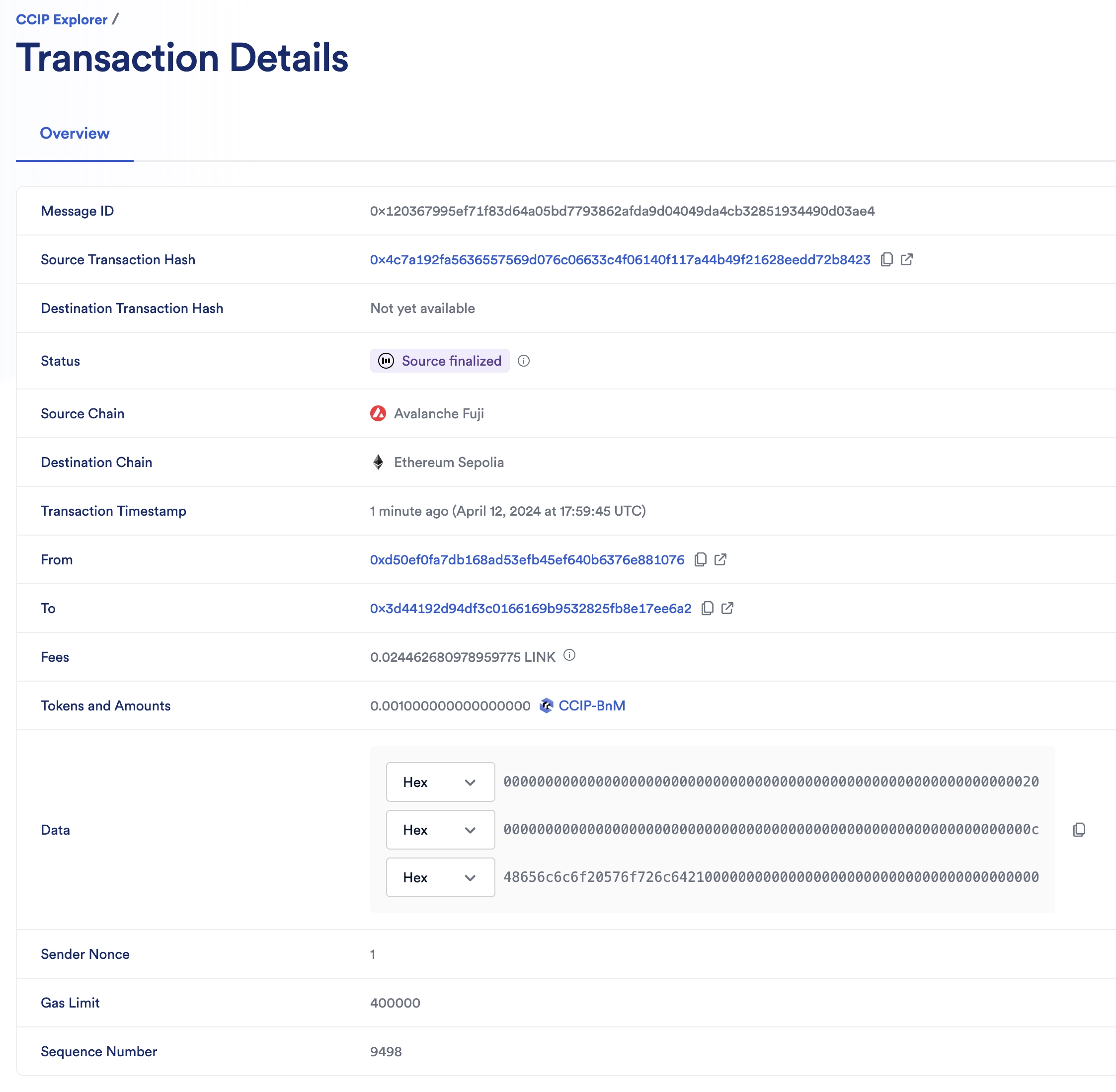
2. The CCIP transaction is completed once the status is marked as "Success". In this example, the CCIP message ID is *0x120367995ef71f83d64a05bd7793862afda9d04049da4cb32851934490d03ae4*.
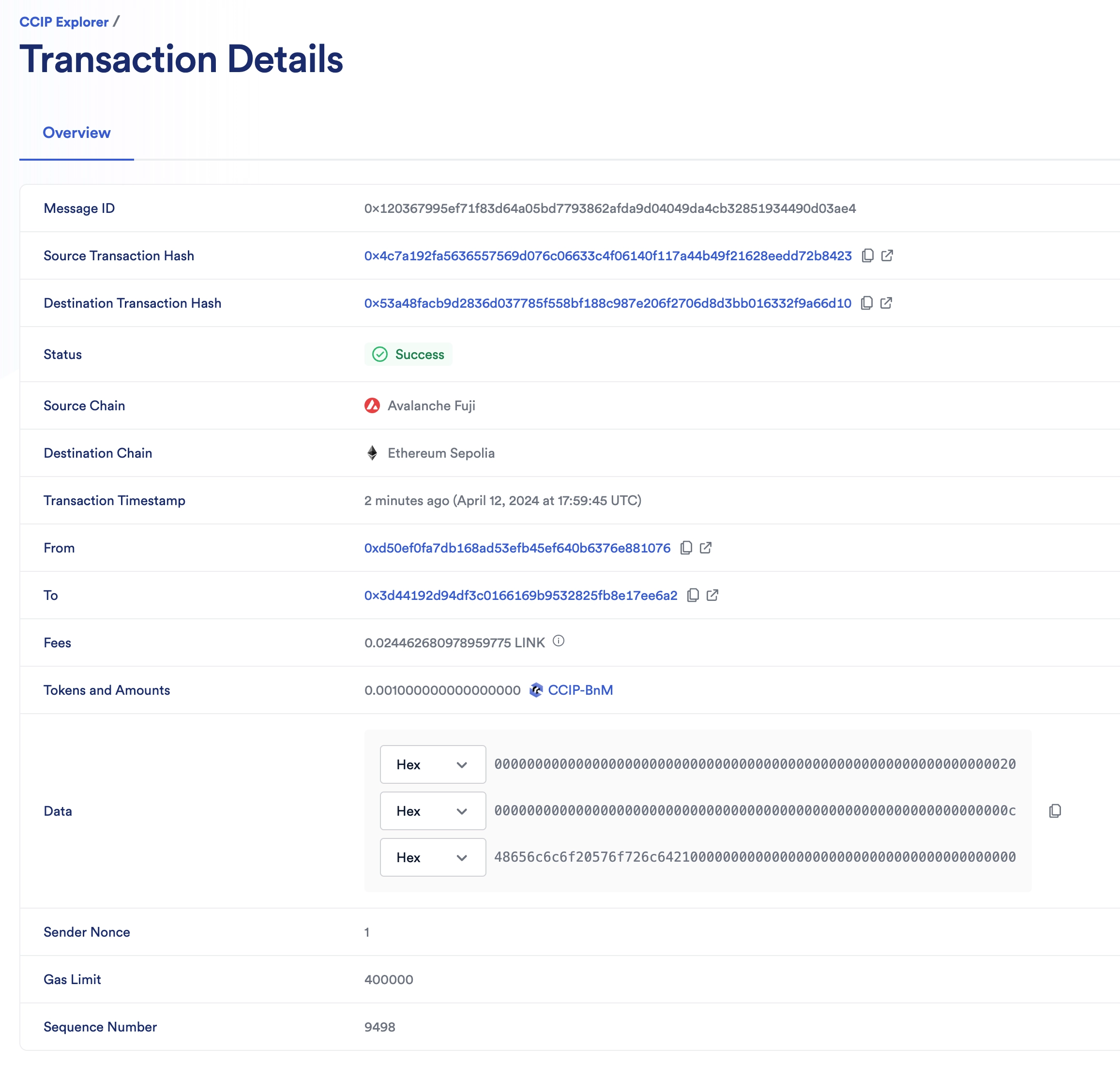
3. Check the receiver contract on the destination chain:
1. Open MetaMask and select the network *Ethereum Sepolia*.
2. In Remix IDE, under *Deploy & Run Transactions*, open the list of functions of your smart contract deployed on *Ethereum Sepolia*.
3. Call the `getFailedMessages` function with an *offset* of 0 and a *limit* of 1 to retrieve the first failed message.
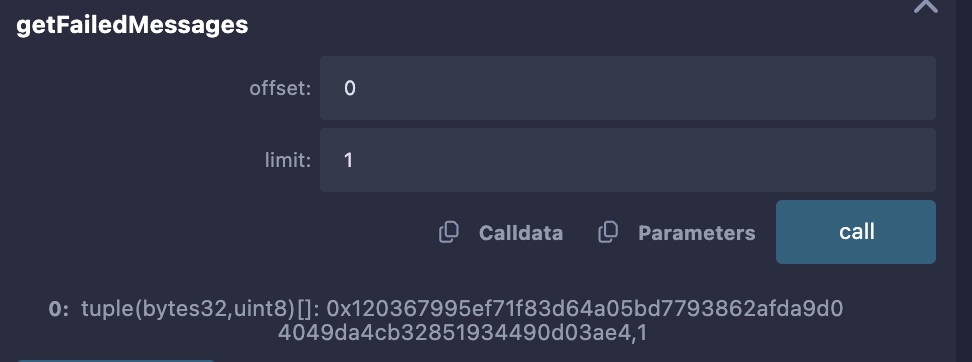
4. Notice the returned values are: *0x120367995ef71f83d64a05bd7793862afda9d04049da4cb32851934490d03ae4* (the message ID) and *1* (the error code indicating failure).
4. To recover the locked tokens, call the `retryFailedMessage` function:
| Argument | Description |
| --------------- | --------------------------------------------- |
| `messageId` | The unique identifier of the failed message. |
| `tokenReceiver` | The address to which the tokens will be sent. |
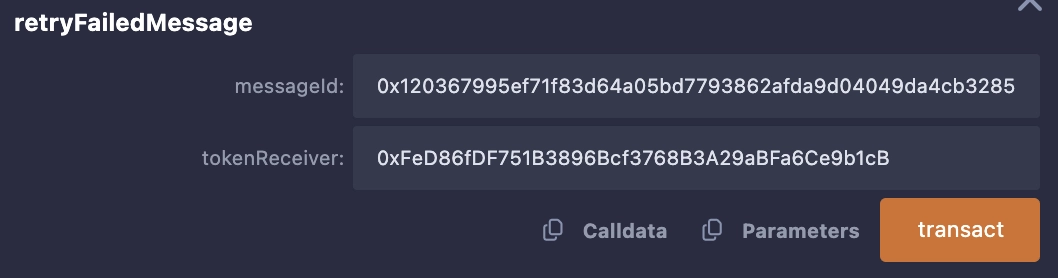
5. After confirming the transaction, you can open it in a block explorer. Notice that the locked funds were transferred to the `tokenReceiver` address.
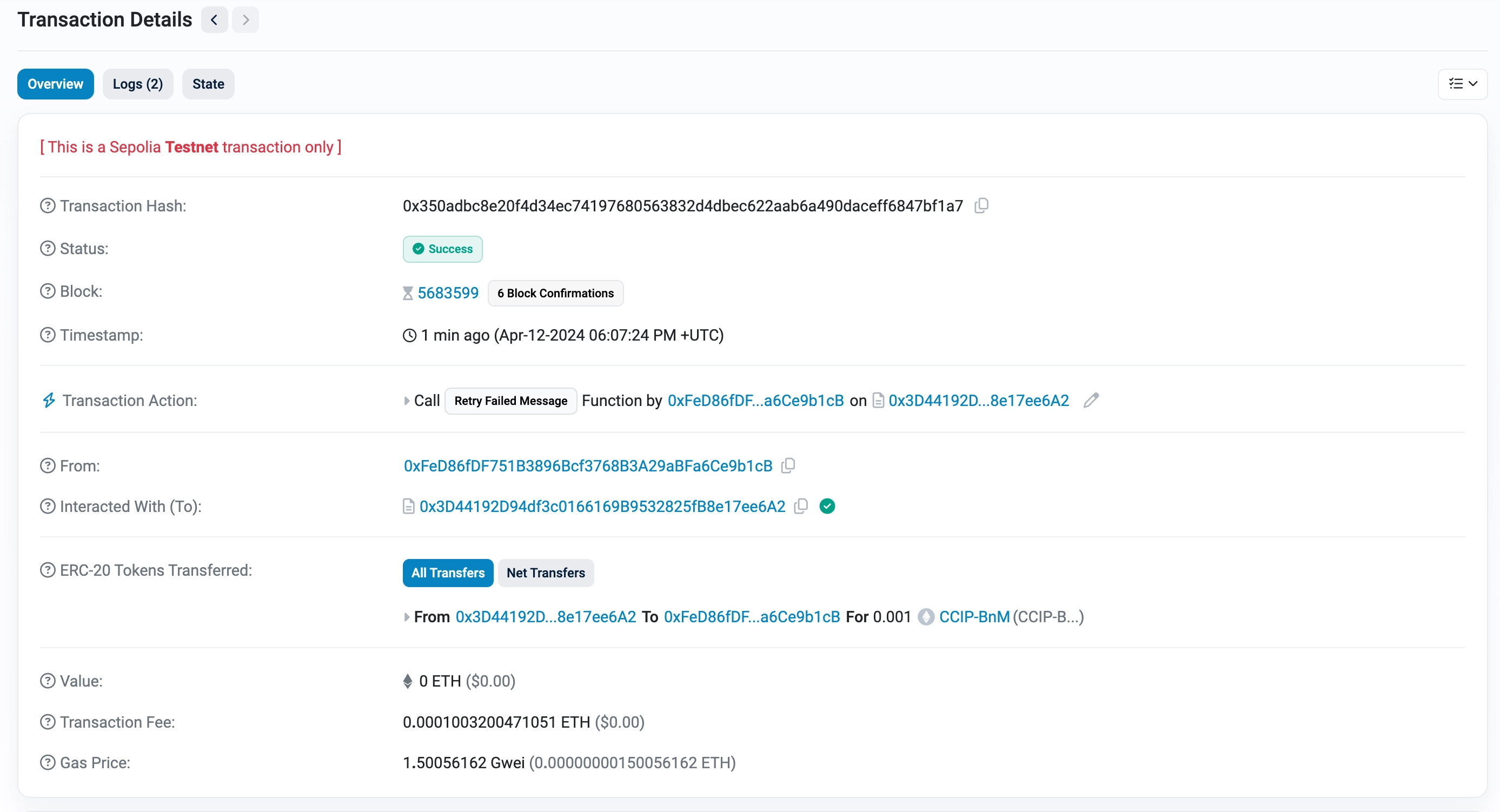
6. Call again the `getFailedMessages` function with an *offset* of 0 and a *limit* of 1 to retrieve the first failed message. Notice that the error code is now *0*, indicating that the message was resolved.
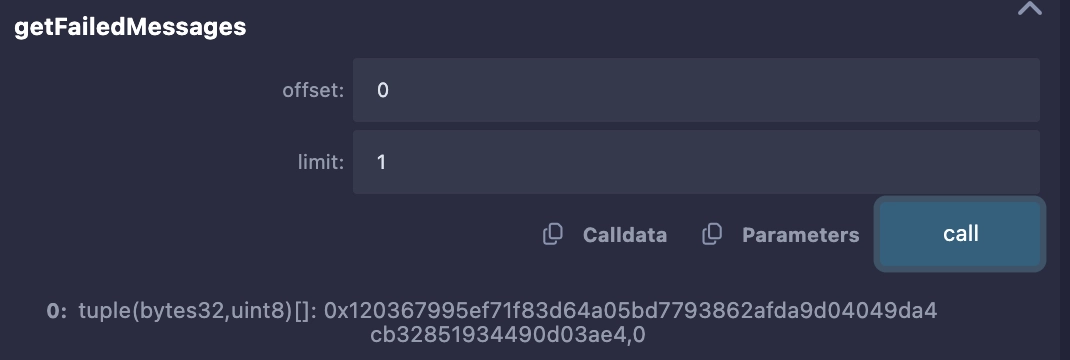
**Note**: These example contracts are designed to work bi-directionally. As an exercise, you can use them to transfer tokens with data from *Avalanche Fuji* to *Ethereum Sepolia* and from *Ethereum Sepolia* back to *Avalanche Fuji*.
## Explanation
> **NOTE: Integrate Chainlink CCIP v1.6.2 into your project**
>
> npm
> yarn
> foundry
>
> If you use [NPM](https://www.npmjs.com/), install the [@chainlink/contracts-ccip NPM package](https://www.npmjs.com/package/@chainlink/contracts-ccip):
>
> ```shell
> npm install @chainlink/contracts-ccip@1.6.2
> ```
>
> If you use [Yarn](https://yarnpkg.com/), install the [@chainlink/contracts-ccip NPM package](https://www.npmjs.com/package/@chainlink/contracts-ccip):
>
> ```shell
> yarn add @chainlink/contracts-ccip@1.6.2
> ```
>
> In your [Foundry](https://book.getfoundry.sh/) project, for easier integration, if you want to avoid installing the dependencies that are only used by the `chainlink-ccip` package, you can use either [NPM](https://www.npmjs.com/) or [Yarn](https://yarnpkg.com/) to install the `chainlink-ccip` package:
>
> - Using `npm`:
>
> ```shell
> npm install @chainlink/contracts-ccip@1.6.2
> ```
> - Using `yarn`:
>
> ```shell
> yarn add @chainlink/contracts-ccip@1.6.2
> ```
>
> Then, add the following remappings to your `remappings.txt` or `foundry.toml` file:
>
> ```
> "@chainlink/contracts-ccip/contracts/=node_modules/@chainlink/contracts-ccip/contracts/",
> "@chainlink/contracts/=node_modules/@chainlink/contracts/",
> "@openzeppelin/contracts@4.8.3/=node_modules/@openzeppelin/contracts-4.8.3/",
> "@openzeppelin/contracts@5.0.2/=node_modules/@openzeppelin/contracts-5.0.2/"
> ```
>
> Alternatively, if you prefer to use only [`forge install`](https://getfoundry.sh/forge/reference/install/), install the `chainlink-ccip` package along with its dependencies:
>
> ```shell
> forge install \
> smartcontractkit/chainlink-ccip@0e3e0fc5c0f70f0d50dca66b139142ddf3009294 \
> smartcontractkit/chainlink-evm@86aa5a1d34b20eda8d18fe6eb0e4882948e545ba \
> openzeppelin/openzeppelin-contracts@0a25c1940ca220686588c4af3ec526f725fe2582 \
> openzeppelin/openzeppelin-contracts@dbb6104ce834628e473d2173bbc9d47f81a9eec3
> ```
>
> Then set the remappings as follows:
>
> ```
> "@chainlink/contracts-ccip/contracts/=lib/chainlink-ccip/chains/evm/contracts/",
> "@chainlink/contracts/=lib/chainlink-evm/contracts/",
> "@openzeppelin/contracts@4.8.3/=lib/openzeppelin-contracts/contracts/",
> "@openzeppelin/contracts@5.0.2/=lib/openzeppelin-contracts/contracts/"
> ```
The smart contract featured in this tutorial is designed to interact with CCIP to transfer and receive tokens and data. The contract code is similar to the [*Transfer Tokens with Data*](/ccip/tutorials/evm/programmable-token-transfers) tutorial. Hence, you can refer to its [code explanation](/ccip/tutorials/evm/programmable-token-transfers#explanation). We will only explain the main differences.
### Sending messages
> **CAUTION: Best Practices**
>
> This example is simplified for educational purposes. For production code, please adhere to the following best practices:
>
> - **Do Not Hardcode `extraArgs`**: In this example, `extraArgs` are hardcoded within the contract for simplicity. It is recommended to make `extraArgs` mutable. For instance, you can construct `extraArgs` off-chain and pass them into your function calls, or store them in a storage variable that can be updated as needed. This approach ensures that `extraArgs` remain backward compatible with future CCIP upgrades. Refer to the [Best Practices](/ccip/concepts/best-practices/evm) guide for more information.
>
> - **Validate the Destination Chain**: Always ensure that the destination chain is valid and supported before sending messages.
>
> - **Understand `allowOutOfOrderExecution` Usage**: This example sets `allowOutOfOrderExecution` to `true` (see [GenericExtraArgsV2](/ccip/api-reference/evm/v1.6.1/client#genericextraargsv2)). Read the [Best Practices: Setting `allowOutOfOrderExecution`](/ccip/concepts/best-practices/evm#setting-allowoutoforderexecution) to learn more about this parameter.
>
> - **Understand CCIP Service Limits**: Review the [CCIP Service Limits](/ccip/service-limits) for constraints on message data size, execution gas, and the number of tokens per transaction. If your requirements exceed these limits, you may need to [contact the Chainlink Labs Team](https://chain.link/ccip-contact).
>
> Following these best practices ensures that your contract is robust, future-proof, and compliant with CCIP standards.
The `sendMessagePayLINK` function is similar to the `sendMessagePayLINK` function in the [*Transfer Tokens with Data*](/ccip/tutorials/evm/programmable-token-transfers) tutorial. The main difference is the increased gas limit to account for the additional gas required to process the error-handling logic.
### Receiving and processing messages
Upon receiving a message on the destination blockchain, the `ccipReceive` function is called by the CCIP router. This function serves as the entry point to the contract for processing incoming CCIP messages, enforcing crucial security checks through the `onlyRouter`, and `onlyAllowlisted` modifiers.
Here's the step-by-step breakdown of the process:
1. Entrance through `ccipReceive`:
- The `ccipReceive` function is invoked with an `Any2EVMMessage` [struct](/ccip/api-reference/evm/v1.6.1/client#any2evmmessage) containing the message to be processed.
- Security checks ensure the call is from the authorized router, an allowlisted source chain, and an allowlisted sender.
2. Processing Message:
- `ccipReceive` calls the `processMessage` function, which is external to leverage Solidity's try/catch error handling mechanism. **Note**: The `onlySelf` modifier ensures that only the contract can call this function.
- Inside `processMessage`, a check is performed for a simulated revert condition using the `s_simRevert` state variable. This simulation is toggled by the `setSimRevert` function, callable only by the contract owner.
- If `s_simRevert` is false, `processMessage` calls the `_ccipReceive` function for further message processing.
3. Message Processing in `_ccipReceive`:
- `_ccipReceive` extracts and stores various information from the message, such as the `messageId`, decoded `sender` address, token amounts, and data.
- It then emits a `MessageReceived` event, signaling the successful processing of the message.
4. Error Handling:
- If an error occurs during the processing (or a simulated revert is triggered), the catch block within `ccipReceive` is executed.
- The `messageId` of the failed message is added to `s_failedMessages`, and the message content is stored in `s_messageContents`.
- A `MessageFailed` event is emitted, which allows for later identification and reprocessing of failed messages.
### Reprocessing of failed messages
The `retryFailedMessage` function provides a mechanism to recover assets if a CCIP message processing fails. It's specifically designed to handle scenarios where message data issues prevent entire processing yet allow for token recovery:
1. Initiation:
- Only the contract owner can call this function, providing the `messageId` of the failed message and the `tokenReceiver` address for token recovery.
2. Validation:
- It checks if the message has failed using `s_failedMessages.get(messageId)`. If not, it reverts the transaction.
3. Status Update:
- The error code for the message is updated to `RESOLVED` to prevent reentry and multiple retries.
4. Token Recovery:
- Retrieves the failed message content using `s_messageContents[messageId]`.
- Transfers the locked tokens associated with the failed message to the specified `tokenReceiver` as an escape hatch without processing the entire message again.
5. **Event Emission**:
- An event `MessageRecovered` is emitted to signal the successful recovery of the tokens.
This function showcases a graceful asset recovery solution, protecting user values even when message processing encounters issues.
---
# Using the Token Manager
Source: https://docs.chain.link/ccip/tutorials/evm/token-manager
Last Updated: 2025-05-19
> **NOTE: Talk to a CCIP expert**
>
> If you require technical advice or wish to consult on your project's implementation, please contact a CCIP expert. Our
> dedicated team is ready to support your projects and ensure their success. For expert guidance, visit the [Chainlink
> CCIP Contact form](https://chain.link/ccip-contact?v=Token%20Manager%20support).
The Token Manager allows token developers to deploy, configure, and manage Cross-Chain Tokens (CCTs) in a simplified web interface. The process involves deploying tokens and token pools, registering administrative roles, and configuring token pools to enable secure token transfers using CCIP.
The Token Manager guides you through two workflows:
- **Deploy a new token from scratch**: This is the more beginner-friendly workflow that guides you through the entire process step-by-step, starting by creating a token from scratch.
- **Enable an existing token to go cross-chain**: This is a more advanced workflow for token developers who have already deployed their token and want to add cross-chain capabilities.
If you prefer to manage your deployments and configurations programmatically, refer to the [Cross-Chain Tokens](/ccip/tutorials/cross-chain-tokens) guides available for Remix, Hardhat and Foundry.
After enabling your tokens, you can perform transfers and import tokens with the contract address using Transporter ([test.transporter.io](https://test.transporter.io) for testnet or [transporter.io](https://transporter.io) for mainnet) or the [CCIP CLI](https://docs.chain.link/ccip/tools/cli/).
## Limitations
Currently, the following advanced features are not yet supported in Token Manager:
- **Token pool replacements and upgrades for existing tokens**. This capability will be added in a subsequent update. To learn more about the process of replacing and upgrading existing token pools, review the [CCIP token pool upgradability](/ccip/concepts/cross-chain-token/evm/upgradability) section.
- **Deployment of token pools that use the [Lock and Unlock mechanism](/ccip/concepts/cross-chain-token/overview#token-handling-mechanisms)**. The Token Manager Wizard automatically configures all tokens with the Burn & Mint mechanism. (Refer to the [Burn & Mint token contract](https://github.com/smartcontractkit/chainlink/blob/contracts-ccip/v1.6.0-beta.0/contracts/src/v0.8/ccip/tokenAdminRegistry/TokenPoolFactory/FactoryBurnMintERC20.sol) and [Burn & Mint token pool contract](https://github.com/smartcontractkit/chainlink/blob/contracts-ccip/v1.6.0-beta.0/contracts/src/v0.8/ccip/pools/BurnMintTokenPool.sol) for the Burn & Mint mechanism.)
- Deployment or enablement of custom token pools is not yet supported.
## Getting started
The Token Manager includes both testnet and mainnet functionality. It is highly recommended to test and perform any operations on testnet before mainnet.
Before you can deploy a new token or add an existing token, you need to connect and authorize your wallet.
1. Open the Token Manager using the appropriate link for your use case:
- For testnet, use [https://test.tokenmanager.chain.link](https://test.tokenmanager.chain.link).
- For mainnet, use [https://tokenmanager.chain.link/](https://tokenmanager.chain.link/)
2. Connect your wallet using the **Connect wallet** button in the upper right corner. The following wallets are supported:
- Metamask (EOA)
- Coinbase wallet (EOA)
- WalletConnect (EOA & Safe)
- Rabby wallet (EOA & Safe)
3. After your wallet is connected, authorize the use of your wallet by clicking **Authorize** and complete the subsequent authorization flow for your wallet type. If you are connecting a Safe wallet, authorization is key to enabling permissioned actions on a per user basis; such as initiating transactions, updating off-chain data, and inviting collaborators.
## Deploy a new token
> **CAUTION: Token status**
>
> CCIP allows users to register and manage tokens in a permissionless manner. A "Verified" status of a token indicates
> only that the Token Creator has signed transactions evidencing their ownership. Users should conduct their own
> research before engaging with any tokens.
1. Once wallet connection and authorization is complete, click **Add new token** under the **My tokens** section of the Token Manager Dashboard.
2. In the Token Manager Wizard, select **Deploy a new token** and click **Continue** in the lower right corner.
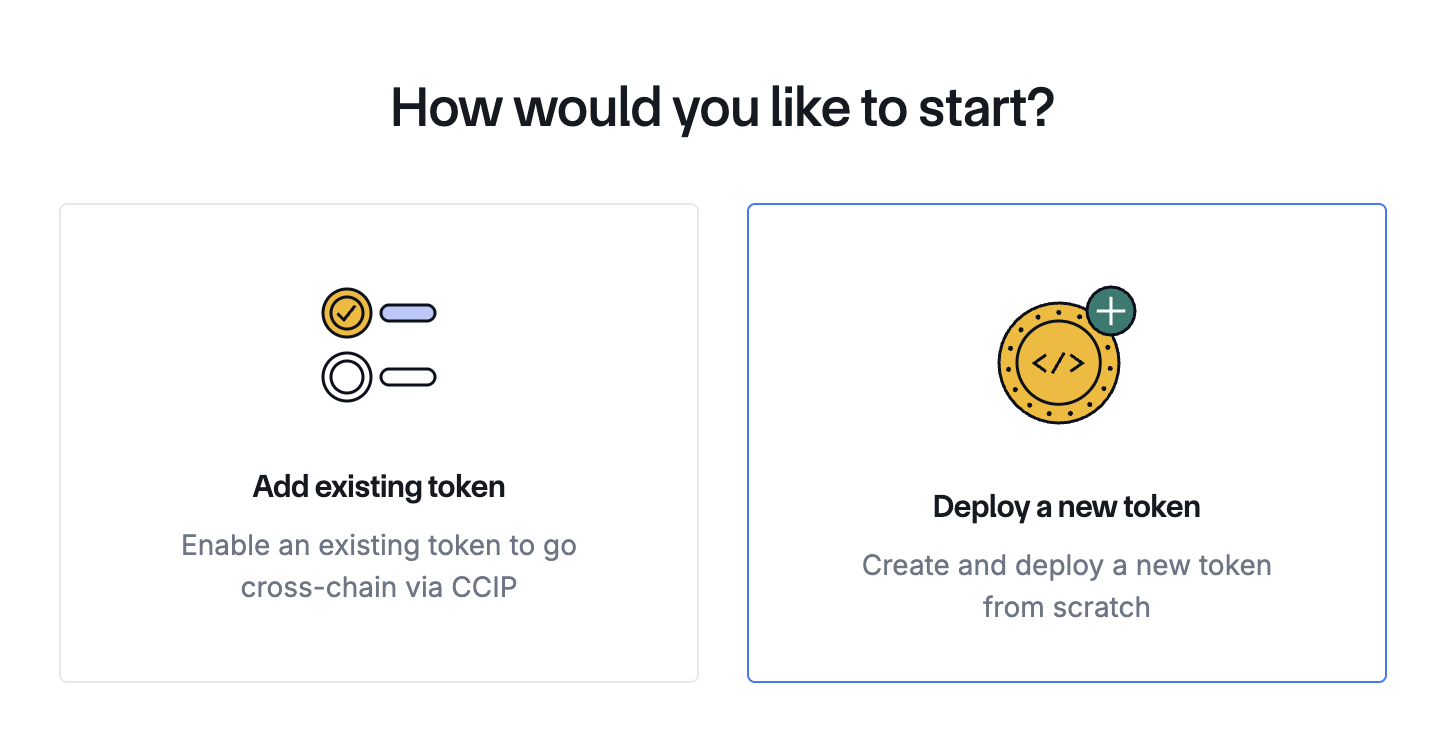
1. On the **Details** page, enter the details for the first network you're configuring for your token deployment:
- Select the network in the **Network** dropdown field.
- Fill in the **Name** and **Symbol** fields to give your token its name and ticker symbol. For example, "Your Token" and "YOURS" respectively.
- Click **Continue**.
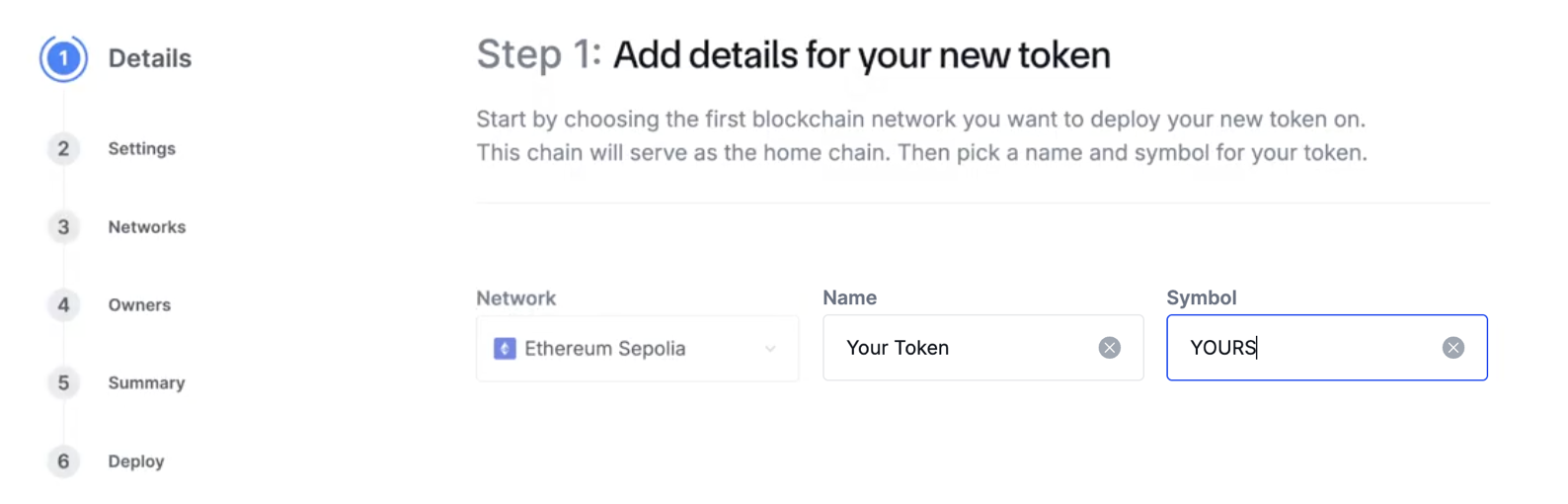
2. On the **Settings** page, configure your token's supply:
- Setting a supply cap is optional — toggle the button to enable it and specify an amount. The supply cap sets a maximum limit for the total number of tokens that can ever be minted for the token you're creating.
- Specify an amount of tokens to mint during this initial deployment step.
- Click **Continue**.
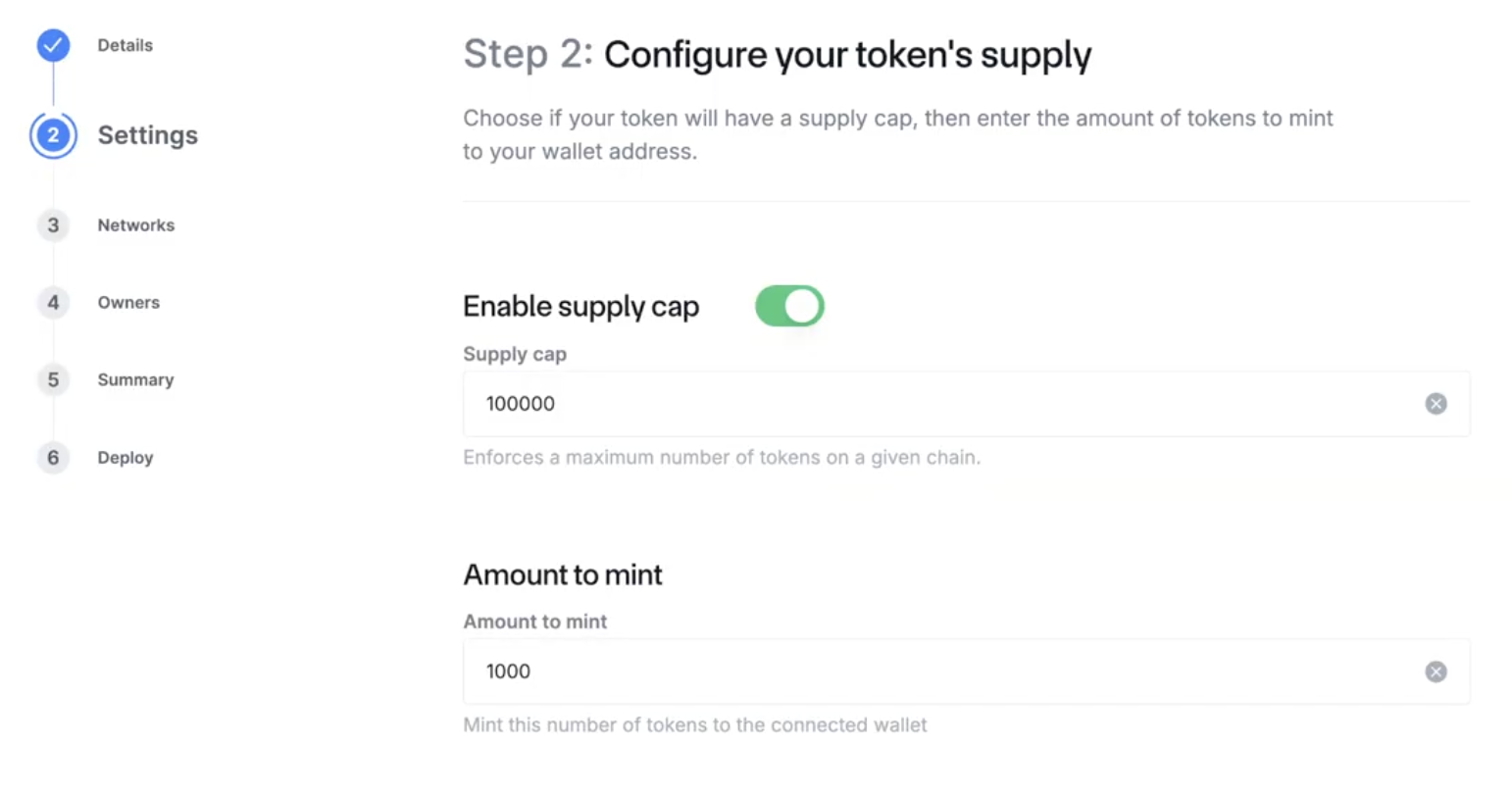
3. On the **Networks** page, select the additional blockchain network(s) where you'd like to deploy your new token and click **Continue**.
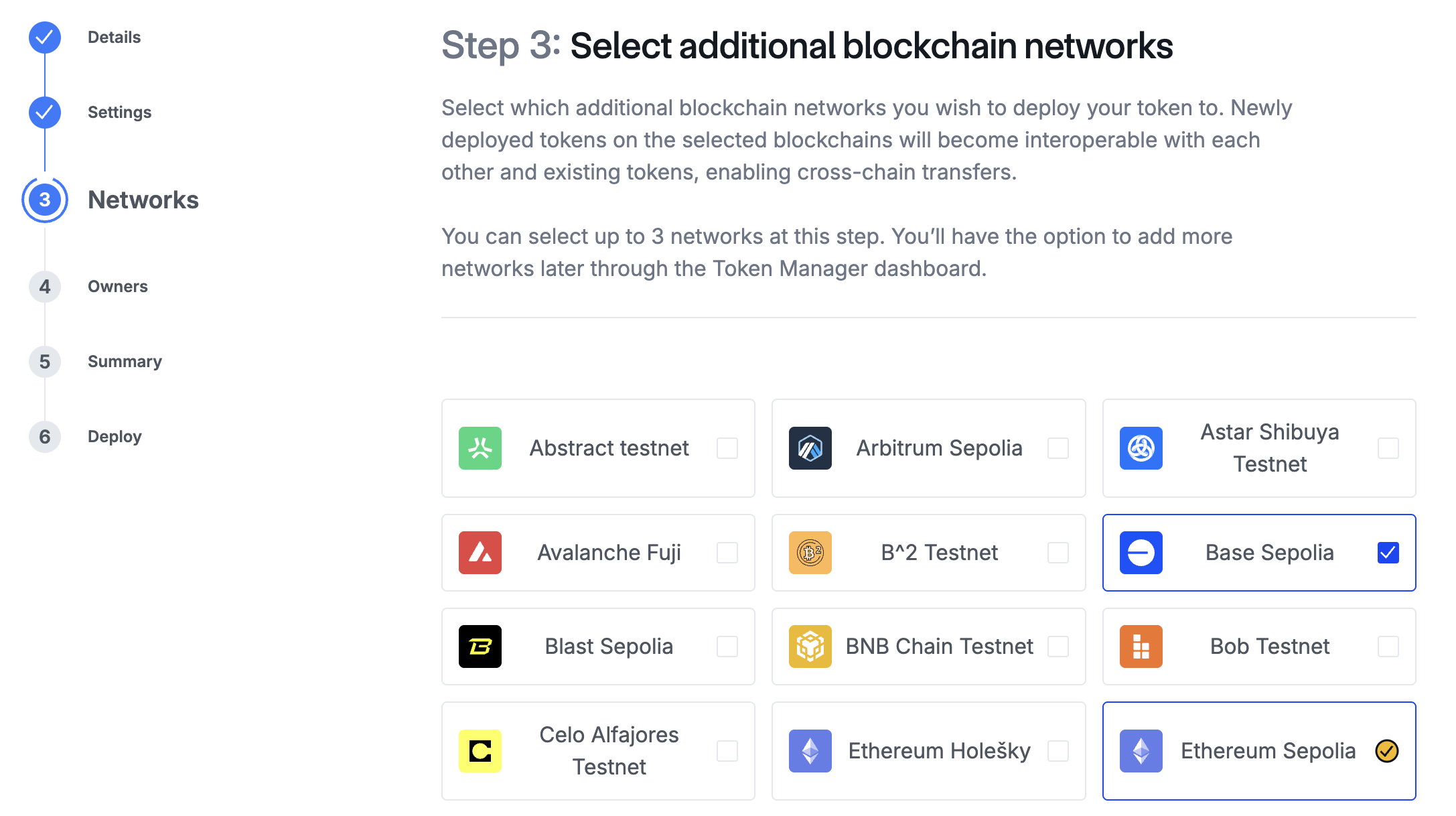
4. On the **Owners** page, confirm the accounts that will be taking actions on each network. Click **Continue**.
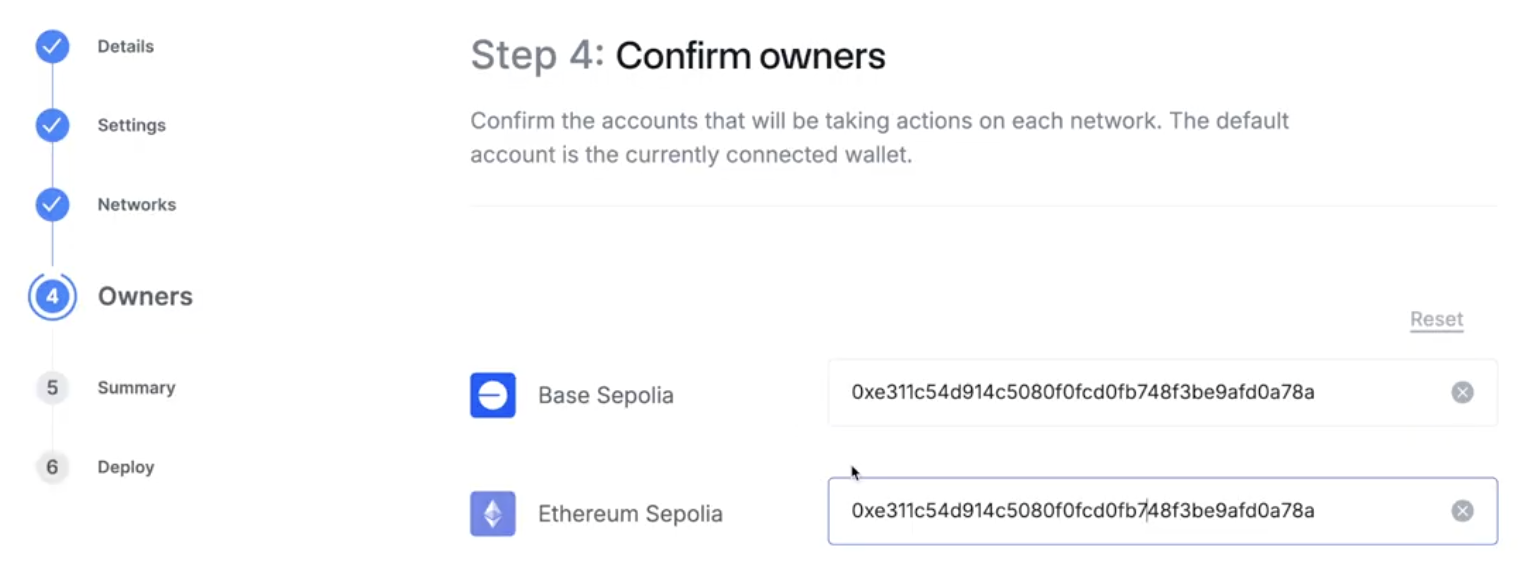
The default account is the currently connected wallet. However, you can have different accounts for each network depending on who you want to be the owner.
5. On the **Summary** page, you can review your upcoming deployments and transactions. Each network you've selected appears along with an expandable list of the transactions the Token Manager will guide you through to deploy your token for each network:
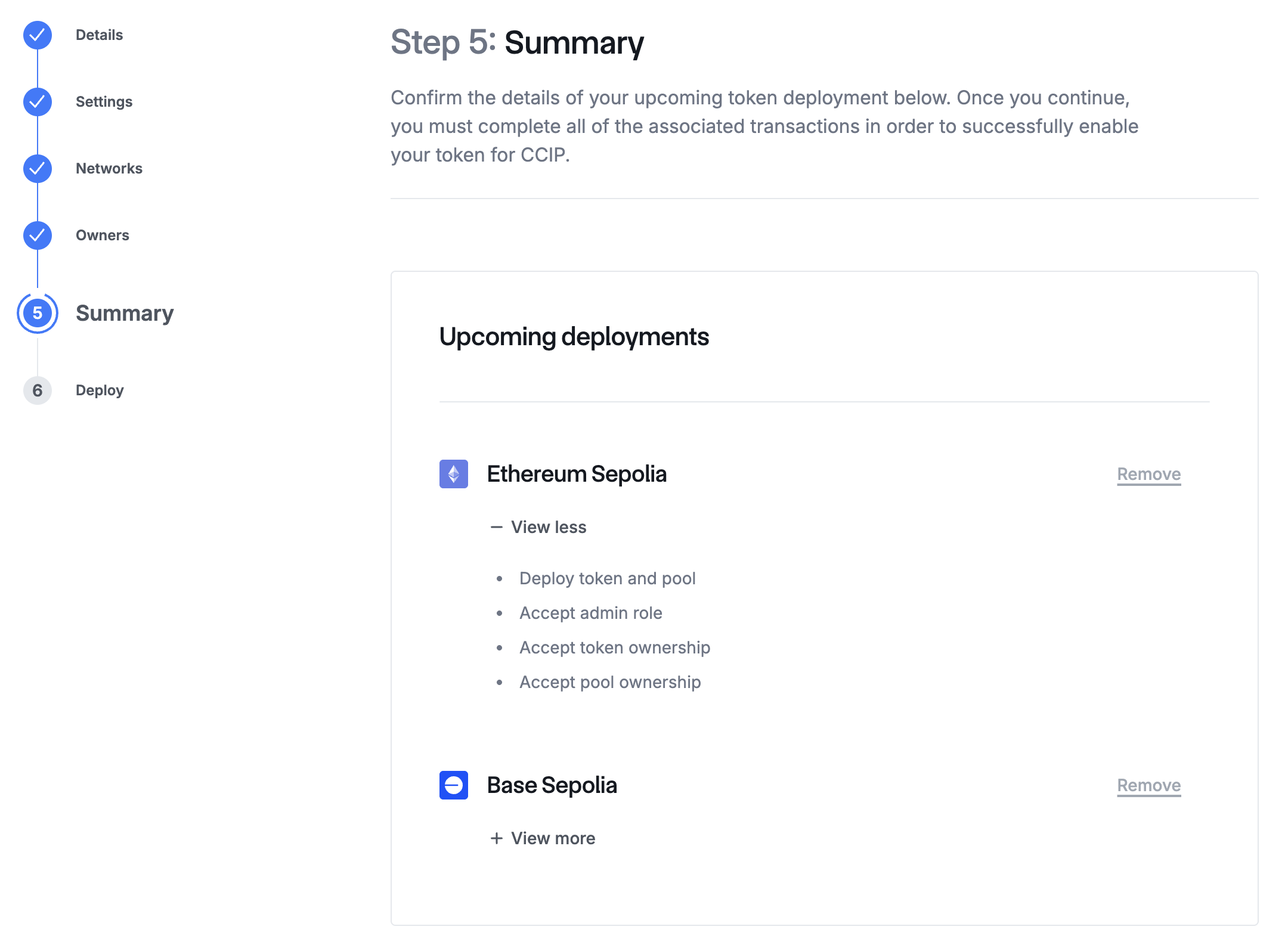
Make sure that your wallet contains gas tokens for each network where you're deploying your token, in order to pay for the deployment transactions.
If you selected more than two networks during the previous step, the *Remove* links are active, allowing you to remove a network before proceeding. If you only have two networks selected, the *Remove* links are intentionally not active. If you need to add more networks, navigate back to the **Networks** page.
6. The **Deploy** page displays the steps that you need to complete for each network:
- Deploy token and pool
- Accept admin role
- Accept token ownership
- Accept pool ownership
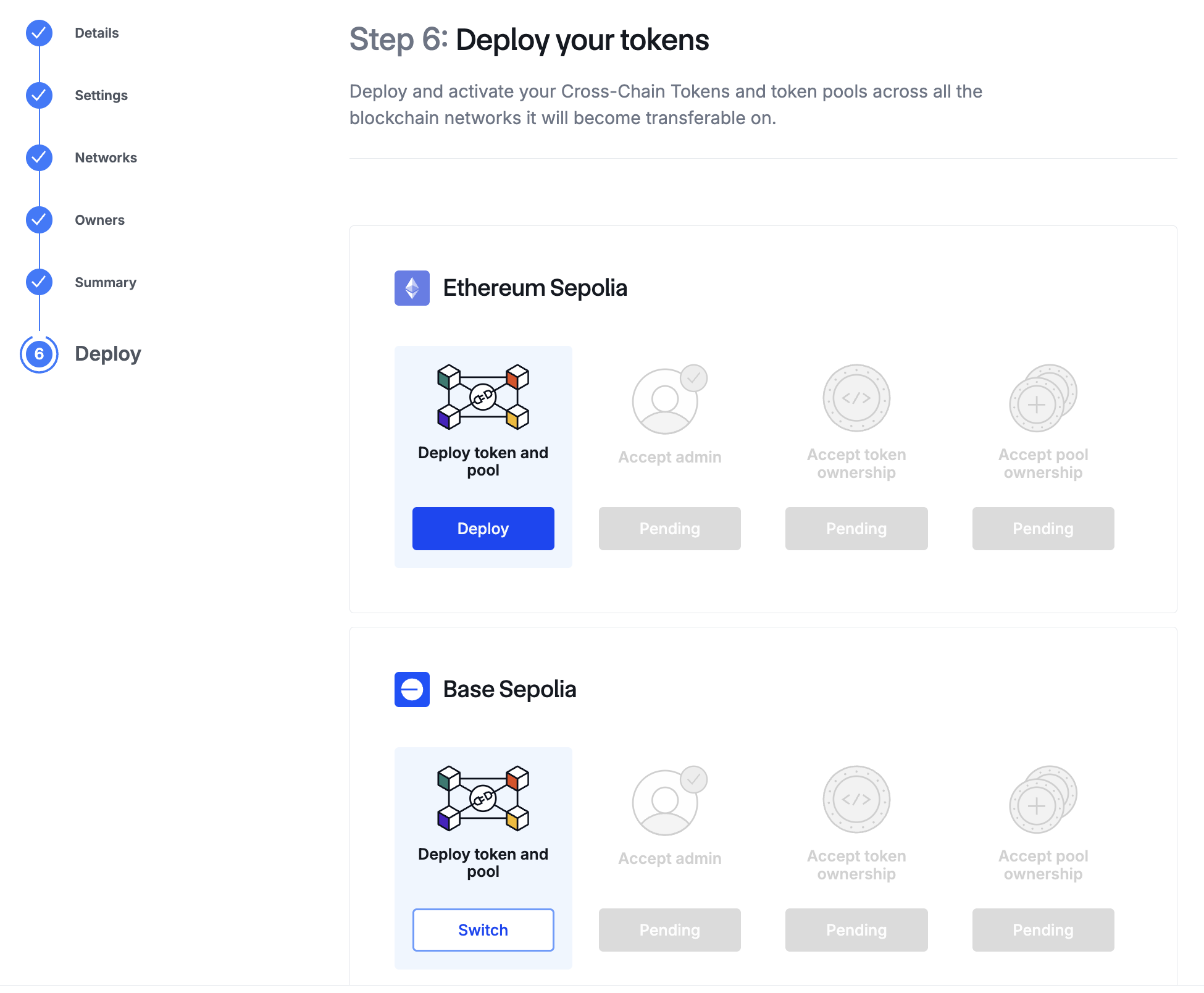
After the **Deploy token and pool** step is completed, you can initiate the other steps all at the same time by clicking **Accept** under each step. While these steps run concurrently, each step separately prompts you to confirm the corresponding transactions in your wallet.
Once all of the steps for one network have been initiated, you can switch to the other network and repeat the same process. You do not have to wait for the first network deploy process to be complete before initiating the second network deploy process.
When the deploy process is complete for all the networks you selected, the Token Manager marks them all as **Done**:
Click **Continue**. The Token Manager displays a message showing that your configuration was successful:
When everything is successfully set up for your token, you can view your new Token Page from the Token Manager Dashboard. It displays information about your CCT, enables configuration changes, and allows expansion to additional networks where you can deploy the token.
## Add an existing token
If you have existing token(s) that you've already deployed, you can use the Token Manager to create and configure a token pool for the token, and optionally deploy your token on additional networks. Note that tokens deployed to additional networks are automatically configured to use the Burn and Mint mechanism.
1. On the **Details** page, enter the details for your token on each network where it has already been deployed. As you add each token contract address, the Token Manager displays validation checks for the token and the required admin registration functions in the contract.
Use the *+ Add New Address* link to add additional token deployments. When you've added all the token deployments that you want to add at this time, select the checkbox to confirm *These are all of the tokens I currently want to enable on CCIP*.
2. On the **Pools** page, you're prompted to select the token pool mechanism that's used to transfer value between networks — *Burn / Mint* or *Lock / Release*. Depending on your token contract, you may have more than one option for *Burn / Mint*:
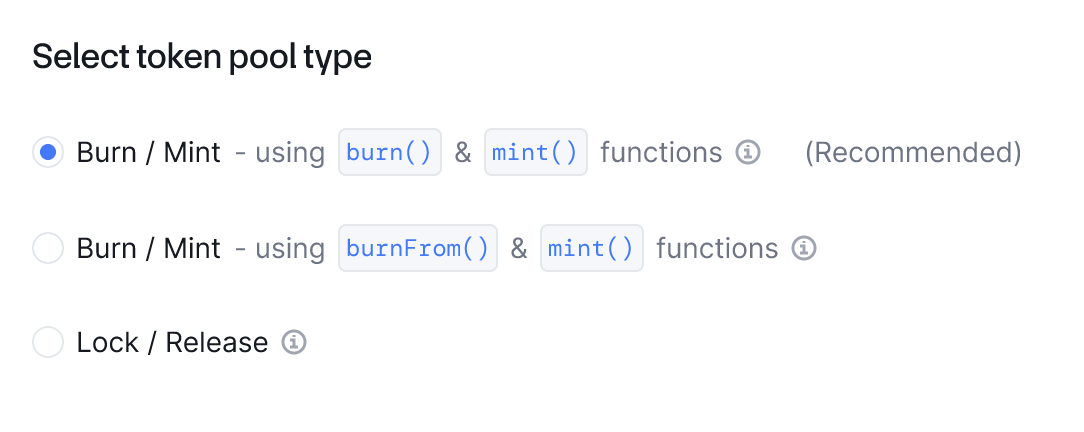
Before selecting a token pool type, be sure to review [CCIP token handling mechanisms](/ccip/concepts/cross-chain-token/overview#token-handling-mechanisms).
3. On the **Networks** page, select the additional blockchain networks where you'd like to deploy your new token. For additional networks, Token Manager Wizard workflow automatically configures all tokens with the Burn & Mint mechanism. (Refer to the [token contract](https://github.com/smartcontractkit/chainlink-evm/blob/contracts-v1.4.0/contracts/src/v0.8/shared/token/ERC20/BurnMintERC20.sol) and [token pool contract](https://github.com/smartcontractkit/chainlink-ccip/tree/contracts-ccip-v1.6.1/chains/evm/contracts/pools/BurnMintTokenPool.sol) for the Burn & Mint mechanism.)
4. On the **Summary** page, each network you've selected appears along with an expandable list of the transactions the Token Manager will guide you through to deploy your token for each network.
If you selected more than two networks during the previous step, the *Remove* links are active, allowing you to remove a network before proceeding. If you only have two networks selected, the *Remove* links are intentionally not active. If you need to add more networks, navigate back to the **Networks** page.
5. The **Deploy** page displays the steps that you need to complete.
For the tokens you're adding, the Token Manager guides you through each of these steps per network:
- Deploy token pool for existing token
- Grant Burn / Mint privileges (**manual step**)
- Register admin
- Accept admin role of your token pool
- Set the token pool address
- Accept ownership of the new token pool
> **CAUTION: Manually granting Burn/Mint privileges**
>
> Unlike the other steps where you're simply prompted to confirm transactions in your wallet, the Token Manager
> prompts you to grant Burn/Mint privileges manually, and then confirm that you've done so before proceeding with
> further steps. It's crucial to complete this manual step to ensure your CCIP transactions will work properly.
> Review the [CCT requirements](/ccip/concepts/cross-chain-token/evm/tokens) to understand the requirements your
> token must fulfill.
For the other tokens in your network, the Token Manager also guides you through updating existing token pools to incorporate the tokens you're adding.
At each step, you are prompted to confirm the corresponding transactions in your wallet. When each step is complete for all the networks you selected, the Token Manager displays a message showing that your configuration was successful.
When everything is successfully set up for your token, you can view your new Token Page from the Token Manager Dashboard. It displays information about your CCT, enables configuration changes, and allows expansion to additional networks.
## Token Manager Dashboard
After you connect your wallet, you can see the Token Manager Dashboard:
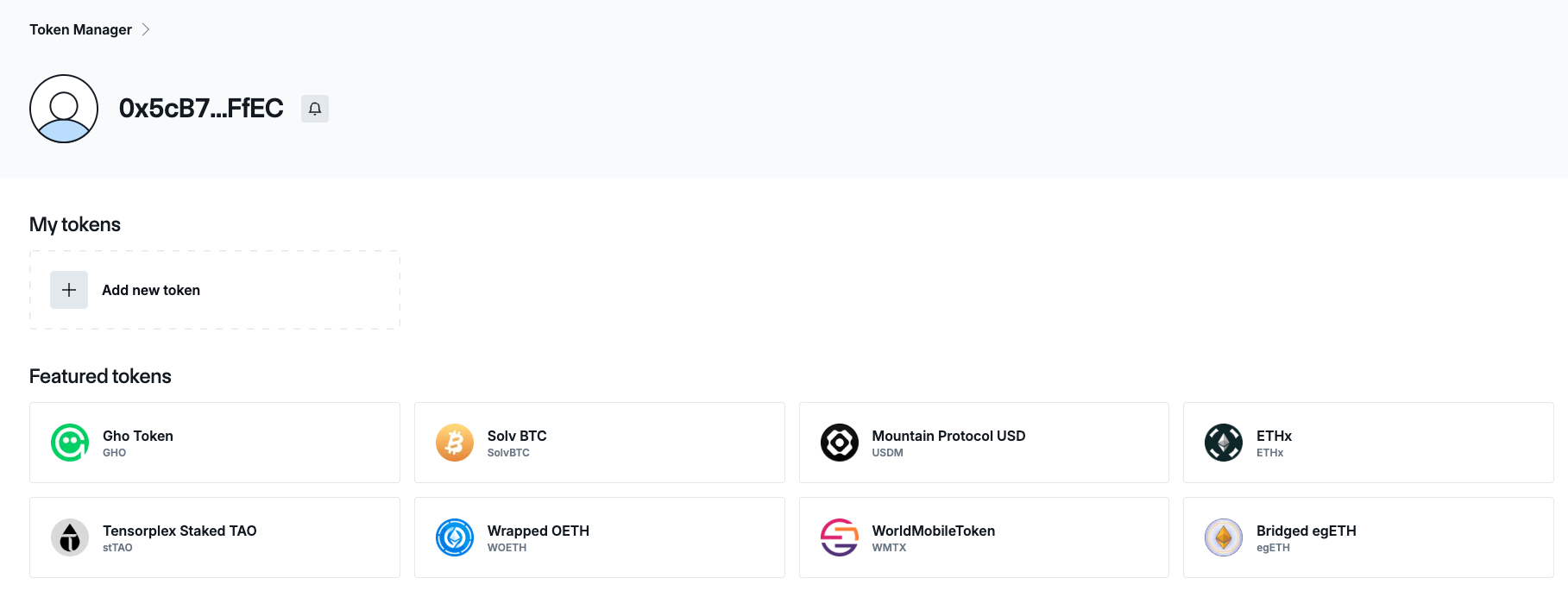
- If you click **Add new token**, you enter the Token Manager Wizard which prompts you to deploy a new token or to add an existing token.
- If the wallet you connected to the dashboard is a Token Admin address, the Token Manager automatically populates your tokens in the dashboard.
- If you have saved partial progress in the Token Manager Wizard, your token displays in a draft state so you can return and finish deploying it later.
After you have deployed a new token or added an existing one, each token has its own page:
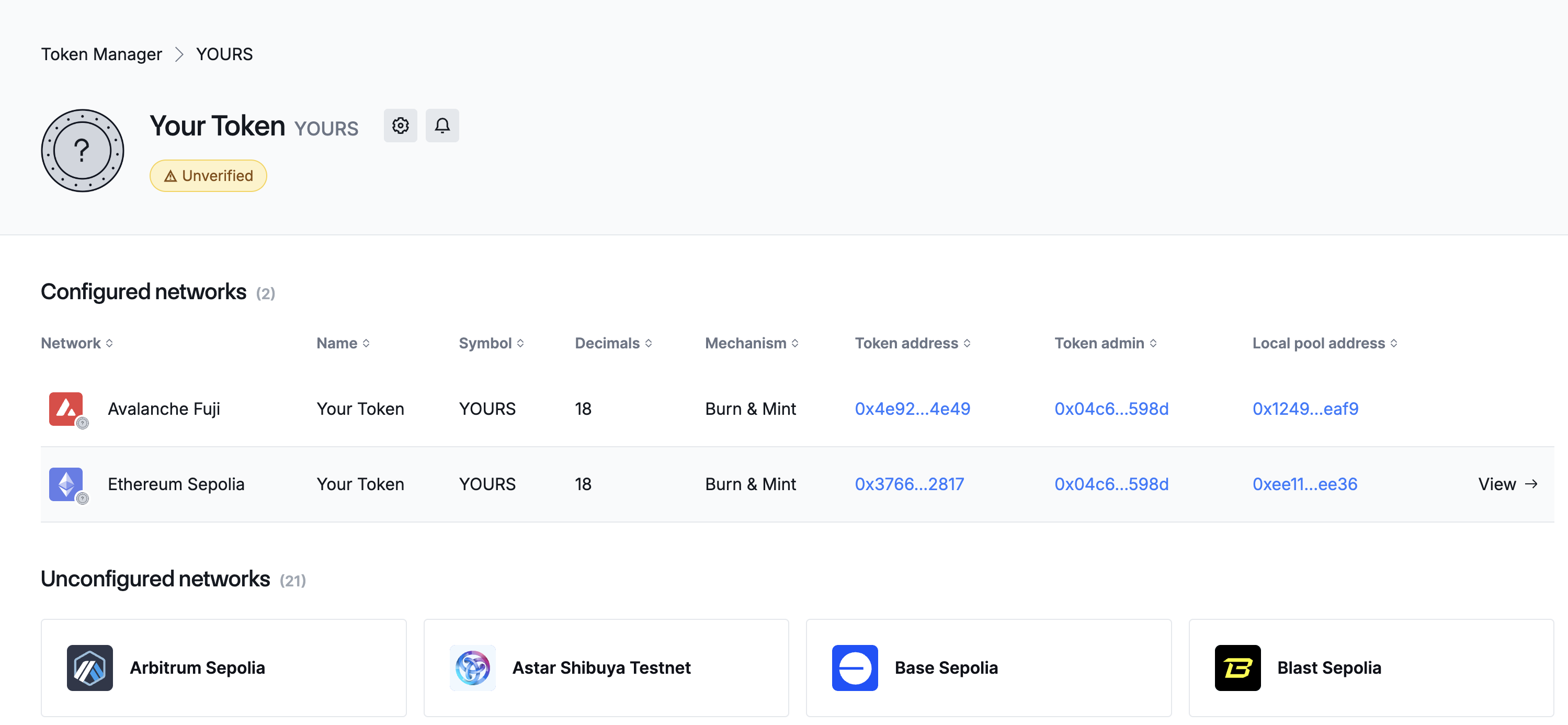
The token page shows both the configured and unconfigured networks.
- When you select any of the listed unconfigured networks, you can use the Token Manager Wizard to expand your token to those networks, either by deploying a new token or by adding an existing token and deploying a token pool.
- For configured networks, you can view details for each network-specific token, and you can expand a **Token Details** side panel with more information and admin actions. To expand the **Token Details** panel, click the *View* link next to the configured network.
When expanded, the **Token Details** side panel provides more details about the inbound and outbound lanes for your token. If the connected wallet is a token admin or has permissions to update the token pool, the **Token Details** side panel also displays an **Actions** menu:
If you have the appropriate permissions, you can edit your token's inbound and outbound rate limits, edit the router contract address, and propose a new token administrator.
### Managing token settings
1. Connect your wallet and select your token in the Token Manager home page. A detailed page for your token displays, showing both configured and unconfigured networks.
2. To access the **Settings** page, select the gear icon next to your token's name:
### Verifying your token
You can request token verification through the Token Manager; when verification is granted, it allows the token to be listed on the CCIP Directory and ensures information is consistent across other CCIP apps, like CCIP Explorer.
> **CAUTION**
>
> CCIP allows users to register and manage tokens in a permissionless manner. A 'Verified' status of a token indicates
> only that the Token Creator has signed transactions evidencing their ownership. Users should conduct their own
> research before engaging with any tokens.
If your token is unverified, an **Unverified** badge displays underneath the token's name at the top of the page. Be sure that all information is correct before your submission, as it requires a manual review process. If you need to make any further changes after submitting your request, you must use the [CCIP Contact Form](https://chain.link/ccip-contact?v=Token%20Manager%20support).
You can send a request for verification from the **Settings** page:
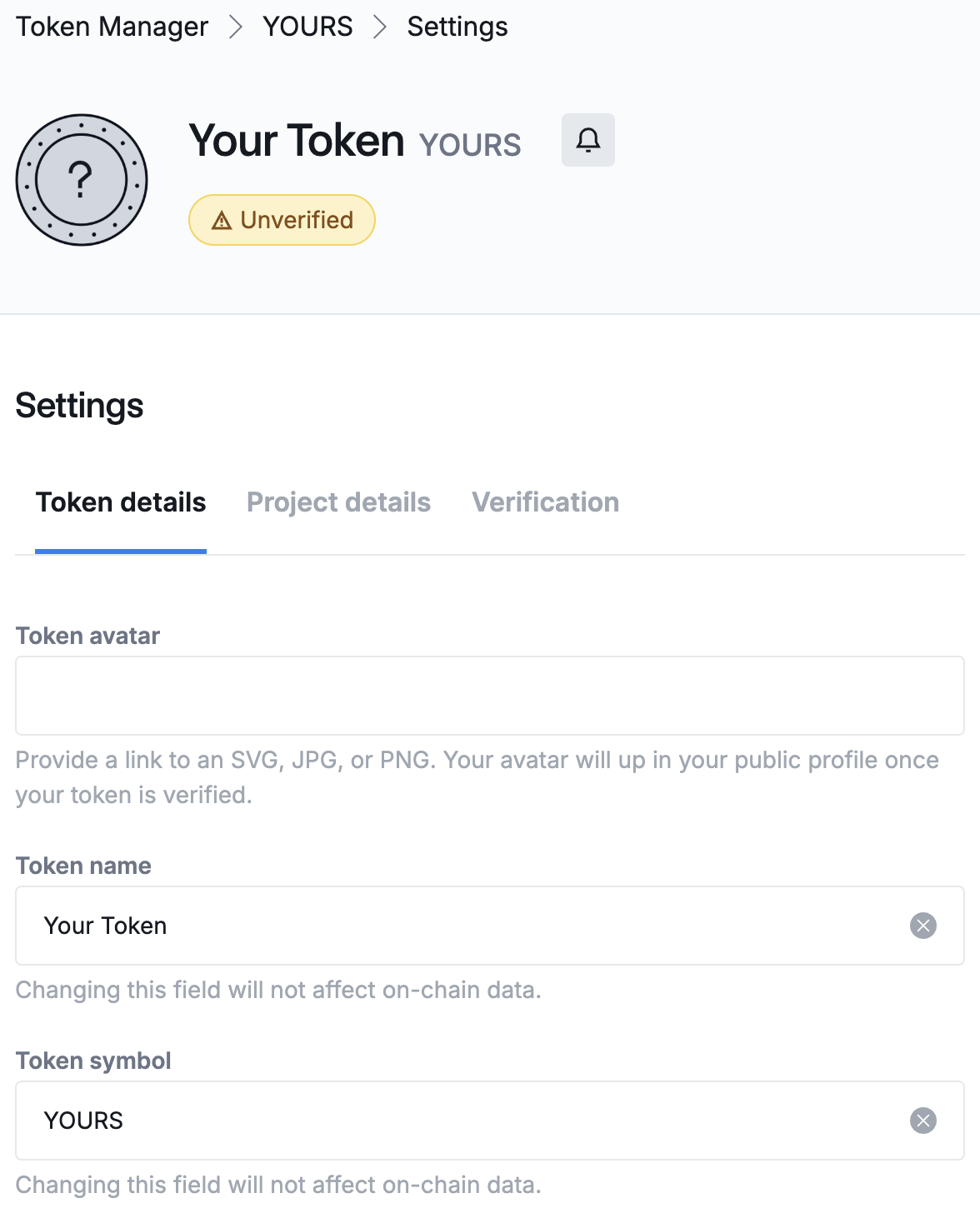
1. The *Token Details* tab allows you to modify your token's name and ticker symbol with an off-chain transaction. You can also specify an avatar for your token. If you have made any changes in this tab, click **Save Changes**.
2. The *Project Details* tab prompts you to fill in your project's name and URL, and a contact email address. This information is kept private. It's optional to fill out, but required if you're requesting token verification.
3. The *Verification* tab has a **Verify my token** button that submits a verification request with the information you provided in the previous two tabs.
When your verification request is granted, the Token Manager will display a **Verified** badge on the token page.
---
# Cross-Chain Token (CCT) Tutorials
Source: https://docs.chain.link/ccip/tutorials/evm/cross-chain-tokens
Last Updated: 2025-05-19
> **NOTE: Prerequisites**
>
> Familiarize yourself with the [CCT standard](/ccip/concepts/cross-chain-token/overview) and [CCIP
> architecture](/ccip/concepts/architecture/overview) before proceeding with these tutorials.
Before diving into the [tutorials](#tutorials), it's important first to understand the overall procedure for enabling your tokens in CCIP. This procedure involves deploying tokens and token pools, registering administrative roles, and configuring token pools to enable secure token transfers using CCIP. The diagram below outlines the entire process:
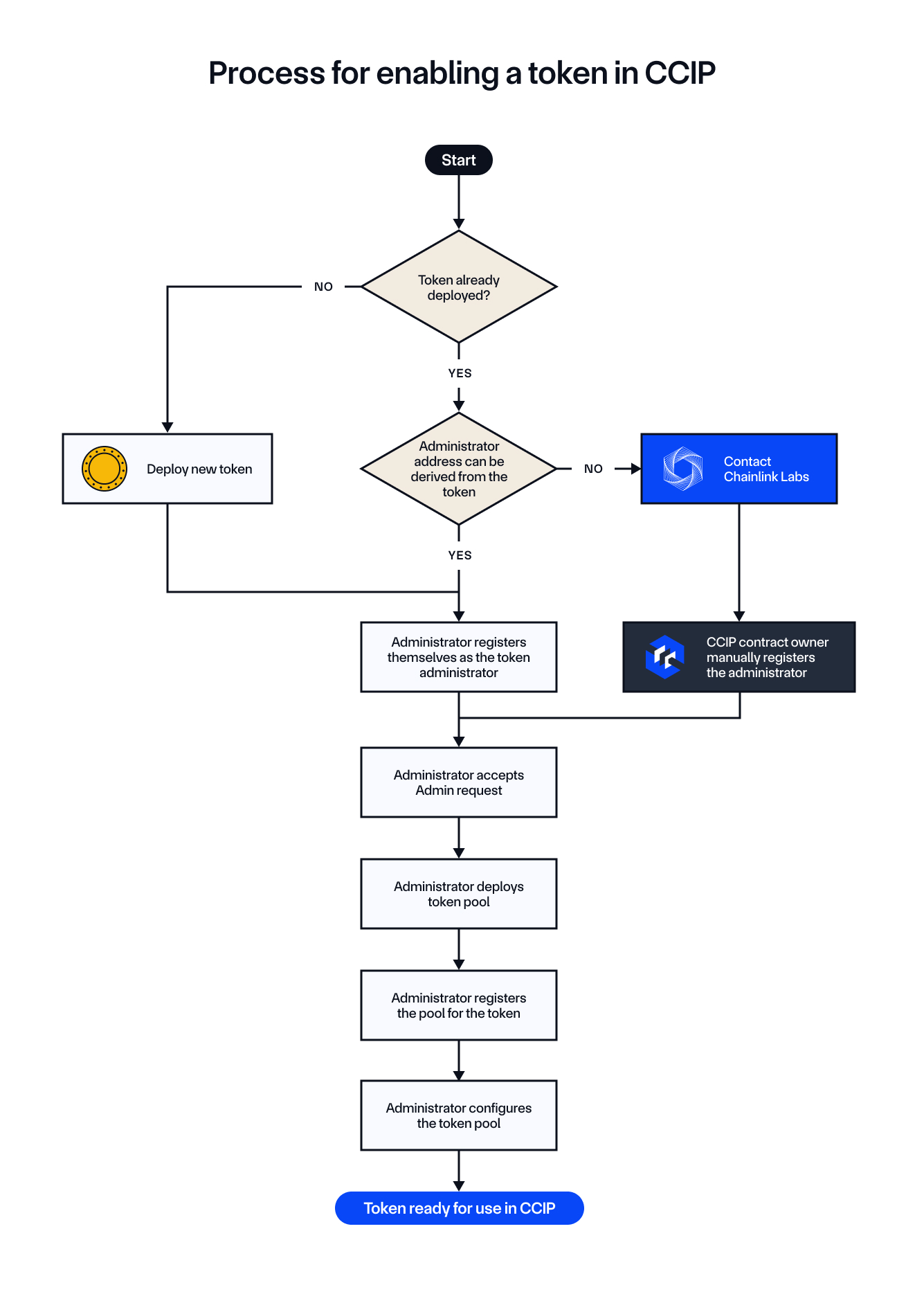
### Understanding the Procedure
The steps in the diagram highlight the flow of actions needed to enable a token for cross-chain transfers. These steps will be the foundation of the tutorials. Whether you're working with an Externally Owned Account (EOA) or a **Smart Account** (such as one using a multisig scheme), the overall logic remains the same. You'll follow the same process to enable cross-chain token transfers, configure pools, and register administrative roles.
In the following tutorials, we will walk through each step of the process to give you hands-on experience, from deploying your token to registering and configuring token pools. The process will apply equally whether you use an EOA or a Smart Account (such as with multisig transactions), ensuring flexibility across different account types.
### Key Steps to Keep in Mind:
1. **Token Deployment**: If the token is not yet deployed, you'll deploy an [ERC20-compatible token](/ccip/concepts/cross-chain-token/evm/tokens).
2. **Admin Registration**: The token administrator must be registered in the [`TokenAdminRegistry`](/ccip/api-reference/evm/v1.6.1/token-admin-registry) via self-service.
3. **Pool Deployment and Configuration**: [Token pools](/ccip/concepts/cross-chain-token/evm/token-pools#common-requirements) are deployed, linked to tokens, and configured to manage cross-chain token transfers.
The tutorials will implement the logic of this process, which involves deploying and configuring token pools and registering administrative roles, step-by-step.
## Tutorials
- [Deploy Using Remix IDE](/ccip/tutorials/evm/cross-chain-tokens/register-from-eoa-remix): Learn how to deploy and register cross-chain tokens using only your browser and Remix IDE.
- No development environment setup required
- Great for quick testing and learning
- [Register from an EOA (Burn & Mint)](/ccip/tutorials/evm/cross-chain-tokens/register-from-eoa-burn-mint-hardhat): Learn how to register a cross-chain token with the **Burn & Mint** mechanism using an EOA.
- [Hardhat version](/ccip/tutorials/evm/cross-chain-tokens/register-from-eoa-burn-mint-hardhat)
- [Foundry version](/ccip/tutorials/evm/cross-chain-tokens/register-from-eoa-burn-mint-foundry)
- [Register from an EOA (Lock & Mint)](/ccip/tutorials/evm/cross-chain-tokens/register-from-eoa-lock-mint-hardhat): Learn how to register a cross-chain token with the **Lock & Mint** mechanism using an EOA.
- [Hardhat version](/ccip/tutorials/evm/cross-chain-tokens/register-from-eoa-lock-mint-hardhat)
- [Foundry version](/ccip/tutorials/evm/cross-chain-tokens/register-from-eoa-lock-mint-foundry)
- [Set Token Pool Rate Limits](/ccip/tutorials/evm/cross-chain-tokens/update-rate-limiters-hardhat): Learn how to set rate limits for token pools to control cross-chain token transfers.
- [Hardhat version](/ccip/tutorials/evm/cross-chain-tokens/update-rate-limiters-hardhat)
- [Foundry version](/ccip/tutorials/evm/cross-chain-tokens/update-rate-limiters-foundry)
- [Register from a Safe (Burn & Mint)](/ccip/tutorials/evm/cross-chain-tokens/register-from-safe-burn-mint-hardhat): Learn how to register a cross-chain token with the **Burn & Mint** mechanism using a Safe Smart Account.
- [Hardhat version](/ccip/tutorials/evm/cross-chain-tokens/register-from-safe-burn-mint-hardhat)
- [Configure Additional Networks](/ccip/tutorials/evm/cross-chain-tokens/configure-additional-networks-hardhat): Learn how to configure your cross-chain tokens and pools to operate on additional networks beyond the initial setup.
- [Hardhat version](/ccip/tutorials/evm/cross-chain-tokens/configure-additional-networks-hardhat)
- [Foundry version](/ccip/tutorials/evm/cross-chain-tokens/configure-additional-networks-foundry)
---
# Deploy & Register Cross-Chain Tokens with Remix IDE
Source: https://docs.chain.link/ccip/tutorials/evm/cross-chain-tokens/register-from-eoa-remix
Last Updated: 2025-05-19
## Overview
This tutorial guides you through the process of enabling two tokens for cross-chain transfers. Upon completion, the system will allow users to **transfer tokens** seamlessly between selected blockchains.
**Expected Outcomes**
- **Two Tokens**: Deploy and configure one token on each blockchain
- **Registration**: Register the tokens in CCIP on both blockchains
- **Two Token Pools**: Deploy and set up the necessary token pools to enable cross-chain transfers
## Tutorial Structure
This interactive tutorial provides a structured learning experience:
### Progress Tracking
- **Visual Dashboard**: A navigation panel tracks progress
- **Clear Checkpoints**: Automatic marking of completed steps
- **Address Management**: System tracking of deployed contracts
- **Guided Flow**: Logically sequenced steps
### Success Guidelines
✓ Complete steps sequentially - each step builds on previous work\
✓ Maintain a record of contract addresses for reference\
✓ Mark your progress using the provided checkboxes\
✓ Input contract addresses as prompted
## Tools Needed
> **NOTE: Development Environment**
>
> No additional development environment or installations needed - everything runs directly in your browser!
### Web Browser
Any modern web browser
### Remix IDE
[Remix IDE](https://remix.ethereum.org) - Browser-based Ethereum IDE for smart contract development and deployment
### MetaMask
[MetaMask](https://metamask.io/) - Blockchain wallet for connecting to blockchains and signing transactions
## Before You Begin
## Tutorial
### Source Blockchain Setup
### Destination Blockchain Setup
### Configure Cross-Chain Communication
#### Source Chain Configuration
#### Destination Chain Configuration
---
# Enable your tokens in CCIP (Burn & Mint): Register from an EOA using Hardhat
Source: https://docs.chain.link/ccip/tutorials/evm/cross-chain-tokens/register-from-eoa-burn-mint-hardhat
Last Updated: 2025-10-22
## Guide Versions
- [Hardhat (Burn & Mint)](/ccip/tutorials/evm/cross-chain-tokens/register-from-eoa-burn-mint-hardhat)
- [Foundry (Burn & Mint)](/ccip/tutorials/evm/cross-chain-tokens/register-from-eoa-burn-mint-foundry)
This tutorial will guide you through the process of enabling your own tokens in CCIP using [Hardhat](https://hardhat.org/). You will learn how to deploy tokens and set up *Burn & Mint* token pools. After that, you will register them in CCIP and configure them without needing manual intervention. Finally, you will test the **Burn & Mint** token handling mechanism, where tokens are burned on the source blockchain and an equivalent amount is minted on the destination blockchain.
We will cover the following key steps:
1. **Deploying Tokens**: You will deploy your [`BurnMintERC20`](https://github.com/smartcontractkit/chainlink-evm/blob/contracts-solidity/1.5.0/contracts/src/v0.8/shared/token/ERC20/BurnMintERC20.sol) tokens on the Avalanche Fuji and Arbitrum Sepolia testnets.
2. **Deploying Token Pools**: Once your tokens are deployed, you will deploy [`BurnMintTokenPool`](/ccip/api-reference/evm/v1.6.1/burn-mint-token-pool) token pools on Avalanche Fuji and Arbitrum Sepolia. These pools are essential for minting and burning tokens during cross-chain transfers. Each token will be linked to a pool, which will manage token transfers and ensure proper handling of assets across chains.
3. **Claiming Mint and Burn Roles**: You will [claim the mint and burn roles](https://github.com/smartcontractkit/chainlink-evm/blob/contracts-solidity/1.5.0/contracts/src/v0.8/shared/token/ERC20/BurnMintERC20.sol#L142) for the token pools, allowing your token pools to control how tokens are minted and burned during cross-chain transfers.
4. **Claiming and Accepting the Admin Role**: This is a two-step process:
1. You will call the [`RegistryModuleOwnerCustom`](/ccip/api-reference/evm/v1.6.1/registry-module-owner-custom) contract's [`registerAdminViaOwner`](/ccip/api-reference/evm/v1.6.1/registry-module-owner-custom#registeradminviaowner) function to register your EOA as the token admin. This role is required to enable your token in CCIP.
2. Once claimed, you will call the [`TokenAdminRegistry`](/ccip/api-reference/evm/v1.6.1/token-admin-registry) contract's [`acceptAdminRole`](/ccip/api-reference/evm/v1.6.1/token-admin-registry#acceptadminrole) function to complete the registration process.
5. **Linking Tokens to Pools**: You will call the [`TokenAdminRegistry`](/ccip/api-reference/evm/v1.6.1/token-admin-registry) contract's [`setPool`](/ccip/api-reference/evm/v1.6.1/token-admin-registry#setpool) function to associate each token with its respective token pool.
6. **Configuring Token Pools**: You will call the [`applyChainUpdates`](/ccip/api-reference/evm/v1.6.1/token-pool#applychainupdates) function on your token pools to configure each pool by setting cross-chain transfer parameters, such as token pool rate limits and enabled destination chains.
7. **Minting Tokens**: You will call the [`mint`](https://github.com/smartcontractkit/chainlink-evm/blob/contracts-solidity/1.5.0/contracts/src/v0.8/shared/token/ERC20/BurnMintERC20.sol#L128) function to mint tokens on Avalanche Fuji for your EOA. These tokens will later be used to test cross-chain transfers to Arbitrum Sepolia.
8. **Transferring Tokens**: Finally, you will transfer tokens from Avalanche Fuji to Arbitrum Sepolia using CCIP. You will have the option to pay CCIP fees in either LINK tokens or native gas tokens.
By the end of this tutorial, you will have successfully deployed, registered, configured, and enabled your tokens and token pools for use in CCIP.
## Before You Begin
1. Make sure you have Node.js v22.10.0 or above installed. If not, **install Node.js v22.10.0**:
[Download Node.js v22.10.0](https://nodejs.org/en/download/) if you don't have it installed. Optionally, you can use the [nvm package](https://www.npmjs.com/package/nvm) to switch between Node.js versions:
```bash
nvm use 22
```
Verify that the correct version of Node.js is installed:
```bash
node -v
```
Example output:
```bash
$ node -v
v22.15.0
```
> **CAUTION: Why Node.js v22?**
>
> Since the [migration](https://hardhat.org/migrate-from-hardhat2) to Hardhat 3.x, Node.js v22.10.0 or above is
> [required for compatibility](https://hardhat.org/migrate-from-hardhat2#before-starting-the-migration). Using an
> older version may lead to unexpected issues during development.
2. **Clone the repository and navigate to the project directory:**
```bash
git clone https://github.com/smartcontractkit/smart-contract-examples.git
cd smart-contract-examples/ccip/cct/hardhat
```
3. **Install dependencies for the project:**
```bash
npm install
```
4. **Compile the project:**
```bash
npm run compile
```
5. **Encrypt your environment variables for higher security:**\
The project uses [@chainlink/env-enc](https://www.npmjs.com/package/@chainlink/env-enc) to encrypt your environment variables at rest. Follow the steps below to configure your environment securely:
1. Set an encryption password for your environment variables:
```bash
npx env-enc set-pw
```
2. Set up a `.env.enc` file with the necessary variables for Avalanche Fuji and Ethereum Sepolia. Use the following command to add the variables:
```bash
npx env-enc set
```
Variables to configure:
- `AVALANCHE_FUJI_RPC_URL`: A URL for the *Avalanche Fuji* testnet. You can get a personal endpoint from services like [Alchemy](https://www.alchemy.com/) or [Infura](https://www.infura.io/).
- `ETHEREUM_SEPOLIA_RPC_URL`: A URL for the *Ethereum Sepolia* testnet. You can sign up for a personal endpoint from [Alchemy](https://www.alchemy.com/) or [Infura](https://www.infura.io/).
- `PRIVATE_KEY`: The private key for your testnet wallet. If you use MetaMask, you can follow this [guide](https://support.metamask.io/managing-my-wallet/secret-recovery-phrase-and-private-keys/how-to-export-an-accounts-private-key/) to export your private key. **Note:** This key is required for signing transactions like token transfers.
- `ETHERSCAN_API_KEY`: An API key from Etherscan to verify your contracts. You can obtain one from [Etherscan](https://docs.etherscan.io/getting-started/viewing-api-usage-statistics).
6. **Fund your EOA with LINK and native gas tokens**:\
Make sure your EOA has enough LINK and native gas tokens on Avalanche Fuji and Ethereum Sepolia to cover transaction fees. You can use the [Chainlink faucets](https://faucets.chain.link/) to get testnet tokens.
> **NOTE: Using Different Networks**
>
> This tutorial uses Avalanche Fuji and Ethereum Sepolia by default. To test with other CCIP-supported networks, see
> [Add CCIP Networks for Cross-Chain Token
> Tutorials](/ccip/tutorials/evm/cross-chain-tokens/configure-additional-networks-hardhat).
## Tutorial
> **NOTE: Explore the Code**
>
> All Hardhat tasks used in this tutorial are located in the `tasks/` directory of the repository. Each task is
> thoroughly commented and directly linked to a key step in the tutorial, making the code self-explanatory. Read the
> code and comments to gain a deeper understanding of the process or explore the implementation details.
### Deploy Tokens
In this step, you will use the `deployToken` task to deploy tokens on two testnets, Avalanche Fuji and Ethereum Sepolia. Below is an explanation of the parameters used during deployment:
| Parameter | Description | Default | Required |
| ---------------- | ------------------------------------------------------------------------------------------------------------------------------------------------- | ------- | -------- |
| `name` | The name of the token. This is the full name by which the token will be identified. | N/A | Yes |
| `symbol` | The symbol of the token. This is the shorthand (usually 3-5 letters) representing the token. | N/A | Yes |
| `decimals` | The number of decimals the token will use. For instance, `18` decimals means 1 token is represented as `1e18` smallest units. | `18` | No |
| `maxsupply` | The maximum supply of tokens. Use `0` for unlimited supply. | `0` | No |
| `premint` | The amount of tokens to be minted to the owner at the time of deployment. If set to `0`, no tokens will be minted to the owner during deployment. | `0` | No |
| `verifycontract` | Flag to verify the contract on Etherscan or a similar blockchain explorer. Pass this flag to enable verification, omit to skip. | `false` | No |
| `network` | The blockchain on which the token will be deployed. Examples include `avalancheFuji`, `ethereumSepolia`, `baseSepolia`, and `arbitrumSepolia`. | N/A | Yes |
Deploy tokens, use the following commands, substituting the token name and symbol as needed:
1. **Deploy the token on Avalanche Fuji:**
```bash
npx hardhat deployToken --name "BnM sak" --symbol BnMsak --decimals 18 --maxsupply 0 --premint 100000000000000000000 --verifycontract --network avalancheFuji
```
Example output:
```bash
✅ Tasks loaded from /tasks/index.ts
2025-10-21T15:48:05.691Z info: 🚀 Deploying BurnMintERC20 to avalancheFuji...
2025-10-21T15:48:05.692Z info: name: BnM sak, symbol: BnMsak
2025-10-21T15:48:43.684Z info: ⏳ Deployment tx: 0x36109e1ff82c5063e231e036ea9d4d0d66421ff5edd61a0d5767e95793f54eb5
2025-10-21T15:48:43.684Z info: Waiting for 2 confirmation(s)...
2025-10-21T15:49:07.361Z info: ✅ Token deployed at: 0xb613B55897F07eAF430bF9a509498e55487305Ea
2025-10-21T15:49:09.119Z info: Granting mint and burn roles to 0x8C244f0B2164E6A3BED74ab429B0ebd661Bb14CA...
2025-10-21T15:49:10.392Z info: Waiting for 2 confirmation(s)...
2025-10-21T15:50:20.800Z info: ✅ Mint/Burn roles granted.
2025-10-21T15:50:20.801Z info: Verifying contract...
📤 Submitted source code for verification on SnowTrace:
@chainlink/contracts/src/v0.8/shared/token/ERC20/BurnMintERC20.sol:BurnMintERC20
Address: 0xb613B55897F07eAF430bF9a509498e55487305Ea
⏳ Waiting for verification result...
✅ Contract verified successfully on SnowTrace!
@chainlink/contracts/src/v0.8/shared/token/ERC20/BurnMintERC20.sol:BurnMintERC20
Explorer: https://testnet.snowtrace.io/address/0xb613B55897F07eAF430bF9a509498e55487305Ea#code
2025-10-21T15:50:30.197Z info: ✅ Token contract verified successfully
```
2. **Deploy the token on Ethereum Sepolia:**
```bash
npx hardhat deployToken --name "BnM sak" --symbol BnMsak --decimals 18 --maxsupply 0 --premint 100000000000000000000 --verifycontract --network ethereumSepolia
```
Example output:
```bash
✅ Tasks loaded from /tasks/index.ts
2025-10-21T15:57:35.979Z info: 🚀 Deploying BurnMintERC20 to ethereumSepolia...
2025-10-21T15:57:35.980Z info: name: BnM sak, symbol: BnMsak
2025-10-21T15:57:47.934Z info: ⏳ Deployment tx: 0xa1559da1474d9a062a63b57f86e4c6047c8918778b4abe5c7f911a85b502094b
2025-10-21T15:57:47.934Z info: Waiting for 3 confirmation(s)...
2025-10-21T15:58:54.199Z info: ✅ Token deployed at: 0x6803e72f0af827577a49FC82d7Ed9291028d687c
2025-10-21T15:58:55.814Z info: Granting mint and burn roles to 0x8C244f0B2164E6A3BED74ab429B0ebd661Bb14CA...
2025-10-21T15:59:00.841Z info: Waiting for 3 confirmation(s)...
2025-10-21T15:59:37.640Z info: ✅ Mint/Burn roles granted.
2025-10-21T15:59:37.640Z info: Verifying contract...
📤 Submitted source code for verification on Etherscan:
@chainlink/contracts/src/v0.8/shared/token/ERC20/BurnMintERC20.sol:BurnMintERC20
Address: 0x6803e72f0af827577a49FC82d7Ed9291028d687c
⏳ Waiting for verification result...
✅ Contract verified successfully on Etherscan!
@chainlink/contracts/src/v0.8/shared/token/ERC20/BurnMintERC20.sol:BurnMintERC20
Explorer: https://sepolia.etherscan.io/address/0x6803e72f0af827577a49FC82d7Ed9291028d687c#code
2025-10-21T16:00:05.431Z info: ✅ Token contract verified successfully
```
### Deploy Token Pools
> **CAUTION: Understand Token Pool Requirements**
>
> Before deploying your token pools, make sure you understand the mandatory requirements for token pools and the gas
> limit restrictions. The `releaseOrMint` function and other operations (e.g., balance checks) must not exceed the
> **90,000** gas limit on the destination blockchain. Failure to meet these requirements can lead to [manual
> execution](/ccip/concepts/manual-execution). For more details, refer to the [Common
> Requirements](/ccip/concepts/cross-chain-token/evm/token-pools#common-requirements).
In this step, you will use the `deployTokenPool` task to deploy token pools for the tokens on both testnets, Avalanche Fuji and Ethereum Sepolia. Below is an explanation of the parameters used during deployment:
| Parameter | Description | Default | Required |
| -------------------- | --------------------------------------------------------------------------------------------------------------------------------------------------- | ------------ | -------- |
| `tokenaddress` | The address of the token for which the pool is being created. | N/A | Yes |
| `pooltype` | The type of pool to deploy. For this tutorial, we use `"burnMint"` for a pool that supports burning and minting of tokens. | `"burnMint"` | No |
| `localtokendecimals` | The number of decimals for the token on this chain. | `18` | No |
| `verifycontract` | Flag to verify the contract on Etherscan or a similar blockchain explorer. Pass this flag to enable verification, omit to skip. | `false` | No |
| `network` | The blockchain on which the token pool will be deployed. Examples include `avalancheFuji`, `ethereumSepolia`, `baseSepolia`, and `arbitrumSepolia`. | N/A | Yes |
> **NOTE: Token Decimal Handling**
>
> If you need to handle tokens with different decimals across blockchains, refer to the [Token Decimal
> Handling](/ccip/concepts/cross-chain-token/evm/token-pools#token-decimal-handling) section.
Deploy token pools using the following commands, replacing the token address with the one you deployed in the previous step:
1. **Deploy the burn and mint token pool on Avalanche Fuji:**
```bash
npx hardhat deployTokenPool \
--tokenaddress 0xb613B55897F07eAF430bF9a509498e55487305Ea \
--pooltype burnMint \
--localtokendecimals 18 \
--verifycontract \
--network avalancheFuji
```
Example output:
```bash
✅ Tasks loaded from /tasks/index.ts
2025-10-21T16:03:29.749Z info: 🚀 Deploying burnMint pool on avalancheFuji
2025-10-21T16:03:29.750Z info: Token: 0xb613B55897F07eAF430bF9a509498e55487305Ea
2025-10-21T16:03:29.750Z info: Decimals: 18
2025-10-21T16:03:29.750Z info: Allowlist: None
2025-10-21T16:04:31.691Z info: ⏳ Deployment tx: 0xc91a7fb0f1e77531bc49e9ce3c4de5f0bf8797e9e031e23c707b22b50fbb1547
2025-10-21T16:04:31.692Z info: Waiting for 2 confirmation(s)...
2025-10-21T16:04:32.196Z info: ✅ Token pool deployed at: 0x5e8b0e5EAC57d73E7b93d85b8eA3fcaDa282868A
2025-10-21T16:04:32.196Z info: Granting mint and burn roles to 0x5e8b0e5EAC57d73E7b93d85b8eA3fcaDa282868A on token 0xb613B55897F07eAF430bF9a509498e55487305Ea
2025-10-21T16:04:33.856Z info: Waiting for 2 confirmation(s)...
2025-10-21T16:05:45.050Z info: ✅ Mint/Burn roles granted
2025-10-21T16:05:45.051Z info: Verifying contract...
📤 Submitted source code for verification on SnowTrace:
@chainlink/contracts-ccip/contracts/pools/BurnMintTokenPool.sol:BurnMintTokenPool
Address: 0x5e8b0e5EAC57d73E7b93d85b8eA3fcaDa282868A
⏳ Waiting for verification result...
✅ Contract verified successfully on SnowTrace!
@chainlink/contracts-ccip/contracts/pools/BurnMintTokenPool.sol:BurnMintTokenPool
Explorer: https://testnet.snowtrace.io/address/0x5e8b0e5EAC57d73E7b93d85b8eA3fcaDa282868A#code
2025-10-21T16:05:59.699Z info: ✅ Token pool contract verified successfully
```
2. **Deploy the burn and mint token pool on Ethereum Sepolia:**
```bash
npx hardhat deployTokenPool \
--tokenaddress 0x6803e72f0af827577a49FC82d7Ed9291028d687c \
--pooltype burnMint \
--localtokendecimals 18 \
--verifycontract \
--network ethereumSepolia
```
Example output:
```bash
✅ Tasks loaded from /tasks/index.ts
2025-10-21T16:08:04.592Z info: 🚀 Deploying burnMint pool on ethereumSepolia
2025-10-21T16:08:04.593Z info: Token: 0x6803e72f0af827577a49FC82d7Ed9291028d687c
2025-10-21T16:08:04.593Z info: Decimals: 18
2025-10-21T16:08:04.593Z info: Allowlist: None
2025-10-21T16:08:31.645Z info: ⏳ Deployment tx: 0x10e0b153a0a3e3fe3eccd512403fa01aa8c4a9c017e2f15293da85bf3d0fbc55
2025-10-21T16:08:31.645Z info: Waiting for 3 confirmation(s)...
2025-10-21T16:08:51.518Z info: ✅ Token pool deployed at: 0xA29878301cA30a4639C33cD7EC8061E4265E1a5D
2025-10-21T16:08:51.518Z info: Granting mint and burn roles to 0xA29878301cA30a4639C33cD7EC8061E4265E1a5D on token 0x6803e72f0af827577a49FC82d7Ed9291028d687c
2025-10-21T16:08:57.229Z info: Waiting for 3 confirmation(s)...
2025-10-21T16:09:27.333Z info: ✅ Mint/Burn roles granted
2025-10-21T16:09:27.333Z info: Verifying contract...
📤 Submitted source code for verification on Etherscan:
@chainlink/contracts-ccip/contracts/pools/BurnMintTokenPool.sol:BurnMintTokenPool
Address: 0xA29878301cA30a4639C33cD7EC8061E4265E1a5D
⏳ Waiting for verification result...
✅ Contract verified successfully on Etherscan!
@chainlink/contracts-ccip/contracts/pools/BurnMintTokenPool.sol:BurnMintTokenPool
Explorer: https://sepolia.etherscan.io/address/0xA29878301cA30a4639C33cD7EC8061E4265E1a5D#code
2025-10-21T16:09:53.510Z info: ✅ Token pool contract verified successfully
```
### Claim Admin
In this step, you will use the `claimAdmin` task to register your EOA as the administrator for the deployed tokens on both testnets, Avalanche Fuji and Ethereum Sepolia. This process involves calling the `RegistryModuleOwnerCustom` contract, which will fetch the CCIP admin of the token and set it up as the admin in the registry.
Below is an explanation of the parameters used during the admin claim process:
| Parameter | Description | Default | Required |
| -------------- | ------------------------------------------------------------------------------------------------------------------------------------------------------------ | ------- | -------- |
| `tokenaddress` | The address of the token for which the admin role is being claimed. | N/A | Yes |
| `network` | The blockchain on which the claim admin process will be executed. Examples include `avalancheFuji`, `ethereumSepolia`, `baseSepolia`, and `arbitrumSepolia`. | N/A | Yes |
Claim the admin role by using the following commands, replacing the token address with the one you deployed in the previous steps:
1. **Claim the admin role on Avalanche Fuji:**
```bash
npx hardhat claimAdmin --tokenaddress 0xb613B55897F07eAF430bF9a509498e55487305Ea --network avalancheFuji
```
Example output:
```bash
✅ Tasks loaded from /tasks/index.ts
2025-10-21T16:28:08.196Z info: 🎯 Claiming admin for 0xb613B55897F07eAF430bF9a509498e55487305Ea using getCCIPAdmin mode
2025-10-21T16:28:11.832Z info: ✅ Current wallet 0x8c244f0b2164e6a3bed74ab429b0ebd661bb14ca is CCIP admin
2025-10-21T16:29:04.511Z info: 📤 TX sent: 0xa15fcb890ac37b81d3ecec9560624e38b7d127177c01af7d9359ab5f6b6ca97c. Waiting for 2 confirmations...
2025-10-21T16:29:13.730Z info: ✅ Admin claimed for 0xb613B55897F07eAF430bF9a509498e55487305Ea on avalancheFuji (2 confirmations)
```
2. **Claim the admin role on Ethereum Sepolia:**
```bash
npx hardhat claimAdmin --tokenaddress 0x6803e72f0af827577a49FC82d7Ed9291028d687c --network ethereumSepolia
```
Example output:
```bash
2025-10-21T16:30:14.261Z info: 🎯 Claiming admin for 0x6803e72f0af827577a49FC82d7Ed9291028d687c using getCCIPAdmin mode
2025-10-21T16:30:23.319Z info: ✅ Current wallet 0x8c244f0b2164e6a3bed74ab429b0ebd661bb14ca is CCIP admin
2025-10-21T16:30:30.196Z info: 📤 TX sent: 0x5c7e4644fc88d8df99ce8557665a78037951c748c927b012bb4565285241ae3a. Waiting for 3 confirmations...
2025-10-21T16:31:02.943Z info: ✅ Admin claimed for 0x6803e72f0af827577a49FC82d7Ed9291028d687c on ethereumSepolia (3 confirmations)
```
### Accept Admin Role
In this step, you will use the `acceptAdminRole` task to accept the admin role for the deployed tokens on both testnets, Avalanche Fuji and Ethereum Sepolia. Once you have claimed the role, accepting the role finalizes your control over the token administration.
Below is an explanation of the parameters used during the admin role acceptance process:
| Parameter | Description | Default | Required |
| -------------- | ------------------------------------------------------------------------------------------------------------------------------------------------------------- | ------- | -------- |
| `tokenaddress` | The address of the token for which the admin role is being accepted. | N/A | Yes |
| `network` | The blockchain on which the accept admin process will be executed. Examples include `avalancheFuji`, `ethereumSepolia`, `baseSepolia`, and `arbitrumSepolia`. | N/A | Yes |
Accept the admin role by using the following commands, replacing the token address with the one deployed in the previous steps:
1. **Accept the admin role on Avalanche Fuji:**
```bash
npx hardhat acceptAdminRole --tokenaddress 0xb613B55897F07eAF430bF9a509498e55487305Ea --network avalancheFuji
```
Example output:
```bash
✅ Tasks loaded from /tasks/index.ts
2025-10-21T16:32:22.560Z info: 🔄 Accepting admin role for 0xb613B55897F07eAF430bF9a509498e55487305Ea on avalancheFuji...
2025-10-21T16:32:25.385Z info: Checking pending admin for 0xb613B55897F07eAF430bF9a509498e55487305Ea...
2025-10-21T16:32:25.641Z info: ✅ Current wallet 0x8c244f0b2164e6a3bed74ab429b0ebd661bb14ca is the pending admin
2025-10-21T16:32:25.641Z info: Accepting admin role...
2025-10-21T16:33:07.931Z info: 📤 TX sent: 0xa7b57a5d7c29828ddf4941c48877c02d36cbc5ec9a4ba401548fef9163256abb. Waiting for 2 confirmations...
2025-10-21T16:33:24.516Z info: ✅ Admin role accepted for 0xb613B55897F07eAF430bF9a509498e55487305Ea on avalancheFuji (2 confirmations)
```
2. **Accept the admin role on Ethereum Sepolia:**
```bash
npx hardhat acceptAdminRole --tokenaddress 0x6803e72f0af827577a49FC82d7Ed9291028d687c --network ethereumSepolia
```
Example output:
```bash
✅ Tasks loaded from /tasks/index.ts
2025-10-21T16:35:18.634Z info: 🔄 Accepting admin role for 0x6803e72f0af827577a49FC82d7Ed9291028d687c on ethereumSepolia...
2025-10-21T16:35:26.364Z info: Checking pending admin for 0x6803e72f0af827577a49FC82d7Ed9291028d687c...
2025-10-21T16:35:26.688Z info: ✅ Current wallet 0x8c244f0b2164e6a3bed74ab429b0ebd661bb14ca is the pending admin
2025-10-21T16:35:26.688Z info: Accepting admin role...
2025-10-21T16:35:29.020Z info: 📤 TX sent: 0x5ede40fac823712bfa465f30258dcb5c90a3863f10db4e92d83d5165965221cd. Waiting for 3 confirmations...
2025-10-21T16:36:02.952Z info: ✅ Admin role accepted for 0x6803e72f0af827577a49FC82d7Ed9291028d687c on ethereumSepolia (3 confirmations)
```
### Set Pool
In this step, you will use the `setPool` task to link each token with its respective token pool on both testnets.
Below is an explanation of the parameters used during the pool setting process:
| Parameter | Description | Default | Required |
| -------------- | ----------------------------------------------------------------------------------------------------------------------------------------------------- | ------- | -------- |
| `tokenaddress` | The address of the token to be linked to a pool. | N/A | Yes |
| `pooladdress` | The address of the pool associated with the token. | N/A | Yes |
| `network` | The blockchain on which the pool setting will be executed. Examples include `avalancheFuji`, `ethereumSepolia`, `baseSepolia`, and `arbitrumSepolia`. | N/A | Yes |
Link each token with its respective token pool by using the following commands, replacing the token and pool addresses with the ones you deployed in the previous steps:
1. **Set the pool for Avalanche Fuji:**
```bash
npx hardhat setPool --tokenaddress 0xb613B55897F07eAF430bF9a509498e55487305Ea --pooladdress 0x5e8b0e5EAC57d73E7b93d85b8eA3fcaDa282868A --network avalancheFuji
```
Example output:
```bash
✅ Tasks loaded from /tasks/index.ts
2025-10-21T16:37:52.758Z info: 🔗 Setting pool for token 0xb613B55897F07eAF430bF9a509498e55487305Ea on avalancheFuji...
2025-10-21T16:37:55.823Z info: 🔹 Using signer: 0x8c244f0b2164e6a3bed74ab429b0ebd661bb14ca
2025-10-21T16:37:55.823Z info: Using TokenAdminRegistry: 0xA92053a4a3922084d992fD2835bdBa4caC6877e6
2025-10-21T16:37:56.225Z info: Checking token configuration for 0xb613B55897F07eAF430bF9a509498e55487305Ea...
2025-10-21T16:37:56.471Z info: Token 0xb613B55897F07eAF430bF9a509498e55487305Ea current admin: 0x8C244f0B2164E6A3BED74ab429B0ebd661Bb14CA
2025-10-21T16:37:56.471Z info: ✅ Current wallet 0x8c244f0b2164e6a3bed74ab429b0ebd661bb14ca is the token administrator
2025-10-21T16:37:56.471Z info: Setting pool 0x5e8b0e5EAC57d73E7b93d85b8eA3fcaDa282868A for token 0xb613B55897F07eAF430bF9a509498e55487305Ea...
2025-10-21T16:38:05.847Z info: 📤 TX sent: 0xc06c155a0a581a83cadec3e6c2d41f1291c255f27fd9a2bfccaa349e8d22527f. Waiting for 2 confirmations...
2025-10-21T16:39:22.658Z info: ✅ Pool successfully set for token 0xb613B55897F07eAF430bF9a509498e55487305Ea → 0x5e8b0e5EAC57d73E7b93d85b8eA3fcaDa282868A on avalancheFuji (2 confirmations)
```
2. **Set the pool for Ethereum Sepolia:**
```bash
npx hardhat setPool --tokenaddress 0x6803e72f0af827577a49FC82d7Ed9291028d687c --pooladdress 0xA29878301cA30a4639C33cD7EC8061E4265E1a5D --network ethereumSepolia
```
Example output:
```bash
✅ Tasks loaded from /tasks/index.ts
2025-10-21T16:42:30.911Z info: 🔗 Setting pool for token 0x6803e72f0af827577a49FC82d7Ed9291028d687c on ethereumSepolia...
2025-10-21T16:42:39.838Z info: 🔹 Using signer: 0x8c244f0b2164e6a3bed74ab429b0ebd661bb14ca
2025-10-21T16:42:39.838Z info: Using TokenAdminRegistry: 0x95F29FEE11c5C55d26cCcf1DB6772DE953B37B82
2025-10-21T16:42:40.266Z info: Checking token configuration for 0x6803e72f0af827577a49FC82d7Ed9291028d687c...
2025-10-21T16:42:40.702Z info: Token 0x6803e72f0af827577a49FC82d7Ed9291028d687c current admin: 0x8C244f0B2164E6A3BED74ab429B0ebd661Bb14CA
2025-10-21T16:42:40.702Z info: ✅ Current wallet 0x8c244f0b2164e6a3bed74ab429b0ebd661bb14ca is the token administrator
2025-10-21T16:42:40.702Z info: Setting pool 0xA29878301cA30a4639C33cD7EC8061E4265E1a5D for token 0x6803e72f0af827577a49FC82d7Ed9291028d687c...
2025-10-21T16:42:45.309Z info: 📤 TX sent: 0x994e1e97275ee1ed7b0135afdf8b85071899036bde490602590cda05ab7e5dda. Waiting for 3 confirmations...
2025-10-21T16:43:16.490Z info: ✅ Pool successfully set for token 0x6803e72f0af827577a49FC82d7Ed9291028d687c → 0xA29878301cA30a4639C33cD7EC8061E4265E1a5D on ethereumSepolia (3 confirmations)
```
### Configure Token Pools
In this step, you will use the `applyChainUpdates` task to initialize the token pool configuration on each blockchain to enable cross-chain transfers between Avalanche Fuji and Ethereum Sepolia. Below is an explanation of the parameters used:
| Parameter | Description | Default | Required |
| --------------------------- | --------------------------------------------------------------------------------------------------------- | ------- | -------- |
| `pooladdress` | The address of the pool to be configured. | N/A | Yes |
| `remotechain` | The remote blockchain network (e.g., `ethereumSepolia` for Fuji pool, `avalancheFuji` for Sepolia pool). | N/A | Yes |
| `remotepooladdresses` | Comma-separated list of remote pool addresses. | N/A | Yes |
| `remotetokenaddress` | The address of the token on the remote chain. | N/A | Yes |
| `outboundratelimitenabled` | Flag to enable outbound rate limits for cross-chain transfers. Pass this flag to enable, omit to disable. | `false` | No |
| `outboundratelimitcapacity` | Maximum capacity for the outbound rate limiter (in wei). | `0` | No |
| `outboundratelimitrate` | Refill rate for the outbound rate limiter bucket (tokens per second, in wei). | `0` | No |
| `inboundratelimitenabled` | Flag to enable inbound rate limits for cross-chain transfers. Pass this flag to enable, omit to disable. | `false` | No |
| `inboundratelimitcapacity` | Maximum capacity for the inbound rate limiter (in wei). | `0` | No |
| `inboundratelimitrate` | Refill rate for the inbound rate limiter bucket (tokens per second, in wei). | `0` | No |
Configure the pools using the following commands, replacing the pool, token, and remote pool addresses with those you deployed in the previous steps:
1. **Configure the pool on Avalanche Fuji:**
```bash
npx hardhat applyChainUpdates \
--pooladdress 0x5e8b0e5EAC57d73E7b93d85b8eA3fcaDa282868A \
--remotechain ethereumSepolia \
--remotepooladdresses 0xA29878301cA30a4639C33cD7EC8061E4265E1a5D \
--remotetokenaddress 0x6803e72f0af827577a49FC82d7Ed9291028d687c \
--network avalancheFuji
```
Example output:
```bash
✅ Tasks loaded from /tasks/index.ts
2025-10-21T16:51:34.417Z info: === Starting Chain Update Configuration ===
2025-10-21T16:51:34.418Z info: 🔹 Local network: avalancheFuji
2025-10-21T16:51:34.418Z info: 🔹 Pool address: 0x5e8b0e5EAC57d73E7b93d85b8eA3fcaDa282868A
2025-10-21T16:51:34.418Z info: 🔹 Remote chain: ethereumSepolia
2025-10-21T16:51:34.418Z info: 🔹 Remote chain family: evm
2025-10-21T16:51:34.418Z info: 🔹 Remote chain selector: 16015286601757825753
2025-10-21T16:51:36.581Z info: ✅ All addresses validated successfully
2025-10-21T16:51:37.100Z info: ✅ Using signer: 0x8c244f0b2164e6a3bed74ab429b0ebd661bb14ca
2025-10-21T16:51:37.504Z info: ✅ Connected to TokenPool contract
2025-10-21T16:51:37.505Z info: Remote pool 1: 0xA29878301cA30a4639C33cD7EC8061E4265E1a5D → 0x000000000000000000000000a29878301ca30a4639c33cd7ec8061e4265e1a5d
2025-10-21T16:51:37.506Z info: === Rate Limiter Configuration ===
2025-10-21T16:51:37.506Z info: Outbound enabled: false
2025-10-21T16:51:37.506Z info: Inbound enabled: false
2025-10-21T16:51:37.506Z info: === Executing applyChainUpdates() ===
2025-10-21T16:52:05.003Z info: 📤 TX sent: 0xde6b43d51e34668267eccdb188402b12c3e7497a918f17dd93521c504efc22db
2025-10-21T16:52:05.003Z info: Waiting for 2 confirmations...
2025-10-21T16:52:21.542Z info: ✅ Chain update applied successfully on avalancheFuji (2 confirmations)!
```
2. **Configure the pool on Ethereum Sepolia:**
```bash
npx hardhat applyChainUpdates \
--pooladdress 0xA29878301cA30a4639C33cD7EC8061E4265E1a5D \
--remotechain avalancheFuji \
--remotetokenaddress 0xb613B55897F07eAF430bF9a509498e55487305Ea \
--remotepooladdresses 0x5e8b0e5EAC57d73E7b93d85b8eA3fcaDa282868A \
--network ethereumSepolia
```
Example output:
```bash
✅ Tasks loaded from /tasks/index.ts
2025-10-21T16:59:10.675Z info: === Starting Chain Update Configuration ===
2025-10-21T16:59:10.676Z info: 🔹 Local network: ethereumSepolia
2025-10-21T16:59:10.676Z info: 🔹 Pool address: 0xA29878301cA30a4639C33cD7EC8061E4265E1a5D
2025-10-21T16:59:10.676Z info: 🔹 Remote chain: avalancheFuji
2025-10-21T16:59:10.676Z info: 🔹 Remote chain family: evm
2025-10-21T16:59:10.676Z info: 🔹 Remote chain selector: 14767482510784806043
2025-10-21T16:59:12.799Z info: ✅ All addresses validated successfully
2025-10-21T16:59:13.366Z info: ✅ Using signer: 0x8c244f0b2164e6a3bed74ab429b0ebd661bb14ca
2025-10-21T16:59:13.699Z info: ✅ Connected to TokenPool contract
2025-10-21T16:59:13.700Z info: Remote pool 1: 0x5e8b0e5EAC57d73E7b93d85b8eA3fcaDa282868A → 0x0000000000000000000000005e8b0e5eac57d73e7b93d85b8ea3fcada282868a
2025-10-21T16:59:13.701Z info: === Rate Limiter Configuration ===
2025-10-21T16:59:13.701Z info: Outbound enabled: false
2025-10-21T16:59:13.701Z info: Inbound enabled: false
2025-10-21T16:59:13.701Z info: === Executing applyChainUpdates() ===
2025-10-21T16:59:15.699Z info: 📤 TX sent: 0xddcb3cae44fe84d05b47e1c5ee96e8290104005f4c01501416410c767542aa55
2025-10-21T16:59:15.699Z info: Waiting for 3 confirmations...
2025-10-21T16:59:51.435Z info: ✅ Chain update applied successfully on ethereumSepolia (3 confirmations)!
```
### Mint Tokens
In this step, you will use the `mintTokens` task to mint tokens on Avalanche Fuji for your Externally Owned Account (EOA). Since you assigned mint and burn privileges to your EOA when deploying the tokens in the first step, you can now mint tokens for testing purposes. This is to ensure that you have enough tokens in your EOA to perform cross-chain transfers in the next step.
You will interact with the `BurnMintERC20` token contract, specifically calling the `mint()` function to mint tokens to your EOA.
Below is an explanation of the parameters used during the minting process:
| Parameter | Description | Default | Required |
| ----------------- | -------------------------------------------------------------------------------------------------------------------------------------------------------- | ------- | -------- |
| `tokenaddress` | The address of the token for which tokens are being minted. | N/A | Yes |
| `amount` | The amount of tokens to mint (in wei). | N/A | Yes |
| `receiveraddress` | The address of the receiver of the minted tokens. If not provided, defaults to your EOA. | N/A | No |
| `network` | The blockchain on which the minting process will be executed. Examples include `avalancheFuji`, `ethereumSepolia`, `baseSepolia`, and `arbitrumSepolia`. | N/A | Yes |
Mint tokens to your EOA using the following command, replacing the token address with the one you deployed in the previous steps:
1. **Mint tokens on Avalanche Fuji:**
```bash
npx hardhat mintTokens --tokenaddress 0xb613B55897F07eAF430bF9a509498e55487305Ea --amount 1000000000000000000000 --network avalancheFuji
```
Example output:
```bash
✅ Tasks loaded from /tasks/index.ts
2025-10-21T17:00:46.902Z info: 🪙 Minting 1000000000000000000000 BnMsak to 0x8c244f0b2164e6a3bed74ab429b0ebd661bb14ca...
2025-10-21T17:00:48.879Z info: ⏳ Mint tx: 0xe2759da0ba03aa64bb488acd6518ebd5a927dd99e5df2116c9b6b324506a8a2a
2025-10-21T17:00:48.879Z info: Waiting for 2 confirmation(s)...
2025-10-21T17:00:58.287Z info: ✅ Minted 1000000000000000000000 BnMsak to 0x8c244f0b2164e6a3bed74ab429b0ebd661bb14ca
2025-10-21T17:00:58.287Z info: Current balance of 0x8c244f0b2164e6a3bed74ab429b0ebd661bb14ca: 1100000000000000000000 BnMsak
```
### Transfer Tokens
In this step, you will use the `transferTokens` task to transfer tokens from Avalanche Fuji to Ethereum Sepolia using CCIP. You have two options for paying CCIP fees: using LINK tokens or native gas tokens.
You will interact with the `IRouterClient` contract, specifically calling the `ccipSend()` function to initiate the token transfer.
Below is an explanation of the parameters used during the token transfer process:
| Parameter | Description | Default | Required |
| ------------------ | -------------------------------------------------------------------------------------------------------------------------------------------------------- | ------- | -------- |
| `tokenaddress` | The address of the token being transferred. | N/A | Yes |
| `amount` | The amount of tokens to transfer. | N/A | Yes |
| `destinationchain` | The blockchain to which the tokens will be transferred. Examples include `avalancheFuji`, `ethereumSepolia`, `baseSepolia`, and `arbitrumSepolia`. | N/A | Yes |
| `receiveraddress` | The address of the receiver on the destination blockchain. | N/A | Yes |
| `fee` | The type of fee used for the transfer, either `LINK` or `native`. | `LINK` | No |
| `network` | The blockchain on which the token transfer will be initiated. Examples include `avalancheFuji`, `ethereumSepolia`, `baseSepolia`, and `arbitrumSepolia`. | N/A | Yes |
#### Pay fees in LINK
Call the CCIP Router to transfer tokens from Avalanche Fuji to Ethereum Sepolia, paying the CCIP fees in LINK tokens. Replace the token address, amount, receiver address, and blockchain with the appropriate values:
```bash
npx hardhat transferTokens --tokenaddress 0xb613B55897F07eAF430bF9a509498e55487305Ea --amount 100000000000000000000 --destinationchain ethereumSepolia --receiveraddress 0x27d7A69C878F9c8f51f4e53703abCE9bAcd2D9bf --network avalancheFuji
```
Example output:
```bash
✅ Tasks loaded from /tasks/index.ts
2025-10-21T17:02:33.667Z info: 🚀 Transferring 100000000000000000000 tokens via CCIP from avalancheFuji to ethereumSepolia...
2025-10-21T17:02:33.669Z info: Token: 0xb613B55897F07eAF430bF9a509498e55487305Ea
2025-10-21T17:02:33.669Z info: Receiver: 0x27d7A69C878F9c8f51f4e53703abCE9bAcd2D9bf
2025-10-21T17:02:33.669Z info: Fee token: LINK
2025-10-21T17:02:34.619Z info: 💰 Estimated fees: 12147121320763453
2025-10-21T17:02:34.877Z info: Approving 100000000000000000000 tokens for router 0xF694E193200268f9a4868e4Aa017A0118C9a8177
2025-10-21T17:02:36.962Z info: Waiting for 2 confirmation(s)...
2025-10-21T17:02:42.129Z info: Approving 12147121320763453 LINK to router
2025-10-21T17:02:43.439Z info: Waiting for 2 confirmation(s)...
2025-10-21T17:02:52.641Z info: 💰 Estimated CCIP fees: 12147121320763453
2025-10-21T17:02:52.642Z info: Sending CCIP message...
2025-10-21T17:02:53.934Z info: ⏳ CCIP message tx: 0x7b7bccaf0e29b3378a97ca0eb5c812b1fd54e97ab2c7072986abfbaf4844040a
2025-10-21T17:02:53.934Z info: Waiting for 2 confirmation(s)...
2025-10-21T17:03:07.544Z info: ✅ CCIP message sent successfully
2025-10-21T17:03:07.544Z info: Transaction: 0x7b7bccaf0e29b3378a97ca0eb5c812b1fd54e97ab2c7072986abfbaf4844040a
2025-10-21T17:03:07.545Z info: Check status: https://ccip.chain.link/tx/0x7b7bccaf0e29b3378a97ca0eb5c812b1fd54e97ab2c7072986abfbaf4844040a
2025-10-21T17:03:07.545Z info: 📋 Transfer Summary:
2025-10-21T17:03:07.545Z info: Token: 0xb613B55897F07eAF430bF9a509498e55487305Ea
2025-10-21T17:03:07.545Z info: Amount: 100000000000000000000
2025-10-21T17:03:07.545Z info: From: avalancheFuji
2025-10-21T17:03:07.545Z info: To: ethereumSepolia
2025-10-21T17:03:07.545Z info: Receiver: 0x27d7A69C878F9c8f51f4e53703abCE9bAcd2D9bf
2025-10-21T17:03:07.545Z info: Fee paid in: LINK
```
#### Pay fees in native gas tokens
Call the CCIP Router to transfer tokens from Avalanche Fuji to Ethereum Sepolia, paying the CCIP fees in native gas tokens. Replace the token address, amount, receiver address, and blockchain with the appropriate values:
```bash
npx hardhat transferTokens --tokenaddress 0xb613B55897F07eAF430bF9a509498e55487305Ea --amount 100000000000000000000 --destinationchain ethereumSepolia --receiveraddress 0x27d7A69C878F9c8f51f4e53703abCE9bAcd2D9bf --fee native --network avalancheFuji
```
Example output:
```bash
✅ Tasks loaded from /tasks/index.ts
2025-10-21T17:04:37.591Z info: 🚀 Transferring 100000000000000000000 tokens via CCIP from avalancheFuji to ethereumSepolia...
2025-10-21T17:04:37.592Z info: Token: 0xb613B55897F07eAF430bF9a509498e55487305Ea
2025-10-21T17:04:37.592Z info: Receiver: 0x27d7A69C878F9c8f51f4e53703abCE9bAcd2D9bf
2025-10-21T17:04:37.592Z info: Fee token: native
2025-10-21T17:04:38.579Z info: 💰 Estimated fees: 12327130238457656
2025-10-21T17:04:38.837Z info: Approving 100000000000000000000 tokens for router 0xF694E193200268f9a4868e4Aa017A0118C9a8177
2025-10-21T17:04:40.936Z info: Waiting for 2 confirmation(s)...
2025-10-21T17:04:50.174Z info: 💰 Estimated CCIP fees: 12327130238457656
2025-10-21T17:04:50.174Z info: Sending CCIP message...
2025-10-21T17:04:51.485Z info: ⏳ CCIP message tx: 0xcc1e4371129d62e3bff8c2325f236298f64007c7fb6c12bf38b65b88c6791c75
2025-10-21T17:04:51.485Z info: Waiting for 2 confirmation(s)...
2025-10-21T17:05:00.696Z info: ✅ CCIP message sent successfully
2025-10-21T17:05:00.697Z info: Transaction: 0xcc1e4371129d62e3bff8c2325f236298f64007c7fb6c12bf38b65b88c6791c75
2025-10-21T17:05:00.697Z info: Check status: https://ccip.chain.link/tx/0xcc1e4371129d62e3bff8c2325f236298f64007c7fb6c12bf38b65b88c6791c75
2025-10-21T17:05:00.697Z info: 📋 Transfer Summary:
2025-10-21T17:05:00.697Z info: Token: 0xb613B55897F07eAF430bF9a509498e55487305Ea
2025-10-21T17:05:00.697Z info: Amount: 100000000000000000000
2025-10-21T17:05:00.697Z info: From: avalancheFuji
2025-10-21T17:05:00.697Z info: To: ethereumSepolia
2025-10-21T17:05:00.697Z info: Receiver: 0x27d7A69C878F9c8f51f4e53703abCE9bAcd2D9bf
2025-10-21T17:05:00.697Z info: Fee paid in: native
```
---
# Enable your tokens in CCIP (Lock & Mint): Register from an EOA using Hardhat
Source: https://docs.chain.link/ccip/tutorials/evm/cross-chain-tokens/register-from-eoa-lock-mint-hardhat
Last Updated: 2025-10-22
## Guide Versions
- [Hardhat (Lock & Mint)](/ccip/tutorials/evm/cross-chain-tokens/register-from-eoa-lock-mint-hardhat)
- [Foundry (Lock & Mint)](/ccip/tutorials/evm/cross-chain-tokens/register-from-eoa-lock-mint-foundry)
This tutorial will guide you through the process of enabling your own tokens in CCIP using [Hardhat](https://hardhat.org/). You will learn how to deploy tokens, set up a *Lock & Release* token pool on the source blockchain, and a *Burn & Mint* token pool on the destination blockchain. After that, you will register them in CCIP and configure them without needing manual intervention. Finally, you will test the **Lock & Mint** token handling mechanism, where tokens are locked on the source blockchain and an equivalent amount is minted on the destination blockchain.
We will cover the following key steps:
1. **Deploying Tokens**: You will deploy your [`BurnMintERC20`](https://github.com/smartcontractkit/chainlink-evm/blob/contracts-solidity/1.5.0/contracts/src/v0.8/shared/token/ERC20/BurnMintERC20.sol) tokens on the Avalanche Fuji and Arbitrum Sepolia testnets.
2. **Deploying Token Pools**: Once your tokens are deployed, you will deploy [`LockReleaseTokenPool`](/ccip/api-reference/evm/v1.6.1/lock-release-token-pool) on Avalanche Fuji and [`BurnMintTokenPool`](/ccip/api-reference/evm/v1.6.1/burn-mint-token-pool) token pools on Arbitrum Sepolia. These pools are essential for testing the *Lock & Mint* token transfer mechanism: Locking the tokens on the source blockchain and then minting an equivalent amount of tokens on the destination blockchain. Each token will be linked to a pool, which will manage token transfers and ensure proper handling of assets across chains.
3. **Claiming Mint and Burn Roles**: You will [claim the mint and burn roles](https://github.com/smartcontractkit/chainlink-evm/blob/contracts-solidity/1.5.0/contracts/src/v0.8/shared/token/ERC20/BurnMintERC20.sol#L128) for the destination token pool, allowing it to mint and burn tokens during cross-chain transfers.
4. **Claiming and Accepting the Admin Role**: This is a two-step process:
1. You will call the [`RegistryModuleOwnerCustom`](/ccip/api-reference/evm/v1.6.1/registry-module-owner-custom) contract's [`registerAdminViaOwner`](/ccip/api-reference/evm/v1.6.1/registry-module-owner-custom#registeradminviaowner) function to register your EOA as the token admin. This role is required to enable your token in CCIP.
2. Once claimed, you will call the [`TokenAdminRegistry`](/ccip/api-reference/evm/v1.6.1/token-admin-registry) contract's [`acceptAdminRole`](/ccip/api-reference/evm/v1.6.1/token-admin-registry#acceptadminrole) function to complete the registration process.
5. **Linking Tokens to Pools**: You will call the [`TokenAdminRegistry`](/ccip/api-reference/evm/v1.6.1/token-admin-registry) contract's [`setPool`](/ccip/api-reference/evm/v1.6.1/token-admin-registry#setpool) function to associate each token with its respective token pool.
6. **Configuring Token Pools**: You will call the [`applyChainUpdates`](/ccip/api-reference/evm/v1.6.1/token-pool#applychainupdates) function on your token pools to configure each pool by setting cross-chain transfer parameters, such as token pool rate limits and enabled destination chains.
7. **Minting Tokens**: You will call the [`mint`](https://github.com/smartcontractkit/chainlink-evm/blob/contracts-solidity/1.5.0/contracts/src/v0.8/shared/token/ERC20/BurnMintERC20.sol#L128) function to mint tokens on Avalanche Fuji for your EOA. These tokens will later be used to test cross-chain transfers to Arbitrum Sepolia.
8. **Transferring Tokens**: Finally, you will transfer tokens from Avalanche Fuji to Arbitrum Sepolia using CCIP. You will have the option to pay CCIP fees in either LINK tokens or native gas tokens.
By the end of this tutorial, you will have successfully deployed, registered, configured, and enabled your tokens and token pools for use in CCIP.
## Before You Begin
1. Make sure you have Node.js v22.10.0 or above installed. If not, **install Node.js v22.10.0**:
[Download Node.js v22.10.0](https://nodejs.org/en/download/) if you don't have it installed. Optionally, you can use the [nvm package](https://www.npmjs.com/package/nvm) to switch between Node.js versions:
```bash
nvm use 22
```
Verify that the correct version of Node.js is installed:
```bash
node -v
```
Example output:
```bash
$ node -v
v22.15.0
```
> **CAUTION: Why Node.js v22?**
>
> Since the [migration](https://hardhat.org/migrate-from-hardhat2) to Hardhat 3.x, Node.js v22.10.0 or above is
> [required for compatibility](https://hardhat.org/migrate-from-hardhat2#before-starting-the-migration). Using an
> older version may lead to unexpected issues during development.
2. **Clone the repository and navigate to the project directory:**
```bash
git clone https://github.com/smartcontractkit/smart-contract-examples.git
cd smart-contract-examples/ccip/cct/hardhat
```
3. **Install dependencies for the project:**
```bash
npm install
```
4. **Compile the project:**
```bash
npm run compile
```
5. **Encrypt your environment variables for higher security:**\
The project uses [@chainlink/env-enc](https://www.npmjs.com/package/@chainlink/env-enc) to encrypt your environment variables at rest. Follow the steps below to configure your environment securely:
1. Set an encryption password for your environment variables:
```bash
npx env-enc set-pw
```
2. Set up a `.env.enc` file with the necessary variables for Avalanche Fuji and Ethereum Sepolia. Use the following command to add the variables:
```bash
npx env-enc set
```
Variables to configure:
- `AVALANCHE_FUJI_RPC_URL`: A URL for the *Avalanche Fuji* testnet. You can get a personal endpoint from services like [Alchemy](https://www.alchemy.com/) or [Infura](https://www.infura.io/).
- `ETHEREUM_SEPOLIA_RPC_URL`: A URL for the *Ethereum Sepolia* testnet. You can sign up for a personal endpoint from [Alchemy](https://www.alchemy.com/) or [Infura](https://www.infura.io/).
- `PRIVATE_KEY`: The private key for your testnet wallet. If you use MetaMask, you can follow this [guide](https://support.metamask.io/managing-my-wallet/secret-recovery-phrase-and-private-keys/how-to-export-an-accounts-private-key/) to export your private key. **Note:** This key is required for signing transactions like token transfers.
- `ETHERSCAN_API_KEY`: An API key from Etherscan to verify your contracts. You can obtain one from [Etherscan](https://docs.etherscan.io/getting-started/viewing-api-usage-statistics).
6. **Fund your EOA with LINK and native gas tokens**:\
Make sure your EOA has enough LINK and native gas tokens on Avalanche Fuji and Ethereum Sepolia to cover transaction fees. You can use the [Chainlink faucets](https://faucets.chain.link/) to get testnet tokens.
> **NOTE: Using Different Networks**
>
> This tutorial uses Avalanche Fuji and Ethereum Sepolia by default. To test with other CCIP-supported networks, see
> [Add CCIP Networks for Cross-Chain Token
> Tutorials](/ccip/tutorials/evm/cross-chain-tokens/configure-additional-networks-hardhat).
## Tutorial
> **NOTE: Explore the Code**
>
> All Hardhat tasks used in this tutorial are located in the `tasks/` directory of the repository. Each task is
> thoroughly commented and directly linked to a key step in the tutorial, making the code self-explanatory. Read the
> code and comments to gain a deeper understanding of the process or explore the implementation details.
### Deploy Tokens
In this step, you will use the `deployToken` task to deploy tokens on two testnets, Avalanche Fuji and Ethereum Sepolia. Below is an explanation of the parameters used during deployment:
| Parameter | Description | Default | Required |
| ---------------- | ---------------------------------------------------------------------------------------------------------------------------------------------- | ------- | -------- |
| `name` | The name of the token. This is the full name by which the token will be identified. | N/A | Yes |
| `symbol` | The symbol of the token. This is the shorthand (usually 3-5 letters) representing the token. | N/A | Yes |
| `decimals` | The number of decimals the token will use. For instance, `18` decimals means 1 token is represented as `1e18` smallest units. | `18` | No |
| `maxsupply` | The maximum supply of tokens. Use `0` for unlimited supply. | `0` | No |
| `verifycontract` | Flag to verify the contract on Etherscan or a similar blockchain explorer. Pass this flag to enable verification, omit to skip. | `false` | No |
| `network` | The blockchain on which the token will be deployed. Examples include `avalancheFuji`, `ethereumSepolia`, `baseSepolia`, and `arbitrumSepolia`. | N/A | Yes |
Deploy tokens, use the following commands, substituting the token name and symbol as needed:
1. **Deploy the token on Avalanche Fuji:**
```bash
npx hardhat deployToken --name "BnM sak" --symbol BnMsak --decimals 18 --maxsupply 0 --premint 100000000000000000000 --verifycontract --network avalancheFuji
```
Example output:
```bash
✅ Tasks loaded from /tasks/index.ts
2025-10-22T09:49:50.588Z info: 🚀 Deploying BurnMintERC20 to avalancheFuji...
2025-10-22T09:49:50.589Z info: name: BnM sak, symbol: BnMsak
2025-10-22T09:49:55.714Z info: ⏳ Deployment tx: 0x4b764e27bc0e47f8fcec6b59e22a0e56aede0a08a03f7f40737b53fddc4e90d1
2025-10-22T09:49:55.715Z info: Waiting for 2 confirmation(s)...
2025-10-22T09:50:00.519Z info: ✅ Token deployed at: 0xa3B8d1648A9f9515b2F2EefC7222c62AEAAC9ce5
2025-10-22T09:50:01.179Z info: Granting mint and burn roles to 0x8C244f0B2164E6A3BED74ab429B0ebd661Bb14CA...
2025-10-22T09:50:02.422Z info: Waiting for 2 confirmation(s)...
2025-10-22T09:50:11.467Z info: ✅ Mint/Burn roles granted.
2025-10-22T09:50:11.468Z info: Verifying contract...
The contract at 0xa3B8d1648A9f9515b2F2EefC7222c62AEAAC9ce5 has already been verified on SnowTrace.
If you need to verify a partially verified contract, please use the --force flag.
Explorer: https://testnet.snowtrace.io/address/0xa3B8d1648A9f9515b2F2EefC7222c62AEAAC9ce5#code
2025-10-22T09:50:14.859Z info: ✅ Token contract verified successfully
```
2. **Deploy the token on Ethereum Sepolia:**
```bash
npx hardhat deployToken --name "BnM sak" --symbol BnMsak --decimals 18 --maxsupply 0 --premint 100000000000000000000 --verifycontract --network ethereumSepolia
```
Example output:
```bash
✅ Tasks loaded from /tasks/index.ts
2025-10-22T09:51:04.733Z info: 🚀 Deploying BurnMintERC20 to ethereumSepolia...
2025-10-22T09:51:04.734Z info: name: BnM sak, symbol: BnMsak
2025-10-22T09:51:17.638Z info: ⏳ Deployment tx: 0x187bac7cfc7ea95c41374baedbf98b6bc1bff121f5f1a49d17457458417eee66
2025-10-22T09:51:17.638Z info: Waiting for 3 confirmation(s)...
2025-10-22T09:52:21.497Z info: ✅ Token deployed at: 0xb613B55897F07eAF430bF9a509498e55487305Ea
2025-10-22T09:52:23.669Z info: Granting mint and burn roles to 0x8C244f0B2164E6A3BED74ab429B0ebd661Bb14CA...
2025-10-22T09:52:26.363Z info: Waiting for 3 confirmation(s)...
2025-10-22T09:53:03.003Z info: ✅ Mint/Burn roles granted.
2025-10-22T09:53:03.003Z info: Verifying contract...
The contract at 0xb613B55897F07eAF430bF9a509498e55487305Ea has already been verified on Etherscan.
If you need to verify a partially verified contract, please use the --force flag.
Explorer: https://sepolia.etherscan.io/address/0xb613B55897F07eAF430bF9a509498e55487305Ea#code
2025-10-22T09:53:07.664Z info: ✅ Token contract verified successfully
```
### Deploy Token Pools
> **CAUTION: Understand Token Pool Requirements**
>
> Before deploying your token pools, make sure you understand the mandatory requirements for token pools and the gas
> limit restrictions. The `releaseOrMint` function and other operations (e.g., balance checks) must not exceed the
> **90,000** gas limit on the destination blockchain. Failure to meet these requirements can lead to [manual
> execution](/ccip/concepts/manual-execution). For more details, refer to the [Common
> Requirements](/ccip/concepts/cross-chain-token/evm/token-pools#common-requirements).
In this step, you will use the `deployTokenPool` task to deploy token pools for the tokens on both testnets, Avalanche Fuji and Ethereum Sepolia. Below is an explanation of the parameters used during deployment:
| Parameter | Description | Default | Required |
| -------------------- | --------------------------------------------------------------------------------------------------------------------------------------------------- | ------------ | -------- |
| `tokenaddress` | The address of the token for which the pool is being created. | N/A | Yes |
| `pooltype` | The type of pool to deploy. For this tutorial, we use `"lockRelease"` on Avalanche Fuji and `"burnMint"` on Ethereum Sepolia. | `"burnMint"` | No |
| `localtokendecimals` | The number of decimals for the token on this chain. | `18` | No |
| `verifycontract` | Flag to verify the contract on Etherscan or a similar blockchain explorer. Pass this flag to enable verification, omit to skip. | `false` | No |
| `network` | The blockchain on which the token pool will be deployed. Examples include `avalancheFuji`, `ethereumSepolia`, `baseSepolia`, and `arbitrumSepolia`. | N/A | Yes |
> **NOTE: Token Decimal Handling**
>
> If you need to handle tokens with different decimals across blockchains, refer to the [Token Decimal
> Handling](/ccip/concepts/cross-chain-token/evm/token-pools#token-decimal-handling) section.
Deploy token pools using the following commands, replacing the token address with the one you deployed in the previous step:
1. **Deploy the lock and release token pool on Avalanche Fuji:**
```bash
npx hardhat deployTokenPool \
--tokenaddress 0xa3B8d1648A9f9515b2F2EefC7222c62AEAAC9ce5 \
--pooltype lockRelease \
--localtokendecimals 18 \
--verifycontract \
--network avalancheFuji
```
Example output:
```bash
✅ Tasks loaded from /tasks/index.ts
2025-10-22T13:08:45.487Z info: 🚀 Deploying lockRelease pool on avalancheFuji
2025-10-22T13:08:45.488Z info: Token: 0xa3B8d1648A9f9515b2F2EefC7222c62AEAAC9ce5
2025-10-22T13:08:45.488Z info: Decimals: 18
2025-10-22T13:08:45.488Z info: Allowlist: None
2025-10-22T13:08:51.221Z info: ⏳ Deployment tx: 0xb027c026b72626c7d83e8fb2902c982685376a62d1c90655fee6855df3cdf23a
2025-10-22T13:08:51.221Z info: Waiting for 2 confirmation(s)...
2025-10-22T13:09:00.473Z info: ✅ Token pool deployed at: 0x10db2Fd0A5E3e9F68c72ae99CC266f383c1814a2
2025-10-22T13:09:00.474Z info: Verifying contract...
📤 Submitted source code for verification on SnowTrace:
@chainlink/contracts-ccip/contracts/pools/LockReleaseTokenPool.sol:LockReleaseTokenPool
Address: 0x10db2Fd0A5E3e9F68c72ae99CC266f383c1814a2
⏳ Waiting for verification result...
✅ Contract verified successfully on SnowTrace!
@chainlink/contracts-ccip/contracts/pools/LockReleaseTokenPool.sol:LockReleaseTokenPool
Explorer: https://testnet.snowtrace.io/address/0x10db2Fd0A5E3e9F68c72ae99CC266f383c1814a2#code
2025-10-22T13:09:15.173Z info: ✅ Token pool contract verified successfully
```
2. **Deploy the burn and mint token pool on Ethereum Sepolia:**
```bash
npx hardhat deployTokenPool \
--tokenaddress 0xb613B55897F07eAF430bF9a509498e55487305Ea \
--pooltype burnMint \
--localtokendecimals 18 \
--verifycontract \
--network ethereumSepolia
```
Example output:
```bash
✅ Tasks loaded from /tasks/index.ts
2025-10-22T13:10:30.678Z info: 🚀 Deploying burnMint pool on ethereumSepolia
2025-10-22T13:10:30.678Z info: Token: 0xb613B55897F07eAF430bF9a509498e55487305Ea
2025-10-22T13:10:30.678Z info: Decimals: 18
2025-10-22T13:10:30.678Z info: Allowlist: None
2025-10-22T13:10:39.505Z info: ⏳ Deployment tx: 0xb1eed241f64f0a5427559b791f576b834885311b916b48c5ee86f711541d54b0
2025-10-22T13:10:39.506Z info: Waiting for 3 confirmation(s)...
2025-10-22T13:11:16.425Z info: ✅ Token pool deployed at: 0x5e8b0e5EAC57d73E7b93d85b8eA3fcaDa282868A
2025-10-22T13:11:16.425Z info: Granting mint and burn roles to 0x5e8b0e5EAC57d73E7b93d85b8eA3fcaDa282868A on token 0xb613B55897F07eAF430bF9a509498e55487305Ea
2025-10-22T13:11:19.296Z info: Waiting for 3 confirmation(s)...
2025-10-22T13:11:51.815Z info: ✅ Mint/Burn roles granted
2025-10-22T13:11:51.815Z info: Verifying contract...
The contract at 0x5e8b0e5EAC57d73E7b93d85b8eA3fcaDa282868A has already been verified on Etherscan.
If you need to verify a partially verified contract, please use the --force flag.
Explorer: https://sepolia.etherscan.io/address/0x5e8b0e5EAC57d73E7b93d85b8eA3fcaDa282868A#code
2025-10-22T13:11:55.646Z info: ✅ Token pool contract verified successfully
```
### Claim Admin
In this step, you will use the `claimAdmin` task to register your EOA as the administrator for the deployed tokens on both testnets, Avalanche Fuji and Ethereum Sepolia. This process involves calling the `RegistryModuleOwnerCustom` contract, which will fetch the CCIP admin of the token and set it up as the admin in the registry.
Below is an explanation of the parameters used during the admin claim process:
| Parameter | Description | Default | Required |
| -------------- | ------------------------------------------------------------------------------------------------------------------------------------------------------------ | ------- | -------- |
| `tokenaddress` | The address of the token for which the admin role is being claimed. | N/A | Yes |
| `network` | The blockchain on which the claim admin process will be executed. Examples include `avalancheFuji`, `ethereumSepolia`, `baseSepolia`, and `arbitrumSepolia`. | N/A | Yes |
Claim the admin role by using the following commands, replacing the token address with the one you deployed in the previous steps:
1. **Claim the admin role on Avalanche Fuji:**
```bash
npx hardhat claimAdmin --tokenaddress 0xa3B8d1648A9f9515b2F2EefC7222c62AEAAC9ce5 --network avalancheFuji
```
Example output:
```bash
✅ Tasks loaded from /tasks/index.ts
2025-10-22T13:17:16.402Z info: 🎯 Claiming admin for 0xa3B8d1648A9f9515b2F2EefC7222c62AEAAC9ce5 using getCCIPAdmin mode
2025-10-22T13:17:20.129Z info: ✅ Current wallet 0x8c244f0b2164e6a3bed74ab429b0ebd661bb14ca is CCIP admin
2025-10-22T13:17:22.182Z info: 📤 TX sent: 0xf64560bd40a848ecf26b3d63699cfcbd56154c36851eaa3e5aab4e4d338197a7. Waiting for 2 confirmations...
2025-10-22T13:17:31.204Z info: ✅ Admin claimed for 0xa3B8d1648A9f9515b2F2EefC7222c62AEAAC9ce5 on avalancheFuji (2 confirmations)
```
2. **Claim the admin role on Ethereum Sepolia:**
```bash
npx hardhat claimAdmin --tokenaddress 0xb613B55897F07eAF430bF9a509498e55487305Ea --network ethereumSepolia
```
Example output:
```bash
✅ Tasks loaded from /tasks/index.ts
2025-10-22T13:18:41.832Z info: 🎯 Claiming admin for 0xb613B55897F07eAF430bF9a509498e55487305Ea using getCCIPAdmin mode
2025-10-22T13:18:48.580Z info: ✅ Current wallet 0x8c244f0b2164e6a3bed74ab429b0ebd661bb14ca is CCIP admin
2025-10-22T13:18:51.544Z info: 📤 TX sent: 0xc27012ea91ec4c3f6898c5bd4ad7f7ff390c0030fa87a6692869c6acd96b5417. Waiting for 3 confirmations...
2025-10-22T13:19:27.189Z info: ✅ Admin claimed for 0xb613B55897F07eAF430bF9a509498e55487305Ea on ethereumSepolia (3 confirmations)
```
### Accept Admin Role
In this step, you will use the `acceptAdminRole` task to accept the admin role for the deployed tokens on both testnets, Avalanche Fuji and Ethereum Sepolia. Once you have claimed the role, accepting the role finalizes your control over the token administration.
Below is an explanation of the parameters used during the admin role acceptance process:
| Parameter | Description | Default | Required |
| -------------- | ------------------------------------------------------------------------------------------------------------------------------------------------------------- | ------- | -------- |
| `tokenaddress` | The address of the token for which the admin role is being accepted. | N/A | Yes |
| `network` | The blockchain on which the accept admin process will be executed. Examples include `avalancheFuji`, `ethereumSepolia`, `baseSepolia`, and `arbitrumSepolia`. | N/A | Yes |
Accept the admin role by using the following commands, replacing the token address with the one deployed in the previous steps:
1. **Accept the admin role on Avalanche Fuji:**
```bash
npx hardhat acceptAdminRole --tokenaddress 0xa3B8d1648A9f9515b2F2EefC7222c62AEAAC9ce5 --network avalancheFuji
```
Example output:
```bash
✅ Tasks loaded from /tasks/index.ts
2025-10-22T13:21:31.047Z info: 🔄 Accepting admin role for 0xa3B8d1648A9f9515b2F2EefC7222c62AEAAC9ce5 on avalancheFuji...
2025-10-22T13:21:34.256Z info: Checking pending admin for 0xa3B8d1648A9f9515b2F2EefC7222c62AEAAC9ce5...
2025-10-22T13:21:34.530Z info: ✅ Current wallet 0x8c244f0b2164e6a3bed74ab429b0ebd661bb14ca is the pending admin
2025-10-22T13:21:34.530Z info: Accepting admin role...
2025-10-22T13:21:36.591Z info: 📤 TX sent: 0xb4bd7a1fb2803c6e4459e44c014cb450bd7e0149b2d9fc8018eb1a57561600c2. Waiting for 2 confirmations...
2025-10-22T13:21:41.413Z info: ✅ Admin role accepted for 0xa3B8d1648A9f9515b2F2EefC7222c62AEAAC9ce5 on avalancheFuji (2 confirmations)
```
2. **Accept the admin role on Ethereum Sepolia:**
```bash
npx hardhat acceptAdminRole --tokenaddress 0xb613B55897F07eAF430bF9a509498e55487305Ea --network ethereumSepolia
```
Example output:
```bash
✅ Tasks loaded from /tasks/index.ts
2025-10-22T13:22:24.437Z info: 🔄 Accepting admin role for 0xb613B55897F07eAF430bF9a509498e55487305Ea on ethereumSepolia...
2025-10-22T13:22:29.165Z info: Checking pending admin for 0xb613B55897F07eAF430bF9a509498e55487305Ea...
2025-10-22T13:22:29.467Z info: ✅ Current wallet 0x8c244f0b2164e6a3bed74ab429b0ebd661bb14ca is the pending admin
2025-10-22T13:22:29.467Z info: Accepting admin role...
2025-10-22T13:22:31.790Z info: 📤 TX sent: 0x57094dfdb13ab712fb1afb099c6c65734a7726939863626ec6a59d0c24326e89. Waiting for 3 confirmations...
2025-10-22T13:23:26.623Z info: ✅ Admin role accepted for 0xb613B55897F07eAF430bF9a509498e55487305Ea on ethereumSepolia (3 confirmations)
```
### Set Pool
In this step, you will use the `setPool` task to link each token with its respective token pool on both testnets.
Below is an explanation of the parameters used during the pool setting process:
| Parameter | Description | Default | Required |
| -------------- | ----------------------------------------------------------------------------------------------------------------------------------------------------- | ------- | -------- |
| `tokenaddress` | The address of the token to be linked to a pool. | N/A | Yes |
| `pooladdress` | The address of the pool associated with the token. | N/A | Yes |
| `network` | The blockchain on which the pool setting will be executed. Examples include `avalancheFuji`, `ethereumSepolia`, `baseSepolia`, and `arbitrumSepolia`. | N/A | Yes |
Link each token with its respective token pool by using the following commands, replacing the token and pool addresses with the ones you deployed in the previous steps:
1. **Set the pool for Avalanche Fuji:**
```bash
npx hardhat setPool \
--tokenaddress 0xa3B8d1648A9f9515b2F2EefC7222c62AEAAC9ce5 --pooladdress 0x10db2Fd0A5E3e9F68c72ae99CC266f383c1814a2 \
--network avalancheFuji
```
Example output:
```bash
✅ Tasks loaded from /tasks/index.ts
2025-10-22T13:26:57.003Z info: 🔗 Setting pool for token 0xa3B8d1648A9f9515b2F2EefC7222c62AEAAC9ce5 on avalancheFuji...
2025-10-22T13:27:00.453Z info: 🔹 Using signer: 0x8c244f0b2164e6a3bed74ab429b0ebd661bb14ca
2025-10-22T13:27:00.453Z info: Using TokenAdminRegistry: 0xA92053a4a3922084d992fD2835bdBa4caC6877e6
2025-10-22T13:27:00.909Z info: Checking token configuration for 0xa3B8d1648A9f9515b2F2EefC7222c62AEAAC9ce5...
2025-10-22T13:27:01.184Z info: Token 0xa3B8d1648A9f9515b2F2EefC7222c62AEAAC9ce5 current admin: 0x8C244f0B2164E6A3BED74ab429B0ebd661Bb14CA
2025-10-22T13:27:01.185Z info: ✅ Current wallet 0x8c244f0b2164e6a3bed74ab429b0ebd661bb14ca is the token administrator
2025-10-22T13:27:01.185Z info: Setting pool 0x10db2Fd0A5E3e9F68c72ae99CC266f383c1814a2 for token 0xa3B8d1648A9f9515b2F2EefC7222c62AEAAC9ce5...
2025-10-22T13:27:03.433Z info: 📤 TX sent: 0xddbf3e5a7d0799ccf11fff3ad816553c75be8cc0d2986d0a49d26c271af040e9. Waiting for 2 confirmations...
2025-10-22T13:27:12.509Z info: ✅ Pool successfully set for token 0xa3B8d1648A9f9515b2F2EefC7222c62AEAAC9ce5 → 0x10db2Fd0A5E3e9F68c72ae99CC266f383c1814a2 on avalancheFuji (2 confirmations)
```
2. **Set the pool for Ethereum Sepolia:**
```bash
npx hardhat setPool \
--tokenaddress 0xb613B55897F07eAF430bF9a509498e55487305Ea --pooladdress 0x5e8b0e5EAC57d73E7b93d85b8eA3fcaDa282868A \
--network ethereumSepolia
```
Example output:
```bash
✅ Tasks loaded from /tasks/index.ts
2025-10-22T13:27:52.517Z info: 🔗 Setting pool for token 0xb613B55897F07eAF430bF9a509498e55487305Ea on ethereumSepolia...
2025-10-22T13:27:59.751Z info: 🔹 Using signer: 0x8c244f0b2164e6a3bed74ab429b0ebd661bb14ca
2025-10-22T13:27:59.751Z info: Using TokenAdminRegistry: 0x95F29FEE11c5C55d26cCcf1DB6772DE953B37B82
2025-10-22T13:28:00.123Z info: Checking token configuration for 0xb613B55897F07eAF430bF9a509498e55487305Ea...
2025-10-22T13:28:00.533Z info: Token 0xb613B55897F07eAF430bF9a509498e55487305Ea current admin: 0x8C244f0B2164E6A3BED74ab429B0ebd661Bb14CA
2025-10-22T13:28:00.533Z info: ✅ Current wallet 0x8c244f0b2164e6a3bed74ab429b0ebd661bb14ca is the token administrator
2025-10-22T13:28:00.533Z info: Setting pool 0x5e8b0e5EAC57d73E7b93d85b8eA3fcaDa282868A for token 0xb613B55897F07eAF430bF9a509498e55487305Ea...
2025-10-22T13:28:03.981Z info: 📤 TX sent: 0xdf9eaf86d6250590e2dffcd69f2e0e6a6bcdf41a1e0ab549437e74f0b4f2e02e. Waiting for 3 confirmations...
2025-10-22T13:28:40.100Z info: ✅ Pool successfully set for token 0xb613B55897F07eAF430bF9a509498e55487305Ea → 0x5e8b0e5EAC57d73E7b93d85b8eA3fcaDa282868A on ethereumSepolia (3 confirmations)
```
### Configure Token Pools
In this step, you will use the `applyChainUpdates` task to initialize the token pool configuration on each blockchain to enable cross-chain transfers between Avalanche Fuji and Ethereum Sepolia. Below is an explanation of the parameters used:
| Parameter | Description | Default | Required |
| --------------------------- | --------------------------------------------------------------------------------------------------------- | ------- | -------- |
| `pooladdress` | The address of the pool to be configured. | N/A | Yes |
| `remotechain` | The remote blockchain network (e.g., `ethereumSepolia` for Fuji pool, `avalancheFuji` for Sepolia pool). | N/A | Yes |
| `remotepooladdresses` | Comma-separated list of remote pool addresses. | N/A | Yes |
| `remotetokenaddress` | The address of the token on the remote chain. | N/A | Yes |
| `outboundratelimitenabled` | Flag to enable outbound rate limits for cross-chain transfers. Pass this flag to enable, omit to disable. | `false` | No |
| `outboundratelimitcapacity` | Maximum capacity for the outbound rate limiter (in wei). | `0` | No |
| `outboundratelimitrate` | Refill rate for the outbound rate limiter bucket (tokens per second, in wei). | `0` | No |
| `inboundratelimitenabled` | Flag to enable inbound rate limits for cross-chain transfers. Pass this flag to enable, omit to disable. | `false` | No |
| `inboundratelimitcapacity` | Maximum capacity for the inbound rate limiter (in wei). | `0` | No |
| `inboundratelimitrate` | Refill rate for the inbound rate limiter bucket (tokens per second, in wei). | `0` | No |
Configure the pools using the following commands, replacing the pool, token, and remote pool addresses with those you deployed in the previous steps:
1. **Configure the pool on Avalanche Fuji:**
```bash
npx hardhat applyChainUpdates \
--pooladdress 0x10db2Fd0A5E3e9F68c72ae99CC266f383c1814a2 \
--remotechain ethereumSepolia \
--remotepooladdresses 0x5e8b0e5EAC57d73E7b93d85b8eA3fcaDa282868A \
--remotetokenaddress 0xb613B55897F07eAF430bF9a509498e55487305Ea \
--network avalancheFuji
```
Example output:
```bash
✅ Tasks loaded from /tasks/index.ts
2025-10-22T13:32:32.607Z info: === Starting Chain Update Configuration ===
2025-10-22T13:32:32.607Z info: 🔹 Local network: avalancheFuji
2025-10-22T13:32:32.608Z info: 🔹 Pool address: 0x10db2Fd0A5E3e9F68c72ae99CC266f383c1814a2
2025-10-22T13:32:32.608Z info: 🔹 Remote chain: ethereumSepolia
2025-10-22T13:32:32.608Z info: 🔹 Remote chain family: evm
2025-10-22T13:32:32.608Z info: 🔹 Remote chain selector: 16015286601757825753
2025-10-22T13:32:34.967Z info: ✅ All addresses validated successfully
2025-10-22T13:32:35.511Z info: ✅ Using signer: 0x8c244f0b2164e6a3bed74ab429b0ebd661bb14ca
2025-10-22T13:32:35.920Z info: ✅ Connected to TokenPool contract
2025-10-22T13:32:35.921Z info: Remote pool 1: 0x5e8b0e5EAC57d73E7b93d85b8eA3fcaDa282868A → 0x0000000000000000000000005e8b0e5eac57d73e7b93d85b8ea3fcada282868a
2025-10-22T13:32:35.922Z info: === Rate Limiter Configuration ===
2025-10-22T13:32:35.922Z info: Outbound enabled: false
2025-10-22T13:32:35.922Z info: Inbound enabled: false
2025-10-22T13:32:35.922Z info: === Executing applyChainUpdates() ===
2025-10-22T13:32:38.130Z info: 📤 TX sent: 0x74cbcaf2bbd5fa86f7a72a58f2f289496f3cba10d1d99d3638e7dae1e30d8ded
2025-10-22T13:32:38.130Z info: Waiting for 2 confirmations...
2025-10-22T13:32:47.218Z info: ✅ Chain update applied successfully on avalancheFuji (2 confirmations)!
```
2. **Configure the pool on Ethereum Sepolia:**
```bash
npx hardhat applyChainUpdates \
--pooladdress 0x5e8b0e5EAC57d73E7b93d85b8eA3fcaDa282868A \
--remotechain avalancheFuji \
--remotepooladdresses 0x10db2Fd0A5E3e9F68c72ae99CC266f383c1814a2 \
--remotetokenaddress 0xa3B8d1648A9f9515b2F2EefC7222c62AEAAC9ce5 \
--network ethereumSepolia
```
Example output:
```bash
✅ Tasks loaded from /tasks/index.ts
2025-10-22T13:33:45.900Z info: === Starting Chain Update Configuration ===
2025-10-22T13:33:45.901Z info: 🔹 Local network: ethereumSepolia
2025-10-22T13:33:45.901Z info: 🔹 Pool address: 0x5e8b0e5EAC57d73E7b93d85b8eA3fcaDa282868A
2025-10-22T13:33:45.901Z info: 🔹 Remote chain: avalancheFuji
2025-10-22T13:33:45.901Z info: 🔹 Remote chain family: evm
2025-10-22T13:33:45.901Z info: 🔹 Remote chain selector: 14767482510784806043
2025-10-22T13:33:48.062Z info: ✅ All addresses validated successfully
2025-10-22T13:33:48.655Z info: ✅ Using signer: 0x8c244f0b2164e6a3bed74ab429b0ebd661bb14ca
2025-10-22T13:33:48.977Z info: ✅ Connected to TokenPool contract
2025-10-22T13:33:48.980Z info: Remote pool 1: 0x10db2Fd0A5E3e9F68c72ae99CC266f383c1814a2 → 0x00000000000000000000000010db2fd0a5e3e9f68c72ae99cc266f383c1814a2
2025-10-22T13:33:48.980Z info: === Rate Limiter Configuration ===
2025-10-22T13:33:48.980Z info: Outbound enabled: false
2025-10-22T13:33:48.980Z info: Inbound enabled: false
2025-10-22T13:33:48.981Z info: === Executing applyChainUpdates() ===
2025-10-22T13:33:51.061Z info: 📤 TX sent: 0x16b5122c3687a81b71e0ac479dfae846dc5eb8091d85dc51c137f8aa0e6d0bec
2025-10-22T13:33:51.061Z info: Waiting for 3 confirmations...
2025-10-22T13:34:27.345Z info: ✅ Chain update applied successfully on ethereumSepolia (3 confirmations)!
```
### Mint Tokens
In this step, you will use the `mintTokens` task to mint tokens on Avalanche Fuji for your Externally Owned Account (EOA). Since you assigned mint and burn privileges to your EOA when deploying the tokens in the first step, you can now mint tokens for testing purposes. This is to ensure that you have enough tokens in your EOA to perform cross-chain transfers in the next step.
You will interact with the `BurnMintERC20` token contract, specifically calling the `mint()` function to mint tokens to your EOA.
Below is an explanation of the parameters used during the minting process:
| Parameter | Description | Default | Required |
| ----------------- | -------------------------------------------------------------------------------------------------------------------------------------------------------- | ------- | -------- |
| `tokenaddress` | The address of the token for which tokens are being minted. | N/A | Yes |
| `amount` | The amount of tokens to mint (in wei). | N/A | Yes |
| `receiveraddress` | The address of the receiver of the minted tokens. If not provided, defaults to your EOA. | N/A | No |
| `network` | The blockchain on which the minting process will be executed. Examples include `avalancheFuji`, `ethereumSepolia`, `baseSepolia`, and `arbitrumSepolia`. | N/A | Yes |
Mint tokens to your EOA using the following command, replacing the token address with the one you deployed in the previous steps:
1. **Mint tokens on Avalanche Fuji:**
```bash
npx hardhat mintTokens --tokenaddress 0xa3B8d1648A9f9515b2F2EefC7222c62AEAAC9ce5 --amount 1000000000000000000000 --network avalancheFuji
```
Example output:
```bash
✅ Tasks loaded from /tasks/index.ts
2025-10-22T13:37:15.433Z info: 🪙 Minting 1000000000000000000000 BnMsak to 0x8c244f0b2164e6a3bed74ab429b0ebd661bb14ca...
2025-10-22T13:37:17.440Z info: ⏳ Mint tx: 0x4e4519f97c773a351132a068f55a0ced2c25bcf7a9587c83b338403b17cdb5bc
2025-10-22T13:37:17.441Z info: Waiting for 2 confirmation(s)...
2025-10-22T13:37:31.076Z info: ✅ Minted 1000000000000000000000 BnMsak to 0x8c244f0b2164e6a3bed74ab429b0ebd661bb14ca
2025-10-22T13:37:31.076Z info: Current balance of 0x8c244f0b2164e6a3bed74ab429b0ebd661bb14ca: 1100000000000000000000 BnMsak
```
### Transfer Tokens
In this step, you will use the `transferTokens` task to transfer tokens from Avalanche Fuji to Ethereum Sepolia using CCIP. You have two options for paying CCIP fees: using LINK tokens or native gas tokens.
You will interact with the `IRouterClient` contract, specifically calling the `ccipSend()` function to initiate the token transfer.
Below is an explanation of the parameters used during the token transfer process:
| Parameter | Description | Default | Required |
| ------------------ | -------------------------------------------------------------------------------------------------------------------------------------------------------- | ------- | -------- |
| `tokenaddress` | The address of the token being transferred. | N/A | Yes |
| `amount` | The amount of tokens to transfer. | N/A | Yes |
| `destinationchain` | The blockchain to which the tokens will be transferred. Examples include `avalancheFuji`, `ethereumSepolia`, `baseSepolia`, and `arbitrumSepolia`. | N/A | Yes |
| `receiveraddress` | The address of the receiver on the destination blockchain. | N/A | Yes |
| `fee` | The type of fee used for the transfer, either `LINK` or `native`. | `LINK` | No |
| `network` | The blockchain on which the token transfer will be initiated. Examples include `avalancheFuji`, `ethereumSepolia`, `baseSepolia`, and `arbitrumSepolia`. | N/A | Yes |
#### Pay fees in LINK
Call the CCIP Router to transfer tokens from Avalanche Fuji to Ethereum Sepolia, paying the CCIP fees in LINK tokens. Replace the token address, amount, receiver address, and blockchain with the appropriate values:
```bash
npx hardhat transferTokens --tokenaddress 0xa3B8d1648A9f9515b2F2EefC7222c62AEAAC9ce5 --amount 100000000000000000000 --destinationchain ethereumSepolia --receiveraddress 0x27d7A69C878F9c8f51f4e53703abCE9bAcd2D9bf --network avalancheFuji
```
Example output:
```bash
✅ Tasks loaded from /tasks/index.ts
2025-10-22T13:43:39.126Z info: 🚀 Transferring 100000000000000000000 tokens via CCIP from avalancheFuji to ethereumSepolia...
2025-10-22T13:43:39.127Z info: Token: 0xa3B8d1648A9f9515b2F2EefC7222c62AEAAC9ce5
2025-10-22T13:43:39.127Z info: Receiver: 0x27d7A69C878F9c8f51f4e53703abCE9bAcd2D9bf
2025-10-22T13:43:39.127Z info: Fee token: LINK
2025-10-22T13:43:40.097Z info: 💰 Estimated fees: 12762338383426833
2025-10-22T13:43:40.351Z info: Approving 100000000000000000000 tokens for router 0xF694E193200268f9a4868e4Aa017A0118C9a8177
2025-10-22T13:43:42.411Z info: Waiting for 2 confirmation(s)...
2025-10-22T13:43:56.306Z info: Approving 12762338383426833 LINK to router
2025-10-22T13:43:57.544Z info: Waiting for 2 confirmation(s)...
2025-10-22T13:44:02.292Z info: 💰 Estimated CCIP fees: 12762338383426833
2025-10-22T13:44:02.292Z info: Simulating CCIP message...
2025-10-22T13:44:02.549Z info: Sending CCIP message...
2025-10-22T13:44:03.813Z info: ⏳ CCIP message tx: 0x3518d5469eed57cece65221c69d071be9aa883035e7869a24d2f75061f789926
2025-10-22T13:44:03.813Z info: Waiting for 2 confirmation(s)...
2025-10-22T13:44:08.811Z info: ✅ CCIP message sent successfully
2025-10-22T13:44:08.812Z info: Transaction: 0x3518d5469eed57cece65221c69d071be9aa883035e7869a24d2f75061f789926
2025-10-22T13:44:08.812Z info: Check status: https://ccip.chain.link/tx/0x3518d5469eed57cece65221c69d071be9aa883035e7869a24d2f75061f789926
2025-10-22T13:44:08.812Z info: 📋 Transfer Summary:
2025-10-22T13:44:08.813Z info: Token: 0xa3B8d1648A9f9515b2F2EefC7222c62AEAAC9ce5
2025-10-22T13:44:08.813Z info: Amount: 100000000000000000000
2025-10-22T13:44:08.813Z info: From: avalancheFuji
2025-10-22T13:44:08.813Z info: To: ethereumSepolia
2025-10-22T13:44:08.813Z info: Receiver: 0x27d7A69C878F9c8f51f4e53703abCE9bAcd2D9bf
2025-10-22T13:44:08.813Z info: Fee paid in: LINK
```
#### Pay fees in native gas tokens
Call the CCIP Router to transfer tokens from Avalanche Fuji to Ethereum Sepolia, paying the CCIP fees in native gas tokens. Replace the token address, amount, receiver address, and blockchain with the appropriate values:
```bash
npx hardhat transferTokens --tokenaddress 0xa3B8d1648A9f9515b2F2EefC7222c62AEAAC9ce5 --amount 100000000000000000000 --destinationchain ethereumSepolia --receiveraddress 0x27d7A69C878F9c8f51f4e53703abCE9bAcd2D9bf --fee native --network avalancheFuji
```
Example output:
```bash
✅ Tasks loaded from /tasks/index.ts
2025-10-22T13:47:59.281Z info: 🚀 Transferring 100000000000000000000 tokens via CCIP from avalancheFuji to ethereumSepolia...
2025-10-22T13:47:59.283Z info: Token: 0xa3B8d1648A9f9515b2F2EefC7222c62AEAAC9ce5
2025-10-22T13:47:59.283Z info: Receiver: 0x27d7A69C878F9c8f51f4e53703abCE9bAcd2D9bf
2025-10-22T13:47:59.284Z info: Fee token: native
2025-10-22T13:48:00.223Z info: 💰 Estimated fees: 12717027432412391
2025-10-22T13:48:00.489Z info: Approving 100000000000000000000 tokens for router 0xF694E193200268f9a4868e4Aa017A0118C9a8177
2025-10-22T13:48:02.490Z info: Waiting for 2 confirmation(s)...
2025-10-22T13:48:15.961Z info: 💰 Estimated CCIP fees: 12717027432412391
2025-10-22T13:48:15.962Z info: Simulating CCIP message...
2025-10-22T13:48:16.222Z info: Sending CCIP message...
2025-10-22T13:48:17.524Z info: ⏳ CCIP message tx: 0x870904c7d9e758934ab468fd0889f078a7800fdf074242ccbbbac2d9cc0a257e
2025-10-22T13:48:17.524Z info: Waiting for 2 confirmation(s)...
2025-10-22T13:48:22.556Z info: ✅ CCIP message sent successfully
2025-10-22T13:48:22.556Z info: Transaction: 0x870904c7d9e758934ab468fd0889f078a7800fdf074242ccbbbac2d9cc0a257e
2025-10-22T13:48:22.556Z info: Check status: https://ccip.chain.link/tx/0x870904c7d9e758934ab468fd0889f078a7800fdf074242ccbbbac2d9cc0a257e
2025-10-22T13:48:22.556Z info: 📋 Transfer Summary:
2025-10-22T13:48:22.556Z info: Token: 0xa3B8d1648A9f9515b2F2EefC7222c62AEAAC9ce5
2025-10-22T13:48:22.556Z info: Amount: 100000000000000000000
2025-10-22T13:48:22.556Z info: From: avalancheFuji
2025-10-22T13:48:22.556Z info: To: ethereumSepolia
2025-10-22T13:48:22.557Z info: Receiver: 0x27d7A69C878F9c8f51f4e53703abCE9bAcd2D9bf
2025-10-22T13:48:22.557Z info: Fee paid in: native
```
Your tokens have been locked on the token pool on Avalanche Fuji, the corresponding tokens have been minted on Ethereum Sepolia and sent to your receiver address.
Note: Since your Lock & Release token pool on Avalanche Fuji has locked some tokens, you can transfer tokens from Ethereum Sepolia to Avalanche Fuji using CCIP as an exercise. Your tokens will be burned on Ethereum Sepolia, and the corresponding tokens will be released on Avalanche Fuji. Make sure not to transfer more tokens than the amount of tokens locked in the token pool on Avalanche Fuji.
---
# Set Token Pool rate limits using Hardhat
Source: https://docs.chain.link/ccip/tutorials/evm/cross-chain-tokens/update-rate-limiters-hardhat
Last Updated: 2025-10-22
## Guide Versions
- [Hardhat](/ccip/tutorials/evm/cross-chain-tokens/update-rate-limiters-hardhat)
- [Foundry](/ccip/tutorials/evm/cross-chain-tokens/update-rate-limiters-foundry)
This tutorial will guide you through the process of updating the rate limiter settings for outbound and inbound transfers in your deployed token pools using [Hardhat](https://hardhat.org/). You will first review existing rate limiter settings and then update them.
## Prerequisites
- **Tokens and pools deployed**: Ensure that you have tokens and token pools already deployed on both networks you plan to use. If not, refer to one of the following tutorials:
- [Register from an EOA (Burn & Mint)](/ccip/tutorials/evm/cross-chain-tokens/register-from-eoa-burn-mint-hardhat)
- [Register from an EOA (Lock & Mint)](/ccip/tutorials/evm/cross-chain-tokens/register-from-eoa-lock-mint-hardhat)
- **Admin access**: Ensure you have the necessary privileges to call the [setChainRateLimiterConfig](/ccip/api-reference/evm/v1.6.1/token-pool#setchainratelimiterconfig) function for your token pools.
## Before You Begin
1. Make sure you have Node.js v22.10.0 or above installed. If not, **install Node.js v22.10.0**:
[Download Node.js v22.10.0](https://nodejs.org/en/download/) if you don't have it installed. Optionally, you can use the [nvm package](https://www.npmjs.com/package/nvm) to switch between Node.js versions:
```bash
nvm use 22
```
Verify that the correct version of Node.js is installed:
```bash
node -v
```
Example output:
```bash
$ node -v
v22.15.0
```
> **CAUTION: Why Node.js v22?**
>
> Since the [migration](https://hardhat.org/migrate-from-hardhat2) to Hardhat 3.x, Node.js v22.10.0 or above is
> [required for compatibility](https://hardhat.org/migrate-from-hardhat2#before-starting-the-migration). Using an
> older version may lead to unexpected issues during development.
2. **Clone the repository and navigate to the project directory:**
```bash
git clone https://github.com/smartcontractkit/smart-contract-examples.git
cd smart-contract-examples/ccip/cct/hardhat
```
3. **Install dependencies for the project:**
```bash
npm install
```
4. **Compile the project:**
```bash
npm run compile
```
5. **Encrypt your environment variables for higher security:**\
The project uses [@chainlink/env-enc](https://www.npmjs.com/package/@chainlink/env-enc) to encrypt your environment variables at rest. Follow the steps below to configure your environment securely:
1. Set an encryption password for your environment variables:
```bash
npx env-enc set-pw
```
2. Set up a `.env.enc` file with the necessary variables for Avalanche Fuji and Ethereum Sepolia testnets. Use the following command to add the variables:
```bash
npx env-enc set
```
Variables to configure:
- AVALANCHE_FUJI_RPC_URL: A URL for the *Avalanche Fuji* testnet. You can get a personal
endpoint from services like [Alchemy](https://www.alchemy.com/) or [Infura](https://www.infura.io/).
- ETHEREUM_SEPOLIA_RPC_URL: A URL for the *Ethereum Sepolia* testnet. You can get a
personal endpoint from services like [Alchemy](https://www.alchemy.com/) or [Infura](https://www.infura.io/).
- PRIVATE_KEY: The private key for your testnet wallet. If you use MetaMask, you can
follow this
[guide](https://support.metamask.io/managing-my-wallet/secret-recovery-phrase-and-private-keys/how-to-export-an-accounts-private-key/)
to export your private key. **Note:** This key is required for signing transactions like token transfers.
6. **Fund your EOA with native gas tokens**:\
Make sure your EOA has enough native gas tokens on Avalanche Fuji to cover transaction fees. You can use the [Chainlink faucets](https://faucets.chain.link/) to get testnet tokens.
> **NOTE: Using Different Networks**
>
> This tutorial uses Avalanche Fuji and Ethereum Sepolia by default. To test with other CCIP-supported networks, see
> [Add CCIP Networks for Cross-Chain Token
> Tutorials](/ccip/tutorials/evm/cross-chain-tokens/configure-additional-networks-hardhat).
## Tutorial
> **NOTE: Explore the Code**
>
> All Hardhat tasks used in this tutorial are located in the `tasks/` directory of the repository. Each task is
> thoroughly commented and directly linked to a key step in the tutorial, making the code self-explanatory. Read the
> code and comments to gain a deeper understanding of the process or explore the implementation details.
### Review current rate limiter settings
Use the `getCurrentRateLimits` task to fetch the current rate limiter states for a specific chain from a token pool. This task provides detailed information about both inbound and outbound rate limits, including:
- Whether rate limiting is enabled
- The maximum capacity (bucket size)
- The refill rate (tokens per second)
- Current token amount in the bucket
- Last update timestamp
Below is an explanation of the parameters used:
| Parameter | Description | Default | Required |
| ------------- | ---------------------------------------------------------------------------------------- | ------- | -------- |
| `pooladdress` | The address of the token pool to query. | N/A | Yes |
| `remotechain` | The remote blockchain to check rate limits for (e.g., `ethereumSepolia` for Fuji pool). | N/A | Yes |
| `network` | The blockchain on which to execute the query (e.g., `avalancheFuji`, `ethereumSepolia`). | N/A | Yes |
1. **Get rate limiter settings for the token pool on Avalanche Fuji**:
```bash
npx hardhat getCurrentRateLimits \
--pooladdress 0x5e8b0e5EAC57d73E7b93d85b8eA3fcaDa282868A \
--remotechain ethereumSepolia \
--network avalancheFuji
```
Example output:
```bash
✅ Tasks loaded from /tasks/index.ts
2025-10-22T01:18:02.669Z info: 📊 Fetching rate limiter states for pool 0x5e8b0e5EAC57d73E7b93d85b8eA3fcaDa282868A on avalancheFuji...
2025-10-22T01:18:02.670Z info: Remote chain: ethereumSepolia
2025-10-22T01:18:02.670Z info: Remote chain selector: 16015286601757825753
2025-10-22T01:18:04.702Z info:
=== Rate Limiter States for ethereumSepolia ===
2025-10-22T01:18:04.702Z info: Pool Address: 0x5e8b0e5EAC57d73E7b93d85b8eA3fcaDa282868A
2025-10-22T01:18:04.702Z info: Chain Selector: 16015286601757825753
2025-10-22T01:18:04.702Z info:
📤 Outbound Rate Limiter:
2025-10-22T01:18:04.702Z info: Enabled: false
2025-10-22T01:18:04.702Z info: Capacity: 0
2025-10-22T01:18:04.702Z info: Rate: 0
2025-10-22T01:18:04.702Z info: Tokens: 0
2025-10-22T01:18:04.702Z info: Last Updated: 1761095882
2025-10-22T01:18:04.702Z info:
📥 Inbound Rate Limiter:
2025-10-22T01:18:04.702Z info: Enabled: false
2025-10-22T01:18:04.702Z info: Capacity: 0
2025-10-22T01:18:04.703Z info: Rate: 0
2025-10-22T01:18:04.703Z info: Tokens: 0
2025-10-22T01:18:04.703Z info: Last Updated: 1761095882
2025-10-22T01:18:04.703Z info:
✅ Rate limiters fetched successfully
```
2. **Get rate limiter settings for the token pool on Ethereum Sepolia**:
```bash
npx hardhat getCurrentRateLimits \
--pooladdress 0xA29878301cA30a4639C33cD7EC8061E4265E1a5D \
--remotechain avalancheFuji \
--network ethereumSepolia
```
Example output:
```bash
✅ Tasks loaded from /tasks/index.ts
2025-10-22T01:21:05.698Z info: 📊 Fetching rate limiter states for pool 0xA29878301cA30a4639C33cD7EC8061E4265E1a5D on ethereumSepolia...
2025-10-22T01:21:05.699Z info: Remote chain: avalancheFuji
2025-10-22T01:21:05.699Z info: Remote chain selector: 14767482510784806043
2025-10-22T01:21:08.160Z info:
=== Rate Limiter States for avalancheFuji ===
2025-10-22T01:21:08.161Z info: Pool Address: 0xA29878301cA30a4639C33cD7EC8061E4265E1a5D
2025-10-22T01:21:08.161Z info: Chain Selector: 14767482510784806043
2025-10-22T01:21:08.161Z info:
📤 Outbound Rate Limiter:
2025-10-22T01:21:08.161Z info: Enabled: false
2025-10-22T01:21:08.161Z info: Capacity: 0
2025-10-22T01:21:08.161Z info: Rate: 0
2025-10-22T01:21:08.161Z info: Tokens: 0
2025-10-22T01:21:08.161Z info: Last Updated: 1761096060
2025-10-22T01:21:08.161Z info:
📥 Inbound Rate Limiter:
2025-10-22T01:21:08.161Z info: Enabled: false
2025-10-22T01:21:08.161Z info: Capacity: 0
2025-10-22T01:21:08.161Z info: Rate: 0
2025-10-22T01:21:08.161Z info: Tokens: 0
2025-10-22T01:21:08.161Z info: Last Updated: 1761096060
2025-10-22T01:21:08.161Z info:
✅ Rate limiters fetched successfully
```
> **NOTE: Rate Limiters Disabled**
>
> As you can see from both outputs above, rate limiters are currently disabled (`Enabled: false`) for both pools, with
> capacity and rate set to 0. This means there are currently no restrictions on token transfers. In the next section,
> you will learn how to enable and configure these rate limiters to control token flow between chains.
### Update rate limiter settings
Use the `updateRateLimiters` task to update the rate limiter configurations for an existing chain connection in your token pool. This task specifically interacts with the [`setChainRateLimiterConfig`](/ccip/api-reference/evm/v1.6.1/token-pool#setchainratelimiterconfig) function of the `TokenPool` contract, allowing you to adjust the rate limits without altering other configurations like remote pool addresses.
The `updateRateLimiters` task allows you to:
- Enable or disable rate limiting for outbound or inbound transfers or both.
- Set the capacity and rate for the rate limiters, controlling the flow of tokens.
- Target a specific remote chain, updating rate limits for that chain only.
Below is an explanation of the parameters used during the rate limiter update process:
| Parameter | Description | Default | Required |
| --------------------------- | --------------------------------------------------------------------------------------------------------------------------------------------------------- | ------- | -------- |
| `pooladdress` | The address of the token pool being configured. | N/A | Yes |
| `remotechain` | The remote blockchain to which this pool is linked. Examples include `avalancheFuji`, `ethereumSepolia`, `baseSepolia`, and `arbitrumSepolia`. | N/A | Yes |
| `ratelimiter` | Specifies which rate limiters to update: `inbound`, `outbound`, or `both`. | `both` | No |
| `outboundratelimitenabled` | Flag to enable outbound rate limits for cross-chain transfers. Pass this flag to enable, omit to disable. | `false` | No |
| `outboundratelimitcapacity` | The maximum number of tokens allowed in the bucket for outbound transfers (in wei). **Note:** Applicable if outbound rate limits are enabled. | `0` | No |
| `outboundratelimitrate` | The number of tokens per second that the bucket is refilled for outbound transfers (in wei). **Note:** Applicable if outbound rate limits are enabled. | `0` | No |
| `inboundratelimitenabled` | Flag to enable inbound rate limits for cross-chain transfers. Pass this flag to enable, omit to disable. | `false` | No |
| `inboundratelimitcapacity` | The maximum number of tokens allowed in the bucket for inbound transfers (in wei). **Note:** Applicable if inbound rate limits are enabled. | `0` | No |
| `inboundratelimitrate` | The number of tokens per second that the bucket is refilled for inbound transfers (in wei). **Note:** Applicable if inbound rate limits are enabled. | `0` | No |
| `network` | The blockchain network where the local token pool is deployed. Examples include `avalancheFuji`, `ethereumSepolia`, `baseSepolia`, and `arbitrumSepolia`. | N/A | Yes |
**Command syntax**:
```bash
npx hardhat updateRateLimiters \
--pooladdress \
--remotechain \
--ratelimiter \
--outboundratelimitenabled \
--outboundratelimitcapacity \
--outboundratelimitrate \
--inboundratelimitenabled \
--inboundratelimitcapacity \
--inboundratelimitrate \
--network
```
**Example command**:
Suppose you want to enable inbound and outbound rate limits for your token pool on Avalanche Fuji to control the number of tokens received or sent from/to Ethereum Sepolia. We will use an existing token pool that interacts with an ERC20 token with 18 decimals:
- **Token Pool on Avalanche Fuji**:
- **Outbound Rate Limiter**:
- **Enabled**: `true`
- **Capacity**: `10000000000000000000` wei (equivalent to 10 tokens, based on 18 decimals)
- **Rate**: `100000000000000000` wei (equivalent to 0.1 token per second, based on 18 decimals)
- **Note**:
- `Capacity / Rate = 10 / 0.1 = 100 seconds`
- It takes **100 seconds** to replenish the bucket from 0 to full capacity.
- **Inbound Rate Limiter**:
- **Enabled**: `true`
- **Capacity**: `20000000000000000000` wei (equivalent to 20 tokens, based on 18 decimals)
- **Rate**: `100000000000000000` wei (equivalent to 0.1 tokens per second, based on 18 decimals)
- **Note**:
- `Capacity / Rate = 20 / 0.1 = 200 seconds`
- It takes **200 seconds** to replenish the bucket from 0 to full capacity.
- **Token Pool on Ethereum Sepolia**: Rate limits are the same as the Avalanche Fuji pool, but the inbound and outbound settings are swapped.
- **Outbound Rate Limiter**:
- **Enabled**: `true`
- **Capacity**: `20000000000000000000` wei
- **Rate**: `100000000000000000` wei
- **Inbound Rate Limiter**:
- **Enabled**: `true`
- **Capacity**: `10000000000000000000` wei
- **Rate**: `100000000000000000` wei
1. **Update rate limiter settings for the token pool on Avalanche Fuji**: Replace `` with your token pool address.
```bash
npx hardhat updateRateLimiters \
--pooladdress \
--remotechain ethereumSepolia \
--ratelimiter both \
--outboundratelimitenabled true \
--outboundratelimitcapacity 10000000000000000000 \
--outboundratelimitrate 100000000000000000 \
--inboundratelimitenabled true \
--inboundratelimitcapacity 20000000000000000000 \
--inboundratelimitrate 100000000000000000 \
--network avalancheFuji
```
Expected output:
```bash
$ npx hardhat updateRateLimiters \
--pooladdress 0x5e8b0e5EAC57d73E7b93d85b8eA3fcaDa282868A \
--remotechain ethereumSepolia \
--ratelimiter both \
--outboundratelimitenabled true \
--outboundratelimitcapacity 10000000000000000000 \
--outboundratelimitrate 100000000000000000 \
--inboundratelimitenabled true \
--inboundratelimitcapacity 20000000000000000000 \
--inboundratelimitrate 100000000000000000 \
--network avalancheFuji
✅ Tasks loaded from /tasks/index.ts
2025-10-22T01:43:31.678Z info: ⚙️ Updating rate limiters for pool 0x5e8b0e5EAC57d73E7b93d85b8eA3fcaDa282868A on avalancheFuji...
2025-10-22T01:43:31.680Z info: Remote chain: ethereumSepolia
2025-10-22T01:43:31.680Z info: Remote chain selector: 16015286601757825753
2025-10-22T01:43:31.680Z info: Updating: both limiters
2025-10-22T01:43:32.354Z info: ✅ Remote chain is supported by the pool
2025-10-22T01:43:32.630Z info: ✅ Caller is the pool owner
2025-10-22T01:43:32.901Z info:
📊 Current Rate Limiters for pool 0x5e8b0e5EAC57d73E7b93d85b8eA3fcaDa282868A
2025-10-22T01:43:32.901Z info: Outbound → enabled=false, cap=0, rate=0
2025-10-22T01:43:32.901Z info: Inbound → enabled=false, cap=0, rate=0
2025-10-22T01:43:32.901Z info:
========== Preparing Update ==========
2025-10-22T01:43:32.902Z info: New Outbound → enabled=true, cap=10000000000000000000, rate=100000000000000000
2025-10-22T01:43:32.902Z info: New Inbound → enabled=true, cap=20000000000000000000, rate=100000000000000000
2025-10-22T01:43:32.902Z info:
⚡ Updating both limiters...
2025-10-22T01:43:34.982Z info: ⏳ Rate limiter update tx: 0x2489f68073c72d96a7801bd046a23a23fad40f15d27c9d052a18697f2092336d
2025-10-22T01:43:34.982Z info: Waiting for 2 confirmation(s)...
2025-10-22T01:43:44.017Z info: ✅ Rate limiters updated successfully
2025-10-22T01:43:44.017Z info: Transaction: 0x2489f68073c72d96a7801bd046a23a23fad40f15d27c9d052a18697f2092336d
```
2. **Update rate limiter settings for the token pool on Ethereum Sepolia**: Replace `` with your token pool address.
```bash
npx hardhat updateRateLimiters \
--pooladdress \
--remotechain avalancheFuji \
--ratelimiter both \
--outboundratelimitenabled true \
--outboundratelimitcapacity 20000000000000000000 \
--outboundratelimitrate 100000000000000000 \
--inboundratelimitenabled true \
--inboundratelimitcapacity 10000000000000000000 \
--inboundratelimitrate 100000000000000000 \
--network ethereumSepolia
```
Expected output:
```bash
$ npx hardhat updateRateLimiters \
--pooladdress 0xA29878301cA30a4639C33cD7EC8061E4265E1a5D \
--remotechain avalancheFuji \
--ratelimiter both \
--outboundratelimitenabled true \
--outboundratelimitcapacity 20000000000000000000 \
--outboundratelimitrate 100000000000000000 \
--inboundratelimitenabled true \
--inboundratelimitcapacity 10000000000000000000 \
--inboundratelimitrate 100000000000000000 \
--network ethereumSepolia
✅ Tasks loaded from /tasks/index.ts
2025-10-22T01:45:28.727Z info: ⚙️ Updating rate limiters for pool 0xA29878301cA30a4639C33cD7EC8061E4265E1a5D on ethereumSepolia...
2025-10-22T01:45:28.730Z info: Remote chain: avalancheFuji
2025-10-22T01:45:28.731Z info: Remote chain selector: 14767482510784806043
2025-10-22T01:45:28.731Z info: Updating: both limiters
2025-10-22T01:45:29.327Z info: ✅ Remote chain is supported by the pool
2025-10-22T01:45:29.624Z info: ✅ Caller is the pool owner
2025-10-22T01:45:29.903Z info:
📊 Current Rate Limiters for pool 0xA29878301cA30a4639C33cD7EC8061E4265E1a5D
2025-10-22T01:45:29.903Z info: Outbound → enabled=false, cap=0, rate=0
2025-10-22T01:45:29.904Z info: Inbound → enabled=false, cap=0, rate=0
2025-10-22T01:45:29.905Z info:
========== Preparing Update ==========
2025-10-22T01:45:29.905Z info: New Outbound → enabled=true, cap=20000000000000000000, rate=100000000000000000
2025-10-22T01:45:29.905Z info: New Inbound → enabled=true, cap=10000000000000000000, rate=100000000000000000
2025-10-22T01:45:29.905Z info:
⚡ Updating both limiters...
2025-10-22T01:45:31.847Z info: ⏳ Rate limiter update tx: 0x1e3862484d4bcb7ca4aba6a8723ec6c90ad9fe223e337363c14ed99822842bb5
2025-10-22T01:45:31.847Z info: Waiting for 3 confirmation(s)...
2025-10-22T01:46:03.375Z info: ✅ Rate limiters updated successfully
2025-10-22T01:46:03.376Z info: Transaction: 0x1e3862484d4bcb7ca4aba6a8723ec6c90ad9fe223e337363c14ed99822842bb5
```
### Verify the new rate limiter settings
After applying the new rate limiter settings, verify that they have been updated correctly.
- Use the `getCurrentRateLimits` task to verify the updated settings:
1. **Verify the updated rate limiter settings for the token pool on Avalanche Fuji**:
```bash
npx hardhat getCurrentRateLimits \
--pooladdress \
--remotechain ethereumSepolia \
--network avalancheFuji
```
Example output:
```bash
$ npx hardhat getCurrentRateLimits \
--pooladdress 0x5e8b0e5EAC57d73E7b93d85b8eA3fcaDa282868A \
--remotechain ethereumSepolia \
--network avalancheFuji
✅ Tasks loaded from /tasks/index.ts
2025-10-22T02:22:43.555Z info: 📊 Fetching rate limiter states for pool 0x5e8b0e5EAC57d73E7b93d85b8eA3fcaDa282868A on avalancheFuji...
2025-10-22T02:22:43.556Z info: Remote chain: ethereumSepolia
2025-10-22T02:22:43.556Z info: Remote chain selector: 16015286601757825753
2025-10-22T02:22:45.445Z info:
=== Rate Limiter States for ethereumSepolia ===
2025-10-22T02:22:45.445Z info: Pool Address: 0x5e8b0e5EAC57d73E7b93d85b8eA3fcaDa282868A
2025-10-22T02:22:45.445Z info: Chain Selector: 16015286601757825753
2025-10-22T02:22:45.445Z info:
📤 Outbound Rate Limiter:
2025-10-22T02:22:45.445Z info: Enabled: true
2025-10-22T02:22:45.445Z info: Capacity: 10000000000000000000
2025-10-22T02:22:45.446Z info: Rate: 100000000000000000
2025-10-22T02:22:45.446Z info: Tokens: 10000000000000000000
2025-10-22T02:22:45.447Z info: Last Updated: 1761099755
2025-10-22T02:22:45.447Z info:
📥 Inbound Rate Limiter:
2025-10-22T02:22:45.447Z info: Enabled: true
2025-10-22T02:22:45.447Z info: Capacity: 20000000000000000000
2025-10-22T02:22:45.447Z info: Rate: 100000000000000000
2025-10-22T02:22:45.447Z info: Tokens: 20000000000000000000
2025-10-22T02:22:45.447Z info: Last Updated: 1761099755
2025-10-22T02:22:45.447Z info:
✅ Rate limiters fetched successfully
```
2. **Verify the updated rate limiter settings for the token pool on Ethereum Sepolia**:
```bash
npx hardhat getCurrentRateLimits \
--pooladdress \
--remotechain avalancheFuji \
--network ethereumSepolia
```
Example output:
```bash
$ npx hardhat getCurrentRateLimits \
--pooladdress 0xA29878301cA30a4639C33cD7EC8061E4265E1a5D \
--remotechain avalancheFuji \
--network ethereumSepolia
✅ Tasks loaded from /tasks/index.ts
2025-10-22T02:23:57.094Z info: 📊 Fetching rate limiter states for pool 0xA29878301cA30a4639C33cD7EC8061E4265E1a5D on ethereumSepolia...
2025-10-22T02:23:57.095Z info: Remote chain: avalancheFuji
2025-10-22T02:23:57.095Z info: Remote chain selector: 14767482510784806043
2025-10-22T02:23:59.253Z info:
=== Rate Limiter States for avalancheFuji ===
2025-10-22T02:23:59.253Z info: Pool Address: 0xA29878301cA30a4639C33cD7EC8061E4265E1a5D
2025-10-22T02:23:59.253Z info: Chain Selector: 14767482510784806043
2025-10-22T02:23:59.254Z info:
📤 Outbound Rate Limiter:
2025-10-22T02:23:59.254Z info: Enabled: true
2025-10-22T02:23:59.254Z info: Capacity: 20000000000000000000
2025-10-22T02:23:59.254Z info: Rate: 100000000000000000
2025-10-22T02:23:59.255Z info: Tokens: 20000000000000000000
2025-10-22T02:23:59.255Z info: Last Updated: 1761099828
2025-10-22T02:23:59.255Z info:
📥 Inbound Rate Limiter:
2025-10-22T02:23:59.255Z info: Enabled: true
2025-10-22T02:23:59.255Z info: Capacity: 10000000000000000000
2025-10-22T02:23:59.255Z info: Rate: 100000000000000000
2025-10-22T02:23:59.255Z info: Tokens: 10000000000000000000
2025-10-22T02:23:59.255Z info: Last Updated: 1761099828
2025-10-22T02:23:59.255Z info:
✅ Rate limiters fetched successfully
```
### Test the rate limiter settings
To verify the rate limiter settings, initiate a cross-chain transfer between the token pools on Avalanche Fuji and Ethereum Sepolia. The rate limiter configuration will control the flow of tokens between these pools.
**Note**: Ensure that your externally owned account (EOA) has a sufficient balance of ERC20 tokens on Avalanche Fuji to complete the transfer.
In the example below, we use a token pool at address `0x5e8b0e5EAC57d73E7b93d85b8eA3fcaDa282868A` on Avalanche Fuji, which has burn and mint privileges for the token at address `0xb613B55897F07eAF430bF9a509498e55487305Ea`. We will transfer this token from Avalanche Fuji to Ethereum Sepolia. For your own test, substitute these addresses with the token pool and token addresses that you have deployed.
1. **Test Capacity**: Because the outbound capacity set is `1000000000000000000000` , let's transfer `1000000000000000000001` tokens from Avalanche Fuji to Ethereum Sepolia. This transfer should fail because the capacity is less than the number of tokens being transferred.
Command:
```bash
npx hardhat transferTokens --tokenaddress --amount 1000000000000000000001 --destinationchain ethereumSepolia --receiveraddress --network avalancheFuji
```
Expected output:
```bash
$ npx hardhat transferTokens --tokenaddress 0xb613B55897F07eAF430bF9a509498e55487305Ea --amount 1000000000000000000001 --destinationchain ethereumSepolia --receiveraddress 0x27d7A69C878F9c8f51f4e53703abCE9bAcd2D9bf --network avalancheFuji
✅ Tasks loaded from /tasks/index.ts
2025-10-22T03:53:06.293Z info: 🚀 Transferring 1000000000000000000001 tokens via CCIP from avalancheFuji to ethereumSepolia...
2025-10-22T03:53:06.297Z info: Token: 0xb613B55897F07eAF430bF9a509498e55487305Ea
2025-10-22T03:53:06.297Z info: Receiver: 0x27d7A69C878F9c8f51f4e53703abCE9bAcd2D9bf
2025-10-22T03:53:06.297Z info: Fee token: LINK
2025-10-22T03:53:07.247Z info: 💰 Estimated fees: 12758132149667117
2025-10-22T03:53:07.502Z info: Approving 1000000000000000000001 tokens for router 0xF694E193200268f9a4868e4Aa017A0118C9a8177
2025-10-22T03:53:09.453Z info: Waiting for 2 confirmation(s)...
2025-10-22T03:53:23.404Z info: Approving 12758132149667117 LINK to router
2025-10-22T03:53:24.672Z info: Waiting for 2 confirmation(s)...
2025-10-22T03:53:33.834Z info: 💰 Estimated CCIP fees: 12758132149667117
2025-10-22T03:53:33.834Z info: Simulating CCIP message...
2025-10-22T03:53:35.890Z error: ❌ Simulation failed
2025-10-22T03:53:35.893Z error: ❌ TokenMaxCapacityExceeded (from RateLimiter)
2025-10-22T03:53:35.893Z error: Args:
2025-10-22T03:53:35.893Z error: [0]: 10000000000000000000
2025-10-22T03:53:35.893Z error: [1]: 1000000000000000000001
2025-10-22T03:53:35.893Z error: [2]: "0xb613B55897F07eAF430bF9a509498e55487305Ea"
```
Notice in the logs that the transfer failed because the capacity was exceeded: `TokenMaxCapacityExceeded`.
2. **Test Rate**: Now, let's transfer `10000000000000000000` tokens from Avalanche Fuji to Ethereum Sepolia, which will empty the bucket. After this transfer, we will attempt to transfer another `10000000000000000000` tokens. This transfer will fail because it takes 100 seconds to replenish the bucket.
1. **First transfer** (Successful):
Command:
```bash
npx hardhat transferTokens --tokenaddress --amount 10000000000000000000 --destinationchain ethereumSepolia --receiveraddress --network avalancheFuji
```
Expected output:
```bash
$ npx hardhat transferTokens --tokenaddress 0xb613B55897F07eAF430bF9a509498e55487305Ea --amount 10000000000000000000 --destinationchain ethereumSepolia --receiveraddress 0x27d7A69C878F9c8f51f4e53703abCE9bAcd2D9bf --network avalancheFuji
✅ Tasks loaded from /tasks/index.ts
2025-10-22T04:01:11.893Z info: 🚀 Transferring 10000000000000000000 tokens via CCIP from avalancheFuji to ethereumSepolia...
2025-10-22T04:01:11.894Z info: Token: 0xb613B55897F07eAF430bF9a509498e55487305Ea
2025-10-22T04:01:11.895Z info: Receiver: 0x27d7A69C878F9c8f51f4e53703abCE9bAcd2D9bf
2025-10-22T04:01:11.895Z info: Fee token: LINK
2025-10-22T04:01:12.809Z info: 💰 Estimated fees: 12757807740510307
2025-10-22T04:01:13.059Z info: Approving 10000000000000000000 tokens for router 0xF694E193200268f9a4868e4Aa017A0118C9a8177
2025-10-22T04:01:15.068Z info: Waiting for 2 confirmation(s)...
2025-10-22T04:01:20.458Z info: Approving 12757807740510307 LINK to router
2025-10-22T04:01:21.705Z info: Waiting for 2 confirmation(s)...
2025-10-22T04:01:26.687Z info: 💰 Estimated CCIP fees: 12757807740510307
2025-10-22T04:01:26.687Z info: Simulating CCIP message...
2025-10-22T04:01:26.936Z info: Sending CCIP message...
2025-10-22T04:01:28.186Z info: ⏳ CCIP message tx: 0xb52fbc15e2aa90e35bd0d56073ce60c6b92626ac66ba219e1403927dfd31cfab
2025-10-22T04:01:28.186Z info: Waiting for 2 confirmation(s)...
2025-10-22T04:01:32.924Z info: ✅ CCIP message sent successfully
2025-10-22T04:01:32.924Z info: Transaction: 0xb52fbc15e2aa90e35bd0d56073ce60c6b92626ac66ba219e1403927dfd31cfab
2025-10-22T04:01:32.924Z info: Check status: https://ccip.chain.link/tx/0xb52fbc15e2aa90e35bd0d56073ce60c6b92626ac66ba219e1403927dfd31cfab
2025-10-22T04:01:32.924Z info: 📋 Transfer Summary:
2025-10-22T04:01:32.924Z info: Token: 0xb613B55897F07eAF430bF9a509498e55487305Ea
2025-10-22T04:01:32.925Z info: Amount: 10000000000000000000
2025-10-22T04:01:32.925Z info: From: avalancheFuji
2025-10-22T04:01:32.925Z info: To: ethereumSepolia
2025-10-22T04:01:32.925Z info: Receiver: 0x27d7A69C878F9c8f51f4e53703abCE9bAcd2D9bf
2025-10-22T04:01:32.925Z info: Fee paid in: LINK
```
2. **Second transfer** (Failed):
Command:
```bash
npx hardhat transferTokens --tokenaddress --amount 10000000000000000000 --destinationchain ethereumSepolia --receiveraddress --network avalancheFuji
```
Expected output:
```bash
$ npx hardhat transferTokens --tokenaddress 0xb613B55897F07eAF430bF9a509498e55487305Ea --amount 10000000000000000000 --destinationchain ethereumSepolia --receiveraddress 0x27d7A69C878F9c8f51f4e53703abCE9bAcd2D9bf --network avalancheFuji
✅ Tasks loaded from /tasks/index.ts
2025-10-22T04:02:15.242Z info: 🚀 Transferring 10000000000000000000 tokens via CCIP from avalancheFuji to ethereumSepolia...
2025-10-22T04:02:15.244Z info: Token: 0xb613B55897F07eAF430bF9a509498e55487305Ea
2025-10-22T04:02:15.245Z info: Receiver: 0x27d7A69C878F9c8f51f4e53703abCE9bAcd2D9bf
2025-10-22T04:02:15.245Z info: Fee token: LINK
2025-10-22T04:02:16.183Z info: 💰 Estimated fees: 12757807740510307
2025-10-22T04:02:16.436Z info: Approving 10000000000000000000 tokens for router 0xF694E193200268f9a4868e4Aa017A0118C9a8177
2025-10-22T04:02:18.432Z info: Waiting for 2 confirmation(s)...
2025-10-22T04:02:32.919Z info: Approving 12757807740510307 LINK to router
2025-10-22T04:02:34.144Z info: Waiting for 2 confirmation(s)...
2025-10-22T04:02:43.114Z info: 💰 Estimated CCIP fees: 12757807740510307
2025-10-22T04:02:43.114Z info: Simulating CCIP message...
2025-10-22T04:02:45.169Z error: ❌ Simulation failed
2025-10-22T04:02:45.175Z error: ❌ TokenRateLimitReached (from RateLimiter)
2025-10-22T04:02:45.175Z error: Args:
2025-10-22T04:02:45.175Z error: [0]: 30
2025-10-22T04:02:45.176Z error: [1]: 7000000000000000000
2025-10-22T04:02:45.176Z error: [2]: "0xb613B55897F07eAF430bF9a509498e55487305Ea"
```
Notice in the logs that the transfer failed because the rate limit was exceeded: `TokenRateLimitReached`.
---
# Enable your tokens in CCIP (Burn & Mint): Register from Safe multisig using Hardhat
Source: https://docs.chain.link/ccip/tutorials/evm/cross-chain-tokens/register-from-safe-burn-mint-hardhat
Last Updated: 2025-10-22
This tutorial will guide you through enabling your tokens in CCIP using [Hardhat](https://hardhat.org/) and Safe Multisig [smart accounts](https://docs.safe.global/home/glossary#smart-account). You will learn how to deploy tokens and set up *Burn & Mint* token pools using a 2-of-3 multi-signature Safe. After that, you will register the tokens in CCIP and configure them using multisig transactions without needing manual intervention. Finally, you will test the **Burn & Mint** token handling mechanism, where tokens are burned on the source blockchain, and an equivalent amount is minted on the destination blockchain.
## Introduction to Smart Accounts and Safe Multisig
### Introduction
A [**smart account**](https://docs.safe.global/home/glossary#smart-account) (also known as a smart contract account) leverages the programmability of smart contracts to extend their functionality and improve their security compared to externally owned accounts (EOAs). Smart accounts are controlled by one or multiple EOAs or other smart accounts, and all transactions must be initiated by one of these controllers.
Some common features of smart accounts include:
- **Multi-signature schemes**: Require multiple approvals for a transaction to be executed, enhancing security.
- **Transaction batching**: Combine multiple actions into a single transaction, reducing costs and improving efficiency.
- **Account recovery**: Allow for recovery mechanisms in case of lost access.
- **Gasless transactions**: Enable transaction fees to be paid by a third party or relayer.
**Safe** is one of the most trusted implementations of a smart account, offering a robust multi-signature mechanism. In this tutorial, we will use a Safe Multisig account, specifically a 2-of-3 multi-signature setup, where **two** out of **three** owners must approve a transaction to execute it. This setup ensures enhanced security and decentralized control over the assets.
The [**Protocol Kit**](https://docs.safe.global/sdk/protocol-kit) from Safe allows developers to interact with Safe, smart accounts through a TypeScript interface. This kit can be used to create new Safe accounts, update configurations, propose transactions, and execute them, making it an ideal choice for blockchain projects.
> **NOTE: Safe Transaction Service API**
>
> In this tutorial, we will use **BASE Sepolia** and **Ethereum Sepolia** testnets. This is because Safe relies on the
> [**Safe Transaction Service API**](https://docs.safe.global/core-api/transaction-service-overview). The Safe
> Transaction Service offers a REST API to track transactions sent via the Safe Smart Account. It also provides
> endpoints to send transactions, collect signatures off-chain, and inform the owners about pending transactions to be
> broadcasted on-chain. The **Safe SDK** provides the **API Kit**, a TypeScript client for the Safe Transaction Service
> API, which is currently only supported on specific testnets such as BASE Sepolia and Ethereum Sepolia. For more
> information, see the [Safe Transaction Service supported
> networks](https://docs.safe.global/core-api/transaction-service-supported-networks).
### How Safe Multisig Works
Before we proceed, let's take a moment to understand how the multisig transaction process works with a Safe smart account.
In this tutorial, we'll use a **2-of-3 multi-signature** setup as an example, where at least two out of the three Smart Account Owners must approve each transaction. Depending on your project's needs, this multisig process is valid for any scheme (e.g., 3-of-5, 4-of-7).
In Safe smart accounts, the **Smart Account Owners** are responsible for approving actions. Transactions are signed off-chain by the required number of owners, which improves efficiency and reduces gas costs. Once the necessary threshold is met, the signed transactions are submitted to the blockchain for execution. The Safe smart account (a smart contract) verifies the signatures and enforces the required number of approvals before executing the transaction.
This process enhances security, particularly for sensitive tasks such as registering a token administrator or configuring a token pool. Multi-signature ensures that no single owner can act alone.
The steps for enabling your tokens in CCIP follow the same flow as the [previous tutorials](/ccip/tutorials/evm/cross-chain-tokens/register-from-eoa-burn-mint-hardhat) that used externally owned accounts (EOA). The key difference here is that for sensitive actions like token administrator registration or token pool configuration, we assume your project uses a Safe multisig. Therefore, multiple signatures are required off-chain; in some cases, a batch of transactions will be submitted to save on gas costs.
The following sequence diagram illustrates the multisig transaction flow in a Safe smart account, from off-chain signature collection to on-chain execution:
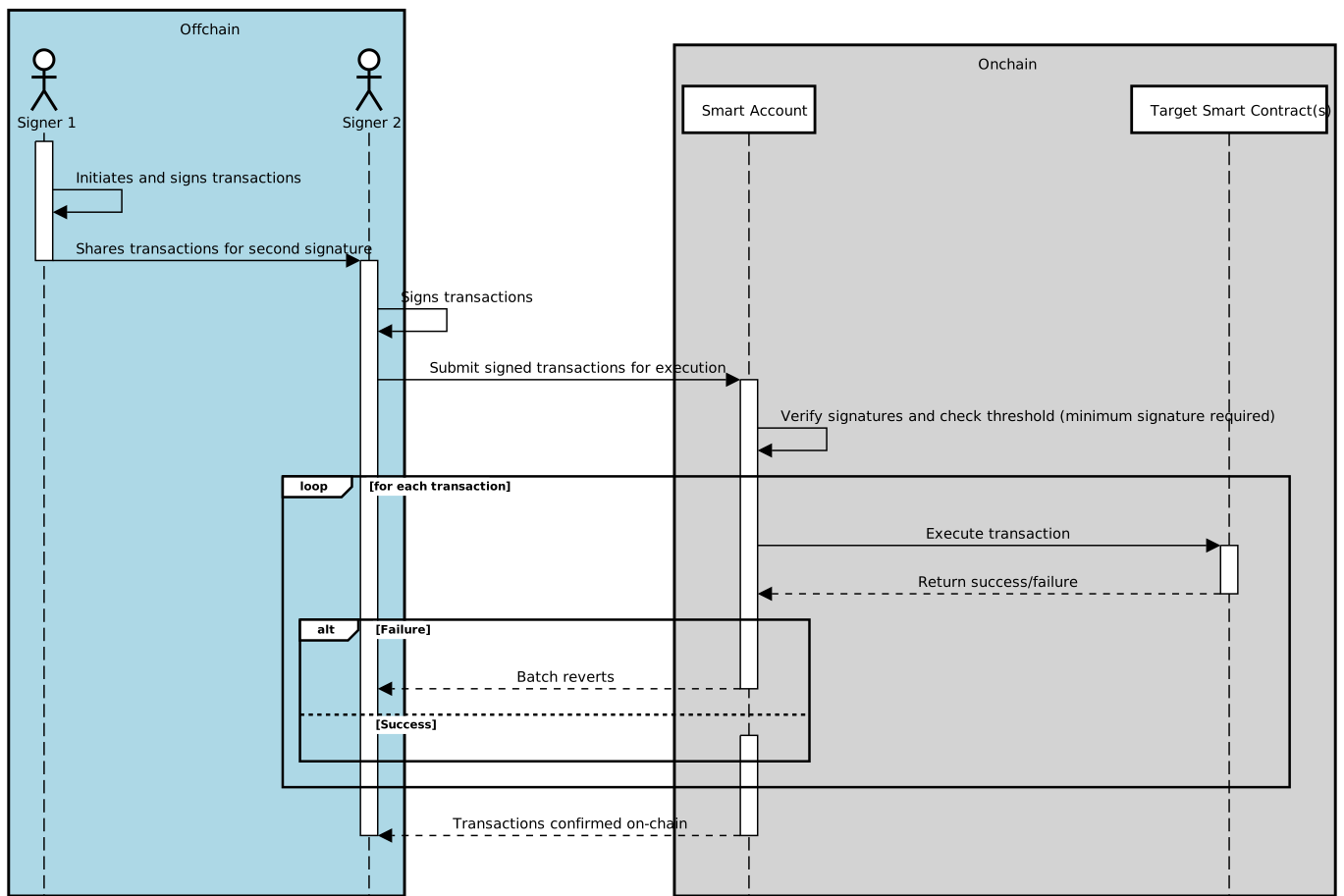
In this diagram, the process is as follows:
1. **Signer 1** initiates the batch of transactions (one or multiple transactions) and signs off-chain.
2. **Signer 1** shares the batch with **Signer 2**, who signs it off-chain.
3. Once the required number of signatures is collected (in this case, **two**), the batch is submitted for execution.
4. The **Smart Account** verifies the signatures and checks that the signature threshold has been met.
5. The **Smart Account** then executes each transaction in the batch, interacting with the Target Smart Contract(s).
6. If any transaction fails, the entire batch is reverted. If all transactions succeed, they are confirmed on-chain.
By following this process, we maintain the security of multisig transactions while improving efficiency through the off-chain signature collection and gas savings from transaction batching.
### Steps covered in this tutorial
We will cover the following key steps:
1. **Creating a Safe Account**: You will create a 2-of-3 multi-signature Safe that will serve as the owner of the token and token pool contracts. This Safe will also manage administrative tasks, such as configuring token pools and registering as the token admin in the token admin registry.
2. **Deploying Tokens**: You will deploy your [`BurnMintERC20`](https://github.com/smartcontractkit/chainlink-evm/blob/contracts-solidity/1.5.0/contracts/src/v0.8/shared/token/ERC20/BurnMintERC20.sol) tokens on the Ethereum Sepolia and BASE Sepolia testnets and transfer ownership to the Safe account.
3. **Deploying Token Pools**: Once your tokens are deployed, you will deploy [`BurnMintTokenPool`](/ccip/api-reference/evm/v1.6.1/burn-mint-token-pool) token pools on Ethereum Sepolia and BASE Sepolia. The Safe account will own each token pool.
4. **Claiming and Accepting the Admin Role**: This is a two-step process that will be managed using the Safe multi-signature account. It involves creating and signing multiple meta-transactions off-chain before executing them on-chain to register Safe as the token admin and accept the admin role for managing the tokens and token pools.
1. You will call the [`RegistryModuleOwnerCustom`](/ccip/api-reference/evm/v1.6.1/registry-module-owner-custom) contract's [`registerAdminViaGetCCIPAdmin`](/ccip/api-reference/evm/v1.6.1/registry-module-owner-custom#registeradminviagetccipadmin) function to register the Safe as the token admin. This role is required to enable your token in CCIP.
2. Once claimed, you will call the [`TokenAdminRegistry`](/ccip/api-reference/evm/v1.6.1/token-admin-registry) contract's [`acceptAdminRole`](/ccip/api-reference/evm/v1.6.1/token-admin-registry#acceptadminrole) function to complete the registration process.
Meta-transactions are used here to batch these two actions, allowing both steps to be executed efficiently. The meta-transactions are created off-chain and signed by each of the two required Safe owners. This off-chain signing process reduces gas costs and enhances security, as the transactions are only broadcasted to the blockchain once all required signatures are collected.
5. **Linking Tokens to Pools**: You will use the Safe account to call the [`TokenAdminRegistry`](/ccip/api-reference/evm/v1.6.1/token-admin-registry) contract's [`setPool`](/ccip/api-reference/evm/v1.6.1/token-admin-registry#setpool) function to associate each token with its respective token pool.
6. **Configuring Token Pools**: You will configure each token pool by setting cross-chain transfer parameters, such as token pool rate limits and enabled destination chains, using multisig transactions through the Safe account.
7. **Granting Mint and Burn Roles**: You will grant the mint and burn roles to the token pools on each linked token using the Safe account. These roles are required for the token pools to mint and burn tokens during cross-chain transfers.
8. **Minting Tokens**: You will mint tokens on Ethereum Sepolia. These tokens will later be used to test cross-chain transfers to BASE Sepolia.
9. **Transferring Tokens**: Finally, you will transfer tokens from Ethereum Sepolia to BASE Sepolia using CCIP. You can pay CCIP fees using either LINK tokens or native gas tokens.
By the end of this tutorial, you will have successfully deployed, registered, configured, and enabled your tokens and token pools for use in CCIP. All are managed securely through a multi-signature Safe account.
## Before You Begin
1. Make sure you have Node.js v22.10.0 or above installed. If not, **install Node.js v22.10.0**:
[Download Node.js v22.10.0](https://nodejs.org/en/download/) if you don't have it installed. Optionally, you can use the [nvm package](https://www.npmjs.com/package/nvm) to switch between Node.js versions:
```bash
nvm use 22
```
Verify that the correct version of Node.js is installed:
```bash
node -v
```
Example output:
```bash
$ node -v
v22.15.0
```
> **CAUTION: Why Node.js v22?**
>
> Since the [migration](https://hardhat.org/migrate-from-hardhat2) to Hardhat 3.x, Node.js v22.10.0 or above is
> [required for compatibility](https://hardhat.org/migrate-from-hardhat2#before-starting-the-migration). Using an
> older version may lead to unexpected issues during development.
2. **Clone the repository and navigate to the project directory:**
```bash
git clone https://github.com/smartcontractkit/smart-contract-examples.git
cd smart-contract-examples/ccip/cct/hardhat
```
3. **Install dependencies for the project:**
```bash
npm install
```
4. **Compile the project:**
```bash
npm run compile
```
5. **Encrypt your environment variables for higher security:**\
The project uses [@chainlink/env-enc](https://www.npmjs.com/package/@chainlink/env-enc) to encrypt your environment variables at rest. Follow the steps below to configure your environment securely:
1. Set an encryption password for your environment variables:
```bash
npx env-enc set-pw
```
2. Set up a `.env.enc` file with the necessary variables for Ethereum Sepolia and BASE Sepolia testnets. Use the following command to add the variables:
```bash
npx env-enc set
```
Variables to configure:
- `ETHEREUM_SEPOLIA_RPC_URL`: A URL for the *Ethereum Sepolia* testnet. You can get a personal endpoint from services like [Alchemy](https://www.alchemy.com/) or [Infura](https://www.infura.io/).
- `BASE_SEPOLIA_RPC_URL`: A URL for the *BASE Sepolia* testnet. You can sign up for a personal endpoint from [Alchemy](https://www.alchemy.com/) or [Infura](https://www.infura.io/).
- `PRIVATE_KEY`: The private key for the first signer of the Safe multisig account. If you use MetaMask, you can follow this [guide](https://support.metamask.io/managing-my-wallet/secret-recovery-phrase-and-private-keys/how-to-export-an-accounts-private-key/) to export your private key. **Note:** This key is used to create and sign the transaction of the first signer.
- `PRIVATE_KEY_2`: The private key for the second signer of the Safe multisig account. If you use MetaMask, you can follow this [guide](https://support.metamask.io/managing-my-wallet/secret-recovery-phrase-and-private-keys/how-to-export-an-accounts-private-key/) to export your private key. **Note:** This key is used to create and sign the transaction of the second signer.
- `ETHERSCAN_API_KEY`: An API key from Etherscan to verify your contracts. You can obtain one from [Etherscan](https://docs.etherscan.io/getting-started/viewing-api-usage-statistics).
6. **Fund the EOA linked to the first private key with LINK and native gas tokens**:\
Make sure your EOA has enough LINK and native gas tokens on Ethereum Sepolia and BASE Sepolia to cover transaction fees. You can use the [Chainlink faucets](https://faucets.chain.link/) to get testnet tokens. **Important clarifications**:
- Off-chain signatures are collected for this tutorial. The first EOA is responsible for sending the transactions to the Safe smart account, meaning only the first EOA requires enough native gas tokens for these transactions.
- When transferring the deployed tokens from Ethereum Sepolia to BASE Sepolia, the first EOA will be used to pay the CCIP fees in LINK. Therefore, it is crucial that the first EOA has sufficient LINK tokens to cover these fees. If a different EOA were to initiate the CCIP transfer, that EOA would need to hold enough LINK tokens.
## Tutorial
> **NOTE: Explore the Code**
>
> All Hardhat tasks used in this tutorial are located in the `tasks/safe-multisig` directory of the repository. Each
> task is thoroughly commented and directly linked to a key step in the tutorial, making the code self-explanatory. Read
> the code and comments to gain a deeper understanding of the process or explore the implementation details.
> **NOTE: Funding and Signature Clarifications**
>
> In this tutorial, the first EOA is responsible for sending transactions involving the Safe smart account. Therefore,
> **only the first EOA must have sufficient native gas tokens to cover transaction fees** for all operations. It is also
> important to note that during multi-signature operations, **signatures will be collected from the second EOA
> off-chain** to fulfill the required number of signatures, but the first EOA will handle the on-chain transaction
> submissions.
> **NOTE: Using Different Networks**
>
> This tutorial uses Ethereum Sepolia and BASE Sepolia by default. To test with other CCIP-supported networks that
> support Safe Transaction Service, see [Add CCIP Networks for Cross-Chain Token
> Tutorials](/ccip/tutorials/evm/cross-chain-tokens/configure-additional-networks-hardhat).
### Deploy Safe Smart Accounts
In this step, you will deploy a Safe smart account on both Ethereum Sepolia and BASE Sepolia using the `deploySafe` task. The Safe smart account will serve as the multi-signature account, requiring approvals from multiple owners to authorize transactions. You can customize the number of owners and the required threshold for signatures.
Below is an explanation of the parameters used during deployment:
| Parameter | Description | Default | Required |
| ----------- | ------------------------------------------------------------------------------------------------------------------------------------------------------------ | ------- | -------- |
| `owners` | A comma-separated list of owner addresses. These are the Ethereum addresses that will control the Safe smart account and authorize transactions. | N/A | Yes |
| `threshold` | The number of required signatures to authorize a transaction. This must be at least 1 and cannot exceed the number of owners provided. | `1` | Yes |
| `network` | The blockchain on which the Safe smart account will be deployed. Examples include `ethereumSepolia` for Ethereum Sepolia and `baseSepolia` for BASE Sepolia. | N/A | Yes |
1. **Deploy a Safe on Ethereum Sepolia** (Replace `0xOwnerAddress1`, `0xOwnerAddress2`, and `0xOwnerAddress3` with your Ethereum addresses):
```bash
npx hardhat deploySafe --owners "0xOwnerAddress1,0xOwnerAddress2,0xOwnerAddress3" --threshold 2 --network ethereumSepolia
```
Example output:
```bash
$ npx hardhat deploySafe --owners 0x8C244f0B2164E6A3BED74ab429B0ebd661Bb14CA,0xA028Cedc47485aB2F1230551E4f3a6871B764263,0x27d7A69C878F9c8f51f4e53703abCE9bAcd2D9bf --threshold 2 --network ethereumSepolia
✅ Tasks loaded from /tasks/index.ts
2025-10-22T15:02:27.024Z info: ⚙️ Deploying Safe multisig on ethereumSepolia...
2025-10-22T15:02:27.026Z info: Owners (3): 0x8C244f0B2164E6A3BED74ab429B0ebd661Bb14CA, 0xA028Cedc47485aB2F1230551E4f3a6871B764263, 0x27d7A69C878F9c8f51f4e53703abCE9bAcd2D9bf
2025-10-22T15:02:27.026Z info: Threshold: 2
2025-10-22T15:02:27.026Z info: Initializing Safe Protocol Kit...
2025-10-22T15:02:27.026Z info: Salt nonce: 0x3bd008a765832c18c35a3f31f49a1d2f3b43c1be0eaaf752f78e7ff84e203912
2025-10-22T15:02:27.027Z info: Deploying Safe contract...
2025-10-22T15:02:33.751Z info: Predicted Safe address: 0xD87c0BCbB9df8C07De0ea9af14296248E082c347
2025-10-22T15:02:36.827Z info: Deploying Safe contract on-chain...
2025-10-22T15:02:44.545Z info: Deployment transaction: 0xa766fe32019a84d6ad5ee8ada4bb45dc676f9ba72b6bf7e671aa3a4ca0202d11
2025-10-22T15:02:44.546Z info: Waiting for confirmation...
2025-10-22T15:03:04.169Z info: ✅ Safe deployed successfully
2025-10-22T15:03:04.170Z info: Safe address: 0xD87c0BCbB9df8C07De0ea9af14296248E082c347
2025-10-22T15:03:04.170Z info: Network: ethereumSepolia
```
2. **Deploy a Safe on BASE Sepolia** (Replace `0xOwnerAddress1`, `0xOwnerAddress2`, and `0xOwnerAddress3` with your Ethereum addresses):
```bash
npx hardhat deploySafe --owners "0xOwnerAddress1,0xOwnerAddress2,0xOwnerAddress3" --threshold 2 --network baseSepolia
```
Example output:
```bash
$ npx hardhat deploySafe --owners 0x8C244f0B2164E6A3BED74ab429B0ebd661Bb14CA,0xA028Cedc47485aB2F1230551E4f3a6871B764263,0x27d7A69C878F9c8f51f4e53703abCE9bAcd2D9bf --threshold 2 --network baseSepolia
✅ Tasks loaded from /tasks/index.ts
2025-10-22T15:04:29.505Z info: ⚙️ Deploying Safe multisig on baseSepolia...
2025-10-22T15:04:29.507Z info: Owners (3): 0x8C244f0B2164E6A3BED74ab429B0ebd661Bb14CA, 0xA028Cedc47485aB2F1230551E4f3a6871B764263, 0x27d7A69C878F9c8f51f4e53703abCE9bAcd2D9bf
2025-10-22T15:04:29.507Z info: Threshold: 2
2025-10-22T15:04:29.507Z info: Initializing Safe Protocol Kit...
2025-10-22T15:04:29.508Z info: Salt nonce: 0x06b5e0404c2a7c2e7be856725e6666ece610e09f94f22ce5a24366ba6d428e73
2025-10-22T15:04:29.508Z info: Deploying Safe contract...
2025-10-22T15:04:37.618Z info: Predicted Safe address: 0xA9E127DeFf4f46dCA489349A15F7EB8A059Fb116
2025-10-22T15:04:39.082Z info: Deploying Safe contract on-chain...
2025-10-22T15:04:44.074Z info: Deployment transaction: 0xaea379d168d27f30b11112dca71070dcc4758861676752fce932870bf0f76f8e
2025-10-22T15:04:44.075Z info: Waiting for confirmation...
2025-10-22T15:04:44.463Z info: ✅ Safe deployed successfully
2025-10-22T15:04:44.463Z info: Safe address: 0xA9E127DeFf4f46dCA489349A15F7EB8A059Fb116
2025-10-22T15:04:44.463Z info: Network: baseSepolia
```
> **NOTE: Record Safe contract addresses**
>
> Make sure to record the addresses of the deployed Safe smart accounts. You will need these addresses to interact with
> the Safe smart accounts in the following steps.
### Deploy Tokens
In this step, you will deploy a token on both Ethereum Sepolia and BASE Sepolia using the `deployTokenWithSafe` task, then transfer ownership of the token to the Safe multisig account. This ensures that the Safe smart account controls the token, requiring multiple signatures to authorize any future administrative actions.
Below is an explanation of the parameters used during deployment:
| Parameter | Description | Default | Required |
| ---------------- | ------------------------------------------------------------------------------------------------------------------------------------------------- | ------- | -------- |
| `safeaddress` | The address of the Safe smart account that will own the deployed token. | N/A | Yes |
| `name` | The full name of the token. | N/A | Yes |
| `symbol` | The shorthand symbol representing the token. | N/A | Yes |
| `decimals` | The number of decimal places the token supports (e.g., `18` means 1 token is represented as 1e18 smallest units). | `18` | No |
| `maxsupply` | The maximum supply of tokens. Set to `0` for unlimited supply. | `0` | No |
| `premint` | The amount of tokens to be minted to the owner at the time of deployment. If set to `0`, no tokens will be minted to the owner during deployment. | `0` | No |
| `verifycontract` | Flag to verify the contract on Etherscan or a similar blockchain explorer. Pass this flag to enable verification, omit to skip. | `false` | No |
| `network` | The blockchain on which the token will be deployed. Examples include `ethereumSepolia` for Ethereum Sepolia and `baseSepolia` for BASE Sepolia. | N/A | Yes |
1. **Deploy a token on Ethereum Sepolia** (Replace `0xSafeAddress` with the address of the Safe smart account. You can also adapt the token name and symbol as needed):
```bash
npx hardhat deployTokenWithSafe \
--name "BnM sak" \
--symbol BnMsak \
--decimals 18 \
--maxsupply 0 \
--safeaddress 0xD87c0BCbB9df8C07De0ea9af14296248E082c347 \
--verifycontract \
--network ethereumSepolia
```
Example output:
```bash
✅ Tasks loaded from /tasks/index.ts
2025-10-22T15:08:03.909Z info: ⚙️ Deploying BurnMintERC20 on ethereumSepolia...
2025-10-22T15:08:03.911Z info: Token: BnM sak (BnMsak)
2025-10-22T15:08:03.911Z info: Decimals: 18
2025-10-22T15:08:03.911Z info: Max supply: 0
2025-10-22T15:08:03.911Z info: Premint: 0
2025-10-22T15:08:03.911Z info: Safe address: 0xD87c0BCbB9df8C07De0ea9af14296248E082c347
2025-10-22T15:08:03.911Z info: Deploying contract...
2025-10-22T15:08:19.639Z info: ✅ Token deployed at: 0xdca6ab0a735be79fd6b5864a3b1e3f597310b5da
2025-10-22T15:08:19.640Z info: Waiting for 3 confirmation(s)...
2025-10-22T15:08:28.643Z info: Verifying contract...
📤 Submitted source code for verification on Etherscan:
@chainlink/contracts/src/v0.8/shared/token/ERC20/BurnMintERC20.sol:BurnMintERC20
Address: 0xdca6ab0a735be79fd6b5864a3b1e3f597310b5da
⏳ Waiting for verification result...
✅ Contract verified successfully on Etherscan!
@chainlink/contracts/src/v0.8/shared/token/ERC20/BurnMintERC20.sol:BurnMintERC20
Explorer: https://sepolia.etherscan.io/address/0xdca6ab0a735be79fd6b5864a3b1e3f597310b5da#code
2025-10-22T15:08:43.278Z info: ✅ Token contract verified successfully
2025-10-22T15:08:43.278Z info: Transferring ownership of token to Safe at 0xD87c0BCbB9df8C07De0ea9af14296248E082c347
2025-10-22T15:08:44.181Z info: Granting DEFAULT_ADMIN_ROLE to Safe: 0xD87c0BCbB9df8C07De0ea9af14296248E082c347
2025-10-22T15:08:47.077Z info: ⏳ Grant role tx: 0xf6176199bdbc3b638c75cf67bd5674b8aca5216e4aafae057ed638aca8d2ceb1
2025-10-22T15:09:16.482Z info: ✅ Safe granted DEFAULT_ADMIN_ROLE
2025-10-22T15:09:16.482Z info: Setting CCIP admin to Safe...
2025-10-22T15:09:18.450Z info: ⏳ Set CCIP admin tx: 0x205fae446501ebf6f1949992194c8d5364a194cbaf1a6f5a33b4e12c5c02e708
2025-10-22T15:10:04.979Z info: ✅ Safe set as CCIP admin
2025-10-22T15:10:04.979Z info:
✅ Token deployment and configuration complete!
2025-10-22T15:10:04.979Z info: Token address: 0xdca6ab0a735be79fd6b5864a3b1e3f597310b5da
2025-10-22T15:10:04.979Z info: Safe address: 0xD87c0BCbB9df8C07De0ea9af14296248E082c347
```
2. **Deploy a token on BASE Sepolia** (Replace `0xSafeAddress` with the address of the Safe smart account. You can also adapt the token name and symbol as needed):
```bash
npx hardhat deployTokenWithSafe \
--name "BnM sak" \
--symbol BnMsak \
--decimals 18 \
--maxsupply 0 \
--safeaddress 0xA9E127DeFf4f46dCA489349A15F7EB8A059Fb116 \
--verifycontract \
--network baseSepolia
```
Example output:
```bash
✅ Tasks loaded from /tasks/index.ts
2025-10-22T15:11:31.865Z info: ⚙️ Deploying BurnMintERC20 on baseSepolia...
2025-10-22T15:11:31.867Z info: Token: BnM sak (BnMsak)
2025-10-22T15:11:31.867Z info: Decimals: 18
2025-10-22T15:11:31.867Z info: Max supply: 0
2025-10-22T15:11:31.867Z info: Premint: 0
2025-10-22T15:11:31.867Z info: Safe address: 0xA9E127DeFf4f46dCA489349A15F7EB8A059Fb116
2025-10-22T15:11:31.867Z info: Deploying contract...
2025-10-22T15:11:39.696Z info: ✅ Token deployed at: 0x7074d32876ed00946d15ea71991eeb86be09666e
2025-10-22T15:11:39.696Z info: Waiting for 2 confirmation(s)...
2025-10-22T15:11:45.698Z info: Verifying contract...
📤 Submitted source code for verification on Basescan:
@chainlink/contracts/src/v0.8/shared/token/ERC20/BurnMintERC20.sol:BurnMintERC20
Address: 0x7074d32876ed00946d15ea71991eeb86be09666e
⏳ Waiting for verification result...
✅ Contract verified successfully on Basescan!
@chainlink/contracts/src/v0.8/shared/token/ERC20/BurnMintERC20.sol:BurnMintERC20
Explorer: https://sepolia.basescan.org/address/0x7074d32876ed00946d15ea71991eeb86be09666e#code
2025-10-22T15:12:08.298Z info: ✅ Token contract verified successfully
2025-10-22T15:12:08.299Z info: Transferring ownership of token to Safe at 0xA9E127DeFf4f46dCA489349A15F7EB8A059Fb116
2025-10-22T15:12:08.776Z info: Granting DEFAULT_ADMIN_ROLE to Safe: 0xA9E127DeFf4f46dCA489349A15F7EB8A059Fb116
2025-10-22T15:12:11.801Z info: ⏳ Grant role tx: 0xf1f1c1e57f2299e900ba798e0343d0dade30cddc26dcfa277a96e69731f7d301
2025-10-22T15:12:15.863Z info: ✅ Safe granted DEFAULT_ADMIN_ROLE
2025-10-22T15:12:15.863Z info: Setting CCIP admin to Safe...
2025-10-22T15:12:18.364Z info: ⏳ Set CCIP admin tx: 0x6778f3bb020031fb8c74519a7bb22cb6224291bfd3a5b0c3cc1cef84bef19f53
2025-10-22T15:12:24.474Z info: ✅ Safe set as CCIP admin
2025-10-22T15:12:24.474Z info:
✅ Token deployment and configuration complete!
2025-10-22T15:12:24.474Z info: Token address: 0x7074d32876ed00946d15ea71991eeb86be09666e
2025-10-22T15:12:24.474Z info: Safe address: 0xA9E127DeFf4f46dCA489349A15F7EB8A059Fb116
```
> **NOTE: Record Token contract addresses**
>
> Make sure to record the addresses of the deployed token contracts. You will need these addresses to interact with the
> tokens in the following steps.
### Deploy Token Pools
> **CAUTION: Understand Token Pool Requirements**
>
> Before deploying your token pools, make sure you understand the mandatory requirements for token pools and the gas
> limit restrictions. The `releaseOrMint` function and other operations (e.g., balance checks) must not exceed the
> **90,000** gas limit on the destination blockchain. Failure to meet these requirements can lead to [manual
> execution](/ccip/concepts/manual-execution). For more details, refer to the [Common
> Requirements](/ccip/concepts/cross-chain-token/evm/token-pools#common-requirements).
In this step, you will deploy a token pool on both Ethereum Sepolia and BASE Sepolia using the `deployTokenPoolWithSafe` task, then transfer ownership of the token pool to the Safe smart account. This ensures that the Safe smart account controls the token pool, providing a secure, multisig setup for managing the token pool operations.
Below is an explanation of the parameters used during deployment:
| Parameter | Description | Default | Required |
| -------------------- | ---------------------------------------------------------------------------------------------------------------------------------------------------- | ------- | -------- |
| `tokenaddress` | The address of the token that the pool will manage. | N/A | Yes |
| `safeaddress` | The address of the Safe smart account that will own the token pool. | N/A | Yes |
| `localtokendecimals` | The number of decimals for the token on this chain. | `18` | No |
| `verifycontract` | Flag to verify the contract on Etherscan or a similar blockchain explorer. Pass this flag to enable verification, omit to skip. | `false` | No |
| `network` | The blockchain on which the token pool will be deployed. Examples include `ethereumSepolia` for Ethereum Sepolia and `baseSepolia` for BASE Sepolia. | N/A | Yes |
1. **Deploy a Burn and Mint token pool on Ethereum Sepolia** (Replace `0xTokenAddress` and `0xSafeAddress` with the token address and Safe smart account address, respectively):
```bash
npx hardhat deployTokenPoolWithSafe \
--tokenaddress 0xTokenAddress \
--safeaddress 0xSafeAddress \
--localtokendecimals 18 \
--verifycontract \
--network ethereumSepolia
```
Example output:
```bash
$ npx hardhat deployTokenPoolWithSafe \
--tokenaddress 0xdca6ab0a735be79fd6b5864a3b1e3f597310b5da \
--safeaddress 0xD87c0BCbB9df8C07De0ea9af14296248E082c347 \
--localtokendecimals 18 \
--verifycontract \
--network ethereumSepolia
✅ Tasks loaded from /tasks/index.ts
2025-10-22T15:20:07.175Z info: ⚙️ Deploying BurnMintTokenPool on ethereumSepolia
2025-10-22T15:20:07.177Z info: Token: 0xdca6ab0a735be79fd6b5864a3b1e3f597310b5da
2025-10-22T15:20:07.177Z info: Safe: 0xD87c0BCbB9df8C07De0ea9af14296248E082c347
2025-10-22T15:20:07.177Z info: Decimals: 18
2025-10-22T15:20:11.885Z info: ⏳ Deployment tx: 0x4a6ad26be32f80ad61486122da5e0cbd21cc86ec8a28c4f3b7616d9b646bc236
2025-10-22T15:20:11.886Z info: Waiting for 3 confirmation(s)...
2025-10-22T15:20:52.348Z info: ✅ TokenPool deployed at: 0x4133f9c5d62Ac1e155B379695c31752249E2Ad4f
2025-10-22T15:20:52.349Z info: ⚙️ Verifying contract...
The contract at 0x4133f9c5d62Ac1e155B379695c31752249E2Ad4f has already been verified on Etherscan.
If you need to verify a partially verified contract, please use the --force flag.
Explorer: https://sepolia.etherscan.io/address/0x4133f9c5d62Ac1e155B379695c31752249E2Ad4f#code
2025-10-22T15:20:56.007Z info: ✅ TokenPool contract verified successfully
2025-10-22T15:20:56.008Z info: ⚙️ Transferring ownership to Safe: 0xD87c0BCbB9df8C07De0ea9af14296248E082c347
2025-10-22T15:21:17.968Z info: ✅ Ownership transferred to Safe at 0xD87c0BCbB9df8C07De0ea9af14296248E082c347
```
2. **Deploy a Burn and Mint token pool on BASE Sepolia** (Replace `0xTokenAddress` and `0xSafeAddress` with the token address and Safe smart account address, respectively):
```bash
npx hardhat deployTokenPoolWithSafe \
--tokenaddress 0xTokenAddress \
--safeaddress 0xSafeAddress \
--localtokendecimals 18 \
--verifycontract \
--network baseSepolia
```
Example output:
```bash
$ npx hardhat deployTokenPoolWithSafe \
--tokenaddress 0x7074d32876ed00946d15ea71991eeb86be09666e \
--safeaddress 0xA9E127DeFf4f46dCA489349A15F7EB8A059Fb116 \
--localtokendecimals 18 \
--verifycontract \
--network baseSepolia
✅ Tasks loaded from /tasks/index.ts
2025-10-22T15:22:16.815Z info: ⚙️ Deploying BurnMintTokenPool on baseSepolia
2025-10-22T15:22:16.819Z info: Token: 0x7074d32876ed00946d15ea71991eeb86be09666e
2025-10-22T15:22:16.820Z info: Safe: 0xA9E127DeFf4f46dCA489349A15F7EB8A059Fb116
2025-10-22T15:22:16.820Z info: Decimals: 18
2025-10-22T15:22:20.541Z info: ⏳ Deployment tx: 0x1eb547756ae29576375cefd4a8f43ce8e9726dbbb06639197896a9aa06a660ef
2025-10-22T15:22:20.541Z info: Waiting for 2 confirmation(s)...
2025-10-22T15:22:24.985Z info: ✅ TokenPool deployed at: 0x48AF36da7c6cFb23A9C16eAE29766975F33dF032
2025-10-22T15:22:24.986Z info: ⚙️ Verifying contract...
The contract at 0x48AF36da7c6cFb23A9C16eAE29766975F33dF032 has already been verified on Basescan.
If you need to verify a partially verified contract, please use the --force flag.
Explorer: https://sepolia.basescan.org/address/0x48AF36da7c6cFb23A9C16eAE29766975F33dF032#code
2025-10-22T15:22:28.530Z info: ✅ TokenPool contract verified successfully
2025-10-22T15:22:28.531Z info: ⚙️ Transferring ownership to Safe: 0xA9E127DeFf4f46dCA489349A15F7EB8A059Fb116
2025-10-22T15:22:30.727Z info: ✅ Ownership transferred to Safe at 0xA9E127DeFf4f46dCA489349A15F7EB8A059Fb116
```
> **NOTE: Record Token Pool contract addresses**
>
> Make sure to record the addresses of the deployed token pool contracts. You will need these addresses to interact with
> the token pools in the following steps.
### Accept Ownership of Token Pools
After deploying the token pools and transferring ownership to the Safe smart account, the Safe smart account must formally accept ownership of the token pools. This ensures that all administrative actions for the token pools will require multisig approval, ensuring a secure and decentralized management process.
The process will use the Safe smart account to sign the transaction off-chain, collect the required signatures from multiple owners, and then execute it on-chain.
Below is an explanation of the parameters used during this task:
| Parameter | Description | Required |
| ----------------- | ---------------------------------------------------------------------------------------------------------------------------------------------------------- | -------- |
| `contractaddress` | The address of the contract whose ownership the Safe smart account is accepting. | Yes |
| `safeaddress` | The address of the Safe smart account that will accept ownership of the contract. | Yes |
| `network` | The blockchain network where the transaction will be executed. Examples include `ethereumSepolia` for Ethereum Sepolia and `baseSepolia` for BASE Sepolia. | Yes |
1. **Accept ownership of the token pool on Ethereum Sepolia** (Replace `0xContractAddress` and `0xSafeAddress` with the token pool contract address and Safe smart account address, respectively):
```bash
npx hardhat acceptOwnershipFromSafe --contractaddress 0xContractAddress --safeaddress 0xSafeAddress --network ethereumSepolia
```
Example output:
```bash
$ npx hardhat acceptOwnershipFromSafe \
--contractaddress 0x4133f9c5d62Ac1e155B379695c31752249E2Ad4f \
--safeaddress 0xD87c0BCbB9df8C07De0ea9af14296248E082c347 \
--network ethereumSepolia
✅ Tasks loaded from /tasks/index.ts
2025-10-22T15:24:16.608Z info: ⚙️ Accepting ownership of contract 0x4133f9c5d62Ac1e155B379695c31752249E2Ad4f via Safe 0xD87c0BCbB9df8C07De0ea9af14296248E082c347
2025-10-22T15:24:17.379Z info: ✅ Contract exists at 0x4133f9c5d62Ac1e155B379695c31752249E2Ad4f
2025-10-22T15:24:17.770Z info: ⚙️ Current owner: 0x8C244f0B2164E6A3BED74ab429B0ebd661Bb14CA
2025-10-22T15:24:17.770Z info: ✅ Current owner is 0x8C244f0B2164E6A3BED74ab429B0ebd661Bb14CA - verifying ownership transfer to 0xD87c0BCbB9df8C07De0ea9af14296248E082c347
2025-10-22T15:24:17.770Z info: ⚙️ Simulating acceptOwnership transaction...
2025-10-22T15:24:18.049Z info: ✅ Simulation successful - Safe can accept ownership
2025-10-22T15:24:18.050Z info: ⚙️ Initializing Safe Protocol Kit for multisig transaction...
2025-10-22T15:24:25.938Z info: ✅ Safe transaction created
2025-10-22T15:24:26.973Z info: ✅ Signed by owner 1
2025-10-22T15:24:27.653Z info: ✅ Signed by owner 2
2025-10-22T15:24:27.653Z info: ✅ Transaction has 2 signature(s)
2025-10-22T15:24:27.653Z info: 🚀 Executing Safe transaction to accept ownership...
2025-10-22T15:24:34.033Z info: ⏳ Waiting 3 blocks for tx 0x16f729787430afc090f7902ce82ecd942eef841ae5735d667928e6f9cdd5b1c3 to confirm...
2025-10-22T15:24:38.841Z info: ✅ Ownership accepted successfully for 0x4133f9c5d62Ac1e155B379695c31752249E2Ad4f
```
2. **Accept ownership of the token pool on BASE Sepolia** (Replace `0xContractAddress` and `0xSafeAddress` with the token pool contract address and Safe smart account address, respectively):
```bash
npx hardhat acceptOwnershipFromSafe \
--contractaddress 0x48AF36da7c6cFb23A9C16eAE29766975F33dF032 \
--safeaddress 0xA9E127DeFf4f46dCA489349A15F7EB8A059Fb116 \
--network baseSepolia
```
Example output:
```bash
✅ Tasks loaded from /tasks/index.ts
2025-10-22T15:25:24.635Z info: ⚙️ Accepting ownership of contract 0x48AF36da7c6cFb23A9C16eAE29766975F33dF032 via Safe 0xA9E127DeFf4f46dCA489349A15F7EB8A059Fb116
2025-10-22T15:25:26.236Z info: ✅ Contract exists at 0x48AF36da7c6cFb23A9C16eAE29766975F33dF032
2025-10-22T15:25:26.510Z info: ⚙️ Current owner: 0x8C244f0B2164E6A3BED74ab429B0ebd661Bb14CA
2025-10-22T15:25:26.510Z info: ✅ Current owner is 0x8C244f0B2164E6A3BED74ab429B0ebd661Bb14CA - verifying ownership transfer to 0xA9E127DeFf4f46dCA489349A15F7EB8A059Fb116
2025-10-22T15:25:26.511Z info: ⚙️ Simulating acceptOwnership transaction...
2025-10-22T15:25:26.806Z info: ✅ Simulation successful - Safe can accept ownership
2025-10-22T15:25:26.807Z info: ⚙️ Initializing Safe Protocol Kit for multisig transaction...
2025-10-22T15:25:30.875Z info: ✅ Safe transaction created
2025-10-22T15:25:31.874Z info: ✅ Signed by owner 1
2025-10-22T15:25:33.189Z info: ✅ Signed by owner 2
2025-10-22T15:25:33.189Z info: ✅ Transaction has 2 signature(s)
2025-10-22T15:25:33.190Z info: 🚀 Executing Safe transaction to accept ownership...
2025-10-22T15:25:41.053Z info: ⏳ Waiting 2 blocks for tx 0x759d9dd2691ade673c144890e73e9da5e59d7b0b9028426888ade3ab864edccf to confirm...
2025-10-22T15:25:41.455Z info: ✅ Ownership accepted successfully for 0x48AF36da7c6cFb23A9C16eAE29766975F33dF032
```
### Claim and Accept Token Admin Role using Safe
In this step, you will use the `claimAndAcceptAdminRoleFromSafe` task to claim and accept the admin role for the deployed tokens in a single Ethereum transaction. By leveraging Safe's batching feature, we can efficiently combine the two operations—claiming the admin role and accepting the admin role—into one on-chain interaction. This reduces gas costs and improves efficiency.
The process will use the Safe smart account to sign the transaction off-chain, collect the required signatures from multiple owners, and then execute it on-chain.
Below is an explanation of the parameters used during this task:
| Parameter | Description | Default | Required |
| -------------- | ----------------------------------------------------------------------------------------------------------------------------------------------------- | ------- | -------- |
| `tokenaddress` | The address of the token for which the admin role will be claimed and accepted. | N/A | Yes |
| `safeaddress` | The address of the Safe smart account that will execute the transactions and become the token admin. | N/A | Yes |
| `network` | The blockchain on which the transaction will be executed. Examples include `ethereumSepolia` for Ethereum Sepolia and `baseSepolia` for BASE Sepolia. | N/A | Yes |
1. **Claim and accept the admin role for the token on Ethereum Sepolia** (Replace `0xTokenAddress` and `0xSafeAddress` with the token address and Safe smart account address, respectively):
```bash
npx hardhat claimAndAcceptAdminRoleFromSafe --tokenaddress 0xTokenAddress --safeaddress 0xSafeAddress --network ethereumSepolia
```
Example output:
```bash
$ npx hardhat claimAndAcceptAdminRoleFromSafe --tokenaddress 0xdca6ab0a735be79fd6b5864a3b1e3f597310b5da --safeaddress 0xD87c0BCbB9df8C07De0ea9af14296248E082c347 --network ethereumSepolia
✅ Tasks loaded from /tasks/index.ts
2025-10-22T15:28:38.782Z info: ⚙️ Connecting to token contract at 0xdca6ab0a735be79fd6b5864a3b1e3f597310b5da...
2025-10-22T15:28:39.465Z info: ⚙️ Current CCIP admin: 0xD87c0BCbB9df8C07De0ea9af14296248E082c347
2025-10-22T15:28:39.465Z info: ✅ CCIP admin matches Safe address - proceeding with claim and accept
2025-10-22T15:28:40.496Z info: ⚙️ Prepared Safe meta-transactions for 0xdca6ab0a735be79fd6b5864a3b1e3f597310b5da
2025-10-22T15:28:40.496Z info: ⚙️ Initializing Safe Protocol Kit for multisig transaction...
2025-10-22T15:28:43.729Z info: ✅ Safe transaction (claim + accept) created
2025-10-22T15:28:44.140Z info: ✅ Signed by owner 1
2025-10-22T15:28:44.545Z info: ✅ Signed by owner 2
2025-10-22T15:28:44.545Z info: ✅ Transaction has 2 signature(s)
2025-10-22T15:28:44.546Z info: 🚀 Executing Safe transaction (claim + accept admin role)...
2025-10-22T15:28:49.649Z info: ⏳ Waiting 3 blocks for tx 0x9b91763c65df9c272ca26a532ea5dc29a62aa367d4fdad93d685f86124ae4d99 confirmation...
2025-10-22T15:29:03.911Z info: ✅ Admin role claimed and accepted for 0xdca6ab0a735be79fd6b5864a3b1e3f597310b5da
```
2. **Claim and accept the admin role for the token on BASE Sepolia** (Replace `0xTokenAddress` and `0xSafeAddress` with the token address and Safe smart account address, respectively):
```bash
npx hardhat claimAndAcceptAdminRoleFromSafe --tokenaddress 0xTokenAddress --safeaddress 0xSafeAddress --network baseSepolia
```
Example output:
```bash
$ npx hardhat claimAndAcceptAdminRoleFromSafe --tokenaddress 0x7074d32876ed00946d15ea71991eeb86be09666e --safeaddress 0xA9E127DeFf4f46dCA489349A15F7EB8A059Fb116 --network baseSepolia
✅ Tasks loaded from /tasks/index.ts
2025-10-22T15:29:46.121Z info: ⚙️ Connecting to token contract at 0x7074d32876ed00946d15ea71991eeb86be09666e...
2025-10-22T15:29:46.732Z info: ⚙️ Current CCIP admin: 0xA9E127DeFf4f46dCA489349A15F7EB8A059Fb116
2025-10-22T15:29:46.733Z info: ✅ CCIP admin matches Safe address - proceeding with claim and accept
2025-10-22T15:29:49.539Z info: ⚙️ Prepared Safe meta-transactions for 0x7074d32876ed00946d15ea71991eeb86be09666e
2025-10-22T15:29:49.540Z info: ⚙️ Initializing Safe Protocol Kit for multisig transaction...
2025-10-22T15:29:55.544Z info: ✅ Safe transaction (claim + accept) created
2025-10-22T15:29:56.133Z info: ✅ Signed by owner 1
2025-10-22T15:29:57.228Z info: ✅ Signed by owner 2
2025-10-22T15:29:57.228Z info: ✅ Transaction has 2 signature(s)
2025-10-22T15:29:57.229Z info: 🚀 Executing Safe transaction (claim + accept admin role)...
2025-10-22T15:30:03.859Z info: ⏳ Waiting 2 blocks for tx 0xe5e1cc59d5b734ddbbabb2451a21c79a9c0a8cbd34fb669244c1144f28338e86 confirmation...
2025-10-22T15:30:04.219Z info: ✅ Admin role claimed and accepted for 0x7074d32876ed00946d15ea71991eeb86be09666e
```
### Grant Mint and Burn Roles using Safe
In this step, you will use the `grantMintBurnRoleFromSafe` task to grant mint and burn roles to both the token pool and the Safe smart account on Ethereum Sepolia and BASE Sepolia. The Safe smart account will handle the transaction to securely assign these roles, ensuring that multiple owners sign off on the operation. Granting mint and burn roles is essential to allow the token pool and the Safe account to manage token issuance and burning, and to prepare for future cross-chain transfers.
This process will grant:
- Mint and burn roles to the token pool for handling cross-chain operations.
- Mint and burn roles to the Safe smart account for minting tokens to EOAs for testing purposes.
Below is an explanation of the parameters used during this task:
| Parameter | Description | Required |
| --------------- | ------------------------------------------------------------------------------------------------------------------------------------------------------------ | -------- |
| `tokenaddress` | The address of the deployed token contract for which mint and burn roles will be granted. | Yes |
| `burnerminters` | A comma-separated list of addresses (token pools and Safe smart account) to which mint and burn roles will be granted. | Yes |
| `safeaddress` | The address of the Safe smart account that will execute the transaction to grant mint and burn roles. | Yes |
| `network` | The blockchain on which the mint and burn roles will be granted. Examples include `ethereumSepolia` for Ethereum Sepolia and `baseSepolia` for BASE Sepolia. | Yes |
1. **Grant mint and burn roles on Ethereum Sepolia** (Replace `0xTokenAddress`, `0xPoolAddress`, and `0xSafeAddress` with the token address, token pool address, and Safe smart account address, respectively):
```bash
npx hardhat grantMintBurnRoleFromSafe \
--tokenaddress 0xTokenAddress \
--burnerminters 0xPoolAddress,0xSafeAddress \
--safeaddress 0xSafeAddress \
--network ethereumSepolia
```
Example output:
```bash
$ npx hardhat grantMintBurnRoleFromSafe --tokenaddress 0xdca6ab0a735be79fd6b5864a3b1e3f597310b5da --burnerminters 0x4133f9c5d62Ac1e155B379695c31752249E2Ad4f,0xD87c0BCbB9df8C07De0ea9af14296248E082c347 --safeaddress 0xD87c0BCbB9df8C07De0ea9af14296248E082c347 --network ethereumSepolia
✅ Tasks loaded from /tasks/index.ts
2025-10-22T15:37:10.201Z info: ⚙️ Connecting to token contract at 0xdca6ab0a735be79fd6b5864a3b1e3f597310b5da...
2025-10-22T15:37:10.612Z info: ⚙️ Initializing Safe Protocol Kit for multisig transaction...
2025-10-22T15:37:13.743Z info: ⚙️ Setting up Safe transaction to grant roles to: 0x4133f9c5d62Ac1e155B379695c31752249E2Ad4f, 0xD87c0BCbB9df8C07De0ea9af14296248E082c347
2025-10-22T15:37:14.323Z info: ✅ Safe transaction created
2025-10-22T15:37:16.990Z info: ✅ Signed by owner 1
2025-10-22T15:37:18.027Z info: ✅ Signed by owner 2
2025-10-22T15:37:18.027Z info: ✅ Transaction has 2 signature(s)
2025-10-22T15:37:18.027Z info: 🚀 Executing Safe transaction to grant roles...
2025-10-22T15:37:29.642Z info: ⏳ Waiting 3 blocks for tx 0x3c2a143047e7917dfcaa5f2f926000215263e187601999a88b1fab7f1dbfed96 confirmation...
2025-10-22T15:37:39.215Z info: ✅ Mint and burn roles granted successfully
```
2. **Grant mint and burn roles on BASE Sepolia** (Replace `0xTokenAddress`, `0xPoolAddress`, and `0xSafeAddress` with the token address, token pool address, and Safe smart account address, respectively):
```bash
npx hardhat grantMintBurnRoleFromSafe \
--tokenaddress 0xTokenAddress \
--burnerminters 0xPoolAddress,0xSafeAddress \
--safeaddress 0xSafeAddress \
--network baseSepolia
```
Example output:
```bash
$ npx hardhat grantMintBurnRoleFromSafe --tokenaddress 0x7074d32876ed00946d15ea71991eeb86be09666e --burnerminters 0x48AF36da7c6cFb23A9C16eAE29766975F33dF032,0xA9E127DeFf4f46dCA489349A15F7EB8A059Fb116 --safeaddress 0xA9E127DeFf4f46dCA489349A15F7EB8A059Fb116 --network baseSepolia
✅ Tasks loaded from /tasks/index.ts
2025-10-22T15:38:21.300Z info: ⚙️ Connecting to token contract at 0x7074d32876ed00946d15ea71991eeb86be09666e...
2025-10-22T15:38:21.767Z info: ⚙️ Initializing Safe Protocol Kit for multisig transaction...
2025-10-22T15:38:26.148Z info: ⚙️ Setting up Safe transaction to grant roles to: 0x48AF36da7c6cFb23A9C16eAE29766975F33dF032, 0xA9E127DeFf4f46dCA489349A15F7EB8A059Fb116
2025-10-22T15:38:26.451Z info: ✅ Safe transaction created
2025-10-22T15:38:27.971Z info: ✅ Signed by owner 1
2025-10-22T15:38:29.289Z info: ✅ Signed by owner 2
2025-10-22T15:38:29.289Z info: ✅ Transaction has 2 signature(s)
2025-10-22T15:38:29.289Z info: 🚀 Executing Safe transaction to grant roles...
2025-10-22T15:38:40.886Z info: ⏳ Waiting 2 blocks for tx 0xcd1317734142f9b90c49e16830c0cc31626f97387b8bb63b83885051d4d47462 confirmation...
2025-10-22T15:38:42.178Z info: ✅ Mint and burn roles granted successfully
```
### Set Pool using Safe
In this step, you will use the `setPoolFromSafe` task to link a token to a token pool on both Ethereum Sepolia and BASE Sepolia. The Safe smart account will be used to execute the transaction, ensuring that the pool is set securely with multisig approval. Multiple owners will sign the transaction off-chain before it is executed on-chain.
Below is an explanation of the parameters used during this task:
| Parameter | Description | Required |
| -------------- | ----------------------------------------------------------------------------------------------------------------------------------------------------- | -------- |
| `tokenaddress` | The address of the token for which the pool will be set. | Yes |
| `pooladdress` | The address of the token pool to be linked to the token. | Yes |
| `safeaddress` | The address of the Safe smart account that will execute the transaction. | Yes |
| `network` | The blockchain on which the transaction will be executed. Examples include `ethereumSepolia` for Ethereum Sepolia and `baseSepolia` for BASE Sepolia. | Yes |
1. **Set the token pool on Ethereum Sepolia** (Replace `0xTokenAddress`, `0xPoolAddress`, and `0xSafeAddress` with the token address, token pool address, and Safe smart account address, respectively):
```bash
npx hardhat setPoolFromSafe --tokenaddress 0xTokenAddress --pooladdress 0xPoolAddress --safeaddress 0xSafeAddress --network ethereumSepolia
```
Example output:
```bash
$ npx hardhat setPoolFromSafe --tokenaddress 0xdca6ab0a735be79fd6b5864a3b1e3f597310b5da --pooladdress 0x4133f9c5d62Ac1e155B379695c31752249E2Ad4f --safeaddress 0xD87c0BCbB9df8C07De0ea9af14296248E082c347 --network ethereumSepolia
✅ Tasks loaded from /tasks/index.ts
2025-10-22T15:40:57.725Z info: ⚙️ Connecting to TokenAdminRegistry at 0x95F29FEE11c5C55d26cCcf1DB6772DE953B37B82 on ethereumSepolia
2025-10-22T15:40:58.327Z info: ⚙️ Preparing to set pool for token 0xdca6ab0a735be79fd6b5864a3b1e3f597310b5da → 0x4133f9c5d62Ac1e155B379695c31752249E2Ad4f, current admin: 0xD87c0BCbB9df8C07De0ea9af14296248E082c347
2025-10-22T15:40:58.328Z info: ⚙️ Initializing Safe Protocol Kit for multisig transaction...
2025-10-22T15:41:01.865Z info: ✅ Safe transaction created
2025-10-22T15:41:02.576Z info: ✅ Signed by owner 1
2025-10-22T15:41:02.980Z info: ✅ Signed by owner 2
2025-10-22T15:41:02.980Z info: ✅ Transaction has 2 signature(s)
2025-10-22T15:41:02.980Z info: 🚀 Executing Safe transaction to set pool for 0xdca6ab0a735be79fd6b5864a3b1e3f597310b5da...
2025-10-22T15:41:12.075Z info: ⏳ Waiting 3 blocks for tx 0xd981df37f210b759420277db91db98907aedd1f1ea38885832e96e1a89d8585e confirmation...
2025-10-22T15:41:25.444Z info: ✅ Pool set for token 0xdca6ab0a735be79fd6b5864a3b1e3f597310b5da → 0x4133f9c5d62Ac1e155B379695c31752249E2Ad4f
```
2. **Set the token pool on BASE Sepolia** (Replace `0xTokenAddress`, `0xPoolAddress`, and `0xSafeAddress` with the token address, token pool address, and Safe smart account address, respectively):
```bash
npx hardhat setPoolFromSafe --tokenaddress 0xTokenAddress --pooladdress 0xPoolAddress --safeaddress 0xSafeAddress --network baseSepolia
```
Example output:
```bash
$ npx hardhat setPoolFromSafe --tokenaddress 0x7074d32876ed00946d15ea71991eeb86be09666e --pooladdress 0x48AF36da7c6cFb23A9C16eAE29766975F33dF032 --safeaddress 0xA9E127DeFf4f46dCA489349A15F7EB8A059Fb116 --network baseSepolia
✅ Tasks loaded from /tasks/index.ts
2025-10-22T15:42:57.749Z info: ⚙️ Connecting to TokenAdminRegistry at 0x736D0bBb318c1B27Ff686cd19804094E66250e17 on baseSepolia
2025-10-22T15:42:58.543Z info: ⚙️ Preparing to set pool for token 0x7074d32876ed00946d15ea71991eeb86be09666e → 0x48AF36da7c6cFb23A9C16eAE29766975F33dF032, current admin: 0xA9E127DeFf4f46dCA489349A15F7EB8A059Fb116
2025-10-22T15:42:58.544Z info: ⚙️ Initializing Safe Protocol Kit for multisig transaction...
2025-10-22T15:43:04.152Z info: ✅ Safe transaction created
2025-10-22T15:43:04.833Z info: ✅ Signed by owner 1
2025-10-22T15:43:05.425Z info: ✅ Signed by owner 2
2025-10-22T15:43:05.425Z info: ✅ Transaction has 2 signature(s)
2025-10-22T15:43:05.425Z info: 🚀 Executing Safe transaction to set pool for 0x7074d32876ed00946d15ea71991eeb86be09666e...
2025-10-22T15:43:13.454Z info: ⏳ Waiting 2 blocks for tx 0xa3eed5c5a01581e5e5b981c46e42b9c9bb5f0f24cba04b261fffe18db9125be3 confirmation...
2025-10-22T15:43:13.746Z info: ✅ Pool set for token 0x7074d32876ed00946d15ea71991eeb86be09666e → 0x48AF36da7c6cFb23A9C16eAE29766975F33dF032
```
### Configure Token Pools using Safe
In this step, you will use the `applyChainUpdatesFromSafe` task to configure a token pool for cross-chain interactions. By leveraging the Safe smart account, you can securely update the configuration of the token pool to support remote chains, including setting rate limits and linking it to remote pools and tokens.
The task handles complex cross-chain setups, allowing you to define rate limits for both inbound and outbound token transfers. The transaction is signed by the Safe owners off-chain and then executed on-chain, ensuring secure multi-signature control over the pool configuration.
Below is an explanation of the parameters used during this task:
| Parameter | Description | Default | Required |
| --------------------------- | ------------------------------------------------------------------------------------------------------------------------------------------------- | ------- | -------- |
| `pooladdress` | The address of the token pool to be configured. | N/A | Yes |
| `remotechain` | The identifier of the remote blockchain (e.g., `ethereumSepolia` for Ethereum Sepolia or `baseSepolia` for BASE Sepolia). | N/A | Yes |
| `remotepooladdresses` | Comma-separated list of remote pool addresses. | N/A | Yes |
| `remotetokenaddress` | The address of the token on the remote chain. | N/A | Yes |
| `outboundratelimitenabled` | Flag to enable outbound rate limits for cross-chain transfers. Pass this flag to enable, omit to disable. | `false` | No |
| `outboundratelimitcapacity` | The maximum number of tokens that can be transferred outbound in a single burst (bucket capacity for the outbound rate limiter). | `0` | No |
| `outboundratelimitrate` | The rate at which tokens are refilled in the outbound bucket (tokens per second). | `0` | No |
| `inboundratelimitenabled` | Flag to enable inbound rate limits for cross-chain transfers. Pass this flag to enable, omit to disable. | `false` | No |
| `inboundratelimitcapacity` | The maximum number of tokens that can be transferred inbound in a single burst (bucket capacity for the inbound rate limiter). | `0` | No |
| `inboundratelimitrate` | The rate at which tokens are refilled in the inbound bucket (tokens per second). | `0` | No |
| `safeaddress` | The address of the Safe smart account that will execute the transaction to configure the pool. | N/A | Yes |
| `network` | The blockchain on which the pool is being configured. Examples include `ethereumSepolia` for Ethereum Sepolia and `baseSepolia` for BASE Sepolia. | N/A | Yes |
1. **Configure the token pool on Ethereum Sepolia** (Replace `0xPoolAddress`, `0xRemotePoolAddress`, `0xRemoteTokenAddress`, and `0xSafeAddress` with the token pool address, remote token pool address, remote token address, and Safe smart account address, respectively):
```bash
npx hardhat applyChainUpdatesFromSafe --pooladdress 0xPoolAddress --remotechain baseSepolia --remotepooladdresses 0xRemotePoolAddress --remotetokenaddress 0xRemoteTokenAddress --safeaddress 0xSafeAddress --network ethereumSepolia
```
Example output:
```bash
$ npx hardhat applyChainUpdatesFromSafe --pooladdress 0x4133f9c5d62Ac1e155B379695c31752249E2Ad4f --remotechain baseSepolia --remotepooladdresses 0x48AF36da7c6cFb23A9C16eAE29766975F33dF032 --remotetokenaddress 0x7074d32876ed00946d15ea71991eeb86be09666e --safeaddress 0xD87c0BCbB9df8C07De0ea9af14296248E082c347 --network ethereumSepolia
✅ Tasks loaded from /tasks/index.ts
2025-10-22T15:51:43.618Z info: ⚙️ Applying chain updates for pool 0x4133f9c5d62Ac1e155B379695c31752249E2Ad4f → remote chain baseSepolia
2025-10-22T15:51:44.419Z info: ⚙️ Initializing Safe Protocol Kit for multisig transaction...
2025-10-22T15:51:52.717Z info: ✅ Safe transaction created
2025-10-22T15:51:53.691Z info: ✅ Signed by owner 1
2025-10-22T15:51:54.656Z info: ✅ Signed by owner 2
2025-10-22T15:51:54.656Z info: ✅ Transaction has 2 signature(s)
2025-10-22T15:51:54.656Z info: 🚀 Executing Safe transaction for pool 0x4133f9c5d62Ac1e155B379695c31752249E2Ad4f...
2025-10-22T15:52:02.815Z info: ⏳ Waiting 3 blocks for tx 0x532b168b2d987a6e510209b95c5504e51a693af7316e20b99c2c58627df188ba confirmation...
2025-10-22T15:52:16.503Z info: ✅ Pool configured successfully for baseSepolia
```
2. **Configure the token pool on BASE Sepolia** (Replace `0xPoolAddress`, `0xRemotePoolAddress`, `0xRemoteTokenAddress`, and `0xSafeAddress` with the token pool address, remote token pool address, remote token address, and Safe smart account address, respectively):
```bash
npx hardhat applyChainUpdatesFromSafe --pooladdress 0xPoolAddress --remotechain ethereumSepolia --remotepooladdresses 0xRemotePoolAddress --remotetokenaddress 0xRemoteTokenAddress --safeaddress 0xSafeAddress --network baseSepolia
```
Example output:
```bash
$ npx hardhat applyChainUpdatesFromSafe --pooladdress 0x48AF36da7c6cFb23A9C16eAE29766975F33dF032 --remotechain ethereumSepolia --remotepooladdresses 0x4133f9c5d62Ac1e155B379695c31752249E2Ad4f --remotetokenaddress 0xdca6ab0a735be79fd6b5864a3b1e3f597310b5da --safeaddress 0xA9E127DeFf4f46dCA489349A15F7EB8A059Fb116 --network baseSepolia
✅ Tasks loaded from /tasks/index.ts
2025-10-22T15:53:02.257Z info: ⚙️ Applying chain updates for pool 0x48AF36da7c6cFb23A9C16eAE29766975F33dF032 → remote chain ethereumSepolia
2025-10-22T15:53:03.055Z info: ⚙️ Initializing Safe Protocol Kit for multisig transaction...
2025-10-22T15:53:09.233Z info: ✅ Safe transaction created
2025-10-22T15:53:10.029Z info: ✅ Signed by owner 1
2025-10-22T15:53:11.255Z info: ✅ Signed by owner 2
2025-10-22T15:53:11.255Z info: ✅ Transaction has 2 signature(s)
2025-10-22T15:53:11.255Z info: 🚀 Executing Safe transaction for pool 0x48AF36da7c6cFb23A9C16eAE29766975F33dF032...
2025-10-22T15:53:18.235Z info: ⏳ Waiting 2 blocks for tx 0x54cc1761693cc563629a0c64b4f094081fd7c02d08a979049dfdb3cab756739d confirmation...
2025-10-22T15:53:18.841Z info: ✅ Pool configured successfully for ethereumSepolia
```
### Mint Tokens to an EOA using Safe
In this step, you will use the `mintTokensFromSafe` task to mint tokens to an EOA on Ethereum Sepolia. This process uses a Safe smart account to securely manage the minting process, ensuring that the transaction is signed by multiple owners off-chain before being executed on-chain. These tokens will be used for transfers through CCIP from Ethereum Sepolia to BASE Sepolia.
Below is an explanation of the parameters used during this task:
| Parameter | Description | Required |
| ------------------- | ---------------------------------------------------------------------------------------------------------------------- | -------- |
| `tokenaddress` | The address of the token contract from which the tokens will be minted. | Yes |
| `amount` | The amount of tokens to mint for each recipient address. | Yes |
| `receiveraddresses` | A comma-separated list of recipient addresses (EOAs) that will receive the minted tokens. | Yes |
| `safeaddress` | The address of the Safe smart account that will execute the transaction to mint tokens. | Yes |
| `network` | The blockchain on which the minting transaction will be executed. For example, `ethereumSepolia` for Ethereum Sepolia. | Yes |
1. **Mint tokens to an EOA on Ethereum Sepolia** (Replace `0xTokenAddress`, `0xSafeAddress`, and `0xReceiverAddress` with the token address, Safe smart account address, and recipient address, respectively):
```bash
npx hardhat mintTokensFromSafe \
--tokenaddress 0xTokenAddress \
--receiveraddresses 0xReceiverAddress \
--amount 100000000000000000000 \
--safeaddress 0xSafeAddress \
--network ethereumSepolia
```
Example output:
```bash
$ npx hardhat mintTokensFromSafe --tokenaddress 0xdca6ab0a735be79fd6b5864a3b1e3f597310b5da --receiveraddresses 0x8C244f0B2164E6A3BED74ab429B0ebd661Bb14CA --amount 100000000000000000000 --safeaddress 0xD87c0BCbB9df8C07De0ea9af14296248E082c347 --network ethereumSepolia
✅ Tasks loaded from /tasks/index.ts
2025-10-22T15:54:47.249Z info: ⚙️ Connecting to token contract at 0xdca6ab0a735be79fd6b5864a3b1e3f597310b5da...
2025-10-22T15:54:48.393Z info: ⚙️ Checking if Safe has MINTER_ROLE...
2025-10-22T15:54:48.393Z info: ✅ Safe has MINTER_ROLE - proceeding with mint transaction
2025-10-22T15:54:48.393Z info: ⚙️ Initializing Safe Protocol Kit for multisig transaction...
2025-10-22T15:54:54.934Z info: ⚙️ Preparing to mint 100000000000000000000 tokens to receivers: 0x8C244f0B2164E6A3BED74ab429B0ebd661Bb14CA
2025-10-22T15:54:55.526Z info: ✅ Safe transaction created
2025-10-22T15:54:56.553Z info: ✅ Signed by owner 1
2025-10-22T15:54:57.606Z info: ✅ Signed by owner 2
2025-10-22T15:54:57.606Z info: ✅ Transaction has 2 signature(s)
2025-10-22T15:54:57.607Z info: 🚀 Executing Safe transaction to mint tokens...
2025-10-22T15:55:05.307Z info: ⏳ Waiting 3 blocks for tx 0x9147027424f893cf7b18f8ca4317c72ef4c45432b5e4aed4da29616da9ff591b confirmation...
2025-10-22T15:55:14.261Z info: ✅ Tokens minted successfully via Safe multisig
2025-10-22T15:55:15.033Z info: ℹ️ 0x8C244f0B2164E6A3BED74ab429B0ebd661Bb14CA → balance: 100000000000000000000 BnMsak
```
### Transfer Tokens
In this step, you will use the `transferTokens` task to transfer tokens from Ethereum Sepolia to BASE Sepolia using CCIP. You have two options for paying CCIP fees: using LINK tokens or native gas tokens.
You will interact with the `IRouterClient` contract, specifically calling the `ccipSend()` function to initiate the token transfer.
Below is an explanation of the parameters used during the token transfer process:
| Parameter | Description | Default | Required |
| ------------------ | -------------------------------------------------------------------------------------------------------------------- | ------- | -------- |
| `tokenaddress` | The address of the token being transferred. | N/A | Yes |
| `amount` | The amount of tokens to transfer. | N/A | Yes |
| `destinationchain` | The blockchain to which the tokens will be transferred. Examples include `baseSepolia`, and `ethereumSepolia`. | N/A | Yes |
| `receiveraddress` | The address of the receiver on the destination blockchain. | N/A | Yes |
| `fee` | The type of fee used for the transfer, either `LINK` or `native`. | `LINK` | No |
| `network` | The blockchain on which the token transfer will be initiated. Examples include `baseSepolia`, and `ethereumSepolia`. | N/A | Yes |
#### Pay fees in LINK
Call the CCIP Router to transfer tokens from Ethereum Sepolia to BASE Sepolia, paying the CCIP fees in LINK tokens. Replace the token address, amount, receiver address, and blockchain with the appropriate values:
```bash
npx hardhat transferTokens --tokenaddress 0xTokenAddress --amount 2000000000000000000 --destinationchain baseSepolia --receiveraddress 0xReceiverAddress --fee LINK --network ethereumSepolia
```
Example output:
```bash
$ npx hardhat transferTokens --tokenaddress 0xdca6ab0a735be79fd6b5864a3b1e3f597310b5da --amount 2000000000000000000 --destinationchain baseSepolia --receiveraddress 0xA028Cedc47485aB2F1230551E4f3a6871B764263 --fee LINK --network ethereumSepolia
✅ Tasks loaded from /tasks/index.ts
2025-10-22T15:56:36.021Z info: 🚀 Transferring 2000000000000000000 tokens via CCIP from ethereumSepolia to baseSepolia...
2025-10-22T15:56:36.022Z info: Token: 0xdca6ab0a735be79fd6b5864a3b1e3f597310b5da
2025-10-22T15:56:36.023Z info: Receiver: 0xA028Cedc47485aB2F1230551E4f3a6871B764263
2025-10-22T15:56:36.023Z info: Fee token: LINK
2025-10-22T15:56:37.377Z info: 💰 Estimated fees: 12710869350886886
2025-10-22T15:56:37.702Z info: Approving 2000000000000000000 tokens for router 0x0BF3dE8c5D3e8A2B34D2BEeB17ABfCeBaf363A59
2025-10-22T15:56:40.548Z info: Waiting for 3 confirmation(s)...
2025-10-22T15:57:16.204Z info: Approving 12710869350886886 LINK to router
2025-10-22T15:57:17.625Z info: Waiting for 3 confirmation(s)...
2025-10-22T15:57:48.593Z info: 💰 Estimated CCIP fees: 12710869350886886
2025-10-22T15:57:48.594Z info: Simulating CCIP message...
2025-10-22T15:57:49.549Z info: Sending CCIP message...
2025-10-22T15:57:51.399Z info: ⏳ CCIP message tx: 0xd365f959ff5be2a21a6cd7426845757f2a00ca1ae7a56a3f781f129eb0a0e807
2025-10-22T15:57:51.399Z info: Waiting for 3 confirmation(s)...
2025-10-22T15:58:27.246Z info: ✅ CCIP message sent successfully
2025-10-22T15:58:27.246Z info: Transaction: 0xd365f959ff5be2a21a6cd7426845757f2a00ca1ae7a56a3f781f129eb0a0e807
2025-10-22T15:58:27.247Z info: Check status: https://ccip.chain.link/tx/0xd365f959ff5be2a21a6cd7426845757f2a00ca1ae7a56a3f781f129eb0a0e807
2025-10-22T15:58:27.247Z info: 📋 Transfer Summary:
2025-10-22T15:58:27.247Z info: Token: 0xdca6ab0a735be79fd6b5864a3b1e3f597310b5da
2025-10-22T15:58:27.247Z info: Amount: 2000000000000000000
2025-10-22T15:58:27.248Z info: From: ethereumSepolia
2025-10-22T15:58:27.248Z info: To: baseSepolia
2025-10-22T15:58:27.248Z info: Receiver: 0xA028Cedc47485aB2F1230551E4f3a6871B764263
2025-10-22T15:58:27.248Z info: Fee paid in: LINK
```
You can check the status of the message on the [Chainlink CCIP Explorer](https://ccip.chain.link) by visiting the provided URL. In this example, the message ID is `0x706c9057d25c69c9e1191a5a86b07a2156ef78bc7eaff6334c02dad5e905a9fb`.
#### Pay fees in native gas tokens
Call the CCIP Router to transfer tokens from Ethereum Sepolia to BASE Sepolia, paying the CCIP fees in native gas tokens. Replace the token address, amount, receiver address, and blockchain with the appropriate values:
```bash
npx hardhat transferTokens --tokenaddress 0xTokenAddress --amount 2000000000000000000 --destinationchain baseSepolia --receiveraddress 0xReceiverAddress --fee native --network ethereumSepolia
```
Example output:
```bash
$ npx hardhat transferTokens --tokenaddress 0xdca6ab0a735be79fd6b5864a3b1e3f597310b5da --amount 2000000000000000000 --destinationchain baseSepolia --receiveraddress 0xA028Cedc47485aB2F1230551E4f3a6871B764263 --fee native --network ethereumSepolia
✅ Tasks loaded from /tasks/index.ts
2025-10-22T15:59:17.942Z info: 🚀 Transferring 2000000000000000000 tokens via CCIP from ethereumSepolia to baseSepolia...
2025-10-22T15:59:17.943Z info: Token: 0xdca6ab0a735be79fd6b5864a3b1e3f597310b5da
2025-10-22T15:59:17.944Z info: Receiver: 0xA028Cedc47485aB2F1230551E4f3a6871B764263
2025-10-22T15:59:17.944Z info: Fee token: native
2025-10-22T15:59:19.091Z info: 💰 Estimated fees: 64134211874037
2025-10-22T15:59:19.464Z info: Approving 2000000000000000000 tokens for router 0x0BF3dE8c5D3e8A2B34D2BEeB17ABfCeBaf363A59
2025-10-22T15:59:22.083Z info: Waiting for 3 confirmation(s)...
2025-10-22T15:59:49.077Z info: 💰 Estimated CCIP fees: 64134211874037
2025-10-22T15:59:49.077Z info: Simulating CCIP message...
2025-10-22T15:59:49.354Z info: Sending CCIP message...
2025-10-22T15:59:50.740Z info: ⏳ CCIP message tx: 0x4796f9d7176c8bd90a320e373b0d73aa62948b689a170ac255a16aa4500b093a
2025-10-22T15:59:50.740Z info: Waiting for 3 confirmation(s)...
2025-10-22T16:00:26.196Z info: ✅ CCIP message sent successfully
2025-10-22T16:00:26.196Z info: Transaction: 0x4796f9d7176c8bd90a320e373b0d73aa62948b689a170ac255a16aa4500b093a
2025-10-22T16:00:26.197Z info: Check status: https://ccip.chain.link/tx/0x4796f9d7176c8bd90a320e373b0d73aa62948b689a170ac255a16aa4500b093a
2025-10-22T16:00:26.197Z info: 📋 Transfer Summary:
2025-10-22T16:00:26.197Z info: Token: 0xdca6ab0a735be79fd6b5864a3b1e3f597310b5da
2025-10-22T16:00:26.197Z info: Amount: 2000000000000000000
2025-10-22T16:00:26.197Z info: From: ethereumSepolia
2025-10-22T16:00:26.197Z info: To: baseSepolia
2025-10-22T16:00:26.197Z info: Receiver: 0xA028Cedc47485aB2F1230551E4f3a6871B764263
2025-10-22T16:00:26.197Z info: Fee paid in: native
```
You can check the status of the message on the [Chainlink CCIP Explorer](https://ccip.chain.link) by visiting the provided URL.
---
# Add CCIP Networks for Cross-Chain Token Tutorials (Hardhat)
Source: https://docs.chain.link/ccip/tutorials/evm/cross-chain-tokens/configure-additional-networks-hardhat
Last Updated: 2025-10-30
## Guide Versions
- [Hardhat](/ccip/tutorials/evm/cross-chain-tokens/configure-additional-networks-hardhat)
- [Foundry](/ccip/tutorials/evm/cross-chain-tokens/configure-additional-networks-foundry)
The [smart-contract-examples](https://github.com/smartcontractkit/smart-contract-examples/tree/main/ccip/cct/hardhat) repository includes default configurations for common CCIP testnet networks. This guide shows how to add support for additional networks.
## Add a Network
Add the network configuration to [`config/networks.ts`](https://github.com/smartcontractkit/smart-contract-examples/blob/main/ccip/cct/hardhat/config/networks.ts):
```typescript
export const configData = {
// ... existing networks
optimismSepolia: {
chainFamily: "evm",
chainId: 11155420,
chainSelector: "5224473277236331295",
router: "0x114A20A10b43D4115e5aeef7345a1A71d2a60C57",
rmnProxy: "0xb40A3109075965cc09E93719e33E748abf680dAe",
tokenAdminRegistry: "0x1d702b1FA12F347f0921C722f9D9166F00DEB67A",
registryModuleOwnerCustom: "0x49c4ba01dc6F5090f9df43Ab8F79449Db91A0CBB",
link: "0xE4aB69C077896252FAFBD49EFD26B5D171A32410",
confirmations: 2,
nativeCurrencySymbol: "ETH",
},
}
```
Set the RPC URL:
```bash
npx env-enc set OPTIMISM_SEPOLIA_RPC_URL
```
> **NOTE: Note**
>
> You can obtain RPC URLs from [Alchemy](https://www.alchemy.com/), [Infura](https://www.infura.io/), or another node
> provider.
The network is now available in all Hardhat tasks using `--network optimismSepolia`.
**Environment variable naming**: The system converts network names from camelCase to SNAKE_CASE and adds `_RPC_URL`. Examples: `optimismSepolia` → `OPTIMISM_SEPOLIA_RPC_URL`, `avalancheFuji` → `AVALANCHE_FUJI_RPC_URL`.
## Configuration Fields
| Field | Required | Description | Source |
| --------------------------- | -------- | ------------------------------------------------------------------------------ | -------------------------------------------------------------------------------------- |
| `chainFamily` | Yes | Blockchain VM type: `"evm"` for Ethereum-compatible chains, `"svm"` for Solana | `config/types.ts` |
| `chainId` | Yes | EVM chain ID | Blockchain's official documentation (preferred) or [ChainList](https://chainlist.org/) |
| `chainSelector` | Yes | CCIP identifier for the network | [CCIP Directory](/ccip/directory) |
| `router` | Yes | CCIP Router contract address | [CCIP Directory](/ccip/directory) |
| `rmnProxy` | Yes | RMN Proxy contract address | [CCIP Directory](/ccip/directory) |
| `tokenAdminRegistry` | Yes | Token Admin Registry address | [CCIP Directory](/ccip/directory) |
| `registryModuleOwnerCustom` | Yes | Registry Module Owner address | [CCIP Directory](/ccip/directory) |
| `link` | Yes | LINK token contract address | [CCIP Directory](/ccip/directory) |
| `confirmations` | No | Number of block confirmations before considering transaction final | Blockchain's finality characteristics and your risk tolerance |
| `nativeCurrencySymbol` | No | Native gas token symbol (e.g., `"ETH"`, `"AVAX"`, `"POL"`) | Blockchain's official documentation |
Find all CCIP addresses in the [CCIP Directory - Testnet](/ccip/directory/testnet) or [CCIP Directory - Mainnet](/ccip/directory/mainnet).
## Test
Deploy a token to verify the configuration:
```bash
npx hardhat deployToken --name "Test Token" --symbol TEST --network optimismSepolia
```
## Contract Verification (Optional)
Most networks are natively supported. Add `--verifycontract` when deploying:
```bash
npx hardhat deployToken --name "Test Token" --symbol TEST --network optimismSepolia --verifycontract
```
For networks not in [Hardhat's chain descriptors](https://github.com/NomicFoundation/hardhat/blob/main/v-next/hardhat/src/internal/builtin-plugins/network-manager/chain-descriptors.ts), add to `hardhat.config.ts`:
```typescript
chainDescriptors: {
12345: {
name: "New Network",
chainType: "generic",
blockExplorers: {
etherscan: {
name: "NewScan",
url: "https://newscan.io",
apiUrl: "https://api.newscan.io/api",
},
},
},
}
```
With [Etherscan API V2](https://docs.etherscan.io/introduction), a single `ETHERSCAN_API_KEY` works across all Etherscan-compatible networks.
---
# Test CCIP Locally
Source: https://docs.chain.link/ccip/tutorials/evm/test-ccip-locally
Last Updated: 2025-05-19
[Chainlink Local](https://github.com/smartcontractkit/chainlink-local) provides a comprehensive set of tools and libraries to test your smart contracts with CCIP locally. By using Chainlink Local, you can quickly set up a local testing environment, simulate Chainlink services, and debug your contracts before deploying them to actual testnets.
## Why Use Chainlink Local?
Testing your smart contracts locally can save you a significant amount of time and effort. With Chainlink Local, you can:
- **Quickly identify and fix issues**: Debug your contracts in a controlled environment before deploying them to testnets.
- **Save time and resources**: Reduce the need for repeated deployments to testnets, speeding up the development process.
## Guides for Different Environments
### Foundry
For Foundry users, the following guides will help you set up and test your CCIP smart contracts locally:
[Foundry Guides for Chainlink Local](/chainlink-local/build/ccip/foundry)
### Hardhat
For Hardhat users, the following guides provide step-by-step instructions to integrate and test CCIP smart contracts locally:
[Hardhat Guides for Chainlink Local](/chainlink-local/build/ccip/hardhat)
### RemixIDE
For users who prefer RemixIDE, these guides will assist you in setting up and testing your CCIP smart contracts locally within the Remix environment:
[RemixIDE Guides for Chainlink Local](/chainlink-local/build/ccip/remix)
---
# Transfer USDC with Data
Source: https://docs.chain.link/ccip/tutorials/evm/usdc
Last Updated: 2025-05-19
USDC is a digital dollar backed 100% and is always redeemable 1:1 for US dollars. The [stablecoin](https://chain.link/education-hub/stablecoins) is issued by [Circle](https://www.circle.com/en/usdc) on multiple blockchain platforms.
This guide will first explain how Chainlink CCIP enables native USDC transfers when both the source and destination blockchains support [Circle's Cross-Chain Transfer Protocol (CCTP)](https://www.circle.com/en/cross-chain-transfer-protocol).
Additionally, it will outline how CCIP also supports transferring Bridged USDC on blockchains that **are not** CCTP-enabled, allowing projects to later migrate to CCTP-enabled transfers if approved by Circle.
The hands-on tutorial at the end demonstrates how to use Chainlink CCIP to transfer USDC and arbitrary data from a smart contract on *Avalanche Fuji* to a smart contract on *Ethereum Sepolia*.
**Note**: In addition to programmable token transfers, you can also use CCIP to transfer USDC tokens without data. Check the [Mainnets](/ccip/directory/mainnet) and [Testnets](/ccip/directory/testnet) configuration pages to learn on which blockchains CCIP supports USDC transfers.
## Architecture
### Native USDC vs. Bridged USDC
New blockchains frequently encounter the **cold start problem**—a scarcity of initial liquidity and limited user adoption that hampers the development and functionality of decentralized applications (dApps). Without sufficient stablecoin liquidity, essential use cases such as borrowing, lending, and trading remain constrained.
To overcome this challenge, Circle introduced the [Bridged USDC Standard](https://www.circle.com/blog/bridged-usdc-standard). This standard facilitates the seamless issuance of Bridged USDC on any EVM-compatible blockchain, enabling third-party teams to deploy USDC without awaiting native support from Circle. By standardizing bridged token issuance, Circle aims to:
- **Reduce Liquidity Fragmentation**: Ensure a unified and efficient USDC supply across multiple blockchains.
- **Enhance User Experience**: Minimize complexities and inconsistencies in managing multiple bridged USDC versions.
- **Facilitate Seamless Upgrades**: Enable projects to transition smoothly to Native USDC once their blockchain is approved for native issuance via the [Cross-Chain Transfer Protocol (CCTP)](https://www.circle.com/en/cross-chain-transfer-protocol).
Projects using Bridged USDC can easily migrate to Native USDC once their blockchain is approved for CCTP by Circle. This migration ensures that user balances, contract addresses, and integrations remain intact, eliminating the need for complex token swaps or liquidity migrations. For more detailed information, refer to Circle's [Bridged USDC Standard](https://www.circle.com/blog/bridged-usdc-standard).
### How CCIP Works with USDC
Chainlink CCIP maintains a consistent [API](/ccip/api-reference/evm/v1.6.1/i-router-client) regardless of whether the transfer involves Native USDC or Bridged USDC. Here's how it operates in both scenarios:
- The sender has to interact with the CCIP router to initiate a cross-chain transaction, similar to the process for any other token transfers. See the [Transfer Tokens](/ccip/tutorials/evm/transfer-tokens-from-contract) guide to learn more.
- The process uses the same onchain components including the Router, OnRamp, Commit Store, OffRamp, and Token Pool.
- The process uses the same offchain components including the Committing DON, Executing DON, and the Risk Management Network.
- USDC transfers also benefit from CCIP additional security provided by the Risk Management Network.
#### Native USDC (CCTP-enabled)
The diagram below shows that the USDC token pools and Executing DON handle the integration with Circle's contracts and offchain CCTP Attestation API. As with any other supported ERC-20 token, USDC has a linked token pool on each supported blockchain to facilitate OnRamp and OffRamp operations. To learn more about these components, read the [architecture page](/ccip/concepts/architecture/onchain/evm/overview).
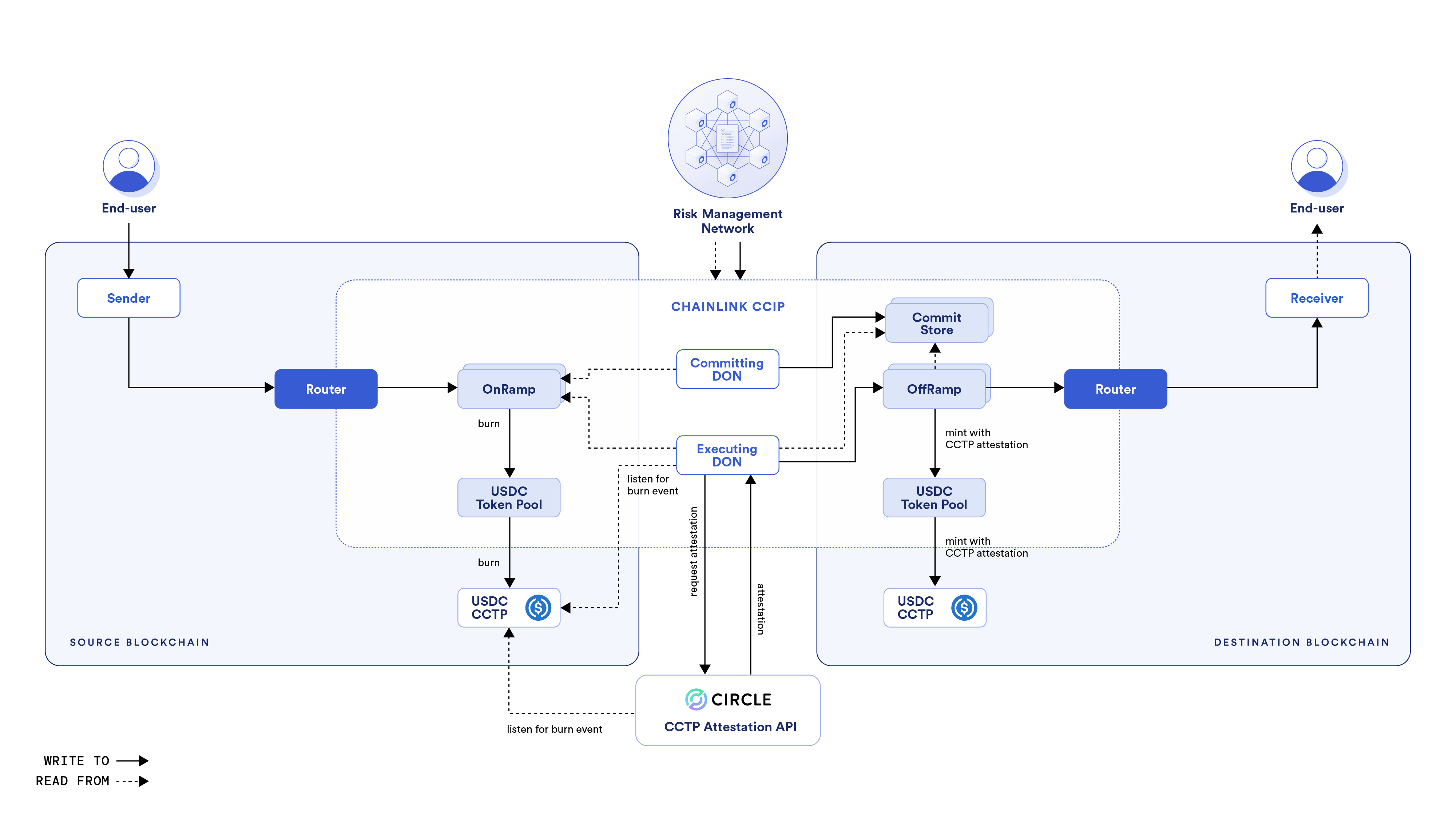
The following describes the operational process:
1. On the source blockchain:
1. When the sender initiates a transfer of USDC, the USDC token pool interacts with CCTP's contract to burn USDC tokens and specifies the USDC token pool address on the destination blockchain as the authorized caller to mint them.
2. CCTP burns the specified USDC tokens and emits an associated CCTP event.
2. Offchain:
1. The Circle attestation service listens to CCTP events on the source blockchain.
2. The CCIP [Executing DON](/ccip/concepts/architecture/offchain/overview#executing-ocr-process) listens to relevant CCTP events on the source blockchain. When it captures such an event, it calls the Circle Attestation service API to request an attestation. An attestation is a signed authorization to mint the specified amount of USDC on the destination blockchain.
3. On the destination blockchain:
1. The [Executing DON](/ccip/concepts/architecture/offchain/overview#executing-ocr-process) provides the attestation to the [OffRamp contract](/ccip/concepts/architecture/onchain/evm/components#offramp).
2. The OffRamp contract calls the USDC token pool with the USDC amount to be minted, the Receiver address, and the Circle attestation.
3. The USDC token pool calls the CCTP contract. The CCTP contract verifies the attestation signature before minting the specified USDC amount into the Receiver.
4. If there is data in the CCIP message and the Receiver is not an EOA, then the OffRamp contract transmits the CCIP message via the [Router](/ccip/concepts/architecture/onchain/evm/components#router) contract to the Receiver.
#### Bridged USDC (non-CCTP-enabled)
> **NOTE**
>
> Are you a blockchain team interested in having CCIP support Bridged USDC on your network? If your implementation
> follows the [Circle Bridged USDC Standard](https://www.circle.com/blog/bridged-usdc-standard), use [this
> form](https://chain.link/ccip-contact?v=General%20Technical%20Support) to discuss integration options.
To facilitate USDC transfers between a blockchain that issues native USDC and another that only supports Bridged USDC, Chainlink CCIP employs the [Lock and Mint mechanism](/ccip/concepts/cross-chain-token/overview#token-handling-mechanisms). This approach ensures that each Bridged USDC token on the destination blockchain is fully backed by an equivalent amount of native USDC locked on the source blockchain. Accounting for Non-CCTP-Enabled USDC is isolated on a per-blockchain basis for security and risk mitigation.
1. **Lock native USDC on Source**: The [Lock and Release token pool](https://github.com/smartcontractkit/ccip/blob/ccip-develop/contracts/src/v0.8/ccip/pools/USDC/HybridLockReleaseUSDCTokenPool.sol) locks the specified USDC tokens.
2. **Mint Bridged USDC on Destination**: This Bridged USDC serves as a proxy for the original USDC, enabling liquidity and user adoption without direct integration with CCTP. A [Burn and Mint token pool](/ccip/concepts/cross-chain-token/evm/token-pools#standard-token-pools) is recommended for the Destination Chain; it will mint Bridged USDC for incoming transfers and burn Bridged USDC for outgoing transfers. Other token pools are also supported, depending on the preferences and constraints of the Destination Chain.
## Example
In this tutorial, you will learn how to send USDC tokens from a smart contract on Avalanche Fuji to a smart contract on Ethereum Sepolia using Chainlink CCIP and pay CCIP fees in LINK tokens.
The process uses the following steps:
1. **Transfer USDC and Data:** Initiate a transfer of USDC tokens and associated data from the Sender contract on Avalanche Fuji. The data includes the required arguments and the signature of the `stake` function from the Staker contract.
2. **Receive and Stake:** The Receiver contract on Ethereum Sepolia receives the tokens and data. Then, it uses this data to make a low-level call to the Staker contract, executing the `stake` function to stake USDC on behalf of a beneficiary.
3. **Redeem Staked Tokens:** The beneficiary can redeem the staked tokens for USDC later.
The purpose of including the function signature and arguments in the data is to demonstrate how arbitrary data can support a variety of scenarios and use cases. By sending specific instructions within the data, you can define various interactions between smart contracts across different blockchain networks and make your decentralized application more flexible and powerful.
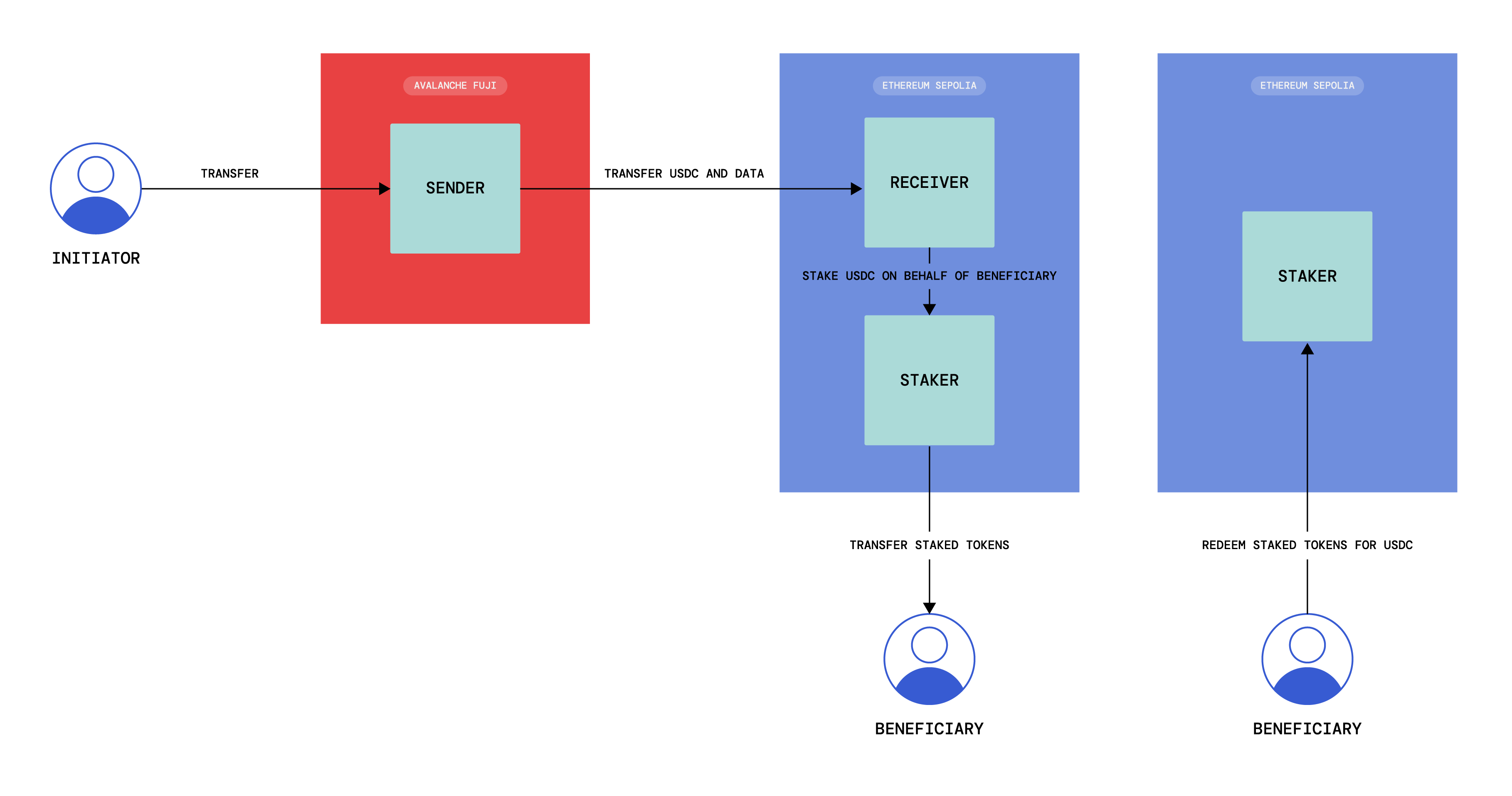
> **NOTE**
>
> After you followed the tutorial:
>
> - You can read the [Explanation](#explanation) section to understand the smart
> contracts' logic and how they interact with CCIP.
> - Explore the [CCIP USDC masterclass](https://cll-devrel.gitbook.io/ccip-masterclass-4) to find other examples of cross-chain transfers with USDC.
### Before you begin
1. You should understand how to write, compile, deploy, and fund a smart contract. If you need to brush up on the basics, read this [tutorial](/quickstarts/deploy-your-first-contract), which will guide you through using the [Solidity programming language](https://soliditylang.org/), interacting with the [MetaMask wallet](https://metamask.io) and working within the [Remix Development Environment](https://remix.ethereum.org/).
2. Your account must have some AVAX and LINK tokens on *Avalanche Fuji* and ETH tokens on *Ethereum Sepolia*. You can use the [Chainlink faucet](https://faucets.chain.link/) to acquire testnet tokens.
3. Check the [CCIP Directory](/ccip/directory) to confirm that USDC are supported for your lane. In this example, you will transfer tokens from *Avalanche Fuji* to *Ethereum Sepolia* so check the list of supported tokens [here](/ccip/directory/testnet/chain/avalanche-fuji-testnet).
4. Use the [Circle faucet](https://faucet.circle.com/) to acquire USDC tokens on *Avalanche Fuji*.
5. Learn how to [fund your contract](/resources/fund-your-contract). This guide shows how to fund your contract in LINK, but you can use the same guide for funding your contract with any ERC-20 tokens as long as they appear in the list of tokens in MetaMask.
### Tutorial
#### Deploy your contracts
Deploy the Sender contract on *Avalanche Fuji*:
1. [Open the Sender contract in Remix](https://remix.ethereum.org/#url=https://docs.chain.link/samples/CCIP/usdc/Sender.sol\&autoCompile=true).
2. Compile your contract.
3. Deploy, fund your sender contract on *Avalanche Fuji* and enable sending messages to *Ethereum Sepolia*:
1. Open MetaMask and select the network *Avalanche Fuji*.
2. In Remix IDE, click on *Deploy & Run Transactions* and select *Injected Provider - MetaMask* from the environment list. Remix will then interact with your MetaMask wallet to communicate with *Avalanche Fuji*.
3. Fill in your blockchain's router, LINK, and USDC contract addresses. The router and USDC addresses can be found on the [CCIP Directory](/ccip/directory) and the LINK contract address on the [LINK token contracts page](/resources/link-token-contracts). For Avalanche Fuji, the addresses are:
- Router address: 0xf694e193200268f9a4868e4aa017a0118c9a8177
- LINK contract address: 0x0b9d5D9136855f6FEc3c0993feE6E9CE8a297846
- USDC contract address: 0x5425890298aed601595a70AB815c96711a31Bc65
4. Click the **transact** button. After you confirm the transaction, the contract address appears on the *Deployed Contracts* list.
Note your contract address.
5. Open MetaMask and fund your contract with USDC tokens. You can transfer 1 *USDC* to your contract.
6. Fund your contract with LINK tokens. You can transfer 70 *LINK* to your contract. In this example, LINK is used to pay the CCIP fees.
**Note:** This transaction fee is significantly higher than normal due to gas spikes on Sepolia. To run this tutorial, you can get additional testnet LINK
from [faucets.chain.link](https://faucets.chain.link) or use a supported testnet other than Sepolia.
Deploy the Staker and Receiver contracts on *Ethereum Sepolia*. Configure the Receiver contract to receive CCIP messages from the Sender contract:
1. Deploy the Staker contract:
1. Open MetaMask and select the network *Ethereum Sepolia*.
2. [Open the Staker contract in Remix](https://remix.ethereum.org/#url=https://docs.chain.link/samples/CCIP/usdc/Staker.sol\&autoCompile=true).
3. Compile your contract.
4. In Remix IDE, under *Deploy & Run Transactions*, make sure the environment is still *Injected Provider - MetaMask*.
5. Fill in the usdc contract address. The usdc contract address can be found on the [CCIP Directory](/ccip/directory). For *Ethereum Sepolia*, the usdc contract address is:
- 0x1c7D4B196Cb0C7B01d743Fbc6116a902379C7238.
6. Click the **transact** button. After you confirm the transaction, the contract address appears on the *Deployed Contracts* list.
Note your contract address.
2. Deploy the Receiver contract:
1. [Open the Receiver contract in Remix](https://remix.ethereum.org/#url=https://docs.chain.link/samples/CCIP/usdc/Receiver.sol\&autoCompile=true).
2. Compile your contract.
3. In Remix IDE, under *Deploy & Run Transactions*, make sure the environment is still *Injected Provider - MetaMask* and that you are still connected to *Ethereum Sepolia*.
4. Fill in your blockchain's router, LINK, and Staker contract addresses. The router and usdc addresses can be found on the [CCIP Directory](/ccip/directory) and the Staker contract address from the previous step. For *Ethereum Sepolia*, the addresses are:
- Router address: 0x0BF3dE8c5D3e8A2B34D2BEeB17ABfCeBaf363A59
- USDC contract address: 0x1c7D4B196Cb0C7B01d743Fbc6116a902379C7238
- Staker address: Copied from the previous step
3. Configure the Receiver contract to receive CCIP messages from the Sender contract:
1. In Remix IDE, under *Deploy & Run Transactions*, open the list of transactions of your Receiver contract deployed on *Ethereum Sepolia*.
2. Fill in the arguments of the ***setSenderForSourceChain*** function:
| Argument | Value and Description |
| --------------------- | ----------------------------------------------------------------------------------------------------------------------- |
| _sourceChainSelector | 14767482510784806043 The chain selector of *Avalanche Fuji*. You can find it on the [CCIP Directory](/ccip/directory). |
| _sender | Your sender contract address at *Avalanche Fuji*. The sender contract address. |
3. Click on `transact` and confirm the transaction on MetaMask.
4. Configure the Sender contract on *Avalanche Fuji*:
1. Open MetaMask and select the network *Avalanche Fuji*.
2. In Remix IDE, under *Deploy & Run Transactions*, open the list of transactions of your Sender contract deployed on *Avalanche Fuji*.
3. Fill in the arguments of the ***setReceiverForDestinationChain*** function:
| Argument | Value and Description |
| -------------------------- | ------------------------------------------------------------------------------------------------------------------------- |
| _destinationChainSelector | 16015286601757825753 The chain selector of *Ethereum Sepolia*. You can find it on the [CCIP Directory](/ccip/directory). |
| _receiver | Your receiver contract address at *Ethereum Sepolia*. The receiver contract address. |
4. Fill in the arguments of the ***setGasLimitForDestinationChain***: function:
| Argument | Value and Description |
| -------------------------- | ------------------------------------------------------------------------------------------------------------------------- |
| _destinationChainSelector | 16015286601757825753 The chain selector of *Ethereum Sepolia*. You can find it on the [CCIP Directory](/ccip/directory). |
| _gasLimit | 200000 The gas limit for the execution of the CCIP message on the destination chain. |
At this point:
- You have one *sender* contract on *Avalanche Fuji*, one *staker* contract and one *receiver* contract on *Ethereum Sepolia*.
- You enabled the sender contract to send messages to the receiver contract on *Ethereum Sepolia*.
- You set the gas limit for the execution of the CCIP message on *Ethereum Sepolia*.
- You enabled the receiver contract to receive messages from the sender contract on *Avalanche Fuji*.
- You funded the sender contract with USDC and LINK tokens on *Avalanche Fuji*.
#### Transfer and Receive tokens and data and pay in LINK
You will transfer *1 USDC* and arbitrary data, which contains the encoded stake function name and parameters for calling Staker's stake function on the destination chain. The parameters contain the amount of staked tokens and the beneficiary address. The CCIP fees for using CCIP will be paid in LINK.
1. Transfer tokens and data from *Avalanche Fuji*:
1. Open MetaMask and select the network *Avalanche Fuji*.
2. In Remix IDE, under *Deploy & Run Transactions*, open the list of transactions of your smart contract deployed on *Avalanche Fuji*.
3. Fill in the arguments of the ***sendMessagePayLINK*** function:
| Argument | Value and Description |
| -------------------------- | ------------------------------------------------------------------------------------------------------------------------------------------------------------------------------------------ |
| _destinationChainSelector | 16015286601757825753 CCIP Chain identifier of the destination blockchain (*Ethereum Sepolia* in this example). You can find each chain selector on the [CCIP Directory](/ccip/directory). |
| _beneficiary | The beneficiary of the Staker tokens on *Ethereum Sepolia*. You can set your own EOA (Externally Owned Account) so you can redeem the Staker tokens in exchange for USDC tokens. |
| _amount | 1000000 The token amount (*1 USDC*). |
4. Click on `transact` and confirm the transaction on MetaMask.
5. After the transaction is successful, record the transaction hash. Here is an [example](https://testnet.snowtrace.io/tx/0x5e066ec7e94496e1547c368df4199b9f0c4f8f6c82012b2d974aa258a5c9e9fe) of a transaction on *Avalanche Fuji*.
> **NOTE: Gas price spikes**
>
> Under normal circumstances, transactions on the Ethereum Sepolia network require significantly fewer tokens to pay for gas. However, during exceptional periods of high gas price spikes, your transactions may fail if not sufficiently funded. In such cases, you may need to fund your contract with additional tokens. We recommend paying for your CCIP transactions in **LINK** tokens (rather than native tokens) as you can obtain extra LINK testnet tokens from [faucets.chain.link](https://faucets.chain.link/). If you encounter a transaction failure due to these gas price spikes, please add additional LINK tokens to your contract and try again.
> Alternatively, you can use a supported testnet other than Sepolia.
1. Open the [CCIP explorer](https://ccip.chain.link/) and search your cross-chain transaction using the transaction hash.
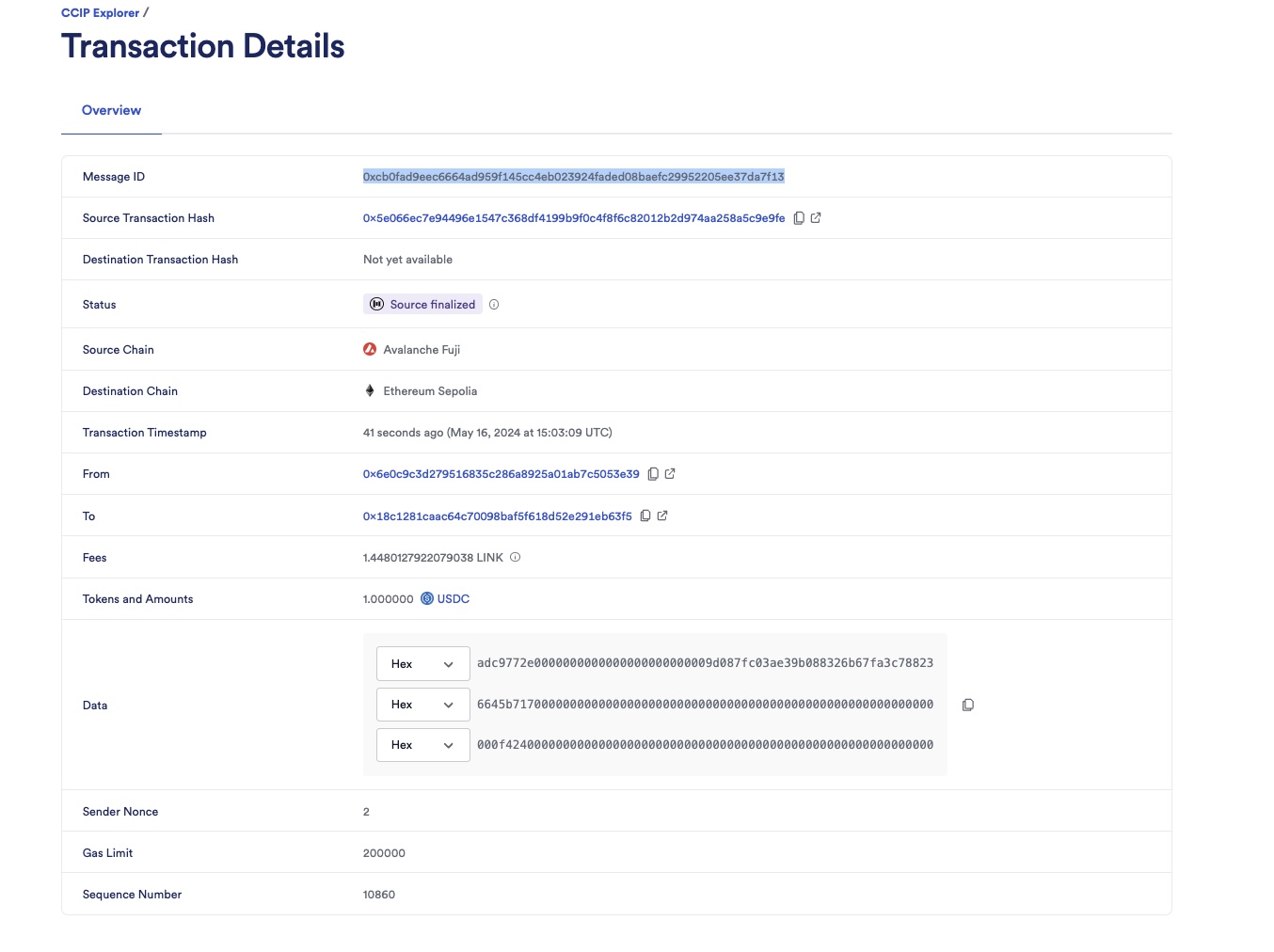
2. The CCIP transaction is completed once the status is marked as "Success". In this example, the CCIP message ID is *0xcb0fad9eec6664ad959f145cc4eb023924faded08baefc29952205ee37da7f13*.
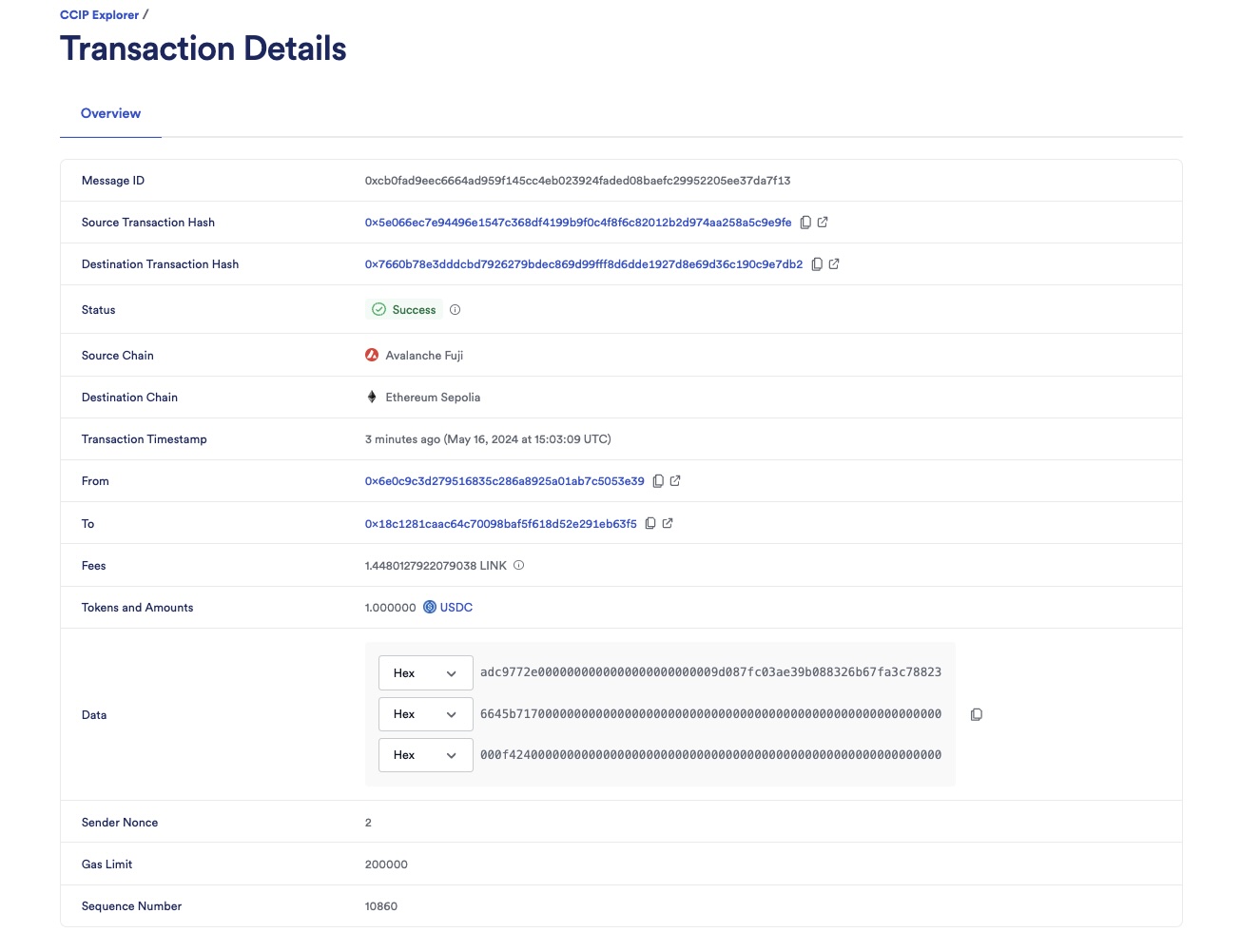
3. Check the balance of the beneficiary on the destination chain:
1. Open MetaMask and select the network *Ethereum Sepolia*.
2. In Remix IDE, under *Deploy & Run Transactions*, open the list of transactions of your Staker contract deployed on *Ethereum Sepolia*.
3. Call the `balanceOf` function with the beneficiary address.

4. Notice that the balance of the beneficiary is 1,000,000 Staker tokens. The Staker contract has the same number of decimals as the USDC token, which is 6. This means the beneficiary has 1 USDC staked and can redeem it by providing the same amount of Staker tokens.
4. Redeem the staked tokens:
1. Open MetaMask and make sure the network is *Ethereum Sepolia*.
2. Make sure you are connected with the beneficiary account.
3. In Remix IDE, under *Deploy & Run Transactions*, open the list of transactions of your Staker contract deployed on *Ethereum Sepolia*.
4. Call the `redeem` function with the amount of Staker tokens to redeem. In this example, the beneficiary will redeem 1,000,000 Staker tokens. When confirming, MetaMask will confirm that you will transfer the Staker tokens in exchange for USDC tokens.
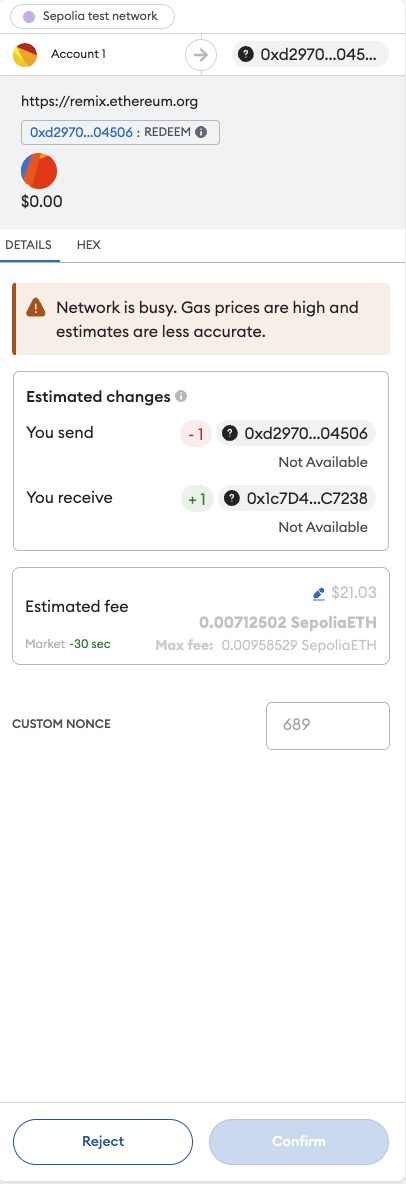
5. Confirm the transaction on MetaMask. After the transaction is successful, the beneficiary will receive 1 USDC tokens.
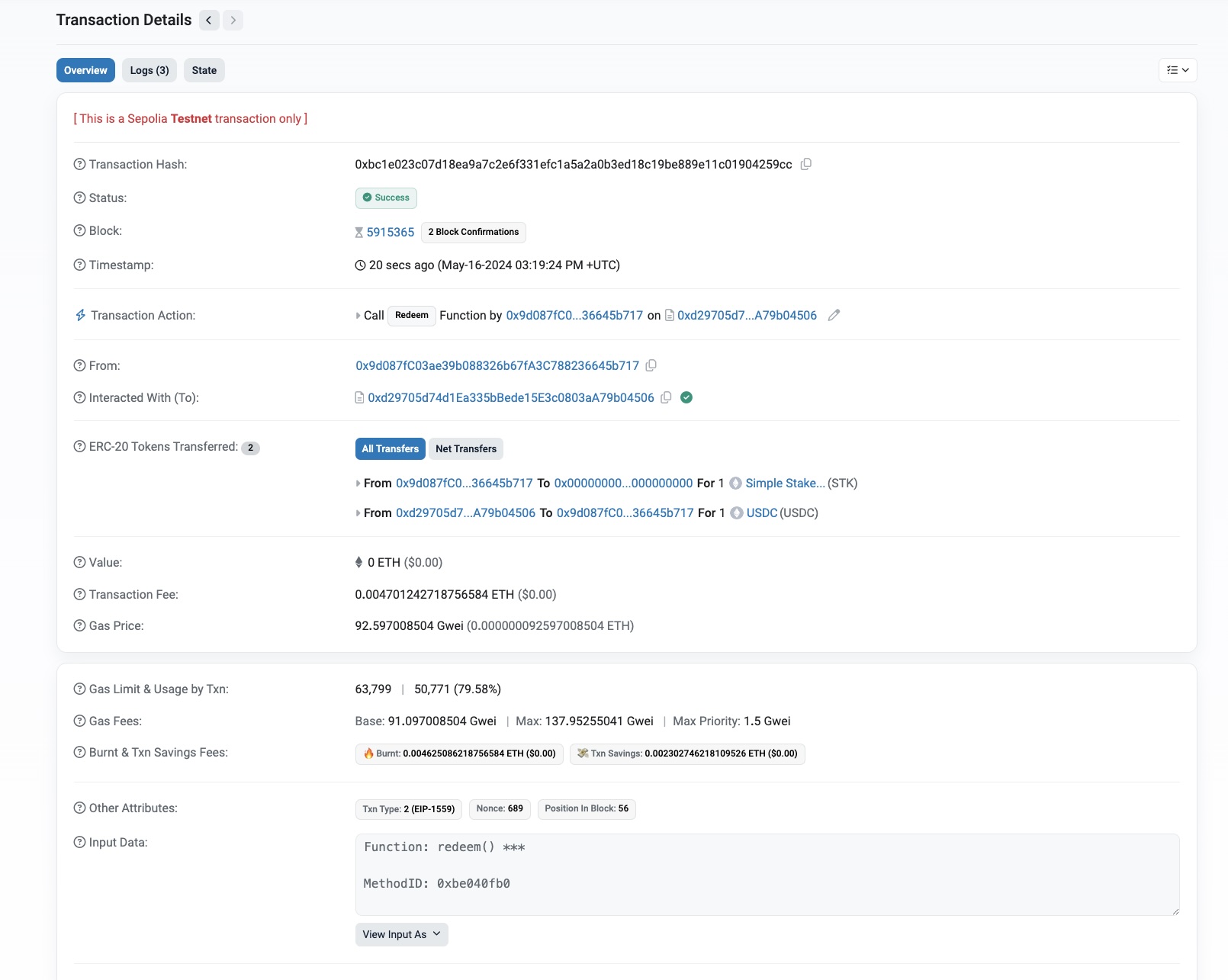
## Explanation
> **NOTE: Integrate Chainlink CCIP v1.6.2 into your project**
>
> npm
> yarn
> foundry
>
> If you use [NPM](https://www.npmjs.com/), install the [@chainlink/contracts-ccip NPM package](https://www.npmjs.com/package/@chainlink/contracts-ccip):
>
> ```shell
> npm install @chainlink/contracts-ccip@1.6.2
> ```
>
> If you use [Yarn](https://yarnpkg.com/), install the [@chainlink/contracts-ccip NPM package](https://www.npmjs.com/package/@chainlink/contracts-ccip):
>
> ```shell
> yarn add @chainlink/contracts-ccip@1.6.2
> ```
>
> In your [Foundry](https://book.getfoundry.sh/) project, for easier integration, if you want to avoid installing the dependencies that are only used by the `chainlink-ccip` package, you can use either [NPM](https://www.npmjs.com/) or [Yarn](https://yarnpkg.com/) to install the `chainlink-ccip` package:
>
> - Using `npm`:
>
> ```shell
> npm install @chainlink/contracts-ccip@1.6.2
> ```
> - Using `yarn`:
>
> ```shell
> yarn add @chainlink/contracts-ccip@1.6.2
> ```
>
> Then, add the following remappings to your `remappings.txt` or `foundry.toml` file:
>
> ```
> "@chainlink/contracts-ccip/contracts/=node_modules/@chainlink/contracts-ccip/contracts/",
> "@chainlink/contracts/=node_modules/@chainlink/contracts/",
> "@openzeppelin/contracts@4.8.3/=node_modules/@openzeppelin/contracts-4.8.3/",
> "@openzeppelin/contracts@5.0.2/=node_modules/@openzeppelin/contracts-5.0.2/"
> ```
>
> Alternatively, if you prefer to use only [`forge install`](https://getfoundry.sh/forge/reference/install/), install the `chainlink-ccip` package along with its dependencies:
>
> ```shell
> forge install \
> smartcontractkit/chainlink-ccip@0e3e0fc5c0f70f0d50dca66b139142ddf3009294 \
> smartcontractkit/chainlink-evm@86aa5a1d34b20eda8d18fe6eb0e4882948e545ba \
> openzeppelin/openzeppelin-contracts@0a25c1940ca220686588c4af3ec526f725fe2582 \
> openzeppelin/openzeppelin-contracts@dbb6104ce834628e473d2173bbc9d47f81a9eec3
> ```
>
> Then set the remappings as follows:
>
> ```
> "@chainlink/contracts-ccip/contracts/=lib/chainlink-ccip/chains/evm/contracts/",
> "@chainlink/contracts/=lib/chainlink-evm/contracts/",
> "@openzeppelin/contracts@4.8.3/=lib/openzeppelin-contracts/contracts/",
> "@openzeppelin/contracts@5.0.2/=lib/openzeppelin-contracts/contracts/"
> ```
The smart contracts featured in this tutorial are designed to interact with CCIP to send and receive USDC tokens and data across different blockchains. The contract code contains supporting comments clarifying the functions, events, and underlying logic. We will explain the Sender, Staker, and Receiver contracts further.
### Sender Contract
```sol
// SPDX-License-Identifier: MIT
pragma solidity 0.8.24;
import {IRouterClient} from "@chainlink/contracts-ccip/contracts/interfaces/IRouterClient.sol";
import {Client} from "@chainlink/contracts-ccip/contracts/libraries/Client.sol";
import {OwnerIsCreator} from "@chainlink/contracts@1.4.0/src/v0.8/shared/access/OwnerIsCreator.sol";
import {IERC20} from "@openzeppelin/contracts/token/ERC20/IERC20.sol";
import {SafeERC20} from "@openzeppelin/contracts/token/ERC20/utils/SafeERC20.sol";
/**
* THIS IS AN EXAMPLE CONTRACT THAT USES HARDCODED VALUES FOR CLARITY.
* THIS IS AN EXAMPLE CONTRACT THAT USES UN-AUDITED CODE.
* DO NOT USE THIS CODE IN PRODUCTION.
*/
interface IStaker {
function stake(
address beneficiary,
uint256 amount
) external;
function redeem() external;
}
/// @title - A simple messenger contract for transferring tokens to a receiver that calls a staker contract.
contract Sender is OwnerIsCreator {
using SafeERC20 for IERC20;
// Custom errors to provide more descriptive revert messages.
error InvalidRouter(); // Used when the router address is 0
error InvalidLinkToken(); // Used when the link token address is 0
error InvalidUsdcToken(); // Used when the usdc token address is 0
error NotEnoughBalance(uint256 currentBalance, uint256 calculatedFees); // Used to make sure contract has enough
// balance to cover the fees.
error NothingToWithdraw(); // Used when trying to withdraw Ether but there's nothing to withdraw.
error InvalidDestinationChain(); // Used when the destination chain selector is 0.
error InvalidReceiverAddress(); // Used when the receiver address is 0.
error NoReceiverOnDestinationChain(uint64 destinationChainSelector); // Used when the receiver address is 0 for a
// given destination chain.
error AmountIsZero(); // Used if the amount to transfer is 0.
error InvalidGasLimit(); // Used if the gas limit is 0.
error NoGasLimitOnDestinationChain(uint64 destinationChainSelector); // Used when the gas limit is 0.
// Event emitted when a message is sent to another chain.
// The chain selector of the destination chain.
// The address of the receiver contract on the destination chain.
// The beneficiary of the staked tokens on the destination chain.
// The token address that was transferred.
// The token amount that was transferred.
// the token address used to pay CCIP fees.
// The fees paid for sending the message.
event MessageSent( // The unique ID of the CCIP message.
bytes32 indexed messageId,
uint64 indexed destinationChainSelector,
address indexed receiver,
address beneficiary,
address token,
uint256 tokenAmount,
address feeToken,
uint256 fees
);
IRouterClient private immutable i_router;
IERC20 private immutable i_linkToken;
IERC20 private immutable i_usdcToken;
// Mapping to keep track of the receiver contract per destination chain.
mapping(uint64 => address) public s_receivers;
// Mapping to store the gas limit per destination chain.
mapping(uint64 => uint256) public s_gasLimits;
modifier validateDestinationChain(
uint64 _destinationChainSelector
) {
if (_destinationChainSelector == 0) revert InvalidDestinationChain();
_;
}
/// @notice Constructor initializes the contract with the router address.
/// @param _router The address of the router contract.
/// @param _link The address of the link contract.
/// @param _usdcToken The address of the usdc contract.
constructor(
address _router,
address _link,
address _usdcToken
) {
if (_router == address(0)) revert InvalidRouter();
if (_link == address(0)) revert InvalidLinkToken();
if (_usdcToken == address(0)) revert InvalidUsdcToken();
i_router = IRouterClient(_router);
i_linkToken = IERC20(_link);
i_usdcToken = IERC20(_usdcToken);
}
/// @dev Set the receiver contract for a given destination chain.
/// @notice This function can only be called by the owner.
/// @param _destinationChainSelector The selector of the destination chain.
/// @param _receiver The receiver contract on the destination chain .
function setReceiverForDestinationChain(
uint64 _destinationChainSelector,
address _receiver
) external onlyOwner validateDestinationChain(_destinationChainSelector) {
if (_receiver == address(0)) revert InvalidReceiverAddress();
s_receivers[_destinationChainSelector] = _receiver;
}
/// @dev Set the gas limit for a given destination chain.
/// @notice This function can only be called by the owner.
/// @param _destinationChainSelector The selector of the destination chain.
/// @param _gasLimit The gas limit on the destination chain .
function setGasLimitForDestinationChain(
uint64 _destinationChainSelector,
uint256 _gasLimit
) external onlyOwner validateDestinationChain(_destinationChainSelector) {
if (_gasLimit == 0) revert InvalidGasLimit();
s_gasLimits[_destinationChainSelector] = _gasLimit;
}
/// @dev Delete the receiver contract for a given destination chain.
/// @notice This function can only be called by the owner.
/// @param _destinationChainSelector The selector of the destination chain.
function deleteReceiverForDestinationChain(
uint64 _destinationChainSelector
) external onlyOwner validateDestinationChain(_destinationChainSelector) {
if (s_receivers[_destinationChainSelector] == address(0)) {
revert NoReceiverOnDestinationChain(_destinationChainSelector);
}
delete s_receivers[_destinationChainSelector];
}
/// @notice Sends data and transfer tokens to receiver on the destination chain.
/// @notice Pay for fees in LINK.
/// @dev Assumes your contract has sufficient LINK to pay for CCIP fees.
/// @param _destinationChainSelector The identifier (aka selector) for the destination blockchain.
/// @param _beneficiary The address of the beneficiary of the staked tokens on the destination blockchain.
/// @param _amount token amount.
/// @return messageId The ID of the CCIP message that was sent.
function sendMessagePayLINK(
uint64 _destinationChainSelector,
address _beneficiary,
uint256 _amount
) external onlyOwner validateDestinationChain(_destinationChainSelector) returns (bytes32 messageId) {
address receiver = s_receivers[_destinationChainSelector];
if (receiver == address(0)) {
revert NoReceiverOnDestinationChain(_destinationChainSelector);
}
if (_amount == 0) revert AmountIsZero();
uint256 gasLimit = s_gasLimits[_destinationChainSelector];
if (gasLimit == 0) {
revert NoGasLimitOnDestinationChain(_destinationChainSelector);
}
// Create an EVM2AnyMessage struct in memory with necessary information for sending a cross-chain message
// address(linkToken) means fees are paid in LINK
Client.EVMTokenAmount[] memory tokenAmounts = new Client.EVMTokenAmount[](1);
tokenAmounts[0] = Client.EVMTokenAmount({token: address(i_usdcToken), amount: _amount});
// Create an EVM2AnyMessage struct in memory with necessary information for sending a cross-chain message
Client.EVM2AnyMessage memory evm2AnyMessage = Client.EVM2AnyMessage({
receiver: abi.encode(receiver), // ABI-encoded receiver address
data: abi.encodeWithSelector(IStaker.stake.selector, _beneficiary, _amount), // Encode the function selector and
// the arguments of the stake function
tokenAmounts: tokenAmounts, // The amount and type of token being transferred
extraArgs: Client._argsToBytes(
// Additional arguments, setting gas limit and allowing out-of-order execution.
// Best Practice: For simplicity, the values are hardcoded. It is advisable to use a more dynamic approach
// where you set the extra arguments off-chain. This allows adaptation depending on the lanes, messages,
// and ensures compatibility with future CCIP upgrades. Read more about it here:
// https://docs.chain.link/ccip/concepts/best-practices/evm#using-extraargs
Client.GenericExtraArgsV2({
gasLimit: gasLimit, // Gas limit for the callback on the destination chain
allowOutOfOrderExecution: true // Allows the message to be executed out of order relative to other messages
// from
// the same sender
})
),
// Set the feeToken to a feeTokenAddress, indicating specific asset will be used for fees
feeToken: address(i_linkToken)
});
// Get the fee required to send the CCIP message
uint256 fees = i_router.getFee(_destinationChainSelector, evm2AnyMessage);
if (fees > i_linkToken.balanceOf(address(this))) {
revert NotEnoughBalance(i_linkToken.balanceOf(address(this)), fees);
}
// approve the Router to transfer LINK tokens on contract's behalf. It will spend the fees in LINK
i_linkToken.approve(address(i_router), fees);
// approve the Router to spend usdc tokens on contract's behalf. It will spend the amount of the given token
i_usdcToken.approve(address(i_router), _amount);
// Send the message through the router and store the returned message ID
messageId = i_router.ccipSend(_destinationChainSelector, evm2AnyMessage);
// Emit an event with message details
emit MessageSent(
messageId,
_destinationChainSelector,
receiver,
_beneficiary,
address(i_usdcToken),
_amount,
address(i_linkToken),
fees
);
// Return the message ID
return messageId;
}
/// @notice Allows the owner of the contract to withdraw all LINK tokens in the contract and transfer them to a
/// beneficiary.
/// @dev This function reverts with a 'NothingToWithdraw' error if there are no tokens to withdraw.
/// @param _beneficiary The address to which the tokens will be sent.
function withdrawLinkToken(
address _beneficiary
) public onlyOwner {
// Retrieve the balance of this contract
uint256 amount = i_linkToken.balanceOf(address(this));
// Revert if there is nothing to withdraw
if (amount == 0) revert NothingToWithdraw();
i_linkToken.safeTransfer(_beneficiary, amount);
}
/// @notice Allows the owner of the contract to withdraw all usdc tokens in the contract and transfer them to a
/// beneficiary.
/// @dev This function reverts with a 'NothingToWithdraw' error if there are no tokens to withdraw.
/// @param _beneficiary The address to which the tokens will be sent.
function withdrawUsdcToken(
address _beneficiary
) public onlyOwner {
// Retrieve the balance of this contract
uint256 amount = i_usdcToken.balanceOf(address(this));
// Revert if there is nothing to withdraw
if (amount == 0) revert NothingToWithdraw();
i_usdcToken.safeTransfer(_beneficiary, amount);
}
}
```
The Sender contract is responsible for initiating the transfer of USDC tokens and data. Here's how it works:
1. Initializing the contract:
- When deploying the contract, you define the router address, LINK contract address, and USDC contract address.
- These addresses are essential for interacting with the CCIP router and handling token transfers.
2. `sendMessagePayLINK` function:
- This function sends USDC tokens, the encoded function signature of the `stake` function, and arguments (beneficiary address and amount) to the Receiver contract on the destination chain.
- Constructs a CCIP message using the `EVM2AnyMessage` struct.
- Computes the necessary fees using the router's `getFee` function.
- Ensures the contract has enough LINK to cover the fees and approves the router transfer of LINK on its behalf.
- Dispatches the CCIP message to the destination chain by executing the router's `ccipSend` function.
- Emits a `MessageSent` event.
> **CAUTION: Best Practices**
>
> This example is simplified for educational purposes. For production code, please adhere to the following best practices:
>
> - **Do Not Hardcode `extraArgs`**: In this example, `extraArgs` are hardcoded within the contract for simplicity. It is recommended to make `extraArgs` mutable. For instance, you can construct `extraArgs` off-chain and pass them into your function calls, or store them in a storage variable that can be updated as needed. This approach ensures that `extraArgs` remain backward compatible with future CCIP upgrades. Refer to the [Best Practices](/ccip/concepts/best-practices/evm) guide for more information.
>
> - **Validate the Destination Chain**: Always ensure that the destination chain is valid and supported before sending messages.
>
> - **Understand `allowOutOfOrderExecution` Usage**: This example sets `allowOutOfOrderExecution` to `true` (see [GenericExtraArgsV2](/ccip/api-reference/evm/v1.6.1/client#genericextraargsv2)). Read the [Best Practices: Setting `allowOutOfOrderExecution`](/ccip/concepts/best-practices/evm#setting-allowoutoforderexecution) to learn more about this parameter.
>
> - **Understand CCIP Service Limits**: Review the [CCIP Service Limits](/ccip/service-limits) for constraints on message data size, execution gas, and the number of tokens per transaction. If your requirements exceed these limits, you may need to [contact the Chainlink Labs Team](https://chain.link/ccip-contact).
>
> Following these best practices ensures that your contract is robust, future-proof, and compliant with CCIP standards.
### Staker Contract
```sol
// SPDX-License-Identifier: MIT
pragma solidity 0.8.24;
import {ERC20} from "@openzeppelin/contracts/token/ERC20/ERC20.sol";
import {SafeERC20} from "@openzeppelin/contracts/token/ERC20/utils/SafeERC20.sol";
/**
* THIS IS AN EXAMPLE CONTRACT THAT USES HARDCODED VALUES FOR CLARITY.
* THIS IS AN EXAMPLE CONTRACT THAT USES UN-AUDITED CODE.
* DO NOT USE THIS CODE IN PRODUCTION.
*/
interface IStaker {
function stake(
address beneficiary,
uint256 amount
) external;
function redeem() external;
}
/// @title - A simple Staker contract for staking usc tokens and redeeming the staker contracts
contract Staker is IStaker, ERC20 {
using SafeERC20 for ERC20;
error InvalidUsdcToken(); // Used when the usdc token address is 0
error InvalidNumberOfDecimals(); // Used when the number of decimals is 0
error InvalidBeneficiary(); // Used when the beneficiary address is 0
error InvalidAmount(); // Used when the amount is 0
error NothingToRedeem(); // Used when the balance of Staker tokens is 0
event UsdcStaked(address indexed beneficiary, uint256 amount);
event UsdcRedeemed(address indexed beneficiary, uint256 amount);
ERC20 private immutable i_usdcToken;
uint8 private immutable i_decimals;
/// @notice Constructor initializes the contract with the usdc token address.
/// @param _usdcToken The address of the usdc contract.
constructor(
address _usdcToken
) ERC20("Simple Staker", "STK") {
if (_usdcToken == address(0)) revert InvalidUsdcToken();
i_usdcToken = ERC20(_usdcToken);
i_decimals = i_usdcToken.decimals();
if (i_decimals == 0) revert InvalidNumberOfDecimals();
}
function stake(
address _beneficiary,
uint256 _amount
) external {
if (_beneficiary == address(0)) revert InvalidBeneficiary();
if (_amount == 0) revert InvalidAmount();
i_usdcToken.safeTransferFrom(msg.sender, address(this), _amount);
_mint(_beneficiary, _amount);
emit UsdcStaked(_beneficiary, _amount);
}
function redeem() external {
uint256 balance = balanceOf(msg.sender);
if (balance == 0) revert NothingToRedeem();
_burn(msg.sender, balance);
i_usdcToken.safeTransfer(msg.sender, balance);
emit UsdcRedeemed(msg.sender, balance);
}
function decimals() public view override returns (uint8) {
return i_decimals;
}
}
```
The Staker contract manages the staking and redemption of USDC tokens. Here's how it works:
1. Initializing the contract:
- When deploying the contract, you define the USDC token address.
- This address is essential for interacting with the USDC token contract.
2. `stake` function:
- Allows staking of USDC tokens on behalf of a beneficiary.
- Transfers USDC from the caller (`msg.sender`) to the contract, then mints an equivalent amount of staking tokens to the beneficiary.
3. `redeem` function:
- Allows beneficiaries to redeem their staked tokens for USDC.
- Burns the staked tokens and transfers the equivalent USDC to the beneficiary.
### Receiver Contract
```sol
// SPDX-License-Identifier: MIT
pragma solidity 0.8.24;
import {CCIPReceiver} from "@chainlink/contracts-ccip/contracts/applications/CCIPReceiver.sol";
import {Client} from "@chainlink/contracts-ccip/contracts/libraries/Client.sol";
import {OwnerIsCreator} from "@chainlink/contracts@1.4.0/src/v0.8/shared/access/OwnerIsCreator.sol";
import {IERC20} from "@openzeppelin/contracts/token/ERC20/IERC20.sol";
import {SafeERC20} from "@openzeppelin/contracts/token/ERC20/utils/SafeERC20.sol";
import {EnumerableMap} from "@openzeppelin/contracts/utils/structs/EnumerableMap.sol";
/**
* THIS IS AN EXAMPLE CONTRACT THAT USES HARDCODED VALUES FOR CLARITY.
* THIS IS AN EXAMPLE CONTRACT THAT USES UN-AUDITED CODE.
* DO NOT USE THIS CODE IN PRODUCTION.
*/
/// @title - A simple receiver contract for receiving usdc tokens then calling a staking contract.
contract Receiver is CCIPReceiver, OwnerIsCreator {
using SafeERC20 for IERC20;
using EnumerableMap for EnumerableMap.Bytes32ToUintMap;
error InvalidUsdcToken(); // Used when the usdc token address is 0
error InvalidStaker(); // Used when the staker address is 0
error InvalidSourceChain(); // Used when the source chain is 0
error InvalidSenderAddress(); // Used when the sender address is 0
error NoSenderOnSourceChain(uint64 sourceChainSelector); // Used when there is no sender for a given source chain
error WrongSenderForSourceChain(uint64 sourceChainSelector); // Used when the sender contract is not the correct one
error OnlySelf(); // Used when a function is called outside of the contract itself
error WrongReceivedToken(address usdcToken, address receivedToken); // Used if the received token is different than
// usdc token
error CallToStakerFailed(); // Used when the call to the stake function of the staker contract is not successful
error NoReturnDataExpected(); // Used if the call to the stake function of the staker contract returns data. This is
// not expected
error MessageNotFailed(bytes32 messageId); // Used if you try to retry a message that has no failed
// Event emitted when a message is received from another chain.
// The chain selector of the source chain.
// The address of the sender from the source chain.
// The data that was received.
// The token address that was transferred.
// The token amount that was transferred.
event MessageReceived( // The unique ID of the CCIP message.
bytes32 indexed messageId,
uint64 indexed sourceChainSelector,
address indexed sender,
bytes data,
address token,
uint256 tokenAmount
);
event MessageFailed(bytes32 indexed messageId, bytes reason);
event MessageRecovered(bytes32 indexed messageId);
// Example error code, could have many different error codes.
enum ErrorCode {
// RESOLVED is first so that the default value is resolved.
RESOLVED,
// Could have any number of error codes here.
FAILED
}
struct FailedMessage {
bytes32 messageId;
ErrorCode errorCode;
}
IERC20 private immutable i_usdcToken;
address private immutable i_staker;
// Mapping to keep track of the sender contract per source chain.
mapping(uint64 => address) public s_senders;
// The message contents of failed messages are stored here.
mapping(bytes32 => Client.Any2EVMMessage) public s_messageContents;
// Contains failed messages and their state.
EnumerableMap.Bytes32ToUintMap internal s_failedMessages;
modifier validateSourceChain(
uint64 _sourceChainSelector
) {
if (_sourceChainSelector == 0) revert InvalidSourceChain();
_;
}
/// @dev Modifier to allow only the contract itself to execute a function.
/// Throws an exception if called by any account other than the contract itself.
modifier onlySelf() {
if (msg.sender != address(this)) revert OnlySelf();
_;
}
/// @notice Constructor initializes the contract with the router address.
/// @param _router The address of the router contract.
/// @param _usdcToken The address of the usdc contract.
/// @param _staker The address of the staker contract.
constructor(
address _router,
address _usdcToken,
address _staker
) CCIPReceiver(_router) {
if (_usdcToken == address(0)) revert InvalidUsdcToken();
if (_staker == address(0)) revert InvalidStaker();
i_usdcToken = IERC20(_usdcToken);
i_staker = _staker;
i_usdcToken.approve(_staker, type(uint256).max);
}
/// @dev Set the sender contract for a given source chain.
/// @notice This function can only be called by the owner.
/// @param _sourceChainSelector The selector of the source chain.
/// @param _sender The sender contract on the source chain .
function setSenderForSourceChain(
uint64 _sourceChainSelector,
address _sender
) external onlyOwner validateSourceChain(_sourceChainSelector) {
if (_sender == address(0)) revert InvalidSenderAddress();
s_senders[_sourceChainSelector] = _sender;
}
/// @dev Delete the sender contract for a given source chain.
/// @notice This function can only be called by the owner.
/// @param _sourceChainSelector The selector of the source chain.
function deleteSenderForSourceChain(
uint64 _sourceChainSelector
) external onlyOwner validateSourceChain(_sourceChainSelector) {
if (s_senders[_sourceChainSelector] == address(0)) {
revert NoSenderOnSourceChain(_sourceChainSelector);
}
delete s_senders[_sourceChainSelector];
}
/// @notice The entrypoint for the CCIP router to call. This function should
/// never revert, all errors should be handled internally in this contract.
/// @param any2EvmMessage The message to process.
/// @dev Extremely important to ensure only router calls this.
function ccipReceive(
Client.Any2EVMMessage calldata any2EvmMessage
) external override onlyRouter {
// validate the sender contract
if (abi.decode(any2EvmMessage.sender, (address)) != s_senders[any2EvmMessage.sourceChainSelector]) {
revert WrongSenderForSourceChain(any2EvmMessage.sourceChainSelector);
}
/* solhint-disable no-empty-blocks */
try this.processMessage(any2EvmMessage) {
// Intentionally empty in this example; no action needed if processMessage succeeds
}
catch (bytes memory err) {
// Could set different error codes based on the caught error. Each could be
// handled differently.
s_failedMessages.set(any2EvmMessage.messageId, uint256(ErrorCode.FAILED));
s_messageContents[any2EvmMessage.messageId] = any2EvmMessage;
// Don't revert so CCIP doesn't revert. Emit event instead.
// The message can be retried later without having to do manual execution of CCIP.
emit MessageFailed(any2EvmMessage.messageId, err);
return;
}
}
/// @notice Serves as the entry point for this contract to process incoming messages.
/// @param any2EvmMessage Received CCIP message.
/// @dev Transfers specified token amounts to the owner of this contract. This function
/// must be external because of the try/catch for error handling.
/// It uses the `onlySelf`: can only be called from the contract.
function processMessage(
Client.Any2EVMMessage calldata any2EvmMessage
) external onlySelf {
_ccipReceive(any2EvmMessage); // process the message - may revert
}
function _ccipReceive(
Client.Any2EVMMessage memory any2EvmMessage
) internal override {
if (any2EvmMessage.destTokenAmounts[0].token != address(i_usdcToken)) {
revert WrongReceivedToken(address(i_usdcToken), any2EvmMessage.destTokenAmounts[0].token);
}
(bool success, bytes memory returnData) = i_staker.call(any2EvmMessage.data); // low level call to the staker
// contract using the encoded function selector and arguments
if (!success) revert CallToStakerFailed();
if (returnData.length > 0) revert NoReturnDataExpected();
emit MessageReceived(
any2EvmMessage.messageId,
any2EvmMessage.sourceChainSelector, // fetch the source chain identifier (aka selector)
abi.decode(any2EvmMessage.sender, (address)), // abi-decoding of the sender address,
any2EvmMessage.data, // received data
any2EvmMessage.destTokenAmounts[0].token,
any2EvmMessage.destTokenAmounts[0].amount
);
}
/// @notice Allows the owner to retry a failed message in order to unblock the associated tokens.
/// @param messageId The unique identifier of the failed message.
/// @param beneficiary The address to which the tokens will be sent.
/// @dev This function is only callable by the contract owner. It changes the status of the message
/// from 'failed' to 'resolved' to prevent reentry and multiple retries of the same message.
function retryFailedMessage(
bytes32 messageId,
address beneficiary
) external onlyOwner {
// Check if the message has failed; if not, revert the transaction.
if (s_failedMessages.get(messageId) != uint256(ErrorCode.FAILED)) {
revert MessageNotFailed(messageId);
}
// Set the error code to RESOLVED to disallow reentry and multiple retries of the same failed message.
s_failedMessages.set(messageId, uint256(ErrorCode.RESOLVED));
// Retrieve the content of the failed message.
Client.Any2EVMMessage memory message = s_messageContents[messageId];
// This example expects one token to have been sent.
// Transfer the associated tokens to the specified receiver as an escape hatch.
IERC20(message.destTokenAmounts[0].token).safeTransfer(beneficiary, message.destTokenAmounts[0].amount);
// Emit an event indicating that the message has been recovered.
emit MessageRecovered(messageId);
}
/// @notice Retrieves a paginated list of failed messages.
/// @dev This function returns a subset of failed messages defined by `offset` and `limit` parameters. It ensures that
/// the pagination parameters are within the bounds of the available data set.
/// @param offset The index of the first failed message to return, enabling pagination by skipping a specified number
/// of messages from the start of the dataset.
/// @param limit The maximum number of failed messages to return, restricting the size of the returned array.
/// @return failedMessages An array of `FailedMessage` struct, each containing a `messageId` and an `errorCode`
/// (RESOLVED or FAILED), representing the requested subset of failed messages. The length of the returned array is
/// determined by the `limit` and the total number of failed messages.
function getFailedMessages(
uint256 offset,
uint256 limit
) external view returns (FailedMessage[] memory) {
uint256 length = s_failedMessages.length();
// Calculate the actual number of items to return (can't exceed total length or requested limit)
uint256 returnLength = (offset + limit > length) ? length - offset : limit;
FailedMessage[] memory failedMessages = new FailedMessage[](returnLength);
// Adjust loop to respect pagination (start at offset, end at offset + limit or total length)
for (uint256 i = 0; i < returnLength; i++) {
(bytes32 messageId, uint256 errorCode) = s_failedMessages.at(offset + i);
failedMessages[i] = FailedMessage(messageId, ErrorCode(errorCode));
}
return failedMessages;
}
}
```
The Receiver contract handles incoming cross-chain messages, processes them, and interacts with the Staker contract to stake USDC on behalf of the beneficiary. Here's how it works:
1. Initializing the Contract:
- When deploying the contract, you define the router address, USDC token address, and staker contract address.
- These addresses are essential for interacting with the CCIP router, USDC token, and Staker contracts.
2. `ccipReceive` function:
- The entry point for the CCIP router to deliver messages to the contract.
- Validates the sender and processes the message, ensuring it comes from the correct sender contract on the source chain.
3. Processing Message:
- Calls the `processMessage` function, which is external to leverage Solidity's try/catch error handling mechanism.
- Inside `processMessage`, it calls the `_ccipReceive` function for further message processing.
4. `_ccipReceive` function:
- Checks if the received token is USDC. If not, it reverts.
- Makes a low-level call to the `stake` function of the Staker contract using the encoded function signature and arguments from the received data.
- Emits a `MessageReceived` event upon successful processing.
5. Error Handling:
- If an error occurs during processing, the catch block within ccipReceive is executed.
- The `messageId` of the failed message is added to `s_failedMessages`, and the message content is stored in `s_messageContents`.
- A `MessageFailed` event is emitted, allowing for later identification and reprocessing of failed messages.
6. `retryFailedMessage` function:
- Allows the contract owner to retry a failed message and recover the associated tokens.
- Updates the error code for the message to `RESOLVED` to prevent multiple retries.
- Transfers the locked tokens associated with the failed message to the specified beneficiary as an escape hatch.
7. `getFailedMessages` function:
- Retrieves a paginated list of failed messages for inspection.
---
# Send Arbitrary Data
Source: https://docs.chain.link/ccip/tutorials/evm/send-arbitrary-data
Last Updated: 2025-05-19
In this tutorial, you will use Chainlink CCIP to send data between smart contracts on different blockchains. First, you will pay for the CCIP fees on the source blockchain using LINK. Then, you will use the same contract to pay CCIP fees in native gas tokens. For example, you would use ETH on Ethereum or AVAX on Avalanche.
> **NOTE: Node Operator Rewards**
>
> CCIP rewards the oracle node and Risk Management node operators in LINK.
## Before you begin
- You should understand how to write, compile, deploy, and fund a smart contract. If you need to brush up on the basics, read this [tutorial](/quickstarts/deploy-your-first-contract), which will guide you through using the [Solidity programming language](https://soliditylang.org/), interacting with the [MetaMask wallet](https://metamask.io) and working within the [Remix Development Environment](https://remix.ethereum.org/).
- Your account must have some AVAX tokens on *Avalanche Fuji* and ETH tokens on *Ethereum Sepolia*.
- Learn how to [Acquire testnet LINK](/resources/acquire-link) and [Fund your contract with LINK](/resources/fund-your-contract).
## Tutorial
> **NOTE: Optimize your development with the CCIP local simulator**
>
> Enhance your development workflow using the [Chainlink CCIP local
> simulator](https://github.com/smartcontractkit/chainlink-local), an installable package designed to simulate Chainlink
> CCIP locally within your Hardhat and Foundry projects. It provides a robust smart contracts and scripts suite,
> enabling you to build, deploy, and execute CCIP token transfers and arbitrary messages on a local Hardhat or Anvil
> development node. With Chainlink Local, you can also work on forked nodes, ensuring a seamless transition of your
> contracts to test networks without modifications. Start integrating Chainlink Local today to streamline your
> development process and validate your CCIP implementations effectively.
In this tutorial, you will send a *string* text between smart contracts on *Avalanche Fuji* and *Ethereum Sepolia* using CCIP. First, you will pay [CCIP fees in LINK](#send-data-and-pay-in-link), then you will pay [CCIP fees in native gas](#send-data-and-pay-in-native).
```sol
// SPDX-License-Identifier: MIT
pragma solidity 0.8.24;
import {CCIPReceiver} from "@chainlink/contracts-ccip/contracts/applications/CCIPReceiver.sol";
import {IRouterClient} from "@chainlink/contracts-ccip/contracts/interfaces/IRouterClient.sol";
import {Client} from "@chainlink/contracts-ccip/contracts/libraries/Client.sol";
import {OwnerIsCreator} from "@chainlink/contracts@1.4.0/src/v0.8/shared/access/OwnerIsCreator.sol";
import {IERC20} from "@openzeppelin/contracts/token/ERC20/IERC20.sol";
import {SafeERC20} from "@openzeppelin/contracts/token/ERC20/utils/SafeERC20.sol";
/**
* THIS IS AN EXAMPLE CONTRACT THAT USES HARDCODED VALUES FOR CLARITY.
* THIS IS AN EXAMPLE CONTRACT THAT USES UN-AUDITED CODE.
* DO NOT USE THIS CODE IN PRODUCTION.
*/
/// @title - A simple messenger contract for sending/receiving string data across chains.
contract Messenger is CCIPReceiver, OwnerIsCreator {
using SafeERC20 for IERC20;
// Custom errors to provide more descriptive revert messages.
error NotEnoughBalance(uint256 currentBalance, uint256 calculatedFees); // Used to make sure contract has enough
// balance.
error NothingToWithdraw(); // Used when trying to withdraw Ether but there's nothing to withdraw.
error FailedToWithdrawEth(address owner, address target, uint256 value); // Used when the withdrawal of Ether fails.
error DestinationChainNotAllowlisted(uint64 destinationChainSelector); // Used when the destination chain has not been
// allowlisted by the contract owner.
error SourceChainNotAllowlisted(uint64 sourceChainSelector); // Used when the source chain has not been allowlisted by
// the contract owner.
error SenderNotAllowlisted(address sender); // Used when the sender has not been allowlisted by the contract owner.
error InvalidReceiverAddress(); // Used when the receiver address is 0.
// Event emitted when a message is sent to another chain.
// The chain selector of the destination chain.
// The address of the receiver on the destination chain.
// The text being sent.
// the token address used to pay CCIP fees.
// The fees paid for sending the CCIP message.
event MessageSent( // The unique ID of the CCIP message.
bytes32 indexed messageId,
uint64 indexed destinationChainSelector,
address receiver,
string text,
address feeToken,
uint256 fees
);
// Event emitted when a message is received from another chain.
event MessageReceived( // The unique ID of the CCIP message.
// The chain selector of the source chain.
// The address of the sender from the source chain.
// The text that was received.
bytes32 indexed messageId,
uint64 indexed sourceChainSelector,
address sender,
string text
);
bytes32 private s_lastReceivedMessageId; // Store the last received messageId.
string private s_lastReceivedText; // Store the last received text.
// Mapping to keep track of allowlisted destination chains.
mapping(uint64 => bool) public allowlistedDestinationChains;
// Mapping to keep track of allowlisted source chains.
mapping(uint64 => bool) public allowlistedSourceChains;
// Mapping to keep track of allowlisted senders.
mapping(address => bool) public allowlistedSenders;
IERC20 private s_linkToken;
/// @notice Constructor initializes the contract with the router address.
/// @param _router The address of the router contract.
/// @param _link The address of the link contract.
constructor(
address _router,
address _link
) CCIPReceiver(_router) {
s_linkToken = IERC20(_link);
}
/// @dev Modifier that checks if the chain with the given destinationChainSelector is allowlisted.
/// @param _destinationChainSelector The selector of the destination chain.
modifier onlyAllowlistedDestinationChain(
uint64 _destinationChainSelector
) {
if (!allowlistedDestinationChains[_destinationChainSelector]) {
revert DestinationChainNotAllowlisted(_destinationChainSelector);
}
_;
}
/// @dev Modifier that checks if the chain with the given sourceChainSelector is allowlisted and if the sender is
/// allowlisted.
/// @param _sourceChainSelector The selector of the destination chain.
/// @param _sender The address of the sender.
modifier onlyAllowlisted(
uint64 _sourceChainSelector,
address _sender
) {
if (!allowlistedSourceChains[_sourceChainSelector]) {
revert SourceChainNotAllowlisted(_sourceChainSelector);
}
if (!allowlistedSenders[_sender]) revert SenderNotAllowlisted(_sender);
_;
}
/// @dev Modifier that checks the receiver address is not 0.
/// @param _receiver The receiver address.
modifier validateReceiver(
address _receiver
) {
if (_receiver == address(0)) revert InvalidReceiverAddress();
_;
}
/// @dev Updates the allowlist status of a destination chain for transactions.
function allowlistDestinationChain(
uint64 _destinationChainSelector,
bool allowed
) external onlyOwner {
allowlistedDestinationChains[_destinationChainSelector] = allowed;
}
/// @dev Updates the allowlist status of a source chain for transactions.
function allowlistSourceChain(
uint64 _sourceChainSelector,
bool allowed
) external onlyOwner {
allowlistedSourceChains[_sourceChainSelector] = allowed;
}
/// @dev Updates the allowlist status of a sender for transactions.
function allowlistSender(
address _sender,
bool allowed
) external onlyOwner {
allowlistedSenders[_sender] = allowed;
}
/// @notice Sends data to receiver on the destination chain.
/// @notice Pay for fees in LINK.
/// @dev Assumes your contract has sufficient LINK.
/// @param _destinationChainSelector The identifier (aka selector) for the destination blockchain.
/// @param _receiver The address of the recipient on the destination blockchain.
/// @param _text The text to be sent.
/// @return messageId The ID of the CCIP message that was sent.
function sendMessagePayLINK(
uint64 _destinationChainSelector,
address _receiver,
string calldata _text
)
external
onlyOwner
onlyAllowlistedDestinationChain(_destinationChainSelector)
validateReceiver(_receiver)
returns (bytes32 messageId)
{
// Create an EVM2AnyMessage struct in memory with necessary information for sending a cross-chain message
Client.EVM2AnyMessage memory evm2AnyMessage = _buildCCIPMessage(_receiver, _text, address(s_linkToken));
// Initialize a router client instance to interact with cross-chain router
IRouterClient router = IRouterClient(this.getRouter());
// Get the fee required to send the CCIP message
uint256 fees = router.getFee(_destinationChainSelector, evm2AnyMessage);
if (fees > s_linkToken.balanceOf(address(this))) {
revert NotEnoughBalance(s_linkToken.balanceOf(address(this)), fees);
}
// approve the Router to transfer LINK tokens on contract's behalf. It will spend the fees in LINK
s_linkToken.approve(address(router), fees);
// Send the CCIP message through the router and store the returned CCIP message ID
messageId = router.ccipSend(_destinationChainSelector, evm2AnyMessage);
// Emit an event with message details
emit MessageSent(messageId, _destinationChainSelector, _receiver, _text, address(s_linkToken), fees);
// Return the CCIP message ID
return messageId;
}
/// @notice Sends data to receiver on the destination chain.
/// @notice Pay for fees in native gas.
/// @dev Assumes your contract has sufficient native gas tokens.
/// @param _destinationChainSelector The identifier (aka selector) for the destination blockchain.
/// @param _receiver The address of the recipient on the destination blockchain.
/// @param _text The text to be sent.
/// @return messageId The ID of the CCIP message that was sent.
function sendMessagePayNative(
uint64 _destinationChainSelector,
address _receiver,
string calldata _text
)
external
onlyOwner
onlyAllowlistedDestinationChain(_destinationChainSelector)
validateReceiver(_receiver)
returns (bytes32 messageId)
{
// Create an EVM2AnyMessage struct in memory with necessary information for sending a cross-chain message
Client.EVM2AnyMessage memory evm2AnyMessage = _buildCCIPMessage(_receiver, _text, address(0));
// Initialize a router client instance to interact with cross-chain router
IRouterClient router = IRouterClient(this.getRouter());
// Get the fee required to send the CCIP message
uint256 fees = router.getFee(_destinationChainSelector, evm2AnyMessage);
if (fees > address(this).balance) {
revert NotEnoughBalance(address(this).balance, fees);
}
// Send the CCIP message through the router and store the returned CCIP message ID
messageId = router.ccipSend{value: fees}(_destinationChainSelector, evm2AnyMessage);
// Emit an event with message details
emit MessageSent(messageId, _destinationChainSelector, _receiver, _text, address(0), fees);
// Return the CCIP message ID
return messageId;
}
/// handle a received message
function _ccipReceive(
Client.Any2EVMMessage memory any2EvmMessage
)
internal
override
onlyAllowlisted(any2EvmMessage.sourceChainSelector, abi.decode(any2EvmMessage.sender, (address))) // Make sure
// source chain and sender are allowlisted
{
s_lastReceivedMessageId = any2EvmMessage.messageId; // fetch the messageId
s_lastReceivedText = abi.decode(any2EvmMessage.data, (string)); // abi-decoding of the sent text
emit MessageReceived(
any2EvmMessage.messageId,
any2EvmMessage.sourceChainSelector, // fetch the source chain identifier (aka selector)
abi.decode(any2EvmMessage.sender, (address)), // abi-decoding of the sender address,
abi.decode(any2EvmMessage.data, (string))
);
}
/// @notice Construct a CCIP message.
/// @dev This function will create an EVM2AnyMessage struct with all the necessary information for sending a text.
/// @param _receiver The address of the receiver.
/// @param _text The string data to be sent.
/// @param _feeTokenAddress The address of the token used for fees. Set address(0) for native gas.
/// @return Client.EVM2AnyMessage Returns an EVM2AnyMessage struct which contains information for sending a CCIP
/// message.
function _buildCCIPMessage(
address _receiver,
string calldata _text,
address _feeTokenAddress
) private pure returns (Client.EVM2AnyMessage memory) {
// Create an EVM2AnyMessage struct in memory with necessary information for sending a cross-chain message
return Client.EVM2AnyMessage({
receiver: abi.encode(_receiver), // ABI-encoded receiver address
data: abi.encode(_text), // ABI-encoded string
tokenAmounts: new Client.EVMTokenAmount[](0), // Empty array as no tokens are transferred
extraArgs: Client._argsToBytes(
// Additional arguments, setting gas limit and allowing out-of-order execution.
// Best Practice: For simplicity, the values are hardcoded. It is advisable to use a more dynamic approach
// where you set the extra arguments off-chain. This allows adaptation depending on the lanes, messages,
// and ensures compatibility with future CCIP upgrades. Read more about it here:
// https://docs.chain.link/ccip/concepts/best-practices/evm#using-extraargs
Client.GenericExtraArgsV2({
gasLimit: 200_000, // Gas limit for the callback on the destination chain
allowOutOfOrderExecution: true // Allows the message to be executed out of order relative to other messages
// from
// the same sender
})
),
// Set the feeToken to a feeTokenAddress, indicating specific asset will be used for fees
feeToken: _feeTokenAddress
});
}
/// @notice Fetches the details of the last received message.
/// @return messageId The ID of the last received message.
/// @return text The last received text.
function getLastReceivedMessageDetails() external view returns (bytes32 messageId, string memory text) {
return (s_lastReceivedMessageId, s_lastReceivedText);
}
/// @notice Fallback function to allow the contract to receive Ether.
/// @dev This function has no function body, making it a default function for receiving Ether.
/// It is automatically called when Ether is sent to the contract without any data.
receive() external payable {}
/// @notice Allows the contract owner to withdraw the entire balance of Ether from the contract.
/// @dev This function reverts if there are no funds to withdraw or if the transfer fails.
/// It should only be callable by the owner of the contract.
/// @param _beneficiary The address to which the Ether should be sent.
function withdraw(
address _beneficiary
) public onlyOwner {
// Retrieve the balance of this contract
uint256 amount = address(this).balance;
// Revert if there is nothing to withdraw
if (amount == 0) revert NothingToWithdraw();
// Attempt to send the funds, capturing the success status and discarding any return data
(bool sent,) = _beneficiary.call{value: amount}("");
// Revert if the send failed, with information about the attempted transfer
if (!sent) revert FailedToWithdrawEth(msg.sender, _beneficiary, amount);
}
/// @notice Allows the owner of the contract to withdraw all tokens of a specific ERC20 token.
/// @dev This function reverts with a 'NothingToWithdraw' error if there are no tokens to withdraw.
/// @param _beneficiary The address to which the tokens will be sent.
/// @param _token The contract address of the ERC20 token to be withdrawn.
function withdrawToken(
address _beneficiary,
address _token
) public onlyOwner {
// Retrieve the balance of this contract
uint256 amount = IERC20(_token).balanceOf(address(this));
// Revert if there is nothing to withdraw
if (amount == 0) revert NothingToWithdraw();
IERC20(_token).safeTransfer(_beneficiary, amount);
}
}
```
### Deploy your contracts
To use this contract:
1. [Open the contract in Remix](https://remix.ethereum.org/#url=https://docs.chain.link/samples/CCIP/Messenger.sol).
2. Compile your contract.
3. Deploy your sender contract on *Avalanche Fuji* and enable sending messages to *Ethereum Sepolia*:
1. Open MetaMask and select the network *Avalanche Fuji*.
2. In Remix IDE, click on *Deploy & Run Transactions* and select *Injected Provider - MetaMask* from the environment list. Remix will then interact with your MetaMask wallet to communicate with *Avalanche Fuji*.
3. Fill in the router address and the link address for your network. You can find the router address on the [CCIP Directory](/ccip/directory) and the LINK token address on the [LINK Token contracts page](/resources/link-token-contracts?parent=ccip). For *Avalanche Fuji*:
- The router address is 0xF694E193200268f9a4868e4Aa017A0118C9a8177,
- The LINK contract address is 0x0b9d5D9136855f6FEc3c0993feE6E9CE8a297846.
4. Click on *transact*. After you confirm the transaction, the contract address appears on the *Deployed Contracts* list.
Note your contract address.
5. Enable your contract to send CCIP messages to *Ethereum Sepolia*:
1. In Remix IDE, under *Deploy & Run Transactions*, open the list of transactions of your smart contract deployed on *Avalanche Fuji*.
2. Call the `allowlistDestinationChain` with 16015286601757825753 as the destination chain selector, and true as allowed. Each chain selector is found on the [CCIP Directory](/ccip/directory).
4. Deploy your receiver contract on *Ethereum Sepolia* and enable receiving messages from your sender contract:
1. Open MetaMask and select the network *Ethereum Sepolia*.
2. In Remix IDE, under *Deploy & Run Transactions*, make sure the environment is still *Injected Provider - MetaMask*.
3. Fill in the router address and the LINK address for your network. You can find the router address on the [CCIP Directory](/ccip/directory) and the LINK contract address on the [LINK token contracts page](/resources/link-token-contracts). For *Ethereum Sepolia*:
- The router address is 0x0BF3dE8c5D3e8A2B34D2BEeB17ABfCeBaf363A59,
- The LINK contract address is 0x779877A7B0D9E8603169DdbD7836e478b4624789.
4. Click on *transact*. After you confirm the transaction, the contract address appears on the *Deployed Contracts* list.
Note your contract address.
5. Enable your contract to receive CCIP messages from *Avalanche Fuji*:
1. In Remix IDE, under *Deploy & Run Transactions*, open the list of transactions of your smart contract deployed on *Ethereum Sepolia*.
2. Call the `allowlistSourceChain` with 14767482510784806043 as the source chain selector, and true as allowed. Each chain selector is found on the [CCIP Directory](/ccip/directory).
6. Enable your contract to receive CCIP messages from the contract that you deployed on *Avalanche Fuji*:
1. In Remix IDE, under *Deploy & Run Transactions*, open the list of transactions of your smart contract deployed on *Ethereum Sepolia*.
2. Call the `allowlistSender` with the contract address of the contract that you deployed on *Avalanche Fuji*, and true as allowed.
At this point, you have one *sender* contract on *Avalanche Fuji* and one *receiver* contract on *Ethereum Sepolia*. As security measures, you enabled the sender contract to send CCIP messages to *Ethereum Sepolia* and the receiver contract to receive CCIP messages from the sender and *Avalanche Fuji*. **Note**: Another security measure enforces that only the router can call the `_ccipReceive` function. Read the [explanation](#explanation) section for more details.
### Send data and pay in LINK
You will use CCIP to send a text. The CCIP fees for using CCIP will be paid in LINK. Read this [explanation](#sending-data-and-pay-in-link) for a detailed description of the code example.
1. Open MetaMask and connect to *Avalanche Fuji*. Fund your contract with LINK tokens. You can transfer 70 *LINK* to your contract. In this example, LINK is used to pay the CCIP fees.
**Note:** This transaction fee is significantly higher than normal due to gas spikes on Sepolia. To run this example, you can get additional testnet LINK
from [faucets.chain.link](https://faucets.chain.link) or use a supported testnet other than Sepolia.
2. Send "Hello World!" from *Avalanche Fuji*:
1. Open MetaMask and select the network *Avalanche Fuji*.
2. In Remix IDE, under *Deploy & Run Transactions*, open the list of transactions of your smart contract deployed on *Avalanche Fuji*.
3. Fill in the arguments of the ***sendMessagePayLINK*** function:
| Argument | Description | Value (*Ethereum Sepolia*) |
| -------------------------- | ----------------------------------------------------------------------------------------------------------------------------------- | --------------------------------------- |
| _destinationChainSelector | CCIP Chain identifier of the target blockchain. You can find each network's chain selector on the [CCIP Directory](/ccip/directory) | 16015286601757825753 |
| _receiver | The destination smart contract address | Your deployed receiver contract address |
| _text | any `string` | Hello World! |
4. Click on `transact` and confirm the transaction on MetaMask.
5. Once the transaction is successful, note the transaction hash. Here is an [example](https://testnet.snowtrace.io/tx/0x233d2d882e6cfe736c982d58a33021d2f4f6b96e0cfd2c7a874cf2eb63790aa1) of a transaction on *Avalanche Fuji*.
> **NOTE: Gas price spikes**
>
> Under normal circumstances, transactions on the Ethereum Sepolia network require significantly fewer tokens to pay for gas. However, during exceptional periods of high gas price spikes, your transactions may fail if not sufficiently funded. In such cases, you may need to fund your contract with additional tokens. We recommend paying for your CCIP transactions in **LINK** tokens (rather than native tokens) as you can obtain extra LINK testnet tokens from [faucets.chain.link](https://faucets.chain.link/). If you encounter a transaction failure due to these gas price spikes, please add additional LINK tokens to your contract and try again.
> Alternatively, you can use a supported testnet other than Sepolia.
1. Open the [CCIP explorer](https://ccip.chain.link/) and search your cross-chain transaction using the transaction hash.
2. The CCIP transaction is completed once the status is marked as "Success". **Note**: In this example, the CCIP message ID is *0x28a804fa891bde8fb4f6617931187e1033a128c014aa76465911613588bc306f*.
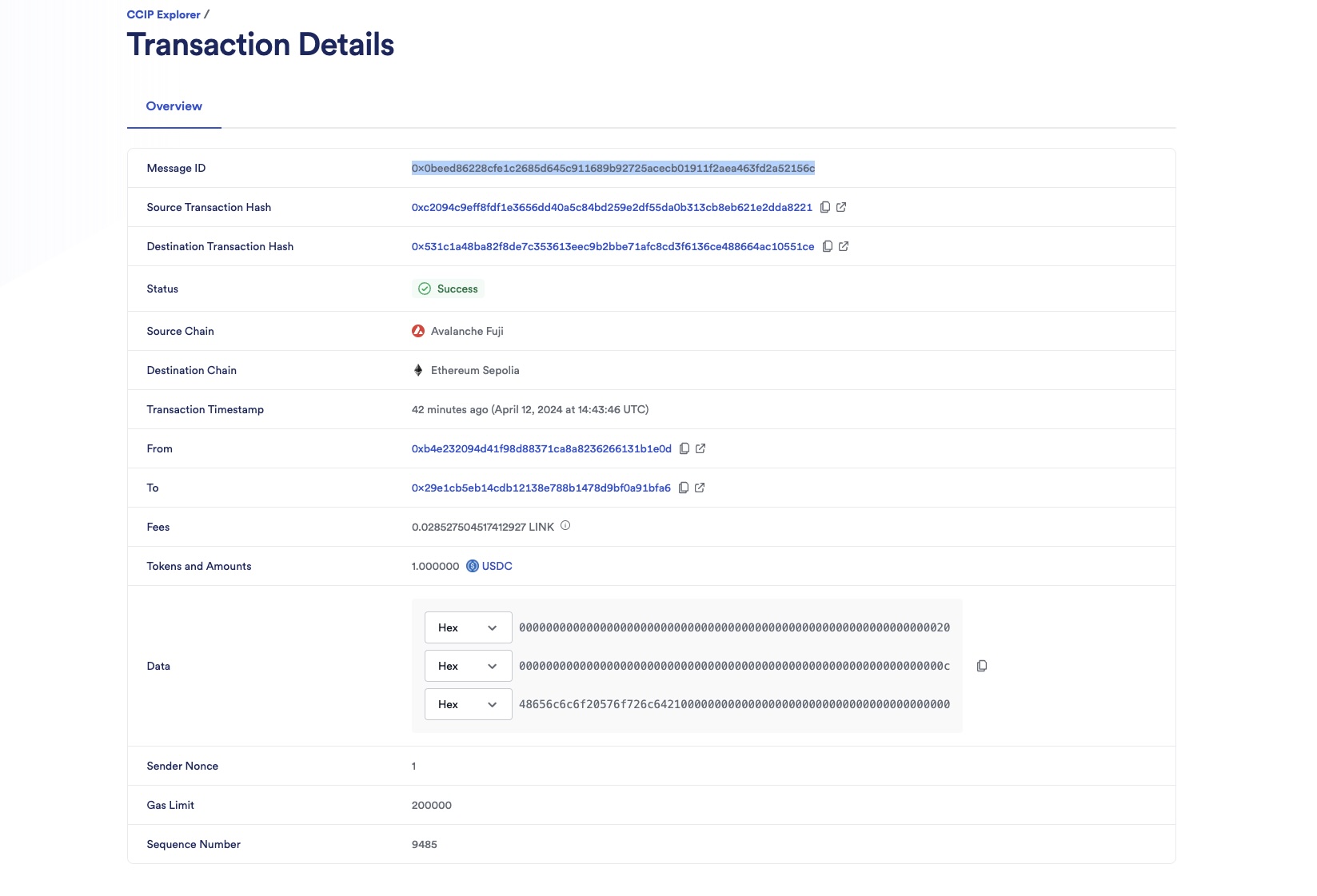
3. Check the receiver contract on the destination chain:
1. Open MetaMask and select the network *Ethereum Sepolia*.
2. In Remix IDE, under *Deploy & Run Transactions*, open the list of transactions of your smart contract deployed on *Ethereum Sepolia*.
3. Call the `getLastReceivedMessageDetails`.

4. Notice the received text is the one you sent, "Hello World!" and the message ID is the one you expect *0x28a804fa891bde8fb4f6617931187e1033a128c014aa76465911613588bc306f*.
**Note**: These example contracts are designed to work bi-directionally. As an exercise, you can use them to send data from *Avalanche Fuji* to *Ethereum Sepolia* and from *Ethereum Sepolia* back to *Avalanche Fuji*.
### Send data and pay in native
You will use CCIP to send a text. The CCIP fees for using CCIP will be paid in native gas. Read this [explanation](#sending-data-and-pay-in-native) for a detailed description of the code example.
1. Open MetaMask and connect to *Avalanche Fuji*. Fund your contract with AVAX. You can transfer 1 *AVAX* to your contract. In this example, AVAX is used to pay the CCIP fees.
2. Send "Hello World!" from *Avalanche Fuji*:
1. Open MetaMask and select the network *Avalanche Fuji*.
2. In Remix IDE, under *Deploy & Run Transactions*, open the list of transactions of your smart contract deployed on *Avalanche Fuji*.
3. Fill in the arguments of the ***sendMessagePayNative*** function:
| Argument | Description | Value (*Ethereum Sepolia*) |
| -------------------------- | ----------------------------------------------------------------------------------------------------------------------------------- | --------------------------------------- |
| _destinationChainSelector | CCIP Chain identifier of the target blockchain. You can find each network's chain selector on the [CCIP Directory](/ccip/directory) | 16015286601757825753 |
| _receiver | The destination smart contract address | Your deployed receiver contract address |
| _text | any `string` | Hello World! |
4. Click on `transact` and confirm the transaction on MetaMask.
5. Once the transaction is successful, note the transaction hash. Here is an [example](https://testnet.snowtrace.io/tx/0x5cb5ea9b1631f62148105d67b780b56fce66db398667276ea498104b7896ffee) of a transaction on *Avalanche Fuji*.
> **NOTE: Gas price spikes**
>
> Under normal circumstances, transactions on the Ethereum Sepolia network require significantly fewer tokens to pay for gas. However, during exceptional periods of high gas price spikes, your transactions may fail if not sufficiently funded. In such cases, you may need to fund your contract with additional tokens. We recommend paying for your CCIP transactions in **LINK** tokens (rather than native tokens) as you can obtain extra LINK testnet tokens from [faucets.chain.link](https://faucets.chain.link/). If you encounter a transaction failure due to these gas price spikes, please add additional LINK tokens to your contract and try again.
> Alternatively, you can use a supported testnet other than Sepolia.
1. Open the [CCIP explorer](https://ccip.chain.link/) and search your cross-chain transaction using the transaction hash.
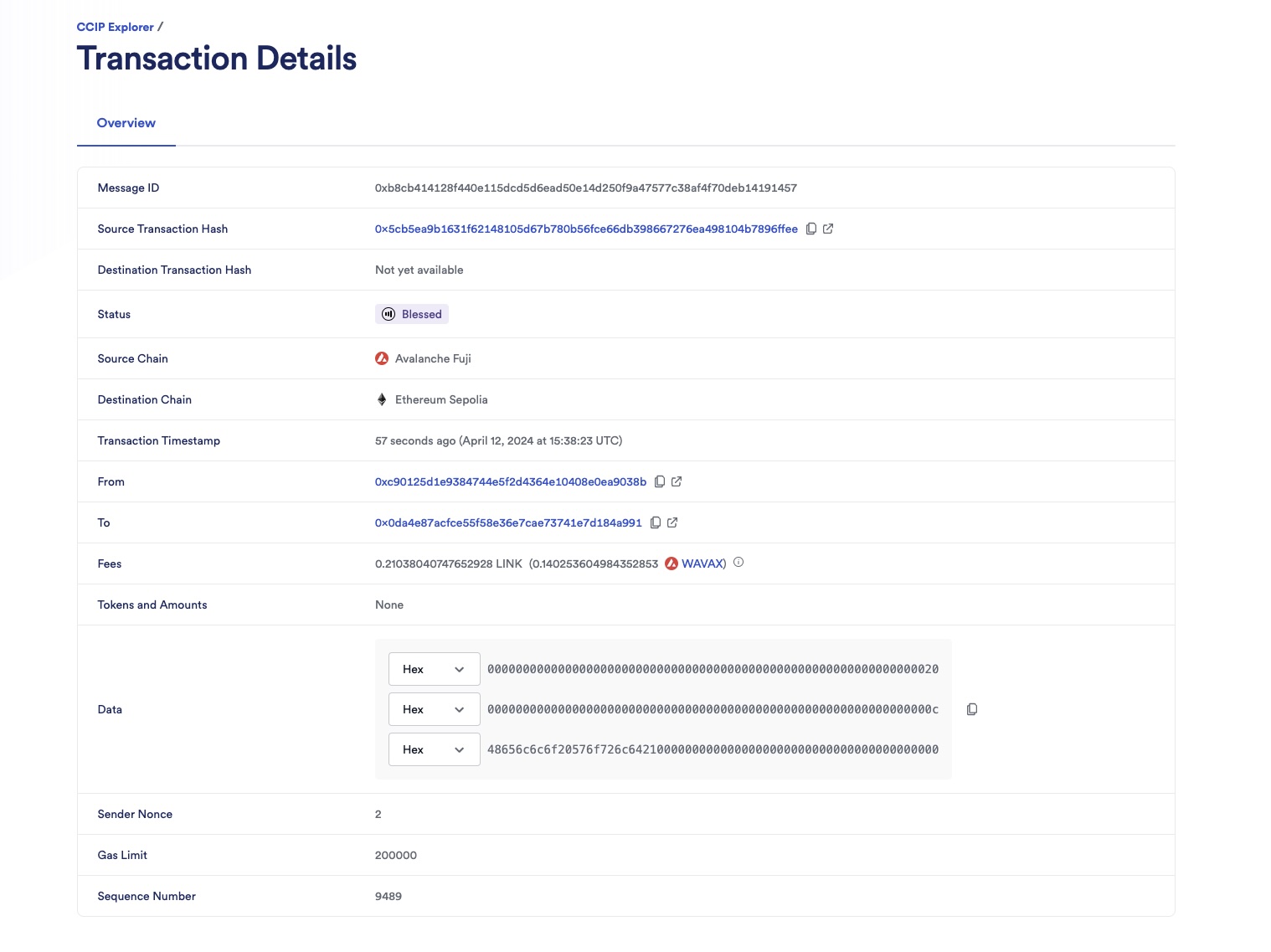
2. The CCIP transaction is completed once the status is marked as "Success". In this example, the CCIP message ID is *0xb8cb414128f440e115dcd5d6ead50e14d250f9a47577c38af4f70deb14191457*. Note that CCIP fees are denominated in LINK. Even if CCIP fees are paid using native gas tokens, node operators will be paid in LINK.
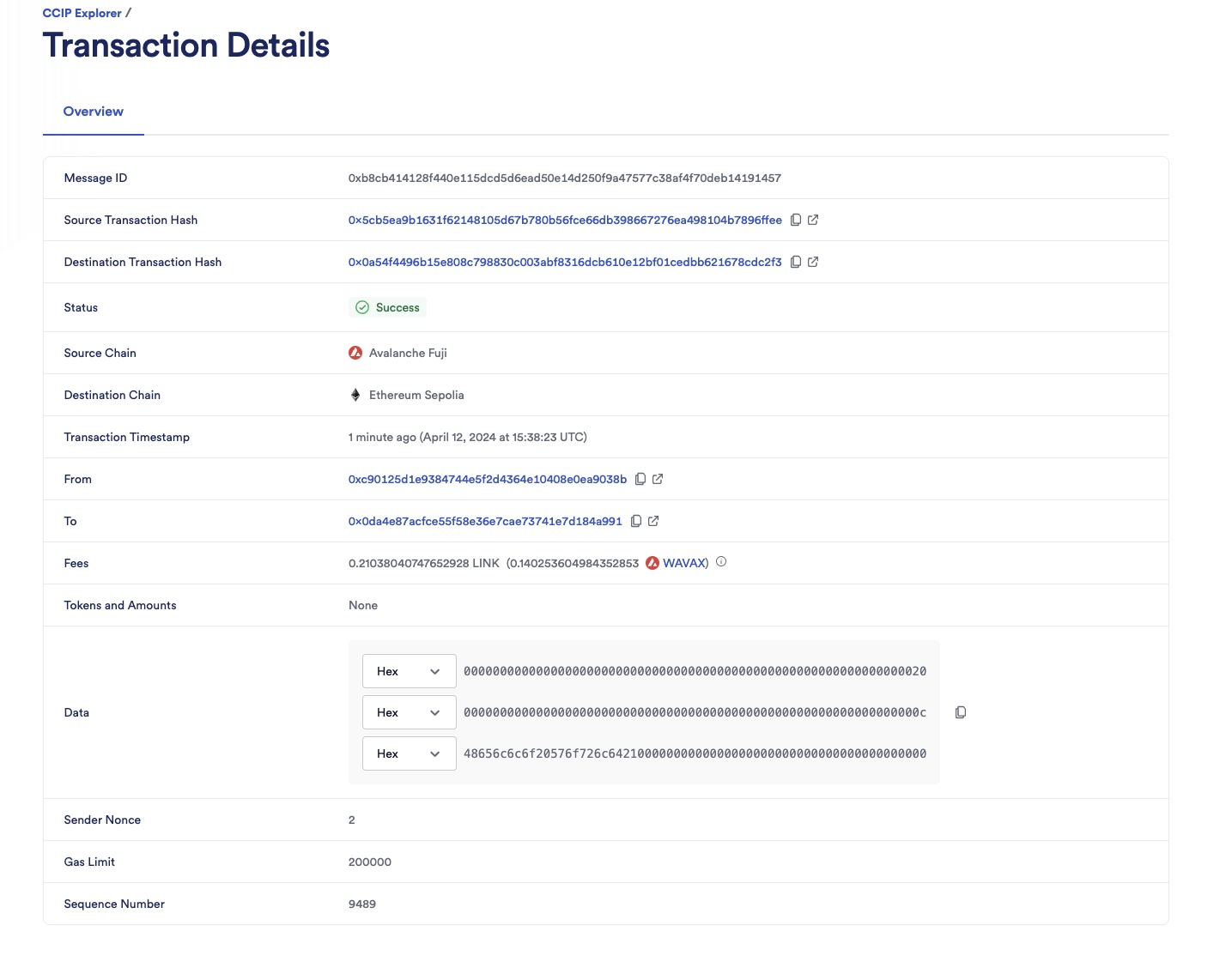
3. Check the receiver contract on the destination chain:
1. Open MetaMask and select the network *Ethereum Sepolia*.
2. In Remix IDE, under *Deploy & Run Transactions*, open the list of transactions of your smart contract deployed on *Ethereum Sepolia*.
3. Call the `getLastReceivedMessageDetails`.

4. Notice the received text is the one you sent, "Hello World!" and the message ID is the one you expect *0xb8cb414128f440e115dcd5d6ead50e14d250f9a47577c38af4f70deb14191457*.
**Note**: These example contracts are designed to work bi-directionally. As an exercise, you can use them to send data from *Avalanche Fuji* to *Ethereum Sepolia* and from *Ethereum Sepolia* back to *Avalanche Fuji*.
## Explanation
> **NOTE: Integrate Chainlink CCIP v1.6.2 into your project**
>
> npm
> yarn
> foundry
>
> If you use [NPM](https://www.npmjs.com/), install the [@chainlink/contracts-ccip NPM package](https://www.npmjs.com/package/@chainlink/contracts-ccip):
>
> ```shell
> npm install @chainlink/contracts-ccip@1.6.2
> ```
>
> If you use [Yarn](https://yarnpkg.com/), install the [@chainlink/contracts-ccip NPM package](https://www.npmjs.com/package/@chainlink/contracts-ccip):
>
> ```shell
> yarn add @chainlink/contracts-ccip@1.6.2
> ```
>
> In your [Foundry](https://book.getfoundry.sh/) project, for easier integration, if you want to avoid installing the dependencies that are only used by the `chainlink-ccip` package, you can use either [NPM](https://www.npmjs.com/) or [Yarn](https://yarnpkg.com/) to install the `chainlink-ccip` package:
>
> - Using `npm`:
>
> ```shell
> npm install @chainlink/contracts-ccip@1.6.2
> ```
> - Using `yarn`:
>
> ```shell
> yarn add @chainlink/contracts-ccip@1.6.2
> ```
>
> Then, add the following remappings to your `remappings.txt` or `foundry.toml` file:
>
> ```
> "@chainlink/contracts-ccip/contracts/=node_modules/@chainlink/contracts-ccip/contracts/",
> "@chainlink/contracts/=node_modules/@chainlink/contracts/",
> "@openzeppelin/contracts@4.8.3/=node_modules/@openzeppelin/contracts-4.8.3/",
> "@openzeppelin/contracts@5.0.2/=node_modules/@openzeppelin/contracts-5.0.2/"
> ```
>
> Alternatively, if you prefer to use only [`forge install`](https://getfoundry.sh/forge/reference/install/), install the `chainlink-ccip` package along with its dependencies:
>
> ```shell
> forge install \
> smartcontractkit/chainlink-ccip@0e3e0fc5c0f70f0d50dca66b139142ddf3009294 \
> smartcontractkit/chainlink-evm@86aa5a1d34b20eda8d18fe6eb0e4882948e545ba \
> openzeppelin/openzeppelin-contracts@0a25c1940ca220686588c4af3ec526f725fe2582 \
> openzeppelin/openzeppelin-contracts@dbb6104ce834628e473d2173bbc9d47f81a9eec3
> ```
>
> Then set the remappings as follows:
>
> ```
> "@chainlink/contracts-ccip/contracts/=lib/chainlink-ccip/chains/evm/contracts/",
> "@chainlink/contracts/=lib/chainlink-evm/contracts/",
> "@openzeppelin/contracts@4.8.3/=lib/openzeppelin-contracts/contracts/",
> "@openzeppelin/contracts@5.0.2/=lib/openzeppelin-contracts/contracts/"
> ```
The smart contract featured in this tutorial is designed to interact with CCIP to send and receive messages. The contract code contains supporting comments clarifying the functions, events, and underlying logic. Here we will further explain initializing the contract and sending and receiving data.
### Initializing of the contract
When deploying the contract, we define the router address and LINK contract address of the blockchain we deploy the contract on.
Defining the router address is useful for the following:
- Sender part:
- Calls the router's `getFee` [function](/ccip/api-reference/evm/v1.6.1/i-router-client#getfee) to estimate the CCIP fees.
- Calls the router's `ccipSend` [function](/ccip/api-reference/evm/v1.6.1/i-router-client#ccipsend) to send CCIP messages.
- Receiver part:
- The contract inherits from [CCIPReceiver](/ccip/api-reference/evm/v1.6.1/ccip-receiver), which serves as a base contract for receiver contracts. This contract requires that child contracts implement the `_ccipReceive` [function](/ccip/api-reference/evm/v1.6.1/ccip-receiver#_ccipreceive). `_ccipReceive` is called by the `ccipReceive` [function](/ccip/api-reference/evm/v1.6.1/ccip-receiver#ccipreceive), which ensures that only the router can deliver CCIP messages to the receiver contract.
### Sending data and pay in LINK
The `sendMessagePayLINK` function undertakes five primary operations:
1. Call the `_buildCCIPMessage` private function to construct a CCIP-compatible message using the `EVM2AnyMessage` [struct](/ccip/api-reference/evm/v1.6.1/client#any2evmmessage):
- The `_receiver` address is encoded in bytes to accommodate non-EVM destination blockchains with distinct address formats. The encoding is achieved through [abi.encode](https://docs.soliditylang.org/en/develop/abi-spec.html).
- The `data` is encoded from a `string` to `bytes` using [abi.encode](https://docs.soliditylang.org/en/develop/abi-spec.html).
- The `tokenAmounts` is an empty `EVMTokenAmount` [struct](/ccip/api-reference/evm/v1.6.1/client#evmtokenamount) array as no tokens are transferred.
- The `extraArgs` specifies the `gasLimit` for relaying the message to the recipient contract on the destination blockchain. In this example, the `gasLimit` is set to `200000`.
- The `_feeTokenAddress` designates the token address used for CCIP fees. Here, `address(linkToken)` signifies payment in LINK.
> **CAUTION: Best Practices**
>
> This example is simplified for educational purposes. For production code, please adhere to the following best practices:
>
> - **Do Not Hardcode `extraArgs`**: In this example, `extraArgs` are hardcoded within the contract for simplicity. It is recommended to make `extraArgs` mutable. For instance, you can construct `extraArgs` off-chain and pass them into your function calls, or store them in a storage variable that can be updated as needed. This approach ensures that `extraArgs` remain backward compatible with future CCIP upgrades. Refer to the [Best Practices](/ccip/concepts/best-practices/evm) guide for more information.
>
> - **Validate the Destination Chain**: Always ensure that the destination chain is valid and supported before sending messages.
>
> - **Understand `allowOutOfOrderExecution` Usage**: This example sets `allowOutOfOrderExecution` to `true` (see [GenericExtraArgsV2](/ccip/api-reference/evm/v1.6.1/client#genericextraargsv2)). Read the [Best Practices: Setting `allowOutOfOrderExecution`](/ccip/concepts/best-practices/evm#setting-allowoutoforderexecution) to learn more about this parameter.
>
> - **Understand CCIP Service Limits**: Review the [CCIP Service Limits](/ccip/service-limits) for constraints on message data size, execution gas, and the number of tokens per transaction. If your requirements exceed these limits, you may need to [contact the Chainlink Labs Team](https://chain.link/ccip-contact).
>
> Following these best practices ensures that your contract is robust, future-proof, and compliant with CCIP standards.
1. Computes the fees by invoking the router's `getFee` [function](/ccip/api-reference/evm/v1.6.1/i-router-client#getfee).
2. Ensures your contract balance in LINK is enough to cover the fees.
3. Grants the router contract permission to deduct the fees from the contract's LINK balance.
4. Dispatches the CCIP message to the destination chain by executing the router's `ccipSend` [function](/ccip/api-reference/evm/v1.6.1/i-router-client#ccipsend).
**Note**: As a security measure, the `sendMessagePayLINK` function is protected by the `onlyAllowlistedDestinationChain`, ensuring the contract owner has allowlisted a destination chain.
### Sending data and pay in native
The `sendMessagePayNative` function undertakes four primary operations:
1. Call the `_buildCCIPMessage` private function to construct a CCIP-compatible message using the `EVM2AnyMessage` [struct](/ccip/api-reference/evm/v1.6.1/client#any2evmmessage):
- The `_receiver` address is encoded in bytes to accommodate non-EVM destination blockchains with distinct address formats. The encoding is achieved through [abi.encode](https://docs.soliditylang.org/en/develop/abi-spec.html).
- The `data` is encoded from a `string` to `bytes` using [abi.encode](https://docs.soliditylang.org/en/develop/abi-spec.html).
- The `tokenAmounts` is an empty `EVMTokenAmount` [struct](/ccip/api-reference/evm/v1.6.1/client#evmtokenamount) array as no tokens are transferred.
- The `extraArgs` specifies the `gasLimit` for relaying the message to the recipient contract on the destination blockchain. In this example, the `gasLimit` is set to `200000`.
- The `_feeTokenAddress` designates the token address used for CCIP fees. Here, `address(0)` signifies payment in native gas tokens (ETH).
> **CAUTION: Best Practices**
>
> This example is simplified for educational purposes. For production code, please adhere to the following best practices:
>
> - **Do Not Hardcode `extraArgs`**: In this example, `extraArgs` are hardcoded within the contract for simplicity. It is recommended to make `extraArgs` mutable. For instance, you can construct `extraArgs` off-chain and pass them into your function calls, or store them in a storage variable that can be updated as needed. This approach ensures that `extraArgs` remain backward compatible with future CCIP upgrades. Refer to the [Best Practices](/ccip/concepts/best-practices/evm) guide for more information.
>
> - **Validate the Destination Chain**: Always ensure that the destination chain is valid and supported before sending messages.
>
> - **Understand `allowOutOfOrderExecution` Usage**: This example sets `allowOutOfOrderExecution` to `true` (see [GenericExtraArgsV2](/ccip/api-reference/evm/v1.6.1/client#genericextraargsv2)). Read the [Best Practices: Setting `allowOutOfOrderExecution`](/ccip/concepts/best-practices/evm#setting-allowoutoforderexecution) to learn more about this parameter.
>
> - **Understand CCIP Service Limits**: Review the [CCIP Service Limits](/ccip/service-limits) for constraints on message data size, execution gas, and the number of tokens per transaction. If your requirements exceed these limits, you may need to [contact the Chainlink Labs Team](https://chain.link/ccip-contact).
>
> Following these best practices ensures that your contract is robust, future-proof, and compliant with CCIP standards.
1. Computes the fees by invoking the router's `getFee` [function](/ccip/api-reference/evm/v1.6.1/i-router-client#getfee).
2. Ensures your contract balance in native gas is enough to cover the fees.
3. Dispatches the CCIP message to the destination chain by executing the router's `ccipSend` [function](/ccip/api-reference/evm/v1.6.1/i-router-client#ccipsend). **Note**: `msg.value` is set because you pay in native gas.
**Note**: As a security measure, the `sendMessagePayNative` function is protected by the `onlyAllowlistedDestinationChain`, ensuring the contract owner has allowlisted a destination chain.
### Receiving data
On the destination blockchain, the router invokes the `ccipReceive` [function](/ccip/api-reference/evm/v1.6.1/ccip-receiver#ccipreceive) which expects an `Any2EVMMessage` [struct](/ccip/api-reference/evm/v1.6.1/client#any2evmmessage) that contains:
- The CCIP `messageId`.
- The `sourceChainSelector`.
- The `sender` address in bytes format. Given that the sender is known to be a contract deployed on an EVM-compatible blockchain, the address is decoded from bytes to an Ethereum address using the [ABI specifications](https://docs.soliditylang.org/en/v0.8.20/abi-spec.html).
- The `data`, which is also in bytes format. Given a `string` is expected, the data is decoded from bytes to a string using the [ABI specifications](https://docs.soliditylang.org/en/v0.8.20/abi-spec.html).
This example applies three important security measures:
- `_ccipReceive` is called by the `ccipReceive` [function](/ccip/api-reference/evm/v1.6.1/ccip-receiver#ccipreceive), which ensures that only the router can deliver CCIP messages to the receiver contract. See the `onlyRouter` [modifier](/ccip/api-reference/evm/v1.6.1/ccip-receiver#onlyrouter) for more information.
- The modifier `onlyAllowlisted` ensures that only a call from an allowlisted source chain and sender is accepted.
---
# Send Arbitrary Data and Receive Transfer Confirmation: A -> B -> A
Source: https://docs.chain.link/ccip/tutorials/evm/send-arbitrary-data-receipt-acknowledgment
Last Updated: 2025-05-19
This tutorial will teach you how to use Chainlink CCIP to send arbitrary data between smart contracts on different blockchains and how to track the status of each sent message in the sender contract on the source chain. Tracking the status of sent messages allows your smart contracts to execute actions after the receiver acknowledges it received the message. In this example, the sender contract emits an event after it receives acknowledgment from the receiver.
**Note**: For simplicity, this tutorial demonstrates this pattern for sending arbitrary data. However, you are not limited to this application. You can apply the same pattern to programmable token transfers.
## Before you begin
- This tutorial assumes you have completed the [Send Arbitrary Data](/ccip/tutorials/evm/send-arbitrary-data) tutorial.
- Your account must have some AVAX tokens on *Avalanche Fuji* and ETH tokens on *Ethereum Sepolia*.
- Learn how to [Acquire testnet LINK](/resources/acquire-link) and [Fund your contract with LINK](/resources/fund-your-contract).
## Tutorial
> **NOTE: Optimize your development with the CCIP local simulator**
>
> Enhance your development workflow using the [Chainlink CCIP local
> simulator](https://github.com/smartcontractkit/chainlink-local), an installable package designed to simulate Chainlink
> CCIP locally within your Hardhat and Foundry projects. It provides a robust smart contracts and scripts suite,
> enabling you to build, deploy, and execute CCIP token transfers and arbitrary messages on a local Hardhat or Anvil
> development node. With Chainlink Local, you can also work on forked nodes, ensuring a seamless transition of your
> contracts to test networks without modifications. Start integrating Chainlink Local today to streamline your
> development process and validate your CCIP implementations effectively.
In this tutorial, you will deploy a *message tracker* contract on the source blockchain (Avalanche Fuji) and an *acknowledger* on the destination blockchain (Ethereum Sepolia). Throughout the tutorial, you will pay for CCIP fees using LINK tokens. Here is a step-by-step breakdown:
1. **Sending and building a CCIP message:** Initiate and send a message from the *message tracker* contract on Avalanche Fuji to the *acknowledger* contract on Ethereum Sepolia. The *message tracker* contract constructs a CCIP message that encapsulates a text string and establishes a tracking status for this message before sending it off.
2. **Receiving and acknowledging the message:** After the *acknowledger* contract receives the text on Ethereum Sepolia, it sends back a CCIP message to the *message tracker* contract as an acknowledgment of receipt.
3. **Updating tracking status:** After the *message tracker* receives the acknowledgment, the contract updates the tracking status of the initial CCIP message and emits an event to signal completion.
### Deploy the *message tracker* (sender) contract
Deploy the `MessageTracker.sol` contract on *Avalanche Fuji* and enable it to send and receive CCIP messages to and from *Ethereum Sepolia*. You must also enable your contract to receive CCIP messages from the *acknowledger* contract.
1. [Open the MessageTracker.sol contract](https://remix.ethereum.org/#url=https://docs.chain.link/samples/CCIP/MessageTracker.sol) in Remix.
[Open MessageTracker.sol in Remix](https://remix.ethereum.org/#url=https://docs.chain.link/samples/CCIP/MessageTracker.sol)
Note: The contract code is also available in the [Examine the code](/ccip/tutorials/evm/send-arbitrary-data-receipt-acknowledgment#messagetrackersol) section.
2. Compile the contract.
3. Deploy the contract on *Avalanche Fuji*:
1. Open MetaMask and select the *Avalanche Fuji* network.
2. On the **Deploy & Run Transactions** tab in Remix, select *Injected Provider - MetaMask* in the **Environment** list. Remix will use the MetaMask wallet to communicate with *Avalanche Fuji*.
3. Under the **Deploy** section, fill in the router address and the LINK token contract address for your specific blockchain. You can find both of these addresses on the [CCIP Directory](/ccip/directory). The LINK token contract address is also listed on the [LINK Token Contracts](/resources/link-token-contracts) page. For *Avalanche Fuji*:
- The router address is 0xF694E193200268f9a4868e4Aa017A0118C9a8177
- The LINK token address is 0x0b9d5D9136855f6FEc3c0993feE6E9CE8a297846
4. Click **transact** to deploy the contract. MetaMask prompts you to confirm the transaction. Check the transaction details to make sure you are deploying the contract on *Avalanche Fuji*.
5. After you confirm the transaction, the contract address appears in the **Deployed Contracts** list. Copy your contract address.
6. Open MetaMask and send 70 LINK to the contract address you copied. Your contract will pay CCIP fees in LINK.
**Note:** This transaction fee is significantly higher than normal due to gas spikes on Sepolia. To run this example, you can get additional testnet LINK
from [faucets.chain.link](https://faucets.chain.link) or use a supported testnet other than Sepolia.
4. Allow the *Ethereum Sepolia* chain selector for both destination and source chains.
1. On the **Deploy & Run Transactions** tab in Remix, expand the *message tracker* contract in the **Deployed Contracts** section.
2. Call the `allowlistDestinationChain` function with 16015286601757825753 as the destination chain selector for *Ethereum Sepolia* and true as allowed.
3. Call the `allowlistSourceChain` function with 16015286601757825753 as the source chain selector for *Ethereum Sepolia* and true as allowed.
You can find each network's chain selector on the [CCIP Directory](/ccip/directory).
### Deploy the acknowledger (receiver) contract
Deploy the `Acknowledger.sol` contract on *Ethereum Sepolia* and enable it to send and receive CCIP messages to and from *Avalanche Fuji*. You must also enable your contract to receive CCIP messages from the *message tracker* contract.
1. [Open the Acknowledger.sol](https://remix.ethereum.org/#url=https://docs.chain.link/samples/CCIP/Acknowledger.sol) contract in Remix.
[Open Acknowledger.sol in Remix](https://remix.ethereum.org/#url=https://docs.chain.link/samples/CCIP/Acknowledger.sol)
Note: The contract code is also available in the [Examine the code](/ccip/tutorials/evm/send-arbitrary-data-receipt-acknowledgment#acknowledgersol) section.
2. Compile the contract.
3. Deploy the contract on *Ethereum Sepolia*:
1. Open MetaMask and select the *Ethereum Sepolia* network.
2. On the **Deploy & Run Transactions** tab in Remix, make sure the **Environment** is still set to *Injected Provider - MetaMask*.
3. Under the **Deploy** section, fill in the router address and the LINK token contract address for your specific blockchain. You can find both of these addresses on the [CCIP Directory](/ccip/directory). The LINK token contract address is also listed on the [LINK Token Contracts](/resources/link-token-contracts) page. For *Ethereum Sepolia*:
- The Router address is 0x0BF3dE8c5D3e8A2B34D2BEeB17ABfCeBaf363A59.
- The LINK token address is 0x779877A7B0D9E8603169DdbD7836e478b4624789.
4. Click **transact** to deploy the contract. MetaMask prompts you to confirm the transaction. Check the transaction details to make sure you are deploying the contract to *Ethereum Sepolia*.
5. After you confirm the transaction, the contract address appears in the **Deployed Contracts** list. Copy this contract address.
6. Open MetaMask and send 70 LINK to the contract address that you copied. Your contract will pay CCIP fees in LINK.
**Note:** This transaction fee is significantly higher than normal due to gas spikes on Sepolia. To run this example, you can get additional testnet LINK
from [faucets.chain.link](https://faucets.chain.link) or use a supported testnet other than Sepolia.
4. Allow the *Avalanche Fuji* chain selector for both destination and source chains. You must also enable your acknowledger contract to receive CCIP messages from the message tracker you deployed on *Avalanche Fuji*.
1. On the **Deploy & Run Transactions** tab in Remix, expand the *acknowledger* contract in the **Deployed Contracts** section. Expand the `allowlistDestinationChain`, `allowlistSender`, and `allowlistSourceChain` functions and fill in the following arguments:
| Function | Description | Value (*Avalanche Fuji*) |
| ------------------------- | ----------------------------------------------------------------------------------------------------------------------------------- | ------------------------------------ |
| allowlistDestinationChain | CCIP Chain identifier of the target blockchain. You can find each network's chain selector on the [CCIP Directory](/ccip/directory) | 14767482510784806043, true |
| allowlistSender | The address of the message tracker contract deployed on *Avalanche Fuji* | Your deployed contract address, true |
| allowlistSourceChain | CCIP Chain identifier of the source blockchain. You can find each network's chain selector on the [CCIP Directory](/ccip/directory) | 14767482510784806043, true |
2. Open MetaMask and select the *Ethereum Sepolia* network.
3. For each function you expanded and filled in the arguments for, click the **transact** button to call the function. MetaMask prompts you to confirm the transaction. Wait for each transaction to succeed before calling the following function.
5. Finally, enable your *message tracker* contract to receive CCIP messages from the *acknowledger* contract you deployed on *Ethereum Sepolia*.
1. On the **Deploy & Run Transactions** tab in Remix, expand the *message tracker* contract in the **Deployed Contracts** section. Expand the `allowlistSender` function and fill in your *acknowledger* contract address and true as allowed.
2. Open MetaMask and select the *Avalanche Fuji* network.
3. Click **transact** to call the function. MetaMask prompts you to confirm the transaction.
At this point, you have one *message tracker* (sender) contract on *Avalanche Fuji* and one *acknowledger* (receiver) contract on *Ethereum Sepolia*. You sent `70` LINK to the *message tracker* contract and `70` LINK to the *acknowledger* contract to pay the CCIP fees.
**Note:** This transaction fee is significantly higher than normal due to gas spikes on Sepolia.
### Send data and track the message status
#### Initial message
1. Send a `Hello World!` string from your *message tracker* contract on *Avalanche Fuji* to your *acknowledger* contract deployed on *Ethereum Sepolia*. You will track the status of this message during this tutorial.
1. Open MetaMask and select the *Avalanche Fuji* network.
2. On the **Deploy & Run Transactions** tab in Remix, expand the *message tracker* contract in the **Deployed Contracts** section.
3. Expand the **sendMessagePayLINK** function and fill in the following arguments:
| Argument | Description | Value (*Ethereum Sepolia*) |
| ------------------------ | ----------------------------------------------------------------------------------------------------------------------------------- | --------------------------------------------- |
| destinationChainSelector | CCIP Chain identifier of the target blockchain. You can find each network's chain selector on the [CCIP Directory](/ccip/directory) | 16015286601757825753 |
| receiver | The destination smart contract address | Your deployed *acknowledger* contract address |
| text | Any `string` | Hello World! |
4. Click **transact** to call the function. MetaMask prompts you to confirm the transaction.
> **NOTE: Gas price spikes**
>
> Under normal circumstances, transactions on the Ethereum Sepolia network require significantly fewer tokens to pay for gas. However, during exceptional periods of high gas price spikes, your transactions may fail if not sufficiently funded. In such cases, you may need to fund your contract with additional tokens. We recommend paying for your CCIP transactions in **LINK** tokens (rather than native tokens) as you can obtain extra LINK testnet tokens from [faucets.chain.link](https://faucets.chain.link/). If you encounter a transaction failure due to these gas price spikes, please add additional LINK tokens to your contract and try again.
> Alternatively, you can use a supported testnet other than Sepolia.
1. Upon transaction success, expand the last transaction in the Remix log and copy the transaction hash. In this example, it is `0x1f88abc33a4ab426a5466e01d9e5fe8a2b96d6a6e5cedb643a674489c74126b4`.
2. Open the [CCIP Explorer](https://ccip.chain.link/) and use the transaction hash that you copied to search for your cross-chain transaction.
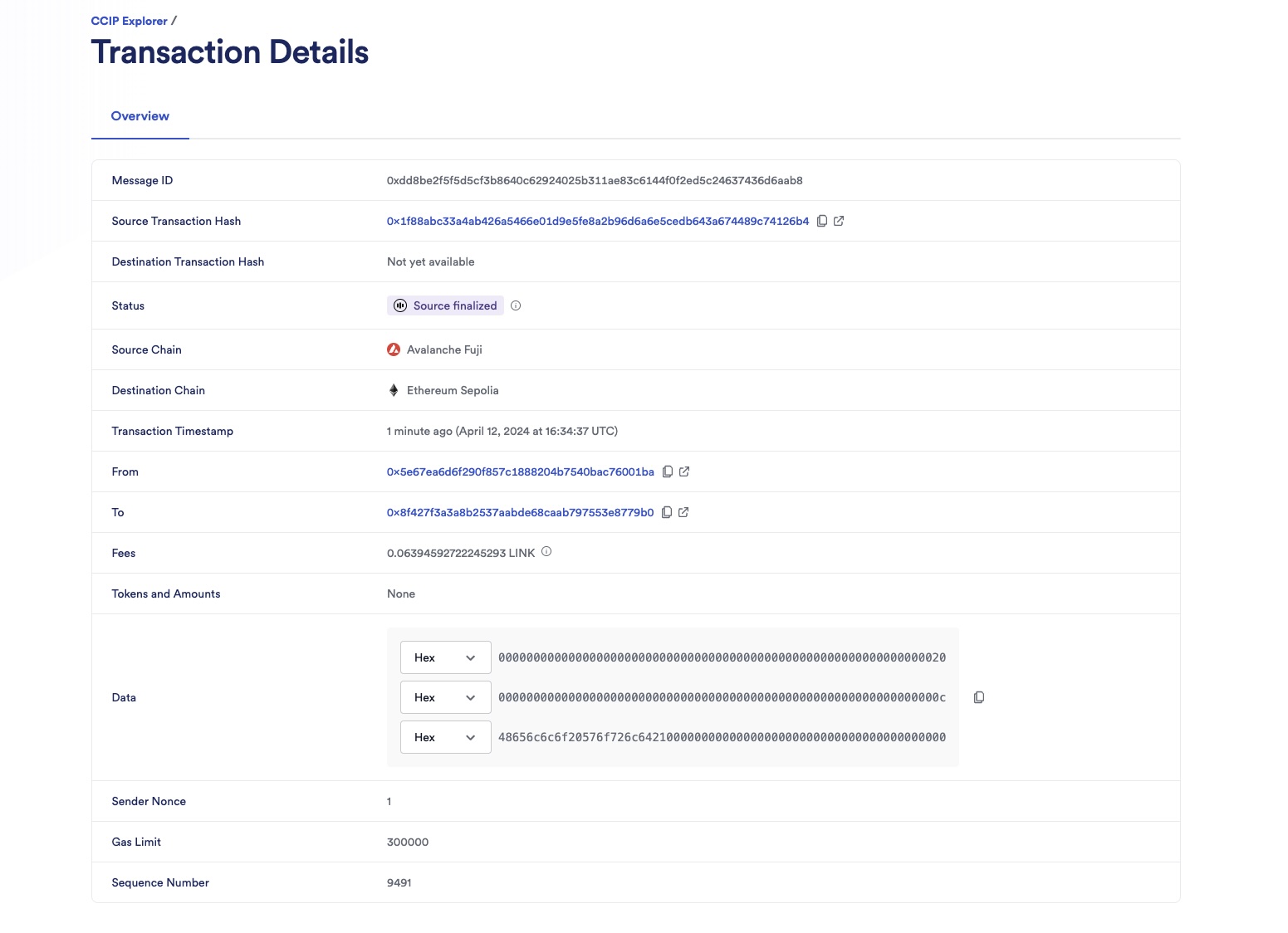
After the transaction is finalized on the source chain, it will take a few minutes for CCIP to deliver the data to *Ethereum Sepolia* and call the `ccipReceive` function on your *acknowledger* contract.
3. Copy the message ID from the CCIP Explorer transaction details. You will use this message ID to track your message status on the *message tracker* contract. In this example, it is `0xdd8be2f5f5d5cf3b8640c62924025b311ae83c6144f0f2ed5c24637436d6aab8`.
4. On the **Deploy & Run Transactions** tab in Remix, expand your *message tracker* contract in the **Deployed Contracts** section.
5. Paste the message ID you copied from the CCIP explorer as the argument in the **messagesInfo** getter function. Click **messagesInfo** to read the message status.

Note the returned `status 1`. This value indicates that the *message tracker* contract has updated your message status to the `Sent` status as defined by the `MessageStatus` `enum` in the *message tracker* contract.
```solidity
// Enum is used to track the status of messages sent via CCIP.
// `NotSent` indicates a message has not yet been sent.
// `Sent` indicates that a message has been sent to the Acknowledger contract but not yet acknowledged.
// `ProcessedOnDestination` indicates that the Acknowledger contract has processed the message and that
// the Message Tracker contract has received the acknowledgment from the Acknowledger contract.
enum MessageStatus {
NotSent, // 0
Sent, // 1
ProcessedOnDestination // 2
}
```
6. When the transaction is marked with a "Success" status on the [CCIP Explorer](https://ccip.chain.link/), the CCIP transaction and the destination transaction are complete. The *acknowledger* contract has received the message from the *message tracker* contract.
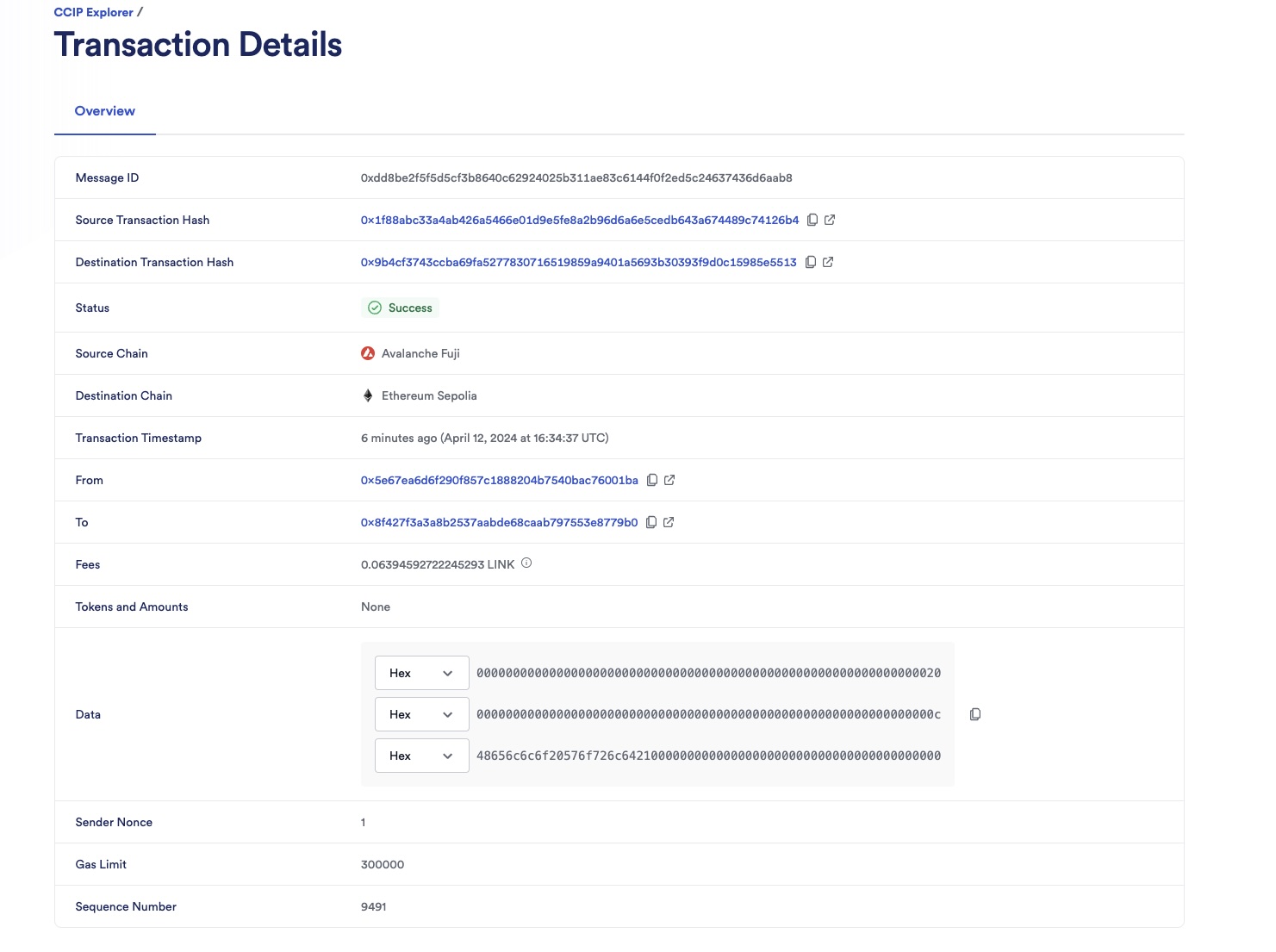
#### Acknowledgment message
The *acknowledger* contract processes the message, sends an acknowledgment message containing the initial message ID back to the *message tracker* contract, and emits an `AcknowledgmentSent` event. Read this [explanation](/ccip/tutorials/evm/send-arbitrary-data-receipt-acknowledgment#acknowledger-contract) for further description.
```solidity
// Emitted when an acknowledgment message is successfully sent back to the sender contract.
// This event signifies that the Acknowledger contract has recognized the receipt of an initial message
// and has informed the original sender contract by sending an acknowledgment message,
// including the original message ID.
event AcknowledgmentSent(
bytes32 indexed messageId, // The unique ID of the CCIP message.
uint64 indexed destinationChainSelector, // The chain selector of the destination chain.
address indexed receiver, // The address of the receiver on the destination chain.
bytes32 data, // The data being sent back, usually containing the message ID of the original message to acknowledge its receipt.
address feeToken, // The token address used to pay CCIP fees for sending the acknowledgment.
uint256 fees // The fees paid for sending the acknowledgment message via CCIP.
);
```
1. Copy your *acknowledger* contract address from Remix. Open the [*Ethereum Sepolia* explorer](https://sepolia.etherscan.io/) and search for your deployed *acknowledger* contract. Click the **Events** tab to see the events log.
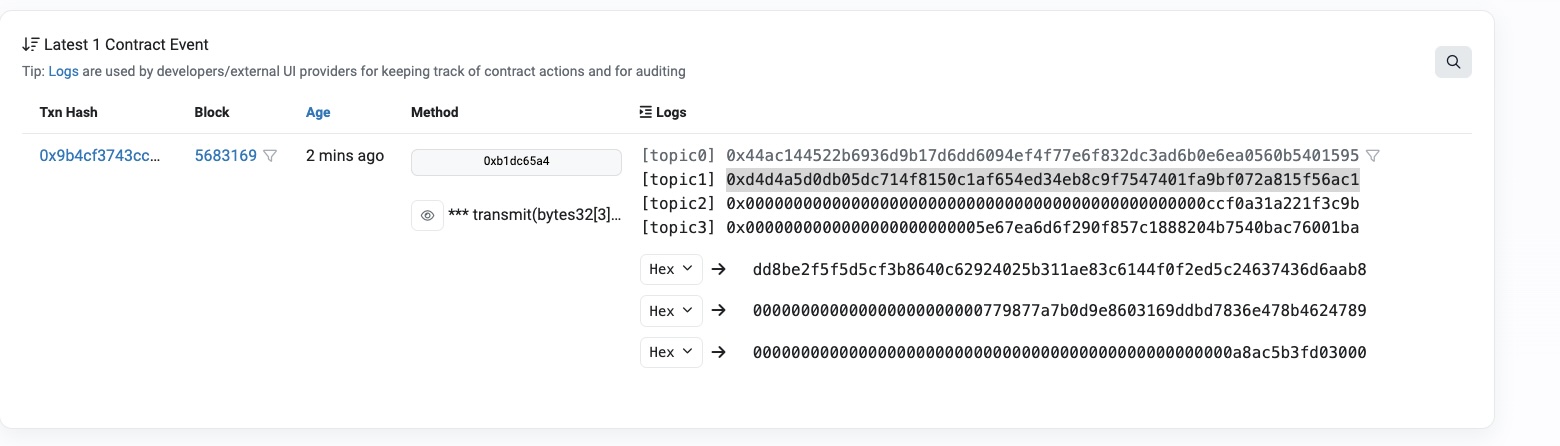
The first indexed topic (`topic1`) in the `AcknowledgmentSent` event is the acknowledgment message ID sent to the *message tracker* contract on *Avalanche Fuji*. In this example, the message ID is `0xd4d4a5d0db05dc714f8150c1af654ed34eb8c9f7547401fa9bf072a815f56ac1`.
2. Copy your own message ID from the indexed `topic1` and search for it in the [CCIP explorer](https://ccip.chain.link/).
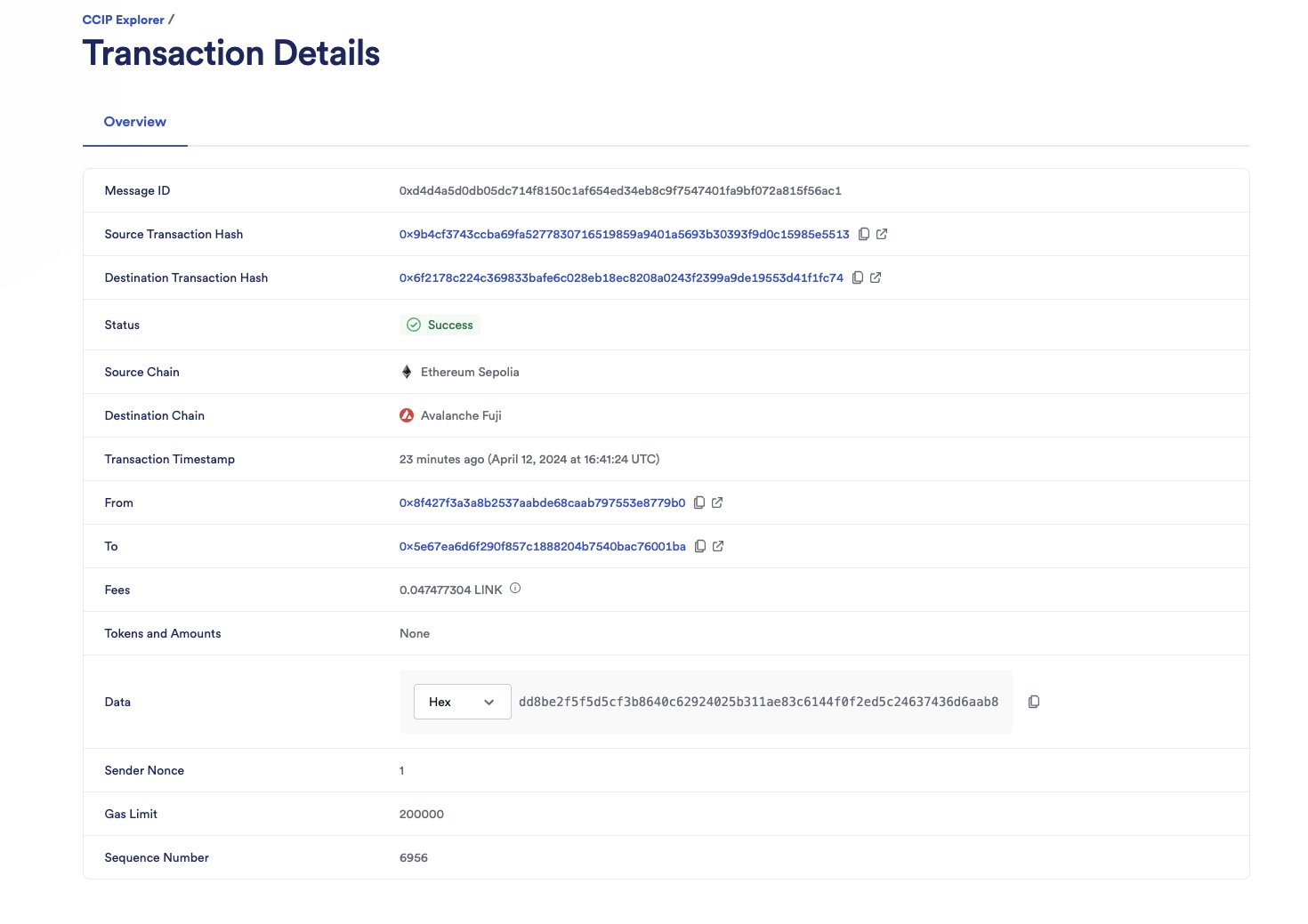
When the transaction is marked with a "Success" status on the CCIP explorer, the CCIP transaction and the destination transaction are complete. The *message tracker* contract has received the message from the *acknowledger* contract.
#### Final status check
When the *message tracker* receives the acknowledgment message, the `ccipReceive` function updates the initial message status to `2`, which corresponds to the `ProcessedOnDestination` status as defined by the `MessageStatus` `enum`. The function emits a `MessageProcessedOnDestination` event.
1. Open MetaMask and select the *Avalanche Fuji* network.
2. On the **Deploy & Run Transactions** tab in Remix, expand your *message tracker* contract in the **Deployed Contracts** section.
3. Copy the **initial message ID** from the CCIP explorer (transaction from *Avalanche Fuji* to *Ethereum Sepolia*) and paste it as the argument in the **messagesInfo** getter function. Click **messagesInfo** to read the message status. It returns `status 2` and the acknowledgment message ID that confirms this status.

4. Copy your *message tracker* contract address from Remix. Open the [*Avalanche Fuji* explorer](https://testnet.snowtrace.io/) and search for your deployed *message tracker* contract. Then, click on the **Events** tab.
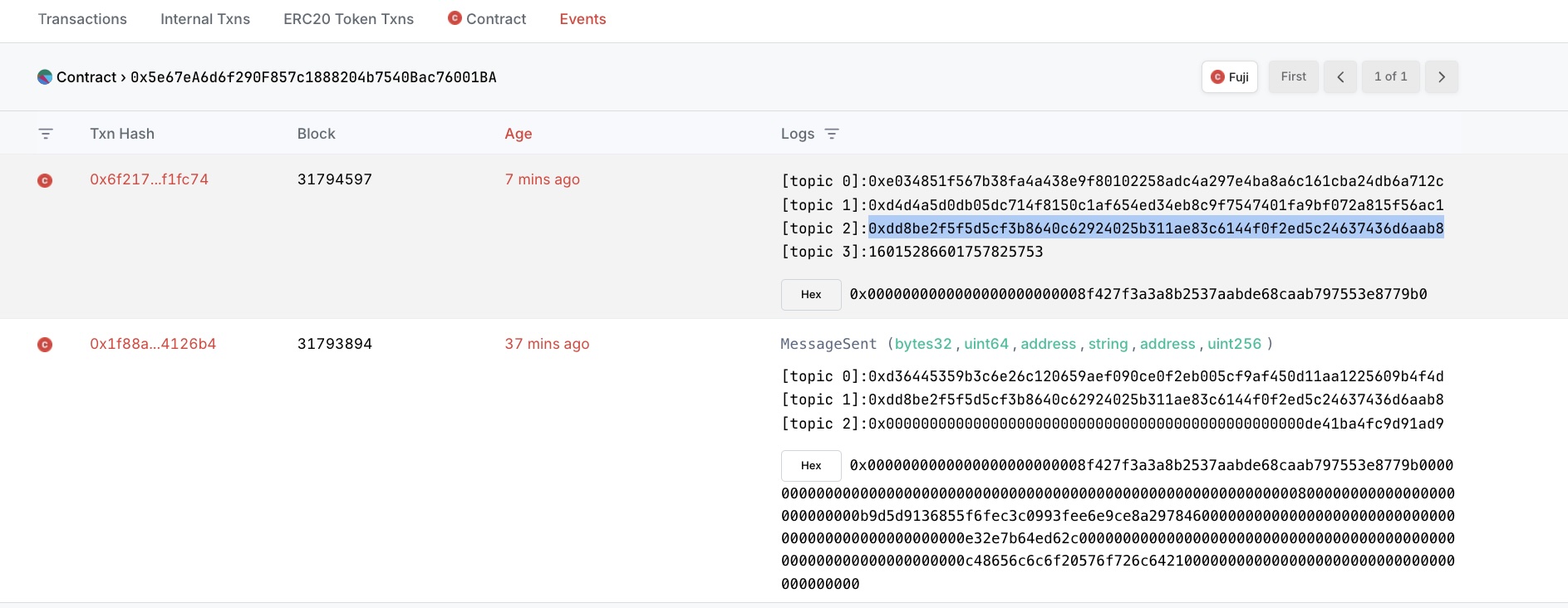
The `MessageProcessedOnDestination` event is emitted with the acknowledged message ID `0xdd8be2f5f5d5cf3b8640c62924025b311ae83c6144f0f2ed5c24637436d6aab8` as indexed `topic2`.
```solidity
// Event emitted when the sender contract receives an acknowledgment
// that the receiver contract has successfully received and processed the message.
event MessageProcessedOnDestination(
bytes32 indexed messageId, // The unique ID of the CCIP acknowledgment message.
bytes32 indexed acknowledgedMsgId, // The unique ID of the message acknowledged by the receiver.
uint64 indexed sourceChainSelector, // The chain selector of the source chain.
address sender // The address of the sender from the source chain.
);
```
## Explanation
> **NOTE: Integrate Chainlink CCIP v1.6.2 into your project**
>
> npm
> yarn
> foundry
>
> If you use [NPM](https://www.npmjs.com/), install the [@chainlink/contracts-ccip NPM package](https://www.npmjs.com/package/@chainlink/contracts-ccip):
>
> ```shell
> npm install @chainlink/contracts-ccip@1.6.2
> ```
>
> If you use [Yarn](https://yarnpkg.com/), install the [@chainlink/contracts-ccip NPM package](https://www.npmjs.com/package/@chainlink/contracts-ccip):
>
> ```shell
> yarn add @chainlink/contracts-ccip@1.6.2
> ```
>
> In your [Foundry](https://book.getfoundry.sh/) project, for easier integration, if you want to avoid installing the dependencies that are only used by the `chainlink-ccip` package, you can use either [NPM](https://www.npmjs.com/) or [Yarn](https://yarnpkg.com/) to install the `chainlink-ccip` package:
>
> - Using `npm`:
>
> ```shell
> npm install @chainlink/contracts-ccip@1.6.2
> ```
> - Using `yarn`:
>
> ```shell
> yarn add @chainlink/contracts-ccip@1.6.2
> ```
>
> Then, add the following remappings to your `remappings.txt` or `foundry.toml` file:
>
> ```
> "@chainlink/contracts-ccip/contracts/=node_modules/@chainlink/contracts-ccip/contracts/",
> "@chainlink/contracts/=node_modules/@chainlink/contracts/",
> "@openzeppelin/contracts@4.8.3/=node_modules/@openzeppelin/contracts-4.8.3/",
> "@openzeppelin/contracts@5.0.2/=node_modules/@openzeppelin/contracts-5.0.2/"
> ```
>
> Alternatively, if you prefer to use only [`forge install`](https://getfoundry.sh/forge/reference/install/), install the `chainlink-ccip` package along with its dependencies:
>
> ```shell
> forge install \
> smartcontractkit/chainlink-ccip@0e3e0fc5c0f70f0d50dca66b139142ddf3009294 \
> smartcontractkit/chainlink-evm@86aa5a1d34b20eda8d18fe6eb0e4882948e545ba \
> openzeppelin/openzeppelin-contracts@0a25c1940ca220686588c4af3ec526f725fe2582 \
> openzeppelin/openzeppelin-contracts@dbb6104ce834628e473d2173bbc9d47f81a9eec3
> ```
>
> Then set the remappings as follows:
>
> ```
> "@chainlink/contracts-ccip/contracts/=lib/chainlink-ccip/chains/evm/contracts/",
> "@chainlink/contracts/=lib/chainlink-evm/contracts/",
> "@openzeppelin/contracts@4.8.3/=lib/openzeppelin-contracts/contracts/",
> "@openzeppelin/contracts@5.0.2/=lib/openzeppelin-contracts/contracts/"
> ```
The smart contracts featured in this tutorial are designed to interact with CCIP to send and receive messages with an acknowledgment of receipt mechanism. The contract code across both contracts contains supporting comments clarifying the functions, events, and underlying logic.
Refer to the [Send Arbitrary Data](/ccip/tutorials/evm/send-arbitrary-data#explanation) tutorial for more explanation about [initializing the contracts](/ccip/tutorials/evm/send-arbitrary-data#initializing-of-the-contract), [sending data, paying in LINK](/ccip/tutorials/evm/send-arbitrary-data#sending-data-and-pay-in-link), and [receiving data](/ccip/tutorials/evm/send-arbitrary-data#receiving-data).
Here, we will further explain the acknowledgment of receipt mechanism.
> **CAUTION: Best Practices**
>
> This example is simplified for educational purposes. For production code, please adhere to the following best practices:
>
> - **Do Not Hardcode `extraArgs`**: In this example, `extraArgs` are hardcoded within the contract for simplicity. It is recommended to make `extraArgs` mutable. For instance, you can construct `extraArgs` off-chain and pass them into your function calls, or store them in a storage variable that can be updated as needed. This approach ensures that `extraArgs` remain backward compatible with future CCIP upgrades. Refer to the [Best Practices](/ccip/concepts/best-practices/evm) guide for more information.
>
> - **Validate the Destination Chain**: Always ensure that the destination chain is valid and supported before sending messages.
>
> - **Understand `allowOutOfOrderExecution` Usage**: This example sets `allowOutOfOrderExecution` to `true` (see [GenericExtraArgsV2](/ccip/api-reference/evm/v1.6.1/client#genericextraargsv2)). Read the [Best Practices: Setting `allowOutOfOrderExecution`](/ccip/concepts/best-practices/evm#setting-allowoutoforderexecution) to learn more about this parameter.
>
> - **Understand CCIP Service Limits**: Review the [CCIP Service Limits](/ccip/service-limits) for constraints on message data size, execution gas, and the number of tokens per transaction. If your requirements exceed these limits, you may need to [contact the Chainlink Labs Team](https://chain.link/ccip-contact).
>
> Following these best practices ensures that your contract is robust, future-proof, and compliant with CCIP standards.
### Message acknowledgment of receipt mechanism
This mechanism ensures that a message sent by the *message tracker* (sender) contract is received and acknowledged by the *acknowledger* (receiver) contract. The message status is tracked and stored in the *message tracker* contract.
```solidity
// Enum is used to track the status of messages sent via CCIP.
// `NotSent` indicates a message has not yet been sent.
// `Sent` indicates that a message has been sent to the Acknowledger contract but not yet acknowledged.
// `ProcessedOnDestination` indicates that the Acknowledger contract has processed the message and that
// the Message Tracker contract has received the acknowledgment from the Acknowledger contract.
enum MessageStatus {
NotSent, // 0
Sent, // 1
ProcessedOnDestination // 2
}
// Struct to store the status and acknowledger message ID of a message.
struct MessageInfo {
MessageStatus status;
bytes32 acknowledgerMessageId;
}
// Mapping to keep track of message IDs to their info (status & acknowledger message ID).
mapping(bytes32 => MessageInfo) public messagesInfo;
```
#### *Message tracker* contract
The *message tracker* contract acts as the sender, initiating cross-chain communication. It performs the following operations:
- **Message sending**: Constructs and sends messages to the *acknowledger* contract on another blockchain, using [`sendMessagePayLINK`](/ccip/tutorials/evm/send-arbitrary-data#sending-data-and-pay-in-link) function. On top of its [five primary operations](/ccip/tutorials/evm/send-arbitrary-data#sending-data-and-pay-in-link), the [`sendMessagePayLINK`](/ccip/tutorials/evm/send-arbitrary-data#sending-data-and-pay-in-link) function also updates the message status upon sending.
- **Status tracking**:
- Upon sending a message, the *message tracker* updates its internal state to mark the message as `Sent` (status `1`). This status is pivotal for tracking the message lifecycle and awaiting acknowledgment.
```solidity
// Update the message status to `Sent`
messagesInfo[messageId].status = MessageStatus.Sent;
```
- Upon receiving an acknowledgment message from the *acknowledger* contract, the *message tracker* contract updates the message status from `Sent` (status `1`) to `ProcessedOnDestination` (status `2`). This update indicates that the cross-chain communication cycle is complete, and the receiver successfully received and acknowledged the message.
```solidity
// Update the message status to `ProcessedOnDestination`
messagesInfo[messageId].status = MessageStatus.ProcessedOnDestination;
```
#### *Acknowledger* contract
The *acknowledger* contract receives the message, sends back an acknowledgment message, and emits an event. It performs the following operations:
- **Message receipt**: Upon receiving a message via CCIP, the `ccipReceive` function decodes it and calls the `acknowledgePayLINK` function nested within the [`ccipReceive`](/ccip/tutorials/evm/send-arbitrary-data#receiving-data) function.
- **Acknowledgment sending**: The `acknowledgePayLINK` function acts as a custom [`sendMessagePayLINK`](https://docs.chain.link/ccip/tutorials/evm/send-arbitrary-data#sending-data-and-pay-in-link) function nested within the `ccipReceive` function. It sends
an acknowledgment (a CCIP message) to the *message tracker* contract upon the initial message receipt. The data transferred in this acknowledgment message is the initial message ID. It then emits an `AcknowledgmentSent` event.
### Security and integrity
Both contracts use allowlists to process only messages from and to allowed sources.
- **Allowlisting chains and senders**:
- The `sendMessagePayLINK` function is protected by the `onlyAllowlistedDestinationChain` modifier, ensuring the contract owner has allowlisted a destination chain.
- The `ccipReceive` function is protected by the `onlyAllowlisted` modifier, ensuring the contract owner has allowlisted a source chain and a sender.
- **Ensuring the initial message authenticity**: The *message tracker* contract first checks that the message awaiting acknowledgment was sent from the contract itself and is currently marked as `Sent`. Once confirmed, the message status is updated to `ProcessedOnDestination`.
## Examine the code
### MessageTracker.sol
```sol
// SPDX-License-Identifier: MIT
pragma solidity 0.8.24;
import {CCIPReceiver} from "@chainlink/contracts-ccip/contracts/applications/CCIPReceiver.sol";
import {IRouterClient} from "@chainlink/contracts-ccip/contracts/interfaces/IRouterClient.sol";
import {Client} from "@chainlink/contracts-ccip/contracts/libraries/Client.sol";
import {OwnerIsCreator} from "@chainlink/contracts@1.4.0/src/v0.8/shared/access/OwnerIsCreator.sol";
import {IERC20} from "@openzeppelin/contracts/token/ERC20/IERC20.sol";
import {SafeERC20} from "@openzeppelin/contracts/token/ERC20/utils/SafeERC20.sol";
using SafeERC20 for IERC20;
/**
* THIS IS AN EXAMPLE CONTRACT THAT USES HARDCODED VALUES FOR CLARITY.
* THIS IS AN EXAMPLE CONTRACT THAT USES UN-AUDITED CODE.
* DO NOT USE THIS CODE IN PRODUCTION.
*/
/// @title - A simple messenger contract for sending/receiving data across chains and tracking the status of sent
/// messages.
contract MessageTracker is CCIPReceiver, OwnerIsCreator {
// Custom errors to provide more descriptive revert messages.
error NotEnoughBalance(uint256 currentBalance, uint256 calculatedFees); // Used to make sure contract has enough
// balance.
error NothingToWithdraw(); // Used when trying to withdraw Ether but there's nothing to withdraw.
error DestinationChainNotAllowlisted(uint64 destinationChainSelector); // Used when the destination chain has not been
// allowlisted by the contract owner.
error SourceChainNotAllowlisted(uint64 sourceChainSelector); // Used when the source chain has not been allowlisted by
// the contract owner.
error SenderNotAllowlisted(address sender); // Used when the sender has not been allowlisted by the contract owner.
error InvalidReceiverAddress(); // Used when the receiver address is 0.
error MessageWasNotSentByMessageTracker(bytes32 msgId); // Triggered when attempting to confirm a message not
// recognized as sent by this tracker.
error MessageHasAlreadyBeenProcessedOnDestination(bytes32 msgId); // Triggered when trying to mark a message as
// `ProcessedOnDestination` when it is already marked as such.
// Enum is used to track the status of messages sent via CCIP.
// `NotSent` indicates a message has not yet been sent.
// `Sent` indicates that a message has been sent to the Acknowledger contract but not yet acknowledged.
// `ProcessedOnDestination` indicates that the Acknowledger contract has processed the message and that
// the Message Tracker contract has received the acknowledgment from the Acknowledger contract.
enum MessageStatus {
NotSent, // 0
Sent, // 1
ProcessedOnDestination // 2
}
// Struct to store the status and acknowledger message ID of a message.
struct MessageInfo {
MessageStatus status;
bytes32 acknowledgerMessageId;
}
// Mapping to keep track of allowlisted destination chains.
mapping(uint64 => bool) public allowlistedDestinationChains;
// Mapping to keep track of allowlisted source chains.
mapping(uint64 => bool) public allowlistedSourceChains;
// Mapping to keep track of allowlisted senders.
mapping(address => bool) public allowlistedSenders;
// Mapping to keep track of message IDs to their info (status & acknowledger message ID).
mapping(bytes32 => MessageInfo) public messagesInfo;
// Event emitted when a message is sent to another chain.
// The chain selector of the destination chain.
// The address of the receiver on the destination chain.
// The text being sent.
// the token address used to pay CCIP fees.
// The fees paid for sending the CCIP message.
event MessageSent( // The unique ID of the CCIP message.
bytes32 indexed messageId,
uint64 indexed destinationChainSelector,
address receiver,
string text,
address feeToken,
uint256 fees
);
// Event emitted when the sender contract receives an acknowledgment
// that the receiver contract has successfully received and processed the message.
event MessageProcessedOnDestination( // The unique ID of the CCIP acknowledgment message.
// The unique ID of the message acknowledged by the receiver.
// The chain selector of the source chain.
// The address of the sender from the source chain.
bytes32 indexed messageId,
bytes32 indexed acknowledgedMsgId,
uint64 indexed sourceChainSelector,
address sender
);
IERC20 private s_linkToken;
/// @notice Constructor initializes the contract with the router address.
/// @param _router The address of the router contract.
/// @param _link The address of the link contract.
constructor(
address _router,
address _link
) CCIPReceiver(_router) {
s_linkToken = IERC20(_link);
}
/// @dev Modifier that checks if the chain with the given destinationChainSelector is allowlisted.
/// @param _destinationChainSelector The selector of the destination chain.
modifier onlyAllowlistedDestinationChain(
uint64 _destinationChainSelector
) {
if (!allowlistedDestinationChains[_destinationChainSelector]) {
revert DestinationChainNotAllowlisted(_destinationChainSelector);
}
_;
}
/// @dev Modifier that checks if the chain with the given sourceChainSelector is allowlisted and if the sender is
/// allowlisted.
/// @param _sourceChainSelector The selector of the destination chain.
/// @param _sender The address of the sender.
modifier onlyAllowlisted(
uint64 _sourceChainSelector,
address _sender
) {
if (!allowlistedSourceChains[_sourceChainSelector]) {
revert SourceChainNotAllowlisted(_sourceChainSelector);
}
if (!allowlistedSenders[_sender]) revert SenderNotAllowlisted(_sender);
_;
}
/// @dev Modifier that checks the receiver address is not 0.
/// @param _receiver The receiver address.
modifier validateReceiver(
address _receiver
) {
if (_receiver == address(0)) revert InvalidReceiverAddress();
_;
}
/// @dev Updates the allowlist status of a destination chain for transactions.
function allowlistDestinationChain(
uint64 _destinationChainSelector,
bool allowed
) external onlyOwner {
allowlistedDestinationChains[_destinationChainSelector] = allowed;
}
/// @dev Updates the allowlist status of a source chain for transactions.
function allowlistSourceChain(
uint64 _sourceChainSelector,
bool allowed
) external onlyOwner {
allowlistedSourceChains[_sourceChainSelector] = allowed;
}
/// @dev Updates the allowlist status of a sender for transactions.
function allowlistSender(
address _sender,
bool allowed
) external onlyOwner {
allowlistedSenders[_sender] = allowed;
}
/// @notice Sends data to receiver on the destination chain.
/// @notice Pay for fees in LINK.
/// @dev Assumes your contract has sufficient LINK.
/// @param _destinationChainSelector The identifier (aka selector) for the destination blockchain.
/// @param _receiver The address of the recipient on the destination blockchain.
/// @param _text The text to be sent.
/// @return messageId The ID of the CCIP message that was sent.
function sendMessagePayLINK(
uint64 _destinationChainSelector,
address _receiver,
string calldata _text
)
external
onlyOwner
onlyAllowlistedDestinationChain(_destinationChainSelector)
validateReceiver(_receiver)
returns (bytes32 messageId)
{
// Create an EVM2AnyMessage struct in memory with necessary information for sending a cross-chain message
Client.EVM2AnyMessage memory evm2AnyMessage = _buildCCIPMessage(_receiver, _text, address(s_linkToken));
// Initialize a router client instance to interact with cross-chain router
IRouterClient router = IRouterClient(this.getRouter());
// Get the fee required to send the CCIP message
uint256 fees = router.getFee(_destinationChainSelector, evm2AnyMessage);
if (fees > s_linkToken.balanceOf(address(this))) {
revert NotEnoughBalance(s_linkToken.balanceOf(address(this)), fees);
}
// approve the Router to transfer LINK tokens on contract's behalf. It will spend the fees in LINK
s_linkToken.approve(address(router), fees);
// Send the CCIP message through the router and store the returned CCIP message ID
messageId = router.ccipSend(_destinationChainSelector, evm2AnyMessage);
// Update the message status to `Sent`
messagesInfo[messageId].status = MessageStatus.Sent;
// Emit an event with message details
emit MessageSent(messageId, _destinationChainSelector, _receiver, _text, address(s_linkToken), fees);
// Return the CCIP message ID
return messageId;
}
/**
* @dev Receives and processes messages sent via the Chainlink CCIP from allowed chains and senders.
* Upon receiving a message, this function checks if the message's associated data indicates a previously
* sent message awaiting acknowledgment. If the message is valid (i.e., its status is `Sent`), it updates
* the message's status to `ProcessedOnDestination`, thereby acknowledging its receipt. It then emits a
* `MessageProcessedOnDestination`
* event. If the message cannot be validated (e.g., it was not sent or has been tampered with), the function
* reverts with a `MessageWasNotSentByMessageTracker` error. This mechanism ensures that only messages
* genuinely sent and awaiting acknowledgment are marked as `ProcessedOnDestination`.
* @param any2EvmMessage The CCIP message received, which includes the message ID, the data being acknowledged,
* the source chain selector, and the sender's address.
*/
function _ccipReceive(
Client.Any2EVMMessage memory any2EvmMessage
)
internal
override
onlyAllowlisted(any2EvmMessage.sourceChainSelector, abi.decode(any2EvmMessage.sender, (address))) // Ensure the
// source chain and sender are allowlisted for added security
{
bytes32 initialMsgId = abi.decode(any2EvmMessage.data, (bytes32)); // Decode the data sent by the receiver
bytes32 acknowledgerMsgId = any2EvmMessage.messageId;
messagesInfo[initialMsgId].acknowledgerMessageId = acknowledgerMsgId; // Store the messageId of the received message
if (messagesInfo[initialMsgId].status == MessageStatus.Sent) {
// Updates the status of the message to 'ProcessedOnDestination' to reflect that an acknowledgment
// of receipt has been received and emits an event to log this confirmation along with relevant details.
messagesInfo[initialMsgId].status = MessageStatus.ProcessedOnDestination;
emit MessageProcessedOnDestination(
acknowledgerMsgId,
initialMsgId,
any2EvmMessage.sourceChainSelector,
abi.decode(any2EvmMessage.sender, (address))
);
} else if (messagesInfo[initialMsgId].status == MessageStatus.ProcessedOnDestination) {
// If the message is already marked as 'ProcessedOnDestination', this indicates an attempt to
// re-confirm a message that has already been processed on the destination chain and marked as such.
revert MessageHasAlreadyBeenProcessedOnDestination(initialMsgId);
} else {
// If the message status is neither 'Sent' nor 'ProcessedOnDestination', it implies that the
// message ID provided for acknowledgment does not correspond to a valid, previously
// sent message.
revert MessageWasNotSentByMessageTracker(initialMsgId);
}
}
/// @notice Construct a CCIP message.
/// @dev This function will create an EVM2AnyMessage struct with all the necessary information for sending a text.
/// @param _receiver The address of the receiver.
/// @param _text The string data to be sent.
/// @param _feeTokenAddress The address of the token used for fees. Set address(0) for native gas.
/// @return Client.EVM2AnyMessage Returns an EVM2AnyMessage struct which contains information for sending a CCIP
/// message.
function _buildCCIPMessage(
address _receiver,
string calldata _text,
address _feeTokenAddress
) private pure returns (Client.EVM2AnyMessage memory) {
// Create an EVM2AnyMessage struct in memory with necessary information for sending a cross-chain message
return Client.EVM2AnyMessage({
receiver: abi.encode(_receiver), // ABI-encoded receiver address
data: abi.encode(_text), // ABI-encoded string
tokenAmounts: new Client.EVMTokenAmount[](0), // Empty array as no tokens are transferred
extraArgs: Client._argsToBytes(
// Additional arguments, setting gas limit and allowing out-of-order execution.
// Best Practice: For simplicity, the values are hardcoded. It is advisable to use a more dynamic approach
// where you set the extra arguments off-chain. This allows adaptation depending on the lanes, messages,
// and ensures compatibility with future CCIP upgrades. Read more about it here:
// https://docs.chain.link/ccip/concepts/best-practices/evm#using-extraargs
Client.GenericExtraArgsV2({
gasLimit: 300_000,
allowOutOfOrderExecution: true // Allows the message to be executed out of order relative to other messages
// from
// the same sender
})
),
// Set the feeToken to a feeTokenAddress, indicating specific asset will be used for fees
feeToken: _feeTokenAddress
});
}
/// @notice Allows the owner of the contract to withdraw all tokens of a specific ERC20 token.
/// @dev This function reverts with a 'NothingToWithdraw' error if there are no tokens to withdraw.
/// @param _beneficiary The address to which the tokens will be sent.
/// @param _token The contract address of the ERC20 token to be withdrawn.
function withdrawToken(
address _beneficiary,
address _token
) public onlyOwner {
// Retrieve the balance of this contract
uint256 amount = IERC20(_token).balanceOf(address(this));
// Revert if there is nothing to withdraw
if (amount == 0) revert NothingToWithdraw();
IERC20(_token).safeTransfer(_beneficiary, amount);
}
}
```
### Acknowledger.sol
```sol
// SPDX-License-Identifier: MIT
pragma solidity 0.8.24;
import {CCIPReceiver} from "@chainlink/contracts-ccip/contracts/applications/CCIPReceiver.sol";
import {IRouterClient} from "@chainlink/contracts-ccip/contracts/interfaces/IRouterClient.sol";
import {Client} from "@chainlink/contracts-ccip/contracts/libraries/Client.sol";
import {OwnerIsCreator} from "@chainlink/contracts@1.4.0/src/v0.8/shared/access/OwnerIsCreator.sol";
import {IERC20} from "@openzeppelin/contracts/token/ERC20/IERC20.sol";
import {SafeERC20} from "@openzeppelin/contracts/token/ERC20/utils/SafeERC20.sol";
using SafeERC20 for IERC20;
/**
* THIS IS AN EXAMPLE CONTRACT THAT USES HARDCODED VALUES FOR CLARITY.
* THIS IS AN EXAMPLE CONTRACT THAT USES UN-AUDITED CODE.
* DO NOT USE THIS CODE IN PRODUCTION.
*/
/// @title - A simple acknowledger contract for receiving data and sending acknowledgement of receipt messages across
/// chains.
contract Acknowledger is CCIPReceiver, OwnerIsCreator {
// Custom errors to provide more descriptive revert messages.
error NotEnoughBalance(uint256 currentBalance, uint256 calculatedFees); // Used to make sure contract has enough
// balance.
error NothingToWithdraw(); // Used when trying to withdraw Ether but there's nothing to withdraw.
error DestinationChainNotAllowlisted(uint64 destinationChainSelector); // Used when the destination chain has not been
// allowlisted by the contract owner.
error InvalidReceiverAddress(); // Used when the receiver address is 0.
error SourceChainNotAllowlisted(uint64 sourceChainSelector); // Used when the source chain has not been allowlisted by
// the contract owner.
error SenderNotAllowlisted(address sender); // Used when the sender has not been allowlisted by the contract owner.
string private s_lastReceivedText; // Store the last received text.
// Mapping to keep track of allowlisted destination chains.
mapping(uint64 => bool) public allowlistedDestinationChains;
// Mapping to keep track of allowlisted source chains.
mapping(uint64 => bool) public allowlistedSourceChains;
// Mapping to keep track of allowlisted senders.
mapping(address => bool) public allowlistedSenders;
// Emitted when an acknowledgment message is successfully sent back to the sender contract.
// This event signifies that the Acknowledger contract has recognized the receipt of an initial message
// and has informed the original sender contract by sending an acknowledgment message,
// including the original message ID.
// The chain selector of the destination chain.
// The address of the receiver on the destination chain.
// The data being sent back, containing the message ID of the initial message to acknowledge.
// The token address used to pay CCIP fees for sending the acknowledgment.
// The fees paid for sending the acknowledgment message via CCIP.
event AcknowledgmentSent( // The unique ID of the CCIP message.
bytes32 indexed messageId,
uint64 indexed destinationChainSelector,
address indexed receiver,
bytes32 data,
address feeToken,
uint256 fees
);
IERC20 private s_linkToken;
/// @notice Constructor initializes the contract with the router address.
/// @param _router The address of the router contract.
/// @param _link The address of the link contract.
constructor(
address _router,
address _link
) CCIPReceiver(_router) {
s_linkToken = IERC20(_link);
}
/// @dev Modifier that checks if the chain with the given destinationChainSelector is allowlisted.
/// @param _destinationChainSelector The selector of the destination chain.
modifier onlyAllowlistedDestinationChain(
uint64 _destinationChainSelector
) {
if (!allowlistedDestinationChains[_destinationChainSelector]) {
revert DestinationChainNotAllowlisted(_destinationChainSelector);
}
_;
}
/// @dev Modifier that checks if the chain with the given sourceChainSelector is allowlisted and if the sender is
/// allowlisted.
/// @param _sourceChainSelector The selector of the destination chain.
/// @param _sender The address of the sender.
modifier onlyAllowlisted(
uint64 _sourceChainSelector,
address _sender
) {
if (!allowlistedSourceChains[_sourceChainSelector]) {
revert SourceChainNotAllowlisted(_sourceChainSelector);
}
if (!allowlistedSenders[_sender]) revert SenderNotAllowlisted(_sender);
_;
}
/// @dev Updates the allowlist status of a destination chain for transactions.
function allowlistDestinationChain(
uint64 _destinationChainSelector,
bool allowed
) external onlyOwner {
allowlistedDestinationChains[_destinationChainSelector] = allowed;
}
/// @dev Updates the allowlist status of a source chain for transactions.
function allowlistSourceChain(
uint64 _sourceChainSelector,
bool allowed
) external onlyOwner {
allowlistedSourceChains[_sourceChainSelector] = allowed;
}
/// @dev Updates the allowlist status of a sender for transactions.
function allowlistSender(
address _sender,
bool allowed
) external onlyOwner {
allowlistedSenders[_sender] = allowed;
}
/// @notice Sends an acknowledgment message back to the sender contract on the source chain
/// and pays the fees using LINK tokens.
/// @dev This function constructs and sends an acknowledgment message using CCIP,
/// indicating the receipt and processing of an initial message. It emits the `AcknowledgmentSent` event
/// upon successful sending. This function should be called after processing the received message
/// to inform the sender contract about the successful message reception.
/// @param _messageIdToAcknowledge The message ID of the initial message being acknowledged.
/// @param _messageTrackerAddress The address of the message tracker contract on the source chain.
/// @param _messageTrackerChainSelector The chain selector of the source chain.
function _acknowledgePayLINK(
bytes32 _messageIdToAcknowledge,
address _messageTrackerAddress,
uint64 _messageTrackerChainSelector
) private {
if (_messageTrackerAddress == address(0)) {
revert InvalidReceiverAddress();
}
// Construct the CCIP message for acknowledgment, including the message ID of the initial message.
Client.EVM2AnyMessage memory acknowledgment = Client.EVM2AnyMessage({
receiver: abi.encode(_messageTrackerAddress), // ABI-encoded receiver address
data: abi.encode(_messageIdToAcknowledge), // ABI-encoded message ID to acknowledge
tokenAmounts: new Client.EVMTokenAmount[](0), // Empty array aas no tokens are transferred
extraArgs: Client._argsToBytes(
// Additional arguments, setting gas limit and allowing out-of-order execution.
// Best Practice: For simplicity, the values are hardcoded. It is advisable to use a more dynamic approach
// where you set the extra arguments off-chain. This allows adaptation depending on the lanes, messages,
// and ensures compatibility with future CCIP upgrades. Read more about it here:
// https://docs.chain.link/ccip/concepts/best-practices/evm#using-extraargs
Client.GenericExtraArgsV2({
gasLimit: 200_000,
allowOutOfOrderExecution: true // Allows the message to be executed out of order relative to other messages
// from
// the same sender.
})
),
// Set the feeToken to a feeTokenAddress, indicating specific asset will be used for fees
feeToken: address(s_linkToken)
});
// Initialize a router client instance to interact with the cross-chain router.
IRouterClient router = IRouterClient(this.getRouter());
// Calculate the fee required to send the CCIP acknowledgment message.
uint256 fees = router.getFee(
_messageTrackerChainSelector, // The chain selector for routing the message.
acknowledgment // The acknowledgment message data.
);
// Ensure the contract has sufficient balance to cover the message sending fees.
if (fees > s_linkToken.balanceOf(address(this))) {
revert NotEnoughBalance(s_linkToken.balanceOf(address(this)), fees);
}
// Approve the router to transfer LINK tokens on behalf of this contract to cover the sending fees.
s_linkToken.approve(address(router), fees);
// Send the acknowledgment message via the CCIP router and capture the resulting message ID.
bytes32 messageId = router.ccipSend(
_messageTrackerChainSelector, // The destination chain selector.
acknowledgment // The CCIP message payload for acknowledgment.
);
// Emit an event detailing the acknowledgment message sending, for external tracking and verification.
emit AcknowledgmentSent(
messageId, // The ID of the sent acknowledgment message.
_messageTrackerChainSelector, // The destination chain selector.
_messageTrackerAddress, // The receiver of the acknowledgment, typically the original sender.
_messageIdToAcknowledge, // The original message ID that was acknowledged.
address(s_linkToken), // The fee token used.
fees // The fees paid for sending the message.
);
}
/// @dev Handles a received CCIP message, processes it, and acknowledges its receipt.
/// This internal function is called upon the receipt of a new message via CCIP from an allowlisted source chain and
/// sender.
/// It decodes the message and acknowledges its receipt by calling `_acknowledgePayLINK`.
/// @param any2EvmMessage The CCIP message received
function _ccipReceive(
Client.Any2EVMMessage memory any2EvmMessage
)
internal
override
onlyAllowlisted(any2EvmMessage.sourceChainSelector, abi.decode(any2EvmMessage.sender, (address))) // Make sure
// source chain and sender are allowlisted
{
bytes32 messageIdToAcknowledge = any2EvmMessage.messageId; // The message ID of the received message to acknowledge
address messageTrackerAddress = abi.decode(any2EvmMessage.sender, (address)); // ABI-decoding of the message tracker
// address
uint64 messageTrackerChainSelector = any2EvmMessage.sourceChainSelector; // The chain selector of the received
// message
s_lastReceivedText = abi.decode(any2EvmMessage.data, (string)); // abi-decoding of the sent text
_acknowledgePayLINK(messageIdToAcknowledge, messageTrackerAddress, messageTrackerChainSelector);
}
/// @notice Fetches the details of the last received message.
/// @return text The last received text.
function getLastReceivedMessage() external view returns (string memory text) {
return (s_lastReceivedText);
}
/// @notice Allows the owner of the contract to withdraw all tokens of a specific ERC20 token.
/// @dev This function reverts with a 'NothingToWithdraw' error if there are no tokens to withdraw.
/// @param _beneficiary The address to which the tokens will be sent.
/// @param _token The contract address of the ERC20 token to be withdrawn.
function withdrawToken(
address _beneficiary,
address _token
) public onlyOwner {
// Retrieve the balance of this contract
uint256 amount = IERC20(_token).balanceOf(address(this));
// Revert if there is nothing to withdraw
if (amount == 0) revert NothingToWithdraw();
IERC20(_token).safeTransfer(_beneficiary, amount);
}
}
```
## Final note
In this example, the *message tracker* contract emits an event when it receives the acknowledgment message confirming the initial message reception and processing on the counterpart chain. However, you could think of any other logic to execute when the *message tracker* receives the acknowledgment. This tutorial demonstrates the pattern for sending arbitrary data, but you can apply the same pattern to programmable token transfers.
---
# Manual Execution
Source: https://docs.chain.link/ccip/tutorials/evm/manual-execution
Last Updated: 2025-05-19
> **NOTE**
>
> Read the CCIP [manual execution](/ccip/concepts/manual-execution) conceptual page to understand how manual execution
> works under the hood.
This tutorial is similar to the [programmable token transfers example](/ccip/tutorials/evm/programmable-token-transfers). It demonstrates the use of Chainlink CCIP for transferring tokens and arbitrary data between smart contracts on different blockchains. A distinctive feature of this tutorial is that we intentionally set a very low gas limit when using CCIP to send our message. This low gas limit is designed to cause the execution on the destination chain to fail, providing an opportunity to demonstrate the manual execution feature. Here's how you will proceed:
1. Initiate a Transfer: You'll transfer tokens and arbitrary data from your source contract on Avalanche Fuji to a receiver contract on Ethereum Sepolia. You will notice that the CCIP message has a very low gas limit, causing the execution on the receiver contract to fail.
2. Failure of CCIP Message Delivery: Once the transaction is finalized on the source chain (Avalanche Fuji), CCIP will deliver your message to the receiver contract on the destination chain (Ethereum Sepolia). You can follow the progress of your transaction using the [CCIP explorer](https://ccip.chain.link/). Here, you'll observe that the execution on the receiver contract failed due to the low gas limit.
3. Manual Execution via CCIP Explorer: Using the [CCIP explorer](https://ccip.chain.link/), you will override the previously set gas limit and retry the execution. This process is referred to as *manual execution*.
4. Confirm Successful Execution: After manually executing the transaction with an adequate gas limit, you'll see that the status of your CCIP message is updated to successful. This indicates that the tokens and data were correctly transferred to the receiver contract.
## Before you begin
1. You should understand how to write, compile, deploy, and fund a smart contract. If you need to brush up on the basics, read this [tutorial](/quickstarts/deploy-your-first-contract), which will guide you through using the [Solidity programming language](https://soliditylang.org/), interacting with the [MetaMask wallet](https://metamask.io) and working within the [Remix Development Environment](https://remix.ethereum.org/).
2. Your account must have some AVAX and LINK tokens on *Avalanche Fuji* and ETH tokens on *Ethereum Sepolia*. Learn how to [Acquire testnet LINK](/resources/acquire-link).
3. Check the [CCIP Directory](/ccip/directory) to confirm that the tokens you will transfer are supported for your lane. In this example, you will transfer tokens from *Avalanche Fuji* to *Ethereum Sepolia* so check the list of supported tokens [here](/ccip/directory/testnet/chain/avalanche-fuji-testnet).
4. Learn how to [acquire CCIP test tokens](/ccip/test-tokens#evm-chains). Following this guide, you should have CCIP-BnM tokens, and CCIP-BnM should appear in the list of your tokens in MetaMask.
5. Learn how to [fund your contract](/resources/fund-your-contract). This guide shows how to fund your contract in LINK, but you can use the same guide for funding your contract with any ERC20 tokens as long as they appear in the list of tokens in MetaMask.
6. Follow the previous tutorial: [*Transfer Tokens with Data*](/ccip/tutorials/evm/programmable-token-transfers) to learn how to make programmable token transfers using CCIP.
7. Create a free account on [Tenderly](https://tenderly.co/). You will use Tenderly to investigate the failed execution of the receiver contract.
## Tutorial
In this tutorial, you'll send a text *string* and CCIP-BnM tokens between smart contracts on *Avalanche Fuji* and *Ethereum Sepolia* using CCIP and pay transaction fees in LINK. The tutorial demonstrates setting a deliberately low gas limit in the CCIP message, causing initial execution failure on the receiver contract. You will then:
1. Use the [CCIP explorer](https://ccip.chain.link/) to increase the gas limit.
2. Manually retry the execution.
3. Observe successful execution after the gas limit adjustment.
```sol
// SPDX-License-Identifier: MIT
pragma solidity 0.8.24;
import {CCIPReceiver} from "@chainlink/contracts-ccip/contracts/applications/CCIPReceiver.sol";
import {IRouterClient} from "@chainlink/contracts-ccip/contracts/interfaces/IRouterClient.sol";
import {Client} from "@chainlink/contracts-ccip/contracts/libraries/Client.sol";
import {OwnerIsCreator} from "@chainlink/contracts@1.4.0/src/v0.8/shared/access/OwnerIsCreator.sol";
import {IERC20} from "@openzeppelin/contracts/token/ERC20/IERC20.sol";
import {SafeERC20} from "@openzeppelin/contracts/token/ERC20/utils/SafeERC20.sol";
/**
* THIS IS AN EXAMPLE CONTRACT THAT USES HARDCODED VALUES FOR CLARITY.
* THIS IS AN EXAMPLE CONTRACT THAT USES UN-AUDITED CODE.
* DO NOT USE THIS CODE IN PRODUCTION.
*/
/// @title - A simple messenger contract for transferring/receiving tokens and data across chains.
contract ProgrammableTokenTransfersLowGasLimit is CCIPReceiver, OwnerIsCreator {
using SafeERC20 for IERC20;
// Custom errors to provide more descriptive revert messages.
error NotEnoughBalance(uint256 currentBalance, uint256 requiredBalance); // Used to make sure contract has enough
// token balance
error NothingToWithdraw(); // Used when trying to withdraw Ether but there's nothing to withdraw.
error DestinationChainNotAllowed(uint64 destinationChainSelector); // Used when the destination chain has not been
// allowlisted by the contract owner.
error SourceChainNotAllowed(uint64 sourceChainSelector); // Used when the source chain has not been allowlisted by the
// contract owner.
error SenderNotAllowed(address sender); // Used when the sender has not been allowlisted by the contract owner.
// Event emitted when a message is sent to another chain.
// The chain selector of the destination chain.
// The address of the receiver on the destination chain.
// The text being sent.
// The token address that was transferred.
// The token amount that was transferred.
// the token address used to pay CCIP fees.
// The fees paid for sending the message.
event MessageSent( // The unique ID of the CCIP message.
bytes32 indexed messageId,
uint64 indexed destinationChainSelector,
address receiver,
string text,
address token,
uint256 tokenAmount,
address feeToken,
uint256 fees
);
// Event emitted when a message is received from another chain.
// The chain selector of the source chain.
// The address of the sender from the source chain.
// The text that was received.
// The token address that was transferred.
// The token amount that was transferred.
event MessageReceived( // The unique ID of the CCIP message.
bytes32 indexed messageId,
uint64 indexed sourceChainSelector,
address sender,
string text,
address token,
uint256 tokenAmount
);
bytes32 private s_lastReceivedMessageId; // Store the last received messageId.
address private s_lastReceivedTokenAddress; // Store the last received token address.
uint256 private s_lastReceivedTokenAmount; // Store the last received amount.
string private s_lastReceivedText; // Store the last received text.
// Mapping to keep track of allowlisted destination chains.
mapping(uint64 => bool) public allowlistedDestinationChains;
// Mapping to keep track of allowlisted source chains.
mapping(uint64 => bool) public allowlistedSourceChains;
// Mapping to keep track of allowlisted senders.
mapping(address => bool) public allowlistedSenders;
IERC20 private s_linkToken;
/// @notice Constructor initializes the contract with the router address.
/// @param _router The address of the router contract.
/// @param _link The address of the link contract.
constructor(
address _router,
address _link
) CCIPReceiver(_router) {
s_linkToken = IERC20(_link);
}
/// @dev Modifier that checks if the chain with the given destinationChainSelector is allowlisted.
/// @param _destinationChainSelector The selector of the destination chain.
modifier onlyAllowlistedDestinationChain(
uint64 _destinationChainSelector
) {
if (!allowlistedDestinationChains[_destinationChainSelector]) {
revert DestinationChainNotAllowed(_destinationChainSelector);
}
_;
}
/// @dev Modifier that checks if the chain with the given sourceChainSelector is allowlisted and if the sender is
/// allowlisted.
/// @param _sourceChainSelector The selector of the destination chain.
/// @param _sender The address of the sender.
modifier onlyAllowlisted(
uint64 _sourceChainSelector,
address _sender
) {
if (!allowlistedSourceChains[_sourceChainSelector]) {
revert SourceChainNotAllowed(_sourceChainSelector);
}
if (!allowlistedSenders[_sender]) revert SenderNotAllowed(_sender);
_;
}
/// @dev Updates the allowlist status of a destination chain for transactions.
/// @notice This function can only be called by the owner.
/// @param _destinationChainSelector The selector of the destination chain to be updated.
/// @param allowed The allowlist status to be set for the destination chain.
function allowlistDestinationChain(
uint64 _destinationChainSelector,
bool allowed
) external onlyOwner {
allowlistedDestinationChains[_destinationChainSelector] = allowed;
}
/// @dev Updates the allowlist status of a source chain
/// @notice This function can only be called by the owner.
/// @param _sourceChainSelector The selector of the source chain to be updated.
/// @param allowed The allowlist status to be set for the source chain.
function allowlistSourceChain(
uint64 _sourceChainSelector,
bool allowed
) external onlyOwner {
allowlistedSourceChains[_sourceChainSelector] = allowed;
}
/// @dev Updates the allowlist status of a sender for transactions.
/// @notice This function can only be called by the owner.
/// @param _sender The address of the sender to be updated.
/// @param allowed The allowlist status to be set for the sender.
function allowlistSender(
address _sender,
bool allowed
) external onlyOwner {
allowlistedSenders[_sender] = allowed;
}
/// @notice Sends data and transfer tokens to receiver on the destination chain.
/// @notice Pay for fees in LINK.
/// @notice the gasLimit is set to 20_000 on purpose to force the execution to fail on the destination chain
/// @dev Assumes your contract has sufficient LINK to pay for CCIP fees.
/// @param _destinationChainSelector The identifier (aka selector) for the destination blockchain.
/// @param _receiver The address of the recipient on the destination blockchain.
/// @param _text The string data to be sent.
/// @param _token token address.
/// @param _amount token amount.
/// @return messageId The ID of the CCIP message that was sent.
function sendMessagePayLINK(
uint64 _destinationChainSelector,
address _receiver,
string calldata _text,
address _token,
uint256 _amount
) external onlyOwner onlyAllowlistedDestinationChain(_destinationChainSelector) returns (bytes32 messageId) {
// Set the token amounts
Client.EVMTokenAmount[] memory tokenAmounts = new Client.EVMTokenAmount[](1);
tokenAmounts[0] = Client.EVMTokenAmount({token: _token, amount: _amount});
// Create an EVM2AnyMessage struct in memory with necessary information for sending a cross-chain message
// address(linkToken) means fees are paid in LINK
Client.EVM2AnyMessage memory evm2AnyMessage = Client.EVM2AnyMessage({
receiver: abi.encode(_receiver), // ABI-encoded receiver address
data: abi.encode(_text), // ABI-encoded string
tokenAmounts: tokenAmounts, // The amount and type of token being transferred
extraArgs: Client._argsToBytes(
// Additional arguments, setting gas limit and allowing out-of-order execution.
// Best Practice: For simplicity, the values are hardcoded. It is advisable to use a more dynamic approach
// where you set the extra arguments off-chain. This allows adaptation depending on the lanes, messages,
// and ensures compatibility with future CCIP upgrades. Read more about it here:
// https://docs.chain.link/ccip/concepts/best-practices/evm#using-extraargs
Client.GenericExtraArgsV2({
gasLimit: 20_000, // Gas limit for the callback on the destination chain
allowOutOfOrderExecution: true // Allows the message to be executed out of order relative to other messages
// from
// the same sender
})
),
// Set the feeToken to a LINK token address
feeToken: address(s_linkToken)
});
// Initialize a router client instance to interact with cross-chain router
IRouterClient router = IRouterClient(this.getRouter());
// Get the fee required to send the CCIP message
uint256 fees = router.getFee(_destinationChainSelector, evm2AnyMessage);
uint256 requiredLinkBalance;
if (_token == address(s_linkToken)) {
// Required LINK Balance is the sum of fees and amount to transfer, if the token to transfer is LINK
requiredLinkBalance = fees + _amount;
} else {
requiredLinkBalance = fees;
}
uint256 linkBalance = s_linkToken.balanceOf(address(this));
if (requiredLinkBalance > linkBalance) {
revert NotEnoughBalance(linkBalance, requiredLinkBalance);
}
// approve the Router to transfer LINK tokens on contract's behalf. It will spend the requiredLinkBalance
s_linkToken.approve(address(router), requiredLinkBalance);
// If sending a token other than LINK, approve it separately
if (_token != address(s_linkToken)) {
uint256 tokenBalance = IERC20(_token).balanceOf(address(this));
if (_amount > tokenBalance) {
revert NotEnoughBalance(tokenBalance, _amount);
}
// approve the Router to spend tokens on contract's behalf. It will spend the amount of the given token
IERC20(_token).approve(address(router), _amount);
}
// Send the message through the router and store the returned message ID
messageId = router.ccipSend(_destinationChainSelector, evm2AnyMessage);
// Emit an event with message details
emit MessageSent(
messageId, _destinationChainSelector, _receiver, _text, _token, _amount, address(s_linkToken), fees
);
// Return the message ID
return messageId;
}
/**
* @notice Returns the details of the last CCIP received message.
* @dev This function retrieves the ID, text, token address, and token amount of the last received CCIP message.
* @return messageId The ID of the last received CCIP message.
* @return text The text of the last received CCIP message.
* @return tokenAddress The address of the token in the last CCIP received message.
* @return tokenAmount The amount of the token in the last CCIP received message.
*/
function getLastReceivedMessageDetails()
public
view
returns (bytes32 messageId, string memory text, address tokenAddress, uint256 tokenAmount)
{
return (s_lastReceivedMessageId, s_lastReceivedText, s_lastReceivedTokenAddress, s_lastReceivedTokenAmount);
}
/// handle a received message
function _ccipReceive(
Client.Any2EVMMessage memory any2EvmMessage
)
internal
override
onlyAllowlisted(any2EvmMessage.sourceChainSelector, abi.decode(any2EvmMessage.sender, (address))) // Make sure
// source chain and sender are allowlisted
{
s_lastReceivedMessageId = any2EvmMessage.messageId; // fetch the messageId
s_lastReceivedText = abi.decode(any2EvmMessage.data, (string)); // abi-decoding of the sent text
// Expect one token to be transferred at once, but you can transfer several tokens.
s_lastReceivedTokenAddress = any2EvmMessage.destTokenAmounts[0].token;
s_lastReceivedTokenAmount = any2EvmMessage.destTokenAmounts[0].amount;
emit MessageReceived(
any2EvmMessage.messageId,
any2EvmMessage.sourceChainSelector, // fetch the source chain identifier (aka selector)
abi.decode(any2EvmMessage.sender, (address)), // abi-decoding of the sender address,
abi.decode(any2EvmMessage.data, (string)),
any2EvmMessage.destTokenAmounts[0].token,
any2EvmMessage.destTokenAmounts[0].amount
);
}
/// @notice Allows the owner of the contract to withdraw all tokens of a specific ERC20 token.
/// @dev This function reverts with a 'NothingToWithdraw' error if there are no tokens to withdraw.
/// @param _beneficiary The address to which the tokens will be sent.
/// @param _token The contract address of the ERC20 token to be withdrawn.
function withdrawToken(
address _beneficiary,
address _token
) public onlyOwner {
// Retrieve the balance of this contract
uint256 amount = IERC20(_token).balanceOf(address(this));
// Revert if there is nothing to withdraw
if (amount == 0) revert NothingToWithdraw();
IERC20(_token).safeTransfer(_beneficiary, amount);
}
}
```
### Deploy your contracts
To use this contract:
1. [Open the contract in Remix](https://remix.ethereum.org/#url=https://docs.chain.link/samples/CCIP/ProgrammableTokenTransfersLowGasLimit.sol).
2. Compile your contract.
3. Deploy, fund your sender contract on *Avalanche Fuji* and enable sending messages to *Ethereum Sepolia*:
1. Open MetaMask and select the network *Avalanche Fuji*.
2. In Remix IDE, click on *Deploy & Run Transactions* and select *Injected Provider - MetaMask* from the environment list. Remix will then interact with your MetaMask wallet to communicate with *Avalanche Fuji*.
3. Fill in your blockchain's router and LINK contract addresses. The router address can be found on the [CCIP Directory](/ccip/directory) and the LINK contract address on the [LINK token contracts page](/resources/link-token-contracts). For *Avalanche Fuji*:
- The router address is 0xF694E193200268f9a4868e4Aa017A0118C9a8177,
- The LINK contract address is 0x0b9d5D9136855f6FEc3c0993feE6E9CE8a297846.
4. Click the **transact** button. After you confirm the transaction, the contract address appears on the *Deployed Contracts* list.
Note your contract address.
5. Open MetaMask and fund your contract with CCIP-BnM tokens. You can transfer 0.002 *CCIP-BnM* to your contract.
6. Open MetaMask and fund your contract with LINK tokens. You can transfer 70 *LINK* to your contract. In this example, LINK is used to pay the CCIP fees.
**Note:** This transaction fee is significantly higher than normal due to gas spikes on Sepolia. To run this example, you can get additional testnet LINK
from [faucets.chain.link](https://faucets.chain.link) or use a supported testnet other than Sepolia.
7. Enable your contract to send CCIP messages to *Ethereum Sepolia*:
1. In Remix IDE, under *Deploy & Run Transactions*, open the list of transactions of your smart contract deployed on *Avalanche Fuji*.
2. Call the `allowlistDestinationChain` with 16015286601757825753 as the destination chain selector, and true as allowed. Each chain selector is found on the [CCIP Directory](/ccip/directory).
4. Deploy your receiver contract on *Ethereum Sepolia* and enable receiving messages from your sender contract:
1. Open MetaMask and select the network *Ethereum Sepolia*.
2. In Remix IDE, under *Deploy & Run Transactions*, make sure the environment is still *Injected Provider - MetaMask*.
3. Fill in your blockchain's router and LINK contract addresses. The router address can be found on the [CCIP Directory](/ccip/directory) and the LINK contract address on the [LINK token contracts page](/resources/link-token-contracts). For *Ethereum Sepolia*:
- The router address is 0x0BF3dE8c5D3e8A2B34D2BEeB17ABfCeBaf363A59,
- The LINK contract address is 0x779877A7B0D9E8603169DdbD7836e478b4624789.
4. Click the **transact** button. After you confirm the transaction, the contract address appears on the *Deployed Contracts* list.
Note your contract address.
5. Enable your contract to receive CCIP messages from *Avalanche Fuji*:
1. In Remix IDE, under *Deploy & Run Transactions*, open the list of transactions of your smart contract deployed on *Ethereum Sepolia*.
2. Call the `allowlistSourceChain` with 14767482510784806043 as the source chain selector, and true as allowed. Each chain selector is found on the [CCIP Directory](/ccip/directory).
6. Enable your contract to receive CCIP messages from the contract that you deployed on *Avalanche Fuji*:
1. In Remix IDE, under *Deploy & Run Transactions*, open the list of transactions of your smart contract deployed on *Ethereum Sepolia*.
2. Call the `allowlistSender` with the contract address of the contract that you deployed on *Avalanche Fuji*, and true as allowed.
At this point, you have one *sender* contract on *Avalanche Fuji* and one *receiver* contract on *Ethereum Sepolia*. As security measures, you enabled the sender contract to send CCIP messages to *Ethereum Sepolia* and the receiver contract to receive CCIP messages from the sender and *Avalanche Fuji*.
### Transfer and Receive tokens and data and pay in LINK
You will transfer *0.001 CCIP-BnM* and a text. The CCIP fees for using CCIP will be paid in LINK.
1. Send a string data with tokens from *Avalanche Fuji*:
1. Open MetaMask and select the network *Avalanche Fuji*.
2. In Remix IDE, under *Deploy & Run Transactions*, open the list of transactions of your smart contract deployed on *Avalanche Fuji*.
3. Fill in the arguments of the ***sendMessagePayLINK*** function:
| Argument | Value and Description |
| -------------------------- | ----------------------------------------------------------------------------------------------------------------------------------------------------------------------------------------------------------------------------------------- |
| _destinationChainSelector | 16015286601757825753 CCIP Chain identifier of the destination blockchain (*Ethereum Sepolia* in this example). You can find each chain selector on the [CCIP Directory](/ccip/directory). |
| _receiver | Your receiver contract address at *Ethereum Sepolia*. The destination contract address. |
| _text | Hello World!Any `string` |
| _token | 0xD21341536c5cF5EB1bcb58f6723cE26e8D8E90e4 The *CCIP-BnM* contract address at the source chain (*Avalanche Fuji* in this example). You can find all the addresses for each supported blockchain on the [CCIP Directory](/ccip/directory). |
| _amount | 1000000000000000 The token amount (*0.001 CCIP-BnM*). |
4. Click on `transact` and confirm the transaction on MetaMask.
5. After the transaction is successful, record the transaction hash. Here is an [example](https://testnet.snowtrace.io/tx/0xfb7e1eea5335c018589166b1ac597b618a92899d99ec4d1b1079e147cde81d9b) of a transaction on *Avalanche Fuji*.
> **NOTE: Gas price spikes**
>
> Under normal circumstances, transactions on the Ethereum Sepolia network require significantly fewer tokens to pay for gas. However, during exceptional periods of high gas price spikes, your transactions may fail if not sufficiently funded. In such cases, you may need to fund your contract with additional tokens. We recommend paying for your CCIP transactions in **LINK** tokens (rather than native tokens) as you can obtain extra LINK testnet tokens from [faucets.chain.link](https://faucets.chain.link/). If you encounter a transaction failure due to these gas price spikes, please add additional LINK tokens to your contract and try again.
> Alternatively, you can use a supported testnet other than Sepolia.
1. Open the [CCIP explorer](https://ccip.chain.link/) and search your cross-chain transaction using the transaction hash. Note that the *Gas Limit* is *20000*. In this example, the CCIP message ID is *0xf8dc098c832332ac59ccc73ee00b480975d8f122a2265c90a1ccc2cd52268770*.
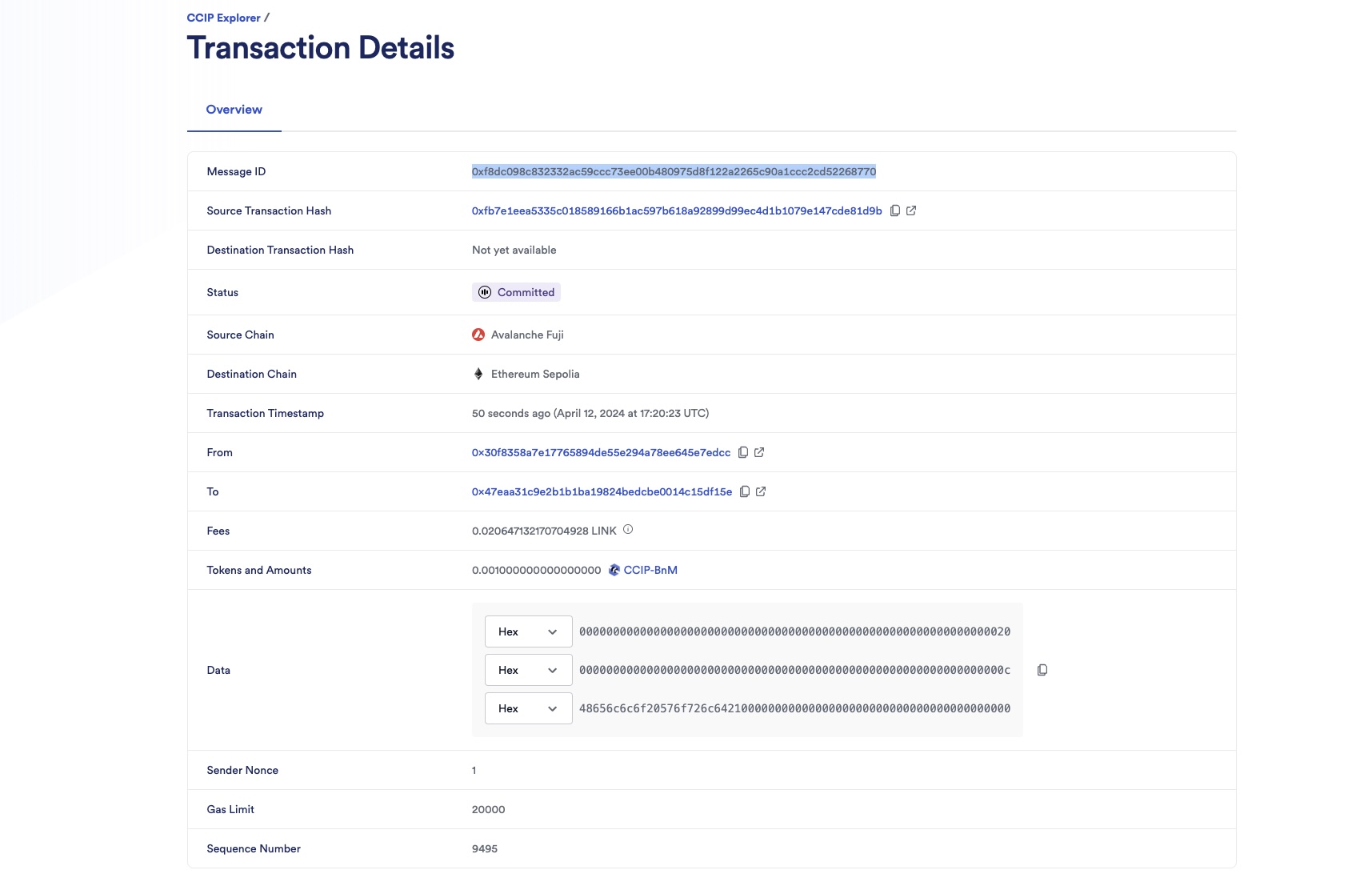
2. After a few minutes, the status will be updated to *Ready for manual execution* indicating that CCIP could not successfully deliver the message due to the initial low gas limit. At this stage, you have the option to override the gas limit.
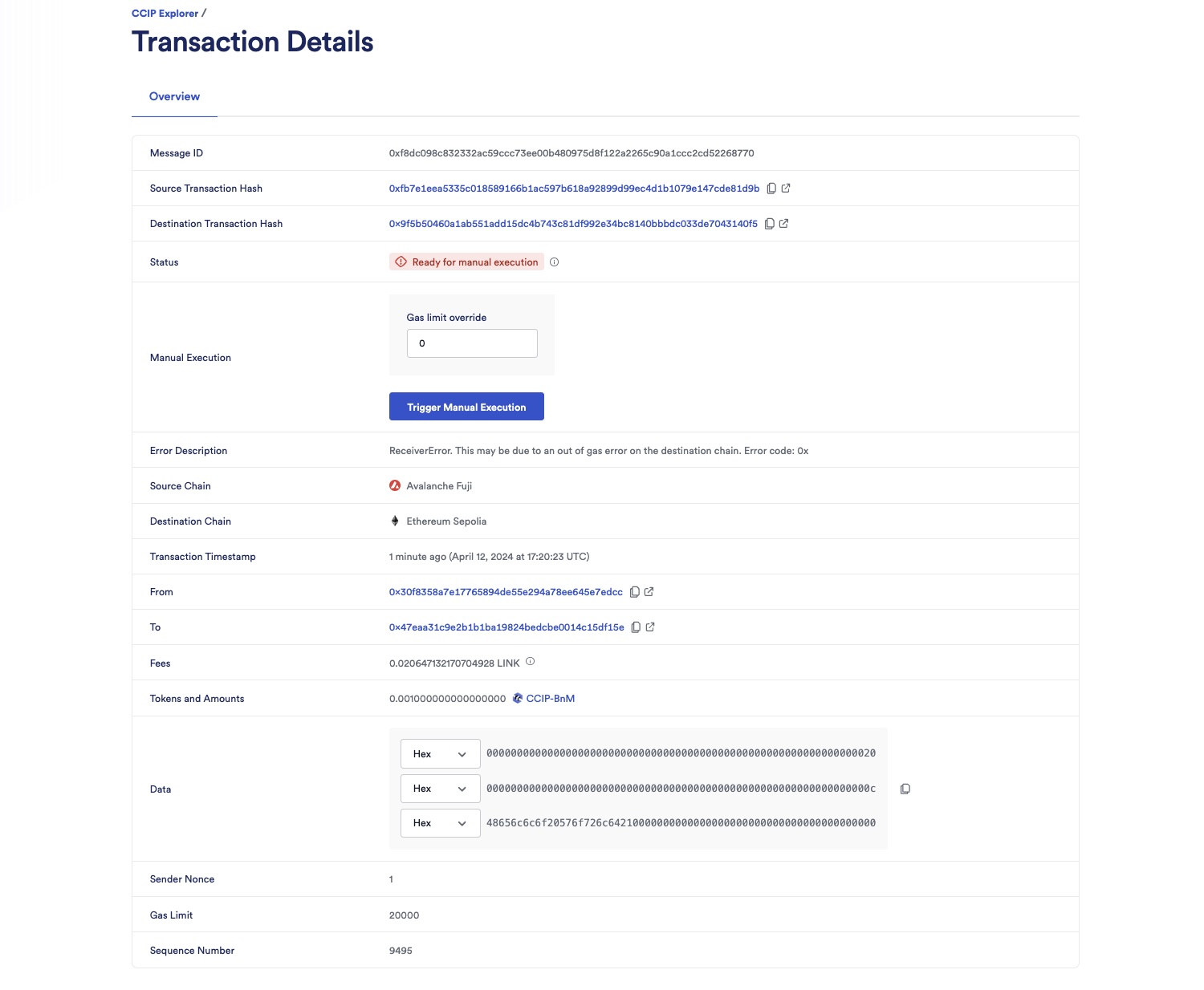
3. You can also confirm that the CCIP message was not delivered to the receiver contract on the destination chain:
1. Open MetaMask and select the network *Ethereum Sepolia*.
2. In Remix IDE, under *Deploy & Run Transactions*, open the list of transactions of your smart contract deployed on *Ethereum Sepolia*.
3. Call the `getLastReceivedMessageDetails` function.

4. Observe that the returned data is empty: the received messageId is *0x0000000000000000000000000000000000000000000000000000000000000000*, indicating no message was received. Additionally, the received text field is empty, the token address is the default *0x0000000000000000000000000000000000000000*, and the token amount shows as *0*.
### Manual execution
#### Investigate the root cause of receiver contract execution failure
To determine if a low gas limit is causing the failure in the receiver contract's execution, consider the following methods:
- Error analysis: Examine the error description in the CCIP explorer. An error labeled *ReceiverError. This may be due to an out of gas error on the destination chain. Error code: 0x*, often indicates a low gas issue.
- Advanced Investigation Tool: For a comprehensive analysis, employ a sophisticated tool like [Tenderly](https://tenderly.co/). Tenderly can provide detailed insights into the transaction processes, helping to pinpoint the exact cause of the failure.
To use [Tenderly](https://tenderly.co/):
1. Copy the destination transaction hash from the CCIP explorer. In this example, the destination transaction hash is *0x9f5b50460a1ab551add15dc4b743c81df992e34bc8140bbbdc033de7043140f5*.
2. Open Tenderly and search for your transaction. You should see an interface similar to the following:
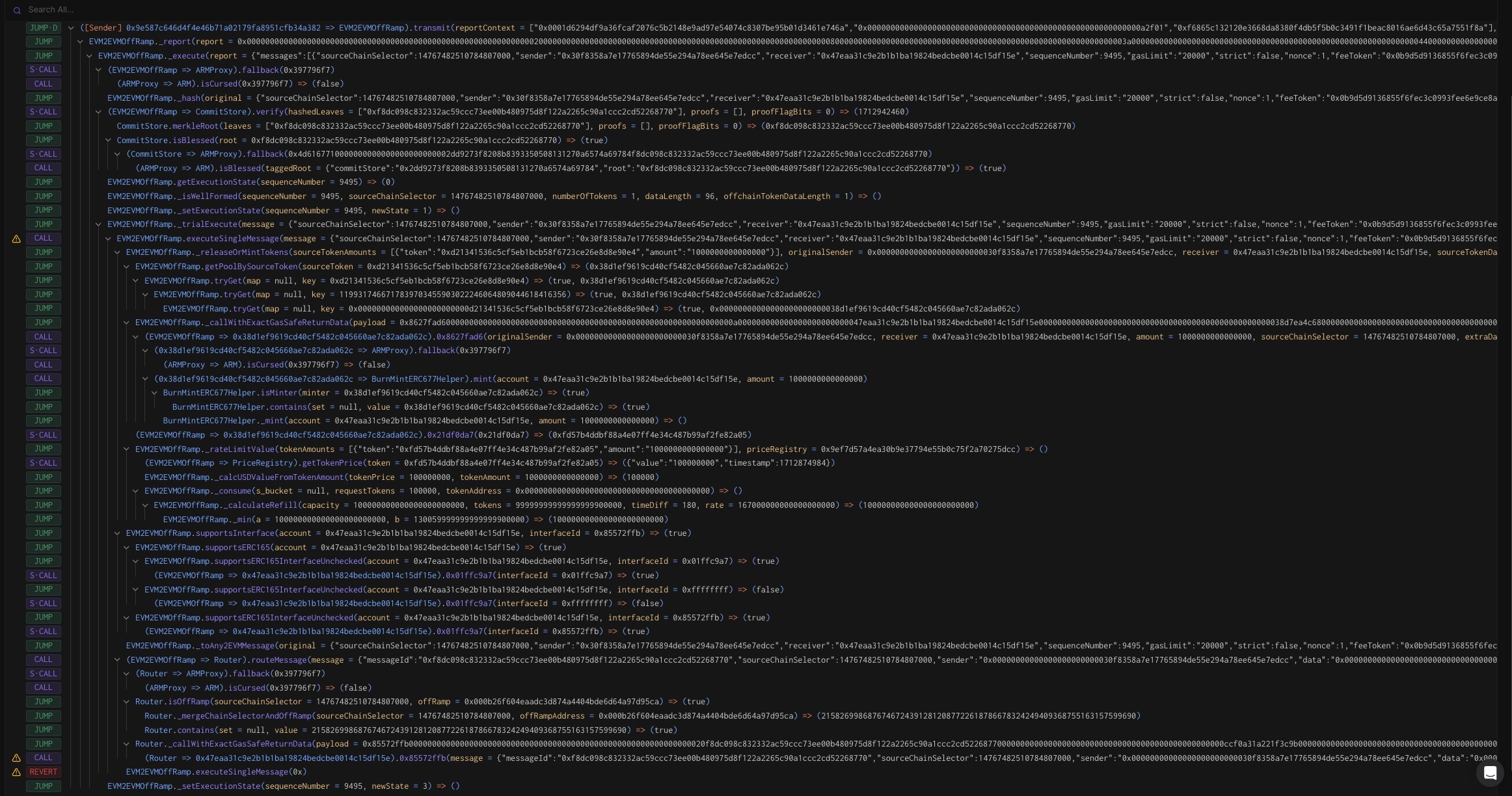
3. Enable *Full Trace* then click on *Reverts*.

4. Notice the *out of gas* error in the receiver contract. In this example, the receiver contract is *0x47EAa31C9e2B1B1Ba19824BedcbE0014c15df15e*.
#### Trigger manual execution
You will increase the gas limit and trigger manual execution:
1. In the [CCIP explorer](https://ccip.chain.link/), connect your wallet, set the *Gas limit override* to 200000, and click on *Trigger Manual Execution*.
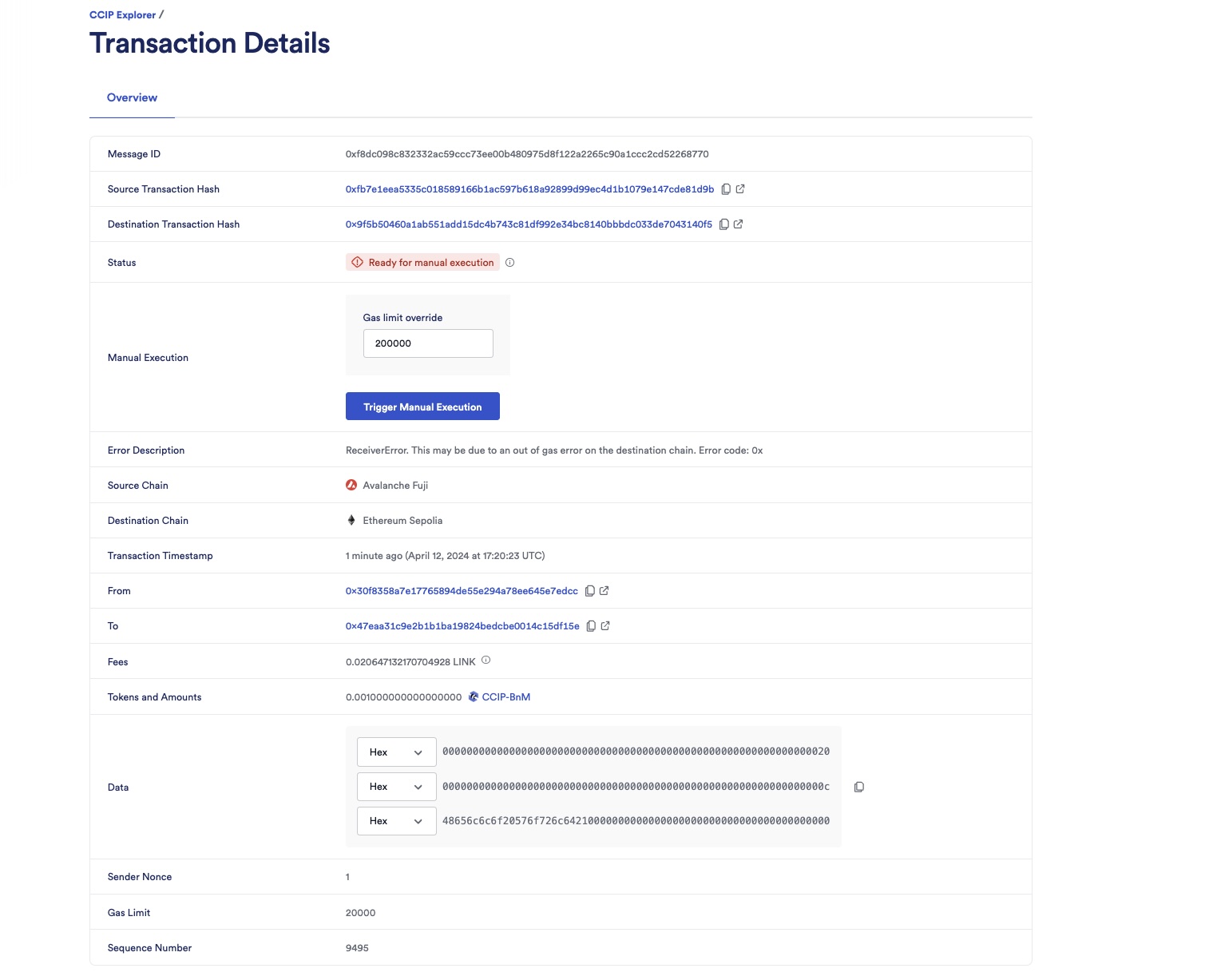
2. After you confirm the transaction on Metamask, the CCIP explorer shows you a confirmation screen.
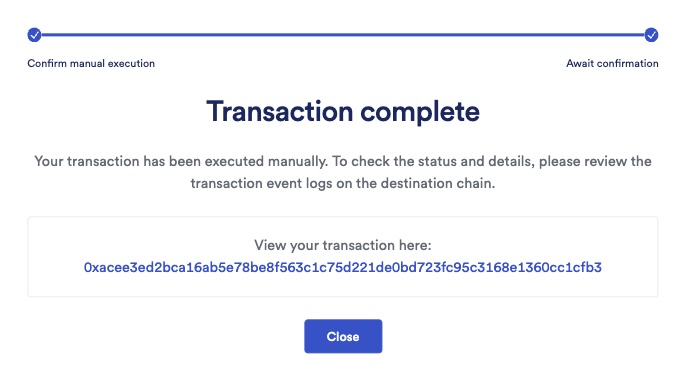
3. Click on the *Close* button and observe the status marked as *Success*.
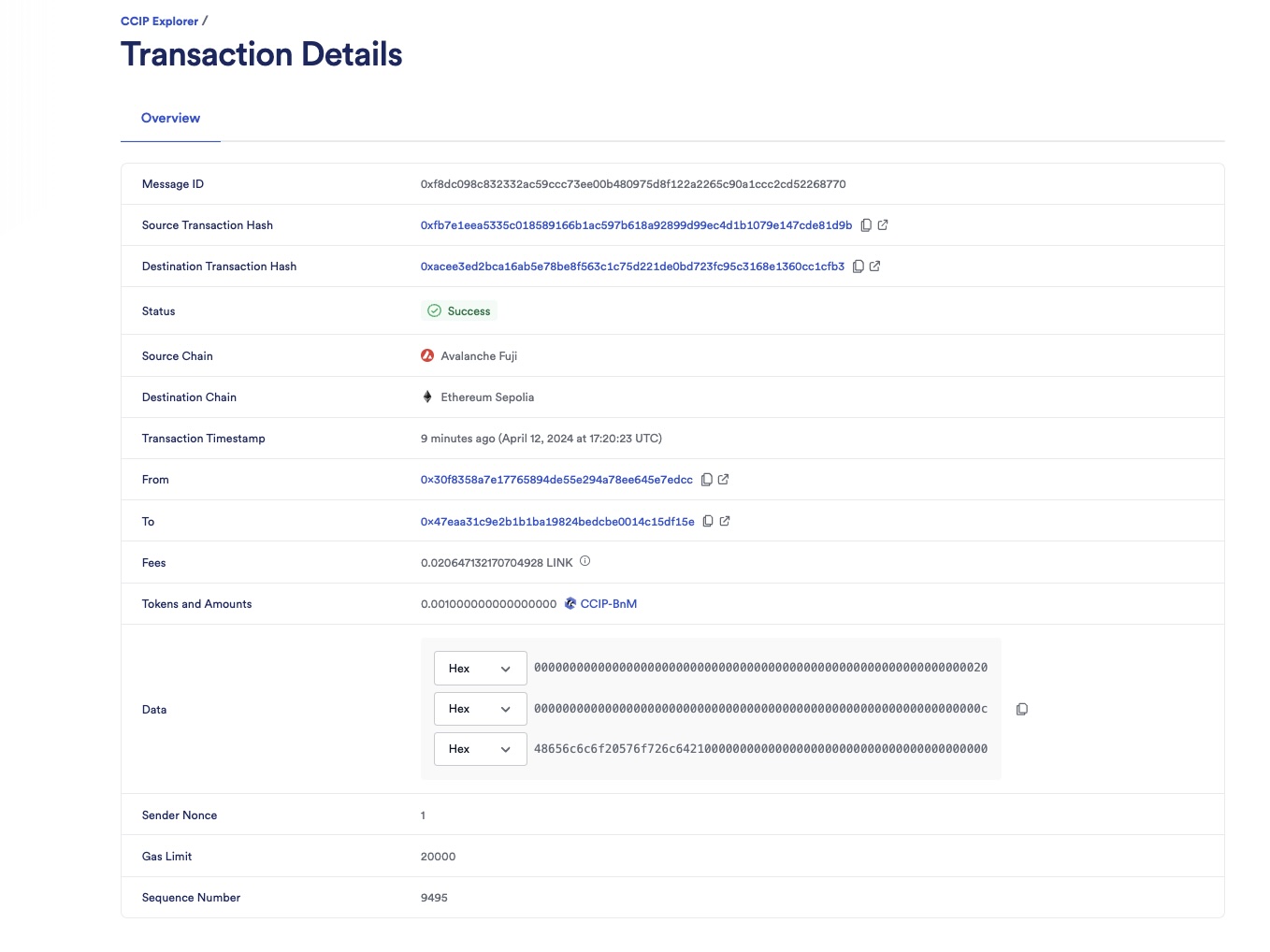
4. Check the receiver contract on the destination chain:
1. Open MetaMask and select the network *Ethereum Sepolia*.
2. In Remix IDE, under *Deploy & Run Transactions*, open the list of transactions of your smart contract deployed on *Ethereum Sepolia*.
3. Call the `getLastReceivedMessageDetails` function.

4. Notice the received messageId is *0xf8dc098c832332ac59ccc73ee00b480975d8f122a2265c90a1ccc2cd52268770*, the received text is *Hello World!*, the token address is *0xFd57b4ddBf88a4e07fF4e34C487b99af2Fe82a05* (CCIP-BnM token address on *Ethereum Sepolia*) and the token amount is 1000000000000000 (0.001 CCIP-BnM).
**Note**: These example contracts are designed to work bi-directionally. As an exercise, you can use them to transfer tokens and data from *Avalanche Fuji* to *Ethereum Sepolia* and from *Ethereum Sepolia* back to *Avalanche Fuji*.
## Explanation
> **NOTE: Integrate Chainlink CCIP v1.6.2 into your project**
>
> npm
> yarn
> foundry
>
> If you use [NPM](https://www.npmjs.com/), install the [@chainlink/contracts-ccip NPM package](https://www.npmjs.com/package/@chainlink/contracts-ccip):
>
> ```shell
> npm install @chainlink/contracts-ccip@1.6.2
> ```
>
> If you use [Yarn](https://yarnpkg.com/), install the [@chainlink/contracts-ccip NPM package](https://www.npmjs.com/package/@chainlink/contracts-ccip):
>
> ```shell
> yarn add @chainlink/contracts-ccip@1.6.2
> ```
>
> In your [Foundry](https://book.getfoundry.sh/) project, for easier integration, if you want to avoid installing the dependencies that are only used by the `chainlink-ccip` package, you can use either [NPM](https://www.npmjs.com/) or [Yarn](https://yarnpkg.com/) to install the `chainlink-ccip` package:
>
> - Using `npm`:
>
> ```shell
> npm install @chainlink/contracts-ccip@1.6.2
> ```
> - Using `yarn`:
>
> ```shell
> yarn add @chainlink/contracts-ccip@1.6.2
> ```
>
> Then, add the following remappings to your `remappings.txt` or `foundry.toml` file:
>
> ```
> "@chainlink/contracts-ccip/contracts/=node_modules/@chainlink/contracts-ccip/contracts/",
> "@chainlink/contracts/=node_modules/@chainlink/contracts/",
> "@openzeppelin/contracts@4.8.3/=node_modules/@openzeppelin/contracts-4.8.3/",
> "@openzeppelin/contracts@5.0.2/=node_modules/@openzeppelin/contracts-5.0.2/"
> ```
>
> Alternatively, if you prefer to use only [`forge install`](https://getfoundry.sh/forge/reference/install/), install the `chainlink-ccip` package along with its dependencies:
>
> ```shell
> forge install \
> smartcontractkit/chainlink-ccip@0e3e0fc5c0f70f0d50dca66b139142ddf3009294 \
> smartcontractkit/chainlink-evm@86aa5a1d34b20eda8d18fe6eb0e4882948e545ba \
> openzeppelin/openzeppelin-contracts@0a25c1940ca220686588c4af3ec526f725fe2582 \
> openzeppelin/openzeppelin-contracts@dbb6104ce834628e473d2173bbc9d47f81a9eec3
> ```
>
> Then set the remappings as follows:
>
> ```
> "@chainlink/contracts-ccip/contracts/=lib/chainlink-ccip/chains/evm/contracts/",
> "@chainlink/contracts/=lib/chainlink-evm/contracts/",
> "@openzeppelin/contracts@4.8.3/=lib/openzeppelin-contracts/contracts/",
> "@openzeppelin/contracts@5.0.2/=lib/openzeppelin-contracts/contracts/"
> ```
The smart contract used in this tutorial is configured to use CCIP for transferring and receiving tokens with data, similar to the contract in the [*Transfer Tokens with Data*](/ccip/tutorials/evm/programmable-token-transfers#explanation) section of that tutorial.
A key distinction in this tutorial is the intentional setup of a low gas limit of `20,000` for building the CCIP message. This specific gas limit setting is expected to fail the message delivery on the receiver contract in the destination chain:
```solidity
Client.EVMExtraArgsV2({
gasLimit: 20_000
allowOutOfOrderExecution: true
})
```
> **CAUTION: Best Practices**
>
> This example is simplified for educational purposes. For production code, please adhere to the following best practices:
>
> - **Do Not Hardcode `extraArgs`**: In this example, `extraArgs` are hardcoded within the contract for simplicity. It is recommended to make `extraArgs` mutable. For instance, you can construct `extraArgs` off-chain and pass them into your function calls, or store them in a storage variable that can be updated as needed. This approach ensures that `extraArgs` remain backward compatible with future CCIP upgrades. Refer to the [Best Practices](/ccip/concepts/best-practices/evm) guide for more information.
>
> - **Validate the Destination Chain**: Always ensure that the destination chain is valid and supported before sending messages.
>
> - **Understand `allowOutOfOrderExecution` Usage**: This example sets `allowOutOfOrderExecution` to `true` (see [GenericExtraArgsV2](/ccip/api-reference/evm/v1.6.1/client#genericextraargsv2)). Read the [Best Practices: Setting `allowOutOfOrderExecution`](/ccip/concepts/best-practices/evm#setting-allowoutoforderexecution) to learn more about this parameter.
>
> - **Understand CCIP Service Limits**: Review the [CCIP Service Limits](/ccip/service-limits) for constraints on message data size, execution gas, and the number of tokens per transaction. If your requirements exceed these limits, you may need to [contact the Chainlink Labs Team](https://chain.link/ccip-contact).
>
> Following these best practices ensures that your contract is robust, future-proof, and compliant with CCIP standards.
---
# Optimizing Gas Limit Settings in CCIP Messages
Source: https://docs.chain.link/ccip/tutorials/evm/ccipreceive-gaslimit
Last Updated: 2025-10-21
When constructing a [CCIP message](/ccip/api-reference/evm/v1.6.1/client#evm2anymessage), it's crucial to set the gas limit accurately. The gas limit represents the maximum amount of gas consumed to execute the [`ccipReceive`](/ccip/api-reference/evm/v1.6.1/ccip-receiver#ccipreceive) function on the CCIP Receiver, which influences the transaction fees for sending a CCIP message. Notably, unused gas is not reimbursed, making it essential to estimate the gas limit carefully:
- Setting the gas limit too low will cause the transaction to revert when CCIP calls `ccipReceive` on the CCIP Receiver, which requires a manual re-execution with an increased gas limit. For more details about this scenario, read the [Manual Execution](/ccip/tutorials/evm/manual-execution) guide.
- Conversely, an excessively high gas limit leads to higher fees.
This tutorial shows you how to estimate the gas limit for the `ccipReceive` function using various methods. You will learn how to use a CCIP Receiver where the gas consumption of the `ccipReceive` function varies based on the input data. This example emphasizes the need for testing under diverse conditions. This tutorial includes tasks for the following environments:
1. **Local Environment**: Using [Hardhat](https://hardhat.org/) and [Foundry](https://book.getfoundry.sh/) on a local blockchain provides a swift initial gas estimate. However, different frameworks can yield different results and the local environment will not always be representative of your destination blockchain. Consider these figures to be preliminary estimates. Then, incorporate a buffer and conduct subsequent validations on a testnet.
2. **Testnet**: You can precisely determine the required gas limit by deploying your CCIP Sender and Receiver on a testnet and transmitting several CCIP messages with the previously estimated gas. Although this approach is more time-intensive, especially if testing across multiple blockchains, it offers enhanced accuracy.
3. **Offchain Methods**: Estimating gas with an offchain Web3 provider or tools like [Tenderly](https://docs.tenderly.co/) offers the most accurate and swift way to determine the needed gas limit.
These approaches will give you insights into accurately estimating the gas limit for the `ccipReceive` function, ensuring cost-effective CCIP transactions.
Before you begin, open a terminal, clone the [smart-contract-examples repository](https://github.com/smartcontractkit/smart-contract-examples), and navigate to the `smart-contract-examples/ccip/estimate-gas` directory.
```bash
git clone https://github.com/smartcontractkit/smart-contract-examples.git && \
cd smart-contract-examples/ccip/estimate-gas
```
## Examine the code
The source code for the CCIP Sender and Receiver is located in the `contracts` directory for Hardhat projects and in the `src` directory for Foundry projects. The code includes detailed comments for clarity and is designed to ensure self-explanatory functionality. This section focuses on the `_ccipReceive` function:
```solidity
function _ccipReceive(Client.Any2EVMMessage memory any2EvmMessage) internal override {
uint256 iterations = abi.decode(any2EvmMessage.data, (uint256));
uint256 result = iterations;
uint256 maxIterations = iterations % 100;
for (uint256 i = 0; i < maxIterations; i++) {
result += i;
}
emit MessageReceived(
any2EvmMessage.messageId,
any2EvmMessage.sourceChainSelector,
abi.decode(any2EvmMessage.sender, (address)),
iterations,
maxIterations,
result
);
}
```
The `_ccipReceive` function operates as follows:
1. **Input Processing:** The function accepts a `Client.Any2EVMMessage`. The first step involves decoding the number of iterations from the message's data using ABI decoding.
2. **Logic Execution:** It initializes the `result` variable with the number of iterations. The function calculates `maxIterations` by taking the modulo of iterations with 100, which sets an upper limit for iteration. This step is a safeguard to ensure that the function does not run out of gas.
3. **Iteration:** The function executes a loop from 0 to `maxIterations`, simulating variable computational work based on the input data. This variability directly influences gas consumption.
4. **Event Emission:** Finally, an event `MessageReceived` is emitted.
This code shows how gas consumption for the `_ccipReceive` function can fluctuate in response to the input data, highlighting the necessity for thorough testing under different scenarios to determine the correct `gasLimit`.
## Gas estimation in a local environment
To facilitate testing within a local environment, you will use the [MockCCIPRouter](https://github.com/smartcontractkit/chainlink-ccip/blob/release/contracts-ccip-1.6.2/chains/evm/contracts/test/mocks/MockRouter.sol) contract. This contract serves as a mock implementation of the CCIP Router contract, enabling the local testing of CCIP Sender and Receiver contracts.
A notable feature of the `MockCCIPRouter` contract is its ability to emit a `MsgExecuted` event:
```solidity
event MsgExecuted(bool success, bytes retData, uint256 gasUsed)
```
This event reports the amount of gas consumed by the `ccipReceive` function.
### Foundry
#### Prerequisites
1. In your terminal, change to the `foundry` directory:
```bash
cd foundry
```
2. Ensure Foundry is [installed](https://book.getfoundry.sh/getting-started/installation).
3. Check the Foundry version:
```bash
forge --version
```
The output should be similar to the following:
```text
forge Version: 1.4.2-stable
Commit SHA: 828441d243f552f82c5a89bdc818e52bdd57b26b
Build Timestamp: 2025-10-18T08:19:39.947006000Z (1760775579)
Build Profile: maxperf
```
You need version 1.4.2 or above. Run `foundryup` to update Foundry if necessary.
4. Build your project:
```bash
forge build
```
The output should be similar to:
```text
[⠊] Compiling...
[⠑] Compiling 59 files with Solc 0.8.24
[⠘] Solc 0.8.24 finished in 1.67s
Compiler run successful!
```
#### Estimate gas
Located in the `test` directory, the `SendReceive.t.sol` test file assesses the gas consumption of the `ccipReceive` function. This file features a test case that sends a CCIP message to the `MockCCIPRouter` contract, which triggers the `MsgExecuted` event. This event provides insights into the gas requirements of the `ccipReceive` function by detailing the amount of gas consumed. The test case explores three scenarios to examine gas usage comprehensively across various operational conditions:
- **Baseline gas consumption:** This scenario runs `0` iteration to determine the baseline gas consumption, representing the least amount of gas required.
- **Average gas consumption:** This scenario runs `50` iterations to estimate the gas consumption under average operational conditions.
- **Peak gas consumption:** This scenario runs `99` iterations to estimate the peak gas consumption, marking the upper limit of gas usage.
To run the test, execute the following command:
```bash
forge test -vv --isolate
```
Output example:
```text
[⠊] Compiling...
No files changed, compilation skipped
Ran 3 tests for test/SendReceive.t.sol:SenderReceiverTest
[PASS] test_SendReceiveAverage() (gas: 137800)
Logs:
Number of iterations 50 - Gas used: 11323
[PASS] test_SendReceiveMax() (gas: 143803)
Logs:
Number of iterations 99 - Gas used: 17350
[PASS] test_SendReceiveMin() (gas: 131614)
Logs:
Number of iterations 0 - Gas used: 5173
Suite result: ok. 3 passed; 0 failed; 0 skipped; finished in 8.26ms (9.35ms CPU time)
Ran 1 test suite in 123.83ms (8.26ms CPU time): 3 tests passed, 0 failed, 0 skipped (3 total tests)
```
This table summarizes the gas usage for different iterations:
| Scenario | Number of iterations | Gas used |
| ------------------------ | -------------------- | -------- |
| Baseline gas consumption | 0 | 5173 |
| Average gas consumption | 50 | 11323 |
| Peak gas consumption | 99 | 17350 |
The output demonstrates that gas consumption increases with the number of iterations, peaking when the iteration count reaches `99`.
In the next section, you will compare these results with those obtained from a local Hardhat environment.
### Hardhat
#### Prerequisites
1. In your terminal, navigate to the `hardhat` directory:
```bash
cd ../hardhat
```
2. Install the dependencies:
```bash
npm install
```
3. Set the password to encrypt your environment variables using the following command:
```bash
npx env-enc set-pw
```
4. Set the following environment variables to deploy contracts on testnets:
- `PRIVATE_KEY`: The private key for your testnet wallet. If you use MetaMask, follow the instructions to [Export a Private Key](https://support.metamask.io/hc/en-us/articles/360015289632-How-to-export-an-account-s-private-key). **Note:** Your private key is needed to sign any transactions you make such as making requests.
- `ETHEREUM_SEPOLIA_RPC_URL`: The RPC URL for Ethereum Sepolia testnet. You can sign up for a personal endpoint from [Alchemy](https://www.alchemy.com/), [Infura](https://www.infura.io/), or another node provider service.
- `AVALANCHE_FUJI_RPC_URL`: The RPC URL for Avalanche Fuji testnet. You can sign up for a personal endpoint from [Infura](https://www.infura.io/) or another node provider service.
- `ETHERSCAN_API_KEY`: An Ethereum explorer API key, used to verify your contract. Follow [this guide](https://docs.etherscan.io/getting-started/viewing-api-usage-statistics) to get one from Etherscan.
Input these variables using the following command:
```bash
npx env-enc set
```
5. Compile the contracts:
```bash
npx hardhat compile
```
The output should be similar to:
```text
Compiled 4 Solidity files with solc 0.8.24 (evm target: shanghai)
Nothing to compile
```
#### Estimate gas
Located in the `test` directory, the `Send-Receive.ts` test file is designed to evaluate the gas usage of the `ccipReceive` function. This file employs the same logic as the Foundry test file, featuring three scenarios varying by the number of iterations. The test case transmits a CCIP message to the `MockCCIPRouter` contract, triggering the `MsgExecuted` event. This event provides insights into the gas requirements of the `ccipReceive` function by detailing the amount of gas used.
To run only the TypeScript tests, use the test nodejs task:
```bash
npx hardhat test nodejs
```
Example of the output:
```text
Running node:test tests
Final Gas Usage Report:
Number of iterations 0 - Gas used: 5151
Number of iterations 50 - Gas used: 11301
Number of iterations 99 - Gas used: 17328
Sender and Receiver
✔ should CCIP message from sender to receiver (760ms)
1 passing (1036ms)
```
This table summarizes the gas usage across different iterations:
| Scenario | Number of iterations | Gas used |
| ------------------------ | -------------------- | -------- |
| Baseline gas consumption | 0 | 5151 |
| Average gas consumption | 50 | 11301 |
| Peak gas consumption | 99 | 17328 |
The output demonstrates that gas consumption increases with the number of iterations, peaking when the iteration count reaches `99`.
### Compare the results from Foundry and Hardhat
This table summarizes the gas usage for different iterations from both Foundry and Hardhat:
| Scenario | Number of iterations | Gas used (Foundry) | Gas used (Hardhat) |
| ------------------------ | -------------------- | ------------------ | ------------------ |
| Baseline gas consumption | 0 | 5173 | 5151 |
| Average gas consumption | 50 | 11323 | 11301 |
| Peak gas consumption | 99 | 17350 | 17328 |
Gas usage trends across different iterations are consistent between Foundry and Hardhat and increase with the number of iterations, reaching a peak at 99. However, slight variations in gas usage between the two environments at each iteration level demonstrate the importance of extending gas usage estimation beyond local environment testing. To accurately determine the appropriate gas limit, it is recommended to conduct additional validations on the target blockchain. Setting the gas limit with a buffer is advisable to account for differences between local environment estimations and actual gas usage on the target blockchain.
### Estimate gas usage on your local environment
Now that you've locally estimated the gas usage of the `ccipReceive` function using the provided projects, you can apply the same approach to your own Foundry or Hardhat project. This section will guide you through estimating gas usage in your Foundry or Hardhat project.
#### Estimate `ccipReceive` gas usage locally in your Foundry project
To estimate the gas usage of the `ccipReceive` function within your own Foundry project, follow these steps:
1. Create a testing file in the `test` directory of your project and import the [`MockCCIPRouter`](https://github.com/smartcontractkit/chainlink-ccip/blob/release/contracts-ccip-1.6.2/chains/evm/contracts/test/mocks/MockRouter.sol) contract:
```solidity
import {MockCCIPRouter} from "@chainlink/contracts-ccip/contracts/test/mocks/MockRouter.sol";
```
***Note*:** The `MockCCIPRouter` receives the CCIP message from your CCIP Sender, calls the `ccipReceive` function on your CCIP Receiver, and emits the `MsgExecuted` event with the gas used.
2. Inside the `setUp` function, deploy the `MockCCIPRouter` contract, and use its address to deploy your CCIP Sender and CCIP Receiver contracts. For more details, check this [example](https://github.com/smartcontractkit/smart-contract-examples/blob/main/ccip/estimate-gas/foundry/test/SendReceive.t.sol#L23).
3. In your test cases:
1. Before transmitting any CCIP messages, use `vm.recordLogs()` to start capturing events. For more details, check this [example](https://github.com/smartcontractkit/smart-contract-examples/blob/main/ccip/estimate-gas/foundry/test/SendReceive.t.sol#L39).
2. After sending the CCIP message, use `vm.getRecordedLogs()` to collect the recorded logs. For more details, check this [example](https://github.com/smartcontractkit/smart-contract-examples/blob/main/ccip/estimate-gas/foundry/test/SendReceive.t.sol#L47-L64).
3. Parse the logs to find the `MsgExecuted(bool,bytes,uint256)` event and extract the gas used. For more details, check this [example](https://github.com/smartcontractkit/smart-contract-examples/blob/main/ccip/estimate-gas/foundry/test/SendReceive.t.sol#L53).
#### Estimate `ccipReceive` gas usage locally in your Hardhat project
To estimate the gas usage of the `ccipReceive` function within your own Hardhat project, follow these steps:
1. Create a Solidity file in the `contracts` directory of your project and import the [`MockCCIPRouter`](https://github.com/smartcontractkit/chainlink-ccip/blob/release/contracts-ccip-1.6.2/chains/evm/contracts/test/mocks/MockRouter.sol) contract:
```solidity
import {MockCCIPRouter} from "@chainlink/contracts-ccip/contracts/test/mocks/MockRouter.sol";
```
***Note*:** The `MockCCIPRouter` receives the CCIP message from your CCIP Sender, calls the `ccipReceive` function on your CCIP Receiver, and emits the `MsgExecuted` event with the gas used.
2. Create a testing file in your project's `test` directory.
3. Inside the `deployFixture` function, deploy the `MockCCIPRouter` contract and use its address to deploy your CCIP Sender and CCIP Receiver contracts. For more details, check this [example](https://github.com/smartcontractkit/smart-contract-examples/blob/main/ccip/estimate-gas/hardhat/test/Send-Receive.ts#L11).
4. In your test cases:
1. Send the CCIP message to the `MockCCIPRouter` contract. For more details, check this [example](https://github.com/smartcontractkit/smart-contract-examples/blob/main/ccip/estimate-gas/hardhat/test/Send-Receive.ts#L77).
2. Parse the logs to find the `MsgExecuted(bool,bytes,uint256)` event and extract the gas used. For more details, check this [example](https://github.com/smartcontractkit/smart-contract-examples/blob/main/ccip/estimate-gas/hardhat/test/Send-Receive.ts#L59).
## Gas estimation on a testnet
To accurately validate your local environment's gas usage estimations, follow these steps:
1. Deploy and configure the CCIP Sender contract on the Avalanche Fuji testnet and the CCIP Receiver contract on the Ethereum Sepolia testnet.
2. Send several CCIP messages with the same number of iterations used in your local testing. For this purpose, use the `sendCCIPMessage.ts` script in the `scripts/testing` directory. This script includes a 10% buffer over the estimated gas usage to ensure a sufficient gas limit. Refer to the table below for the buffered gas limits for each iteration:
| Scenario | Number of iterations | Estimated gas usage (Hardhat) | Buffered gas limit (+10%) |
| ------------------------ | -------------------- | ----------------------------- | ------------------------- |
| Baseline gas consumption | 0 | 5151 | 5666 |
| Average gas consumption | 50 | 11301 | 12431 |
| Peak gas consumption | 99 | 17328 | 19061 |
3. Use [Tenderly](https://dashboard.tenderly.co) to monitor and confirm that the transactions execute successfully within the buffered gas limits. Subsequently, compare the actual gas usage of the `ccipReceive` function on the Ethereum Sepolia testnet against the buffered limits to fine-tune the final gas limit.
This approach ensures that your gas limit settings are validated against real-world conditions on testnets, providing a more accurate and reliable estimation for deploying on live blockchains.
### Deploy and configure the contracts
To deploy and configure the CCIP Sender contract on the Avalanche Fuji testnet and the CCIP Receiver contract on the Ethereum Sepolia testnet, follow the steps below. **Note**: Your account must have some ETH tokens on Ethereum Sepolia and AVAX tokens on Avalanche Fuji.
1. Deploy the CCIP Sender on the Avalanche Fuji testnet:
```bash
npx hardhat run scripts/deployment/deploySender.ts --network avalancheFuji
```
2. Deploy the CCIP Receiver on the Ethereum Sepolia testnet:
```bash
npx hardhat run scripts/deployment/deployReceiver.ts --network ethereumSepolia
```
3. Authorize the Sender to send messages to Ethereum Sepolia:
```bash
npx hardhat run scripts/configuration/allowlistingForSender.ts --network avalancheFuji
```
4. Authorize the Receiver to receive messages from the Sender:
```bash
npx hardhat run scripts/configuration/allowlistingForReceiver.ts --network ethereumSepolia
```
Upon completion, you will find the CCIP Sender and Receiver contracts deployed and configured on their respective testnets. Contract addresses are available in the `scripts/generatedData.json` file.
### Send CCIP Messages
1. Send three CCIP messages with different numbers of iterations:
```bash
npx hardhat run scripts/testing/sendCCIPMessages.ts --network avalancheFuji
```
Example output:
```text
$ npx hardhat run scripts/testing/sendCCIPMessages.ts --network avalancheFuji
Approving 0x0b9d5D9136855f6FEc3c0993feE6E9CE8a297846 for 0x6e80C9d77B12470A6158459cED1616F705aA13Ea. Allowance is max uint256. Signer 0x8c244f0b2164e6a3bed74ab429b0ebd661bb14ca...
Number of iterations 0 - Gas limit: 5685 - Message Id: 0x7a51c84fd0734afef641e3578b29e718c208d6ac2e50826f73a3fec24076a72b
Number of iterations 50 - Gas limit: 16190 - Message Id: 0x348ab504289f5a0a0ffed023d8315668dbdd8a8a2ae93349845e837e397aa1ac
Number of iterations 99 - Gas limit: 26485 - Message Id: 0xe4dfdac75ae90f355583b356033179a89a95e5174256a04c371ab10dfe433d96
```
2. Open the [CCIP explorer](https://ccip.chain.link), search each message by its ID, and wait for each message to be successfully transmitted (`Status` in the explorer: `Success`).
For the example above, here are the destination transaction hashes:
| Message id | Ethereum Sepolia transaction hash |
| ------------------------------------------------------------------ | ------------------------------------------------------------------ |
| 0x7a51c84fd0734afef641e3578b29e718c208d6ac2e50826f73a3fec24076a72b | 0x25c26be00c5e72127588a29ef485b817dae0d1bf4cd59fd2446da9af03441413 |
| 0x348ab504289f5a0a0ffed023d8315668dbdd8a8a2ae93349845e837e397aa1ac | 0x25c26be00c5e72127588a29ef485b817dae0d1bf4cd59fd2446da9af03441413 |
| 0xe4dfdac75ae90f355583b356033179a89a95e5174256a04c371ab10dfe433d96 | 0x25c26be00c5e72127588a29ef485b817dae0d1bf4cd59fd2446da9af03441413 |
**Note** that the Ethereum Sepolia transaction hash is the same for all the messages. This is because CCIP batched the messages.
### Check the actual gas usage
1. Open [Tenderly](https://dashboard.tenderly.co) and Search for the [destination transaction hash](https://dashboard.tenderly.co/tx/sepolia/0x25c26be00c5e72127588a29ef485b817dae0d1bf4cd59fd2446da9af03441413).
2. Search for `_callWithExactGasSafeReturnData` that has payload containing your messageId (without `0x`). This is an [example](https://dashboard.tenderly.co/tx/0x25c26be00c5e72127588a29ef485b817dae0d1bf4cd59fd2446da9af03441413?trace=0.0.0.12.0.2.2) for `0x7a51c84fd0734afef641e3578b29e718c208d6ac2e50826f73a3fec24076a72b`.
3. Just below it, you will find the call trace from the Router to your Receiver contract. This is the [trace](https://dashboard.tenderly.co/tx/0x25c26be00c5e72127588a29ef485b817dae0d1bf4cd59fd2446da9af03441413?trace=0.0.0.12.0.2.2).
> **CAUTION: Note**
>
> Tenderly's numeric trace indices aren't stable over time (reprocessing can shift them), so if the trace link above
> doesn't work, you can still find the correct trace by searching for `_callWithExactGasSafeReturnData`.
4. Right below the `_callWithExactGasSafeReturnData`, you will see the `Router` => `Receiver`.`ccipReceive` call. If it shows "No source for this contract", click on "Fetch the contract from public explorer" to load the source code from Etherscan since it's already verified. When you click on the value of the `message` parameter, it will display the exact message ID (as `messageId`) (i.e., `0x7a51c84fd0734afef641e3578b29e718c208d6ac2e50826f73a3fec24076a72b` in this case) as one of its fields.
5. Click on the debugger and you'll get the gas details:
```text
"gas":{
"gas_left":5685
"gas_used":5016
"total_gas_used":7994315
}
```
6. Note the `gas_left` is equal to the limit that is set in the `sendCCIPMessages.ts` script: `5685`. The `gas_used` is the actual gas used by the Receiver contract to process the message.
7. Repeating the same steps for the other two messages, we can summarize the output:
| Scenario | Number of iterations | Estimated gas usage (Hardhat) | Buffered gas limit (+10%) | Gas used on testnet |
| ------------------------ | -------------------- | ----------------------------- | ------------------------- | ------------------- |
| Baseline gas consumption | 0 | 5151 | 5666 | 5016 |
| Average gas consumption | 50 | 11301 | 12431 | 11166 |
| Peak gas consumption | 99 | 17328 | 19061 | 17193 |
Testing on testnets has confirmed that a gas limit of `19061` is adequate for the `ccipReceive` function to execute successfully under various conditions. However, it is important to note that gas usage may differ across testnets. Therefore, it is advisable to conduct similar validation efforts on the blockchain where you intend to deploy. Deploying and validating contracts across multiple testnets can be time-consuming. For efficiency, consider using [offchain methods](#offchain-methods) to estimate gas usage.
## Offchain methods
This section guides you through estimating gas usage using two different offchain methods:
- A Web3 provider using the [ethers.js `estimateGas`](https://docs.ethers.org/v6/api/providers/#Provider-estimateGas) function.
- [Tenderly simulation API](https://docs.tenderly.co/reference/api#tag/Simulations/operation/simulateTransaction). The Tenderly simulation API provides a more accurate result (Read this [blog post](https://blog.tenderly.co/how-tenderly-enables-most-accurate-ethereum-gas-estimation/) to learn more) but you are limited to the blockchains supported by Tenderly.
These methods provide the most accurate and rapid means to determine the necessary gas limit for the `ccipReceive` function. You will use the same CCIP Receiver contract deployed on the Ethereum Sepolia testnet in the previous section.
### Prerequisites
1. In your terminal, navigate to the `offchain` directory:
```bash
cd ../offchain
```
2. Modify the `data.json` file to insert the deployed addresses of your Sender and Receiver contracts.
3. Install the dependencies:
```bash
npm install
```
4. Set the password to encrypt your environment variables:
```bash
npx env-enc set-pw
```
5. Set up the following environment variables:
- `ETHEREUM_SEPOLIA_RPC_URL`: The RPC URL for Ethereum Sepolia testnet. You can sign up for a personal endpoint from [Alchemy](https://www.alchemy.com/), [Infura](https://www.infura.io/), or another node provider service.
- `TENDERLY_ACCOUNT_SLUG`: This is one part of your Tenderly API URL. You can [find this value in your Tenderly account](https://docs.tenderly.co/account/projects/account-project-slug).
- `TENDERLY_PROJECT_SLUG`: This is one part of your Tenderly API URL. You can [find this value in your Tenderly account](https://docs.tenderly.co/account/projects/account-project-slug).
- `TENDERLY_ACCESS_KEY`: If you don't already have one, you can [generate a new access token](https://docs.tenderly.co/account/projects/how-to-generate-api-access-token).
Input these variables using the following command:
```bash
npx env-enc set
```
6. Generate [Typechain typings](https://www.npmjs.com/package/typechain) for the Receiver contract:
```bash
npm run generate-types
```
### Introduction of the scripts
The scripts are located in the `src` directory. Each script is self-explanatory and includes comprehensive comments to explain its functionality and usage. There are three scripts:
- `estimateGasProvider.ts`: This script uses the [`eth_estimateGas`](https://docs.alchemy.com/reference/eth-estimategas) Ethereum API to estimate the gas usage of the `ccipReceive` function. It simulates sending three CCIP messages to the Receiver contract with a varying number of iterations and estimates the gas usage using the [ethers.js `estimateGas`](https://docs.ethers.org/v6/api/providers/#Provider-estimateGas) function.
- `estimateGasTenderly.ts`: This script leverages the Tenderly `simulate` API to estimate the gas usage of the `ccipReceive` function. Similar to the previous script, it simulates sending three CCIP messages to the Receiver contract with different numbers of iterations and estimates the gas usage using the [Tenderly `simulate` API](https://docs.tenderly.co/reference/api#tag/Simulations/operation/simulateTransaction).
- `helper.ts`: This script contains helper functions used by the other scripts. The two main functions are:
- `buildTransactionData`: This function constructs a CCIP message for a specified number of iterations and then returns the transaction data.
- `estimateIntrinsicGas`: Exclusively called by the `estimateGasProvider.ts` script, this function estimates the intrinsic gas of a transaction. The intrinsic gas represents the minimum amount of gas required before executing a transaction. It is determined by the transaction data and the type of transaction. Since this gas is paid by the initiator of the transaction, we use this function to estimate the intrinsic gas and then deduct it from the total gas used to isolate the gas consumed by the `ccipReceive` function.
### Estimate gas using a Web3 provider
Ethereum nodes implement the [`eth_estimateGas`](https://docs.alchemy.com/reference/eth-estimategas) Ethereum API to predict the gas required for a transaction's successful execution. To estimate the gas usage of the `ccipReceive` function, you can directly call the `eth_estimateGas` API via a Web3 provider or leverage a library like ethers.js, simplifying this interaction. This guide focuses on the [ethers.js `estimateGas`](https://docs.ethers.org/v6/api/providers/#Provider-estimateGas) function for gas estimation. To estimate the gas usage, execute the following command in your terminal:
```bash
npm run estimate-gas-provider
```
Example output:
```text
$ npm run estimate-gas-provider
> offchain-simulator@1.0.0 estimate-gas-provider
> ts-node src/estimateGasProvider.ts
Final Gas Usage Report:
Number of iterations: 0 - Gas used: 5363
Number of iterations: 50 - Gas used: 11525
Number of iterations: 99 - Gas used: 17564
```
The estimate may exceed the actual gas used by the transaction for various reasons, including differences in node performance and EVM mechanics. For a more precise estimation, consider using Tenderly (see the next section for details).
### Estimate gas using Tenderly
To estimate the gas usage of the `ccipReceive` function using Tenderly, execute the following command:
```bash
npm run estimate-gas-tenderly
```
Example output:
```text
$ npm run estimate-gas-tenderly
> offchain-simulator@1.0.0 estimate-gas-tenderly
> ts-node src/estimateGasTenderly.ts
Final Gas Usage Report:
Number of iterations: 0 - Gas used: 5016
Number of iterations: 50 - Gas used: 11166
Number of iterations: 99 - Gas used: 17193
```
### Comparison
The table below summarizes the gas estimations for different iterations using both Web3 provider and Tenderly:
| Scenario | Number of iterations | Gas estimated (Web3 provider) | Gas estimated (Tenderly) |
| ------------------------ | -------------------- | ----------------------------- | ------------------------ |
| Baseline gas consumption | 0 | 5363 | 5016 |
| Average gas consumption | 50 | 11525 | 11166 |
| Peak gas consumption | 99 | 17564 | 17193 |
The gas estimations from both Web3 provider and Tenderly are consistent across different iterations and align with actual testnet results. This demonstrates the accuracy and reliability of these offchain methods in estimating gas usage. However, you can notice that Tenderly provides more accurate results.
## Conclusion
This tutorial has guided you through estimating the gas limit for the `ccipReceive` function using various methods. You have learned how to estimate gas usage in a local environment using Hardhat and Foundry, validate these estimations on testnets, and use offchain methods to estimate gas usage.
As we have explored various methods for estimating gas for the `ccipReceive` function, it is crucial to apply this knowledge effectively. Here are some targeted recommendations to enhance your approach to gas estimation:
1. **Comprehensive Testing:** Emphasize testing under diverse scenarios to ensure your gas estimations are robust. Different conditions can significantly affect gas usage, so covering as many cases as possible in your tests is crucial.
2. **Preliminary Local Estimates:** Local testing is a critical first step for estimating gas and ensuring your contracts function correctly under various scenarios. While Hardhat and Foundry facilitate development and testing, it's key to remember that these environments may not perfectly mirror your target blockchain's conditions. These initial estimates serve as valuable insights, guiding you toward more accurate gas limit settings when you proceed to testnet validations. Incorporating a buffer based on these preliminary results can help mitigate the risks of underestimating gas requirements due to environmental differences.
3. **Efficiency with Offchain Methods:** Since testing across different blockchains can be resource-intensive, leaning on offchain methods for gas estimation is invaluable. Tools such as Tenderly not only facilitate rapid and accurate gas usage insights on your target blockchains but also enable you to simulate the execution of the `ccipReceive` function on actual contracts deployed on mainnets. If Tenderly doesn't support a particular blockchain, a practical alternative is to use a Web3 provider that does support that chain, as illustrated in the [Estimate gas using a Web3 provider](#estimate-gas-using-a-web3-provider) section. This is particularly helpful when considering the diversity in gas metering rules across blockchains. This approach saves time and enhances the precision of your gas limit estimations, allowing for more cost-effective transactions from your dApp.
---
# Implementing CCIP Receivers
Source: https://docs.chain.link/ccip/tutorials/svm/receivers
Last Updated: 2025-07-25
> **NOTE: Prerequisites**
>
> This reference guide assumes familiarity with:
>
> - [Rust](https://www.rust-lang.org/) and the [Anchor
> framework](https://www.anchor-lang.com/)
> - [Solana program
> development](https://solana.com/docs)
> - [CCIP architecture](/ccip/concepts/architecture/overview)
# Implementing CCIP Receivers for Solana
This reference guide explains the key components and security patterns required for building Solana programs that can receive cross-chain messages via Chainlink's Cross-Chain Interoperability Protocol (CCIP).
## Introduction
A CCIP Receiver is a Solana program that implements the [`ccip_receive`](/ccip/api-reference/svm/v1.6.0/receiver#ccip_receive) instruction, allowing it to process incoming cross-chain messages. It can handle both arbitrary data payloads and/or token transfers, serving as the destination endpoint for CCIP messages.
## Security Architecture
To build a secure CCIP receiver program, you need to understand how it interacts with the core CCIP programs.
Your receiver program interacts with two external CCIP components:
### Architectural Components
The CCIP security architecture consists of:
1. **Receiver Program** (your SVM program)
- Implements the [`ccip_receive`](/ccip/api-reference/svm/v1.6.0/receiver#ccip_receive) instruction
- Validates that messages come from an authorized OffRamp program
2. **CCIP Router**
- Central coordinator of cross-chain communication
- Manages allowed OffRamps
- Creates PDAs that verify OffRamp authorization
3. **CCIP Offramp**
- Delivers messages to the receiver program
- Uses a specific PDA to sign transactions calling your program
### Security Model
The security model relies on three critical validations:
1. **Authority Validation**
- Verify the calling authority
- is a legitimate Offramp PDA
- This prevents unauthorized programs from sending fake messages
2. **Router Validation**
- Verify the Offramp is authorized by the Router
- This ensures only trusted Offramps approved by the Router can deliver messages
3. **Optional Sender Validation**
- Optionally validate the source chain and sender address
- This provides an additional layer of security by restricting which sources can send messages
## Core Components of a CCIP Receiver
A complete CCIP Receiver implementation contains several key components, each serving a specific purpose in the cross-chain messaging system.
### Message Structure
CCIP messages follow a standardized structure that your program must be prepared to receive:
```rust
#[derive(Debug, Clone, AnchorSerialize, AnchorDeserialize)]
pub struct Any2SVMMessage {
pub message_id: [u8; 32],
pub source_chain_selector: u64,
pub sender: Vec,
pub data: Vec,
pub token_amounts: Vec,
}
#[derive(Debug, Clone, AnchorSerialize, AnchorDeserialize, Default)]
pub struct SVMTokenAmount {
pub token: Pubkey,
pub amount: u64, // solana local token amount
}
```
These structures contain:
- `message_id`: A unique identifier for the message
- `source_chain_selector`: The chain ID of the source chain
- `sender`: The address of the sender on the source chain
- `data`: The arbitrary data payload
- `token_amounts`: An array of tokens and amounts being transferred
### The CcipReceive Context
The account context for the `ccip_receive` instruction is the most critical security component of your program. It must follow this exact pattern:
```rust
#[derive(Accounts, Debug)]
#[instruction(message: Any2SVMMessage)]
pub struct CcipReceive<'info> {
// Offramp CPI signer PDA must be first.
#[account(
seeds = [EXTERNAL_EXECUTION_CONFIG_SEED, crate::ID.as_ref()],
bump,
seeds::program = offramp_program.key(),
)]
pub authority: Signer<'info>,
/// CHECK offramp program: exists only to derive the allowed offramp PDA
pub offramp_program: UncheckedAccount<'info>,
/// CHECK PDA of the router program verifying the signer is an allowed offramp.
#[account(
owner = state.router @ CcipReceiverError::InvalidCaller,
seeds = [
ALLOWED_OFFRAMP,
message.source_chain_selector.to_le_bytes().as_ref(),
offramp_program.key().as_ref()
],
bump,
seeds::program = state.router,
)]
pub allowed_offramp: UncheckedAccount<'info>,
// Program-specific accounts follow...
#[account(
seeds = [STATE],
bump,
)]
pub state: Account<'info, BaseState>,
// Additional program accounts as needed...
}
```
> **CAUTION: Critical Security Pattern**
>
> The account structure above implements the required security pattern for CCIP Receivers:
>
> 1. The first three accounts
> (`authority`, `offramp_program`, and `allowed_offramp`) are provided by the CCIP Offramp program
> 2. These three accounts form the security validation chain
> 3. The `state` account and any additional accounts are provided by the message sender and are specific to your program's needs
> 4. It's critical to have the router stored in a state PDA so it can be used to verify the `allowed_offramp` PDA
> 5. Depending on your program's functionality, the context can include additional accounts that are specific to your use case
### Program State
Your program needs state accounts to store configuration information, most importantly the router address:
```rust
#[account]
#[derive(InitSpace, Default, Debug)]
pub struct BaseState {
pub owner: Pubkey,
pub proposed_owner: Pubkey,
pub router: Pubkey,
}
```
This is a basic example of state storage, but your program can have more complex state structures with additional data. The critical requirement is that the state must store the router address for verification of the `allowed_offramp` PDA.
### Extending the CcipReceive Context
While the first three accounts in the CcipReceive context are mandatory and must follow the exact security pattern shown above, **you must extend this structure with additional program-specific accounts** based on your specific use case.
These additional accounts will be provided when your program is called through the CCIP Offramp. In your `ccip_receive` instruction, you should validate these accounts according to your application's security requirements before using them.
### The `ccip_receive` Instruction
The core instruction that implements the CCIP receiver interface:
```rust
/// This instruction is called by the CCIP Offramp to execute the CCIP message.
/// The method name needs to be ccip_receive with Anchor encoding.
/// If not using Anchor, the discriminator needs to be [0x0b, 0xf4, 0x09, 0xf9, 0x2c, 0x53, 0x2f, 0xf5]
pub fn ccip_receive(ctx: Context, message: Any2SVMMessage) -> Result<()> {
// Process message data
if !message.data.is_empty() {
// Custom data processing logic here
}
// Process token transfers
if !message.token_amounts.is_empty() {
// Custom token handling logic here
}
// Emit event for tracking
emit!(MessageReceived {
message_id: message.message_id,
source_chain_selector: message.source_chain_selector,
sender: message.sender.clone(),
});
Ok(())
}
```
> **NOTE: Instruction Name and Discriminator**
>
> When using Anchor, the instruction name must be exactly `ccip_receive`. If not using Anchor, the instruction
> discriminator must be `[0x0b, 0xf4, 0x09, 0xf9, 0x2c, 0x53, 0x2f, 0xf5]`. This exact name/discriminator is required
> for the CCIP Offramp to identify your program as a valid receiver.
> **NOTE: Additional Program Instructions**
>
> While this guide focuses on the `ccip_receive` instruction, a comprehensive CCIP Receiver should also implement
> several administrative instructions:
>
> - `initialize`: Set up initial state with router address and owner
> - `update_router`: Update the router address (restricted to owner)
> - `transfer_ownership`: Begin ownership transfer process
> - `accept_ownership`: Complete ownership transfer
> - `withdraw_tokens`: Allow controlled withdrawal of received tokens
>
> These administrative functions are not directly related to receiving messages but are important for proper program
> management and security.
## Security Considerations
Building secure CCIP Receivers requires attention to several key areas:
### Caller Validation
The most critical security aspect is validating that the caller is a legitimate CCIP Offramp. This is handled by the account constraints in the `CcipReceive` context:
```rust
// Offramp CPI signer PDA must be first.
#[account(
seeds = [EXTERNAL_EXECUTION_CONFIG_SEED, crate::ID.as_ref()],
bump,
seeds::program = offramp_program.key(),
)]
pub authority: Signer<'info>,
```
This constraint ensures that the transaction is signed by a PDA derived from the offramp program using a specific seed. Only the legitimate CCIP Offramp can produce this signature.
### Router Authorization
The second critical validation is ensuring that the offramp is authorized by the CCIP Router:
```rust
#[account(
owner = state.router @ CcipReceiverError::InvalidCaller,
seeds = [
ALLOWED_OFFRAMP,
message.source_chain_selector.to_le_bytes().as_ref(),
offramp_program.key().as_ref()
],
bump,
seeds::program = state.router,
)]
pub allowed_offramp: UncheckedAccount<'info>,
```
This validates that:
1. The `allowed_offramp` PDA exists and is owned by the router program
2. The PDA is derived using the correct seeds that include the source chain and offramp program ID
3. This proves the router has authorized this specific offramp for this specific source chain
### Optional Sender Validation
For additional security, you can implement sender validation:
```rust
// Optional additional validation in ccip_receive
pub fn ccip_receive(ctx: Context, message: Any2SVMMessage) -> Result<()> {
// Verify sender is approved (if implementing allowlist)
let is_approved = is_sender_approved(
ctx.accounts.state,
message.source_chain_selector,
&message.sender
);
require!(is_approved, CcipReceiverError::InvalidChainAndSender);
// Continue with message processing...
Ok(())
}
```
### Message Deduplication
To prevent replay attacks, consider tracking processed message IDs:
```rust
// In your ccip_receive instruction:
// Check if message has already been processed
let is_duplicate = ctx.accounts.processed_messages
.messages
.contains(&message.message_id);
require!(!is_duplicate, CcipReceiverError::DuplicateMessage);
// Record the message ID to prevent reprocessing
ctx.accounts.processed_messages.messages.push(message.message_id);
if ctx.accounts.processed_messages.messages.len() > MAX_STORED_MESSAGES {
ctx.accounts.processed_messages.messages.remove(0);
}
```
## Token Handling for Receivers
CCIP receivers that handle tokens need to understand how tokens are delivered and how to properly manage them.
### Token Delivery Process
When tokens are sent via CCIP to a Solana program:
1. The tokens are initially delivered to a token account specified as the `tokenReceiver` in the CCIP message
2. For programmable token transfers, this `tokenReceiver` must be a PDA that your program has authority over
3. Your program must implement the logic to handle the received tokens
> **CAUTION: Token Ownership**
>
> The `tokenReceiver` PDA must be controlled by your program, or the tokens will be inaccessible.
### Token Admin PDA
Create a dedicated PDA to serve as your program's token administrator:
```rust
#[account(
init,
seeds = [TOKEN_ADMIN_SEED],
bump,
payer = authority,
space = ANCHOR_DISCRIMINATOR,
)]
/// CHECK: CPI signer for tokens
pub token_admin: UncheckedAccount<'info>,
```
This token_admin PDA should:
1. Be initialized during program setup
2. Be used as the authority for token accounts that will receive CCIP tokens
3. Sign token transfer instructions (e.g., for forwarding tokens to their final destination)
### remaining_accounts
For each token being transferred, your `remaining_accounts` typically needs:
1. `token_mint`: The mint account of the token
2. `source_token_account`: The account that received tokens from CCIP
3. `token_admin`: Your program's PDA with authority over the source account
4. `recipient_token_account`: The final destination for the tokens
5. `token_program`: The SPL Token program (Token or Token-2022)
**Note**: The pattern may vary depending on your specific implementation needs.
## Best Practices
When implementing CCIP Receivers, follow these best practices:
1. **Follow the Security Pattern**: Always use the exact account validation pattern shown in the `CcipReceive` context
2. **Store the Router Address**: Store and validate the router address to ensure only allowed offramps can call your program
3. **Handle Token Security**: Use PDAs with proper token authority for receiving and managing tokens
4. **Consider Message Deduplication**: Track message IDs to prevent replaying the same message
5. **Implement Proper Error Handling**: Use specific error codes and messages for better debugging and security
6. **Use Events for Tracking**: Emit events when processing messages to facilitate off-chain tracking and indexing
7. **Test Thoroughly**: Test your receiver with various message types, token amounts, and edge cases
## Example Implementation
For a complete, audited reference implementation of a CCIP Receiver, you can examine the [example-ccip-receiver](https://github.com/smartcontractkit/chainlink-ccip/tree/solana-v1.6.0/chains/solana/contracts/programs/example-ccip-receiver) in the Chainlink CCIP repository. This example demonstrates all the security patterns and best practices covered in this guide and can serve as a starting point for your own implementation.
---
# CCIP Tutorials: SVM to EVM
Source: https://docs.chain.link/ccip/tutorials/svm/source
Last Updated: 2025-07-25
This section provides comprehensive guides and tutorials for implementing cross‑chain communication from Solana to Ethereum using Chainlink CCIP.
## Getting Started
Before implementing specific use cases, it's important to set up your environment and understand the fundamental concepts:
- [Building CCIP Messages from SVM to EVM](/ccip/tutorials/svm/source/build-messages) - Learn the core message structure, required parameters, and implementation details for all message types
- [Prerequisites for SVM to EVM Tutorials](/ccip/tutorials/svm/source/prerequisites) - Set up your development environment with Solana CLI tools, wallets, token accounts, and delegations
## Tutorials by Use Case
Depending on your specific needs, choose the appropriate tutorial:
- [Token Transfers](/ccip/tutorials/svm/source/token-transfers) - Send tokens from Solana to EVM chains without executing code on the destination
---
# Building CCIP Messages from SVM to EVM
Source: https://docs.chain.link/ccip/tutorials/svm/source/build-messages
Last Updated: 2025-07-25
## Introduction
This guide explains how to construct CCIP Messages from SVM chains (e.g. Solana) to EVM chains (e.g. Ethereum, Arbitrum, Avalanche, etc.). We'll cover the message structure, required parameters, account management, and implementation details for different message types including token transfers, arbitrary data messaging, and programmable token transfers (data and tokens).
## CCIP Message Structure
CCIP messages from SVM are built using the [`SVM2AnyMessage`](/ccip/api-reference/svm/v1.6.0/messages#svm2anymessage) struct from the CCIP Router program. See the [CCIP Router API Reference](/ccip/api-reference/svm/v1.6.0/router) for complete details. The `SVM2AnyMessage` struct is defined as follows:
```rust
pub struct SVM2AnyMessage {
pub receiver: Vec,
pub data: Vec,
pub token_amounts: Vec,
pub fee_token: Pubkey, // pass zero address if native SOL
pub extra_args: Vec,
}
```
### receiver
- For EVM destinations:
- **This is** the address of the contract or wallet that will receive the message
- **Target** either smart contracts that implement `ccipReceive` function or user wallets for token-only transfers
- **Must be properly formatted** as a 32-byte Solana-compatible byte array
> **NOTE: Converting EVM Addresses for Solana**
>
> EVM addresses (20 bytes) must be converted to Solana-compatible format (32 bytes) for CCIP messages. This format difference exists because Solana accounts are always 32 bytes.
>
> **The conversion process:**
>
> 1. Start with a standard EVM address (0x-prefixed, 20 bytes)
> 2. Remove the 0x prefix and convert to a byte array
> 3. Left-pad with zeros to reach 32 bytes
>
> ```javascript
> function evmAddressToSolanaBytes(evmAddress) {
> // Remove 0x prefix if present
> const hex = evmAddress.startsWith('0x') ? evmAddress.slice(2) : evmAddress;
>
> // Convert hex to bytes (assumes valid Ethereum address)
> const addressBytes = Buffer.from(hex, 'hex');
>
> // Left-pad to 32 bytes
> const paddedBytes = Buffer.alloc(32);
> paddedBytes.set(addressBytes, 32 - addressBytes.length);
>
> return paddedBytes;
> }
> ```
### data
- **Definition**: Contains the payload that will be passed to the receiving contract on the destination chain
- **For token-only transfers**: Must be empty
- **For arbitrary messaging** or **programmable token transfers**: Contains the data the receiver contract will process
- **Encoding consideration**: The receiver on the destination chain must be able to correctly decode this data.
> **NOTE: Data Encoding for Cross-Chain Messages**
>
> When sending data from Solana to EVM chains, there are two important steps:
>
> 1. **Format the data** for the receiving contract (optional but recommended for EVM)
> 2. **Convert to Buffer format** for the Solana CCIP Router program
>
> **Example using [ethers.js](https://www.npmjs.com/package/ethers) for [EVM ABI encoding](https://docs.soliditylang.org/en/latest/abi-spec.html):**
>
> ```javascript
> import { ethers } from 'ethers';
>
> // Step 1: Format data for EVM contract (using ABI encoding)
> const messageData = ethers.AbiCoder.defaultAbiCoder().encode(["string"], ["Hello World"]);
>
> // Step 2: Convert to Buffer format for the Solana CCIP Router
> const dataBuffer = messageDataToBuffer(messageData);
>
> // Use in your message
> const message = {
> receiver: evmAddressToSolanaBytes(receiverAddress),
> data: dataBuffer,
> // ... other message fields
> };
> ```
>
> **Helper function to convert data to Buffer format:**
>
> ```javascript
> /**
> * Converts message data to a Buffer format required by Solana
> * This conversion is needed regardless of destination chain
> */
> function messageDataToBuffer(messageData) {
> // Return empty buffer for empty data
> if (!messageData) {
> return Buffer.alloc(0);
> }
>
> // Handle hex strings (from ABI encoding) or regular strings
> return messageData.startsWith("0x")
> ? Buffer.from(messageData.slice(2), "hex")
> : Buffer.from(messageData);
> }
> ```
### tokenAmounts
- **Definition**: An array of token addresses and amounts to transfer
- **Each token** is represented by a `SVMTokenAmount` struct that contains:
- **token**: The Solana token mint public key
- **amount**: The amount to transfer in the token's native denomination
- **For data-only messages**: Must be an empty array
- **Note**: Check the [CCIP Directory](/ccip/directory) for the list of supported tokens on each lane
### feeToken
- **Definition**: Specifies which token to use for paying CCIP fees
- **Use** `Pubkey::default()` to pay fees with native SOL
- **Alternatively**, specify a token mint address for fee payment with that token
- **Note**: Check the [CCIP Directory](/ccip/directory) for the list of supported fees tokens for the SVM chain you are using
### extraArgs
For EVM-bound messages, the `extraArgs` field must include properly encoded parameters for:
```rust
struct GenericExtraArgsV2 {
gas_limit: u256,
allow_out_of_order_execution: bool,
}
```
- **gas_limit**: Specifies the amount of gas allocated for calling the receiving contract on the destination chain
- **allow_out_of_order_execution**: Flag that determines if messages can be executed out of order
> **NOTE: Setting Extra Args**
>
> - **Gas limit**:
> - For token transfers only: Gas limit must be set to 0
> - For arbitrary messaging or programmable token transfers: gas limit must be set based on the receiving contract's complexity.
> - **Allow out of order execution**:
> - Must always be set to true.
> **NOTE: Encoding extraArgs for EVM Destinations**
>
> For EVM destinations, you must encode the `extraArgs` field with gas limit and execution flag:
>
> ```javascript
> /**
> * Creates properly encoded extraArgs buffer for EVM destinations
> * @param {number} gasLimit - Gas limit for execution on destination chain (use 0 for token-only transfers)
> * @returns {Buffer} - Properly encoded extraArgs buffer
> */
> function encodeExtraArgs(gasLimit = 0) {
> // 1. Type Tag: bytes4(keccak256("CCIP EVMExtraArgsV2")) = 0x181dcf10
> const typeTag = Buffer.from([0x18, 0x1d, 0xcf, 0x10])
>
> // 2. Gas Limit: Convert to 16-byte little-endian format
> // Note: We're using a BigNumber library here (bn.js)
> const bn = require("bn.js")
> const gasLimitLE = new bn(gasLimit).toArrayLike(Buffer, "le", 16)
>
> // 3. Allow Out Of Order Execution flag: Must be true (byte value 1)
> const allowOutOfOrderFlag = Buffer.from([1]) // Always 1 (true)
>
> // 4. Concatenate all parts to form the final buffer
> return Buffer.concat([
> typeTag, // 4 bytes - type identifier
> gasLimitLE, // 16 bytes - gas limit in little-endian
> allowOutOfOrderFlag, // 1 byte - boolean flag (always true)
> ])
> }
>
> // Example usage:
> // For token transfers (gas limit = 0)
> const tokenTransferExtraArgs = encodeExtraArgs(0)
>
> // For arbitrary messaging (specify appropriate gas limit)
> const messagingExtraArgs = encodeExtraArgs(200000)
> ```
>
> **Buffer Structure Breakdown:**
>
> - **Byte 0-3**: Type tag (0x181dcf10) - Identifies this as EVMExtraArgsV2
> - **Byte 4-19**: Gas limit - 16 bytes in little-endian format
> - **Byte 20**: Allow out of order execution flag - Always 1 (true)
## Implementation by Message Type
### Token Transfer
Use this configuration when sending only tokens from SVM to EVM chains:
```typescript
const message = {
receiver: evmAddressToSolanaBytes(evmReceiverAddress), // 32-byte padded EVM address
data: new Uint8Array(), // Empty data for token-only transfer
tokenAmounts: [{ token: tokenMint, amount: amount }],
feeToken: feeTokenMint, // Or Pubkey.default() for native SOL
extraArgs: encodeExtraArgs({
gasLimit: 0, // Must be 0 for token-only transfers
allowOutOfOrderExecution: true // Must be true for all messages
})
};
```
> **NOTE: Key Requirements**
>
> - **`gasLimit`** MUST be 0 for token-only transfers
> - **`data`** must be empty
> - **The receiver** must be properly formatted as a 32-byte left-padded Ethereum address
> - **`allowOutOfOrderExecution`** must be true for all messages
> - **Check** the [CCIP Directory](/ccip/directory) for the list of supported tokens for the lane you are using
### Arbitrary Messaging
Use this configuration when sending only data to EVM chains:
```typescript
const message = {
receiver: evmAddressToSolanaBytes(evmReceiverAddress), // 32-byte padded EVM address
data: messageData, // Encoded data to send
tokenAmounts: [], // Empty array for data-only messages
feeToken: feeTokenMint, // Or Pubkey.default() for native SOL
extraArgs: encodeExtraArgs({
gasLimit: 200000, // Appropriate gas limit for the receiving contract
allowOutOfOrderExecution: true // Must be true for all messages
})
};
```
> **NOTE: Key Requirements**
>
> - **`gasLimit`** must be sufficient for the receiving contract to process the message
> - **`data`** must be properly encoded to be compatible with the receiving contract
> - **`tokenAmounts`** must be an empty array
> - **`allowOutOfOrderExecution`** must be true for all messages
> - **The receiver** must be a contract that implements `ccipReceive` function
### Programmable Token Transfer (Data and Tokens)
Use this configuration when sending both tokens and data in a single message:
```typescript
const message = {
receiver: evmAddressToSolanaBytes(evmReceiverAddress), // 32-byte padded EVM address
data: messageData, // Encoded data to send
tokenAmounts: [{ token: tokenMint, amount: amount }],
feeToken: feeTokenMint, // Or Pubkey.default() for native SOL
extraArgs: encodeExtraArgs({
gasLimit: 300000, // Higher gas limit for complex operations
allowOutOfOrderExecution: true // Must be true for all messages
})
};
```
> **NOTE: Key Requirements**
>
> - **`gasLimit`** must be sufficient for the receiving contract to process the message
> - **`data`** must be properly encoded to be compatible with the receiving contract
> - **`tokenAmounts`** must be an array of tokens to transfer
> - **The receiving contract** must implement logic to handle both tokens and data
> - **`allowOutOfOrderExecution`** must be true for all messages
> - **Check** the [CCIP Directory](/ccip/directory) for the list of supported tokens for the lane you are using
## Understanding the `ccip_send` Instruction
The core of sending CCIP messages from SVM is the `ccip_send` instruction in the CCIP Router program. This instruction requires several key components to be prepared correctly:
### Core Components for `ccip_send`
1. **Destination Chain Selector**: A unique identifier for the target blockchain
2. **Message Structure**: The `SVM2AnyMessage` containing receiver, data, tokens, etc.
3. **Required Accounts**: All accounts needed for the instruction
4. **Token Indices**: For token transfers, indices marking where each token's accounts begin. See [detailed explanation in the API Reference](/ccip/api-reference/svm/v1.6.0/router#how-remaining_accounts-and-token_indexes-work)
### Data Encoding for Cross-Chain Compatibility
When sending data from SVM to EVM chains, proper encoding is crucial:
### Encoding Data for EVM Chains
When sending messages across chains:
- **Ensure** the data payload uses an encoding format that's compatible with the receiver contract on the destination chain.
- **For EVM-based destinations**, implement Ethereum ABI encoding to guarantee proper data interpretation upon receipt.
### Example: String Encoding for EVM Receivers
```typescript
// Example: Encoding a string message for an EVM receiver
// Import ethers ABI coder
import {ethers} from 'ethers';
// Create an ABI coder instance
const abiCoder = new ethers.utils.AbiCoder();
// Encode a string message
// Note: abiCoder.encode returns a hex string with '0x' prefix
const encodedHex = abiCoder.encode(['string'], ['Hello from SVM ']);
// Convert to Buffer format for Solana
const messageData = messageDataToBuffer(encodedHex);
```
### Account Requirements
Unlike EVM chains which use a simple mapping storage model, SVM account model requires explicit specification of all accounts needed for an operation. When sending CCIP messages, several account types are needed. For complete account specifications, see the [CCIP Router API Reference](/ccip/api-reference/svm/v1.6.0/router#context-accounts):
### Core Accounts
1. **Core Accounts**
1. **Config PDA (index 0)**: The CCIP Router configuration account - Stores router configuration settings.
2. **Destination Chain (index 1)**: State account for the target chain - Stores information about the destination chain and is writable because it's updated during message sending.
3. **Nonce (index 2)**: Per-user sequence tracking - Keeps track of message sequence numbers for each user and destination chain pair, and is writable because it's incremented with each message.
4. **Authority (signer) (index 3)**: Transaction signer/fee payer - The account that signs the transaction and pays for fees, must be a signer and is writable.
5. **System Program (index 4)**: For account creation if needed - Required for account creation operations.
2. **Fee Payment Accounts**
1. **Fee Token Program (index 5)**: Token program for the fee token - Either the standard SPL Token or Token-2022 program.
2. **Fee Token Mint (index 6)**: The mint of the token used for fees - Defines which token is used to pay for CCIP fees.
3. **User's Fee Token (index 7)**: Token account of fee payer - The user's token account which is debited for fees, is writable.
4. **Fee Receiver (index 8)**: Destination for fees - The account where fees are sent, is writable.
5. **Fee Billing Signer (index 9)**: PDA with authority over fee receiver - Has authority to manage fee-related operations.
3. **Fee Quoter Accounts**
1. **Fee Quoter (index 10)**: The Fee Quoter program account - Program responsible for calculating fees.
2. **Fee Quoter Config (index 11)**: Configuration account for the Fee Quoter - Stores global configuration for the Fee Quoter.
3. **Fee Quoter Dest Chain (index 12)**: Destination chain configuration for the Fee Quoter - Specific fee configuration for the target chain.
4. **Fee Quoter Billing Token Config (index 13)**: Fee token configuration for billing - Specific configuration for the token used to pay fees.
5. **Fee Quoter Link Token Config (index 14)**: LINK token configuration for the Fee Quoter - Configuration for LINK token as a reference.
4. **RMN Remote Accounts**
1. **RMN Remote (index 15)**: The Remote Monitoring Network program - Responsible for cross-chain monitoring and validation.
2. **RMN Remote Curses (index 16)**: Curse records for the Remote Monitoring Network - Stores validation information.
3. **RMN Remote Config (index 17)**: Configuration for the Remote Monitoring Network - Stores settings for the RMN program.
These accounts must be provided in exactly this order in the `remaining_accounts` parameter. See [structure of token sub-slices](/ccip/api-reference/svm/v1.6.0/router#structure-of-each-tokens-sub-slice) in the API reference.
**Note**: The [`tokenIndexes` parameter](/ccip/api-reference/svm/v1.6.0/router#how-remaining_accounts-and-token_indexes-work) must be provided in the `ccip_send` instruction parameter, containing the starting indices in the remaining accounts array where each token's accounts begin. See [examples](/ccip/api-reference/svm/v1.6.0/router#examples) of single and multi-token transfers in the API reference.
### Token Transfer Accounts
For each token being transferred, the following accounts must be provided:
1. **User Token Account (writable)** - Source of tokens
2. **CCIP Pool Chain Config (writable)** - Chain configuration PDA
3. **Token Pool Lookup Table** - Address Lookup Table for the token
4. **Token Admin Registry** - Registry PDA for this token
5. **Pool Program** - Program handling token pools
6. **Pool Config** - Configuration for the pool
7. **Pool Token Account (writable)** - Destination for locked tokens
8. **Pool Signer** - PDA with authority for the pool
9. **Token Program** - Program of the token
10. **Token Mint** - The token's mint
11. **CCIP Router Pools Signer** - Router's signer for the pool
12. **Additional Pool-specific Accounts** - Plus any additional accounts the pool implementation requires
These accounts must be provided in exactly this order in the `remaining_accounts` parameter.
**Note**: The `tokenIndexes` parameter must be provided in the `ccip_send` instruction parameter, containing the starting indices in the remaining accounts array where each token's accounts begin.
> **NOTE: Account Derivation**
>
> For complete account derivation documentation, see the [CCIP Router API Reference](/ccip/api-reference/svm/v1.6.0/router#context-accounts).
>
> These accounts are Program Derived Addresses (PDAs) that must be derived with specific seeds:
>
> **Core Router PDAs:**
>
> - **Config**: `["config"]` - Derived from CCIP Router program
> - **Destination Chain**: `["dest_chain_state", destChainSelector]` - Derived from CCIP Router program
> - **Nonce**: `["nonce", destChainSelector, userPubkey]` - Derived from CCIP Router program
> - **Fee Billing Signer**: `["fee_billing_signer"]` - Derived from CCIP Router program
>
> **Fee Quoter PDAs:**
>
> - **Fee Quoter Config**: `["config"]` - Derived from Fee Quoter program
> - **Fee Quoter Dest Chain**: `["dest_chain", destChainSelector]` - Derived from Fee Quoter program
> - **Fee Quoter Billing Token Config**: `["billing_token_config", tokenMint]` - Derived from Fee Quoter program
> - **Fee Quoter Link Token Config**: `["billing_token_config", linkTokenMint]` - Derived from Fee Quoter program
>
> **RMN Remote PDAs:**
>
> - **RMN Remote Curses**: `["curses"]` - Derived from RMN Remote program
> - **RMN Remote Config**: `["config"]` - Derived from RMN Remote program
>
> **Token-specific PDAs:**
>
> - **Token Admin Registry**: `["token_admin_registry", tokenMint]` - Derived from CCIP Router program
> - **Pool Chain Config**: `["pool_chain_config", destChainSelector, tokenMint]` - Derived from Pool program
> - **Pool Signer**: `["pool_signer"]` - Derived from Pool program
> - **CCIP Router Pools Signer**: `["external_token_pools_signer", poolProgram]` - Derived from CCIP Router program
>
> Using incorrect seeds or deriving PDAs from the wrong program will result in account validation failures. All PDAs must be properly derived based on their respective program IDs.
## Handling Transaction Size Limits
SVM chains have transaction size limitations that become important when sending CCIP messages:
1. **Account Reference Limit:**
- **SVM transactions** have a limit on how many accounts they can reference
- **Each token transfer** adds approximately 11-12 accounts to your transaction
2. **Address Lookup Tables (ALTs):**
- **ALTs allow** transactions to reference accounts without including full public keys
- **The CCIP Router** requires each token to have an ALT in its Token Admin Registry
- **The CCIP Router** relies on these ALTs to locate the correct Pool Program and other token-specific accounts
> **NOTE: Address Lookup Tables (ALTs) in CCIP**
>
> Address Lookup Tables are a critical architectural component of CCIP token transfers from SVM:
>
> - **Each supported token** requires a registered ALT in its Token Admin Registry
> - **ALTs contain** essential token-specific accounts including the Pool Program
> - **The Router program** uses ALTs to locate required accounts for token transfers
> - **Token transfers** will fail without properly configured ALTs
> - **When implementing transfers**, ensure your transaction includes the ALT for each token
3. **Transaction Serialized Size:**
- **Even with ALTs**, SVM transactions have a maximum serialized size (1232 bytes)
- **Each token transfer** increases the transaction size
- **If your transaction** exceeds this limit, you'll need to split it into multiple transactions
## Tracking Messages with Transaction Logs
After sending a CCIP message, the CCIP Router emits a `CCIPMessageSent` event in the transaction logs containing key tracking information:
```
Program log: Event: {
"name": "CCIPMessageSent",
"data": {
"dest_chain_selector": [destination chain ID],
"sequence_number": [sequence number],
"message": {
"header": {
"message_id": "0x123...",
...
}
}
}
}
```
The `message_id` in the event header serves as the unique cross-chain identifier that:
- **Links transactions** between source and destination chains
- **Provides confirmation** of successful message execution
Store this identifier in your application for transaction tracking and reconciliation.
## Further Resources
- [CCIP Router API Reference](/ccip/api-reference/svm/v1.6.0/router): Complete technical details about message structure, account requirements, and token handling
- [CCIP Messages API Reference](/ccip/api-reference/svm/v1.6.0/messages): Comprehensive documentation of all message structures
- [How token_indexes and remaining_accounts Work](/ccip/api-reference/svm/v1.6.0/router#how-remaining_accounts-and-token_indexes-work): Step-by-step explanation with examples
---
# Prerequisites for SVM to EVM Tutorials
Source: https://docs.chain.link/ccip/tutorials/svm/source/prerequisites
Last Updated: 2025-05-19
Before starting the SVM to EVM tutorials, ensure you have:
## Development Environment
- **Anchor and Solana CLI Tools**: Install Anchor and Solana CLI Tools following the [installation guide](https://www.anchor-lang.com/docs/installation). This requires Rust to be installed.
- **Node.js v20 or higher**: You can use the [nvm package](https://www.npmjs.com/package/nvm) to install and switch between Node.js versions. Once installed, you can verify the node version with:
```bash
node -v
```
Example output:
```text
$ node -v
v23.11.0
```
- **Yarn**: For installing and managing dependencies.
- **Git**: For cloning the repository.
## Starter Kit Repository
1. Clone the CCIP Solana Starter Kit:
```bash
git clone https://github.com/smartcontractkit/solana-starter-kit.git && cd solana-starter-kit
```
2. Install dependencies:
```bash
yarn install
```
## Wallets
- **Solana Wallet with Private Key**: You'll need a Solana keypair file. If you don't have one, create it with:
```bash
solana-keygen new --outfile ~/.config/solana/id.json
```
- **Ethereum Wallet Address**: You'll need an Ethereum address as the destination for your cross-chain messages. You don't need the private key for these tutorials since you're only sending to, not from, Ethereum.
## Solana RPC URL
- A Solana Devnet RPC URL. You can use the default public endpoint ([https://api.devnet.solana.com](https://api.devnet.solana.com)) or sign up for a personal endpoint from [Helius](https://www.helius.dev/), [Alchemy](https://www.alchemy.com/), or another node provider service.
### Configure Solana CLI for Devnet
Before proceeding, ensure your Solana CLI is configured to use Devnet:
```bash
# Using the default public endpoint
solana config set --url https://api.devnet.solana.com
# OR using a custom RPC endpoint if you have one
# solana config set --url YOUR_CUSTOM_DEVNET_RPC_URL
```
You can verify your current configuration with:
```bash
solana config get
```
You should see your configured Devnet RPC URL in the output. Example output:
```text
$ solana config get
Config File: /Users//.config/solana/cli/config.yml
RPC URL: https://api.devnet.solana.com
WebSocket URL: wss://api.devnet.solana.com/ (computed)
Keypair Path: /Users//.config/solana/id.json
Commitment: confirmed
```
## Native Tokens for Transaction Fees
**SOL** tokens are used for Solana transaction fees. For these tutorials, we will also use SOL to pay for CCIP fees (though LINK and WSOL are alternative payment options).
- Obtain SOL on Devnet using the airdrop command:
```bash
solana airdrop 3
```
- Example output:
```text
Requesting airdrop of 3 SOL
Signature: 2MiFptKYiJQNfzERzNzB4X1tYeBaW1muJ4oNaUpujeaWmgCiwCZ1ftMyYmg9fAitw2Trbsw8yfBNSanLGX4SUAr7
13.25722618 SOL
```
## Associated Token Accounts (ATAs)
Solana's token model requires an Associated Token Account (ATA) for each token you want to hold. These must be created before you can receive or send tokens.
### Creating ATAs
Create an ATA for each token needed in these tutorials:
```bash
# Create ATA for BnM token (used for cross-chain token transfers)
spl-token create-account 3PjyGzj1jGVgHSKS4VR1Hr1memm63PmN8L9rtPDKwzZ6
# Create ATA for LINK token (used for CCIP fee payments)
spl-token create-account GAn1RmBY76BjdqPAFnqM4jhqSSeeo9Zf7ASqHoWLdwZb
# Create ATA for Wrapped SOL (used for wrapped native fee payments)
spl-token create-account So11111111111111111111111111111111111111112
```
If using a non-default keypair (other than `~/.config/solana/id.json`), specify it explicitly:
```bash
spl-token create-account --owner
```
### Verifying ATAs
Confirm your ATAs were created successfully:
```bash
spl-token accounts
```
Example output:
```text
Token Balance
---------------------------------------------------------------------------------------------------------------
3PjyGzj1jGVgHSKS4VR1Hr1memm63PmN8L9rtPDKwzZ6 0.09
GAn1RmBY76BjdqPAFnqM4jhqSSeeo9Zf7ASqHoWLdwZb 0
So11111111111111111111111111111111111111112 4.440009443
```
## Token Delegation
Before sending CCIP messages with tokens from Solana, you must delegate authority to the CCIP Router's Program Derived Addresses (PDAs). This allows the router to transfer tokens on your behalf when executing cross-chain messages.
### Understanding Token Delegations
In Solana, unlike Ethereum where you approve a smart contract to spend your tokens, you need to:
1. **Delegate to CCIP Router's Fee Billing Signer PDA**: For fee tokens (LINK and Wrapped SOL)
2. **Delegate to CCIP Router's Fee Billing Signer PDA**: For tokens you want to send cross-chain (BnM)
### Automating Token Delegation
The `token:delegate` script automates the token delegation process by:
1. Identifying your token accounts for Wrapped SOL, BnM, and LINK
2. Delegating the maximum possible amount to the CCIP Router's fee-billing PDA (allowing it to use tokens for fees)
3. Providing transaction confirmations and explorer links for verification
Run the delegation script:
```bash
yarn svm:token:delegate
```
After running, verify your token delegations:
```bash
yarn svm:token:check
```
The verification shows:
- Your current token balances
- The delegate address for each token
- Delegation amounts
- Status of each delegation (✓ Correct or ✗ Missing/Invalid)
> **NOTE: Token Delegation Requirements**
>
> You must complete token delegations before attempting token transfers. Skipping this step will result in transaction
> failures with "insufficient delegated amount" errors.
## Obtaining Testnet Tokens
### BnM Tokens on Solana Devnet
To complete the cross-chain token transfer examples, you'll need BnM tokens:
1. Bridge BnM tokens from Ethereum Sepolia to your Solana Devnet wallet
2. Follow the detailed instructions in the [token transfers tutorial](/ccip/tutorials/svm/destination/token-transfers)
> **NOTE: Alternative: Use the Solana faucet**
>
> You can obtain BnM tokens directly on Solana Devnet without bridging from
> Ethereum. The faucet mints 1 CCIP‑BnM per request with rate limiting of
> approximately one request every 3 hours.
>
> **Requirements**: Browser wallet such as Phantom connected to Solana Devnet.
>
> 1. Open the [Solana Devnet faucet](/ccip/test-tokens#solana-devnet)
> 2. Connect your wallet and request tokens
>
> **Getting tokens to your CLI keypair:**
>
> - **Option 1**: Import your CLI keypair into Phantom (Add account → Import
> private key → paste the contents of your keypair file, e.g.
> `~/.config/solana/id.json`). Then mint directly to that imported account.
> See the [wallet import
> guide](https://help.phantom.com/hc/en-us/articles/15079894392851-How-to-import-an-existing-wallet-into-Phantom).
> - **Option 2**: Mint tokens to any existing Phantom wallet, then use Phantom's
> Send function to transfer the BnM tokens to your CLI keypair's address.
#### Phantom setup
- Enable Testnet Mode: Settings → Developer Settings → Testnet Mode.
- After minting, choose Send in Phantom. The BnM token appears in the token
picker. Select it, paste the destination Solana address, and confirm the
transfer.
### Wrapped SOL (wSOL)
> **NOTE: Optional**
>
> This step is optional and only required if you want to use wSOL as a fee token instead of native SOL.
Native SOL must be wrapped into wSOL token format before it can be used with token-based interfaces. To wrap your SOL:
```bash
yarn svm:token:wrap
```
This command wraps 0.1 SOL to wSOL by default. To specify a custom amount:
```bash
yarn svm:token:wrap --amount
```
Example:
```text
$ yarn svm:token:wrap --amount 10000000
...
==== Operation Summary ====
[2025-05-01T20:18:03.134Z] Token: Wrapped SOL (wSOL)
[2025-05-01T20:18:03.134Z] Amount Wrapped: 10000000 lamports
[2025-05-01T20:18:03.134Z] New Balance: 4450009443 lamports
[2025-05-01T20:18:03.134Z]
SOL wrapping completed successfully
```
**Note**: All amounts are specified in lamports (1 SOL = 1,000,000,000 lamports).
---
# Token Transfers: SVM to EVM
Source: https://docs.chain.link/ccip/tutorials/svm/source/token-transfers
Last Updated: 2025-05-19
This tutorial demonstrates how to transfer tokens from a Solana Virtual Machine (SVM) to an Ethereum Virtual Machine (EVM) chain using Chainlink CCIP. You will learn how to build a CCIP message on Solana, send it to the CCIP router, and verify the transfer on the destination chain.
> **NOTE: Prerequisites**
>
> Make sure you have completed all steps in the [SVM to EVM Prerequisites](/ccip/tutorials/svm/source/prerequisites)
> guide before beginning this tutorial.
## Introduction
This tutorial covers transferring tokens from Solana Devnet to Ethereum Sepolia without any additional data payload or program execution. When you transfer tokens using CCIP:
1. Tokens are burned or locked in pools on the source pool
2. Equivalent tokens are minted or released from the destination pool
3. The process is managed by CCIP
## What You Will Build
In this tutorial, you will:
- Configure a CCIP message for token-only transfers
- Send BnM test tokens from Solana Devnet to an Ethereum Sepolia address
- Pay for CCIP transaction fees using native SOL
- Monitor and verify your cross-chain transfer
> **NOTE: Minimum Requirements**
>
> To successfully complete this tutorial, ensure you have:
>
> - SOL for transaction fees
> - BnM tokens to transfer
> - Properly configured Solana wallet with keypair
> - All delegation approvals completed
>
> All these requirements are covered in the [prerequisites guide](/ccip/tutorials/svm/source/prerequisites).
## Understanding Token Transfers from SVM to EVM
This tutorial focuses on token-only transfers from your wallet on Solana Devnet to an address on Ethereum Sepolia. Key points specific to token-only transfers:
- **Burn and Mint**: In this tutorial, tokens are burned on Solana Devnet, and equivalent tokens are minted on Ethereum Sepolia
- **Fee Payment**: Transaction fees are paid in native SOL on Solana plus CCIP fees for cross-chain processing. Note that you can pay for CCIP fees using LINK or wrapped SOL
- **Token Delegation**: Requires pre-delegation of token authority to allow the CCIP Router to transfer your tokens
## CCIP Message Configuration
The most important part of implementing a token transfer is configuring the CCIP message correctly. Here's the key configuration from the script:
```typescript
const CCIP_MESSAGE_CONFIG: CCIPMessageConfig = {
destinationChainSelector: CHAIN_SELECTORS[ChainId.ETHEREUM_SEPOLIA].toString(),
evmReceiverAddress: "0x9d087fC03ae39b088326b67fA3C788236645b717", // Change this to your Ethereum address
// Token transfers configuration - supports multiple tokens
tokenAmounts: [
{
tokenMint: config.tokenMint, // BnM token on Solana Devnet
amount: "10000000", // 0.01 tokens with 9 decimals
},
],
// Fee configuration
feeToken: ConfigFeeTokenType.NATIVE, // Use SOL for fees
// Message data (empty for token transfers)
messageData: "", // Empty data for token transfer only
// Extra arguments configuration
extraArgs: {
gasLimit: 0, // No execution on destination for token transfers
allowOutOfOrderExecution: true, // Allow out-of-order execution
},
}
```
### Customizing the Receiver Address
To send tokens to your own Ethereum wallet, you must update the destination address in the script:
1. Open the file `ccip-scripts/svm/router/1_token-transfer.ts` in the starter kit
2. Locate the `CCIP_MESSAGE_CONFIG` object
3. Edit the value of the `evmReceiverAddress` property to your Ethereum wallet address
### Critical Configuration Settings
When setting up your CCIP message for token transfers, these parameters are crucial:
- `gasLimit`: **MUST** be 0 for token-only transfers
- `evmReceiverAddress`: Must be a valid Ethereum address (starting with "0x")
- `messageData`: Empty string for token-only transfers
### Understanding the Configuration Fields
- **`destinationChainSelector`**: CCIP identifier for the destination chain (Ethereum Sepolia)
- **`evmReceiverAddress`**: Ethereum wallet address that will receive the tokens
- **`tokenAmounts`**: Array of tokens to transfer with their amounts
- `tokenMint`: The Solana token mint address (BnM token: `7AC59PVvR64EoMnLX45FHnJAYzPsxdViyYBsaGEQPFvh`)
- `amount`: Token amount in raw format (10000000 = 0.01 BnM with 9 decimals)
- **`feeToken`**: Token used to pay CCIP fees (NATIVE = SOL)
- **`messageData`**: Empty for token-only transfers
- **`extraArgs`**: Additional configuration for cross-chain execution
- `gasLimit`: Set to 0 for token transfers (no execution needed)
- `allowOutOfOrderExecution`: Set to true to allow out of order execution. **Note**: This is mandatory when sending CCIP messages from Solana as the source chain.
## Customizing Your Token Transfer
### Customize Token Amount
The token amount format needs to account for token decimals:
- Solana BnM has 9 decimals
- `10000000` represents 0.01 BnM (10,000,000 / 10^9)
## How the Script Works
The token transfer script handles the interaction with the CCIP Router program without requiring you to write any code. Here's what happens behind the scenes:
1. **Context Initialization**:
- The script initializes the Solana connection
- Loads your keypair
- Sets up CCIP configuration
2. **Balance Validation**:
- Checks SOL balance (minimum 0.005 SOL required)
- Validates token balances for all tokens being transferred
- Verifies token delegation approvals
3. **Fee Calculation**:
- Queries the Router program to calculate cross-chain fees
- Validates sufficient balance for fees
4. **Message Construction**:
- Builds the `SVM2AnyMessage` structure with token amounts, receiver, etc.
- Encodes the message according to CCIP standards
- Sets extra arguments for Ethereum compatibility
5. **Transaction Building**:
- Builds the CCIP send transaction with all necessary accounts
- Includes all token accounts in the correct order
6. **Execution**:
- Signs and sends the transaction to the Solana Devnet network
- Parses the transaction result to extract the message ID
- Provides links to track the cross-chain message
## Source Code Reference
For those interested in implementation details, the script is thoroughly documented with step-by-step comments. You can examine the complete source code at `ccip-scripts/svm/router/1_token-transfer.ts` in the starter kit repository to understand the precise mechanics of building and sending CCIP messages from Solana.
## Running the Token Transfer
### Prerequisites Check
Before running the script:
1. Ensure you've completed all steps in the [prerequisites guide](/ccip/tutorials/svm/source/prerequisites)
2. Verify your token delegations are set up correctly: `yarn svm:token:check`
3. Make sure you have sufficient SOL and BnM token balances
### Execute the Script
Run the script using one of the following options:
```bash
yarn svm:token-transfer
```
### Understanding the Output
When the script executes successfully, you'll see output similar to this:
```
==== Environment Information ====
[2025-05-01T20:46:55.790Z] Wallet public key: EPUjBP3Xf76K1VKsDSc6GupBWE8uykNksCLJgXZn87CB
[2025-05-01T20:46:55.791Z]
==== Wallet Balance Information ====
[2025-05-01T20:46:59.331Z] SOL Balance: 13.224536955 SOL
[2025-05-01T20:46:59.332Z] Lamports Balance: 13224536955 lamports
[2025-05-01T20:46:59.332Z]
==== CCIP Router Information ====
[2025-05-01T20:46:59.332Z] CCIP Router Program ID: Ccip842gzYHhvdDkSyi2YVCoAWPbYJoApMFzSxQroE9C
[2025-05-01T20:46:59.332Z] Fee Quoter Program ID: FeeQPGkKDeRV1MgoYfMH6L8o3KeuYjwUZrgn4LRKfjHi
[2025-05-01T20:46:59.332Z] RMN Remote Program ID: RmnXLft1mSEwDgMKu2okYuHkiazxntFFcZFrrcXxYg7
[2025-05-01T20:46:59.332Z]
==== CCIP Send Configuration ====
[2025-05-01T20:46:59.332Z] Destination Chain Selector: 16015286601757825753
[2025-05-01T20:46:59.332Z] Receiver Address: 0x9d087fC03ae39b088326b67fA3C788236645b717
[2025-05-01T20:46:59.332Z]
==== Token Transfer Details ====
[2025-05-01T20:46:59.333Z] Getting mint account info for 3PjyGzj1jGVgHSKS4VR1Hr1memm63PmN8L9rtPDKwzZ6 to determine token program ID...
[2025-05-01T20:46:59.467Z] Detected Token-2022 Program: TokenzQdBNbLqP5VEhdkAS6EPFLC1PHnBqCXEpPxuEb
[2025-05-01T20:46:59.467Z] Fetching token decimals for 3PjyGzj1jGVgHSKS4VR1Hr1memm63PmN8L9rtPDKwzZ6
[2025-05-01T20:46:59.607Z] Token 3PjyGzj1jGVgHSKS4VR1Hr1memm63PmN8L9rtPDKwzZ6 has 9 decimals
[2025-05-01T20:46:59.639Z] Token 1: 3PjyGzj1jGVgHSKS4VR1Hr1memm63PmN8L9rtPDKwzZ6
[2025-05-01T20:46:59.639Z] Amount 1: 10000000 raw units (0,01 tokens with 9 decimals)
[2025-05-01T20:46:59.639Z] Fee Token: native
[2025-05-01T20:46:59.639Z]
==== Fee Token Configuration ====
[2025-05-01T20:46:59.639Z] Using native SOL as fee token
[2025-05-01T20:46:59.639Z] No gasLimit provided in extraArgs, using default value: 0
[2025-05-01T20:46:59.641Z]
==== CCIP Message Request Created ====
[2025-05-01T20:46:59.641Z]
==== Compute Budget Configuration ====
[2025-05-01T20:46:59.642Z] Added compute budget instruction with limit: 1400000 units
[2025-05-01T20:46:59.642Z]
==== Fee Calculation ====
[2025-05-01T20:46:59.642Z] Calculating fee for this transaction...
[2025-05-01T20:46:59.642Z] Calculating fee for destination chain 16015286601757825753
[2025-05-01T20:46:59.950Z] Fee calculation complete: 9716055 tokens
[2025-05-01T20:46:59.950Z] Estimated fee: 0.009716055 SOL
[2025-05-01T20:46:59.951Z] Fee in Juels: 97863982000000000
[2025-05-01T20:46:59.951Z]
==== Balance Validation ====
[2025-05-01T20:47:00.085Z] SOL Balance: 13.224536955 SOL
[2025-05-01T20:47:00.085Z]
==== Token Balance Validation ====
[2025-05-01T20:47:00.085Z] Getting mint account info for 3PjyGzj1jGVgHSKS4VR1Hr1memm63PmN8L9rtPDKwzZ6 to determine token program ID...
[2025-05-01T20:47:00.220Z] Detected Token-2022 Program: TokenzQdBNbLqP5VEhdkAS6EPFLC1PHnBqCXEpPxuEb
[2025-05-01T20:47:00.220Z] Fetching token decimals for 3PjyGzj1jGVgHSKS4VR1Hr1memm63PmN8L9rtPDKwzZ6
[2025-05-01T20:47:00.358Z] Token 3PjyGzj1jGVgHSKS4VR1Hr1memm63PmN8L9rtPDKwzZ6 has 9 decimals
[2025-05-01T20:47:00.359Z] Validating token 3PjyGzj1jGVgHSKS4VR1Hr1memm63PmN8L9rtPDKwzZ6: 0,01 tokens (10000000 raw units)
[2025-05-01T20:47:00.509Z] ✅ Balance validation passed for token: 3PjyGzj1jGVgHSKS4VR1Hr1memm63PmN8L9rtPDKwzZ6
[2025-05-01T20:47:00.510Z] ✅ All balance validations passed. Proceeding with transaction.
[2025-05-01T20:47:00.511Z]
==== Sending CCIP Message ====
[2025-05-01T20:47:00.511Z] ⏳ This may take a minute...
[2025-05-01T20:47:00.512Z] Sending CCIP message to destination chain 16015286601757825753
[2025-05-01T20:47:00.512Z] Building accounts for CCIP send to chain 16015286601757825753
[2025-05-01T20:47:02.693Z] CCIP message sent successfully: 51Tpaa5Hxu4dwRNeHr7wqPwkXmroq1bDKSUmVHHPtNbDEhJ6b7Sf9Wkzuau9qDDfh34MKDWPtuMRaq3WGdt9Qz3L
[2025-05-01T20:47:02.694Z] Parsing CCIP message sent event for transaction: 51Tpaa5Hxu4dwRNeHr7wqPwkXmroq1bDKSUmVHHPtNbDEhJ6b7Sf9Wkzuau9qDDfh34MKDWPtuMRaq3WGdt9Qz3L
[2025-05-01T20:47:02.863Z] Successfully extracted messageId: 0xf5a11db94f15b15b77d582e4a0ed3ff709b2fbf2464d1c7d1ed73620000260d9
[2025-05-01T20:47:02.863Z]
==== CCIP Message Sent Successfully ====
[2025-05-01T20:47:02.863Z] Transaction signature: 51Tpaa5Hxu4dwRNeHr7wqPwkXmroq1bDKSUmVHHPtNbDEhJ6b7Sf9Wkzuau9qDDfh34MKDWPtuMRaq3WGdt9Qz3L
[2025-05-01T20:47:02.863Z] Message ID: 0xf5a11db94f15b15b77d582e4a0ed3ff709b2fbf2464d1c7d1ed73620000260d9
[2025-05-01T20:47:02.863Z] Open the CCIP explorer: https://ccip.chain.link/msg/0xf5a11db94f15b15b77d582e4a0ed3ff709b2fbf2464d1c7d1ed73620000260d9
[2025-05-01T20:47:02.863Z]
View transaction on explorer:
[2025-05-01T20:47:02.863Z] https://explorer.solana.com/tx/51Tpaa5Hxu4dwRNeHr7wqPwkXmroq1bDKSUmVHHPtNbDEhJ6b7Sf9Wkzuau9qDDfh34MKDWPtuMRaq3WGdt9Qz3L?cluster=devnet
```
The output provides important information to track your transfer:
- **Environment Information**: Your Solana configuration and wallet details
- **Wallet Balance**: Confirms you have sufficient SOL
- **CCIP Router Information**: The program IDs used for the transaction
- **Token Transfer Details**: The tokens and amounts being transferred
- **Fee Calculation**: The estimated fees of the cross-chain transfer
- **Balance Validation**: Confirmation that all required balances are sufficient
- **Transaction Details**: The signature, message ID, and explorer links
## Verification and Monitoring
After sending your token transfer, you'll need to track it across chains:
1. **Track progress with Message ID**: Use the CCIP Explorer link provided in the output to track your message status:
```
https://ccip.chain.link/msg/YOUR_MESSAGE_ID
```
2. **Solana Explorer**: Verify the transaction on Solana:
```
https://explorer.solana.com/tx/YOUR_TRANSACTION_SIGNATURE?cluster=devnet
```
3. **Ethereum Explorer**: Once the transfer is successful, verify token receipt on Ethereum:
```
https://sepolia.etherscan.io/address/YOUR_ETHEREUM_ADDRESS
```
Look for the transferred token in the "Token Transfers" section.
---
# CCIP Tutorials: EVM to SVM
Source: https://docs.chain.link/ccip/tutorials/svm/destination
Last Updated: 2025-07-25
This section provides comprehensive guides and tutorials for implementing cross‑chain communication from Ethereum (EVM) to Solana using Chainlink CCIP.
## Getting Started
Before implementing specific use cases, it's important to understand the fundamental concepts and message structure for EVM to SVM communication:
- [Building CCIP Messages from EVM to Solana](/ccip/tutorials/svm/destination/build-messages) - Learn the core message structure, required parameters, and implementation details for all message types
## Tutorials by Use Case
Depending on your specific needs, choose the appropriate tutorial:
- [Token Transfers](/ccip/tutorials/svm/destination/token-transfers) - Send tokens from EVM chains to Solana wallets without program execution
- [Arbitrary Messaging](/ccip/tutorials/svm/destination/arbitrary-messaging) - Send data from EVM chains to trigger program execution on Solana
---
# Building CCIP Messages from EVM to SVM
Source: https://docs.chain.link/ccip/tutorials/svm/destination/build-messages
Last Updated: 2025-07-25
## Introduction
This guide explains how to construct CCIP Messages from Ethereum Virtual Machine (EVM) chains (e.g. Ethereum) to SVM chains (e.g. Solana). We'll cover the message structure, required parameters, and implementation details for different message types including token transfers, arbitrary data messaging, and programmable token transfers (data and tokens).
## CCIP Message Structure
CCIP messages are built using the [`EVM2AnyMessage`](/ccip/api-reference/evm/v1.6.1/client#evm2anymessage) struct from the [`Client.sol`](/ccip/api-reference/evm/v1.6.1/client) library. The `EVM2AnyMessage` struct is defined as follows:
```solidity
struct EVM2AnyMessage {
bytes receiver;
bytes data;
EVMTokenAmount[] tokenAmounts;
address feeToken;
bytes extraArgs;
}
```
### receiver
- **Definition**: The receiver field specifies which program on the destination chain will process the incoming CCIP message.
- **Token-only transfers**:
- **Use**: `0x0000000000000000000000000000000000000000000000000000000000000000` (32-byte zero address)
- **Why**: No program execution needed for token-only transfers.
- **Arbitrary Messaging** or **Programmable Token Transfers**:
- **Use**: The program ID of the SVM program that implements the `ccip_receive` instruction, converted to a 32-byte hex format.
- **Why**: The program will process the incoming CCIP message and execute the `ccip_receive` instruction.
> **NOTE: Program ID Format**
>
> When providing a SVM program ID as the receiver, it must be converted from [Solana's base58 format](https://solana.com/developers/guides/advanced/exchange#basic-verification) to a 32-byte hex format for CCIP messages.
>
> Below is a JavaScript example using the [bs58](https://www.npmjs.com/package/bs58) library:
>
> 1. Decode the base58 Solana address to its raw bytes (Solana addresses are already 32 bytes when decoded)
> 2. Convert those bytes to a hex string with "0x" prefix
>
> For example:
>
> ```javascript
> function encodeSolanaAddressToBytes32(solanaAddress) {
> const addressBytes = bs58.decode(solanaAddress);
> return `0x${Buffer.from(addressBytes).toString("hex")}`;
> }
> ```
### data
- **Definition**: Contains the payload that will be passed to the receiving program
- **For token-only transfers**: Empty (`0x`)
- **For arbitrary messaging** or **programmable token transfers**: Contains the data the receiver program will process
- **Encoding requirement**: Must be encoded as a hex string with `0x`· prefix
> **TIP: Data Encoding**
>
> Data must be converted to bytes, then to a hex string with `0x` prefix. For example:
>
> ```javascript
> const messageData = `0x${Buffer.from("Hello World").toString("hex")}`
> ```
>
> **Note**: Ensure the SVM program on the destination chain can properly decode this format.
### tokenAmounts
- **Definition**: An array of token addresses and amounts to transfer
- **For data-only messages**: Must be an empty array
- **For token transfers** or **programmable token transfers**: Each entry specifies a token address and amount. **Note**: Check the [CCIP Directory](/ccip/directory) for the list of supported tokens on each lane
### feeToken
- **Definition**: Specifies which token to use for paying CCIP fees
- **For native gas token**: Use `address(0)` to specify the source chain's native gas token (e.g. ETH on Ethereum)
- **For ERC-20 tokens**: Can specify an ERC-20 token address for fee payment. **Note**: Check the [CCIP Directory](/ccip/directory) for the list of supported fee tokens on your source chain
## extraArgs
The most critical component for SVM-bound messages is the [`SVMExtraArgsV1`
](/ccip/api-reference/evm/v1.6.1/client#svmextraargsv1) structure:
```solidity
struct SVMExtraArgsV1 {
uint32 computeUnits;
uint64 accountIsWritableBitmap;
bool allowOutOfOrderExecution;
bytes32 tokenReceiver;
bytes32[] accounts;
}
bytes4 public constant SVM_EXTRA_ARGS_V1_TAG = 0x1f3b3aba;
```
Let's examine each field in detail:
### computeUnits
Specifies the amount of compute units allowed for calling the `ccip_receive` instruction of the receiver program on SVM (similar to gas limit on EVM chains).
> **NOTE: Setting Compute Units**
>
> - **For token transfers only**: **MUST** be set to 0
>
> - **For arbitrary messaging** or **programmable token transfers**: Must be
> determined through comprehensive testing of the receiver program under different conditions
### Understanding SVM Account Model
Unlike EVM chains where smart contracts manage their own storage, SVM blockchains (e.g. Solana) use an account-based architecture where:
- **All data is stored in accounts**: There's no dedicated storage for programs
- **Programs are stateless**: They can only read from and write to accounts passed to them
- **Explicit account access**: Every account a program needs to access must be explicitly provided
- **Access permissions**: Each account must be marked as either *readable* or *writable*
> **NOTE: Why Accounts Matter**
>
> In SVM blockchains, you must provide an accounts array because programs cannot access any data without explicitly
> receiving account references. This differs fundamentally from EVM chains where contracts can access their own storage
> implicitly.
#### accounts
An array of 32-byte Solana public keys representing additional accounts required for execution.
> **NOTE: Important Considerations**
>
> - Maximum of 64 accounts
>
> - Must be in the exact order expected by the receiving program
>
> - Must include all accounts needed by the receiver (state accounts, token accounts, etc.)
#### accountIsWritableBitmap
A 64-bit bitmap indicating which accounts in the `accounts` array should be marked as writable.
### Understanding Writability
- **What does "writable" mean?**
In Solana, marking an account as *writable* means:
- Allows the program to modify the account's data
- Permits lamport balance mutations
- **How the bitmap works:**
- Each bit corresponds to an account in the `accounts` array
- Uses little endian bit ordering, where the least significant bit (rightmost) is at position 0
- Bit position matches account array index (0-indexed) - bit 0 corresponds to accounts[0], bit 1 to accounts[1], etc.
- Setting bit at position N to 1 makes the Nth account writable
- When represented as a decimal value, the binary bits are read right-to-left (e.g., binary `0000110` = decimal `6`)
### Calculation Example
Suppose your accounts array has 7 accounts and accounts at positions 1 and 2 need to be writable:
```
accounts[0]: Not writable (bit 0 = 0)
accounts[1]: Writable (bit 1 = 1)
accounts[2]: Writable (bit 2 = 1)
accounts[3]: Not writable (bit 3 = 0)
accounts[4]: Not writable (bit 4 = 0)
accounts[5]: Not writable (bit 5 = 0)
accounts[6]: Not writable (bit 6 = 0)
```
Binary: `0000110` = Decimal `6`
```javascript
const accountIsWritableBitmap = 6n; // or BigInt(6) in JavaScript/TypeScript
```
### allowOutOfOrderExecution
**MUST** be set to `true` for SVM as a destination chain.
### tokenReceiver
The Solana account that will initially receive tokens, represented as a 32-byte hex-encoded Solana public key.
### Transfer to Wallet
For transfers to wallets or multi-sig wallets:
- **Use**: The user's wallet address **converted to 32-byte hex format**.
- **Note**: Do not use an Associated Token Account (ATA) as the `tokenReceiver`. Instead, **use the user's wallet address directly**. The ATA will be automatically derived by the CCIP nodes.
### Transfer to Program
For transfers to programs:
- **Use**: A Program Derived Address (PDA) that the program has authority over, **converted to 32-byte hex format**.
- **Note**: If the receiver program does not have authority over the provided `tokenReceiver`, the tokens will be inaccessible.
### Arbitrary Messaging
For data-only messaging (no tokens):
- **Use**: `0x0000000000000000000000000000000000000000000000000000000000000000` (32-byte zero address).
- **Why**: This is required even though no tokens are being transferred.
> **NOTE: Encoding tokenReceiver**
>
> Similar to the receiver field, the tokenReceiver must be properly encoded as a 32-byte hex format:
>
> - **For token transfers and programmatic transfers**: Convert the Solana wallet address or PDA from [base58](https://solana.com/developers/guides/advanced/exchange#basic-verification) to a 32-byte hex string.
> - **For arbitrary messaging (data-only)**: Use `0x0000000000000000000000000000000000000000000000000000000000000000` (32-byte zero address).
>
> Below is a JavaScript example using the [bs58](https://www.npmjs.com/package/bs58) library:
>
> ```javascript
> function encodeSolanaAddressToBytes32(solanaAddress) {
> const addressBytes = bs58.decode(solanaAddress)
> return `0x${Buffer.from(addressBytes).toString("hex")}`
> }
> ```
## Message Encoding Requirements
When implementing CCIP from EVM to SVM, proper encoding of various elements is crucial for successful message delivery and processing.
> **NOTE: Encoding Considerations**
>
> Before sending a CCIP message to Solana, several elements must be correctly encoded:
>
> 1. **SVM Addresses**: All Solana addresses (program IDs, PDAs, wallet addresses) must be properly encoded to bytes32 format
> 2. **ExtraArgs Structure**: The SVMExtraArgsV1 structure must be ABI-encoded with the correct type tag
> 3. **Message Data**: Any payload data must be properly hex-encoded with the `0x` prefix
> 4. **Accounts Array**: All accounts must be in the exact order expected by the receiving program
## Implementation by Message Type
### Token Transfer
Use this configuration when sending only tokens from EVM to Solana:
### Configuration
```
{
destinationChainSelector: SVM_CHAIN_SELECTOR,
receiver: "0x0000000000000000000000000000000000000000000000000000000000000000",
tokenAmounts: [{ token: tokenAddress, amount: tokenAmount }],
feeToken: feeTokenAddress,
data: "0x",
extraArgs: {
computeUnits: 0,
allowOutOfOrderExecution: true,
tokenReceiver: recipientAddress,
accountIsWritableBitmap: 0,
accounts: []
}
}
```
### Example
```javascript
const message = {
destinationChainSelector: 16423721717087811551, // Solana Devnet
receiver: "0x0000000000000000000000000000000000000000000000000000000000000000",
tokenAmounts: [{
token: "0x779877A7B0D9E8603169DdbD7836e478b4624789", // LINK on Ethereum Sepolia
amount: "1000000000000000000" // 1 LINK (18 decimals)
}],
feeToken: "0x779877A7B0D9E8603169DdbD7836e478b4624789", // LINK for fees
data: "0x", // No data for token-only transfer
extraArgs: encodeExtraArgs({
computeUnits: 0,
allowOutOfOrderExecution: true,
tokenReceiver: "0xc6ea0f22160ac820ce7cd983587acd07557c7d9c79cc15dd818f50d2c554e848", // Recipient wallet EPUjBP3Xf76K1VKsDSc6GupBWE8uykNksCLJgXZn87CB encoded in 32-byte hex format
accountIsWritableBitmap: 0,
accounts: []
})
};
```
> **NOTE: Key Requirements**
>
> - `computeUnits` **MUST** be 0
> - `receiver` should be `0x0000000000000000000000000000000000000000000000000000000000000000` for token-only transfers
> - `tokenReceiver`:
> - For user transfers, `tokenReceiver` should be the user's wallet address, converted to 32-byte hex format
> - For transfers to programs, `tokenReceiver` must be a PDA that the program has authority over, converted to 32-byte hex format
> - `allowOutOfOrderExecution` **MUST** be set to `true`
### Arbitrary Messaging
Use this configuration when sending only data messages to SVM:
### Configuration
```
{
destinationChainSelector: SVM_CHAIN_SELECTOR,
receiver: receiverProgramId,
tokenAmounts: [],
feeToken: feeTokenAddress,
data: messageData,
extraArgs: {
computeUnits: determinedComputeUnits,
allowOutOfOrderExecution: true,
tokenReceiver: "0x0000000000000000000000000000000000000000000000000000000000000000",
accountIsWritableBitmap: calculatedBitmap,
accounts: [PDA, account, another program ID...]
}
}
```
### Example
```javascript
// Identify which accounts need to be writable
const accounts = [
"0x7632c1560daece8311938a50279740e5a2307aeca65f17d251f96b57a1397d2c", // account1 (not writable) - 8xPzoFtAL8D2Vea9GZgkPkcLgEr9LEBYoJP2L6WNNjDM encoded in 32-byte hex format
"0xf43d70e10f1177756dfb75ee3a887a2b7d788c6b5161bfba053798db9ef18518", // account2 (writable) - HSPQpP9L7wgJpNYdK2Vp8nTpvbULLqB8quiUXL7AGGS3y encoded in 32-byte hex format
"0x3a74aee651d257c867d8c08013f228b099e023a978bf6b206b15c568212bb3c5" // account3 (not writable) - 4wBqpRvipCi5k5zCZ4NFPiFPEM5gitBKRiSgZ8NZh3nk encoded in 32-byte hex format
];
// account 1 at index0 , not writable --> bit 0 = 0
// account 2 at index1 , writable --> bit 1 = 1
// account 3 at index2 , not writable --> bit 2 = 0
// bitmap = 00000010
// bitmap in decimal = 2
const bitmap = 2;
const message = {
destinationChainSelector: 16423721717087811551, // Solana Devnet
receiver: "0xe54c8b87d7468bcb060b16f10d7ed2d9fb7f3412df32278bae7fc1d8d7716a18", // Program ID - GS64TXeEb5qDnYK2TpcGZCXBcQpSdVMzJrB8nVTeHJKH encoded in 32-byte hex format
tokenAmounts: [], // No tokens for data-only message
feeToken: "0x779877A7B0D9E8603169DdbD7836e478b4624789", // LINK for fees
data: "0x68656c6c6f", // "hello" in hex
extraArgs: encodeExtraArgs({
computeUnits: 200000, // compute units required by the program for executing the ccip_receive instruction
allowOutOfOrderExecution: true,
tokenReceiver: "0x0000000000000000000000000000000000000000000000000000000000000000", // Default PubKey encoded in 32-byte hex format
accountIsWritableBitmap: 2, // Decimal representation of bitmap
accounts: accounts // accounts required by the program for executing the ccip_receive instruction
})
};
```
> **NOTE: Key Requirements**
>
> - `computeUnits` must be determined through testing of the receiver program
> - `accounts` must include all accounts required by the receiver program
> - `accountIsWritableBitmap` must correctly identify writable accounts
> - `allowOutOfOrderExecution` **MUST** be set to `true`
### Programmable Token Transfer (Data and Tokens)
> **CAUTION: USDC from EVM to Solana Not Available**
>
> Programmable token transfers are not currently available for USDC from EVM to Solana. Due to limitations on Solana, transaction heap allocation limits (32KB) will be hit when attempting to invoke a receiver with the USDC transfer, which could lead to stuck transactions.
Use this configuration when sending both tokens and data in a single message:
### Configuration
```
{
destinationChainSelector: SVM_CHAIN_SELECTOR,
receiver: receiverProgramId,
tokenAmounts: [{ token: tokenAddress, amount: tokenAmount }],
feeToken: feeTokenAddress,
data: messageData,
extraArgs: {
computeUnits: determinedComputeUnits,
allowOutOfOrderExecution: true,
tokenReceiver: PDA,
accountIsWritableBitmap: calculatedBitmap,
accounts: [PDA, account, another program ID...]
}
}
```
### Example
```javascript
// Identify all required accounts
const accounts = [
"0x7632c1560daece8311938a50279740e5a2307aeca65f17d251f96b57a1397d2c", // account1 (not writable) - 8xPzoFtAL8D2Vea9GZgkPkcLgEr9LEBYoJP2L6WNNjDM encoded in 32-byte hex format
"0xf43d70e10f1177756dfb75ee3a887a2b7d788c6b5161bfba053798db9ef18518", // account2 (writable) - HSPQpP9L7wgJpNYdK2Vp8nTpvbULLqB8quiUXL7AGGS3y encoded in 32-byte hex format
"0xc6fa7af3bedbad3a3d65f36aabc97431b1bbe4c2d2f6e0e47ca60203452f5d61", // account3 (not writable) - EPjFWdd5AufqSSqeM2qN1xzybapC8G4wEGGkZwyTDt1v encoded in 32-byte hex format
"0x3d379922db649fe03267da8d2fa5316d9c9e44ebe5ebb9650ba0fb7748a539b3", // account4 (writable) - 57y3NXjkiAzP5Gw9WuUwzJMJbJQAHH6jUYBQfZdTE5zJ encoded in 32-byte hex format
"0xeeaf10b62e59f55bfe88c35074cd8ca9927d1bfb6489660859387f0eef4a6fc4", // account5 (not writable) - H4irvMb7oLqGRcaC2RDB7r1ynJsmHgbpQeJH8qZkDuiT encoded in 32-byte hex format
"0xc6ea0f22160ac820ce7cd983587acd07557c7d9c79cc15dd818f50d2c554e848", // account6 (writable) - EPUjBP3Xf76K1VKsDSc6GupBWE8uykNksCLJgXZn87CB encoded in 32-byte hex format
"0x06ddf6e1d765a193d9cbe146ceeb79ac1cb485ed5f5b37913a8cf5857eff00a9" // account7 (not writable) - TokenkegQfeZyiNwAJbNbGKPFXCWuBvf9Ss623VQ5DA encoded in 32-byte hex format
];
// account 1 at index0 , not writable --> bit 0 = 0
// account 2 at index1 , writable --> bit 1 = 1
// account 3 at index2 , not writable --> bit 2 = 0
// account 4 at index3 , writable --> bit 3 = 1
// account 5 at index4 , not writable --> bit 4 = 0
// account 6 at index5 , writable --> bit 5 = 1
// account 7 at index6 , not writable --> bit 6 = 0
// bitmap = 00101010
// bitmap in decimal = 42
const bitmap = 42;
const message = {
destinationChainSelector: 16423721717087811551, // Solana Devnet
receiver: "0xe54c8b87d7468bcb060b16f10d7ed2d9fb7f3412df32278bae7fc1d8d7716a18", // Program ID - GS64TXeEb5qDnYK2TpcGZCXBcQpSdVMzJrB8nVTeHJKH encoded in 32-byte hex format
tokenAmounts: [{
token: "0x779877A7B0D9E8603169DdbD7836e478b4624789",
amount: "1000000000000000000" // 1 LINK (18 decimals)
}],
feeToken: "0x0000000000000000000000000000000000000000", // Native ETH for fees
data: "0x68656c6c6f", // "hello" in hex
extraArgs: encodeExtraArgs({
computeUnits: 300000, // compute units required by the program for executing the ccip_receive instruction
allowOutOfOrderExecution: true,
tokenReceiver: "0x3d379922db649fe03267da8d2fa5316d9c9e44ebe5ebb9650ba0fb7748a539b3", // a PDA that the program has authority over - 57y3NXjkiAzP5Gw9WuUwzJMJbJQAHH6jUYBQfZdTE5zJ encoded in 32-byte hex format
accountIsWritableBitmap: 42, // Decimal representation of bitmap
accounts: accounts
})
};
```
> **NOTE: Key Requirements**
>
> - **Token Security**: The `tokenReceiver` must be an Associated Token Account (ATA) that the receiver program has authority over. Since the program cannot verify that tokens were sent to a specific address, it should validate it received the expected tokens at its own ATA, then forward them to the final destination.
>
> - **Account References**: The `accounts` array must include:
> - The program's own ATA (for validation that tokens were received)
> - The final token destination ATA (to forward tokens to)
> - Any other accounts required by the receiver program's `ccip_receive` instruction
>
> - **Validation Pattern**: The receiver program should:
> 1. Check that it received the expected tokens at its controlled ATA
> 2. Forward the tokens to the final destination
>
> - `allowOutOfOrderExecution` **MUST** be set to `true`
## Related Tutorials
To see these concepts in action with step-by-step implementation guides, check out the following tutorials:
- [Token Transfers: EVM to SVM](/ccip/tutorials/svm/destination/token-transfers) - Learn how to implement token-only transfers from EVM chains to Solana wallets
- [Arbitrary Messaging: EVM to SVM](/ccip/tutorials/svm/destination/arbitrary-messaging) - Learn how to send data messages from EVM chains to Solana programs
These tutorials provide complete, working examples using the concepts covered in this guide.
---
# Token Transfers: EVM to SVM
Source: https://docs.chain.link/ccip/tutorials/svm/destination/token-transfers
Last Updated: 2025-05-19
This tutorial demonstrates how to transfer tokens from an Ethereum Virtual Machine (EVM) chain to a Solana wallet using Chainlink CCIP. You will learn how to build a CCIP message on an EVM chain, send it to the CCIP router, and verify the transfer on the destination chain.
> **NOTE: Prerequisites**
>
> Make sure you understand how to [build CCIP messages from EVM to SVM](/ccip/tutorials/svm/destination/build-messages)
> before beginning this tutorial.
## Introduction
This tutorial covers transferring tokens from Ethereum Sepolia to a Solana wallet without any additional data payload or program execution.
## What You will Build
In this tutorial, you will:
- Configure a CCIP message for token-only transfers
- Send CCIP-BnM test tokens from Ethereum Sepolia to a Solana wallet
- Pay for CCIP transaction fees using LINK tokens
- Monitor and verify your cross-chain transfer
## Prerequisites
Before starting EVM to SVM tutorials, ensure you have:
### Development Environment
- Node.js v20 or higher. You can use the [nvm package](https://www.npmjs.com/package/nvm) to install and switch between Node.js versions. Once installed, you can verify the installation by running `node -v` in your terminal:
```bash
node -v
```
Example output:
```bash
$ node -v
v23.11.0
```
- Git for cloning the repository.
- [Yarn](https://yarnpkg.com/) for installing dependencies.
- **Anchor and Solana CLI Tools**: Install Anchor and Solana CLI Tools following the [installation guide](https://www.anchor-lang.com/docs/installation). This requires Rust to be installed.
### Wallets
- An Ethereum wallet with a private key. If you use MetaMask, you can follow this [guide](https://support.metamask.io/managing-my-wallet/secret-recovery-phrase-and-private-keys/how-to-export-an-accounts-private-key/) to export your private key.
- A Solana wallet address if you are testing token transfers. If you don't have one, you can generate a new Solana keypair file using the Solana CLI:
```bash
solana-keygen new --outfile ~/.config/solana/id.json
```
Get your wallet address by running:
```bash
solana address
```
Example output:
```bash
$ solana address
EPUjBP3Xf76K1VKsDSc6GupBWE8uykNksCLJgXZn87CB
```
### RPC URLs
Get an Ethereum RPC URL. You can sign up for a personal endpoint from [Alchemy](https://www.alchemy.com/), [Infura](https://www.infura.io/), or another node provider service.
### Setup Instructions
- Clone the repository:
```bash
git clone https://github.com/smartcontractkit/solana-starter-kit.git && cd solana-starter-kit
```
- Install dependencies:
```bash
yarn install
```
- Create a `.env` file in the project root based on the provided example:
```
EVM_PRIVATE_KEY=your_private_key_here
EVM_RPC_URL=your_rpc_url_here
```
- Replace the `EVM_PRIVATE_KEY` and `EVM_RPC_URL` values with your own Ethereum private key and RPC URL that you obtained in the previous steps.
### Tokens for Testing
You'll need the following tokens on Ethereum Sepolia testnet to complete the tutorials:
#### Required Tokens
| Token | Purpose | How to Obtain |
| -------- | ----------------------- | --------------------------------------------------------------------------------------------------------------------------------------------------------------------------- |
| ETH | Transaction gas fees | [Chainlink Faucet](https://faucets.chain.link/) or alternative sources such as the [Google Cloud Faucet](https://cloud.google.com/application/web3/faucet/ethereum/sepolia) |
| LINK | CCIP fees | [Chainlink Faucet](https://faucets.chain.link/) |
| CCIP-BnM | Token transfer examples | Use the command below |
#### Getting CCIP-BnM Tokens
Run the following command in your terminal to get 1 (18 decimals) CCIP-BnM token:
```bash
yarn evm:token:drip
```
You should see output similar to this:
```text
$ yarn evm:token:drip
...
[drip-tokens] [INFO] [1/1] Executing operation...
[drip-tokens] [INFO] Dripping tokens to 0x9d087fC03ae39b088326b67fA3C788236645b717
[drip-tokens] [INFO] ✓ Operation 1/1 successful (Block: 8235790, Gas: 33845)
[drip-tokens] [INFO] Batch operation completed: 1/1 successful
[drip-tokens] [INFO] Final CCIP-BnM balance: 25.129
[drip-tokens] [INFO] Total CCIP-BnM gained: 1.0
[drip-tokens] [INFO]
==== Results ====
[drip-tokens] [INFO] Operations completed: 1/1
[drip-tokens] [INFO] Initial Balance: 24.129 CCIP-BnM
[drip-tokens] [INFO] Final Balance: 25.129 CCIP-BnM
[drip-tokens] [INFO] Gained: 1.0 CCIP-BnM
[drip-tokens] [INFO]
🎉 Drip operations completed!
```
## Understanding Token Transfers to SVM
This tutorial focuses on token-only transfers from EVM chains to Solana wallets. For detailed information about CCIP message structure and parameters, refer to the [guide on building CCIP messages from EVM to SVM](/ccip/tutorials/svm/destination/build-messages).
Key points specific to token-only transfers:
- **No Program Execution**: Tokens are transferred directly to a wallet without program execution
- **Mandatory Settings**:
- `computeUnits` **MUST** be set to 0
- `receiver` field should be set to the default PublicKey (`11111111111111111111111111111111`)
- The actual recipient is specified in the `tokenReceiver` field
- `data` field should be empty (`0x`)
- `allowOutOfOrderExecution` must be `true`
For more details on the CCIP message structure, `extraArgs`, and how the SVM account model works, refer to the [guide on building CCIP messages from EVM to SVM](/ccip/tutorials/svm/destination/build-messages).
## Implementing Token Transfers
In this section, you'll implement a token transfer from Ethereum Sepolia to Solana Devnet using the example script located at `ccip-scripts/evm/router/1_token-transfer.ts` in the starter kit.
### Token Transfer Configuration
The most important part of implementing a token transfer is configuring the CCIP message correctly. Here's the key configuration from the script:
```typescript
const MESSAGE_CONFIG = {
tokenAmounts: [
{
address: config.tokenAddress, // BnM token on Ethereum Sepolia
amount: "1000000000000000", // 0.001 tokens with 18 decimals
},
],
feeToken: FeeTokenType.LINK, // LINK is used for CCIP fees
data: "0x", // Empty for token transfers
extraArgs: {
computeUnits: 0, // No execution on destination - MUST be 0
allowOutOfOrderExecution: true, // MUST be true for SVM destinations
accountIsWritableBitmap: BigInt(0), // No accounts needed
tokenReceiver: "EPUjBP3Xf76K1VKsDSc6GupBWE8uykNksCLJgXZn87CB", // Recipient's Solana wallet - Change this to your own wallet address
accounts: [], // No accounts needed for token-only transfers
},
receiver: PublicKey.default.toString(), // Use default PublicKey for token transfers
}
```
> **TIP: Customize the Wallet Address**
>
> **Edit the script directly**: Modify the `tokenReceiver`
> value in the code by changing `"EPUjBP3Xf76K1VKsDSc6GupBWE8uykNksCLJgXZn87CB"` to your own Solana wallet address. You can get your Solana address by running `solana address` in your terminal.
>
> ```bash
> solana address
> ```
>
> Example output:
>
> ```
> $ solana address
> EPUjBP3Xf76K1VKsDSc6GupBWE8uykNksCLJgXZn87CB
> ```
> **CAUTION: Critical Settings**
>
> - `computeUnits`: **MUST** be 0 for token-only transfers
> - `receiver`: Set to the default PublicKey
> (`11111111111111111111111111111111`)
> - `tokenReceiver`: Set to the recipient's Solana wallet address
> - `data`: Empty (`0x`) since no data is being sent
> - `allowOutOfOrderExecution`: Must be true for Solana destinations
### How the Script Works
The token transfer script handles the complete cross-chain transfer process without requiring you to write any code. The script:
1. Configures the CCIP message with the parameters shown above
2. Calculates the CCIP fees required for the transfer
3. Approves the router to spend your CCIP-BnM tokens (the tokens being transferred)
4. Approves the router to spend your LINK tokens (for paying CCIP fees)
5. Calls the CCIP router contract to execute the cross-chain transfer
6. Returns the transaction details and message ID for tracking
For those interested in implementation details, the script is well-commented and follows a straightforward flow. You can review the source code at `ccip-scripts/evm/router/1_token-transfer.ts` in the starter kit repository.
## Running the Token Transfer
### Prerequisites Check
1. Ensure you've completed the setup steps outlined earlier
2. Make sure your `.env` file contains the required values
### Execute the Script
Run the following command after modifying the script directly:
```bash
yarn evm:transfer
```
### Understanding the Output
When the script executes successfully, you'll see output similar to this:
```
==== Environment Information ====
chainId ethereum-sepolia
[token-transfer] [INFO] Router Address: 0x0BF3dE8c5D3e8A2B34D2BEeB17ABfCeBaf363A59
chainId ethereum-sepolia
[ccip-messenger] [INFO] Creating client for chain: Ethereum Sepolia (ethereum-sepolia)
[token-transfer] [INFO] Wallet Address: 0x9d087fC03ae39b088326b67fA3C788236645b717
[token-transfer] [INFO] Native Balance: 600.023652720198652224 ETH
[token-transfer] [INFO] Token: CCIP-BnM (0x316496C5dA67D052235B9952bc42db498d6c520b)
[token-transfer] [INFO] Token Balance: 25.129 CCIP-BnM
[token-transfer] [INFO] Transfer Amount: 0.1 CCIP-BnM
[token-transfer] [INFO] Creating CCIP message request
[token-transfer] [INFO] Using fee token: 0x779877A7B0D9E8603169DdbD7836e478b4624789
[token-transfer] [INFO]
==== Transfer Summary ====
[token-transfer] [INFO] Source Chain: Ethereum Sepolia
[token-transfer] [INFO] Destination Chain: Solana Devnet (16423721717087811551)
[token-transfer] [INFO] Sender: 0x9d087fC03ae39b088326b67fA3C788236645b717
[token-transfer] [INFO] Receiver: 11111111111111111111111111111111
[token-transfer] [INFO] Token Receiver: EPUjBP3Xf76K1VKsDSc6GupBWE8uykNksCLJgXZn87CB
[token-transfer] [INFO] Fee Token: 0x779877A7B0D9E8603169DdbD7836e478b4624789
[token-transfer] [INFO]
Token Transfers:
[token-transfer] [INFO] 1. 0.1 CCIP-BnM (0x316496C5dA67D052235B9952bc42db498d6c520b)
[token-transfer] [INFO]
Extra Args: Solana-specific, 458 bytes
[token-transfer] [INFO]
Sending CCIP message...
[ccip-messenger] [INFO] Estimated fee: 27526004358896610
[ccip-messenger] [INFO] Approving 0.033031205230675932 LINK for CCIP Router
[ccip-messenger] [INFO] This token is being used as the fee token with a 20% buffer included
[ccip-messenger] [INFO] Approving 33031205230675932 tokens for 0x0BF3dE8c5D3e8A2B34D2BEeB17ABfCeBaf363A59
[ccip-messenger] [INFO] LINK approved for CCIP Router
[ccip-messenger] [INFO] ✅ Verified on-chain allowance for LINK: 0.033031205230675932 (required: 0.033031205230675932)
[ccip-messenger] [INFO] Approving 0.1 CCIP-BnM for CCIP Router
[ccip-messenger] [INFO] Approving 100000000000000000 tokens for 0x0BF3dE8c5D3e8A2B34D2BEeB17ABfCeBaf363A59
[ccip-messenger] [INFO] CCIP-BnM approved for CCIP Router
[ccip-messenger] [INFO] ✅ Verified on-chain allowance for CCIP-BnM: 0.1 (required: 0.1)
[ccip-messenger] [INFO] Sending CCIP message...
[ccip-messenger] [INFO] Sending CCIP message...
[ccip-messenger] [INFO] Transaction sent: 0x0c90bf80c1f7ff161adbe0846df5026bf78944a3aa46019d97a05bda2b94f014
[ccip-messenger] [INFO] Transaction sent: 0x0c90bf80c1f7ff161adbe0846df5026bf78944a3aa46019d97a05bda2b94f014
[ccip-messenger] [INFO] Message ID: 0x29ec89a867da8ebde045f30bddd663396a4abc0e8374ac2d8083612805fa7fb4
[token-transfer] [INFO]
==== Transfer Results ====
[token-transfer] [INFO] Transaction Hash: 0x0c90bf80c1f7ff161adbe0846df5026bf78944a3aa46019d97a05bda2b94f014
[token-transfer] [INFO] Transaction URL: https://sepolia.etherscan.io/tx/0x0c90bf80c1f7ff161adbe0846df5026bf78944a3aa46019d97a05bda2b94f014
[token-transfer] [INFO] Message ID: 0x29ec89a867da8ebde045f30bddd663396a4abc0e8374ac2d8083612805fa7fb4
[token-transfer] [INFO] CCIP Explorer: https://ccip.chain.link/msg/0x29ec89a867da8ebde045f30bddd663396a4abc0e8374ac2d8083612805fa7fb4
[token-transfer] [INFO] Destination Chain Selector: 16423721717087811551
[token-transfer] [INFO] Sequence Number: 12
[token-transfer] [INFO]
Message tracking for Solana destinations:
[token-transfer] [INFO] Please check the CCIP Explorer link to monitor your message status.
[token-transfer] [INFO]
✅ Transaction completed on the source chain
```
The output provides important information to track your transfer:
- Transaction hash and URL for viewing on Etherscan
- Message ID for tracking in the CCIP Explorer. In this example, the message ID is `0x29ec89a867da8ebde045f30bddd663396a4abc0e8374ac2d8083612805fa7fb4`.
## Behind the Scenes: Message Encoding for Token Transfers
While this tutorial focuses on configuration and execution, it's important to understand that the script uses several utility functions to properly encode CCIP messages. If you're implementing your own token transfer solution outside this starter kit, you will need to handle these encoding steps yourself.
Key utilities used by the script include:
- `createCCIPMessageRequest()`: Creates a properly formatted CCIP message with all required fields
- `validateTokenAmounts()`: Checks token balances and transaction validity
- `getTokenDetails()`: Fetches token metadata for the proper display of amounts
- `setupClientContext()`: Sets up connections to the blockchain with the right configuration
These utilities handle critical tasks such as:
- Converting token amounts between decimal and raw formats
- Properly encoding SVM wallet addresses for token receipt
- Setting up the required ExtraArgs structure for SVM destinations
- Managing token approvals and fee calculations
If you're building your own implementation, we recommend examining the source code in:
- `ccip-scripts/evm/utils/message-utils.ts`
- `ccip-scripts/evm/utils/setup-client.ts`
- `ccip-lib/evm/core/client/CCIPMessenger.ts`
Understanding these utilities will help you implement your own cross-chain token transfers correctly.
## Verification and Monitoring
After sending your token transfer, you'll need to:
1. **Track progress with Message ID**: Use the CCIP Explorer link provided in the output to track your message status across chains. You must wait for the transfer to be successful before proceeding to verification.
2. **Solana Explorer**: Once the transfer is successful, verify token receipt on the Solana Explorer:
- Visit [Solana Explorer](https://explorer.solana.com/?cluster=devnet)
- Search for your Solana wallet address
- Look for the transferred token in the "Tokens" section
---
# Arbitrary Messaging: EVM to SVM
Source: https://docs.chain.link/ccip/tutorials/svm/destination/arbitrary-messaging
Last Updated: 2025-05-19
This tutorial demonstrates how to send arbitrary data from an Ethereum Virtual Machine (EVM) chain to a program on a SVM chain using Chainlink's Cross-Chain Interoperability Protocol (CCIP). You will learn how to configure CCIP messages that trigger a program execution on the destination chain.
> **NOTE: Prerequisites**
>
> Make sure you understand how to [build CCIP messages from EVM to SVM](/ccip/tutorials/svm/destination/build-messages)
> before beginning this tutorial.
## Introduction
This tutorial shows you how to send data-only messages from Ethereum Sepolia to a receiver program on Solana devnet.
## What You will Build
In this tutorial, you will:
- Configure a CCIP message for arbitrary data messaging
- Send data from Ethereum Sepolia to a Solana program
- Pay for CCIP transaction fees using LINK tokens
- Verify the data was received and processed by the program
## Prerequisites
Before starting EVM to SVM tutorials, ensure you have:
### Development Environment
- Node.js v20 or higher. You can use the [nvm package](https://www.npmjs.com/package/nvm) to install and switch between Node.js versions. Once installed, you can verify the installation by running `node -v` in your terminal:
```bash
node -v
```
Example output:
```bash
$ node -v
v23.11.0
```
- Git for cloning the repository.
- [Yarn](https://yarnpkg.com/) for installing dependencies.
- **Anchor and Solana CLI Tools**: Install Anchor and Solana CLI Tools following the [installation guide](https://www.anchor-lang.com/docs/installation). This requires Rust to be installed.
### Wallets
- An Ethereum wallet with a private key. If you use MetaMask, you can follow this [guide](https://support.metamask.io/managing-my-wallet/secret-recovery-phrase-and-private-keys/how-to-export-an-accounts-private-key/) to export your private key.
### RPC URLs
Get an Ethereum RPC URL. You can sign up for a personal endpoint from [Alchemy](https://www.alchemy.com/), [Infura](https://www.infura.io/), or another node provider service.
### Setup Instructions
- Clone the repository:
```bash
git clone https://github.com/smartcontractkit/solana-starter-kit.git && cd solana-starter-kit
```
- Install dependencies:
```bash
yarn install
```
- Create a `.env` file in the project root based on the provided example:
```
EVM_PRIVATE_KEY=your_private_key_here
EVM_RPC_URL=your_rpc_url_here
```
- Replace the `EVM_PRIVATE_KEY` and `EVM_RPC_URL` values with your own Ethereum private key and RPC URL that you obtained in the previous steps.
### Tokens for Testing
You'll need the following tokens on Ethereum Sepolia testnet to complete the tutorials:
| Token | Purpose | How to Obtain |
| ----- | -------------------- | --------------------------------------------------------------------------------------------------------------------------------------------------------------------------- |
| ETH | Transaction gas fees | [Chainlink Faucet](https://faucets.chain.link/) or alternative sources such as the [Google Cloud Faucet](https://cloud.google.com/application/web3/faucet/ethereum/sepolia) |
| LINK | CCIP fees | [Chainlink Faucet](https://faucets.chain.link/) |
## Understanding Arbitrary Messaging to SVM
This tutorial focuses on arbitrary messaging from EVM chains to SVM programs. For detailed information about CCIP message structure and parameters, refer to the [guide on building CCIP messages from EVM to SVM](/ccip/tutorials/svm/destination/build-messages).
### Key Points Specific to Arbitrary Messaging
- **Program Execution**: Messages trigger program execution on the destination chain
- **Mandatory Settings**:
- `computeUnits` must be sufficient for the execution of `ccip_receive` instruction of the receiver program
- `receiver` field should be set to the Solana program ID
- `tokenReceiver` is typically set to the default PublicKey (`11111111111111111111111111111111`)
- Required accounts must be specified in the `accounts` array
- `accountIsWritableBitmap` must correctly identify which accounts should be writable
- `allowOutOfOrderExecution` must be `true`
For more details on the CCIP message structure, `extraArgs`, and how the SVM account model works, refer to the [guide on building CCIP messages from EVM to SVM](/ccip/tutorials/svm/destination/build-messages).
### Key Differences from Token Transfers
### Purpose
**Token Transfers**:
- Simply move assets between chains
- No program execution on destination
**Arbitrary Messaging**:
- Sends data for processing by a program
- Triggers program execution on destination
- Can update program state or perform complex logic
### Configuration
**Token Transfers**:
- `computeUnits` must be 0
- `receiver` is default PublicKey
- `tokenReceiver` is the recipient wallet
- No accounts required
**Arbitrary Messaging**:
- `computeUnits` must be sufficient to execute the `ccip_receive` instruction of the receiver program
- `receiver` is a Solana program ID
- `tokenReceiver` is typically default PublicKey
- Requires specific accounts and proper bitmap
### Destination
**Token Transfers**:
- Tokens arrive in a wallet or PDA of a receiver program
- No program execution happens
**Arbitrary Messaging**:
- Data arrives at a Solana program
- Program executes to process the data
- Program can update its state accounts
### Verification
**Token Transfers**:
- Check token balance in wallet
- Use Solana Explorer to verify balances
**Arbitrary Messaging**:
- Verify program state changes
- Use program-specific methods to retrieve data
- Check transaction logs for program execution
### The CCIP Basic Receiver Program
This tutorial uses the [Basic Receiver program](https://github.com/smartcontractkit/solana-starter-kit/tree/main/programs/ccip-basic-receiver) deployed on [Solana Devnet](https://explorer.solana.com/address/BqmcnLFSbKwyMEgi7VhVeJCis1wW26VySztF34CJrKFq?cluster=devnet) as the destination program.
> **NOTE: Scope Clarification**
>
> Learning how to write, deploy, and initialize a SVM program is outside the scope of this tutorial. This guide focuses
> on sending messages to an existing program. The principles you will learn can be applied to any SVM program that
> implements the CCIP receiver interface.
#### Program Interface Overview
The Basic Receiver program implements the CCIP receiver interface, which requires a `ccip_receive` instruction. This instruction is called by the CCIP offramp when a cross-chain message arrives. Key aspects include:
- The program verifies the caller (must be the trusted CCIP offramp)
- It deserializes and validates the incoming message
- The message data is stored in the program's storage PDA
- The program maintains a message counter to track received messages
- Received messages can be accessed using helper methods provided in the program
#### Understanding Program Derived Addresses (PDAs)
To interact with SVM programs, you need to understand Program Derived Addresses (PDAs):
- PDAs are deterministic addresses derived from seeds and a program ID
- They provide onchain storage for Solana programs
- Each PDA serves a specific purpose
- When sending messages to a program, you must specify all accounts (including PDAs) that the program requires
For the CCIP Basic Receiver program, we need two main PDAs:
1. **State PDA**:
- Contains essential program settings like the router address and owner
- Derived using the seed "state"
- Controlled by the program owner/authority
- The State PDA is critical for validating incoming messages in the `ccip_receive` instruction. It stores the trusted router program ID, which is used to authenticate the caller
- When a message is received, the program checks if the caller is an authorized CCIP router by validating against the router address stored in this PDA
2. **Messages Storage PDA**:
- Contains only the most recent cross-chain message
- Derived using the seed "messages"
- Maintains a message counter and last updated timestamp
- Stores message such as the message ID, type, and data payload
## Implementing Arbitrary Messaging
In this section, we'll examine how arbitrary messaging works in the example script from the starter kit repository. This will help you understand how to send messages to the CCIP Basic Receiver program on Solana Devnet.
### Deriving Program Derived Addresses
The script first derives the PDAs required by the receiver program. This is a critical step because the program can only process messages if the correct PDAs are provided:
```typescript
function deriveReceiverPDAs(receiverProgramIdStr: string) {
const receiverProgramId = new PublicKey(receiverProgramIdStr)
const STATE_SEED = Buffer.from("state")
const MESSAGES_STORAGE_SEED = Buffer.from("messages_storage")
const [statePda] = PublicKey.findProgramAddressSync([STATE_SEED], receiverProgramId)
const [messagesStoragePda] = PublicKey.findProgramAddressSync([MESSAGES_STORAGE_SEED], receiverProgramId)
return {
state: statePda,
messagesStorage: messagesStoragePda,
}
}
// Get the receiver program ID for Solana Devnet
const receiverProgramId = getCCIPSVMConfig(ChainId.SOLANA_DEVNET).receiverProgramId.toString()
// Derive the PDAs for the receiver program
const pdas = deriveReceiverPDAs(receiverProgramId)
```
> **NOTE: PDA Derivation**
>
> When interacting with any Solana program, PDAs must be derived using the exact same seeds that the program uses
> internally. Incorrect seeds will result in different addresses, causing transaction failures.
### Configuring the Message
The script then configures the CCIP message with all necessary parameters for arbitrary messaging:
```typescript
const MESSAGE_CONFIG = {
// Custom message to send - must be properly encoded as hex with 0x prefix
// This example encodes "Hello World" to hex
data: "0x48656c6c6f20576f726c64", // "Hello World" in hex
// Destination program on Solana that will receive the message
receiver: receiverProgramId,
// Fee token to use for CCIP fees
feeToken: FeeTokenType.LINK,
// No tokens are transferred with this message
tokenAmounts: [],
// Extra configuration for Solana
extraArgs: {
// Compute units for Solana execution
// Needed because message processing requires compute units
computeUnits: 200000,
// Allow out-of-order execution - MUST be true for Solana
allowOutOfOrderExecution: true,
// Binary 10 (decimal 2) means only the messages storage account is writable
accountIsWritableBitmap: BigInt(2),
// Token receiver - for arbitrary messages, this is usually the default PublicKey
tokenReceiver: PublicKey.default.toString(),
// Accounts required by the receiver program
accounts: [pdas.state.toString(), pdas.messagesStorage.toString()],
},
}
```
### Understanding AccountIsWritableBitmap
When sending messages to Solana programs, you need to specify which accounts can be written to. The `accountIsWritableBitmap` parameter in the script indicates which accounts in the `accounts` array should be marked as writable.
For our example:
- The script provides 2 accounts: `[statePda, messagesStoragePda]`
- Only the messagesStoragePda needs to be writable for the program to update it
- The state PDA is read-only during message processing
- The bitmap uses binary representation to specify writable permissions:
- Position 0 (statePda): Not writable → Bit value = 0
- Position 1 (messagesStoragePda): Writable → Bit value = 1
- Binary value: 10 (base 2) = 2 (base 10)
Therefore, we set `accountIsWritableBitmap: BigInt(2)` in our message configuration.
### Creating and Sending the CCIP Message
Finally, the script creates and sends the CCIP message using the CCIP SDK:
```typescript
// Setup client context
const { client, wallet } = await setupClientContext()
// Create the CCIP message request
const ccipMessageRequest = await createCCIPMessageRequest(client, config.destinationChainSelector, MESSAGE_CONFIG)
// Send the CCIP message
const result = await client.sendCCIPMessage(ccipMessageRequest)
```
This sends the message to the CCIP router, which then forwards it to the Solana program on the destination chain.
The script includes detailed comments that explain its implementation and follows a straightforward flow. You can review the source code at `ccip-scripts/evm/router/2_arbitrary-messaging.ts` in the starter kit repository.
## Running the Arbitrary Messaging Script
### Run the Script
Now that you understand how the arbitrary messaging script works, let's execute it to send a message:
```bash
yarn evm:arbitrary-messaging
```
### Expected Output
When you run the script, it will display detailed information about the message being sent. You should see output similar to this:
```
==== Environment Information ====
chainId ethereum-sepolia
[arbitrary-messaging] [INFO] Router Address: 0x0BF3dE8c5D3e8A2B34D2BEeB17ABfCeBaf363A59
chainId ethereum-sepolia
[ccip-messenger] [INFO] Creating client for chain: Ethereum Sepolia (ethereum-sepolia)
[arbitrary-messaging] [INFO] Wallet Address: 0x9d087fC03ae39b088326b67fA3C788236645b717
[arbitrary-messaging] [INFO] Native Balance: 600.023603232108193848 ETH
[arbitrary-messaging] [INFO] Creating CCIP message request
[arbitrary-messaging] [INFO] Using fee token: 0x779877A7B0D9E8603169DdbD7836e478b4624789
[arbitrary-messaging] [INFO]
==== Transfer Summary ====
[arbitrary-messaging] [INFO] Source Chain: Ethereum Sepolia
[arbitrary-messaging] [INFO] Destination Chain: Solana Devnet (16423721717087811551)
[arbitrary-messaging] [INFO] Sender: 0x9d087fC03ae39b088326b67fA3C788236645b717
[arbitrary-messaging] [INFO] Receiver: BqmcnLFSbKwyMEgi7VhVeJCis1wW26VySztF34CJrKFq
[arbitrary-messaging] [INFO] Token Receiver: 11111111111111111111111111111111
[arbitrary-messaging] [INFO] Fee Token: 0x779877A7B0D9E8603169DdbD7836e478b4624789
[arbitrary-messaging] [INFO] No tokens being transferred
[arbitrary-messaging] [INFO]
Message Data: 0x48656c6c6f20576f726c64
[arbitrary-messaging] [INFO] Message Data Size: 11 bytes
[arbitrary-messaging] [INFO] Message Data (decoded): Hello World
[arbitrary-messaging] [INFO]
Extra Args: Solana-specific, 292 bytes
[arbitrary-messaging] [INFO] Additional Accounts: 9XDoTJ5mYNnxqdtWV5dA583VCiGUhmL3oEMWirqys3tF, CB7ptrDkY9EgwqHoJwa3TF8u4rhwYmTob2YqzaSpPMtE
[arbitrary-messaging] [INFO] Account Is Writable Bitmap: 2
[arbitrary-messaging] [INFO]
Sending CCIP message...
[ccip-messenger] [INFO] Estimated fee: 12417653034565940
[ccip-messenger] [INFO] Approving 0.014901183641479128 LINK for CCIP Router
[ccip-messenger] [INFO] This token is being used as the fee token with a 20% buffer included
[ccip-messenger] [INFO] Approving 14901183641479128 tokens for 0x0BF3dE8c5D3e8A2B34D2BEeB17ABfCeBaf363A59
[ccip-messenger] [INFO] LINK approved for CCIP Router
[ccip-messenger] [INFO] ✅ Verified on-chain allowance for LINK: 0.014901183641479128 (required: 0.014901183641479128)
[ccip-messenger] [INFO] Sending CCIP message...
[ccip-messenger] [INFO] Sending CCIP message...
[ccip-messenger] [INFO] Transaction sent: 0x6181d2d3d033698149f8dd439df5a5b6753c741e5378761567d013746845213f
[ccip-messenger] [INFO] Transaction sent: 0x6181d2d3d033698149f8dd439df5a5b6753c741e5378761567d013746845213f
[ccip-messenger] [INFO] Message ID: 0x1ebd6f5b23b23613e6ba277c1b4e8ce2a04c6c03e8db20474e97c040a01b3f0b
[arbitrary-messaging] [INFO]
==== Transfer Results ====
[arbitrary-messaging] [INFO] Transaction Hash: 0x6181d2d3d033698149f8dd439df5a5b6753c741e5378761567d013746845213f
[arbitrary-messaging] [INFO] Transaction URL: https://sepolia.etherscan.io/tx/0x6181d2d3d033698149f8dd439df5a5b6753c741e5378761567d013746845213f
[arbitrary-messaging] [INFO] Message ID: 0x1ebd6f5b23b23613e6ba277c1b4e8ce2a04c6c03e8db20474e97c040a01b3f0b
[arbitrary-messaging] [INFO] CCIP Explorer: https://ccip.chain.link/msg/0x1ebd6f5b23b23613e6ba277c1b4e8ce2a04c6c03e8db20474e97c040a01b3f0b
[arbitrary-messaging] [INFO] Destination Chain Selector: 16423721717087811551
[arbitrary-messaging] [INFO] Sequence Number: 13
[arbitrary-messaging] [INFO]
Message tracking for Solana destinations:
[arbitrary-messaging] [INFO] Please check the CCIP Explorer link to monitor your message status.
[arbitrary-messaging] [INFO]
✅ Transaction completed on the source chain
```
### Check the Message Status
The output indicates that the transaction was completed on the source chain. In this example, the message ID is `0x1ebd6f5b23b23613e6ba277c1b4e8ce2a04c6c03e8db20474e97c040a01b3f0b`. You can use the [CCIP Explorer](https://ccip.chain.link/) to monitor the message status.
Wait for the message to be shown as successful on the CCIP Explorer. This may take several minutes to complete.
## Verification: Retrieving the Message
Make sure to wait for the message to be shown as successful on the CCIP Explorer before retrieving the message.
### Query the Receiver Program
After sending your message, you'll want to verify that it was received and processed by the receiver program. The CCIP Basic Receiver program stores messages, allowing you to retrieve them:
```bash
yarn svm:receiver:get-message
```
This script queries the program's message storage PDA, deserializes the data, and displays the content of the most recently received cross-chain message.
### Expected Verification Output
When you run the verification script, you'll see output that confirms your message was received:
```
[2025-05-01T22:20:48.307Z] CCIP Basic Receiver - Get Latest Message
[2025-05-01T22:20:48.310Z] Program ID: BqmcnLFSbKwyMEgi7VhVeJCis1wW26VySztF34CJrKFq
[2025-05-01T22:20:48.337Z] Wallet public key: EPUjBP3Xf76K1VKsDSc6GupBWE8uykNksCLJgXZn87CB
[2025-05-01T22:20:48.343Z] Messages Storage PDA: CB7ptrDkY9EgwqHoJwa3TF8u4rhwYmTob2YqzaSpPMtE
[2025-05-01T22:20:52.088Z] Fetching latest message...
[2025-05-01T22:20:52.693Z]
======== LATEST MESSAGE ========
[2025-05-01T22:20:52.693Z] Message ID: 0x1ebd6f5b23b23613e6ba277c1b4e8ce2a04c6c03e8db20474e97c040a01b3f0b
[2025-05-01T22:20:52.695Z] Source Chain Selector: 16015286601757825753
[2025-05-01T22:20:52.695Z] Sender: 0x9d087fc03ae39b088326b67fa3c788236645b717
[2025-05-01T22:20:52.695Z] Message Type: Arbitrary Messaging
[2025-05-01T22:20:52.696Z] Received Timestamp: 2025-05-01T22:20:09.000Z
[2025-05-01T22:20:52.696Z] Data (hex): 0x48656c6c6f20576f726c64
[2025-05-01T22:20:52.696Z] Data (text): Hello World
[2025-05-01T22:20:52.696Z] No tokens transferred in this message
```
> **NOTE: Verifying Message Details**
>
> In the output, check that:
>
> - The **Message ID** matches the one from your arbitrary messaging script
> - The **Source Chain Selector** indicates Ethereum Sepolia (16015286601757825753)
> - The **Sender** matches your EVM wallet address
> - The **Data** shows your message correctly decoded
## Behind the Scenes: Message and Account Encoding
When sending arbitrary messages to SVM programs, proper encoding of both the message data and account structures is critical. The script handles several complex encoding tasks that would need to be implemented in your own applications:
Key utilities used include:
- `deriveReceiverPDAs()`: Calculates Program Derived Addresses using the same seeds as the SVM program
- `createCCIPMessageRequest()`: Builds the properly formatted CCIP message with all required fields
- Hex encoding utilities: Convert string data to properly formatted hex with `0x` prefix
- `accountIsWritableBitmap` calculation: Determines which accounts can be written to by the program
These utilities handle essential tasks such as:
- Converting between different address formats (Ethereum addresses vs. SVM public keys)
- Properly encoding message data with correct prefixes
- Setting up the required accounts array with properly formatted SVM addresses
- Calculating the correct bitmap values for account permissions
If you're building your own implementation, you should review these key files:
- `ccip-scripts/evm/utils/message-utils.ts`
- `ccip-lib/evm/utils/solana.ts`
- `ccip-lib/evm/core/models.ts`
Understanding these encoding details becomes especially important when working with your own SVM programs, as each program will have its own PDA structure and account requirements.
---
# Cross-Chain Token (CCT) Tutorials
Source: https://docs.chain.link/ccip/tutorials/svm/cross-chain-tokens
Last Updated: 2026-06-15
Learn how to implement cross-chain tokens using Chainlink's Cross-Chain Interoperability Protocol (CCIP) on SVM-based blockchains like Solana.
## [BurnMint with Direct Mint Authority Transfer](/ccip/tutorials/svm/cross-chain-tokens/direct-mint-authority)
This tutorial demonstrates how to create tokens that can seamlessly transfer between Solana Devnet and Ethereum Sepolia using the Cross-Chain Token (CCT) standard with direct mint authority transfer for development environments.
## [BurnMint with SPL Token Multisig Tutorial](/ccip/tutorials/svm/cross-chain-tokens/spl-token-multisig-tutorial)
This educational tutorial demonstrates how to learn SPL token multisig concepts for cross-chain tokens, providing foundational understanding of multisig architecture and distributed control while enabling autonomous CCIP operations. Ideal for understanding multisig concepts before implementing production systems.
## [BurnMint: Production Multisig Governance](/ccip/tutorials/svm/cross-chain-tokens/production-multisig-tutorial)
This production-grade tutorial demonstrates how to implement enterprise-ready cross-chain tokens with dual-layer multisig governance using Squads and SPL token multisig. Learn to create mainnet-suitable governance architecture that separates CCIP administration from mint authority control while maintaining autonomous cross-chain operations.
## [LockRelease: Production Governance](/ccip/tutorials/svm/cross-chain-tokens/lock-release-multisig)
This tutorial demonstrates the Lock and Mint token handling mechanism using LockRelease pools on Solana with Squads multisig governance. Learn to implement cross-chain tokens where the original mint authority is retained while enabling secure liquidity management and pool operations for production environments.
---
# Cross-Chain Token Setup: BurnMint with Direct Mint Authority Transfer
Source: https://docs.chain.link/ccip/tutorials/svm/cross-chain-tokens/direct-mint-authority
Last Updated: 2026-06-15
This comprehensive tutorial demonstrates how to create and configure cross-chain tokens using Chainlink's Cross-Chain Interoperability Protocol (CCIP) between Solana Devnet and Ethereum Sepolia. You will implement the **[direct mint authority transfer](/ccip/concepts/cross-chain-token/svm/token-mint-authority)** approach within **Path A** from the [CCIP Cross-Chain Token Integration Guide](/ccip/concepts/cross-chain-token/svm/integration-guide).
## What You Will Build
This tutorial implements the **direct mint authority transfer** variant of **Path A** from the [CCIP Cross-Chain Token Integration Guide](/ccip/concepts/cross-chain-token/svm/integration-guide). This approach is designed for development and testing environments where you transfer complete mint authority to the Pool Signer PDA for simplified setup.
### Cross-Chain Token Architecture
This tutorial implements the **[Burn and Mint](/ccip/concepts/cross-chain-token/overview#burn-and-mint)** token handling mechanism between Solana Devnet and Ethereum Sepolia. You'll deploy **two BurnMint pools** (one on each chain) that work together to maintain consistent token supply across chains.
**How Burn and Mint Works:**
1. **Source Chain**: Burns tokens from sender's account
2. **CCIP Protocol**: Transmits message cross-chain
3. **Destination Chain**: Mints equivalent tokens to the receiver
### Component Overview
| Component | Implementation | Authority Model |
| -------------------- | ----------------------------------- | -------------------------------------- |
| **Ethereum Sepolia** | ERC20 token with CCIP BurnMint pool | Multiple minters: EOA + Pool |
| **Solana Devnet** | SPL token with CCIP BurnMint pool | Single mint authority: Pool Signer PDA |
### Authority Model Differences
- **Ethereum**: Your EOA + Pool both have mint privileges (multiple minters supported)
- **Solana**: Pool Signer PDA has exclusive mint authority (single authority constraint)
For complete details on token handling mechanisms, see [Token Handling Mechanisms](/ccip/concepts/cross-chain-token/overview#token-handling-mechanisms).
> **CAUTION: Development Environment Approach**
>
> **Important**: This tutorial transfers mint authority directly to the Pool Signer PDA for simplicity. This approach is
> designed for **development and testing environments only**.
>
> **Key Authority Model Differences:**
>
> - **Ethereum**: Your EOA retains mint privileges while the pool gets additional mint/burn roles
>
> - **Solana**: Complete mint authority
> transfer to Pool Signer PDA (SPL tokens allow only one mint authority) **For production deployments**:
> - Learn more about [Production Multisig Tutorial](/ccip/tutorials/svm/cross-chain-tokens/production-multisig-tutorial) - Enterprise-grade dual-layer governance
> - Learn more about [Mint Authority Management](/ccip/concepts/cross-chain-token/svm/token-pools#mint-authority-management) for detailed security considerations.
## Prerequisites
This tutorial uses a **two-terminal workflow** across two repositories. Install the system tools below, clone both repos, then complete environment setup before starting Phase 1.
### System Requirements
- **Node.js v22 or higher**: Verify with `node -v` ([nvm](https://www.npmjs.com/package/nvm) recommended)
- **pnpm**: Required for the BS58 generator (`npm install -g pnpm`)
- **Solana CLI**: [Installation guide](https://docs.solana.com/cli/install-solana-cli-tools) (includes `spl-token`)
- **Git**: For cloning repositories
- **CCIP CLI**: For cross-chain transfer testing in the final phase
Install the [CCIP CLI](https://github.com/smartcontractkit/ccip-tools-ts) globally:
```bash
npm install -g @chainlink/ccip-cli
ccip-cli --help
```
See the [CCIP CLI documentation](https://docs.chain.link/ccip/tools/cli/) for RPC and wallet configuration.
### Tutorial Workflow
| Terminal | Repository | Purpose | Commands |
| -------------- | --------------------------------------------------------------------------------------------------------------------------- | ------------------------------------ | --------------- |
| **Terminal 1** | [CCIP Solana BS58 Generator](https://github.com/smartcontractkit/ccip-solana-bs58-generator) | Solana setup and configuration | `pnpm bs58` |
| **Terminal 2** | [Smart Contract Examples (Hardhat)](https://github.com/smartcontractkit/smart-contract-examples/tree/main/ccip/cct/hardhat) | EVM deploy and configuration | `npx hardhat` |
| **Either** | Global `@chainlink/ccip-cli` | Cross-chain transfer testing (final) | `ccip-cli send` |
### Terminal 1: CCIP Solana BS58 Generator
**Clone and install** (skip `git clone` if you already have the repo):
```bash
git clone https://github.com/smartcontractkit/ccip-solana-bs58-generator.git
cd ccip-solana-bs58-generator
pnpm install
```
**Configure Solana CLI for devnet:**
First, check whether your environment is already set up:
```bash
solana config get
solana address
solana balance
```
If the RPC URL is already `https://api.devnet.solana.com`, your keypair path is correct, and you have sufficient SOL, skip to [Terminal 2 setup](#terminal-2-smart-contract-examples-hardhat) below.
Otherwise, run only the steps you need:
```bash
# Set devnet (skip if config get already shows devnet)
solana config set --url https://api.devnet.solana.com
# Point to your keypair (skip if config get already shows the path you want)
solana config set --keypair ~/.config/solana/id.json
# Create a keypair only if the file does not exist yet
solana-keygen new --outfile ~/.config/solana/id.json
# Fund your wallet if balance is low
solana airdrop 2
solana balance
```
> **NOTE: Direct Execution**
>
> Append `--execute` to **mutating** `pnpm bs58` commands in Terminal 1 so your local wallet signs and sends
> transactions. **Read-only** commands (`get-state`, `get-chain-config`, `derive-accounts`) omit `--execute`. See the
> [CCIP Solana BS58 Generator
> README](https://github.com/smartcontractkit/ccip-solana-bs58-generator/blob/main/README.md) for command syntax.
### Terminal 2: Smart Contract Examples (Hardhat)
**Clone, install, and compile** (skip `git clone` if you already have the repo):
```bash
git clone https://github.com/smartcontractkit/smart-contract-examples.git
cd smart-contract-examples/ccip/cct/hardhat
npm install
npm run compile
```
**Set up encrypted environment variables:**
```bash
# Required at the start of each session
npx env-enc set-pw
# Verify existing variables (skip npx env-enc set if all required vars are already configured)
npx env-enc view
# Add or update variables only if missing
npx env-enc set
```
**Required variables for Ethereum Sepolia:**
- `ETHEREUM_SEPOLIA_RPC_URL`: RPC endpoint from [Alchemy](https://www.alchemy.com/) or [Infura](https://www.infura.io/)
- `PRIVATE_KEY`: Your testnet wallet private key ([MetaMask export guide](https://support.metamask.io/managing-my-wallet/secret-recovery-phrase-and-private-keys/how-to-export-an-accounts-private-key/))
- `ETHERSCAN_API_KEY`: API key from [Etherscan](https://docs.etherscan.io/getting-started/viewing-api-usage-statistics)
**Fund your EVM wallet:**
- Acquire **ETH** on Ethereum Sepolia for transaction gas and CCIP fees ([Chainlink faucet](https://faucets.chain.link/) or [Google Cloud Faucet](https://cloud.google.com/application/web3/faucet/ethereum/sepolia))
- **LINK** is optional — use `--fee-token LINK` on EVM → Solana sends if you prefer paying CCIP fees in LINK
### Cross-Chain Transfers (CCIP CLI)
The final tutorial phase uses globally installed `ccip-cli` (not the BS58 generator):
- **Solana → EVM**: Run from Terminal 1 with `--wallet ~/.config/solana/id.json`
- **EVM → Solana**: Run from Terminal 2 (Hardhat directory). Prefer `--wallet hardhat:` ([Hardhat keystore](https://hardhat.org/docs/plugins/hardhat-keystore)) so the signing key stays encrypted. Hardhat tasks load env-enc automatically; `ccip-cli` does not. As an alternative, view the same key with `npx env-enc view` and export `PRIVATE_KEY` manually for the send command.
**RPC endpoints** (required for source and destination chains). You can provide them any of these ways — see [CCIP CLI configuration](https://docs.chain.link/ccip/tools/cli/configuration):
- **Command line:** pass `--rpc` on each command (repeat for multiple networks), or `--rpcs` with comma-separated URLs
- **Environment variables:** export `RPC_*` variables (e.g., `RPC_SEPOLIA`, `RPC_SOLANA_DEVNET`) or the tutorial's `SOLANA_DEVNET_RPC` and `ETHEREUM_SEPOLIA_RPC_URL` exports
- **File:** create a `.env` file in the directory where you run `ccip-cli` (default `--rpcs-file`, one URL per line)
See the tutorial's **Configure CCIP CLI** section for the recommended `--rpc` examples.
### Environment Variables
Variables use prefixes to prevent confusion across repositories and tools:
| Prefix | Usage | Examples |
| ------------ | ----------------------- | ------------------------------------------------------------------------- |
| `ETH_*` | Ethereum addresses | `ETH_TOKEN_ADDRESS`, `ETH_POOL_ADDRESS` |
| `SOL_*` | Solana addresses | `SOL_TOKEN_MINT`, `SOL_POOL_ADDRESS`, `SOL_WALLET_ADDRESS` |
| `SOL_CCIP_*` | Solana CCIP program IDs | `SOL_CCIP_POOL_PROGRAM`, `SOL_CCIP_ROUTER`, `SOL_CCIP_FEE_QUOTER_PROGRAM` |
> **NOTE: Two-Terminal Workflow**
>
> Keep both terminal windows open throughout the tutorial. Switch between the CCIP Solana BS58 Generator (Terminal 1)
> and the Hardhat project (Terminal 2) as each phase indicates. Cross-chain transfer commands use `ccip-cli` from the
> terminal that matches the source chain.
## Tutorial Approach
This tutorial provides step-by-step instructions with detailed explanations of what each command does and why. You'll work primarily in Terminal 1 (CCIP Solana BS58 Generator) with occasional switches to Terminal 2 (EVM).
**Environment Variable Management**: This tutorial uses phase-based variable files (e.g., `~/.phase1_vars`, `~/.ccip_complete_vars`) to eliminate manual variable re-entry when switching between terminals. Each phase saves its variables to files that subsequent phases can load automatically.
For deeper technical implementation details, refer to:
- **[CCIP Solana BS58 Generator README](https://github.com/smartcontractkit/ccip-solana-bs58-generator/blob/main/README.md)**: Solana CLI command details, `--execute` EOA workflow, and options
- **[Smart Contract Examples README](https://github.com/smartcontractkit/smart-contract-examples/blob/main/ccip/cct/hardhat/README.md)**: EVM implementation guide
**EOA execution**: In Terminal 1, append `--execute` to each `pnpm bs58` command so your local Solana wallet signs and sends transactions directly. Set `--authority` to your wallet address (`$SOL_WALLET_ADDRESS`). Read-only commands (`get-state`, `get-chain-config`, `derive-accounts`) do not use `--execute`.
## Phase 1: Ethereum Sepolia Token Setup
In this phase, you'll deploy and configure your ERC20 token with CCIP BurnMint pools on Ethereum Sepolia.
> **NOTE: Terminal Context**
>
> **Current Terminal: Terminal 2** (Smart Contract Examples - Hardhat) Verify your location:
>
> ```bash
> pwd
> # Should show: .../smart-contract-examples/ccip/cct/hardhat
> ```
### Step 1: Deploy ERC20 Token
Deploy a burnable and mintable ERC20 token that will serve as your cross-chain asset:
### Deploy Command
```bash
# Deploy BurnMint ERC20 token with verification
npx hardhat deployToken \
--name "BnM Cross-Chain Token" \
--symbol "BnMAEM" \
--decimals 18 \
--verifycontract \
--network ethereumSepolia
```
### Expected Output
```bash
2026-06-14T15:47:26.136Z info: 🚀 Deploying BurnMintERC20 to ethereumSepolia...
2026-06-14T15:47:26.137Z info: name: BnM Cross-Chain Token, symbol: BnMAEM
2026-06-14T15:47:28.211Z info: ⏳ Deployment tx: 0xe3f88d62d59f8f6beb5bf8f505996da2861e973e13de0b797b01400c350113dc
2026-06-14T15:47:28.211Z info: Waiting for 3 confirmation(s)...
2026-06-14T15:48:02.254Z info: ✅ Token deployed at: 0xc06d7a73ba115b592961290c8c49760b97247676
2026-06-14T15:48:02.613Z info: Granting mint and burn roles to 0x8C244f0B2164E6A3BED74ab429B0ebd661Bb14CA...
2026-06-14T15:48:03.042Z info: Waiting for 3 confirmation(s)...
2026-06-14T15:48:41.403Z info: ✅ Mint/Burn roles granted.
2026-06-14T15:48:41.403Z info: Verifying contract...
The contract at 0xc06d7a73ba115b592961290c8c49760b97247676 has already been verified on Etherscan.
If you need to verify a partially verified contract, please use the --force flag.
Explorer: https://sepolia.etherscan.io/address/0xc06d7a73ba115b592961290c8c49760b97247676#code
2026-06-14T15:48:44.420Z info: ✅ Token contract verified successfully
```
### What This Does
This command:
- Deploys a [BurnMintERC20](/ccip/api-reference/evm/v1.6.1/burn-mint-erc20) contract with 18 decimals
- Grants your EOA mint and burn privileges for testing
- Verifies the contract on Etherscan for transparency
- Sets up the foundation for cross-chain operations
Set the token address variable:
### Set Token Address
```bash
# REPLACE with your actual deployed token address
export ETH_TOKEN_ADDRESS=""
```
Verify it's set correctly:
```bash
echo "Ethereum Token: $ETH_TOKEN_ADDRESS"
```
### Expected Output
```bash
Ethereum Token: 0xc06d7a73ba115b592961290c8c49760b97247676
```
### Step 2: Deploy BurnMint Token Pool
Deploy a CCIP token pool that will manage burning and minting operations:
### Deploy Command
```bash
# Deploy BurnMint pool for your token
npx hardhat deployTokenPool \
--tokenaddress $ETH_TOKEN_ADDRESS \
--localtokendecimals 18 \
--pooltype burnMint \
--verifycontract \
--network ethereumSepolia
```
### Expected Output
```bash
2026-06-14T15:55:33.429Z info: 🚀 Deploying burnMint pool on ethereumSepolia
2026-06-14T15:55:33.430Z info: Token: 0xc06d7a73ba115b592961290c8c49760b97247676
2026-06-14T15:55:33.430Z info: Decimals: 18
2026-06-14T15:55:33.430Z info: Allowlist: None
2026-06-14T15:55:39.434Z info: ⏳ Deployment tx: 0xfca38c2532c5ef0441ca77e3def99c0cfa4959eee8b0bdc274d69e2255b440fb
2026-06-14T15:55:39.434Z info: Waiting for 3 confirmation(s)...
2026-06-14T15:56:15.123Z info: ✅ Token pool deployed at: 0x835f9b923858aa5aca7ac1c7389361482fc32c45
2026-06-14T15:56:15.123Z info: Granting mint and burn roles to 0x835f9b923858aa5aca7ac1c7389361482fc32c45 on token 0xc06d7a73ba115b592961290c8c49760b97247676
2026-06-14T15:56:16.957Z info: Waiting for 3 confirmation(s)...
2026-06-14T15:56:53.039Z info: ✅ Mint/Burn roles granted
2026-06-14T15:56:53.040Z info: Verifying contract...
The contract at 0x835f9b923858aa5aca7ac1c7389361482fc32c45 has already been verified on Etherscan.
If you need to verify a partially verified contract, please use the --force flag.
Explorer: https://sepolia.etherscan.io/address/0x835f9b923858aa5aca7ac1c7389361482fc32c45#code
2026-06-14T15:56:56.451Z info: ✅ Token pool contract verified successfully
```
### What This Does
This command:
- Deploys a [BurnMintTokenPool](/ccip/api-reference/evm/v1.6.1/burn-mint-token-pool) contract
- Links it to your ERC20 token
- **Grants the pool additional mint/burn privileges** (your EOA retains its privileges)
- **Multiple Minters**: Both your EOA and the pool can mint tokens independently
Set the pool address variable:
### Set Pool Address
```bash
# REPLACE with your actual deployed pool address
export ETH_POOL_ADDRESS=""
```
Verify both addresses are set:
```bash
echo "Ethereum Token: $ETH_TOKEN_ADDRESS"
echo "Ethereum Pool: $ETH_POOL_ADDRESS"
```
### Expected Output
```bash
Ethereum Token: 0xc06d7a73ba115b592961290c8c49760b97247676
Ethereum Pool: 0x835f9b923858aa5aca7ac1c7389361482fc32c45
```
### Step 3: Mint Initial Token Supply
Mint tokens to your wallet for testing cross-chain transfers:
### Mint Command
```bash
# Mint 1000 tokens (with 18 decimals)
npx hardhat mintTokens \
--tokenaddress $ETH_TOKEN_ADDRESS \
--amount 1000000000000000000000 \
--network ethereumSepolia
```
### Expected Output
```bash
2026-06-14T15:58:32.181Z info: 🪙 Minting 1000000000000000000000 BnMAEM to 0x8c244f0b2164e6a3bed74ab429b0ebd661bb14ca...
2026-06-14T15:58:34.767Z info: ⏳ Mint tx: 0x9bc3e7018cbf89aac0c51717a39e2429692b45c2426511e8a3af9141e28b7a51
2026-06-14T15:58:34.767Z info: Waiting for 3 confirmation(s)...
2026-06-14T15:59:15.269Z info: ✅ Minted 1000000000000000000000 BnMAEM to 0x8c244f0b2164e6a3bed74ab429b0ebd661bb14ca
2026-06-14T15:59:15.271Z info: Current balance of 0x8c244f0b2164e6a3bed74ab429b0ebd661bb14ca: 1000000000000000000000 BnMAEM
```
### Step 4: Register as CCIP Administrator
Register yourself as the CCIP administrator for your token. This two-step process (claim + accept) ensures secure ownership transfer:
#### Claim Admin Role
### Claim Command
```bash
# Claim admin role for your token
npx hardhat claimAdmin \
--tokenaddress $ETH_TOKEN_ADDRESS \
--network ethereumSepolia
```
### Expected Output
```bash
2026-06-14T16:00:40.602Z info: 🎯 Claiming admin for 0xc06d7a73ba115b592961290c8c49760b97247676 using getCCIPAdmin mode
2026-06-14T16:00:46.906Z info: ✅ Current wallet 0x8c244f0b2164e6a3bed74ab429b0ebd661bb14ca is CCIP admin
2026-06-14T16:00:50.179Z info: 📤 TX sent: 0x222e504cbb8a61715a03eb1cd18382ff856f8e79693856cc12d727a6b5f540e7. Waiting for 3 confirmations...
2026-06-14T16:01:26.639Z info: ✅ Admin claimed for 0xc06d7a73ba115b592961290c8c49760b97247676 on ethereumSepolia (3 confirmations)
```
### What This Does
This command:
- Calls the [RegistryModuleOwnerCustom](/ccip/api-reference/evm/v1.6.1/registry-module-owner-custom) contract
- Registers you as the pending administrator
- Uses the token's `getCCIPAdmin()` function to verify ownership
- Prepares for the acceptance step
#### Accept Admin Role
### Accept Command
```bash
# Accept the admin role to finalize
npx hardhat acceptAdminRole \
--tokenaddress $ETH_TOKEN_ADDRESS \
--network ethereumSepolia
```
### Expected Output
```bash
2026-06-14T16:03:19.318Z info: 🔄 Accepting admin role for 0xc06d7a73ba115b592961290c8c49760b97247676 on ethereumSepolia...
2026-06-14T16:03:23.161Z info: Checking pending admin for 0xc06d7a73ba115b592961290c8c49760b97247676...
2026-06-14T16:03:23.541Z info: ✅ Current wallet 0x8c244f0b2164e6a3bed74ab429b0ebd661bb14ca is the pending admin
2026-06-14T16:03:23.541Z info: Accepting admin role...
2026-06-14T16:03:26.284Z info: 📤 TX sent: 0xeefe8ae8971bdcf66c1d30ee3d7eabefe29596575e191a8f9cc4fd6e5b751d12. Waiting for 3 confirmations...
2026-06-14T16:04:03.547Z info: ✅ Admin role accepted for 0xc06d7a73ba115b592961290c8c49760b97247676 on ethereumSepolia (3 confirmations)
```
### Step 5: Save Phase 1 Variables
Save your EVM configuration for use in later phases:
### Save Variables
```bash
# Save Phase 1 variables for cross-terminal use
cat > ~/.phase1_vars << EOF
export ETH_TOKEN_ADDRESS="$ETH_TOKEN_ADDRESS"
export ETH_POOL_ADDRESS="$ETH_POOL_ADDRESS"
EOF
echo "=== Phase 1 Complete - EVM Setup ==="
echo "✅ ETH Token: $ETH_TOKEN_ADDRESS"
echo "✅ ETH Pool: $ETH_POOL_ADDRESS"
echo "✅ Variables saved to ~/.phase1_vars"
```
### Expected Output
```bash
=== Phase 1 Complete - EVM Setup ===
✅ ETH Token: 0xc06d7a73ba115b592961290c8c49760b97247676
✅ ETH Pool: 0x835f9b923858aa5aca7ac1c7389361482fc32c45
✅ Variables saved to ~/.phase1_vars
```
## Phase 2: Solana Devnet Token Setup
Now we'll create and configure the Solana side of your cross-chain token system.
> **NOTE: Terminal Context**
>
> **Switch to Terminal 1** (CCIP Solana BS58 Generator) Verify your location:
>
> ```bash
> pwd
> # Should show: .../ccip-solana-bs58-generator
> ```
### Step 1: Prepare Environment
Load EVM variables from Phase 1 and set Solana CCIP constants:
### Setup Command
```bash
# Load Phase 1 EVM variables
source ~/.phase1_vars
# Your Solana wallet (used as --authority for all EOA commands)
export SOL_WALLET_ADDRESS=$(solana address)
# CCIP program IDs on Solana Devnet (DO NOT CHANGE THESE)
export SOL_CCIP_POOL_PROGRAM="41FGToCmdaWa1dgZLKFAjvmx6e6AjVTX7SVRibvsMGVB"
export SOL_CCIP_ROUTER="Ccip842gzYHhvdDkSyi2YVCoAWPbYJoApMFzSxQroE9C"
export SOL_CCIP_FEE_QUOTER_PROGRAM="FeeQPGkKDeRV1MgoYfMH6L8o3KeuYjwUZrgn4LRKfjHi"
# Ethereum Sepolia chain selector (used in remote chain config)
export ETH_SEPOLIA_CHAIN_SELECTOR="16015286601757825753"
echo "✅ Wallet: $SOL_WALLET_ADDRESS"
echo "✅ Pool Program: $SOL_CCIP_POOL_PROGRAM"
echo "✅ Router Program: $SOL_CCIP_ROUTER"
```
### Expected Output
```bash
✅ Wallet: GY3V5RAtSxoJf2dZGqAbzaSxDyXWb8RPMWQdv1mC5PXN
✅ Pool Program: 41FGToCmdaWa1dgZLKFAjvmx6e6AjVTX7SVRibvsMGVB
✅ Router Program: Ccip842gzYHhvdDkSyi2YVCoAWPbYJoApMFzSxQroE9C
```
### Step 2: Create SPL Token
Create an SPL token with metadata and initial supply using direct EOA execution:
### Create Command
```bash
# Create SPL token with Metaplex metadata and initial supply
pnpm bs58 --env devnet --execute spl-token \
--instruction create-mint \
--authority $SOL_WALLET_ADDRESS \
--decimals 9 \
--with-metaplex true \
--name "AEM" \
--symbol "CCIP-AEM" \
--uri "https://cyan-pleasant-anteater-613.mypinata.cloud/ipfs/bafkreieirlwjqbtzniqsgcjebzexlcspcmvd4woh3ajvf2p4fuivkenw6i" \
--initial-supply 1000000000000 \
--recipient $SOL_WALLET_ADDRESS
```
> **NOTE: Custom Configuration**
>
> You can customize the token name, symbol, and URI. Upload your metadata to IPFS or Arweave, then update the `--name`, `--symbol`, and `--uri` flags above.
### Expected Output
```bash
INFO [2026-06-14 21:38:11.724 +0530]: 🔍 Validating create mint parameters...
INFO [2026-06-14 21:38:11.724 +0530]: 📋 Token Program: spl-token (TokenkegQfeZyiNwAJbNbGKPFXCWuBvf9Ss623VQ5DA)
INFO [2026-06-14 21:38:11.724 +0530]: 📋 Decimals: 9
INFO [2026-06-14 21:38:11.724 +0530]: 📋 Metaplex metadata enabled
INFO [2026-06-14 21:38:11.724 +0530]: Name: "AEM"
INFO [2026-06-14 21:38:11.724 +0530]: Symbol: "CCIP-AEM"
INFO [2026-06-14 21:38:11.724 +0530]: URI: https://cyan-pleasant-anteater-613.mypinata.cloud/ipfs/bafkreieirlwjqbtzniqsgcjebzexlcspcmvd4woh3ajvf2p4fuivkenw6i
INFO [2026-06-14 21:38:11.724 +0530]: 📋 Initial supply: 1000000000000 smallest units
INFO [2026-06-14 21:38:11.724 +0530]: 📋 Recipient: GY3V5RAtSxoJf2dZGqAbzaSxDyXWb8RPMWQdv1mC5PXN
INFO [2026-06-14 21:38:11.724 +0530]: ✅ Parameter validation completed
INFO [2026-06-14 21:38:11.724 +0530]: 🎨 Creating mint with Metaplex metadata...
INFO [2026-06-14 21:38:11.726 +0530]: 📋 Generated mint address: 6bqTkW43Xchd638N4EKymyVecSLVmVhwULHFw5R4hkz
INFO [2026-06-14 21:38:11.726 +0530]: 📋 Mint seed: mint_1781453291724_bq3i74
INFO [2026-06-14 21:38:11.726 +0530]: 📋 Using token program: TokenkegQfeZyiNwAJbNbGKPFXCWuBvf9Ss623VQ5DA
INFO [2026-06-14 21:38:12.136 +0530]: 📋 Generated 3 instructions for mint + metadata creation
INFO [2026-06-14 21:38:12.136 +0530]: 💰 Adding initial supply mint instructions...
INFO [2026-06-14 21:38:12.136 +0530]: 📋 Creating ATA for recipient: 4PiwHZh1ZCcBCt6y1cDa7hvRWKmvzki4q9kQKYSvgHxK
INFO [2026-06-14 21:38:12.136 +0530]: 📋 Will mint 1000000000000 smallest units to 4PiwHZh1ZCcBCt6y1cDa7hvRWKmvzki4q9kQKYSvgHxK
INFO [2026-06-14 21:38:12.137 +0530]: 🔄 Building and simulating transaction...
INFO [2026-06-14 21:38:12.137 +0530]: 📋 Metadata PDA: 5mvf5TcWa6L9xzVr4PebqEWxF6CCXteCa9DSFyg1HeSo
INFO [2026-06-14 21:38:12.329 +0530]: Transaction built successfully
instructionName: "spl-token.create_mint_with_metaplex"
transactionSize: "778 bytes"
base58Length: "1062 characters"
hexLength: "1556 characters"
accountCount: 2
signerCount: 1
computeUnits: 62049
INFO [2026-06-14 21:38:12.329 +0530]: Completed buildTransaction (spl-token.create_mint_with_metaplex)
durationMs: 192
INFO [2026-06-14 21:38:12.517 +0530]:
INFO [2026-06-14 21:38:12.517 +0530]: 🖊️ EXECUTE MODE — signing & sending on devnet
INFO [2026-06-14 21:38:12.517 +0530]: Signer: GY3V5RAtSxoJf2dZGqAbzaSxDyXWb8RPMWQdv1mC5PXN
INFO [2026-06-14 21:38:12.517 +0530]: Instruction: spl-token.create_mint_with_metaplex
INFO [2026-06-14 21:38:12.517 +0530]: RPC: https://api.devnet.solana.com
INFO [2026-06-14 21:38:12.517 +0530]:
INFO [2026-06-14 21:38:13.351 +0530]: Transaction confirmed successfully
signature: "36JP4Mv2wwaCFTeXfZ4h4DeTfDgm2kANtSdWn776pmfu5jieLCLFWrLegBKP1LKVNkXPnVdZht9fHUsc6ecBw1Fd"
attempt: 1
INFO [2026-06-14 21:38:13.351 +0530]:
INFO [2026-06-14 21:38:13.352 +0530]: 🎉 Transaction executed successfully!
INFO [2026-06-14 21:38:13.352 +0530]:
INFO [2026-06-14 21:38:13.352 +0530]: 📋 Execution Details:
INFO [2026-06-14 21:38:13.352 +0530]: Instruction: spl-token.create_mint_with_metaplex
INFO [2026-06-14 21:38:13.352 +0530]: Signature: 36JP4Mv2wwaCFTeXfZ4h4DeTfDgm2kANtSdWn776pmfu5jieLCLFWrLegBKP1LKVNkXPnVdZht9fHUsc6ecBw1Fd
INFO [2026-06-14 21:38:13.352 +0530]: Explorer: https://explorer.solana.com/tx/36JP4Mv2wwaCFTeXfZ4h4DeTfDgm2kANtSdWn776pmfu5jieLCLFWrLegBKP1LKVNkXPnVdZht9fHUsc6ecBw1Fd?cluster=devnet
INFO [2026-06-14 21:38:13.352 +0530]:
INFO [2026-06-14 21:38:13.352 +0530]: ✅ Transaction simulation completed
```
Set the token mint variable:
### Set Token Mint
```bash
# Copy the mint address from the command output above
export SOL_TOKEN_MINT=""
```
Verify the variables:
```bash
echo "Solana Token Mint: $SOL_TOKEN_MINT"
echo "Solana pool program: $SOL_CCIP_POOL_PROGRAM"
```
### Expected Output
```bash
Solana Token Mint: 6bqTkW43Xchd638N4EKymyVecSLVmVhwULHFw5R4hkz
CCIP Pool Program: 41FGToCmdaWa1dgZLKFAjvmx6e6AjVTX7SVRibvsMGVB
```
### Step 3: Initialize CCIP Token Pool
Initialize the token pool configuration on Solana:
### Initialize Command
```bash
# Initialize CCIP pool for your token
pnpm bs58 --env devnet --execute burnmint-token-pool \
--instruction initialize-pool \
--program-id $SOL_CCIP_POOL_PROGRAM \
--mint $SOL_TOKEN_MINT \
--authority $SOL_WALLET_ADDRESS
```
### Expected Output
```bash
🔄 Generating initialize (pool) transaction...
🔄 Building and simulating transaction...
INFO [2026-06-14 21:43:33.436 +0530]: Transaction built successfully
instructionName: "burnmint-token-pool.initialize"
transactionSize: "279 bytes"
base58Length: "380 characters"
hexLength: "558 characters"
accountCount: 7
signerCount: 1
computeUnits: 28818
INFO [2026-06-14 21:43:33.437 +0530]: Completed buildTransaction (burnmint-token-pool.initialize)
durationMs: 374
INFO [2026-06-14 21:43:33.600 +0530]:
INFO [2026-06-14 21:43:33.600 +0530]: 🖊️ EXECUTE MODE — signing & sending on devnet
INFO [2026-06-14 21:43:33.600 +0530]: Signer: GY3V5RAtSxoJf2dZGqAbzaSxDyXWb8RPMWQdv1mC5PXN
INFO [2026-06-14 21:43:33.600 +0530]: Instruction: burnmint-token-pool.initialize
INFO [2026-06-14 21:43:33.600 +0530]: RPC: https://api.devnet.solana.com
INFO [2026-06-14 21:43:33.600 +0530]:
✅ Transaction simulation completed
INFO [2026-06-14 21:43:34.351 +0530]: Transaction confirmed successfully
signature: "4ts1pHPJ1gKTGhcZZLFTsVncQHxMCa3gArxCBsdXgKuuv1yZaYYNjTH3zG9YrgiFJopFKpyR8YqEnKxu89PLHNTy"
attempt: 1
INFO [2026-06-14 21:43:34.351 +0530]:
INFO [2026-06-14 21:43:34.351 +0530]: 🎉 Transaction executed successfully!
INFO [2026-06-14 21:43:34.351 +0530]:
INFO [2026-06-14 21:43:34.351 +0530]: 📋 Execution Details:
INFO [2026-06-14 21:43:34.351 +0530]: Instruction: burnmint-token-pool.initialize
INFO [2026-06-14 21:43:34.351 +0530]: Signature: 4ts1pHPJ1gKTGhcZZLFTsVncQHxMCa3gArxCBsdXgKuuv1yZaYYNjTH3zG9YrgiFJopFKpyR8YqEnKxu89PLHNTy
INFO [2026-06-14 21:43:34.352 +0530]: Explorer: https://explorer.solana.com/tx/4ts1pHPJ1gKTGhcZZLFTsVncQHxMCa3gArxCBsdXgKuuv1yZaYYNjTH3zG9YrgiFJopFKpyR8YqEnKxu89PLHNTy?cluster=devnet
INFO [2026-06-14 21:43:34.352 +0530]:
```
### What This Does
This command:
- Creates a Pool Config PDA (Program Derived Address)
- Generates a Pool Signer PDA that will control token operations
- Establishes the pool state for cross-chain operations
The Pool Signer PDA is crucial - You will transfer mint authority to it to enable autonomous cross-chain minting.
Learn more about [Token Pool Architecture](/ccip/concepts/cross-chain-token/svm/token-pools).
Save the Pool Signer PDA and Pool Config PDA. Derive them from the onchain pool configuration:
### Derive Pool Accounts
```bash
# Derive Pool Signer PDA and Pool State PDA
pnpm bs58 --env devnet utils \
--instruction derive-accounts \
--program-type burnmint-token-pool \
--program-id $SOL_CCIP_POOL_PROGRAM \
--mint $SOL_TOKEN_MINT
```
### Expected Output
```bash
🔍 Deriving burnmint-token-pool accounts...
INFO [2026-06-14 21:45:01.843 +0530]: Starting deriveAccounts command
command: "derive-accounts"
programType: "burnmint-token-pool"
programId: "41FGToCmdaWa1dgZLKFAjvmx6e6AjVTX7SVRibvsMGVB"
mint: "6bqTkW43Xchd638N4EKymyVecSLVmVhwULHFw5R4hkz"
globalOptions: {
"environment": "devnet",
"resolvedRpcUrl": "https://api.devnet.solana.com"
}
📊 Derived Accounts:
1. Pool State PDA
Address: HLRSx9TYk6Gaz9ZuWR9usmih5MyTpnKLjZg7aDCEk6nJ
Seeds: ["ccip_tokenpool_config", mint]
Bump: 253
Description: Main pool configuration account (created by initialize-pool)
2. Pool Signer PDA
Address: F8QX4ZZqjV1gMwaC3erYjVXrcm9QBsSDLNiPLbFEVwH1
Seeds: ["ccip_tokenpool_signer", mint]
Bump: 254
Description: 🎯 CRITICAL: Autonomous mint/burn authority for cross-chain operations
3. Global Config PDA
Address: E4Bsi43kX3iwXAFia2ebm1mS5Xkmmdv3minZDnfo7Zzf
Seeds: ["config"]
Bump: 255
Description: Program-wide configuration settings
4. Pool Token ATA
Address: EP2Yhkc3yvRrxBK5dTNrcWivowYvaxGcrwi3dE1aPaYy
Seeds: [mint, pool_signer_pda, token_program]
Description: Pool's token account (owned by Pool Signer PDA)
🎯 CRITICAL ADDRESS FOR CROSS-CHAIN OPERATIONS:
Pool Signer PDA: F8QX4ZZqjV1gMwaC3erYjVXrcm9QBsSDLNiPLbFEVwH1
↳ This address signs all mint/burn transactions autonomously
INFO [2026-06-14 21:45:02.294 +0530]: Detected SPL Token v1
mint: "6bqTkW43Xchd638N4EKymyVecSLVmVhwULHFw5R4hkz"
programId: "TokenkegQfeZyiNwAJbNbGKPFXCWuBvf9Ss623VQ5DA"
INFO [2026-06-14 21:45:02.296 +0530]: ✅ Account derivation completed successfully
command: "derive-accounts"
```
Copy the **Pool Signer PDA** and **Pool State PDA** addresses from the output, then export them:
### Set Pool Variables
```bash
export SOL_POOL_SIGNER_PDA=""
export SOL_POOL_CONFIG_PDA=""
```
Verify the variables:
```bash
echo "Pool Signer PDA: $SOL_POOL_SIGNER_PDA"
echo "Pool Config PDA: $SOL_POOL_CONFIG_PDA"
```
### Expected Output
```bash
Pool Signer PDA: F8QX4ZZqjV1gMwaC3erYjVXrcm9QBsSDLNiPLbFEVwH1
Pool Config PDA: HLRSx9TYk6Gaz9ZuWR9usmih5MyTpnKLjZg7aDCEk6nJ
```
### Step 4: Create Pool Token Account
In this step, you will create an Associated Token Account (ATA) for the Pool Signer PDA. This ATA is required for the pool to hold and manage tokens during cross-chain transfer operations.
### Create ATA Command
```bash
# Create token account owned by the Pool Signer PDA
# Your wallet (--fee-payer) pays rent; the Pool Signer PDA is the account owner
spl-token create-account $SOL_TOKEN_MINT \
--owner $SOL_POOL_SIGNER_PDA \
--fee-payer $HOME/.config/solana/id.json
```
### Expected Output
```bash
Creating account EP2Yhkc3yvRrxBK5dTNrcWivowYvaxGcrwi3dE1aPaYy
Signature: 2Zt8FHAhYe9N4JLfY8jJMBwQduSdxokt6W2AfUQYb4fABTjrqpE2caWXUttDENGkqxFzY8gJijSQUaj1CvSAbqqd
```
### Step 5: Register as CCIP Administrator
#### Propose Admin
In this step, you will propose yourself as the CCIP administrator for the Solana token.
### Propose Admin
```bash
# Propose yourself as administrator
pnpm bs58 --env devnet --execute router \
--instruction owner-propose-administrator \
--program-id $SOL_CCIP_ROUTER \
--mint $SOL_TOKEN_MINT \
--authority $SOL_WALLET_ADDRESS \
--token-admin-registry-admin $SOL_WALLET_ADDRESS
```
### Expected Output
```bash
🔄 Generating owner_propose_administrator transaction...
🔄 Building and simulating transaction...
INFO [2026-06-14 21:58:49.697 +0530]: Transaction built successfully
instructionName: "router.owner_propose_administrator"
transactionSize: "277 bytes"
base58Length: "377 characters"
hexLength: "554 characters"
accountCount: 5
signerCount: 1
computeUnits: 21231
INFO [2026-06-14 21:58:49.698 +0530]: Completed buildTransaction (router.owner_propose_administrator)
durationMs: 370
INFO [2026-06-14 21:58:49.856 +0530]:
INFO [2026-06-14 21:58:49.856 +0530]: 🖊️ EXECUTE MODE — signing & sending on devnet
INFO [2026-06-14 21:58:49.856 +0530]: Signer: GY3V5RAtSxoJf2dZGqAbzaSxDyXWb8RPMWQdv1mC5PXN
INFO [2026-06-14 21:58:49.856 +0530]: Instruction: router.owner_propose_administrator
INFO [2026-06-14 21:58:49.856 +0530]: RPC: https://api.devnet.solana.com
INFO [2026-06-14 21:58:49.856 +0530]:
✅ Transaction simulation completed
INFO [2026-06-14 21:58:50.639 +0530]: Transaction confirmed successfully
signature: "3TzhvTQytu3RmRSGf5XQ9cjsjXfAct4s4t2DLuGWHzHvxGU5R9BmvkQv64odZa8URsFwFTSv63AUSihhdzyDM5ng"
attempt: 1
INFO [2026-06-14 21:58:50.639 +0530]:
INFO [2026-06-14 21:58:50.639 +0530]: 🎉 Transaction executed successfully!
INFO [2026-06-14 21:58:50.639 +0530]:
INFO [2026-06-14 21:58:50.639 +0530]: 📋 Execution Details:
INFO [2026-06-14 21:58:50.639 +0530]: Instruction: router.owner_propose_administrator
INFO [2026-06-14 21:58:50.639 +0530]: Signature: 3TzhvTQytu3RmRSGf5XQ9cjsjXfAct4s4t2DLuGWHzHvxGU5R9BmvkQv64odZa8URsFwFTSv63AUSihhdzyDM5ng
INFO [2026-06-14 21:58:50.639 +0530]: Explorer: https://explorer.solana.com/tx/3TzhvTQytu3RmRSGf5XQ9cjsjXfAct4s4t2DLuGWHzHvxGU5R9BmvkQv64odZa8URsFwFTSv63AUSihhdzyDM5ng?cluster=devnet
INFO [2026-06-14 21:58:50.639 +0530]:
```
#### Accept Admin
In this step, you will accept the administrator role for the Solana token. This process establishes your control over the token's CCIP configuration on Solana.
### Accept Admin
```bash
# Accept the administrator role
pnpm bs58 --env devnet --execute router \
--instruction accept-admin-role \
--program-id $SOL_CCIP_ROUTER \
--mint $SOL_TOKEN_MINT \
--authority $SOL_WALLET_ADDRESS
```
### Expected Output
```bash
🔄 Generating accept_admin_role_token_admin_registry transaction...
🔄 Building and simulating transaction...
INFO [2026-06-14 21:59:51.627 +0530]: Transaction built successfully
instructionName: "router.accept_admin_role_token_admin_registry"
transactionSize: "212 bytes"
base58Length: "289 characters"
hexLength: "424 characters"
accountCount: 4
signerCount: 1
computeUnits: 16954
INFO [2026-06-14 21:59:51.627 +0530]: Completed buildTransaction (router.accept_admin_role_token_admin_registry)
durationMs: 359
INFO [2026-06-14 21:59:51.790 +0530]:
INFO [2026-06-14 21:59:51.790 +0530]: 🖊️ EXECUTE MODE — signing & sending on devnet
INFO [2026-06-14 21:59:51.790 +0530]: Signer: GY3V5RAtSxoJf2dZGqAbzaSxDyXWb8RPMWQdv1mC5PXN
INFO [2026-06-14 21:59:51.790 +0530]: Instruction: router.accept_admin_role_token_admin_registry
INFO [2026-06-14 21:59:51.790 +0530]: RPC: https://api.devnet.solana.com
INFO [2026-06-14 21:59:51.790 +0530]:
✅ Transaction simulation completed
INFO [2026-06-14 21:59:52.533 +0530]: Transaction confirmed successfully
signature: "494bSaZQAf6tRxMApAmVLXubkNYSSiBwiZVwtFKNkfGeuAHysYg5CW79UzE8ptcchDN2duWr5ifks2x4pPLtmnHj"
attempt: 1
INFO [2026-06-14 21:59:52.533 +0530]:
INFO [2026-06-14 21:59:52.533 +0530]: 🎉 Transaction executed successfully!
INFO [2026-06-14 21:59:52.533 +0530]:
INFO [2026-06-14 21:59:52.533 +0530]: 📋 Execution Details:
INFO [2026-06-14 21:59:52.533 +0530]: Instruction: router.accept_admin_role_token_admin_registry
INFO [2026-06-14 21:59:52.533 +0530]: Signature: 494bSaZQAf6tRxMApAmVLXubkNYSSiBwiZVwtFKNkfGeuAHysYg5CW79UzE8ptcchDN2duWr5ifks2x4pPLtmnHj
INFO [2026-06-14 21:59:52.533 +0530]: Explorer: https://explorer.solana.com/tx/494bSaZQAf6tRxMApAmVLXubkNYSSiBwiZVwtFKNkfGeuAHysYg5CW79UzE8ptcchDN2duWr5ifks2x4pPLtmnHj?cluster=devnet
INFO [2026-06-14 21:59:52.533 +0530]:
```
### Step 6: Transfer Mint Authority to Pool Signer PDA
> **CAUTION: Critical Step: Mint Authority Transfer**
>
> **This is the defining step** of the direct mint authority approach. You're transferring complete mint authority to the Pool Signer PDA, which:
>
> - **Enables**: Autonomous cross-chain minting for incoming transfers
> - **Removes**: Your ability to mint additional tokens directly
> - **Is Irreversible**: Cannot be undone in this tutorial setup
>
> **Important**: Ensure you have sufficient tokens for testing before proceeding. The SPL token creation in Step 1 already minted tokens to your wallet, so you're ready to continue.
### Transfer Command
```bash
# Transfer mint authority to Pool Signer PDA
spl-token authorize $SOL_TOKEN_MINT mint $SOL_POOL_SIGNER_PDA
```
### Expected Output
```bash
Updating 6bqTkW43Xchd638N4EKymyVecSLVmVhwULHFw5R4hkz
Current mint: GY3V5RAtSxoJf2dZGqAbzaSxDyXWb8RPMWQdv1mC5PXN
New mint: F8QX4ZZqjV1gMwaC3erYjVXrcm9QBsSDLNiPLbFEVwH1
Signature: 5zD2r6aMiijkQTuanvPQw9QSeJbqdTcT48ueafDEK1YcoNiQMrnbbdb5gZ8rZ6zGay12y6jyYmhMgRCABLtajyT7
```
### Implications
**What the Pool Signer PDA Can Do:**
- Autonomously mint tokens for incoming cross-chain transfers
- Handle all CCIP operations without manual intervention
**What You Can No Longer Do:**
- **Direct minting**: You cannot mint additional tokens (unlike Ethereum's multiple minter model)
- **Authority recovery**: No mechanism to reclaim mint authority in this tutorial setup
**Critical Difference from Ethereum**: Solana's SPL token standard enforces a **single mint authority** constraint. Unlike Ethereum where both your EOA and pool can mint simultaneously, Solana requires choosing one authority. This transfer is **permanent and irreversible** in this tutorial configuration.
**For production environments**, implement [multisig governance approaches](/ccip/tutorials/svm/cross-chain-tokens/production-multisig-tutorial) that maintain administrative control while enabling autonomous CCIP operations.
Verify the authority transfer:
### Verify Mint Authority
```bash
spl-token display $SOL_TOKEN_MINT
```
### Expected Output
```bash
SPL Token Mint
Address: 6bqTkW43Xchd638N4EKymyVecSLVmVhwULHFw5R4hkz
Program: TokenkegQfeZyiNwAJbNbGKPFXCWuBvf9Ss623VQ5DA
Supply: 1000000000000
Decimals: 9
Mint authority: F8QX4ZZqjV1gMwaC3erYjVXrcm9QBsSDLNiPLbFEVwH1
Freeze authority: GY3V5RAtSxoJf2dZGqAbzaSxDyXWb8RPMWQdv1mC5PXN
```
### Step 7: Save Phase 2 Variables
Save your Solana configuration for use in cross-chain setup:
### Save Variables
```bash
# Save Phase 2 variables for cross-terminal use
cat > ~/.phase2_vars << EOF
export SOL_TOKEN_MINT="$SOL_TOKEN_MINT"
export SOL_POOL_SIGNER_PDA="$SOL_POOL_SIGNER_PDA"
export SOL_POOL_CONFIG_PDA="$SOL_POOL_CONFIG_PDA"
export SOL_CCIP_POOL_PROGRAM="$SOL_CCIP_POOL_PROGRAM"
export SOL_CCIP_ROUTER="$SOL_CCIP_ROUTER"
export SOL_CCIP_FEE_QUOTER_PROGRAM="$SOL_CCIP_FEE_QUOTER_PROGRAM"
export ETH_SEPOLIA_CHAIN_SELECTOR="$ETH_SEPOLIA_CHAIN_SELECTOR"
export SOL_WALLET_ADDRESS="$SOL_WALLET_ADDRESS"
EOF
echo "=== Phase 2 Complete - Solana Setup ==="
echo "✅ SOL Token: $SOL_TOKEN_MINT"
echo "✅ Pool Signer PDA: $SOL_POOL_SIGNER_PDA"
echo "✅ Pool Config PDA: $SOL_POOL_CONFIG_PDA"
echo "✅ Variables saved to ~/.phase2_vars"
```
### Expected Output
```bash
=== Phase 2 Complete - Solana Setup ===
✅ SOL Token: 6bqTkW43Xchd638N4EKymyVecSLVmVhwULHFw5R4hkz
✅ Pool Signer PDA: F8QX4ZZqjV1gMwaC3erYjVXrcm9QBsSDLNiPLbFEVwH1
✅ Pool Config PDA: HLRSx9TYk6Gaz9ZuWR9usmih5MyTpnKLjZg7aDCEk6nJ
✅ Variables saved to ~/.phase2_vars
```
## Phase 3: Cross-Chain Configuration
Configure bidirectional connectivity between your token pools on both chains.
### Step 1: Configure Solana Pool
**Stay in Terminal 1** (CCIP Solana BS58 Generator)
Load the Ethereum addresses from Phase 1:
### Load Phase 1 Variables
```bash
# Load Phase 1 variables
source ~/.phase1_vars
# Verify all variables are available
echo "✅ ETH Token: $ETH_TOKEN_ADDRESS"
echo "✅ ETH Pool: $ETH_POOL_ADDRESS"
echo "✅ SOL Token: $SOL_TOKEN_MINT"
echo "✅ SOL Pool Program: $SOL_CCIP_POOL_PROGRAM"
```
### Expected Output
```bash
✅ ETH Token: 0xc06d7a73ba115b592961290c8c49760b97247676
✅ ETH Pool: 0x835f9b923858aa5aca7ac1c7389361482fc32c45
✅ SOL Token: 6bqTkW43Xchd638N4EKymyVecSLVmVhwULHFw5R4hkz
✅ SOL Pool Program: 41FGToCmdaWa1dgZLKFAjvmx6e6AjVTX7SVRibvsMGVB
```
#### Configure Remote Chain
In this step, you will initialize the configuration for Ethereum Sepolia as a remote chain. This creates the basic chain configuration with token information but without pool addresses (those will be added in the next step).
### Initialize Config
```bash
# Initialize remote chain configuration
pnpm bs58 --env devnet --execute burnmint-token-pool \
--instruction init-chain-remote-config \
--program-id $SOL_CCIP_POOL_PROGRAM \
--mint $SOL_TOKEN_MINT \
--authority $SOL_WALLET_ADDRESS \
--remote-chain-selector $ETH_SEPOLIA_CHAIN_SELECTOR \
--pool-addresses '[]' \
--token-address $ETH_TOKEN_ADDRESS \
--decimals 9
```
### Expected Output
```bash
🔄 Generating initChainRemoteConfig transaction...
RPC URL: https://api.devnet.solana.com
Program ID: 41FGToCmdaWa1dgZLKFAjvmx6e6AjVTX7SVRibvsMGVB
Mint: 6bqTkW43Xchd638N4EKymyVecSLVmVhwULHFw5R4hkz
Authority: GY3V5RAtSxoJf2dZGqAbzaSxDyXWb8RPMWQdv1mC5PXN
Remote Chain Selector: 16015286601757825753
Pool Addresses: 0 addresses (must be empty at init)
Token Address: c06d7a73ba115b592961290c8c49760b97247676
Decimals: 9
⚙️ Building transaction instruction...
✅ Instruction built successfully
🔄 Building and simulating transaction...
INFO [2026-06-14 22:51:55.694 +0530]: Starting initChainRemoteConfig command
command: "burnmint-token-pool.init-chain-remote-config"
programId: "41FGToCmdaWa1dgZLKFAjvmx6e6AjVTX7SVRibvsMGVB"
mint: "6bqTkW43Xchd638N4EKymyVecSLVmVhwULHFw5R4hkz"
authority: "GY3V5RAtSxoJf2dZGqAbzaSxDyXWb8RPMWQdv1mC5PXN"
remoteChainSelector: "16015286601757825753"
poolAddresses: "[]"
tokenAddress: "0xc06d7a73ba115b592961290c8c49760b97247676"
decimals: "9"
globalOptions: {
"environment": "devnet",
"execute": true,
"resolvedRpcUrl": "https://api.devnet.solana.com",
"keypair": "/Users/syed-cll/.config/solana/id.json",
"_signerKeypair": {
"_keypair": {
"publicKey": {
"0": 230,
"1": 211,
"2": 30,
...
"29": 179,
"30": 114,
"31": 73
},
"secretKey": {
"0": 191,
"1": 198,
"2": 244,
...
"61": 179,
"62": 114,
"63": 73
}
}
}
}
INFO [2026-06-14 22:51:56.369 +0530]: Transaction built successfully
instructionName: "initChainRemoteConfig"
transactionSize: "293 bytes"
base58Length: "399 characters"
hexLength: "586 characters"
accountCount: 4
signerCount: 1
computeUnits: 23902
INFO [2026-06-14 22:51:56.369 +0530]: Completed buildTransaction (initChainRemoteConfig)
durationMs: 671
INFO [2026-06-14 22:51:56.551 +0530]:
INFO [2026-06-14 22:51:56.551 +0530]: 🖊️ EXECUTE MODE — signing & sending on devnet
INFO [2026-06-14 22:51:56.551 +0530]: Signer: GY3V5RAtSxoJf2dZGqAbzaSxDyXWb8RPMWQdv1mC5PXN
INFO [2026-06-14 22:51:56.551 +0530]: Instruction: initChainRemoteConfig
INFO [2026-06-14 22:51:56.551 +0530]: RPC: https://api.devnet.solana.com
INFO [2026-06-14 22:51:56.551 +0530]:
✅ Transaction simulation completed
INFO [2026-06-14 22:51:57.322 +0530]: Transaction confirmed successfully
signature: "4pjmpEiS5s2NUTcaE1w4XeajiD2xN4o1keinVpWNdHMUs7wgYsqs3MGMn9ZA1Ze18RxmdyqQNidS2T91MXDLFA75"
attempt: 1
INFO [2026-06-14 22:51:57.322 +0530]:
INFO [2026-06-14 22:51:57.322 +0530]: 🎉 Transaction executed successfully!
INFO [2026-06-14 22:51:57.322 +0530]:
INFO [2026-06-14 22:51:57.322 +0530]: 📋 Execution Details:
INFO [2026-06-14 22:51:57.322 +0530]: Instruction: initChainRemoteConfig
INFO [2026-06-14 22:51:57.322 +0530]: Signature: 4pjmpEiS5s2NUTcaE1w4XeajiD2xN4o1keinVpWNdHMUs7wgYsqs3MGMn9ZA1Ze18RxmdyqQNidS2T91MXDLFA75
INFO [2026-06-14 22:51:57.322 +0530]: Explorer: https://explorer.solana.com/tx/4pjmpEiS5s2NUTcaE1w4XeajiD2xN4o1keinVpWNdHMUs7wgYsqs3MGMn9ZA1Ze18RxmdyqQNidS2T91MXDLFA75?cluster=devnet
INFO [2026-06-14 22:51:57.322 +0530]:
INFO [2026-06-14 22:51:57.322 +0530]: initChainRemoteConfig command completed successfully
command: "burnmint-token-pool.init-chain-remote-config"
transactionSize: "293 bytes"
computeUnits: 23902
```
#### Add Remote Pool Address
In this step, you will use update the previously created chain configuration with the Ethereum pool address. This completes the configuration by telling the Solana pool which Ethereum pool it should interact with for cross-chain transfers.
### Add Pool Address
```bash
# Add Ethereum pool address to configuration
pnpm bs58 --env devnet --execute burnmint-token-pool \
--instruction edit-chain-remote-config \
--program-id $SOL_CCIP_POOL_PROGRAM \
--mint $SOL_TOKEN_MINT \
--authority $SOL_WALLET_ADDRESS \
--remote-chain-selector $ETH_SEPOLIA_CHAIN_SELECTOR \
--pool-addresses "[\"$ETH_POOL_ADDRESS\"]" \
--token-address $ETH_TOKEN_ADDRESS \
--decimals 9
```
### Expected Output
```bash
🔄 Generating editChainRemoteConfig transaction...
RPC URL: https://api.devnet.solana.com
Program ID: 41FGToCmdaWa1dgZLKFAjvmx6e6AjVTX7SVRibvsMGVB
Mint: 6bqTkW43Xchd638N4EKymyVecSLVmVhwULHFw5R4hkz
Authority: GY3V5RAtSxoJf2dZGqAbzaSxDyXWb8RPMWQdv1mC5PXN
Remote Chain Selector: 16015286601757825753
Pool Addresses: 1 addresses
Token Address: c06d7a73ba115b592961290c8c49760b97247676
Decimals: 9
⚙️ Building transaction instruction...
✅ Instruction built successfully
🔄 Building and simulating transaction...
INFO [2026-06-14 22:54:12.969 +0530]: Starting editChainRemoteConfig command
command: "burnmint-token-pool.edit-chain-remote-config"
programId: "41FGToCmdaWa1dgZLKFAjvmx6e6AjVTX7SVRibvsMGVB"
mint: "6bqTkW43Xchd638N4EKymyVecSLVmVhwULHFw5R4hkz"
authority: "GY3V5RAtSxoJf2dZGqAbzaSxDyXWb8RPMWQdv1mC5PXN"
remoteChainSelector: "16015286601757825753"
poolAddresses: "[\"0x835f9b923858aa5aca7ac1c7389361482fc32c45\"]"
tokenAddress: "0xc06d7a73ba115b592961290c8c49760b97247676"
decimals: "9"
globalOptions: {
"environment": "devnet",
"execute": true,
"resolvedRpcUrl": "https://api.devnet.solana.com",
"keypair": "/Users/syed-cll/.config/solana/id.json",
"_signerKeypair": {
"_keypair": {
"publicKey": {
"0": 230,
"1": 211,
"2": 30,
...
"29": 179,
"30": 114,
"31": 73
},
"secretKey": {
"0": 191,
"1": 198,
"2": 244,
...
"61": 179,
"62": 114,
"63": 73
}
}
}
}
INFO [2026-06-14 22:54:13.370 +0530]: Transaction built successfully
instructionName: "editChainRemoteConfig"
transactionSize: "317 bytes"
base58Length: "432 characters"
hexLength: "634 characters"
accountCount: 4
signerCount: 1
computeUnits: 25033
INFO [2026-06-14 22:54:13.370 +0530]: Completed buildTransaction (editChainRemoteConfig)
durationMs: 397
INFO [2026-06-14 22:54:13.550 +0530]:
INFO [2026-06-14 22:54:13.550 +0530]: 🖊️ EXECUTE MODE — signing & sending on devnet
INFO [2026-06-14 22:54:13.550 +0530]: Signer: GY3V5RAtSxoJf2dZGqAbzaSxDyXWb8RPMWQdv1mC5PXN
INFO [2026-06-14 22:54:13.550 +0530]: Instruction: editChainRemoteConfig
INFO [2026-06-14 22:54:13.550 +0530]: RPC: https://api.devnet.solana.com
INFO [2026-06-14 22:54:13.550 +0530]:
✅ Transaction simulation completed
INFO [2026-06-14 22:54:14.264 +0530]: Transaction confirmed successfully
signature: "5qRYvTuqd5yZxTw71eMABcYZbmB6HcKndsoRZyof5FHzdB815FNmEsr3TjnC1sW6SrrAsQRckEvc3WeixpT2uWUZ"
attempt: 1
INFO [2026-06-14 22:54:14.264 +0530]:
INFO [2026-06-14 22:54:14.264 +0530]: 🎉 Transaction executed successfully!
INFO [2026-06-14 22:54:14.264 +0530]:
INFO [2026-06-14 22:54:14.264 +0530]: 📋 Execution Details:
INFO [2026-06-14 22:54:14.264 +0530]: Instruction: editChainRemoteConfig
INFO [2026-06-14 22:54:14.264 +0530]: Signature: 5qRYvTuqd5yZxTw71eMABcYZbmB6HcKndsoRZyof5FHzdB815FNmEsr3TjnC1sW6SrrAsQRckEvc3WeixpT2uWUZ
INFO [2026-06-14 22:54:14.264 +0530]: Explorer: https://explorer.solana.com/tx/5qRYvTuqd5yZxTw71eMABcYZbmB6HcKndsoRZyof5FHzdB815FNmEsr3TjnC1sW6SrrAsQRckEvc3WeixpT2uWUZ?cluster=devnet
INFO [2026-06-14 22:54:14.264 +0530]:
INFO [2026-06-14 22:54:14.265 +0530]: editChainRemoteConfig command completed successfully
command: "burnmint-token-pool.edit-chain-remote-config"
transactionSize: "317 bytes"
computeUnits: 25033
```
### Step 2: Configure Ethereum Pool
**Switch to Terminal 2 (Smart Contract Examples)**
```bash
pwd
# Should output: ../smart-contract-examples/ccip/cct/hardhat
```
#### Load Variables from Previous Phases
Load all variables needed for EVM cross-chain configuration:
### Load Variables
```bash
# Load Phase 1 and Phase 2 variables
source ~/.phase1_vars
source ~/.phase2_vars
# Verify all variables are loaded
echo "✅ ETH Token: $ETH_TOKEN_ADDRESS"
echo "✅ ETH Pool: $ETH_POOL_ADDRESS"
echo "✅ SOL Token: $SOL_TOKEN_MINT"
echo "✅ SOL Pool Config PDA: $SOL_POOL_CONFIG_PDA"
echo "✅ Pool Program: $SOL_CCIP_POOL_PROGRAM"
```
### Expected Output
```bash
✅ ETH Token: 0xc06d7a73ba115b592961290c8c49760b97247676
✅ ETH Pool: 0x835f9b923858aa5aca7ac1c7389361482fc32c45
✅ SOL Token: 6bqTkW43Xchd638N4EKymyVecSLVmVhwULHFw5R4hkz
✅ SOL Pool Config PDA: HLRSx9TYk6Gaz9ZuWR9usmih5MyTpnKLjZg7aDCEk6nJ
✅ Pool Program: 41FGToCmdaWa1dgZLKFAjvmx6e6AjVTX7SVRibvsMGVB
```
#### Configure Remote Chain
In this step, you will configure the Ethereum pool to recognize the Solana token and pool. This tells the Ethereum pool which Solana pool (via its Pool Config PDA) and token it should interact with for cross-chain transfers.
### Apply Updates
```bash
# Configure Ethereum pool to recognize Solana chain
npx hardhat applyChainUpdates \
--pooladdress $ETH_POOL_ADDRESS \
--remotechain solanaDevnet \
--remotepooladdresses $SOL_POOL_CONFIG_PDA \
--remotetokenaddress $SOL_TOKEN_MINT \
--network ethereumSepolia
```
### Expected Output
```bash
2026-06-14T17:28:07.355Z info: === Starting Chain Update Configuration ===
2026-06-14T17:28:07.356Z info: 🔹 Local network: ethereumSepolia
2026-06-14T17:28:07.356Z info: 🔹 Pool address: 0x835f9b923858aa5aca7ac1c7389361482fc32c45
2026-06-14T17:28:07.356Z info: 🔹 Remote chain: solanaDevnet
2026-06-14T17:28:07.356Z info: 🔹 Remote chain family: svm
2026-06-14T17:28:07.356Z info: 🔹 Remote chain selector: 16423721717087811551
2026-06-14T17:28:12.784Z info: ✅ All addresses validated successfully
2026-06-14T17:28:14.507Z info: ✅ Using signer: 0x8c244f0b2164e6a3bed74ab429b0ebd661bb14ca
2026-06-14T17:28:16.087Z info: ✅ Connected to TokenPool contract
2026-06-14T17:28:16.088Z info: Remote pool 1: HLRSx9TYk6Gaz9ZuWR9usmih5MyTpnKLjZg7aDCEk6nJ → 0xf2b4ab42d25a7af94c26d6ae45f85feea735c4cbfe7ced81902f3c86e4b7c9df
2026-06-14T17:28:16.089Z info: === Rate Limiter Configuration ===
2026-06-14T17:28:16.089Z info: Outbound enabled: false
2026-06-14T17:28:16.089Z info: Inbound enabled: false
2026-06-14T17:28:16.089Z info: === Executing applyChainUpdates() ===
2026-06-14T17:28:21.876Z info: 📤 TX sent: 0x99768c704d50e5d7fe12ae477da400d1e5c63b3b2226f7f05af51e69a447a36a
2026-06-14T17:28:21.876Z info: Waiting for 3 confirmations...
2026-06-14T17:28:53.826Z info: ✅ Chain update applied successfully on ethereumSepolia (3 confirmations)!
```
## Phase 4: Pool Registration
Register your token pools with their respective Token Admin Registries to enable cross-chain operations.
### Step 1: Register Ethereum Pool
**Stay in Terminal 2 (Smart Contract Examples)**
```bash
pwd
# Should output: ../smart-contract-examples/ccip/cct/hardhat
```
Register the BurnMint token pool with your token in the TokenAdminRegistry:
### Register Pool
```bash
# Register the pool with your token
npx hardhat setPool \
--tokenaddress $ETH_TOKEN_ADDRESS \
--pooladdress $ETH_POOL_ADDRESS \
--network ethereumSepolia
```
### Expected Output
```bash
2026-06-14T17:29:49.025Z info: 🔗 Setting pool for token 0xc06d7a73ba115b592961290c8c49760b97247676 on ethereumSepolia...
2026-06-14T17:29:59.657Z info: 🔹 Using signer: 0x8c244f0b2164e6a3bed74ab429b0ebd661bb14ca
2026-06-14T17:29:59.659Z info: Using TokenAdminRegistry: 0x95F29FEE11c5C55d26cCcf1DB6772DE953B37B82
2026-06-14T17:30:00.786Z info: Checking token configuration for 0xc06d7a73ba115b592961290c8c49760b97247676...
2026-06-14T17:30:01.692Z info: Token 0xc06d7a73ba115b592961290c8c49760b97247676 current admin: 0x8C244f0B2164E6A3BED74ab429B0ebd661Bb14CA
2026-06-14T17:30:01.693Z info: ✅ Current wallet 0x8c244f0b2164e6a3bed74ab429b0ebd661bb14ca is the token administrator
2026-06-14T17:30:01.693Z info: Setting pool 0x835f9b923858aa5aca7ac1c7389361482fc32c45 for token 0xc06d7a73ba115b592961290c8c49760b97247676...
2026-06-14T17:30:08.372Z info: 📤 TX sent: 0x344f2a6eafe2ba24ebe7d07384a5f638a62acf95b48ecb0b62a686b294cdd838. Waiting for 3 confirmations...
2026-06-14T17:30:40.392Z info: ✅ Pool successfully set for token 0xc06d7a73ba115b592961290c8c49760b97247676 → 0x835f9b923858aa5aca7ac1c7389361482fc32c45 on ethereumSepolia (3 confirmations)
```
### What This Does
This command:
- Links your ERC20 token to its BurnMint pool in the registry
- Enables the CCIP router to find your pool for transfers
- Completes the EVM-side configuration
Only the token administrator can perform this action.
### Step 2: Register Solana Pool
**Switch to Terminal 1** (CCIP Solana BS58 Generator)
```bash
pwd
# Should show: .../ccip-solana-bs58-generator
```
Load variables from previous phases:
```bash
source ~/.phase1_vars
source ~/.phase2_vars
```
#### Create Address Lookup Table
Address Lookup Tables (ALT) optimize Solana transactions by compressing addresses. With EOA execution, create and populate the ALT in one step:
### Create ALT
```bash
# Create and populate ALT for your token configuration
pnpm bs58 --env devnet --execute router \
--instruction create-lookup-table \
--program-id $SOL_CCIP_ROUTER \
--fee-quoter-program-id $SOL_CCIP_FEE_QUOTER_PROGRAM \
--pool-program-id $SOL_CCIP_POOL_PROGRAM \
--mint $SOL_TOKEN_MINT \
--authority $SOL_WALLET_ADDRESS
```
> **NOTE: EOA ALT Creation**
>
> Because your wallet signs immediately with `--execute`, the one-step `create-lookup-table` command avoids the blockhash expiration constraint that applies to multisig workflows. For Squads-based deployments, use the two-step `pnpm create-alt` + `append-to-lookup-table` workflow instead.
### Expected Output
```bash
🔄 Generating create_lookup_table transaction...
INFO [2026-06-14 23:01:49.942 +0530]: Detected SPL Token v1
mint: "6bqTkW43Xchd638N4EKymyVecSLVmVhwULHFw5R4hkz"
programId: "TokenkegQfeZyiNwAJbNbGKPFXCWuBvf9Ss623VQ5DA"
🔄 Building and simulating transaction...
INFO [2026-06-14 23:01:50.235 +0530]: Transaction built successfully
instructionName: "router.create_lookup_table"
transactionSize: "525 bytes"
base58Length: "716 characters"
hexLength: "1050 characters"
accountCount: 4
signerCount: 2
computeUnits: 19227
INFO [2026-06-14 23:01:50.235 +0530]: Completed buildTransaction (router.create_lookup_table)
durationMs: 196
INFO [2026-06-14 23:01:50.429 +0530]:
INFO [2026-06-14 23:01:50.429 +0530]: 🖊️ EXECUTE MODE — signing & sending on devnet
INFO [2026-06-14 23:01:50.429 +0530]: Signer: GY3V5RAtSxoJf2dZGqAbzaSxDyXWb8RPMWQdv1mC5PXN
INFO [2026-06-14 23:01:50.429 +0530]: Instruction: router.create_lookup_table
INFO [2026-06-14 23:01:50.429 +0530]: RPC: https://api.devnet.solana.com
INFO [2026-06-14 23:01:50.429 +0530]:
📮 Derived Lookup Table Address: FpXnqRcBEFtZsRVud8R5pKuSmnGjLvRDdtSHvLx8wSSQ
INFO [2026-06-14 23:01:51.331 +0530]: Transaction confirmed successfully
signature: "5WS2n7FUyevWgCGNxUmfJhUu9F4qRBWA6rM74PMeguuM1gdDbs1fxZqV8pP7EdXSKzU8rkpgAckkerQZjv1N2tKB"
attempt: 1
INFO [2026-06-14 23:01:51.331 +0530]:
INFO [2026-06-14 23:01:51.331 +0530]: 🎉 Transaction executed successfully!
INFO [2026-06-14 23:01:51.331 +0530]:
INFO [2026-06-14 23:01:51.331 +0530]: 📋 Execution Details:
INFO [2026-06-14 23:01:51.331 +0530]: Instruction: router.create_lookup_table
INFO [2026-06-14 23:01:51.331 +0530]: Signature: 5WS2n7FUyevWgCGNxUmfJhUu9F4qRBWA6rM74PMeguuM1gdDbs1fxZqV8pP7EdXSKzU8rkpgAckkerQZjv1N2tKB
INFO [2026-06-14 23:01:51.331 +0530]: Explorer: https://explorer.solana.com/tx/5WS2n7FUyevWgCGNxUmfJhUu9F4qRBWA6rM74PMeguuM1gdDbs1fxZqV8pP7EdXSKzU8rkpgAckkerQZjv1N2tKB?cluster=devnet
INFO [2026-06-14 23:01:51.331 +0530]:
```
### What This Does
ALTs compress transaction size by:
- Storing frequently used addresses onchain
- Allowing transactions to reference indices instead of full addresses
- Enabling more complex operations within Solana's transaction size limits
This is crucial for CCIP operations that involve multiple accounts.
Save the ALT address:
### Save ALT Address
Replace with your ALT address from the output:
```bash
export SOL_ALT_ADDRESS=""
```
Verify the ALT address is set correctly:
```bash
echo "ALT Address: $SOL_ALT_ADDRESS"
```
### Expected Output
```bash
ALT Address: FpXnqRcBEFtZsRVud8R5pKuSmnGjLvRDdtSHvLx8wSSQ
```
#### Register Solana Pool
In this step, you will register the token pool with Solana's Router TokenAdminRegistry. This instruction sets the Address Lookup Table as the pool definition for the token, enabling it for CCIP cross-chain transfers. The `writable_indices` parameter specifies which accounts in the ALT need write access during transactions.
### Register Pool
```bash
# Register pool with token admin registry
pnpm bs58 --env devnet --execute router \
--instruction set-pool \
--program-id $SOL_CCIP_ROUTER \
--mint $SOL_TOKEN_MINT \
--authority $SOL_WALLET_ADDRESS \
--pool-lookup-table $SOL_ALT_ADDRESS \
--writable-indexes "[3,4,7]"
```
### Expected Output
```bash
🔄 Generating set_pool transaction...
🔄 Building and simulating transaction...
INFO [2026-06-14 23:04:26.916 +0530]: Transaction built successfully
instructionName: "router.set_pool"
transactionSize: "252 bytes"
base58Length: "343 characters"
hexLength: "504 characters"
accountCount: 5
signerCount: 1
computeUnits: 32867
INFO [2026-06-14 23:04:26.916 +0530]: Completed buildTransaction (router.set_pool)
durationMs: 375
INFO [2026-06-14 23:04:27.080 +0530]:
INFO [2026-06-14 23:04:27.080 +0530]: 🖊️ EXECUTE MODE — signing & sending on devnet
INFO [2026-06-14 23:04:27.080 +0530]: Signer: GY3V5RAtSxoJf2dZGqAbzaSxDyXWb8RPMWQdv1mC5PXN
INFO [2026-06-14 23:04:27.080 +0530]: Instruction: router.set_pool
INFO [2026-06-14 23:04:27.080 +0530]: RPC: https://api.devnet.solana.com
INFO [2026-06-14 23:04:27.080 +0530]:
✅ Transaction simulation completed
INFO [2026-06-14 23:04:27.967 +0530]: Transaction confirmed successfully
signature: "5jZ5RP2U6Q3f2QBNwFLjxL5ecXPDRUpp4CQheuqHRaM97Bg5pjMSuUuWERFd9JVAzFxGbYK8t1Cnwi3AEc1aX4f8"
attempt: 1
INFO [2026-06-14 23:04:27.967 +0530]:
INFO [2026-06-14 23:04:27.967 +0530]: 🎉 Transaction executed successfully!
INFO [2026-06-14 23:04:27.967 +0530]:
INFO [2026-06-14 23:04:27.967 +0530]: 📋 Execution Details:
INFO [2026-06-14 23:04:27.967 +0530]: Instruction: router.set_pool
INFO [2026-06-14 23:04:27.967 +0530]: Signature: 5jZ5RP2U6Q3f2QBNwFLjxL5ecXPDRUpp4CQheuqHRaM97Bg5pjMSuUuWERFd9JVAzFxGbYK8t1Cnwi3AEc1aX4f8
INFO [2026-06-14 23:04:27.967 +0530]: Explorer: https://explorer.solana.com/tx/5jZ5RP2U6Q3f2QBNwFLjxL5ecXPDRUpp4CQheuqHRaM97Bg5pjMSuUuWERFd9JVAzFxGbYK8t1Cnwi3AEc1aX4f8?cluster=devnet
INFO [2026-06-14 23:04:27.967 +0530]:
```
### Step 3: Save Complete Configuration
Save all variables for the testing phase:
### Save All Variables
```bash
# Save complete configuration for testing
cat > ~/.ccip_complete_vars << EOF
# Phase 1 - EVM
export ETH_TOKEN_ADDRESS="$ETH_TOKEN_ADDRESS"
export ETH_POOL_ADDRESS="$ETH_POOL_ADDRESS"
# Phase 2 - Solana
export SOL_TOKEN_MINT="$SOL_TOKEN_MINT"
export SOL_POOL_SIGNER_PDA="$SOL_POOL_SIGNER_PDA"
export SOL_POOL_CONFIG_PDA="$SOL_POOL_CONFIG_PDA"
export SOL_CCIP_POOL_PROGRAM="$SOL_CCIP_POOL_PROGRAM"
export SOL_CCIP_ROUTER="$SOL_CCIP_ROUTER"
export SOL_CCIP_FEE_QUOTER_PROGRAM="$SOL_CCIP_FEE_QUOTER_PROGRAM"
export ETH_SEPOLIA_CHAIN_SELECTOR="$ETH_SEPOLIA_CHAIN_SELECTOR"
export SOL_WALLET_ADDRESS="$SOL_WALLET_ADDRESS"
# Phase 4 - ALT
export SOL_ALT_ADDRESS="$SOL_ALT_ADDRESS"
EOF
echo "=== Complete Configuration Saved ==="
echo "✅ All variables saved to ~/.ccip_complete_vars"
echo "✅ Ready for cross-chain testing"
```
### Expected Output
```bash
=== Complete Configuration Saved ===
✅ All variables saved to ~/.ccip_complete_vars
✅ Ready for cross-chain testing
```
## Phase 5: Pre-Transfer Setup
Before validating your configuration, complete final setup steps.
### Step 1: Verify Pool Signer PDA
Confirm the Pool Signer PDA matches your saved configuration:
### Verify PDA
```bash
# Optional: read onchain pool state to verify addresses
pnpm bs58 --env devnet burnmint-token-pool \
--instruction get-state \
--program-id $SOL_CCIP_POOL_PROGRAM \
--mint $SOL_TOKEN_MINT
```
### Expected Output
```bash
🔍 Reading token pool state...
RPC URL: https://api.devnet.solana.com
Program ID: 41FGToCmdaWa1dgZLKFAjvmx6e6AjVTX7SVRibvsMGVB
Mint: 6bqTkW43Xchd638N4EKymyVecSLVmVhwULHFw5R4hkz
State PDA: HLRSx9TYk6Gaz9ZuWR9usmih5MyTpnKLjZg7aDCEk6nJ
✅ State account found
📊 Token Pool State Account
Program Information:
Program Type: Burnmint Token Pool
Program ID: 41FGToCmdaWa1dgZLKFAjvmx6e6AjVTX7SVRibvsMGVB
State Account: HLRSx9TYk6Gaz9ZuWR9usmih5MyTpnKLjZg7aDCEk6nJ
Version: 1
Token Configuration:
Mint: 6bqTkW43Xchd638N4EKymyVecSLVmVhwULHFw5R4hkz
Decimals: 9
Token Program: TokenkegQfeZyiNwAJbNbGKPFXCWuBvf9Ss623VQ5DA
Pool Accounts:
Pool Signer: F8QX4ZZqjV1gMwaC3erYjVXrcm9QBsSDLNiPLbFEVwH1
Pool Token Account: EP2Yhkc3yvRrxBK5dTNrcWivowYvaxGcrwi3dE1aPaYy
Governance:
Owner: GY3V5RAtSxoJf2dZGqAbzaSxDyXWb8RPMWQdv1mC5PXN
Proposed Owner: None
Rate Limit Admin: GY3V5RAtSxoJf2dZGqAbzaSxDyXWb8RPMWQdv1mC5PXN
Configuration:
Router: Ccip842gzYHhvdDkSyi2YVCoAWPbYJoApMFzSxQroE9C
Router Onramp Auth: H6ZviaabTYZqUPgiSoMDbeVthcNW9ULcAuUu3zRLFqDR
RMN Remote: RmnXLft1mSEwDgMKu2okYuHkiazxntFFcZFrrcXxYg7
Access Control:
Allow List Enabled: false
Allow List Size: 0 address(es)
Allow List: Empty
INFO [2026-06-14 23:08:57.352 +0530]: getState command completed successfully
command: "burnmint-token-pool.get-state"
```
Compare the onchain **Pool Signer** with your saved variable:
### Verify Saved PDA
```bash
echo "Saved Pool Signer PDA: $SOL_POOL_SIGNER_PDA"
```
### Expected Output
```bash
Saved Pool Signer PDA: F8QX4ZZqjV1gMwaC3erYjVXrcm9QBsSDLNiPLbFEVwH1
```
### Step 2: Delegate Token Authority
In this step, you will delegate token approval to the CCIP fee-billing signer PDA, which enables CCIP to transfer tokens on your behalf when sending cross-chain messages.
### Derive Fee-Billing Signer
```bash
# Derive the CCIP fee-billing signer PDA
export SOL_CCIP_FEE_BILLING_SIGNER=$(solana find-program-derived-address $SOL_CCIP_ROUTER string:fee_billing_signer | head -1)
echo "SOL_CCIP_FEE_BILLING_SIGNER=$SOL_CCIP_FEE_BILLING_SIGNER"
```
### Expected Output
```bash
SOL_CCIP_FEE_BILLING_SIGNER=2AjuzTy6z2webxEUu7eZ1DkAyLagZaqH2dgzhbBYjJiG
```
Approve the fee-billing signer to transfer tokens from your ATA:
### Delegate Authority
```bash
# --amount is u64 max (2^64 - 1): max delegation for CCIP fee billing
pnpm bs58 --env devnet --execute spl-token \
--instruction approve \
--authority $SOL_WALLET_ADDRESS \
--mint $SOL_TOKEN_MINT \
--delegate $SOL_CCIP_FEE_BILLING_SIGNER \
--amount 18446744073709551615
```
### Expected Output
```bash
INFO [2026-06-14 23:19:12.715 +0530]: Starting approve command
command: "spl-token.approve"
mint: "6bqTkW43Xchd638N4EKymyVecSLVmVhwULHFw5R4hkz"
delegate: "2AjuzTy6z2webxEUu7eZ1DkAyLagZaqH2dgzhbBYjJiG"
authority: "GY3V5RAtSxoJf2dZGqAbzaSxDyXWb8RPMWQdv1mC5PXN"
amount: "18446744073709551615"
globalOptions: {
"environment": "devnet",
"execute": true,
"resolvedRpcUrl": "https://api.devnet.solana.com",
"keypair": "/Users/syed-cll/.config/solana/id.json",
"_signerKeypair": {
"_keypair": {
"publicKey": {
"0": 230,
"1": 211,
"2": 30,
...
"29": 179,
"30": 114,
"31": 73
},
"secretKey": {
"0": 191,
"1": 198,
"2": 244,
...
"61": 179,
"62": 114,
"63": 73
}
}
}
}
✅ Detected token program: TokenkegQfeZyiNwAJbNbGKPFXCWuBvf9Ss623VQ5DA
🔍 Auto-deriving Associated Token Account...
✅ Derived ATA: 4PiwHZh1ZCcBCt6y1cDa7hvRWKmvzki4q9kQKYSvgHxK
🔄 Generating approve transaction...
RPC URL: https://api.devnet.solana.com
Token Program: TokenkegQfeZyiNwAJbNbGKPFXCWuBvf9Ss623VQ5DA
Mint: 6bqTkW43Xchd638N4EKymyVecSLVmVhwULHFw5R4hkz
Token Account: 4PiwHZh1ZCcBCt6y1cDa7hvRWKmvzki4q9kQKYSvgHxK
Delegate: 2AjuzTy6z2webxEUu7eZ1DkAyLagZaqH2dgzhbBYjJiG
Authority (Token Account Owner): GY3V5RAtSxoJf2dZGqAbzaSxDyXWb8RPMWQdv1mC5PXN
Amount: 18446744073709551615
⚙️ Building transaction instruction...
✅ Instruction built successfully
🔄 Building and simulating transaction...
INFO [2026-06-14 23:19:13.071 +0530]: Detected SPL Token v1
mint: "6bqTkW43Xchd638N4EKymyVecSLVmVhwULHFw5R4hkz"
programId: "TokenkegQfeZyiNwAJbNbGKPFXCWuBvf9Ss623VQ5DA"
INFO [2026-06-14 23:19:13.230 +0530]: Transaction built successfully
instructionName: "approve"
transactionSize: "180 bytes"
base58Length: "245 characters"
hexLength: "360 characters"
accountCount: 3
signerCount: 1
computeUnits: 123
INFO [2026-06-14 23:19:13.230 +0530]: Completed buildTransaction (approve)
durationMs: 158
INFO [2026-06-14 23:19:13.388 +0530]:
INFO [2026-06-14 23:19:13.388 +0530]: 🖊️ EXECUTE MODE — signing & sending on devnet
INFO [2026-06-14 23:19:13.388 +0530]: Signer: GY3V5RAtSxoJf2dZGqAbzaSxDyXWb8RPMWQdv1mC5PXN
INFO [2026-06-14 23:19:13.388 +0530]: Instruction: approve
INFO [2026-06-14 23:19:13.388 +0530]: RPC: https://api.devnet.solana.com
INFO [2026-06-14 23:19:13.389 +0530]:
✅ Transaction simulation completed
INFO [2026-06-14 23:19:14.083 +0530]: Transaction confirmed successfully
signature: "2VY1ELQgnfPd2PRcKgYe8Yd3HGJLLubU9F8mhd7Qv6TmWcTztFaA2Y1cyW1k75cmU9ypW7JWdjujssatb3wehe5X"
attempt: 1
INFO [2026-06-14 23:19:14.083 +0530]:
INFO [2026-06-14 23:19:14.083 +0530]: 🎉 Transaction executed successfully!
INFO [2026-06-14 23:19:14.083 +0530]:
INFO [2026-06-14 23:19:14.083 +0530]: 📋 Execution Details:
INFO [2026-06-14 23:19:14.083 +0530]: Instruction: approve
INFO [2026-06-14 23:19:14.083 +0530]: Signature: 2VY1ELQgnfPd2PRcKgYe8Yd3HGJLLubU9F8mhd7Qv6TmWcTztFaA2Y1cyW1k75cmU9ypW7JWdjujssatb3wehe5X
INFO [2026-06-14 23:19:14.083 +0530]: Explorer: https://explorer.solana.com/tx/2VY1ELQgnfPd2PRcKgYe8Yd3HGJLLubU9F8mhd7Qv6TmWcTztFaA2Y1cyW1k75cmU9ypW7JWdjujssatb3wehe5X?cluster=devnet
INFO [2026-06-14 23:19:14.083 +0530]:
INFO [2026-06-14 23:19:14.083 +0530]: approve command completed successfully
command: "spl-token.approve"
transactionSize: "180 bytes"
computeUnits: 123
```
### Step 3: Verify Delegation
Check that your token account is delegated to the fee-billing signer:
### Find Token Account
```bash
# Find your Associated Token Account (ATA) address
export SOL_TOKEN_ACCOUNT=$(spl-token accounts $SOL_TOKEN_MINT --owner $SOL_WALLET_ADDRESS --addresses-only)
echo "SOL_TOKEN_ACCOUNT=$SOL_TOKEN_ACCOUNT"
```
### Expected Output
```bash
SOL_TOKEN_ACCOUNT=4PiwHZh1ZCcBCt6y1cDa7hvRWKmvzki4q9kQKYSvgHxK
```
Display token account and delegation status:
### Check Delegation
```bash
spl-token display $SOL_TOKEN_ACCOUNT
```
### Expected Output
```bash
SPL Token Account
Address: 4PiwHZh1ZCcBCt6y1cDa7hvRWKmvzki4q9kQKYSvgHxK
Program: TokenkegQfeZyiNwAJbNbGKPFXCWuBvf9Ss623VQ5DA
Balance: 1000
Decimals: 9
Mint: 6bqTkW43Xchd638N4EKymyVecSLVmVhwULHFw5R4hkz
Owner: GY3V5RAtSxoJf2dZGqAbzaSxDyXWb8RPMWQdv1mC5PXN
State: Initialized
Delegation:
Delegate: 2AjuzTy6z2webxEUu7eZ1DkAyLagZaqH2dgzhbBYjJiG
Allowance: 18446744073.709551615
Close authority: (not set)
```
## Phase 6: Test Cross-Chain Transfers
Validate your configuration, then execute bidirectional token transfers using the CCIP CLI.
> **NOTE: Cross-Chain Transfers with CCIP CLI**
>
> Use [`@chainlink/ccip-cli`](https://github.com/smartcontractkit/ccip-tools-ts) for bidirectional token transfers. Run Solana → EVM sends from Terminal 1 and EVM → Solana sends from Terminal 2. See the [CCIP CLI documentation](https://docs.chain.link/ccip/tools/cli/) for full options.
Confirm you are in the correct directory (Terminal 1):
```bash
pwd
# Should show: .../ccip-solana-bs58-generator
```
### Step 1: Load Complete Configuration
### Load All Variables
```bash
# Load complete configuration
source ~/.ccip_complete_vars
source ~/.phase2_vars
# Verify all variables
echo "=== Configuration Validation ==="
echo "✅ ETH Token: $ETH_TOKEN_ADDRESS"
echo "✅ ETH Pool: $ETH_POOL_ADDRESS"
echo "✅ SOL Token: $SOL_TOKEN_MINT"
echo "✅ Pool Signer PDA: $SOL_POOL_SIGNER_PDA"
echo "✅ ALT Address: $SOL_ALT_ADDRESS"
echo "✅ Wallet: $SOL_WALLET_ADDRESS"
```
### Expected Output
```bash
=== Configuration Validation ===
✅ ETH Token: 0xc06d7a73ba115b592961290c8c49760b97247676
✅ ETH Pool: 0x835f9b923858aa5aca7ac1c7389361482fc32c45
✅ SOL Token: 6bqTkW43Xchd638N4EKymyVecSLVmVhwULHFw5R4hkz
✅ Pool Signer PDA: F8QX4ZZqjV1gMwaC3erYjVXrcm9QBsSDLNiPLbFEVwH1
✅ ALT Address: FpXnqRcBEFtZsRVud8R5pKuSmnGjLvRDdtSHvLx8wSSQ
✅ Wallet: GY3V5RAtSxoJf2dZGqAbzaSxDyXWb8RPMWQdv1mC5PXN
```
### Step 2: Verify Solana Pool and Chain Config
### Verification Commands
```bash
# Verify pool state
pnpm bs58 --env devnet burnmint-token-pool \
--instruction get-state \
--program-id $SOL_CCIP_POOL_PROGRAM \
--mint $SOL_TOKEN_MINT
# Verify Ethereum Sepolia remote chain config
pnpm bs58 --env devnet burnmint-token-pool \
--instruction get-chain-config \
--program-id $SOL_CCIP_POOL_PROGRAM \
--mint $SOL_TOKEN_MINT \
--remote-chain-selector $ETH_SEPOLIA_CHAIN_SELECTOR
# Verify token balance and delegation
spl-token balance $SOL_TOKEN_MINT
```
### What to Confirm
Confirm the following:
- Pool owner matches `$SOL_WALLET_ADDRESS`
- Mint authority is the Pool Signer PDA (`$SOL_POOL_SIGNER_PDA`)
- Remote chain config includes your `$ETH_POOL_ADDRESS` and `$ETH_TOKEN_ADDRESS`
- Token delegation is set to the fee-billing signer
- Your wallet holds tokens for transfer testing
### Step 3: Verify Ethereum Pool (Terminal 2)
**Switch to Terminal 2** (Smart Contract Examples - Hardhat):
```bash
npx hardhat getPoolConfig \
--pooladdress $ETH_POOL_ADDRESS \
--network ethereumSepolia
```
Confirm the Ethereum pool recognizes Solana Devnet with your `$SOL_POOL_CONFIG_PDA` and `$SOL_TOKEN_MINT`.
### Configure CCIP CLI
Export these RPC URLs once before your first transfer:
```bash
export SOLANA_DEVNET_RPC="https://api.devnet.solana.com"
export ETHEREUM_SEPOLIA_RPC_URL=""
export ETH_CCIP_ROUTER="0x0BF3dE8c5D3e8A2B34D2BEeB17ABfCeBaf363A59"
```
Use the same `ETHEREUM_SEPOLIA_RPC_URL` from your env-enc setup in Terminal 2 (`npx env-enc view`). On `ccip-cli send`, the source chain RPC quotes fees and submits the transaction; for token-only transfers in this tutorial, that is the only RPC strictly required to send. Pass both RPCs on cross-chain commands anyway: the destination RPC is required for `ccip-cli show --wait` and for optional send features such as `--estimate-gas-limit` or `send --wait`.
> **NOTE: RPC and wallet configuration**
>
> Repeat `--rpc` for multiple networks, or use `--rpcs` with comma-separated URLs. Alternatively, set `RPC_*` environment variables or a `.env` file — see [CCIP CLI configuration](https://docs.chain.link/ccip/tools/cli/configuration). Solana sends use `--wallet ~/.config/solana/id.json`. EVM sends: prefer `--wallet hardhat:` from the Hardhat project directory ([Hardhat keystore](https://hardhat.org/docs/plugins/hardhat-keystore)); alternatively export `PRIVATE_KEY` manually after `npx env-enc view` (Hardhat tasks load env-enc automatically, but `ccip-cli` does not). See [CCIP CLI wallet configuration](https://docs.chain.link/ccip/tools/cli/configuration#wallet-configuration).
### Transfer Solana → Ethereum
**Terminal 1** (CCIP Solana BS58 Generator):
### Send Command
```bash
source ~/.ccip_complete_vars
export ETH_RECEIVER_ADDRESS=""
ccip-cli send \
-s solana-devnet \
-r $SOL_CCIP_ROUTER \
-d ethereum-testnet-sepolia \
--to $ETH_RECEIVER_ADDRESS \
-t $SOL_TOKEN_MINT=0.001 \
--wallet ~/.config/solana/id.json \
--rpc $SOLANA_DEVNET_RPC \
--rpc $ETHEREUM_SEPOLIA_RPC_URL
```
### Expected Output
```bash
Using rate-limited fetch for public solana nodes, commands may be slow
Fee: 17613485n = 0.017613485 SOL
🚀 Sending message to 0x8c244f0b2164e6a3bed74ab429b0ebd661bb14ca @ ethereum-testnet-sepolia , tx => WK3Fc9WeNEss7MnuS1XLib3vxyL4gijFA5Ph6PqrPhEGn4CXBBrstuLFirmyiQpYp2WsnFEzncFtXThn7DqNtcZ , messageId => 0xd613aacc883f19ca115d1441861b564daf7d959c6053a29d80017960d6cb1282
Using rate-limited fetch for public solana nodes, commands may be slow
Lane:
┌────────────────┬────────────────────────────────────────────────┬────────────────────────────┐
│ (index) │ source │ dest │
├────────────────┼────────────────────────────────────────────────┼────────────────────────────┤
│ name │ 'solana-devnet' │ 'ethereum-testnet-sepolia' │
│ chainId │ 'EtWTRABZaYq6iMfeYKouRu166VU2xqa1wcaWoxPkrZBG' │ 11155111 │
│ chainSelector │ 16423721717087811551n │ 16015286601757825753n │
│ onRamp/version │ 'Ccip842gzYHhvdDkSyi2YVCoAWPbYJoApMFzSxQroE9C' │ '1.6.0' │
└────────────────┴────────────────────────────────────────────────┴────────────────────────────┘
Request (source):
┌──────────────────────────┬───────────────────────────────────────────────────────────────────────────────────────────┐
│ (index) │ Values │
├──────────────────────────┼───────────────────────────────────────────────────────────────────────────────────────────┤
│ messageId │ '0xd613aacc883f19ca115d1441861b564daf7d959c6053a29d80017960d6cb1282' │
│ origin │ 'GY3V5RAtSxoJf2dZGqAbzaSxDyXWb8RPMWQdv1mC5PXN' │
│ sender │ 'GY3V5RAtSxoJf2dZGqAbzaSxDyXWb8RPMWQdv1mC5PXN' │
│ receiver │ '0x8C244f0B2164E6A3BED74ab429B0ebd661Bb14CA' │
│ sequenceNumber │ 3075 │
│ nonce │ '0 => allow out-of-order exec' │
│ gasLimit │ 0n │
│ transactionHash │ 'WK3Fc9WeNEss7MnuS1XLib3vxyL4gijFA5Ph6PqrPhEGn4CXBBrstuLFirmyiQpYp2WsnFEzncFtXThn7DqNtcZ' │
│ logIndex │ 34 │
│ blockNumber │ 469435194 │
│ timestamp │ '2026-06-14 18:38:59 (1s ago)' │
│ finalized │ '12s left' │
│ fee │ '0.017613485 SOL' │
│ tokens │ '0.001 CCIP-AEM' │
│ data │ '0x' │
│ feeValueJuels │ 151641396000000000n │
│ allowOutOfOrderExecution │ true │
└──────────────────────────┴───────────────────────────────────────────────────────────────────────────────────────────┘
CCIP Explorer: https://ccip.chain.link/msg/0xd613aacc883f19ca115d1441861b564daf7d959c6053a29d80017960d6cb1282
```
The `-t` flag uses human-readable amounts (0.001 tokens with 9 decimals = 1,000,000 smallest units).
### Monitor Transfer
```bash
# Replace with the transaction hash or message ID from the send output
ccip-cli show --wait \
--rpc $SOLANA_DEVNET_RPC \
--rpc $ETHEREUM_SEPOLIA_RPC_URL
```
### Expected Output
```bash
Using rate-limited fetch for public solana nodes, commands may be slow
Lane:
┌────────────────┬────────────────────────────────────────────────┬────────────────────────────┐
│ (index) │ source │ dest │
├────────────────┼────────────────────────────────────────────────┼────────────────────────────┤
│ name │ 'solana-devnet' │ 'ethereum-testnet-sepolia' │
│ chainId │ 'EtWTRABZaYq6iMfeYKouRu166VU2xqa1wcaWoxPkrZBG' │ 11155111 │
│ chainSelector │ 16423721717087811551n │ 16015286601757825753n │
│ onRamp/version │ 'Ccip842gzYHhvdDkSyi2YVCoAWPbYJoApMFzSxQroE9C' │ '1.6.2' │
└────────────────┴────────────────────────────────────────────────┴────────────────────────────┘
Request (source):
┌────────────────────────────────────┬───────────────────────────────────────────────────────────────────────────────────────────┐
│ (index) │ Values │
├────────────────────────────────────┼───────────────────────────────────────────────────────────────────────────────────────────┤
│ messageId │ '0xd613aacc883f19ca115d1441861b564daf7d959c6053a29d80017960d6cb1282' │
│ origin │ 'GY3V5RAtSxoJf2dZGqAbzaSxDyXWb8RPMWQdv1mC5PXN' │
│ sender │ 'GY3V5RAtSxoJf2dZGqAbzaSxDyXWb8RPMWQdv1mC5PXN' │
│ receiver │ '0x8C244f0B2164E6A3BED74ab429B0ebd661Bb14CA' │
│ sequenceNumber │ 3075 │
│ nonce │ '0 => allow out-of-order exec' │
│ gasLimit │ 0n │
│ transactionHash │ 'WK3Fc9WeNEss7MnuS1XLib3vxyL4gijFA5Ph6PqrPhEGn4CXBBrstuLFirmyiQpYp2WsnFEzncFtXThn7DqNtcZ' │
│ logIndex │ 1 │
│ blockNumber │ 469435194 │
│ timestamp │ '2026-06-14 18:38:59 (9m28s ago)' │
│ finalized │ true │
│ fee │ '0.017613485 SOL' │
│ tokens │ '0.001 CCIP-AEM' │
│ fees.fixedFeesDetails.tokenAddress │ 'So11111111111111111111111111111111111111112' │
│ fees.fixedFeesDetails.totalAmount │ 17613485n │
│ finality │ 0n │
│ finalityType │ 'FINALIZED' │
│ routerAddress │ 'Ccip842gzYHhvdDkSyi2YVCoAWPbYJoApMFzSxQroE9C' │
│ allowOutOfOrderExecution │ true │
│ status │ 'SUCCESS' │
│ readyForManualExecution │ false │
│ receiptTransactionHash │ '0x99c3eb95cf8f75279b606fce616cccb3a748e191730afa477f87a9a09bfdbbdd' │
│ receiptTimestamp │ '2026-06-14 18:40:48' │
│ deliveryTime │ 109000n │
│ offRamp │ '0x0820f975ce90EE5c508657F0C58b71D1fcc85cE0' │
└────────────────────────────────────┴───────────────────────────────────────────────────────────────────────────────────────────┘
CCIP Explorer: https://ccip.chain.link/msg/0xd613aacc883f19ca115d1441861b564daf7d959c6053a29d80017960d6cb1282
[SENT] Waiting for source chain finalization...
[SOURCE_FINALIZED] Source chain finalized
[SOURCE_FINALIZED] Waiting for commit on destination chain...
[SUCCESS] Message executed on destination chain
┌─────────────────┬──────────────────────────────────────────────────────────────────────┐
│ (index) │ Values │
├─────────────────┼──────────────────────────────────────────────────────────────────────┤
│ state │ '✅ success' │
│ gasUsed │ 81076 │
│ origin │ '0xC9b457C56Cd21ec88929C49BF052b856744fAE5f' │
│ contract │ '0x0820f975ce90EE5c508657F0C58b71D1fcc85cE0' │
│ transactionHash │ '0x99c3eb95cf8f75279b606fce616cccb3a748e191730afa477f87a9a09bfdbbdd' │
│ logIndex │ 178 │
│ blockNumber │ 11060184 │
│ timestamp │ '2026-06-14 18:40:48 (1m49s after request)' │
└─────────────────┴──────────────────────────────────────────────────────────────────────┘
```
### Transfer Ethereum → Solana
**Switch to Terminal 2** (Smart Contract Examples - Hardhat):
`ccip-cli` does not load Hardhat env-enc automatically. Run these commands from the Hardhat project directory. Prefer [Hardhat keystore](https://hardhat.org/docs/plugins/hardhat-keystore) over exporting a private key in plain text.
### Hardhat keystore (Recommended)
```bash
source ~/.ccip_complete_vars
ccip-cli send \
-s ethereum-testnet-sepolia \
-r $ETH_CCIP_ROUTER \
-d solana-devnet \
--to $SOL_WALLET_ADDRESS \
-t $ETH_TOKEN_ADDRESS=1.0 \
--wallet hardhat: \
--rpc $ETHEREUM_SEPOLIA_RPC_URL \
--rpc $SOLANA_DEVNET_RPC
```
Use the keystore account name from your Hardhat project (see [Hardhat keystore](https://hardhat.org/docs/plugins/hardhat-keystore)). This keeps the signing key encrypted instead of in shell history.
### PRIVATE_KEY (Alternative)
```bash
source ~/.ccip_complete_vars
# ccip-cli does not read env-enc — view and export the same key used in Phase 1
npx env-enc view
export PRIVATE_KEY=""
ccip-cli send \
-s ethereum-testnet-sepolia \
-r $ETH_CCIP_ROUTER \
-d solana-devnet \
--to $SOL_WALLET_ADDRESS \
-t $ETH_TOKEN_ADDRESS=1.0 \
--rpc $ETHEREUM_SEPOLIA_RPC_URL \
--rpc $SOLANA_DEVNET_RPC
```
Do not commit or share the exported key. Prefer the Hardhat keystore tab for production-like workflows.
For token-only transfers to Solana, `--to` is the destination wallet that receives minted tokens. CCIP fees are paid in native Sepolia ETH by default — ensure your wallet has sufficient ETH for gas and fees.
> **NOTE: Pay fees in LINK (optional)**
>
> Add `--fee-token LINK` to pay CCIP fees in LINK instead of ETH (Sepolia LINK:
> `0x779877A7B0D9E8603169DdbD7836e478b4624789`).
### Monitor Transfer
```bash
ccip-cli show --wait \
--rpc $ETHEREUM_SEPOLIA_RPC_URL \
--rpc $SOLANA_DEVNET_RPC
```
### Expected Output
```bash
Lane:
┌────────────────┬──────────────────────────────────────────────┬────────────────────────────────────────────────┐
│ (index) │ source │ dest │
├────────────────┼──────────────────────────────────────────────┼────────────────────────────────────────────────┤
│ name │ 'ethereum-testnet-sepolia' │ 'solana-devnet' │
│ chainId │ 11155111 │ 'EtWTRABZaYq6iMfeYKouRu166VU2xqa1wcaWoxPkrZBG' │
│ chainSelector │ 16015286601757825753n │ 16423721717087811551n │
│ onRamp/version │ '0x23a5084Fa78104F3DF11C63Ae59fcac4f6AD9DeE' │ '1.6.0' │
└────────────────┴──────────────────────────────────────────────┴────────────────────────────────────────────────┘
Request (source):
┌────────────────────────────────────┬────────────────────────────────────────────────────────────────────────────────────────────┐
│ (index) │ Values │
├────────────────────────────────────┼────────────────────────────────────────────────────────────────────────────────────────────┤
│ messageId │ '0x057a43d38b53bb700ffee472eec7a1c07ce7c9b7e61b8715401093f148e8084f' │
│ origin │ '0x8C244f0B2164E6A3BED74ab429B0ebd661Bb14CA' │
│ sender │ '0x8C244f0B2164E6A3BED74ab429B0ebd661Bb14CA' │
│ receiver │ '11111111111111111111111111111111' │
│ sequenceNumber │ 10198 │
│ nonce │ '0 => allow out-of-order exec' │
│ computeUnits │ 0n │
│ transactionHash │ '0x3857e86ca668dd5b73ee24792cf4197a485fe7b48fa82b7d0b77a7a43be6fc95' │
│ logIndex │ 222 │
│ blockNumber │ 11061690 │
│ timestamp │ '2026-06-14 23:42:24 (16m12s ago)' │
│ finalized │ true │
│ fee │ '0.000348842365648143 WETH' │
│ tokens │ '1.0 BnMAEM' │
│ accounts │ undefined │
│ fees.fixedFeesDetails.tokenAddress │ '0x097D90c9d3E0B50Ca60e1ae45F6A81010f9FB534' │
│ fees.fixedFeesDetails.totalAmount │ 348842365648143n │
│ finality │ 0n │
│ finalityType │ 'FINALIZED' │
│ routerAddress │ '0x0BF3dE8c5D3e8A2B34D2BEeB17ABfCeBaf363A59' │
│ accountIsWritableBitmap │ 0n │
│ allowOutOfOrderExecution │ true │
│ tokenReceiver │ 'GY3V5RAtSxoJf2dZGqAbzaSxDyXWb8RPMWQdv1mC5PXN' │
│ status │ 'SUCCESS' │
│ readyForManualExecution │ false │
│ receiptTransactionHash │ '2jH2XxNGYCJj3K9iUu9yErPxUEGJmgSFsLDy5NbQcXjDvmWZTbw2ivQagxnQvY3wnz4YyRMWVYoEeJHTZ5CAAFUM' │
│ receiptTimestamp │ '2026-06-14 23:56:22' │
│ deliveryTime │ 838000n │
│ offRamp │ 'offqSMQWgQud6WJz694LRzkeN5kMYpCHTpXQr3Rkcjm' │
└────────────────────────────────────┴────────────────────────────────────────────────────────────────────────────────────────────┘
CCIP Explorer: https://ccip.chain.link/msg/0x057a43d38b53bb700ffee472eec7a1c07ce7c9b7e61b8715401093f148e8084f
[SENT] Waiting for source chain finalization...
Using rate-limited fetch for public solana nodes, commands may be slow
[SOURCE_FINALIZED] Source chain finalized
[SOURCE_FINALIZED] Waiting for commit on destination chain...
[SUCCESS] Message executed on destination chain
┌─────────────────┬────────────────────────────────────────────────────────────────────────────────────────────┐
│ (index) │ Values │
├─────────────────┼────────────────────────────────────────────────────────────────────────────────────────────┤
│ state │ '✅ success' │
│ origin │ 'Ha3SzUZBDhrxJBz7BmDAiKfhSAkpSSAnJ9bYH3vib6Bs' │
│ contract │ 'offqSMQWgQud6WJz694LRzkeN5kMYpCHTpXQr3Rkcjm' │
│ transactionHash │ '2jH2XxNGYCJj3K9iUu9yErPxUEGJmgSFsLDy5NbQcXjDvmWZTbw2ivQagxnQvY3wnz4YyRMWVYoEeJHTZ5CAAFUM' │
│ logIndex │ 23 │
│ blockNumber │ 469485513 │
│ timestamp │ '2026-06-14 23:56:22 (14m after request)' │
└─────────────────┴────────────────────────────────────────────────────────────────────────────────────────────┘
```
**Congratulations!** Your cross-chain token infrastructure is fully configured on both chains.
## Reference: Verification Commands
Use these commands to verify your setup at any point during the tutorial. Each section focuses on a specific component of your cross-chain configuration.
### Solana Pool Verification
**Terminal 1** (CCIP Solana BS58 Generator)
```bash
# Verify pool configuration and status
pnpm bs58 --env devnet burnmint-token-pool \
--instruction get-state \
--program-id $SOL_CCIP_POOL_PROGRAM \
--mint $SOL_TOKEN_MINT
```
**What this shows:**
- Pool configuration details
- Pool signer PDA information
- Token account balances
- Pool operational status
### Solana Chain Configuration
**Terminal 1** (CCIP Solana BS58 Generator)
```bash
# Verify cross-chain configuration with Ethereum Sepolia
pnpm bs58 --env devnet burnmint-token-pool \
--instruction get-chain-config \
--program-id $SOL_CCIP_POOL_PROGRAM \
--mint $SOL_TOKEN_MINT \
--remote-chain-selector $ETH_SEPOLIA_CHAIN_SELECTOR
```
**What this shows:**
- Remote chain configuration
- Token address mappings
- Pool address mappings
- Cross-chain connectivity status
### Solana Token Balance
**Terminal 1** (CCIP Solana BS58 Generator)
```bash
# Check your token balance
spl-token balance $SOL_TOKEN_MINT
```
**What this shows:**
- Current token balance in your wallet
- Token account details
- Delegation status
### Ethereum Pool Verification
**Terminal 2 (Smart Contract Examples)**
```bash
# Verify Ethereum pool configuration
npx hardhat getPoolConfig \
--pooladdress $ETH_POOL_ADDRESS \
--network ethereumSepolia
```
**What this shows:**
- Pool contract configuration
- Remote chain settings
- Rate limiting parameters
- Pool operational status
### Cross-Chain Transfer Status
**Both Terminals**
```bash
# Monitor CCIP message status (replace with your message ID)
# From the transfer output, look for: "Message ID: 0x..."
# Then visit: https://ccip.chain.link/msg/0x...
```
**What this shows:**
- Transfer execution status
- Cross-chain message progress
- Completion confirmation
- Error details (if any)
---
# Cross-Chain Token Setup: BurnMint with SPL Token Multisig Tutorial
Source: https://docs.chain.link/ccip/tutorials/svm/cross-chain-tokens/spl-token-multisig-tutorial
Last Updated: 2026-06-15
This educational tutorial demonstrates how to create and configure cross-chain tokens using Chainlink's Cross-Chain Interoperability Protocol (CCIP) between Solana Devnet and Ethereum Sepolia using **SPL token multisig concepts**. You will learn to implement the **SPL token multisig** approach within **Path A** from the [CCIP Cross-Chain Token Integration Guide](/ccip/concepts/cross-chain-token/svm/integration-guide#path-a-full-self-service-mint-authority-controlled).
**Path A Mint Authority Options:**
- **Direct Transfer**: Transfer mint authority directly to Pool Signer PDA - suitable for development and testing ([see tutorial](/ccip/tutorials/svm/cross-chain-tokens/direct-mint-authority))
- **Multisig Setup** (this tutorial): Learn SPL token multisig concepts with Pool Signer PDA as a member - foundation for production systems
- **Production Multisig**: Enterprise-grade dual-layer governance with Squads + SPL multisig ([see tutorial](/ccip/tutorials/svm/cross-chain-tokens/production-multisig-tutorial))
This tutorial focuses on demonstrating multisig architecture concepts, helping you understand governance controls while maintaining autonomous cross-chain token transfers through BurnMint token pools.
> **NOTE: Educational Multisig Tutorial**
>
> **Important**: This tutorial demonstrates **SPL token multisig concepts** for learning purposes, using simplified
> configurations (1-of-2 with single admin wallet). While the multisig architecture shown provides a foundation for
> production systems, **real production deployments require additional considerations**: proper governance multisig
> (like Squads), higher signature thresholds, and comprehensive security audits. For development and testing
> environments, consider the simpler [Direct Mint Authority Transfer
> tutorial](/ccip/tutorials/svm/cross-chain-tokens/direct-mint-authority).
> **CAUTION: SPL Token Multisig Limitations**
>
> **Critical Understanding**: The SPL token multisig demonstrated in this tutorial can **ONLY execute SPL token
> instructions** (mint, burn, transfer, etc.). It **cannot execute arbitrary transactions** or general governance
> operations like transferring CCIP admin roles or pool ownership. For comprehensive production governance, you would
> typically implement a separate governance multisig (such as Squads) that controls broader aspects including CCIP
> administration, while potentially being one of the signers in the SPL token multisig shown here.
## What You Will Build
This tutorial implements the **SPL token multisig** variant of **Path A** from the [CCIP Cross-Chain Token Integration Guide](/ccip/concepts/cross-chain-token/svm/integration-guide). This approach is designed for **learning multisig concepts** and provides a foundation for production systems.
### Cross-Chain Token Architecture
This tutorial implements the **[Burn and Mint](/ccip/concepts/cross-chain-token/overview#burn-and-mint)** token handling mechanism between Solana Devnet and Ethereum Sepolia with **SPL token multisig governance**. You'll deploy **two BurnMint pools** (one on each chain) that work together to maintain consistent token supply across chains while learning multisig architecture concepts.
**How Burn and Mint Works:**
1. **Source Chain**: Burns tokens from sender's account
2. **CCIP Protocol**: Transmits message cross-chain
3. **Destination Chain**: Mints equivalent tokens to the receiver
### Component Overview
| Component | Implementation | Authority Model |
| -------------------- | ----------------------------------- | -------------------------------------------------- |
| **Ethereum Sepolia** | ERC20 token with CCIP BurnMint pool | Multiple minters: EOA + Pool |
| **Solana Devnet** | SPL token with CCIP BurnMint pool | SPL Token Multisig: Pool Signer PDA + Admin wallet |
### SPL Token Multisig Architecture
**Key Approach**: You will create an SPL token multisig that includes the Pool Signer PDA as a required member, enabling both autonomous CCIP operations and governance-controlled minting.
**Educational Focus**: This tutorial demonstrates multisig architecture concepts using a simplified 1-of-2 configuration for learning purposes.
## Prerequisites
This tutorial uses a **two-terminal workflow** across two repositories. Install the system tools below, clone both repos, then complete environment setup before starting Phase 1.
### System Requirements
- **Node.js v22 or higher**: Verify with `node -v` ([nvm](https://www.npmjs.com/package/nvm) recommended)
- **pnpm**: Required for the BS58 generator (`npm install -g pnpm`)
- **Solana CLI**: [Installation guide](https://docs.solana.com/cli/install-solana-cli-tools) (includes `spl-token`)
- **Git**: For cloning repositories
- **CCIP CLI**: For cross-chain transfer testing in the final phase
Install the [CCIP CLI](https://github.com/smartcontractkit/ccip-tools-ts) globally:
```bash
npm install -g @chainlink/ccip-cli
ccip-cli --help
```
See the [CCIP CLI documentation](https://docs.chain.link/ccip/tools/cli/) for RPC and wallet configuration.
### Tutorial Workflow
| Terminal | Repository | Purpose | Commands |
| -------------- | --------------------------------------------------------------------------------------------------------------------------- | ------------------------------------ | --------------- |
| **Terminal 1** | [CCIP Solana BS58 Generator](https://github.com/smartcontractkit/ccip-solana-bs58-generator) | Solana setup and configuration | `pnpm bs58` |
| **Terminal 2** | [Smart Contract Examples (Hardhat)](https://github.com/smartcontractkit/smart-contract-examples/tree/main/ccip/cct/hardhat) | EVM deploy and configuration | `npx hardhat` |
| **Either** | Global `@chainlink/ccip-cli` | Cross-chain transfer testing (final) | `ccip-cli send` |
### Terminal 1: CCIP Solana BS58 Generator
**Clone and install** (skip `git clone` if you already have the repo):
```bash
git clone https://github.com/smartcontractkit/ccip-solana-bs58-generator.git
cd ccip-solana-bs58-generator
pnpm install
```
**Configure Solana CLI for devnet:**
First, check whether your environment is already set up:
```bash
solana config get
solana address
solana balance
```
If the RPC URL is already `https://api.devnet.solana.com`, your keypair path is correct, and you have sufficient SOL, skip to [Terminal 2 setup](#terminal-2-smart-contract-examples-hardhat) below.
Otherwise, run only the steps you need:
```bash
# Set devnet (skip if config get already shows devnet)
solana config set --url https://api.devnet.solana.com
# Point to your keypair (skip if config get already shows the path you want)
solana config set --keypair ~/.config/solana/id.json
# Create a keypair only if the file does not exist yet
solana-keygen new --outfile ~/.config/solana/id.json
# Fund your wallet if balance is low
solana airdrop 2
solana balance
```
> **NOTE: Direct Execution**
>
> Append `--execute` to **mutating** `pnpm bs58` commands in Terminal 1 so your local wallet signs and sends
> transactions. **Read-only** commands (`get-state`, `get-chain-config`, `derive-accounts`) omit `--execute`. See the
> [CCIP Solana BS58 Generator
> README](https://github.com/smartcontractkit/ccip-solana-bs58-generator/blob/main/README.md) for command syntax.
### Terminal 2: Smart Contract Examples (Hardhat)
**Clone, install, and compile** (skip `git clone` if you already have the repo):
```bash
git clone https://github.com/smartcontractkit/smart-contract-examples.git
cd smart-contract-examples/ccip/cct/hardhat
npm install
npm run compile
```
**Set up encrypted environment variables:**
```bash
# Required at the start of each session
npx env-enc set-pw
# Verify existing variables (skip npx env-enc set if all required vars are already configured)
npx env-enc view
# Add or update variables only if missing
npx env-enc set
```
**Required variables for Ethereum Sepolia:**
- `ETHEREUM_SEPOLIA_RPC_URL`: RPC endpoint from [Alchemy](https://www.alchemy.com/) or [Infura](https://www.infura.io/)
- `PRIVATE_KEY`: Your testnet wallet private key ([MetaMask export guide](https://support.metamask.io/managing-my-wallet/secret-recovery-phrase-and-private-keys/how-to-export-an-accounts-private-key/))
- `ETHERSCAN_API_KEY`: API key from [Etherscan](https://docs.etherscan.io/getting-started/viewing-api-usage-statistics)
**Fund your EVM wallet:**
- Acquire **ETH** on Ethereum Sepolia for transaction gas and CCIP fees ([Chainlink faucet](https://faucets.chain.link/) or [Google Cloud Faucet](https://cloud.google.com/application/web3/faucet/ethereum/sepolia))
- **LINK** is optional — use `--fee-token LINK` on EVM → Solana sends if you prefer paying CCIP fees in LINK
### Cross-Chain Transfers (CCIP CLI)
The final tutorial phase uses globally installed `ccip-cli` (not the BS58 generator):
- **Solana → EVM**: Run from Terminal 1 with `--wallet ~/.config/solana/id.json`
- **EVM → Solana**: Run from Terminal 2 (Hardhat directory). Prefer `--wallet hardhat:` ([Hardhat keystore](https://hardhat.org/docs/plugins/hardhat-keystore)) so the signing key stays encrypted. Hardhat tasks load env-enc automatically; `ccip-cli` does not. As an alternative, view the same key with `npx env-enc view` and export `PRIVATE_KEY` manually for the send command.
**RPC endpoints** (required for source and destination chains). You can provide them any of these ways — see [CCIP CLI configuration](https://docs.chain.link/ccip/tools/cli/configuration):
- **Command line:** pass `--rpc` on each command (repeat for multiple networks), or `--rpcs` with comma-separated URLs
- **Environment variables:** export `RPC_*` variables (e.g., `RPC_SEPOLIA`, `RPC_SOLANA_DEVNET`) or the tutorial's `SOLANA_DEVNET_RPC` and `ETHEREUM_SEPOLIA_RPC_URL` exports
- **File:** create a `.env` file in the directory where you run `ccip-cli` (default `--rpcs-file`, one URL per line)
See the tutorial's **Configure CCIP CLI** section for the recommended `--rpc` examples.
### Environment Variables
Variables use prefixes to prevent confusion across repositories and tools:
| Prefix | Usage | Examples |
| ------------ | ----------------------- | ------------------------------------------------------------------------- |
| `ETH_*` | Ethereum addresses | `ETH_TOKEN_ADDRESS`, `ETH_POOL_ADDRESS` |
| `SOL_*` | Solana addresses | `SOL_TOKEN_MINT`, `SOL_POOL_ADDRESS`, `SOL_WALLET_ADDRESS` |
| `SOL_CCIP_*` | Solana CCIP program IDs | `SOL_CCIP_POOL_PROGRAM`, `SOL_CCIP_ROUTER`, `SOL_CCIP_FEE_QUOTER_PROGRAM` |
> **NOTE: Two-Terminal Workflow**
>
> Keep both terminal windows open throughout the tutorial. Switch between the CCIP Solana BS58 Generator (Terminal 1)
> and the Hardhat project (Terminal 2) as each phase indicates. Cross-chain transfer commands use `ccip-cli` from the
> terminal that matches the source chain.
## Tutorial Approach
This tutorial provides step-by-step instructions with detailed explanations of what each command does and why. You'll work primarily in Terminal 1 (CCIP Solana BS58 Generator) with occasional switches to Terminal 2 (EVM).
**Environment Variable Management**: This tutorial uses phase-based variable files (e.g., `~/.phase1_vars`, `~/.ccip_complete_vars`) to eliminate manual variable re-entry when switching between terminals. Each phase saves its variables to files that subsequent phases can load automatically.
For detailed implementation code explanations, refer to:
- **[CCIP Solana BS58 Generator README](https://github.com/smartcontractkit/ccip-solana-bs58-generator/blob/main/README.md)**: Solana CLI command details, `--execute` EOA workflow, and options
- **[Smart Contract Examples README](https://github.com/smartcontractkit/smart-contract-examples/blob/main/ccip/cct/hardhat/README.md)**: EVM implementation guide
**EOA execution**: In Terminal 1, append `--execute` to each `pnpm bs58` command so your local Solana wallet signs and sends transactions directly. Set `--authority` to your wallet address (`$SOL_ADMIN_WALLET`). Read-only commands (`get-state`, `get-chain-config`, `derive-accounts`) do not use `--execute`.
## Phase 1: Ethereum Sepolia Token Setup
In this step, you will use Hardhat tasks to deploy an ERC20 token contract and a corresponding burn and mint token pool on Ethereum Sepolia. The tasks interact with the `BurnMintERC20` contract for token deployment and the `BurnMintTokenPool` contract for pool creation.
**Current Terminal: Terminal 2** (Smart Contract Examples - Hardhat) Verify your location:
```bash
pwd
# Should show: .../smart-contract-examples/ccip/cct/hardhat
```
### Step 1: Deploy ERC20 Token
Using the `deployToken` task, deploy a burnable and mintable ERC20 token on Ethereum Sepolia:
### Deploy Token
```bash
# Deploy BurnMint ERC20 token
npx hardhat deployToken \
--name "BnM AEM Token" \
--symbol BnMAEM \
--decimals 18 \
--verifycontract \
--network ethereumSepolia
```
### Expected Output
```bash
2026-06-15T00:17:28.926Z info: 🚀 Deploying BurnMintERC20 to ethereumSepolia...
2026-06-15T00:17:28.927Z info: name: BnM AEM Token, symbol: BnMAEM
2026-06-15T00:17:32.119Z info: ⏳ Deployment tx: 0x12333b3fcf22399e49809fd1c0b7f83106f571569b3c03ecb5665fcab8c21f81
2026-06-15T00:17:32.120Z info: Waiting for 3 confirmation(s)...
2026-06-15T00:18:02.183Z info: ✅ Token deployed at: 0x45cfb05d6278715716023ebeec733c081ce9f822
2026-06-15T00:18:02.659Z info: Granting mint and burn roles to 0x8C244f0B2164E6A3BED74ab429B0ebd661Bb14CA...
2026-06-15T00:18:03.729Z info: Waiting for 3 confirmation(s)...
2026-06-15T00:18:37.999Z info: ✅ Mint/Burn roles granted.
2026-06-15T00:18:38.000Z info: Verifying contract...
The contract at 0x45cfb05d6278715716023ebeec733c081ce9f822 has already been verified on Etherscan.
If you need to verify a partially verified contract, please use the --force flag.
Explorer: https://sepolia.etherscan.io/address/0x45cfb05d6278715716023ebeec733c081ce9f822#code
2026-06-15T00:18:40.891Z info: ✅ Token contract verified successfully
```
Export your token address for later use:
### Export Token Address
```bash
# Set token address from deployment
export ETH_TOKEN_ADDRESS=""
```
Verify your token address:
```bash
echo "Token Address: $ETH_TOKEN_ADDRESS"
```
### Expected Output
```bash
Token Address: 0x45cfb05d6278715716023ebeec733c081ce9f822
```
### Step 2: Deploy Token Pool
In this step, you will use the `deployTokenPool` task to deploy a CCIP BurnMint token pool for the token on Ethereum Sepolia. This task interacts with the `BurnMintTokenPool` contract and grants the necessary mint and burn privileges to the pool.
### Deploy Pool
```bash
# Deploy BurnMint pool
npx hardhat deployTokenPool \
--tokenaddress $ETH_TOKEN_ADDRESS \
--localtokendecimals 18 \
--pooltype burnMint \
--verifycontract \
--network ethereumSepolia
```
### Expected Output
```bash
2026-06-15T00:20:36.040Z info: 🚀 Deploying burnMint pool on ethereumSepolia
2026-06-15T00:20:36.041Z info: Token: 0x45cfb05d6278715716023ebeec733c081ce9f822
2026-06-15T00:20:36.041Z info: Decimals: 18
2026-06-15T00:20:36.041Z info: Allowlist: None
2026-06-15T00:20:39.071Z info: ⏳ Deployment tx: 0x9a186e27de847cbb27e47d5bdabe352e18068a17c4fb259e40e8c2ec08532d0c
2026-06-15T00:20:39.072Z info: Waiting for 3 confirmation(s)...
2026-06-15T00:21:13.340Z info: ✅ Token pool deployed at: 0x1df7ede88286c1ef95d024b311e12dc4b3106f1f
2026-06-15T00:21:13.341Z info: Granting mint and burn roles to 0x1df7ede88286c1ef95d024b311e12dc4b3106f1f on token 0x45cfb05d6278715716023ebeec733c081ce9f822
2026-06-15T00:21:14.730Z info: Waiting for 3 confirmation(s)...
2026-06-15T00:21:49.003Z info: ✅ Mint/Burn roles granted
2026-06-15T00:21:49.003Z info: Verifying contract...
The contract at 0x1df7ede88286c1ef95d024b311e12dc4b3106f1f has already been verified on Etherscan.
If you need to verify a partially verified contract, please use the --force flag.
Explorer: https://sepolia.etherscan.io/address/0x1df7ede88286c1ef95d024b311e12dc4b3106f1f#code
2026-06-15T00:21:52.270Z info: ✅ Token pool contract verified successfully
```
Export your pool address for later use:
### Export Pool Address
```bash
# Set pool address from deployment
export ETH_POOL_ADDRESS=""
```
Verify your pool address:
```bash
echo "Pool Address: $ETH_POOL_ADDRESS"
```
### Expected Output
```bash
Pool Address: 0x1df7ede88286c1ef95d024b311e12dc4b3106f1f
```
### Step 3: Mint Tokens
In this step, you will use the `mintTokens` task to mint tokens on Ethereum Sepolia for your Externally Owned Account (EOA). Since you assigned mint and burn privileges to your EOA when deploying the tokens, you can now mint tokens for testing purposes. This ensures that you have enough tokens in your EOA to perform cross-chain transfers later.
### Mint Tokens
```bash
# Mint initial token supply for testing
npx hardhat mintTokens \
--tokenaddress $ETH_TOKEN_ADDRESS \
--amount 1000000000000000000000 \
--network ethereumSepolia
```
### Expected Output
```bash
2026-06-15T00:23:17.116Z info: 🪙 Minting 1000000000000000000000 BnMAEM to 0x8c244f0b2164e6a3bed74ab429b0ebd661bb14ca...
2026-06-15T00:23:18.710Z info: ⏳ Mint tx: 0x7b02fe02f07744b977d4f099b734fa98f0e56bcf516c48c265cc393a7c5c7c8d
2026-06-15T00:23:18.710Z info: Waiting for 3 confirmation(s)...
2026-06-15T00:23:48.959Z info: ✅ Minted 1000000000000000000000 BnMAEM to 0x8c244f0b2164e6a3bed74ab429b0ebd661bb14ca
2026-06-15T00:23:48.960Z info: Current balance of 0x8c244f0b2164e6a3bed74ab429b0ebd661bb14ca: 1000000000000000000000 BnMAEM
```
### Step 4: Claim Admin
In this step, you will use the `claimAdmin` task to register your EOA as the administrator for the deployed token on Ethereum Sepolia. This process involves calling the `RegistryModuleOwnerCustom` contract, which will fetch the CCIP admin of the token and set it up as the admin in the registry.
### Claim Admin
```bash
# Claim admin role
npx hardhat claimAdmin \
--tokenaddress $ETH_TOKEN_ADDRESS \
--network ethereumSepolia
```
### Expected Output
```bash
2026-06-15T00:24:51.426Z info: 🎯 Claiming admin for 0x45cfb05d6278715716023ebeec733c081ce9f822 using getCCIPAdmin mode
2026-06-15T00:24:54.359Z info: ✅ Current wallet 0x8c244f0b2164e6a3bed74ab429b0ebd661bb14ca is CCIP admin
2026-06-15T00:24:55.884Z info: 📤 TX sent: 0x59ee4f9880d5ee36187d7c89d3cca19b6f478fd58a9a7a35a9bfe0a77a8ea33f. Waiting for 3 confirmations...
2026-06-15T00:25:25.930Z info: ✅ Admin claimed for 0x45cfb05d6278715716023ebeec733c081ce9f822 on ethereumSepolia (3 confirmations)
```
### Step 5: Accept Admin Role
In this step, you will use the `acceptAdminRole` task to accept the admin role for the deployed token on Ethereum Sepolia. Once you have claimed the role, accepting the role finalizes your control over the token administration.
### Accept Admin Role
```bash
# Accept admin role
npx hardhat acceptAdminRole \
--tokenaddress $ETH_TOKEN_ADDRESS \
--network ethereumSepolia
```
### Expected Output
```bash
2026-06-15T00:26:00.427Z info: 🔄 Accepting admin role for 0x45cfb05d6278715716023ebeec733c081ce9f822 on ethereumSepolia...
2026-06-15T00:26:02.466Z info: Checking pending admin for 0x45cfb05d6278715716023ebeec733c081ce9f822...
2026-06-15T00:26:02.696Z info: ✅ Current wallet 0x8c244f0b2164e6a3bed74ab429b0ebd661bb14ca is the pending admin
2026-06-15T00:26:02.696Z info: Accepting admin role...
2026-06-15T00:26:04.269Z info: 📤 TX sent: 0x2215a67879d31cde69e35516244395a115f7d24d42d94052c0c0f87a32b20130. Waiting for 3 confirmations...
2026-06-15T00:26:38.526Z info: ✅ Admin role accepted for 0x45cfb05d6278715716023ebeec733c081ce9f822 on ethereumSepolia (3 confirmations)
```
Save the Phase 1 variables for cross-terminal access:
### Save Phase 1 Variables
```bash
# Save Phase 1 variables for cross-terminal use
cat > ~/.phase1_vars << EOF
export ETH_TOKEN_ADDRESS="$ETH_TOKEN_ADDRESS"
export ETH_POOL_ADDRESS="$ETH_POOL_ADDRESS"
EOF
echo "=== Phase 1 Complete - EVM Setup ==="
echo "✅ ETH Token: $ETH_TOKEN_ADDRESS"
echo "✅ ETH Pool: $ETH_POOL_ADDRESS"
echo "✅ Variables saved to ~/.phase1_vars"
```
### Expected Output
```bash
=== Phase 1 Complete - EVM Setup ===
✅ ETH Token: 0x45cfb05d6278715716023ebeec733c081ce9f822
✅ ETH Pool: 0x1df7ede88286c1ef95d024b311e12dc4b3106f1f
✅ Variables saved to ~/.phase1_vars
```
## Phase 2: Solana Devnet Token Setup
In this phase, you will create an SPL token, initialize the CCIP token pool, and complete CCIP registration **before\*\*** setting up the SPL token multisig. This sequence is critical because the self-service registration requires you to hold the mint authority.
**Switch to Terminal 1** (CCIP Solana BS58 Generator) Verify your location:
```bash
pwd
# Should show: .../ccip-solana-bs58-generator
```
Load the Ethereum addresses from Phase 1 and set CCIP constants:
### Setup Command
```bash
source ~/.phase1_vars
export SOL_ADMIN_WALLET=$(solana address)
export SOL_CCIP_POOL_PROGRAM="41FGToCmdaWa1dgZLKFAjvmx6e6AjVTX7SVRibvsMGVB"
export SOL_CCIP_ROUTER="Ccip842gzYHhvdDkSyi2YVCoAWPbYJoApMFzSxQroE9C"
export SOL_CCIP_FEE_QUOTER_PROGRAM="FeeQPGkKDeRV1MgoYfMH6L8o3KeuYjwUZrgn4LRKfjHi"
export ETH_SEPOLIA_CHAIN_SELECTOR="16015286601757825753"
echo "Loaded Phase 1: ETH_TOKEN_ADDRESS=$ETH_TOKEN_ADDRESS"
echo "Admin Wallet: $SOL_ADMIN_WALLET"
```
### Expected Output
```bash
Loaded Phase 1: ETH_TOKEN_ADDRESS=0x45cfb05d6278715716023ebeec733c081ce9f822
Admin Wallet: GY3V5RAtSxoJf2dZGqAbzaSxDyXWb8RPMWQdv1mC5PXN
```
### Step 1: Create SPL Token
Create an SPL token with Metaplex metadata and initial supply using direct EOA execution:
### Create Token
```bash
# Create SPL token with Metaplex metadata and initial supply
pnpm bs58 --env devnet --execute spl-token \
--instruction create-mint \
--authority $SOL_ADMIN_WALLET \
--decimals 9 \
--with-metaplex true \
--name "AEM" \
--symbol "CCIP-AEM" \
--uri "https://cyan-pleasant-anteater-613.mypinata.cloud/ipfs/bafkreieirlwjqbtzniqsgcjebzexlcspcmvd4woh3ajvf2p4fuivkenw6i" \
--initial-supply 1000000000000 \
--recipient $SOL_ADMIN_WALLET
```
> **NOTE: Custom Configuration**
>
> You can customize the token by updating `--name`, `--symbol`, and `--uri`. Upload your metadata to IPFS or another
> decentralized storage solution.
### Expected Output
```bash
INFO [2026-06-15 06:00:21.843 +0530]: 🔍 Validating create mint parameters...
INFO [2026-06-15 06:00:21.844 +0530]: 📋 Token Program: spl-token (TokenkegQfeZyiNwAJbNbGKPFXCWuBvf9Ss623VQ5DA)
INFO [2026-06-15 06:00:21.844 +0530]: 📋 Decimals: 9
INFO [2026-06-15 06:00:21.844 +0530]: 📋 Metaplex metadata enabled
INFO [2026-06-15 06:00:21.844 +0530]: Name: "AEM"
INFO [2026-06-15 06:00:21.844 +0530]: Symbol: "CCIP-AEM"
INFO [2026-06-15 06:00:21.844 +0530]: URI: https://cyan-pleasant-anteater-613.mypinata.cloud/ipfs/bafkreieirlwjqbtzniqsgcjebzexlcspcmvd4woh3ajvf2p4fuivkenw6i
INFO [2026-06-15 06:00:21.844 +0530]: 📋 Initial supply: 1000000000000 smallest units
INFO [2026-06-15 06:00:21.844 +0530]: 📋 Recipient: GY3V5RAtSxoJf2dZGqAbzaSxDyXWb8RPMWQdv1mC5PXN
INFO [2026-06-15 06:00:21.844 +0530]: ✅ Parameter validation completed
INFO [2026-06-15 06:00:21.844 +0530]: 🎨 Creating mint with Metaplex metadata...
INFO [2026-06-15 06:00:21.845 +0530]: 📋 Generated mint address: AgHA2wyaRnjL5Jjnk1PirfXA2n3fF6w6t8RhRCG9pqp7
INFO [2026-06-15 06:00:21.845 +0530]: 📋 Mint seed: mint_1781483421844_6ifalj
INFO [2026-06-15 06:00:21.845 +0530]: 📋 Using token program: TokenkegQfeZyiNwAJbNbGKPFXCWuBvf9Ss623VQ5DA
INFO [2026-06-15 06:00:22.230 +0530]: 📋 Generated 3 instructions for mint + metadata creation
INFO [2026-06-15 06:00:22.230 +0530]: 💰 Adding initial supply mint instructions...
INFO [2026-06-15 06:00:22.232 +0530]: 📋 Creating ATA for recipient: 9Xv8WtoN9EpBfSjqWVoQfrf4qc5CMSvBmM5Hu9jApYhc
INFO [2026-06-15 06:00:22.232 +0530]: 📋 Will mint 1000000000000 smallest units to 9Xv8WtoN9EpBfSjqWVoQfrf4qc5CMSvBmM5Hu9jApYhc
INFO [2026-06-15 06:00:22.232 +0530]: 🔄 Building and simulating transaction...
INFO [2026-06-15 06:00:22.232 +0530]: 📋 Metadata PDA: AaBhXgiCdKj3gfjDn5fwg58unUcF8Q7wRwHbfdxLu1os
INFO [2026-06-15 06:00:22.425 +0530]: Transaction built successfully
instructionName: "spl-token.create_mint_with_metaplex"
transactionSize: "778 bytes"
base58Length: "1062 characters"
hexLength: "1556 characters"
accountCount: 2
signerCount: 1
computeUnits: 68049
INFO [2026-06-15 06:00:22.425 +0530]: Completed buildTransaction (spl-token.create_mint_with_metaplex)
durationMs: 193
INFO [2026-06-15 06:00:22.615 +0530]:
INFO [2026-06-15 06:00:22.615 +0530]: 🖊️ EXECUTE MODE — signing & sending on devnet
INFO [2026-06-15 06:00:22.615 +0530]: Signer: GY3V5RAtSxoJf2dZGqAbzaSxDyXWb8RPMWQdv1mC5PXN
INFO [2026-06-15 06:00:22.615 +0530]: Instruction: spl-token.create_mint_with_metaplex
INFO [2026-06-15 06:00:22.615 +0530]: RPC: https://api.devnet.solana.com
INFO [2026-06-15 06:00:22.615 +0530]:
INFO [2026-06-15 06:00:23.574 +0530]: Transaction confirmed successfully
signature: "2ETpQBQSCe5bYN7dXoyhhpwwrDz3P3SmsnVYsFMPuYddTk7qi8mneAJrpTRFoHDmWbv9ED1o7fHnnSz1ThsV8QS5"
attempt: 1
INFO [2026-06-15 06:00:23.574 +0530]:
INFO [2026-06-15 06:00:23.574 +0530]: 🎉 Transaction executed successfully!
INFO [2026-06-15 06:00:23.574 +0530]:
INFO [2026-06-15 06:00:23.574 +0530]: 📋 Execution Details:
INFO [2026-06-15 06:00:23.574 +0530]: Instruction: spl-token.create_mint_with_metaplex
INFO [2026-06-15 06:00:23.574 +0530]: Signature: 2ETpQBQSCe5bYN7dXoyhhpwwrDz3P3SmsnVYsFMPuYddTk7qi8mneAJrpTRFoHDmWbv9ED1o7fHnnSz1ThsV8QS5
INFO [2026-06-15 06:00:23.574 +0530]: Explorer: https://explorer.solana.com/tx/2ETpQBQSCe5bYN7dXoyhhpwwrDz3P3SmsnVYsFMPuYddTk7qi8mneAJrpTRFoHDmWbv9ED1o7fHnnSz1ThsV8QS5?cluster=devnet
INFO [2026-06-15 06:00:23.574 +0530]:
INFO [2026-06-15 06:00:23.574 +0530]: ✅ Transaction simulation completed
```
Set the token mint variable:
### Set Token Mint
```bash
# Copy the mint address from the command output above
export SOL_TOKEN_MINT=""
```
Verify the variable:
```bash
echo "Token Mint: $SOL_TOKEN_MINT"
```
### Expected Output
```bash
Token Mint: AgHA2wyaRnjL5Jjnk1PirfXA2n3fF6w6t8RhRCG9pqp7
```
### Step 2: Initialize CCIP Token Pool
Initialize a CCIP token pool for your SPL token. This creates the on-chain state for cross-chain operations and establishes the Pool Signer PDA that will become a multisig member.
### Initialize Pool
```bash
# Initialize pool for your token
pnpm bs58 --env devnet --execute burnmint-token-pool \
--instruction initialize-pool \
--program-id $SOL_CCIP_POOL_PROGRAM \
--mint $SOL_TOKEN_MINT \
--authority $SOL_ADMIN_WALLET
```
### Expected Output
```bash
🔄 Generating initialize (pool) transaction...
🔄 Building and simulating transaction...
INFO [2026-06-15 06:05:05.108 +0530]: Transaction built successfully
instructionName: "burnmint-token-pool.initialize"
transactionSize: "279 bytes"
base58Length: "380 characters"
hexLength: "558 characters"
accountCount: 7
signerCount: 1
computeUnits: 24318
INFO [2026-06-15 06:05:05.108 +0530]: Completed buildTransaction (burnmint-token-pool.initialize)
durationMs: 347
INFO [2026-06-15 06:05:05.266 +0530]:
INFO [2026-06-15 06:05:05.266 +0530]: 🖊️ EXECUTE MODE — signing & sending on devnet
INFO [2026-06-15 06:05:05.266 +0530]: Signer: GY3V5RAtSxoJf2dZGqAbzaSxDyXWb8RPMWQdv1mC5PXN
INFO [2026-06-15 06:05:05.266 +0530]: Instruction: burnmint-token-pool.initialize
INFO [2026-06-15 06:05:05.266 +0530]: RPC: https://api.devnet.solana.com
INFO [2026-06-15 06:05:05.266 +0530]:
✅ Transaction simulation completed
INFO [2026-06-15 06:05:06.299 +0530]: Transaction confirmed successfully
signature: "2FDvLxkNdTENjLWDkXrDtNYTWqCQwsRGJ7MkagY2B3teWdRxnPZyh1fgt4wihDkZQ7NxzXZ5e5DhQGi5p9oG3UMx"
attempt: 1
INFO [2026-06-15 06:05:06.299 +0530]:
INFO [2026-06-15 06:05:06.299 +0530]: 🎉 Transaction executed successfully!
INFO [2026-06-15 06:05:06.299 +0530]:
INFO [2026-06-15 06:05:06.299 +0530]: 📋 Execution Details:
INFO [2026-06-15 06:05:06.299 +0530]: Instruction: burnmint-token-pool.initialize
INFO [2026-06-15 06:05:06.299 +0530]: Signature: 2FDvLxkNdTENjLWDkXrDtNYTWqCQwsRGJ7MkagY2B3teWdRxnPZyh1fgt4wihDkZQ7NxzXZ5e5DhQGi5p9oG3UMx
INFO [2026-06-15 06:05:06.299 +0530]: Explorer: https://explorer.solana.com/tx/2FDvLxkNdTENjLWDkXrDtNYTWqCQwsRGJ7MkagY2B3teWdRxnPZyh1fgt4wihDkZQ7NxzXZ5e5DhQGi5p9oG3UMx?cluster=devnet
INFO [2026-06-15 06:05:06.299 +0530]:
```
### Step 3: Verify Pool Creation
Derive pool accounts using the read-only `derive-accounts` command:
### Derive Pool Accounts
```bash
# Derive Pool Signer PDA and Pool State PDA
pnpm bs58 --env devnet utils \
--instruction derive-accounts \
--program-type burnmint-token-pool \
--program-id $SOL_CCIP_POOL_PROGRAM \
--mint $SOL_TOKEN_MINT
```
### Expected Output
```bash
🔍 Deriving burnmint-token-pool accounts...
INFO [2026-06-15 06:10:15.947 +0530]: Starting deriveAccounts command
command: "derive-accounts"
programType: "burnmint-token-pool"
programId: "41FGToCmdaWa1dgZLKFAjvmx6e6AjVTX7SVRibvsMGVB"
mint: "AgHA2wyaRnjL5Jjnk1PirfXA2n3fF6w6t8RhRCG9pqp7"
globalOptions: {
"environment": "devnet",
"resolvedRpcUrl": "https://api.devnet.solana.com"
}
📊 Derived Accounts:
1. Pool State PDA
Address: Fuu3EwnQkV4WUrcLj1atwEq4xbfkpgvXF5tMRYPg3nCm
Seeds: ["ccip_tokenpool_config", mint]
Bump: 255
Description: Main pool configuration account (created by initialize-pool)
2. Pool Signer PDA
Address: 5LZUPpzMudPAX6BNaDrzjPE28YuGbQArvJucM2f7JJMe
Seeds: ["ccip_tokenpool_signer", mint]
Bump: 255
Description: 🎯 CRITICAL: Autonomous mint/burn authority for cross-chain operations
3. Global Config PDA
Address: E4Bsi43kX3iwXAFia2ebm1mS5Xkmmdv3minZDnfo7Zzf
Seeds: ["config"]
Bump: 255
Description: Program-wide configuration settings
4. Pool Token ATA
Address: 5FbZe44bPUK5HZHcZF84Jy6uutQS3PpWCDCr8yuKCpqv
Seeds: [mint, pool_signer_pda, token_program]
Description: Pool's token account (owned by Pool Signer PDA)
🎯 CRITICAL ADDRESS FOR CROSS-CHAIN OPERATIONS:
Pool Signer PDA: 5LZUPpzMudPAX6BNaDrzjPE28YuGbQArvJucM2f7JJMe
↳ This address signs all mint/burn transactions autonomously
INFO [2026-06-15 06:10:16.348 +0530]: Detected SPL Token v1
mint: "AgHA2wyaRnjL5Jjnk1PirfXA2n3fF6w6t8RhRCG9pqp7"
programId: "TokenkegQfeZyiNwAJbNbGKPFXCWuBvf9Ss623VQ5DA"
INFO [2026-06-15 06:10:16.350 +0530]: ✅ Account derivation completed successfully
command: "derive-accounts"
```
Copy the **Pool Signer PDA** and **Pool State PDA** from the output, then export them:
### Set Pool Variables
```bash
export SOL_POOL_SIGNER_PDA=""
export SOL_POOL_CONFIG_PDA=""
```
Verify the variables:
```bash
echo "Pool Signer PDA: $SOL_POOL_SIGNER_PDA"
echo "Pool Config PDA: $SOL_POOL_CONFIG_PDA"
```
### Expected Output
```bash
Pool Signer PDA: 5LZUPpzMudPAX6BNaDrzjPE28YuGbQArvJucM2f7JJMe
Pool Config PDA: Fuu3EwnQkV4WUrcLj1atwEq4xbfkpgvXF5tMRYPg3nCm
```
### Step 4: Create Pool Token Account
Create an Associated Token Account (ATA) for the Pool Signer PDA. This ATA is required for the pool to hold and manage tokens during cross-chain transfer operations.
### Create Token Account
```bash
# Create ATA for Pool Signer PDA
spl-token create-account $SOL_TOKEN_MINT \
--owner $SOL_POOL_SIGNER_PDA \
--fee-payer $HOME/.config/solana/id.json
```
### Expected Output
```bash
Creating account 5FbZe44bPUK5HZHcZF84Jy6uutQS3PpWCDCr8yuKCpqv
Signature: 2TPHNUMP5bxHfMuJd1xUo2oNgg9wSmStivpKXXkjumQpfLok68uQ4CvN9NZm1bLzuXAUpxbhsuwKVcdNuCzvVDQG
```
### Step 5: Claim Admin
Register yourself as the CCIP administrator for the Solana token. This must be completed while you still hold the mint authority.
### Propose Admin
```bash
# Propose yourself as CCIP administrator (requires mint authority)
pnpm bs58 --env devnet --execute router \
--instruction owner-propose-administrator \
--program-id $SOL_CCIP_ROUTER \
--mint $SOL_TOKEN_MINT \
--authority $SOL_ADMIN_WALLET \
--token-admin-registry-admin $SOL_ADMIN_WALLET
```
### Expected Output
```bash
🔄 Generating owner_propose_administrator transaction...
🔄 Building and simulating transaction...
INFO [2026-06-15 06:21:05.087 +0530]: Transaction built successfully
instructionName: "router.owner_propose_administrator"
transactionSize: "277 bytes"
base58Length: "377 characters"
hexLength: "554 characters"
accountCount: 5
signerCount: 1
computeUnits: 25731
INFO [2026-06-15 06:21:05.088 +0530]: Completed buildTransaction (router.owner_propose_administrator)
durationMs: 379
INFO [2026-06-15 06:21:05.251 +0530]:
INFO [2026-06-15 06:21:05.252 +0530]: 🖊️ EXECUTE MODE — signing & sending on devnet
INFO [2026-06-15 06:21:05.252 +0530]: Signer: GY3V5RAtSxoJf2dZGqAbzaSxDyXWb8RPMWQdv1mC5PXN
INFO [2026-06-15 06:21:05.252 +0530]: Instruction: router.owner_propose_administrator
INFO [2026-06-15 06:21:05.252 +0530]: RPC: https://api.devnet.solana.com
INFO [2026-06-15 06:21:05.252 +0530]:
✅ Transaction simulation completed
INFO [2026-06-15 06:21:06.039 +0530]: Transaction confirmed successfully
signature: "28884ViTfXiCsGh5dQAbA8WCNvyGf8XgFiTDFT7CnzzsjBteAR9yDVrkAtwo6Jn66vmPH2Cz55CUM7cSqprdGy1i"
attempt: 1
INFO [2026-06-15 06:21:06.039 +0530]:
INFO [2026-06-15 06:21:06.039 +0530]: 🎉 Transaction executed successfully!
INFO [2026-06-15 06:21:06.039 +0530]:
INFO [2026-06-15 06:21:06.039 +0530]: 📋 Execution Details:
INFO [2026-06-15 06:21:06.039 +0530]: Instruction: router.owner_propose_administrator
INFO [2026-06-15 06:21:06.039 +0530]: Signature: 28884ViTfXiCsGh5dQAbA8WCNvyGf8XgFiTDFT7CnzzsjBteAR9yDVrkAtwo6Jn66vmPH2Cz55CUM7cSqprdGy1i
INFO [2026-06-15 06:21:06.039 +0530]: Explorer: https://explorer.solana.com/tx/28884ViTfXiCsGh5dQAbA8WCNvyGf8XgFiTDFT7CnzzsjBteAR9yDVrkAtwo6Jn66vmPH2Cz55CUM7cSqprdGy1i?cluster=devnet
INFO [2026-06-15 06:21:06.039 +0530]:
```
### Step 6: Accept Admin Role
Accept the proposed administrator role to establish CCIP admin control:
### Accept Admin Role
```bash
# Accept the proposed administrator role
pnpm bs58 --env devnet --execute router \
--instruction accept-admin-role \
--program-id $SOL_CCIP_ROUTER \
--mint $SOL_TOKEN_MINT \
--authority $SOL_ADMIN_WALLET
```
### Expected Output
```bash
🔄 Generating accept_admin_role_token_admin_registry transaction...
🔄 Building and simulating transaction...
INFO [2026-06-15 06:23:30.001 +0530]: Transaction built successfully
instructionName: "router.accept_admin_role_token_admin_registry"
transactionSize: "212 bytes"
base58Length: "289 characters"
hexLength: "424 characters"
accountCount: 4
signerCount: 1
computeUnits: 21454
INFO [2026-06-15 06:23:30.001 +0530]: Completed buildTransaction (router.accept_admin_role_token_admin_registry)
durationMs: 398
INFO [2026-06-15 06:23:30.188 +0530]:
INFO [2026-06-15 06:23:30.188 +0530]: 🖊️ EXECUTE MODE — signing & sending on devnet
INFO [2026-06-15 06:23:30.188 +0530]: Signer: GY3V5RAtSxoJf2dZGqAbzaSxDyXWb8RPMWQdv1mC5PXN
INFO [2026-06-15 06:23:30.188 +0530]: Instruction: router.accept_admin_role_token_admin_registry
INFO [2026-06-15 06:23:30.188 +0530]: RPC: https://api.devnet.solana.com
INFO [2026-06-15 06:23:30.188 +0530]:
✅ Transaction simulation completed
INFO [2026-06-15 06:23:31.062 +0530]: Transaction confirmed successfully
signature: "TzYbpW9M463X9j3ut7VUZ4KRcphUYqRPYJCTsLthgEcJvQhQXtekEbLChDk4VN1xPJxLW7MGqDGSYRdsfruC1Xe"
attempt: 1
INFO [2026-06-15 06:23:31.062 +0530]:
INFO [2026-06-15 06:23:31.062 +0530]: 🎉 Transaction executed successfully!
INFO [2026-06-15 06:23:31.062 +0530]:
INFO [2026-06-15 06:23:31.062 +0530]: 📋 Execution Details:
INFO [2026-06-15 06:23:31.062 +0530]: Instruction: router.accept_admin_role_token_admin_registry
INFO [2026-06-15 06:23:31.062 +0530]: Signature: TzYbpW9M463X9j3ut7VUZ4KRcphUYqRPYJCTsLthgEcJvQhQXtekEbLChDk4VN1xPJxLW7MGqDGSYRdsfruC1Xe
INFO [2026-06-15 06:23:31.062 +0530]: Explorer: https://explorer.solana.com/tx/TzYbpW9M463X9j3ut7VUZ4KRcphUYqRPYJCTsLthgEcJvQhQXtekEbLChDk4VN1xPJxLW7MGqDGSYRdsfruC1Xe?cluster=devnet
INFO [2026-06-15 06:23:31.062 +0530]:
```
### Step 7: Create SPL Token Multisig
Now that CCIP registration is complete, create the SPL token multisig that will serve as the mint authority:
### Create Multisig
```bash
# Create 1-of-2 multisig with Pool Signer PDA and admin wallet (tutorial setup)
pnpm bs58 --env devnet --execute spl-token \
--instruction create-multisig \
--authority $SOL_ADMIN_WALLET \
--seed "ccip-multisig-001" \
--mint $SOL_TOKEN_MINT \
--signers "[\"$SOL_POOL_SIGNER_PDA\",\"$SOL_ADMIN_WALLET\"]" \
--threshold 1
```
> **NOTE: Multisig Command Details**
>
> The `create-multisig` instruction creates a deterministic SPL token multisig account using `createAccountWithSeed`. The CLI derives the multisig address from your authority, seed, and mint. See the [CCIP Solana BS58 Generator README](https://github.com/smartcontractkit/ccip-solana-bs58-generator#create-multisig) for full options.
>
> - `--threshold 1`: One signature required (1-of-2 for this tutorial)
> - `--signers`: Pool Signer PDA (autonomous CCIP operations) and Admin Wallet (governance)
### Expected Output
```bash
INFO [2026-06-15 06:28:57.267 +0530]: Detected SPL Token v1
mint: "AgHA2wyaRnjL5Jjnk1PirfXA2n3fF6w6t8RhRCG9pqp7"
programId: "TokenkegQfeZyiNwAJbNbGKPFXCWuBvf9Ss623VQ5DA"
📮 Derived SPL Token Multisig Address: A4SnwAxQnfuMn5DcZbipwawAfDz3aAosw81ujdSq543C
💡 Address derived from: authority + sha256("ccip-multisig-001" + mint).hex().slice(0,32) + tokenProgram
INFO [2026-06-15 06:28:57.359 +0530]: 🔄 Building and simulating transaction...
INFO [2026-06-15 06:28:57.544 +0530]: Transaction built successfully
instructionName: "spl.create_multisig"
transactionSize: "367 bytes"
base58Length: "500 characters"
hexLength: "734 characters"
accountCount: 2
signerCount: 1
computeUnits: 317
INFO [2026-06-15 06:28:57.544 +0530]: Completed buildTransaction (spl.create_multisig)
durationMs: 185
INFO [2026-06-15 06:28:57.727 +0530]:
INFO [2026-06-15 06:28:57.727 +0530]: 🖊️ EXECUTE MODE — signing & sending on devnet
INFO [2026-06-15 06:28:57.727 +0530]: Signer: GY3V5RAtSxoJf2dZGqAbzaSxDyXWb8RPMWQdv1mC5PXN
INFO [2026-06-15 06:28:57.727 +0530]: Instruction: spl.create_multisig
INFO [2026-06-15 06:28:57.727 +0530]: RPC: https://api.devnet.solana.com
INFO [2026-06-15 06:28:57.727 +0530]:
INFO [2026-06-15 06:28:58.428 +0530]: Transaction confirmed successfully
signature: "4JCXtsukV7f4ggfWPRrrVA6kgoaMvwtR1gqAXNBYM9vHdNKKqqidF4rkKPMrURgCdL1yY4TMaU8KibkZm3836FwL"
attempt: 1
INFO [2026-06-15 06:28:58.428 +0530]:
INFO [2026-06-15 06:28:58.428 +0530]: 🎉 Transaction executed successfully!
INFO [2026-06-15 06:28:58.428 +0530]:
INFO [2026-06-15 06:28:58.428 +0530]: 📋 Execution Details:
INFO [2026-06-15 06:28:58.428 +0530]: Instruction: spl.create_multisig
INFO [2026-06-15 06:28:58.428 +0530]: Signature: 4JCXtsukV7f4ggfWPRrrVA6kgoaMvwtR1gqAXNBYM9vHdNKKqqidF4rkKPMrURgCdL1yY4TMaU8KibkZm3836FwL
INFO [2026-06-15 06:28:58.428 +0530]: Explorer: https://explorer.solana.com/tx/4JCXtsukV7f4ggfWPRrrVA6kgoaMvwtR1gqAXNBYM9vHdNKKqqidF4rkKPMrURgCdL1yY4TMaU8KibkZm3836FwL?cluster=devnet
INFO [2026-06-15 06:28:58.428 +0530]:
INFO [2026-06-15 06:28:58.428 +0530]: ✅ Transaction simulation completed
```
**Set the multisig address environment variable:**
### Set Multisig Address
```bash
# Set multisig address from the output above
export SOL_MULTISIG_ADDRESS=""
```
Verify output:
```bash
echo "Multisig Address: $SOL_MULTISIG_ADDRESS"
```
### Expected Output
```bash
Multisig Address: A4SnwAxQnfuMn5DcZbipwawAfDz3aAosw81ujdSq543C
```
### Step 8: Transfer Mint Authority to Multisig
Now transfer the mint authority from your wallet to the multisig:
### Transfer Authority
```bash
# Transfer mint authority to multisig
pnpm bs58 --env devnet --execute spl-token \
--instruction transfer-mint-authority \
--authority $SOL_ADMIN_WALLET \
--mint $SOL_TOKEN_MINT \
--new-mint-authority $SOL_MULTISIG_ADDRESS
```
### Expected Output
```bash
INFO [2026-06-15 06:31:24.796 +0530]: Detected SPL Token v1
mint: "AgHA2wyaRnjL5Jjnk1PirfXA2n3fF6w6t8RhRCG9pqp7"
programId: "TokenkegQfeZyiNwAJbNbGKPFXCWuBvf9Ss623VQ5DA"
INFO [2026-06-15 06:31:24.796 +0530]: 🔄 Building and simulating transaction...
INFO [2026-06-15 06:31:24.968 +0530]: Transaction built successfully
instructionName: "spl.transfer_mint_authority"
transactionSize: "173 bytes"
base58Length: "235 characters"
hexLength: "346 characters"
accountCount: 2
signerCount: 1
computeUnits: 125
INFO [2026-06-15 06:31:24.968 +0530]: Completed buildTransaction (spl.transfer_mint_authority)
durationMs: 171
INFO [2026-06-15 06:31:25.137 +0530]:
INFO [2026-06-15 06:31:25.137 +0530]: 🖊️ EXECUTE MODE — signing & sending on devnet
INFO [2026-06-15 06:31:25.137 +0530]: Signer: GY3V5RAtSxoJf2dZGqAbzaSxDyXWb8RPMWQdv1mC5PXN
INFO [2026-06-15 06:31:25.137 +0530]: Instruction: spl.transfer_mint_authority
INFO [2026-06-15 06:31:25.137 +0530]: RPC: https://api.devnet.solana.com
INFO [2026-06-15 06:31:25.137 +0530]:
INFO [2026-06-15 06:31:25.879 +0530]: Transaction confirmed successfully
signature: "3e1hdrQuhNfMYMYf3eNHVgajUoRmi9d9ajvyksKiJKnCoU6bTs5o5m2mToXrB3qe28WQSsnCZs2mMUAfWd2DV2m"
attempt: 1
INFO [2026-06-15 06:31:25.879 +0530]:
INFO [2026-06-15 06:31:25.879 +0530]: 🎉 Transaction executed successfully!
INFO [2026-06-15 06:31:25.879 +0530]:
INFO [2026-06-15 06:31:25.879 +0530]: 📋 Execution Details:
INFO [2026-06-15 06:31:25.879 +0530]: Instruction: spl.transfer_mint_authority
INFO [2026-06-15 06:31:25.879 +0530]: Signature: 3e1hdrQuhNfMYMYf3eNHVgajUoRmi9d9ajvyksKiJKnCoU6bTs5o5m2mToXrB3qe28WQSsnCZs2mMUAfWd2DV2m
INFO [2026-06-15 06:31:25.879 +0530]: Explorer: https://explorer.solana.com/tx/3e1hdrQuhNfMYMYf3eNHVgajUoRmi9d9ajvyksKiJKnCoU6bTs5o5m2mToXrB3qe28WQSsnCZs2mMUAfWd2DV2m?cluster=devnet
INFO [2026-06-15 06:31:25.879 +0530]:
INFO [2026-06-15 06:31:25.879 +0530]: ✅ Transaction simulation completed
```
### Step 9: Verify Multisig Configuration
Verify that the multisig has been properly configured and the mint authority has been transferred:
### Verify Setup
```bash
# Check token mint authority
spl-token display $SOL_TOKEN_MINT
# Check multisig details
spl-token display $SOL_MULTISIG_ADDRESS
```
### Expected Output
```bash
SPL Token Mint
Address: AgHA2wyaRnjL5Jjnk1PirfXA2n3fF6w6t8RhRCG9pqp7
Program: TokenkegQfeZyiNwAJbNbGKPFXCWuBvf9Ss623VQ5DA
Supply: 1000000000000
Decimals: 9
Mint authority: A4SnwAxQnfuMn5DcZbipwawAfDz3aAosw81ujdSq543C
Freeze authority: GY3V5RAtSxoJf2dZGqAbzaSxDyXWb8RPMWQdv1mC5PXN
SPL Token Multisig
Address: A4SnwAxQnfuMn5DcZbipwawAfDz3aAosw81ujdSq543C
Program: TokenkegQfeZyiNwAJbNbGKPFXCWuBvf9Ss623VQ5DA
M/N: 1/2
Signers:
1: 5LZUPpzMudPAX6BNaDrzjPE28YuGbQArvJucM2f7JJMe
2: GY3V5RAtSxoJf2dZGqAbzaSxDyXWb8RPMWQdv1mC5PXN
```
Save the Phase 2 variables for cross-terminal access:
### Save Variables
```bash
# Save all variables from Phases 1 and 2 to complete vars file
cat > ~/.ccip_complete_vars << EOF
export ETH_TOKEN_ADDRESS="$ETH_TOKEN_ADDRESS"
export ETH_POOL_ADDRESS="$ETH_POOL_ADDRESS"
export SOL_TOKEN_MINT="$SOL_TOKEN_MINT"
export SOL_ADMIN_WALLET="$SOL_ADMIN_WALLET"
export SOL_CCIP_POOL_PROGRAM="$SOL_CCIP_POOL_PROGRAM"
export SOL_CCIP_ROUTER="$SOL_CCIP_ROUTER"
export SOL_CCIP_FEE_QUOTER_PROGRAM="$SOL_CCIP_FEE_QUOTER_PROGRAM"
export ETH_SEPOLIA_CHAIN_SELECTOR="$ETH_SEPOLIA_CHAIN_SELECTOR"
export SOL_POOL_SIGNER_PDA="$SOL_POOL_SIGNER_PDA"
export SOL_POOL_CONFIG_PDA="$SOL_POOL_CONFIG_PDA"
export SOL_MULTISIG_ADDRESS="$SOL_MULTISIG_ADDRESS"
EOF
echo "=== Phase 2 Complete - Solana Setup ==="
echo "✅ SOL Token: $SOL_TOKEN_MINT"
echo "✅ Pool Signer PDA: $SOL_POOL_SIGNER_PDA"
echo "✅ Multisig Address: $SOL_MULTISIG_ADDRESS"
echo "✅ Variables saved to ~/.ccip_complete_vars"
```
### Expected Output
```bash
=== Phase 2 Complete - Solana Setup ===
✅ SOL Token: AgHA2wyaRnjL5Jjnk1PirfXA2n3fF6w6t8RhRCG9pqp7
✅ Pool Signer PDA: 5LZUPpzMudPAX6BNaDrzjPE28YuGbQArvJucM2f7JJMe
✅ Multisig Address: A4SnwAxQnfuMn5DcZbipwawAfDz3aAosw81ujdSq543C
✅ Variables saved to ~/.ccip_complete_vars
```
## Phase 3: Cross-Chain Configuration
In this step, you will configure bidirectional connectivity between the token pools on both chains. Each chain uses different tools: **Solana** uses [CCIP Solana BS58 Generator](https://github.com/smartcontractkit/ccip-solana-bs58-generator) commands to configure its pool to recognize Ethereum tokens and pools, while **Ethereum** uses Hardhat tasks to configure its pool to recognize Solana tokens and pools.
### Step 1: Configure Solana -> Ethereum
#### Initialize Chain Remote Configuration
In this step, you will initialize the configuration for Ethereum Sepolia as a remote chain. This creates the basic chain configuration with token information but without pool addresses (those will be added in the next step).
### Initialize Config
```bash
# Initialize remote chain configuration for Ethereum Sepolia
pnpm bs58 --env devnet --execute burnmint-token-pool \
--instruction init-chain-remote-config \
--program-id $SOL_CCIP_POOL_PROGRAM \
--mint $SOL_TOKEN_MINT \
--authority $SOL_ADMIN_WALLET \
--remote-chain-selector $ETH_SEPOLIA_CHAIN_SELECTOR \
--pool-addresses '[]' \
--token-address $ETH_TOKEN_ADDRESS \
--decimals 9
```
### Expected Output
```bash
🔄 Generating initChainRemoteConfig transaction...
RPC URL: https://api.devnet.solana.com
Program ID: 41FGToCmdaWa1dgZLKFAjvmx6e6AjVTX7SVRibvsMGVB
Mint: AgHA2wyaRnjL5Jjnk1PirfXA2n3fF6w6t8RhRCG9pqp7
Authority: GY3V5RAtSxoJf2dZGqAbzaSxDyXWb8RPMWQdv1mC5PXN
Remote Chain Selector: 16015286601757825753
Pool Addresses: 0 addresses (must be empty at init)
Token Address: 45cfb05d6278715716023ebeec733c081ce9f822
Decimals: 9
⚙️ Building transaction instruction...
✅ Instruction built successfully
🔄 Building and simulating transaction...
INFO [2026-06-15 06:34:38.867 +0530]: Starting initChainRemoteConfig command
command: "burnmint-token-pool.init-chain-remote-config"
programId: "41FGToCmdaWa1dgZLKFAjvmx6e6AjVTX7SVRibvsMGVB"
mint: "AgHA2wyaRnjL5Jjnk1PirfXA2n3fF6w6t8RhRCG9pqp7"
authority: "GY3V5RAtSxoJf2dZGqAbzaSxDyXWb8RPMWQdv1mC5PXN"
remoteChainSelector: "16015286601757825753"
poolAddresses: "[]"
tokenAddress: "0x45cfb05d6278715716023ebeec733c081ce9f822"
decimals: "9"
globalOptions: {
"environment": "devnet",
"execute": true,
"resolvedRpcUrl": "https://api.devnet.solana.com",
"keypair": "/Users/syed-cll/.config/solana/id.json",
"_signerKeypair": {
"_keypair": {
"publicKey": {
"0": 230,
"1": 211,
"2": 30,
...
"29": 179,
"30": 114,
"31": 73
},
"secretKey": {
"0": 191,
"1": 198,
"2": 244,
...
"61": 179,
"62": 114,
"63": 73
}
}
}
}
INFO [2026-06-15 06:34:39.236 +0530]: Transaction built successfully
instructionName: "initChainRemoteConfig"
transactionSize: "293 bytes"
base58Length: "399 characters"
hexLength: "586 characters"
accountCount: 4
signerCount: 1
computeUnits: 13402
INFO [2026-06-15 06:34:39.237 +0530]: Completed buildTransaction (initChainRemoteConfig)
durationMs: 366
INFO [2026-06-15 06:34:39.406 +0530]:
INFO [2026-06-15 06:34:39.406 +0530]: 🖊️ EXECUTE MODE — signing & sending on devnet
INFO [2026-06-15 06:34:39.406 +0530]: Signer: GY3V5RAtSxoJf2dZGqAbzaSxDyXWb8RPMWQdv1mC5PXN
INFO [2026-06-15 06:34:39.406 +0530]: Instruction: initChainRemoteConfig
INFO [2026-06-15 06:34:39.406 +0530]: RPC: https://api.devnet.solana.com
INFO [2026-06-15 06:34:39.406 +0530]:
✅ Transaction simulation completed
INFO [2026-06-15 06:34:40.042 +0530]: Transaction confirmed successfully
signature: "5EWruYQEry3itWRUdSr57BprKnoPUqkBCfmMMNWBTNhTjTsRU2BX4y195aBCrmwHpJCxb6q2VB8WmnbEgkSwxhVq"
attempt: 1
INFO [2026-06-15 06:34:40.042 +0530]:
INFO [2026-06-15 06:34:40.042 +0530]: 🎉 Transaction executed successfully!
INFO [2026-06-15 06:34:40.042 +0530]:
INFO [2026-06-15 06:34:40.042 +0530]: 📋 Execution Details:
INFO [2026-06-15 06:34:40.042 +0530]: Instruction: initChainRemoteConfig
INFO [2026-06-15 06:34:40.042 +0530]: Signature: 5EWruYQEry3itWRUdSr57BprKnoPUqkBCfmMMNWBTNhTjTsRU2BX4y195aBCrmwHpJCxb6q2VB8WmnbEgkSwxhVq
INFO [2026-06-15 06:34:40.042 +0530]: Explorer: https://explorer.solana.com/tx/5EWruYQEry3itWRUdSr57BprKnoPUqkBCfmMMNWBTNhTjTsRU2BX4y195aBCrmwHpJCxb6q2VB8WmnbEgkSwxhVq?cluster=devnet
INFO [2026-06-15 06:34:40.042 +0530]:
INFO [2026-06-15 06:34:40.042 +0530]: initChainRemoteConfig command completed successfully
command: "burnmint-token-pool.init-chain-remote-config"
transactionSize: "293 bytes"
computeUnits: 13402
```
#### Add Ethereum Pool Address
In this step, you will update the previously created chain configuration with the Ethereum pool address.
### Add Pool Address
```bash
# Add Ethereum pool address to the configuration
pnpm bs58 --env devnet --execute burnmint-token-pool \
--instruction edit-chain-remote-config \
--program-id $SOL_CCIP_POOL_PROGRAM \
--mint $SOL_TOKEN_MINT \
--authority $SOL_ADMIN_WALLET \
--remote-chain-selector $ETH_SEPOLIA_CHAIN_SELECTOR \
--pool-addresses "[\"$ETH_POOL_ADDRESS\"]" \
--token-address $ETH_TOKEN_ADDRESS \
--decimals 9
```
### Expected Output
```bash
🔄 Generating editChainRemoteConfig transaction...
RPC URL: https://api.devnet.solana.com
Program ID: 41FGToCmdaWa1dgZLKFAjvmx6e6AjVTX7SVRibvsMGVB
Mint: AgHA2wyaRnjL5Jjnk1PirfXA2n3fF6w6t8RhRCG9pqp7
Authority: GY3V5RAtSxoJf2dZGqAbzaSxDyXWb8RPMWQdv1mC5PXN
Remote Chain Selector: 16015286601757825753
Pool Addresses: 1 addresses
Token Address: 45cfb05d6278715716023ebeec733c081ce9f822
Decimals: 9
⚙️ Building transaction instruction...
✅ Instruction built successfully
🔄 Building and simulating transaction...
INFO [2026-06-15 06:38:27.172 +0530]: Starting editChainRemoteConfig command
command: "burnmint-token-pool.edit-chain-remote-config"
programId: "41FGToCmdaWa1dgZLKFAjvmx6e6AjVTX7SVRibvsMGVB"
mint: "AgHA2wyaRnjL5Jjnk1PirfXA2n3fF6w6t8RhRCG9pqp7"
authority: "GY3V5RAtSxoJf2dZGqAbzaSxDyXWb8RPMWQdv1mC5PXN"
remoteChainSelector: "16015286601757825753"
poolAddresses: "[\"0x1df7ede88286c1ef95d024b311e12dc4b3106f1f\"]"
tokenAddress: "0x45cfb05d6278715716023ebeec733c081ce9f822"
decimals: "9"
globalOptions: {
"environment": "devnet",
"execute": true,
"resolvedRpcUrl": "https://api.devnet.solana.com",
"keypair": "/Users/syed-cll/.config/solana/id.json",
"_signerKeypair": {
"_keypair": {
"publicKey": {
"0": 230,
"1": 211,
"2": 30,
...
"29": 179,
"30": 114,
"31": 73
},
"secretKey": {
"0": 191,
"1": 198,
"2": 244,
...
"61": 179,
"62": 114,
"63": 73
}
}
}
}
INFO [2026-06-15 06:38:27.594 +0530]: Transaction built successfully
instructionName: "editChainRemoteConfig"
transactionSize: "317 bytes"
base58Length: "432 characters"
hexLength: "634 characters"
accountCount: 4
signerCount: 1
computeUnits: 14533
INFO [2026-06-15 06:38:27.594 +0530]: Completed buildTransaction (editChainRemoteConfig)
durationMs: 419
INFO [2026-06-15 06:38:27.751 +0530]:
INFO [2026-06-15 06:38:27.751 +0530]: 🖊️ EXECUTE MODE — signing & sending on devnet
INFO [2026-06-15 06:38:27.751 +0530]: Signer: GY3V5RAtSxoJf2dZGqAbzaSxDyXWb8RPMWQdv1mC5PXN
INFO [2026-06-15 06:38:27.751 +0530]: Instruction: editChainRemoteConfig
INFO [2026-06-15 06:38:27.751 +0530]: RPC: https://api.devnet.solana.com
INFO [2026-06-15 06:38:27.751 +0530]:
✅ Transaction simulation completed
INFO [2026-06-15 06:38:28.818 +0530]: Transaction confirmed successfully
signature: "4mBP7guEZsjgyMD4HgR4xWjkhkEdYsuUVoGTk58srjZjKZyiXPHENy3yC9LgmEA6FVVVBmKZLtbZXRSkxxJ4v18X"
attempt: 1
INFO [2026-06-15 06:38:28.818 +0530]:
INFO [2026-06-15 06:38:28.818 +0530]: 🎉 Transaction executed successfully!
INFO [2026-06-15 06:38:28.818 +0530]:
INFO [2026-06-15 06:38:28.818 +0530]: 📋 Execution Details:
INFO [2026-06-15 06:38:28.818 +0530]: Instruction: editChainRemoteConfig
INFO [2026-06-15 06:38:28.818 +0530]: Signature: 4mBP7guEZsjgyMD4HgR4xWjkhkEdYsuUVoGTk58srjZjKZyiXPHENy3yC9LgmEA6FVVVBmKZLtbZXRSkxxJ4v18X
INFO [2026-06-15 06:38:28.818 +0530]: Explorer: https://explorer.solana.com/tx/4mBP7guEZsjgyMD4HgR4xWjkhkEdYsuUVoGTk58srjZjKZyiXPHENy3yC9LgmEA6FVVVBmKZLtbZXRSkxxJ4v18X?cluster=devnet
INFO [2026-06-15 06:38:28.818 +0530]:
INFO [2026-06-15 06:38:28.818 +0530]: editChainRemoteConfig command completed successfully
command: "burnmint-token-pool.edit-chain-remote-config"
transactionSize: "317 bytes"
computeUnits: 14533
```
#### Verify Configuration
In this step, you will verify that the Solana pool configuration for Ethereum Sepolia has been set up correctly.
### Verify Config
```bash
# Verify the chain configuration is complete
pnpm bs58 --env devnet burnmint-token-pool \
--instruction get-chain-config \
--program-id $SOL_CCIP_POOL_PROGRAM \
--mint $SOL_TOKEN_MINT \
--remote-chain-selector $ETH_SEPOLIA_CHAIN_SELECTOR
```
### Expected Output
```bash
🔍 Reading chain configuration...
RPC URL: https://api.devnet.solana.com
Program ID: 41FGToCmdaWa1dgZLKFAjvmx6e6AjVTX7SVRibvsMGVB
Mint: AgHA2wyaRnjL5Jjnk1PirfXA2n3fF6w6t8RhRCG9pqp7
Remote Chain Selector: 16015286601757825753
Chain Config PDA: DpoFzuYGtBmSPPrjmC19RqAMQY5MaUxxAGY3HH97sxcZ
✅ Chain config account found
📊 Chain Configuration for Remote Chain: 16015286601757825753
Program Information:
Program Type: Burnmint Token Pool
Program ID: 41FGToCmdaWa1dgZLKFAjvmx6e6AjVTX7SVRibvsMGVB
Chain Config PDA: DpoFzuYGtBmSPPrjmC19RqAMQY5MaUxxAGY3HH97sxcZ
Local Token (Solana):
Mint Address: AgHA2wyaRnjL5Jjnk1PirfXA2n3fF6w6t8RhRCG9pqp7
Decimals: 9
Note: Rate limits below use these decimals
Remote Token (Destination Chain):
Token Address: 0x00000000000000000000000045cfb05d6278715716023ebeec733c081ce9f822 (32 bytes)
Token Decimals: 9
Pool Addresses: 1 address(es)
1. 0x1df7ede88286c1ef95d024b311e12dc4b3106f1f (20 bytes)
Inbound Rate Limit: (in local token units)
Enabled: false
Capacity: N/A (disabled)
Rate: N/A (disabled)
Current Tokens: N/A (disabled)
Last Updated: N/A (disabled)
Outbound Rate Limit: (in local token units)
Enabled: false
Capacity: N/A (disabled)
Rate: N/A (disabled)
Current Tokens: N/A (disabled)
Last Updated: N/A (disabled)
INFO [2026-06-15 06:39:56.677 +0530]: getChainConfig command completed successfully
command: "burnmint-token-pool.get-chain-config"
```
### Step 2: Configure Ethereum → Solana
**Switch to Terminal 2 (Smart Contract Examples)**
```bash
pwd
# Should show: .../smart-contract-examples/ccip/cct/hardhat
```
Load all variables from previous phases:
### Load Variables
```bash
source ~/.ccip_complete_vars
echo "Loaded variables:"
echo "ETH_TOKEN_ADDRESS=$ETH_TOKEN_ADDRESS"
echo "ETH_POOL_ADDRESS=$ETH_POOL_ADDRESS"
echo "SOL_TOKEN_MINT=$SOL_TOKEN_MINT"
echo "Pool Config PDA: $SOL_POOL_CONFIG_PDA"
echo "Pool Signer PDA: $SOL_POOL_SIGNER_PDA"
echo "Multisig Address: $SOL_MULTISIG_ADDRESS"
echo "Admin Wallet: $SOL_ADMIN_WALLET"
echo "Pool Program: $SOL_CCIP_POOL_PROGRAM"
```
### Expected Output
```bash
Loaded variables:
ETH_TOKEN_ADDRESS=0x45cfb05d6278715716023ebeec733c081ce9f822
ETH_POOL_ADDRESS=0x1df7ede88286c1ef95d024b311e12dc4b3106f1f
SOL_TOKEN_MINT=AgHA2wyaRnjL5Jjnk1PirfXA2n3fF6w6t8RhRCG9pqp7
Pool Config PDA: Fuu3EwnQkV4WUrcLj1atwEq4xbfkpgvXF5tMRYPg3nCm
Pool Signer PDA: 5LZUPpzMudPAX6BNaDrzjPE28YuGbQArvJucM2f7JJMe
Multisig Address: A4SnwAxQnfuMn5DcZbipwawAfDz3aAosw81ujdSq543C
Admin Wallet: GY3V5RAtSxoJf2dZGqAbzaSxDyXWb8RPMWQdv1mC5PXN
Pool Program: 41FGToCmdaWa1dgZLKFAjvmx6e6AjVTX7SVRibvsMGVB
```
#### Configure Remote Chain
In this step, you will use the `applyChainUpdates` Hardhat task to configure the Ethereum pool to recognize the Solana token and pool. This tells the Ethereum pool which Solana pool (via its Pool Config PDA) and token it should interact with for cross-chain transfers.
### Apply Updates
```bash
# Configure Ethereum pool to recognize Solana chain
npx hardhat applyChainUpdates \
--pooladdress $ETH_POOL_ADDRESS \
--remotechain solanaDevnet \
--remotepooladdresses $SOL_POOL_CONFIG_PDA \
--remotetokenaddress $SOL_TOKEN_MINT \
--network ethereumSepolia
```
### Expected Output
```bash
2026-06-15T01:14:32.717Z info: === Starting Chain Update Configuration ===
2026-06-15T01:14:32.718Z info: 🔹 Local network: ethereumSepolia
2026-06-15T01:14:32.718Z info: 🔹 Pool address: 0x1df7ede88286c1ef95d024b311e12dc4b3106f1f
2026-06-15T01:14:32.718Z info: 🔹 Remote chain: solanaDevnet
2026-06-15T01:14:32.718Z info: 🔹 Remote chain family: svm
2026-06-15T01:14:32.718Z info: 🔹 Remote chain selector: 16423721717087811551
2026-06-15T01:14:34.133Z info: ✅ All addresses validated successfully
2026-06-15T01:14:34.572Z info: ✅ Using signer: 0x8c244f0b2164e6a3bed74ab429b0ebd661bb14ca
2026-06-15T01:14:34.827Z info: ✅ Connected to TokenPool contract
2026-06-15T01:14:34.828Z info: Remote pool 1: Fuu3EwnQkV4WUrcLj1atwEq4xbfkpgvXF5tMRYPg3nCm → 0xdd90a8c837c128a246eb979efaa4a83325b4cfb673e9573b1a848c4f1871bf3e
2026-06-15T01:14:34.828Z info: === Rate Limiter Configuration ===
2026-06-15T01:14:34.828Z info: Outbound enabled: false
2026-06-15T01:14:34.828Z info: Inbound enabled: false
2026-06-15T01:14:34.829Z info: === Executing applyChainUpdates() ===
2026-06-15T01:14:36.517Z info: 📤 TX sent: 0x2ae005781238feda7b6e0b6df0b3d63a0ecf3db001e4e52db03ac7423de31f58
2026-06-15T01:14:36.517Z info: Waiting for 3 confirmations...
2026-06-15T01:15:14.989Z info: ✅ Chain update applied successfully on ethereumSepolia (3 confirmations)!
```
#### Verify Remote Chain Configuration
Verify that the Ethereum pool is correctly configured to recognize the Solana chain:
### Verify Configuration
```bash
# Verify Ethereum pool configuration
npx hardhat getPoolConfig \
--pooladdress $ETH_POOL_ADDRESS \
--network ethereumSepolia
```
### Expected Output
```bash
2026-06-15T01:15:48.322Z info: 📊 Fetching pool configuration for 0x1df7ede88286c1ef95d024b311e12dc4b3106f1f on ethereumSepolia...
2026-06-15T01:15:49.927Z info:
Fetching pool configuration for: 0x1df7ede88286c1ef95d024b311e12dc4b3106f1f
2026-06-15T01:15:50.182Z info:
--- Pool Basic Information ---
2026-06-15T01:15:50.182Z info: Rate Limit Admin: 0x0000000000000000000000000000000000000000
2026-06-15T01:15:50.182Z info: Router Address: 0x0BF3dE8c5D3e8A2B34D2BEeB17ABfCeBaf363A59
2026-06-15T01:15:50.182Z info: Token Address: 0x45cFB05d6278715716023EbeeC733C081Ce9F822
2026-06-15T01:15:50.182Z info: Allow List Enabled: false
2026-06-15T01:15:50.182Z info:
Supported Remote Chains: 1
2026-06-15T01:15:50.417Z info:
--- Remote Chain: solanaDevnet ---
2026-06-15T01:15:50.419Z info: Remote Pool Addresses:
2026-06-15T01:15:50.420Z info: 1. Fuu3EwnQkV4WUrcLj1atwEq4xbfkpgvXF5tMRYPg3nCm
2026-06-15T01:15:50.420Z info: Remote Token Address: AgHA2wyaRnjL5Jjnk1PirfXA2n3fF6w6t8RhRCG9pqp7
2026-06-15T01:15:50.420Z info: Outbound Rate Limiter:
2026-06-15T01:15:50.420Z info: Enabled: false
2026-06-15T01:15:50.420Z info: Capacity: 0
2026-06-15T01:15:50.420Z info: Rate: 0
2026-06-15T01:15:50.420Z info: Inbound Rate Limiter:
2026-06-15T01:15:50.420Z info: Enabled: false
2026-06-15T01:15:50.420Z info: Capacity: 0
2026-06-15T01:15:50.420Z info: Rate: 0
2026-06-15T01:15:50.420Z info:
✅ Pool configuration fetched successfully.
```
## Phase 4: Pool Registration
In this step, you will register the token pools with their respective tokens on both chains. This is the final configuration step that enables cross-chain operations by linking tokens to their pools in the CCIP registry.
Pool registration works differently on each platform:
- **Ethereum**: Links the token directly to its pool contract address
- **Solana**: Links the token to an Address Lookup Table containing all necessary pool accounts
### Step 1: Ethereum Sepolia Pool Registration
**Stay in Terminal 2 (Smart Contract Examples)**
```bash
pwd
# Should show: .../smart-contract-examples/ccip/cct/hardhat
```
In this step, you will use the `setPool` Hardhat task to register the BurnMint token pool with the token in Ethereum's TokenAdminRegistry contract. This function sets the pool contract address for the token, enabling it for CCIP cross-chain transfers. Only the token administrator can call this function.
### Set Pool
```bash
# Register token pool with TokenAdminRegistry contract
npx hardhat setPool \
--tokenaddress $ETH_TOKEN_ADDRESS \
--pooladdress $ETH_POOL_ADDRESS \
--network ethereumSepolia
```
### Expected Output
```bash
2026-06-15T01:17:08.864Z info: 🔗 Setting pool for token 0x45cfb05d6278715716023ebeec733c081ce9f822 on ethereumSepolia...
2026-06-15T01:17:11.131Z info: 🔹 Using signer: 0x8c244f0b2164e6a3bed74ab429b0ebd661bb14ca
2026-06-15T01:17:11.131Z info: Using TokenAdminRegistry: 0x95F29FEE11c5C55d26cCcf1DB6772DE953B37B82
2026-06-15T01:17:11.376Z info: Checking token configuration for 0x45cfb05d6278715716023ebeec733c081ce9f822...
2026-06-15T01:17:11.593Z info: Token 0x45cfb05d6278715716023ebeec733c081ce9f822 current admin: 0x8C244f0B2164E6A3BED74ab429B0ebd661Bb14CA
2026-06-15T01:17:11.594Z info: ✅ Current wallet 0x8c244f0b2164e6a3bed74ab429b0ebd661bb14ca is the token administrator
2026-06-15T01:17:11.594Z info: Setting pool 0x1df7ede88286c1ef95d024b311e12dc4b3106f1f for token 0x45cfb05d6278715716023ebeec733c081ce9f822...
2026-06-15T01:17:13.162Z info: 📤 TX sent: 0xa53042f185709effbb9c81acdf030cf3fd10b1b1b6801bba775f3b5528788612. Waiting for 3 confirmations...
2026-06-15T01:17:51.632Z info: ✅ Pool successfully set for token 0x45cfb05d6278715716023ebeec733c081ce9f822 → 0x1df7ede88286c1ef95d024b311e12dc4b3106f1f on ethereumSepolia (3 confirmations)
```
### Step 2: Solana Devnet Pool Registration
**Switch to Terminal 1** (CCIP Solana BS58 Generator)
```bash
pwd
# Should show: .../ccip-solana-bs58-generator
```
#### Create Address Lookup Table
Create an Address Lookup Table (ALT) containing all required CCIP accounts plus your multisig address:
### Create ALT
```bash
# Create ALT with 10 base CCIP addresses + multisig address
pnpm bs58 --env devnet --execute router \
--instruction create-lookup-table \
--program-id $SOL_CCIP_ROUTER \
--fee-quoter-program-id $SOL_CCIP_FEE_QUOTER_PROGRAM \
--pool-program-id $SOL_CCIP_POOL_PROGRAM \
--mint $SOL_TOKEN_MINT \
--authority $SOL_ADMIN_WALLET \
--additional-addresses "[\"$SOL_MULTISIG_ADDRESS\"]"
```
> **NOTE: EOA ALT Creation**
>
> Because your wallet signs immediately with `--execute`, the one-step `create-lookup-table` command avoids the blockhash expiration constraint that applies to multisig workflows.
### Expected Output
```bash
🔄 Generating create_lookup_table transaction...
INFO [2026-06-15 06:48:38.306 +0530]: Detected SPL Token v1
mint: "AgHA2wyaRnjL5Jjnk1PirfXA2n3fF6w6t8RhRCG9pqp7"
programId: "TokenkegQfeZyiNwAJbNbGKPFXCWuBvf9Ss623VQ5DA"
🔄 Building and simulating transaction...
INFO [2026-06-15 06:48:38.589 +0530]: Transaction built successfully
instructionName: "router.create_lookup_table"
transactionSize: "557 bytes"
base58Length: "760 characters"
hexLength: "1114 characters"
accountCount: 4
signerCount: 2
computeUnits: 19419
INFO [2026-06-15 06:48:38.589 +0530]: Completed buildTransaction (router.create_lookup_table)
durationMs: 190
INFO [2026-06-15 06:48:38.772 +0530]:
INFO [2026-06-15 06:48:38.772 +0530]: 🖊️ EXECUTE MODE — signing & sending on devnet
INFO [2026-06-15 06:48:38.773 +0530]: Signer: GY3V5RAtSxoJf2dZGqAbzaSxDyXWb8RPMWQdv1mC5PXN
INFO [2026-06-15 06:48:38.773 +0530]: Instruction: router.create_lookup_table
INFO [2026-06-15 06:48:38.773 +0530]: RPC: https://api.devnet.solana.com
INFO [2026-06-15 06:48:38.773 +0530]:
📮 Derived Lookup Table Address: Ff9asmT33cvZ4y2Y82Dd7ig3M72w7usJ2iZmV7p6d2uR
INFO [2026-06-15 06:48:39.728 +0530]: Transaction confirmed successfully
signature: "5JM3Yd6fK77Nc4EQioHsYHqgPCs2ap5rrzJNoyjp2b79xSpXfgxAdEDBohLfyGA8JQNrYnjuEuZj4u8y7ZNtkUAd"
attempt: 1
INFO [2026-06-15 06:48:39.728 +0530]:
INFO [2026-06-15 06:48:39.728 +0530]: 🎉 Transaction executed successfully!
INFO [2026-06-15 06:48:39.728 +0530]:
INFO [2026-06-15 06:48:39.728 +0530]: 📋 Execution Details:
INFO [2026-06-15 06:48:39.728 +0530]: Instruction: router.create_lookup_table
INFO [2026-06-15 06:48:39.728 +0530]: Signature: 5JM3Yd6fK77Nc4EQioHsYHqgPCs2ap5rrzJNoyjp2b79xSpXfgxAdEDBohLfyGA8JQNrYnjuEuZj4u8y7ZNtkUAd
INFO [2026-06-15 06:48:39.728 +0530]: Explorer: https://explorer.solana.com/tx/5JM3Yd6fK77Nc4EQioHsYHqgPCs2ap5rrzJNoyjp2b79xSpXfgxAdEDBohLfyGA8JQNrYnjuEuZj4u8y7ZNtkUAd?cluster=devnet
INFO [2026-06-15 06:48:39.728 +0530]:
```
**Set ALT environment variable:**
### Set ALT
```bash
export SOL_ALT_ADDRESS=""
```
Verify output:
```bash
echo "ALT Address: $SOL_ALT_ADDRESS"
```
### Expected Output
```bash
ALT Address: Ff9asmT33cvZ4y2Y82Dd7ig3M72w7usJ2iZmV7p6d2uR
```
#### Register Pool with Router
Register your token pool with the CCIP Router using the Address Lookup Table:
### Set Pool
```bash
# Register pool with CCIP Router using the ALT
pnpm bs58 --env devnet --execute router \
--instruction set-pool \
--program-id $SOL_CCIP_ROUTER \
--mint $SOL_TOKEN_MINT \
--authority $SOL_ADMIN_WALLET \
--pool-lookup-table $SOL_ALT_ADDRESS \
--writable-indexes "[3,4,7]"
```
### Expected Output
```bash
🔄 Generating set_pool transaction...
🔄 Building and simulating transaction...
INFO [2026-06-15 06:50:12.996 +0530]: Transaction built successfully
instructionName: "router.set_pool"
transactionSize: "252 bytes"
base58Length: "343 characters"
hexLength: "504 characters"
accountCount: 5
signerCount: 1
computeUnits: 38867
INFO [2026-06-15 06:50:12.996 +0530]: Completed buildTransaction (router.set_pool)
durationMs: 373
INFO [2026-06-15 06:50:13.168 +0530]:
INFO [2026-06-15 06:50:13.168 +0530]: 🖊️ EXECUTE MODE — signing & sending on devnet
INFO [2026-06-15 06:50:13.168 +0530]: Signer: GY3V5RAtSxoJf2dZGqAbzaSxDyXWb8RPMWQdv1mC5PXN
INFO [2026-06-15 06:50:13.168 +0530]: Instruction: router.set_pool
INFO [2026-06-15 06:50:13.168 +0530]: RPC: https://api.devnet.solana.com
INFO [2026-06-15 06:50:13.168 +0530]:
✅ Transaction simulation completed
INFO [2026-06-15 06:50:14.102 +0530]: Transaction confirmed successfully
signature: "okCJy5JwUePaxpAfvynevv3n8qWL5ZdeHhYtr3VrWHokYG89yc2u4vkdHu3q9yyUy7VeaZH87wqcgtk67TBW5cT"
attempt: 1
INFO [2026-06-15 06:50:14.102 +0530]:
INFO [2026-06-15 06:50:14.102 +0530]: 🎉 Transaction executed successfully!
INFO [2026-06-15 06:50:14.103 +0530]:
INFO [2026-06-15 06:50:14.103 +0530]: 📋 Execution Details:
INFO [2026-06-15 06:50:14.103 +0530]: Instruction: router.set_pool
INFO [2026-06-15 06:50:14.103 +0530]: Signature: okCJy5JwUePaxpAfvynevv3n8qWL5ZdeHhYtr3VrWHokYG89yc2u4vkdHu3q9yyUy7VeaZH87wqcgtk67TBW5cT
INFO [2026-06-15 06:50:14.103 +0530]: Explorer: https://explorer.solana.com/tx/okCJy5JwUePaxpAfvynevv3n8qWL5ZdeHhYtr3VrWHokYG89yc2u4vkdHu3q9yyUy7VeaZH87wqcgtk67TBW5cT?cluster=devnet
INFO [2026-06-15 06:50:14.103 +0530]:
```
Save the complete configuration including the ALT address:
### Save Complete Configuration
```bash
cat >> ~/.ccip_complete_vars << EOF
export SOL_ALT_ADDRESS="$SOL_ALT_ADDRESS"
EOF
echo "=== Complete Configuration Saved ==="
echo "✅ ALT Address: $SOL_ALT_ADDRESS"
echo "✅ All variables saved to ~/.ccip_complete_vars"
echo "✅ Ready for cross-chain testing"
```
### Expected Output
```bash
=== Complete Configuration Saved ===
✅ ALT Address: Ff9asmT33cvZ4y2Y82Dd7ig3M72w7usJ2iZmV7p6d2uR
✅ All variables saved to ~/.ccip_complete_vars
✅ Ready for cross-chain testing
```
## Phase 5: Pre-Transfer Setup
Before validating your configuration, complete final setup steps.
**Stay in Terminal 1** (CCIP Solana BS58 Generator)
```bash
pwd
# Should show: .../ccip-solana-bs58-generator
```
### Step 1: Delegate Token Authority
Delegate token approval to the CCIP fee-billing signer PDA, which enables CCIP to transfer tokens on your behalf when sending cross-chain messages.
### Derive Fee-Billing Signer
```bash
# Derive the CCIP fee-billing signer PDA
export SOL_CCIP_FEE_BILLING_SIGNER=$(solana find-program-derived-address $SOL_CCIP_ROUTER string:fee_billing_signer | head -1)
echo "SOL_CCIP_FEE_BILLING_SIGNER=$SOL_CCIP_FEE_BILLING_SIGNER"
```
### Expected Output
```bash
SOL_CCIP_FEE_BILLING_SIGNER=2AjuzTy6z2webxEUu7eZ1DkAyLagZaqH2dgzhbBYjJiG
```
Approve the fee-billing signer to transfer tokens from your ATA:
### Delegate Authority
```bash
# --amount is u64 max (2^64 - 1): max delegation for CCIP fee billing
pnpm bs58 --env devnet --execute spl-token \
--instruction approve \
--authority $SOL_ADMIN_WALLET \
--mint $SOL_TOKEN_MINT \
--delegate $SOL_CCIP_FEE_BILLING_SIGNER \
--amount 18446744073709551615
```
### Expected Output
```bash
🔍 Detecting token program...
INFO [2026-06-15 06:55:03.915 +0530]: Starting approve command
command: "spl-token.approve"
mint: "AgHA2wyaRnjL5Jjnk1PirfXA2n3fF6w6t8RhRCG9pqp7"
delegate: "2AjuzTy6z2webxEUu7eZ1DkAyLagZaqH2dgzhbBYjJiG"
authority: "GY3V5RAtSxoJf2dZGqAbzaSxDyXWb8RPMWQdv1mC5PXN"
amount: "18446744073709551615"
globalOptions: {
"environment": "devnet",
"execute": true,
"resolvedRpcUrl": "https://api.devnet.solana.com",
"keypair": "/Users/syed-cll/.config/solana/id.json",
"_signerKeypair": {
"_keypair": {
"publicKey": {
"0": 230,
"1": 211,
"2": 30,
...
"29": 179,
"30": 114,
"31": 73
},
"secretKey": {
"0": 191,
"1": 198,
"2": 244,
...
"61": 179,
"62": 114,
"63": 73
}
}
}
}
✅ Detected token program: TokenkegQfeZyiNwAJbNbGKPFXCWuBvf9Ss623VQ5DA
🔍 Auto-deriving Associated Token Account...
✅ Derived ATA: 9Xv8WtoN9EpBfSjqWVoQfrf4qc5CMSvBmM5Hu9jApYhc
🔄 Generating approve transaction...
RPC URL: https://api.devnet.solana.com
Token Program: TokenkegQfeZyiNwAJbNbGKPFXCWuBvf9Ss623VQ5DA
Mint: AgHA2wyaRnjL5Jjnk1PirfXA2n3fF6w6t8RhRCG9pqp7
Token Account: 9Xv8WtoN9EpBfSjqWVoQfrf4qc5CMSvBmM5Hu9jApYhc
Delegate: 2AjuzTy6z2webxEUu7eZ1DkAyLagZaqH2dgzhbBYjJiG
Authority (Token Account Owner): GY3V5RAtSxoJf2dZGqAbzaSxDyXWb8RPMWQdv1mC5PXN
Amount: 18446744073709551615
⚙️ Building transaction instruction...
✅ Instruction built successfully
🔄 Building and simulating transaction...
INFO [2026-06-15 06:55:04.288 +0530]: Detected SPL Token v1
mint: "AgHA2wyaRnjL5Jjnk1PirfXA2n3fF6w6t8RhRCG9pqp7"
programId: "TokenkegQfeZyiNwAJbNbGKPFXCWuBvf9Ss623VQ5DA"
INFO [2026-06-15 06:55:04.446 +0530]: Transaction built successfully
instructionName: "approve"
transactionSize: "180 bytes"
base58Length: "245 characters"
hexLength: "360 characters"
accountCount: 3
signerCount: 1
computeUnits: 123
INFO [2026-06-15 06:55:04.447 +0530]: Completed buildTransaction (approve)
durationMs: 157
INFO [2026-06-15 06:55:04.604 +0530]:
INFO [2026-06-15 06:55:04.604 +0530]: 🖊️ EXECUTE MODE — signing & sending on devnet
INFO [2026-06-15 06:55:04.604 +0530]: Signer: GY3V5RAtSxoJf2dZGqAbzaSxDyXWb8RPMWQdv1mC5PXN
INFO [2026-06-15 06:55:04.604 +0530]: Instruction: approve
INFO [2026-06-15 06:55:04.604 +0530]: RPC: https://api.devnet.solana.com
INFO [2026-06-15 06:55:04.605 +0530]:
✅ Transaction simulation completed
INFO [2026-06-15 06:55:05.412 +0530]: Transaction confirmed successfully
signature: "5hocYyLtzifa1M8DktwYJUbNR4fKU4wQVMWfTNMhBFCMfLh4cSkBb9bHsSf8FN6K7Zy6jEtg7PtPmrQ18zYZkug9"
attempt: 1
INFO [2026-06-15 06:55:05.412 +0530]:
INFO [2026-06-15 06:55:05.412 +0530]: 🎉 Transaction executed successfully!
INFO [2026-06-15 06:55:05.412 +0530]:
INFO [2026-06-15 06:55:05.412 +0530]: 📋 Execution Details:
INFO [2026-06-15 06:55:05.412 +0530]: Instruction: approve
INFO [2026-06-15 06:55:05.412 +0530]: Signature: 5hocYyLtzifa1M8DktwYJUbNR4fKU4wQVMWfTNMhBFCMfLh4cSkBb9bHsSf8FN6K7Zy6jEtg7PtPmrQ18zYZkug9
INFO [2026-06-15 06:55:05.412 +0530]: Explorer: https://explorer.solana.com/tx/5hocYyLtzifa1M8DktwYJUbNR4fKU4wQVMWfTNMhBFCMfLh4cSkBb9bHsSf8FN6K7Zy6jEtg7PtPmrQ18zYZkug9?cluster=devnet
INFO [2026-06-15 06:55:05.412 +0530]:
INFO [2026-06-15 06:55:05.413 +0530]: approve command completed successfully
command: "spl-token.approve"
transactionSize: "180 bytes"
computeUnits: 123
```
### Step 2: Verify Delegation
Check that your token account is delegated to the fee-billing signer:
### Find Token Account
```bash
# Find your Associated Token Account (ATA) address
export SOL_TOKEN_ACCOUNT=$(spl-token accounts $SOL_TOKEN_MINT --owner $SOL_ADMIN_WALLET --addresses-only)
echo "SOL_TOKEN_ACCOUNT=$SOL_TOKEN_ACCOUNT"
```
### Expected Output
```bash
SOL_TOKEN_ACCOUNT=9Xv8WtoN9EpBfSjqWVoQfrf4qc5CMSvBmM5Hu9jApYhc
```
Display token account and delegation status:
### Check Delegation
```bash
spl-token display $SOL_TOKEN_ACCOUNT
```
### Expected Output
```bash
SPL Token Account
Address: 9Xv8WtoN9EpBfSjqWVoQfrf4qc5CMSvBmM5Hu9jApYhc
Program: TokenkegQfeZyiNwAJbNbGKPFXCWuBvf9Ss623VQ5DA
Balance: 1000
Decimals: 9
Mint: AgHA2wyaRnjL5Jjnk1PirfXA2n3fF6w6t8RhRCG9pqp7
Owner: GY3V5RAtSxoJf2dZGqAbzaSxDyXWb8RPMWQdv1mC5PXN
State: Initialized
Delegation:
Delegate: 2AjuzTy6z2webxEUu7eZ1DkAyLagZaqH2dgzhbBYjJiG
Allowance: 18446744073.709551615
Close authority: (not set)
```
## Phase 6: Test Cross-Chain Transfers
Validate your configuration, then execute bidirectional token transfers using the CCIP CLI.
> **NOTE: Cross-Chain Transfers with CCIP CLI**
>
> Use [`@chainlink/ccip-cli`](https://github.com/smartcontractkit/ccip-tools-ts) for bidirectional token transfers. Run Solana → EVM sends from Terminal 1 and EVM → Solana sends from Terminal 2. See the [CCIP CLI documentation](https://docs.chain.link/ccip/tools/cli/) for full options.
### Step 1: Load Complete Configuration
### Load All Variables
```bash
source ~/.ccip_complete_vars
echo "=== Configuration Validation ==="
echo "✅ ETH Token: $ETH_TOKEN_ADDRESS"
echo "✅ ETH Pool: $ETH_POOL_ADDRESS"
echo "✅ SOL Token: $SOL_TOKEN_MINT"
echo "✅ Pool Signer PDA: $SOL_POOL_SIGNER_PDA"
echo "✅ Multisig Address: $SOL_MULTISIG_ADDRESS"
echo "✅ ALT Address: $SOL_ALT_ADDRESS"
echo "✅ Admin Wallet: $SOL_ADMIN_WALLET"
```
### Expected Output
```bash
=== Configuration Validation ===
✅ ETH Token: 0x45cfb05d6278715716023ebeec733c081ce9f822
✅ ETH Pool: 0x1df7ede88286c1ef95d024b311e12dc4b3106f1f
✅ SOL Token: AgHA2wyaRnjL5Jjnk1PirfXA2n3fF6w6t8RhRCG9pqp7
✅ Pool Signer PDA: 5LZUPpzMudPAX6BNaDrzjPE28YuGbQArvJucM2f7JJMe
✅ Multisig Address: A4SnwAxQnfuMn5DcZbipwawAfDz3aAosw81ujdSq543C
✅ ALT Address: Ff9asmT33cvZ4y2Y82Dd7ig3M72w7usJ2iZmV7p6d2uR
✅ Admin Wallet: GY3V5RAtSxoJf2dZGqAbzaSxDyXWb8RPMWQdv1mC5PXN
```
### Step 2: Verify Solana Pool and Chain Config
### Verification Commands
```bash
# Verify pool state
pnpm bs58 --env devnet burnmint-token-pool \
--instruction get-state \
--program-id $SOL_CCIP_POOL_PROGRAM \
--mint $SOL_TOKEN_MINT
# Verify Ethereum Sepolia remote chain config
pnpm bs58 --env devnet burnmint-token-pool \
--instruction get-chain-config \
--program-id $SOL_CCIP_POOL_PROGRAM \
--mint $SOL_TOKEN_MINT \
--remote-chain-selector $ETH_SEPOLIA_CHAIN_SELECTOR
# Verify mint authority is the multisig
spl-token display $SOL_TOKEN_MINT
# Verify token balance and delegation
spl-token balance $SOL_TOKEN_MINT
```
### What to Confirm
Confirm the following:
- Pool owner matches `$SOL_ADMIN_WALLET`
- Mint authority is the SPL token multisig (`$SOL_MULTISIG_ADDRESS`) with Pool Signer PDA as a signer
- Remote chain config includes your `$ETH_POOL_ADDRESS` and `$ETH_TOKEN_ADDRESS`
- Token delegation is set to the fee-billing signer
- Your wallet holds tokens for transfer testing
### Step 3: Verify Ethereum Pool (Terminal 2)
**Switch to Terminal 2** (Smart Contract Examples - Hardhat):
```bash
npx hardhat getPoolConfig \
--pooladdress $ETH_POOL_ADDRESS \
--network ethereumSepolia
```
Confirm the Ethereum pool recognizes Solana Devnet with your `$SOL_POOL_CONFIG_PDA` and `$SOL_TOKEN_MINT`.
### Configure CCIP CLI
Export these RPC URLs once before your first transfer:
```bash
export SOLANA_DEVNET_RPC="https://api.devnet.solana.com"
export ETHEREUM_SEPOLIA_RPC_URL=""
export ETH_CCIP_ROUTER="0x0BF3dE8c5D3e8A2B34D2BEeB17ABfCeBaf363A59"
```
Use the same `ETHEREUM_SEPOLIA_RPC_URL` from your env-enc setup in Terminal 2 (`npx env-enc view`). On `ccip-cli send`, the source chain RPC quotes fees and submits the transaction; for token-only transfers in this tutorial, that is the only RPC strictly required to send. Pass both RPCs on cross-chain commands anyway: the destination RPC is required for `ccip-cli show --wait` and for optional send features such as `--estimate-gas-limit` or `send --wait`.
> **NOTE: RPC and wallet configuration**
>
> Repeat `--rpc` for multiple networks, or use `--rpcs` with comma-separated URLs. Alternatively, set `RPC_*` environment variables or a `.env` file — see [CCIP CLI configuration](https://docs.chain.link/ccip/tools/cli/configuration). Solana sends use `--wallet ~/.config/solana/id.json`. EVM sends: prefer `--wallet hardhat:` from the Hardhat project directory ([Hardhat keystore](https://hardhat.org/docs/plugins/hardhat-keystore)); alternatively export `PRIVATE_KEY` manually after `npx env-enc view` (Hardhat tasks load env-enc automatically, but `ccip-cli` does not). See [CCIP CLI wallet configuration](https://docs.chain.link/ccip/tools/cli/configuration#wallet-configuration).
### Transfer Solana → Ethereum
**Terminal 1** (CCIP Solana BS58 Generator):
### Send Command
```bash
source ~/.ccip_complete_vars
export ETH_RECEIVER_ADDRESS=""
ccip-cli send \
-s solana-devnet \
-r $SOL_CCIP_ROUTER \
-d ethereum-testnet-sepolia \
--to $ETH_RECEIVER_ADDRESS \
-t $SOL_TOKEN_MINT=0.001 \
--wallet ~/.config/solana/id.json \
--rpc $SOLANA_DEVNET_RPC \
--rpc $ETHEREUM_SEPOLIA_RPC_URL
```
### Expected Output
```bash
Fee: 55271173n = 0.055271173 SOL
🚀 Sending message to 0x8c244f0b2164e6a3bed74ab429b0ebd661bb14ca @ ethereum-testnet-sepolia , tx => 25n99NMQhYqP7ikkGW5Tkn6dAqfEaUYRTYh4JsVCNATrEpe39Bjnu6Cm6q1uKpAwZswQZBrc9gkpRtRS1D2MXjxV, messageId => 0xe4e131424902af9f4b72634372b088831cc91e50079251e8200e9106731f6a4c
Using rate-limited fetch for public solana nodes, commands may be slow
Lane:
┌────────────────┬────────────────────────────────────────────────┬────────────────────────────┐
│ (index) │ source │ dest │
├────────────────┼────────────────────────────────────────────────┼────────────────────────────┤
│ name │ 'solana-devnet' │ 'ethereum-testnet-sepolia' │
│ chainId │ 'EtWTRABZaYq6iMfeYKouRu166VU2xqa1wcaWoxPkrZBG' │ 11155111 │
│ chainSelector │ 16423721717087811551n │ 16015286601757825753n │
│ onRamp/version │ 'Ccip842gzYHhvdDkSyi2YVCoAWPbYJoApMFzSxQroE9C' │ '1.6.0' │
└────────────────┴────────────────────────────────────────────────┴────────────────────────────┘
Request (source):
┌──────────────────────────┬────────────────────────────────────────────────────────────────────────────────────────────┐
│ (index) │ Values │
├──────────────────────────┼────────────────────────────────────────────────────────────────────────────────────────────┤
│ messageId │ '0xe4e131424902af9f4b72634372b088831cc91e50079251e8200e9106731f6a4c' │
│ origin │ 'GY3V5RAtSxoJf2dZGqAbzaSxDyXWb8RPMWQdv1mC5PXN' │
│ sender │ 'GY3V5RAtSxoJf2dZGqAbzaSxDyXWb8RPMWQdv1mC5PXN' │
│ receiver │ '0x8C244f0B2164E6A3BED74ab429B0ebd661Bb14CA' │
│ sequenceNumber │ 3076 │
│ nonce │ '0 => allow out-of-order exec' │
│ gasLimit │ 0n │
│ transactionHash │ '25n99NMQhYqP7ikkGW5Tkn6dAqfEaUYRTYh4JsVCNATrEpe39Bjnu6Cm6q1uKpAwZswQZBrc9gkpRtRS1D2MXjxV' │
│ logIndex │ 34 │
│ blockNumber │ 469500512 │
│ timestamp │ '2026-06-15 01:31:03 (2s ago)' │
│ finalized │ '11s left' │
│ fee │ '0.055271173 SOL' │
│ tokens │ '0.001 CCIP-AEM' │
│ data │ '0x' │
│ feeValueJuels │ 481763587000000000n │
│ allowOutOfOrderExecution │ true │
└──────────────────────────┴────────────────────────────────────────────────────────────────────────────────────────────┘
CCIP Explorer: https://ccip.chain.link/msg/0xe4e131424902af9f4b72634372b088831cc91e50079251e8200e9106731f6a4c
```
The `-t` flag uses human-readable amounts (0.001 tokens with 9 decimals = 1,000,000 smallest units).
### Monitor Transfer
```bash
# Replace with the transaction hash or message ID from the send output
ccip-cli show --wait \
--rpc $SOLANA_DEVNET_RPC \
--rpc $ETHEREUM_SEPOLIA_RPC_URL
```
### Expected Output
```bash
Using rate-limited fetch for public solana nodes, commands may be slow
Lane:
┌────────────────┬────────────────────────────────────────────────┬────────────────────────────┐
│ (index) │ source │ dest │
├────────────────┼────────────────────────────────────────────────┼────────────────────────────┤
│ name │ 'solana-devnet' │ 'ethereum-testnet-sepolia' │
│ chainId │ 'EtWTRABZaYq6iMfeYKouRu166VU2xqa1wcaWoxPkrZBG' │ 11155111 │
│ chainSelector │ 16423721717087811551n │ 16015286601757825753n │
│ onRamp/version │ 'Ccip842gzYHhvdDkSyi2YVCoAWPbYJoApMFzSxQroE9C' │ '1.6.2' │
└────────────────┴────────────────────────────────────────────────┴────────────────────────────┘
Request (source):
┌────────────────────────────────────┬────────────────────────────────────────────────────────────────────────────────────────────┐
│ (index) │ Values │
├────────────────────────────────────┼────────────────────────────────────────────────────────────────────────────────────────────┤
│ messageId │ '0xe4e131424902af9f4b72634372b088831cc91e50079251e8200e9106731f6a4c' │
│ origin │ 'GY3V5RAtSxoJf2dZGqAbzaSxDyXWb8RPMWQdv1mC5PXN' │
│ sender │ 'GY3V5RAtSxoJf2dZGqAbzaSxDyXWb8RPMWQdv1mC5PXN' │
│ receiver │ '0x8C244f0B2164E6A3BED74ab429B0ebd661Bb14CA' │
│ sequenceNumber │ 3076 │
│ nonce │ '0 => allow out-of-order exec' │
│ gasLimit │ 0n │
│ transactionHash │ '25n99NMQhYqP7ikkGW5Tkn6dAqfEaUYRTYh4JsVCNATrEpe39Bjnu6Cm6q1uKpAwZswQZBrc9gkpRtRS1D2MXjxV' │
│ logIndex │ 1 │
│ blockNumber │ 469500512 │
│ timestamp │ '2026-06-15 01:31:03 (47s ago)' │
│ finalized │ true │
│ fee │ '0.055271173 SOL' │
│ tokens │ '0.001 CCIP-AEM' │
│ fees.fixedFeesDetails.tokenAddress │ 'So11111111111111111111111111111111111111112' │
│ fees.fixedFeesDetails.totalAmount │ 55271173n │
│ finality │ 0n │
│ finalityType │ 'FINALIZED' │
│ routerAddress │ 'Ccip842gzYHhvdDkSyi2YVCoAWPbYJoApMFzSxQroE9C' │
│ allowOutOfOrderExecution │ true │
│ status │ 'SOURCE_FINALIZED' │
│ readyForManualExecution │ false │
│ receiptTransactionHash │ null │
│ receiptTimestamp │ undefined │
│ deliveryTime │ null │
│ offRamp │ '0x0820f975ce90EE5c508657F0C58b71D1fcc85cE0' │
└────────────────────────────────────┴────────────────────────────────────────────────────────────────────────────────────────────┘
CCIP Explorer: https://ccip.chain.link/msg/0xe4e131424902af9f4b72634372b088831cc91e50079251e8200e9106731f6a4c
[SENT] Waiting for source chain finalization...
[SOURCE_FINALIZED] Source chain finalized
[SOURCE_FINALIZED] Waiting for commit on destination chain...
[COMMITTED] Commit report accepted on destination chain
┌─────────────────┬──────────────────────────────────────────────────────────────────────┐
│ (index) │ Values │
├─────────────────┼──────────────────────────────────────────────────────────────────────┤
│ merkleRoot │ '0x9e110e42e6882b066e5c3e7bd4b50a7273297462ab1135825a20fd54c3d69d6b' │
│ min │ 3076 │
│ max │ 3076 │
│ origin │ '0xc03BfDf1C576bc3720DcD45B6B4EF6A0aEf4dfe6' │
│ contract │ '0x0820f975ce90EE5c508657F0C58b71D1fcc85cE0' │
│ transactionHash │ '0x61b70445f7b1f90bd17d6e197364df7aed9c4f4d6873e81fda5e8e3784be8934' │
│ blockNumber │ 11062234 │
│ timestamp │ '2026-06-15 01:31:48 (45s after request)' │
└─────────────────┴──────────────────────────────────────────────────────────────────────┘
[BLESSED] Waiting for execution on destination chain...
[SUCCESS] Message executed on destination chain
┌─────────────────┬──────────────────────────────────────────────────────────────────────┐
│ (index) │ Values │
├─────────────────┼──────────────────────────────────────────────────────────────────────┤
│ state │ '✅ success' │
│ gasUsed │ 81076 │
│ origin │ '0xF482Bd4AE751DEDA88bf48937A8CA38D8Da21522' │
│ contract │ '0x0820f975ce90EE5c508657F0C58b71D1fcc85cE0' │
│ transactionHash │ '0x73e8d2d350aa63fab1f49d3fe80c61aa86dae3b8913d3be1d59cfe24b2deef37' │
│ logIndex │ 488 │
│ blockNumber │ 11062237 │
│ timestamp │ '2026-06-15 01:32:24 (1m21s after request)' │
└─────────────────┴──────────────────────────────────────────────────────────────────────┘
```
### Transfer Ethereum → Solana
**Switch to Terminal 2** (Smart Contract Examples - Hardhat):
`ccip-cli` does not load Hardhat env-enc automatically. Run these commands from the Hardhat project directory. Prefer [Hardhat keystore](https://hardhat.org/docs/plugins/hardhat-keystore) over exporting a private key in plain text.
### Hardhat keystore (Recommended)
```bash
source ~/.ccip_complete_vars
ccip-cli send \
-s ethereum-testnet-sepolia \
-r $ETH_CCIP_ROUTER \
-d solana-devnet \
--to $SOL_ADMIN_WALLET \
-t $ETH_TOKEN_ADDRESS=1.0 \
--wallet hardhat: \
--rpc $ETHEREUM_SEPOLIA_RPC_URL \
--rpc $SOLANA_DEVNET_RPC
```
Use the keystore account name from your Hardhat project (see [Hardhat keystore](https://hardhat.org/docs/plugins/hardhat-keystore)). This keeps the signing key encrypted instead of in shell history.
### PRIVATE_KEY (Alternative)
```bash
source ~/.ccip_complete_vars
# ccip-cli does not read env-enc — view and export the same key used in Phase 1
npx env-enc view
export PRIVATE_KEY=""
ccip-cli send \
-s ethereum-testnet-sepolia \
-r $ETH_CCIP_ROUTER \
-d solana-devnet \
--to $SOL_ADMIN_WALLET \
-t $ETH_TOKEN_ADDRESS=1.0 \
--rpc $ETHEREUM_SEPOLIA_RPC_URL \
--rpc $SOLANA_DEVNET_RPC
```
Do not commit or share the exported key. Prefer the Hardhat keystore tab for production-like workflows.
For token-only transfers to Solana, `--to` is the destination wallet that receives minted tokens. CCIP fees are paid in native Sepolia ETH by default — ensure your wallet has sufficient ETH for gas and fees.
> **NOTE: Pay fees in LINK (optional)**
>
> Add `--fee-token LINK` to pay CCIP fees in LINK instead of ETH (Sepolia LINK:
> `0x779877A7B0D9E8603169DdbD7836e478b4624789`).
### Monitor Transfer
```bash
ccip-cli show --wait \
--rpc $ETHEREUM_SEPOLIA_RPC_URL \
--rpc $SOLANA_DEVNET_RPC
```
### Expected Output
```bash
Lane:
┌────────────────┬──────────────────────────────────────────────┬────────────────────────────────────────────────┐
│ (index) │ source │ dest │
├────────────────┼──────────────────────────────────────────────┼────────────────────────────────────────────────┤
│ name │ 'ethereum-testnet-sepolia' │ 'solana-devnet' │
│ chainId │ 11155111 │ 'EtWTRABZaYq6iMfeYKouRu166VU2xqa1wcaWoxPkrZBG' │
│ chainSelector │ 16015286601757825753n │ 16423721717087811551n │
│ onRamp/version │ '0x23a5084Fa78104F3DF11C63Ae59fcac4f6AD9DeE' │ '1.6.0' │
└────────────────┴──────────────────────────────────────────────┴────────────────────────────────────────────────┘
Request (source):
┌────────────────────────────────────┬────────────────────────────────────────────────────────────────────────────────────────────┐
│ (index) │ Values │
├────────────────────────────────────┼────────────────────────────────────────────────────────────────────────────────────────────┤
│ messageId │ '0xc64e289c9a0a9b3bff7f2bfe98996ef56dc138f7fdc500541e60b009ab7d98d3' │
│ origin │ '0x8C244f0B2164E6A3BED74ab429B0ebd661Bb14CA' │
│ sender │ '0x8C244f0B2164E6A3BED74ab429B0ebd661Bb14CA' │
│ receiver │ '11111111111111111111111111111111' │
│ sequenceNumber │ 10199 │
│ nonce │ '0 => allow out-of-order exec' │
│ computeUnits │ 0n │
│ transactionHash │ '0xbf28e47f97c0320fef0fbc31ea01a2c6c10c00b538b868da7b1eafca37a1c622' │
│ logIndex │ 891 │
│ blockNumber │ 11062259 │
│ timestamp │ '2026-06-15 01:36:48 (16m4s ago)' │
│ finalized │ true │
│ fee │ '0.000351018193797698 WETH' │
│ tokens │ '1.0 BnMAEM' │
│ accounts │ undefined │
│ fees.fixedFeesDetails.tokenAddress │ '0x097D90c9d3E0B50Ca60e1ae45F6A81010f9FB534' │
│ fees.fixedFeesDetails.totalAmount │ 351018193797698n │
│ finality │ 0n │
│ finalityType │ 'FINALIZED' │
│ routerAddress │ '0x0BF3dE8c5D3e8A2B34D2BEeB17ABfCeBaf363A59' │
│ accountIsWritableBitmap │ 0n │
│ allowOutOfOrderExecution │ true │
│ tokenReceiver │ 'GY3V5RAtSxoJf2dZGqAbzaSxDyXWb8RPMWQdv1mC5PXN' │
│ status │ 'SUCCESS' │
│ readyForManualExecution │ false │
│ receiptTransactionHash │ '2gtGHy8tqeyHgDGLm7AntoGC2V9yBfpQwTZKoaDozMDfCvWgNSJVEr3BiTn4z8W2fzHkPrbxzmxQG7ThWgExV2fR' │
│ receiptTimestamp │ '2026-06-15 01:51:40' │
│ deliveryTime │ 892000n │
│ offRamp │ 'offqSMQWgQud6WJz694LRzkeN5kMYpCHTpXQr3Rkcjm' │
└────────────────────────────────────┴────────────────────────────────────────────────────────────────────────────────────────────┘
CCIP Explorer: https://ccip.chain.link/msg/0xc64e289c9a0a9b3bff7f2bfe98996ef56dc138f7fdc500541e60b009ab7d98d3
[SENT] Waiting for source chain finalization...
Using rate-limited fetch for public solana nodes, commands may be slow
[SOURCE_FINALIZED] Source chain finalized
[SOURCE_FINALIZED] Waiting for commit on destination chain...
[SUCCESS] Message executed on destination chain
┌─────────────────┬────────────────────────────────────────────────────────────────────────────────────────────┐
│ (index) │ Values │
├─────────────────┼────────────────────────────────────────────────────────────────────────────────────────────┤
│ state │ '✅ success' │
│ origin │ 'DeJbuwyora8jj76hMbypp2v59MUa9vgPo9DPEnMDdJnC' │
│ contract │ 'offqSMQWgQud6WJz694LRzkeN5kMYpCHTpXQr3Rkcjm' │
│ transactionHash │ '2gtGHy8tqeyHgDGLm7AntoGC2V9yBfpQwTZKoaDozMDfCvWgNSJVEr3BiTn4z8W2fzHkPrbxzmxQG7ThWgExV2fR' │
│ logIndex │ 23 │
│ blockNumber │ 469503780 │
│ timestamp │ '2026-06-15 01:51:40 (14m52s after request)' │
└─────────────────┴────────────────────────────────────────────────────────────────────────────────────────────┘
```
**Congratulations!** Your cross-chain token infrastructure with SPL token multisig governance is fully configured on both chains.
## Optional: Verify Mint Authority Control
### Demonstrate Manual Minting Through Multisig
This optional section demonstrates that transferring mint authority to the multisig doesn't mean "losing control" - you can still mint tokens manually through the **Admin Wallet** (the non-PDA signer in your multisig). This proves the multisig setup is working correctly and that you retain administrative capabilities.
### Admin Mint
```bash
# Demonstrate manual minting through the multisig
# This proves you haven't "lost" mint authority - it's just managed through the multisig
spl-token mint $SOL_TOKEN_MINT 1 \
--owner $SOL_MULTISIG_ADDRESS \
--multisig-signer $HOME/.config/solana/id.json
```
> **NOTE: Key Location**
>
> **Important**: This example uses `$HOME/.config/solana/id.json` as the key location. If your Solana keypair is stored elsewhere, adjust the `--multisig-signer` path accordingly. You can check your current keypair location with:
>
> ```bash
> solana config get
> ```
### Expected Output
```bash
Minting 1 tokens
Token: AgHA2wyaRnjL5Jjnk1PirfXA2n3fF6w6t8RhRCG9pqp7
Recipient: 9Xv8WtoN9EpBfSjqWVoQfrf4qc5CMSvBmM5Hu9jApYhc
Signature: 47EdSs3eUrbd6VB4W9iJzTMj81q9pyom38Nw4gyHpzqYDqMJQ6SqyKTs9csSvGp3BZvR5kVuxJnFTKX3DFGxpwyU
```
**Verify Transaction on Solana Explorer:**
```
https://explorer.solana.com/tx/4dYQyf8oTWojuVKNQdPNkdPLVwdJcGCbekW3sXP7ZdTd7UVksft9ekKLDWtkE4rgUvuTtFeTRNGWpgmF7HJNFJ3J?cluster=devnet
```
The successful transaction on Solana Explorer confirms that the multisig mint operation executed properly, proving that mint authority is retained and functional through the multisig structure.
> **TIP: Understanding This Demonstration**
>
> **What This Proves**: Successfully minting tokens through the multisig confirms that:
>
> - Mint authority transfer was successful
> - The multisig is properly configured (1-of-2 with Pool Signer PDA + Admin Wallet)
> - You retain administrative control through your Admin Wallet
> - The Pool Signer PDA can autonomously handle CCIP operations
>
> **Key Insight**: Since you're one of the multisig signers, you can still perform administrative mints. The Pool Signer PDA handles CCIP burns/mints automatically, while you handle manual operations.
> **CAUTION: Production Considerations**
>
> **Tutorial vs Production**: This tutorial uses your single wallet as the admin signer for simplicity. In production, replace the admin wallet with a proper governance multisig (Such as [Squads](https://squads.so/)) for enhanced security.
>
> **Scope Limitation**: This SPL token multisig only controls mint authority. For comprehensive governance (CCIP admin roles, pool ownership), implement separate governance infrastructure.
>
> To learn more, see the [Production Multisig Tutorial](/ccip/tutorials/svm/cross-chain-tokens/production-multisig-tutorial).
---
# Cross-Chain Token Setup: BurnMint with Production Multisig Governance
Source: https://docs.chain.link/ccip/tutorials/svm/cross-chain-tokens/production-multisig-tutorial
Last Updated: 2026-06-15
This tutorial implements **production-grade cross-chain tokens** using Chainlink CCIP with **dual-layer multisig governance** between Solana Devnet and Ethereum Sepolia. You'll build a **production-ready governance architecture** following **Path A** from the [CCIP Cross-Chain Token Integration Guide](/ccip/concepts/cross-chain-token/svm/integration-guide#path-a-full-self-service-mint-authority-controlled).
## What You Will Build
This tutorial implements the **production multisig governance** variant of **Path A** from the [CCIP Cross-Chain Token Integration Guide](/ccip/concepts/cross-chain-token/svm/integration-guide). This approach is designed for **production environments** with enterprise-grade dual-layer governance.
### Cross-Chain Token Architecture
This tutorial implements the **[Burn and Mint](/ccip/concepts/cross-chain-token/overview#burn-and-mint)** token handling mechanism between Solana Devnet and Ethereum Sepolia with **dual-layer multisig governance**. You'll deploy **two BurnMint pools** (one on each chain) that work together to maintain consistent token supply across chains while providing enterprise-grade security controls.
**How Burn and Mint Works:**
1. **Source Chain**: Burns tokens from sender's account
2. **CCIP Protocol**: Transmits message cross-chain
3. **Destination Chain**: Mints equivalent tokens to the receiver
For complete details on token handling mechanisms, see [Token Handling Mechanisms](/ccip/concepts/cross-chain-token/overview#token-handling-mechanisms).
### Component Overview
| Component | Implementation | Authority Model |
| ------------------------ | ------------------------------------ | ------------------------- |
| **Ethereum Sepolia** | ERC20 token with CCIP BurnMint pool | EOA-controlled (tutorial) |
| **Solana Devnet** | SPL token with dual-layer governance | Squads + SPL multisig |
| **Cross-Chain Transfer** | Bidirectional token transfers | Autonomous operations |
### Dual-Layer Governance Architecture
This tutorial implements **dual-layer multisig governance** that separates concerns:
- **Layer 1 (Squads)**: Controls CCIP administration, pool ownership, protocol configuration
- **Layer 2 (SPL Multisig)**: Controls mint authority with Pool Signer PDA for autonomous operations
**Production Benefits:**
- **Comprehensive Security**: Two independent governance layers
- **Operational Autonomy**: Pool Signer PDA enables autonomous cross-chain transfers
- **Administrative Control**: Squads provides enterprise-grade governance
> **CAUTION: SPL Token Multisig Limitations**
>
> **Critical Understanding**: The SPL token multisig demonstrated in this tutorial can **ONLY execute SPL token
> instructions** (mint, burn, transfer, etc.). It **cannot execute arbitrary transactions** or general governance
> operations like transferring CCIP admin roles or pool ownership. This is why we implement dual-layer governance:
> Squads handles arbitrary governance operations while SPL multisig handles only token-specific operations.
## Prerequisites
This tutorial uses a **two-terminal workflow** with **Squads multisig governance** on Solana. Install the system tools below, create your Squad on devnet, clone both repositories, then complete environment setup before starting Phase 1.
### System Requirements
- **Node.js v22 or higher**: Required for all tools. Verify with `node -v`
- **pnpm**: Required for the BS58 generator (`npm install -g pnpm`)
- **npm**: Required for the Hardhat project (bundled with Node.js)
- **Solana CLI**: [Installation guide](https://docs.solana.com/cli/install-solana-cli-tools) (includes `spl-token`)
- **Git**: For cloning repositories
- **CCIP CLI**: For cross-chain transfer testing in the final phase
**Wallets:**
- **Solana**: [Phantom](https://phantom.app/) or [Backpack](https://backpack.app/) for Devnet and Squads operations
- **Ethereum**: [MetaMask](https://metamask.io/) for Sepolia testnet operations
Install the [CCIP CLI](https://github.com/smartcontractkit/ccip-tools-ts) globally:
```bash
npm install -g @chainlink/ccip-cli
ccip-cli --help
```
See the [CCIP CLI documentation](https://docs.chain.link/ccip/tools/cli/) for RPC and wallet configuration.
### Repository Setup
**Terminal 1: CCIP Solana BS58 Generator** (skip `git clone` if you already have the repo)
```bash
git clone https://github.com/smartcontractkit/ccip-solana-bs58-generator.git
cd ccip-solana-bs58-generator
pnpm install
```
**Terminal 2: Smart Contract Examples (Hardhat)** (skip `git clone` if you already have the repo)
```bash
git clone https://github.com/smartcontractkit/smart-contract-examples.git
cd smart-contract-examples/ccip/cct/hardhat
npm install
npm run compile
```
### Environment Configuration
#### Solana (Terminal 1)
First, check whether your environment is already set up:
```bash
solana config get
solana address
solana balance
```
If the RPC URL is already `https://api.devnet.solana.com`, your keypair path is correct, and you have sufficient SOL, skip to [Ethereum Sepolia setup](#ethereum-sepolia-terminal-2) below.
Otherwise, run only the steps you need:
```bash
# Set devnet (skip if config get already shows devnet)
solana config set --url https://api.devnet.solana.com
# Point to your keypair (skip if config get already shows the path you want)
solana config set --keypair ~/.config/solana/id.json
# Create a keypair only if the file does not exist yet
solana-keygen new --outfile ~/.config/solana/id.json
# Fund your wallet if balance is low
solana airdrop 3
solana balance
```
#### Ethereum Sepolia (Terminal 2)
```bash
# Required at the start of each session
npx env-enc set-pw
# Verify existing variables (skip npx env-enc set if all required vars are already configured)
npx env-enc view
# Add or update variables only if missing
npx env-enc set
```
Required variables:
- `ETHEREUM_SEPOLIA_RPC_URL`: RPC endpoint ([Alchemy](https://www.alchemy.com/) or [Infura](https://www.infura.io/))
- `PRIVATE_KEY`: Testnet wallet private key
- `ETHERSCAN_API_KEY`: API key from [Etherscan](https://etherscan.io/apis)
**Testnet tokens:**
- **Solana Devnet**: `solana airdrop 3` for SOL
- **Ethereum Sepolia**: ETH for gas and CCIP fees ([Chainlink faucet](https://faucets.chain.link/) or [Google Cloud Faucet](https://cloud.google.com/application/web3/faucet/ethereum/sepolia)). LINK is optional for `--fee-token LINK` on EVM sends.
> **NOTE: When to Use --execute**
>
> **Governance steps** generate base58-encoded transactions in Terminal 1 **without** `--execute`. Import the output
> into Squads and sign there. **Pre-transfer steps** (token delegation, pool ATA creation) use your local Solana wallet
> with `--execute` on `pnpm bs58` commands. **Read-only** commands (`get-state`, `get-chain-config`) omit `--execute`.
> See the [CCIP Solana BS58 Generator
> README](https://github.com/smartcontractkit/ccip-solana-bs58-generator/blob/main/README.md).
### Squads Multisig Setup
> **CAUTION: Required: Create Squads Multisig**
>
> **Before starting this tutorial**, create a Squads multisig on Solana Devnet. It serves as your governance mechanism
> for CCIP administrative operations.
**Step 1: Prepare signers**
```bash
# Create additional signers using Solana CLI
solana-keygen new --outfile ~/.config/solana/signer2.json
solana-keygen new --outfile ~/.config/solana/signer3.json
# Get signer addresses
solana address --keypair ~/.config/solana/id.json
solana address --keypair ~/.config/solana/signer2.json
solana address --keypair ~/.config/solana/signer3.json
# Fund signers (minimum 0.1 SOL each for transaction fees)
solana transfer 0.1 --allow-unfunded-recipient
solana transfer 0.1 --allow-unfunded-recipient
```
Alternatively, create signers in Phantom and fund them:
```bash
solana transfer 0.5 --allow-unfunded-recipient
```
**Step 2: Create your Squad**
1. Visit [devnet.squads.so](https://devnet.squads.so)
2. Connect your Solana wallet (Phantom or Backpack)
3. Click **Create New Squad**
4. Configure members and threshold (recommended: 2/3 or 3/5)
> **NOTE: Threshold Best Practices**
>
> - **Avoid 1/n thresholds** (single point of failure)
> - **Avoid maximum thresholds** (e.g., 3/3 prevents recovery if one key is lost)
**Step 3: Record the vault address**
After Squad creation, open the Settings tab and copy the **vault address** (not the multisig address).
**In Terminal 1:**
```bash
# CRITICAL: Use the VAULT address, NOT the multisig address
export SOL_SQUAD_VAULT_MULTISIG="YOUR_VAULT_ADDRESS_HERE"
echo "Squads Vault Address: $SOL_SQUAD_VAULT_MULTISIG"
```
> **CAUTION: Vault vs Multisig Address**
>
> Use the **vault address** for authorities and receiving funds. The **multisig address** is for CLI detection only —
> sending assets to it causes **irreversible loss**.
**Step 4: Test your Squad**
1. Send a small amount of SOL to your Squad vault
2. Create a test transaction in Squads UI (e.g., SOL transfer to your wallet)
3. Confirm signers can approve and execute
See [Squads Documentation](https://docs.squads.so/) for detailed setup guidance.
### Token Creation Option
> **NOTE: Existing Token Requirements**
>
> You can skip token creation only if you have an existing SPL token where **mint authority is already controlled by your
> Squad vault**.
>
> **Two scenarios:**
>
> 1. **Mint authority = Squad vault**: Skip to pool initialization and export your existing mint address
> 2. **Mint authority ≠ Squad vault**: Transfer mint authority to your Squad vault first, or create a fresh token in the tutorial
>
> **For a fresh start**: Proceed with token creation so the Squad vault is mint authority from the beginning.
## Tutorial Approach
| Terminal | Repository | Purpose | Commands |
| -------------- | --------------------------------------------------------------------------------------------------------------------------- | ------------------------------------------ | --------------- |
| **Terminal 1** | [CCIP Solana BS58 Generator](https://github.com/smartcontractkit/ccip-solana-bs58-generator) | Governance txs and pre-transfer setup | `pnpm bs58` |
| **Terminal 2** | [Smart Contract Examples (Hardhat)](https://github.com/smartcontractkit/smart-contract-examples/tree/main/ccip/cct/hardhat) | Deploy and configure EVM components | `npx hardhat` |
| **Either** | Global `@chainlink/ccip-cli` | Cross-chain transfer testing (final phase) | `ccip-cli send` |
The [CCIP Solana BS58 Generator README](https://github.com/smartcontractkit/ccip-solana-bs58-generator/blob/main/README.md) contains command syntax, simulation behavior, and troubleshooting.
### Key Implementation Notes
- **Terminal 1** generates base58 transactions for Squads governance (no `--execute`). Pre-transfer delegation steps use `--execute` with your local wallet.
- **Terminal 2** uses an EOA for tutorial simplicity; production EVM deployments should use multisig wallets (e.g., Safe).
- **Cross-chain transfers** use [`@chainlink/ccip-cli`](https://github.com/smartcontractkit/ccip-tools-ts): Terminal 1 for Solana → EVM, Terminal 2 for EVM → Solana. For EVM sends, prefer `--wallet hardhat:` ([Hardhat keystore](https://hardhat.org/docs/plugins/hardhat-keystore)) from the Hardhat directory; alternatively export `PRIVATE_KEY` manually after `npx env-enc view` (Hardhat tasks load env-enc automatically, but `ccip-cli` does not). Provide RPCs via `--rpc`/`--rpcs`, `RPC_*` environment variables, or a `.env` file — see [CCIP CLI configuration](https://docs.chain.link/ccip/tools/cli/configuration).
### base58 Transaction Execution Workflow
**Transaction generation:**
1. **CLI simulation**: Each base58 transaction is simulated during generation
2. **Error handling**: If simulation fails, do not upload the transaction to Squads
3. **Success**: Terminal shows a transaction preview and base58 output
**Squads execution:**
1. **Propose**: Import base58 output in Squads UI → **Developers** (left sidebar) → **TX Builder** → **Import base58 encoded tx** → **Initiate Transaction**
2. **Approve**: Required threshold of signers approves
3. **Simulate** (recommended): Preview onchain effects in Squads before execution
4. **Execute**: Any approved signer executes after threshold is met
> **NOTE: Security Best Practice**
>
> Always simulate in Squads before execution. This validates complex governance operations before commitment.
### Environment Variables
Variables use prefixes to prevent confusion across repositories:
| Prefix | Usage | Examples |
| ------------ | ----------------------- | ------------------------------------------------------------------------- |
| `ETH_*` | Ethereum addresses | `ETH_TOKEN_ADDRESS`, `ETH_POOL_ADDRESS` |
| `SOL_*` | Solana addresses | `SOL_TOKEN_MINT`, `SOL_POOL_ADDRESS` |
| `SOL_CCIP_*` | Solana CCIP program IDs | `SOL_CCIP_POOL_PROGRAM`, `SOL_CCIP_ROUTER`, `SOL_CCIP_FEE_QUOTER_PROGRAM` |
## Phase 1: EVM Chain Setup (Ethereum Sepolia)
In this phase, you will deploy ERC20 tokens and configure CCIP BurnMint pools on Ethereum Sepolia. This setup is identical across all Path A variants and provides the foundation for cross-chain operations.
> **NOTE: Terminal Context Check**
>
> **Current Focus: Terminal 2 (EVM Hardhat)** You'll be working exclusively in the Hardhat repository for this phase.
> Other terminals remain idle. Note: This tutorial uses EOA for simplicity; production deployments should use multisig
> wallets.
### Step 1: Prepare EVM Environment
First, set up your terminal and verify your environment:
### Terminal Setup
```bash
# Terminal 2: Navigate to EVM repository
# Verify location and project structure
# Should output: smart-contract-examples/ccip/cct/hardhat
pwd
# Verify private key variables are set:
npx env-enc view
```
### Verification
```bash
# Expected verification output
$ npx env-enc view
The following variables are encrypted and stored in .../smart-contract-examples/ccip/cct/hardhat/.env.enc
PRIVATE_KEY =
ETHEREUM_SEPOLIA_RPC_URL =
ETHERSCAN_API_KEY =
```
### Step 2: Deploy ERC20 Token
Deploy your cross-chain token on Ethereum Sepolia:
### Command
```bash
# Deploy ERC20 token
npx hardhat deployToken \
--name "AEM Token" \
--symbol "BnmAEM" \
--decimals 18 \
--verifycontract \
--network ethereumSepolia
# Copy the token address from the output above
```
### Expected Output
```bash
2026-06-15T02:13:08.069Z info: 🚀 Deploying BurnMintERC20 to ethereumSepolia...
2026-06-15T02:13:08.070Z info: name: AEM Token, symbol: BnmAEM
2026-06-15T02:13:11.271Z info: ⏳ Deployment tx: 0x14b95ce298b558c75b32a725b6ade65081fb0cfcb3f6d8fe418ae269f7c4d55a
2026-06-15T02:13:11.272Z info: Waiting for 3 confirmation(s)...
2026-06-15T02:13:37.103Z info: ✅ Token deployed at: 0x8b7ce78b89f05eaec2e803e638ff5b0f6f009184
2026-06-15T02:13:37.554Z info: Granting mint and burn roles to 0x8C244f0B2164E6A3BED74ab429B0ebd661Bb14CA...
2026-06-15T02:13:38.674Z info: Waiting for 3 confirmation(s)...
2026-06-15T02:14:17.239Z info: ✅ Mint/Burn roles granted.
2026-06-15T02:14:17.240Z info: Verifying contract...
The contract at 0x8b7ce78b89f05eaec2e803e638ff5b0f6f009184 has already been verified on Etherscan.
If you need to verify a partially verified contract, please use the --force flag.
Explorer: https://sepolia.etherscan.io/address/0x8b7ce78b89f05eaec2e803e638ff5b0f6f009184#code
2026-06-15T02:14:20.167Z info: ✅ Token contract verified successfully
```
Set the token address variable:
### Set Variable
```bash
# REPLACE with actual address from deployment output
export ETH_TOKEN_ADDRESS=""
```
Verify the address is set correctly:
```bash
echo "✅ Ethereum Token Address: $ETH_TOKEN_ADDRESS"
```
### Verification
```bash
$ echo "✅ Ethereum Token Address: $ETH_TOKEN_ADDRESS"
✅ Ethereum Token Address: 0x8b7ce78b89f05eaec2e803e638ff5b0f6f009184
```
### Step 3: Deploy and Configure CCIP BurnMint Pool
Deploy the BurnMint token pool:
### Command
```bash
# Deploy BurnMint pool
npx hardhat deployTokenPool \
--tokenaddress $ETH_TOKEN_ADDRESS \
--localtokendecimals 18 \
--pooltype burnMint \
--verifycontract \
--network ethereumSepolia
```
### Expected Output
```bash
2026-06-15T02:15:20.985Z info: 🚀 Deploying burnMint pool on ethereumSepolia
2026-06-15T02:15:20.986Z info: Token: 0x8b7ce78b89f05eaec2e803e638ff5b0f6f009184
2026-06-15T02:15:20.986Z info: Decimals: 18
2026-06-15T02:15:20.986Z info: Allowlist: None
2026-06-15T02:15:24.267Z info: ⏳ Deployment tx: 0xc9c69358b1bea84aa2e3a1272ddfaf4acc97984d3bc789f1767aa8ebe113b203
2026-06-15T02:15:24.268Z info: Waiting for 3 confirmation(s)...
2026-06-15T02:16:02.874Z info: ✅ Token pool deployed at: 0x7115d906b67f9bc1a70ab16a8e38c603d9669749
2026-06-15T02:16:02.875Z info: Granting mint and burn roles to 0x7115d906b67f9bc1a70ab16a8e38c603d9669749 on token 0x8b7ce78b89f05eaec2e803e638ff5b0f6f009184
2026-06-15T02:16:04.278Z info: Waiting for 3 confirmation(s)...
2026-06-15T02:16:38.732Z info: ✅ Mint/Burn roles granted
2026-06-15T02:16:38.733Z info: Verifying contract...
The contract at 0x7115d906b67f9bc1a70ab16a8e38c603d9669749 has already been verified on Etherscan.
If you need to verify a partially verified contract, please use the --force flag.
Explorer: https://sepolia.etherscan.io/address/0x7115d906b67f9bc1a70ab16a8e38c603d9669749#code
2026-06-15T02:16:41.809Z info: ✅ Token pool contract verified successfully
```
Set the pool address and configure:
### Setup & Configure
```bash
# REPLACE with actual address from deployment output
export ETH_POOL_ADDRESS=""
```
Verify configuration
```
echo "✅ Ethereum Pool Address: $ETH_POOL_ADDRESS"
```
### Expected Output
```bash
$ echo "✅ Ethereum Pool Address: $ETH_POOL_ADDRESS"
✅ Ethereum Pool Address: 0x7115d906b67f9bc1a70ab16a8e38c603d9669749
```
### Step 4: Mint Initial Token Supply
Mint tokens for testing:
### Command
```bash
# Mint 1000 tokens for testing
npx hardhat mintTokens \
--tokenaddress $ETH_TOKEN_ADDRESS \
--amount 1000000000000000000000 \
--network ethereumSepolia
# Note: Balance can be checked in your wallet or through block explorer
echo "✅ Tokens minted successfully"
```
### Expected Output
```bash
2026-06-15T02:17:35.518Z info: 🪙 Minting 1000000000000000000000 BnmAEM to 0x8c244f0b2164e6a3bed74ab429b0ebd661bb14ca...
2026-06-15T02:17:37.201Z info: ⏳ Mint tx: 0x1cdc4a47c7480d1fe4b1faae8a551bc321e737f09a376630e4fa072cda608536
2026-06-15T02:17:37.201Z info: Waiting for 3 confirmation(s)...
2026-06-15T02:18:16.137Z info: ✅ Minted 1000000000000000000000 BnmAEM to 0x8c244f0b2164e6a3bed74ab429b0ebd661bb14ca
2026-06-15T02:18:16.137Z info: Current balance of 0x8c244f0b2164e6a3bed74ab429b0ebd661bb14ca: 1000000000000000000000 BnmAEM
✅ Tokens minted successfully
```
### Step 5: Claim CCIP Admin Role
In this step, you will use the `claimAdmin` task to register your EOA as the administrator for the deployed token on Ethereum Sepolia. This process involves calling the `RegistryModuleOwnerCustom` contract, which will fetch the CCIP admin of the token and set it up as the admin in the registry.
### Claim Admin
```bash
# Claim admin role for CCIP token registry
npx hardhat claimAdmin \
--tokenaddress $ETH_TOKEN_ADDRESS \
--network ethereumSepolia
```
### Expected Output
```bash
2026-06-15T02:19:38.212Z info: 🎯 Claiming admin for 0x8b7ce78b89f05eaec2e803e638ff5b0f6f009184 using getCCIPAdmin mode
2026-06-15T02:19:41.279Z info: ✅ Current wallet 0x8c244f0b2164e6a3bed74ab429b0ebd661bb14ca is CCIP admin
2026-06-15T02:19:42.928Z info: 📤 TX sent: 0x755387fa8a9c5fde16421916cd51662aa2422851b8c424d1a005e0a2f3d67b61. Waiting for 3 confirmations...
2026-06-15T02:20:13.013Z info: ✅ Admin claimed for 0x8b7ce78b89f05eaec2e803e638ff5b0f6f009184 on ethereumSepolia (3 confirmations)
```
### Step 6: Accept CCIP Admin Role
In this step, you will use the `acceptAdminRole` task to accept the admin role for the deployed token on Ethereum Sepolia. Once you have claimed the role, accepting the role finalizes your control over the token administration.
### Accept Admin Role
```bash
# Accept admin role to complete CCIP registration
npx hardhat acceptAdminRole \
--tokenaddress $ETH_TOKEN_ADDRESS \
--network ethereumSepolia
```
### Expected Output
```bash
2026-06-15T02:20:44.300Z info: 🔄 Accepting admin role for 0x8b7ce78b89f05eaec2e803e638ff5b0f6f009184 on ethereumSepolia...
2026-06-15T02:20:46.491Z info: Checking pending admin for 0x8b7ce78b89f05eaec2e803e638ff5b0f6f009184...
2026-06-15T02:20:46.709Z info: ✅ Current wallet 0x8c244f0b2164e6a3bed74ab429b0ebd661bb14ca is the pending admin
2026-06-15T02:20:46.710Z info: Accepting admin role...
2026-06-15T02:20:48.341Z info: 📤 TX sent: 0x3e5adbac941a1653bfd393127e7d37678453d0a4355009ae0dd7b42c53291a70. Waiting for 3 confirmations...
2026-06-15T02:21:26.960Z info: ✅ Admin role accepted for 0x8b7ce78b89f05eaec2e803e638ff5b0f6f009184 on ethereumSepolia (3 confirmations)
```
### Step 7: Register Pool with Token
In this step, you will use the `setPool` task to register the BurnMint token pool with the token in Ethereum's TokenAdminRegistry contract. This function sets the pool contract address for the token, enabling it for CCIP cross-chain transfers. Only the token administrator can call this function.
### Set Pool
```bash
# Register token pool with TokenAdminRegistry contract
npx hardhat setPool \
--tokenaddress $ETH_TOKEN_ADDRESS \
--pooladdress $ETH_POOL_ADDRESS \
--network ethereumSepolia
```
### Expected Output
```bash
2026-06-15T02:21:54.807Z info: 🔗 Setting pool for token 0x8b7ce78b89f05eaec2e803e638ff5b0f6f009184 on ethereumSepolia...
2026-06-15T02:21:57.200Z info: 🔹 Using signer: 0x8c244f0b2164e6a3bed74ab429b0ebd661bb14ca
2026-06-15T02:21:57.201Z info: Using TokenAdminRegistry: 0x95F29FEE11c5C55d26cCcf1DB6772DE953B37B82
2026-06-15T02:21:57.436Z info: Checking token configuration for 0x8b7ce78b89f05eaec2e803e638ff5b0f6f009184...
2026-06-15T02:21:57.686Z info: Token 0x8b7ce78b89f05eaec2e803e638ff5b0f6f009184 current admin: 0x8C244f0B2164E6A3BED74ab429B0ebd661Bb14CA
2026-06-15T02:21:57.687Z info: ✅ Current wallet 0x8c244f0b2164e6a3bed74ab429b0ebd661bb14ca is the token administrator
2026-06-15T02:21:57.687Z info: Setting pool 0x7115d906b67f9bc1a70ab16a8e38c603d9669749 for token 0x8b7ce78b89f05eaec2e803e638ff5b0f6f009184...
2026-06-15T02:21:59.266Z info: 📤 TX sent: 0x3f8d7a1143cf1c90635a067fd93822e59881a1479536c0fe57877c145722bafd. Waiting for 3 confirmations...
2026-06-15T02:22:29.413Z info: ✅ Pool successfully set for token 0x8b7ce78b89f05eaec2e803e638ff5b0f6f009184 → 0x7115d906b67f9bc1a70ab16a8e38c603d9669749 on ethereumSepolia (3 confirmations)
```
**Phase 1 Complete**: Save your variables:
### Save Configuration
```bash
# Save Phase 1 variables for later use
echo "export ETH_TOKEN_ADDRESS=\"$ETH_TOKEN_ADDRESS\"" > ~/.phase1_vars
echo "export ETH_POOL_ADDRESS=\"$ETH_POOL_ADDRESS\"" >> ~/.phase1_vars
echo "=== Phase 1 Complete - EVM Setup ==="
echo "✅ ETH Token: $ETH_TOKEN_ADDRESS"
echo "✅ ETH Pool: $ETH_POOL_ADDRESS"
```
### Verification
```bash
=== Phase 1 Complete - EVM Setup ===
✅ ETH Token: 0x8b7ce78b89f05eaec2e803e638ff5b0f6f009184
✅ ETH Pool: 0x7115d906b67f9bc1a70ab16a8e38c603d9669749
```
> **NOTE: Phase 1 Complete**
>
> **EVM Setup Complete**: You have successfully deployed and configured the EVM side. Next, you'll implement the
> production-grade Solana side with dual-layer multisig governance.
## Phase 2: Solana Setup with Production Dual Multisig Governance
In this phase, you will implement the **production-grade dual-layer multisig governance** architecture on Solana Devnet.
> **NOTE: Terminal Context Check**
>
> **Current Focus: Terminal 1 (base58 Generator)** Switch to the base58 generator repository for transaction generation.
> This tool creates Base58-encoded transactions that will be executed through Squads UI.
### Step 1: Prepare base58 Environment
### Verify Location
```bash
# Terminal 1: Verify location
# Should output: ccip-solana-bs58-generator
pwd
```
### Expected Output
```bash
/.../ccip-solana-bs58-generator
```
Set up CCIP constants on Solana Devnet (DO NOT CHANGE THESE)
### Setup Command
> **NOTE: CCIP BurnMint Pool Program**
>
> The CCIP BurnMint pool program is a self-service pool program that allows you to create a pool for your token.
> You can find the program ID in the CCIP Directory for:
>
> - [Solana Devnet](/ccip/directory/testnet/chain/solana-devnet)
> - [Solana Mainnet](/ccip/directory/mainnet/chain/solana-mainnet)
```bash
export SOL_CCIP_POOL_PROGRAM="41FGToCmdaWa1dgZLKFAjvmx6e6AjVTX7SVRibvsMGVB"
export SOL_CCIP_ROUTER="Ccip842gzYHhvdDkSyi2YVCoAWPbYJoApMFzSxQroE9C"
export SOL_CCIP_FEE_QUOTER_PROGRAM="FeeQPGkKDeRV1MgoYfMH6L8o3KeuYjwUZrgn4LRKfjHi"
```
**Note**: You can find the Router, Fee Quoter, and self-serve pool programs addresses in the [CCIP Directory](/ccip/directory/testnet/chain/solana-devnet).
Get your Solana wallet address for token recipient:
```bash
export SOL_WALLET_ADDRESS=$(solana address)
```
Verify all required variables are set:
```bash
echo "✅ Pool Program: $SOL_CCIP_POOL_PROGRAM"
echo "✅ Router Program: $SOL_CCIP_ROUTER"
echo "✅ Squad Vault (from Prerequisites): $SOL_SQUAD_VAULT_MULTISIG"
echo "✅ Recipient Wallet: $SOL_WALLET_ADDRESS"
```
### Verification
```bash
✅ Pool Program: 41FGToCmdaWa1dgZLKFAjvmx6e6AjVTX7SVRibvsMGVB
✅ Router Program: Ccip842gzYHhvdDkSyi2YVCoAWPbYJoApMFzSxQroE9C
✅ Squad Vault (from Prerequisites): AgPSS5TVRimXPx2bv7Cs2CnuD6pVGPZkrPxjnZ8tLtgB
✅ Recipient Wallet: GY3V5RAtSxoJf2dZGqAbzaSxDyXWb8RPMWQdv1mC5PXN
```
### Step 2: Create SPL Token (Layer 2 Foundation)
This command generates a transaction that creates a new SPL token mint with the following features:
- **Mint Authority**: Set to your Squad vault multisig for governance control
- **Metaplex Metadata**: Includes token name, symbol, and URI for cross-platform compatibility
- **Initial Supply**: Automatically mints 5,000 tokens (5,000,000,000,000 smallest units) to your wallet
- **Deterministic Address**: Uses a seed-based approach for predictable mint addresses
> **TIP: Customize Your Token**
>
> **Recommended**: Create your own token metadata! Upload your token's JSON metadata to IPFS (using services like Pinata, NFT.Storage, or Arweave), then update the command parameters:
>
> - `--name "Your Token Name"` (max 32 characters)
> - `--symbol "YOUR-SYMBOL"` (max 10 characters)
> - `--uri "https://your-ipfs-gateway/ipfs/your-hash"`
> - `--initial-supply "your-amount"` (in smallest units)
>
> This ensures your token has unique branding and proper metadata for cross-platform compatibility.
Generate the SPL token creation transaction (customize parameters or reuse the example):
### Command
```bash
# Generate SPL token creation transaction with initial supply
pnpm bs58 spl-token \
--env devnet \
--instruction create-mint \
--authority $SOL_SQUAD_VAULT_MULTISIG \
--decimals 9 \
--with-metaplex true \
--name "AEM" \
--symbol "CCIP-AEM" \
--uri "https://cyan-pleasant-anteater-613.mypinata.cloud/ipfs/bafkreieirlwjqbtzniqsgcjebzexlcspcmvd4woh3ajvf2p4fuivkenw6i" \
--initial-supply 5000000000000 \
--recipient $SOL_WALLET_ADDRESS
```
### Expected Output
```bash
INFO [2026-06-15 08:03:01.523 +0530]: 🔍 Validating create mint parameters...
INFO [2026-06-15 08:03:01.523 +0530]: 📋 Token Program: spl-token (TokenkegQfeZyiNwAJbNbGKPFXCWuBvf9Ss623VQ5DA)
INFO [2026-06-15 08:03:01.523 +0530]: 📋 Decimals: 9
INFO [2026-06-15 08:03:01.523 +0530]: 📋 Metaplex metadata enabled
INFO [2026-06-15 08:03:01.523 +0530]: Name: "AEM"
INFO [2026-06-15 08:03:01.523 +0530]: Symbol: "CCIP-AEM"
INFO [2026-06-15 08:03:01.523 +0530]: URI: https://cyan-pleasant-anteater-613.mypinata.cloud/ipfs/bafkreieirlwjqbtzniqsgcjebzexlcspcmvd4woh3ajvf2p4fuivkenw6i
INFO [2026-06-15 08:03:01.523 +0530]: 📋 Initial supply: 5000000000000 smallest units
INFO [2026-06-15 08:03:01.523 +0530]: 📋 Recipient: GY3V5RAtSxoJf2dZGqAbzaSxDyXWb8RPMWQdv1mC5PXN
INFO [2026-06-15 08:03:01.524 +0530]: ✅ Parameter validation completed
INFO [2026-06-15 08:03:01.524 +0530]: 🎨 Creating mint with Metaplex metadata...
INFO [2026-06-15 08:03:01.526 +0530]: 📋 Generated mint address: hdTyFD4Pv5vLRvGVAQqs1ZSedNvTM1iu5Y5Rwur5gub
INFO [2026-06-15 08:03:01.526 +0530]: 📋 Mint seed: mint_1781490781524_o1hlbt
INFO [2026-06-15 08:03:01.526 +0530]: 📋 Using token program: TokenkegQfeZyiNwAJbNbGKPFXCWuBvf9Ss623VQ5DA
INFO [2026-06-15 08:03:01.982 +0530]: 📋 Generated 3 instructions for mint + metadata creation
INFO [2026-06-15 08:03:01.982 +0530]: 💰 Adding initial supply mint instructions...
INFO [2026-06-15 08:03:01.982 +0530]: 📋 Creating ATA for recipient: gKhGBvVGw62EdjfdNQFvVvvbg8CqdepTrdmSdVsEDBS
INFO [2026-06-15 08:03:01.983 +0530]: 📋 Will mint 5000000000000 smallest units to gKhGBvVGw62EdjfdNQFvVvvbg8CqdepTrdmSdVsEDBS
INFO [2026-06-15 08:03:01.983 +0530]: 🔄 Building and simulating transaction...
INFO [2026-06-15 08:03:01.983 +0530]: 📋 Metadata PDA: 7ndwZpSAP4BRYY42Aph3knmRfUxdJbKAAm7CnDcurGp5
🎯 COPY TRANSACTION DATA BELOW:
Ued1t9JWnpB6ojDXJk4iKCycwPLpRz88njSywTd6n3QcSYuN1DwZAuQU48J9jxKvCKxJWgsHahfcjCggoVpRjp7n8YFAyWaeD78zNJHTWxXvmz8zYHDvKYpoFJ7boSxP6vBF9UDsX29rBQ4BNktjtdP8xR4pYKedrd9h6whuP2khWXno77JfRkd13Q21Ux3Wkq7qoXCoDfvZqgticxALcqfJQAjJNysMHh5qbpZzSvB62pXuGYT5bmyiX1tCDnCTAsCxE2YCAMnrPrJZWffDWxCUHarWuGNeWu9hsdgGbPe8vpeqQgmkJJcVygXD3BVwmqNroBKybitYX8ehVYc4pPpHFCFsRen99pb3PBAVwbrkqSmuCWhUmz5Wfwsi3oFc3kBRTtUfnMGNnKtaDUx6J92ztfoyLoAE3UTv6TbJDJZEQvJaUyfPNdXojYDM35c6Apbkiy5KtVv9VhoJzD3SuHZBKHy1onRw4JATTqCtGbnRi4L4ksjchPiUc9u7KvwVe8F9u3MVNNX2AeDoNUb4VU7g5prXnNbXN8AWxXdRsjV734NYroCELhVbgX5sDnMx3EZZEiutAvKDdxvLhfQ1swomFCm6YP9gbyQrPsbqKeovUzECj8Ka6AG1JCCXSQGF6KqwAJBQt2LbZdmzvbPBbbyRDSy8dbWEfyFrbhCwzNADs8A9HZdVcQpjgWXwj7DkXF5tnWTD5g1TZ1dhHdx5WcQtgT96kzed6zQo2BbW44VJWNHpPXaFHJsxEJEWRehkrAxsrGLSMYfn2jsiebewoduXFKHV9KeNe5haBYPji1VBNbkenZsGmbeXFbujKfXNZ5iLBR3PvSKo8hmTm8xhig2QjM6XyvYeZbQiygEYCicZFKbTNvfgCJaWJDdk7ePwtKkseajSuYeGGG8ATn1KkBX83caNPgbNejiA2J9sW18MphqnLu2ffymDJhH71R2eNgHfg6TH4K9BGytaNXCfHBRGqrubZEcABnLuUejMrUuKxPTwDXu4LTP8tveJFhQREn4RZUxkWRXXA89V2qE5Fm7MwmVNF5Df93s6gVw2f1CG61Gvk9uATKRxgRJWmNrW26pRgjNKUrtWKDB1y
────────────────────────────────────────────────────────────────────────────────
INFO [2026-06-15 08:03:02.145 +0530]: Transaction built successfully
instructionName: "spl-token.create_mint_with_metaplex"
transactionSize: "810 bytes"
base58Length: "1105 characters"
hexLength: "1620 characters"
accountCount: 2
signerCount: 1
computeUnits: 59159
INFO [2026-06-15 08:03:02.145 +0530]: Completed buildTransaction (spl-token.create_mint_with_metaplex)
durationMs: 162
INFO [2026-06-15 08:03:02.145 +0530]:
INFO [2026-06-15 08:03:02.145 +0530]: 🎉 Transaction generated successfully!
INFO [2026-06-15 08:03:02.145 +0530]:
INFO [2026-06-15 08:03:02.145 +0530]: 📋 Transaction Details:
INFO [2026-06-15 08:03:02.145 +0530]: Instruction: spl-token.create_mint_with_metaplex
INFO [2026-06-15 08:03:02.145 +0530]: Size: 810 bytes
INFO [2026-06-15 08:03:02.145 +0530]: Base58 length: 1105 characters
INFO [2026-06-15 08:03:02.152 +0530]: Compute units: 59,159
INFO [2026-06-15 08:03:02.152 +0530]: Generated: 2026-06-15T02:33:02.145Z
INFO [2026-06-15 08:03:02.152 +0530]:
INFO [2026-06-15 08:03:02.152 +0530]: 🔗 Transaction Data (Base58):
INFO [2026-06-15 08:03:02.152 +0530]:
INFO [2026-06-15 08:03:02.153 +0530]: 💡 Triple-click the line above to select the entire transaction data
INFO [2026-06-15 08:03:02.153 +0530]:
INFO [2026-06-15 08:03:02.153 +0530]: 📊 Account Information:
INFO [2026-06-15 08:03:02.153 +0530]: Total accounts: 2
INFO [2026-06-15 08:03:02.153 +0530]: 1. AgPSS5TVRimXPx2bv7Cs2CnuD6pVGPZkrPxjnZ8tLtgB (signer, writable)
INFO [2026-06-15 08:03:02.153 +0530]: 2. hdTyFD4Pv5vLRvGVAQqs1ZSedNvTM1iu5Y5Rwur5gub (writable)
INFO [2026-06-15 08:03:02.153 +0530]:
INFO [2026-06-15 08:03:02.153 +0530]: 💡 Usage Instructions:
INFO [2026-06-15 08:03:02.153 +0530]: 1. 📋 Copy the Base58 transaction data from the box above
INFO [2026-06-15 08:03:02.153 +0530]: 2. 🔗 Open your Squads multisig interface
INFO [2026-06-15 08:03:02.153 +0530]: 3. ➕ Create a "Custom Transaction" or "Raw Transaction"
INFO [2026-06-15 08:03:02.153 +0530]: 4. 📝 Paste the Base58 data into the transaction field
INFO [2026-06-15 08:03:02.153 +0530]: 5. ✅ Review all accounts and parameters carefully
INFO [2026-06-15 08:03:02.153 +0530]: 6. 👥 Get required signatures from multisig members
INFO [2026-06-15 08:03:02.153 +0530]: 7. 🚀 Execute the transaction on Solana
INFO [2026-06-15 08:03:02.153 +0530]:
INFO [2026-06-15 08:03:02.153 +0530]: 🔍 Important Notes:
INFO [2026-06-15 08:03:02.153 +0530]: • Transaction was simulated and validated before generation
INFO [2026-06-15 08:03:02.153 +0530]: • All public keys and accounts have been verified
INFO [2026-06-15 08:03:02.153 +0530]: • Always double-check the transaction details in your multisig
INFO [2026-06-15 08:03:02.153 +0530]: • Estimated compute units: 59,159
INFO [2026-06-15 08:03:02.153 +0530]: • This transaction is valid until the blockhash expires (~2 minutes)
INFO [2026-06-15 08:03:02.153 +0530]:
INFO [2026-06-15 08:03:02.153 +0530]: ✅ Transaction simulation completed
```
> **NOTE: Squads Execution Required**
>
> **Execute this base58 transaction in Squads UI:**
>
> - **Import**: Copy the base58 output → Squads UI → **Developers** (left sidebar) → **TX Builder** → **Import base58 encoded tx**
>
> - **Review**: Verify transaction details, check authority and mint
>
> - **Simulate**: Simulate the transaction to ensure it will succeed
>
> - **Approve**: Obtain required threshold signatures
>
> - **Execute**: Complete the transaction execution
After execution, set the token mint:
### Set Variable
```bash
# Copy the mint address from the base58 generator output above
export SOL_TOKEN_MINT=""
```
Verify the token mint:
```bash
echo "✅ Token Mint: $SOL_TOKEN_MINT"
```
### Verification
```bash
✅ Token Mint: hdTyFD4Pv5vLRvGVAQqs1ZSedNvTM1iu5Y5Rwur5gub
```
### Step 3: Initialize BurnMint Token Pool (Before Multisig Setup)
> **CAUTION: Why Initialize Pool Before Mint Authority Transfer**
>
> **Critical**: Since your Squad multisig currently holds the mint authority, you can follow [**PATH A**
> (self-service)](/ccip/concepts/cross-chain-token/svm/integration-guide#path-a-full-self-service-mint-authority-controlled)
> and initialize the pool without Chainlink Labs intervention. However, once you transfer mint authority to an SPL token
> multisig, you would lose this capability - SPL token multisigs can only execute SPL token instructions, not CCIP pool
> initialization instructions. Initialize the pool now while you still have direct control.
>
> **Alternative Options**: If you have an existing token where the mint authority is held by a wallet or another multisig under your control, you can transfer the mint authority to your Squad vault first to follow the self-service path. Otherwise, if you cannot control the mint authority, you can submit a [registration request](https://chain.link/ccip-contact?v=Tokens:%20Token%20admin%20registration) to have Chainlink Labs initialize the pool for you.
This command creates only one new account and establishes references to existing infrastructure:
**What Gets Created:**
- **Pool State PDA**: Creates the onchain Pool State account that stores your token's CCIP configuration
**What Gets Referenced (Not Created):**
- **Authority Assignment**: Sets your Squad vault as the pool owner with full configuration control
- **Router Integration**: References the existing global CCIP router and RMN (Risk Management Network)
- **Pool Signer PDA**: The Pool Signer PDA is mathematically derived but not created - it will be used on-demand during cross-chain operations
The `initialize-pool` instruction creates only the Pool State account for your SPL token mint, establishing you as the pool owner while referencing existing global infrastructure.
Generate the pool initialization transaction:
### Command
```bash
# Generate pool initialization transaction
pnpm bs58 burnmint-token-pool --env devnet --instruction initialize-pool \
--program-id $SOL_CCIP_POOL_PROGRAM \
--mint $SOL_TOKEN_MINT \
--authority $SOL_SQUAD_VAULT_MULTISIG
```
### Expected Output
```bash
🔄 Generating initialize (pool) transaction...
🔄 Building and simulating transaction...
🎯 COPY TRANSACTION DATA BELOW:
FBAv1ygQ7d4A9pXavcpnpX3bSYzxYrqx2KhfKhBPUzFJr5rqj2d7Uow4onYpUkEChmVKXh6MiCWJmnYhSUxYtz8sJPrgyYLpjECLeYahtHYo49SM8MvGfdzdaErj9PV2jCtasFegtw5NXCcYhdZzotFruk6apSpuDeaefpJQ69MsgEP2w4aYqQxbFY57FwYjhtVyBMBBALn2EkBqSPfJJG9fix3uTAL5Ho51TbGYCn8UHvDWZaqVbBzxRNxwbE5Kmdm3rPebhGSZB6TQ1Tgw67zocNPtPyryM8tLqog2jWD3UgTqxBEBx9EVB17xjXYKdXFDUteWyBRrvhRiX81hGq5FAZp5FUHYceZ5f2A56G7GKLjA8KvtPTMic9fi
────────────────────────────────────────────────────────────────────────────────
✅ Transaction simulation completed
INFO [2026-06-15 08:17:08.736 +0530]: Transaction built successfully
instructionName: "burnmint-token-pool.initialize"
transactionSize: "279 bytes"
base58Length: "380 characters"
hexLength: "558 characters"
accountCount: 7
signerCount: 1
computeUnits: 31818
INFO [2026-06-15 08:17:08.736 +0530]: Completed buildTransaction (burnmint-token-pool.initialize)
durationMs: 361
INFO [2026-06-15 08:17:08.736 +0530]:
INFO [2026-06-15 08:17:08.736 +0530]: 🎉 Transaction generated successfully!
INFO [2026-06-15 08:17:08.736 +0530]:
INFO [2026-06-15 08:17:08.737 +0530]: 📋 Transaction Details:
INFO [2026-06-15 08:17:08.737 +0530]: Instruction: burnmint-token-pool.initialize
INFO [2026-06-15 08:17:08.737 +0530]: Size: 279 bytes
INFO [2026-06-15 08:17:08.737 +0530]: Base58 length: 380 characters
INFO [2026-06-15 08:17:08.748 +0530]: Compute units: 31,818
INFO [2026-06-15 08:17:08.748 +0530]: Generated: 2026-06-15T02:47:08.735Z
INFO [2026-06-15 08:17:08.748 +0530]:
INFO [2026-06-15 08:17:08.748 +0530]: 🔗 Transaction Data (Base58):
INFO [2026-06-15 08:17:08.748 +0530]:
INFO [2026-06-15 08:17:08.748 +0530]: 💡 Triple-click the line above to select the entire transaction data
INFO [2026-06-15 08:17:08.748 +0530]:
INFO [2026-06-15 08:17:08.748 +0530]: 📊 Account Information:
INFO [2026-06-15 08:17:08.748 +0530]: Total accounts: 7
INFO [2026-06-15 08:17:08.748 +0530]: 1. 2wEj5e6gpdsEu6DxMQyGbvgRvTe8ZsQmfPbJWV8HUNEu (writable)
INFO [2026-06-15 08:17:08.748 +0530]: 2. hdTyFD4Pv5vLRvGVAQqs1ZSedNvTM1iu5Y5Rwur5gub (read-only)
INFO [2026-06-15 08:17:08.748 +0530]: 3. AgPSS5TVRimXPx2bv7Cs2CnuD6pVGPZkrPxjnZ8tLtgB (signer, writable)
INFO [2026-06-15 08:17:08.748 +0530]: 4. 11111111111111111111111111111111 (read-only)
INFO [2026-06-15 08:17:08.748 +0530]: 5. 41FGToCmdaWa1dgZLKFAjvmx6e6AjVTX7SVRibvsMGVB (read-only)
INFO [2026-06-15 08:17:08.748 +0530]: 6. 4sVSCJqG9ZKEvnpN38qTzb7Kc8QdHakBgB87HN3FYRaz (read-only)
INFO [2026-06-15 08:17:08.748 +0530]: 7. E4Bsi43kX3iwXAFia2ebm1mS5Xkmmdv3minZDnfo7Zzf (read-only)
INFO [2026-06-15 08:17:08.748 +0530]:
INFO [2026-06-15 08:17:08.748 +0530]: 💡 Usage Instructions:
INFO [2026-06-15 08:17:08.748 +0530]: 1. 📋 Copy the Base58 transaction data from the box above
INFO [2026-06-15 08:17:08.748 +0530]: 2. 🔗 Open your Squads multisig interface
INFO [2026-06-15 08:17:08.748 +0530]: 3. ➕ Create a "Custom Transaction" or "Raw Transaction"
INFO [2026-06-15 08:17:08.748 +0530]: 4. 📝 Paste the Base58 data into the transaction field
INFO [2026-06-15 08:17:08.748 +0530]: 5. ✅ Review all accounts and parameters carefully
INFO [2026-06-15 08:17:08.748 +0530]: 6. 👥 Get required signatures from multisig members
INFO [2026-06-15 08:17:08.748 +0530]: 7. 🚀 Execute the transaction on Solana
INFO [2026-06-15 08:17:08.748 +0530]:
INFO [2026-06-15 08:17:08.748 +0530]: 🔍 Important Notes:
INFO [2026-06-15 08:17:08.748 +0530]: • Transaction was simulated and validated before generation
INFO [2026-06-15 08:17:08.748 +0530]: • All public keys and accounts have been verified
INFO [2026-06-15 08:17:08.748 +0530]: • Always double-check the transaction details in your multisig
INFO [2026-06-15 08:17:08.748 +0530]: • Estimated compute units: 31,818
INFO [2026-06-15 08:17:08.748 +0530]: • This transaction is valid until the blockhash expires (~2 minutes)
INFO [2026-06-15 08:17:08.748 +0530]:
```
**Account Breakdown from the Transaction (Example):**
| Account | Address | Purpose |
| ------- | ---------------------------------------------- | ----------------------------------------------------------- |
| **#1** | `2wEj5e6gpdsEu6DxMQyGbvgRvTe8ZsQmfPbJWV8HUNEu` | **Pool State PDA** - Your main pool configuration |
| **#2** | `hdTyFD4Pv5vLRvGVAQqs1ZSedNvTM1iu5Y5Rwur5gub` | Token Mint (your token) |
| **#3** | `AgPSS5TVRimXPx2bv7Cs2CnuD6pVGPZkrPxjnZ8tLtgB` | Authority (your Squad vault) |
| **#4** | `11111111111111111111111111111111` | System Program |
| **#5** | `41FGToCmdaWa1dgZLKFAjvmx6e6AjVTX7SVRibvsMGVB` | CCIP Pool Program |
| **#6** | `4sVSCJqG9ZKEvnpN38qTzb7Kc8QdHakBgB87HN3FYRaz` | Program Data PDA |
| **#7** | `E4Bsi43kX3iwXAFia2ebm1mS5Xkmmdv3minZDnfo7Zzf` | **Global Config PDA** - Program-wide configuration settings |
**Key Addresses You Need:**
- **Account #1** → `SOL_POOL_ADDRESS` (writable account = pool state)
- **Pool Signer PDA** → Must be derived separately (NOT in transaction accounts)
> **NOTE: Squads Execution Required**
>
> **Execute this base58 transaction in Squads UI:**
>
> - **Import**: Copy the base58 output → Squads UI → **Developers** (left sidebar) → **TX Builder** → **Import base58 encoded tx**
>
> - **Review**: Verify pool initialization parameters
>
> - **Simulate**: Simulate the transaction to ensure it will succeed
>
> - **Approve**: Obtain required threshold signatures
>
> - **Execute**: Complete the transaction execution
After execution, set the pool state address from the transaction:
### Set Variable
```bash
# Set the pool state address from Account #1 in the transaction above
export SOL_POOL_ADDRESS=""
```
Verify the pool address:
```bash
echo "✅ Pool Address: $SOL_POOL_ADDRESS"
```
### Verification
```bash
✅ Pool Address: 2wEj5e6gpdsEu6DxMQyGbvgRvTe8ZsQmfPbJWV8HUNEu
```
### Step 4: Derive Pool Signer PDA
The Pool Signer PDA is the critical address that will serve as the autonomous signing authority for cross-chain mint and burn operations.
### Derive Pool Signer
```bash
# Derive all pool-related accounts including the Pool Signer PDA
pnpm bs58 utils \
--env devnet \
--instruction derive-accounts \
--program-type burnmint-token-pool \
--program-id "$SOL_CCIP_POOL_PROGRAM" \
--mint "$SOL_TOKEN_MINT"
```
### Expected Output
```bash
🔍 Deriving burnmint-token-pool accounts...
INFO [2026-06-15 08:22:10.837 +0530]: Starting deriveAccounts command
command: "derive-accounts"
programType: "burnmint-token-pool"
programId: "41FGToCmdaWa1dgZLKFAjvmx6e6AjVTX7SVRibvsMGVB"
mint: "hdTyFD4Pv5vLRvGVAQqs1ZSedNvTM1iu5Y5Rwur5gub"
globalOptions: {
"environment": "devnet",
"resolvedRpcUrl": "https://api.devnet.solana.com"
}
📊 Derived Accounts:
1. Pool State PDA
Address: 2wEj5e6gpdsEu6DxMQyGbvgRvTe8ZsQmfPbJWV8HUNEu
Seeds: ["ccip_tokenpool_config", mint]
Bump: 254
Description: Main pool configuration account (created by initialize-pool)
2. Pool Signer PDA
Address: 62So4PhmWWzMpVXKzsCXdNUfrrB4jGXTVda9BzS6HTeo
Seeds: ["ccip_tokenpool_signer", mint]
Bump: 253
Description: 🎯 CRITICAL: Autonomous mint/burn authority for cross-chain operations
3. Global Config PDA
Address: E4Bsi43kX3iwXAFia2ebm1mS5Xkmmdv3minZDnfo7Zzf
Seeds: ["config"]
Bump: 255
Description: Program-wide configuration settings
4. Pool Token ATA
Address: 2Lzp4uRF6N2x65aMpKqFrajFukAbTCtQcG8thVgqcsEh
Seeds: [mint, pool_signer_pda, token_program]
Description: Pool's token account (owned by Pool Signer PDA)
🎯 CRITICAL ADDRESS FOR CROSS-CHAIN OPERATIONS:
Pool Signer PDA: 62So4PhmWWzMpVXKzsCXdNUfrrB4jGXTVda9BzS6HTeo
↳ This address signs all mint/burn transactions autonomously
INFO [2026-06-15 08:22:11.104 +0530]: Detected SPL Token v1
mint: "hdTyFD4Pv5vLRvGVAQqs1ZSedNvTM1iu5Y5Rwur5gub"
programId: "TokenkegQfeZyiNwAJbNbGKPFXCWuBvf9Ss623VQ5DA"
INFO [2026-06-15 08:22:11.106 +0530]: ✅ Account derivation completed successfully
command: "derive-accounts"
```
Set the Pool Signer PDA address for use in subsequent steps:
### Set Variables
```bash
# Set the Pool Signer PDA from the derivation output above
export SOL_POOL_SIGNER_PDA=""
```
Verify both addresses are set correctly:
```bash
echo "Pool Address: $SOL_POOL_ADDRESS"
echo "Pool Signer PDA: $SOL_POOL_SIGNER_PDA"
```
### Verification
```bash
Pool Address: 2wEj5e6gpdsEu6DxMQyGbvgRvTe8ZsQmfPbJWV8HUNEu
Pool Signer PDA: 62So4PhmWWzMpVXKzsCXdNUfrrB4jGXTVda9BzS6HTeo
```
### Step 5: Register CCIP Administrator
This two-step process establishes your Squad vault as the CCIP token administrator, enabling you to enable your token in CCIP. Since your Squad vault currently holds the mint authority, you can complete this registration using the [self-service registration flow](/ccip/concepts/cross-chain-token/svm/registration-administration#self-service-registration-flow) without external assistance.
**Why This Works**: The Router's [owner_propose_administrator](/ccip/concepts/cross-chain-token/svm/registration-administration#self-service-registration-flow) instruction verifies onchain that the caller matches the token's `mint_authority` field. Your Squad vault has this authority, enabling [PATH A self-service registration](/ccip/concepts/cross-chain-token/svm/integration-guide#path-a-full-self-service-mint-authority-controlled).
#### Sub-step 5a: Propose Administrator
The [owner_propose_administrator](/ccip/concepts/cross-chain-token/svm/registration-administration#self-service-registration-flow) instruction creates a TokenAdminRegistry PDA for your token and sets your Squad vault as the [pending administrator](/ccip/concepts/cross-chain-token/svm/registration-administration#self-service-registration-flow):
### Command
```bash
# Generate administrator registration transaction
pnpm bs58 router --env devnet --instruction owner-propose-administrator \
--program-id $SOL_CCIP_ROUTER \
--mint $SOL_TOKEN_MINT \
--authority $SOL_SQUAD_VAULT_MULTISIG \
--token-admin-registry-admin $SOL_SQUAD_VAULT_MULTISIG
```
### Expected Output
```bash
🔄 Generating owner_propose_administrator transaction...
🔄 Building and simulating transaction...
🎯 COPY TRANSACTION DATA BELOW:
jCi2zBJS8zFbgd7FMisv8MxZKac472KQX9mA3dgncufisCZ1X415QuNpkCb25EkyBr2qj43VXPAZVZToFvsmDxdv3kUoVAXBVRAnVNtcWKWc2Y4qezTSjTD7xsLugoZ6mXe9PSegYhY9M8Wkk8Mag3DBUrkSzkha1NoWk26qBjNWYMmNvDoQSv3ev1W8rEK1cmK7aSEAYSgUy1LnB1f1YCUwEQ9A4SdJAvJoEHHugAcK2F8NKyYwe2TbPfLWbsdRJVeYNPJSEv24Ddm8DyFP2tU2hkXbqbUUVen5RFKHS8mghUWScAbfomYtVLqfm5tW3ytz43SA3vrd1CKfL1ad1NvjxY4wiQ81Jkc5chtb2jjBD5U6d9vL1ZgeP
────────────────────────────────────────────────────────────────────────────────
✅ Transaction simulation completed
INFO [2026-06-15 08:32:10.160 +0530]: Transaction built successfully
instructionName: "router.owner_propose_administrator"
transactionSize: "277 bytes"
base58Length: "377 characters"
hexLength: "554 characters"
accountCount: 5
signerCount: 1
computeUnits: 19731
INFO [2026-06-15 08:32:10.160 +0530]: Completed buildTransaction (router.owner_propose_administrator)
durationMs: 400
INFO [2026-06-15 08:32:10.160 +0530]:
INFO [2026-06-15 08:32:10.160 +0530]: 🎉 Transaction generated successfully!
INFO [2026-06-15 08:32:10.160 +0530]:
INFO [2026-06-15 08:32:10.160 +0530]: 📋 Transaction Details:
INFO [2026-06-15 08:32:10.160 +0530]: Instruction: router.owner_propose_administrator
INFO [2026-06-15 08:32:10.160 +0530]: Size: 277 bytes
INFO [2026-06-15 08:32:10.160 +0530]: Base58 length: 377 characters
INFO [2026-06-15 08:32:10.171 +0530]: Compute units: 19,731
INFO [2026-06-15 08:32:10.171 +0530]: Generated: 2026-06-15T03:02:10.159Z
INFO [2026-06-15 08:32:10.171 +0530]:
INFO [2026-06-15 08:32:10.171 +0530]: 🔗 Transaction Data (Base58):
INFO [2026-06-15 08:32:10.171 +0530]:
INFO [2026-06-15 08:32:10.172 +0530]: 💡 Triple-click the line above to select the entire transaction data
INFO [2026-06-15 08:32:10.172 +0530]:
INFO [2026-06-15 08:32:10.172 +0530]: 📊 Account Information:
INFO [2026-06-15 08:32:10.172 +0530]: Total accounts: 5
INFO [2026-06-15 08:32:10.172 +0530]: 1. 3Yrg9E4ySAeRezgQY99NNarAmFLtixapga9MZb6y2dt3 (read-only)
INFO [2026-06-15 08:32:10.172 +0530]: 2. 6jWPxptvZKTiLFNdLT39uG1HHa1DXnUqFpi6VttNGrH3 (writable)
INFO [2026-06-15 08:32:10.172 +0530]: 3. hdTyFD4Pv5vLRvGVAQqs1ZSedNvTM1iu5Y5Rwur5gub (read-only)
INFO [2026-06-15 08:32:10.172 +0530]: 4. AgPSS5TVRimXPx2bv7Cs2CnuD6pVGPZkrPxjnZ8tLtgB (signer, writable)
INFO [2026-06-15 08:32:10.172 +0530]: 5. 11111111111111111111111111111111 (read-only)
INFO [2026-06-15 08:32:10.172 +0530]:
INFO [2026-06-15 08:32:10.172 +0530]: 💡 Usage Instructions:
INFO [2026-06-15 08:32:10.172 +0530]: 1. 📋 Copy the Base58 transaction data from the box above
INFO [2026-06-15 08:32:10.172 +0530]: 2. 🔗 Open your Squads multisig interface
INFO [2026-06-15 08:32:10.172 +0530]: 3. ➕ Create a "Custom Transaction" or "Raw Transaction"
INFO [2026-06-15 08:32:10.172 +0530]: 4. 📝 Paste the Base58 data into the transaction field
INFO [2026-06-15 08:32:10.172 +0530]: 5. ✅ Review all accounts and parameters carefully
INFO [2026-06-15 08:32:10.172 +0530]: 6. 👥 Get required signatures from multisig members
INFO [2026-06-15 08:32:10.172 +0530]: 7. 🚀 Execute the transaction on Solana
INFO [2026-06-15 08:32:10.172 +0530]:
INFO [2026-06-15 08:32:10.172 +0530]: 🔍 Important Notes:
INFO [2026-06-15 08:32:10.172 +0530]: • Transaction was simulated and validated before generation
INFO [2026-06-15 08:32:10.172 +0530]: • All public keys and accounts have been verified
INFO [2026-06-15 08:32:10.172 +0530]: • Always double-check the transaction details in your multisig
INFO [2026-06-15 08:32:10.172 +0530]: • Estimated compute units: 19,731
INFO [2026-06-15 08:32:10.172 +0530]: • This transaction is valid until the blockhash expires (~2 minutes)
INFO [2026-06-15 08:32:10.172 +0530]:
```
**Account Breakdown from the Transaction (Example):**
| Account | Address | Description |
| ------- | ---------------------------------------------- | --------------------------------------------------------------------- |
| **#1** | `3Yrg9E4ySAeRezgQY99NNarAmFLtixapga9MZb6y2dt3` | Router Config PDA (read-only) |
| **#2** | `6jWPxptvZKTiLFNdLT39uG1HHa1DXnUqFpi6VttNGrH3` | **🎯 Token Admin Registry PDA** - Gets created/updated for your token |
| **#3** | `hdTyFD4Pv5vLRvGVAQqs1ZSedNvTM1iu5Y5Rwur5gub` | Token Mint (your token) |
| **#4** | `AgPSS5TVRimXPx2bv7Cs2CnuD6pVGPZkrPxjnZ8tLtgB` | Authority/Payer (your Squad vault) |
| **#5** | `11111111111111111111111111111111` | System Program |
**What This Transaction Does:**
This transaction proposes your Squad vault as the administrator for your token in the Router's Token Admin Registry. **Account #2** is the Token Admin Registry PDA that stores who has administrative control over your token's cross-chain operations.
> **NOTE: Squads Execution Required**
>
> **Execute this base58 transaction in Squads UI:**
>
> - **Import**: Copy the base58 output → Squads UI → **Developers** (left sidebar) → **TX Builder** → **Import base58 encoded tx**
>
> - **Review**: Verify transaction details and parameters
>
> - **Simulate**: Simulate the transaction to ensure it will succeed
>
> - **Approve**: Obtain required threshold signatures
>
> - **Execute**: Complete the transaction execution
#### Sub-step 5b: Accept Administrator Role
The [accept_admin_role](/ccip/concepts/cross-chain-token/svm/registration-administration#self-service-registration-flow) instruction completes the [registration process](/ccip/concepts/cross-chain-token/svm/registration-administration#self-service-registration-flow) by having the pending administrator (your Squad vault) explicitly accept the CCIP token administrator role:
### Accept Admin Role
```bash
# Generate administrator role acceptance transaction
pnpm bs58 router --env devnet --instruction accept-admin-role \
--program-id $SOL_CCIP_ROUTER \
--mint $SOL_TOKEN_MINT \
--authority $SOL_SQUAD_VAULT_MULTISIG
```
### Expected Output
```bash
🔄 Generating accept_admin_role_token_admin_registry transaction...
🔄 Building and simulating transaction...
🎯 COPY TRANSACTION DATA BELOW:
2sM9hjkg4Y6d1pD6Zqca74vGeRSLBrpBnGsxsjPpmpcutTVk3n4e8Wd7S4qBEfzAkxoCdyNBbdMuatpJq4yTCQM3HfY7bz2oR4bc4KQHHS9AJo6Ct8A615FR1vZJS3WUvk6miYRUFDkEJQYybC8p9HpCMVejMyCaXaREaEujJCcoJbRhSEoS7TVsjetAoGiJxdNaDTZNsXD9scmf8n8jWSf7ixwCYRmg6d7PaFBTmBYuNMz73bc3RFjspc7eKAn5FCh8zktHuzKTznsETzdCsMjaS6HFwe7js
────────────────────────────────────────────────────────────────────────────────
✅ Transaction simulation completed
INFO [2026-06-15 08:36:38.368 +0530]: Transaction built successfully
instructionName: "router.accept_admin_role_token_admin_registry"
transactionSize: "212 bytes"
base58Length: "289 characters"
hexLength: "424 characters"
accountCount: 4
signerCount: 1
computeUnits: 15454
INFO [2026-06-15 08:36:38.368 +0530]: Completed buildTransaction (router.accept_admin_role_token_admin_registry)
durationMs: 455
INFO [2026-06-15 08:36:38.368 +0530]:
INFO [2026-06-15 08:36:38.368 +0530]: 🎉 Transaction generated successfully!
INFO [2026-06-15 08:36:38.368 +0530]:
INFO [2026-06-15 08:36:38.368 +0530]: 📋 Transaction Details:
INFO [2026-06-15 08:36:38.368 +0530]: Instruction: router.accept_admin_role_token_admin_registry
INFO [2026-06-15 08:36:38.368 +0530]: Size: 212 bytes
INFO [2026-06-15 08:36:38.368 +0530]: Base58 length: 289 characters
INFO [2026-06-15 08:36:38.379 +0530]: Compute units: 15,454
INFO [2026-06-15 08:36:38.379 +0530]: Generated: 2026-06-15T03:06:38.367Z
INFO [2026-06-15 08:36:38.379 +0530]:
INFO [2026-06-15 08:36:38.379 +0530]: 🔗 Transaction Data (Base58):
INFO [2026-06-15 08:36:38.379 +0530]:
INFO [2026-06-15 08:36:38.380 +0530]: 💡 Triple-click the line above to select the entire transaction data
INFO [2026-06-15 08:36:38.380 +0530]:
INFO [2026-06-15 08:36:38.380 +0530]: 📊 Account Information:
INFO [2026-06-15 08:36:38.380 +0530]: Total accounts: 4
INFO [2026-06-15 08:36:38.380 +0530]: 1. 3Yrg9E4ySAeRezgQY99NNarAmFLtixapga9MZb6y2dt3 (read-only)
INFO [2026-06-15 08:36:38.380 +0530]: 2. 6jWPxptvZKTiLFNdLT39uG1HHa1DXnUqFpi6VttNGrH3 (writable)
INFO [2026-06-15 08:36:38.380 +0530]: 3. hdTyFD4Pv5vLRvGVAQqs1ZSedNvTM1iu5Y5Rwur5gub (read-only)
INFO [2026-06-15 08:36:38.380 +0530]: 4. AgPSS5TVRimXPx2bv7Cs2CnuD6pVGPZkrPxjnZ8tLtgB (signer, writable)
INFO [2026-06-15 08:36:38.380 +0530]:
INFO [2026-06-15 08:36:38.380 +0530]: 💡 Usage Instructions:
INFO [2026-06-15 08:36:38.380 +0530]: 1. 📋 Copy the Base58 transaction data from the box above
INFO [2026-06-15 08:36:38.380 +0530]: 2. 🔗 Open your Squads multisig interface
INFO [2026-06-15 08:36:38.380 +0530]: 3. ➕ Create a "Custom Transaction" or "Raw Transaction"
INFO [2026-06-15 08:36:38.380 +0530]: 4. 📝 Paste the Base58 data into the transaction field
INFO [2026-06-15 08:36:38.380 +0530]: 5. ✅ Review all accounts and parameters carefully
INFO [2026-06-15 08:36:38.380 +0530]: 6. 👥 Get required signatures from multisig members
INFO [2026-06-15 08:36:38.380 +0530]: 7. 🚀 Execute the transaction on Solana
INFO [2026-06-15 08:36:38.380 +0530]:
INFO [2026-06-15 08:36:38.380 +0530]: 🔍 Important Notes:
INFO [2026-06-15 08:36:38.380 +0530]: • Transaction was simulated and validated before generation
INFO [2026-06-15 08:36:38.380 +0530]: • All public keys and accounts have been verified
INFO [2026-06-15 08:36:38.380 +0530]: • Always double-check the transaction details in your multisig
INFO [2026-06-15 08:36:38.380 +0530]: • Estimated compute units: 15,454
INFO [2026-06-15 08:36:38.380 +0530]: • This transaction is valid until the blockhash expires (~2 minutes)
INFO [2026-06-15 08:36:38.380 +0530]:
```
**Account Breakdown from the Transaction (Example):**
| Account | Address | Description |
| ------- | ---------------------------------------------- | ------------------------------------------------------------ |
| **#1** | `3Yrg9E4ySAeRezgQY99NNarAmFLtixapga9MZb6y2dt3` | Router Config PDA (read-only) |
| **#2** | `6jWPxptvZKTiLFNdLT39uG1HHa1DXnUqFpi6VttNGrH3` | **🎯 Token Admin Registry PDA** - Updates status to "active" |
| **#3** | `hdTyFD4Pv5vLRvGVAQqs1ZSedNvTM1iu5Y5Rwur5gub` | Token Mint (your token) |
| **#4** | `AgPSS5TVRimXPx2bv7Cs2CnuD6pVGPZkrPxjnZ8tLtgB` | Authority (your Squad vault - must be pending admin) |
**What This Transaction Does:**
This is the **acceptance step** of the two-phase administrator registration. It updates the Token Admin Registry PDA (Account #2) from "pending administrator" to "active administrator" status. Your Squad vault explicitly accepts the administrator role, completing the secure registration process.
**Key Difference**: Only 4 accounts (vs. 5 in the propose step) because we're updating an existing registry entry, not creating a new one.
> **NOTE: Squads Execution Required**
>
> **Execute this base58 transaction in Squads UI:**
>
> - **Import**: Copy the base58 output → Squads UI → **Developers** (left sidebar) → **TX Builder** → **Import base58 encoded tx**
>
> - **Review**: Verify transaction details and parameters
>
> - **Simulate**: Simulate the transaction to ensure it will succeed
>
> - **Approve**: Obtain required threshold signatures
>
> - **Execute**: Complete the transaction execution
After both transactions are executed, your Squad vault will be the CCIP token administrator. See [Registration & Administration](/ccip/concepts/cross-chain-token/svm/registration-administration) for more details.
### Step 6: Create SPL Token Multisig (Layer 2 Mint Authority)
This command creates the second layer of your dual-multisig architecture by establishing an SPL token multisig that will control mint authority. The `create-multisig` instruction creates a deterministic multisig account that includes both your Pool Signer PDA and Squad vault as authorized signers.
**What This Accomplishes**:
- **SPL Token Multisig Creation**: Establishes a new multisig account
- **Dual Authority Setup**: Includes both Pool Signer PDA (for autonomous CCIP operations) and Squad vault (for governance control)
- **Threshold Configuration**: Sets threshold to 1, allowing either signer to authorize mint operations
- **Layer 2 Foundation**: Creates the mint authority that will be transferred from your Squad vault in the next step
**Token Program Detection**: The CLI automatically detects whether your mint uses SPL Token v1 or Token-2022 and creates the appropriate multisig type.
### Command
```bash
# Generate SPL token multisig creation transaction
pnpm bs58 spl-token --env devnet --instruction create-multisig \
--authority "$SOL_SQUAD_VAULT_MULTISIG" \
--seed "production-multisig" \
--mint "$SOL_TOKEN_MINT" \
--signers "[\"$SOL_POOL_SIGNER_PDA\", \"$SOL_SQUAD_VAULT_MULTISIG\"]" \
--threshold 1
```
### Expected Output
```bash
📮 Derived SPL Token Multisig Address: 3cKsjnEtGtH47n5wzzA2GKGTTTFWby6n4nWSQDEJU1MX
💡 Address derived from: authority + sha256("production-multisig" + mint).hex().slice(0,32) + tokenProgram
INFO [2026-06-15 08:40:27.414 +0530]: Detected SPL Token v1
mint: "hdTyFD4Pv5vLRvGVAQqs1ZSedNvTM1iu5Y5Rwur5gub"
programId: "TokenkegQfeZyiNwAJbNbGKPFXCWuBvf9Ss623VQ5DA"
INFO [2026-06-15 08:40:27.506 +0530]: 🔄 Building and simulating transaction...
🎯 COPY TRANSACTION DATA BELOW:
WCDiQnLJH3zA77eqJ2auuEMCa1NJz9woANE14hbg1zEC7jXMQoLn1QGwjeQtanXX6xBrdytPjFgErnhViNWSutu5iFuZw8qj26ep9KVcd2CwhcmPqNvFX4wHRZUNe1m3JWey2gRDmNDHY4DwPvHcHauXMoyNHipUPctH3X3yi9R4sdVuhAwUNaGUp41teGHUDSXY3DQGnMH7VsLDm5eeNXDHzP2N8Wg6ZhG7uPbCzmY5y3h6yw5PrLgBNNyr4jkLGQv1B4vQwBzfZp5v27DYtYKT1eD3zbFn3nNAD6FxAc3aLok1FhPNnjLWJLVS75JgwkSuiyGMUwnuBuyqvTrF7PTSUooF8PatnSP3YQwDxgiV89QCTpvcT29dqDVvjmw78vLz8YBWkg14JKKznLc6roDmSqq6yvYG192krqRNadFTfht43uP2fMSg56MEY1eHsfGUtKCRyHeknQxAGY63DjRoFdd3BvsX839Azrcu1PcPr5oWmh2x
────────────────────────────────────────────────────────────────────────────────
INFO [2026-06-15 08:40:27.693 +0530]: Transaction built successfully
instructionName: "spl.create_multisig"
transactionSize: "367 bytes"
base58Length: "500 characters"
hexLength: "734 characters"
accountCount: 2
signerCount: 1
computeUnits: 317
INFO [2026-06-15 08:40:27.693 +0530]: Completed buildTransaction (spl.create_multisig)
durationMs: 186
INFO [2026-06-15 08:40:27.693 +0530]:
INFO [2026-06-15 08:40:27.693 +0530]: 🎉 Transaction generated successfully!
INFO [2026-06-15 08:40:27.693 +0530]:
INFO [2026-06-15 08:40:27.693 +0530]: 📋 Transaction Details:
INFO [2026-06-15 08:40:27.693 +0530]: Instruction: spl.create_multisig
INFO [2026-06-15 08:40:27.693 +0530]: Size: 367 bytes
INFO [2026-06-15 08:40:27.693 +0530]: Base58 length: 500 characters
INFO [2026-06-15 08:40:27.706 +0530]: Compute units: 317
INFO [2026-06-15 08:40:27.706 +0530]: Generated: 2026-06-15T03:10:27.693Z
INFO [2026-06-15 08:40:27.706 +0530]:
INFO [2026-06-15 08:40:27.706 +0530]: 🔗 Transaction Data (Base58):
INFO [2026-06-15 08:40:27.706 +0530]:
INFO [2026-06-15 08:40:27.706 +0530]: 💡 Triple-click the line above to select the entire transaction data
INFO [2026-06-15 08:40:27.706 +0530]:
INFO [2026-06-15 08:40:27.706 +0530]: 📊 Account Information:
INFO [2026-06-15 08:40:27.706 +0530]: Total accounts: 2
INFO [2026-06-15 08:40:27.706 +0530]: 1. AgPSS5TVRimXPx2bv7Cs2CnuD6pVGPZkrPxjnZ8tLtgB (signer, writable)
INFO [2026-06-15 08:40:27.706 +0530]: 2. 3cKsjnEtGtH47n5wzzA2GKGTTTFWby6n4nWSQDEJU1MX (writable)
INFO [2026-06-15 08:40:27.706 +0530]:
INFO [2026-06-15 08:40:27.706 +0530]: 💡 Usage Instructions:
INFO [2026-06-15 08:40:27.706 +0530]: 1. 📋 Copy the Base58 transaction data from the box above
INFO [2026-06-15 08:40:27.706 +0530]: 2. 🔗 Open your Squads multisig interface
INFO [2026-06-15 08:40:27.706 +0530]: 3. ➕ Create a "Custom Transaction" or "Raw Transaction"
INFO [2026-06-15 08:40:27.706 +0530]: 4. 📝 Paste the Base58 data into the transaction field
INFO [2026-06-15 08:40:27.706 +0530]: 5. ✅ Review all accounts and parameters carefully
INFO [2026-06-15 08:40:27.706 +0530]: 6. 👥 Get required signatures from multisig members
INFO [2026-06-15 08:40:27.706 +0530]: 7. 🚀 Execute the transaction on Solana
INFO [2026-06-15 08:40:27.706 +0530]:
INFO [2026-06-15 08:40:27.706 +0530]: 🔍 Important Notes:
INFO [2026-06-15 08:40:27.706 +0530]: • Transaction was simulated and validated before generation
INFO [2026-06-15 08:40:27.706 +0530]: • All public keys and accounts have been verified
INFO [2026-06-15 08:40:27.706 +0530]: • Always double-check the transaction details in your multisig
INFO [2026-06-15 08:40:27.706 +0530]: • Estimated compute units: 317
INFO [2026-06-15 08:40:27.706 +0530]: • This transaction is valid until the blockhash expires (~2 minutes)
INFO [2026-06-15 08:40:27.706 +0530]:
INFO [2026-06-15 08:40:27.706 +0530]: ✅ Transaction simulation completed
```
**Account Breakdown from the Transaction (Example):**
| Account | Address | Description |
| ------- | ---------------------------------------------- | ----------------------------------------- |
| **#1** | `AgPSS5TVRimXPx2bv7Cs2CnuD6pVGPZkrPxjnZ8tLtgB` | **Payer/Authority** (your Squad vault) |
| **#2** | `3cKsjnEtGtH47n5wzzA2GKGTTTFWby6n4nWSQDEJU1MX` | **🎯 SPL Token Multisig** (newly created) |
**What This Transaction Does:**
This creates an **SPL Token Multisig** account that will control your token's mint authority. The CLI automatically detected SPL Token v1 and created the appropriate multisig type.
**Key Details:**
- **Generated Multisig Address**: `3cKsjnEtGtH47n5wzzA2GKGTTTFWby6n4nWSQDEJU1MX`
- **Multisig Signers**: Pool Signer PDA + Squad vault
- **Threshold**: 1 (either signer can authorize mint operations)
- **Hybrid Control**: Enables both automated CCIP operations and human governance
> **NOTE: Squads Execution Required**
>
> **Execute this base58 transaction in Squads UI:**
>
> - **Import**: Copy the base58 output → Squads UI → **Developers** (left sidebar) → **TX Builder** → **Import base58 encoded tx**
> - **Review**: Verify transaction details and parameters
> - **Simulate**: Simulate the transaction to ensure it will succeed
> - **Approve**: Obtain required threshold signatures
> - **Execute**: Complete the transaction execution
**After execution, set the variable for the next step:**
### Set Variable
```bash
export SOL_SPL_MULTISIG=""
```
Verify the variable:
```bash
echo "✅ SPL Multisig: $SOL_SPL_MULTISIG"
```
### Expected Output
```bash
✅ SPL Multisig: 3cKsjnEtGtH47n5wzzA2GKGTTTFWby6n4nWSQDEJU1MX
```
### Step 7: Transfer Mint Authority (Layer 2 Mint Authority)
Transfer mint authority from your Squad vault to the SPL Token Multisig, completing the dual-layer governance architecture. This enables both automated CCIP operations and human governance control.
**What This Command Does:**
- **Authority Transfer**: Moves mint control from Squad vault to SPL Token Multisig
- **SPL Token Operation**: Uses the native `SetAuthority` instruction for mint authority
- **Governance Architecture**: Establishes the final production-ready control structure
- **Dual Control Setup**: Enables both Pool Signer PDA (autonomous) and Squad vault (governance) control
- **Irreversible Change**: Once executed, only the SPL Token Multisig can mint tokens
### Command
```bash
# Generate mint authority transfer transaction
pnpm bs58 spl-token --env devnet --instruction transfer-mint-authority \
--mint $SOL_TOKEN_MINT \
--authority $SOL_SQUAD_VAULT_MULTISIG \
--new-mint-authority $SOL_SPL_MULTISIG
```
### Expected Output
```bash
🎯 COPY TRANSACTION DATA BELOW:
ebWdWNFhuGinVAQnt9sMpWPabw6CwHKXVERVZQCg48S2yWseshdn366QFPpZvpg8pF9Bq91HzHbMoZgBV9kqJ6s6w6TCRAZxFmjnj4DQxAUomo3xs1ejMZ1AFHgXnBQi5srP9DWFXgbWoakvx4DRD19HJqjUG72TGQBxxnhz1JP45ksgcSrWYKm5GNAyHQomPX45JCopta3Bd3X8sGdFT9dYn6AFmeEkRCZ2yPdFphs
────────────────────────────────────────────────────────────────────────────────
INFO [2026-06-15 08:46:23.823 +0530]: Detected SPL Token v1
mint: "hdTyFD4Pv5vLRvGVAQqs1ZSedNvTM1iu5Y5Rwur5gub"
programId: "TokenkegQfeZyiNwAJbNbGKPFXCWuBvf9Ss623VQ5DA"
INFO [2026-06-15 08:46:23.824 +0530]: 🔄 Building and simulating transaction...
INFO [2026-06-15 08:46:23.980 +0530]: Transaction built successfully
instructionName: "spl.transfer_mint_authority"
transactionSize: "173 bytes"
base58Length: "235 characters"
hexLength: "346 characters"
accountCount: 2
signerCount: 1
computeUnits: 125
INFO [2026-06-15 08:46:23.980 +0530]: Completed buildTransaction (spl.transfer_mint_authority)
durationMs: 156
INFO [2026-06-15 08:46:23.980 +0530]:
INFO [2026-06-15 08:46:23.980 +0530]: 🎉 Transaction generated successfully!
INFO [2026-06-15 08:46:23.980 +0530]:
INFO [2026-06-15 08:46:23.980 +0530]: 📋 Transaction Details:
INFO [2026-06-15 08:46:23.980 +0530]: Instruction: spl.transfer_mint_authority
INFO [2026-06-15 08:46:23.980 +0530]: Size: 173 bytes
INFO [2026-06-15 08:46:23.980 +0530]: Base58 length: 235 characters
INFO [2026-06-15 08:46:23.993 +0530]: Compute units: 125
INFO [2026-06-15 08:46:23.993 +0530]: Generated: 2026-06-15T03:16:23.979Z
INFO [2026-06-15 08:46:23.993 +0530]:
INFO [2026-06-15 08:46:23.993 +0530]: 🔗 Transaction Data (Base58):
INFO [2026-06-15 08:46:23.993 +0530]:
INFO [2026-06-15 08:46:23.993 +0530]: 💡 Triple-click the line above to select the entire transaction data
INFO [2026-06-15 08:46:23.993 +0530]:
INFO [2026-06-15 08:46:23.993 +0530]: 📊 Account Information:
INFO [2026-06-15 08:46:23.993 +0530]: Total accounts: 2
INFO [2026-06-15 08:46:23.993 +0530]: 1. hdTyFD4Pv5vLRvGVAQqs1ZSedNvTM1iu5Y5Rwur5gub (writable)
INFO [2026-06-15 08:46:23.993 +0530]: 2. AgPSS5TVRimXPx2bv7Cs2CnuD6pVGPZkrPxjnZ8tLtgB (signer)
INFO [2026-06-15 08:46:23.993 +0530]:
INFO [2026-06-15 08:46:23.993 +0530]: 💡 Usage Instructions:
INFO [2026-06-15 08:46:23.993 +0530]: 1. 📋 Copy the Base58 transaction data from the box above
INFO [2026-06-15 08:46:23.993 +0530]: 2. 🔗 Open your Squads multisig interface
INFO [2026-06-15 08:46:23.993 +0530]: 3. ➕ Create a "Custom Transaction" or "Raw Transaction"
INFO [2026-06-15 08:46:23.993 +0530]: 4. 📝 Paste the Base58 data into the transaction field
INFO [2026-06-15 08:46:23.993 +0530]: 5. ✅ Review all accounts and parameters carefully
INFO [2026-06-15 08:46:23.993 +0530]: 6. 👥 Get required signatures from multisig members
INFO [2026-06-15 08:46:23.993 +0530]: 7. 🚀 Execute the transaction on Solana
INFO [2026-06-15 08:46:23.993 +0530]:
INFO [2026-06-15 08:46:23.993 +0530]: 🔍 Important Notes:
INFO [2026-06-15 08:46:23.993 +0530]: • Transaction was simulated and validated before generation
INFO [2026-06-15 08:46:23.993 +0530]: • All public keys and accounts have been verified
INFO [2026-06-15 08:46:23.993 +0530]: • Always double-check the transaction details in your multisig
INFO [2026-06-15 08:46:23.993 +0530]: • Estimated compute units: 125
INFO [2026-06-15 08:46:23.993 +0530]: • This transaction is valid until the blockhash expires (~2 minutes)
INFO [2026-06-15 08:46:23.993 +0530]:
INFO [2026-06-15 08:46:23.993 +0530]: ✅ Transaction simulation completed
```
**Account Breakdown from the Transaction (Example):**
| Account | Address | Description |
| ------- | ---------------------------------------------- | --------------------------------------------- |
| **#1** | `hdTyFD4Pv5vLRvGVAQqs1ZSedNvTM1iu5Y5Rwur5gub` | **Token Mint** (writable - authority updated) |
| **#2** | `AgPSS5TVRimXPx2bv7Cs2CnuD6pVGPZkrPxjnZ8tLtgB` | **Current Authority** (signer - Squad vault) |
**Key Details:**
- **Current Authority**: `AgPSS5TVRimXPx2bv7Cs2CnuD6pVGPZkrPxjnZ8tLtgB` (Squad vault)
- **New Authority**: `3cKsjnEtGtH47n5wzzA2GKGTTTFWby6n4nWSQDEJU1MX` (SPL Token Multisig)
- **Token Mint**: `hdTyFD4Pv5vLRvGVAQqs1ZSedNvTM1iu5Y5Rwur5gub` (authority field updated)
> **NOTE: Squads Execution Required**
>
> **Execute this base58 transaction in Squads UI:**
>
> - **Import**: Copy the base58 output → Squads UI → **Developers** (left sidebar) → **TX Builder** → **Import base58 encoded tx**
>
> - **Review**: Verify transaction details and parameters
>
> - **Simulate**: Simulate the transaction to ensure it will succeed
>
> - **Approve**: Obtain required threshold signatures
>
> - **Execute**: Complete the transaction execution
### Step 8: Test Token Minting (Verify Dual-Layer Control)
Verify that your Squad vault can still mint tokens after the authority transfer. This proves the dual-layer governance is working correctly: Squad vault → SPL Token Multisig → Token minting.
**Purpose of This Test:**
- **Verify Authority Transfer**: Confirm the SPL Token Multisig now controls mint authority
- **Prove Squad Control**: Demonstrate that Squad vault can still mint through the multisig
- **Validate Architecture**: Test the dual-layer governance model works as designed
> **NOTE: Multisig Minting Process**
>
> **Important**: Since mint authority now belongs to the SPL Token Multisig, you must use multisig mode. The Squad vault
> acts as one of the multisig signers, proving it retains operational control through the new governance structure.
### Command
```bash
# Generate token minting transaction using SPL multisig
pnpm bs58 spl-token --env devnet --instruction mint \
--authority "$SOL_SQUAD_VAULT_MULTISIG" \
--mint "$SOL_TOKEN_MINT" \
--amount 1000000000 \
--recipient "$SOL_WALLET_ADDRESS" \
--multisig "$SOL_SPL_MULTISIG" \
--multisig-signers "[\"$SOL_SQUAD_VAULT_MULTISIG\"]"
```
### Expected Output
```bash
INFO [2026-06-15 08:52:03.242 +0530]: Detected SPL Token v1
mint: "hdTyFD4Pv5vLRvGVAQqs1ZSedNvTM1iu5Y5Rwur5gub"
programId: "TokenkegQfeZyiNwAJbNbGKPFXCWuBvf9Ss623VQ5DA"
INFO [2026-06-15 08:52:03.319 +0530]: 🔄 Building and simulating transaction...
🎯 COPY TRANSACTION DATA BELOW:
9FDWs7rMsQrSvtR1sVHAhsnEdSpxvFrJrsQR972U6ki1he4BAiYBEZLRct47owtf91sWBGUsNwqEGR6cfDgYAkUfx9MTAUffrLwcWPoNX9Emc63eFdjjaSxGhHjD1HJmeX2r55F4huroJhsYiYSC1xaQvkPRUaXwZUHQg2FL3RgqDWaVg9HBHKnhoDwmbMcp21a5zAEL3M9x1K6K6edUjE77katfvNPi5asX19Acd1SQoZrCmXWUrefYKdfyS6zsNR7dJNVp62wGrq218fsthrk24tYrZkQ38T
────────────────────────────────────────────────────────────────────────────────
INFO [2026-06-15 08:52:03.475 +0530]: Transaction built successfully
instructionName: "spl.mint"
transactionSize: "213 bytes"
base58Length: "290 characters"
hexLength: "426 characters"
accountCount: 4
signerCount: 1
computeUnits: 252
INFO [2026-06-15 08:52:03.475 +0530]: Completed buildTransaction (spl.mint)
durationMs: 156
INFO [2026-06-15 08:52:03.475 +0530]:
INFO [2026-06-15 08:52:03.475 +0530]: 🎉 Transaction generated successfully!
INFO [2026-06-15 08:52:03.475 +0530]:
INFO [2026-06-15 08:52:03.475 +0530]: 📋 Transaction Details:
INFO [2026-06-15 08:52:03.475 +0530]: Instruction: spl.mint
INFO [2026-06-15 08:52:03.475 +0530]: Size: 213 bytes
INFO [2026-06-15 08:52:03.475 +0530]: Base58 length: 290 characters
INFO [2026-06-15 08:52:03.488 +0530]: Compute units: 252
INFO [2026-06-15 08:52:03.488 +0530]: Generated: 2026-06-15T03:22:03.474Z
INFO [2026-06-15 08:52:03.488 +0530]:
INFO [2026-06-15 08:52:03.488 +0530]: 🔗 Transaction Data (Base58):
INFO [2026-06-15 08:52:03.488 +0530]:
INFO [2026-06-15 08:52:03.488 +0530]: 💡 Triple-click the line above to select the entire transaction data
INFO [2026-06-15 08:52:03.488 +0530]:
INFO [2026-06-15 08:52:03.488 +0530]: 📊 Account Information:
INFO [2026-06-15 08:52:03.488 +0530]: Total accounts: 4
INFO [2026-06-15 08:52:03.488 +0530]: 1. hdTyFD4Pv5vLRvGVAQqs1ZSedNvTM1iu5Y5Rwur5gub (writable)
INFO [2026-06-15 08:52:03.488 +0530]: 2. gKhGBvVGw62EdjfdNQFvVvvbg8CqdepTrdmSdVsEDBS (writable)
INFO [2026-06-15 08:52:03.488 +0530]: 3. 3cKsjnEtGtH47n5wzzA2GKGTTTFWby6n4nWSQDEJU1MX (read-only)
INFO [2026-06-15 08:52:03.488 +0530]: 4. AgPSS5TVRimXPx2bv7Cs2CnuD6pVGPZkrPxjnZ8tLtgB (signer)
INFO [2026-06-15 08:52:03.488 +0530]:
INFO [2026-06-15 08:52:03.488 +0530]: 💡 Usage Instructions:
INFO [2026-06-15 08:52:03.488 +0530]: 1. 📋 Copy the Base58 transaction data from the box above
INFO [2026-06-15 08:52:03.488 +0530]: 2. 🔗 Open your Squads multisig interface
INFO [2026-06-15 08:52:03.488 +0530]: 3. ➕ Create a "Custom Transaction" or "Raw Transaction"
INFO [2026-06-15 08:52:03.488 +0530]: 4. 📝 Paste the Base58 data into the transaction field
INFO [2026-06-15 08:52:03.488 +0530]: 5. ✅ Review all accounts and parameters carefully
INFO [2026-06-15 08:52:03.488 +0530]: 6. 👥 Get required signatures from multisig members
INFO [2026-06-15 08:52:03.488 +0530]: 7. 🚀 Execute the transaction on Solana
INFO [2026-06-15 08:52:03.488 +0530]:
INFO [2026-06-15 08:52:03.488 +0530]: 🔍 Important Notes:
INFO [2026-06-15 08:52:03.488 +0530]: • Transaction was simulated and validated before generation
INFO [2026-06-15 08:52:03.488 +0530]: • All public keys and accounts have been verified
INFO [2026-06-15 08:52:03.488 +0530]: • Always double-check the transaction details in your multisig
INFO [2026-06-15 08:52:03.488 +0530]: • Estimated compute units: 252
INFO [2026-06-15 08:52:03.488 +0530]: • This transaction is valid until the blockhash expires (~2 minutes)
INFO [2026-06-15 08:52:03.488 +0530]:
INFO [2026-06-15 08:52:03.488 +0530]: ✅ Transaction simulation completed
```
**Account Breakdown from the Transaction (Example):**
| Account | Address | Description |
| ------- | ---------------------------------------------- | --------------------------------------------------- |
| **#1** | `hdTyFD4Pv5vLRvGVAQqs1ZSedNvTM1iu5Y5Rwur5gub` | **Token Mint** (writable - supply updated) |
| **#2** | `gKhGBvVGw62EdjfdNQFvVvvbg8CqdepTrdmSdVsEDBS` | **Recipient's ATA** (writable - receives tokens) |
| **#3** | `3cKsjnEtGtH47n5wzzA2GKGTTTFWby6n4nWSQDEJU1MX` | **SPL Token Multisig** (read-only - mint authority) |
| **#4** | `AgPSS5TVRimXPx2bv7Cs2CnuD6pVGPZkrPxjnZ8tLtgB` | **Squad Vault** (signer - multisig member) |
**What This Transaction Does:**
This is an **SPL Token Multisig Mint** operation that proves your dual-layer governance is working correctly. The Squad vault acts as a signer for the SPL Token Multisig that now controls mint authority.
**Key Details:**
- **Amount**: 1,000,000,000 smallest units = 1 token (with 9 decimals)
- **Recipient**: Your wallet address (`GY3V5RAtSxoJf2dZGqAbzaSxDyXWb8RPMWQdv1mC5PXN`)
- **Mint Authority**: SPL Token Multisig (`3cKsjnEtGtH47n5wzzA2GKGTTTFWby6n4nWSQDEJU1MX`)
- **Multisig Signer**: Squad vault (`AgPSS5TVRimXPx2bv7Cs2CnuD6pVGPZkrPxjnZ8tLtgB`)
- **Token Program**: SPL Token v1 (`TokenkegQfeZyiNwAJbNbGKPFXCWuBvf9Ss623VQ5DA`)
**Transaction Flow:**
1. **Authority Verification**: SPL Token program verifies the multisig has mint authority
2. **Signature Validation**: Program confirms Squad vault is an authorized multisig signer
3. **Token Creation**: 1 token is minted and added to total supply
4. **Token Transfer**: New tokens are deposited into your wallet's ATA
> **NOTE: Squads Execution Required**
>
> **Execute this base58 transaction in Squads UI:**
>
> - **Import**: Copy the base58 output → Squads UI → **Developers** (left sidebar) → **TX Builder** → **Import base58 encoded tx**
> - **Review**: Verify transaction details and parameters
> - **Simulate**: Simulate the transaction to ensure it will succeed
> - **Approve**: Obtain required threshold signatures
> - **Execute**: Complete the transaction execution
**Phase 2 Complete**: Save your variables:
### Save Configuration
```bash
# Save all Solana variables
cat > ~/.phase2_vars << EOF
export SOL_CCIP_POOL_PROGRAM="$SOL_CCIP_POOL_PROGRAM"
export SOL_CCIP_ROUTER="$SOL_CCIP_ROUTER"
export SOL_CCIP_FEE_QUOTER_PROGRAM="$SOL_CCIP_FEE_QUOTER_PROGRAM"
export SOL_SQUAD_VAULT_MULTISIG="$SOL_SQUAD_VAULT_MULTISIG"
export SOL_TOKEN_MINT="$SOL_TOKEN_MINT"
export SOL_POOL_ADDRESS="$SOL_POOL_ADDRESS"
export SOL_POOL_SIGNER_PDA="$SOL_POOL_SIGNER_PDA"
export SOL_SPL_MULTISIG="$SOL_SPL_MULTISIG"
export SOL_WALLET_ADDRESS="$SOL_WALLET_ADDRESS"
EOF
echo "=== Phase 2 Complete - Dual Multisig Setup ==="
echo "✅ Token Mint: $SOL_TOKEN_MINT"
echo "✅ Pool Address: $SOL_POOL_ADDRESS"
echo "✅ Pool Signer PDA: $SOL_POOL_SIGNER_PDA"
echo "✅ Squads Multisig: $SOL_SQUAD_VAULT_MULTISIG"
echo "✅ SPL Multisig: $SOL_SPL_MULTISIG"
echo "✅ Wallet Address: $SOL_WALLET_ADDRESS"
```
### Verification Summary
```bash
=== Phase 2 Complete - Dual Multisig Setup ===
✅ Token Mint: hdTyFD4Pv5vLRvGVAQqs1ZSedNvTM1iu5Y5Rwur5gub
✅ Pool Address: 2wEj5e6gpdsEu6DxMQyGbvgRvTe8ZsQmfPbJWV8HUNEu
✅ Pool Signer PDA: 62So4PhmWWzMpVXKzsCXdNUfrrB4jGXTVda9BzS6HTeo
✅ Squads Multisig: AgPSS5TVRimXPx2bv7Cs2CnuD6pVGPZkrPxjnZ8tLtgB
✅ SPL Multisig: 3cKsjnEtGtH47n5wzzA2GKGTTTFWby6n4nWSQDEJU1MX
✅ Wallet Address: GY3V5RAtSxoJf2dZGqAbzaSxDyXWb8RPMWQdv1mC5PXN
```
> **NOTE: Dual-Layer Architecture Established**
>
> **Production Governance Complete**: You have successfully established dual-layer multisig governance:
>
> - **Layer 1**: Squads multisig controls CCIP administration
> - **Layer 2**: SPL token multisig (Pool Signer PDA + Squads Vault) controls mint authority This provides comprehensive governance while maintaining autonomous CCIP operations.
## Phase 3: Solana Cross-Chain Setup
In this phase, you will configure the cross-chain connection and complete the CCIP setup.
> **NOTE: Terminal Context Check**
>
> **Current Focus: Terminal 1 (base58 Generator)** Continue using the base58 generator repository for cross-chain
> configuration.
### Step 1: Load Phase 1 Variables
Load Phase 1 variables and set the Ethereum Sepolia chain selector for cross-chain configuration.
**What This Step Does:**
- **Terminal Verification**: Confirms you're in the correct base58 generator repository
- **Variable Loading**: Imports EVM token and pool addresses from Phase 1
- **Chain Selector Setup**: Establishes Ethereum Sepolia chain selector for cross-chain configuration
### Load Variables
```bash
# Verify you are in the correct terminal (terminal 1)
# Should output: /Users/.../ccip-solana-bs58-generator
pwd
# Load Phase 1 EVM variables
source ~/.phase1_vars
# Set chain selector for Ethereum Sepolia
export ETHEREUM_SEPOLIA_CHAIN_SELECTOR="16015286601757825753"
# Verify variables are loaded
echo "✅ ETH Token: $ETH_TOKEN_ADDRESS"
echo "✅ ETH Pool: $ETH_POOL_ADDRESS"
echo "✅ Chain Selector: $ETHEREUM_SEPOLIA_CHAIN_SELECTOR"
```
### Expected Output
```bash
$ pwd
/Users/.../ccip-solana-bs58-generator
$ source ~/.phase1_vars
$ export ETHEREUM_SEPOLIA_CHAIN_SELECTOR="16015286601757825753"
$ echo "✅ ETH Token: $ETH_TOKEN_ADDRESS"
✅ ETH Token: 0x8b7ce78b89f05eaec2e803e638ff5b0f6f009184
$ echo "✅ ETH Pool: $ETH_POOL_ADDRESS"
✅ ETH Pool: 0x7115d906b67f9bc1a70ab16a8e38c603d9669749
$ echo "✅ Chain Selector: $ETHEREUM_SEPOLIA_CHAIN_SELECTOR"
✅ Chain Selector: 16015286601757825753
```
### Step 2: Configure Cross-Chain Pool Settings
Configure your token pool for cross-chain transfers to Ethereum Sepolia. This process involves two sequential operations:
1. **Initialize Chain Remote Config**: Create the basic cross-chain configuration using [init_chain_remote_config](/ccip/api-reference/svm/v1.6.0/burn-mint-token-pool#init_chain_remote_config)
2. **Edit Chain Remote Config**: Add the remote pool address using [edit_chain_remote_config](/ccip/api-reference/svm/v1.6.0/burn-mint-token-pool#edit_chain_remote_config)
#### Step 2A: Initialize Chain Remote Config
Initialize the basic remote chain configuration for Ethereum Sepolia. Pool addresses must be empty at initialization and rate limits are not configured at this stage.
### Command
```bash
# Initialize basic cross-chain configuration (no rate limits, no pool addresses)
pnpm bs58 burnmint-token-pool --env devnet --instruction init-chain-remote-config \
--program-id $SOL_CCIP_POOL_PROGRAM \
--mint $SOL_TOKEN_MINT \
--authority $SOL_SQUAD_VAULT_MULTISIG \
--remote-chain-selector $ETHEREUM_SEPOLIA_CHAIN_SELECTOR \
--token-address $ETH_TOKEN_ADDRESS \
--decimals "18"
```
### Expected Output
```bash
🔄 Generating initChainRemoteConfig transaction...
RPC URL: https://api.devnet.solana.com
Program ID: 41FGToCmdaWa1dgZLKFAjvmx6e6AjVTX7SVRibvsMGVB
Mint: hdTyFD4Pv5vLRvGVAQqs1ZSedNvTM1iu5Y5Rwur5gub
Authority: AgPSS5TVRimXPx2bv7Cs2CnuD6pVGPZkrPxjnZ8tLtgB
Remote Chain Selector: 16015286601757825753
Pool Addresses: 0 addresses (must be empty at init)
Token Address: 8b7ce78b89f05eaec2e803e638ff5b0f6f009184
Decimals: 18
⚙️ Building transaction instruction...
✅ Instruction built successfully
🔄 Building and simulating transaction...
INFO [2026-06-15 09:08:54.451 +0530]: Starting initChainRemoteConfig command
command: "burnmint-token-pool.init-chain-remote-config"
programId: "41FGToCmdaWa1dgZLKFAjvmx6e6AjVTX7SVRibvsMGVB"
mint: "hdTyFD4Pv5vLRvGVAQqs1ZSedNvTM1iu5Y5Rwur5gub"
authority: "AgPSS5TVRimXPx2bv7Cs2CnuD6pVGPZkrPxjnZ8tLtgB"
remoteChainSelector: "16015286601757825753"
poolAddresses: "[]"
tokenAddress: "0x8b7ce78b89f05eaec2e803e638ff5b0f6f009184"
decimals: "18"
globalOptions: {
"environment": "devnet",
"resolvedRpcUrl": "https://api.devnet.solana.com"
}
🎯 COPY TRANSACTION DATA BELOW:
Q14g5jbgtmANfZSMSbAWmxrcrdnGPxD1uBo8aVDcQnQx6TTzqxMFyh9TVRBWDHZUR4VfubX8rAFgCp7c8Eo3MwiZjeA4V1ouP7VwhRmmh8N16BVLWQiQx1sGgTK6LmjdUrNfoivsGxgY9LemmbW6HDH6abBM4efhBsfoGZvzFVQ5L3jjcvU1uzC93MwM3WQDtoDQGpkjYQkoEFon99L3KARFyCHhAVdFRdvDXrR9foWo8Rsod4Ap8vimqNWRCcPyQmh3mgeNPHUS1pqLunparTxbfpQqmhfgqd43J7wsbyCU7cDfg78pZZDRrDmwGkrUVfrKLYvBZCKdFrmWQnuKLJ1EHKqhgd4B7DcoErYvr2L5c1vBGL7SADdVrSqdwrQ9WDfTUuKP5TDt6Zf
────────────────────────────────────────────────────────────────────────────────
✅ Transaction simulation completed
INFO [2026-06-15 09:08:54.905 +0530]: Transaction built successfully
instructionName: "initChainRemoteConfig"
transactionSize: "293 bytes"
base58Length: "399 characters"
hexLength: "586 characters"
accountCount: 4
signerCount: 1
computeUnits: 19402
INFO [2026-06-15 09:08:54.905 +0530]: Completed buildTransaction (initChainRemoteConfig)
durationMs: 450
INFO [2026-06-15 09:08:54.906 +0530]:
INFO [2026-06-15 09:08:54.906 +0530]: 🎉 Transaction generated successfully!
INFO [2026-06-15 09:08:54.906 +0530]:
INFO [2026-06-15 09:08:54.906 +0530]: 📋 Transaction Details:
INFO [2026-06-15 09:08:54.906 +0530]: Instruction: initChainRemoteConfig
INFO [2026-06-15 09:08:54.906 +0530]: Size: 293 bytes
INFO [2026-06-15 09:08:54.906 +0530]: Base58 length: 399 characters
INFO [2026-06-15 09:08:54.916 +0530]: Compute units: 19,402
INFO [2026-06-15 09:08:54.916 +0530]: Generated: 2026-06-15T03:38:54.905Z
INFO [2026-06-15 09:08:54.916 +0530]:
INFO [2026-06-15 09:08:54.917 +0530]: 🔗 Transaction Data (Base58):
INFO [2026-06-15 09:08:54.917 +0530]:
INFO [2026-06-15 09:08:54.917 +0530]: 💡 Triple-click the line above to select the entire transaction data
INFO [2026-06-15 09:08:54.917 +0530]:
INFO [2026-06-15 09:08:54.917 +0530]: 📊 Account Information:
INFO [2026-06-15 09:08:54.917 +0530]: Total accounts: 4
INFO [2026-06-15 09:08:54.917 +0530]: 1. 2wEj5e6gpdsEu6DxMQyGbvgRvTe8ZsQmfPbJWV8HUNEu (read-only)
INFO [2026-06-15 09:08:54.917 +0530]: 2. A3TEVLHYCbBzncbmVtiZAsK9R281n9oe4DZwMZyKy5p2 (writable)
INFO [2026-06-15 09:08:54.917 +0530]: 3. AgPSS5TVRimXPx2bv7Cs2CnuD6pVGPZkrPxjnZ8tLtgB (signer, writable)
INFO [2026-06-15 09:08:54.917 +0530]: 4. 11111111111111111111111111111111 (read-only)
INFO [2026-06-15 09:08:54.917 +0530]:
INFO [2026-06-15 09:08:54.917 +0530]: 💡 Usage Instructions:
INFO [2026-06-15 09:08:54.917 +0530]: 1. 📋 Copy the Base58 transaction data from the box above
INFO [2026-06-15 09:08:54.917 +0530]: 2. 🔗 Open your Squads multisig interface
INFO [2026-06-15 09:08:54.917 +0530]: 3. ➕ Create a "Custom Transaction" or "Raw Transaction"
INFO [2026-06-15 09:08:54.917 +0530]: 4. 📝 Paste the Base58 data into the transaction field
INFO [2026-06-15 09:08:54.917 +0530]: 5. ✅ Review all accounts and parameters carefully
INFO [2026-06-15 09:08:54.917 +0530]: 6. 👥 Get required signatures from multisig members
INFO [2026-06-15 09:08:54.917 +0530]: 7. 🚀 Execute the transaction on Solana
INFO [2026-06-15 09:08:54.917 +0530]:
INFO [2026-06-15 09:08:54.917 +0530]: 🔍 Important Notes:
INFO [2026-06-15 09:08:54.917 +0530]: • Transaction was simulated and validated before generation
INFO [2026-06-15 09:08:54.917 +0530]: • All public keys and accounts have been verified
INFO [2026-06-15 09:08:54.917 +0530]: • Always double-check the transaction details in your multisig
INFO [2026-06-15 09:08:54.917 +0530]: • Estimated compute units: 19,402
INFO [2026-06-15 09:08:54.917 +0530]: • This transaction is valid until the blockhash expires (~2 minutes)
INFO [2026-06-15 09:08:54.917 +0530]:
INFO [2026-06-15 09:08:54.917 +0530]: initChainRemoteConfig command completed successfully
command: "burnmint-token-pool.init-chain-remote-config"
transactionSize: "293 bytes"
computeUnits: 19402
```
**Account Breakdown from the Transaction (Example):**
| Account | Address | Description |
| ------- | ---------------------------------------------- | --------------------------------------------------- |
| **#1** | `2wEj5e6gpdsEu6DxMQyGbvgRvTe8ZsQmfPbJWV8HUNEu` | **Pool State PDA** (read-only - validation) |
| **#2** | `A3TEVLHYCbBzncbmVtiZAsK9R281n9oe4DZwMZyKy5p2` | **Chain Remote Config PDA** (writable - created) |
| **#3** | `AgPSS5TVRimXPx2bv7Cs2CnuD6pVGPZkrPxjnZ8tLtgB` | **Squad Vault** (signer, writable - pool authority) |
| **#4** | `11111111111111111111111111111111` | **System Program** (read-only - account creation) |
**What This Command Does:**
This initializes the **cross-chain configuration** for your Solana token to enable CCIP bridging to Ethereum Sepolia. This creates the foundational connection without rate limits or pool addresses.
**Key Details:**
- **Remote Chain**: Ethereum Sepolia (chain selector: `16015286601757825753`)
- **Token Mapping**: Links to ERC20 token `0x8b7ce78b89f05eaec2e803e638ff5b0f6f009184`
- **Decimal Precision**: 18 decimals (standard EVM token format)
- **Basic Setup**: No rate limits or pool addresses configured at this stage
- **Account Creation**: Creates a new Chain Remote Config PDA for this cross-chain relationship
**Transaction Flow:**
1. **Authority Verification**: Confirms Squad vault owns the pool state
2. **PDA Derivation**: Calculates Chain Remote Config PDA using pool state + chain selector
3. **Account Creation**: Creates new account with rent-exempt balance
4. **Basic Configuration**: Stores minimal cross-chain parameters (no rate limits, no pool addresses)
> **NOTE: Squads Execution Required**
>
> **Execute this base58 transaction in Squads UI:**
>
> - **Import**: Copy the base58 output → Squads UI → **Developers** (left sidebar) → **TX Builder** → **Import base58 encoded tx**
> - **Review**: Verify transaction details and parameters
> - **Simulate**: Simulate the transaction to ensure it will succeed
> - **Approve**: Obtain required threshold signatures
> - **Execute**: Complete the transaction execution
#### Step 2B: Edit Chain Remote Config (Add Remote Pool Address)
After initializing the chain remote config, add the remote pool address to enable bidirectional cross-chain transfers. This uses [`edit_chain_remote_config`](/ccip/api-reference/svm/v1.6.0/burn-mint-token-pool#edit_chain_remote_config) to specify the Ethereum pool address.
### Command
```bash
# Configure chain connection and remote pool address
pnpm bs58 burnmint-token-pool --env devnet --instruction edit-chain-remote-config \
--program-id $SOL_CCIP_POOL_PROGRAM \
--mint $SOL_TOKEN_MINT \
--authority $SOL_SQUAD_VAULT_MULTISIG \
--remote-chain-selector $ETHEREUM_SEPOLIA_CHAIN_SELECTOR \
--pool-addresses "[\"$ETH_POOL_ADDRESS\"]" \
--token-address $ETH_TOKEN_ADDRESS \
--decimals "18"
```
### Expected Output
```bash
🔄 Generating editChainRemoteConfig transaction...
RPC URL: https://api.devnet.solana.com
Program ID: 41FGToCmdaWa1dgZLKFAjvmx6e6AjVTX7SVRibvsMGVB
Mint: hdTyFD4Pv5vLRvGVAQqs1ZSedNvTM1iu5Y5Rwur5gub
Authority: AgPSS5TVRimXPx2bv7Cs2CnuD6pVGPZkrPxjnZ8tLtgB
Remote Chain Selector: 16015286601757825753
Pool Addresses: 1 addresses
Token Address: 8b7ce78b89f05eaec2e803e638ff5b0f6f009184
Decimals: 18
⚙️ Building transaction instruction...
✅ Instruction built successfully
🔄 Building and simulating transaction...
INFO [2026-06-15 09:13:31.147 +0530]: Starting editChainRemoteConfig command
command: "burnmint-token-pool.edit-chain-remote-config"
programId: "41FGToCmdaWa1dgZLKFAjvmx6e6AjVTX7SVRibvsMGVB"
mint: "hdTyFD4Pv5vLRvGVAQqs1ZSedNvTM1iu5Y5Rwur5gub"
authority: "AgPSS5TVRimXPx2bv7Cs2CnuD6pVGPZkrPxjnZ8tLtgB"
remoteChainSelector: "16015286601757825753"
poolAddresses: "[\"0x7115d906b67f9bc1a70ab16a8e38c603d9669749\"]"
tokenAddress: "0x8b7ce78b89f05eaec2e803e638ff5b0f6f009184"
decimals: "18"
globalOptions: {
"environment": "devnet",
"resolvedRpcUrl": "https://api.devnet.solana.com"
}
🎯 COPY TRANSACTION DATA BELOW:
AFoMPPpvGwnZ4Y3NzMYH5szHnSfKR5DVEBiNkyefN9eQdbhCsQwncNrBH6yt2ngwTxZtBUgeTaKSMEaevUjWZ6WqoajmGj5vFcgATkEo7saA5zdcjsjiqC79GUNCsYRYEmShb8cTUBgtGKE2N59vAREx1DHdnRkjvL1jwVHcV1JnBxTMnf1hFCxZXWxQpZmtxjR7F4imo1sFJhehPvXqfn9Vo4WrBf11xmm1VPQYEpQN2k484hfW361BJ6yPMnK5xbv7fkP9nfaTWUnCno6zaM632cqfua9BVDSbxxvKwNuTk4BYC2EUhWhu6WFddn2YgJvNoaZ3jFcmRF8kQb48Bvs4Z62NoMYn66JuPEMAdqTetg91gzTLpxS1QKEsXbbieTpGp5DVRxksv21sT1NAhYcGfRnTdjSaAbApHjQ2V6rxmNqF
────────────────────────────────────────────────────────────────────────────────
✅ Transaction simulation completed
INFO [2026-06-15 09:13:31.628 +0530]: Transaction built successfully
instructionName: "editChainRemoteConfig"
transactionSize: "317 bytes"
base58Length: "432 characters"
hexLength: "634 characters"
accountCount: 4
signerCount: 1
computeUnits: 20533
INFO [2026-06-15 09:13:31.628 +0530]: Completed buildTransaction (editChainRemoteConfig)
durationMs: 477
INFO [2026-06-15 09:13:31.628 +0530]:
INFO [2026-06-15 09:13:31.628 +0530]: 🎉 Transaction generated successfully!
INFO [2026-06-15 09:13:31.628 +0530]:
INFO [2026-06-15 09:13:31.628 +0530]: 📋 Transaction Details:
INFO [2026-06-15 09:13:31.628 +0530]: Instruction: editChainRemoteConfig
INFO [2026-06-15 09:13:31.628 +0530]: Size: 317 bytes
INFO [2026-06-15 09:13:31.628 +0530]: Base58 length: 432 characters
INFO [2026-06-15 09:13:31.637 +0530]: Compute units: 20,533
INFO [2026-06-15 09:13:31.637 +0530]: Generated: 2026-06-15T03:43:31.628Z
INFO [2026-06-15 09:13:31.637 +0530]:
INFO [2026-06-15 09:13:31.637 +0530]: 🔗 Transaction Data (Base58):
INFO [2026-06-15 09:13:31.637 +0530]:
INFO [2026-06-15 09:13:31.637 +0530]: 💡 Triple-click the line above to select the entire transaction data
INFO [2026-06-15 09:13:31.637 +0530]:
INFO [2026-06-15 09:13:31.637 +0530]: 📊 Account Information:
INFO [2026-06-15 09:13:31.637 +0530]: Total accounts: 4
INFO [2026-06-15 09:13:31.637 +0530]: 1. 2wEj5e6gpdsEu6DxMQyGbvgRvTe8ZsQmfPbJWV8HUNEu (read-only)
INFO [2026-06-15 09:13:31.637 +0530]: 2. A3TEVLHYCbBzncbmVtiZAsK9R281n9oe4DZwMZyKy5p2 (writable)
INFO [2026-06-15 09:13:31.637 +0530]: 3. AgPSS5TVRimXPx2bv7Cs2CnuD6pVGPZkrPxjnZ8tLtgB (signer, writable)
INFO [2026-06-15 09:13:31.637 +0530]: 4. 11111111111111111111111111111111 (read-only)
INFO [2026-06-15 09:13:31.637 +0530]:
INFO [2026-06-15 09:13:31.637 +0530]: 💡 Usage Instructions:
INFO [2026-06-15 09:13:31.637 +0530]: 1. 📋 Copy the Base58 transaction data from the box above
INFO [2026-06-15 09:13:31.637 +0530]: 2. 🔗 Open your Squads multisig interface
INFO [2026-06-15 09:13:31.637 +0530]: 3. ➕ Create a "Custom Transaction" or "Raw Transaction"
INFO [2026-06-15 09:13:31.637 +0530]: 4. 📝 Paste the Base58 data into the transaction field
INFO [2026-06-15 09:13:31.637 +0530]: 5. ✅ Review all accounts and parameters carefully
INFO [2026-06-15 09:13:31.637 +0530]: 6. 👥 Get required signatures from multisig members
INFO [2026-06-15 09:13:31.637 +0530]: 7. 🚀 Execute the transaction on Solana
INFO [2026-06-15 09:13:31.637 +0530]:
INFO [2026-06-15 09:13:31.637 +0530]: 🔍 Important Notes:
INFO [2026-06-15 09:13:31.637 +0530]: • Transaction was simulated and validated before generation
INFO [2026-06-15 09:13:31.637 +0530]: • All public keys and accounts have been verified
INFO [2026-06-15 09:13:31.637 +0530]: • Always double-check the transaction details in your multisig
INFO [2026-06-15 09:13:31.637 +0530]: • Estimated compute units: 20,533
INFO [2026-06-15 09:13:31.637 +0530]: • This transaction is valid until the blockhash expires (~2 minutes)
INFO [2026-06-15 09:13:31.637 +0530]:
INFO [2026-06-15 09:13:31.637 +0530]: editChainRemoteConfig command completed successfully
command: "burnmint-token-pool.edit-chain-remote-config"
transactionSize: "317 bytes"
computeUnits: 20533
```
**Account Breakdown from the Transaction:**
| Account | Address | Description |
| ------- | ---------------------------------------------- | -------------------------------------------------------------- |
| **#1** | `2wEj5e6gpdsEu6DxMQyGbvgRvTe8ZsQmfPbJWV8HUNEu` | **Pool State PDA** (read-only - authority validation) |
| **#2** | `A3TEVLHYCbBzncbmVtiZAsK9R281n9oe4DZwMZyKy5p2` | **Chain Remote Config PDA** (writable - configuration updated) |
| **#3** | `AgPSS5TVRimXPx2bv7Cs2CnuD6pVGPZkrPxjnZ8tLtgB` | **Squad Vault Authority** (signer, writable - fee payer) |
| **#4** | `11111111111111111111111111111111` | **System Program** (read-only - account operations) |
**Transaction Flow:**
1. **Authority Verification**: Confirms Squad vault owns the pool state
2. **PDA Access**: Updates the existing Chain Remote Config PDA
3. **Pool Address Addition**: Adds the remote pool to the the remote pool list for Ethereum Sepolia
> **NOTE: Squads Execution Required**
>
> **Execute this base58 transaction in Squads UI:**
>
> - **Import**: Copy the base58 output → Squads UI → **Developers** (left sidebar) → **TX Builder** → **Import base58 encoded tx**
> - **Review**: Verify transaction details and parameters
> - **Simulate**: Simulate the transaction to ensure it will succeed
> - **Approve**: Obtain required threshold signatures
> - **Execute**: Complete the transaction execution
### Step 3: Configure Rate Limits (Optional)
This command configures inbound and outbound rate limiting for token transfers between your Solana token and Ethereum Sepolia. Rate limits act as "token buckets" that control the flow of tokens across chains.
> **NOTE: CCIP Rate Limit Best Practices**
>
> **Recommendations for rate limits:**
>
> - **Outbound = 90% of Inbound**: Prevents in-flight congestion during high-volume periods
> - **Conservative Values**: The example uses 20 tokens inbound capacity with 0.1 tokens/second refill rate
> - **9-Decimal Tokens**: All values are in smallest token units (Solana uses 9 decimals)
>
> **Configuration Controls:**
>
> - **Pause lane**: Set `capacity=1`, `rate=1` for both directions
> - **Remove limits**: Set `enabled=false`, `capacity=0`, `rate=0` for both directions
>
> **Value Calculations:**
>
> - 20 tokens = `20000000000` (20 × 10^9)
> - 18 tokens = `18000000000` (18 × 10^9)
> - 0.1 tokens/sec = `100000000` (0.1 × 10^9)
### Command
```bash
# Configure rate limits for cross-chain token transfers
pnpm bs58 burnmint-token-pool \
--env devnet \
--instruction set-chain-rate-limit \
--program-id $SOL_CCIP_POOL_PROGRAM \
--mint $SOL_TOKEN_MINT \
--authority $SOL_SQUAD_VAULT_MULTISIG \
--remote-chain-selector $ETHEREUM_SEPOLIA_CHAIN_SELECTOR \
--inbound-enabled "true" \
--inbound-capacity "20000000000" \
--inbound-rate "100000000" \
--outbound-enabled "true" \
--outbound-capacity "18000000000" \
--outbound-rate "100000000"
```
### Expected Output
```bash
🔄 Generating setChainRateLimit transaction...
RPC URL: https://api.devnet.solana.com
Program ID: 41FGToCmdaWa1dgZLKFAjvmx6e6AjVTX7SVRibvsMGVB
Mint: hdTyFD4Pv5vLRvGVAQqs1ZSedNvTM1iu5Y5Rwur5gub
Authority: AgPSS5TVRimXPx2bv7Cs2CnuD6pVGPZkrPxjnZ8tLtgB
Remote Chain Selector: 16015286601757825753
Inbound Rate Limit: enabled (capacity: 20000000000, rate: 100000000)
Outbound Rate Limit: enabled (capacity: 18000000000, rate: 100000000)
⚙️ Building transaction instruction...
✅ Instruction built successfully
🔄 Building and simulating transaction...
INFO [2026-06-15 09:17:10.371 +0530]: Starting setChainRateLimit command
command: "burnmint-token-pool.set-chain-rate-limit"
programId: "41FGToCmdaWa1dgZLKFAjvmx6e6AjVTX7SVRibvsMGVB"
mint: "hdTyFD4Pv5vLRvGVAQqs1ZSedNvTM1iu5Y5Rwur5gub"
authority: "AgPSS5TVRimXPx2bv7Cs2CnuD6pVGPZkrPxjnZ8tLtgB"
remoteChainSelector: "16015286601757825753"
inboundEnabled: "true"
inboundCapacity: "20000000000"
inboundRate: "100000000"
outboundEnabled: "true"
outboundCapacity: "18000000000"
outboundRate: "100000000"
globalOptions: {
"environment": "devnet",
"resolvedRpcUrl": "https://api.devnet.solana.com"
}
🎯 COPY TRANSACTION DATA BELOW:
2osuKtP31rW7xJebzwQn4Xqs8QpiBRYpQVTWtwq69tqevXsC1jJcB5D93DuUYshzs2Z8jjRANiKBxmSGhBuqkYinKvCK29HDtd2Uyi47ncTMMnFUh8F5vs2QcZ9H8162JPkvEwHVLjXhuvF4e9e8VHRMGmEFk3W3uXwveVT3Q9UdaTx9qnVgUd2ynU6e2H159KdgZ2N1vKHEJNUuX4JEVgbo3ruvUjv7vFYiZ3pYaFStGgzRcdqqDJZigGYiv4oQ35AbTxfhDuJcUeL3nL9BRRAx2Kvu4E3wDKHDLTLk9ch9bQFKYvVc1SHuXWkNnHR3aEMwiLp88XJMvcfsCgEWw9hDh
────────────────────────────────────────────────────────────────────────────────
✅ Transaction simulation completed
INFO [2026-06-15 09:17:10.712 +0530]: Transaction built successfully
instructionName: "setChainRateLimit"
transactionSize: "253 bytes"
base58Length: "345 characters"
hexLength: "506 characters"
accountCount: 3
signerCount: 1
computeUnits: 17096
INFO [2026-06-15 09:17:10.713 +0530]: Completed buildTransaction (setChainRateLimit)
durationMs: 338
INFO [2026-06-15 09:17:10.713 +0530]:
INFO [2026-06-15 09:17:10.713 +0530]: 🎉 Transaction generated successfully!
INFO [2026-06-15 09:17:10.713 +0530]:
INFO [2026-06-15 09:17:10.713 +0530]: 📋 Transaction Details:
INFO [2026-06-15 09:17:10.713 +0530]: Instruction: setChainRateLimit
INFO [2026-06-15 09:17:10.713 +0530]: Size: 253 bytes
INFO [2026-06-15 09:17:10.713 +0530]: Base58 length: 345 characters
INFO [2026-06-15 09:17:10.720 +0530]: Compute units: 17,096
INFO [2026-06-15 09:17:10.720 +0530]: Generated: 2026-06-15T03:47:10.712Z
INFO [2026-06-15 09:17:10.720 +0530]:
INFO [2026-06-15 09:17:10.720 +0530]: 🔗 Transaction Data (Base58):
INFO [2026-06-15 09:17:10.720 +0530]:
INFO [2026-06-15 09:17:10.721 +0530]: 💡 Triple-click the line above to select the entire transaction data
INFO [2026-06-15 09:17:10.721 +0530]:
INFO [2026-06-15 09:17:10.721 +0530]: 📊 Account Information:
INFO [2026-06-15 09:17:10.721 +0530]: Total accounts: 3
INFO [2026-06-15 09:17:10.721 +0530]: 1. 2wEj5e6gpdsEu6DxMQyGbvgRvTe8ZsQmfPbJWV8HUNEu (read-only)
INFO [2026-06-15 09:17:10.721 +0530]: 2. A3TEVLHYCbBzncbmVtiZAsK9R281n9oe4DZwMZyKy5p2 (writable)
INFO [2026-06-15 09:17:10.721 +0530]: 3. AgPSS5TVRimXPx2bv7Cs2CnuD6pVGPZkrPxjnZ8tLtgB (signer, writable)
INFO [2026-06-15 09:17:10.721 +0530]:
INFO [2026-06-15 09:17:10.721 +0530]: 💡 Usage Instructions:
INFO [2026-06-15 09:17:10.721 +0530]: 1. 📋 Copy the Base58 transaction data from the box above
INFO [2026-06-15 09:17:10.721 +0530]: 2. 🔗 Open your Squads multisig interface
INFO [2026-06-15 09:17:10.721 +0530]: 3. ➕ Create a "Custom Transaction" or "Raw Transaction"
INFO [2026-06-15 09:17:10.721 +0530]: 4. 📝 Paste the Base58 data into the transaction field
INFO [2026-06-15 09:17:10.721 +0530]: 5. ✅ Review all accounts and parameters carefully
INFO [2026-06-15 09:17:10.721 +0530]: 6. 👥 Get required signatures from multisig members
INFO [2026-06-15 09:17:10.721 +0530]: 7. 🚀 Execute the transaction on Solana
INFO [2026-06-15 09:17:10.721 +0530]:
INFO [2026-06-15 09:17:10.721 +0530]: 🔍 Important Notes:
INFO [2026-06-15 09:17:10.721 +0530]: • Transaction was simulated and validated before generation
INFO [2026-06-15 09:17:10.721 +0530]: • All public keys and accounts have been verified
INFO [2026-06-15 09:17:10.721 +0530]: • Always double-check the transaction details in your multisig
INFO [2026-06-15 09:17:10.721 +0530]: • Estimated compute units: 17,096
INFO [2026-06-15 09:17:10.721 +0530]: • This transaction is valid until the blockhash expires (~2 minutes)
INFO [2026-06-15 09:17:10.721 +0530]:
INFO [2026-06-15 09:17:10.721 +0530]: setChainRateLimit command completed successfully
command: "burnmint-token-pool.set-chain-rate-limit"
transactionSize: "253 bytes"
computeUnits: 17096
```
**Transaction Accounts (3 total):**
| Account | Address | Type | Purpose |
| ------- | ---------------------------------------------- | -------------------- | ----------------------------------------------------------------- |
| **#1** | `2wEj5e6gpdsEu6DxMQyGbvgRvTe8ZsQmfPbJWV8HUNEu` | **Read-only** | **Pool State PDA** - Main pool configuration account |
| **#2** | `A3TEVLHYCbBzncbmVtiZAsK9R281n9oe4DZwMZyKy5p2` | **Writable** | **Chain Config PDA** - Chain-specific config (stores rate limits) |
| **#3** | `AgPSS5TVRimXPx2bv7Cs2CnuD6pVGPZkrPxjnZ8tLtgB` | **Signer, Writable** | **Authority** - Your Squad vault that can modify rate limits |
> **NOTE: Squads Execution Required**
>
> **Execute this base58 transaction in Squads UI:**
>
> - **Import**: Copy the base58 output → Squads UI → **Developers** (left sidebar) → **TX Builder** → **Import base58 encoded tx**
> - **Review**: Verify transaction details and parameters
> - **Simulate**: Simulate the transaction to ensure it will succeed
> - **Approve**: Obtain required threshold signatures
> - **Execute**: Complete the transaction execution
### Step 4: Create Address Lookup Table
Create an Address Lookup Table (ALT) containing all accounts needed for CCIP router operations.
**What This Command Does:**
This command creates an **Address Lookup Table (ALT)** that stores frequently used accounts for CCIP operations. ALTs are a Solana optimization that reduces transaction size and costs by replacing full 32-byte addresses with small 1-byte indices.
### Command
```bash
# Generate address lookup table creation transaction
pnpm bs58 router --env devnet --instruction create-lookup-table \
--program-id $SOL_CCIP_ROUTER \
--fee-quoter-program-id $SOL_CCIP_FEE_QUOTER_PROGRAM \
--pool-program-id $SOL_CCIP_POOL_PROGRAM \
--mint $SOL_TOKEN_MINT \
--authority $SOL_SQUAD_VAULT_MULTISIG \
--additional-addresses "[\"$SOL_SPL_MULTISIG\"]"
```
### Expected Output
```bash
🔄 Generating create_lookup_table transaction...
🔄 Building and simulating transaction...
🎯 COPY TRANSACTION DATA BELOW:
4Tv97PYyrMme7P36n8oAz29YxbpdKWYcAHQmjxpUgAh8wwU1E7Q5bnUqBzQp2xnXL6Z3kFaQhxtR4jj5YHs8yhFzELPrjRhWUuGZbQhyJrGsqDqsL3YGeycrgFhFSieJCjKv9qVfmNwhBwmvjLTcGRKNgwNmUXYB67pzkDwwj8xgN7mdg13wBxFNSGvbBsoBhFqNqDfq4p4who4JKxKHnx4GRi8LdeNgf2ctSi3XZTq2SFAp4yeqMKNyegXXzxV5D7LosUqxCt3umcrq7HG3RZfm4ctkJFAduZftvUcJ18MKgPNmTw4TBGC7HLBoYi8fp7m4EMSPiPgHK6vzxmt5QaAYk6PDpjG7tcE5bxF3LTMqXXA94GEhox79b3uVFKVutUCgAdtq3qCrnfBf5h3j1Md7ybGuQDV5AmKQg8DDGUDPybi2aDr8zTpXY8rBDisYysxvx6JoRyS4ZTxnFUYFLh1dHUXrbD2F8yEfEQpokkxw3oW5bTqwqCr3cA17vvTSo1dvbQYyNoJyuDqnmAGs2UvMDAxJxtQgxCPQcc1ZJzNQgmFai1wnohmPsVVWMVgXcARDbJvzHDeZxtQH99KfrTFvbLsaGgWAv6iqYKT1fhzoQsDpTPvhmUzQNYUoFgysCcDS5jKNZgtQ9M7oiBDV464HZfAbfq9K4erB9g71f4NHEgwohNUeTvKaMiMD6ubHdCQuM5y92Fc6NtMdgYW38rU1Q53NnzWnkD68d7kvCXGT3UJ41v7GuGBX
────────────────────────────────────────────────────────────────────────────────
📮 Derived Lookup Table Address: DtbZ7Py3pmH5azq4HTqc4axfKwj8zLApkFzueouKg9Zv
✅ Transaction simulation completed
⚠️ ALT CREATION TIMING CONSTRAINT
This transaction must be imported AND executed within 60-90 seconds
due to slot-dependent address derivation.
💡 RECOMMENDED: Use the companion tool for immediate execution:
pnpm create-alt --keypair --authority AgPSS5TVRimXPx2bv7Cs2CnuD6pVGPZkrPxjnZ8tLtgB \
--program-id Ccip842gzYHhvdDkSyi2YVCoAWPbYJoApMFzSxQroE9C \
--fee-quoter-program-id FeeQPGkKDeRV1MgoYfMH6L8o3KeuYjwUZrgn4LRKfjHi \
--pool-program-id 41FGToCmdaWa1dgZLKFAjvmx6e6AjVTX7SVRibvsMGVB \
--mint hdTyFD4Pv5vLRvGVAQqs1ZSedNvTM1iu5Y5Rwur5gub \
--env devnet
INFO [2026-06-15 09:37:03.045 +0530]: Detected SPL Token v1
mint: "hdTyFD4Pv5vLRvGVAQqs1ZSedNvTM1iu5Y5Rwur5gub"
programId: "TokenkegQfeZyiNwAJbNbGKPFXCWuBvf9Ss623VQ5DA"
INFO [2026-06-15 09:37:03.321 +0530]: Transaction built successfully
instructionName: "router.create_lookup_table"
transactionSize: "557 bytes"
base58Length: "760 characters"
hexLength: "1114 characters"
accountCount: 4
signerCount: 2
computeUnits: 19521
INFO [2026-06-15 09:37:03.321 +0530]: Completed buildTransaction (router.create_lookup_table)
durationMs: 183
INFO [2026-06-15 09:37:03.322 +0530]:
INFO [2026-06-15 09:37:03.322 +0530]: 🎉 Transaction generated successfully!
INFO [2026-06-15 09:37:03.322 +0530]:
INFO [2026-06-15 09:37:03.322 +0530]: 📋 Transaction Details:
INFO [2026-06-15 09:37:03.322 +0530]: Instruction: router.create_lookup_table
INFO [2026-06-15 09:37:03.322 +0530]: Size: 557 bytes
INFO [2026-06-15 09:37:03.322 +0530]: Base58 length: 760 characters
INFO [2026-06-15 09:37:03.329 +0530]: Compute units: 19,521
INFO [2026-06-15 09:37:03.329 +0530]: Generated: 2026-06-15T04:07:03.321Z
INFO [2026-06-15 09:37:03.329 +0530]:
INFO [2026-06-15 09:37:03.329 +0530]: 🔗 Transaction Data (Base58):
INFO [2026-06-15 09:37:03.329 +0530]:
INFO [2026-06-15 09:37:03.329 +0530]: 💡 Triple-click the line above to select the entire transaction data
INFO [2026-06-15 09:37:03.329 +0530]:
INFO [2026-06-15 09:37:03.329 +0530]: 📊 Account Information:
INFO [2026-06-15 09:37:03.329 +0530]: Total accounts: 4
INFO [2026-06-15 09:37:03.329 +0530]: 1. DtbZ7Py3pmH5azq4HTqc4axfKwj8zLApkFzueouKg9Zv (writable)
INFO [2026-06-15 09:37:03.329 +0530]: 2. AgPSS5TVRimXPx2bv7Cs2CnuD6pVGPZkrPxjnZ8tLtgB (signer)
INFO [2026-06-15 09:37:03.329 +0530]: 3. AgPSS5TVRimXPx2bv7Cs2CnuD6pVGPZkrPxjnZ8tLtgB (signer, writable)
INFO [2026-06-15 09:37:03.329 +0530]: 4. 11111111111111111111111111111111 (read-only)
INFO [2026-06-15 09:37:03.329 +0530]:
INFO [2026-06-15 09:37:03.329 +0530]: 💡 Usage Instructions:
INFO [2026-06-15 09:37:03.329 +0530]: 1. 📋 Copy the Base58 transaction data from the box above
INFO [2026-06-15 09:37:03.329 +0530]: 2. 🔗 Open your Squads multisig interface
INFO [2026-06-15 09:37:03.329 +0530]: 3. ➕ Create a "Custom Transaction" or "Raw Transaction"
INFO [2026-06-15 09:37:03.329 +0530]: 4. 📝 Paste the Base58 data into the transaction field
INFO [2026-06-15 09:37:03.329 +0530]: 5. ✅ Review all accounts and parameters carefully
INFO [2026-06-15 09:37:03.329 +0530]: 6. 👥 Get required signatures from multisig members
INFO [2026-06-15 09:37:03.329 +0530]: 7. 🚀 Execute the transaction on Solana
INFO [2026-06-15 09:37:03.329 +0530]:
INFO [2026-06-15 09:37:03.330 +0530]: 🔍 Important Notes:
INFO [2026-06-15 09:37:03.330 +0530]: • Transaction was simulated and validated before generation
INFO [2026-06-15 09:37:03.330 +0530]: • All public keys and accounts have been verified
INFO [2026-06-15 09:37:03.330 +0530]: • Always double-check the transaction details in your multisig
INFO [2026-06-15 09:37:03.330 +0530]: • Estimated compute units: 19,521
INFO [2026-06-15 09:37:03.330 +0530]: • This transaction is valid until the blockhash expires (~2 minutes)
INFO [2026-06-15 09:37:03.330 +0530]:
```
**Account Breakdown from the Transaction:**
| Account | Address | Description |
| ------- | ---------------------------------------------- | --------------------------------------------------------- |
| **#1** | `DtbZ7Py3pmH5azq4HTqc4axfKwj8zLApkFzueouKg9Zv` | **ALT Account** (writable - being created) |
| **#2** | `AgPSS5TVRimXPx2bv7Cs2CnuD6pVGPZkrPxjnZ8tLtgB` | **ALT Authority** (signer - will own the table) |
| **#3** | `AgPSS5TVRimXPx2bv7Cs2CnuD6pVGPZkrPxjnZ8tLtgB` | **Fee Payer** (signer, writable - pays creation costs) |
| **#4** | `11111111111111111111111111111111` | **System Program** (read-only - handles account creation) |
**What This Command Does:**
This command creates the ALT infrastructure needed for efficient CCIP operations by storing frequently used account addresses in a lookup table.
**Transaction Flow:**
1. **ALT Creation**: Creates lookup table account `DtbZ7Py3pmH5azq4HTqc4axfKwj8zLApkFzueouKg9Zv` with Squad Vault as authority
2. **Core Address Addition**: Adds essential CCIP accounts (programs, PDAs) to the table
3. **SPL Multisig Addition**: Adds your SPL multisig `$SOL_SPL_MULTISIG` via `--additional-addresses`
4. **Index Assignment**: Each address gets a unique 1-byte index for future reference
**ALT Contents (What Gets Stored):**
The created lookup table will contain indices for these accounts in this exact order:
> **NOTE: Example-Specific Values**
>
> The addresses shown below are from our specific tutorial example. Your actual addresses will be different based on
> your token mint, multisig addresses, and derived PDAs.
| Index | Account Address | Purpose |
| ------ | ---------------------------------------------- | ----------------------------------------------------- |
| **0** | `DtbZ7Py3pmH5azq4HTqc4axfKwj8zLApkFzueouKg9Zv` | **ALT Address (Self-Reference)** |
| **1** | `6jWPxptvZKTiLFNdLT39uG1HHa1DXnUqFpi6VttNGrH3` | **Token Admin Registry PDA** |
| **2** | `41FGToCmdaWa1dgZLKFAjvmx6e6AjVTX7SVRibvsMGVB` | **Pool Program ID** |
| **3** | `2wEj5e6gpdsEu6DxMQyGbvgRvTe8ZsQmfPbJWV8HUNEu` | **Pool State PDA** |
| **4** | `2Lzp4uRF6N2x65aMpKqFrajFukAbTCtQcG8thVgqcsEh` | **Pool Signer's Associated Token Account** |
| **5** | `62So4PhmWWzMpVXKzsCXdNUfrrB4jGXTVda9BzS6HTeo` | **Pool Signer PDA** |
| **6** | `TokenkegQfeZyiNwAJbNbGKPFXCWuBvf9Ss623VQ5DA` | **Token Program ID (SPL Token v1)** |
| **7** | `hdTyFD4Pv5vLRvGVAQqs1ZSedNvTM1iu5Y5Rwur5gub` | **Token Mint** |
| **8** | `GTz54AfhMRkKzFVse8jX8rjAx21fA86ZmVBF1v5VUC3u` | **Fee Quoter Token Config PDA** |
| **9** | `H6ZviaabTYZqUPgiSoMDbeVthcNW9ULcAuUu3zRLFqDR` | **Router External Token Pools Signer PDA** |
| **10** | `3cKsjnEtGtH47n5wzzA2GKGTTTFWby6n4nWSQDEJU1MX` | **SPL Token Multisig** ← **Your Additional Address!** |
**Transaction Efficiency Impact:**
- **Before ALT**: Each account = 32 bytes (10 accounts = 320 bytes)
- **After ALT**: Each account = 1 byte index (10 accounts = 10 bytes)
- **Savings**: \~310 bytes per future CCIP transaction!
> **NOTE: Squads Execution Required**
>
> **Execute this base58 transaction in Squads UI:**
>
> - **Import**: Copy the base58 output → Squads UI → **Developers** (left sidebar) → **TX Builder** → **Import base58 encoded tx**
> - **Review**: Verify transaction details and parameters
> - **Simulate**: Simulate the transaction to ensure it will succeed
> - **Approve**: Obtain required threshold signatures
> - **Execute**: Complete the transaction execution
**Set Variables:**
Copy the ALT address from the transaction output and set the environment variable:
### Set Variable
```bash
export SOL_ADDRESS_LOOKUP_TABLE=""
```
Verify the variable is set:
```bash
echo "✅ Address Lookup Table: $SOL_ADDRESS_LOOKUP_TABLE"
```
### Expected Output
```bash
✅ Address Lookup Table: DtbZ7Py3pmH5azq4HTqc4axfKwj8zLApkFzueouKg9Zv
```
### Step 5: Register Pool with Router
Register your token pool with the CCIP Router using [set_pool](/ccip/api-reference/svm/v1.6.0/router#set_pool). This enables the router to route cross-chain transfers through your token pool.
**What This Command Does:**
- **Pool Registration**: Connects your token pool to the CCIP Router for cross-chain operations
- **Lookup Table Integration**: Uses the ALT created in the previous step for efficient account management
- **Router Configuration**: Enables the router to call your pool's token operations
### Command
```bash
# Generate pool registration transaction
pnpm bs58 router --env devnet --instruction set-pool \
--program-id $SOL_CCIP_ROUTER \
--mint $SOL_TOKEN_MINT \
--authority $SOL_SQUAD_VAULT_MULTISIG \
--pool-lookup-table $SOL_ADDRESS_LOOKUP_TABLE \
--writable-indexes "[3,4,7]"
```
### Expected Output
```bash
🔄 Generating set_pool transaction...
🔄 Building and simulating transaction...
🎯 COPY TRANSACTION DATA BELOW:
QmCawFUFrWLVf4xbxo2fJyttTDxiAsdLTbZfn4tgZUjn1TcfyExg71Uugx2fD6A4L38xjLemqiRRAaZy18w67UgpHw7KZvDp1YRGtWyYbZifpMcvXDqu6L8iMX9f8MqPLT1eFKwwBFxNmksaCC8KrSTMVaXeWATpMGEz9nDdXJdt4GvvoxJSjwdmLt2UQEEHtctnPPG6iL3iWidCcQDGoJeLnTfnwAT3KG89UAuFwxxiqF8Ub6Yqbesy1jm18yXvdeiVmuAYAeLCWmZzeUPKGkGccKv3dvY4xGX8LwJQLzfhDGKapDz533cKHXStjkhyEmwF5FHbEQk9URGQYNuL5Dg
────────────────────────────────────────────────────────────────────────────────
✅ Transaction simulation completed
INFO [2026-06-15 09:41:01.361 +0530]: Transaction built successfully
instructionName: "router.set_pool"
transactionSize: "252 bytes"
base58Length: "343 characters"
hexLength: "504 characters"
accountCount: 5
signerCount: 1
computeUnits: 37367
INFO [2026-06-15 09:41:01.361 +0530]: Completed buildTransaction (router.set_pool)
durationMs: 326
INFO [2026-06-15 09:41:01.361 +0530]:
INFO [2026-06-15 09:41:01.361 +0530]: 🎉 Transaction generated successfully!
INFO [2026-06-15 09:41:01.361 +0530]:
INFO [2026-06-15 09:41:01.361 +0530]: 📋 Transaction Details:
INFO [2026-06-15 09:41:01.361 +0530]: Instruction: router.set_pool
INFO [2026-06-15 09:41:01.361 +0530]: Size: 252 bytes
INFO [2026-06-15 09:41:01.361 +0530]: Base58 length: 343 characters
INFO [2026-06-15 09:41:01.372 +0530]: Compute units: 37,367
INFO [2026-06-15 09:41:01.372 +0530]: Generated: 2026-06-15T04:11:01.360Z
INFO [2026-06-15 09:41:01.372 +0530]:
INFO [2026-06-15 09:41:01.372 +0530]: 🔗 Transaction Data (Base58):
INFO [2026-06-15 09:41:01.372 +0530]:
INFO [2026-06-15 09:41:01.372 +0530]: 💡 Triple-click the line above to select the entire transaction data
INFO [2026-06-15 09:41:01.372 +0530]:
INFO [2026-06-15 09:41:01.372 +0530]: 📊 Account Information:
INFO [2026-06-15 09:41:01.372 +0530]: Total accounts: 5
INFO [2026-06-15 09:41:01.372 +0530]: 1. 3Yrg9E4ySAeRezgQY99NNarAmFLtixapga9MZb6y2dt3 (read-only)
INFO [2026-06-15 09:41:01.372 +0530]: 2. 6jWPxptvZKTiLFNdLT39uG1HHa1DXnUqFpi6VttNGrH3 (writable)
INFO [2026-06-15 09:41:01.372 +0530]: 3. hdTyFD4Pv5vLRvGVAQqs1ZSedNvTM1iu5Y5Rwur5gub (read-only)
INFO [2026-06-15 09:41:01.372 +0530]: 4. DtbZ7Py3pmH5azq4HTqc4axfKwj8zLApkFzueouKg9Zv (read-only)
INFO [2026-06-15 09:41:01.372 +0530]: 5. AgPSS5TVRimXPx2bv7Cs2CnuD6pVGPZkrPxjnZ8tLtgB (signer, writable)
INFO [2026-06-15 09:41:01.372 +0530]:
INFO [2026-06-15 09:41:01.372 +0530]: 💡 Usage Instructions:
INFO [2026-06-15 09:41:01.372 +0530]: 1. 📋 Copy the Base58 transaction data from the box above
INFO [2026-06-15 09:41:01.372 +0530]: 2. 🔗 Open your Squads multisig interface
INFO [2026-06-15 09:41:01.372 +0530]: 3. ➕ Create a "Custom Transaction" or "Raw Transaction"
INFO [2026-06-15 09:41:01.372 +0530]: 4. 📝 Paste the Base58 data into the transaction field
INFO [2026-06-15 09:41:01.372 +0530]: 5. ✅ Review all accounts and parameters carefully
INFO [2026-06-15 09:41:01.372 +0530]: 6. 👥 Get required signatures from multisig members
INFO [2026-06-15 09:41:01.372 +0530]: 7. 🚀 Execute the transaction on Solana
INFO [2026-06-15 09:41:01.372 +0530]:
INFO [2026-06-15 09:41:01.372 +0530]: 🔍 Important Notes:
INFO [2026-06-15 09:41:01.372 +0530]: • Transaction was simulated and validated before generation
INFO [2026-06-15 09:41:01.372 +0530]: • All public keys and accounts have been verified
INFO [2026-06-15 09:41:01.372 +0530]: • Always double-check the transaction details in your multisig
INFO [2026-06-15 09:41:01.372 +0530]: • Estimated compute units: 37,367
INFO [2026-06-15 09:41:01.372 +0530]: • This transaction is valid until the blockhash expires (~2 minutes)
INFO [2026-06-15 09:41:01.372 +0530]:
```
**Account Breakdown from the Transaction:**
| Account | Address | Description |
| ------- | ---------------------------------------------- | ----------------------------------------------------------- |
| **#1** | `3Yrg9E4ySAeRezgQY99NNarAmFLtixapga9MZb6y2dt3` | **Router Config PDA** (read-only - configuration reference) |
| **#2** | `6jWPxptvZKTiLFNdLT39uG1HHa1DXnUqFpi6VttNGrH3` | **Token Admin Registry PDA** (writable - pool registration) |
| **#3** | `hdTyFD4Pv5vLRvGVAQqs1ZSedNvTM1iu5Y5Rwur5gub` | **Token Mint** (read-only - token identification) |
| **#4** | `DtbZ7Py3pmH5azq4HTqc4axfKwj8zLApkFzueouKg9Zv` | **Address Lookup Table** (read-only - ALT registration) |
| **#5** | `AgPSS5TVRimXPx2bv7Cs2CnuD6pVGPZkrPxjnZ8tLtgB` | **Squad Vault Authority** (signer, writable - admin & fees) |
**What This Command Does:**
This command **registers your token pool** with the CCIP Router. It configures the router to use your Address Lookup Table and specifies which accounts need write access during CCIP operations.
**Key Configuration:**
- **ALT Integration**: Uses the lookup table `DtbZ7Py3pmH5azq4HTqc4axfKwj8zLApkFzueouKg9Zv` you just created
- **Writable Indexes**: `[3,4,7]` - Specific accounts from the ALTthat need write access during CCIP operations
**Transaction Flow:**
1. **Authority Verification**: Confirms Squad Vault has CCIP token admin permissions
2. **Pool Registration**: Updates Token Admin Registry with pool configuration
3. **ALT Association**: Links your token with the specific lookup table
4. **Permission Setup**: Defines which accounts can be modified during cross-chain operations
**Writable Indexes Analysis: `[3,4,7]`**
Based on the ALT order established earlier:
| **Index** | **ALT Account** | **Why Writable** |
| --------- | --------------- | ------------------------------------------------ |
| **3** | Pool State PDA | Gets updated during cross-chain operations |
| **4** | Pool Token ATA | Tokens get minted/burned during transfers |
| **7** | Token Mint | Supply gets modified during mint/burn operations |
> **NOTE: Squads Execution Required**
>
> **Execute this base58 transaction in Squads UI:**
>
> - **Import**: Copy the base58 output → Squads UI → **Developers** (left sidebar) → **TX Builder** → **Import base58 encoded tx**
> - **Review**: Verify transaction details and parameters
> - **Simulate**: Simulate the transaction to ensure it will succeed
> - **Approve**: Obtain required threshold signatures
> - **Execute**: Complete the transaction execution
**Phase 3 Complete**: Save all variables:
### Save Configuration
```bash
# Save all variables for testing phase
cat > ~/.all_vars << EOF
# Phase 1 - EVM
export ETH_TOKEN_ADDRESS="$ETH_TOKEN_ADDRESS"
export ETH_POOL_ADDRESS="$ETH_POOL_ADDRESS"
# Phase 2 - Solana
export SOL_CCIP_POOL_PROGRAM="$SOL_CCIP_POOL_PROGRAM"
export SOL_CCIP_ROUTER="$SOL_CCIP_ROUTER"
export SOL_SQUAD_VAULT_MULTISIG="$SOL_SQUAD_VAULT_MULTISIG"
export SOL_WALLET_ADDRESS="$SOL_WALLET_ADDRESS"
export SOL_TOKEN_MINT="$SOL_TOKEN_MINT"
export SOL_POOL_ADDRESS="$SOL_POOL_ADDRESS"
export SOL_POOL_SIGNER_PDA="$SOL_POOL_SIGNER_PDA"
export SOL_SPL_MULTISIG="$SOL_SPL_MULTISIG"
export SOL_ADDRESS_LOOKUP_TABLE="$SOL_ADDRESS_LOOKUP_TABLE"
# Chain Selectors
export ETHEREUM_SEPOLIA_CHAIN_SELECTOR="$ETHEREUM_SEPOLIA_CHAIN_SELECTOR"
EOF
echo "=== Phase 3 Complete - Cross-Chain Configuration ==="
echo "✅ Address Lookup Table: $SOL_ADDRESS_LOOKUP_TABLE"
echo "✅ Cross-chain connection configured"
echo "✅ All variables saved to ~/.all_vars"
```
### Summary
```bash
=== Phase 3 Complete - Cross-Chain Configuration ===
✅ Address Lookup Table: DtbZ7Py3pmH5azq4HTqc4axfKwj8zLApkFzueouKg9Zv
✅ Cross-chain connection configured
✅ All variables saved to ~/.all_vars
```
## Phase 4: EVM Cross-Chain Setup
Configure the Ethereum pool to recognize the Solana chain and set production rate limits.
> **NOTE: Terminal Context Check**
>
> **Current Focus: Terminal 2 (EVM Hardhat)** - Ensure you're in the Hardhat repository for EVM configuration.
### Step 1: Load Phase 3 Variables
Ensure you're in Terminal 2 (Hardhat) and load all the variables from Phase 3.
### Command
```bash
# Verify you are in the Hardhat directory (Terminal 2)
# Should be: /.../smart-contract-examples/ccip/cct/hardhat
pwd
# Load all environment variables from Phase 3
source ~/.all_vars
# Verify key variables are loaded
echo "✅ ETH Token: $ETH_TOKEN_ADDRESS"
echo "✅ ETH Pool: $ETH_POOL_ADDRESS"
echo "✅ SOL Token: $SOL_TOKEN_MINT"
echo "✅ SOL Pool: $SOL_POOL_ADDRESS"
echo "✅ SOL ALT: $SOL_ADDRESS_LOOKUP_TABLE"
```
### Expected Output
```bash
/.../smart-contract-examples/ccip/cct/hardhat
✅ ETH Token: 0x8b7ce78b89f05eaec2e803e638ff5b0f6f009184
✅ ETH Pool: 0x7115d906b67f9bc1a70ab16a8e38c603d9669749
✅ SOL Token: hdTyFD4Pv5vLRvGVAQqs1ZSedNvTM1iu5Y5Rwur5gub
✅ SOL Pool: 2wEj5e6gpdsEu6DxMQyGbvgRvTe8ZsQmfPbJWV8HUNEu
✅ SOL ALT: DtbZ7Py3pmH5azq4HTqc4axfKwj8zLApkFzueouKg9Zv
```
### Step 2: Configure Cross-Chain Settings
Configure the Ethereum pool to recognize the Solana chain and set production rate limits using [`applyChainUpdates`](/ccip/api-reference/evm/v1.6.1/token-pool#applychainupdates).
> **TIP: CCIP Rate Limit Best Practices**
>
> **Recommendations for rate limits**:
>
> - **Outbound = 90% of Inbound**: Prevents in-flight congestion during high-volume periods
> - **Conservative Values**: The example uses 20 tokens inbound capacity with 0.1 tokens/second refill rate
> - **18-Decimal Tokens**: All values are in wei (smallest token unit)
> - **Configuration Controls**:
> - **Pause lane**: Set capacity=1, rate=1 for both directions
> - **Remove limits**: Set enabled=false, capacity=0, rate=0 for both directions
> - **Value Calculations**:
> - 20 tokens = `20000000000000000000` wei (20 × 10^18)
> - 18 tokens = `18000000000000000000` wei (18 × 10^18)
> - 0.1 tokens/sec = `100000000000000000` wei (0.1 × 10^18)
### With Rate Limits
```bash
# Configure cross-chain settings WITH rate limits
npx hardhat applyChainUpdates \
--pooladdress $ETH_POOL_ADDRESS \
--remotechain solanaDevnet \
--remotepooladdresses $SOL_POOL_ADDRESS \
--remotetokenaddress $SOL_TOKEN_MINT \
--outboundratelimitenabled true \
--outboundratelimitcapacity 18000000000000000000 \
--outboundratelimitrate 100000000000000000 \
--inboundratelimitenabled true \
--inboundratelimitcapacity 20000000000000000000 \
--inboundratelimitrate 100000000000000000 \
--network ethereumSepolia
```
### Without Rate Limits
```bash
# Configure cross-chain settings WITHOUT rate limits
npx hardhat applyChainUpdates \
--pooladdress $ETH_POOL_ADDRESS \
--remotechain solanaDevnet \
--remotepooladdresses $SOL_POOL_ADDRESS \
--remotetokenaddress $SOL_TOKEN_MINT \
--network ethereumSepolia
```
### Expected Output (With Limits)
```bash
2026-06-15T04:20:46.391Z info: === Starting Chain Update Configuration ===
2026-06-15T04:20:46.392Z info: 🔹 Local network: ethereumSepolia
2026-06-15T04:20:46.392Z info: 🔹 Pool address: 0x7115d906b67f9bc1a70ab16a8e38c603d9669749
2026-06-15T04:20:46.393Z info: 🔹 Remote chain: solanaDevnet
2026-06-15T04:20:46.393Z info: 🔹 Remote chain family: svm
2026-06-15T04:20:46.393Z info: 🔹 Remote chain selector: 16423721717087811551
2026-06-15T04:20:47.891Z info: ✅ All addresses validated successfully
2026-06-15T04:20:48.336Z info: ✅ Using signer: 0x8c244f0b2164e6a3bed74ab429b0ebd661bb14ca
2026-06-15T04:20:48.589Z info: ✅ Connected to TokenPool contract
2026-06-15T04:20:48.590Z info: Remote pool 1: 2wEj5e6gpdsEu6DxMQyGbvgRvTe8ZsQmfPbJWV8HUNEu → 0x1cc091f29ab8f1bd3c6d04a7f33ffdfb1efd2f803f33558762502af90a58ce32
2026-06-15T04:20:48.591Z info: === Rate Limiter Configuration ===
2026-06-15T04:20:48.591Z info: Outbound enabled: true
2026-06-15T04:20:48.591Z info: capacity: 18000000000000000000
2026-06-15T04:20:48.591Z info: rate: 100000000000000000
2026-06-15T04:20:48.591Z info: Inbound enabled: true
2026-06-15T04:20:48.591Z info: capacity: 20000000000000000000
2026-06-15T04:20:48.591Z info: rate: 100000000000000000
2026-06-15T04:20:48.591Z info: === Executing applyChainUpdates() ===
2026-06-15T04:20:50.227Z info: 📤 TX sent: 0x0a485bde9eca53e5d9acaa5edaf25e28375129cd98d130230fd107faf5195600
2026-06-15T04:20:50.227Z info: Waiting for 3 confirmations...
2026-06-15T04:21:24.518Z info: ✅ Chain update applied successfully on ethereumSepolia (3 confirmations)!
```
### Expected Output (Without Limits)
```bash
2026-06-15T04:23:15.391Z info: === Starting Chain Update Configuration ===
2026-06-15T04:23:15.392Z info: 🔹 Local network: ethereumSepolia
2026-06-15T04:23:15.392Z info: 🔹 Pool address: 0x7115d906b67f9bc1a70ab16a8e38c603d9669749
2026-06-15T04:23:15.393Z info: 🔹 Remote chain: solanaDevnet
2026-06-15T04:23:15.393Z info: 🔹 Remote chain family: svm
2026-06-15T04:23:15.393Z info: 🔹 Remote chain selector: 16423721717087811551
2026-06-15T04:23:16.891Z info: ✅ All addresses validated successfully
2026-06-15T04:23:17.336Z info: ✅ Using signer: 0x8c244f0b2164e6a3bed74ab429b0ebd661bb14ca
2026-06-15T04:23:17.589Z info: ✅ Connected to TokenPool contract
2026-06-15T04:23:17.590Z info: Remote pool 1: 2wEj5e6gpdsEu6DxMQyGbvgRvTe8ZsQmfPbJWV8HUNEu → 0x1cc091f29ab8f1bd3c6d04a7f33ffdfb1efd2f803f33558762502af90a58ce32
2026-06-15T04:23:17.591Z info: === Rate Limiter Configuration ===
2026-06-15T04:23:17.591Z info: Outbound enabled: false
2026-06-15T04:23:17.591Z info: Inbound enabled: false
2026-06-15T04:23:17.591Z info: === Executing applyChainUpdates() ===
2026-06-15T04:23:19.227Z info: 📤 TX sent: 0xc4e8a1f92b3d5678e1f2a3b4c5d6e7f8a9b0c1d2e3f4a5b6c7d8e9f0a1b2
2026-06-15T04:23:19.227Z info: Waiting for 3 confirmations...
2026-06-15T04:23:53.518Z info: ✅ Chain update applied successfully on ethereumSepolia (3 confirmations)!
```
## Phase 5: Pre-Transfer Setup, Validation, and Testing
> **NOTE: Terminal Context Check**
>
> **Current Focus: Terminal 1 (CCIP Solana BS58 Generator)** Complete pre-transfer setup and validate your
> configuration. Governance steps use Squads; delegation and verification use your local wallet with `--execute`.
> **NOTE: Cross-Chain Transfers with CCIP CLI**
>
> Use [`@chainlink/ccip-cli`](https://github.com/smartcontractkit/ccip-tools-ts) for bidirectional token transfers. Run Solana → EVM sends from Terminal 1 and EVM → Solana sends from Terminal 2. See the [CCIP CLI documentation](https://docs.chain.link/ccip/tools/cli/) for full options.
### Step 1: Load Configuration
### Command
```bash
# Check current directory (Terminal 1)
pwd
# Should show: .../ccip-solana-bs58-generator
# Load all environment variables
source ~/.all_vars
# Verify critical variables
echo "SOL_TOKEN_MINT: $SOL_TOKEN_MINT"
echo "ETH_TOKEN_ADDRESS: $ETH_TOKEN_ADDRESS"
echo "SOL_POOL_SIGNER_PDA: $SOL_POOL_SIGNER_PDA"
echo "SOL_SPL_MULTISIG: $SOL_SPL_MULTISIG"
echo "SOL_ADDRESS_LOOKUP_TABLE: $SOL_ADDRESS_LOOKUP_TABLE"
echo "SOL_WALLET_ADDRESS: $SOL_WALLET_ADDRESS"
```
### Expected Output
```bash
/.../ccip-solana-bs58-generator
SOL_TOKEN_MINT: hdTyFD4Pv5vLRvGVAQqs1ZSedNvTM1iu5Y5Rwur5gub
ETH_TOKEN_ADDRESS: 0x8b7ce78b89f05eaec2e803e638ff5b0f6f009184
SOL_POOL_SIGNER_PDA: 62So4PhmWWzMpVXKzsCXdNUfrrB4jGXTVda9BzS6HTeo
SOL_SPL_MULTISIG: 3cKsjnEtGtH47n5wzzA2GKGTTTFWby6n4nWSQDEJU1MX
SOL_ADDRESS_LOOKUP_TABLE: DtbZ7Py3pmH5azq4HTqc4axfKwj8zLApkFzueouKg9Zv
SOL_WALLET_ADDRESS: GY3V5RAtSxoJf2dZGqAbzaSxDyXWb8RPMWQdv1mC5PXN
```
### Step 2: Pre-Transfer Setup
Before cross-chain transfers (when available), complete token delegation so CCIP can move tokens from your wallet.
#### Check Token Balance
### Command
```bash
spl-token balance $SOL_TOKEN_MINT
```
### Expected Output
```bash
5001
```
#### Create Pool Associated Token Account
If not created during pool setup, create the pool's ATA:
### Command
```bash
# Create ATA owned by the Pool Signer PDA
spl-token create-account $SOL_TOKEN_MINT \
--owner $SOL_POOL_SIGNER_PDA \
--fee-payer $HOME/.config/solana/id.json
```
### Expected Output
```bash
Creating account 2Lzp4uRF6N2x65aMpKqFrajFukAbTCtQcG8thVgqcsEh
Signature: 2iH5vhcB2iNtez9HgtgqNCZFF1zdBiE8FdnhD5n9gbEdwL1ucLLc8os9ipCTKhVjLMYkPT3KD5KovrS8K59CJzS4
```
#### Delegate Token Authority
### Derive Fee-Billing Signer
```bash
# Derive the CCIP fee-billing signer PDA
export SOL_CCIP_FEE_BILLING_SIGNER=$(solana find-program-derived-address $SOL_CCIP_ROUTER string:fee_billing_signer | head -1)
echo "SOL_CCIP_FEE_BILLING_SIGNER=$SOL_CCIP_FEE_BILLING_SIGNER"
```
### Expected Output
```bash
SOL_CCIP_FEE_BILLING_SIGNER=2AjuzTy6z2webxEUu7eZ1DkAyLagZaqH2dgzhbBYjJiG
```
Approve the fee-billing signer to transfer tokens from your ATA:
### Delegate Authority
```bash
# --amount is u64 max (2^64 - 1): max delegation for CCIP fee billing
pnpm bs58 --env devnet --execute spl-token \
--instruction approve \
--authority $SOL_WALLET_ADDRESS \
--mint $SOL_TOKEN_MINT \
--delegate $SOL_CCIP_FEE_BILLING_SIGNER \
--amount 18446744073709551615
```
### Expected Output
```bash
🔍 Detecting token program...
INFO [2026-06-15 09:58:35.097 +0530]: Starting approve command
command: "spl-token.approve"
mint: "hdTyFD4Pv5vLRvGVAQqs1ZSedNvTM1iu5Y5Rwur5gub"
delegate: "2AjuzTy6z2webxEUu7eZ1DkAyLagZaqH2dgzhbBYjJiG"
authority: "GY3V5RAtSxoJf2dZGqAbzaSxDyXWb8RPMWQdv1mC5PXN"
amount: "18446744073709551615"
globalOptions: {
"environment": "devnet",
"execute": true,
"resolvedRpcUrl": "https://api.devnet.solana.com",
"keypair": "/Users/syed-cll/.config/solana/id.json",
"_signerKeypair": {
"_keypair": {
"publicKey": {
"0": 230,
"1": 211,
"2": 30,
...
"29": 179,
"30": 114,
"31": 73
},
"secretKey": {
"0": 191,
"1": 198,
"2": 244,
...
"61": 179,
"62": 114,
"63": 73
}
}
}
}
✅ Detected token program: TokenkegQfeZyiNwAJbNbGKPFXCWuBvf9Ss623VQ5DA
🔍 Auto-deriving Associated Token Account...
✅ Derived ATA: gKhGBvVGw62EdjfdNQFvVvvbg8CqdepTrdmSdVsEDBS
🔄 Generating approve transaction...
RPC URL: https://api.devnet.solana.com
Token Program: TokenkegQfeZyiNwAJbNbGKPFXCWuBvf9Ss623VQ5DA
Mint: hdTyFD4Pv5vLRvGVAQqs1ZSedNvTM1iu5Y5Rwur5gub
Token Account: gKhGBvVGw62EdjfdNQFvVvvbg8CqdepTrdmSdVsEDBS
Delegate: 2AjuzTy6z2webxEUu7eZ1DkAyLagZaqH2dgzhbBYjJiG
Authority (Token Account Owner): GY3V5RAtSxoJf2dZGqAbzaSxDyXWb8RPMWQdv1mC5PXN
Amount: 18446744073709551615
⚙️ Building transaction instruction...
✅ Instruction built successfully
🔄 Building and simulating transaction...
INFO [2026-06-15 09:58:35.357 +0530]: Detected SPL Token v1
mint: "hdTyFD4Pv5vLRvGVAQqs1ZSedNvTM1iu5Y5Rwur5gub"
programId: "TokenkegQfeZyiNwAJbNbGKPFXCWuBvf9Ss623VQ5DA"
INFO [2026-06-15 09:58:35.514 +0530]: Transaction built successfully
instructionName: "approve"
transactionSize: "180 bytes"
base58Length: "245 characters"
hexLength: "360 characters"
accountCount: 3
signerCount: 1
computeUnits: 123
INFO [2026-06-15 09:58:35.514 +0530]: Completed buildTransaction (approve)
durationMs: 155
INFO [2026-06-15 09:58:35.668 +0530]:
INFO [2026-06-15 09:58:35.668 +0530]: 🖊️ EXECUTE MODE — signing & sending on devnet
INFO [2026-06-15 09:58:35.668 +0530]: Signer: GY3V5RAtSxoJf2dZGqAbzaSxDyXWb8RPMWQdv1mC5PXN
INFO [2026-06-15 09:58:35.668 +0530]: Instruction: approve
INFO [2026-06-15 09:58:35.668 +0530]: RPC: https://api.devnet.solana.com
INFO [2026-06-15 09:58:35.668 +0530]:
✅ Transaction simulation completed
INFO [2026-06-15 09:58:36.528 +0530]: Transaction confirmed successfully
signature: "3D5wGk6nf3ZnWx7ymBZQ4QxFMSLNRTwwDCok1zhNjpv7byJKVW8SzsHanmdS5ua899JtD2yBsgEgu5f257JBN4Rg"
attempt: 1
INFO [2026-06-15 09:58:36.528 +0530]:
INFO [2026-06-15 09:58:36.528 +0530]: 🎉 Transaction executed successfully!
INFO [2026-06-15 09:58:36.528 +0530]:
INFO [2026-06-15 09:58:36.528 +0530]: 📋 Execution Details:
INFO [2026-06-15 09:58:36.528 +0530]: Instruction: approve
INFO [2026-06-15 09:58:36.528 +0530]: Signature: 3D5wGk6nf3ZnWx7ymBZQ4QxFMSLNRTwwDCok1zhNjpv7byJKVW8SzsHanmdS5ua899JtD2yBsgEgu5f257JBN4Rg
INFO [2026-06-15 09:58:36.528 +0530]: Explorer: https://explorer.solana.com/tx/3D5wGk6nf3ZnWx7ymBZQ4QxFMSLNRTwwDCok1zhNjpv7byJKVW8SzsHanmdS5ua899JtD2yBsgEgu5f257JBN4Rg?cluster=devnet
INFO [2026-06-15 09:58:36.528 +0530]:
INFO [2026-06-15 09:58:36.528 +0530]: approve command completed successfully
command: "spl-token.approve"
transactionSize: "180 bytes"
computeUnits: 123
```
#### Verify Delegation
Check that your token account is delegated to the fee-billing signer:
### Find Token Account
```bash
# Find your Associated Token Account (ATA) address
export SOL_TOKEN_ACCOUNT=$(spl-token accounts $SOL_TOKEN_MINT --owner $SOL_WALLET_ADDRESS --addresses-only)
echo "SOL_TOKEN_ACCOUNT=$SOL_TOKEN_ACCOUNT"
```
### Expected Output
```bash
SOL_TOKEN_ACCOUNT=gKhGBvVGw62EdjfdNQFvVvvbg8CqdepTrdmSdVsEDBS
```
Display token account and delegation status:
### Check Delegation
```bash
spl-token display $SOL_TOKEN_ACCOUNT
```
### Expected Output
```bash
SPL Token Account
Address: gKhGBvVGw62EdjfdNQFvVvvbg8CqdepTrdmSdVsEDBS
Program: TokenkegQfeZyiNwAJbNbGKPFXCWuBvf9Ss623VQ5DA
Balance: 5001
Decimals: 9
Mint: hdTyFD4Pv5vLRvGVAQqs1ZSedNvTM1iu5Y5Rwur5gub
Owner: GY3V5RAtSxoJf2dZGqAbzaSxDyXWb8RPMWQdv1mC5PXN
State: Initialized
Delegation:
Delegate: 2AjuzTy6z2webxEUu7eZ1DkAyLagZaqH2dgzhbBYjJiG
Allowance: 18446744073.709551615
Close authority: (not set)
```
### Step 3: Verify Solana Pool and Chain Config
### Verification Commands
```bash
# Verify pool state
pnpm bs58 --env devnet burnmint-token-pool \
--instruction get-state \
--program-id $SOL_CCIP_POOL_PROGRAM \
--mint $SOL_TOKEN_MINT
# Verify Ethereum Sepolia remote chain config
pnpm bs58 --env devnet burnmint-token-pool \
--instruction get-chain-config \
--program-id $SOL_CCIP_POOL_PROGRAM \
--mint $SOL_TOKEN_MINT \
--remote-chain-selector $ETHEREUM_SEPOLIA_CHAIN_SELECTOR
# Verify mint authority is the SPL multisig
spl-token display $SOL_TOKEN_MINT
```
### What to Confirm
Confirm the following:
- Pool owner matches your Squads vault (`$SOL_SQUAD_VAULT_MULTISIG`)
- Mint authority is the SPL token multisig (`$SOL_SPL_MULTISIG`) with Pool Signer PDA as a signer
- Remote chain config includes `$ETH_POOL_ADDRESS` and `$ETH_TOKEN_ADDRESS`
- Rate limit settings match your Phase 3 configuration (if enabled)
- Token delegation is set to the fee-billing signer
### Step 4: Verify Ethereum Pool (Terminal 2)
**Switch to Terminal 2** (Smart Contract Examples - Hardhat):
```bash
npx hardhat getPoolConfig \
--pooladdress $ETH_POOL_ADDRESS \
--network ethereumSepolia
```
Confirm the Ethereum pool recognizes Solana Devnet with your `$SOL_POOL_ADDRESS` and `$SOL_TOKEN_MINT`.
### Configure CCIP CLI
Export these RPC URLs once before your first transfer:
```bash
export SOLANA_DEVNET_RPC="https://api.devnet.solana.com"
export ETHEREUM_SEPOLIA_RPC_URL=""
export ETH_CCIP_ROUTER="0x0BF3dE8c5D3e8A2B34D2BEeB17ABfCeBaf363A59"
```
Use the same `ETHEREUM_SEPOLIA_RPC_URL` from your env-enc setup in Terminal 2 (`npx env-enc view`). On `ccip-cli send`, the source chain RPC quotes fees and submits the transaction; for token-only transfers in this tutorial, that is the only RPC strictly required to send. Pass both RPCs on cross-chain commands anyway: the destination RPC is required for `ccip-cli show --wait` and for optional send features such as `--estimate-gas-limit` or `send --wait`.
> **NOTE: RPC and wallet configuration**
>
> Repeat `--rpc` for multiple networks, or use `--rpcs` with comma-separated URLs. Alternatively, set `RPC_*` environment variables or a `.env` file — see [CCIP CLI configuration](https://docs.chain.link/ccip/tools/cli/configuration). Solana sends use `--wallet ~/.config/solana/id.json`. EVM sends: prefer `--wallet hardhat:` from the Hardhat project directory ([Hardhat keystore](https://hardhat.org/docs/plugins/hardhat-keystore)); alternatively export `PRIVATE_KEY` manually after `npx env-enc view` (Hardhat tasks load env-enc automatically, but `ccip-cli` does not). See [CCIP CLI wallet configuration](https://docs.chain.link/ccip/tools/cli/configuration#wallet-configuration).
### Transfer Solana → Ethereum
**Terminal 1** (CCIP Solana BS58 Generator):
### Send Command
```bash
source ~/.all_vars
export ETH_RECEIVER_ADDRESS=""
ccip-cli send \
-s solana-devnet \
-r $SOL_CCIP_ROUTER \
-d ethereum-testnet-sepolia \
--to $ETH_RECEIVER_ADDRESS \
-t $SOL_TOKEN_MINT=0.001 \
--wallet ~/.config/solana/id.json \
--rpc $SOLANA_DEVNET_RPC \
--rpc $ETHEREUM_SEPOLIA_RPC_URL
```
### Expected Output
```bash
Using rate-limited fetch for public solana nodes, commands may be slow
Fee: 133805598n = 0.133805598 SOL
🚀 Sending message to 0x8c244f0b2164e6a3bed74ab429b0ebd661bb14ca @ ethereum-testnet-sepolia , tx => 2PaRwTZcUPwMz4Y3wmCbYA57w6jgQdM8WuNHyMy3N4o4eSdnxH2oQo1WEKpHDHQMka6gSSK8vdaz2UHp2MY8AFiA, messageId => 0xe36a4b5d82dd8071cf132918b55ad59e53d985872ad9d182305803f37a61ec98
Using rate-limited fetch for public solana nodes, commands may be slow
Lane:
┌────────────────┬────────────────────────────────────────────────┬────────────────────────────┐
│ (index) │ source │ dest │
├────────────────┼────────────────────────────────────────────────┼────────────────────────────┤
│ name │ 'solana-devnet' │ 'ethereum-testnet-sepolia' │
│ chainId │ 'EtWTRABZaYq6iMfeYKouRu166VU2xqa1wcaWoxPkrZBG' │ 11155111 │
│ chainSelector │ 16423721717087811551n │ 16015286601757825753n │
│ onRamp/version │ 'Ccip842gzYHhvdDkSyi2YVCoAWPbYJoApMFzSxQroE9C' │ '1.6.0' │
└────────────────┴────────────────────────────────────────────────┴────────────────────────────┘
Request (source):
┌──────────────────────────┬────────────────────────────────────────────────────────────────────────────────────────────┐
│ (index) │ Values │
├──────────────────────────┼────────────────────────────────────────────────────────────────────────────────────────────┤
│ messageId │ '0xe36a4b5d82dd8071cf132918b55ad59e53d985872ad9d182305803f37a61ec98' │
│ origin │ 'GY3V5RAtSxoJf2dZGqAbzaSxDyXWb8RPMWQdv1mC5PXN' │
│ sender │ 'GY3V5RAtSxoJf2dZGqAbzaSxDyXWb8RPMWQdv1mC5PXN' │
│ receiver │ '0x8C244f0B2164E6A3BED74ab429B0ebd661Bb14CA' │
│ sequenceNumber │ 3077 │
│ nonce │ '0 => allow out-of-order exec' │
│ gasLimit │ 0n │
│ transactionHash │ '2PaRwTZcUPwMz4Y3wmCbYA57w6jgQdM8WuNHyMy3N4o4eSdnxH2oQo1WEKpHDHQMka6gSSK8vdaz2UHp2MY8AFiA' │
│ logIndex │ 35 │
│ blockNumber │ 469529662 │
│ timestamp │ '2026-06-15 04:34:55 (2s ago)' │
│ finalized │ '12s left' │
│ fee │ '0.133805598 SOL' │
│ tokens │ '0.001 CCIP-AEM' │
│ data │ '0x' │
│ feeValueJuels │ 1159415351000000000n │
│ allowOutOfOrderExecution │ true │
└──────────────────────────┴────────────────────────────────────────────────────────────────────────────────────────────┘
CCIP Explorer: https://ccip.chain.link/msg/0xe36a4b5d82dd8071cf132918b55ad59e53d985872ad9d182305803f37a61ec98
```
The `-t` flag uses human-readable amounts (0.001 tokens with 9 decimals = 1,000,000 smallest units).
### Monitor Transfer
```bash
# Replace with the transaction hash or message ID from the send output
ccip-cli show --wait \
--rpc $SOLANA_DEVNET_RPC \
--rpc $ETHEREUM_SEPOLIA_RPC_URL
```
### Expected Output
```bash
Using rate-limited fetch for public solana nodes, commands may be slow
Lane:
┌────────────────┬────────────────────────────────────────────────┬────────────────────────────┐
│ (index) │ source │ dest │
├────────────────┼────────────────────────────────────────────────┼────────────────────────────┤
│ name │ 'solana-devnet' │ 'ethereum-testnet-sepolia' │
│ chainId │ 'EtWTRABZaYq6iMfeYKouRu166VU2xqa1wcaWoxPkrZBG' │ 11155111 │
│ chainSelector │ 16423721717087811551n │ 16015286601757825753n │
│ onRamp/version │ 'Ccip842gzYHhvdDkSyi2YVCoAWPbYJoApMFzSxQroE9C' │ '1.6.2' │
└────────────────┴────────────────────────────────────────────────┴────────────────────────────┘
Request (source):
┌────────────────────────────────────┬────────────────────────────────────────────────────────────────────────────────────────────┐
│ (index) │ Values │
├────────────────────────────────────┼────────────────────────────────────────────────────────────────────────────────────────────┤
│ messageId │ '0xe36a4b5d82dd8071cf132918b55ad59e53d985872ad9d182305803f37a61ec98' │
│ origin │ 'GY3V5RAtSxoJf2dZGqAbzaSxDyXWb8RPMWQdv1mC5PXN' │
│ sender │ 'GY3V5RAtSxoJf2dZGqAbzaSxDyXWb8RPMWQdv1mC5PXN' │
│ receiver │ '0x8C244f0B2164E6A3BED74ab429B0ebd661Bb14CA' │
│ sequenceNumber │ 3077 │
│ nonce │ '0 => allow out-of-order exec' │
│ gasLimit │ 0n │
│ transactionHash │ '2PaRwTZcUPwMz4Y3wmCbYA57w6jgQdM8WuNHyMy3N4o4eSdnxH2oQo1WEKpHDHQMka6gSSK8vdaz2UHp2MY8AFiA' │
│ logIndex │ 2 │
│ blockNumber │ 469529662 │
│ timestamp │ '2026-06-15 04:34:55 (58s ago)' │
│ finalized │ true │
│ fee │ '0.133805598 SOL' │
│ tokens │ '0.001 CCIP-AEM' │
│ fees.fixedFeesDetails.tokenAddress │ 'So11111111111111111111111111111111111111112' │
│ fees.fixedFeesDetails.totalAmount │ 133805598n │
│ finality │ 0n │
│ finalityType │ 'FINALIZED' │
│ routerAddress │ 'Ccip842gzYHhvdDkSyi2YVCoAWPbYJoApMFzSxQroE9C' │
│ allowOutOfOrderExecution │ true │
│ status │ 'COMMITTED' │
│ readyForManualExecution │ false │
│ receiptTransactionHash │ null │
│ receiptTimestamp │ undefined │
│ deliveryTime │ null │
│ offRamp │ '0x0820f975ce90EE5c508657F0C58b71D1fcc85cE0' │
└────────────────────────────────────┴────────────────────────────────────────────────────────────────────────────────────────────┘
CCIP Explorer: https://ccip.chain.link/msg/0xe36a4b5d82dd8071cf132918b55ad59e53d985872ad9d182305803f37a61ec98
[SENT] Waiting for source chain finalization...
[SOURCE_FINALIZED] Source chain finalized
[SOURCE_FINALIZED] Waiting for commit on destination chain...
[COMMITTED] Commit report accepted on destination chain
┌─────────────────┬──────────────────────────────────────────────────────────────────────┐
│ (index) │ Values │
├─────────────────┼──────────────────────────────────────────────────────────────────────┤
│ merkleRoot │ '0xdce4e8a082a45983a5ad0ce37abe06fb4f72dcc7e1c624b2e8dbf0f47590c909' │
│ min │ 3077 │
│ max │ 3077 │
│ origin │ '0x3d4990B971284fEbfb476710baF873fc5b65ee3e' │
│ contract │ '0x0820f975ce90EE5c508657F0C58b71D1fcc85cE0' │
│ transactionHash │ '0xed981056b3ad340d799bf5019fd4f2ef064cd05ab58c5fa99c0cccf03c73d1af' │
│ blockNumber │ 11063152 │
│ timestamp │ '2026-06-15 04:35:36 (41s after request)' │
└─────────────────┴──────────────────────────────────────────────────────────────────────┘
[BLESSED] Waiting for execution on destination chain...
[SUCCESS] Message executed on destination chain
┌─────────────────┬──────────────────────────────────────────────────────────────────────┐
│ (index) │ Values │
├─────────────────┼──────────────────────────────────────────────────────────────────────┤
│ state │ '✅ success' │
│ gasUsed │ 87342 │
│ origin │ '0xc03BfDf1C576bc3720DcD45B6B4EF6A0aEf4dfe6' │
│ contract │ '0x0820f975ce90EE5c508657F0C58b71D1fcc85cE0' │
│ transactionHash │ '0x3d1e483eeca0bef62b7a760111e7c6d5f4186c68862101d958784a2b504aea73' │
│ logIndex │ 712 │
│ blockNumber │ 11063155 │
│ timestamp │ '2026-06-15 04:36:12 (1m17s after request)' │
└─────────────────┴──────────────────────────────────────────────────────────────────────┘
```
### Transfer Ethereum → Solana
**Switch to Terminal 2** (Smart Contract Examples - Hardhat):
`ccip-cli` does not load Hardhat env-enc automatically. Run these commands from the Hardhat project directory. Prefer [Hardhat keystore](https://hardhat.org/docs/plugins/hardhat-keystore) over exporting a private key in plain text.
### Hardhat keystore (Recommended)
```bash
source ~/.all_vars
ccip-cli send \
-s ethereum-testnet-sepolia \
-r $ETH_CCIP_ROUTER \
-d solana-devnet \
--to $SOL_WALLET_ADDRESS \
-t $ETH_TOKEN_ADDRESS=1.0 \
--wallet hardhat: \
--rpc $ETHEREUM_SEPOLIA_RPC_URL \
--rpc $SOLANA_DEVNET_RPC
```
Use the keystore account name from your Hardhat project (see [Hardhat keystore](https://hardhat.org/docs/plugins/hardhat-keystore)). This keeps the signing key encrypted instead of in shell history.
### PRIVATE_KEY (Alternative)
```bash
source ~/.all_vars
# ccip-cli does not read env-enc — view and export the same key used in Phase 1
npx env-enc view
export PRIVATE_KEY=""
ccip-cli send \
-s ethereum-testnet-sepolia \
-r $ETH_CCIP_ROUTER \
-d solana-devnet \
--to $SOL_WALLET_ADDRESS \
-t $ETH_TOKEN_ADDRESS=1.0 \
--rpc $ETHEREUM_SEPOLIA_RPC_URL \
--rpc $SOLANA_DEVNET_RPC
```
Do not commit or share the exported key. Prefer the Hardhat keystore tab for production-like workflows.
For token-only transfers to Solana, `--to` is the destination wallet that receives minted tokens. CCIP fees are paid in native Sepolia ETH by default — ensure your wallet has sufficient ETH for gas and fees.
> **NOTE: Pay fees in LINK (optional)**
>
> Add `--fee-token LINK` to pay CCIP fees in LINK instead of ETH (Sepolia LINK:
> `0x779877A7B0D9E8603169DdbD7836e478b4624789`).
### Monitor Transfer
```bash
ccip-cli show --wait \
--rpc $ETHEREUM_SEPOLIA_RPC_URL \
--rpc $SOLANA_DEVNET_RPC
```
### Expected Output
```bash
Lane:
┌────────────────┬──────────────────────────────────────────────┬────────────────────────────────────────────────┐
│ (index) │ source │ dest │
├────────────────┼──────────────────────────────────────────────┼────────────────────────────────────────────────┤
│ name │ 'ethereum-testnet-sepolia' │ 'solana-devnet' │
│ chainId │ 11155111 │ 'EtWTRABZaYq6iMfeYKouRu166VU2xqa1wcaWoxPkrZBG' │
│ chainSelector │ 16015286601757825753n │ 16423721717087811551n │
│ onRamp/version │ '0x23a5084Fa78104F3DF11C63Ae59fcac4f6AD9DeE' │ '1.6.0' │
└────────────────┴──────────────────────────────────────────────┴────────────────────────────────────────────────┘
Request (source):
┌────────────────────────────────────┬────────────────────────────────────────────────────────────────────────────────────────────┐
│ (index) │ Values │
├────────────────────────────────────┼────────────────────────────────────────────────────────────────────────────────────────────┤
│ messageId │ '0x62d00e2bd81645ea26d8ad804a97d4cdd9724d15a4881ae6f0ff5aeacb8d95ae' │
│ origin │ '0x8C244f0B2164E6A3BED74ab429B0ebd661Bb14CA' │
│ sender │ '0x8C244f0B2164E6A3BED74ab429B0ebd661Bb14CA' │
│ receiver │ '11111111111111111111111111111111' │
│ sequenceNumber │ 10201 │
│ nonce │ '0 => allow out-of-order exec' │
│ computeUnits │ 0n │
│ transactionHash │ '0xd010ae34f97985e8aadf7910482ad8b311a76491a5077f1ff929c072fcb0d620' │
│ logIndex │ 1053 │
│ blockNumber │ 11063166 │
│ timestamp │ '2026-06-15 04:38:24 (19m12s ago)' │
│ finalized │ true │
│ fee │ '0.000350949027443669 WETH' │
│ tokens │ '1.0 BnmAEM' │
│ accounts │ undefined │
│ fees.fixedFeesDetails.tokenAddress │ '0x097D90c9d3E0B50Ca60e1ae45F6A81010f9FB534' │
│ fees.fixedFeesDetails.totalAmount │ 350949027443669n │
│ finality │ 0n │
│ finalityType │ 'FINALIZED' │
│ routerAddress │ '0x0BF3dE8c5D3e8A2B34D2BEeB17ABfCeBaf363A59' │
│ accountIsWritableBitmap │ 0n │
│ allowOutOfOrderExecution │ true │
│ tokenReceiver │ 'GY3V5RAtSxoJf2dZGqAbzaSxDyXWb8RPMWQdv1mC5PXN' │
│ status │ 'SUCCESS' │
│ readyForManualExecution │ false │
│ receiptTransactionHash │ '64SNgMXWoakBk7SZVcKUnBZFyWiGqTZUaRfSGk9ZeiAfBY4oysaVzZnq7KYR8KwyVjFtomao5hjXNGgaoqQjCDp2' │
│ receiptTimestamp │ '2026-06-15 04:57:10' │
│ deliveryTime │ 1126000n │
│ offRamp │ 'offqSMQWgQud6WJz694LRzkeN5kMYpCHTpXQr3Rkcjm' │
└────────────────────────────────────┴────────────────────────────────────────────────────────────────────────────────────────────┘
CCIP Explorer: https://ccip.chain.link/msg/0x62d00e2bd81645ea26d8ad804a97d4cdd9724d15a4881ae6f0ff5aeacb8d95ae
[SENT] Waiting for source chain finalization...
Using rate-limited fetch for public solana nodes, commands may be slow
[SOURCE_FINALIZED] Source chain finalized
[SOURCE_FINALIZED] Waiting for commit on destination chain...
[SUCCESS] Message executed on destination chain
┌─────────────────┬────────────────────────────────────────────────────────────────────────────────────────────┐
│ (index) │ Values │
├─────────────────┼────────────────────────────────────────────────────────────────────────────────────────────┤
│ state │ '✅ success' │
│ origin │ 'GedMetJrF1cYn3FqS7e1huH8bb4cVxXkVdqhSNdgz5K6' │
│ contract │ 'offqSMQWgQud6WJz694LRzkeN5kMYpCHTpXQr3Rkcjm' │
│ transactionHash │ '64SNgMXWoakBk7SZVcKUnBZFyWiGqTZUaRfSGk9ZeiAfBY4oysaVzZnq7KYR8KwyVjFtomao5hjXNGgaoqQjCDp2' │
│ logIndex │ 24 │
│ blockNumber │ 469533190 │
│ timestamp │ '2026-06-15 04:57:10 (18m46s after request)' │
└─────────────────┴────────────────────────────────────────────────────────────────────────────────────────────┘
```
### Optional: Test Rate Limit Enforcement
If you configured rate limits in Phase 3, attempt a transfer that exceeds capacity (25 tokens vs 20-token limit):
### Solana → EVM (expect failure)
```bash
# Terminal 1
ccip-cli send \
-s solana-devnet \
-r $SOL_CCIP_ROUTER \
-d ethereum-testnet-sepolia \
--to $ETH_RECEIVER_ADDRESS \
-t $SOL_TOKEN_MINT=25 \
--wallet ~/.config/solana/id.json \
--rpc $SOLANA_DEVNET_RPC \
--rpc $ETHEREUM_SEPOLIA_RPC_URL
```
Expect `RLMaxCapacityExceeded` (Error 6015) when limits are enabled.
### EVM → Solana (expect failure)
```bash
# Terminal 2 — use the same wallet option as the E→S transfer above
ccip-cli send \
-s ethereum-testnet-sepolia \
-r $ETH_CCIP_ROUTER \
-d solana-devnet \
--to $SOL_WALLET_ADDRESS \
-t $ETH_TOKEN_ADDRESS=25 \
--wallet hardhat: \
--rpc $ETHEREUM_SEPOLIA_RPC_URL \
--rpc $SOLANA_DEVNET_RPC
```
Expect `TokenMaxCapacityExceeded` (selector `0x1a76572a`) when limits are enabled.
### Optional: Verify Rate Limit Configuration
If you configured rate limits in Phase 3, confirm they appear in your chain configuration:
```bash
# Terminal 1 — inspect Solana outbound/inbound rate limits
pnpm bs58 --env devnet burnmint-token-pool \
--instruction get-chain-config \
--program-id $SOL_CCIP_POOL_PROGRAM \
--mint $SOL_TOKEN_MINT \
--remote-chain-selector $ETHEREUM_SEPOLIA_CHAIN_SELECTOR
```
```bash
# Terminal 2 — inspect EVM rate limit settings
npx hardhat getPoolConfig \
--pooladdress $ETH_POOL_ADDRESS \
--network ethereumSepolia
```
**Congratulations!** Your production cross-chain token infrastructure with Squads governance is fully configured on both chains.
---
# Cross-Chain Token Setup: LockRelease Pool with Squads Governance
Source: https://docs.chain.link/ccip/tutorials/svm/cross-chain-tokens/lock-release-multisig
Last Updated: 2026-06-15
This tutorial demonstrates how to implement cross-chain tokens using the **[Lock and Mint](/ccip/concepts/cross-chain-token/overview#lock-and-mint)** mechanism with production-grade governance.
## What You Will Build
You'll create a cross-chain token system with two key components:
- **LockRelease Pool on Solana Devnet**: Locks tokens when sending from Solana, releases tokens when receiving to Solana
- **BurnMint Pool on Ethereum Sepolia**: Mints tokens when receiving from Solana, burns tokens when sending to Solana
**Cross-Chain Transfer Flow:**
**Solana → Ethereum (Lock and Mint):**
1. **Lock**: LockRelease pool locks tokens in the token pool on Solana
2. **Mint**: BurnMint pool mints tokens on Ethereum
**Ethereum → Solana (Burn and Unlock):**
1. **Burn**: BurnMint pool burns tokens on Ethereum
2. **Unlock**: LockRelease pool releases tokens from the token pool on Solana
## Governance Architecture
| Component | Implementation | Governance Model |
| ------------------------ | ------------------------------------ | ------------------------- |
| **Ethereum Sepolia** | ERC20 token with CCIP BurnMint pool | EOA-controlled (tutorial) |
| **Solana Devnet** | SPL token with CCIP LockRelease pool | Squads multisig |
| **Cross-Chain Transfer** | Bidirectional CCIP token transfers | Autonomous operations |
This tutorial demonstrates **LockRelease pool governance** using Squads multisig for production-grade security:
**Key Governance Roles:**
- **Pool Owner** (Squads): Controls pool configuration, rate limits, and operational parameters
- **Rebalancer** (Squads): Manages liquidity provisioning across chains
- **Token Mint Authority**: Remains with original token creator (no transfer required)
**Production Benefits:**
- **No mint authority complexity**: LockRelease pools don't need token minting permissions
- **Focused governance**: Squads handles pool operations and liquidity management only
- **Production security**: Multi-signature approval for all critical pool operations
For complete details on token handling mechanisms, see [Token Handling Mechanisms](/ccip/concepts/cross-chain-token/overview#token-handling-mechanisms).
## Prerequisites
This tutorial uses a **two-terminal workflow** with **Squads multisig governance** on Solana. Install the system tools below, create your Squad on devnet, clone both repositories, then complete environment setup before starting Phase 1.
### System Requirements
- **Node.js v22 or higher**: Required for all tools. Verify with `node -v`
- **pnpm**: Required for the BS58 generator (`npm install -g pnpm`)
- **npm**: Required for the Hardhat project (bundled with Node.js)
- **Solana CLI**: [Installation guide](https://docs.solana.com/cli/install-solana-cli-tools) (includes `spl-token`)
- **Git**: For cloning repositories
- **CCIP CLI**: For cross-chain transfer testing in the final phase
**Wallets:**
- **Solana**: [Phantom](https://phantom.app/) or [Backpack](https://backpack.app/) for Devnet and Squads operations
- **Ethereum**: [MetaMask](https://metamask.io/) for Sepolia testnet operations
Install the [CCIP CLI](https://github.com/smartcontractkit/ccip-tools-ts) globally:
```bash
npm install -g @chainlink/ccip-cli
ccip-cli --help
```
See the [CCIP CLI documentation](https://docs.chain.link/ccip/tools/cli/) for RPC and wallet configuration.
### Repository Setup
**Terminal 1: CCIP Solana BS58 Generator** (skip `git clone` if you already have the repo)
```bash
git clone https://github.com/smartcontractkit/ccip-solana-bs58-generator.git
cd ccip-solana-bs58-generator
pnpm install
```
**Terminal 2: Smart Contract Examples (Hardhat)** (skip `git clone` if you already have the repo)
```bash
git clone https://github.com/smartcontractkit/smart-contract-examples.git
cd smart-contract-examples/ccip/cct/hardhat
npm install
npm run compile
```
### Environment Configuration
#### Solana (Terminal 1)
First, check whether your environment is already set up:
```bash
solana config get
solana address
solana balance
```
If the RPC URL is already `https://api.devnet.solana.com`, your keypair path is correct, and you have sufficient SOL, skip to [Ethereum Sepolia setup](#ethereum-sepolia-terminal-2) below.
Otherwise, run only the steps you need:
```bash
# Set devnet (skip if config get already shows devnet)
solana config set --url https://api.devnet.solana.com
# Point to your keypair (skip if config get already shows the path you want)
solana config set --keypair ~/.config/solana/id.json
# Create a keypair only if the file does not exist yet
solana-keygen new --outfile ~/.config/solana/id.json
# Fund your wallet if balance is low
solana airdrop 3
solana balance
```
#### Ethereum Sepolia (Terminal 2)
```bash
# Required at the start of each session
npx env-enc set-pw
# Verify existing variables (skip npx env-enc set if all required vars are already configured)
npx env-enc view
# Add or update variables only if missing
npx env-enc set
```
Required variables:
- `ETHEREUM_SEPOLIA_RPC_URL`: RPC endpoint ([Alchemy](https://www.alchemy.com/) or [Infura](https://www.infura.io/))
- `PRIVATE_KEY`: Testnet wallet private key
- `ETHERSCAN_API_KEY`: API key from [Etherscan](https://etherscan.io/apis)
**Testnet tokens:**
- **Solana Devnet**: `solana airdrop 3` for SOL
- **Ethereum Sepolia**: ETH for gas and CCIP fees ([Chainlink faucet](https://faucets.chain.link/) or [Google Cloud Faucet](https://cloud.google.com/application/web3/faucet/ethereum/sepolia)). LINK is optional for `--fee-token LINK` on EVM sends.
> **NOTE: When to Use --execute**
>
> **Governance steps** generate base58-encoded transactions in Terminal 1 **without** `--execute`. Import the output
> into Squads and sign there. **Pre-transfer steps** (token delegation, pool ATA creation) use your local Solana wallet
> with `--execute` on `pnpm bs58` commands. **Read-only** commands (`get-state`, `get-chain-config`) omit `--execute`.
> See the [CCIP Solana BS58 Generator
> README](https://github.com/smartcontractkit/ccip-solana-bs58-generator/blob/main/README.md).
### Squads Multisig Setup
> **CAUTION: Required: Create Squads Multisig**
>
> **Before starting this tutorial**, create a Squads multisig on Solana Devnet. It serves as your governance mechanism
> for CCIP administrative operations.
**Step 1: Prepare signers**
```bash
# Create additional signers using Solana CLI
solana-keygen new --outfile ~/.config/solana/signer2.json
solana-keygen new --outfile ~/.config/solana/signer3.json
# Get signer addresses
solana address --keypair ~/.config/solana/id.json
solana address --keypair ~/.config/solana/signer2.json
solana address --keypair ~/.config/solana/signer3.json
# Fund signers (minimum 0.1 SOL each for transaction fees)
solana transfer 0.1 --allow-unfunded-recipient
solana transfer 0.1 --allow-unfunded-recipient
```
Alternatively, create signers in Phantom and fund them:
```bash
solana transfer 0.5 --allow-unfunded-recipient
```
**Step 2: Create your Squad**
1. Visit [devnet.squads.so](https://devnet.squads.so)
2. Connect your Solana wallet (Phantom or Backpack)
3. Click **Create New Squad**
4. Configure members and threshold (recommended: 2/3 or 3/5)
> **NOTE: Threshold Best Practices**
>
> - **Avoid 1/n thresholds** (single point of failure)
> - **Avoid maximum thresholds** (e.g., 3/3 prevents recovery if one key is lost)
**Step 3: Record the vault address**
After Squad creation, open the Settings tab and copy the **vault address** (not the multisig address).
**In Terminal 1:**
```bash
# CRITICAL: Use the VAULT address, NOT the multisig address
export SOL_SQUAD_VAULT_MULTISIG="YOUR_VAULT_ADDRESS_HERE"
echo "Squads Vault Address: $SOL_SQUAD_VAULT_MULTISIG"
```
> **CAUTION: Vault vs Multisig Address**
>
> Use the **vault address** for authorities and receiving funds. The **multisig address** is for CLI detection only —
> sending assets to it causes **irreversible loss**.
**Step 4: Test your Squad**
1. Send a small amount of SOL to your Squad vault
2. Create a test transaction in Squads UI (e.g., SOL transfer to your wallet)
3. Confirm signers can approve and execute
See [Squads Documentation](https://docs.squads.so/) for detailed setup guidance.
### Token Creation Option
> **NOTE: Existing Token Requirements**
>
> You can skip token creation only if you have an existing SPL token where **mint authority is already controlled by your
> Squad vault**.
>
> **Two scenarios:**
>
> 1. **Mint authority = Squad vault**: Skip to pool initialization and export your existing mint address
> 2. **Mint authority ≠ Squad vault**: Transfer mint authority to your Squad vault first, or create a fresh token in the tutorial
>
> **For a fresh start**: Proceed with token creation so the Squad vault is mint authority from the beginning.
## Tutorial Approach
| Terminal | Repository | Purpose | Commands |
| -------------- | --------------------------------------------------------------------------------------------------------------------------- | ------------------------------------------ | --------------- |
| **Terminal 1** | [CCIP Solana BS58 Generator](https://github.com/smartcontractkit/ccip-solana-bs58-generator) | Governance txs and pre-transfer setup | `pnpm bs58` |
| **Terminal 2** | [Smart Contract Examples (Hardhat)](https://github.com/smartcontractkit/smart-contract-examples/tree/main/ccip/cct/hardhat) | Deploy and configure EVM components | `npx hardhat` |
| **Either** | Global `@chainlink/ccip-cli` | Cross-chain transfer testing (final phase) | `ccip-cli send` |
The [CCIP Solana BS58 Generator README](https://github.com/smartcontractkit/ccip-solana-bs58-generator/blob/main/README.md) contains command syntax, simulation behavior, and troubleshooting.
### Key Implementation Notes
- **Terminal 1** generates base58 transactions for Squads governance (no `--execute`). Pre-transfer delegation steps use `--execute` with your local wallet.
- **Terminal 2** uses an EOA for tutorial simplicity; production EVM deployments should use multisig wallets (e.g., Safe).
- **Cross-chain transfers** use [`@chainlink/ccip-cli`](https://github.com/smartcontractkit/ccip-tools-ts): Terminal 1 for Solana → EVM, Terminal 2 for EVM → Solana. For EVM sends, prefer `--wallet hardhat:` ([Hardhat keystore](https://hardhat.org/docs/plugins/hardhat-keystore)) from the Hardhat directory; alternatively export `PRIVATE_KEY` manually after `npx env-enc view` (Hardhat tasks load env-enc automatically, but `ccip-cli` does not). Provide RPCs via `--rpc`/`--rpcs`, `RPC_*` environment variables, or a `.env` file — see [CCIP CLI configuration](https://docs.chain.link/ccip/tools/cli/configuration).
### base58 Transaction Execution Workflow
**Transaction generation:**
1. **CLI simulation**: Each base58 transaction is simulated during generation
2. **Error handling**: If simulation fails, do not upload the transaction to Squads
3. **Success**: Terminal shows a transaction preview and base58 output
**Squads execution:**
1. **Propose**: Import base58 output in Squads UI → **Developers** (left sidebar) → **TX Builder** → **Import base58 encoded tx** → **Initiate Transaction**
2. **Approve**: Required threshold of signers approves
3. **Simulate** (recommended): Preview onchain effects in Squads before execution
4. **Execute**: Any approved signer executes after threshold is met
> **NOTE: Security Best Practice**
>
> Always simulate in Squads before execution. This validates complex governance operations before commitment.
### Environment Variables
Variables use prefixes to prevent confusion across repositories:
| Prefix | Usage | Examples |
| ------------ | ----------------------- | ------------------------------------------------------------------------- |
| `ETH_*` | Ethereum addresses | `ETH_TOKEN_ADDRESS`, `ETH_POOL_ADDRESS` |
| `SOL_*` | Solana addresses | `SOL_TOKEN_MINT`, `SOL_POOL_ADDRESS` |
| `SOL_CCIP_*` | Solana CCIP program IDs | `SOL_CCIP_POOL_PROGRAM`, `SOL_CCIP_ROUTER`, `SOL_CCIP_FEE_QUOTER_PROGRAM` |
## Phase 1: EVM Chain Setup (Ethereum Sepolia)
In this phase, you will deploy ERC20 tokens and configure CCIP BurnMint pools on Ethereum Sepolia. This setup is identical across all Path A variants and provides the foundation for cross-chain operations.
> **NOTE: Terminal Context Check**
>
> **Current Focus: Terminal 2 (EVM Hardhat)** You'll be working exclusively in the Hardhat repository for this phase.
> Other terminals remain idle. Note: This tutorial uses EOA for simplicity; production deployments should use multisig
> wallets.
### Step 1: Prepare EVM Environment
First, set up your terminal and verify your environment:
### Terminal Setup
```bash
# Terminal 2: Navigate to EVM repository
# Verify location and project structure
# Should output: smart-contract-examples/ccip/cct/hardhat
pwd
# Verify private key variables are set:
npx env-enc view
```
### Verification
```bash
# Expected verification output
$ npx env-enc view
The following variables are encrypted and stored in .../smart-contract-examples/ccip/cct/hardhat/.env.enc
PRIVATE_KEY =
ETHEREUM_SEPOLIA_RPC_URL =
ETHERSCAN_API_KEY =
```
### Step 2: Deploy ERC20 Token
Deploy your cross-chain token on Ethereum Sepolia:
### Command
```bash
# Deploy ERC20 token
npx hardhat deployToken \
--name "AEM Token" \
--symbol "BnmAEM" \
--decimals 18 \
--verifycontract \
--network ethereumSepolia
# Copy the token address from the output above
```
### Expected Output
```bash
2026-06-15T05:10:23.341Z info: 🚀 Deploying BurnMintERC20 to ethereumSepolia...
2026-06-15T05:10:23.342Z info: name: AEM Token, symbol: BnmAEM
2026-06-15T05:10:26.391Z info: ⏳ Deployment tx: 0x9b0e71b2b5e483df17324fdfe4f8f89038f905d4c8197cdbbadb47f84410884a
2026-06-15T05:10:26.391Z info: Waiting for 3 confirmation(s)...
2026-06-15T05:11:00.669Z info: ✅ Token deployed at: 0x44490fee906a4cfd5e71a46c3ca2147287b018e7
2026-06-15T05:11:01.125Z info: Granting mint and burn roles to 0x8C244f0B2164E6A3BED74ab429B0ebd661Bb14CA...
2026-06-15T05:11:02.224Z info: Waiting for 3 confirmation(s)...
2026-06-15T05:11:37.028Z info: ✅ Mint/Burn roles granted.
2026-06-15T05:11:37.028Z info: Verifying contract...
The contract at 0x44490fee906a4cfd5e71a46c3ca2147287b018e7 has already been verified on Etherscan.
If you need to verify a partially verified contract, please use the --force flag.
Explorer: https://sepolia.etherscan.io/address/0x44490fee906a4cfd5e71a46c3ca2147287b018e7#code
2026-06-15T05:11:39.874Z info: ✅ Token contract verified successfully
```
Set the token address variable:
### Set Variable
```bash
# REPLACE with actual address from deployment output
export ETH_TOKEN_ADDRESS=""
```
Verify the address is set correctly:
```bash
echo "✅ Ethereum Token Address: $ETH_TOKEN_ADDRESS"
```
### Verification
```bash
$ echo "✅ Ethereum Token Address: $ETH_TOKEN_ADDRESS"
✅ Ethereum Token Address: 0x44490fee906a4cfd5e71a46c3ca2147287b018e7
```
### Step 3: Deploy and Configure CCIP BurnMint Pool
Deploy the BurnMint token pool:
### Command
```bash
# Deploy BurnMint pool
npx hardhat deployTokenPool \
--tokenaddress $ETH_TOKEN_ADDRESS \
--localtokendecimals 18 \
--pooltype burnMint \
--verifycontract \
--network ethereumSepolia
```
### Expected Output
```bash
2026-06-15T05:13:32.519Z info: 🚀 Deploying burnMint pool on ethereumSepolia
2026-06-15T05:13:32.520Z info: Token: 0x44490fee906a4cfd5e71a46c3ca2147287b018e7
2026-06-15T05:13:32.520Z info: Decimals: 18
2026-06-15T05:13:32.520Z info: Allowlist: None
2026-06-15T05:13:35.589Z info: ⏳ Deployment tx: 0xe3f4ca157e146fd67fbb0f34475d51fba4f85f8b62ae9ed006cb0f5198cfcdd4
2026-06-15T05:13:35.589Z info: Waiting for 3 confirmation(s)...
2026-06-15T05:14:14.096Z info: ✅ Token pool deployed at: 0x80cd26e9325342b9be1cc7cab3e785afb44ebee4
2026-06-15T05:14:14.096Z info: Granting mint and burn roles to 0x80cd26e9325342b9be1cc7cab3e785afb44ebee4 on token 0x44490fee906a4cfd5e71a46c3ca2147287b018e7
2026-06-15T05:14:15.413Z info: Waiting for 3 confirmation(s)...
2026-06-15T05:14:49.692Z info: ✅ Mint/Burn roles granted
2026-06-15T05:14:49.692Z info: Verifying contract...
The contract at 0x80cd26e9325342b9be1cc7cab3e785afb44ebee4 has already been verified on Etherscan.
If you need to verify a partially verified contract, please use the --force flag.
Explorer: https://sepolia.etherscan.io/address/0x80cd26e9325342b9be1cc7cab3e785afb44ebee4#code
2026-06-15T05:14:52.869Z info: ✅ Token pool contract verified successfully
```
Set the pool address and configure:
### Setup & Configure
```bash
# REPLACE with actual address from deployment output
export ETH_POOL_ADDRESS=""
```
Verify configuration
```
echo "✅ Ethereum Pool Address: $ETH_POOL_ADDRESS"
```
### Expected Output
```bash
$ echo "✅ Ethereum Pool Address: $ETH_POOL_ADDRESS"
✅ Ethereum Pool Address: 0x80cd26e9325342b9be1cc7cab3e785afb44ebee4
```
### Step 4: Mint Initial Token Supply
Mint tokens for testing:
### Command
```bash
# Mint 1000 tokens for testing
npx hardhat mintTokens \
--tokenaddress $ETH_TOKEN_ADDRESS \
--amount 1000000000000000000000 \
--network ethereumSepolia
# Note: Balance can be checked in your wallet or through block explorer
echo "✅ Tokens minted successfully"
```
### Expected Output
```bash
2026-06-15T05:17:15.582Z info: 🪙 Minting 1000000000000000000000 BnmAEM to 0x8c244f0b2164e6a3bed74ab429b0ebd661bb14ca...
2026-06-15T05:17:17.106Z info: ⏳ Mint tx: 0x625f70d73ffac46fae50893c31598992de59dcbc18b1e7a0993532e4e0277a9a
2026-06-15T05:17:17.106Z info: Waiting for 3 confirmation(s)...
2026-06-15T05:17:51.825Z info: ✅ Minted 1000000000000000000000 BnmAEM to 0x8c244f0b2164e6a3bed74ab429b0ebd661bb14ca
2026-06-15T05:17:51.826Z info: Current balance of 0x8c244f0b2164e6a3bed74ab429b0ebd661bb14ca: 1000000000000000000000 BnmAEM
✅ Tokens minted successfully
```
### Step 5: Claim CCIP Admin Role
In this step, you will use the `claimAdmin` task to register your EOA as the administrator for the deployed token on Ethereum Sepolia. This process involves calling the `RegistryModuleOwnerCustom` contract, which will fetch the CCIP admin of the token and set it up as the admin in the registry.
### Claim Admin
```bash
# Claim admin role for CCIP token registry
npx hardhat claimAdmin \
--tokenaddress $ETH_TOKEN_ADDRESS \
--network ethereumSepolia
```
### Expected Output
```bash
2026-06-15T05:18:32.042Z info: 🎯 Claiming admin for 0x44490fee906a4cfd5e71a46c3ca2147287b018e7 using getCCIPAdmin mode
2026-06-15T05:18:35.031Z info: ✅ Current wallet 0x8c244f0b2164e6a3bed74ab429b0ebd661bb14ca is CCIP admin
2026-06-15T05:18:36.836Z info: 📤 TX sent: 0x8fdf329f410457e19cb8b20d9f99c2e6a3c177a49cc6599a0ccd369bd6bcb2ff. Waiting for 3 confirmations...
2026-06-15T05:19:15.606Z info: ✅ Admin claimed for 0x44490fee906a4cfd5e71a46c3ca2147287b018e7 on ethereumSepolia (3 confirmations)
```
### Step 6: Accept CCIP Admin Role
In this step, you will use the `acceptAdminRole` task to accept the admin role for the deployed token on Ethereum Sepolia. Once you have claimed the role, accepting the role finalizes your control over the token administration.
### Accept Admin Role
```bash
# Accept admin role to complete CCIP registration
npx hardhat acceptAdminRole \
--tokenaddress $ETH_TOKEN_ADDRESS \
--network ethereumSepolia
```
### Expected Output
```bash
2026-06-15T05:19:37.981Z info: 🔄 Accepting admin role for 0x44490fee906a4cfd5e71a46c3ca2147287b018e7 on ethereumSepolia...
2026-06-15T05:19:40.309Z info: Checking pending admin for 0x44490fee906a4cfd5e71a46c3ca2147287b018e7...
2026-06-15T05:19:40.542Z info: ✅ Current wallet 0x8c244f0b2164e6a3bed74ab429b0ebd661bb14ca is the pending admin
2026-06-15T05:19:40.542Z info: Accepting admin role...
2026-06-15T05:19:42.157Z info: 📤 TX sent: 0xf318cc095d005a98a54eaacd3a5a43f71a27473f965ebf1f24002b42066e11c4. Waiting for 3 confirmations...
2026-06-15T05:20:12.418Z info: ✅ Admin role accepted for 0x44490fee906a4cfd5e71a46c3ca2147287b018e7 on ethereumSepolia (3 confirmations)
```
### Step 7: Register Pool with Token
In this step, you will use the `setPool` task to register the BurnMint token pool with the token in Ethereum's TokenAdminRegistry contract. This function sets the pool contract address for the token, enabling it for CCIP cross-chain transfers. Only the token administrator can call this function.
### Set Pool
```bash
# Register token pool with TokenAdminRegistry contract
npx hardhat setPool \
--tokenaddress $ETH_TOKEN_ADDRESS \
--pooladdress $ETH_POOL_ADDRESS \
--network ethereumSepolia
```
### Expected Output
```bash
2026-06-15T05:20:35.410Z info: 🔗 Setting pool for token 0x44490fee906a4cfd5e71a46c3ca2147287b018e7 on ethereumSepolia...
2026-06-15T05:20:37.795Z info: 🔹 Using signer: 0x8c244f0b2164e6a3bed74ab429b0ebd661bb14ca
2026-06-15T05:20:37.796Z info: Using TokenAdminRegistry: 0x95F29FEE11c5C55d26cCcf1DB6772DE953B37B82
2026-06-15T05:20:38.050Z info: Checking token configuration for 0x44490fee906a4cfd5e71a46c3ca2147287b018e7...
2026-06-15T05:20:38.290Z info: Token 0x44490fee906a4cfd5e71a46c3ca2147287b018e7 current admin: 0x8C244f0B2164E6A3BED74ab429B0ebd661Bb14CA
2026-06-15T05:20:38.290Z info: ✅ Current wallet 0x8c244f0b2164e6a3bed74ab429b0ebd661bb14ca is the token administrator
2026-06-15T05:20:38.290Z info: Setting pool 0x80cd26e9325342b9be1cc7cab3e785afb44ebee4 for token 0x44490fee906a4cfd5e71a46c3ca2147287b018e7...
2026-06-15T05:20:39.977Z info: 📤 TX sent: 0x30365ade48016fda44fd894454e5f4d1a9e3270420930074e392c1b85051d45c. Waiting for 3 confirmations...
2026-06-15T05:21:14.426Z info: ✅ Pool successfully set for token 0x44490fee906a4cfd5e71a46c3ca2147287b018e7 → 0x80cd26e9325342b9be1cc7cab3e785afb44ebee4 on ethereumSepolia (3 confirmations)
```
**Phase 1 Complete**: Save your variables:
### Save Configuration
```bash
# Save Phase 1 variables for later use
echo "export ETH_TOKEN_ADDRESS=\"$ETH_TOKEN_ADDRESS\"" > ~/.phase1_vars
echo "export ETH_POOL_ADDRESS=\"$ETH_POOL_ADDRESS\"" >> ~/.phase1_vars
echo "=== Phase 1 Complete - EVM Setup ==="
echo "✅ ETH Token: $ETH_TOKEN_ADDRESS"
echo "✅ ETH Pool: $ETH_POOL_ADDRESS"
```
### Verification
```bash
=== Phase 1 Complete - EVM Setup ===
✅ ETH Token: 0x44490fee906a4cfd5e71a46c3ca2147287b018e7
✅ ETH Pool: 0x80cd26e9325342b9be1cc7cab3e785afb44ebee4
```
> **NOTE: Phase 1 Complete**
>
> **EVM Setup Complete**: You have successfully deployed and configured the EVM side. Next, you'll implement the
> production-grade Solana LockRelease setup with Squads governance.
## Phase 2: Solana LockRelease Setup with Squads Governance
In this phase, you will implement the **production-grade LockRelease pool** with Squads multisig governance on Solana Devnet.
> **NOTE: Terminal Context Check**
>
> **Current Focus: Terminal 1 (base58 Generator)** Switch to the base58 generator repository for transaction generation.
> This tool creates Base58-encoded transactions that will be executed through Squads UI.
### Step 1: Prepare base58 Environment
### Verify Location
```bash
# Terminal 1: Verify location
# Should output: ccip-solana-bs58-generator
pwd
```
### Expected Output
```bash
/.../ccip-solana-bs58-generator
```
Set up CCIP constants on Solana Devnet (DO NOT CHANGE THESE)
### Setup Command
> **NOTE: CCIP LockRelease Pool Program**
>
> The CCIP LockRelease pool program is a self-service pool program that allows you to initialize a pool for your token.
> You can find the program ID in the CCIP Directory for:
>
> - [Solana Devnet](/ccip/directory/testnet/chain/solana-devnet)
> - [Solana Mainnet](/ccip/directory/mainnet/chain/solana-mainnet)
```bash
export SOL_CCIP_POOL_PROGRAM="8eqh8wppT9c5rw4ERqNCffvU6cNFJWff9WmkcYtmGiqC"
export SOL_CCIP_ROUTER="Ccip842gzYHhvdDkSyi2YVCoAWPbYJoApMFzSxQroE9C"
export SOL_CCIP_FEE_QUOTER_PROGRAM="FeeQPGkKDeRV1MgoYfMH6L8o3KeuYjwUZrgn4LRKfjHi"
```
**Note**: You can find the Router, Fee Quoter, and self-serve pool programs addresses in the [CCIP Directory](/ccip/directory/testnet/chain/solana-devnet).
Get your Solana wallet address for token recipient:
```bash
export SOL_WALLET_ADDRESS=$(solana address)
```
Verify all required variables are set:
```bash
echo "✅ Pool Program: $SOL_CCIP_POOL_PROGRAM"
echo "✅ Router Program: $SOL_CCIP_ROUTER"
echo "✅ Squad Vault (from Prerequisites): $SOL_SQUAD_VAULT_MULTISIG"
echo "✅ Recipient Wallet: $SOL_WALLET_ADDRESS"
```
### Verification
```bash
✅ Pool Program: 8eqh8wppT9c5rw4ERqNCffvU6cNFJWff9WmkcYtmGiqC
✅ Router Program: Ccip842gzYHhvdDkSyi2YVCoAWPbYJoApMFzSxQroE9C
✅ Squad Vault (from Prerequisites): AgPSS5TVRimXPx2bv7Cs2CnuD6pVGPZkrPxjnZ8tLtgB
✅ Recipient Wallet: GY3V5RAtSxoJf2dZGqAbzaSxDyXWb8RPMWQdv1mC5PXN
```
### Step 2: Create SPL Token
This command generates a transaction that creates a new SPL token mint with the following features:
- **Mint Authority**: Set to your Squad vault multisig for governance control
- **Metaplex Metadata**: Includes token name, symbol, and URI for cross-platform compatibility
- **Initial Supply**: Automatically mints 5,000 tokens (5,000,000,000,000 smallest units) to your wallet
- **Deterministic Address**: Uses a seed-based approach for predictable mint addresses
> **TIP: Customize Your Token**
>
> **Recommended**: Create your own token metadata! Upload your token's JSON metadata to IPFS (using services like Pinata, NFT.Storage, or Arweave), then update the command parameters:
>
> - `--name "Your Token Name"` (max 32 characters)
> - `--symbol "YOUR-SYMBOL"` (max 10 characters)
> - `--uri "https://your-ipfs-gateway/ipfs/your-hash"`
> - `--initial-supply "your-amount"` (in smallest units)
>
> This ensures your token has unique branding and proper metadata for cross-platform compatibility.
Generate the SPL token creation transaction (customize parameters or reuse the example):
### Command
```bash
# Generate SPL token creation transaction with initial supply
pnpm bs58 spl-token \
--env devnet \
--instruction create-mint \
--authority $SOL_SQUAD_VAULT_MULTISIG \
--decimals 9 \
--with-metaplex true \
--name "AEM" \
--symbol "CCIP-AEM" \
--uri "https://cyan-pleasant-anteater-613.mypinata.cloud/ipfs/bafkreieirlwjqbtzniqsgcjebzexlcspcmvd4woh3ajvf2p4fuivkenw6i" \
--initial-supply 5000000000000 \
--recipient $SOL_WALLET_ADDRESS
```
### Expected Output
```bash
INFO [2026-06-15 10:55:29.488 +0530]: 🔍 Validating create mint parameters...
INFO [2026-06-15 10:55:29.488 +0530]: 📋 Token Program: spl-token (TokenkegQfeZyiNwAJbNbGKPFXCWuBvf9Ss623VQ5DA)
INFO [2026-06-15 10:55:29.488 +0530]: 📋 Decimals: 9
INFO [2026-06-15 10:55:29.488 +0530]: 📋 Metaplex metadata enabled
INFO [2026-06-15 10:55:29.488 +0530]: Name: "AEM"
INFO [2026-06-15 10:55:29.488 +0530]: Symbol: "CCIP-AEM"
INFO [2026-06-15 10:55:29.488 +0530]: URI: https://cyan-pleasant-anteater-613.mypinata.cloud/ipfs/bafkreieirlwjqbtzniqsgcjebzexlcspcmvd4woh3ajvf2p4fuivkenw6i
INFO [2026-06-15 10:55:29.488 +0530]: 📋 Initial supply: 5000000000000 smallest units
INFO [2026-06-15 10:55:29.488 +0530]: 📋 Recipient: GY3V5RAtSxoJf2dZGqAbzaSxDyXWb8RPMWQdv1mC5PXN
INFO [2026-06-15 10:55:29.489 +0530]: ✅ Parameter validation completed
INFO [2026-06-15 10:55:29.489 +0530]: 🎨 Creating mint with Metaplex metadata...
INFO [2026-06-15 10:55:29.491 +0530]: 📋 Generated mint address: 3nLW4zA3xdZmKY5SyhP2RRr7BDMKLuh4SQ9kFTDsx1Li
INFO [2026-06-15 10:55:29.491 +0530]: 📋 Mint seed: mint_1781501129489_6ou77e
INFO [2026-06-15 10:55:29.491 +0530]: 📋 Using token program: TokenkegQfeZyiNwAJbNbGKPFXCWuBvf9Ss623VQ5DA
INFO [2026-06-15 10:55:29.921 +0530]: 📋 Generated 3 instructions for mint + metadata creation
INFO [2026-06-15 10:55:29.921 +0530]: 💰 Adding initial supply mint instructions...
INFO [2026-06-15 10:55:29.922 +0530]: 📋 Creating ATA for recipient: EgRUZ866e59bu2chrPDvz8Gq4Z6CPJkS2t6jDcqp9S9m
INFO [2026-06-15 10:55:29.922 +0530]: 📋 Will mint 5000000000000 smallest units to EgRUZ866e59bu2chrPDvz8Gq4Z6CPJkS2t6jDcqp9S9m
INFO [2026-06-15 10:55:29.923 +0530]: 🔄 Building and simulating transaction...
INFO [2026-06-15 10:55:29.923 +0530]: 📋 Metadata PDA: HabbTjEoCjauLbYG4haXRkFNpnABsihrumBsYKZSS8AG
🎯 COPY TRANSACTION DATA BELOW:
Ued1t9JWnpB6ojDXJk4iKCycwPLpRz88njSywTd6n3QcSYuN8oiYE615LFJJJo78VKQCPEqLm9XjafPMpZDCVLmTFnqqGniLihocYucEWmXKXqCqJnZ91f8CSteNfcwZMeh2AMYFcHhhPCn5qgu2zQZEqTcAsMuPYw9MZyiuDgR2AFPvXkpcw7vVe8g6XiquucULScAfdG7SxSjStZXXYPbfEV4KSs7BDhSpVEDCDL9qoJm2b43t7xK1ndVj4anspgGEhDVaLtDUS7x95m3Ym4gyWt9nFHzoasYPoBTpAR9bQMmTzYNsjtcYrd6mLcBQkQ2Y1YKFbkHWP72gZfswRhZrc2ZTdsV9KjdJzko4s2UHiyR7rX5nuDE8xWH9dCvxsNwNbMbQjM8ckr2JcfradLVzVEJyAnjKJeYAKnMrQEGchSzsG2rVi6tNAr1FU9noSNrTasrK7MPTjiDGGjsDL62tLb4wcRQVBg8WJQNjddUwmK7bSy37oyPso3Zv8c8S3BaFtRN6Nm351HWM963s4ScQEwjP8YnBLnT3t7RBDgvkhk6xh1GqC6ACMUoECc5usCMk1Cka7mnt6THddQCCun3MCdnsNtyv27FXwBB8AHygAqZrNXhhUAri9LtsfJhymrAFGM22T6j1yNSnu6UjrK1NnSGnanW4ftrZbU4rDvkC6wwsKNqGSt661ZU8EsoyxZn3guh5qwPE5g7KmzD2F3A6deqNYUJUqcXmUaDKyvLTWGhFfUP5tuBQPNaB1LWXZo2P5bTHg38ps2VprN9rY5AuNGo6dPSo3ciSMyDE6RfiKe6UQnkWjz4bEYsTcxaBQdSApYJYSpr3Waskce3iUm4Y4saUfZnUmjRU2pHGQarpUJGYYNpM2aBHboBqTTRCiYc2wDkj3AKysMM9xLZ8MsaRoP7muoFJaSur8HVidguerKmt2EbMSTee4mK5iE7qHP4cZEdu8HGaohaXmETKDF61fBF2PP6Sr9VgTEMTTzB7Nhp85gEWTzdf95y7f3h5cHs5NNp7uuGueSpV7Wjnx3X1LUJCxMCYVmTCpqiCQBicx1mCFGx3w4DrHXe4yMFzGKnyxonMzVK61Kes9
────────────────────────────────────────────────────────────────────────────────
INFO [2026-06-15 10:55:30.090 +0530]: Transaction built successfully
instructionName: "spl-token.create_mint_with_metaplex"
transactionSize: "810 bytes"
base58Length: "1105 characters"
hexLength: "1620 characters"
accountCount: 2
signerCount: 1
computeUnits: 63650
INFO [2026-06-15 10:55:30.090 +0530]: Completed buildTransaction (spl-token.create_mint_with_metaplex)
durationMs: 167
INFO [2026-06-15 10:55:30.090 +0530]:
INFO [2026-06-15 10:55:30.090 +0530]: 🎉 Transaction generated successfully!
INFO [2026-06-15 10:55:30.090 +0530]:
INFO [2026-06-15 10:55:30.090 +0530]: 📋 Transaction Details:
INFO [2026-06-15 10:55:30.090 +0530]: Instruction: spl-token.create_mint_with_metaplex
INFO [2026-06-15 10:55:30.090 +0530]: Size: 810 bytes
INFO [2026-06-15 10:55:30.090 +0530]: Base58 length: 1105 characters
INFO [2026-06-15 10:55:30.102 +0530]: Compute units: 63,650
INFO [2026-06-15 10:55:30.102 +0530]: Generated: 2026-06-15T05:25:30.090Z
INFO [2026-06-15 10:55:30.102 +0530]:
INFO [2026-06-15 10:55:30.102 +0530]: 🔗 Transaction Data (Base58):
INFO [2026-06-15 10:55:30.102 +0530]:
INFO [2026-06-15 10:55:30.102 +0530]: 💡 Triple-click the line above to select the entire transaction data
INFO [2026-06-15 10:55:30.102 +0530]:
INFO [2026-06-15 10:55:30.102 +0530]: 📊 Account Information:
INFO [2026-06-15 10:55:30.102 +0530]: Total accounts: 2
INFO [2026-06-15 10:55:30.102 +0530]: 1. AgPSS5TVRimXPx2bv7Cs2CnuD6pVGPZkrPxjnZ8tLtgB (signer, writable)
INFO [2026-06-15 10:55:30.102 +0530]: 2. 3nLW4zA3xdZmKY5SyhP2RRr7BDMKLuh4SQ9kFTDsx1Li (writable)
INFO [2026-06-15 10:55:30.102 +0530]:
INFO [2026-06-15 10:55:30.102 +0530]: 💡 Usage Instructions:
INFO [2026-06-15 10:55:30.102 +0530]: 1. 📋 Copy the Base58 transaction data from the box above
INFO [2026-06-15 10:55:30.102 +0530]: 2. 🔗 Open your Squads multisig interface
INFO [2026-06-15 10:55:30.102 +0530]: 3. ➕ Create a "Custom Transaction" or "Raw Transaction"
INFO [2026-06-15 10:55:30.102 +0530]: 4. 📝 Paste the Base58 data into the transaction field
INFO [2026-06-15 10:55:30.102 +0530]: 5. ✅ Review all accounts and parameters carefully
INFO [2026-06-15 10:55:30.102 +0530]: 6. 👥 Get required signatures from multisig members
INFO [2026-06-15 10:55:30.102 +0530]: 7. 🚀 Execute the transaction on Solana
INFO [2026-06-15 10:55:30.102 +0530]:
INFO [2026-06-15 10:55:30.102 +0530]: 🔍 Important Notes:
INFO [2026-06-15 10:55:30.102 +0530]: • Transaction was simulated and validated before generation
INFO [2026-06-15 10:55:30.102 +0530]: • All public keys and accounts have been verified
INFO [2026-06-15 10:55:30.102 +0530]: • Always double-check the transaction details in your multisig
INFO [2026-06-15 10:55:30.102 +0530]: • Estimated compute units: 63,650
INFO [2026-06-15 10:55:30.102 +0530]: • This transaction is valid until the blockhash expires (~2 minutes)
INFO [2026-06-15 10:55:30.102 +0530]:
INFO [2026-06-15 10:55:30.102 +0530]: ✅ Transaction simulation completed
```
> **NOTE: Squads Execution Required**
>
> **Execute this base58 transaction in Squads UI:**
>
> - **Import**: Copy the base58 output → Squads UI → **Developers** (left sidebar) → **TX Builder** → **Import base58 encoded tx**
>
> - **Review**: Verify transaction details, check authority and mint
>
> - **Simulate**: Simulate the transaction to ensure it will succeed
>
> - **Approve**: Obtain required threshold signatures
>
> - **Execute**: Complete the transaction execution
After execution, set the token mint:
### Set Variable
```bash
# Copy the mint address from the base58 generator output above
export SOL_TOKEN_MINT=""
```
Verify the token mint:
```bash
echo "✅ Token Mint: $SOL_TOKEN_MINT"
```
### Verification
```bash
✅ Token Mint: 3nLW4zA3xdZmKY5SyhP2RRr7BDMKLuh4SQ9kFTDsx1Li
```
### Step 3: Initialize LockRelease Token Pool
> **NOTE: Self-Service Pool Initialization**
>
> Since your Squad vault currently holds the mint authority, you can initialize the LockRelease pool without Chainlink Labs intervention.
>
> If you have an existing token where the mint authority is held by a wallet or another multisig under your control, you can transfer the mint authority to your Squad vault first to follow the self-service path. Otherwise, if you cannot control the mint authority, you can submit a [registration request](https://chain.link/ccip-contact?v=Tokens:%20Token%20admin%20registration) to have Chainlink Labs initialize the pool for you.
This command creates only one new account and establishes references to existing infrastructure:
**What Gets Created:**
- **Pool State PDA**: Creates the onchain Pool State account that stores your token's CCIP configuration
**What Gets Referenced (Not Created):**
- **Authority Assignment**: Sets your Squad vault as the pool owner with full configuration control
- **Router Integration**: References the existing global CCIP router and RMN (Risk Management Network)
- **Pool Signer PDA**: The Pool Signer PDA is programmatically derived - it will be used on-demand during cross-chain operations
The `initialize-pool` instruction creates only the Pool State account for your SPL token mint, establishing your Squad vault as the pool owner while referencing existing global infrastructure.
Generate the pool initialization transaction:
### Command
```bash
# Generate pool initialization transaction
pnpm bs58 lockrelease-token-pool --env devnet \
--instruction initialize-pool \
--program-id $SOL_CCIP_POOL_PROGRAM \
--mint $SOL_TOKEN_MINT \
--authority $SOL_SQUAD_VAULT_MULTISIG
```
### Expected Output
```bash
🔄 Generating initialize (pool) transaction...
🔄 Building and simulating transaction...
🎯 COPY TRANSACTION DATA BELOW:
FBAv1ygQ7d4A9pXavcpnpX3bSYzxYrqx2KhfKhBPUzFJr5rqwp3FQRZ3NWtLw9qLtN8z6jkkSLDn3wzNNMqFjmYGoQcGgVX5jfo7i3PDNr8B49pc5NHchLRQQDuP32gPtVQJ9xaXjN6tMqtY9f5unh77NbG3CTyN147B3hX6JetgSGToX48rwfjX6nJ13z7opbJN9VrXTf5DWy4q42bvTiBpCNUpj3T6rp3242GaAcWgmqGfNzLj9VFEp6MW3psuMQcp3bXAn2CFxnG4TaL7wdKmiYCqBdh6rK6T2kXfsvvq8wCwgbSz2edpZBiUhQme3DPSDtdDR8BrVNdLU5EcSa3Ddhvy8pmsyb9abrNsdfbnfxgmhdjxJGidhkeY
────────────────────────────────────────────────────────────────────────────────
✅ Transaction simulation completed
INFO [2026-06-15 11:00:56.698 +0530]: Transaction built successfully
instructionName: "lockrelease-token-pool.initialize"
transactionSize: "279 bytes"
base58Length: "380 characters"
hexLength: "558 characters"
accountCount: 7
signerCount: 1
computeUnits: 25788
INFO [2026-06-15 11:00:56.698 +0530]: Completed buildTransaction (lockrelease-token-pool.initialize)
durationMs: 365
INFO [2026-06-15 11:00:56.698 +0530]:
INFO [2026-06-15 11:00:56.698 +0530]: 🎉 Transaction generated successfully!
INFO [2026-06-15 11:00:56.698 +0530]:
INFO [2026-06-15 11:00:56.698 +0530]: 📋 Transaction Details:
INFO [2026-06-15 11:00:56.698 +0530]: Instruction: lockrelease-token-pool.initialize
INFO [2026-06-15 11:00:56.698 +0530]: Size: 279 bytes
INFO [2026-06-15 11:00:56.698 +0530]: Base58 length: 380 characters
INFO [2026-06-15 11:00:56.709 +0530]: Compute units: 25,788
INFO [2026-06-15 11:00:56.709 +0530]: Generated: 2026-06-15T05:30:56.697Z
INFO [2026-06-15 11:00:56.709 +0530]:
INFO [2026-06-15 11:00:56.709 +0530]: 🔗 Transaction Data (Base58):
INFO [2026-06-15 11:00:56.709 +0530]:
INFO [2026-06-15 11:00:56.709 +0530]: 💡 Triple-click the line above to select the entire transaction data
INFO [2026-06-15 11:00:56.709 +0530]:
INFO [2026-06-15 11:00:56.709 +0530]: 📊 Account Information:
INFO [2026-06-15 11:00:56.709 +0530]: Total accounts: 7
INFO [2026-06-15 11:00:56.709 +0530]: 1. 9n9UgFppJCanCjy6cd3tEudEemUf4bQRR8PgiXN7Rp4R (writable)
INFO [2026-06-15 11:00:56.709 +0530]: 2. 3nLW4zA3xdZmKY5SyhP2RRr7BDMKLuh4SQ9kFTDsx1Li (read-only)
INFO [2026-06-15 11:00:56.709 +0530]: 3. AgPSS5TVRimXPx2bv7Cs2CnuD6pVGPZkrPxjnZ8tLtgB (signer, writable)
INFO [2026-06-15 11:00:56.709 +0530]: 4. 11111111111111111111111111111111 (read-only)
INFO [2026-06-15 11:00:56.709 +0530]: 5. 8eqh8wppT9c5rw4ERqNCffvU6cNFJWff9WmkcYtmGiqC (read-only)
INFO [2026-06-15 11:00:56.709 +0530]: 6. AeMEQshfd7w72oGt5cMn8196zod6gQPWskbf5BY83W1B (read-only)
INFO [2026-06-15 11:00:56.709 +0530]: 7. 6Nh9CWRGW69VJ7mnD9ELjm6BMkbvoGvVse2HuNuaHPqm (read-only)
INFO [2026-06-15 11:00:56.709 +0530]:
INFO [2026-06-15 11:00:56.709 +0530]: 💡 Usage Instructions:
INFO [2026-06-15 11:00:56.709 +0530]: 1. 📋 Copy the Base58 transaction data from the box above
INFO [2026-06-15 11:00:56.709 +0530]: 2. 🔗 Open your Squads multisig interface
INFO [2026-06-15 11:00:56.709 +0530]: 3. ➕ Create a "Custom Transaction" or "Raw Transaction"
INFO [2026-06-15 11:00:56.709 +0530]: 4. 📝 Paste the Base58 data into the transaction field
INFO [2026-06-15 11:00:56.709 +0530]: 5. ✅ Review all accounts and parameters carefully
INFO [2026-06-15 11:00:56.709 +0530]: 6. 👥 Get required signatures from multisig members
INFO [2026-06-15 11:00:56.709 +0530]: 7. 🚀 Execute the transaction on Solana
INFO [2026-06-15 11:00:56.709 +0530]:
INFO [2026-06-15 11:00:56.709 +0530]: 🔍 Important Notes:
INFO [2026-06-15 11:00:56.710 +0530]: • Transaction was simulated and validated before generation
INFO [2026-06-15 11:00:56.710 +0530]: • All public keys and accounts have been verified
INFO [2026-06-15 11:00:56.710 +0530]: • Always double-check the transaction details in your multisig
INFO [2026-06-15 11:00:56.710 +0530]: • Estimated compute units: 25,788
INFO [2026-06-15 11:00:56.710 +0530]: • This transaction is valid until the blockhash expires (~2 minutes)
INFO [2026-06-15 11:00:56.710 +0530]:
```
**Account Breakdown from the Transaction (Example):**
| Account | Address | Purpose |
| ------- | ---------------------------------------------- | ----------------------------------------------------------- |
| **#1** | `9n9UgFppJCanCjy6cd3tEudEemUf4bQRR8PgiXN7Rp4R` | **Pool State PDA** - Your main pool configuration |
| **#2** | `3nLW4zA3xdZmKY5SyhP2RRr7BDMKLuh4SQ9kFTDsx1Li` | Token Mint (your token) |
| **#3** | `AgPSS5TVRimXPx2bv7Cs2CnuD6pVGPZkrPxjnZ8tLtgB` | Authority (your Squad vault) |
| **#4** | `11111111111111111111111111111111` | System Program |
| **#5** | `8eqh8wppT9c5rw4ERqNCffvU6cNFJWff9WmkcYtmGiqC` | CCIP Pool Program |
| **#6** | `AeMEQshfd7w72oGt5cMn8196zod6gQPWskbf5BY83W1B` | Program Data PDA |
| **#7** | `6Nh9CWRGW69VJ7mnD9ELjm6BMkbvoGvVse2HuNuaHPqm` | **Global Config PDA** - Program-wide configuration settings |
**Key Addresses You Need:**
- **Account #1** → `SOL_POOL_ADDRESS` (writable account = pool state)
- **Pool Signer PDA** → Must be derived separately (NOT in transaction accounts)
> **NOTE: Squads Execution Required**
>
> **Execute this base58 transaction in Squads UI:**
>
> - **Import**: Copy the base58 output → Squads UI → **Developers** (left sidebar) → **TX Builder** → **Import base58 encoded tx**
>
> - **Review**: Verify pool initialization parameters
>
> - **Simulate**: Simulate the transaction to ensure it will succeed
>
> - **Approve**: Obtain required threshold signatures
>
> - **Execute**: Complete the transaction execution
After execution, set the pool state address from the transaction:
### Set Variable
```bash
# Set the pool state address from Account #1 in the transaction above
export SOL_POOL_ADDRESS=""
```
Verify the pool address:
```bash
echo "✅ Pool Address: $SOL_POOL_ADDRESS"
```
### Verification
```bash
✅ Pool Address: 9n9UgFppJCanCjy6cd3tEudEemUf4bQRR8PgiXN7Rp4R
```
### Step 4: Derive Pool Signer PDA
The Pool Signer PDA is the critical address that will serve as the autonomous signing authority for cross-chain mint and burn operations.
### Derive Pool Signer
```bash
# Derive all pool-related accounts including the Pool Signer PDA
pnpm bs58 utils \
--env devnet \
--instruction derive-accounts \
--program-type lockrelease-token-pool \
--program-id "$SOL_CCIP_POOL_PROGRAM" \
--mint "$SOL_TOKEN_MINT"
```
### Expected Output
```bash
🔍 Deriving lockrelease-token-pool accounts...
INFO [2026-06-15 11:05:01.719 +0530]: Starting deriveAccounts command
command: "derive-accounts"
programType: "lockrelease-token-pool"
programId: "8eqh8wppT9c5rw4ERqNCffvU6cNFJWff9WmkcYtmGiqC"
mint: "3nLW4zA3xdZmKY5SyhP2RRr7BDMKLuh4SQ9kFTDsx1Li"
globalOptions: {
"environment": "devnet",
"resolvedRpcUrl": "https://api.devnet.solana.com"
}
📊 Derived Accounts:
1. Pool State PDA
Address: 9n9UgFppJCanCjy6cd3tEudEemUf4bQRR8PgiXN7Rp4R
Seeds: ["ccip_tokenpool_config", mint]
Bump: 252
Description: Main pool configuration account (created by initialize-pool)
2. Pool Signer PDA
Address: 5FBAzopzmZ1oo2aadR1PKfTZqK7viBYipjvDVMyEQxzk
Seeds: ["ccip_tokenpool_signer", mint]
Bump: 255
Description: 🎯 CRITICAL: Autonomous liquidity authority for cross-chain operations
3. Global Config PDA
Address: 6Nh9CWRGW69VJ7mnD9ELjm6BMkbvoGvVse2HuNuaHPqm
Seeds: ["config"]
Bump: 255
Description: Program-wide configuration settings
4. Pool Token ATA
Address: GQ4md7wUKmU35m4munp8giYg9osXCTaGVCPvNYzz8Wnu
Seeds: [mint, pool_signer_pda, token_program]
Description: Pool's token account (holds liquidity, owned by Pool Signer PDA)
🎯 CRITICAL ADDRESS FOR CROSS-CHAIN OPERATIONS:
Pool Signer PDA: 5FBAzopzmZ1oo2aadR1PKfTZqK7viBYipjvDVMyEQxzk
↳ This address signs token transfers for lock/release operations autonomously
INFO [2026-06-15 11:05:01.974 +0530]: Detected SPL Token v1
mint: "3nLW4zA3xdZmKY5SyhP2RRr7BDMKLuh4SQ9kFTDsx1Li"
programId: "TokenkegQfeZyiNwAJbNbGKPFXCWuBvf9Ss623VQ5DA"
INFO [2026-06-15 11:05:01.975 +0530]: ✅ Account derivation completed successfully
command: "derive-accounts"
```
Set the Pool Signer PDA address for use in subsequent steps:
### Set Variables
```bash
# Set the Pool Signer PDA from the derivation output above
export SOL_POOL_SIGNER_PDA=""
```
Verify both addresses are set correctly:
```bash
echo "Pool Address: $SOL_POOL_ADDRESS"
echo "Pool Signer PDA: $SOL_POOL_SIGNER_PDA"
```
### Verification
```bash
Pool Address: 9n9UgFppJCanCjy6cd3tEudEemUf4bQRR8PgiXN7Rp4R
Pool Signer PDA: 5FBAzopzmZ1oo2aadR1PKfTZqK7viBYipjvDVMyEQxzk
```
### Step 5: Register CCIP Administrator
This two-step process establishes your Squad vault as the CCIP token administrator, enabling you to enable your token in CCIP. Since your Squad vault currently holds the mint authority, you can complete this registration using the [self-service registration flow](/ccip/concepts/cross-chain-token/svm/registration-administration#self-service-registration-flow) without external assistance.
**Why This Works**: The Router's [owner_propose_administrator](/ccip/concepts/cross-chain-token/svm/registration-administration#self-service-registration-flow) instruction verifies onchain that the caller matches the token's `mint_authority` field. Your Squad vault has this authority, enabling [PATH A self-service registration](/ccip/concepts/cross-chain-token/svm/integration-guide#path-a-full-self-service-mint-authority-controlled).
#### Sub-step 5a: Propose Administrator
The [owner_propose_administrator](/ccip/concepts/cross-chain-token/svm/registration-administration#self-service-registration-flow) instruction creates a TokenAdminRegistry PDA for your token and sets your Squad vault as the [pending administrator](/ccip/concepts/cross-chain-token/svm/registration-administration#self-service-registration-flow):
### Command
```bash
# Generate administrator registration transaction
pnpm bs58 router --env devnet --instruction owner-propose-administrator \
--program-id $SOL_CCIP_ROUTER \
--mint $SOL_TOKEN_MINT \
--authority $SOL_SQUAD_VAULT_MULTISIG \
--token-admin-registry-admin $SOL_SQUAD_VAULT_MULTISIG
```
### Expected Output
```bash
🔄 Generating owner_propose_administrator transaction...
🔄 Building and simulating transaction...
🎯 COPY TRANSACTION DATA BELOW:
jCi2zBJS8zFbgd7FMisv8MxZKac472KQX9mA3dgncufisCZ1WnkPpR9ACfrdsjsipfVyWKdLD7UUpytH5k6W8FRxAivmpD1eZdVNgf9qPa4VBvqvcx1jZrhknVLb4PTHEv8viQfRCxVswJ1Rr7jJkjzHR5iidyhrvKPVFKCx5rjwDCkW6n1nrXdmPZfwRB6hddyvJN9GsKsaKfhijsjp8jymujoLbfFh3FJ4MMH65EgQq8EzFvd7pt9JAcg61AY9LnchMcwEn9KhpQ1Pcx57nQ6tqm5QrCa4UZFvkZNhP62Xd71QgH5EuWHnygXwyN18ZujtTXgDTXUeMjcu7pP99tzLHSSk2cuBQC1qcqWbN2BE6ubCwkn7JZgv7
────────────────────────────────────────────────────────────────────────────────
✅ Transaction simulation completed
INFO [2026-06-15 11:07:11.775 +0530]: Transaction built successfully
instructionName: "router.owner_propose_administrator"
transactionSize: "277 bytes"
base58Length: "377 characters"
hexLength: "554 characters"
accountCount: 5
signerCount: 1
computeUnits: 21231
INFO [2026-06-15 11:07:11.775 +0530]: Completed buildTransaction (router.owner_propose_administrator)
durationMs: 413
INFO [2026-06-15 11:07:11.775 +0530]:
INFO [2026-06-15 11:07:11.775 +0530]: 🎉 Transaction generated successfully!
INFO [2026-06-15 11:07:11.775 +0530]:
INFO [2026-06-15 11:07:11.776 +0530]: 📋 Transaction Details:
INFO [2026-06-15 11:07:11.776 +0530]: Instruction: router.owner_propose_administrator
INFO [2026-06-15 11:07:11.776 +0530]: Size: 277 bytes
INFO [2026-06-15 11:07:11.776 +0530]: Base58 length: 377 characters
INFO [2026-06-15 11:07:11.787 +0530]: Compute units: 21,231
INFO [2026-06-15 11:07:11.787 +0530]: Generated: 2026-06-15T05:37:11.774Z
INFO [2026-06-15 11:07:11.787 +0530]:
INFO [2026-06-15 11:07:11.787 +0530]: 🔗 Transaction Data (Base58):
INFO [2026-06-15 11:07:11.787 +0530]:
INFO [2026-06-15 11:07:11.787 +0530]: 💡 Triple-click the line above to select the entire transaction data
INFO [2026-06-15 11:07:11.787 +0530]:
INFO [2026-06-15 11:07:11.787 +0530]: 📊 Account Information:
INFO [2026-06-15 11:07:11.787 +0530]: Total accounts: 5
INFO [2026-06-15 11:07:11.788 +0530]: 1. 3Yrg9E4ySAeRezgQY99NNarAmFLtixapga9MZb6y2dt3 (read-only)
INFO [2026-06-15 11:07:11.788 +0530]: 2. 6gmKNyGtrSgB4gAH9yQyzXSPnDw1P5We9abZLEcuqdLY (writable)
INFO [2026-06-15 11:07:11.788 +0530]: 3. 3nLW4zA3xdZmKY5SyhP2RRr7BDMKLuh4SQ9kFTDsx1Li (read-only)
INFO [2026-06-15 11:07:11.788 +0530]: 4. AgPSS5TVRimXPx2bv7Cs2CnuD6pVGPZkrPxjnZ8tLtgB (signer, writable)
INFO [2026-06-15 11:07:11.788 +0530]: 5. 11111111111111111111111111111111 (read-only)
INFO [2026-06-15 11:07:11.788 +0530]:
INFO [2026-06-15 11:07:11.788 +0530]: 💡 Usage Instructions:
INFO [2026-06-15 11:07:11.788 +0530]: 1. 📋 Copy the Base58 transaction data from the box above
INFO [2026-06-15 11:07:11.788 +0530]: 2. 🔗 Open your Squads multisig interface
INFO [2026-06-15 11:07:11.788 +0530]: 3. ➕ Create a "Custom Transaction" or "Raw Transaction"
INFO [2026-06-15 11:07:11.788 +0530]: 4. 📝 Paste the Base58 data into the transaction field
INFO [2026-06-15 11:07:11.788 +0530]: 5. ✅ Review all accounts and parameters carefully
INFO [2026-06-15 11:07:11.788 +0530]: 6. 👥 Get required signatures from multisig members
INFO [2026-06-15 11:07:11.788 +0530]: 7. 🚀 Execute the transaction on Solana
INFO [2026-06-15 11:07:11.788 +0530]:
INFO [2026-06-15 11:07:11.788 +0530]: 🔍 Important Notes:
INFO [2026-06-15 11:07:11.788 +0530]: • Transaction was simulated and validated before generation
INFO [2026-06-15 11:07:11.788 +0530]: • All public keys and accounts have been verified
INFO [2026-06-15 11:07:11.788 +0530]: • Always double-check the transaction details in your multisig
INFO [2026-06-15 11:07:11.788 +0530]: • Estimated compute units: 21,231
INFO [2026-06-15 11:07:11.788 +0530]: • This transaction is valid until the blockhash expires (~2 minutes)
INFO [2026-06-15 11:07:11.788 +0530]:
```
**Account Breakdown from the Transaction (Example):**
| Account | Address | Description |
| ------- | ---------------------------------------------- | --------------------------------------------------------------------- |
| **#1** | `3Yrg9E4ySAeRezgQY99NNarAmFLtixapga9MZb6y2dt3` | Router Config PDA (read-only) |
| **#2** | `6gmKNyGtrSgB4gAH9yQyzXSPnDw1P5We9abZLEcuqdLY` | **🎯 Token Admin Registry PDA** - Gets created/updated for your token |
| **#3** | `3nLW4zA3xdZmKY5SyhP2RRr7BDMKLuh4SQ9kFTDsx1Li` | Token Mint (your token) |
| **#4** | `AgPSS5TVRimXPx2bv7Cs2CnuD6pVGPZkrPxjnZ8tLtgB` | Authority/Payer (your Squad vault) |
| **#5** | `11111111111111111111111111111111` | System Program |
**What This Transaction Does:**
This transaction proposes your Squad vault as the administrator for your token in the Router's Token Admin Registry. **Account #2** is the Token Admin Registry PDA that stores who has administrative control over your token's cross-chain operations.
> **NOTE: Squads Execution Required**
>
> **Execute this base58 transaction in Squads UI:**
>
> - **Import**: Copy the base58 output → Squads UI → **Developers** (left sidebar) → **TX Builder** → **Import base58 encoded tx**
>
> - **Review**: Verify transaction details and parameters
>
> - **Simulate**: Simulate the transaction to ensure it will succeed
>
> - **Approve**: Obtain required threshold signatures
>
> - **Execute**: Complete the transaction execution
#### Sub-step 5b: Accept Administrator Role
The [accept_admin_role](/ccip/concepts/cross-chain-token/svm/registration-administration#self-service-registration-flow) instruction completes the [registration process](/ccip/concepts/cross-chain-token/svm/registration-administration#self-service-registration-flow) by having the pending administrator (your Squad vault) explicitly accept the CCIP token administrator role:
### Accept Admin Role
```bash
# Generate administrator role acceptance transaction
pnpm bs58 router --env devnet --instruction accept-admin-role \
--program-id $SOL_CCIP_ROUTER \
--mint $SOL_TOKEN_MINT \
--authority $SOL_SQUAD_VAULT_MULTISIG
```
### Expected Output
```bash
🔄 Generating accept_admin_role_token_admin_registry transaction...
🔄 Building and simulating transaction...
🎯 COPY TRANSACTION DATA BELOW:
2sM9hjkg4Y6d1pD6Zqca74vGeRSLBrpBnGsxsjPpmpcutTVk3mPUo5a2rkHQ1Tczom98LHWkwGVawktU7joRQPsQKBVmuwM9sdTHVQgotqnqdFrpS3eSmkWmynoD64ZpLAEsnHL4Zfi45sZBejE3hndCxJhxHQW8S2PFvp2Sqx1UecmdCDezA9FAbqtr4jHvLb5iFVyBBiuMLJ35BZHVDtumB4iPQmUrMRV5maj9VL6isz7AfoYk1URg6fu2WueF51cSQzUYg2VWBUyS1hHECxDpqC6Xq2Pvu
────────────────────────────────────────────────────────────────────────────────
✅ Transaction simulation completed
INFO [2026-06-15 11:10:48.094 +0530]: Transaction built successfully
instructionName: "router.accept_admin_role_token_admin_registry"
transactionSize: "212 bytes"
base58Length: "289 characters"
hexLength: "424 characters"
accountCount: 4
signerCount: 1
computeUnits: 16954
INFO [2026-06-15 11:10:48.094 +0530]: Completed buildTransaction (router.accept_admin_role_token_admin_registry)
durationMs: 345
INFO [2026-06-15 11:10:48.094 +0530]:
INFO [2026-06-15 11:10:48.094 +0530]: 🎉 Transaction generated successfully!
INFO [2026-06-15 11:10:48.094 +0530]:
INFO [2026-06-15 11:10:48.094 +0530]: 📋 Transaction Details:
INFO [2026-06-15 11:10:48.094 +0530]: Instruction: router.accept_admin_role_token_admin_registry
INFO [2026-06-15 11:10:48.094 +0530]: Size: 212 bytes
INFO [2026-06-15 11:10:48.094 +0530]: Base58 length: 289 characters
INFO [2026-06-15 11:10:48.103 +0530]: Compute units: 16,954
INFO [2026-06-15 11:10:48.103 +0530]: Generated: 2026-06-15T05:40:48.094Z
INFO [2026-06-15 11:10:48.103 +0530]:
INFO [2026-06-15 11:10:48.103 +0530]: 🔗 Transaction Data (Base58):
INFO [2026-06-15 11:10:48.103 +0530]:
INFO [2026-06-15 11:10:48.103 +0530]: 💡 Triple-click the line above to select the entire transaction data
INFO [2026-06-15 11:10:48.103 +0530]:
INFO [2026-06-15 11:10:48.103 +0530]: 📊 Account Information:
INFO [2026-06-15 11:10:48.103 +0530]: Total accounts: 4
INFO [2026-06-15 11:10:48.103 +0530]: 1. 3Yrg9E4ySAeRezgQY99NNarAmFLtixapga9MZb6y2dt3 (read-only)
INFO [2026-06-15 11:10:48.103 +0530]: 2. 6gmKNyGtrSgB4gAH9yQyzXSPnDw1P5We9abZLEcuqdLY (writable)
INFO [2026-06-15 11:10:48.103 +0530]: 3. 3nLW4zA3xdZmKY5SyhP2RRr7BDMKLuh4SQ9kFTDsx1Li (read-only)
INFO [2026-06-15 11:10:48.103 +0530]: 4. AgPSS5TVRimXPx2bv7Cs2CnuD6pVGPZkrPxjnZ8tLtgB (signer, writable)
INFO [2026-06-15 11:10:48.103 +0530]:
INFO [2026-06-15 11:10:48.103 +0530]: 💡 Usage Instructions:
INFO [2026-06-15 11:10:48.103 +0530]: 1. 📋 Copy the Base58 transaction data from the box above
INFO [2026-06-15 11:10:48.103 +0530]: 2. 🔗 Open your Squads multisig interface
INFO [2026-06-15 11:10:48.103 +0530]: 3. ➕ Create a "Custom Transaction" or "Raw Transaction"
INFO [2026-06-15 11:10:48.103 +0530]: 4. 📝 Paste the Base58 data into the transaction field
INFO [2026-06-15 11:10:48.103 +0530]: 5. ✅ Review all accounts and parameters carefully
INFO [2026-06-15 11:10:48.103 +0530]: 6. 👥 Get required signatures from multisig members
INFO [2026-06-15 11:10:48.103 +0530]: 7. 🚀 Execute the transaction on Solana
INFO [2026-06-15 11:10:48.103 +0530]:
INFO [2026-06-15 11:10:48.103 +0530]: 🔍 Important Notes:
INFO [2026-06-15 11:10:48.103 +0530]: • Transaction was simulated and validated before generation
INFO [2026-06-15 11:10:48.103 +0530]: • All public keys and accounts have been verified
INFO [2026-06-15 11:10:48.103 +0530]: • Always double-check the transaction details in your multisig
INFO [2026-06-15 11:10:48.103 +0530]: • Estimated compute units: 16,954
INFO [2026-06-15 11:10:48.103 +0530]: • This transaction is valid until the blockhash expires (~2 minutes)
INFO [2026-06-15 11:10:48.103 +0530]:
```
**Account Breakdown from the Transaction (Example):**
| Account | Address | Description |
| ------- | ---------------------------------------------- | ------------------------------------------------------------ |
| **#1** | `3Yrg9E4ySAeRezgQY99NNarAmFLtixapga9MZb6y2dt3` | Router Config PDA (read-only) |
| **#2** | `6gmKNyGtrSgB4gAH9yQyzXSPnDw1P5We9abZLEcuqdLY` | **🎯 Token Admin Registry PDA** - Updates status to "active" |
| **#3** | `3nLW4zA3xdZmKY5SyhP2RRr7BDMKLuh4SQ9kFTDsx1Li` | Token Mint (your token) |
| **#4** | `AgPSS5TVRimXPx2bv7Cs2CnuD6pVGPZkrPxjnZ8tLtgB` | Authority (your Squad vault - must be pending admin) |
**What This Transaction Does:**
This is the **acceptance step** of the two-phase administrator registration. It updates the Token Admin Registry PDA (Account #2) from "pending administrator" to "active administrator" status. Your Squad vault explicitly accepts the administrator role, completing the secure registration process.
**Key Difference**: Only 4 accounts (vs. 5 in the propose step) because we're updating an existing registry entry, not creating a new one.
> **NOTE: Squads Execution Required**
>
> **Execute this base58 transaction in Squads UI:**
>
> - **Import**: Copy the base58 output → Squads UI → **Developers** (left sidebar) → **TX Builder** → **Import base58 encoded tx**
>
> - **Review**: Verify transaction details and parameters
>
> - **Simulate**: Simulate the transaction to ensure it will succeed
>
> - **Approve**: Obtain required threshold signatures
>
> - **Execute**: Complete the transaction execution
After both transactions are executed, your Squad vault will be the CCIP token administrator. See [Registration & Administration](/ccip/concepts/cross-chain-token/svm/registration-administration) for more details.
### Step 6: Create Squad Vault Token Account
Create the Associated Token Account (ATA) for the Squad vault. This account will receive the minted tokens that will later be used for pool liquidity.
### Command
```bash
# Create Associated Token Account for Squad vault
spl-token create-account $SOL_TOKEN_MINT \
--owner $SOL_SQUAD_VAULT_MULTISIG \
--fee-payer $HOME/.config/solana/id.json
```
**Note**: You can use a different fee payer if needed by changing the `--fee-payer` parameter.
### Expected Output
```bash
Creating account ApwnQFrEvC2Zo9PD6YigMNDzQQPQvFm4bNE1EUtFZzMV
Signature: 5xxjavr2f6D9ptHUjJZYFzF91srb5yTSJWKcBh98h5vkMa6TmBf6KBzPKaKsztHjAfcvERPqbKKGhfHDrEGnampT
```
**Transaction Details:**
- **Squad Vault ATA**: `ApwnQFrEvC2Zo9PD6YigMNDzQQPQvFm4bNE1EUtFZzMV` (example)
- **Owner**: Squad vault PDA
### Step 7: Mint Tokens for Pool Liquidity
Mint tokens to your Squad vault to prepare for LockRelease pool liquidity provisioning. Since LockRelease pools require liquidity management, we'll mint tokens that the Squad vault (acting as rebalancer) can later provide to the pool.
**Purpose:**
- **Liquidity Preparation**: Create tokens that will be used for pool liquidity management
- **Rebalancer Setup**: Squad vault will serve as the rebalancer role for the LockRelease pool
- **Pool Operations**: LockRelease pools need liquidity to fulfill cross-chain transfer requests
### Command
```bash
# Generate token minting transaction using SPL multisig
pnpm bs58 spl-token --env devnet --instruction mint \
--authority "$SOL_SQUAD_VAULT_MULTISIG" \
--mint "$SOL_TOKEN_MINT" \
--amount 100000000000 \
--recipient "$SOL_SQUAD_VAULT_MULTISIG"
```
### Expected Output
```bash
INFO [2026-06-15 11:21:30.200 +0530]: Detected SPL Token v1
mint: "3nLW4zA3xdZmKY5SyhP2RRr7BDMKLuh4SQ9kFTDsx1Li"
programId: "TokenkegQfeZyiNwAJbNbGKPFXCWuBvf9Ss623VQ5DA"
INFO [2026-06-15 11:21:30.290 +0530]: 🔄 Building and simulating transaction...
🎯 COPY TRANSACTION DATA BELOW:
7HiguFFy8Up6ikfD5XFMWRS8tAY37NMhxqxLDSoy9TXw5QYqts51axhou7aS1omxCiYzP3nxYwhBhdKUNupFWzx6Lu8eszawPLG2CVJX9fuAaXpZPd4jPsBTGNHpg2WvZ6MjZ29g7fnWWBnjpyMD3QjB4yFkFRh1LjYYAjbkq2pdgHdZgMpX6FKrmsFYPenpn1XbGV6YXLRFefN5XFj5SBuf478hDcjcjEY8CPK9mkrgNHnjP3HRZ
────────────────────────────────────────────────────────────────────────────────
INFO [2026-06-15 11:21:30.464 +0530]: Transaction built successfully
instructionName: "spl.mint"
transactionSize: "180 bytes"
base58Length: "245 characters"
hexLength: "360 characters"
accountCount: 3
signerCount: 1
computeUnits: 120
INFO [2026-06-15 11:21:30.464 +0530]: Completed buildTransaction (spl.mint)
durationMs: 175
INFO [2026-06-15 11:21:30.464 +0530]:
INFO [2026-06-15 11:21:30.464 +0530]: 🎉 Transaction generated successfully!
INFO [2026-06-15 11:21:30.464 +0530]:
INFO [2026-06-15 11:21:30.464 +0530]: 📋 Transaction Details:
INFO [2026-06-15 11:21:30.464 +0530]: Instruction: spl.mint
INFO [2026-06-15 11:21:30.465 +0530]: Size: 180 bytes
INFO [2026-06-15 11:21:30.465 +0530]: Base58 length: 245 characters
INFO [2026-06-15 11:21:30.473 +0530]: Compute units: 120
INFO [2026-06-15 11:21:30.473 +0530]: Generated: 2026-06-15T05:51:30.464Z
INFO [2026-06-15 11:21:30.473 +0530]:
INFO [2026-06-15 11:21:30.473 +0530]: 🔗 Transaction Data (Base58):
INFO [2026-06-15 11:21:30.473 +0530]:
INFO [2026-06-15 11:21:30.473 +0530]: 💡 Triple-click the line above to select the entire transaction data
INFO [2026-06-15 11:21:30.473 +0530]:
INFO [2026-06-15 11:21:30.473 +0530]: 📊 Account Information:
INFO [2026-06-15 11:21:30.473 +0530]: Total accounts: 3
INFO [2026-06-15 11:21:30.473 +0530]: 1. 3nLW4zA3xdZmKY5SyhP2RRr7BDMKLuh4SQ9kFTDsx1Li (writable)
INFO [2026-06-15 11:21:30.473 +0530]: 2. ApwnQFrEvC2Zo9PD6YigMNDzQQPQvFm4bNE1EUtFZzMV (writable)
INFO [2026-06-15 11:21:30.473 +0530]: 3. AgPSS5TVRimXPx2bv7Cs2CnuD6pVGPZkrPxjnZ8tLtgB (signer)
INFO [2026-06-15 11:21:30.473 +0530]:
INFO [2026-06-15 11:21:30.473 +0530]: 💡 Usage Instructions:
INFO [2026-06-15 11:21:30.473 +0530]: 1. 📋 Copy the Base58 transaction data from the box above
INFO [2026-06-15 11:21:30.473 +0530]: 2. 🔗 Open your Squads multisig interface
INFO [2026-06-15 11:21:30.473 +0530]: 3. ➕ Create a "Custom Transaction" or "Raw Transaction"
INFO [2026-06-15 11:21:30.473 +0530]: 4. 📝 Paste the Base58 data into the transaction field
INFO [2026-06-15 11:21:30.473 +0530]: 5. ✅ Review all accounts and parameters carefully
INFO [2026-06-15 11:21:30.473 +0530]: 6. 👥 Get required signatures from multisig members
INFO [2026-06-15 11:21:30.473 +0530]: 7. 🚀 Execute the transaction on Solana
INFO [2026-06-15 11:21:30.473 +0530]:
INFO [2026-06-15 11:21:30.473 +0530]: 🔍 Important Notes:
INFO [2026-06-15 11:21:30.473 +0530]: • Transaction was simulated and validated before generation
INFO [2026-06-15 11:21:30.473 +0530]: • All public keys and accounts have been verified
INFO [2026-06-15 11:21:30.473 +0530]: • Always double-check the transaction details in your multisig
INFO [2026-06-15 11:21:30.473 +0530]: • Estimated compute units: 120
INFO [2026-06-15 11:21:30.473 +0530]: • This transaction is valid until the blockhash expires (~2 minutes)
INFO [2026-06-15 11:21:30.473 +0530]:
INFO [2026-06-15 11:21:30.473 +0530]: ✅ Transaction simulation completed
```
**Account Breakdown from the Transaction (Example):**
| Account | Address | Description |
| ------- | ---------------------------------------------- | -------------------------------------------------- |
| **#1** | `3nLW4zA3xdZmKY5SyhP2RRr7BDMKLuh4SQ9kFTDsx1Li` | **Token Mint** (writable - supply updated) |
| **#2** | `ApwnQFrEvC2Zo9PD6YigMNDzQQPQvFm4bNE1EUtFZzMV` | **Squad vault's ATA** (writable - receives tokens) |
| **#3** | `AgPSS5TVRimXPx2bv7Cs2CnuD6pVGPZkrPxjnZ8tLtgB` | **Squad Vault** (signer) |
**What This Transaction Does:**
This is a standard SPL token mint operation that mints tokens for the Squad vault to use as liquidity for the LockRelease pool. Since the Squad vault retains mint authority, it can directly mint tokens without requiring multisig operations.
**Key Details:**
- **Amount**: 100,000,000,000 smallest units = 100 tokens (with 9 decimals)
- **Recipient**: Squad vault address (will serve as rebalancer for pool liquidity)
- **Mint Authority**: Squad vault (retains original mint authority)
- **Token Program**: SPL Token v1 (`TokenkegQfeZyiNwAJbNbGKPFXCWuBvf9Ss623VQ5DA`)
**Transaction Flow:**
1. **Authority Verification**: SPL Token program verifies Squad vault has mint authority
2. **Token Creation**: 100 tokens are minted and added to total supply
3. **Token Transfer**: New tokens are deposited into Squad vault's ATA
4. **Liquidity Preparation**: Tokens are now available for pool liquidity operations
> **NOTE: Squads Execution Required**
>
> **Execute this base58 transaction in Squads UI:**
>
> - **Import**: Copy the base58 output → Squads UI → **Developers** (left sidebar) → **TX Builder** → **Import base58 encoded tx**
> - **Review**: Verify transaction details and parameters
> - **Simulate**: Simulate the transaction to ensure it will succeed
> - **Approve**: Obtain required threshold signatures
> - **Execute**: Complete the transaction execution
### Step 8: Set Rebalancer Role
Configure the Squad vault as the rebalancer for the LockRelease pool. The rebalancer role is required before any liquidity operations can be performed.
**What This Command Does:**
- **Rebalancer Assignment**: Designates the Squad vault as the authorized liquidity manager
- **Pool Configuration**: Updates the pool state to allow liquidity operations
- **Governance Setup**: Establishes who can provide and withdraw pool liquidity
### Command
```bash
# Generate set rebalancer transaction
pnpm bs58 lockrelease-token-pool \
--env devnet \
--instruction set-rebalancer \
--program-id $SOL_CCIP_POOL_PROGRAM \
--mint $SOL_TOKEN_MINT \
--authority $SOL_SQUAD_VAULT_MULTISIG \
--rebalancer $SOL_SQUAD_VAULT_MULTISIG
```
### Expected Output
```bash
🔄 Generating setRebalancer transaction...
RPC URL: https://api.devnet.solana.com
Program ID: 8eqh8wppT9c5rw4ERqNCffvU6cNFJWff9WmkcYtmGiqC
Mint: 3nLW4zA3xdZmKY5SyhP2RRr7BDMKLuh4SQ9kFTDsx1Li
Authority (Pool Owner): AgPSS5TVRimXPx2bv7Cs2CnuD6pVGPZkrPxjnZ8tLtgB
New Rebalancer: AgPSS5TVRimXPx2bv7Cs2CnuD6pVGPZkrPxjnZ8tLtgB
⚙️ Building transaction instruction...
✅ Instruction built successfully
🔄 Building and simulating transaction...
INFO [2026-06-15 11:24:22.268 +0530]: Starting setRebalancer command
command: "lockrelease.set-rebalancer"
programId: "8eqh8wppT9c5rw4ERqNCffvU6cNFJWff9WmkcYtmGiqC"
mint: "3nLW4zA3xdZmKY5SyhP2RRr7BDMKLuh4SQ9kFTDsx1Li"
authority: "AgPSS5TVRimXPx2bv7Cs2CnuD6pVGPZkrPxjnZ8tLtgB"
rebalancer: "AgPSS5TVRimXPx2bv7Cs2CnuD6pVGPZkrPxjnZ8tLtgB"
globalOptions: {
"environment": "devnet",
"resolvedRpcUrl": "https://api.devnet.solana.com"
}
🎯 COPY TRANSACTION DATA BELOW:
RYjPsC84gHPwuTMJAxAgTyHuRTaFgvyy764CBhKPpvJ7X7fup3iMbf8i31ytbws4P3KC9rNJB4cqCCbXxfeRuKRp7aG8DVSFP1JJY2B3mzARKtvBgkkYMc3hg9iYLdMW2q7V2MBBu7XG7BRiVRDL7PTnzKeq9cvrxPJMvGVikTfjPvgeCAmHcZGXqRAsTbDNspQHxzmo1k7o8qMdEp7tY9G9r9FM1PrwAzVHvSuygz3NZibc2X7vyKws2HxzaiU6Q6R8aXs9MCoJtaXbqZm9ZTMT7TApHKR
────────────────────────────────────────────────────────────────────────────────
✅ Transaction simulation completed
INFO [2026-06-15 11:24:22.691 +0530]: Transaction built successfully
instructionName: "setRebalancer"
transactionSize: "211 bytes"
base58Length: "287 characters"
hexLength: "422 characters"
accountCount: 3
signerCount: 1
computeUnits: 11419
INFO [2026-06-15 11:24:22.691 +0530]: Completed buildTransaction (setRebalancer)
durationMs: 420
INFO [2026-06-15 11:24:22.691 +0530]:
INFO [2026-06-15 11:24:22.691 +0530]: 🎉 Transaction generated successfully!
INFO [2026-06-15 11:24:22.691 +0530]:
INFO [2026-06-15 11:24:22.691 +0530]: 📋 Transaction Details:
INFO [2026-06-15 11:24:22.691 +0530]: Instruction: setRebalancer
INFO [2026-06-15 11:24:22.691 +0530]: Size: 211 bytes
INFO [2026-06-15 11:24:22.692 +0530]: Base58 length: 287 characters
INFO [2026-06-15 11:24:22.702 +0530]: Compute units: 11,419
INFO [2026-06-15 11:24:22.702 +0530]: Generated: 2026-06-15T05:54:22.691Z
INFO [2026-06-15 11:24:22.702 +0530]:
INFO [2026-06-15 11:24:22.702 +0530]: 🔗 Transaction Data (Base58):
INFO [2026-06-15 11:24:22.702 +0530]:
INFO [2026-06-15 11:24:22.702 +0530]: 💡 Triple-click the line above to select the entire transaction data
INFO [2026-06-15 11:24:22.702 +0530]:
INFO [2026-06-15 11:24:22.702 +0530]: 📊 Account Information:
INFO [2026-06-15 11:24:22.702 +0530]: Total accounts: 3
INFO [2026-06-15 11:24:22.703 +0530]: 1. 9n9UgFppJCanCjy6cd3tEudEemUf4bQRR8PgiXN7Rp4R (writable)
INFO [2026-06-15 11:24:22.703 +0530]: 2. 3nLW4zA3xdZmKY5SyhP2RRr7BDMKLuh4SQ9kFTDsx1Li (read-only)
INFO [2026-06-15 11:24:22.703 +0530]: 3. AgPSS5TVRimXPx2bv7Cs2CnuD6pVGPZkrPxjnZ8tLtgB (signer)
INFO [2026-06-15 11:24:22.703 +0530]:
INFO [2026-06-15 11:24:22.703 +0530]: 💡 Usage Instructions:
INFO [2026-06-15 11:24:22.703 +0530]: 1. 📋 Copy the Base58 transaction data from the box above
INFO [2026-06-15 11:24:22.703 +0530]: 2. 🔗 Open your Squads multisig interface
INFO [2026-06-15 11:24:22.703 +0530]: 3. ➕ Create a "Custom Transaction" or "Raw Transaction"
INFO [2026-06-15 11:24:22.703 +0530]: 4. 📝 Paste the Base58 data into the transaction field
INFO [2026-06-15 11:24:22.703 +0530]: 5. ✅ Review all accounts and parameters carefully
INFO [2026-06-15 11:24:22.703 +0530]: 6. 👥 Get required signatures from multisig members
INFO [2026-06-15 11:24:22.703 +0530]: 7. 🚀 Execute the transaction on Solana
INFO [2026-06-15 11:24:22.703 +0530]:
INFO [2026-06-15 11:24:22.703 +0530]: 🔍 Important Notes:
INFO [2026-06-15 11:24:22.703 +0530]: • Transaction was simulated and validated before generation
INFO [2026-06-15 11:24:22.703 +0530]: • All public keys and accounts have been verified
INFO [2026-06-15 11:24:22.703 +0530]: • Always double-check the transaction details in your multisig
INFO [2026-06-15 11:24:22.703 +0530]: • Estimated compute units: 11,419
INFO [2026-06-15 11:24:22.703 +0530]: • This transaction is valid until the blockhash expires (~2 minutes)
INFO [2026-06-15 11:24:22.703 +0530]:
INFO [2026-06-15 11:24:22.703 +0530]: setRebalancer command completed successfully
command: "lockrelease.set-rebalancer"
transactionSize: "211 bytes"
computeUnits: 11419
```
**Account Breakdown:**
| Account | Address | Description |
| ------- | ---------------------------------------------- | -------------------------------------------- |
| **#1** | `9n9UgFppJCanCjy6cd3tEudEemUf4bQRR8PgiXN7Rp4R` | **Pool state PDA** (writable) |
| **#2** | `3nLW4zA3xdZmKY5SyhP2RRr7BDMKLuh4SQ9kFTDsx1Li` | **Token Mint** (read-only - your token mint) |
| **#3** | `AgPSS5TVRimXPx2bv7Cs2CnuD6pVGPZkrPxjnZ8tLtgB` | **Squad Vault** (signer) |
> **NOTE: Squads Execution Required**
>
> **Execute this base58 transaction in Squads UI:**
>
> - **Import**: Copy the base58 output → Squads UI → **Developers** (left sidebar) → **TX Builder** → **Import base58 encoded tx**
> - **Review**: Verify rebalancer address matches your Squad vault
> - **Simulate**: Simulate the transaction to ensure it will succeed
> - **Approve**: Obtain required threshold signatures
> - **Execute**: Complete the transaction execution
### Step 9: Create Pool Token Account
Create the Associated Token Account (ATA) for the Pool Signer PDA. This account will hold the pool's token reserves for cross-chain operations.
### Command
```bash
# Create Associated Token Account for Pool Signer PDA
spl-token create-account $SOL_TOKEN_MINT \
--owner $SOL_POOL_SIGNER_PDA \
--fee-payer $HOME/.config/solana/id.json
```
**Note**: You can use a different fee payer if needed by changing the `--fee-payer` parameter.
### Expected Output
```bash
Creating account GQ4md7wUKmU35m4munp8giYg9osXCTaGVCPvNYzz8Wnu
Signature: Civkv2vpxvNytAyPWkWjELa2FAqTH2zVTXgP6uvkPeKQ3B9K33tL83uzRxRFSbGgtJhwrc359wczaAdUGa2q4Af
```
**Transaction Details:**
- **Pool ATA**: `GQ4md7wUKmU35m4munp8giYg9osXCTaGVCPvNYzz8Wnu` (example)
- **Owner**: Pool Signer PDA
### Step 10: Set Can Accept Liquidity
Configure the LockRelease pool to accept liquidity from the rebalancer. This setting must be enabled before the pool can receive liquidity provisions.
**What This Command Does:**
- **Liquidity Configuration**: Enables the pool to accept liquidity from the authorized rebalancer
- **Pool Setting**: Updates the `can_accept_liquidity` flag to `true`
- **Required Setup**: Must be completed before providing liquidity to the pool
### Command
```bash
# Generate set can accept liquidity transaction
pnpm bs58 lockrelease-token-pool \
--env devnet \
--instruction set-can-accept-liquidity \
--program-id $SOL_CCIP_POOL_PROGRAM \
--mint $SOL_TOKEN_MINT \
--authority $SOL_SQUAD_VAULT_MULTISIG \
--allow true
```
### Expected Output
```bash
🔄 Generating setCanAcceptLiquidity transaction...
RPC URL: https://api.devnet.solana.com
Program ID: 8eqh8wppT9c5rw4ERqNCffvU6cNFJWff9WmkcYtmGiqC
Mint: 3nLW4zA3xdZmKY5SyhP2RRr7BDMKLuh4SQ9kFTDsx1Li
Authority (Pool Owner): AgPSS5TVRimXPx2bv7Cs2CnuD6pVGPZkrPxjnZ8tLtgB
Allow Liquidity: true
⚙️ Building transaction instruction...
✅ Instruction built successfully
🔄 Building and simulating transaction...
INFO [2026-06-15 11:28:18.773 +0530]: Starting setCanAcceptLiquidity command
command: "lockrelease.set-can-accept-liquidity"
programId: "8eqh8wppT9c5rw4ERqNCffvU6cNFJWff9WmkcYtmGiqC"
mint: "3nLW4zA3xdZmKY5SyhP2RRr7BDMKLuh4SQ9kFTDsx1Li"
authority: "AgPSS5TVRimXPx2bv7Cs2CnuD6pVGPZkrPxjnZ8tLtgB"
allow: "true"
globalOptions: {
"environment": "devnet",
"resolvedRpcUrl": "https://api.devnet.solana.com"
}
🎯 COPY TRANSACTION DATA BELOW:
7Hj1d4TzkjwGUx766FpbyRrJP9xnx3P6PSno6vjDUfwbc8kaNqeBU6Vn4q4233gyV9qdtsCPEUxQpy2vSrHKJhtqvKLWXUVLWLun2QGv7KsQPZthEW4WLXrmeWSfMZLT6HrtxcQ36NUwHhkcBEhT995qkch2ygYq2FFhZMhmDp17PnMQNgN7wSSkaQrAak4mLSYbkQPTuiVdQTU7j4ECo5HTLutcx1qbx6FGPzVvRCHQ1DfBzSv6t
────────────────────────────────────────────────────────────────────────────────
✅ Transaction simulation completed
INFO [2026-06-15 11:28:19.113 +0530]: Transaction built successfully
instructionName: "setCanAcceptLiquidity"
transactionSize: "180 bytes"
base58Length: "245 characters"
hexLength: "360 characters"
accountCount: 3
signerCount: 1
computeUnits: 11382
INFO [2026-06-15 11:28:19.113 +0530]: Completed buildTransaction (setCanAcceptLiquidity)
durationMs: 336
INFO [2026-06-15 11:28:19.113 +0530]:
INFO [2026-06-15 11:28:19.113 +0530]: 🎉 Transaction generated successfully!
INFO [2026-06-15 11:28:19.113 +0530]:
INFO [2026-06-15 11:28:19.113 +0530]: 📋 Transaction Details:
INFO [2026-06-15 11:28:19.113 +0530]: Instruction: setCanAcceptLiquidity
INFO [2026-06-15 11:28:19.113 +0530]: Size: 180 bytes
INFO [2026-06-15 11:28:19.113 +0530]: Base58 length: 245 characters
INFO [2026-06-15 11:28:19.123 +0530]: Compute units: 11,382
INFO [2026-06-15 11:28:19.123 +0530]: Generated: 2026-06-15T05:58:19.112Z
INFO [2026-06-15 11:28:19.123 +0530]:
INFO [2026-06-15 11:28:19.123 +0530]: 🔗 Transaction Data (Base58):
INFO [2026-06-15 11:28:19.123 +0530]:
INFO [2026-06-15 11:28:19.124 +0530]: 💡 Triple-click the line above to select the entire transaction data
INFO [2026-06-15 11:28:19.124 +0530]:
INFO [2026-06-15 11:28:19.124 +0530]: 📊 Account Information:
INFO [2026-06-15 11:28:19.124 +0530]: Total accounts: 3
INFO [2026-06-15 11:28:19.124 +0530]: 1. 9n9UgFppJCanCjy6cd3tEudEemUf4bQRR8PgiXN7Rp4R (writable)
INFO [2026-06-15 11:28:19.124 +0530]: 2. 3nLW4zA3xdZmKY5SyhP2RRr7BDMKLuh4SQ9kFTDsx1Li (read-only)
INFO [2026-06-15 11:28:19.124 +0530]: 3. AgPSS5TVRimXPx2bv7Cs2CnuD6pVGPZkrPxjnZ8tLtgB (signer)
INFO [2026-06-15 11:28:19.124 +0530]:
INFO [2026-06-15 11:28:19.124 +0530]: 💡 Usage Instructions:
INFO [2026-06-15 11:28:19.124 +0530]: 1. 📋 Copy the Base58 transaction data from the box above
INFO [2026-06-15 11:28:19.124 +0530]: 2. 🔗 Open your Squads multisig interface
INFO [2026-06-15 11:28:19.124 +0530]: 3. ➕ Create a "Custom Transaction" or "Raw Transaction"
INFO [2026-06-15 11:28:19.124 +0530]: 4. 📝 Paste the Base58 data into the transaction field
INFO [2026-06-15 11:28:19.124 +0530]: 5. ✅ Review all accounts and parameters carefully
INFO [2026-06-15 11:28:19.124 +0530]: 6. 👥 Get required signatures from multisig members
INFO [2026-06-15 11:28:19.124 +0530]: 7. 🚀 Execute the transaction on Solana
INFO [2026-06-15 11:28:19.124 +0530]:
INFO [2026-06-15 11:28:19.124 +0530]: 🔍 Important Notes:
INFO [2026-06-15 11:28:19.124 +0530]: • Transaction was simulated and validated before generation
INFO [2026-06-15 11:28:19.124 +0530]: • All public keys and accounts have been verified
INFO [2026-06-15 11:28:19.124 +0530]: • Always double-check the transaction details in your multisig
INFO [2026-06-15 11:28:19.124 +0530]: • Estimated compute units: 11,382
INFO [2026-06-15 11:28:19.124 +0530]: • This transaction is valid until the blockhash expires (~2 minutes)
INFO [2026-06-15 11:28:19.124 +0530]:
INFO [2026-06-15 11:28:19.124 +0530]: setCanAcceptLiquidity command completed successfully
command: "lockrelease.set-can-accept-liquidity"
transactionSize: "180 bytes"
computeUnits: 11382
```
**Account Breakdown:**
| Account | Address | Description |
| ------- | ---------------------------------------------- | ----------------------------------------------------- |
| **#1** | `9n9UgFppJCanCjy6cd3tEudEemUf4bQRR8PgiXN7Rp4R` | **Pool State PDA** (writable - configuration updated) |
| **#2** | `3nLW4zA3xdZmKY5SyhP2RRr7BDMKLuh4SQ9kFTDsx1Li` | **Token Mint** (read-only) |
| **#3** | `AgPSS5TVRimXPx2bv7Cs2CnuD6pVGPZkrPxjnZ8tLtgB` | **Squad Vault** (signer - pool owner authority) |
**Transaction Flow:**
1. **Authority Verification**: Confirms Squad vault is the pool owner
2. **Configuration Update**: Sets `can_accept_liquidity` flag to `true`
3. **Pool Preparation**: Enables the pool to accept liquidity from the rebalancer
> **NOTE: Squads Execution Required**
>
> **Execute this base58 transaction in Squads UI:**
>
> - **Import**: Copy the base58 output → Squads UI → **Developers** (left sidebar) → **TX Builder** → **Import base58 encoded tx**
> - **Review**: Verify the liquidity acceptance setting is enabled
> - **Simulate**: Simulate the transaction to ensure it will succeed
> - **Approve**: Obtain required threshold signatures
> - **Execute**: Complete the transaction execution
### Step 11: Approve Pool Signer as Delegate
Approve the Pool Signer PDA to spend tokens from the Squad vault's ATA. This delegation is required for the pool to transfer tokens during liquidity operations.
**What This Command Does:**
- **Token Delegation**: Authorizes Pool Signer PDA to spend tokens from Squad vault's ATA
- **Liquidity Permission**: Enables the pool to access Squad vault's tokens for liquidity operations
- **Required Setup**: Must be completed before the pool can provide liquidity
### Command
```bash
# Generate approve delegation transaction
pnpm bs58 spl-token \
--env devnet \
--instruction approve \
--mint $SOL_TOKEN_MINT \
--authority $SOL_SQUAD_VAULT_MULTISIG \
--delegate $SOL_POOL_SIGNER_PDA \
--amount "50000000000"
```
### Expected Output
```bash
🔍 Detecting token program...
INFO [2026-06-15 11:31:07.585 +0530]: Starting approve command
command: "spl-token.approve"
mint: "3nLW4zA3xdZmKY5SyhP2RRr7BDMKLuh4SQ9kFTDsx1Li"
delegate: "5FBAzopzmZ1oo2aadR1PKfTZqK7viBYipjvDVMyEQxzk"
authority: "AgPSS5TVRimXPx2bv7Cs2CnuD6pVGPZkrPxjnZ8tLtgB"
amount: "50000000000"
globalOptions: {
"environment": "devnet",
"resolvedRpcUrl": "https://api.devnet.solana.com"
}
✅ Detected token program: TokenkegQfeZyiNwAJbNbGKPFXCWuBvf9Ss623VQ5DA
🔍 Auto-deriving Associated Token Account...
✅ Derived ATA: ApwnQFrEvC2Zo9PD6YigMNDzQQPQvFm4bNE1EUtFZzMV
🔄 Generating approve transaction...
RPC URL: https://api.devnet.solana.com
Token Program: TokenkegQfeZyiNwAJbNbGKPFXCWuBvf9Ss623VQ5DA
Mint: 3nLW4zA3xdZmKY5SyhP2RRr7BDMKLuh4SQ9kFTDsx1Li
Token Account: ApwnQFrEvC2Zo9PD6YigMNDzQQPQvFm4bNE1EUtFZzMV
Delegate: 5FBAzopzmZ1oo2aadR1PKfTZqK7viBYipjvDVMyEQxzk
Authority (Token Account Owner): AgPSS5TVRimXPx2bv7Cs2CnuD6pVGPZkrPxjnZ8tLtgB
Amount: 50000000000
⚙️ Building transaction instruction...
✅ Instruction built successfully
🔄 Building and simulating transaction...
INFO [2026-06-15 11:31:08.052 +0530]: Detected SPL Token v1
mint: "3nLW4zA3xdZmKY5SyhP2RRr7BDMKLuh4SQ9kFTDsx1Li"
programId: "TokenkegQfeZyiNwAJbNbGKPFXCWuBvf9Ss623VQ5DA"
🎯 COPY TRANSACTION DATA BELOW:
7Hj1d4TzkjwGUx766FpbyRrJP9xnx3P6PSno6vjDUfwbc8kaPi2QHGGm9V1gfhFbzuhJi3tcjBEQJ5ryCG8vF4cQVmja4Mvj2veFeCcXjzPXw6WHtmdRiQKJHkCTpT1PHLDTeHKki1BeYKENWyjNuQC17P5EPNsPzjyzXjNgGooYN59knGd9tfyS2CNTQWP9jGGry4c6rEcYTPTcM9Ji8xkEC4dqhV216xxPtZLQ5ad3QsycLUFpT
────────────────────────────────────────────────────────────────────────────────
✅ Transaction simulation completed
INFO [2026-06-15 11:31:08.211 +0530]: Transaction built successfully
instructionName: "approve"
transactionSize: "180 bytes"
base58Length: "245 characters"
hexLength: "360 characters"
accountCount: 3
signerCount: 1
computeUnits: 123
INFO [2026-06-15 11:31:08.211 +0530]: Completed buildTransaction (approve)
durationMs: 154
INFO [2026-06-15 11:31:08.211 +0530]:
INFO [2026-06-15 11:31:08.211 +0530]: 🎉 Transaction generated successfully!
INFO [2026-06-15 11:31:08.211 +0530]:
INFO [2026-06-15 11:31:08.211 +0530]: 📋 Transaction Details:
INFO [2026-06-15 11:31:08.211 +0530]: Instruction: approve
INFO [2026-06-15 11:31:08.211 +0530]: Size: 180 bytes
INFO [2026-06-15 11:31:08.211 +0530]: Base58 length: 245 characters
INFO [2026-06-15 11:31:08.222 +0530]: Compute units: 123
INFO [2026-06-15 11:31:08.222 +0530]: Generated: 2026-06-15T06:01:08.211Z
INFO [2026-06-15 11:31:08.222 +0530]:
INFO [2026-06-15 11:31:08.222 +0530]: 🔗 Transaction Data (Base58):
INFO [2026-06-15 11:31:08.222 +0530]:
INFO [2026-06-15 11:31:08.222 +0530]: 💡 Triple-click the line above to select the entire transaction data
INFO [2026-06-15 11:31:08.222 +0530]:
INFO [2026-06-15 11:31:08.222 +0530]: 📊 Account Information:
INFO [2026-06-15 11:31:08.222 +0530]: Total accounts: 3
INFO [2026-06-15 11:31:08.222 +0530]: 1. ApwnQFrEvC2Zo9PD6YigMNDzQQPQvFm4bNE1EUtFZzMV (writable)
INFO [2026-06-15 11:31:08.222 +0530]: 2. 5FBAzopzmZ1oo2aadR1PKfTZqK7viBYipjvDVMyEQxzk (read-only)
INFO [2026-06-15 11:31:08.222 +0530]: 3. AgPSS5TVRimXPx2bv7Cs2CnuD6pVGPZkrPxjnZ8tLtgB (signer)
INFO [2026-06-15 11:31:08.222 +0530]:
INFO [2026-06-15 11:31:08.222 +0530]: 💡 Usage Instructions:
INFO [2026-06-15 11:31:08.222 +0530]: 1. 📋 Copy the Base58 transaction data from the box above
INFO [2026-06-15 11:31:08.222 +0530]: 2. 🔗 Open your Squads multisig interface
INFO [2026-06-15 11:31:08.222 +0530]: 3. ➕ Create a "Custom Transaction" or "Raw Transaction"
INFO [2026-06-15 11:31:08.222 +0530]: 4. 📝 Paste the Base58 data into the transaction field
INFO [2026-06-15 11:31:08.222 +0530]: 5. ✅ Review all accounts and parameters carefully
INFO [2026-06-15 11:31:08.222 +0530]: 6. 👥 Get required signatures from multisig members
INFO [2026-06-15 11:31:08.222 +0530]: 7. 🚀 Execute the transaction on Solana
INFO [2026-06-15 11:31:08.222 +0530]:
INFO [2026-06-15 11:31:08.222 +0530]: 🔍 Important Notes:
INFO [2026-06-15 11:31:08.222 +0530]: • Transaction was simulated and validated before generation
INFO [2026-06-15 11:31:08.222 +0530]: • All public keys and accounts have been verified
INFO [2026-06-15 11:31:08.222 +0530]: • Always double-check the transaction details in your multisig
INFO [2026-06-15 11:31:08.222 +0530]: • Estimated compute units: 123
INFO [2026-06-15 11:31:08.222 +0530]: • This transaction is valid until the blockhash expires (~2 minutes)
INFO [2026-06-15 11:31:08.222 +0530]:
INFO [2026-06-15 11:31:08.222 +0530]: approve command completed successfully
command: "spl-token.approve"
transactionSize: "180 bytes"
computeUnits: 123
```
**Account Breakdown:**
| Account | Address | Description |
| ------- | ---------------------------------------------- | --------------------------------------------------- |
| **#1** | `ApwnQFrEvC2Zo9PD6YigMNDzQQPQvFm4bNE1EUtFZzMV` | **Squad Vault ATA** (writable - delegation updated) |
| **#2** | `5FBAzopzmZ1oo2aadR1PKfTZqK7viBYipjvDVMyEQxzk` | **Pool Signer PDA** (read-only - delegate) |
| **#3** | `AgPSS5TVRimXPx2bv7Cs2CnuD6pVGPZkrPxjnZ8tLtgB` | **Squad Vault** (signer - token account owner) |
**Transaction Flow:**
1. **Authority Verification**: Confirms Squad vault owns the token account
2. **Delegation Setup**: Authorizes Pool Signer PDA to spend up to 50 tokens
> **NOTE: Squads Execution Required**
>
> **Execute this base58 transaction in Squads UI:**
>
> - **Import**: Copy the base58 output → Squads UI → **Developers** (left sidebar) → **TX Builder** → **Import base58 encoded tx**
> - **Review**: Verify delegate address is the Pool Signer PDA
> - **Simulate**: Simulate the transaction to ensure it will succeed
> - **Approve**: Obtain required threshold signatures
> - **Execute**: Complete the transaction execution
### Step 12: Provide Liquidity to Pool
Provide initial liquidity to the LockRelease pool using the tokens minted in Step 7. Liquidity management is essential to ensure that for inbound token transfers (when Solana is the destination chain), the pool has sufficient token balance in its reserves to transfer tokens to receivers.
**What This Command Does:**
- **Liquidity Transfer**: Moves tokens from Squad vault's ATA to the pool's ATA
- **Pool Funding**: Provides the pool with tokens needed for cross-chain operations
- **Rebalancer Operation**: Uses the rebalancer role set in Step 7
### Command
```bash
# Generate provide liquidity transaction
pnpm bs58 lockrelease-token-pool \
--env devnet \
--instruction provide-liquidity \
--program-id $SOL_CCIP_POOL_PROGRAM \
--mint $SOL_TOKEN_MINT \
--authority $SOL_SQUAD_VAULT_MULTISIG \
--amount "50000000000"
```
**Note**: This provides 50 tokens (50,000,000,000 smallest units) as initial pool liquidity.
### Expected Output
```bash
🔍 Detecting token program...
INFO [2026-06-15 11:33:25.105 +0530]: Starting provideLiquidity command
command: "lockrelease.provide-liquidity"
programId: "8eqh8wppT9c5rw4ERqNCffvU6cNFJWff9WmkcYtmGiqC"
mint: "3nLW4zA3xdZmKY5SyhP2RRr7BDMKLuh4SQ9kFTDsx1Li"
authority: "AgPSS5TVRimXPx2bv7Cs2CnuD6pVGPZkrPxjnZ8tLtgB"
amount: "50000000000"
globalOptions: {
"environment": "devnet",
"resolvedRpcUrl": "https://api.devnet.solana.com"
}
✅ Detected token program: TokenkegQfeZyiNwAJbNbGKPFXCWuBvf9Ss623VQ5DA
🔍 Deriving rebalancer Associated Token Account...
✅ Rebalancer ATA: ApwnQFrEvC2Zo9PD6YigMNDzQQPQvFm4bNE1EUtFZzMV
🔄 Generating provideLiquidity transaction...
RPC URL: https://api.devnet.solana.com
Program ID: 8eqh8wppT9c5rw4ERqNCffvU6cNFJWff9WmkcYtmGiqC
Mint: 3nLW4zA3xdZmKY5SyhP2RRr7BDMKLuh4SQ9kFTDsx1Li
Authority (Rebalancer): AgPSS5TVRimXPx2bv7Cs2CnuD6pVGPZkrPxjnZ8tLtgB
Amount: 50000000000
Rebalancer Token Account (ATA): ApwnQFrEvC2Zo9PD6YigMNDzQQPQvFm4bNE1EUtFZzMV
Token Program: TokenkegQfeZyiNwAJbNbGKPFXCWuBvf9Ss623VQ5DA
⚙️ Building transaction instruction...
✅ Instruction built successfully
🔄 Building and simulating transaction...
INFO [2026-06-15 11:33:25.420 +0530]: Detected SPL Token v1
mint: "3nLW4zA3xdZmKY5SyhP2RRr7BDMKLuh4SQ9kFTDsx1Li"
programId: "TokenkegQfeZyiNwAJbNbGKPFXCWuBvf9Ss623VQ5DA"
🎯 COPY TRANSACTION DATA BELOW:
47JrQ3dxQ6SaBEZBLV4t6LmoNxoehZXtMQ4xXyWA6recZ7EGPJofoGwaESmS9P2s7TZGB1wBK3bERoXAWQtHdE334scxZB6EgRLaX12zASA8WYTSRVjhzgkXuUnSHX7auxYsi9sHD8awaAGbe8jNkWpojJTHpVieXuPENbsjyT1DbMDLDgJfym9BAUhcdRthei4fczxKHWL3YByeTpucircat5pTx7Yvj25dog6g5YxZC7VDV9CBnqS7EgYBfTzPruBiLqGGEBVUR8mZ8fxbjeEBUaPqNcqq7Pzn8PrURG8zapeoxpMpL2SdvjmUrL2jyKzBLrNzRvv72Zjjmz56CgDZaVUoJVNiQvhXsN684A8mHpQkviieFRJv6jdJyoR6cWTMZiQ5j4w1iXEhVzWt2Sq2vRANhecVi2UkzpHCHMrHuicL7BV
────────────────────────────────────────────────────────────────────────────────
✅ Transaction simulation completed
INFO [2026-06-15 11:33:25.621 +0530]: Transaction built successfully
instructionName: "provideLiquidity"
transactionSize: "319 bytes"
base58Length: "435 characters"
hexLength: "638 characters"
accountCount: 7
signerCount: 1
computeUnits: 22691
INFO [2026-06-15 11:33:25.621 +0530]: Completed buildTransaction (provideLiquidity)
durationMs: 193
INFO [2026-06-15 11:33:25.621 +0530]:
INFO [2026-06-15 11:33:25.621 +0530]: 🎉 Transaction generated successfully!
INFO [2026-06-15 11:33:25.621 +0530]:
INFO [2026-06-15 11:33:25.621 +0530]: 📋 Transaction Details:
INFO [2026-06-15 11:33:25.621 +0530]: Instruction: provideLiquidity
INFO [2026-06-15 11:33:25.622 +0530]: Size: 319 bytes
INFO [2026-06-15 11:33:25.622 +0530]: Base58 length: 435 characters
INFO [2026-06-15 11:33:25.637 +0530]: Compute units: 22,691
INFO [2026-06-15 11:33:25.637 +0530]: Generated: 2026-06-15T06:03:25.621Z
INFO [2026-06-15 11:33:25.637 +0530]:
INFO [2026-06-15 11:33:25.637 +0530]: 🔗 Transaction Data (Base58):
INFO [2026-06-15 11:33:25.637 +0530]:
INFO [2026-06-15 11:33:25.637 +0530]: 💡 Triple-click the line above to select the entire transaction data
INFO [2026-06-15 11:33:25.637 +0530]:
INFO [2026-06-15 11:33:25.637 +0530]: 📊 Account Information:
INFO [2026-06-15 11:33:25.637 +0530]: Total accounts: 7
INFO [2026-06-15 11:33:25.637 +0530]: 1. 9n9UgFppJCanCjy6cd3tEudEemUf4bQRR8PgiXN7Rp4R (read-only)
INFO [2026-06-15 11:33:25.637 +0530]: 2. TokenkegQfeZyiNwAJbNbGKPFXCWuBvf9Ss623VQ5DA (read-only)
INFO [2026-06-15 11:33:25.637 +0530]: 3. 3nLW4zA3xdZmKY5SyhP2RRr7BDMKLuh4SQ9kFTDsx1Li (writable)
INFO [2026-06-15 11:33:25.637 +0530]: 4. 5FBAzopzmZ1oo2aadR1PKfTZqK7viBYipjvDVMyEQxzk (read-only)
INFO [2026-06-15 11:33:25.637 +0530]: 5. GQ4md7wUKmU35m4munp8giYg9osXCTaGVCPvNYzz8Wnu (writable)
INFO [2026-06-15 11:33:25.637 +0530]: 6. ApwnQFrEvC2Zo9PD6YigMNDzQQPQvFm4bNE1EUtFZzMV (writable)
INFO [2026-06-15 11:33:25.637 +0530]: 7. AgPSS5TVRimXPx2bv7Cs2CnuD6pVGPZkrPxjnZ8tLtgB (signer)
INFO [2026-06-15 11:33:25.637 +0530]:
INFO [2026-06-15 11:33:25.637 +0530]: 💡 Usage Instructions:
INFO [2026-06-15 11:33:25.637 +0530]: 1. 📋 Copy the Base58 transaction data from the box above
INFO [2026-06-15 11:33:25.637 +0530]: 2. 🔗 Open your Squads multisig interface
INFO [2026-06-15 11:33:25.637 +0530]: 3. ➕ Create a "Custom Transaction" or "Raw Transaction"
INFO [2026-06-15 11:33:25.637 +0530]: 4. 📝 Paste the Base58 data into the transaction field
INFO [2026-06-15 11:33:25.637 +0530]: 5. ✅ Review all accounts and parameters carefully
INFO [2026-06-15 11:33:25.637 +0530]: 6. 👥 Get required signatures from multisig members
INFO [2026-06-15 11:33:25.637 +0530]: 7. 🚀 Execute the transaction on Solana
INFO [2026-06-15 11:33:25.637 +0530]:
INFO [2026-06-15 11:33:25.637 +0530]: 🔍 Important Notes:
INFO [2026-06-15 11:33:25.637 +0530]: • Transaction was simulated and validated before generation
INFO [2026-06-15 11:33:25.637 +0530]: • All public keys and accounts have been verified
INFO [2026-06-15 11:33:25.637 +0530]: • Always double-check the transaction details in your multisig
INFO [2026-06-15 11:33:25.637 +0530]: • Estimated compute units: 22,691
INFO [2026-06-15 11:33:25.637 +0530]: • This transaction is valid until the blockhash expires (~2 minutes)
INFO [2026-06-15 11:33:25.637 +0530]:
INFO [2026-06-15 11:33:25.638 +0530]: provideLiquidity command completed successfully
command: "lockrelease.provide-liquidity"
transactionSize: "319 bytes"
computeUnits: 22691
```
**Account Breakdown:**
| Account | Address | Description |
| ------- | ---------------------------------------------- | --------------------------------------------------- |
| **#1** | `9n9UgFppJCanCjy6cd3tEudEemUf4bQRR8PgiXN7Rp4R` | **Pool State PDA** (read-only) |
| **#2** | `TokenkegQfeZyiNwAJbNbGKPFXCWuBvf9Ss623VQ5DA` | **Token Program** (read-only) |
| **#3** | `3nLW4zA3xdZmKY5SyhP2RRr7BDMKLuh4SQ9kFTDsx1Li` | **Token Mint** (writable) |
| **#4** | `5FBAzopzmZ1oo2aadR1PKfTZqK7viBYipjvDVMyEQxzk` | **Pool Signer PDA** (read-only) |
| **#5** | `GQ4md7wUKmU35m4munp8giYg9osXCTaGVCPvNYzz8Wnu` | **Pool Token ATA** (writable - receives liquidity) |
| **#6** | `ApwnQFrEvC2Zo9PD6YigMNDzQQPQvFm4bNE1EUtFZzMV` | **Squad Vault ATA** (writable - provides liquidity) |
| **#7** | `AgPSS5TVRimXPx2bv7Cs2CnuD6pVGPZkrPxjnZ8tLtgB` | **Squad Vault** (signer - rebalancer authority) |
**Transaction Flow:**
1. **Authority Verification**: Confirms Squad vault has rebalancer permissions
2. **Token Transfer**: Moves 50 tokens from Squad vault ATA to pool ATA
3. **Pool Update**: Updates pool's available liquidity balance
4. **Ready for Operations**: Pool can now fulfill cross-chain transfer requests
> **NOTE: Squads Execution Required**
>
> **Execute this base58 transaction in Squads UI:**
>
> - **Import**: Copy the base58 output → Squads UI → **Developers** (left sidebar) → **TX Builder** → **Import base58 encoded tx**
> - **Review**: Verify liquidity amount and token addresses
> - **Simulate**: Simulate the transaction to ensure it will succeed
> - **Approve**: Obtain required threshold signatures
> - **Execute**: Complete the transaction execution
**Phase 2 Complete**: Save your variables:
### Save Configuration
```bash
# Save all Solana variables
cat > ~/.phase2_vars << EOF
export SOL_CCIP_POOL_PROGRAM="$SOL_CCIP_POOL_PROGRAM"
export SOL_CCIP_ROUTER="$SOL_CCIP_ROUTER"
export SOL_CCIP_FEE_QUOTER_PROGRAM="$SOL_CCIP_FEE_QUOTER_PROGRAM"
export SOL_SQUAD_VAULT_MULTISIG="$SOL_SQUAD_VAULT_MULTISIG"
export SOL_TOKEN_MINT="$SOL_TOKEN_MINT"
export SOL_POOL_ADDRESS="$SOL_POOL_ADDRESS"
export SOL_POOL_SIGNER_PDA="$SOL_POOL_SIGNER_PDA"
export SOL_WALLET_ADDRESS="$SOL_WALLET_ADDRESS"
EOF
echo "=== Phase 2 Complete - LockRelease Setup ==="
echo "✅ Token Mint: $SOL_TOKEN_MINT"
echo "✅ Pool Address: $SOL_POOL_ADDRESS"
echo "✅ Pool Signer PDA: $SOL_POOL_SIGNER_PDA"
echo "✅ Squads Multisig: $SOL_SQUAD_VAULT_MULTISIG"
echo "✅ Wallet Address: $SOL_WALLET_ADDRESS"
```
### Verification Summary
```bash
=== Phase 2 Complete - LockRelease Setup ===
✅ Token Mint: 3nLW4zA3xdZmKY5SyhP2RRr7BDMKLuh4SQ9kFTDsx1Li
✅ Pool Address: 9n9UgFppJCanCjy6cd3tEudEemUf4bQRR8PgiXN7Rp4R
✅ Pool Signer PDA: 5FBAzopzmZ1oo2aadR1PKfTZqK7viBYipjvDVMyEQxzk
✅ Squads Multisig: AgPSS5TVRimXPx2bv7Cs2CnuD6pVGPZkrPxjnZ8tLtgB
✅ Wallet Address: GY3V5RAtSxoJf2dZGqAbzaSxDyXWb8RPMWQdv1mC5PXN
```
## Phase 3: Solana Cross-Chain Setup
In this phase, you will configure the cross-chain connection and complete the CCIP setup.
> **NOTE: Terminal Context Check**
>
> **Current Focus: Terminal 1 (base58 Generator)** Continue using the base58 generator repository for cross-chain
> configuration.
### Step 1: Load Phase 1 Variables
Load Phase 1 variables and set the Ethereum Sepolia chain selector for cross-chain configuration.
**What This Step Does:**
- **Terminal Verification**: Confirms you're in the correct base58 generator repository
- **Variable Loading**: Imports EVM token and pool addresses from Phase 1
- **Chain Selector Setup**: Establishes Ethereum Sepolia chain selector for cross-chain configuration
### Load Variables
```bash
# Verify you are in the correct terminal (terminal 1)
# Should output: /Users/.../ccip-solana-bs58-generator
pwd
# Load Phase 1 EVM variables
source ~/.phase1_vars
# Set chain selector for Ethereum Sepolia
export ETHEREUM_SEPOLIA_CHAIN_SELECTOR="16015286601757825753"
# Verify variables are loaded
echo "✅ ETH Token: $ETH_TOKEN_ADDRESS"
echo "✅ ETH Pool: $ETH_POOL_ADDRESS"
echo "✅ Chain Selector: $ETHEREUM_SEPOLIA_CHAIN_SELECTOR"
```
### Expected Output
```bash
$ pwd
/Users/.../ccip-solana-bs58-generator
$ source ~/.phase1_vars
$ export ETHEREUM_SEPOLIA_CHAIN_SELECTOR="16015286601757825753"
$ echo "✅ ETH Token: $ETH_TOKEN_ADDRESS"
✅ ETH Token: 0x44490fee906a4cfd5e71a46c3ca2147287b018e7
$ echo "✅ ETH Pool: $ETH_POOL_ADDRESS"
✅ ETH Pool: 0x80cd26e9325342b9be1cc7cab3e785afb44ebee4
$ echo "✅ Chain Selector: $ETHEREUM_SEPOLIA_CHAIN_SELECTOR"
✅ Chain Selector: 16015286601757825753
```
### Step 2: Configure Cross-Chain Pool Settings
Configure your token pool for cross-chain transfers to Ethereum Sepolia. This process involves two sequential operations:
1. **Initialize Chain Remote Config**: Create the basic cross-chain configuration using [init_chain_remote_config](/ccip/api-reference/svm/v1.6.0/lock-release-token-pool#init_chain_remote_config)
2. **Edit Chain Remote Config**: Add the remote pool address using [edit_chain_remote_config](/ccip/api-reference/svm/v1.6.0/lock-release-token-pool#edit_chain_remote_config)
#### Step 2A: Initialize Chain Remote Config
Initialize the basic remote chain configuration for Ethereum Sepolia. Pool addresses must be empty at initialization and rate limits are not configured at this stage.
### Command
```bash
# Initialize basic cross-chain configuration (no rate limits, no pool addresses)
pnpm bs58 lockrelease-token-pool --env devnet --instruction init-chain-remote-config \
--program-id $SOL_CCIP_POOL_PROGRAM \
--mint $SOL_TOKEN_MINT \
--authority $SOL_SQUAD_VAULT_MULTISIG \
--remote-chain-selector $ETHEREUM_SEPOLIA_CHAIN_SELECTOR \
--token-address $ETH_TOKEN_ADDRESS \
--decimals "18"
```
### Expected Output
```bash
🔄 Generating initChainRemoteConfig transaction...
RPC URL: https://api.devnet.solana.com
Program ID: 8eqh8wppT9c5rw4ERqNCffvU6cNFJWff9WmkcYtmGiqC
Mint: 3nLW4zA3xdZmKY5SyhP2RRr7BDMKLuh4SQ9kFTDsx1Li
Authority: AgPSS5TVRimXPx2bv7Cs2CnuD6pVGPZkrPxjnZ8tLtgB
Remote Chain Selector: 16015286601757825753
Pool Addresses: 0 addresses (must be empty at init)
Token Address: 44490fee906a4cfd5e71a46c3ca2147287b018e7
Decimals: 18
⚙️ Building transaction instruction...
✅ Instruction built successfully
🔄 Building and simulating transaction...
INFO [2026-06-15 11:38:25.993 +0530]: Starting initChainRemoteConfig command
command: "lockrelease-token-pool.init-chain-remote-config"
programId: "8eqh8wppT9c5rw4ERqNCffvU6cNFJWff9WmkcYtmGiqC"
mint: "3nLW4zA3xdZmKY5SyhP2RRr7BDMKLuh4SQ9kFTDsx1Li"
authority: "AgPSS5TVRimXPx2bv7Cs2CnuD6pVGPZkrPxjnZ8tLtgB"
remoteChainSelector: "16015286601757825753"
poolAddresses: "[]"
tokenAddress: "0x44490fee906a4cfd5e71a46c3ca2147287b018e7"
decimals: "18"
globalOptions: {
"environment": "devnet",
"resolvedRpcUrl": "https://api.devnet.solana.com"
}
🎯 COPY TRANSACTION DATA BELOW:
Q14g5jbgtmANfZSMSbAWmxrcrdnGPxD1uBo8aVDcQnQx6TTzcNmmkDrAgq3fP24ZnKvgdLnZfi9wHa83pQQfyifLqR4LzDV44zhoccts2rQwsLpwJuPwUFfsfq4PeTjoC6cZ2qugPDqYVhktzxbJVK4vD5PiVtwMLxf8znYMLoDwQMrmpd9HRTrAB7uhLPxTcDkLdRZWirgWc5mpgRiCfToa53mFiHJ5HSn58bjv2JgA1dWFSMkDdL1ph3Vd8c25isTcj9GxMgad8255vRV5mpavzqn5uRKyofDhtPTseFDSKGmrcfYqWuJztLwMJHBfpKF8H6JNo711o3EG1RPc5rHj7Dus68CZk43qe7w6AyjxZ8beQrW3ghp6A2CwjH3K4h8ji7j2ZD5jeA5
────────────────────────────────────────────────────────────────────────────────
✅ Transaction simulation completed
INFO [2026-06-15 11:38:26.350 +0530]: Transaction built successfully
instructionName: "initChainRemoteConfig"
transactionSize: "293 bytes"
base58Length: "399 characters"
hexLength: "586 characters"
accountCount: 4
signerCount: 1
computeUnits: 23895
INFO [2026-06-15 11:38:26.350 +0530]: Completed buildTransaction (initChainRemoteConfig)
durationMs: 353
INFO [2026-06-15 11:38:26.350 +0530]:
INFO [2026-06-15 11:38:26.350 +0530]: 🎉 Transaction generated successfully!
INFO [2026-06-15 11:38:26.350 +0530]:
INFO [2026-06-15 11:38:26.350 +0530]: 📋 Transaction Details:
INFO [2026-06-15 11:38:26.350 +0530]: Instruction: initChainRemoteConfig
INFO [2026-06-15 11:38:26.350 +0530]: Size: 293 bytes
INFO [2026-06-15 11:38:26.350 +0530]: Base58 length: 399 characters
INFO [2026-06-15 11:38:26.360 +0530]: Compute units: 23,895
INFO [2026-06-15 11:38:26.360 +0530]: Generated: 2026-06-15T06:08:26.350Z
INFO [2026-06-15 11:38:26.360 +0530]:
INFO [2026-06-15 11:38:26.360 +0530]: 🔗 Transaction Data (Base58):
INFO [2026-06-15 11:38:26.360 +0530]:
INFO [2026-06-15 11:38:26.360 +0530]: 💡 Triple-click the line above to select the entire transaction data
INFO [2026-06-15 11:38:26.360 +0530]:
INFO [2026-06-15 11:38:26.360 +0530]: 📊 Account Information:
INFO [2026-06-15 11:38:26.360 +0530]: Total accounts: 4
INFO [2026-06-15 11:38:26.360 +0530]: 1. 9n9UgFppJCanCjy6cd3tEudEemUf4bQRR8PgiXN7Rp4R (read-only)
INFO [2026-06-15 11:38:26.360 +0530]: 2. 5ZctnHiRZyrtDirqfXxpo4aH6eNT7YTJZ3HZh5WJWMiX (writable)
INFO [2026-06-15 11:38:26.360 +0530]: 3. AgPSS5TVRimXPx2bv7Cs2CnuD6pVGPZkrPxjnZ8tLtgB (signer, writable)
INFO [2026-06-15 11:38:26.360 +0530]: 4. 11111111111111111111111111111111 (read-only)
INFO [2026-06-15 11:38:26.360 +0530]:
INFO [2026-06-15 11:38:26.360 +0530]: 💡 Usage Instructions:
INFO [2026-06-15 11:38:26.360 +0530]: 1. 📋 Copy the Base58 transaction data from the box above
INFO [2026-06-15 11:38:26.360 +0530]: 2. 🔗 Open your Squads multisig interface
INFO [2026-06-15 11:38:26.360 +0530]: 3. ➕ Create a "Custom Transaction" or "Raw Transaction"
INFO [2026-06-15 11:38:26.360 +0530]: 4. 📝 Paste the Base58 data into the transaction field
INFO [2026-06-15 11:38:26.360 +0530]: 5. ✅ Review all accounts and parameters carefully
INFO [2026-06-15 11:38:26.360 +0530]: 6. 👥 Get required signatures from multisig members
INFO [2026-06-15 11:38:26.360 +0530]: 7. 🚀 Execute the transaction on Solana
INFO [2026-06-15 11:38:26.360 +0530]:
INFO [2026-06-15 11:38:26.360 +0530]: 🔍 Important Notes:
INFO [2026-06-15 11:38:26.360 +0530]: • Transaction was simulated and validated before generation
INFO [2026-06-15 11:38:26.360 +0530]: • All public keys and accounts have been verified
INFO [2026-06-15 11:38:26.360 +0530]: • Always double-check the transaction details in your multisig
INFO [2026-06-15 11:38:26.360 +0530]: • Estimated compute units: 23,895
INFO [2026-06-15 11:38:26.360 +0530]: • This transaction is valid until the blockhash expires (~2 minutes)
INFO [2026-06-15 11:38:26.360 +0530]:
INFO [2026-06-15 11:38:26.361 +0530]: initChainRemoteConfig command completed successfully
command: "lockrelease-token-pool.init-chain-remote-config"
transactionSize: "293 bytes"
computeUnits: 23895
```
**Account Breakdown from the Transaction (Example):**
| Account | Address | Description |
| ------- | ---------------------------------------------- | --------------------------------------------------- |
| **#1** | `9n9UgFppJCanCjy6cd3tEudEemUf4bQRR8PgiXN7Rp4R` | **Pool State PDA** (read-only - validation) |
| **#2** | `5ZctnHiRZyrtDirqfXxpo4aH6eNT7YTJZ3HZh5WJWMiX` | **Chain Remote Config PDA** (writable - created) |
| **#3** | `AgPSS5TVRimXPx2bv7Cs2CnuD6pVGPZkrPxjnZ8tLtgB` | **Squad Vault** (signer, writable - pool authority) |
| **#4** | `11111111111111111111111111111111` | **System Program** (read-only - account creation) |
**What This Command Does:**
This initializes the **cross-chain configuration** for your Solana token to enable CCIP bridging to Ethereum Sepolia. This creates the foundational connection without rate limits or pool addresses.
**Key Details:**
- **Remote Chain**: Ethereum Sepolia (chain selector: `16015286601757825753`)
- **Token Mapping**: Links to ERC20 token `0x44490fee906a4cfd5e71a46c3ca2147287b018e7`
- **Decimal Precision**: 18 decimals (standard EVM token format)
- **Basic Setup**: No rate limits or pool addresses configured at this stage
- **Account Creation**: Creates a new Chain Remote Config PDA for this cross-chain relationship
**Transaction Flow:**
1. **Authority Verification**: Confirms Squad vault owns the pool state
2. **PDA Derivation**: Calculates Chain Remote Config PDA using pool state + chain selector
3. **Account Creation**: Creates new account with rent-exempt balance
4. **Basic Configuration**: Stores minimal cross-chain parameters (no rate limits, no pool addresses)
> **NOTE: Squads Execution Required**
>
> **Execute this base58 transaction in Squads UI:**
>
> - **Import**: Copy the base58 output → Squads UI → **Developers** (left sidebar) → **TX Builder** → **Import base58 encoded tx**
> - **Review**: Verify transaction details and parameters
> - **Simulate**: Simulate the transaction to ensure it will succeed
> - **Approve**: Obtain required threshold signatures
> - **Execute**: Complete the transaction execution
#### Step 2B: Edit Chain Remote Config (Add Remote Pool Address)
After initializing the chain remote config, add the remote pool address to enable bidirectional cross-chain transfers. This uses [`edit_chain_remote_config`](/ccip/api-reference/svm/v1.6.0/lock-release-token-pool#edit_chain_remote_config) to specify the Ethereum pool address.
### Command
```bash
# Configure chain connection and remote pool address
pnpm bs58 lockrelease-token-pool --env devnet --instruction edit-chain-remote-config \
--program-id $SOL_CCIP_POOL_PROGRAM \
--mint $SOL_TOKEN_MINT \
--authority $SOL_SQUAD_VAULT_MULTISIG \
--remote-chain-selector $ETHEREUM_SEPOLIA_CHAIN_SELECTOR \
--pool-addresses "[\"$ETH_POOL_ADDRESS\"]" \
--token-address $ETH_TOKEN_ADDRESS \
--decimals "18"
```
### Expected Output
```bash
🔄 Generating editChainRemoteConfig transaction...
RPC URL: https://api.devnet.solana.com
Program ID: 8eqh8wppT9c5rw4ERqNCffvU6cNFJWff9WmkcYtmGiqC
Mint: 3nLW4zA3xdZmKY5SyhP2RRr7BDMKLuh4SQ9kFTDsx1Li
Authority: AgPSS5TVRimXPx2bv7Cs2CnuD6pVGPZkrPxjnZ8tLtgB
Remote Chain Selector: 16015286601757825753
Pool Addresses: 1 addresses
Token Address: 44490fee906a4cfd5e71a46c3ca2147287b018e7
Decimals: 18
⚙️ Building transaction instruction...
✅ Instruction built successfully
🔄 Building and simulating transaction...
INFO [2026-06-15 11:42:12.719 +0530]: Starting editChainRemoteConfig command
command: "lockrelease-token-pool.edit-chain-remote-config"
programId: "8eqh8wppT9c5rw4ERqNCffvU6cNFJWff9WmkcYtmGiqC"
mint: "3nLW4zA3xdZmKY5SyhP2RRr7BDMKLuh4SQ9kFTDsx1Li"
authority: "AgPSS5TVRimXPx2bv7Cs2CnuD6pVGPZkrPxjnZ8tLtgB"
remoteChainSelector: "16015286601757825753"
poolAddresses: "[\"0x80cd26e9325342b9be1cc7cab3e785afb44ebee4\"]"
tokenAddress: "0x44490fee906a4cfd5e71a46c3ca2147287b018e7"
decimals: "18"
globalOptions: {
"environment": "devnet",
"resolvedRpcUrl": "https://api.devnet.solana.com"
}
🎯 COPY TRANSACTION DATA BELOW:
AFoMPPpvGwnZ4Y3NzMYH5szHnSfKR5DVEBiNkyefN9eQdbhCmx3KPgdX552aWkmcnvJkJpN4oKriRxz999XD5rhhzf1m58Nmiq9K5XxeMX8fsgnagNDAPaKueaAoqZRe1efgbtEEB6HmLPk9LrU75dWDnqypo3D16uhwuzQ3EMcteib8kE2z2U7PwN8MH56y557v8XQtFGVzpSf4RFKBo96rDuJS2PiAjrMB1PXwub5XjKwFpGnaJhGo6NSFqmZ4JyY4jAG6sha2X6K6gCtNBurvmKwjnsU5F8tTmTygpqwX5xV1C8cHeGeGNwSJVxS13vZ2ALyYD6C3VXZkakocnjYutKCAhKy7ck5JsUHovjk4wQi4fL36UvUS6N5MCDhA1RVeSpnduu5pxQTvi4r4Bxce8RqVAA8KmgXVGuyjPhw8MEDw
────────────────────────────────────────────────────────────────────────────────
✅ Transaction simulation completed
INFO [2026-06-15 11:42:13.127 +0530]: Transaction built successfully
instructionName: "editChainRemoteConfig"
transactionSize: "317 bytes"
base58Length: "432 characters"
hexLength: "634 characters"
accountCount: 4
signerCount: 1
computeUnits: 25026
INFO [2026-06-15 11:42:13.127 +0530]: Completed buildTransaction (editChainRemoteConfig)
durationMs: 404
INFO [2026-06-15 11:42:13.127 +0530]:
INFO [2026-06-15 11:42:13.127 +0530]: 🎉 Transaction generated successfully!
INFO [2026-06-15 11:42:13.127 +0530]:
INFO [2026-06-15 11:42:13.127 +0530]: 📋 Transaction Details:
INFO [2026-06-15 11:42:13.127 +0530]: Instruction: editChainRemoteConfig
INFO [2026-06-15 11:42:13.127 +0530]: Size: 317 bytes
INFO [2026-06-15 11:42:13.127 +0530]: Base58 length: 432 characters
INFO [2026-06-15 11:42:13.139 +0530]: Compute units: 25,026
INFO [2026-06-15 11:42:13.139 +0530]: Generated: 2026-06-15T06:12:13.127Z
INFO [2026-06-15 11:42:13.139 +0530]:
INFO [2026-06-15 11:42:13.139 +0530]: 🔗 Transaction Data (Base58):
INFO [2026-06-15 11:42:13.139 +0530]:
INFO [2026-06-15 11:42:13.139 +0530]: 💡 Triple-click the line above to select the entire transaction data
INFO [2026-06-15 11:42:13.139 +0530]:
INFO [2026-06-15 11:42:13.139 +0530]: 📊 Account Information:
INFO [2026-06-15 11:42:13.139 +0530]: Total accounts: 4
INFO [2026-06-15 11:42:13.139 +0530]: 1. 9n9UgFppJCanCjy6cd3tEudEemUf4bQRR8PgiXN7Rp4R (read-only)
INFO [2026-06-15 11:42:13.139 +0530]: 2. 5ZctnHiRZyrtDirqfXxpo4aH6eNT7YTJZ3HZh5WJWMiX (writable)
INFO [2026-06-15 11:42:13.139 +0530]: 3. AgPSS5TVRimXPx2bv7Cs2CnuD6pVGPZkrPxjnZ8tLtgB (signer, writable)
INFO [2026-06-15 11:42:13.139 +0530]: 4. 11111111111111111111111111111111 (read-only)
INFO [2026-06-15 11:42:13.139 +0530]:
INFO [2026-06-15 11:42:13.139 +0530]: 💡 Usage Instructions:
INFO [2026-06-15 11:42:13.139 +0530]: 1. 📋 Copy the Base58 transaction data from the box above
INFO [2026-06-15 11:42:13.139 +0530]: 2. 🔗 Open your Squads multisig interface
INFO [2026-06-15 11:42:13.139 +0530]: 3. ➕ Create a "Custom Transaction" or "Raw Transaction"
INFO [2026-06-15 11:42:13.139 +0530]: 4. 📝 Paste the Base58 data into the transaction field
INFO [2026-06-15 11:42:13.139 +0530]: 5. ✅ Review all accounts and parameters carefully
INFO [2026-06-15 11:42:13.139 +0530]: 6. 👥 Get required signatures from multisig members
INFO [2026-06-15 11:42:13.139 +0530]: 7. 🚀 Execute the transaction on Solana
INFO [2026-06-15 11:42:13.139 +0530]:
INFO [2026-06-15 11:42:13.139 +0530]: 🔍 Important Notes:
INFO [2026-06-15 11:42:13.139 +0530]: • Transaction was simulated and validated before generation
INFO [2026-06-15 11:42:13.139 +0530]: • All public keys and accounts have been verified
INFO [2026-06-15 11:42:13.139 +0530]: • Always double-check the transaction details in your multisig
INFO [2026-06-15 11:42:13.139 +0530]: • Estimated compute units: 25,026
INFO [2026-06-15 11:42:13.139 +0530]: • This transaction is valid until the blockhash expires (~2 minutes)
INFO [2026-06-15 11:42:13.139 +0530]:
INFO [2026-06-15 11:42:13.139 +0530]: editChainRemoteConfig command completed successfully
command: "lockrelease-token-pool.edit-chain-remote-config"
transactionSize: "317 bytes"
computeUnits: 25026
```
**Account Breakdown from the Transaction:**
| Account | Address | Description |
| ------- | ---------------------------------------------- | -------------------------------------------------------------- |
| **#1** | `9n9UgFppJCanCjy6cd3tEudEemUf4bQRR8PgiXN7Rp4R` | **Pool State PDA** (read-only - authority validation) |
| **#2** | `5ZctnHiRZyrtDirqfXxpo4aH6eNT7YTJZ3HZh5WJWMiX` | **Chain Remote Config PDA** (writable - configuration updated) |
| **#3** | `AgPSS5TVRimXPx2bv7Cs2CnuD6pVGPZkrPxjnZ8tLtgB` | **Squad Vault Authority** (signer, writable - fee payer) |
| **#4** | `11111111111111111111111111111111` | **System Program** (read-only - account operations) |
**Transaction Flow:**
1. **Authority Verification**: Confirms Squad vault owns the pool state
2. **PDA Access**: Updates the existing Chain Remote Config PDA
3. **Pool Address Addition**: Adds the remote pool to the the remote pool list for Ethereum Sepolia
> **NOTE: Squads Execution Required**
>
> **Execute this base58 transaction in Squads UI:**
>
> - **Import**: Copy the base58 output → Squads UI → **Developers** (left sidebar) → **TX Builder** → **Import base58 encoded tx**
> - **Review**: Verify transaction details and parameters
> - **Simulate**: Simulate the transaction to ensure it will succeed
> - **Approve**: Obtain required threshold signatures
> - **Execute**: Complete the transaction execution
### Step 3: Configure Rate Limits (Optional)
This command configures inbound and outbound rate limiting for token transfers between your Solana token and Ethereum Sepolia. Rate limits act as "token buckets" that control the flow of tokens across chains.
> **NOTE: CCIP Rate Limit Best Practices**
>
> **Recommendations for rate limits:**
>
> - **Outbound = 90% of Inbound**: Prevents in-flight congestion during high-volume periods
> - **Conservative Values**: The example uses 20 tokens inbound capacity with 0.1 tokens/second refill rate
> - **9-Decimal Tokens**: All values are in smallest token units (Solana uses 9 decimals)
>
> **Configuration Controls:**
>
> - **Pause lane**: Set `capacity=1`, `rate=1` for both directions
> - **Remove limits**: Set `enabled=false`, `capacity=0`, `rate=0` for both directions
>
> **Value Calculations:**
>
> - 20 tokens = `20000000000` (20 × 10^9)
> - 18 tokens = `18000000000` (18 × 10^9)
> - 0.1 tokens/sec = `100000000` (0.1 × 10^9)
### Command
```bash
# Configure rate limits for cross-chain token transfers
pnpm bs58 lockrelease-token-pool \
--env devnet \
--instruction set-chain-rate-limit \
--program-id $SOL_CCIP_POOL_PROGRAM \
--mint $SOL_TOKEN_MINT \
--authority $SOL_SQUAD_VAULT_MULTISIG \
--remote-chain-selector $ETHEREUM_SEPOLIA_CHAIN_SELECTOR \
--inbound-enabled "true" \
--inbound-capacity "20000000000" \
--inbound-rate "100000000" \
--outbound-enabled "true" \
--outbound-capacity "18000000000" \
--outbound-rate "100000000"
```
### Expected Output
```bash
🔄 Generating setChainRateLimit transaction...
RPC URL: https://api.devnet.solana.com
Program ID: 8eqh8wppT9c5rw4ERqNCffvU6cNFJWff9WmkcYtmGiqC
Mint: 3nLW4zA3xdZmKY5SyhP2RRr7BDMKLuh4SQ9kFTDsx1Li
Authority: AgPSS5TVRimXPx2bv7Cs2CnuD6pVGPZkrPxjnZ8tLtgB
Remote Chain Selector: 16015286601757825753
Inbound Rate Limit: enabled (capacity: 20000000000, rate: 100000000)
Outbound Rate Limit: enabled (capacity: 18000000000, rate: 100000000)
⚙️ Building transaction instruction...
✅ Instruction built successfully
🔄 Building and simulating transaction...
INFO [2026-06-15 11:44:33.172 +0530]: Starting setChainRateLimit command
command: "lockrelease-token-pool.set-chain-rate-limit"
programId: "8eqh8wppT9c5rw4ERqNCffvU6cNFJWff9WmkcYtmGiqC"
mint: "3nLW4zA3xdZmKY5SyhP2RRr7BDMKLuh4SQ9kFTDsx1Li"
authority: "AgPSS5TVRimXPx2bv7Cs2CnuD6pVGPZkrPxjnZ8tLtgB"
remoteChainSelector: "16015286601757825753"
inboundEnabled: "true"
inboundCapacity: "20000000000"
inboundRate: "100000000"
outboundEnabled: "true"
outboundCapacity: "18000000000"
outboundRate: "100000000"
globalOptions: {
"environment": "devnet",
"resolvedRpcUrl": "https://api.devnet.solana.com"
}
🎯 COPY TRANSACTION DATA BELOW:
2osuKtP31rW7xJebzwQn4Xqs8QpiBRYpQVTWtwq69tqevXsBzfPT8j3W6gfqhHwFymNeA2C4qDgPjH32ZNUvEoXE8NSgz7zgi4ZzY28pvLb5McqJRUtkcyVjpaP6T9MRd1U1z6dqjv9B2oZ1sbuinSU1VhxnLvPawfgqpdzqpJFn8gTsbGc1snz8nyEmtY4D3fFBjVnDt2NhnXSUcA5pgh9zTa99czaL43kZRCEioRV1siLmmq1PCpTGEbbbnDHfYq4SwEk75wU95br27AYJDBmSat9chFCEG7BFDrVZQtf8JAsmoRxqLPybD46nUy5F1iLRDQ3MdYJJVc5yPo1rmFfqy
────────────────────────────────────────────────────────────────────────────────
✅ Transaction simulation completed
INFO [2026-06-15 11:44:33.518 +0530]: Transaction built successfully
instructionName: "setChainRateLimit"
transactionSize: "253 bytes"
base58Length: "345 characters"
hexLength: "506 characters"
accountCount: 3
signerCount: 1
computeUnits: 21591
INFO [2026-06-15 11:44:33.518 +0530]: Completed buildTransaction (setChainRateLimit)
durationMs: 341
INFO [2026-06-15 11:44:33.518 +0530]:
INFO [2026-06-15 11:44:33.518 +0530]: 🎉 Transaction generated successfully!
INFO [2026-06-15 11:44:33.518 +0530]:
INFO [2026-06-15 11:44:33.518 +0530]: 📋 Transaction Details:
INFO [2026-06-15 11:44:33.518 +0530]: Instruction: setChainRateLimit
INFO [2026-06-15 11:44:33.518 +0530]: Size: 253 bytes
INFO [2026-06-15 11:44:33.518 +0530]: Base58 length: 345 characters
INFO [2026-06-15 11:44:33.529 +0530]: Compute units: 21,591
INFO [2026-06-15 11:44:33.529 +0530]: Generated: 2026-06-15T06:14:33.518Z
INFO [2026-06-15 11:44:33.529 +0530]:
INFO [2026-06-15 11:44:33.529 +0530]: 🔗 Transaction Data (Base58):
INFO [2026-06-15 11:44:33.529 +0530]:
INFO [2026-06-15 11:44:33.529 +0530]: 💡 Triple-click the line above to select the entire transaction data
INFO [2026-06-15 11:44:33.529 +0530]:
INFO [2026-06-15 11:44:33.529 +0530]: 📊 Account Information:
INFO [2026-06-15 11:44:33.529 +0530]: Total accounts: 3
INFO [2026-06-15 11:44:33.529 +0530]: 1. 9n9UgFppJCanCjy6cd3tEudEemUf4bQRR8PgiXN7Rp4R (read-only)
INFO [2026-06-15 11:44:33.530 +0530]: 2. 5ZctnHiRZyrtDirqfXxpo4aH6eNT7YTJZ3HZh5WJWMiX (writable)
INFO [2026-06-15 11:44:33.530 +0530]: 3. AgPSS5TVRimXPx2bv7Cs2CnuD6pVGPZkrPxjnZ8tLtgB (signer, writable)
INFO [2026-06-15 11:44:33.530 +0530]:
INFO [2026-06-15 11:44:33.530 +0530]: 💡 Usage Instructions:
INFO [2026-06-15 11:44:33.530 +0530]: 1. 📋 Copy the Base58 transaction data from the box above
INFO [2026-06-15 11:44:33.530 +0530]: 2. 🔗 Open your Squads multisig interface
INFO [2026-06-15 11:44:33.530 +0530]: 3. ➕ Create a "Custom Transaction" or "Raw Transaction"
INFO [2026-06-15 11:44:33.530 +0530]: 4. 📝 Paste the Base58 data into the transaction field
INFO [2026-06-15 11:44:33.530 +0530]: 5. ✅ Review all accounts and parameters carefully
INFO [2026-06-15 11:44:33.530 +0530]: 6. 👥 Get required signatures from multisig members
INFO [2026-06-15 11:44:33.530 +0530]: 7. 🚀 Execute the transaction on Solana
INFO [2026-06-15 11:44:33.530 +0530]:
INFO [2026-06-15 11:44:33.530 +0530]: 🔍 Important Notes:
INFO [2026-06-15 11:44:33.530 +0530]: • Transaction was simulated and validated before generation
INFO [2026-06-15 11:44:33.530 +0530]: • All public keys and accounts have been verified
INFO [2026-06-15 11:44:33.530 +0530]: • Always double-check the transaction details in your multisig
INFO [2026-06-15 11:44:33.530 +0530]: • Estimated compute units: 21,591
INFO [2026-06-15 11:44:33.530 +0530]: • This transaction is valid until the blockhash expires (~2 minutes)
INFO [2026-06-15 11:44:33.530 +0530]:
INFO [2026-06-15 11:44:33.530 +0530]: setChainRateLimit command completed successfully
command: "lockrelease-token-pool.set-chain-rate-limit"
transactionSize: "253 bytes"
computeUnits: 21591
```
**Transaction Accounts (3 total):**
| Account | Address | Type | Purpose |
| ------- | ---------------------------------------------- | -------------------- | ----------------------------------------------------------------- |
| **#1** | `9n9UgFppJCanCjy6cd3tEudEemUf4bQRR8PgiXN7Rp4R` | **Read-only** | **Pool State PDA** - Main pool configuration account |
| **#2** | `5ZctnHiRZyrtDirqfXxpo4aH6eNT7YTJZ3HZh5WJWMiX` | **Writable** | **Chain Config PDA** - Chain-specific config (stores rate limits) |
| **#3** | `AgPSS5TVRimXPx2bv7Cs2CnuD6pVGPZkrPxjnZ8tLtgB` | **Signer, Writable** | **Authority** - Your Squad vault that can modify rate limits |
> **NOTE: Squads Execution Required**
>
> **Execute this base58 transaction in Squads UI:**
>
> - **Import**: Copy the base58 output → Squads UI → **Developers** (left sidebar) → **TX Builder** → **Import base58 encoded tx**
> - **Review**: Verify transaction details and parameters
> - **Simulate**: Simulate the transaction to ensure it will succeed
> - **Approve**: Obtain required threshold signatures
> - **Execute**: Complete the transaction execution
### Step 4: Create Address Lookup Table
Create an Address Lookup Table (ALT) containing all accounts needed for CCIP router operations.
**What This Command Does:**
This command creates an **Address Lookup Table (ALT)** that stores frequently used accounts for CCIP operations. ALTs are a Solana optimization that reduces transaction size and costs by replacing full 32-byte addresses with small 1-byte indices.
### Command
```bash
# Generate address lookup table creation transaction
pnpm bs58 router --env devnet --instruction create-lookup-table \
--program-id $SOL_CCIP_ROUTER \
--fee-quoter-program-id $SOL_CCIP_FEE_QUOTER_PROGRAM \
--pool-program-id $SOL_CCIP_POOL_PROGRAM \
--mint $SOL_TOKEN_MINT \
--authority $SOL_SQUAD_VAULT_MULTISIG
```
### Expected Output
```bash
🔄 Generating create_lookup_table transaction...
🔄 Building and simulating transaction...
INFO [2026-06-15 11:46:46.017 +0530]: Detected SPL Token v1
mint: "3nLW4zA3xdZmKY5SyhP2RRr7BDMKLuh4SQ9kFTDsx1Li"
programId: "TokenkegQfeZyiNwAJbNbGKPFXCWuBvf9Ss623VQ5DA"
🎯 COPY TRANSACTION DATA BELOW:
CfLxzu487s26azqHSEwgDpDHVCircfZKPKbwGKjMxfPai6EjeRRsXCJGi6mYpxAaxP4AVoV56Gb47KiVsG8KJ3BdUnuni1a3eobn3sxqvogdY3BVSKu7ai8L9UrLNnyzF6CsUSGKBxrx95EbGP2TViZVik5vsTuvHZCgzufvxPpP6h66BhcCDULJFbE2S1UrjLwJvcyfG3uusyrw4Cz3injMUKzz1qFqaHxUpJGJGAaAFgPvsrr8dBsz244MXDZRrqUt13XZjLAiwHg3n7u6ifWDk4zot3sCjQZCFaLzYQwk5VCLRE7cRU2ZjAUrKK95H8WbwL5vGxG5z9LN9Y9LcqzWbh3Rq3iGL1s3fVr2791fw6ExMM3wYtZ5Zmew4aHyP7M76QswqwmSTAdY9GqYFcU6oQmcjYcc6DZuX8NVAS9Zok7dUVMZM1NSJW46XrGUdJGq6TeBP1V5E7LY4hM2hwonCDM1QiJKnXR6JvFRiAgYo8QYCmeVe5Rmqwnw2VJMnFVMc9PhaZxpwX3GJCbWggNT3ZYivHrdMGJ3fpD8JfahKEhsVLTFin8pGabrYPgHWsR3guxDnWKt9vcyoPXqhbbXMocTiPeaKneRPXR8LXqCCgWmvdy4So1Fa85MPLjAKDu4m1mGuDVGcRkXAW7HHaBL1d4W1ybd2xETuVwPxLbaRJyLWgTTvWi9BgM8B5bsGnU4eUWUs6mQ
────────────────────────────────────────────────────────────────────────────────
📮 Derived Lookup Table Address: 2xNjGFuymdCu2KMqDtNTTVuhyFUYvXhbWz29Q1kAnPVK
✅ Transaction simulation completed
⚠️ ALT CREATION TIMING CONSTRAINT
This transaction must be imported AND executed within 60-90 seconds
due to slot-dependent address derivation.
💡 RECOMMENDED: Use the companion tool for immediate execution:
pnpm create-alt --keypair --authority AgPSS5TVRimXPx2bv7Cs2CnuD6pVGPZkrPxjnZ8tLtgB \
--program-id Ccip842gzYHhvdDkSyi2YVCoAWPbYJoApMFzSxQroE9C \
--fee-quoter-program-id FeeQPGkKDeRV1MgoYfMH6L8o3KeuYjwUZrgn4LRKfjHi \
--pool-program-id 8eqh8wppT9c5rw4ERqNCffvU6cNFJWff9WmkcYtmGiqC \
--mint 3nLW4zA3xdZmKY5SyhP2RRr7BDMKLuh4SQ9kFTDsx1Li \
--env devnet
INFO [2026-06-15 11:46:46.293 +0530]: Transaction built successfully
instructionName: "router.create_lookup_table"
transactionSize: "525 bytes"
base58Length: "716 characters"
hexLength: "1050 characters"
accountCount: 4
signerCount: 2
computeUnits: 19227
INFO [2026-06-15 11:46:46.293 +0530]: Completed buildTransaction (router.create_lookup_table)
durationMs: 182
INFO [2026-06-15 11:46:46.293 +0530]:
INFO [2026-06-15 11:46:46.293 +0530]: 🎉 Transaction generated successfully!
INFO [2026-06-15 11:46:46.293 +0530]:
INFO [2026-06-15 11:46:46.293 +0530]: 📋 Transaction Details:
INFO [2026-06-15 11:46:46.293 +0530]: Instruction: router.create_lookup_table
INFO [2026-06-15 11:46:46.293 +0530]: Size: 525 bytes
INFO [2026-06-15 11:46:46.293 +0530]: Base58 length: 716 characters
INFO [2026-06-15 11:46:46.304 +0530]: Compute units: 19,227
INFO [2026-06-15 11:46:46.304 +0530]: Generated: 2026-06-15T06:16:46.293Z
INFO [2026-06-15 11:46:46.304 +0530]:
INFO [2026-06-15 11:46:46.304 +0530]: 🔗 Transaction Data (Base58):
INFO [2026-06-15 11:46:46.304 +0530]:
INFO [2026-06-15 11:46:46.304 +0530]: 💡 Triple-click the line above to select the entire transaction data
INFO [2026-06-15 11:46:46.304 +0530]:
INFO [2026-06-15 11:46:46.304 +0530]: 📊 Account Information:
INFO [2026-06-15 11:46:46.304 +0530]: Total accounts: 4
INFO [2026-06-15 11:46:46.304 +0530]: 1. 2xNjGFuymdCu2KMqDtNTTVuhyFUYvXhbWz29Q1kAnPVK (writable)
INFO [2026-06-15 11:46:46.304 +0530]: 2. AgPSS5TVRimXPx2bv7Cs2CnuD6pVGPZkrPxjnZ8tLtgB (signer)
INFO [2026-06-15 11:46:46.304 +0530]: 3. AgPSS5TVRimXPx2bv7Cs2CnuD6pVGPZkrPxjnZ8tLtgB (signer, writable)
INFO [2026-06-15 11:46:46.304 +0530]: 4. 11111111111111111111111111111111 (read-only)
INFO [2026-06-15 11:46:46.304 +0530]:
INFO [2026-06-15 11:46:46.304 +0530]: 💡 Usage Instructions:
INFO [2026-06-15 11:46:46.304 +0530]: 1. 📋 Copy the Base58 transaction data from the box above
INFO [2026-06-15 11:46:46.304 +0530]: 2. 🔗 Open your Squads multisig interface
INFO [2026-06-15 11:46:46.304 +0530]: 3. ➕ Create a "Custom Transaction" or "Raw Transaction"
INFO [2026-06-15 11:46:46.304 +0530]: 4. 📝 Paste the Base58 data into the transaction field
INFO [2026-06-15 11:46:46.304 +0530]: 5. ✅ Review all accounts and parameters carefully
INFO [2026-06-15 11:46:46.304 +0530]: 6. 👥 Get required signatures from multisig members
INFO [2026-06-15 11:46:46.304 +0530]: 7. 🚀 Execute the transaction on Solana
INFO [2026-06-15 11:46:46.304 +0530]:
INFO [2026-06-15 11:46:46.304 +0530]: 🔍 Important Notes:
INFO [2026-06-15 11:46:46.304 +0530]: • Transaction was simulated and validated before generation
INFO [2026-06-15 11:46:46.304 +0530]: • All public keys and accounts have been verified
INFO [2026-06-15 11:46:46.304 +0530]: • Always double-check the transaction details in your multisig
INFO [2026-06-15 11:46:46.304 +0530]: • Estimated compute units: 19,227
INFO [2026-06-15 11:46:46.304 +0530]: • This transaction is valid until the blockhash expires (~2 minutes)
INFO [2026-06-15 11:46:46.304 +0530]:
```
**Account Breakdown from the Transaction:**
| Account | Address | Description |
| ------- | ---------------------------------------------- | --------------------------------------------------------- |
| **#1** | `2xNjGFuymdCu2KMqDtNTTVuhyFUYvXhbWz29Q1kAnPVK` | **ALT Account** (writable - being created) |
| **#2** | `AgPSS5TVRimXPx2bv7Cs2CnuD6pVGPZkrPxjnZ8tLtgB` | **ALT Authority** (signer - will own the table) |
| **#3** | `AgPSS5TVRimXPx2bv7Cs2CnuD6pVGPZkrPxjnZ8tLtgB` | **Fee Payer** (signer, writable - pays creation costs) |
| **#4** | `11111111111111111111111111111111` | **System Program** (read-only - handles account creation) |
**What This Command Does:**
This command creates the ALT infrastructure needed for efficient CCIP operations by storing frequently used account addresses in a lookup table.
**Transaction Flow:**
1. **ALT Creation**: Creates lookup table account `2xNjGFuymdCu2KMqDtNTTVuhyFUYvXhbWz29Q1kAnPVK` with Squad Vault as authority
2. **Core Address Addition**: Adds essential CCIP accounts (programs, PDAs) to the table
3. **Index Assignment**: Each address gets a unique 1-byte index for future reference
**ALT Contents (What Gets Stored):**
The created lookup table will contain indices for these accounts in this exact order:
> **NOTE: Example-Specific Values**
>
> The addresses shown below are from our specific tutorial example. Your actual addresses will be different based on
> your token mint, multisig addresses, and derived PDAs.
| Index | Account Address | Purpose |
| ----- | ---------------------------------------------- | ------------------------------------------ |
| **0** | `2xNjGFuymdCu2KMqDtNTTVuhyFUYvXhbWz29Q1kAnPVK` | **ALT Address (Self-Reference)** |
| **1** | `6gmKNyGtrSgB4gAH9yQyzXSPnDw1P5We9abZLEcuqdLY` | **Token Admin Registry PDA** |
| **2** | `8eqh8wppT9c5rw4ERqNCffvU6cNFJWff9WmkcYtmGiqC` | **Pool Program ID** |
| **3** | `9n9UgFppJCanCjy6cd3tEudEemUf4bQRR8PgiXN7Rp4R` | **Pool State PDA** |
| **4** | `GQ4md7wUKmU35m4munp8giYg9osXCTaGVCPvNYzz8Wnu` | **Pool Signer's Associated Token Account** |
| **5** | `5FBAzopzmZ1oo2aadR1PKfTZqK7viBYipjvDVMyEQxzk` | **Pool Signer PDA** |
| **6** | `TokenkegQfeZyiNwAJbNbGKPFXCWuBvf9Ss623VQ5DA` | **Token Program ID (SPL Token v1)** |
| **7** | `3nLW4zA3xdZmKY5SyhP2RRr7BDMKLuh4SQ9kFTDsx1Li` | **Token Mint** |
| **8** | `84grjTssjNyuDsaxJGkpJB8t17Y9sQt1G81R5AQyZ1Rr` | **Fee Quoter Token Config PDA** |
| **9** | `DPyeT76APQQVQD7EJRVw8Y6gLYjGkC5CdbdHQTQkpoN2` | **Router External Token Pools Signer PDA** |
**Transaction Efficiency Impact:**
- **Before ALT**: Each account = 32 bytes (9 accounts = 288 bytes)
- **After ALT**: Each account = 1 byte index (9 accounts = 9 bytes)
- **Savings**: \~279 bytes per future CCIP transaction!
> **NOTE: Squads Execution Required**
>
> **Execute this base58 transaction in Squads UI:**
>
> - **Import**: Copy the base58 output → Squads UI → **Developers** (left sidebar) → **TX Builder** → **Import base58 encoded tx**
> - **Review**: Verify transaction details and parameters
> - **Simulate**: Simulate the transaction to ensure it will succeed
> - **Approve**: Obtain required threshold signatures
> - **Execute**: Complete the transaction execution
**Set Variables:**
Copy the ALT address from the transaction output and set the environment variable:
### Set Variable
```bash
export SOL_ADDRESS_LOOKUP_TABLE=""
```
Verify the variable is set:
```bash
echo "✅ Address Lookup Table: $SOL_ADDRESS_LOOKUP_TABLE"
```
### Expected Output
```bash
✅ Address Lookup Table: 2xNjGFuymdCu2KMqDtNTTVuhyFUYvXhbWz29Q1kAnPVK
```
### Step 5: Register Pool with Router
Register your token pool with the CCIP Router using [set_pool](/ccip/api-reference/svm/v1.6.0/router#set_pool). This enables the router to route cross-chain transfers through your token pool.
**What This Command Does:**
- **Pool Registration**: Connects your token pool to the CCIP Router for cross-chain operations
- **Lookup Table Integration**: Uses the ALT created in the previous step for efficient account management
- **Router Configuration**: Enables the router to call your pool's token operations
### Command
```bash
# Generate pool registration transaction
pnpm bs58 router --env devnet --instruction set-pool \
--program-id $SOL_CCIP_ROUTER \
--mint $SOL_TOKEN_MINT \
--authority $SOL_SQUAD_VAULT_MULTISIG \
--pool-lookup-table $SOL_ADDRESS_LOOKUP_TABLE \
--writable-indexes "[3,4,7]"
```
### Expected Output
```bash
🔄 Generating set_pool transaction...
🔄 Building and simulating transaction...
🎯 COPY TRANSACTION DATA BELOW:
QmCawFUFrWLVf4xbxo2fJyttTDxiAsdLTbZfn4tgZUjn1Tcfy6NYjTXp3aUxzwfZek1mAYXZci1DYhTzSj9eK7824BicLJVHt7EyJVs7sxwXE1TzRh4zfDijK1hnHFMZunQr9A61zxxQKyx357zsmKhuVFtXySUPgQKUZ1QzqvossZWqHHTgiMB8rDmgw4DPWt891CP3wwoD16Xo88aeSwxG1KFqYsXy1eCqii3nzZSyzZEfcxw6ybkGpwfEpCdPYrmZjk7JTuN7JSA3KFDVP11yrEpD87RjpSin69wMYwuDyEZeYiNRQjXPjRcc1qrTBF3gt9DcAJXGhdRQXQym2U6
────────────────────────────────────────────────────────────────────────────────
✅ Transaction simulation completed
INFO [2026-06-15 11:54:50.199 +0530]: Transaction built successfully
instructionName: "router.set_pool"
transactionSize: "252 bytes"
base58Length: "343 characters"
hexLength: "504 characters"
accountCount: 5
signerCount: 1
computeUnits: 35867
INFO [2026-06-15 11:54:50.199 +0530]: Completed buildTransaction (router.set_pool)
durationMs: 448
INFO [2026-06-15 11:54:50.199 +0530]:
INFO [2026-06-15 11:54:50.199 +0530]: 🎉 Transaction generated successfully!
INFO [2026-06-15 11:54:50.199 +0530]:
INFO [2026-06-15 11:54:50.199 +0530]: 📋 Transaction Details:
INFO [2026-06-15 11:54:50.199 +0530]: Instruction: router.set_pool
INFO [2026-06-15 11:54:50.199 +0530]: Size: 252 bytes
INFO [2026-06-15 11:54:50.199 +0530]: Base58 length: 343 characters
INFO [2026-06-15 11:54:50.208 +0530]: Compute units: 35,867
INFO [2026-06-15 11:54:50.208 +0530]: Generated: 2026-06-15T06:24:50.198Z
INFO [2026-06-15 11:54:50.208 +0530]:
INFO [2026-06-15 11:54:50.208 +0530]: 🔗 Transaction Data (Base58):
INFO [2026-06-15 11:54:50.208 +0530]:
INFO [2026-06-15 11:54:50.208 +0530]: 💡 Triple-click the line above to select the entire transaction data
INFO [2026-06-15 11:54:50.208 +0530]:
INFO [2026-06-15 11:54:50.208 +0530]: 📊 Account Information:
INFO [2026-06-15 11:54:50.208 +0530]: Total accounts: 5
INFO [2026-06-15 11:54:50.209 +0530]: 1. 3Yrg9E4ySAeRezgQY99NNarAmFLtixapga9MZb6y2dt3 (read-only)
INFO [2026-06-15 11:54:50.209 +0530]: 2. 6gmKNyGtrSgB4gAH9yQyzXSPnDw1P5We9abZLEcuqdLY (writable)
INFO [2026-06-15 11:54:50.209 +0530]: 3. 3nLW4zA3xdZmKY5SyhP2RRr7BDMKLuh4SQ9kFTDsx1Li (read-only)
INFO [2026-06-15 11:54:50.209 +0530]: 4. 2xNjGFuymdCu2KMqDtNTTVuhyFUYvXhbWz29Q1kAnPVK (read-only)
INFO [2026-06-15 11:54:50.209 +0530]: 5. AgPSS5TVRimXPx2bv7Cs2CnuD6pVGPZkrPxjnZ8tLtgB (signer, writable)
INFO [2026-06-15 11:54:50.209 +0530]:
INFO [2026-06-15 11:54:50.209 +0530]: 💡 Usage Instructions:
INFO [2026-06-15 11:54:50.209 +0530]: 1. 📋 Copy the Base58 transaction data from the box above
INFO [2026-06-15 11:54:50.209 +0530]: 2. 🔗 Open your Squads multisig interface
INFO [2026-06-15 11:54:50.209 +0530]: 3. ➕ Create a "Custom Transaction" or "Raw Transaction"
INFO [2026-06-15 11:54:50.209 +0530]: 4. 📝 Paste the Base58 data into the transaction field
INFO [2026-06-15 11:54:50.209 +0530]: 5. ✅ Review all accounts and parameters carefully
INFO [2026-06-15 11:54:50.209 +0530]: 6. 👥 Get required signatures from multisig members
INFO [2026-06-15 11:54:50.209 +0530]: 7. 🚀 Execute the transaction on Solana
INFO [2026-06-15 11:54:50.209 +0530]:
INFO [2026-06-15 11:54:50.209 +0530]: 🔍 Important Notes:
INFO [2026-06-15 11:54:50.209 +0530]: • Transaction was simulated and validated before generation
INFO [2026-06-15 11:54:50.209 +0530]: • All public keys and accounts have been verified
INFO [2026-06-15 11:54:50.209 +0530]: • Always double-check the transaction details in your multisig
INFO [2026-06-15 11:54:50.209 +0530]: • Estimated compute units: 35,867
INFO [2026-06-15 11:54:50.209 +0530]: • This transaction is valid until the blockhash expires (~2 minutes)
INFO [2026-06-15 11:54:50.209 +0530]:
```
**Account Breakdown from the Transaction:**
| Account | Address | Description |
| ------- | ---------------------------------------------- | ----------------------------------------------------------- |
| **#1** | `3Yrg9E4ySAeRezgQY99NNarAmFLtixapga9MZb6y2dt3` | **Router Config PDA** (read-only - configuration reference) |
| **#2** | `6gmKNyGtrSgB4gAH9yQyzXSPnDw1P5We9abZLEcuqdLY` | **Token Admin Registry PDA** (writable - pool registration) |
| **#3** | `3nLW4zA3xdZmKY5SyhP2RRr7BDMKLuh4SQ9kFTDsx1Li` | **Token Mint** (read-only - token identification) |
| **#4** | `2xNjGFuymdCu2KMqDtNTTVuhyFUYvXhbWz29Q1kAnPVK` | **Address Lookup Table** (read-only - ALT registration) |
| **#5** | `AgPSS5TVRimXPx2bv7Cs2CnuD6pVGPZkrPxjnZ8tLtgB` | **Squad Vault Authority** (signer, writable - admin & fees) |
**What This Command Does:**
This command **registers your token pool** with the CCIP Router. It configures the router to use your Address Lookup Table and specifies which accounts need write access during CCIP operations.
**Key Configuration:**
- **ALT Integration**: Uses the lookup table `C3a5U...` you just created
- **Writable Indexes**: `[3,4,7]` - Specific accounts from the ALTthat need write access during CCIP operations
**Transaction Flow:**
1. **Authority Verification**: Confirms Squad Vault has CCIP token admin permissions
2. **Pool Registration**: Updates Token Admin Registry with pool configuration
3. **ALT Association**: Links your token with the specific lookup table
4. **Permission Setup**: Defines which accounts can be modified during cross-chain operations
**Writable Indexes Analysis: `[3,4,7]`**
Based on the ALT order established earlier:
| **Index** | **ALT Account** | **Why Writable** |
| --------- | --------------- | ------------------------------------------------ |
| **3** | Pool State PDA | Gets updated during cross-chain operations |
| **4** | Pool Token ATA | Tokens get minted/burned during transfers |
| **7** | Token Mint | Supply gets modified during mint/burn operations |
> **NOTE: Squads Execution Required**
>
> **Execute this base58 transaction in Squads UI:**
>
> - **Import**: Copy the base58 output → Squads UI → **Developers** (left sidebar) → **TX Builder** → **Import base58 encoded tx**
> - **Review**: Verify transaction details and parameters
> - **Simulate**: Simulate the transaction to ensure it will succeed
> - **Approve**: Obtain required threshold signatures
> - **Execute**: Complete the transaction execution
**Phase 3 Complete**: Save all variables:
### Save Configuration
```bash
# Save all variables for testing phase
cat > ~/.all_vars << EOF
# Phase 1 - EVM
export ETH_TOKEN_ADDRESS="$ETH_TOKEN_ADDRESS"
export ETH_POOL_ADDRESS="$ETH_POOL_ADDRESS"
# Phase 2 - Solana
export SOL_CCIP_POOL_PROGRAM="$SOL_CCIP_POOL_PROGRAM"
export SOL_CCIP_ROUTER="$SOL_CCIP_ROUTER"
export SOL_SQUAD_VAULT_MULTISIG="$SOL_SQUAD_VAULT_MULTISIG"
export SOL_WALLET_ADDRESS="$SOL_WALLET_ADDRESS"
export SOL_TOKEN_MINT="$SOL_TOKEN_MINT"
export SOL_POOL_ADDRESS="$SOL_POOL_ADDRESS"
export SOL_POOL_SIGNER_PDA="$SOL_POOL_SIGNER_PDA"
export SOL_ADDRESS_LOOKUP_TABLE="$SOL_ADDRESS_LOOKUP_TABLE"
# Chain Selectors
export ETHEREUM_SEPOLIA_CHAIN_SELECTOR="$ETHEREUM_SEPOLIA_CHAIN_SELECTOR"
EOF
echo "=== Phase 3 Complete - Cross-Chain Configuration ==="
echo "✅ Address Lookup Table: $SOL_ADDRESS_LOOKUP_TABLE"
echo "✅ Cross-chain connection configured"
echo "✅ All variables saved to ~/.all_vars"
```
### Summary
```bash
=== Phase 3 Complete - Cross-Chain Configuration ===
✅ Address Lookup Table: 2xNjGFuymdCu2KMqDtNTTVuhyFUYvXhbWz29Q1kAnPVK
✅ Cross-chain connection configured
✅ All variables saved to ~/.all_vars
```
## Phase 4: EVM Cross-Chain Setup
Configure the Ethereum pool to recognize the Solana chain and set production rate limits.
> **NOTE: Terminal Context Check**
>
> **Current Focus: Terminal 2 (EVM Hardhat)** - Ensure you're in the Hardhat repository for EVM configuration.
### Step 1: Load Phase 3 Variables
Ensure you're in Terminal 2 (Hardhat) and load all the variables from Phase 3.
### Command
```bash
# Verify you are in the Hardhat directory (Terminal 2)
# Should be: /.../smart-contract-examples/ccip/cct/hardhat
pwd
# Load all environment variables from Phase 3
source ~/.all_vars
# Verify key variables are loaded
echo "✅ ETH Token: $ETH_TOKEN_ADDRESS"
echo "✅ ETH Pool: $ETH_POOL_ADDRESS"
echo "✅ SOL Token: $SOL_TOKEN_MINT"
echo "✅ SOL Pool: $SOL_POOL_ADDRESS"
echo "✅ SOL ALT: $SOL_ADDRESS_LOOKUP_TABLE"
```
### Expected Output
```bash
/.../smart-contract-examples/ccip/cct/hardhat
✅ ETH Token: 0x44490fee906a4cfd5e71a46c3ca2147287b018e7
✅ ETH Pool: 0x80cd26e9325342b9be1cc7cab3e785afb44ebee4
✅ SOL Token: 3nLW4zA3xdZmKY5SyhP2RRr7BDMKLuh4SQ9kFTDsx1Li
✅ SOL Pool: 9n9UgFppJCanCjy6cd3tEudEemUf4bQRR8PgiXN7Rp4R
✅ SOL ALT: 2xNjGFuymdCu2KMqDtNTTVuhyFUYvXhbWz29Q1kAnPVK
```
### Step 2: Configure Cross-Chain Settings
Configure the Ethereum pool to recognize the Solana chain and set production rate limits using [`applyChainUpdates`](/ccip/api-reference/evm/v1.6.1/token-pool#applychainupdates).
> **TIP: CCIP Rate Limit Best Practices**
>
> **Recommendations for rate limits**:
>
> - **Outbound = 90% of Inbound**: Prevents in-flight congestion during high-volume periods
> - **Conservative Values**: The example uses 20 tokens inbound capacity with 0.1 tokens/second refill rate
> - **18-Decimal Tokens**: All values are in wei (smallest token unit)
> - **Configuration Controls**:
> - **Pause lane**: Set capacity=1, rate=1 for both directions
> - **Remove limits**: Set enabled=false, capacity=0, rate=0 for both directions
> - **Value Calculations**:
> - 20 tokens = `20000000000000000000` wei (20 × 10^18)
> - 18 tokens = `18000000000000000000` wei (18 × 10^18)
> - 0.1 tokens/sec = `100000000000000000` wei (0.1 × 10^18)
### With Rate Limits
```bash
# Configure cross-chain settings WITH rate limits
npx hardhat applyChainUpdates \
--pooladdress $ETH_POOL_ADDRESS \
--remotechain solanaDevnet \
--remotepooladdresses $SOL_POOL_ADDRESS \
--remotetokenaddress $SOL_TOKEN_MINT \
--outboundratelimitenabled true \
--outboundratelimitcapacity 18000000000000000000 \
--outboundratelimitrate 100000000000000000 \
--inboundratelimitenabled true \
--inboundratelimitcapacity 20000000000000000000 \
--inboundratelimitrate 100000000000000000 \
--network ethereumSepolia
```
### Without Rate Limits
```bash
# Configure cross-chain settings WITHOUT rate limits
npx hardhat applyChainUpdates \
--pooladdress $ETH_POOL_ADDRESS \
--remotechain solanaDevnet \
--remotepooladdresses $SOL_POOL_ADDRESS \
--remotetokenaddress $SOL_TOKEN_MINT \
--network ethereumSepolia
```
### Expected Output (With Limits)
```bash
2026-06-15T06:28:49.745Z info: === Starting Chain Update Configuration ===
2026-06-15T06:28:49.746Z info: 🔹 Local network: ethereumSepolia
2026-06-15T06:28:49.746Z info: 🔹 Pool address: 0x80cd26e9325342b9be1cc7cab3e785afb44ebee4
2026-06-15T06:28:49.746Z info: 🔹 Remote chain: solanaDevnet
2026-06-15T06:28:49.746Z info: 🔹 Remote chain family: svm
2026-06-15T06:28:49.746Z info: 🔹 Remote chain selector: 16423721717087811551
2026-06-15T06:28:54.209Z info: ✅ All addresses validated successfully
2026-06-15T06:28:55.539Z info: ✅ Using signer: 0x8c244f0b2164e6a3bed74ab429b0ebd661bb14ca
2026-06-15T06:28:56.848Z info: ✅ Connected to TokenPool contract
2026-06-15T06:28:56.849Z info: Remote pool 1: 9n9UgFppJCanCjy6cd3tEudEemUf4bQRR8PgiXN7Rp4R → 0x826e378d9d0841269f94a32bd978c6477f504af547e848849b52fe3c1ff63ba2
2026-06-15T06:28:56.849Z info: === Rate Limiter Configuration ===
2026-06-15T06:28:56.850Z info: Outbound enabled: true
2026-06-15T06:28:56.850Z info: capacity: 18000000000000000000
2026-06-15T06:28:56.850Z info: rate: 100000000000000000
2026-06-15T06:28:56.850Z info: Inbound enabled: true
2026-06-15T06:28:56.850Z info: capacity: 20000000000000000000
2026-06-15T06:28:56.850Z info: rate: 100000000000000000
2026-06-15T06:28:56.850Z info: === Executing applyChainUpdates() ===
2026-06-15T06:29:00.954Z info: 📤 TX sent: 0x73a3398a4b2bb2924f6e1d716a75838b693e8893b4998034ce9477a032b4deba
2026-06-15T06:29:00.954Z info: Waiting for 3 confirmations...
2026-06-15T06:29:40.771Z info: ✅ Chain update applied successfully on ethereumSepolia (3 confirmations)!
```
### Expected Output (Without Limits)
```bash
2026-06-15T06:31:10.745Z info: === Starting Chain Update Configuration ===
2026-06-15T06:31:10.746Z info: 🔹 Local network: ethereumSepolia
2026-06-15T06:31:10.746Z info: 🔹 Pool address: 0x80cd26e9325342b9be1cc7cab3e785afb44ebee4
2026-06-15T06:31:10.746Z info: 🔹 Remote chain: solanaDevnet
2026-06-15T06:31:10.746Z info: 🔹 Remote chain family: svm
2026-06-15T06:31:10.746Z info: 🔹 Remote chain selector: 16423721717087811551
2026-06-15T06:31:12.209Z info: ✅ All addresses validated successfully
2026-06-15T06:31:12.539Z info: ✅ Using signer: 0x8c244f0b2164e6a3bed74ab429b0ebd661bb14ca
2026-06-15T06:31:12.848Z info: ✅ Connected to TokenPool contract
2026-06-15T06:31:12.849Z info: Remote pool 1: 9n9UgFppJCanCjy6cd3tEudEemUf4bQRR8PgiXN7Rp4R → 0x826e378d9d0841269f94a32bd978c6477f504af547e848849b52fe3c1ff63ba2
2026-06-15T06:31:12.849Z info: === Rate Limiter Configuration ===
2026-06-15T06:31:12.850Z info: Outbound enabled: false
2026-06-15T06:31:12.850Z info: Inbound enabled: false
2026-06-15T06:31:12.850Z info: === Executing applyChainUpdates() ===
2026-06-15T06:31:14.954Z info: 📤 TX sent: 0xa8f3c2e91d4b6789f1e2d3c4b5a69788796a5b4c3d2e1f0a9b8c7d6e5f4a3b2
2026-06-15T06:31:14.954Z info: Waiting for 3 confirmations...
2026-06-15T06:31:54.771Z info: ✅ Chain update applied successfully on ethereumSepolia (3 confirmations)!
```
## Phase 5: Pre-Transfer Setup, Validation, and Testing
> **NOTE: Terminal Context Check**
>
> **Current Focus: Terminal 1 (CCIP Solana BS58 Generator)** Complete pre-transfer setup and validate your
> configuration. Governance steps use Squads; delegation and verification use your local wallet with `--execute`.
> **NOTE: Cross-Chain Transfers with CCIP CLI**
>
> Use [`@chainlink/ccip-cli`](https://github.com/smartcontractkit/ccip-tools-ts) for bidirectional token transfers. Run Solana → EVM sends from Terminal 1 and EVM → Solana sends from Terminal 2. See the [CCIP CLI documentation](https://docs.chain.link/ccip/tools/cli/) for full options.
### Step 1: Load Configuration
### Command
```bash
# Check current directory (Terminal 1)
pwd
# Should show: .../ccip-solana-bs58-generator
# Load all environment variables
source ~/.all_vars
# Verify critical variables
echo "SOL_TOKEN_MINT: $SOL_TOKEN_MINT"
echo "ETH_TOKEN_ADDRESS: $ETH_TOKEN_ADDRESS"
echo "SOL_POOL_SIGNER_PDA: $SOL_POOL_SIGNER_PDA"
echo "SOL_ADDRESS_LOOKUP_TABLE: $SOL_ADDRESS_LOOKUP_TABLE"
echo "SOL_WALLET_ADDRESS: $SOL_WALLET_ADDRESS"
```
### Expected Output
```bash
/.../ccip-solana-bs58-generator
SOL_TOKEN_MINT: 3nLW4zA3xdZmKY5SyhP2RRr7BDMKLuh4SQ9kFTDsx1Li
ETH_TOKEN_ADDRESS: 0x44490fee906a4cfd5e71a46c3ca2147287b018e7
SOL_POOL_SIGNER_PDA: 5FBAzopzmZ1oo2aadR1PKfTZqK7viBYipjvDVMyEQxzk
SOL_ADDRESS_LOOKUP_TABLE: 2xNjGFuymdCu2KMqDtNTTVuhyFUYvXhbWz29Q1kAnPVK
SOL_WALLET_ADDRESS: GY3V5RAtSxoJf2dZGqAbzaSxDyXWb8RPMWQdv1mC5PXN
```
### Step 2: Pre-Transfer Setup
Before cross-chain transfers (when available), complete token delegation so CCIP can move tokens from your wallet.
#### Check Token Balance
### Command
```bash
spl-token balance $SOL_TOKEN_MINT
```
### Expected Output
```bash
5000
```
#### Create Pool Associated Token Account
If not created during pool setup, create the pool's ATA:
### Command
```bash
# Create ATA owned by the Pool Signer PDA
spl-token create-account $SOL_TOKEN_MINT \
--owner $SOL_POOL_SIGNER_PDA \
--fee-payer $HOME/.config/solana/id.json
```
### Expected Output
```bash
Creating account GQ4md7wUKmU35m4munp8giYg9osXCTaGVCPvNYzz8Wnu
Signature: Civkv2vpxvNytAyPWkWjELa2FAqTH2zVTXgP6uvkPeKQ3B9K33tL83uzRxRFSbGgtJhwrc359wczaAdUGa2q4Af
```
#### Delegate Token Authority
### Derive Fee-Billing Signer
```bash
# Derive the CCIP fee-billing signer PDA
export SOL_CCIP_FEE_BILLING_SIGNER=$(solana find-program-derived-address $SOL_CCIP_ROUTER string:fee_billing_signer | head -1)
echo "SOL_CCIP_FEE_BILLING_SIGNER=$SOL_CCIP_FEE_BILLING_SIGNER"
```
### Expected Output
```bash
SOL_CCIP_FEE_BILLING_SIGNER=2AjuzTy6z2webxEUu7eZ1DkAyLagZaqH2dgzhbBYjJiG
```
Approve the fee-billing signer to transfer tokens from your ATA:
### Delegate Authority
```bash
# --amount is u64 max (2^64 - 1): max delegation for CCIP fee billing
pnpm bs58 --env devnet --execute spl-token \
--instruction approve \
--authority $SOL_WALLET_ADDRESS \
--mint $SOL_TOKEN_MINT \
--delegate $SOL_CCIP_FEE_BILLING_SIGNER \
--amount 18446744073709551615
```
### Expected Output
```bash
🔍 Detecting token program...
INFO [2026-06-15 12:05:29.062 +0530]: Starting approve command
command: "spl-token.approve"
mint: "3nLW4zA3xdZmKY5SyhP2RRr7BDMKLuh4SQ9kFTDsx1Li"
delegate: "2AjuzTy6z2webxEUu7eZ1DkAyLagZaqH2dgzhbBYjJiG"
authority: "GY3V5RAtSxoJf2dZGqAbzaSxDyXWb8RPMWQdv1mC5PXN"
amount: "18446744073709551615"
globalOptions: {
"environment": "devnet",
"execute": true,
"resolvedRpcUrl": "https://api.devnet.solana.com",
"keypair": "/Users/syed-cll/.config/solana/id.json",
"_signerKeypair": {
"_keypair": {
"publicKey": {
"0": 230,
"1": 211,
"2": 30,
...
"29": 179,
"30": 114,
"31": 73
},
"secretKey": {
"0": 191,
"1": 198,
"2": 244,
...
"61": 179,
"62": 114,
"63": 73
}
}
}
}
✅ Detected token program: TokenkegQfeZyiNwAJbNbGKPFXCWuBvf9Ss623VQ5DA
🔍 Auto-deriving Associated Token Account...
✅ Derived ATA: EgRUZ866e59bu2chrPDvz8Gq4Z6CPJkS2t6jDcqp9S9m
🔄 Generating approve transaction...
RPC URL: https://api.devnet.solana.com
Token Program: TokenkegQfeZyiNwAJbNbGKPFXCWuBvf9Ss623VQ5DA
Mint: 3nLW4zA3xdZmKY5SyhP2RRr7BDMKLuh4SQ9kFTDsx1Li
Token Account: EgRUZ866e59bu2chrPDvz8Gq4Z6CPJkS2t6jDcqp9S9m
Delegate: 2AjuzTy6z2webxEUu7eZ1DkAyLagZaqH2dgzhbBYjJiG
Authority (Token Account Owner): GY3V5RAtSxoJf2dZGqAbzaSxDyXWb8RPMWQdv1mC5PXN
Amount: 18446744073709551615
⚙️ Building transaction instruction...
✅ Instruction built successfully
🔄 Building and simulating transaction...
INFO [2026-06-15 12:05:29.376 +0530]: Detected SPL Token v1
mint: "3nLW4zA3xdZmKY5SyhP2RRr7BDMKLuh4SQ9kFTDsx1Li"
programId: "TokenkegQfeZyiNwAJbNbGKPFXCWuBvf9Ss623VQ5DA"
INFO [2026-06-15 12:05:29.572 +0530]: Transaction built successfully
instructionName: "approve"
transactionSize: "180 bytes"
base58Length: "245 characters"
hexLength: "360 characters"
accountCount: 3
signerCount: 1
computeUnits: 123
INFO [2026-06-15 12:05:29.572 +0530]: Completed buildTransaction (approve)
durationMs: 192
INFO [2026-06-15 12:05:29.761 +0530]:
INFO [2026-06-15 12:05:29.761 +0530]: 🖊️ EXECUTE MODE — signing & sending on devnet
INFO [2026-06-15 12:05:29.761 +0530]: Signer: GY3V5RAtSxoJf2dZGqAbzaSxDyXWb8RPMWQdv1mC5PXN
INFO [2026-06-15 12:05:29.761 +0530]: Instruction: approve
INFO [2026-06-15 12:05:29.761 +0530]: RPC: https://api.devnet.solana.com
INFO [2026-06-15 12:05:29.761 +0530]:
✅ Transaction simulation completed
INFO [2026-06-15 12:05:30.685 +0530]: Transaction confirmed successfully
signature: "8ARFqsNXfc75kWaYekcCMmjp4XcosYAfNfFwt9ZvXPms5U9UdYGtANoMNcVWnngWMufH4hFGxvzm94UUTrYfVxT"
attempt: 1
INFO [2026-06-15 12:05:30.685 +0530]:
INFO [2026-06-15 12:05:30.685 +0530]: 🎉 Transaction executed successfully!
INFO [2026-06-15 12:05:30.685 +0530]:
INFO [2026-06-15 12:05:30.685 +0530]: 📋 Execution Details:
INFO [2026-06-15 12:05:30.685 +0530]: Instruction: approve
INFO [2026-06-15 12:05:30.685 +0530]: Signature: 8ARFqsNXfc75kWaYekcCMmjp4XcosYAfNfFwt9ZvXPms5U9UdYGtANoMNcVWnngWMufH4hFGxvzm94UUTrYfVxT
INFO [2026-06-15 12:05:30.685 +0530]: Explorer: https://explorer.solana.com/tx/8ARFqsNXfc75kWaYekcCMmjp4XcosYAfNfFwt9ZvXPms5U9UdYGtANoMNcVWnngWMufH4hFGxvzm94UUTrYfVxT?cluster=devnet
INFO [2026-06-15 12:05:30.685 +0530]:
INFO [2026-06-15 12:05:30.686 +0530]: approve command completed successfully
command: "spl-token.approve"
transactionSize: "180 bytes"
computeUnits: 123
```
#### Verify Delegation
Check that your token account is delegated to the fee-billing signer:
### Find Token Account
```bash
# Find your Associated Token Account (ATA) address
export SOL_TOKEN_ACCOUNT=$(spl-token accounts $SOL_TOKEN_MINT --owner $SOL_WALLET_ADDRESS --addresses-only)
echo "SOL_TOKEN_ACCOUNT=$SOL_TOKEN_ACCOUNT"
```
### Expected Output
```bash
SOL_TOKEN_ACCOUNT=EgRUZ866e59bu2chrPDvz8Gq4Z6CPJkS2t6jDcqp9S9m
```
Display token account and delegation status:
### Check Delegation
```bash
spl-token display $SOL_TOKEN_ACCOUNT
```
### Expected Output
```bash
SPL Token Account
Address: EgRUZ866e59bu2chrPDvz8Gq4Z6CPJkS2t6jDcqp9S9m
Program: TokenkegQfeZyiNwAJbNbGKPFXCWuBvf9Ss623VQ5DA
Balance: 5000
Decimals: 9
Mint: 3nLW4zA3xdZmKY5SyhP2RRr7BDMKLuh4SQ9kFTDsx1Li
Owner: GY3V5RAtSxoJf2dZGqAbzaSxDyXWb8RPMWQdv1mC5PXN
State: Initialized
Delegation:
Delegate: 2AjuzTy6z2webxEUu7eZ1DkAyLagZaqH2dgzhbBYjJiG
Allowance: 18446744073.709551615
Close authority: (not set)
```
### Step 3: Verify Solana Pool and Chain Config
### Verification Commands
```bash
# Verify pool state
pnpm bs58 --env devnet lockrelease-token-pool \
--instruction get-state \
--program-id $SOL_CCIP_POOL_PROGRAM \
--mint $SOL_TOKEN_MINT
# Verify Ethereum Sepolia remote chain config
pnpm bs58 --env devnet lockrelease-token-pool \
--instruction get-chain-config \
--program-id $SOL_CCIP_POOL_PROGRAM \
--mint $SOL_TOKEN_MINT \
--remote-chain-selector $ETHEREUM_SEPOLIA_CHAIN_SELECTOR
# Verify token configuration
spl-token display $SOL_TOKEN_MINT
```
### What to Confirm
Confirm the following:
- Pool owner matches your Squads vault (`$SOL_SQUAD_VAULT_MULTISIG`)
- Remote chain config includes `$ETH_POOL_ADDRESS` and `$ETH_TOKEN_ADDRESS`
- Pool liquidity and rebalancer settings match your Phase 2 configuration
- Rate limit settings match your Phase 3 configuration (if enabled)
- Token delegation is set to the fee-billing signer
### Step 4: Verify Ethereum Pool (Terminal 2)
**Switch to Terminal 2** (Smart Contract Examples - Hardhat):
```bash
npx hardhat getPoolConfig \
--pooladdress $ETH_POOL_ADDRESS \
--network ethereumSepolia
```
Confirm the Ethereum pool recognizes Solana Devnet with your `$SOL_POOL_ADDRESS` and `$SOL_TOKEN_MINT`.
### Configure CCIP CLI
Export these RPC URLs once before your first transfer:
```bash
export SOLANA_DEVNET_RPC="https://api.devnet.solana.com"
export ETHEREUM_SEPOLIA_RPC_URL=""
export ETH_CCIP_ROUTER="0x0BF3dE8c5D3e8A2B34D2BEeB17ABfCeBaf363A59"
```
Use the same `ETHEREUM_SEPOLIA_RPC_URL` from your env-enc setup in Terminal 2 (`npx env-enc view`). On `ccip-cli send`, the source chain RPC quotes fees and submits the transaction; for token-only transfers in this tutorial, that is the only RPC strictly required to send. Pass both RPCs on cross-chain commands anyway: the destination RPC is required for `ccip-cli show --wait` and for optional send features such as `--estimate-gas-limit` or `send --wait`.
> **NOTE: RPC and wallet configuration**
>
> Repeat `--rpc` for multiple networks, or use `--rpcs` with comma-separated URLs. Alternatively, set `RPC_*` environment variables or a `.env` file — see [CCIP CLI configuration](https://docs.chain.link/ccip/tools/cli/configuration). Solana sends use `--wallet ~/.config/solana/id.json`. EVM sends: prefer `--wallet hardhat:` from the Hardhat project directory ([Hardhat keystore](https://hardhat.org/docs/plugins/hardhat-keystore)); alternatively export `PRIVATE_KEY` manually after `npx env-enc view` (Hardhat tasks load env-enc automatically, but `ccip-cli` does not). See [CCIP CLI wallet configuration](https://docs.chain.link/ccip/tools/cli/configuration#wallet-configuration).
### Transfer Solana → Ethereum
**Terminal 1** (CCIP Solana BS58 Generator):
### Send Command
```bash
source ~/.all_vars
export ETH_RECEIVER_ADDRESS=""
ccip-cli send \
-s solana-devnet \
-r $SOL_CCIP_ROUTER \
-d ethereum-testnet-sepolia \
--to $ETH_RECEIVER_ADDRESS \
-t $SOL_TOKEN_MINT=0.001 \
--wallet ~/.config/solana/id.json \
--rpc $SOLANA_DEVNET_RPC \
--rpc $ETHEREUM_SEPOLIA_RPC_URL
```
### Expected Output
```bash
Using rate-limited fetch for public solana nodes, commands may be slow
Fee: 142389061n = 0.142389061 SOL
🚀 Sending message to 0x8C244f0B2164E6A3BED74ab429B0ebd661Bb14CA @ ethereum-testnet-sepolia , tx => 4FTNhm9uAJamxNpwWVPJHgeRbmD1brERaLK851DAaN2NVFX9xbCbVPvBuDPr7a1x2qTiwxfaVRtXe38KmQy4WL4q, messageId => 0x0a9df10ea209acd356112f15bcecca37188e9ce674f05fb8481bd83336e3582e
Using rate-limited fetch for public solana nodes, commands may be slow
Lane:
┌────────────────┬────────────────────────────────────────────────┬────────────────────────────┐
│ (index) │ source │ dest │
├────────────────┼────────────────────────────────────────────────┼────────────────────────────┤
│ name │ 'solana-devnet' │ 'ethereum-testnet-sepolia' │
│ chainId │ 'EtWTRABZaYq6iMfeYKouRu166VU2xqa1wcaWoxPkrZBG' │ 11155111 │
│ chainSelector │ 16423721717087811551n │ 16015286601757825753n │
│ onRamp/version │ 'Ccip842gzYHhvdDkSyi2YVCoAWPbYJoApMFzSxQroE9C' │ '1.6.0' │
└────────────────┴────────────────────────────────────────────────┴────────────────────────────┘
Request (source):
┌──────────────────────────┬────────────────────────────────────────────────────────────────────────────────────────────┐
│ (index) │ Values │
├──────────────────────────┼────────────────────────────────────────────────────────────────────────────────────────────┤
│ messageId │ '0x0a9df10ea209acd356112f15bcecca37188e9ce674f05fb8481bd83336e3582e' │
│ origin │ 'GY3V5RAtSxoJf2dZGqAbzaSxDyXWb8RPMWQdv1mC5PXN' │
│ sender │ 'GY3V5RAtSxoJf2dZGqAbzaSxDyXWb8RPMWQdv1mC5PXN' │
│ receiver │ '0x8C244f0B2164E6A3BED74ab429B0ebd661Bb14CA' │
│ sequenceNumber │ 3078 │
│ nonce │ '0 => allow out-of-order exec' │
│ gasLimit │ 0n │
│ transactionHash │ '4FTNhm9uAJamxNpwWVPJHgeRbmD1brERaLK851DAaN2NVFX9xbCbVPvBuDPr7a1x2qTiwxfaVRtXe38KmQy4WL4q' │
│ logIndex │ 32 │
│ blockNumber │ 469549684 │
│ timestamp │ '2026-06-15 06:41:03 (2s ago)' │
│ finalized │ '11s left' │
│ fee │ '0.142389061 SOL' │
│ tokens │ '0.001 CCIP-AEM' │
│ data │ '0x' │
│ feeValueJuels │ 1234686353000000000n │
│ allowOutOfOrderExecution │ true │
└──────────────────────────┴────────────────────────────────────────────────────────────────────────────────────────────┘
CCIP Explorer: https://ccip.chain.link/msg/0x0a9df10ea209acd356112f15bcecca37188e9ce674f05fb8481bd83336e3582e
```
The `-t` flag uses human-readable amounts (0.001 tokens with 9 decimals = 1,000,000 smallest units).
### Monitor Transfer
```bash
# Replace with the transaction hash or message ID from the send output
ccip-cli show --wait \
--rpc $SOLANA_DEVNET_RPC \
--rpc $ETHEREUM_SEPOLIA_RPC_URL
```
### Expected Output
```bash
Using rate-limited fetch for public solana nodes, commands may be slow
Lane:
┌────────────────┬────────────────────────────────────────────────┬────────────────────────────┐
│ (index) │ source │ dest │
├────────────────┼────────────────────────────────────────────────┼────────────────────────────┤
│ name │ 'solana-devnet' │ 'ethereum-testnet-sepolia' │
│ chainId │ 'EtWTRABZaYq6iMfeYKouRu166VU2xqa1wcaWoxPkrZBG' │ 11155111 │
│ chainSelector │ 16423721717087811551n │ 16015286601757825753n │
│ onRamp/version │ 'Ccip842gzYHhvdDkSyi2YVCoAWPbYJoApMFzSxQroE9C' │ '1.6.2' │
└────────────────┴────────────────────────────────────────────────┴────────────────────────────┘
Request (source):
┌────────────────────────────────────┬────────────────────────────────────────────────────────────────────────────────────────────┐
│ (index) │ Values │
├────────────────────────────────────┼────────────────────────────────────────────────────────────────────────────────────────────┤
│ messageId │ '0x0a9df10ea209acd356112f15bcecca37188e9ce674f05fb8481bd83336e3582e' │
│ origin │ 'GY3V5RAtSxoJf2dZGqAbzaSxDyXWb8RPMWQdv1mC5PXN' │
│ sender │ 'GY3V5RAtSxoJf2dZGqAbzaSxDyXWb8RPMWQdv1mC5PXN' │
│ receiver │ '0x8C244f0B2164E6A3BED74ab429B0ebd661Bb14CA' │
│ sequenceNumber │ 3078 │
│ nonce │ '0 => allow out-of-order exec' │
│ gasLimit │ 0n │
│ transactionHash │ '4FTNhm9uAJamxNpwWVPJHgeRbmD1brERaLK851DAaN2NVFX9xbCbVPvBuDPr7a1x2qTiwxfaVRtXe38KmQy4WL4q' │
│ logIndex │ 2 │
│ blockNumber │ 469549684 │
│ timestamp │ '2026-06-15 06:41:03 (2m7s ago)' │
│ finalized │ true │
│ fee │ '0.142389061 SOL' │
│ tokens │ '0.001 CCIP-AEM' │
│ fees.fixedFeesDetails.tokenAddress │ 'So11111111111111111111111111111111111111112' │
│ fees.fixedFeesDetails.totalAmount │ 142389061n │
│ finality │ 0n │
│ finalityType │ 'FINALIZED' │
│ routerAddress │ 'Ccip842gzYHhvdDkSyi2YVCoAWPbYJoApMFzSxQroE9C' │
│ allowOutOfOrderExecution │ true │
│ status │ 'SUCCESS' │
│ readyForManualExecution │ false │
│ receiptTransactionHash │ '0x7f77fbcf340c39bfe7a2188cf904bd0aff302b08bd3e9729c663b84d32135b5f' │
│ receiptTimestamp │ '2026-06-15 06:42:36' │
│ deliveryTime │ 93000n │
│ offRamp │ '0x0820f975ce90EE5c508657F0C58b71D1fcc85cE0' │
└────────────────────────────────────┴────────────────────────────────────────────────────────────────────────────────────────────┘
CCIP Explorer: https://ccip.chain.link/msg/0x0a9df10ea209acd356112f15bcecca37188e9ce674f05fb8481bd83336e3582e
[SENT] Waiting for source chain finalization...
[SOURCE_FINALIZED] Source chain finalized
[SOURCE_FINALIZED] Waiting for commit on destination chain...
[SUCCESS] Message executed on destination chain
┌─────────────────┬──────────────────────────────────────────────────────────────────────┐
│ (index) │ Values │
├─────────────────┼──────────────────────────────────────────────────────────────────────┤
│ state │ '✅ success' │
│ gasUsed │ 87342 │
│ origin │ '0x450166B0bEFDf977B458f7131cE412808162151d' │
│ contract │ '0x0820f975ce90EE5c508657F0C58b71D1fcc85cE0' │
│ transactionHash │ '0x7f77fbcf340c39bfe7a2188cf904bd0aff302b08bd3e9729c663b84d32135b5f' │
│ logIndex │ 538 │
│ blockNumber │ 11063786 │
│ timestamp │ '2026-06-15 06:42:36 (1m33s after request)' │
└─────────────────┴──────────────────────────────────────────────────────────────────────┘
```
### Transfer Ethereum → Solana
**Switch to Terminal 2** (Smart Contract Examples - Hardhat):
`ccip-cli` does not load Hardhat env-enc automatically. Run these commands from the Hardhat project directory. Prefer [Hardhat keystore](https://hardhat.org/docs/plugins/hardhat-keystore) over exporting a private key in plain text.
### Hardhat keystore (Recommended)
```bash
source ~/.all_vars
ccip-cli send \
-s ethereum-testnet-sepolia \
-r $ETH_CCIP_ROUTER \
-d solana-devnet \
--to $SOL_WALLET_ADDRESS \
-t $ETH_TOKEN_ADDRESS=1.0 \
--wallet hardhat: \
--rpc $ETHEREUM_SEPOLIA_RPC_URL \
--rpc $SOLANA_DEVNET_RPC
```
Use the keystore account name from your Hardhat project (see [Hardhat keystore](https://hardhat.org/docs/plugins/hardhat-keystore)). This keeps the signing key encrypted instead of in shell history.
### PRIVATE_KEY (Alternative)
```bash
source ~/.all_vars
# ccip-cli does not read env-enc — view and export the same key used in Phase 1
npx env-enc view
export PRIVATE_KEY=""
ccip-cli send \
-s ethereum-testnet-sepolia \
-r $ETH_CCIP_ROUTER \
-d solana-devnet \
--to $SOL_WALLET_ADDRESS \
-t $ETH_TOKEN_ADDRESS=1.0 \
--rpc $ETHEREUM_SEPOLIA_RPC_URL \
--rpc $SOLANA_DEVNET_RPC
```
Do not commit or share the exported key. Prefer the Hardhat keystore tab for production-like workflows.
For token-only transfers to Solana, `--to` is the destination wallet that receives minted tokens. CCIP fees are paid in native Sepolia ETH by default — ensure your wallet has sufficient ETH for gas and fees.
> **NOTE: Pay fees in LINK (optional)**
>
> Add `--fee-token LINK` to pay CCIP fees in LINK instead of ETH (Sepolia LINK:
> `0x779877A7B0D9E8603169DdbD7836e478b4624789`).
> **NOTE: Your transfer identifiers will differ**
>
> Use the Sepolia transaction hash from your `ccip-cli send` command with `ccip-cli show --wait`. Message IDs, timestamps, and Solana receipt signatures are unique per transfer. The example below shows the expected **completed** output shape once the message executes on Solana Devnet.
### Monitor Transfer
```bash
ccip-cli show --wait \
--rpc $ETHEREUM_SEPOLIA_RPC_URL \
--rpc $SOLANA_DEVNET_RPC
```
### Expected Output
```bash
Lane:
┌────────────────┬──────────────────────────────────────────────┬────────────────────────────────────────────────┐
│ (index) │ source │ dest │
├────────────────┼──────────────────────────────────────────────┼────────────────────────────────────────────────┤
│ name │ 'ethereum-testnet-sepolia' │ 'solana-devnet' │
│ chainId │ 11155111 │ 'EtWTRABZaYq6iMfeYKouRu166VU2xqa1wcaWoxPkrZBG' │
│ chainSelector │ 16015286601757825753n │ 16423721717087811551n │
│ onRamp/version │ '0x23a5084Fa78104F3DF11C63Ae59fcac4f6AD9DeE' │ '1.6.0' │
└────────────────┴──────────────────────────────────────────────┴────────────────────────────────────────────────┘
Request (source):
┌────────────────────────────────────┬────────────────────────────────────────────────────────────────────────────────────────────┐
│ (index) │ Values │
├────────────────────────────────────┼────────────────────────────────────────────────────────────────────────────────────────────┤
│ messageId │ '0x6888c83aadeeacda5a1b1bf9ea3db55b31a86408a0d00a8c1e8f6e43f5ba24f0' │
│ origin │ '0x8C244f0B2164E6A3BED74ab429B0ebd661Bb14CA' │
│ sender │ '0x8C244f0B2164E6A3BED74ab429B0ebd661Bb14CA' │
│ receiver │ '11111111111111111111111111111111' │
│ sequenceNumber │ 10202 │
│ nonce │ '0 => allow out-of-order exec' │
│ computeUnits │ 0n │
│ transactionHash │ '0x332b661e35fa170fa82365fc52feb9845ba5f7d46b6e019eeed6ece2f7a76b57' │
│ logIndex │ 595 │
│ blockNumber │ 11063788 │
│ timestamp │ '2026-06-15 06:43:00 (18m45s ago)' │
│ finalized │ true │
│ fee │ '0.000349783015387082 WETH' │
│ tokens │ '1.0 BnmAEM' │
│ accounts │ undefined │
│ fees.fixedFeesDetails.tokenAddress │ '0x097D90c9d3E0B50Ca60e1ae45F6A81010f9FB534' │
│ fees.fixedFeesDetails.totalAmount │ 349783015387082n │
│ finality │ 0n │
│ finalityType │ 'FINALIZED' │
│ routerAddress │ '0x0BF3dE8c5D3e8A2B34D2BEeB17ABfCeBaf363A59' │
│ accountIsWritableBitmap │ 0n │
│ allowOutOfOrderExecution │ true │
│ tokenReceiver │ 'GY3V5RAtSxoJf2dZGqAbzaSxDyXWb8RPMWQdv1mC5PXN' │
│ status │ 'SUCCESS' │
│ readyForManualExecution │ false │
│ receiptTransactionHash │ '2xM9H1tB2hiNAjzn2Sn7bCZUMWXQB43uAfPBwAgsC4RFsNmRZvzzDcxxgpmBPGMycyUgNBFzb5dE2gPtUMLr6MJi' │
│ receiptTimestamp │ '2026-06-15 06:58:47' │
│ deliveryTime │ 947000n │
│ offRamp │ 'offqSMQWgQud6WJz694LRzkeN5kMYpCHTpXQr3Rkcjm' │
└────────────────────────────────────┴────────────────────────────────────────────────────────────────────────────────────────────┘
CCIP Explorer: https://ccip.chain.link/msg/0x6888c83aadeeacda5a1b1bf9ea3db55b31a86408a0d00a8c1e8f6e43f5ba24f0
[SENT] Waiting for source chain finalization...
Using rate-limited fetch for public solana nodes, commands may be slow
[SOURCE_FINALIZED] Source chain finalized
[SOURCE_FINALIZED] Waiting for commit on destination chain...
[SUCCESS] Message executed on destination chain
┌─────────────────┬────────────────────────────────────────────────────────────────────────────────────────────┐
│ (index) │ Values │
├─────────────────┼────────────────────────────────────────────────────────────────────────────────────────────┤
│ state │ '✅ success' │
│ origin │ 'Ha3SzUZBDhrxJBz7BmDAiKfhSAkpSSAnJ9bYH3vib6Bs' │
│ contract │ 'offqSMQWgQud6WJz694LRzkeN5kMYpCHTpXQr3Rkcjm' │
│ transactionHash │ '2xM9H1tB2hiNAjzn2Sn7bCZUMWXQB43uAfPBwAgsC4RFsNmRZvzzDcxxgpmBPGMycyUgNBFzb5dE2gPtUMLr6MJi' │
│ logIndex │ 24 │
│ blockNumber │ 469552487 │
│ timestamp │ '2026-06-15 06:58:47 (15m47s after request)' │
└─────────────────┴────────────────────────────────────────────────────────────────────────────────────────────┘
```
### Optional: Test Rate Limit Enforcement
If you configured rate limits in Phase 3, attempt a transfer that exceeds capacity (25 tokens vs 20-token limit):
### Solana → EVM (expect failure)
```bash
# Terminal 1
ccip-cli send \
-s solana-devnet \
-r $SOL_CCIP_ROUTER \
-d ethereum-testnet-sepolia \
--to $ETH_RECEIVER_ADDRESS \
-t $SOL_TOKEN_MINT=25 \
--wallet ~/.config/solana/id.json \
--rpc $SOLANA_DEVNET_RPC \
--rpc $ETHEREUM_SEPOLIA_RPC_URL
```
Expect `RLMaxCapacityExceeded` (Error 6015) when limits are enabled.
### EVM → Solana (expect failure)
```bash
# Terminal 2 — use the same wallet option as the E→S transfer above
ccip-cli send \
-s ethereum-testnet-sepolia \
-r $ETH_CCIP_ROUTER \
-d solana-devnet \
--to $SOL_WALLET_ADDRESS \
-t $ETH_TOKEN_ADDRESS=25 \
--wallet hardhat: \
--rpc $ETHEREUM_SEPOLIA_RPC_URL \
--rpc $SOLANA_DEVNET_RPC
```
Expect `TokenMaxCapacityExceeded` (selector `0x1a76572a`) when limits are enabled.
### Optional: Verify Rate Limit Configuration
If you configured rate limits in Phase 3, confirm they appear in your chain configuration:
```bash
# Terminal 1 — inspect Solana outbound/inbound rate limits
pnpm bs58 --env devnet lockrelease-token-pool \
--instruction get-chain-config \
--program-id $SOL_CCIP_POOL_PROGRAM \
--mint $SOL_TOKEN_MINT \
--remote-chain-selector $ETHEREUM_SEPOLIA_CHAIN_SELECTOR
```
```bash
# Terminal 2 — inspect EVM rate limit settings
npx hardhat getPoolConfig \
--pooladdress $ETH_POOL_ADDRESS \
--network ethereumSepolia
```
**Congratulations!** Your production Lock/Release cross-chain token infrastructure with Squads governance is fully configured on both chains.
---
# Implementing CCIP Receivers
Source: https://docs.chain.link/ccip/tutorials/aptos/receivers
Last Updated: 2025-09-03
> **NOTE: Prerequisites**
>
> This reference guide assumes familiarity with:
>
> - The [Move language](https://move-language.github.io/move/) and the [Aptos framework](https://aptos.dev/en/network/blockchain/move)
> - [Aptos module development and deployment](https://aptos.dev/en/build/smart-contracts)
> - The [CCIP architecture](/ccip/concepts/architecture/overview)
# Implementing CCIP Receivers for Aptos
This reference guide explains the key components and security patterns required for building Aptos Move modules that can receive cross-chain messages via Chainlink's Cross-Chain Interoperability Protocol (CCIP).
## Introduction
A CCIP Receiver is an Aptos Move module that contains a `ccip_receive` entry function and is registered with the CCIP `ReceiverRegistry`. This allows it to process incoming cross-chain messages, handling both arbitrary data payloads and/or token transfers, serving as the on-chain destination endpoint for CCIP messages.
## Security Architecture
To build a secure CCIP receiver, you need to understand how your module interacts with the core CCIP on-chain components. The security model relies on a chain of trust originating from the authorized CCIP Off-Ramp module.
### Architectural Components
The on-chain architecture consists of:
1. **Receiver Module** (your custom Move module)
- Implements the `ccip_receive` entry function.
- Is registered with the `ReceiverRegistry`.
- Should validate that messages come from an authorized Off-Ramp.
2. **CCIP Off-Ramp Module**
- The only module authorized to deliver messages to your receiver.
- Calls your module via the secure `ReceiverDispatcher`.
3. **CCIP Receiver Registry & Dispatcher**
- The `ReceiverRegistry` maintains a list of valid receiver modules.
- The `ReceiverDispatcher` ensures only the Off-Ramp can trigger a `ccip_receive` call on a registered module.
### Security Model
The security model is layered, combining guarantees provided by the CCIP protocol with validations you must implement.
**Protocol Security Guarantees (Handled *before* your function is called):**
1. **Caller Validation**: The `Receiver Dispatcher` module cryptographically verifies that the caller is a legitimate and authorized CCIP Off-Ramp. This is the most critical check and prevents any unauthorized module from invoking your receiver.
**Developer Responsibilities (Implemented *within* your `ccip_receive` function):**
1. **Source Chain Validation**: You should check the `source_chain_selector` from the message against an allowlist of blockchains you trust.
2. **Sender Validation (Optional)**: If your use case requires it, you should check the `sender` address from the message against an allowlist of trusted source accounts.
## Core Components of a CCIP Receiver
A complete CCIP Receiver implementation on Aptos contains several key components.
### Message Structure
Your module must be prepared to handle the `Any2AptosMessage` struct, which it fetches from the `ReceiverRegistry`.
```rust
// From the ccip::client module
struct Any2AptosMessage has store, drop, copy {
message_id: vector,
source_chain_selector: u64,
sender: vector,
data: vector,
dest_token_amounts: vector
}
struct Any2AptosTokenAmount has store, drop, copy {
token: address,
amount: u64
}
```
These structures contain:
- `message_id`: A unique identifier for the message
- `source_chain_selector`: The chain ID of the source chain
- `sender`: The address of the sender on the source chain
- `data`: The arbitrary data payload
- `dest_token_amounts`: An array of tokens and amounts being transferred
### Module State (Resources)
Your module will likely need to store state in on-chain resources. If your module will handle tokens, it's critical to store the `SignerCapability` from its resource account. You also need handles to emit custom events.
```rust
// Example of a state resource from the ccip_message_receiver
struct CCIPReceiverState has key {
signer_cap: account::SignerCapability,
received_message_handle: event::EventHandle,
forwarded_tokens_handle: event::EventHandle,
}
```
### The `ccip_receive` Entry Function
This is the core function that implements the CCIP receiver interface. It acts as a secure callback, triggered by the **Receiver Dispatcher** (which is itself called by the CCIP Off-Ramp), and should be designed as a dispatcher to handle different types of incoming messages.
```rust
// A skeleton ccip_receive function
public entry fun ccip_receive(
_receiver_account: &signer, // The signer of the receiver module's account
_proof: ProofType, // A proof object required for the callback mechanism
) acquires State {
// 1. Fetch the message payload securely from the registry
let message = receiver_registry::get_receiver_input(signer::address_of(_receiver_account), _proof);
// 2. Perform security checks (source chain, sender, etc.)
let source_chain = client::get_source_chain_selector(&message);
assert!(source_chain == 12345, E_UNAUTHORIZED_CHAIN); // Example check
// 3. Process the message data
let received_data = client::get_data(&message);
if (!received_data.is_empty()) {
// Your custom data processing logic here
let state = borrow_global_mut(signer::address_of(_receiver_account));
state.latest_message = received_data;
}
// 4. Process token transfers (if applicable)
// Note: Tokens are automatically deposited into the receiver's primary store.
// This logic would be for forwarding or utilizing them.
let tokens = client::get_dest_token_amounts(&message);
if (!tokens.is_empty()) {
// Your custom token handling logic here
}
// 5. Emit an event for tracking
event::emit(MessageReceived {
message_id: client::get_message_id(&message),
// ...
});
}
```
### Administrative Functions
A robust receiver module should include permissioned entry functions for maintenance and security, such as a function to withdraw tokens that may have been sent to it accidentally or for administrative purposes.
```rust
// Example of a permissioned withdrawal function
public entry fun withdraw_token(
sender: &signer,
recipient: address,
token_address: address,
) acquires CCIPReceiverState {
// Only allow the original deployer to call this function
assert!(signer::address_of(sender) == @deployer, E_UNAUTHORIZED);
let state = borrow_global_mut(@receiver);
let state_signer = account::create_signer_with_capability(&state.signer_cap);
// ... logic to transfer the full balance of a token to the recipient
fungible_asset::transfer(
&state_signer,
// ...
);
}
```
## Publishing Your Receiver Module
How you publish your module is critical and depends on its purpose.
- **For Data-Only Modules**: If your module only processes data and will never hold assets, you can publish it to a regular user account or code object account (the code object account is recommended).
- **For Token-Handling Modules**: If your module will receive tokens, it **must** be deployed to a **Resource Account**. This gives the module an on-chain `signer` capability, which is required to authorize the transfer of tokens *out* of its own account. The `createResourceAccountAndPublishReceiver.ts` script in the starter kit handles this process.
***
## Security Considerations
Building a secure CCIP Receiver on Aptos requires careful attention to several key validation patterns.
### Caller Validation (Protocol Guarantee)
The most critical security check—verifying that the call originates from a legitimate CCIP Off-Ramp—is a **protocol-level guarantee**. This check is performed by the `Receiver Dispatcher` module before your `ccip_receive` function is ever called. It asserts that the caller's signer address is on an allowlist of authorized Off-Ramps, preventing unauthorized modules from sending fake messages to your receiver. Your module's security is built on this foundational guarantee.
### Source Chain and Sender Validation
Your application is responsible for validating the content of the message payload. Inside your `ccip_receive` function, after fetching the `Any2AptosMessage`, you should implement checks against the `source_chain_selector` and `sender` fields if your use case requires it.
```rust
// Inside your ccip_receive function:
let message = receiver_registry::get_receiver_input(...);
// Get the source chain and sender from the message
let source_chain = client::get_source_chain_selector(&message);
let sender_bytes = client::get_sender(&message);
// Verify against your module's allowlists
assert!(is_allowed_source_chain(source_chain), E_UNTRUSTED_SOURCE_CHAIN);
assert!(is_allowed_sender(sender_bytes), E_UNTRUSTED_SENDER);
```
### Message Deduplication
To prevent replay attacks where the same message could be executed multiple times, your receiver should track processed message IDs.
- **Mechanism**: Store recently processed `message_id`s in an on-chain resource (e.g., a `Table` or a `vector`).
- **Implementation**: In your `ccip_receive` function, check if the incoming `message_id` already exists in your store. If it does, abort the transaction. If it doesn't, process the message and then add its ID to the store.
### Asset Management and Account Types
A critical security consideration on Aptos is the account type used for your receiver module.
- To manage (e.g., withdraw or forward) tokens received via CCIP, the receiver module **must** be deployed to a **Resource Account**.
- This provides the necessary on-chain `SignerCapability` for the module to authorize outgoing transactions for the assets it holds.
- Deploying a token-handling module to a standard user or object account will result in **permanently locked funds**, as the module will have no authority to sign for transfers.
***
## Key Implementation Concepts
### Secure Payload Fetching
As shown in the example, your `ccip_receive` function does not get the message payload in its arguments. It **must** call `receiver_registry::get_receiver_input` to securely fetch the `Any2AptosMessage`. This security pattern ensures that only your registered module can access the payload during a valid CCIP execution.
### Token Handling for Receivers
When tokens are sent to your module, the CCIP Off-Ramp automatically deposits them into your module account's primary fungible store *before* your `ccip_receive` function is called. To do anything with these tokens (like forward them to another user), your module must be able to sign for the transfer. This is why deploying to a **Resource Account** and using its `SignerCapability` is mandatory for any module that acts as a custodian of assets.
### The Dispatcher Pattern
The `ReceiverRegistry` maps one account address to one `ccip_receive` function. To handle multiple types of actions, use the **dispatcher pattern** within your `ccip_receive` function. By inspecting the `data` and `token_amounts` fields, you can route the logic to different internal functions, allowing a single, secure entry point to manage many functionalities.
## Example Implementation
For a complete reference implementation of a CCIP Receiver on Aptos, you can examine the `ccip_message_receiver` module within the **[Aptos Starter Kit](https://github.com/smartcontractkit/aptos-starter-kit)**. This example demonstrates many of the security patterns and best practices covered in this guide and serves as an excellent starting point for your own implementation.
---
# CCIP Tutorials: Aptos to EVM
Source: https://docs.chain.link/ccip/tutorials/aptos/source
Last Updated: 2025-09-03
This section provides comprehensive guides and tutorials for implementing cross-chain communication from Aptos chains to Ethereum Virtual Machine (EVM) chains using Chainlink's Cross-Chain Interoperability Protocol (CCIP).
## Getting Started
Before implementing specific use cases, it's important to set up your environment and understand the fundamental concepts:
- [Building CCIP Messages from Aptos to EVM](/ccip/tutorials/aptos/source/build-messages) - Learn the core message structure, required parameters, and implementation details for all message types.
- [Prerequisites for Aptos to EVM Tutorials](/ccip/tutorials/aptos/source/prerequisites) - Set up your development environment with Aptos CLI tools, wallets, and token accounts.
## Tutorials by Use Case
Depending on your specific needs, choose the appropriate tutorial:
- [Token Transfers](/ccip/tutorials/aptos/source/token-transfers) - Send tokens from Aptos to EVM chains without executing code on the destination.
---
# Building CCIP Messages from Aptos to EVM
Source: https://docs.chain.link/ccip/tutorials/aptos/source/build-messages
Last Updated: 2025-09-03
## Introduction
This guide explains how to construct CCIP Messages from the Aptos blockchain to EVM chains (e.g., Ethereum, Arbitrum, Base, etc.). We'll cover the message structure by examining the [`ccip_send`](/ccip/api-reference/aptos/v1.6.0/router#ccip_send) entry function from the [`ccip_router::router` module](/ccip/api-reference/aptos/v1.6.0/router), its required parameters, and the implementation details for different message types including token transfers, arbitrary data messaging, and programmable token transfers (data and tokens).
> **NOTE: Note**
>
> The code snippets below use the [@aptos-labs/ts-sdk](https://www.npmjs.com/package/@aptos-labs/ts-sdk) and
> [ethers.js](https://www.npmjs.com/package/ethers) packages for building transactions and encoding data. Ensure these
> libraries are installed in your project if you are following along with the code examples.
## CCIP Message Structure on Aptos
CCIP messages from Aptos are initiated by calling the [`ccip_send`](/ccip/api-reference/aptos/v1.6.0/router#ccip_send) entry function in the CCIP Router Move module. This function serves as the single entry point for all cross-chain messages, and internally routes the request to the correct On-Ramp contract version based on the destination chain. See the [CCIP Router API Reference](/ccip/api-reference/aptos/v1.6.0/router) for complete details.
As defined in the `ccip_router::router` module, the `ccip_send` function has the following signature:
```rust
public entry fun ccip_send(
caller: &signer,
dest_chain_selector: u64,
receiver: vector,
data: vector,
token_addresses: vector,
token_amounts: vector,
token_store_addresses: vector,
fee_token: address,
fee_token_store: address,
extra_args: vector
)
```
### receiver
- **Definition**: The address of the contract or wallet on the destination EVM chain that will receive the message.
- **Formatting**: EVM addresses are 20 bytes long, but Aptos requires this parameter to be a 32-byte array. You must left-pad the 20-byte EVM address with 12 zero-bytes to create a valid 32-byte array.
> **NOTE: Converting EVM Addresses for Aptos**
>
> EVM addresses (20 bytes) must be converted to a 32-byte format for Aptos CCIP messages.
>
> **The conversion process:**
>
> 1. Start with a standard EVM address (`0x`-prefixed, 20 bytes).
> 2. Remove the `0x` prefix and convert it to a byte array.
> 3. Create a new 32-byte buffer and place the 20-byte address at the end, leaving the first 12 bytes as zeros.
>
> ```javascript
> import { Hex } from "@aptos-labs/ts-sdk";
>
> function evmAddressToAptos(evmAddress: string) {
> // Remove 0x prefix and get the byte array
> const receiverUint8Array = Hex.hexInputToUint8Array(evmAddress);
>
> if (receiverUint8Array.length !== 20) {
> throw new Error("EVM receiver address must be 20 bytes.");
> }
>
> // Create a 32-byte array and set the EVM address at an offset of 12
> const paddedReceiverArray = new Uint8Array(32);
> paddedReceiverArray.set(receiverUint8Array, 12); // Left-pad with 12 zero-bytes
>
> return paddedReceiverArray;
> }
> ```
### data
- **Definition**: The payload that will be executed by the receiving contract on the destination chain.
- **Usage**:
- **For token-only transfers**: This must be an empty `vector`.
- **For arbitrary messaging** or **programmable token transfers**: This contains the function selectors and arguments for the receiver contract, typically ABI-encoded.
- **Encoding**: The receiver contract on the destination EVM chain must be able to decode this data. Standard EVM ABI-encoding is the recommended approach.
> **NOTE: Data Encoding for Cross-Chain Messages**
>
> When sending data from Aptos to EVM chains, it's best practice to use EVM ABI encoding.
>
> **Example using [ethers.js](https://docs.ethers.org/v6/) for ABI encoding:**
>
> ```javascript
> import { ethers } from "ethers"
> import { Hex, MoveVector } from "@aptos-labs/ts-sdk"
>
> // Step 1: Format data for the EVM contract using ABI encoding.
> const messageText = "Hello from Aptos!"
> const encodedDataHex = ethers.AbiCoder.defaultAbiCoder().encode(["string"], [messageText])
>
> // Step 2: Convert the hex string to a Uint8Array for the Aptos transaction.
> const dataForAptos = Hex.hexInputToUint8Array(encodedDataHex)
>
> // Use in your transactionPayload
> const transactionPayload = {
> function: `${ccipRouterModuleAddr}::router::ccip_send`,
> functionArguments: [
> destinationChainSelector,
> MoveVector.U8(evmAddressToAptos(receiverContractAddress)),
> MoveVector.U8(dataForAptos), // The encoded data payload
> [], // Empty token addresses vector
> MoveVector.U64([]), // Empty token amounts vector
> [], // Empty token store addresses vector
> feeTokenAddress,
> feeTokenStore,
> encodeGenericExtraArgsV2(200000n, true), // extraArgs with appropriate gasLimit
> ],
> }
> ```
### token_addresses
A vector of Aptos token type addresses to be transferred.
### token_amounts
A vector of amounts to transfer for each corresponding token, in the token's smallest denomination.
### token_store_addresses
A vector of addresses representing the Fungible Asset store from which the tokens will be withdrawn. You could just use `0x0` as the token_store_address, because when using `0x0`, it would retrieve the `primary_store_address` (using `primary_fungible_store::primary_store_address`) of the token corresponding to the sender's account.
For data-only messages, the `token_addresses`, `token_amounts`, and `token_store_addresses` vectors must all be empty.
### fee_token
The address of the token to be used for paying CCIP fees. This can be native APT (`0xa`) or a supported token like LINK.
### fee_token_store
The address of the Fungible Asset store from which the fee will be paid. You can use `0x0` here as well, which will resolve to the primary store for the fee token in the sender's account.
### extra_args
For messages going to an EVM chain, the `extra_args` parameter is a `vector` that must be encoded according to a specific format for compatibility. While there is no literal `GenericExtraArgsV2` struct in the Aptos modules, the byte vector must be encoded to match the format that EVM-family chains expect.
This format consists of a 4-byte tag (`0x181dcf10`) followed by the BCS-encoded parameters:
- **`gas_limit`**: (`u256`) The gas limit for the execution of the transaction on the destination EVM chain.
- **`allow_out_of_order_execution`**: (`bool`) A flag that must always be set to `true` for Aptos-to-EVM messages.
> **NOTE: Setting Extra Args**
>
> - **Gas limit**:
> - For token transfers only: Gas limit must be set to `0`
> - For arbitrary messaging or programmable token transfers: gas limit must be set **based on the receiving contract's complexity**.
> - **Allow out of order execution**:
> - Must always be set to `true`.
The [`ccip::client`](/ccip/api-reference/aptos/v1.6.0/client) module provides a helper view function, [`encode_generic_extra_args_v2`](/ccip/api-reference/aptos/v1.6.0/client#encode_generic_extra_args_v2), to perform this encoding on-chain. Off-chain scripts replicate this logic to construct the byte vector correctly.
> **NOTE: Encoding extraArgs for EVM Destinations**
>
> You must precisely encode `extra_args` with a type tag, the gas limit, and the execution flag. The following JavaScript function demonstrates how to perform this encoding off-chain.
>
> ```javascript
> // Tag for GenericExtraArgsV2 (0x181dcf10, 4 bytes, required by EVM CCIP)
> const GENERIC_EXTRA_ARGS_V2_TAG: number[] = [0x18, 0x1d, 0xcf, 0x10];
>
> /**
> * @notice Encodes the extra arguments for a generic message in the V2 format.
> * @dev This function serializes the gas limit (as u256), a boolean flag for out-of-order execution,
> * and prepends a predefined tag to identify the encoding version.
> * @param gasLimit The gas limit for the message, represented as a bigint (u256).
> * @param allowOutOfOrderExecution Boolean flag indicating if out-of-order execution is allowed.
> * @return Uint8Array The encoded extra arguments as a byte array.
> */
> function encodeGenericExtraArgsV2(gasLimit: bigint, allowOutOfOrderExecution: boolean): Uint8Array {
> // Initialize an empty array to store the encoded bytes
> let extraArgs: number[] = [];
>
> // Append the GENERIC_EXTRA_ARGS_V2_TAG (assuming it's a predefined constant)
> extraArgs.push(...GENERIC_EXTRA_ARGS_V2_TAG);
>
> // Encode gasLimit (u256) as bytes
> // Note: BigInt to bytes conversion might require a library or custom implementation
> const gasLimitBytes = bigIntToBytes(gasLimit);
> extraArgs.push(...gasLimitBytes);
>
> // Encode allowOutOfOrderExecution (boolean) as bytes
> const boolBytes = [allowOutOfOrderExecution ? 1 : 0];
> extraArgs.push(...boolBytes);
>
> // Convert the array to Uint8Array and return
> return new Uint8Array(extraArgs);
> }
>
> // Example usage:
> // For token transfers (gas limit = 0)
> const tokenTransferExtraArgs = encodeGenericExtraArgsV2(0n, true);
>
> // For arbitrary messaging (specify appropriate gas limit)
> const messagingExtraArgs = encodeGenericExtraArgsV2(200000n, true);
> ```
>
> **Buffer Structure Breakdown:**
>
> - **Bytes 0-3**: Type tag (`0x181dcf10`) - Identifies the format.
> - **Bytes 4-35**: Gas limit (`u256`) - 32 bytes, BCS-encoded (little-endian).
> - **Byte 36**: `allow_out_of_order_execution` (`bool`) - 1 byte, BCS-encoded (`0x01` for `true`, `0x00` for `false`).
## Estimating Fees
Before sending a transaction, you must calculate the required fee. The [`ccip_router::router`](/ccip/api-reference/aptos/v1.6.0/router) module provides a [`get_fee`](/ccip/api-reference/aptos/v1.6.0/router#get_fee) view function for this purpose. It takes the exact same arguments as [`ccip_send`](/ccip/api-reference/aptos/v1.6.0/router#ccip_send), allowing you to get a precise fee quote for your intended message.
```typescript
import { Aptos } from "@aptos-labs/ts-sdk"
async function getCcipFee(aptos: Aptos, messagePayload: any) {
const fee = await aptos.view({
payload: {
function: `${ccipRouterModuleAddr}::router::get_fee`,
functionArguments: messagePayload.functionArguments, // Reuse the same arguments as ccip_send
},
})
return fee[0]
}
// You would call this before submitting your ccip_send transaction.
const feeAmount = await getCcipFee(aptosClient, transactionPayload)
console.log(`Required CCIP Fee: ${feeAmount}`)
```
## Implementation by Message Type
### Token Transfer
Use this configuration when sending only tokens from Aptos to an EVM chain:
> **NOTE: Token Transfer Example**
>
> This example sends tokens from Aptos to an EVM chain without any data payload. The `data` vector is empty, and the
> `gas_limit` is set to `0` since no contract execution is required.
```typescript
import { MoveVector } from "@aptos-labs/ts-sdk"
const transactionPayload = {
function: `${ccipRouterModuleAddr}::router::ccip_send`,
functionArguments: [
destinationChainSelector, // e.g., "16015286601757825753" for Ethereum Sepolia
MoveVector.U8(evmAddressToAptos(receiverAddress)), // Padded 32-byte receiver
MoveVector.U8([]), // Empty data vector
[ccipBnmTokenAddress], // Vector of token addresses
MoveVector.U64([10000000n]), // Vector of token amounts
[tokenStoreAddress], // Vector of token store addresses
feeTokenAddress, // e.g., LINK or native APT token address
feeTokenStore, // Fee token store address
encodeGenericExtraArgsV2(0n, true), // extraArgs with gasLimit = 0
],
}
```
### Arbitrary Messaging
Use this configuration when sending only data to EVM chains.
> **NOTE: Arbitrary Messaging Example**
>
> This example sends a message to an EVM contract without transferring tokens. The `data` vector contains the
> ABI-encoded data payload, while the `token_addresses`, `token_amounts`, and `token_store_addresses` vectors are empty.
> And, the `gas_limit` is set to a value that covers the execution cost of the receiving contract depending on the
> complexity of the logic executed.
```typescript
import { MoveVector, Hex } from "@aptos-labs/ts-sdk"
import { ethers } from "ethers"
// ABI-encode the data for the receiver contract
const encodedData = ethers.AbiCoder.defaultAbiCoder().encode(["string"], ["Hello World"])
const dataBytes = Hex.hexInputToUint8Array(encodedData)
const transactionPayload = {
function: `${ccipRouterModuleAddr}::router::ccip_send`,
functionArguments: [
destinationChainSelector,
MoveVector.U8(evmAddressToAptos(receiverContractAddress)),
MoveVector.U8(dataBytes), // The encoded data payload
[], // Empty token addresses vector
MoveVector.U64([]), // Empty token amounts vector
[], // Empty token store addresses vector
feeTokenAddress,
feeTokenStore,
encodeGenericExtraArgsV2(200000n, true), // extraArgs with appropriate gasLimit
],
}
```
### Programmable Token Transfer (Data and Tokens)
Use this configuration when sending both tokens and data in a single message:
> **NOTE: Programmable Token Transfer Example**
>
> This example sends tokens along with a data payload to an EVM contract. The `data` vector contains the ABI-encoded
> data, while the `token_addresses`, `token_amounts`, and `token_store_addresses` vectors specify the tokens to be
> transferred. And, the `gas_limit` is set to a value that covers the execution cost of the receiving contract depending
> on the complexity of the logic executed.
```typescript
import { MoveVector, Hex } from "@aptos-labs/ts-sdk"
import { ethers } from "ethers"
// ABI-encode the data for the receiver contract
const encodedData = ethers.AbiCoder.defaultAbiCoder().encode(["string"], ["Tokens attached"])
const dataBytes = Hex.hexInputToUint8Array(encodedData)
const transactionPayload = {
function: `${ccipRouterModuleAddr}::router::ccip_send`,
functionArguments: [
destinationChainSelector,
MoveVector.U8(evmAddressToAptos(receiverContractAddress)),
MoveVector.U8(dataBytes), // The encoded data payload
[ccipBnmTokenAddress], // Vector of token addresses
MoveVector.U64([10000000n]), // Vector of token amounts
[tokenStoreAddress], // Vector of token store addresses
feeTokenAddress,
feeTokenStore,
encodeGenericExtraArgsV2(200000n, true), // extraArgs with appropriate gasLimit
],
}
```
## Tracking Messages with Transaction Events
After a successful `ccip_send` transaction, the CCIP Router module emits an event containing the unique identifier for the cross-chain message. On Aptos, this event is emitted by the On-Ramp module (e.g., [`CCIPMessageSent`](/ccip/api-reference/aptos/v1.6.0/events#ccip_send)) and can be found in the `Events` tab of the executed transaction on the [Aptos Explorer](https://explorer.aptoslabs.com/?network=testnet).
```json
// Example of a CCIPMessageSent event from an Aptos transaction receipt
{
"Type": "0xe9dbf...ac0dd3::onramp::CCIPMessageSent",
"Data": {
"dest_chain_selector": "16015286601757825753",
"message": {
"header": {
"message_id": "0x06859...2afefea",
"nonce": "0",
"sequence_number": "14",
"source_chain_selector": "743186221051783445"
},
"receiver": "0x00000...bb14ca",
"sender": "0xd0e22...d2fad4",
"token_amounts": [
{
"amount": "10000000",
"dest_token_address": "0x00000...fe82a05"
}
],
"fee_token": "0x8c208...fa3542",
"data": "0x",
"extra_args": "0x181dc...00000..."
},
"sequence_number": "14"
}
}
```
The `message_id` is the critical piece of information that links the source Aptos transaction to the destination EVM transaction.
## Further Resources
- [**CCIP Router API Reference**](/ccip/api-reference/aptos/v1.6.0/router): Complete technical details about the router's functions, parameters, and view functions like [`get_fee`](/ccip/api-reference/aptos/v1.6.0/router#get_fee).
- [**CCIP Messages API Reference**](/ccip/api-reference/aptos/v1.6.0/messages): Comprehensive documentation of all CCIP message and event structures for Aptos.
- **Aptos TS-SDK Docs**: For more information on building transactions and interacting with the Aptos blockchain, refer to the [official Aptos TS-SDK docs](https://aptos.dev/en/build/sdks/ts-sdk).
---
# Prerequisites for Aptos to EVM Tutorials
Source: https://docs.chain.link/ccip/tutorials/aptos/source/prerequisites
Last Updated: 2025-09-03
Before starting the Aptos to EVM tutorials, ensure you have:
## Development Environment
- **Aptos CLI**: Install the Aptos CLI by following the official [installation guide](https://aptos.dev/en/build/cli).
> **CAUTION: Update Aptos CLI**
>
> If you have an existing installation of the Aptos CLI, make sure to update it to the latest version to avoid compatibility issues.
- **Node.js v20 or higher**: You can use the [nvm package](http://nvm.sh/) to install and switch between Node.js versions. Once installed, verify the node version with:
```bash
node -v
```
Example output:
```text
$ node -v
v22.15.0
```
- **Npm**: For installing and managing dependencies.
- **Git**: For cloning the repository.
## Starter Kit Repository
1. Clone the CCIP Aptos Starter Kit:
```bash
git clone https://github.com/smartcontractkit/aptos-starter-kit.git
```
2. Navigate to the directory:
```bash
cd aptos-starter-kit
```
3. Install dependencies:
```bash
npm install
```
## Understanding Named Addresses in the Manifest File (`Move.toml`)
The Move build system uses a manifest file, `Move.toml`, to define a package, its dependencies, and any named addresses it references. Named addresses are human-readable aliases for on-chain hexadecimal addresses, which makes the Move code cleaner, more readable, and easier to manage.
When you compile a Move package, the compiler replaces these aliases (e.g., `@ccip_router`) with their actual address values from the `Move.toml` file.
In the [`aptos-starter-kit`](https://github.com/smartcontractkit/aptos-starter-kit), the example modules (like `ccip_message_sender`, `ccip_message_receiver`) need to interact with the core CCIP modules already deployed on the Aptos Testnet. The `[addresses]` section in their `Move.toml` files provides the necessary references.
**Example `Move.toml` Address Block:**
```toml
[addresses]
ccip = "0xc748085bd02022a9696dfa2058774f92a07401208bbd34cfd0c6d0ac0287ee45"
mcms = "0xbdf1b9aacb4e21bf6f255105831df0172e911d4748e488196fde10d2e2a4e32d"
mcms_register_entrypoints = "0x0"
ccip_onramp = "0xc748085bd02022a9696dfa2058774f92a07401208bbd34cfd0c6d0ac0287ee45"
ccip_router = "0xc748085bd02022a9696dfa2058774f92a07401208bbd34cfd0c6d0ac0287ee45"
```
Here is a breakdown of what each named address represents:
- **`ccip`**: This is the main **Object address** under which the core CCIP packages and their modules (like `fee_quoter`, `rmn_remote`, `token_admin_registry`, etc.) are published.
- **`ccip_router`** & **`ccip_onramp`**: These aliases also point to the main CCIP Object address. This is because the `router` and `onramp` modules are part of the packages published under that single, unified Object. The aliases are defined for clarity and consistency in the Move code's `use` statements.
- **`mcms`**: This is the address of the on-chain **ManyChainMultiSig (MCMS)** module, which is responsible for handling governance and administrative actions for the CCIP protocol through a secure, time-locked [implementation process](/ccip/concepts/architecture/onchain/aptos/upgradability#implementation-process).
- **`mcms_register_entrypoints`**: This is a special value used as a **compile-time flag**. By setting it to `0x0`, the module is compiled in a way that bypasses the logic for registering with the MCMS system. This is useful for certain testing or deployment scenarios where the MCMS module is not relevant.
By defining these addresses in the `Move.toml` file, the example modules can interact with the core CCIP protocol without hardcoding long addresses, making the code portable and easier to update for different networks.
> **NOTE: Mainnet Addresses**
>
> For the corresponding Aptos Mainnet addresses, refer to the [CCIP
> Directory](/ccip/directory/mainnet/chain/aptos-mainnet).
## Wallets
- **Aptos Account**: You'll need an Aptos account. If you don't have one, create it with:
```bash
aptos init --network testnet
```
This command will guide you through creating a new account for Testnet and will save the credentials in a `.aptos/config.yaml` file. This also configures your Aptos CLI to use Testnet.
> **NOTE: Note**
>
> If you want to use your existing account from [Petra Wallet](https://petra.app/), you can
> [export your account's private key](https://petra.app/docs/use#find-account-phrase-and-keys),
> copy it, and use it in the following command:
>
> ```bash
> aptos init --private-key --network testnet
> ```
>
> This command configures your Aptos CLI to use your existing account on Testnet and saves the credentials in a `.aptos/config.yaml` file.
Verify your current configuration with:
```bash
aptos config show-profiles
```
This should show your `default` profile configured for Testnet, with the `network` set to `Testnet`.
Example output:
```text
$ aptos config show-profiles
{
"Result": {
"default": {
"network": "Testnet",
"has_private_key": true,
"public_key": "ed25519-pub-0x2ecdd2d7bc0cbfe2e44c219ef9a9fddc986b384f4a01fb5d821cf0dab5d2fbae",
"account": "d0e227835c33932721d54ae401cfaae753c295024fe454aa029b5e2782d2fad4",
"rest_url": "https://fullnode.testnet.aptoslabs.com"
}
}
}
```
- **EVM Wallet Address**: You'll need an EVM-compatible wallet address to receive tokens on the destination chain (Ethereum Sepolia). You only need the address itself, not the private key, as you are only sending *to* this address.
## Environment Configuration (`.env` file)
The starter kit uses a `.env` file to manage sensitive information like private keys and RPC URLs. Create a new file named `.env` in the root of the `aptos-starter-kit` directory by copying the example file:
```bash
cp .env.example .env
```
Next, open the `.env` file and fill in the following values:
- `PRIVATE_KEY_HEX`: The private key of your source wallet (EOA) on Aptos Testnet from which you're sending CCIP-BnM tokens. You can find this in the `.aptos/config.yaml` file created by the `aptos init --network testnet` command, as shown in the [Wallets](/ccip/tutorials/aptos/source/prerequisites#wallets) section above.
- `ETHEREUM_SEPOLIA_RPC_URL`: The RPC endpoint for the Ethereum Sepolia testnet. This is required by the verification script (`aptos2evm/checkMsgExecutionStateOnAptos.ts`) to read the `ExecutionStateChanged` event from the CCIP OffRamp on Ethereum Sepolia. You can obtain an RPC URL by signing up for a personal endpoint from [Alchemy](https://www.alchemy.com/), [Infura](https://www.infura.io/), or another node provider service.
**Example `.env` file:**
```
PRIVATE_KEY_HEX=
ETHEREUM_SEPOLIA_RPC_URL=
```
## Native Tokens for Transaction Fees
**APT** tokens are used for Aptos transaction fees. For these tutorials, we will also use **APT** to pay for CCIP fees.
- Obtain **APT** on Testnet using the faucet:
You can use the official [Aptos Testnet Faucet](https://aptos.dev/en/network/faucet) to get **APT** tokens. Simply enter your Aptos account address and click on **Mint** to request tokens.
- Check your account balance:
```bash
aptos account balance
```
Example output:
```text
$ aptos account balance
{
"Result": [
{
"asset_type": "coin",
"coin_type": "0x1::aptos_coin::AptosCoin",
"balance": 100000000
}
]
}
```
## Obtaining Testnet Tokens
### BnM Tokens on Aptos
To complete the cross-chain token transfer examples, you'll need BnM tokens. To obtain CCIP-BnM tokens on Aptos Testnet, run the `faucets/aptos/dripCCIPBnMToken.ts` script included in the starter kit.
Run the following command in your terminal:
```bash
npx ts-node scripts/faucets/aptos/dripCCIPBnMToken.ts --to
```
> **NOTE: Note**
>
> Replace `` with your actual Aptos wallet address (the `account` value from the output of the `aptos config show-profiles` command, as shown in the [Wallets](/ccip/tutorials/aptos/source/prerequisites#wallets) section above).
The output looks like this:
```text
1 CCIP-BnM token is minted to 0xd0e227835c33932721d54ae401cfaae753c295024fe454aa029b5e2782d2fad4 successfully.
Please check the transaction at https://explorer.aptoslabs.com/txn/0x7e5d5bae918c97cb086c72023012da2a8a230c91155f8ff697eb29001f606e55?network=testnet
```
---
# Token Transfers: Aptos to EVM
Source: https://docs.chain.link/ccip/tutorials/aptos/source/token-transfers
Last Updated: 2025-09-03
This tutorial demonstrates how to transfer tokens from the Aptos blockchain to an Ethereum Virtual Machine (EVM) chain using Chainlink CCIP. You will learn how to build a CCIP message on Aptos, send it using a script, and verify the transfer on the destination chain.
> **NOTE: Prerequisites**
>
> Make sure you've completed the [prerequisites](/ccip/tutorials/aptos/source/prerequisites) and understand how to
> [build CCIP messages from Aptos to EVM](/ccip/tutorials/aptos/source/build-messages) before beginning this tutorial.
## Introduction
This tutorial covers transferring tokens from Aptos Testnet to Ethereum Sepolia without any additional data payload or program execution. When you transfer tokens using CCIP:
1. Tokens are burned or locked in pools on the source chain (Aptos).
2. Equivalent tokens are minted or released from the destination pool (Ethereum Sepolia).
3. The process is managed by CCIP.
## What You Will Build
In this tutorial, you will:
- Use a script to configure a CCIP message for a token-only transfer.
- Send CCIP-BnM test tokens from Aptos Testnet to an Ethereum Sepolia address.
- Pay for CCIP transaction fees using either native APT or LINK tokens.
- Monitor and verify your cross-chain transfer.
> **NOTE: Minimum Requirements**
>
> To successfully complete this tutorial, ensure you have:
>
> - APT for transaction fees on Aptos.
> - CCIP-BnM tokens on Aptos to transfer.
> - A configured Aptos wallet with its private key set in the `.env` file.
> - An EVM-compatible wallet address to receive the tokens.
>
> All these requirements are covered in the [prerequisites](/ccip/tutorials/aptos/source/prerequisites).
## Understanding Token Transfers from Aptos to EVM
This tutorial focuses on token-only transfers from your wallet on Aptos Testnet to an address on Ethereum Sepolia. Key points specific to token-only transfers:
- **Burn and Mint**: In this tutorial, CCIP-BnM tokens are burned on Aptos Testnet, and equivalent CCIP-BnM tokens are minted on Ethereum Sepolia.
- **Fee Payment**: Transaction fees are paid on Aptos using either native APT or LINK tokens.
- **Message Construction**: A script constructs and sends the transaction payload by calling the [`ccip_send`](/ccip/api-reference/aptos/v1.6.0/router#ccip_send) entry function on the Aptos CCIP Router module.
## CCIP Message Configuration
The most important part of implementing a token transfer is correctly configuring the arguments for the [`ccip_send`](/ccip/api-reference/aptos/v1.6.0/router#ccip_send) function. The `scripts/aptos2evm/ccipSendTokenRouter.ts` script handles this. Here's a look at how the arguments are prepared within the script:
```typescript
// Inside the script, the transaction payload is constructed like this:
const transaction = await aptos.transaction.build.simple({
sender: account.accountAddress,
data: {
function: `${ccipRouterModuleAddr}::router::ccip_send`, // CCIP Router address and function
functionArguments: [
destChainSelector, // Chain selector for Ethereum Sepolia
MoveVector.U8(Hex.hexInputToUint8Array(paddedReceiverArray)), // Your EVM receiver address
MoveVector.U8([]), // Empty data for token-only transfer
[ccipBnMTokenAddr], // The BnM token address on Aptos
MoveVector.U64([TOKEN_AMOUNT_TO_SEND]), // The amount of BnM tokens
[TOKEN_STORE_ADDR], // The token store, e.g., '0x0' for the primary store
feeToken, // The fee token address (APT or LINK)
feeTokenStore, // The fee token store address
extraArgs, // Encoded extra arguments with gas limit
],
},
})
```
### Critical Configuration Settings
When setting up your CCIP message for a token transfer, these parameters are crucial:
#### Required Parameters
- **`data`**: **MUST** be an empty vector (`[]`) for token-only transfers.
- **`extraArgs`**: Must be properly encoded based on your destination chain type.
#### EVM Destination Configuration
For EVM destinations (covered in this tutorial):
- Set `gasLimit` to `0`
- Set `allowOutOfOrderExecution` to `true`
- The script handles encoding by calling `encodeGenericExtraArgsV2(0, true)`
#### SVM Destination Configuration
The `ccipSendTokenRouter.ts` script in this tutorial is designed specifically for EVM destinations and **will not work** for SVM destinations without modifications.
For SVM destinations such as Solana, you will need to adapt the script's `extraArgs` encoding logic.
Refer to the following resources for more information:
- [Building CCIP messages from EVM to SVM](/ccip/tutorials/svm/destination/build-messages)
- [EVM to SVM token transfers tutorial](/ccip/tutorials/svm/destination/token-transfers)
## How the Script Works
The `aptos2evm/ccipSendTokenRouter.ts` script handles the interaction with the CCIP Router module on your behalf. Here's what happens behind the scenes:
1. **Context Initialization**: The script initializes the Aptos client and loads your private key from the `.env` file.
2. **Argument Parsing**: It reads your command-line arguments (`--destChain`, `--feeToken`, `--amount`, `--evmReceiver`) to determine the destination, fee payment method, amount to send, and EVM receiver address.
3. **Parameter Preparation**: It formats the EVM receiver address and token amount correctly for the Aptos blockchain.
4. **Transaction Building**: It constructs the [`ccip_send`](/ccip/api-reference/aptos/v1.6.0/router#ccip_send) transaction with all necessary arguments, including the destination selector, receiver, token details, and encoded extra args.
5. **Simulation and Execution**:
- It simulates the transaction to prevent failures.
- It signs and sends the transaction to the Aptos Testnet.
- It waits for the transaction to be confirmed and prints the transaction hash.
## Running the Token Transfer
### Prerequisites Check
Before running the script:
1. Ensure you've completed the setup steps outlined in the [prerequisites](/ccip/tutorials/aptos/source/prerequisites).
2. Make sure your `.env` file contains your `PRIVATE_KEY_HEX` (of your wallet on Aptos Testnet from which you're sending CCIP-BnM tokens) and `ETHEREUM_SEPOLIA_RPC_URL`.
> **NOTE: Note**
>
> You can obtain the value of `PRIVATE_KEY_HEX` from the `private_key` field in the `default` profile under the
> `profiles` section of the `.aptos/config.yaml` file, which is generated when you create your Aptos account as
> shown in the [Wallets](/ccip/tutorials/aptos/source/prerequisites#wallets) section of the
> [prerequisites](/ccip/tutorials/aptos/source/prerequisites).
3. Verify you have sufficient APT and CCIP-BnM token balances in your Aptos wallet.
### Execute the Script
Run the following command from your terminal to transfer CCIP-BnM tokens from Aptos Testnet to Ethereum Sepolia, paying the fee in native APT. You can change the value for the `--amount` flag to send a different number of tokens.
```bash
npx ts-node scripts/aptos2evm/ccipSendTokenRouter.ts --destChain sepolia --feeToken native --amount 0.001 --evmReceiver
```
To pay with LINK instead, change the `feeToken` argument:
```bash
npx ts-node scripts/aptos2evm/ccipSendTokenRouter.ts --destChain sepolia --feeToken link --amount 0.001 --evmReceiver
```
### Understanding the Output
When the script executes successfully, you'll see the logs similar to the following:
```
✅ Transaction successful: https://explorer.aptoslabs.com/txn/0xa5ca115b1f13bb7ace83218f81b60510df29074bfee1f64ce17b00b5737391bc?network=testnet
🆔 CCIP Message ID: 0x657994d25cb3e50d2ae510f0ac9ea7fff845f57c2e901e3d4ceefb2401408daf
🔗 CCIP Explorer URL: https://ccip.chain.link/#/side-drawer/msg/0x657994d25cb3e50d2ae510f0ac9ea7fff845f57c2e901e3d4ceefb2401408daf
```
- The transaction hash is displayed along with the Aptos Explorer URL.
- The output provides the unique `CCIP Message ID`, which is essential for tracking your transfer.
- The CCIP Explorer URL allows you to monitor the message status across chains.
## Verification and Monitoring
After sending your token transfer, you can verify its arrival on Ethereum Sepolia in the following ways:
### Check Message Execution
#### Use the CCIP Explorer to check the message status
Use the CCIP Explorer link provided in the transaction output to track your message status across chains. The explorer gives an overview of the entire cross-chain transaction life cycle.
```text
🔗 CCIP Explorer URL: https://ccip.chain.link/#/side-drawer/msg/
```
#### Programmatically check the message status
After you receive a CCIP Message ID, you can use the `aptos2evm/checkMsgExecutionStateOnEvm.ts` script to see if the message was successfully delivered. This script first fetches the [`CCIPMessageSent`](/ccip/api-reference/aptos/v1.6.0/events#ccip_send) event on Aptos to get the unique Message ID, then polls the destination chain (Ethereum Sepolia) for the corresponding `ExecutionStateChanged` event.
After 1-2 minutes, run the script using the CCIP Message ID you received from the previous step.
> **NOTE: Note**
>
> Since end-to-end transaction time depends primarily on the time to finality on the source blockchain (Aptos Testnet in
> this case), it's recommended to wait 1-2 minutes before running the script. For more details, refer to the [Finality
> by Blockchain](/ccip/ccip-execution-latency#finality-by-blockchain).
**Command**:
```bash
npx ts-node scripts/aptos2evm/checkMsgExecutionStateOnEvm.ts --msgId --destChain sepolia
```
*Replace `` with the actual CCIP Message ID from the log output.*
**Output**:
When the message has been successfully delivered, you will see the following output:
```text
Execution state for CCIP message 0x657994d25cb3e50d2ae510f0ac9ea7fff845f57c2e901e3d4ceefb2401408daf is SUCCESS
```
### Verify Token Balance
Once the script confirms a `SUCCESS` state, you can perform a final verification on a block explorer.
- Visit the [Sepolia Etherscan Explorer](https://sepolia.etherscan.io/).
- Search for your EVM wallet address.
- Under the "ERC20 Token Txns" tab, you should see the incoming transfer of CCIP-BnM tokens.
---
# CCIP Tutorials: EVM to Aptos
Source: https://docs.chain.link/ccip/tutorials/aptos/destination
Last Updated: 2025-09-03
This section provides comprehensive guides and tutorials for implementing cross-chain communication from Ethereum Virtual Machine (EVM) chains to Aptos chains using Chainlink's Cross-Chain Interoperability Protocol (CCIP).
## Getting Started
Before implementing specific use cases, it's important to understand the fundamental concepts and message structure for EVM to Aptos communication:
- [Building CCIP Messages from EVM to Aptos](/ccip/tutorials/aptos/destination/build-messages) - Learn the core message structure, required parameters, and implementation details for all message types.
- [Prerequisites for EVM to Aptos Tutorials](/ccip/tutorials/aptos/destination/prerequisites) - Set up your development environment with Aptos CLI tools, wallets, and token accounts.
## Tutorials by Use Case
Depending on your specific needs, choose the appropriate tutorial:
- [Token Transfers](/ccip/tutorials/aptos/destination/token-transfers) - Send tokens from EVM chains to Aptos wallets without program execution.
- [Arbitrary Messaging](/ccip/tutorials/aptos/destination/arbitrary-messaging) - Send data from EVM chains to Aptos module.
- [Programmable Token Transfers](/ccip/tutorials/aptos/destination/programmable-token-transfers) - Send both tokens and data in a single message to trigger module execution with token transfers.
---
# Building CCIP Messages from EVM to Aptos
Source: https://docs.chain.link/ccip/tutorials/aptos/destination/build-messages
Last Updated: 2025-09-03
## Introduction
This guide explains how to construct CCIP Messages from Ethereum Virtual Machine (EVM) chains (e.g., Ethereum, Arbitrum, Base, etc.) to the Aptos blockchain. We'll cover the message structure, required parameters, and implementation details for different message types including token transfers, arbitrary data messaging, and programmable token transfers (data and tokens).
> **NOTE: Note**
>
> The code snippets below use the [ethers.js](https://www.npmjs.com/package/ethers) package for formatting and encoding
> data. Ensure it is installed in your project if you are following along with the code examples.
## CCIP Message Structure
CCIP messages from EVM are built using the [`EVM2AnyMessage`](/ccip/api-reference/evm/v1.6.1/client#evm2anymessage) struct from the [`Client.sol`](/ccip/api-reference/evm/v1.6.1/client) library. The `EVM2AnyMessage` struct is defined as follows:
```solidity
struct EVM2AnyMessage {
bytes receiver;
bytes data;
EVMTokenAmount[] tokenAmounts;
address feeToken;
bytes extraArgs;
}
```
### receiver
- **Definition**: The 32-byte account address of the receiver on Aptos.
- **For token-only transfers**: This is the **end user's wallet address** on Aptos.
- **For arbitrary messaging** or **programmable token transfers**: This must be the account address of your custom Aptos module that is intended to receive and process the message.
> **NOTE: Formatting Aptos Addresses**
>
> When providing an Aptos account address as the `receiver`, it must be represented as a 32-byte hex string (`bytes32`). Standard Aptos addresses are already 32 bytes and represented in hex, so you just need to ensure it includes the `0x` prefix.
>
> ```javascript
> // An Aptos address is already in the correct format.
> const aptosReceiverAddress = "0xca843279e3427144cead5e4d5999a3d0abf820035b3b4104284b792e2a936c86"
>
> // Use the hex string directly in the message.
> const message = {
> // ...
> receiver: aptosReceiverAddress,
> // ...
> }
> ```
### data
- **Definition**: Contains the payload to be delivered to the destination chain.
- **For token-only transfers**: Must be empty (`0x`).
- **For arbitrary messaging** or **programmable token transfers**: Contains the custom data the receiver module will process.
- **Encoding requirement**: Must be encoded as a hex string with a `0x` prefix.
> **TIP: Data Encoding**
>
> ```javascript
> import { toUtf8Bytes, hexlify } from "ethers"
>
> // For token-only transfers, data is empty.
> const tokenTransferData = "0x"
>
> // For arbitrary data, convert your payload to a hex string.
> const arbitraryMessageData = hexlify(toUtf8Bytes("Hello Aptos"))
> ```
### tokenAmounts
- **Definition**: An array of token addresses and amounts to transfer.
- **For data-only messages**: Must be an empty array (`[]`).
- **For token transfers** or **programmable token transfers**: Each entry specifies a token address and amount. **Note**: Check the [CCIP Directory](/ccip/directory) for the list of supported tokens on each lane.
### feeToken
- **Definition**: Specifies which token to use for paying CCIP fees.
- **For native gas token**: Use `address(0)` (`ethers.ZeroAddress`) to specify the source chain's native gas token (e.g., ETH on Ethereum).
- **For ERC-20 tokens**: Specify the ERC-20 token address for fee payment. **Note**: Check the [CCIP Directory](/ccip/directory) for the list of supported fee tokens on your source chain.
## extraArgs
For Aptos-bound messages, the `extraArgs` parameter is a byte string composed of a 4-byte tag (`0x181dcf10`) prepended to the ABI-encoded tuple `(uint256 gasLimit, bool allowOutOfOrderExecution)`. This format is specified in the [`GenericExtraArgsV2`](/ccip/api-reference/evm/v1.6.1/client#genericextraargsv2) reference.
### gasLimit
- **Definition**: Specifies the amount of gas units to allocate for execution on Aptos.
- **Usage**: For simple token and data transfers as shown in the examples, `0` is a sufficient value. For complex programmable token transfers involving significant computation in your receiving module, this value must be determined through testing.
### allowOutOfOrderExecution
- **Definition**: A boolean flag required for the message.
- **Usage**: The provided example scripts consistently use `true` for this value. It must be set to `true` when Aptos is the destination chain.
> **NOTE: Encoding extraArgs for Aptos**
>
> You must ABI-encode a tuple containing the `gasLimit` and `allowOutOfOrderExecution` parameters, and then prepend the `0x181dcf10` tag. You can use the [`Client.encodeExtraArgsV2`](/ccip/api-reference/aptos/v1.6.0/client#encode_generic_extra_args_v2) helper function for this.
>
> ```javascript
> import { ethers } from "ethers";
>
> function encodeExtraArgsV2(gasLimit: bigint, allowOutOfOrderExecution: boolean): string {
> const abiCoder = ethers.AbiCoder.defaultAbiCoder();
>
> // Encode the arguments as a tuple
> const encodedArgs = abiCoder.encode(
> ["tuple(uint256 gasLimit, bool allowOutOfOrderExecution)"],
> [[gasLimit, allowOutOfOrderExecution]]
> );
>
> const GENERIC_EXTRA_ARGS_V2_TAG = "0x181dcf10";
>
> // Concatenate the tag and the encoded arguments
> return ethers.concat([GENERIC_EXTRA_ARGS_V2_TAG, encodedArgs]);
> }
>
> // Example for a simple transfer
> const extraArgs = encodeExtraArgsV2(0n, true);
> ```
## Implementation by Message Type
### Token Transfer
Use this configuration when sending only tokens from an EVM chain to a user's wallet on Aptos.
### Configuration
```
{
destinationChainSelector: APTOS_CHAIN_SELECTOR,
receiver: userAptosAddress, // The end user's 32-byte Aptos address
tokenAmounts: [{ token: tokenAddress, amount: tokenAmount }],
feeToken: feeTokenAddress, // or address(0) for native
data: "0x", // Data must be empty
extraArgs: {
gasLimit: 0, // Gas limit is 0 for token-only transfers
allowOutOfOrderExecution: true
}
}
```
### Example
```javascript
const aptosRecipient = "0xabf820035b3b4104284b792e2a936c86ca843279e3427144cead5e4d5999a3d0";
const tokenAmount = ethers.parseUnits("0.001", 18); // 0.001 CCIP-BnM
const message = {
receiver: aptosRecipient,
data: "0x", // No data for a simple token transfer
tokenAmounts: [{
token: "0xFd57b4ddBf88a4e07fF4e34C487b99af2Fe82a05", // CCIP-BnM on Sepolia
amount: tokenAmount
}],
feeToken: ethers.ZeroAddress, // Pay fee in native ETH
extraArgs: encodeExtraArgsV2(0n, true)
};
```
> **NOTE: Key Requirements**
>
> - `receiver` is the final user's wallet address on Aptos.
> - `data` **MUST** be `0x`.
> - `extraArgs` should use `gasLimit: 0n` and `allowOutOfOrderExecution: true`.
### Arbitrary Messaging
Use this configuration when sending only a data payload to a custom module on Aptos.
### Configuration
```
{
destinationChainSelector: APTOS_CHAIN_SELECTOR,
receiver: yourAptosModuleAddress,
tokenAmounts: [], // Empty for data-only
feeToken: feeTokenAddress, // or address(0) for native
data: customHexData,
extraArgs: {
gasLimit: determinedGasLimit, // Must be tested
allowOutOfOrderExecution: true
}
}
```
### Example
```javascript
const yourAptosModule = "0xca843279e3427144cead5e4d5999a3d0abf820035b3b4104284b792e2a936c86";
const messageData = ethers.hexlify(ethers.toUtf8Bytes("Hello Aptos!"));
const message = {
receiver: yourAptosModule,
data: messageData,
tokenAmounts: [], // No tokens
feeToken: "0x779877A7B0D9E8603169DdbD7836e478b4624789", // Pay fee in LINK
extraArgs: encodeExtraArgsV2(0n, true)
};
```
> **NOTE: Key Requirements**
>
> - `receiver` must be the address of your custom Aptos module.
> - `tokenAmounts` **MUST** be an empty array.
> - `gasLimit` must be sufficient for all operations within your `ccip_receive` function and requires testing
### Programmable Token Transfer (Data and Tokens)
Use this configuration when sending both tokens and a data payload to a custom module on Aptos.
### Configuration
```
{
destinationChainSelector: APTOS_CHAIN_SELECTOR,
receiver: yourAptosModuleAddress,
tokenAmounts: [{ token: tokenAddress, amount: tokenAmount }],
feeToken: feeTokenAddress,
data: customHexData,
extraArgs: {
gasLimit: determinedGasLimit, // Must be tested
allowOutOfOrderExecution: true
}
}
```
### Example
```javascript
const yourAptosModule = "0xca843279e3427144cead5e4d5999a3d0abf820035b3b4104284b792e2a936c86";
const messageData = ethers.hexlify(ethers.toUtf8Bytes("Deposit for user X"));
const message = {
receiver: yourAptosModule,
data: messageData,
tokenAmounts: [{
token: "0xFd57b4ddBf88a4e07fF4e34C487b99af2Fe82a05", // CCIP-BnM on Sepolia
amount: ethers.parseUnits("1.5", 18)
}],
feeToken: "0x779877A7B0D9E8603169DdbD7836e478b4624789", // Pay fee in LINK
extraArgs: encodeExtraArgsV2(200000n, true) // Gas determined from testing
};
```
> **NOTE: Key Requirements**
>
> - `receiver` must be the address of your custom Aptos module.
> - Your receiver module must implement logic to handle both the data payload and the incoming tokens.
> - `gasLimit` must be sufficient for all operations within your `ccip_receive` function and requires testing.
## Related Tutorials
To see these concepts in action with step-by-step implementation guides, check out the following tutorials:
- [Token Transfers: EVM to Aptos](/ccip/tutorials/aptos/destination/token-transfers) - Learn how to implement token-only transfers from EVM chains to Aptos wallets.
- [Arbitrary Messaging: EVM to Aptos](/ccip/tutorials/aptos/destination/arbitrary-messaging) - Learn how to send data messages from EVM chains to Aptos modules.
- [Programmable Token Transfers: EVM to Aptos](/ccip/tutorials/aptos/destination/programmable-token-transfers) - Learn how to send both tokens and data in a single message to trigger module execution with token transfers on Aptos.
These tutorials provide complete, working examples using the concepts covered in this guide.
## Further Resources
- [**CCIP EVM Client API Reference**](/ccip/api-reference/evm/v1.6.1/client): Complete technical details about the `EVM2AnyMessage` struct, helper functions, and message construction on EVM chains.
- **Aptos TS-SDK Docs**: For more information on building the receiving Aptos module, refer to the [official Aptos TS-SDK docs](https://aptos.dev/en/build/sdks/ts-sdk).
---
# Prerequisites for EVM to Aptos Tutorials
Source: https://docs.chain.link/ccip/tutorials/aptos/destination/prerequisites
Last Updated: 2025-09-03
Before starting the EVM to Aptos tutorials, ensure you have:
## Development Environment
- **Aptos CLI**: Install the Aptos CLI by following the official [installation guide](https://aptos.dev/en/build/cli).
> **CAUTION: Update Aptos CLI**
>
> If you have an existing installation of the Aptos CLI, make sure to update it to the latest version to avoid compatibility issues.
- **Node.js v20 or higher**: You can use the [nvm package](http://nvm.sh/) to install and switch between Node.js versions. Once installed, verify the node version with:
```bash
node -v
```
Example output:
```text
$ node -v
v22.15.0
```
- **Npm**: For installing and managing dependencies.
- **Git**: For cloning the repository.
## Starter Kit Repository
1. Clone the CCIP Aptos Starter Kit:
```bash
git clone https://github.com/smartcontractkit/aptos-starter-kit.git
```
2. Navigate to the directory:
```bash
cd aptos-starter-kit
```
3. Install dependencies:
```bash
npm install
```
## Understanding Named Addresses in the Manifest File (`Move.toml`)
The Move build system uses a manifest file, `Move.toml`, to define a package, its dependencies, and any named addresses it references. Named addresses are human-readable aliases for on-chain hexadecimal addresses, which makes the Move code cleaner, more readable, and easier to manage.
When you compile a Move package, the compiler replaces these aliases (e.g., `@ccip_router`) with their actual address values from the `Move.toml` file.
In the [`aptos-starter-kit`](https://github.com/smartcontractkit/aptos-starter-kit), the example modules (like `ccip_message_sender`, `ccip_message_receiver`) need to interact with the core CCIP modules already deployed on the Aptos Testnet. The `[addresses]` section in their `Move.toml` files provides the necessary references.
**Example `Move.toml` Address Block:**
```toml
[addresses]
ccip = "0xc748085bd02022a9696dfa2058774f92a07401208bbd34cfd0c6d0ac0287ee45"
mcms = "0xbdf1b9aacb4e21bf6f255105831df0172e911d4748e488196fde10d2e2a4e32d"
mcms_register_entrypoints = "0x0"
ccip_onramp = "0xc748085bd02022a9696dfa2058774f92a07401208bbd34cfd0c6d0ac0287ee45"
ccip_router = "0xc748085bd02022a9696dfa2058774f92a07401208bbd34cfd0c6d0ac0287ee45"
```
Here is a breakdown of what each named address represents:
- **`ccip`**: This is the main **Object address** under which the core CCIP packages and their modules (like `fee_quoter`, `rmn_remote`, `token_admin_registry`, etc.) are published.
- **`ccip_router`** & **`ccip_onramp`**: These aliases also point to the main CCIP Object address. This is because the `router` and `onramp` modules are part of the packages published under that single, unified Object. The aliases are defined for clarity and consistency in the Move code's `use` statements.
- **`mcms`**: This is the address of the on-chain **ManyChainMultiSig (MCMS)** module, which is responsible for handling governance and administrative actions for the CCIP protocol through a secure, time-locked [implementation process](/ccip/concepts/architecture/onchain/aptos/upgradability#implementation-process).
- **`mcms_register_entrypoints`**: This is a special value used as a **compile-time flag**. By setting it to `0x0`, the module is compiled in a way that bypasses the logic for registering with the MCMS system. This is useful for certain testing or deployment scenarios where the MCMS module is not relevant.
By defining these addresses in the `Move.toml` file, the example modules can interact with the core CCIP protocol without hardcoding long addresses, making the code portable and easier to update for different networks.
> **NOTE: Mainnet Addresses**
>
> For the corresponding Aptos Mainnet addresses, refer to the [CCIP
> Directory](/ccip/directory/mainnet/chain/aptos-mainnet).
## Wallets
- **EVM Wallet and Private Key**: To send transactions from an EVM chain (like Ethereum Sepolia), you need a wallet and its private key.
- Set up a wallet like [MetaMask](https://metamask.io/).
- You will need to export the private key for the account you intend to send *from*. Follow the [official MetaMask guide](https://support.metamask.io/configure/accounts/how-to-export-an-accounts-private-key/) to obtain your private key and add it to the `.env` file as shown below.
- **Aptos Account**: You'll need an Aptos account. If you don't have one, create it with:
```bash
aptos init --network testnet
```
This command will guide you through creating a new account for Testnet and will save the credentials in a `.aptos/config.yaml` file. This also configures your Aptos CLI to use Testnet.
> **NOTE: Note**
>
> If you want to use your existing account from [Petra Wallet](https://petra.app/), you can
> [export your account's private key](https://petra.app/docs/use#find-account-phrase-and-keys),
> copy it, and use it in the following command:
>
> ```bash
> aptos init --private-key --network testnet
> ```
>
> This command configures your Aptos CLI to use your existing account on Testnet and saves the credentials in a `.aptos/config.yaml` file.
Verify your current configuration with:
```bash
aptos config show-profiles
```
This should show your `default` profile configured for Testnet, with the `network` set to `Testnet`.
Example output:
```text
$ aptos config show-profiles
{
"Result": {
"default": {
"network": "Testnet",
"has_private_key": true,
"public_key": "ed25519-pub-0x2ecdd2d7bc0cbfe2e44c219ef9a9fddc986b384f4a01fb5d821cf0dab5d2fbae",
"account": "d0e227835c33932721d54ae401cfaae753c295024fe454aa029b5e2782d2fad4",
"rest_url": "https://fullnode.testnet.aptoslabs.com"
}
}
}
```
Note down the `account` value from the output and **prepend `0x` to it**. You will need to use this value as one of the environment variables in your `.env` file, as shown below.
## Environment Configuration (`.env` file)
The starter kit uses a `.env` file to manage sensitive information like private keys and RPC URLs. Create a new file named `.env` in the root of the `aptos-starter-kit` directory by copying the example file:
```bash
cp .env.example .env
```
Next, open the `.env` file and fill in the following values:
- `PRIVATE_KEY`: The private key of your source wallet (EOA) on Ethereum Sepolia from which you're sending CCIP-BnM tokens. You can export your private key from your MetaMask Wallet, as shown in the [Wallets](/ccip/tutorials/aptos/destination/prerequisites#wallets) section above.
- `ETHEREUM_SEPOLIA_RPC_URL`: The RPC endpoint for the Ethereum Sepolia testnet. This is required to interact with the Ethereum Sepolia network. You can obtain an RPC URL by signing up for a personal endpoint from [Alchemy](https://www.alchemy.com/), [Infura](https://www.infura.io/), or another node provider service.
**Example `.env` file:**
```
PRIVATE_KEY=
ETHEREUM_SEPOLIA_RPC_URL=
```
## Native Tokens for Transaction Fees
**ETH** tokens are used for Ethereum Sepolia transaction fees. For these tutorials, we will also use **ETH** to pay for CCIP fees.
- You can use the [Chainlink Faucet](https://faucet.chain.link) to get test ETH.
## Obtaining Testnet Tokens
### LINK Tokens on EVM Chains
When using LINK tokens to pay for CCIP fees, you will need LINK tokens on Ethereum Sepolia. You can use the [Chainlink Faucet](https://faucet.chain.link) to get test LINK tokens.
### BnM Tokens on EVM Chains
To obtain CCIP-BnM tokens on Ethereum Sepolia, you can use the [EVM Chains](/ccip/test-tokens#evm-chains) section to get test BnM tokens.
---
# Token Transfers: EVM to Aptos
Source: https://docs.chain.link/ccip/tutorials/aptos/destination/token-transfers
Last Updated: 2025-09-03
This tutorial demonstrates how to transfer tokens from an Ethereum Virtual Machine (EVM) chain to an Aptos wallet using Chainlink CCIP. You will learn how to build a CCIP message on an EVM chain, send it to the CCIP router, and verify the transfer on the destination chain.
> **NOTE: Prerequisites**
>
> Make sure you've completed the [prerequisites](/ccip/tutorials/aptos/destination/prerequisites) and understand how to
> [build CCIP messages from EVM to Aptos](/ccip/tutorials/aptos/destination/build-messages) before beginning this
> tutorial.
## Introduction
This tutorial covers transferring tokens from Ethereum Sepolia to an Aptos wallet without any additional data payload.
## What You will Build
In this tutorial, you will:
- Use a script to configure a CCIP message for a token-only transfer.
- Send CCIP-BnM test tokens from Ethereum Sepolia to an Aptos wallet.
- Pay for CCIP transaction fees using either native ETH or LINK tokens.
- Monitor and verify your cross-chain transfer.
## Understanding Token Transfers to Aptos
This tutorial focuses on token-only transfers from an EVM chain to an Aptos wallet.
Key points specific to token-only transfers to Aptos:
- **No Program Execution**: Tokens are transferred directly to a wallet without executing a custom module.
- **Mandatory Settings**:
- The `receiver` field in the CCIP message must be the **end user's Aptos wallet address**.
- The `data` field must be empty (`0x`).
- The `extraArgs` field should be encoded with `gasLimit: 0` and `allowOutOfOrderExecution: true`.
## Implementing Token Transfers
In this section, you'll execute a token transfer from Ethereum Sepolia to Aptos Testnet using the example script located at `scripts/evm2aptos/ccipSendTokenRouter.ts` in the starter kit.
### Token Transfer Configuration
The core of the transfer is configuring the [`EVM2AnyMessage`](/ccip/api-reference/evm/v1.6.1/client#evm2anymessage) correctly. The script handles this for you by calling a `buildCCIPMessage` function. Here's what the configuration looks like within the script:
```typescript
// Inside the transferTokenPayNative function for example:
const ccipMessage = buildCCIPMessage(
recipient, // Your Aptos wallet address from .env
"0x", // Data is empty for a token-only transfer
tokenAddress, // CCIP-BnM token address on Ethereum Sepolia
tokenAmount, // The amount of tokens to send
ethers.ZeroAddress, // For paying fees in native ETH
encodeExtraArgsV2(0n, true) // gasLimit is 0, allowOutOfOrderExecution is true
)
```
> **TIP: Customize Your Wallet Address**
>
> Before running the script, you must obtain your Aptos wallet address, as you will need to provide it as the value for the `--aptosReceiver` argument in the token transfer command.
>
> You can find the address for your active profile by running:
>
> ```bash
> aptos config show-profiles
> ```
>
> The command will produce an output similar to this:
>
> ```json
> {
> "Result": {
> "default": {
> "network": "Testnet",
> "has_private_key": true,
> "public_key": "ed25519-pub-0x38b....................d1f",
> "account": "38d27981.......................7e18ed1beb3fdacf13",
> "rest_url": "https://fullnode.testnet.aptoslabs.com"
> }
> }
> }
> ```
>
> Copy the `account` value from the output and **prepend `0x` to it** and note it down. You will need to use this value as the `--aptosReceiver` argument in the token transfer command.
> **CAUTION: Critical Settings**
>
> - **Required Parameters**
> - **`receiver`**: **MUST** be the recipient's 32-byte Aptos wallet address
> - **`data`**: **MUST** be empty (`0x`) for token-only transfers
>
> - **Aptos Destination Configuration**
> - **`gasLimit`**: Set to `0` (no module execution required)
> - **`allowOutOfOrderExecution`**: **MUST** be `true` for Aptos destinations
### How the Script Works
The `evm2aptos/ccipSendTokenRouter.ts` script automates the entire cross-chain transfer process. Based on your command-line arguments, it performs the following steps:
1. **Selects Chain Configuration**: Selects the correct RPC URL and contract addresses for the Ethereum Sepolia testnet based on the `--sourceChain sepolia` argument.
2. **Builds the CCIP Message**: Configures the message with the parameters shown above.
3. **Calculates Fees**: Calls the [`getFee`](/ccip/api-reference/evm/v1.6.1/i-router-client#getfee) function on the source chain's Router to determine the required CCIP fee.
4. **Approves Tokens**:
- Approves the Router to spend the CCIP-BnM tokens you are transferring.
- If paying with LINK, it also approves the Router to spend the required amount of LINK tokens for the fee.
5. **Executes Transfer**: Calls the [`ccipSend`](/ccip/api-reference/evm/v1.6.1/i-router-client#ccipsend) function on the CCIP Router contract to initiate the cross-chain transfer, sending native tokens for the fee if specified.
6. **Returns Message ID**: Parses the transaction receipt to find and display the `CCIPMessageSent` event and its unique `messageId`.
## Running the Token Transfer
### Prerequisites Check
1. Ensure you've completed the setup steps outlined in the [prerequisites](/ccip/tutorials/aptos/destination/prerequisites).
2. Make sure your `.env` file contains your `PRIVATE_KEY` (of your wallet on Ethereum Sepolia from which you're sending CCIP-BnM tokens) and `ETHEREUM_SEPOLIA_RPC_URL`.
3. Verify you have sufficient native ETH and CCIP-BnM token balances in your EVM wallet on Ethereum Sepolia network.
### Execute the Script
Run the following command from your terminal to transfer CCIP-BnM tokens from Ethereum Sepolia to Aptos Testnet, paying the fee in native ETH. You can change the value for the `--amount` flag to send a different number of tokens.
```bash
npx ts-node scripts/evm2aptos/ccipSendTokenRouter.ts --sourceChain sepolia --feeToken native --amount 0.001 --aptosReceiver <0x_YOUR_APTOS_WALLET_ADDRESS>
```
To pay with LINK instead, change the `feeToken` argument:
```bash
npx ts-node scripts/evm2aptos/ccipSendTokenRouter.ts --sourceChain sepolia --feeToken link --amount 0.001 --aptosReceiver <0x_YOUR_APTOS_WALLET_ADDRESS>
```
### Understanding the Output
When the script executes successfully, you'll see output similar to this, showing the steps for a transfer from Ethereum Sepolia:
```
Base Fee (in WEI): 80690622338859
Fee with 20% buffer (in WEI): 96828746806630
Current Allowance of CCIP-BnM token: 0
Approval tx sent: 0x1a1fb6362f2eac4a6a52e4974e15fa071bc9084ad99273ef8aa5b37a9bc0568d
Approval transaction confirmed in block 8775988 after 3 confirmations.
Router contract approved to spend 1000000000000000 of CCIP-BnM token from your account.
Proceeding with the token transfer...
Transaction sent: 0x06d2657c1939f5cba4b29052977355a5cee131a6ffefe80550aeb80c383b9450
Waiting for transaction confirmation...
Transaction confirmed in block 8775991 after 3 confirmations.
✅ Transaction successful: https://sepolia.etherscan.io/tx/0x06d2657c1939f5cba4b29052977355a5cee131a6ffefe80550aeb80c383b9450
🆔 CCIP Message ID: 0x54d2e9fb4b7e852b30fae6617a568e729b714b5d658fa85592def65901b84c56
🔗 CCIP Explorer URL: https://ccip.chain.link/#/side-drawer/msg/0x54d2e9fb4b7e852b30fae6617a568e729b714b5d658fa85592def65901b84c56
```
- The output displays the base fee and the fee with a 20% buffer, both shown in the smallest denomination of the fee token (i.e., WEI for the native token).
- It checks the current allowance of the CCIP-BnM token and approves the Router contract to spend the specified amount if necessary.
- The transaction hash is displayed, which you can use to track the transfer on Ethereum Sepolia.
- The output provides the unique `CCIP Message ID`, which is essential for tracking your transfer.
- The CCIP Explorer URL allows you to monitor the message status across chains.
## Verification and Monitoring
After sending your token transfer, you can verify its arrival on Aptos in the following ways:
### Check Message Execution
#### Use the CCIP Explorer to check the message status
Use the CCIP Explorer link provided in the transaction output to track your message status across chains. The explorer gives an overview of the entire cross-chain transaction life cycle.
```text
🔗 CCIP Explorer URL: https://ccip.chain.link/#/side-drawer/msg/
```
#### Programmatically check the message status
After you receive a CCIP Message ID, you can programmatically check if the CCIP message has been successfully executed on the Aptos network. This is done by querying the [`ExecutionStateChanged`](/ccip/api-reference/aptos/v1.6.0/events#execute_single_report) event emitted by the CCIP OffRamp module. The `evm2aptos/checkMsgExecutionStateOnAptos.ts` script is designed for this purpose.
After 15-20 minutes, run the script using the CCIP Message ID you received from the previous step.
> **NOTE: Note**
>
> Since end-to-end transaction time depends primarily on the time to finality on the source blockchain (Ethereum Sepolia
> in this case), it's recommended to wait 15-20 minutes before running the script. For more details, refer to the
> [Finality by Blockchain](/ccip/ccip-execution-latency#finality-by-blockchain).
**Command**:
```bash
npx ts-node scripts/evm2aptos/checkMsgExecutionStateOnAptos.ts --msgId
```
*Replace `` with the actual CCIP Message ID from the log output.*
**Output**:
When the message has been successfully delivered, you will see the following output:
```text
Execution state for CCIP message 0x54d2e9fb4b7e852b30fae6617a568e729b714b5d658fa85592def65901b84c56 is SUCCESS
```
### Verify Token Balance
Once the script confirms a `SUCCESS` state, you can perform a final verification on a block explorer.
- Visit the [Aptos Explorer](https://explorer.aptoslabs.com/?network=testnet).
- Search for your Aptos wallet address.
- Under the "Coins" tab, you should see the balance of the CCIP-BnM token you transferred.
---
# Arbitrary Messaging: EVM to Aptos
Source: https://docs.chain.link/ccip/tutorials/aptos/destination/arbitrary-messaging
Last Updated: 2025-09-03
This tutorial demonstrates how to send arbitrary data from an Ethereum Virtual Machine (EVM) chain to a Move module on the Aptos blockchain using Chainlink's Cross-Chain Interoperability Protocol (CCIP). You will learn how to configure a CCIP message that triggers a module execution on the destination chain.
> **NOTE: Prerequisites**
>
> Make sure you've completed the [prerequisites for EVM to Aptos
> tutorials](/ccip/tutorials/aptos/destination/prerequisites) and understand how to [build CCIP messages from EVM to
> Aptos](/ccip/tutorials/aptos/destination/build-messages) before beginning this tutorial.
## Introduction
This tutorial shows you how to send a data-only message from the Ethereum Sepolia testnet to a receiver module on the Aptos testnet.
## What You will Build
In this tutorial, you will:
- Publish a CCIP receiver module to the Aptos Testnet.
- Configure a CCIP message for arbitrary data messaging.
- Send data from Ethereum Sepolia to your Aptos module.
- Pay for CCIP transaction fees using LINK tokens.
- Verify that the data was received and processed by the module on Aptos.
## Understanding Arbitrary Messaging to Aptos
This tutorial focuses on arbitrary messaging from EVM chains to Aptos Move modules. For detailed information about CCIP message structure and parameters, refer to the [guide on building CCIP messages from EVM to Aptos](/ccip/tutorials/aptos/destination/build-messages).
### Key Points Specific to Arbitrary Messaging
- **Module Execution**: The message is sent to a specific module on Aptos, triggering the execution of its `ccip_receive` function.
- **Mandatory Settings**:
- The `receiver` field of the CCIP message must be the account address of your destination Aptos module.
- The `tokenAmounts` array must be empty (`[]`).
- The `extraArgs` field should be encoded with a `gasLimit` and a `allowOutOfOrderExecution` flag.
- The `gasLimit` must be a tested value and sufficient for the execution of the `ccip_receive` function of the receiver module (i.e., the destination Aptos module).
- The `allowOutOfOrderExecution` flag must be set to `true` when Aptos is the destination chain.
### Key Differences from Token Transfers
### Purpose
**Token Transfers**:
- Simply moves assets between chains.
- No custom logic execution on the destination.
**Arbitrary Messaging**:
- Sends a data payload to be processed by a module.
- Triggers module execution on the destination.
- Can update the module's on-chain state or perform complex logic.
### Configuration
**Token Transfers**:
- `receiver` is the end-user's Aptos account address.
- `data` is empty (`0x`).
**Arbitrary Messaging**:
- `receiver` is the Aptos module's account address.
- `data` contains the encoded payload.
- `tokenAmounts` is an empty array.
### Destination
**Token Transfers**:
- Tokens arrive in a user's primary fungible store.
**Arbitrary Messaging**:
- Data arrives at a specific Move module.
- The module executes logic to process the data.
### Verification
**Token Transfers**:
- Check the token balance in the user's account.
- Use the Aptos Explorer to verify balances.
**Arbitrary Messaging**:
- Verify the module's state has changed.
- Query the module's events or view functions to retrieve the data.
### The `ccip_message_receiver` Module
This tutorial uses the `ccip_message_receiver` module from the `aptos-starter-kit` as the destination.
> **NOTE: Scope Clarification**
>
> This guide focuses on sending messages to an existing, pre-written module. To learn how to write your own receiver
> from scratch, please refer to the **[Implementing CCIP Receivers on Aptos](/ccip/tutorials/aptos/receivers)** guide.
The `ccip_message_receiver` is a simple module designed to receive arbitrary data. When its `ccip_receive` function is called, it decodes the data as a string and emits a `ReceivedMessage` event, providing a clear on-chain record that the message was processed.
## Implementing Arbitrary Messaging
In this section, you'll first publish the receiver module to Aptos and then use a script to send a message to it.
### Publish the Receiver Module
Before you can send a message, the destination module must exist on the Aptos Testnet. The starter kit provides a script to create a **Resource Account** and publish the `ccip_message_receiver` module to it.
Run the following command:
```bash
npx ts-node scripts/deploy/aptos/createResourceAccountAndPublishReceiver.ts
```
This command will output the address of the newly created resource account. **Copy this address**, as you will need it for the next step.
### Configure and Send the Message
The `evm2aptos/ccipSendMsgRouter.ts` script handles the configuration and sending of the CCIP message. The core of the script builds the message payload:
```typescript
// From scripts/evm2aptos/ccipSendMsgRouter.ts
const ccipMessage = buildCCIPMessage(
recipient, // The address of your deployed Aptos receiver module
hexlify(toUtf8Bytes("Hello Aptos from EVM")), // Your data, hex-encoded
networkConfig.sepolia.linkTokenAddress, // Fee token
encodeExtraArgsV2(0n, true) // gasLimit is 0, allowOutOfOrderExecution is true
)
```
## Running the Arbitrary Messaging Script
### Execute the Script
Run the script from your terminal. You will need to provide the `--aptosReceiver` address you copied from the deployment step. This example sends from **Ethereum Sepolia**.
```bash
npx ts-node scripts/evm2aptos/ccipSendMsgRouter.ts --sourceChain sepolia --feeToken link --aptosReceiver --msgString "Hello Aptos from EVM"
```
### Expected Output
The script will output the progress of the transaction, including approvals and fee calculations, and finish by providing the transaction hash and the CCIP Message ID.
```text
Base Fee (in LINK JUELS): ...
Fee with 20% buffer (in LINK JUELS): ...
Current Allowance of LINK token: 0
Approval tx sent: 0x...
Approval transaction confirmed in block ... after 3 confirmations.
Router contract approved to spend ... of LINK token from your account.
Proceeding with the message transfer...
Transaction sent: 0x...
Waiting for transaction confirmation...
Transaction confirmed in block 8803642 after 3 confirmations.
✅ Transaction successful: https://sepolia.etherscan.io/tx/0x...
🆔 CCIP Message ID: 0x...
🔗 CCIP Explorer URL: https://ccip.chain.link/#/side-drawer/msg/0x...
```
## Verification: Retrieving the Message
After sending the message, you can verify its delivery and processing on Aptos.
### Check Message Execution
#### Use the CCIP Explorer to check the message status
Use the CCIP Explorer link provided in the transaction output to track your message status across chains. The explorer gives an overview of the entire cross-chain transaction life cycle.
```text
🔗 CCIP Explorer URL: https://ccip.chain.link/#/side-drawer/msg/
```
#### Programmatically check the message status
After you receive a CCIP Message ID, you can programmatically check if the CCIP message has been successfully executed on the Aptos network. This is done by querying the [`ExecutionStateChanged`](/ccip/api-reference/aptos/v1.6.0/events#execute_single_report) event emitted by the CCIP OffRamp module. The `evm2aptos/checkMsgExecutionStateOnAptos.ts` script is designed for this purpose.
After 15-20 minutes, run the script using the CCIP Message ID you received from the previous step.
> **NOTE: Note**
>
> Since end-to-end transaction time depends primarily on the time to finality on the source blockchain (Ethereum Sepolia
> in this case), it's recommended to wait 15-20 minutes before running the script. For more details, refer to the
> [Finality by Blockchain](/ccip/ccip-execution-latency#finality-by-blockchain).
**Command**:
```bash
npx ts-node scripts/evm2aptos/checkMsgExecutionStateOnAptos.ts --msgId
```
*Replace `` with the actual CCIP Message ID from the log output.*
**Output**:
When the message has been successfully delivered, you will see the following output:
```text
Execution state for CCIP message is SUCCESS
```
### Query the Receiver Module
Once the message is successfully executed, you can verify that your receiver module processed it. The `getLatestMessageOnAptos.ts` script queries the `ReceivedMessage` event that your module emitted.
Run the verification script, passing the address of your receiver module:
```bash
npx ts-node scripts/evm2aptos/getLatestMessageOnAptos.ts --aptosReceiver
```
### Expected Verification Output
When you run the verification script, you should see the decoded message that was stored by your module, confirming the end-to-end flow was successful.
```text
Latest message received on Aptos at : Hello Aptos from EVM
```
You can also manually verify this by finding the `offramp::execute` transaction for your module's address in the [Aptos Explorer](https://explorer.aptoslabs.com/?network=testnet) and checking the `Events` tab.
---
# Programmable Token Transfers: EVM to Aptos
Source: https://docs.chain.link/ccip/tutorials/aptos/destination/programmable-token-transfers
Last Updated: 2025-09-03
This tutorial demonstrates how to send a programmable token transfer—a message containing both tokens and arbitrary data—from an Ethereum Virtual Machine (EVM) chain to a Move module on the Aptos blockchain using Chainlink CCIP.
> **NOTE: Prerequisites**
>
> Make sure you've completed the [prerequisites for EVM to Aptos
> tutorials](/ccip/tutorials/aptos/destination/prerequisites) and understand how to [build CCIP messages from EVM to
> Aptos](/ccip/tutorials/aptos/destination/build-messages) before beginning this tutorial.
## Introduction
This tutorial shows you how to send CCIP-BnM tokens from the Ethereum Sepolia testnet to a receiver module on the Aptos testnet. The message will also include a data payload containing a final recipient address. The receiver module will then execute logic to forward the received tokens to that final address.
## What You will Build
In this tutorial, you will:
- Publish a CCIP receiver module to the Aptos Testnet.
- Configure a CCIP message containing both a token transfer and a data payload.
- Send the message from Ethereum Sepolia to your Aptos module.
- Pay for CCIP transaction fees using LINK or native ETH.
- Verify that the receiver module executed its logic and forwarded the tokens to the final destination.
## Understanding Programmable Token Transfers
A programmable token transfer combines the features of a token transfer and an arbitrary message. It allows you to send assets and instructions in a single, atomic cross-chain transaction.
- **Module Execution**: The message and tokens are sent to a specific module on Aptos, triggering the execution of its `ccip_receive` function.
- **Combined Payload**:
- The `receiver` is the address of your custom Aptos module.
- The `tokenAmounts` array is populated with the tokens to transfer.
- The `data` field contains the instructions for the module.
- The `extraArgs` field should be encoded with a `gasLimit` and a `allowOutOfOrderExecution` flag.
- The `gasLimit` must be a tested value and sufficient for the execution of the `ccip_receive` function of the receiver module (i.e., the destination Aptos module). This includes performing a token transfer in this case, but may also include other logic depending on the module's implementation and the exact use case.
- The `allowOutOfOrderExecution` flag must be set to `true` when Aptos is the destination chain.
### The `ccip_message_receiver` Module
> **CAUTION: Disclaimer**
>
> The `ccip_message_receiver` module used in this tutorial **should only be used with non-dispatchable tokens**, as it
> is currently incompatible with [dispatchable
> tokens](https://aptos.dev/build/smart-contracts/fungible-asset#dispatchable-fungible-asset-advanced).
This tutorial uses the `ccip_message_receiver` module from the `aptos-starter-kit`. Its `ccip_receive` function contains dispatcher logic. For this tutorial, we will trigger the part of its logic that handles a message containing both tokens and data.
- **Logic**: When the module receives both tokens and data, it interprets the `data` payload as the 32-byte address of a final recipient. It then uses its on-chain `signer` capability (derived from being deployed on a Resource Account) to transfer the tokens it just received to that final recipient address. Finally, it emits a `ForwardedTokens` event.
> **NOTE: Scope Clarification**
>
> This guide focuses on sending messages to an existing, pre-written module. To learn how to write your own receiver
> from scratch, please refer to the **[Implementing CCIP Receivers on Aptos](/ccip/tutorials/aptos/receivers)** guide.
## Implementing the Programmable Transfer
### Publish the Receiver Module
> **NOTE**
>
> If you have already published the `ccip_message_receiver` module while following the [Arbitrary Messaging
> Tutorial](/ccip/tutorials/aptos/destination/arbitrary-messaging), you can reuse the same module address for this
> tutorial and skip this deployment step.
First, the destination module must be deployed on the Aptos Testnet. Because this module will handle and transfer tokens, it must be deployed to a **Resource Account**.
Run the following command from the starter kit:
```bash
npx ts-node scripts/deploy/aptos/createResourceAccountAndPublishReceiver.ts
```
**Copy the address** of the new resource account from the output. This is your receiver module's address.
### Configure and Send the Message
The `evm2aptos/ccipTokenForwarder.ts` script handles the configuration and sending of the message. The core of the script builds the message payload:
```typescript
// From scripts/evm2aptos/ccipTokenForwarder.ts
const ccipMessage = buildCCIPMessage(
recipient, // The address of your deployed Aptos receiver module
aptosAccountAddress, // The final recipient's Aptos address, sent as data
tokenAddress, // The address of the CCIP-BnM token on Sepolia
tokenAmount, // The amount of tokens to send
feeTokenAddress, // The address of the fee token (e.g., LINK)
encodeExtraArgsV2(100000n, true) // A gasLimit for the receiver's logic
)
```
## Running the Script
### Execute the Script
Run the script from your terminal. You will need to provide three key arguments:
- `--aptosReceiver`: The address of the module you just deployed.
- `--aptosAccount`: The final destination address where the tokens should be forwarded.
- `--amount`: The number of tokens to send.
This example sends from **Ethereum Sepolia** and pays fees in LINK:
```bash
npx ts-node scripts/evm2aptos/ccipTokenForwarder.ts --sourceChain sepolia --feeToken link --amount 0.001 --aptosReceiver --aptosAccount
```
### Expected Output
The script will output the progress of the transaction and finish by providing the transaction hash and the CCIP Message ID.
```text
Base Fee (in LINK JUELS): ...
Fee with 20% buffer (in LINK JUELS): ...
Current Allowance of CCIP-BnM token: 0
Approval tx sent: 0x...
Approval transaction confirmed in block 8803748 after 3 confirmations.
Router contract approved to spend 1000000000000000 of CCIP-BnM token from your account.
Current Allowance of LINK token: 0
Approval tx sent: 0x...
Approval transaction confirmed in block ... after 3 confirmations.
Router contract approved to spend ... of LINK token from your account.
Proceeding with the token transfer...
Transaction sent: 0x...
Waiting for transaction confirmation...
Transaction confirmed in block 8803754 after 3 confirmations.
✅ Transaction successful: https://sepolia.etherscan.io/tx/0x...
🆔 CCIP Message ID: 0x...
🔗 CCIP Explorer URL: https://ccip.chain.link/#/side-drawer/msg/0x...
```
## Verification
Verification is a multi-step process: you must confirm the message was executed and then confirm that your module's logic produced the correct outcome.
### Check Message Execution
#### Use the CCIP Explorer to check the message status
Use the CCIP Explorer link provided in the transaction output to track your message status across chains. The explorer gives an overview of the entire cross-chain transaction life cycle.
```text
🔗 CCIP Explorer URL: https://ccip.chain.link/#/side-drawer/msg/
```
#### Programmatically check the message status
After you receive a CCIP Message ID, you can programmatically check if the CCIP message has been successfully executed on the Aptos network. This is done by querying the [`ExecutionStateChanged`](/ccip/api-reference/aptos/v1.6.0/events#execute_single_report) event emitted by the CCIP OffRamp module. The `evm2aptos/checkMsgExecutionStateOnAptos.ts` script is designed for this purpose.
After 15-20 minutes, run the script using the CCIP Message ID you received from the previous step.
> **NOTE: Note**
>
> Since end-to-end transaction time depends primarily on the time to finality on the source blockchain (Ethereum Sepolia
> in this case), it's recommended to wait 15-20 minutes before running the script. For more details, refer to the
> [Finality by Blockchain](/ccip/ccip-execution-latency#finality-by-blockchain).
**Command**:
```bash
npx ts-node scripts/evm2aptos/checkMsgExecutionStateOnAptos.ts --msgId
```
*Replace `` with the actual CCIP Message ID from the log output.*
**Output**:
When the message has been successfully delivered, you will see the following output:
```text
Execution state for CCIP message is SUCCESS
```
### Verify the Outcome
Once execution is successful, you need to verify that your module correctly forwarded the tokens.
- **Check the Event**: You can manually verify that your module emitted the correct `ForwardedTokens` event by using the [Aptos Explorer](https://explorer.aptoslabs.com/?network=testnet).
1. Search for your receiver module's address (the one you provided with `--aptosReceiver`).
2. In the `Transactions` tab, find the latest transaction that calls the `offramp::execute` function.
3. Click on the transaction and navigate to the `Events` tab.
4. You should find an event with the following structure, confirming that your module's logic was executed:
```text
Account Address:
Creation Number: 3
Sequence Number: 0
Type: ::ccip_message_receiver::ForwardedTokens
Data: {
final_recipient: ""
}
```
- **Check the Final Balance**: The ultimate verification is checking the token balance of the final recipient. Search for the address you provided in the `--aptosAccount` argument on the Aptos Explorer. Under the "Tokens" tab, you should see the new balance of the CCIP-BnM token.
---
# Cross-Chain Token (CCT) Tutorials
Source: https://docs.chain.link/ccip/tutorials/aptos/cross-chain-tokens
Last Updated: 2025-09-03
> **NOTE: Token Integration Process**
>
> If you are a token developer and wish to enable your token in CCIP, please submit your project details via this
> [contact form](https://chain.link/ccip-contact). When filling out the form, please select **Token admin registration**
> as the support request type. The Chainlink Labs team will work with you to enable your token for cross-chain
> interoperability. Tutorials for permissionless token enabling will be available soon.
---
# Implementing CCIP Receivers
Source: https://docs.chain.link/ccip/tutorials/ton/receivers
Last Updated: 2026-03-29
> **NOTE: Prerequisites**
>
> This reference guide assumes familiarity with:
>
> - The [Tolk language](https://docs.ton.org/tolk/overview) and [TON smart contract development](https://docs.ton.org/contract-dev/first-smart-contract)
> - The [CCIP architecture](/ccip/concepts/architecture/overview)
> - The [prerequisites](/ccip/tutorials/ton/source/prerequisites) for TON CCIP development
# Implementing CCIP Receivers
A **CCIP Receiver** is a TON smart contract (written in Tolk) that accepts incoming cross-chain messages delivered by the CCIP protocol. When a message is sent from an EVM chain to TON via CCIP, the CCIP Router on TON forwards it to your receiver contract as an internal message. Your contract must validate the delivery, acknowledge it to the protocol, and process the payload.
## How Message Delivery Works
When a cross-chain message arrives on TON:
1. The CCIP off-ramp verifies the message against a Merkle root and routes it through the CCIP Router on TON.
2. The Router sends a `Receiver_CCIPReceive` internal message to your receiver contract, with enough GRAM attached to cover the confirmation transaction.
3. Your contract performs three mandatory protocol steps, then executes your application logic.
4. Your contract sends `Router_CCIPReceiveConfirm` back to the Router, which marks the message as successfully delivered on-chain.
## Security Architecture
### Three Mandatory Protocol Steps
Every TON CCIP receiver **must** implement all three steps in order:
**Step 1 — Authorize the Router.** Accept `Receiver_CCIPReceive` messages only from the configured CCIP Router address. Any other sender must be rejected.
```tolk
assert(in.senderAddress == st.router) throw (Receiver_Error.Unauthorized as int);
```
**Step 2 — Check attached value.** The Router forwards GRAM with the message to cover the confirmation transaction. Verify the attached value meets `MIN_VALUE`. The Router needs at least **0.02 GRAM** to send `Router_CCIPReceiveConfirm` back through the protocol chain. Use **0.03 GRAM** as a baseline and increase it to cover your own execution costs.
```tolk
assert(in.valueCoins >= MIN_VALUE) throw (Receiver_Error.LowValue as int);
```
**Step 3 — Acknowledge delivery.** Send `Router_CCIPReceiveConfirm` back to the Router with enough GRAM attached to cover the protocol's confirmation chain. Using `SEND_MODE_CARRY_ALL_REMAINING_MESSAGE_VALUE` is the simplest approach — it forwards all remaining value automatically — but any send mode is valid as long as at least **0.02 GRAM** reaches the Router.
```tolk
val receiveConfirm = createMessage({
bounce: true,
value: 0,
dest: in.senderAddress,
body: Router_CCIPReceiveConfirm { execId: msg.execId },
});
receiveConfirm.send(SEND_MODE_CARRY_ALL_REMAINING_MESSAGE_VALUE);
```
> **CAUTION: Setting MIN_VALUE Too Low**
>
> If `MIN_VALUE` is too small, your contract may not forward enough GRAM for `Router_CCIPReceiveConfirm` to propagate back through the protocol chain, leaving the message in an undelivered state. The message cannot be retried and used gas is not refunded. Start at **0.03 GRAM** and benchmark your contract's execution costs to determine the correct value.
### Developer Responsibilities
Unlike EVM receivers, **source chain and sender validation are not enforced at the protocol level on TON** — only the Router address check (step 1) is a protocol requirement. Your contract is responsible for any application-layer checks:
- **Source chain validation**: Check `message.sourceChainSelector` against an allowlist of trusted chains.
- **Sender validation**: Check `message.sender` against trusted source-side addresses.
Without these checks, any address on any chain can send a CCIP message to your receiver and have it processed.
## Message Structure
The CCIP Router delivers an `Any2TVMMessage` struct inside each `Receiver_CCIPReceive` message:
```tolk filename="chainlink-ton/contracts/contracts/lib/receiver/types.tolk"
struct Any2TVMMessage {
messageId: uint256; // Unique message identifier
sourceChainSelector: uint64; // CCIP chain selector of the originating chain
sender: CrossChainAddress; // Encoded sender address from the source chain
data: cell; // Arbitrary payload (your application data)
tokenAmounts: cell?; // Reserved for future token support; currently unused
}
```
| Field | Type | Description |
| --------------------- | ------------------- | ---------------------------------------------------------------------------------------- |
| `messageId` | `uint256` | Unique identifier for the CCIP message |
| `sourceChainSelector` | `uint64` | CCIP selector of the originating chain |
| `sender` | `CrossChainAddress` | Encoded source-chain sender address; for EVM sources, these are the 20 EVM address bytes |
| `data` | `cell` | Application payload encoded as a TON Cell |
| `tokenAmounts` | `cell?` | Reserved for future token-transfer support; currently `null` |
`CrossChainAddress` is a `slice` type. For EVM-to-TON messages, it contains the 20-byte EVM address of the sender.
> **NOTE: Receiver Library: Early Development**
>
> The `lib/receiver/` library (`messages.tolk`, `types.tolk`, `errors.tolk`) shipped with `chainlink-ton` is **audited but still under active development**. It may not cover every use case. You are responsible for correctly implementing the three mandatory protocol steps in your receiver. If `validateAndConfirm` does not meet your needs, implement the steps inline as shown in `MinimalReceiver` below.
## Receiver Implementations
The starter kit provides three receiver contracts at different complexity levels. Choose the one that fits your use case, or use one as a starting template.
### MinimalReceiver
`contracts/minimal_receiver.tolk` — The bare-minimum CCIP receiver. All three mandatory protocol steps are implemented inline, giving you full transparency and control over each check.
**When to use**: When you want explicit control over every protocol step, need to customize error handling, or prefer not to depend on the early-stage Receiver library.
#### Entry Point
```tolk filename="contracts/minimal_receiver.tolk"
fun onInternalMessage(in: InMessage) {
val msg = lazy MinimalReceiver_InMessage.fromSlice(in.body);
match (msg) {
Receiver_CCIPReceive => {
val st = lazy Storage.load();
// 1. Accept messages only from the authorized CCIP Router.
assert(in.senderAddress == st.router) throw (Receiver_Error.Unauthorized as int);
// 2. Verify enough value is attached to cover gas costs.
// Router needs ≥0.02 GRAM for CCIPReceiveConfirm; increase for your own costs.
assert(in.valueCoins >= MIN_VALUE) throw (Receiver_Error.LowValue as int);
// 3. Send CCIPReceiveConfirm back to the Router.
val receiveConfirm = createMessage({
bounce: true,
value: 0,
dest: in.senderAddress,
body: Router_CCIPReceiveConfirm { execId: msg.execId },
});
receiveConfirm.send(SEND_MODE_CARRY_ALL_REMAINING_MESSAGE_VALUE);
// ★ YOUR LOGIC: call your application function(s) with msg.message
processMessage(msg.message);
}
else => {
// Ignore plain GRAM transfers; reject unknown opcodes.
assert(in.body.isEmpty()) throw 0xFFFF;
}
}
}
```
Deploy:
```bash filename="Terminal"
npm run deploy:ton:receiver:minimal
```
### ReceiverWithValidateAndConfirm
`contracts/receiver_with_validateAndConfirm.tolk` — Uses the `validateAndConfirm` helper from the Receiver library to perform all three mandatory protocol steps in a single call. Functionally equivalent to `MinimalReceiver` but with less boilerplate.
**When to use**: When the default `validateAndConfirm` behavior fits your requirements and you prefer more concise code. See the Receiver library caution above before choosing this approach.
#### Entry Point
```tolk filename="contracts/receiver_with_validateAndConfirm.tolk"
Receiver_CCIPReceive => {
val st = lazy Storage.load();
// Performs all three mandatory protocol steps in one call:
// 1. Verifies sender == st.router
// 2. Verifies valueCoins >= MIN_VALUE
// 3. Sends CCIPReceiveConfirm with SEND_MODE_CARRY_ALL_REMAINING_MESSAGE_VALUE
msg.validateAndConfirm({
router: st.router,
minValue: MIN_VALUE,
inMsg: {
senderAddress: in.senderAddress,
valueCoins: in.valueCoins,
},
confirmationMsg: {
sendMode: SEND_MODE_CARRY_ALL_REMAINING_MESSAGE_VALUE,
},
});
// ★ YOUR LOGIC: call your application function(s) with msg.message
processMessage(msg.message);
}
```
Deploy:
```bash filename="Terminal"
npm run deploy:ton:receiver:validate-and-confirm
```
### MessageReceiver
`chainlink-ton/contracts/contracts/ccip/test/receiver/contract.tolk` — A full-featured receiver used by the Chainlink team for protocol integration tests. It implements all three protocol steps inline and adds two-step ownership, switchable behavior, getter methods, and contract upgrade support — making it a useful reference for production receivers that need administrative controls.
> **NOTE**
>
> This contract lives in `contracts/ccip/test/` because it is included in GitHub release artifacts for integration tests. It is a well-structured **reference implementation** — its ownership and behavior-switching features make it a practical template for any receiver that needs administrative controls beyond the minimum protocol requirements.
#### Storage and Behavior
```tolk filename="chainlink-ton/contracts/contracts/ccip/test/receiver/storage.tolk"
struct Storage {
id: uint32;
ownable: Ownable2Step; // Two-step ownership — admin messages require requireOwner()
authorizedCaller: address; // Must be the CCIP Router address for production use
behavior: TestReceiverBehavior;
}
enum TestReceiverBehavior : uint8 {
Accept = 0, // Normal — emit event for each received message
RejectAll, // Always throw (simulates a failing receiver)
ConsumeAllGas // Infinite loop (simulates an out-of-gas receiver)
}
```
`Ownable2Step` requires the new owner to explicitly accept the transfer, preventing accidental ownership loss. All admin messages (`UpdateAuthorizedCaller`, `UpdateBehavior`, `Upgradeable_Upgrade`) verify `st.ownable.requireOwner(in.senderAddress)` before making any state change.
#### Entry Point
```tolk filename="chainlink-ton/contracts/contracts/ccip/test/receiver/contract.tolk"
fun onInternalMessage(in: InMessage) {
val msg = lazy TestReceiver_InMessage.fromSlice(in.body);
match (msg) {
Receiver_CCIPReceive => {
var st = lazy Storage.load();
// 1. Check that enough value is received to process this message.
assert( in.valueCoins >= ton("0.03") ) throw (Receiver_Error.LowValue as int);
// 2. Check CCIPReceive only comes from router.
assert( in.senderAddress == st.authorizedCaller) throw (Receiver_Error.Unauthorized as int);
// 3. Process the message according to your product logic.
match (st.behavior) {
TestReceiverBehavior.Accept => { processAccept(msg, in.senderAddress) },
TestReceiverBehavior.RejectAll => { processRejectAll() },
TestReceiverBehavior.ConsumeAllGas => { processConsumeAllGas() },
}
// 4. Send CCIPReceiveConfirm back to the Router after processing.
// reserveToncoinsOnBalance preserves the contract's existing balance;
// SEND_MODE_CARRY_ALL_BALANCE then forwards everything above that amount —
// effectively the GRAM that arrived with this message minus compute/action fees.
// At least 0.02 GRAM is required for the Router to process the confirmation;
// send ~0.025 GRAM or more to account for fee fluctuations.
reserveToncoinsOnBalance(0, RESERVE_MODE_INCREASE_BY_ORIGINAL_BALANCE);
val receiveConfirm = createMessage({
bounce: true,
value: 0,
dest: in.senderAddress,
body: Router_CCIPReceiveConfirm { execId: msg.execId },
});
receiveConfirm.send(SEND_MODE_CARRY_ALL_BALANCE);
}
TestReceiver_UpdateAuthorizedCaller => { onUpdateAuthorizedCaller(msg, in.senderAddress) }
TestReceiver_UpdateBehavior => { onUpdateBehavior(msg, in.senderAddress) }
Upgradeable_Upgrade => {
var st = lazy Storage.load();
st.ownable.requireOwner(in.senderAddress);
onUpgrade(msg);
}
else => { assert(in.body.isEmpty()) throw 0xFFFF }
}
}
```
Two aspects of this implementation differ from `MinimalReceiver`:
- **Value is checked before sender**: The contract validates `valueCoins >= 0.03 GRAM` first, then verifies the Router address. Both checks are mandatory; the order is a valid implementation choice.
- **Confirm is sent after processing**: `Router_CCIPReceiveConfirm` is enqueued after the behavior logic runs, not before. `reserveToncoinsOnBalance` preserves the contract's pre-message balance so that `SEND_MODE_CARRY_ALL_BALANCE` forwards only the GRAM that arrived with this message, minus compute and action fees.
The `TestReceiverBehavior.RejectAll` and `ConsumeAllGas` branches are testing aids that simulate common failure scenarios. In a production receiver, remove them and replace `processAccept` with your application logic.
#### Getter Methods
| Method | Returns | Description |
| ----------------------- | ---------------- | ------------------------------------------------------------------ |
| `getId()` | `uint32` | Contract instance identifier |
| `getAuthorizedCaller()` | `address` | Currently configured Router address |
| `getBehavior()` | `int` | Behavior value: `0` = Accept, `1` = RejectAll, `2` = ConsumeAllGas |
| `typeAndVersion()` | `(slice, slice)` | Facility name and contract version (`"1.6.0"`) |
| `facilityId()` | `uint16` | Facility identifier (`191`) |
| `errorCode(local)` | `uint16` | Namespaced error code for a given local code |
Deploy:
```bash filename="Terminal"
npm run deploy:ton:receiver
```
The deploy script initializes the contract with your deployer wallet as `ownable.owner`, the CCIP Router from `networkConfig.tonTestnet.router` as `authorizedCaller`, and `behavior` set to `Accept` (0).
## After Deployment
After deploying, send a test message from an EVM chain to verify delivery:
```bash filename="Terminal"
npm run evm2ton:send -- \
--sourceChain \
--tonReceiver \
--msg "Hello TON from EVM" \
--feeToken native
```
Then confirm the message was received on TON:
```bash filename="Terminal"
npm run utils:checkTON -- \
--sourceChain \
--tonReceiver \
--msg "Hello TON from EVM"
```
---
# CCIP Tutorials: TON to EVM
Source: https://docs.chain.link/ccip/tutorials/ton/source
Last Updated: 2026-03-29
This section provides comprehensive guides and tutorials for implementing cross-chain communication from the TON blockchain to Ethereum Virtual Machine (EVM) chains using Chainlink's Cross-Chain Interoperability Protocol (CCIP).
> **NOTE: Arbitrary Messaging Only**
>
> TON CCIP lanes currently support **arbitrary messaging only**. Token transfers are not supported on TON-to-EVM or
> EVM-to-TON lanes.
## Getting Started
Before implementing specific use cases, it's important to set up your environment and understand the fundamental concepts:
- [Prerequisites for TON to EVM Tutorials](/ccip/tutorials/ton/source/prerequisites) - Set up your development environment with Node.js, a TON wallet, and testnet tokens.
- [Building CCIP Messages from TON to EVM](/ccip/tutorials/ton/source/build-messages) - Learn the TL-B Cell layout, required fields, fee estimation, and sending options.
## Tutorials by Use Case
Depending on your specific needs, choose the appropriate tutorial:
- [Arbitrary Messaging](/ccip/tutorials/ton/source/arbitrary-messaging) - Send a data payload from TON Testnet to a receiver contract on Ethereum Sepolia.
---
# Building CCIP Messages from TON to EVM
Source: https://docs.chain.link/ccip/tutorials/ton/source/build-messages
Last Updated: 2026-03-29
## Introduction
This guide explains how to construct CCIP messages from the TON blockchain to EVM chains (e.g., Ethereum Sepolia, Arbitrum Sepolia). TON's CCIP integration currently supports **arbitrary messaging only** — token transfers are not supported on TON lanes.
You send a CCIP message from TON by constructing a [Cell](https://docs.ton.org/foundations/serialization/cells) in the specific [TL-B layout](https://docs.ton.org/languages/tl-b/overview) expected by the CCIP Router contract, then sending that Cell as the body of an internal TON message to the Router address with enough GRAM attached to cover both the CCIP protocol fee and source-chain execution costs.
> **NOTE: Note**
>
> The code snippets in this guide use the [`@ton/core`](https://www.npmjs.com/package/@ton/core),
> [`@ton/ton`](https://www.npmjs.com/package/@ton/ton), and [`@ton/crypto`](https://www.npmjs.com/package/@ton/crypto)
> packages for building and sending transactions. Ensure these libraries are installed in your project if you are
> following along with the code examples.
## CCIP Message Cell Layout on TON
CCIP messages from TON are sent by constructing a `Router_CCIPSend` Cell and delivering it as the body of an [internal message](https://docs.ton.org/foundations/messages/internal) to the CCIP Router address on TON Testnet (`EQB9QIw22sgwNKMfqsMKGepkhnjXYJmXlzCgcBSAlaiF9VCj`).
The `buildCCIPMessageForEVM` helper in the [TON Starter Kit](https://github.com/smartcontractkit/ccip-starter-kit-ton/blob/main/scripts/utils/utils.ts) assembles this Cell:
```typescript filename="scripts/utils/utils.ts"
import { Address, beginCell, Cell } from "@ton/core"
const CCIP_SEND_OPCODE = 0x31768d95
export function buildCCIPMessageForEVM(
queryID: bigint | number,
destChainSelector: bigint | number,
receiverBytes: Buffer, // 32 bytes: 12 zero-bytes + 20-byte EVM address
data: Cell, // message payload
feeToken: Address, // native GRAM address
extraArgs: Cell // GenericExtraArgsV2 cell
): Cell {
return beginCell()
.storeUint(CCIP_SEND_OPCODE, 32) // Router opcode
.storeUint(queryID, 64) // unique message identifier (wallet seqno)
.storeUint(destChainSelector, 64) // destination chain selector
.storeUint(receiverBytes.length, 8) // receiver byte-length prefix (always 32)
.storeBuffer(receiverBytes) // encoded EVM receiver address
.storeRef(data) // message payload cell
.storeRef(Cell.EMPTY) // tokenAmounts — always empty for TON
.storeAddress(feeToken) // fee token (native GRAM only)
.storeRef(extraArgs) // GenericExtraArgsV2 cell
.endCell()
}
```
The following sections describe each field in detail.
***
### queryID
- **Type**: `uint64`
- **Purpose**: A unique identifier that lets the TON CCIP Router correlate `Router_CCIPSendACK` and `Router_CCIPSendNACK` responses back to the originating send.
- **Recommended value**: Use the sending wallet's current sequence number (`seqno`). Wallet seqnos are monotonically increasing and unique per wallet, making them collision-free.
```typescript filename="scripts/ton2evm/sendMessage.ts"
const seqno = await walletContract.getSeqno()
// pass BigInt(seqno) as queryID
```
> **NOTE: ACK and NACK responses**
>
> After the Router processes your message, it sends back a `Router_CCIPSendACK` (accepted) or `Router_CCIPSendNACK`
> (rejected) containing the same `queryID`. If you are sending through an on-chain Sender contract (see the **Via Sender
> Contract** tab in [Sending the Message](#sending-the-message)), you can match responses to their originating send
> using this field.
***
### destChainSelector
- **Type**: `uint64`
- **Purpose**: Identifies the destination EVM chain where the message will be delivered.
- **Supported chains**: See the [CCIP Directory](/ccip/directory/testnet/chain/ton-testnet) for the complete list of supported TON → EVM lanes and their chain selectors.
```typescript filename="helper-config.ts"
// From helper-config.ts in the Starter Kit
const destChainSelector = BigInt(networkConfig["sepolia"].chainSelector)
// => 16015286601757825753n (Ethereum Sepolia)
```
***
### receiver
- **Definition**: The address of the contract on the destination EVM chain that will receive the CCIP message.
- **Encoding**: EVM addresses are 20 bytes, but the TON CCIP Router expects a 32-byte buffer. Left-pad the 20-byte address with 12 zero-bytes.
```typescript filename="scripts/utils/utils.ts"
export function encodeEVMAddress(evmAddr: string): Buffer {
const addrBytes = Buffer.from(evmAddr.slice(2), "hex") // strip '0x'
return Buffer.concat([Buffer.alloc(12, 0), addrBytes]) // 12 zero-bytes + 20-byte address
}
```
**Usage:**
```typescript filename="scripts/ton2evm/sendMessage.ts"
const receiverBytes = encodeEVMAddress("0xYourEVMReceiverAddress")
// receiverBytes.length === 32
```
> **NOTE: Why 32 bytes?**
>
> The TON CCIP Router uses a chain-agnostic 32-byte address format. EVM addresses are 20 bytes, so 12 zero-bytes are
> prepended as left-padding. The on-chain codec on the EVM side strips these padding bytes when decoding.
***
### data
- **Definition**: The raw bytes delivered to the `_ccipReceive` function on the destination EVM contract via `Client.Any2EVMMessage.data`.
- **Format**: A TL-B `Cell` containing your message payload.
For sending a plain text string:
```typescript filename="scripts/ton2evm/sendMessage.ts"
import { beginCell } from "@ton/core"
const data = beginCell().storeStringTail("Hello EVM from TON").endCell()
```
The EVM receiver contract receives these bytes as `message.data` and is responsible for interpreting them. The `MessageReceiver.sol` contract in the Starter Kit emits the raw bytes in a `MessageFromTON` event, which can be decoded with `ethers.toUtf8String(message.data)`.
> **NOTE: Data encoding**
>
> The TON sender stores the payload as raw bytes inside a Cell. The destination EVM contract receives exactly those
> bytes in `message.data`. If your EVM receiver expects ABI-encoded data (e.g., `abi.decode(message.data, (string))`),
> encode the payload accordingly before storing it in the Cell.
***
### tokenAmounts
- **Value**: Always `Cell.EMPTY`.
- **Reason**: Token transfers are not supported on TON CCIP lanes. All messages from TON carry data only.
```typescript
.storeRef(Cell.EMPTY) // tokenAmounts — must always be an empty cell
```
***
### feeToken
- **Definition**: The token used to pay the CCIP protocol fee on TON.
- **Supported value**: Only native GRAM is supported. Paying fees in LINK is not available for TON-to-EVM messages.
- **Address**: `EQAAAAAAAAAAAAAAAAAAAAAAAAAAAAAAAAAAAAAAAAAAAd99`
```typescript filename="scripts/ton2evm/sendMessage.ts"
const feeToken = Address.parse(networkConfig.tonTestnet.nativeTokenAddress)
// "EQAAAAAAAAAAAAAAAAAAAAAAAAAAAAAAAAAAAAAAAAAAAd99"
```
The CCIP protocol fee is deducted from the GRAM value attached to the Router message, not from a separate token transfer.
***
### extraArgs
The `extraArgs` field is a `Cell` encoding [`GenericExtraArgsV2`](/ccip/api-reference/evm/v1.6.1/client#genericextraargsv2) parameters required by the destination EVM chain. The tag `0x181dcf10` is the [`GENERIC_EXTRA_ARGS_V2_TAG`](/ccip/api-reference/evm/v1.6.1/client#generic_extra_args_v2_tag). The Cell layout is:
| Field | Type | Description |
| -------------------------- | --------- | --------------------------------------------------- |
| `tag` | `uint32` | `0x181dcf10` — identifies GenericExtraArgsV2 format |
| `hasGasLimit` | `bit` | Must be `1` (gas limit is always present) |
| `gasLimit` | `uint256` | EVM gas units allocated for receiver execution |
| `allowOutOfOrderExecution` | `bit` | Must be `1` for TON-to-EVM messages |
```typescript filename="scripts/utils/utils.ts"
export function buildExtraArgsForEVM(gasLimitEVMUnits: number, allowOutOfOrderExecution: boolean): Cell {
return beginCell()
.storeUint(0x181dcf10, 32) // GenericExtraArgsV2 tag
.storeBit(true) // gasLimit IS present
.storeUint(gasLimitEVMUnits, 256) // gasLimit in EVM gas units
.storeBit(allowOutOfOrderExecution) // must be true
.endCell()
}
```
> **NOTE: Configuring extraArgs correctly**
>
> **`gasLimit`**: Set this to the estimated gas required by your receiver contract's
> [`_ccipReceive`](/ccip/api-reference/evm/v1.6.1/ccip-receiver#_ccipreceive) function on the destination chain.
> `100_000` EVM gas units covers simple message storage (e.g.,
> [`MessageReceiver.sol`](https://github.com/smartcontractkit/ccip-starter-kit-ton/blob/main/contracts/MessageReceiver.sol)).
> Increase this for contracts with more complex logic.
>
> ```typescript
> const extraArgs = buildExtraArgsForEVM(100_000, true)
> ```
>
> If the gas limit is too low, execution fails on the destination chain. For EVM destinations, failed messages can be
> retried with a higher gas limit. Unused gas is not refunded.
>
> **`allowOutOfOrderExecution`**: Must always be `true` for TON-to-EVM messages. Setting this to `false` will cause the
> Router to reject the message.
***
## Estimating the CCIP Fee
Before sending, query the protocol fee. The fee is returned in [nanoGRAM](https://docs.ton.org/foundations/fees) and is computed by the FeeQuoter contract, reachable through a chain of on-chain getter calls:
```
Router.onRamp(destChainSelector) → OnRamp address
OnRamp.feeQuoter(destChainSelector) → FeeQuoter address
FeeQuoter.validatedFeeCell(ccipSendCell) → fee in nanoGRAM
```
The `getCCIPFeeForEVM` helper in the Starter Kit performs this lookup. The CCIP message Cell passed to it must be fully populated — `queryID`, `destChainSelector`, `receiver`, `data`, `feeToken`, and `extraArgs` must all match the values used in the final send.
```typescript filename="scripts/ton2evm/sendMessage.ts"
import { TonClient } from "@ton/ton"
import { fromNano } from "@ton/core"
const fee = await getCCIPFeeForEVM(client, routerAddress, destChainSelector, ccipSendMessage)
console.log(`CCIP fee: ${fromNano(fee)} GRAM`)
```
### Applying a buffer and gas reserve
Add a buffer on top of the quoted fee to account for minor variations between quote time and execution:
- **10% fee buffer**: Covers small fluctuations in the protocol fee.
- **0.5 GRAM gas reserve**: Covers the wallet-level transaction fee and source-chain execution. This is sent to the Router along with the fee and any surplus is returned via the ACK message.
```typescript filename="scripts/ton2evm/sendMessage.ts"
const fee = await getCCIPFeeForEVM(client, routerAddress, destChainSelector, ccipSendMessage)
const feeWithBuffer = (fee * 110n) / 100n // +10%
const gasReserve = 500_000_000n // 0.5 GRAM in nanoGRAM
const valueToAttach = feeWithBuffer + gasReserve // total value sent to Router
```
***
## Sending the Message
After building the Cell and calculating the total value to attach, you have two options.
### Direct from Wallet
Send the `Router_CCIPSend` Cell directly from your wallet to the CCIP Router address. This is the simplest path when your application logic is entirely off-chain.
```
Wallet ──(Router_CCIPSend)──► CCIP Router
```
```typescript filename="scripts/ton2evm/sendMessage.ts"
import { Address, internal as createInternal } from "@ton/core"
const routerAddress = Address.parse(networkConfig.tonTestnet.router)
await walletContract.sendTransfer({
seqno,
secretKey: keyPair.secretKey,
messages: [
createInternal({
to: routerAddress,
value: valueToAttach, // feeWithBuffer + gasReserve
body: ccipSendCell, // the Router_CCIPSend cell
}),
],
})
```
### Via Sender Contract
If your application logic lives on-chain, deploy the `MinimalSender` contract from the Starter Kit. Your wallet sends a `CCIPSender_RelayCCIPSend` message to the Sender, which then forwards the pre-built `Router_CCIPSend` Cell to the Router.
```
Wallet ──(CCIPSender_RelayCCIPSend)──► MinimalSender ──(Router_CCIPSend)──► CCIP Router
```
Build the relay message as follows:
```typescript filename="scripts/ton2evm/sendMessage.ts"
import { beginCell, toNano } from "@ton/core"
const CCIP_SENDER_RELAY_OPCODE = 0x00000001
const relayMsg = beginCell()
.storeUint(CCIP_SENDER_RELAY_OPCODE, 32)
.storeAddress(routerAddress) // CCIP Router to forward to
.storeCoins(valueToAttach) // value to attach when forwarding (fee + gas reserve)
.storeRef(ccipSendCell) // the pre-built Router_CCIPSend cell
.endCell()
const senderOverhead = toNano("0.1") // covers MinimalSender execution costs
await walletContract.sendTransfer({
seqno,
secretKey: keyPair.secretKey,
messages: [
createInternal({
to: senderAddress,
value: valueToAttach + senderOverhead, // Router value + Sender gas
body: relayMsg,
}),
],
})
```
> **NOTE: Sender contract overhead**
>
> When routing through a Sender contract, attach an additional \~0.1 GRAM on top of `valueToAttach` to cover the
> Sender's own execution costs. The Sender forwards exactly `valueToAttach` to the Router and consumes the remainder
> for gas. Any GRAM surplus above actual compute costs is returned via `Router_CCIPSendACK` (message accepted) or
> `Router_CCIPSendNACK` (message rejected — both fee and surplus are returned on rejection).
The `MinimalSender` contract handles Router responses in its `onInternalMessage` handler:
```tolk filename="contracts/minimal_sender.tolk"
// Tolk is TON's smart contract language: https://docs.ton.org/tolk/overview
Router_CCIPSendACK => {
// Message accepted by the Router.
// msg.messageId is the unique CCIP message ID for tracking delivery.
// Add your on-chain success logic here (e.g., update state, emit event).
}
Router_CCIPSendNACK => {
// Message rejected by the Router.
// Both the fee and surplus GRAM are returned to the Sender.
// msg.error contains the Router exit code.
// Add your on-chain failure logic here (e.g., retry, refund).
throw msg.error;
}
```
***
## Reference: Full Message Construction
The complete flow from wallet setup to sending is available in the TON Starter Kit:
## Related Tutorials
To see these concepts in action with a step-by-step implementation guide, check out the following tutorial:
- [Arbitrary Messaging: TON to EVM](/ccip/tutorials/ton/source/arbitrary-messaging) — Learn how to send data messages from a TON wallet to an EVM receiver contract.
---
# Prerequisites for TON to EVM Tutorials
Source: https://docs.chain.link/ccip/tutorials/ton/source/prerequisites
Last Updated: 2026-03-29
Before starting the TON to EVM tutorials, ensure you have the following:
## Development Environment
- **Node.js v20 or higher**: You can use the [nvm package](http://nvm.sh/) to install and switch between Node.js versions. Once installed, verify the node version with:
```bash filename="Terminal"
node -v
```
Example output:
```text
$ node -v
v22.15.0
```
- **npm**: For installing and managing dependencies.
- **Git**: For cloning the repository.
## Starter Kit Repository
1. Clone the CCIP TON Starter Kit:
```bash filename="Terminal"
git clone https://github.com/smartcontractkit/ccip-starter-kit-ton.git
```
2. Navigate to the directory:
```bash filename="Terminal"
cd ccip-starter-kit-ton
```
3. Install dependencies:
```bash filename="Terminal"
npm install
```
This installs the required TON SDK packages, including [`@ton/core`](https://github.com/ton-org/ton-core), [`@ton/ton`](https://github.com/ton-org/ton), and [`@ton/crypto`](https://github.com/ton-org/ton-crypto), which are used to interact with the TON blockchain.
## Understanding TON Network Configuration
The TON Starter Kit uses a `helper-config.ts` file to manage network settings and contract addresses for TON Testnet. This configuration includes:
- **CCIP Router Address**: The on-chain address of the CCIP Router contract on TON
- **Chain Selectors**: Unique identifiers for destination EVM chains
- **RPC Endpoints**: URLs for connecting to TON blockchain nodes
**Example configuration snippet:**
```typescript filename="helper-config.ts"
tonTestnet: {
chainSelector: '1399300952838017768',
router: 'EQB9QIw22sgwNKMfqsMKGepkhnjXYJmXlzCgcBSAlaiF9VCj',
// ...
destChains: {
sepolia: 'sepolia',
arbitrumSepolia: 'arbitrumSepolia'
},
// ...
},
sepolia: {
chainSelector: '16015286601757825753',
router: '0x0BF3dE8c5D3e8A2B34D2BEeB17ABfCeBaf363A59',
// ...
},
arbitrumSepolia: {
chainSelector: '3478487238524512106',
router: '0x2a9C5afB0d0e4BAb2BCdaE109EC4b0c4Be15a165',
// ...
},
```
## Wallets
- **TON Wallet**: You'll need a TON wallet to send transactions. The starter kit uses the **[V4R2 wallet version](https://docs.ton.org/standard/wallets/v4)**. You can create a TON wallet using [Tonkeeper](https://tonkeeper.com/) (available on iOS, Android, desktop, and as a browser extension):
1. Download and install Tonkeeper
2. Create a new wallet and save the [24-word recovery phrase (mnemonic)](https://docs.ton.org/standard/wallets/mnemonics)
3. Add a Testnet Account using the same mnemonic
4. In wallet settings, select **V4R2** as the wallet version
> **NOTE: Why V4R2?**
>
> V4R2 and W5 are different wallet contract versions on TON. The same mnemonic generates different addresses for each
> version. CCIP TON infrastructure is built for V4R2.
The wallet's private key is derived from the 24-word mnemonic phrase and stored in your environment configuration.
- **EVM Wallet Address**: You'll need an EVM-compatible wallet address to receive messages on the destination chain (e.g., Ethereum Sepolia or Arbitrum Sepolia). You only need the address itself, not the private key, as you are only sending *to* this address.
## Environment Configuration (`.env` file)
The starter kit uses a `.env` file to manage sensitive information like mnemonic phrases and RPC URLs. Create a new file named `.env` in the root of the `ccip-starter-kit-ton` directory by copying the example file:
```bash filename="Terminal"
cp .env.example .env
```
Next, open the `.env` file and fill in the required values:
- `TON_MNEMONIC`: Your 24-word mnemonic phrase for the TON wallet. This is used to derive the private key for signing transactions on TON.
- `EVM_PRIVATE_KEY`: The private key of your EVM wallet (with `0x` prefix). Required for deploying receiver contracts on EVM chains (e.g., `deploy:evm:receiver`). The corresponding wallet must hold Sepolia ETH.
- `ETHEREUM_SEPOLIA_RPC_URL`: The RPC endpoint for Ethereum Sepolia. This is used by verification scripts to check message execution status on the destination chain. You can obtain a free RPC URL from providers like [Alchemy](https://www.alchemy.com/), [Infura](https://www.infura.io/), or [QuickNode](https://www.quicknode.com/).
- `ARBITRUM_SEPOLIA_RPC_URL` (optional): The RPC endpoint for Arbitrum Sepolia if you plan to send messages to this chain.
- `TON_RPC_URL` (optional): Override the default TON RPC endpoint. The default is `https://ton-testnet.api.onfinality.io/public`, which doesn't require an API key.
- `TON_CENTER_API_KEY` (optional): Only required if you use a toncenter RPC URL (e.g., `https://testnet.toncenter.com/api/v2/jsonRPC`). Get a free API key from [@tonapibot](https://t.me/tonapibot) on Telegram.
**Example `.env` file:**
```bash filename=".env"
TON_MNEMONIC="word1 word2 word3 ... word24"
EVM_PRIVATE_KEY=0xYourEVMPrivateKey
ETHEREUM_SEPOLIA_RPC_URL=https://eth-sepolia.g.alchemy.com/v2/YOUR_API_KEY
ARBITRUM_SEPOLIA_RPC_URL=https://arb-sepolia.g.alchemy.com/v2/YOUR_API_KEY
```
> **CAUTION: Keep Your Secrets Safe**
>
> Never share your mnemonic phrase or EVM private key, or commit them to version control. The `.env` file should be
> added to your `.gitignore` to prevent accidental exposure.
## Native GRAM Tokens for Transaction Fees
**GRAM** tokens are required for all transactions on the TON blockchain, including sending CCIP messages. GRAM is also used to pay for CCIP fees when sending cross-chain messages.
> **NOTE: TON-Only Fee Payment**
>
> Unlike some other CCIP source chains, TON currently supports only native GRAM tokens for paying CCIP fees. LINK tokens
> are not supported as a fee payment option.
### Getting GRAM on Testnet
To obtain GRAM tokens on Testnet, use the official TON Testnet faucet:
1. Visit the [TON Testnet Faucet](https://t.me/testgiver_ton_bot)
2. Open Telegram and start a chat with the `@testgiver_ton_bot`
3. Send your V4R2 testnet wallet address to the bot
4. The bot will send you 2 testnet GRAM (you can request again every 60 minutes)
### Checking Your GRAM Balance
You can check your wallet balance using TON blockchain explorers:
- [Testnet Explorer](https://testnet.tonscan.org/): Enter your wallet address to view balance and transaction history
- TON wallet applications like Tonkeeper also display your balance
Alternatively, you can use the TON SDK in a script to query your balance programmatically:
```typescript
import { TonClient } from "@ton/ton"
const client = new TonClient({
endpoint: "https://testnet.toncenter.com/api/v2/jsonRPC",
})
const balance = await client.getBalance(yourWalletAddress)
console.log(`Balance: ${balance} nanoGRAM`)
```
> **NOTE: TON Denominations**
>
> GRAM uses nanoGRAM as the smallest unit (1 GRAM = 1,000,000,000 nanoGRAM). The starter kit scripts use the `toNano()`
> and `fromNano()` helper functions from `@ton/core` to convert between GRAM and nanoGRAM.
---
# Arbitrary Messaging: TON to EVM
Source: https://docs.chain.link/ccip/tutorials/ton/source/arbitrary-messaging
Last Updated: 2026-03-29
This tutorial demonstrates how to send a CCIP arbitrary message from the TON blockchain to an Ethereum Virtual Machine (EVM) chain using Chainlink CCIP. You will learn how to build a CCIP message on TON, send it using a script, and verify its delivery on the destination chain.
> **NOTE: Prerequisites**
>
> Make sure you've completed the [prerequisites](/ccip/tutorials/ton/source/prerequisites) and understand how to [build
> CCIP messages from TON to EVM](/ccip/tutorials/ton/source/build-messages) before beginning this tutorial.
## Introduction
This tutorial covers sending a data-only message from TON Testnet to Ethereum Sepolia without any token transfer. When you send a message using CCIP:
1. The `Router_CCIPSend` Cell is submitted to the CCIP Router on TON.
2. The Router validates the message, deducts the protocol fee from the attached GRAM, and forwards the message to the CCIP Decentralized Oracle Network (DON).
3. The DON delivers the message to the `_ccipReceive` function of the receiver contract on Ethereum Sepolia.
## What You Will Build
In this tutorial, you will:
- Use a script to configure a CCIP message with a text payload.
- Send the message from TON Testnet to a receiver contract on Ethereum Sepolia.
- Pay for CCIP transaction fees using native GRAM.
- Monitor and verify your cross-chain message.
> **NOTE: Minimum Requirements**
>
> To successfully complete this tutorial, ensure you have:
>
> - GRAM for transaction fees and the CCIP protocol fee (at least 1 GRAM recommended).
> - A deployed `MessageReceiver` contract on Ethereum Sepolia to receive the message. You will deploy this in the prerequisites check below.
> - A configured TON wallet with its 24-word mnemonic set in the `.env` file.
> - An Ethereum Sepolia RPC URL set in the `.env` file.
> - `EVM_PRIVATE_KEY` set in the `.env` file — required to deploy the `MessageReceiver` contract. The corresponding wallet must hold Sepolia ETH.
>
> The wallet and `.env` setup are covered in the [prerequisites](/ccip/tutorials/ton/source/prerequisites).
## Understanding Arbitrary Messaging from TON to EVM
This tutorial focuses on data-only cross-chain messages from your TON Testnet wallet to a contract on Ethereum Sepolia. Key points specific to arbitrary messaging from TON:
- **Data only**: TON CCIP lanes support arbitrary messaging only. No tokens are transferred — only a bytes payload is delivered to the receiver contract.
- **Fee Payment**: Transaction fees are paid on TON using native GRAM tokens. Paying with LINK is not available on TON-to-EVM lanes.
- **Message Construction**: A script constructs and delivers the `Router_CCIPSend` Cell by calling helpers from `scripts/utils/utils.ts` and sending it to the CCIP Router address on TON Testnet.
## How the Script Works
The `ton2evm/sendMessage.ts` script handles the interaction with the CCIP Router on your behalf. Here is what happens behind the scenes:
1. **Context Initialization**: The script connects to TON Testnet and loads your wallet from the `TON_MNEMONIC` environment variable.
2. **Argument Parsing**: It reads your command-line arguments (`--destChain`, `--evmReceiver`, `--msg`, and optionally `--tonSender`) to determine the destination chain, receiver address, message content, and sending mode.
3. **Message Construction**: It encodes the EVM receiver address using `encodeEVMAddress`, builds the `GenericExtraArgsV2` Cell using `buildExtraArgsForEVM(100_000, true)`, and assembles the full `Router_CCIPSend` Cell using `buildCCIPMessageForEVM`. Note that `allowOutOfOrderExecution` **must** be `true` — TON-to-EVM lanes require it, and the Router will reject the message otherwise.
4. **Fee Estimation**: It calls `getCCIPFeeForEVM`, which walks the `Router → OnRamp → FeeQuoter` on-chain getter chain to retrieve the protocol fee in nanoGRAM.
5. **Fee Buffering**: It applies a 10% buffer to the quoted fee and adds a fixed 0.5 GRAM gas reserve to cover wallet-level transaction costs and source-chain execution.
6. **Sending**: It submits the `Router_CCIPSend` Cell directly from the wallet to the CCIP Router. If `--tonSender` is provided, it instead sends a `CCIPSender_RelayCCIPSend` message to the `MinimalSender` contract, which forwards the Cell to the Router.
## Running the Arbitrary Message
### Prerequisites Check
Before running the script:
1. Ensure you've completed the setup steps outlined in the [prerequisites](/ccip/tutorials/ton/source/prerequisites).
2. Make sure your `.env` file contains `TON_MNEMONIC` (your 24-word phrase) and `ETHEREUM_SEPOLIA_RPC_URL`.
3. Verify you have sufficient GRAM balance in your testnet wallet. At least **1 GRAM** is recommended to cover the CCIP protocol fee plus gas.
4. Deploy the `MessageReceiver` contract on Ethereum Sepolia. This EVM contract receives and stores the CCIP message. The `EVM_PRIVATE_KEY` in your `.env` must correspond to a wallet with Sepolia ETH.
```bash filename="Terminal"
npm run deploy:evm:receiver -- --evmChain sepolia
```
On success, the script prints output similar to the following:
```
🚀 Deploying MessageReceiver contract to sepolia...
📤 Deploying from account: 0x8C244f0B2164E6A3BED74ab429B0ebd661Bb14CA
💰 Account balance: 8.08890300048914095 ETH
⏳ Deploying MessageReceiver with router: 0x0BF3dE8c5D3e8A2B34D2BEeB17ABfCeBaf363A59
✅ MessageReceiver deployed successfully!
📍 Contract address: 0x960c39e1E53d595cA1932926585c7dd5bF497300
📍 Router address: 0x0BF3dE8c5D3e8A2B34D2BEeB17ABfCeBaf363A59
📝 Next steps:
1. Wait 1-2 minutes for Etherscan to index the contract
2. Verify the contract (optional):
npx hardhat verify 0x960c39e1E53d595cA1932926585c7dd5bF497300 0x0BF3dE8c5D3e8A2B34D2BEeB17ABfCeBaf363A59 --network sepolia
3. Send a test message to the deployed receiver:
npm run ton2evm:send -- --destChain sepolia --evmReceiver 0x960c39e1E53d595cA1932926585c7dd5bF497300 --msg "Hello EVM from TON" --feeToken native
🔍 View on explorer:
https://sepolia.etherscan.io/address/0x960c39e1E53d595cA1932926585c7dd5bF497300
```
**Save the contract address** — you will pass it as `--evmReceiver` in the next step.
> **NOTE: What MessageReceiver.sol does**
>
> `MessageReceiver.sol` extends the [`CCIPReceiver`](/ccip/api-reference/evm/v1.6.1/ccip-receiver) base contract.
> Its [`_ccipReceive`](/ccip/api-reference/evm/v1.6.1/ccip-receiver#_ccipreceive) function stores
> `message.messageId` and `message.data`, then emits a `MessageFromTON(messageId, sourceChainSelector, sender,
> data)` event. The `getLastMessage()` getter returns the stored ID and raw data bytes for programmatic
> verification.
### Execute the Script
Run the following command from your terminal to send a message from TON Testnet to Ethereum Sepolia:
```bash filename="Terminal"
npm run ton2evm:send -- \
--destChain sepolia \
--evmReceiver \
--msg "Hello EVM from TON"
```
Replace `` with the contract address from the deployment step above.
To send via an on-chain `MinimalSender` contract instead (see [Build CCIP Messages — Via Sender Contract](/ccip/tutorials/ton/source/build-messages#sending-the-message)), pass its TON address with `--tonSender`:
```bash filename="Terminal"
npm run ton2evm:send -- \
--destChain sepolia \
--evmReceiver \
--msg "Hello EVM from TON" \
--tonSender
```
### Understanding the Output
When the script executes successfully, you will see logs similar to the following:
```
🧪 Testing TON → EVM Messaging
🌐 Destination Chain: sepolia
💸 Fee Token: native
✅ Connected to TON, Block: 49273773
📤 Sending from: EQBTzZB_jpRo1oR3wLsxhrS7tPLUDteL9NN_83S1fWwanyHK
💰 Balance: 106.80152516 GRAM
🔑 QueryID (seqno): 71
💸 Estimated CCIP fee: 894032 nanoGRAM (0.000894032 GRAM))
💸 Fee with 10% buffer: 983435 nanoGRAM (0.000983435 GRAM))
💸 Gas reserve: 0.5 GRAM
✅ Transaction sent!
🔍 Monitor your transaction:
https://testnet.tonviewer.com/EQBTzZB_jpRo1oR3wLsxhrS7tPLUDteL9NN_83S1fWwanyHK
🔍 Monitor delivery on sepolia:
https://sepolia.etherscan.io/address/0x960c39e1E53d595cA1932926585c7dd5bF497300
💡 Run verification scripts after a few minutes:
1. Check router ACK/NACK status:
All recent CCIP sends:
npm run utils:checkLastTxs -- --ccipSendOnly true
This specific send (queryID: 71):
npm run utils:checkLastTxs -- --queryId 71
2. Once ACK is confirmed, verify delivery on EVM:
npm run utils:checkEVM -- --destChain sepolia --evmReceiver 0x960c39e1E53d595cA1932926585c7dd5bF497300 --msg "Hello EVM from TON"
```
- The **QueryID** (equal to your wallet's current `seqno`) is printed. The TON CCIP Router uses this value to correlate its `Router_CCIPSendACK` or `Router_CCIPSendNACK` response back to your send.
- The TON Testnet Explorer URL lets you inspect the transaction and confirm it was not bounced.
- The script prints the exact verification commands to run next.
## Verification
After sending your message, you can verify its delivery on Ethereum Sepolia in the following ways:
### Check ACK/NACK Status
First, confirm that the TON CCIP Router accepted your message by checking for an ACK response:
```bash filename="Terminal"
npm run utils:checkLastTxs -- --ccipSendOnly true
```
To filter to a specific send by QueryID:
```bash filename="Terminal"
npm run utils:checkLastTxs -- --queryId
```
An ACK confirms the Router accepted the message and submitted it to the DON for cross-chain delivery. When an ACK is found, the script also prints the CCIP Message ID and a **CCIP Explorer** URL.
> **NOTE: ACK vs NACK**
>
> - **ACK**: The Router accepted the message. CCIP will deliver it to the destination EVM chain. The protocol fee is
> consumed. - **NACK**: The Router rejected the message (for example, insufficient fee or invalid parameters). Both the
> fee and any GRAM surplus are returned to the sender.
### Track on CCIP Explorer
Use the CCIP Explorer URL printed alongside the ACK to monitor the full cross-chain message lifecycle:
```
https://ccip.chain.link/#/side-drawer/msg/
```
### Verify Delivery on EVM
After you receive a Router ACK, use the `utils:checkEVM` script to verify that the message was delivered to the receiver contract on Ethereum Sepolia. This script queries `MessageFromTON` events on the receiver contract and compares the message content and source chain selector.
CCIP delivery from TON Testnet typically takes **5–15 minutes** after the Router ACK. After waiting, run:
> **NOTE: Note**
>
> Since end-to-end transaction time depends primarily on the time to finality on the source blockchain (TON Testnet in
> this case), it is recommended to wait at least 5 minutes before running the script. For more details, refer to
> [Finality by Blockchain](/ccip/ccip-execution-latency#finality-by-blockchain).
```bash filename="Terminal"
npm run utils:checkEVM -- \
--destChain sepolia \
--evmReceiver \
--msg "Hello EVM from TON"
```
*Replace `` with the deployed contract address and ensure `--msg` matches the string you sent exactly (case-sensitive).*
When the message has been successfully delivered, you will see output similar to the following:
```
═══════════════════════════════════════════════════════════════
TON → EVM Message Verification
═══════════════════════════════════════════════════════════════
📍 Receiver Contract: 0x960c39e1E53d595cA1932926585c7dd5bF497300
🌐 Destination Chain: sepolia
🔍 Looking for message: "Hello EVM from TON"
🔍 Expected source: 1399300952838017768 (TON Testnet)
📊 Checking contract state...
📨 Latest message in contract state:
Message ID: 0x5dc8b9ce9c091e448fb8280dd27165cde786b9948b62baca4f223731d90606c4
Message: "Hello EVM from TON"
📊 Scanning blocks 10549450 to 10554450 ...
═══════════════════════════════════════════════════════════════
✅ CCIP MESSAGE FOUND
═══════════════════════════════════════════════════════════════
📨 Most Recent CCIP Message:
Message ID: 0x5dc8b9ce9c091e448fb8280dd27165cde786b9948b62baca4f223731d90606c4
CCIP Explorer: https://ccip.chain.link/#/side-drawer/msg/0x5dc8b9ce9c091e448fb8280dd27165cde786b9948b62baca4f223731d90606c4
Source Chain: 1399300952838017768 (TON Testnet ✓)
Message: "Hello EVM from TON"
Block: 10554441
Time: 2026-03-30T15:25:24.000Z
TX Hash: 0xb7a478440813a15d57e290905463fbefa186b609e95020444be179e474bc4b8a
📍 Received 2 minute(s) ago
═══════════════════════════════════════════════════════════════
VERIFICATION RESULT
═══════════════════════════════════════════════════════════════
✅ Message verified successfully!
✓ Message content matches: "Hello EVM from TON"
✓ Source chain is TON Testnet
🔗 View on explorer:
https://sepolia.etherscan.io/tx/0xb7a478440813a15d57e290905463fbefa186b609e95020444be179e474bc4b8a
```
### Verify on Etherscan
Once the `utils:checkEVM` script confirms delivery, you can perform a final verification on the Sepolia block explorer.
- Visit the [Sepolia Etherscan Explorer](https://sepolia.etherscan.io/).
- Search for your `MessageReceiver` contract address.
- Under the **Events** tab, you should see a `MessageFromTON` event with the message ID and your encoded payload.
---
# CCIP Tutorials: EVM to TON
Source: https://docs.chain.link/ccip/tutorials/ton/destination
Last Updated: 2026-03-29
This section provides guides and tutorials for implementing cross-chain communication from Ethereum Virtual Machine (EVM) chains to the TON blockchain using Chainlink's Cross-Chain Interoperability Protocol (CCIP).
## Getting Started
Before implementing specific use cases, understand the fundamental concepts and message structure for EVM to TON communication:
- [Building CCIP Messages from EVM to TON](/ccip/tutorials/ton/destination/build-messages) - Learn the core message structure, required parameters, and implementation details for arbitrary messaging.
- [Prerequisites for EVM to TON Tutorials](/ccip/tutorials/ton/destination/prerequisites) - Set up your development environment with EVM and TON wallets, the starter kit, and testnet tokens.
## Tutorials by Use Case
Depending on your specific needs, choose the appropriate tutorial:
- [Arbitrary Messaging](/ccip/tutorials/ton/destination/arbitrary-messaging) - Send data from an EVM chain to a receiver contract on TON.
---
# Building CCIP Messages from EVM to TON
Source: https://docs.chain.link/ccip/tutorials/ton/destination/build-messages
Last Updated: 2026-03-29
## Introduction
This guide explains how to construct CCIP messages from Ethereum Virtual Machine (EVM) chains (e.g., Ethereum Sepolia, Arbitrum Sepolia) to the TON blockchain. It covers the message structure, required parameters, and implementation details for sending arbitrary data payloads to a Tolk smart contract on TON.
> **NOTE: Note**
>
> The code snippets below use the [ethers.js](https://www.npmjs.com/package/ethers) and
> [`@ton/core`](https://www.npmjs.com/package/@ton/core) packages for encoding and address parsing. Ensure both are
> installed in your project if you are following along with the code examples.
## CCIP Message Structure
CCIP messages from EVM are built using the [`EVM2AnyMessage`](/ccip/api-reference/evm/v1.6.1/client#evm2anymessage) struct from the [`Client.sol`](/ccip/api-reference/evm/v1.6.1/client) library. The `EVM2AnyMessage` struct is defined as follows:
```solidity filename="Client.sol"
struct EVM2AnyMessage {
bytes receiver;
bytes data;
EVMTokenAmount[] tokenAmounts;
address feeToken;
bytes extraArgs;
}
```
### receiver
- **Definition**: The encoded TON address of the smart contract on TON that will receive and process the CCIP message.
- **Encoding**: TON addresses must be encoded into a 36-byte [user-friendly format](https://docs.ton.org/foundations/addresses/formats#user-friendly-format): 1 byte for flags, 1 byte for `workchain_id`, 32 bytes for the `account_id` and 2 bytes for the [CRC16-CCITT](https://github.com/ton-blockchain/ton-kotlin/blob/main/crypto/src/crc16.kt) checksum of the preceding 34 bytes.
> **NOTE: Encoding a TON Address**
>
> TON user-friendly addresses (e.g., `EQ...`) are base64-encoded 36-byte sequences. Decode the address string
> directly to get the bytes expected by the EVM CCIP Router:
>
> ```typescript filename="scripts/evm2ton/sendMessage.ts"
> const tonContractAddr = "EQB9QIw22sgwNKMfqsMKGepkhnjXYJmXlzCgcBSAlaiF9VCj"
> const receiver = new Uint8Array(Buffer.from(tonContractAddr, "base64"))
> ```
Warning: If the `receiver` address is not correctly encoded and the checksum doesn't match, the message will be directed to TON [Zero Account](https://docs.ton.org/foundations/whitepapers/tblkch#4-1-2-zero-account),
### data
- **Definition**: The raw bytes payload delivered to the `ccipReceive` entry point on the TON destination contract.
- **For arbitrary messaging**: Contains the custom data payload your receiver will process.
- **Encoding**: Pass raw bytes directly — do **not** use `hexlify`. Use `ethers.toUtf8Bytes()` for string payloads.
> **TIP: Data Encoding**
>
> ```typescript filename="scripts/evm2ton/sendMessage.ts"
> import { ethers } from "ethers"
>
> // Pass raw bytes — do NOT call hexlify on the result.
> const data = ethers.toUtf8Bytes("Hello TON!")
> ```
### tokenAmounts
- **Definition**: An array of token addresses and amounts to transfer.
- **Current support**: EVM-to-TON currently supports arbitrary messaging only. Set `tokenAmounts` to an empty array (`[]`).
### feeToken
- **Definition**: Specifies which token to use for paying CCIP fees.
- **Native gas token**: Use `ethers.ZeroAddress` (`address(0)`) to pay with the source chain's native token (e.g., ETH on Ethereum Sepolia).
- **LINK**: Specify the LINK token address on your source chain. See the [CCIP Directory](/ccip/directory/testnet) for token addresses.
## extraArgs
For TON-bound messages, the `extraArgs` parameter is a byte string composed of the 4-byte `GenericExtraArgsV2` tag (`0x181dcf10`) prepended to the ABI-encoded values `(uint256 gasLimit, bool allowOutOfOrderExecution)`. This format matches the [`GenericExtraArgsV2`](/ccip/api-reference/evm/v1.6.1/client#genericextraargsv2) specification.
### gasLimit
- **Definition**: The amount of nanoGRAM reserved for execution on the TON destination chain.
- **Units**: This value is denominated in **nanoGRAM**, not EVM gas units. 1 GRAM = 1,000,000,000 nanoGRAM. A starting value of `100_000_000n` (0.1 GRAM)) covers most receive operations. Any unused nanoGRAM is returned to the contract.
- **Usage**: Increase this value if your receiver performs heavy computation. Determine the right amount through testing.
### allowOutOfOrderExecution
- **Definition**: A boolean required by the TON lane.
- **Usage**: Must be set to `true` when TON is the destination chain.
> **NOTE: Encoding extraArgs for TON**
>
> ABI-encode `gasLimit` (in nanoGRAM) and `allowOutOfOrderExecution`, then prepend the `0x181dcf10` tag:
>
> ```typescript filename="scripts/utils/utils.ts"
> import { ethers } from "ethers"
>
> function buildExtraArgsForTON(gasLimitNanoGRAM: bigint, allowOutOfOrderExecution: boolean): Uint8Array {
> const encoded = ethers.AbiCoder.defaultAbiCoder().encode(
> ["uint256", "bool"],
> [gasLimitNanoGRAM, allowOutOfOrderExecution]
> )
> return ethers.getBytes(ethers.concat(["0x181dcf10", encoded]))
> }
>
> // 100_000_000n nanoGRAM = 0.1 GRAM reserved for execution
> const extraArgs = buildExtraArgsForTON(100_000_000n, true)
> ```
## Implementation by Message Type
### Arbitrary Messaging
Use this configuration when sending a data payload to a custom smart contract on TON.
### Configuration
```
{
destinationChainSelector: TON_TESTNET_CHAIN_SELECTOR,
receiver: encodedTONAddress, // 36-byte encoded TON contract address
tokenAmounts: [], // Empty — token transfers not yet supported
feeToken: feeTokenAddress, // address(0) for native, LINK address for LINK
data: rawBytesPayload, // ethers.toUtf8Bytes(...) — do NOT hexlify
extraArgs: {
gasLimit: 100_000_000n, // 0.1 GRAM in nanoGRAM
allowOutOfOrderExecution: true
}
}
```
### Pay with Native Token
```typescript filename="scripts/evm2ton/sendMessage.ts"
import { ethers } from "ethers"
const TON_TESTNET_CHAIN_SELECTOR = 1399300952838017768n
const tonContractAddr = "EQB9QIw22sgwNKMfqsMKGepkhnjXYJmXlzCgcBSAlaiF9VCj"
const receiver = new Uint8Array(Buffer.from(tonContractAddr, 'base64'))
const data = ethers.toUtf8Bytes("Hello TON!")
const message = {
receiver,
data,
tokenAmounts: [],
feeToken: ethers.ZeroAddress, // pay fee in native ETH
extraArgs: buildExtraArgsForTON(100_000_000n, true)
}
const fee = await router.getFee(TON_TESTNET_CHAIN_SELECTOR, message)
const feeWithBuffer = (fee * 110n) / 100n // add 10% buffer
const tx = await router.ccipSend(TON_TESTNET_CHAIN_SELECTOR, message, {
value: feeWithBuffer
})
```
### Pay with LINK
> Get test LINK from the [Chainlink Faucet](https://faucets.chain.link).
```typescript filename="scripts/evm2ton/sendMessage.ts"
import { ethers } from "ethers"
const TON_TESTNET_CHAIN_SELECTOR = 1399300952838017768n
const LINK_ADDRESS = "0x779877A7B0D9E8603169DdbD7836e478b4624789" // LINK on Sepolia
const tonContractAddr = "EQB9QIw22sgwNKMfqsMKGepkhnjXYJmXlzCgcBSAlaiF9VCj"
const receiver = new Uint8Array(Buffer.from(tonContractAddr, 'base64'))
const data = ethers.toUtf8Bytes("Hello TON!")
const message = {
receiver,
data,
tokenAmounts: [],
feeToken: LINK_ADDRESS, // pay fee in LINK
extraArgs: buildExtraArgsForTON(100_000_000n, true)
}
const fee = await router.getFee(TON_TESTNET_CHAIN_SELECTOR, message)
const feeWithBuffer = (fee * 110n) / 100n // add 10% buffer
await linkToken.approve(await router.getAddress(), feeWithBuffer)
const tx = await router.ccipSend(TON_TESTNET_CHAIN_SELECTOR, message)
```
> **NOTE: Key Requirements**
>
> - `receiver` must be the 36-byte encoded TON address of your destination smart contract — not a raw TON address string.
> - `tokenAmounts` **MUST** be an empty array.
> - `data` must be raw bytes. Use `ethers.toUtf8Bytes()` — do **not** call `hexlify`.
> - `gasLimit` is in **nanoGRAM** (`100_000_000n` = 0.1 GRAM is a recommended starting value).
> - `allowOutOfOrderExecution` **MUST** be `true`.
## Related Tutorials
To see these concepts in action with a step-by-step implementation guide, check out the following tutorial:
- [Arbitrary Messaging: EVM to TON](/ccip/tutorials/ton/destination/arbitrary-messaging) — Learn how to send data messages from an EVM chain to a TON smart contract.
---
# Prerequisites for EVM to TON Tutorials
Source: https://docs.chain.link/ccip/tutorials/ton/destination/prerequisites
Last Updated: 2026-03-29
Before starting the EVM to TON tutorials, ensure you have the following:
## Development Environment
- **Node.js v20 or higher**: You can use the [nvm package](http://nvm.sh/) to install and switch between Node.js versions. Once installed, verify the node version with:
```bash filename="Terminal"
node -v
```
Example output:
```text
$ node -v
v22.15.0
```
- **npm**: For installing and managing dependencies.
- **Git**: For cloning the repository.
## Starter Kit Repository
1. Clone the CCIP TON Starter Kit:
```bash filename="Terminal"
git clone https://github.com/smartcontractkit/ccip-starter-kit-ton.git
```
2. Navigate to the directory:
```bash filename="Terminal"
cd ccip-starter-kit-ton
```
3. Install dependencies:
```bash filename="Terminal"
npm install
```
This installs the required TON SDK packages, including [`@ton/core`](https://github.com/ton-org/ton-core), [`@ton/ton`](https://github.com/ton-org/ton), and [`@ton/crypto`](https://github.com/ton-org/ton-crypto), as well as [`ethers`](https://github.com/ethers-io/ethers.js) for the EVM-side scripts.
## Wallets
- **EVM Wallet and Private Key**: You need an EVM wallet to send CCIP messages from an EVM chain (e.g., Ethereum Sepolia) and to deploy receiver contracts.
- Set up a wallet like [MetaMask](https://metamask.io/).
- Export the private key for the account you intend to use. Follow the [official MetaMask guide](https://support.metamask.io/configure/accounts/how-to-export-an-accounts-private-key/) to obtain your private key.
- **TON Wallet**: You need a TON wallet to deploy the receiver contract on TON Testnet. The starter kit uses the **[V4R2 wallet version](https://docs.ton.org/standard/wallets/v4)**. You can create a TON wallet using [Tonkeeper](https://tonkeeper.com/):
1. Download and install Tonkeeper
2. Create a new wallet and save the [24-word recovery phrase (mnemonic)](https://docs.ton.org/standard/wallets/mnemonics)
3. Add a Testnet Account using the same mnemonic
4. In wallet settings, select **V4R2** as the wallet version
> **NOTE: Why V4R2?**
>
> V4R2 and W5 are different wallet contract versions on TON. The same mnemonic generates different addresses for each
> version. CCIP TON infrastructure is built for V4R2.
## Environment Configuration (`.env` file)
The starter kit uses a `.env` file to manage sensitive information like private keys and RPC URLs. Create a new file named `.env` in the root of the `ccip-starter-kit-ton` directory by copying the example file:
```bash filename="Terminal"
cp .env.example .env
```
Next, open the `.env` file and fill in the required values:
- `EVM_PRIVATE_KEY`: The private key (with `0x` prefix) of your EVM wallet. Required for sending CCIP messages from EVM chains and deploying receiver contracts on TON.
- `ETHEREUM_SEPOLIA_RPC_URL`: The RPC endpoint for Ethereum Sepolia. Required when sending from Ethereum Sepolia. You can obtain a free RPC URL from providers like [Alchemy](https://www.alchemy.com/), [Infura](https://www.infura.io/), or [QuickNode](https://www.quicknode.com/).
- `ARBITRUM_SEPOLIA_RPC_URL` (optional): The RPC endpoint for Arbitrum Sepolia if you plan to send messages from this chain.
- `TON_MNEMONIC`: Your 24-word mnemonic phrase for the TON wallet. Required to deploy the receiver contract on TON Testnet.
- `TON_RPC_URL` (optional): Override the default TON RPC endpoint. The default is `https://ton-testnet.api.onfinality.io/public`, which does not require an API key.
- `TON_CENTER_API_KEY` (optional): Only required if you use a toncenter RPC URL (e.g., `https://testnet.toncenter.com/api/v2/jsonRPC`). Get a free API key from [@tonapibot](https://t.me/tonapibot) on Telegram.
**Example `.env` file:**
```bash filename=".env"
EVM_PRIVATE_KEY=0xYourEVMPrivateKey
ETHEREUM_SEPOLIA_RPC_URL=https://eth-sepolia.g.alchemy.com/v2/YOUR_API_KEY
ARBITRUM_SEPOLIA_RPC_URL=https://arb-sepolia.g.alchemy.com/v2/YOUR_API_KEY
TON_MNEMONIC="word1 word2 word3 ... word24"
```
> **CAUTION: Keep Your Secrets Safe**
>
> Never share your EVM private key or TON mnemonic phrase, or commit them to version control. The `.env` file should be
> added to your `.gitignore` to prevent accidental exposure.
## Testnet Tokens
### ETH on Ethereum Sepolia
ETH is required to pay for EVM transaction fees and CCIP fees when sending from Ethereum Sepolia. Use the [Chainlink Faucet](https://faucet.chain.link) to get test ETH.
### LINK on Ethereum Sepolia (optional)
When paying CCIP fees in LINK instead of ETH, you need LINK tokens on the source chain. Use the [Chainlink Faucet](https://faucet.chain.link) to get test LINK.
### GRAM on Testnet
A small amount of GRAM is required to deploy the receiver contract and pay for transactions on TON Testnet.
1. Visit the [TON Testnet Faucet](https://t.me/testgiver_ton_bot) on Telegram
2. Send your V4R2 testnet wallet address to `@testgiver_ton_bot`
3. The bot will send you 2 testnet GRAM (you can request again every 60 minutes)
---
# Arbitrary Messaging: EVM to TON
Source: https://docs.chain.link/ccip/tutorials/ton/destination/arbitrary-messaging
Last Updated: 2026-03-29
This tutorial demonstrates how to send a CCIP arbitrary message from an Ethereum Virtual Machine (EVM) chain to the TON blockchain using Chainlink CCIP. You will learn how to deploy a receiver contract on TON, send a message from Ethereum Sepolia, and verify its delivery.
> **NOTE: Prerequisites**
>
> Make sure you've completed the [prerequisites for EVM to TON tutorials](/ccip/tutorials/ton/destination/prerequisites)
> and understand how to [build CCIP messages from EVM to TON](/ccip/tutorials/ton/destination/build-messages) before
> beginning this tutorial.
## Introduction
This tutorial covers sending a data-only message from Ethereum Sepolia to a receiver contract on TON Testnet. When you send a message using CCIP:
1. The `ccipSend` transaction is submitted to the CCIP Router on the source EVM chain.
2. The Router deducts the protocol fee and forwards the message to the CCIP Decentralized Oracle Network (DON).
3. The DON delivers the message to the `Receiver_CCIPReceive` handler of your receiver contract on TON Testnet.
4. Your receiver contract acknowledges delivery by sending `Router_CCIPReceiveConfirm` back to the TON CCIP Router.
## What You Will Build
In this tutorial, you will:
- Deploy a `MinimalReceiver` contract on TON Testnet.
- Configure a CCIP message with a text payload.
- Send the message from Ethereum Sepolia to your deployed receiver.
- Pay for CCIP fees using native ETH or LINK.
- Monitor and verify cross-chain message delivery on TON.
> **NOTE: Minimum Requirements**
>
> To successfully complete this tutorial, ensure you have:
>
> - ETH on Ethereum Sepolia for transaction fees and CCIP fees (at least 0.1 ETH recommended). If paying with LINK, also get testnet LINK from the [Chainlink Faucet](https://faucet.chain.link).
> - GRAM on TON Testnet to cover deployment and contract execution costs (at least 0.5 GRAM recommended). Get testnet GRAM from [@testgiver_ton_bot](https://t.me/testgiver_ton_bot) on Telegram.
> - `EVM_PRIVATE_KEY` set in your `.env` file — used to send from the EVM source chain.
> - `TON_MNEMONIC` set in your `.env` file — used to deploy the receiver contract on TON.
> - `ETHEREUM_SEPOLIA_RPC_URL` set in your `.env` file.
>
> The wallet and `.env` setup are covered in the [prerequisites](/ccip/tutorials/ton/destination/prerequisites).
## Deploy the Receiver on TON
Before sending a message, you need a receiver contract deployed on TON Testnet. The starter kit includes a deploy script for the `MinimalReceiver` contract:
```bash filename="Terminal"
npm run deploy:ton:receiver:minimal
```
On success, the script prints output similar to the following:
```
🚀 Deploying MinimalReceiver contract to TON Testnet...
📤 Deploying from wallet: EQBTzZB_jpRo1oR3wLsxhrS7tPLUDteL9NN_83S1fWwanyHK
Explorer: https://testnet.tonviewer.com/EQBTzZB_jpRo1oR3wLsxhrS7tPLUDteL9NN_83S1fWwanyHK
💰 Wallet balance: 106.538102666 GRAM
⏳ Compiling MinimalReceiver.tolk...
📍 Contract will be deployed at: EQBt4-OlEHzH_MsmHdl_YsL26f3OPpV2jRzZ34zxo9E2xasT
📍 Router address (authorized caller): EQB9QIw22sgwNKMfqsMKGepkhnjXYJmXlzCgcBSAlaiF9VCj
⏳ Sending deployment transaction...
✅ MinimalReceiver deployment initiated!
📍 Contract address: EQBt4-OlEHzH_MsmHdl_YsL26f3OPpV2jRzZ34zxo9E2xasT
📝 Next steps:
1. Wait 1-2 minutes for the transaction to be confirmed
2. Copy the contract address above — pass it as --tonReceiver when sending messages
3. Verify deployment on TON explorer:
https://testnet.tonviewer.com/EQBt4-OlEHzH_MsmHdl_YsL26f3OPpV2jRzZ34zxo9E2xasT
4. Send a test message to the deployed receiver:
npm run evm2ton:send -- --sourceChain --tonReceiver EQBt4-OlEHzH_MsmHdl_YsL26f3OPpV2jRzZ34zxo9E2xasT --msg "Hello TON from EVM" --feeToken native
```
**Save the contract address** — you will pass it as `--tonReceiver` in the next step.
> **NOTE: What MinimalReceiver does**
>
> The `MinimalReceiver` contract (`contracts/minimal_receiver.tolk`) implements all three mandatory CCIP receiver
> protocol steps inline: it validates that the message comes from the authorized CCIP Router, checks that enough GRAM is
> attached to cover the confirmation gas, and sends `Router_CCIPReceiveConfirm` back to the Router. It also emits a
> `CCIPMessageReceived` event for each delivery.
>
> The starter kit also includes
> [`ReceiverWithValidateAndConfirm`](/ccip/tutorials/ton/receivers#receiver-implementations) (same protocol steps via a
> library helper) and [`MessageReceiver`](/ccip/tutorials/ton/receivers#receiver-implementations) (a full-featured
> reference implementation).
>
> For a full explanation of the protocol steps and all three implementations, see [Implementing CCIP
> Receivers](/ccip/tutorials/ton/receivers).
## How the Script Works
The `evm2ton/sendMessage.ts` script handles the EVM-side interaction with the CCIP Router on your behalf. Here is what happens behind the scenes:
1. **Context Initialization**: The script connects to the EVM chain and loads your wallet from the `EVM_PRIVATE_KEY` environment variable.
2. **Argument Parsing**: It reads your command-line arguments (`--sourceChain`, `--tonReceiver`, `--msg`, and `--feeToken`) to determine the source chain, receiver address, message content, and fee payment method.
3. **Address Encoding**: It encodes your TON receiver address into the 36-byte format expected by the EVM-side CCIP message using `encodeTONAddress()`.
4. **Message Construction**: It builds the `EVM2AnyMessage` struct using `buildCCIPMessageForTON(receiverBytes, messageData, 100_000_000n, true, selectedFeeToken)`. The `100_000_000n` nanoGRAM `gasLimit` covers receiver execution on TON. Note that `allowOutOfOrderExecution` **must** be `true` — TON-bound lanes require it, and the Router will reject the message otherwise.
5. **Fee Estimation**: It calls `getCCIPFeeForTON()` to retrieve the CCIP protocol fee from the on-chain Router, then applies a 10% buffer.
6. **Sending**: For native fees, it calls `router.ccipSend(destChainSelector, message, { value: feeWithBuffer })`. For LINK fees, it checks the current allowance, approves the Router if needed, then calls `router.ccipSend(destChainSelector, message)`.
## Send the Message
Run the following command to send a message from Ethereum Sepolia to your deployed receiver on TON:
```bash filename="Terminal"
npm run evm2ton:send -- \
--sourceChain sepolia \
--tonReceiver \
--msg "Hello TON from EVM" \
--feeToken native
```
Replace `` with the address from the deployment step. To pay fees in LINK instead of ETH, pass `--feeToken link`.
### Understanding the Output
When the script executes successfully, you will see output similar to the following:
```
🧪 Testing EVM → TON Messaging
🌐 Source Chain: sepolia
💸 Fee Token: native
✅ Connected to EVM, Block: 10554561
📤 Sending from: 0x8C244f0B2164E6A3BED74ab429B0ebd661Bb14CA
💰 Balance: 8.088902489560498964 ETH
✅ Transaction submitted!
Hash: 0x581ea250df1538f6ef999c98db7fb30897d62efecad6614f09d67f7c05f18dec
⏳ Waiting for confirmation...
✅ Transaction confirmed in block: 10554562
📋 Message ID: 0xcf5c283fb14942e82498b0a1887bb2c525f0a8a065b5682230af4518dc53bff0
🔍 Track on CCIP Explorer: https://ccip.chain.link/#/side-drawer/msg/0xcf5c283fb14942e82498b0a1887bb2c525f0a8a065b5682230af4518dc53bff0
⏳ Message is being processed by CCIP network...
⏳ Expected delivery: 5-15 minutes (staging environment)
🔍 Monitor your transaction:
https://sepolia.etherscan.io/tx/0x581ea250df1538f6ef999c98db7fb30897d62efecad6614f09d67f7c05f18dec
🔍 Monitor delivery on TON:
https://testnet.tonviewer.com/EQBt4-OlEHzH_MsmHdl_YsL26f3OPpV2jRzZ34zxo9E2xasT
💡 Run verification script after 10-15 minutes:
npm run utils:checkTON -- --sourceChain sepolia --tonReceiver EQBt4-OlEHzH_MsmHdl_YsL26f3OPpV2jRzZ34zxo9E2xasT --msg "Hello TON from EVM"
```
The CCIP Message ID and Explorer link let you track the message lifecycle across chains.
## Verification
After sending, verify delivery on TON in the following ways.
### Track on CCIP Explorer
Use the CCIP Explorer URL printed in the output to monitor the full cross-chain message lifecycle:
```
https://ccip.chain.link/#/side-drawer/msg/
```
### Verify Delivery on TON
CCIP delivery from Ethereum Sepolia to TON Testnet typically takes **5–15 minutes**. After waiting, run the verification script:
> **NOTE: Note**
>
> Since end-to-end transaction time depends primarily on the time to finality on the source blockchain (Ethereum Sepolia
> in this case), it is recommended to wait at least 5 minutes before running verification. For more details, refer to
> [Finality by Blockchain](/ccip/ccip-execution-latency#finality-by-blockchain).
```bash filename="Terminal"
npm run utils:checkTON -- \
--sourceChain sepolia \
--tonReceiver \
--msg "Hello TON from EVM"
```
When the message has been successfully delivered, you will see output similar to the following:
```
═══════════════════════════════════════════════════════════════
EVM → TON Message Verification
═══════════════════════════════════════════════════════════════
📍 Receiver Contract: EQBt4-OlEHzH_MsmHdl_YsL26f3OPpV2jRzZ34zxo9E2xasT
🌐 Source Chain: sepolia
🔍 Looking for message: "Hello TON from EVM"
🔍 Expected sender: EQB9QIw22sgwNKMfqsMKGepkhnjXYJmXlzCgcBSAlaiF9VCj (CCIP Router)
📊 Fetching recent transactions...
═══════════════════════════════════════════════════════════════
✅ CCIP MESSAGE FOUND
═══════════════════════════════════════════════════════════════
📨 Most Recent CCIP Message:
From: EQB9QIw22sgwNKMfqsMKGepkhnjXYJmXlzCgcBSAlaiF9VCj (CCIP Router ✓)
Message ID: 0xcf5c283fb14942e82498b0a1887bb2c525f0a8a065b5682230af4518dc53bff0
CCIP Explorer: https://ccip.chain.link/#/side-drawer/msg/0xcf5c283fb14942e82498b0a1887bb2c525f0a8a065b5682230af4518dc53bff0
Value: 0.1 GRAM
Message: "Hello TON from EVM"
Time: 2026-03-30T16:10:45.000Z
TX Hash: 21048345fbf52bf7c02f64d587bf6a6dd9567ad1786cd2abeaa1c1399f940f86
📍 Received 1 minute(s) ago
═══════════════════════════════════════════════════════════════
VERIFICATION RESULT
═══════════════════════════════════════════════════════════════
✅ Message verified successfully!
✓ Message content matches: "Hello TON from EVM"
✓ From CCIP Router
📊 Total CCIP messages found: 3
(showing most recent above)
🔗 View on explorer:
https://testnet.tonviewer.com/transaction/21048345fbf52bf7c02f64d587bf6a6dd9567ad1786cd2abeaa1c1399f940f86
Receiver: https://testnet.tonviewer.com/EQBt4-OlEHzH_MsmHdl_YsL26f3OPpV2jRzZ34zxo9E2xasT
```
### Verify on TON Explorer
You can also verify delivery directly on the TON Testnet block explorer:
1. Visit [testnet.tonviewer.com](https://testnet.tonviewer.com)
2. Search for your receiver contract address
3. Under **Transactions**, you should see an incoming message from the CCIP Router (`EQB9QIw22sgwNKMfqsMKGepkhnjXYJmXlzCgcBSAlaiF9VCj`) containing your payload
---
# Cross-Chain Token (CCT) — Canton
Source: https://docs.chain.link/ccip/tutorials/canton/cross-chain-tokens
Last Updated: 2026-07-06
> **CAUTION**
>
> Addresses shown may change due to upgrades since Canton contracts are immutable. Confirm party IDs and contract addresses with [Chainlink CCIP](https://chain.link/ccip-contact).
Connect a Canton instrument to CCIP by deploying a token pool, registering on the Token Admin Registry (TAR), and enabling a cross-chain lane.
> **NOTE: Testnet only**
>
> Starter kit `cct:*` scripts target **Canton testnet** only.
## Choose your guide
| Guide | When to use |
| :----------------------------------------------------------------------------------------------------- | :-------------------------------------------------- |
| [BurnMint Token Pool Deployment](/ccip/tutorials/canton/cross-chain-tokens/burn-mint-token-pool) | Existing CIP-56 instrument with burn/mint authority |
| [LockRelease Token Pool Deployment](/ccip/tutorials/canton/cross-chain-tokens/lock-release-token-pool) | Fixed-supply instrument with transfer preapprovals |
## Starter kit (`cct:*` scripts)
The [`ccip-starter-kit-canton`](https://github.com/smartcontractkit/ccip-starter-kit-canton) automates pool deployment and TAR registration on Canton testnet. Each BurnMint and LockRelease guide includes **Starter kit** and **Manual** paths for those steps.
### Setup
1. Clone and install:
```bash filename="Terminal"
git clone https://github.com/smartcontractkit/ccip-starter-kit-canton.git
cd ccip-starter-kit-canton
npm install
```
2. Configure environment — follow [Canton as Source prerequisites](/ccip/tutorials/canton/source/prerequisites) for `.env`, `canton-config.json`, and ledger auth.
3. In `config/canton-config.json`, set **`party`** (pool owner/admin) and **`transferInstructionUrl`** (your validator API) — see [Canton as Source prerequisites](/ccip/tutorials/canton/source/prerequisites#understanding-canton-configuration-canton-configjson).
### Scripts
| Script | Command | What it does |
| :---------------------- | :-------------------------------- | :---------------------------------------------------------------------------------------------------------------------------------------------------------------------------------------------- |
| Deploy BurnMint pool | `npm run cct:deploy-burn-mint` | Creates a [`BurnMintTokenPool`](https://github.com/smartcontractkit/chainlink-canton/blob/main/contracts/ccip/pools/burn-mint-token-pool/daml/CCIP/BurnMintTokenPoolV2.daml) on-ledger |
| Deploy LockRelease pool | `npm run cct:deploy-lock-release` | Creates a [`LockReleaseTokenPool`](https://github.com/smartcontractkit/chainlink-canton/blob/main/contracts/ccip/pools/lock-release-token-pool/daml/CCIP/LockReleaseTokenPoolV2.daml) on-ledger |
| Register on TAR | `npm run cct:set-token` | Runs `ProposeAdministrator` → `AcceptAdminRole` → `SetPool` on the Token Admin Registry |
### Typical flow (BurnMint)
```bash filename="Terminal"
# 1. Deploy pool
npm run cct:deploy-burn-mint -- \
--instanceId acme-eur-bm-pool \
--instrument 'yourParty::1220…::token-id'
# 2. Register on TAR (poolOwner defaults to party in canton-config.json)
npm run cct:set-token -- \
--instrument 'yourParty::1220…::token-id' \
--poolInstanceId acme-eur-bm-pool
# 3. Enable lane — manual Ledger API (see guide Step 3)
```
> **NOTE: Script scope**
>
> Starter kit scripts cover **pool creation** and **TAR registration** only. You still configure **rate limiters**, **`ApplyChainUpdates`**, **LockRelease liquidity and preapproval**, **EDS**, and **lane validation** manually — each guide documents those steps.
## On-ledger checklist (all guides)
Every CCT deployment ends with the same verification path:
1. Pool deployed at `{instanceId}@{poolOwner}` with the correct `InstrumentId`.
2. TAR maps the instrument to your pool; your party is token admin.
3. Lane enabled — three rate limiters plus `ApplyChainUpdates` on the pool.
4. [Explicit Disclosure Service](/ccip/concepts/canton/explicit-disclosure) running for your pool operator.
5. Test transfers — see [CCIP on Canton — Overview](/ccip/concepts/canton/overview) and [CCIP Explorer](/ccip/tools-resources/ccip-explorer).
Cross-chain send and receive are validated by Chainlink operations once your token is registered and lanes are configured.
## Prerequisites (all CCT guides)
- [Starter kit setup](/ccip/tutorials/canton/source/prerequisites) for `cct:*` scripts (`.env`, `canton-config.json`, ledger auth)
- The token pool DAR for your pool type on your participant — [`ccip-burn-mint-token-pool-2.1.0.dar`](https://github.com/smartcontractkit/chainlink-canton/blob/main/contracts/dars/released/ccip-burn-mint-token-pool-v2-2.1.0.dar) or [`ccip-lock-release-token-pool-2.1.0.dar`](https://github.com/smartcontractkit/chainlink-canton/blob/main/contracts/dars/released/ccip-lock-release-token-pool-v2-2.1.0.dar) (each bundles its CCIP dependencies — the only DAR you upload).
- CCIP contract references from Chainlink ops (owner party, TAR, RMNRemote, FeeQuoter) — EDS and indexer URLs are pre-filled in the starter kit
- A validator user with `can_act_as` rights for your ledger parties
- Understanding of [token pools](/ccip/concepts/canton/token-pools) and [explicit disclosure](/ccip/concepts/canton/explicit-disclosure)
---
# BurnMint Token Pool Deployment (Canton)
Source: https://docs.chain.link/ccip/tutorials/canton/cross-chain-tokens/burn-mint-token-pool
Last Updated: 2026-07-06
> **CAUTION**
>
> Addresses shown may change due to upgrades since Canton contracts are immutable. Confirm party IDs and contract addresses with [Chainlink CCIP](https://chain.link/ccip-contact).
Deploy a **BurnMint** token pool on Canton, register it on the Token Admin Registry (TAR), and enable a cross-chain lane. Use the [`ccip-starter-kit-canton`](https://github.com/smartcontractkit/ccip-starter-kit-canton) for pool deployment and TAR registration, or submit Ledger API commands directly.
This guide assumes you already have a token instrument live on Canton — for example a Registry instrument from Digital Asset's [Registry utility](https://docs.digitalasset.com/registry/overview), or any instrument supporting CIP-56 with the `BurnMintFactory` interface.
**Scope:** On-ledger pool connection — deploy, TAR registration, and lane enablement. Does not cover [EDS setup](/ccip/concepts/canton/explicit-disclosure) or end-to-end transfer tests.
> **NOTE: Testnet only**
>
> Starter kit `cct:*` scripts target **Canton testnet** only.
## Prerequisites
- **Instrument (token managed on Canton Ledger)** with known `InstrumentId = { admin, id }`. The admin party must be the same party that will own the token pool.
- **Burn/mint authority** — `instrumentId.admin == poolOwner` (enforced by the BurnMint template and by the starter kit).
- **BurnMint token pool DAR** on your participant — [`ccip-burn-mint-token-pool-2.1.0.dar`](https://github.com/smartcontractkit/chainlink-canton/blob/main/contracts/dars/released/ccip-burn-mint-token-pool-v2-2.1.0.dar) (bundles its CCIP dependencies — the only DAR you upload).
- **CCIP contract references** from Chainlink ops: CCIP owner party, Token Admin Registry, RMNRemote, FeeQuoter.
- **Starter kit setup** (if using `cct:*` scripts) — complete [Canton as Source prerequisites](/ccip/tutorials/canton/source/prerequisites) and the [CCT overview](/ccip/tutorials/canton/cross-chain-tokens#starter-kit-cct-scripts).
> **CAUTION: Pool owner trust**
>
> CCIP fully trusts the pool owner party. Whoever owns the pool controls remote-chain configuration, rate limits, fees, and token handling. We strongly recommend pool owner and instrument admin be the same party, decentralized across multiple nodes.
## Deployment overview
| Step | Action | Starter kit | Manual |
| :--- | :------------------------- | :--------------------- | :---------------------------------- |
| 1 | Deploy `BurnMintTokenPool` | `cct:deploy-burn-mint` | Ledger API `CreateCommand` |
| 2 | Register on TAR | `cct:set-token` | TAR choices via Ledger API |
| 3 | Enable lane | — | Rate limiters + `ApplyChainUpdates` |
| 4 | Go live | — | EDS + verification |
## Step 1 — Deploy the BurnMint Token Pool
Create one [`BurnMintTokenPool`](https://github.com/smartcontractkit/chainlink-canton/blob/main/contracts/ccip/pools/burn-mint-token-pool/daml/CCIP/BurnMintTokenPoolV2.daml). `poolOwner` + `instanceId` uniquely identifies the pool. Signatory: `poolOwner`.
### Starter kit
From the starter kit root:
```bash filename="Terminal"
npm run cct:deploy-burn-mint -- \
--instanceId acme-eur-bm-pool \
--instrument 'yourParty::1220…::token-id'
```
**Flags:**
| Flag | Required | Description |
| :------------- | :------- | :------------------------------------------------------------------------ |
| `--instanceId` | Yes | Unique pool instance ID for your party (e.g. `acme-eur-bm-pool`) |
| `--instrument` | Yes | Canton instrument ID: `party::fingerprint::tokenId` |
| `--poolOwner` | No | Defaults to `party` in `canton-config.json` (must equal instrument admin) |
| `--ccipOwner` | No | Defaults to `ccipParty` in `canton-config.json` |
| `--decimals` | No | Token decimals on Canton (default `10`) |
**Expected output:**
```text
Deploying BurnMint token pool on Canton
instanceId: acme-eur-bm-pool
instrument: yourParty::1220…::token-id
poolOwner: yourParty::1220…
Canton bearer token obtained via OIDC client credentials.
✅ BurnMintTokenPool contract ID: 00abc…
Pool address: acme-eur-bm-pool@yourParty::1220…
Update: https://lighthouse.testnet.cantonloop.com/transactions/…
Next step: register the pool on the Token Admin Registry:
npm run cct:set-token -- --instrument "yourParty::1220…::token-id" --poolInstanceId "acme-eur-bm-pool" --poolOwner "yourParty::1220…"
```
Save the **pool address** (`{instanceId}@{poolOwner}`) and contract ID for verification.
### Manual
Submit a `CreateCommand` for `BurnMintTokenPool` via your participant's JSON Ledger API (`submit-and-wait-for-transaction-tree`).
| Argument | Guidance |
| :------------------------ | :---------------------------------------------------------------------------------------- |
| `instanceId` | Unique string for your party, e.g. `acme-eur-bm-pool` |
| `poolOwner` | Party that owns the pool. Must be the same as `instrumentId.admin`. |
| `ccipOwner` | Chainlink CCIP owner party from ops |
| `instrumentId` | Your underlying asset's `InstrumentId` |
| `decimals` | Standard value: `10` |
| `rateLimitAdmin` | Optional — leave unset unless a separate party manages limits |
| `remoteChainConfigs` | Leave empty — configure via `ApplyChainUpdates` (Step 3) |
| `tokenTransferFeeConfigs` | Optional per-destination fees — set at deploy or via `ApplyTokenTransferFeeConfigUpdates` |
| `poolReceiveContext` | Leave empty at creation |
| `transferTimeout` | `Indefinite` to disable expiry on pending outgoing transfers |
| `deps` | `tokenAdminRegistry`, `rmnRemote`, `feeQuoter` references from ops |
After creation, your pool address is `{instanceId}@{poolOwner}`.
### Transfer-fee fields
When setting `tokenTransferFeeConfigs` (map keyed by destination chain selector):
| Field | Meaning |
| :------------------ | :------------------------------------------------------ |
| `isEnabled` | Must be `true` to apply the config |
| `feeUSDCents` | Flat fee in USD cents (non-negative) |
| `destGasOverhead` | Gas for destination execution (> 0 when set via choice) |
| `destBytesOverhead` | Data-availability bytes overhead (≥ 32) |
| `feeBps` | Proportional fee in basis points (\< 10000) |
### CCIP hosted addresses
| Field | Testnet | Mainnet |
| :------------------------ | :--------------------------------------------------------------------------------------------------------- | :--------------------------------------------------------------------------------------------------------------------- |
| Token Admin Registry | `tokenadminregistry-nbehb@ccipOwner::1220e382f4e57b0815e6be737006e381e6b7de448e06bd033ece6df498017879f551` | Contact the [CCIP team](https://chain.link/ccip-contact) for the Token Admin Registry address to register a token pool |
| RMNRemote | `rmn_remote-pttst@rmnOwner::1220e382f4e57b0815e6be737006e381e6b7de448e06bd033ece6df498017879f551` | `rmn_remote-zqxpl@rmnOwner::122012714685760dc1927c4cfe119ce2126c48756154e95c06f5c181da05a5519093` |
| FeeQuoter | `feequoter-koyox@ccipOwner::1220e382f4e57b0815e6be737006e381e6b7de448e06bd033ece6df498017879f551` | `feequoter-dwxyx@ccipOwner::122012714685760dc1927c4cfe119ce2126c48756154e95c06f5c181da05a5519093` |
| CCIP owner party | `ccipOwner::1220e382f4e57b0815e6be737006e381e6b7de448e06bd033ece6df498017879f551` | `ccipOwner::122012714685760dc1927c4cfe119ce2126c48756154e95c06f5c181da05a5519093` |
| Global EDS | `https://eds.testnet.ccip.chain.link` | `https://eds.ccip.chain.link` |
| Indexer | `https://indexer-1.testnet.ccip.chain.link` | Primary: `https://indexer-1.ccip.chain.link` · Backup: `https://indexer-2.ccip.chain.link` |
| Canton chain selector | `9268731218649498074` | `2308837218439511688` |
| Default CommitteeVerifier | `committeeverifier-pttst@ccvOwner::1220e382f4e57b0815e6be737006e381e6b7de448e06bd033ece6df498017879f551` | `committeeverifier-vnmkd@ccvOwner::122096accf0a84fc7d80d5fce5ea3135317a03eb22e62e0d8cdd7548865f984f11ff` |
## Step 2 — Register on the Token Admin Registry
TAR maps each instrument to a single token pool. Registration: **propose → accept → set pool**.
### Starter kit
```bash filename="Terminal"
npm run cct:set-token -- \
--instrument 'yourParty::1220…::token-id' \
--poolInstanceId acme-eur-bm-pool
```
**Flags:**
| Flag | Required | Description |
| :----------------- | :------- | :------------------------------------------------------------------------------ |
| `--instrument` | Yes | Same instrument ID used in Step 1 |
| `--poolInstanceId` | Yes | `instanceId` from Step 1 |
| `--poolOwner` | No | Party that owns the pool contract (defaults to `party` in `canton-config.json`) |
| `--poolAdmin` | No | TAR admin party (defaults to `poolOwner`) |
| `--proposeCaller` | No | Party that calls `ProposeAdministrator` (defaults to instrument admin) |
| `--tokenConfigCid` | No | Resume at `AcceptAdminRole` if `ProposeAdministrator` already succeeded |
| `--skipAccept` | No | Resume at `SetPool` only (skip propose and accept) |
The script fetches TAR disclosures from Global EDS, then submits all three TAR choices in sequence.
**Expected output:**
```text
Registering token pool on the Token Admin Registry (TAR)
instrument: yourParty::1220…::token-id
poolInstanceId: acme-eur-bm-pool
pool address: acme-eur-bm-pool@yourParty::1220…
Step 1/3 — ProposeAdministrator on Token Admin Registry
tokenConfigCid: 00def…
Step 2/3 — AcceptAdminRole on Token Admin Registry
Step 3/3 — SetPool on Token Admin Registry
✅ Token pool registered for yourParty::1220…::token-id
tokenConfigCid: 00ghi…
Next step: enable a cross-chain lane (rate limiters + ApplyChainUpdates on the pool).
```
### Manual
### Fetch TAR explicit disclosure
Your party is not an observer on TAR. Query the Global EDS batch endpoint:
```shell
curl --request POST \
--url https://eds.testnet.ccip.chain.link/ccip/v1/global/disclosure/batch \
--header 'content-type: application/json' \
--data '{
"addresses": [
"tokenadminregistry-nbehb@ccipOwner::1220e382f4e57b0815e6be737006e381e6b7de448e06bd033ece6df498017879f551"
]
}'
```
Include disclosed contracts in subsequent ledger submissions. OpenAPI: [`eds-global.yaml`](https://github.com/smartcontractkit/chainlink-canton/blob/main/openapi/src/eds/global/eds-global.yaml).
### TAR choices
1. **`ProposeAdministrator`** — CCIP owner or instrument admin. Pass `instrumentId`, `newAdmin`, `caller`. For new instruments, leave `tokenConfigCid` as `None`. Returns `TokenConfig` CID for next steps.
2. **`AcceptAdminRole`** — Proposed admin exercises with `tokenConfigCid`, `instrumentId`, `caller`.
3. **`SetPool`** — Admin links instrument to pool via `PoolRegistration` (`poolOwner`, `poolInstanceId` from Step 1).
Admin role can be transferred with `TransferAdminRole` → `AcceptAdminRole`.
## Step 3 — Enable a lane
Lane enablement is **not** automated by the starter kit. Deploy rate limiters and call `ApplyChainUpdates` on your pool via the Ledger API.
### 1. Deploy three rate limiters
Each lane requires [`RateLimiter`](https://github.com/smartcontractkit/chainlink-canton/blob/main/contracts/ccip/rate-limiter/daml/CCIP/RateLimiterV2.daml) contracts (for testing, deploy disabled with zero capacity/rate):
- **Inbound (default finality)**
- **Inbound (custom finality)**
- **Outbound**
Created by `poolOwner` with matching `poolInstanceId`, `poolOwner`, and `remoteChainSelector`.
### 2. Apply the chain update
Call [`ApplyChainUpdates`](https://github.com/smartcontractkit/chainlink-canton/blob/main/contracts/ccip/pools/burn-mint-token-pool/daml/CCIP/BurnMintTokenPoolV2.daml) on the pool:
| ChainUpdate field | Guidance |
| :------------------------------------------- | :------------------------------------------------------------------------------ |
| `remoteChainSelector` | Destination chain selector — see [CCIP Directory](/ccip/directory/testnet) |
| `remotePools` | Remote token pool address(es). Padded to 32 bytes in the case of EVM addresses. |
| `remoteTokenAddress` | Remote token address. Padded to 32 bytes in the case of EVM addresses. |
| `inboundCCVs` / `outboundCCVs` | Default CommitteeVerifier (testnet address above) unless custom |
| `finalityConfig` | `WaitForFinality` for default finalized source tx |
| `inboundRateLimiter` | Inbound default limiter address |
| `inboundCustomBlockConfirmationsRateLimiter` | Inbound custom limiter address |
| `outboundRateLimiter` | Outbound limiter address |
Once applied, the on-ledger lane is complete.
## Step 4 — Go live
### Verification checklist
1. `InstrumentId.admin` equals pool owner.
2. TAR maps your instrument to your pool with your party as admin.
3. Pool exists at `{instanceId}@{poolOwner}` with matching `InstrumentId`.
4. Lane rate limiters are in place.
### Stand up EDS for your pool
Users need [explicit disclosures](/ccip/concepts/canton/explicit-disclosure) for your pool to send and execute transfers. The [reference EDS Docker image](https://github.com/smartcontractkit/chainlink-canton/blob/main/eds/eds.Dockerfile) supports BurnMint out of the box.
### Test transactions
See [CCIP on Canton — Overview](/ccip/concepts/canton/overview) for user flows. Track messages in [CCIP Explorer](/ccip/tools-resources/ccip-explorer).
---
# LockRelease Token Pool Deployment (Canton)
Source: https://docs.chain.link/ccip/tutorials/canton/cross-chain-tokens/lock-release-token-pool
Last Updated: 2026-07-06
> **CAUTION**
>
> Addresses shown may change due to upgrades since Canton contracts are immutable. Confirm party IDs and contract addresses with [Chainlink CCIP](https://chain.link/ccip-contact).
Deploy a **LockRelease** token pool on Canton, fund pool-owner liquidity, register on the Token Admin Registry (TAR), and enable a cross-chain lane. Use the [`ccip-starter-kit-canton`](https://github.com/smartcontractkit/ccip-starter-kit-canton) for pool deployment and TAR registration, or submit Ledger API commands directly.
This guide assumes you have a token instrument live on Canton with supply minted on-ledger, supporting the CIP-56 `TransferFactory` interface and transfer preapprovals.
**LockRelease** is for **fixed total supply** tokens where cross-chain transfers are backed by locked liquidity — not mint/burn. On send, tokens lock to the pool owner; on receive, the pool releases from its holdings.
**Scope:** Deploy pool, fund liquidity, register on TAR, enable a lane. Excludes [EDS setup](/ccip/concepts/canton/explicit-disclosure) and end-to-end transfer tests.
> **NOTE: Testnet only**
>
> Starter kit `cct:*` scripts target **Canton testnet** only.
## Prerequisites
- **Instrument (token managed on Canton Ledger)** with known `InstrumentId = { admin, id }` supporting `TransferFactory` and preapprovals.
- Token liquidity held by the pool owner party for expected release volume.
- **LockRelease token pool DAR** on your participant — [`ccip-lock-release-token-pool-2.1.0.dar`](https://github.com/smartcontractkit/chainlink-canton/blob/main/contracts/dars/released/ccip-lock-release-token-pool-v2-2.1.0.dar) (bundles its CCIP dependencies — the only DAR you upload).
- CCIP contract references from Chainlink ops.
- **Starter kit setup** (if using `cct:*` scripts) — complete [Canton as Source prerequisites](/ccip/tutorials/canton/source/prerequisites) and the [CCT overview](/ccip/tutorials/canton/cross-chain-tokens#starter-kit-cct-scripts).
> **CAUTION: Pool owner trust**
>
> CCIP fully trusts the pool owner. Strongly recommend pool owner equals instrument admin, decentralized across nodes.
## Deployment overview
| Step | Action | Starter kit | Manual |
| :--- | :------------------------------ | :------------------------ | :---------------------------------- |
| 1 | Deploy `LockReleaseTokenPool` | `cct:deploy-lock-release` | Ledger API `CreateCommand` |
| 2 | Fund holdings + set preapproval | — | Ledger API choices |
| 3 | Register on TAR | `cct:set-token` | TAR choices via Ledger API |
| 4 | Enable lane | — | Rate limiters + `ApplyChainUpdates` |
| 5 | Go live | — | EDS + verification |
## Step 1 — Deploy the LockRelease Token Pool
Create one [`LockReleaseTokenPool`](https://github.com/smartcontractkit/chainlink-canton/blob/main/contracts/ccip/pools/lock-release-token-pool/daml/CCIP/LockReleaseTokenPoolV2.daml). Signatory: `poolOwner`.
### Starter kit
```bash filename="Terminal"
npm run cct:deploy-lock-release -- \
--instanceId acme-eur-lr-pool \
--instrument 'yourParty::1220…::token-id'
```
**Flags:**
| Flag | Required | Description |
| :------------- | :------- | :---------------------------------------------------------------------------- |
| `--instanceId` | Yes | Unique pool instance ID (e.g. `acme-eur-lr-pool`) |
| `--instrument` | Yes | Canton instrument ID: `party::fingerprint::tokenId` |
| `--poolOwner` | No | Party that holds pool liquidity (defaults to `party` in `canton-config.json`) |
| `--ccipOwner` | No | Defaults to `ccipParty` in `canton-config.json` |
| `--decimals` | No | Token decimals on Canton (default `10`) |
**Expected output:**
```text
Deploying LockRelease token pool on Canton
instanceId: acme-eur-lr-pool
instrument: yourParty::1220…::token-id
poolOwner: yourParty::1220…
✅ LockReleaseTokenPool contract ID: 00abc…
Pool address: acme-eur-lr-pool@yourParty::1220…
Next steps:
1. Fund the pool owner with token liquidity
2. Set the pool receive preapproval (AddPoolReceiveContextContractValue)
3. Register on the Token Admin Registry:
npm run cct:set-token -- --instrument "…" --poolInstanceId "acme-eur-lr-pool" --poolOwner "…"
```
### Manual
| Argument | Guidance |
| :------------------------ | :------------------------------------------------- |
| `instanceId` | Unique string, e.g. `acme-eur-lr-pool` |
| `poolOwner` | Recommended: instrument admin |
| `ccipOwner` | Chainlink CCIP owner party |
| `instrumentId` | Underlying asset `InstrumentId` |
| `decimals` | `10` |
| `rateLimitAdmin` | Optional |
| `remoteChainConfigs` | Empty — configure via `ApplyChainUpdates` (Step 4) |
| `tokenTransferFeeConfigs` | Optional per-destination fees |
| `poolReceiveContext` | Empty at creation — set preapproval in Step 2 |
| `transferTimeout` | `Indefinite` |
| `deps` | `tokenAdminRegistry`, `rmnRemote`, `feeQuoter` |
After creation, pool address: `{instanceId}@{poolOwner}`.
### Transfer-fee fields
When setting `tokenTransferFeeConfigs` (map keyed by destination chain selector):
| Field | Meaning |
| :------------------ | :------------------------------------------------------ |
| `isEnabled` | Must be `true` to apply the config |
| `feeUSDCents` | Flat fee in USD cents (non-negative) |
| `destGasOverhead` | Gas for destination execution (> 0 when set via choice) |
| `destBytesOverhead` | Data-availability bytes overhead (≥ 32) |
| `feeBps` | Proportional fee in basis points (\< 10000) |
### CCIP hosted addresses
| Field | Testnet | Mainnet |
| :------------------------ | :--------------------------------------------------------------------------------------------------------- | :--------------------------------------------------------------------------------------------------------------------- |
| Token Admin Registry | `tokenadminregistry-nbehb@ccipOwner::1220e382f4e57b0815e6be737006e381e6b7de448e06bd033ece6df498017879f551` | Contact the [CCIP team](https://chain.link/ccip-contact) for the Token Admin Registry address to register a token pool |
| RMNRemote | `rmn_remote-pttst@rmnOwner::1220e382f4e57b0815e6be737006e381e6b7de448e06bd033ece6df498017879f551` | `rmn_remote-zqxpl@rmnOwner::122012714685760dc1927c4cfe119ce2126c48756154e95c06f5c181da05a5519093` |
| FeeQuoter | `feequoter-koyox@ccipOwner::1220e382f4e57b0815e6be737006e381e6b7de448e06bd033ece6df498017879f551` | `feequoter-dwxyx@ccipOwner::122012714685760dc1927c4cfe119ce2126c48756154e95c06f5c181da05a5519093` |
| CCIP owner party | `ccipOwner::1220e382f4e57b0815e6be737006e381e6b7de448e06bd033ece6df498017879f551` | `ccipOwner::122012714685760dc1927c4cfe119ce2126c48756154e95c06f5c181da05a5519093` |
| Global EDS | `https://eds.testnet.ccip.chain.link` | `https://eds.ccip.chain.link` |
| Indexer | `https://indexer-1.testnet.ccip.chain.link` | Primary: `https://indexer-1.ccip.chain.link` · Backup: `https://indexer-2.ccip.chain.link` |
| Canton chain selector | `9268731218649498074` | `2308837218439511688` |
| Default CommitteeVerifier | `committeeverifier-pttst@ccvOwner::1220e382f4e57b0815e6be737006e381e6b7de448e06bd033ece6df498017879f551` | `committeeverifier-vnmkd@ccvOwner::122096accf0a84fc7d80d5fce5ea3135317a03eb22e62e0d8cdd7548865f984f11ff` |
## Step 2 — Fund the pool and configure preapproval
LockRelease liquidity comes from the **pool owner's token holdings**. Top up those holdings to match expected inbound volume — there is no separate on-pool deposit step. When a receiver executes an inbound transfer on Canton, tokens move from the pool owner's holdings to the recipient.
> **NOTE: Manual step**
>
> The starter kit does not automate funding or preapproval. If necessary, complete this step via the Ledger API before registering on TAR.
### Set pool receive preapproval
During outgoing transfers (sending) the LockRelease Token Pool will create a Transfer from the sender party to the pool's owner party.
The pool requires this transfer to complete immediately, which requires a preapproval to be created by the pool's owner party that is passed in during the relevant TransferFactory call.
There are two options for passing the necessary preapproval to the TransferFactory:
1. Off-Chain: the explicit disclosure server will provide the preapproval as part of its ChoiceContext response, which the user will pass on to the pool. The pool will then pass the relevant values on to the TransferFactory. (See [External APIs](/ccip/concepts/canton/explicit-disclosure#external-apis-third-party-operated) for details)
2. On-Chain: hard-code the preapproval's CID in the token pool's `poolReceiveContext`, which the pool will always inject in all calls to the TransferFactory. (Covered in this section)
> **NOTE: Long-lived Preapprovals**
>
> Hard-coding the preapproval's ContractId in the pool's `poolReceiveContext` will only work if the contract itself is long-lived and will not be archived.
> Any change in the preapproval's ContractId will require the pool's `poolReceiveContext` to be updated with the new ContractId.
>
> Consult your token's implementation on details of the preapproval contract's lifecycle.
The pool allows for the pool owner to configure hard-coded context values that will automatically be passed to the instrument's TransferFactory.
To configure, record the token's transfer preapproval in `poolReceiveContext` so inbound transfers to the pool owner succeed atomically on send:
```shell
curl --request POST \
--url https:///api/json/v2/commands/submit-and-wait-for-transaction-tree \
--header "authorization: Bearer $JWT" \
--header 'content-type: application/json' \
--data '{
"commands": [
{
"ExerciseCommand": {
"templateId": "#ccip-lock-release-token-pool-v2:CCIP.LockReleaseTokenPoolV2:LockReleaseTokenPool",
"contractId": "",
"choice": "AddPoolReceiveContextContractValue",
"choiceArgument": {
"contextKey": "transfer-preapproval",
"referredContract": ""
}
}
}
],
"commandId": "set-pool-receive-preapproval",
"actAs": [""]
}'
```
| Field | Value |
| :----------------- | :----------------------------------------------------------- |
| `contextKey` | Key the TransferFactory expects, e.g. `transfer-preapproval` |
| `referredContract` | ContractId of the pool owner's transfer preapproval |
Related choices: `AddPoolReceiveContextNonContractValue`, `RemovePoolReceiveContextValue`, `ClearPoolReceiveContext`.
## Step 3 — Register on the Token Admin Registry
TAR maps each instrument to a single token pool. Registration: **propose → accept → set pool**.
### Starter kit
```bash filename="Terminal"
npm run cct:set-token -- \
--instrument 'yourParty::1220…::token-id' \
--poolInstanceId acme-eur-lr-pool
```
Use the same flags as [BurnMint Step 2](/ccip/tutorials/canton/cross-chain-tokens/burn-mint-token-pool#step-2--register-on-the-token-admin-registry). The script runs `ProposeAdministrator` → `AcceptAdminRole` → `SetPool` and prints ledger update links on success.
### Manual
### Fetch TAR explicit disclosure
```shell
curl --request POST \
--url https://eds.testnet.ccip.chain.link/ccip/v1/global/disclosure/batch \
--header 'content-type: application/json' \
--data '{
"addresses": [
"tokenadminregistry-nbehb@ccipOwner::1220e382f4e57b0815e6be737006e381e6b7de448e06bd033ece6df498017879f551"
]
}'
```
Include disclosed contracts in subsequent ledger submissions. OpenAPI: [`eds-global.yaml`](https://github.com/smartcontractkit/chainlink-canton/blob/main/openapi/src/eds/global/eds-global.yaml).
### TAR choices
1. **`ProposeAdministrator`** — CCIP owner or instrument admin. Pass `instrumentId`, `newAdmin`, `caller`. For new instruments, leave `tokenConfigCid` as `None`. Returns `TokenConfig` CID for next steps.
2. **`AcceptAdminRole`** — Proposed admin exercises with `tokenConfigCid`, `instrumentId`, `caller`.
3. **`SetPool`** — Admin links instrument to pool via `PoolRegistration` (`poolOwner`, `poolInstanceId` from Step 1).
Admin role can be transferred with `TransferAdminRole` → `AcceptAdminRole`.
## Step 4 — Enable a lane
Lane enablement is **not** automated by the starter kit.
### 1. Deploy three rate limiters
Each lane requires [`RateLimiter`](https://github.com/smartcontractkit/chainlink-canton/blob/main/contracts/ccip/rate-limiter/daml/CCIP/RateLimiterV2.daml) contracts (for testing, deploy disabled with zero capacity/rate):
- **Inbound (default finality)**
- **Inbound (custom finality)**
- **Outbound**
Created by `poolOwner` with matching `poolInstanceId`, `poolOwner`, and `remoteChainSelector`.
### 2. Apply the chain update
Call [`ApplyChainUpdates`](https://github.com/smartcontractkit/chainlink-canton/blob/main/contracts/ccip/pools/lock-release-token-pool/daml/CCIP/LockReleaseTokenPoolV2.daml) on the pool:
| ChainUpdate field | Guidance |
| :------------------------------------------- | :------------------------------------------------------------------------------ |
| `remoteChainSelector` | Destination chain selector — see [CCIP Directory](/ccip/directory/testnet) |
| `remotePools` | Remote token pool address(es). Padded to 32 bytes in the case of EVM addresses. |
| `remoteTokenAddress` | Remote token address. Padded to 32 bytes in the case of EVM addresses. |
| `inboundCCVs` / `outboundCCVs` | Default CommitteeVerifier (testnet address above) unless custom |
| `finalityConfig` | `WaitForFinality` for default finalized source tx |
| `inboundRateLimiter` | Inbound default limiter address |
| `inboundCustomBlockConfirmationsRateLimiter` | Inbound custom limiter address |
| `outboundRateLimiter` | Outbound limiter address |
Once applied, the on-ledger lane is complete.
## Step 5 — Go live
### Verification checklist
1. TAR maps instrument to pool with your party as admin.
2. Pool at `{instanceId}@{poolOwner}` with matching `InstrumentId`.
3. Pool owner holds sufficient liquidity; receive preapproval set in `poolReceiveContext`.
4. Lane rate limiters in place.
### Stand up EDS
The [reference EDS](https://github.com/smartcontractkit/chainlink-canton/blob/main/eds/eds.Dockerfile) supports LockRelease, including holdings and TransferFactory context for preapprovals.
### Test transactions
See [CCIP on Canton — Overview](/ccip/concepts/canton/overview) and [CCIP Explorer](/ccip/tools-resources/ccip-explorer).
---
# CCIP Tutorials: Canton as Source
Source: https://docs.chain.link/ccip/tutorials/canton/source
Last Updated: 2026-07-06
> **CAUTION**
>
> Addresses shown may change due to upgrades since Canton contracts are immutable. Confirm party IDs and contract addresses with [Chainlink CCIP](https://chain.link/ccip-contact).
**Canton as Source** (`canton2any`) tutorials cover sending from Canton — Canton is the source chain, a remote CCIP-supported chain (Ethereum Sepolia in the starter kit) is the destination.
> **NOTE: Testnet only**
>
> These tutorials run on **Canton testnet** and **Ethereum Sepolia** only. Complete [prerequisites](/ccip/tutorials/canton/source/prerequisites) with testnet credentials and tokens before starting.
Tutorials use the [`ccip-starter-kit-canton`](https://github.com/smartcontractkit/ccip-starter-kit-canton) on [`@chainlink/ccip-sdk`](https://www.npmjs.com/package/@chainlink/ccip-sdk).
## Getting Started
- [Prerequisites for Canton as Source](/ccip/tutorials/canton/source/prerequisites) — Clone the starter kit, configure Canton ledger access, and fund Amulet/LINK.
- [Canton as Source flow](/ccip/concepts/canton/overview#canton--public-chain) — On-ledger send path in the overview.
## Tutorials by Use Case
| Tutorial | Script | Description |
| :----------------------------------------------------------------------------------------- | :-------------------------- | :-------------------------------------------- |
| [Arbitrary Messaging](/ccip/tutorials/canton/source/arbitrary-messaging) | `canton2any:data` | Send a data-only message from Canton |
| [Token Transfers](/ccip/tutorials/canton/source/token-transfers) | `canton2any:token` | Bridge LINK from Canton to Sepolia |
| [Programmable Token Transfers](/ccip/tutorials/canton/source/programmable-token-transfers) | `canton2any:data-and-token` | Send LINK plus calldata to a Sepolia receiver |
## Common Flow (all canton2any tutorials)
1. Fetch explicit disclosures from Global CCIP EDS (and token pool operator EDS for token messages)
2. Create or reuse `CCIPSender` and `PerPartyRouter` on Canton
3. Submit via `PerPartyRouter_CCIPSend` with CommitteeVerifier tickets (and token pool tickets when applicable)
4. Track delivery in [CCIP Explorer](/ccip/tools-resources/ccip-explorer)
5. Destination execution on Sepolia runs automatically by default, or via `canton2any:manual-exec` with `--no-exec`
## Prerequisites
- [Starter kit setup](/ccip/tutorials/canton/source/prerequisites)
- **Amulet** (default) or **LINK** on Canton for CCIP fees
- **LINK** on Canton for token transfer and PTT tutorials
- Token pool registered on TAR for token messages — see [CCT guides](/ccip/tutorials/canton/cross-chain-tokens)
---
# Prerequisites for Canton as Source Tutorials
Source: https://docs.chain.link/ccip/tutorials/canton/source/prerequisites
Last Updated: 2026-07-06
> **CAUTION**
>
> Addresses shown may change due to upgrades since Canton contracts are immutable. Confirm party IDs and contract addresses with [Chainlink CCIP](https://chain.link/ccip-contact).
Before starting the **Canton as Source** (`canton2any`) tutorials, ensure you have the following. New to Canton? Read [Key Concepts](/ccip/concepts/canton/key-concepts) first (parties, fees, tooling).
> **NOTE: Tooling**
>
> These tutorials use [`ccip-starter-kit-canton`](https://github.com/smartcontractkit/ccip-starter-kit-canton) — tutorial scripts on top of [`@chainlink/ccip-sdk`](https://www.npmjs.com/package/@chainlink/ccip-sdk) (same send/execute model as [`ccip-cli`](https://github.com/smartcontractkit/ccip-tools-ts)). For production integrations, use the SDK or CLI directly.
> **NOTE: Testnet only**
>
> These tutorials use **Canton testnet** and **Ethereum Sepolia** only. The starter kit's `helperConfig.ts` and `canton-config.example.json` are pre-configured for the Canton CCIP testnet lane.
## Development Environment
- **Node.js v20 or higher**: You can use the [nvm package](http://nvm.sh/) to install and switch between Node.js versions. Once installed, verify the node version with:
```bash filename="Terminal"
node -v
```
Example output:
```text
$ node -v
v22.15.0
```
- **npm**: For installing and managing dependencies.
- **Git**: For cloning the repository.
## Starter Kit Repository
1. Clone the [CCIP Canton Starter Kit](https://github.com/smartcontractkit/ccip-starter-kit-canton):
```bash filename="Terminal"
git clone https://github.com/smartcontractkit/ccip-starter-kit-canton.git
```
2. Navigate to the directory:
```bash filename="Terminal"
cd ccip-starter-kit-canton
```
3. Install dependencies:
```bash filename="Terminal"
npm install
```
The starter kit uses [`@chainlink/ccip-sdk`](https://www.npmjs.com/package/@chainlink/ccip-sdk) v1.10+ for Canton and Ethereum Sepolia interactions.
## Understanding Canton Configuration (`canton-config.json`)
Canton deployment fields live in `config/canton-config.json`. Copy the example file and replace the **two placeholder fields**:
```bash filename="Terminal"
cp config/canton-config.example.json config/canton-config.json
```
Replace **`party`** with your Canton testnet party ID (it must match your validator user). Replace **`transferInstructionUrl`** with your validator's transfer-instruction API (Amulet fee transfers and token metadata — not EDS). Chainlink provides shared CCIP endpoints (`edsUrl`, `indexerUrl`, `ccipParty`, `ccvs`, etc.) in the starter kit; you supply your own participant Ledger API access and validator configuration.
All other fields (`edsUrl`, `indexerUrl`, `ccipParty`, `ccvs`, `senderInstanceId`, etc.) are pre-configured for the Canton CCIP testnet lane in `canton-config.example.json`.
**Example `canton-config.json`:**
```json filename="config/canton-config.json"
{
"party": "YOUR_LEDGER_PARTY::1220…",
"ccipParty": "ccipOwner::1220e382f4e57b0815e6be737006e381e6b7de448e06bd033ece6df498017879f551",
"edsUrl": "https://eds.testnet.ccip.chain.link",
"transferInstructionUrl": "https://validator.example.com/api/validator",
"indexerUrl": "https://indexer-1.testnet.ccip.chain.link",
"chainId": "canton:TestNet",
"senderInstanceId": "prod-ccipsender",
"ccvs": ["0xec1e288bcf8bbf034ac2d31b67f9b15a3f1f828d086c5b9d8fc2866129cd02fe"]
}
```
Key fields:
- **`party`**: Your ledger party — the sender for `canton2any` scripts and the default Canton receiver for `any2canton` scripts.
- **`transferInstructionUrl`**: Your validator's transfer-instruction API. Depends on which validator hosts your party (not the Global CCIP EDS at `edsUrl`).
- **`senderInstanceId`**: The `CCIPSender` instance used when sending from Canton.
- **`ccvs`**: CommitteeVerifier contract IDs required for message validation.
- **`edsUrl`** / **`indexerUrl`**: Global CCIP Explicit Disclosure Service and indexer endpoints for proofs and disclosures.
Network selectors, router addresses, token instruments, and the default **`--gasLimit`** (`200000` for destination `ccipReceive`) are defined in [`helperConfig.ts`](https://github.com/smartcontractkit/ccip-starter-kit-canton/blob/main/helperConfig.ts).
## Optional script flags
`canton2any:*` send scripts accept these flags:
| Flag | Default | Description |
| :-------------- | :----------- | :------------------------------------------------------------------------------------------------------------------- |
| `--gasLimit` | `200000` | Gas limit for `ccipReceive` on Sepolia (the destination chain) |
| `--feeToken` | `native` | CCIP fee token on Canton (`native`: Amulet; or `link`) |
| `--evmReceiver` | See config | Override the default Sepolia receiver contract |
| `--no-exec` | auto-exec on | Skip automatic execution on Sepolia; run `canton2any:manual-exec` after Committee Verifier proofs are on the indexer |
> **NOTE: Finality flag**
>
> `--finality` is an `any2canton`-only flag (Canton as destination). It is supported for data-only sends; for token or data-and-token sends, only if your token pool supports it — the starter kit's TEST ↔ LINK pool does not. See the [Canton as Destination prerequisites](/ccip/tutorials/canton/destination/prerequisites#optional-script-flags) for details. It is not accepted by `canton2any:*` send scripts.
## Canton Ledger Access
Canton sends and executes use **OIDC bearer-token authentication** and direct ledger submit (same as `ccip-cli` without `--wallet`). No local signing key is required for participant-hosted parties.
Canton uses standard [OpenID Connect (OIDC)](https://openid.net/connect/). You can authenticate with any compatible identity provider (Okta, Keycloak, Microsoft Azure, Auth0, and others) or a local user on development nodes — see the [Canton validator documentation](https://docs.canton.network/) for setup. Local or development nodes do not require an external identity provider.
The starter kit resolves a bearer token from `.env` before each run:
1. `CANTON_JWT` in `.env` (explicit override)
2. OIDC client credentials (`CANTON_AUTH_URL`, `CANTON_CLIENT_ID`, `CANTON_CLIENT_SECRET`)
3. `jwt` field in `canton-config.json` (fallback only)
> **TIP: What Chainlink provides**
>
> Chainlink provides shared CCIP infrastructure for Canton lanes — **EDS**, **indexer**, and on-ledger contract references. These are pre-filled in `canton-config.example.json`. Contact Chainlink ops for contract references (owner party, TAR, RMNRemote, FeeQuoter). You supply your own participant Ledger API access, validator user, and `transferInstructionUrl`.
## Wallets and Accounts
- **Canton party**: Your on-ledger party ID in `canton-config.json`. Scripts submit commands on behalf of this party via `submit-and-wait-for-transaction`.
- **Ethereum Sepolia account** (optional for source sends): Required only if you run `canton2any:manual-exec` on Sepolia or want to verify token delivery on the destination chain. Set `EVM_PRIVATE_KEY` and `ETHEREUM_SEPOLIA_RPC_URL` in `.env`. For data-only sends with default auto-execution, you only need the **receiver contract address** on Sepolia (the starter kit provides a default).
## Environment Configuration (`.env` file)
Create `.env` from the example and replace every placeholder:
```bash filename="Terminal"
cp .env.example .env
```
| Variable | Description |
| :------------------------- | :-------------------------------------------------------------------- |
| `EVM_PRIVATE_KEY` | Sepolia signer private key (hex, with or without `0x`) |
| `ETHEREUM_SEPOLIA_RPC_URL` | Your Sepolia JSON-RPC URL |
| `CANTON_LEDGER_URL` | Canton participant **JSON Ledger API** URL (not EDS or the validator) |
| `CANTON_CONFIG_PATH` | Path to `canton-config.json` (default: `./config/canton-config.json`) |
| `CANTON_AUTH_URL` | OIDC authorization server URL (from your validator setup) |
| `CANTON_CLIENT_ID` | OIDC client ID for your validator user |
| `CANTON_CLIENT_SECRET` | OIDC client secret — scripts fetch a fresh bearer token on each run |
**Example `.env` file:**
```bash filename=".env"
EVM_PRIVATE_KEY=0xYourSepoliaPrivateKey
ETHEREUM_SEPOLIA_RPC_URL=https://eth-sepolia.g.alchemy.com/v2/YOUR_API_KEY
CANTON_LEDGER_URL=https://your-canton-ledger-api.example.com
CANTON_CONFIG_PATH=./config/canton-config.json
CANTON_AUTH_URL=https://auth.example.com
CANTON_CLIENT_ID=your_client_id
CANTON_CLIENT_SECRET=your_client_secret
```
> **CAUTION: Keep your secrets safe**
>
> Never commit `.env`, OIDC secrets, or private keys to version control.
## Testnet Tokens
### Amulet (default CCIP fee token on Canton)
`canton2any` scripts pay CCIP fees in **Amulet** by default. Fund your Canton party with Amulet holdings before sending.
Check balances:
```bash filename="Terminal"
npm run check-balance
```
Or check Amulet only:
```bash filename="Terminal"
npm run check-balance -- --chain canton --token amulet
```
### LINK on Canton (token transfer tutorials)
Token transfer and programmable token transfer tutorials send **LINK** from Canton to Sepolia. Your party needs LINK (`link-token`) holdings on Canton.
```bash filename="Terminal"
npm run check-balance -- --chain canton --token link
```
Pass `--feeToken link` on send scripts to pay CCIP fees in LINK instead of Amulet.
### Sepolia ETH (optional)
If you run `canton2any:manual-exec` yourself, your Sepolia account needs test ETH for gas. Use the [Chainlink Faucet](https://faucet.chain.link) to obtain test ETH.
## Verify Setup
From the starter kit root, confirm Canton connectivity and balances:
```bash filename="Terminal"
npm run check-balance
```
You should see LINK and Amulet balances for your Canton party. If you configured `EVM_PRIVATE_KEY`, Sepolia LINK and TEST balances are shown as well.
When setup is complete, continue to the [Canton as Source tutorials](/ccip/tutorials/canton/source).
---
# Token Transfers: Canton as Source
Source: https://docs.chain.link/ccip/tutorials/canton/source/token-transfers
Last Updated: 2026-07-06
> **CAUTION**
>
> Addresses shown may change due to upgrades since Canton contracts are immutable. Confirm party IDs and contract addresses with [Chainlink CCIP](https://chain.link/ccip-contact).
This tutorial demonstrates how to transfer **LINK** tokens from Canton testnet to Ethereum Sepolia using the [`ccip-starter-kit-canton`](https://github.com/smartcontractkit/ccip-starter-kit-canton).
> **NOTE: Prerequisites**
>
> Complete the [Canton as Source prerequisites](/ccip/tutorials/canton/source/prerequisites). For token transfers you also need:
>
> - **LINK** holdings on your Canton party (the token being sent).
> - **Amulet** (or LINK with `--feeToken link`) for CCIP fees.
> - A registered token pool on the Token Admin Registry — the prod testnet **LINK ↔ TEST** lane is pre-configured. For custom instruments, see [Cross-Chain Token guides](/ccip/tutorials/canton/cross-chain-tokens).
>
> These steps use **Canton testnet** and **Ethereum Sepolia** only.
## Introduction
This tutorial covers a token-only transfer from Canton to Ethereum Sepolia without an attached data payload. When you transfer tokens using CCIP:
1. Tokens are burned or locked in the token pool on Canton.
2. Equivalent tokens are minted or released on Sepolia after destination execution.
3. CCIP fees are collected on Canton in Amulet (default) or LINK.
The prod testnet lane maps Canton **LINK** to Sepolia **TEST**.
## What You Will Build
In this tutorial, you will:
- Run `canton2any:token` to send LINK from Canton to Sepolia.
- Pay CCIP fees in Amulet or LINK.
- Monitor the transfer in the [CCIP Explorer](/ccip/tools-resources/ccip-explorer).
- Verify TEST token balance on Sepolia after execution.
## Understanding Token Transfers (canton2any)
Key points for token-only transfers from Canton:
- **Burn and mint**: LINK is burned on Canton; TEST is minted on Sepolia for the configured lane.
- **Fee payment**: CCIP fees are paid on Canton. Default fee token is **Amulet**; pass `--feeToken link` to pay in LINK.
- **No data payload**: Token-only transfers omit the `data` field.
- **Token pool**: The SDK fetches disclosures from the token pool operator EDS and obtains a `TokenPoolTicket` during send.
See the [Canton as Source flow](/ccip/concepts/canton/overview#canton--public-chain) in the overview.
## How the Script Works
The `scripts/canton2any/ccipSendToken.ts` script:
1. Loads Canton config, authenticates to the ledger, and connects.
2. Parses `--amount` (human-readable LINK, e.g. `0.001`), `--feeToken`, `--evmReceiver`, and `--no-exec`.
3. Builds a message with `tokenAmounts` for the Canton LINK instrument and submits via `CantonChain.sendMessage`.
4. Prints the CCIP Message ID, explorer links, and optional manual-exec hint.
## Running the Token Transfer
### Prerequisites Check
1. Complete [prerequisites](/ccip/tutorials/canton/source/prerequisites).
2. Verify LINK and Amulet balances:
```bash filename="Terminal"
npm run check-balance -- --chain canton --token link
npm run check-balance -- --chain canton --token amulet
```
3. Set `EVM_PRIVATE_KEY` if you will verify Sepolia balances or run manual execution.
### Execute the Script
Send `0.001` LINK from Canton to Sepolia (default receiver):
```bash filename="Terminal"
npm run canton2any:token -- --amount 0.001
```
Pay CCIP fee in LINK:
```bash filename="Terminal"
npm run canton2any:token -- --amount 0.001 --feeToken link
```
Skip auto-execution on Sepolia:
```bash filename="Terminal"
npm run canton2any:token -- --amount 0.001 --no-exec
```
### Understanding the Output
```text
🪙 Sending 0.001 LINK from Canton → Sepolia
Executor: default (auto-execution on Sepolia when an executor is configured)
🆔 CCIP Message ID: 0x…
🔗 CCIP Explorer: https://ccip.chain.link/#/side-drawer/msg/0x…
📜 Canton transaction: https://lighthouse.testnet.cantonloop.com/transactions/…
```
## Verification and Monitoring
### CCIP Explorer
Track the full message lifecycle using the CCIP Explorer URL from the output.
### Manual execution on Sepolia
If you used `--no-exec`:
```bash filename="Terminal"
npm run canton2any:manual-exec --
```
Pass either the Canton **update ID** (`📜 Canton transaction` / Lighthouse link) or the **CCIP Message ID** (`🆔 CCIP Message ID`, `0x…`) from the send output — `canton2any:manual-exec` accepts both.
### Verify TEST balance on Sepolia
After successful execution, check the Sepolia wallet that received TEST:
```bash filename="Terminal"
npm run check-balance -- --chain sepolia --token test
```
Or inspect the receiver address on [Sepolia Etherscan](https://sepolia.etherscan.io/).
> **NOTE: Decimals**
>
> Canton LINK uses **10** decimal places in the starter kit configuration (`helperConfig.ts`), not the 18 decimals used on Sepolia ERC-20 tokens.
---
# Arbitrary Messaging: Canton as Source
Source: https://docs.chain.link/ccip/tutorials/canton/source/arbitrary-messaging
Last Updated: 2026-07-06
> **CAUTION**
>
> Addresses shown may change due to upgrades since Canton contracts are immutable. Confirm party IDs and contract addresses with [Chainlink CCIP](https://chain.link/ccip-contact).
This tutorial demonstrates how to send a data-only CCIP message from Canton testnet to a receiver contract on Ethereum Sepolia using the [`ccip-starter-kit-canton`](https://github.com/smartcontractkit/ccip-starter-kit-canton).
> **NOTE: Prerequisites**
>
> Complete the [Canton as Source prerequisites](/ccip/tutorials/canton/source/prerequisites) before starting this tutorial. Your Canton party needs **Amulet** holdings to pay CCIP fees (or use `--feeToken link`).
>
> These steps use **Canton testnet** and **Ethereum Sepolia** only.
## Introduction
This tutorial covers sending arbitrary data from Canton to Ethereum Sepolia without any token transfer. When you send a message using CCIP:
1. The SDK fetches explicit disclosures from Global CCIP EDS and creates or reuses `CCIPSender` and `PerPartyRouter` on Canton.
2. The message is submitted via `PerPartyRouter_CCIPSend` with CommitteeVerifier tickets.
3. CommitteeVerifier operators validate the message and aggregate proofs to the indexer.
4. The message is executed on Sepolia — automatically by default, or manually with `canton2any:manual-exec`.
## What You Will Build
In this tutorial, you will:
- Run `canton2any:data` to send a UTF-8 data payload from Canton to Sepolia.
- Pay CCIP fees in Amulet (default) or LINK.
- Track delivery in the [CCIP Explorer](/ccip/tools-resources/ccip-explorer).
- Optionally execute manually on Sepolia with `canton2any:manual-exec`.
## Understanding Arbitrary Messaging (canton2any)
Key points for data-only sends from Canton:
- **Data only**: No `tokenAmounts` — only a `data` payload is delivered to the Sepolia receiver contract's `ccipReceive` function.
- **Fee payment**: CCIP fees are paid on Canton in **Amulet** by default. Pass `--feeToken link` to pay in CCIP LINK instead.
- **Auto-execution**: By default, the starter kit allows automatic execution on Sepolia when an executor is configured. Pass `--no-exec` to skip auto-execution and run `canton2any:manual-exec` after Committee Verifier proofs are on the indexer.
- **Receiver**: Defaults to the starter kit's demo receiver on Sepolia. Override with `--evmReceiver`.
See the [Canton as Source flow](/ccip/concepts/canton/overview#canton--public-chain) in the overview for the full on-ledger and off-ledger path.
## How the Script Works
The `scripts/canton2any/ccipSendData.ts` script uses `@chainlink/ccip-sdk` `CantonChain.sendMessage`:
1. **Context initialization**: Loads `canton-config.json`, authenticates to the Ledger API, and connects.
2. **Argument parsing**: Reads `--dataString`, `--feeToken`, `--evmReceiver`, `--gasLimit` (default `200000`), and `--no-exec`.
3. **Message construction**: Builds a CCIP message with encoded data, fee token, and `extraArgs` (gas limit and optional `executorMode: 'none'`).
4. **Ledger submit**: Submits the send via authenticated direct ledger submit — no local Canton signing key required.
5. **Output**: Prints the CCIP Message ID, CCIP Explorer URL, and Canton Lighthouse transaction link.
## Running the Arbitrary Message
### Prerequisites Check
Before running the script:
1. Complete [prerequisites](/ccip/tutorials/canton/source/prerequisites) setup (`npm install`, `.env`, `canton-config.json`).
2. Confirm Amulet balance for fees:
```bash filename="Terminal"
npm run check-balance -- --chain canton --token amulet
```
3. Ensure `ETHEREUM_SEPOLIA_RPC_URL` and `EVM_PRIVATE_KEY` are set if you plan to run `canton2any:manual-exec`.
### Execute the Script
Send a data-only message from Canton to Sepolia:
```bash filename="Terminal"
npm run canton2any:data -- --dataString "Hello Sepolia"
```
Pay the CCIP fee in LINK instead of Amulet:
```bash filename="Terminal"
npm run canton2any:data -- --dataString "Hello Sepolia" --feeToken link
```
Skip automatic execution on Sepolia and execute manually after Committee Verifier proofs are on the indexer:
```bash filename="Terminal"
npm run canton2any:data -- --dataString "Hello Sepolia" --no-exec
```
Override the Sepolia receiver contract:
```bash filename="Terminal"
npm run canton2any:data -- --dataString "Hello Sepolia" --evmReceiver 0xYourReceiverAddress
```
### Understanding the Output
On success, you should see output similar to:
```text
📧 Sending data from Canton → Sepolia: "Hello Sepolia"
Executor: default (auto-execution on Sepolia when an executor is configured)
Canton bearer token obtained via OIDC client credentials.
🆔 CCIP Message ID: 0x1220e4133ede8f2daf2e665b53321da54d1bd0b8e00fb1cece20b63079c1d48d6a5b
🔗 CCIP Explorer: https://ccip.chain.link/#/side-drawer/msg/0x1220…
📜 Canton transaction: https://lighthouse.testnet.cantonloop.com/transactions/…
```
If you used `--no-exec`, the script also prints a copy-pasteable `canton2any:manual-exec` command.
## Verification and Monitoring
### Track on CCIP Explorer
Open the CCIP Explorer URL from the script output to monitor message status from send through destination execution.
### Manual execution on Sepolia
If you passed `--no-exec`, wait until proofs are on the indexer (check the CCIP Explorer), then run:
```bash filename="Terminal"
npm run canton2any:manual-exec --
```
Pass either the Canton **update ID** from the send output (`📜 Canton transaction` / Lighthouse link) or the **CCIP Message ID** (`🆔 CCIP Message ID`, `0x…`). `canton2any:manual-exec` accepts both — resolving by message ID lets the SDK fetch the OffRamp and Committee Verifier proofs from the CCIP API automatically.
On success:
```text
⚙️ Executing on Sepolia OffRamp 0x…
✅ Execution transaction: https://sepolia.etherscan.io/tx/0x…
```
> **NOTE: Execution timing**
>
> End-to-end delivery time depends on Canton finality and CommitteeVerifier proof aggregation. Allow several minutes before manual execution if the message is not yet ready.
---
# Programmable Token Transfers: Canton as Source
Source: https://docs.chain.link/ccip/tutorials/canton/source/programmable-token-transfers
Last Updated: 2026-07-06
> **CAUTION**
>
> Addresses shown may change due to upgrades since Canton contracts are immutable. Confirm party IDs and contract addresses with [Chainlink CCIP](https://chain.link/ccip-contact).
This tutorial demonstrates how to send a **programmable token transfer (PTT)** — tokens plus arbitrary data — from Canton testnet to Ethereum Sepolia using the [`ccip-starter-kit-canton`](https://github.com/smartcontractkit/ccip-starter-kit-canton).
> **NOTE: Prerequisites**
>
> Complete the [Canton as Source prerequisites](/ccip/tutorials/canton/source/prerequisites) and the [Token Transfers (Canton as Source)](/ccip/tutorials/canton/source/token-transfers) tutorial concepts. You need LINK and Amulet (or LINK fee token) on your Canton party.
>
> These steps use **Canton testnet** and **Ethereum Sepolia** only.
## Introduction
A programmable token transfer combines a token transfer with a data payload delivered to the destination receiver contract. On Sepolia, the receiver's `ccipReceive` function receives both the tokens and the calldata.
This tutorial uses the `canton2any:data-and-token` script to send LINK plus a UTF-8 string in a single CCIP message.
## What You Will Build
In this tutorial, you will:
- Run `canton2any:data-and-token` with `--dataString` and `--amount`.
- Pay CCIP fees in Amulet or LINK.
- Track delivery in the [CCIP Explorer](/ccip/tools-resources/ccip-explorer).
- Verify token delivery and optional manual execution on Sepolia.
## Understanding Programmable Token Transfers (canton2any)
| Aspect | Token-only | Programmable token transfer |
| :-------------- | :----------------- | :-------------------------------------------------- |
| **Data** | Empty | UTF-8 string (or `0x:` prefixed ABI-encoded string) |
| **Tokens** | LINK only | LINK + data in one message |
| **Destination** | Tokens to receiver | Tokens + `ccipReceive` calldata on Sepolia |
The send path on Canton combines token pool lock/burn (`TokenPoolTicket`) with CommitteeVerifier tickets in a single `PerPartyRouter_CCIPSend`, as described in the [Canton as Source flow](/ccip/concepts/canton/overview#canton--public-chain).
## How the Script Works
`scripts/canton2any/ccipSendDataAndToken.ts` builds a message with both `data` (from `encodeMessageData`) and `tokenAmounts` (Canton LINK instrument), then submits via `CantonChain.sendMessage` with the same fee and execution options as the other `canton2any` scripts.
## Running the Programmable Token Transfer
### Prerequisites Check
1. Complete [prerequisites](/ccip/tutorials/canton/source/prerequisites).
2. Confirm LINK and fee-token balances:
```bash filename="Terminal"
npm run check-balance
```
### Execute the Script
Send `0.001` LINK with a data payload:
```bash filename="Terminal"
npm run canton2any:data-and-token -- --dataString "Hello" --amount 0.001
```
Pay fee in LINK and skip auto-execution:
```bash filename="Terminal"
npm run canton2any:data-and-token -- --dataString "Hello" --amount 0.001 --feeToken link --no-exec
```
Custom Sepolia receiver and a higher gas limit (default is `200000`):
```bash filename="Terminal"
npm run canton2any:data-and-token -- \
--dataString "Hello" \
--amount 0.001 \
--evmReceiver 0xYourReceiverAddress \
--gasLimit 300000
```
### Understanding the Output
```text
📧🪙 Sending data + 0.001 LINK from Canton → Sepolia: "Hello"
🆔 CCIP Message ID: 0x…
🔗 CCIP Explorer: https://ccip.chain.link/#/side-drawer/msg/0x…
```
## Verification and Monitoring
### CCIP Explorer
Monitor message status and destination execution state in the CCIP Explorer.
### Manual execution on Sepolia
After `--no-exec` sends, run manual execution once Committee Verifier proofs are on the indexer:
```bash filename="Terminal"
npm run canton2any:manual-exec --
```
Pass either the Canton **update ID** (`📜 Canton transaction` / Lighthouse link) or the **CCIP Message ID** (`🆔 CCIP Message ID`, `0x…`) from the send output — `canton2any:manual-exec` accepts both.
### Verify on Sepolia
Check TEST token balance and inspect the receiver contract's events on [Sepolia Etherscan](https://sepolia.etherscan.io/) to confirm both token delivery and data processing.
---
# CCIP Tutorials: Canton as Destination
Source: https://docs.chain.link/ccip/tutorials/canton/destination
Last Updated: 2026-07-06
> **CAUTION**
>
> Addresses shown may change due to upgrades since Canton contracts are immutable. Confirm party IDs and contract addresses with [Chainlink CCIP](https://chain.link/ccip-contact).
**Canton as Destination** (`any2canton`) tutorials cover receiving on Canton — Ethereum Sepolia is the source in the starter kit, Canton is the destination.
> **CAUTION: You must manually execute on Canton**
>
> Every tutorial in this section ends with **`any2canton:manual-exec`**. See [Manual Execution (Canton)](/ccip/concepts/canton/manual-execution).
> **NOTE: Testnet only**
>
> These tutorials run on **Canton testnet** and **Ethereum Sepolia** only. Complete [prerequisites](/ccip/tutorials/canton/destination/prerequisites) with testnet credentials and tokens before starting.
Tutorials use the [`ccip-starter-kit-canton`](https://github.com/smartcontractkit/ccip-starter-kit-canton) on [`@chainlink/ccip-sdk`](https://www.npmjs.com/package/@chainlink/ccip-sdk).
## Getting Started
- [Prerequisites for Canton as Destination](/ccip/tutorials/canton/destination/prerequisites) — Clone the starter kit, configure Sepolia and Canton access, and fund TEST/ETH.
- [Canton as Destination flow](/ccip/concepts/canton/overview#public-chain--canton) — Execute path in the overview.
## Tutorials by Use Case
| Tutorial | Scripts | Description |
| :---------------------------------------------------------------------------------------------- | :------------------------------------------ | :------------------------------------------- |
| [Arbitrary Messaging](/ccip/tutorials/canton/destination/arbitrary-messaging) | `any2canton:data` + `manual-exec` | Execute an incoming data message on Canton |
| [Token Transfers](/ccip/tutorials/canton/destination/token-transfers) | `any2canton:token` + `manual-exec` | Execute an incoming token transfer on Canton |
| [Programmable Token Transfers](/ccip/tutorials/canton/destination/programmable-token-transfers) | `any2canton:data-and-token` + `manual-exec` | Execute an incoming PTT on Canton |
## Common Flow (all any2canton tutorials)
1. Send from Sepolia with an `any2canton:*` script
2. Poll message status via the CCIP API or [CCIP Explorer](/ccip/tools-resources/ccip-explorer)
3. Run `any2canton:manual-exec` — the SDK **finds or creates** a compatible `CCIPReceiver` for message finality
4. Fetch proofs from the indexer and disclosures from Global CCIP EDS (+ token pool operator EDS for token messages)
5. For token messages: accept the `TransferInstruction` to receive LINK on-ledger
> **TIP**
>
> No separate receiver deployment tutorial is needed for the default path. Pass a `receiver` hint only for custom `CCIPReceiver` configurations.
## Prerequisites
- [Starter kit setup](/ccip/tutorials/canton/destination/prerequisites)
- Funded Sepolia account with ETH (or LINK for fees) and TEST for token tutorials
- Canton ledger access for manual execution
- Token pool registered for the instrument — see [CCT guides](/ccip/tutorials/canton/cross-chain-tokens)
---
# Prerequisites for Canton as Destination Tutorials
Source: https://docs.chain.link/ccip/tutorials/canton/destination/prerequisites
Last Updated: 2026-07-06
> **CAUTION**
>
> Addresses shown may change due to upgrades since Canton contracts are immutable. Confirm party IDs and contract addresses with [Chainlink CCIP](https://chain.link/ccip-contact).
Before starting the **Canton as Destination** (`any2canton`) tutorials, ensure you have the following:
> **NOTE: Testnet only**
>
> These tutorials use **Canton testnet** and **Ethereum Sepolia** only. The starter kit's `helperConfig.ts` and `canton-config.example.json` are pre-configured for the Canton CCIP testnet lane.
## Development Environment
- **Node.js v20 or higher**: You can use the [nvm package](http://nvm.sh/) to install and switch between Node.js versions. Once installed, verify the node version with:
```bash filename="Terminal"
node -v
```
Example output:
```text
$ node -v
v22.15.0
```
- **npm**: For installing and managing dependencies.
- **Git**: For cloning the repository.
## Starter Kit Repository
1. Clone the [CCIP Canton Starter Kit](https://github.com/smartcontractkit/ccip-starter-kit-canton):
```bash filename="Terminal"
git clone https://github.com/smartcontractkit/ccip-starter-kit-canton.git
```
2. Navigate to the directory:
```bash filename="Terminal"
cd ccip-starter-kit-canton
```
3. Install dependencies:
```bash filename="Terminal"
npm install
```
The starter kit uses [`@chainlink/ccip-sdk`](https://www.npmjs.com/package/@chainlink/ccip-sdk) v1.10+ for sending from Ethereum Sepolia and executing on Canton.
## Understanding Network Configuration
Lane defaults live in [`helperConfig.ts`](https://github.com/smartcontractkit/ccip-starter-kit-canton/blob/main/helperConfig.ts):
- **Canton testnet** chain selector: `9268731218649498074`
- **Ethereum Sepolia** chain selector: `16015286601757825753`
- **Token lane**: Canton LINK ↔ Sepolia TEST (`0xeEe6675b20fE5950eb51361b93021D076289F612`)
Canton deployment fields live in `config/canton-config.json` — see the [Canton as Source prerequisites](/ccip/tutorials/canton/source/prerequisites#understanding-canton-configuration-canton-configjson) for the full file reference. Replace **`party`** and **`transferInstructionUrl`**; other fields are pre-configured for the Canton CCIP testnet lane.
## Wallets and Accounts
- **Ethereum Sepolia wallet and private key**: Required to send CCIP messages from Sepolia (`any2canton` send scripts). Set up a wallet like [MetaMask](https://metamask.io/), export the private key for the account you send from, and add it to `.env` as `EVM_PRIVATE_KEY`.
- **Canton party**: The destination receiver on Canton. Defaults to the `party` field in `canton-config.json`. Override with `--cantonReceiver` on send scripts or `--receiver` on `any2canton:manual-exec` when needed.
> **TIP: No separate receiver deployment**
>
> The SDK **finds or creates** a compatible `CCIPReceiver` when you run `any2canton:manual-exec`. Pass a `receiver` hint only for custom `CCIPReceiver` configurations.
## Environment Configuration (`.env` file)
Create `.env` from the example:
```bash filename="Terminal"
cp .env.example .env
cp config/canton-config.example.json config/canton-config.json
```
Fill in the following values:
| Variable | Description |
| :------------------------------------------ | :------------------------------------------------------------------------------------------------------- |
| `EVM_PRIVATE_KEY` | Sepolia signer hex key (with or without `0x` prefix) |
| `ETHEREUM_SEPOLIA_RPC_URL` | Sepolia JSON-RPC URL |
| `CANTON_LEDGER_URL` | Canton participant JSON Ledger API URL (required for `any2canton:manual-exec`; not EDS or the validator) |
| `CANTON_CONFIG_PATH` | Path to `canton-config.json` |
| `CANTON_AUTH_URL` | OIDC authorization server URL (from your validator setup) |
| `CANTON_CLIENT_ID` / `CANTON_CLIENT_SECRET` | OIDC credentials for ledger auth on Canton |
In `canton-config.json`, set **`party`** to your Canton testnet party ID and **`transferInstructionUrl`** to your validator's transfer-instruction API. See [source prerequisites](/ccip/tutorials/canton/source/prerequisites#understanding-canton-configuration-canton-configjson) for field reference.
**Example `.env` file:**
```bash filename=".env"
EVM_PRIVATE_KEY=0xYourSepoliaPrivateKey
ETHEREUM_SEPOLIA_RPC_URL=https://eth-sepolia.g.alchemy.com/v2/YOUR_API_KEY
CANTON_LEDGER_URL=https://your-canton-ledger-api.example.com
CANTON_CONFIG_PATH=./config/canton-config.json
CANTON_AUTH_URL=https://auth.example.com
CANTON_CLIENT_ID=your_client_id
CANTON_CLIENT_SECRET=your_client_secret
```
> **CAUTION: Keep your secrets safe**
>
> Never commit `.env`, OIDC secrets, or private keys to version control.
## Optional script flags
`any2canton:*` send scripts accept these flags:
| Flag | Default | Description |
| :----------------- | :---------- | :--------------------------------------------------------------------------------------------------------------------------------------------------------------------------------------------------------------------------------------------------------- |
| `--gasLimit` | `200000` | Gas limit for `ccipReceive` on Canton (the destination chain) |
| `--feeToken` | `native` | CCIP fee token on Sepolia (`native`: ETH; or `link`) |
| `--cantonReceiver` | See config | Override the default Canton receiver party |
| `--finality` | `finalized` | Requested source finality (`finalized` or block depth, e.g. `32`). Supported for data-only sends; for token / data-and-token sends, only if your token pool supports it — the starter kit's TEST ↔ LINK pool does not, and only supports default finality. |
> **NOTE: No-exec flag**
>
> `--no-exec` is a `canton2any`-only flag (Canton as source). All `any2canton` token transfers require manual execution on Canton via `any2canton:manual-exec` — there is no auto-exec path to skip.
## Testnet Tokens
### ETH on Ethereum Sepolia
ETH pays for Sepolia transaction fees and CCIP fees (default `--feeToken native`). Use the [Chainlink Faucet](https://faucet.chain.link) to obtain test ETH.
### LINK on Ethereum Sepolia (optional)
Pass `--feeToken link` on `any2canton` send scripts to pay CCIP fees in LINK instead of ETH. Use the [Chainlink Faucet](https://faucet.chain.link) for test LINK.
### TEST token on Ethereum Sepolia (token transfer tutorials)
Token transfer tutorials send the Sepolia **TEST** token (`BurnMintERC20WithDrip`). Mint test tokens with the starter kit faucet:
```bash filename="Terminal"
npm run faucet:evm-test
```
This calls `drip()` on the TEST token contract and credits 1 TEST to your `EVM_PRIVATE_KEY` wallet.
### Canton holdings after execution
TEST burned on Sepolia mints **LINK** on Canton only after you run `any2canton:manual-exec` once the message is ready. Data-only messages do not transfer tokens.
Check balances before and after execution:
```bash filename="Terminal"
npm run check-balance
```
## Verify Setup
Confirm Sepolia and Canton configuration:
```bash filename="Terminal"
npm run check-balance -- --chain sepolia --token test
npm run check-balance -- --chain canton --token link
```
When setup is complete, continue to the [Canton as Destination tutorials](/ccip/tutorials/canton/destination).
---
# Token Transfers: Canton as Destination
Source: https://docs.chain.link/ccip/tutorials/canton/destination/token-transfers
Last Updated: 2026-07-06
> **CAUTION**
>
> Addresses shown may change due to upgrades since Canton contracts are immutable. Confirm party IDs and contract addresses with [Chainlink CCIP](https://chain.link/ccip-contact).
This tutorial demonstrates how to transfer tokens from Ethereum Sepolia to Canton: burn **TEST** on Sepolia and receive **LINK** on Canton after manual execution.
> **NOTE: Prerequisites**
>
> Complete the [Canton as Destination prerequisites](/ccip/tutorials/canton/destination/prerequisites). You need:
>
> - Sepolia **ETH** for CCIP fees (or LINK with `--feeToken link`).
> - Sepolia **TEST** tokens — mint with `npm run faucet:evm-test`.
> - Canton ledger access for `any2canton:manual-exec`.
>
> These steps use **Canton testnet** and **Ethereum Sepolia** only.
## Introduction
The prod testnet lane maps Sepolia **TEST** to Canton **LINK**. Token delivery on Canton happens only after you:
1. Send the token transfer from Sepolia (`any2canton:token`).
2. Wait for source finality and Committee Verifier proofs on the indexer.
3. Execute on Canton (`any2canton:manual-exec`) — the SDK processes `TokenReceiveTicket` and issues a `TransferInstruction` for your party to accept.
## What You Will Build
In this tutorial, you will:
- Fund your Sepolia wallet with TEST tokens.
- Send `1` TEST from Sepolia to your Canton party.
- Execute on Canton and verify LINK balance.
## Understanding Token Transfers (any2canton)
Key points:
- **Burn and mint**: TEST is burned on Sepolia; LINK is minted on Canton after execution.
- **Manual execution required**: Unlike `canton2any` default auto-exec on Sepolia, all `any2canton` token transfers require `any2canton:manual-exec` on Canton.
- **Token pool disclosures**: Execution fetches disclosures from Global CCIP EDS and the token pool operator EDS.
- **Finality**: The starter kit uses the TEST ↔ LINK token pool, which only supports default (`finalized`) source finality. A custom `--finality` on token sends is only supported if your token pool supports it — since this starter kit uses LINK, do not pass `--finality` to `any2canton:token`.
See the [Canton as Destination flow](/ccip/concepts/canton/overview#public-chain--canton) — `TokenReceiveTicket` and token pool release steps.
> **TIP: Custom CCIPReceiver**
>
> Use the optional `--receiver` flag on `any2canton:manual-exec` only when you need a specific `CCIPReceiver` contract (custom Committee Verifier or finality configuration on the receiver). The default path finds or creates a compatible receiver automatically.
## Running the Tutorial
### Prerequisites Check
1. Complete [prerequisites](/ccip/tutorials/canton/destination/prerequisites).
2. Mint TEST on Sepolia:
```bash filename="Terminal"
npm run faucet:evm-test
```
3. Note your Canton LINK balance before the transfer:
```bash filename="Terminal"
npm run check-balance -- --chain canton --token link
```
## Step 1: Send TEST from Sepolia
```bash filename="Terminal"
npm run any2canton:token -- --amount 1
```
> **NOTE: Finality not customizable for LINK token transfers**
>
> The starter kit uses the TEST ↔ LINK token pool, which only supports default (`finalized`) source finality. A custom `--finality` on token sends is only supported if your token pool supports it — since this starter kit uses LINK, do **not** pass `--finality` to `any2canton:token`. Wait for Sepolia finality before running `any2canton:manual-exec`.
### Expected send output
```text
🪙 Sending 1 TEST from Sepolia → Canton
Receiver party: yourParty::1220…
LINK is minted on Canton only after manual execution.
🆔 CCIP Message ID: 0x…
🔗 CCIP Explorer: https://ccip.chain.link/#/side-drawer/msg/0x…
⚙️ Execute on Canton once the message is finalized on Sepolia:
npm run any2canton:manual-exec -- 0x
```
## Step 2: Execute on Canton
Wait for the requested finality and Committee Verifier proofs on the indexer, then:
```bash filename="Terminal"
npm run any2canton:manual-exec --
```
Pass either the **Sepolia source transaction hash** (`📜 Source transaction`) or the **CCIP Message ID** (`🆔 CCIP Message ID`, `0x…`) — `any2canton:manual-exec` accepts both.
Execution typically takes 1–3 minutes on the ledger after you run the command.
## Verification
### Check LINK balance on Canton
```bash filename="Terminal"
npm run check-balance -- --chain canton --token link
```
Your LINK balance should increase after successful execution and `TransferInstruction` acceptance.
### CCIP Explorer
Confirm the message reached **SUCCESS** and inspect the Canton execution update in Lighthouse.
### Verbose holdings (optional)
```bash filename="Terminal"
npm run check-balance -- --chain canton --token link --show-holdings
```
---
# Arbitrary Messaging: Canton as Destination
Source: https://docs.chain.link/ccip/tutorials/canton/destination/arbitrary-messaging
Last Updated: 2026-07-06
> **CAUTION**
>
> Addresses shown may change due to upgrades since Canton contracts are immutable. Confirm party IDs and contract addresses with [Chainlink CCIP](https://chain.link/ccip-contact).
This tutorial demonstrates how to send arbitrary data from Ethereum Sepolia to Canton and **execute** the message on Canton using the [`ccip-starter-kit-canton`](https://github.com/smartcontractkit/ccip-starter-kit-canton).
> **NOTE: Prerequisites**
>
> Complete the [Canton as Destination prerequisites](/ccip/tutorials/canton/destination/prerequisites) before starting. You need Sepolia ETH for send fees and Canton ledger access for `any2canton:manual-exec`.
>
> These steps use **Canton testnet** and **Ethereum Sepolia** only.
## Introduction
When Canton is the **destination** chain, the source send happens on Ethereum Sepolia and execution happens on Canton. For data-only messages:
1. You call the CCIP Router on Sepolia via `any2canton:data`.
2. CommitteeVerifier operators validate and aggregate proofs.
3. You run `any2canton:manual-exec` to execute on Canton — the SDK finds or creates a compatible `CCIPReceiver`.
## What You Will Build
In this tutorial, you will:
- Send a data-only message from Sepolia to your Canton party with `any2canton:data`.
- Wait for source finality and Committee Verifier proofs on the indexer.
- Execute the message on Canton with `any2canton:manual-exec`.
- Track progress in the [CCIP Explorer](/ccip/tools-resources/ccip-explorer).
## Understanding Arbitrary Messaging (any2canton)
Key points when Canton is the destination:
- **Two-step flow**: Send on Sepolia, then manually execute on Canton (all `any2canton` tutorials use manual execution on Canton).
- **Receiver**: Defaults to the `party` in `canton-config.json`. Override with `--cantonReceiver` on send or `--receiver` on manual exec.
- **Finality**: Default `--finality finalized` waits for Sepolia finality before execution is allowed. Pass `--finality 32` (or another block depth) for faster-than-finality.
- **Fee payment**: CCIP fees on Sepolia default to native ETH. Pass `--feeToken link` to pay in LINK.
See the [Canton as Destination flow](/ccip/concepts/canton/overview#public-chain--canton) in the overview.
## How the Scripts Work
**`scripts/any2canton/ccipSendData.ts`**:
1. Resolves the Canton receiver party from `canton-config.json`.
2. Builds and sends a data-only CCIP message via the SDK's `sendMessage` on Sepolia.
3. Prints the CCIP Message ID and a copy-pasteable `any2canton:manual-exec` command.
**`scripts/any2canton/manualExecute.ts`**:
1. Looks up the message using the **Sepolia source transaction hash** from the send output.
2. Fetches proofs from the indexer and disclosures from Global CCIP EDS.
3. Calls `CantonChain.execute` — the SDK resolves or creates the `CCIPReceiver` and submits to the ledger.
## Running the Tutorial
### Prerequisites Check
1. Complete [prerequisites](/ccip/tutorials/canton/destination/prerequisites).
2. Confirm Sepolia ETH balance:
```bash filename="Terminal"
npm run check-balance -- --chain sepolia --token link
```
## Step 1: Send from Sepolia
```bash filename="Terminal"
npm run any2canton:data -- --dataString "Hello Canton"
```
Pay fee in LINK:
```bash filename="Terminal"
npm run any2canton:data -- --dataString "Hello Canton" --feeToken link
```
Request faster execution with block-depth finality (32 confirmations):
```bash filename="Terminal"
npm run any2canton:data -- --dataString "Hello Canton" --finality 32
```
Override the Canton receiver party:
```bash filename="Terminal"
npm run any2canton:data -- --dataString "Hello Canton" --cantonReceiver 'yourParty::1220…'
```
### Expected send output
```text
📧 Sending data from Sepolia → Canton: "Hello Canton"
Receiver party: yourParty::1220…
🆔 CCIP Message ID: 0x…
🔗 CCIP Explorer: https://ccip.chain.link/#/side-drawer/msg/0x…
📜 Source transaction: https://sepolia.etherscan.io/tx/0x…
⚙️ Execute on Canton once the message is finalized on Sepolia:
npm run any2canton:manual-exec -- 0x
```
Save the **CCIP Message ID** (`🆔 CCIP Message ID`) — or the **Sepolia source transaction hash** (`📜 Source transaction`) — from the send output for the execution step. `any2canton:manual-exec` accepts either.
## Step 2: Execute on Canton
Wait until the message is ready — timing depends on `--finality`:
- **`finalized`** (default): Wait for Sepolia finality (often 15+ minutes).
- **Block depth** (e.g. `32`): Wait for the specified number of Sepolia confirmations.
Monitor status in the [CCIP Explorer](/ccip/tools-resources/ccip-explorer). When proofs are on the indexer, run:
```bash filename="Terminal"
npm run any2canton:manual-exec --
```
You can pass either the **Sepolia source transaction hash** or the **CCIP Message ID** (`0x…`). They share the same `0x`+64-hex shape, so the script resolves the message from whichever matches. Examples:
```bash filename="Terminal"
# By Sepolia source transaction hash
npm run any2canton:manual-exec -- 0x5a814d64666f60d2777c5425e8d0ea5a4b1bc9a3215eaeabced8b248050a3b99
# By CCIP Message ID
npm run any2canton:manual-exec -- 0x1220e4133ede8f2daf2e665b53321da54d1bd0b8e00fb1cece20b63079c1d48d6a5b
```
### Expected execution output
```text
⚙️ Executing on Canton (OffRamp 0x…)…
Resolving CCIPReceiver, fetching EDS disclosures, and submitting to the ledger — often 1–3 minutes with no further output.
✅ Canton execution transaction: https://lighthouse.testnet.cantonloop.com/transactions/…
```
> **TIP: Debug logging**
>
> Set `CCIP_DEBUG=1` in `.env` for step-by-step SDK logs during execution.
## Verification
1. Confirm **SUCCESS** in the [CCIP Explorer](/ccip/tools-resources/ccip-explorer).
2. Inspect the Canton execution transaction on [Canton Lighthouse](https://lighthouse.testnet.cantonloop.com).
---
# Programmable Token Transfers: Canton as Destination
Source: https://docs.chain.link/ccip/tutorials/canton/destination/programmable-token-transfers
Last Updated: 2026-07-06
> **CAUTION**
>
> Addresses shown may change due to upgrades since Canton contracts are immutable. Confirm party IDs and contract addresses with [Chainlink CCIP](https://chain.link/ccip-contact).
This tutorial demonstrates how to send a **programmable token transfer (PTT)** from Ethereum Sepolia to Canton — TEST tokens plus arbitrary data — and execute it on Canton using the [`ccip-starter-kit-canton`](https://github.com/smartcontractkit/ccip-starter-kit-canton).
> **NOTE: Prerequisites**
>
> Complete the [Canton as Destination prerequisites](/ccip/tutorials/canton/destination/prerequisites) and review [Token Transfers (Canton as Destination)](/ccip/tutorials/canton/destination/token-transfers). You need Sepolia TEST tokens (`npm run faucet:evm-test`) and Canton ledger access.
>
> These steps use **Canton testnet** and **Ethereum Sepolia** only.
## Introduction
A programmable token transfer delivers both tokens and a data payload to the destination. On Canton, execution:
1. Resolves or creates a `CCIPReceiver` for the message finality.
2. Processes `TokenReceiveTicket` and mints LINK via the token pool.
3. Delivers the attached data to your receiver logic through `ccipReceive` on Canton.
## What You Will Build
In this tutorial, you will:
- Send `1` TEST plus a UTF-8 data string from Sepolia with `any2canton:data-and-token`.
- Execute on Canton with `any2canton:manual-exec`.
- Verify LINK balance and message execution.
## Understanding Programmable Token Transfers (any2canton)
| Aspect | Token-only | Programmable token transfer |
| :------------------- | :--------------------------------------- | :------------------------------------- |
| **Send script** | `any2canton:token` | `any2canton:data-and-token` |
| **Data** | Empty | `--dataString` payload |
| **Canton execution** | LINK mint + accept `TransferInstruction` | LINK mint + data delivered to receiver |
The execution path fetches proofs, Global CCIP EDS disclosures, and token pool operator EDS inputs — see the [Canton as Destination flow](/ccip/concepts/canton/overview#public-chain--canton).
## Running the Tutorial
### Prerequisites Check
1. Complete [prerequisites](/ccip/tutorials/canton/destination/prerequisites).
2. Mint TEST on Sepolia:
```bash filename="Terminal"
npm run faucet:evm-test
```
## Step 1: Send data + TEST from Sepolia
```bash filename="Terminal"
npm run any2canton:data-and-token -- --dataString "Hello" --amount 1
```
Pay CCIP fee in LINK:
```bash filename="Terminal"
npm run any2canton:data-and-token -- \
--dataString "Hello" \
--amount 1 \
--feeToken link
```
> **NOTE: Finality not customizable for LINK token transfers**
>
> The starter kit uses the TEST ↔ LINK token pool, which only supports default (`finalized`) source finality. A custom `--finality` on token sends is only supported if your token pool supports it — since this starter kit uses LINK, do **not** pass `--finality` to `any2canton:data-and-token`. Wait for Sepolia finality before running `any2canton:manual-exec`.
### Expected send output
```text
📧🪙 Sending data + 1 TEST from Sepolia → Canton: "Hello"
Receiver party: yourParty::1220…
LINK is minted on Canton only after manual execution.
🆔 CCIP Message ID: 0x…
⚙️ Execute on Canton once the message is finalized on Sepolia:
npm run any2canton:manual-exec -- 0x
```
## Step 2: Execute on Canton
After finality and Committee Verifier proofs are on the indexer:
```bash filename="Terminal"
npm run any2canton:manual-exec --
```
Pass either the **Sepolia source transaction hash** (`📜 Source transaction`) or the **CCIP Message ID** (`🆔 CCIP Message ID`, `0x…`) — `any2canton:manual-exec` accepts both.
Optional custom receiver hint:
```bash filename="Terminal"
npm run any2canton:manual-exec -- --receiver 'yourParty::1220…'
```
## Verification
1. **CCIP Explorer**: Confirm SUCCESS for the transfer.
2. **LINK balance**: `npm run check-balance -- --chain canton --token link`
3. **Canton Lighthouse**: Inspect the execution transaction for token pool and receiver activity.
---
# CCIP Explorer
Source: https://docs.chain.link/ccip/tools-resources/ccip-explorer
Last Updated: 2025-05-19
The [Chainlink CCIP Explorer](https://ccip.chain.link/) is a web interface for tracking the status of cross-chain messages.
## Key Features
- **Transaction Tracking**: View the latest CCIP transactions processed across supported blockchains. You can search for specific transactions using their unique Message ID.
- **Network & Lane Status**: Observe the status of supported blockchains.
Use the CCIP Explorer to gain insights into message processing times, monitor network health, and confirm the successful execution of your cross-chain transactions.
---
# CCIP Token Manager
Source: https://docs.chain.link/ccip/tools-resources/token-manager
Last Updated: 2025-05-19
The CCIP Token Manager is a web interface designed to simplify the deployment, configuration, and management of Cross-Chain Tokens for use with Chainlink CCIP.
It provides guided workflows for token developers, abstracting away much of the complexity involved in setting up tokens for cross-chain transfers.
**Access the Token Manager:**
- **Mainnet:** [https://tokenmanager.chain.link/](https://tokenmanager.chain.link/)
- **Testnet:** [https://test.tokenmanager.chain.link/](https://test.tokenmanager.chain.link/)
## Key Features & Workflows
- **Deploy New Tokens**: Guides users through deploying a new token contract from scratch and configuring it for CCIP, primarily using the Burn & Mint mechanism.
- **Enable Existing Tokens**: Assists in making already-deployed tokens cross-chain capable by deploying and configuring the necessary CCIP token pool contracts.
- **Configuration Management**: Allows token administrators (once connected via wallet) to manage certain token pool settings, such as rate limits.
- **Admin Role Management**: Facilitates the process of registering and accepting administrative roles for token pools.
- **Token Verification**: Provides a process to request token verification for listing in the CCIP Directory.
- **Dashboard View**: Offers a dashboard to view and manage tokens associated with the connected wallet.
---
# CCIP Network Specific Guides
Source: https://docs.chain.link/ccip/tools-resources/network-specific
This section provides guidance on how to integrate with networks that require specific setup in order to successfully utilize CCIP.
## Hyperliquid
- [Hyperliquid Integration Guide](/ccip/tools-resources/network-specific/hyperliquid-integration-guide)
- [HyperEVM Testnet RPC Guide](/ccip/tools-resources/network-specific/hyperevm-testnet-rpc)
## Tempo
- [Tempo Integration Guide](/ccip/tools-resources/network-specific/tempo-integration-guide)
---
# Hyperliquid Integration Guide
Source: https://docs.chain.link/ccip/tools-resources/network-specific/hyperliquid-integration-guide
CCIP is fully compatible with Hyperliquid, allowing multichain tokens to be eligible for trading on the Hyperliquid decentralized exchange. This guide will provide comprehensive information about Hyperliquid for CCIP users who want to get enabled on Hyperliquid.
> **NOTE: Enable Your CCIP Token on Hyperliquid**
>
> We currently offer white glove support to validate your configuration and automatically execute the process for CCIP
> users who are ready to deploy to Hyperliquid. Please contact us
> [here](https://chain.link/ccip-contact?v=General%20Technical%20Support) to schedule a deployment and stay tuned for
> enhanced tooling to further simplify this process for CCIP users.
## How Hyperliquid Works
Hyperliquid is an emerging app-chain that powers a popular decentralized exchange with over $4B USDC bridged in. Hyperliquid operates on a dual network system made up of HyperCore and HyperEVM which are fully integrated together to compose the general Hyperliquid State.
- HyperCore is the network where high-speed trading takes place at up to 200k orders per second, secured by HyperBFT Consensus. Trading occurs through a Central Limit Order Book (CLOB) which is different from most decentralized exchange liquidity pool structures.
- HyperEVM is where the supporting infrastructure and contracts are deployed, such as the MintAndBurnERC20 tokens deployed as a part of a CCIP implementation. There is a growing DeFi ecosystem including Money Markets, LSTs and DEXes on HyperEVM.
| | HyperCore | HyperEVM |
| :------------------: | :-----------------------------------------------------------------: | :----------------------------------------------------: |
| **Primary Function** | High-speed decentralized exchange trading via an onchain order book | Supporting infrastructure and external smart contracts |
| **Token Type** | HIP-1 tokens | ERC20 tokens |
| **Deployment** | Requires winning a spot slot auction | Standard ERC20 deployment |
| **Interaction** | Posting "signed actions" through a Rest API Endpoint | Standard RPC Methods |
### HyperCore
HyperCore is a bespoke L1 blockchain designed to deliver low latency, high throughput, and instant finality for the use case of high speed trading of spot assets and perpetual futures. This enables a user experience and market dynamic that feels like a centralized exchange. Users and developers interact with HyperCore by posting signed actions to the [HyperCore API](https://hyperliquid.gitbook.io/hyperliquid-docs/for-developers/api).
#### HIP-1 Token Standard
The native token standard for spot trading on HyperCore is called [HIP-1](https://hyperliquid.gitbook.io/hyperliquid-docs/hyperliquid-improvement-proposals-hips/hip-1-native-token-standard). HIP-1 tokens are fungible and have a fixed supply, which must be declared at the time of initialization.
To deploy a HIP-1 token, the issuer must first win a Dutch auction for a spot slot—a permissioned right to enable a token for trading on Hyperliquid. These auctions are held every 31 hours and typically require a winning bid of tens of thousands of dollars worth of HYPE.
Once a spot slot is secured, the owner can proceed with a defined deployment flow, including initializing the token supply and registering the trading pair—as outlined in the steps below.
### HyperEVM
HyperEVM is largely similar to any other EVM network, allowing standard development tooling to be used and similar smart contract design patterns. The main differences lie in the Dual Block Size architecture and the access to the HyperCore state via read precompiles.
#### Dual Block Architecture
The HyperEVM blockchain operates using a [dual block architecture, consisting of small, fast blocks and large, slow blocks](https://hyperliquid.gitbook.io/hyperliquid-docs/for-developers/hyperevm/dual-block-architecture):
- **Small blocks (2M gas limit)** are produced every 1 second and handle typical user transactions.
- **Large blocks (30M gas limit)** are produced every 1 minute and are used for more complex operations such as contract deployments.
Users can control which block type their transaction is included in by toggling their block size setting. This is done by submitting a signed action—a type of authenticated message—to a specific endpoint on the HyperCore API.
For example, when deploying a CCIP token on HyperEVM, a developer must first switch to large blocks by submitting the appropriate action to the API. This ensures the transaction has sufficient gas capacity to succeed within a large block.
```json
{ "type": "evmUserModify", "usingBigBlocks": true }
```
#### Read Precompiles
Smart contracts on HyperEVM can access data from HyperCore by calling special system-level addresses known as [precompiles](https://hyperliquid.gitbook.io/hyperliquid-docs/for-developers/hyperevm/interacting-with-hypercore). These addresses don't correspond to regular smart contracts; instead, they trigger native code execution on the validator node.
For example, when a contract on HyperEVM queries a token balance by calling a designated read precompile, it bypasses standard EVM execution. The call is handled directly by the validator, which fetches the requested data from HyperCore in real time. This mechanism provides secure, gas-efficient, read-only access to the core exchange state — including data such as order book balances, positions, and other protocol-level metrics.
This design enables the development of onchain applications that can respond to the live state of the central limit order book on HyperCore. The same precompile infrastructure also powers cross-chain bridging, allowing seamless integration between ERC-20 tokens on HyperEVM and their linked HIP-1 counterparts on HyperCore.
In the following example snippet, a smart contract on HyperEVM can trustlessly read the balance of an HIP1 token on HyperCore.
```solidity
address constant SPOT_BALANCE_PRECOMPILE_ADDRESS = 0x0000000000000000000000000000000000000801;
struct SpotBalance {
uint64 total;
uint64 hold;
uint64 entryNtl;
}
function spotBalance(address user, uint64 token) external view returns (SpotBalance memory) {
bool success;
bytes memory result;
(success, result) = SPOT_BALANCE_PRECOMPILE_ADDRESS.staticcall(abi.encode(user, token));
require(success, "SpotBalance precompile call failed");
return abi.decode(result, (SpotBalance));
}
```
> **CAUTION: Disclaimer**
>
> This tutorial represents an example of using a Chainlink product or service and is provided to help you understand how
> to interact with Chainlink's systems and services so that you can integrate them into your own. This template is
> provided "AS IS" and "AS AVAILABLE" without warranties of any kind, has not been audited, and may be missing key
> checks or error handling to make the usage of the product more clear. Do not use the code in this example in a
> production environment without completing your own audits and application of best practices. Neither Chainlink Labs,
> the Chainlink Foundation, nor Chainlink node operators are responsible for unintended outputs that are generated due
> to errors in code.
## Integration Steps
ERC-20 tokens deployed on HyperEVM can be linked to HIP-1 tokens on HyperCore by the same EOA that deployed the ERC-20 contract. Once linked, users can seamlessly convert their ERC-20 tokens on HyperEVM into the corresponding HIP-1 tokens on HyperCore using a native Lock-and-Release mechanism enabled by the dual-network architecture.
Each HIP-1 token is assigned a unique token index, which serves two purposes:
- It is used in API calls to identify the token.
- It is used to derive the system address that acts as a bridge for transfers between HyperEVM and HyperCore.
For example, the system address for token index 1385 is:
`0x2000000000000000000000000000000000000569`.
### Deploying CCIP Tokens on Hyperliquid
To make a CCIP token tradable on Hyperliquid, follow these high-level steps:
1. **Secure Spot Slot via Auction**\
Use the Hyperliquid UI to win the spot slot auction and secure the right to deploy a HIP-1 token.
2. **Deploy Token on HyperEVM**
- Deploy your CCIP token to HyperEVM.
- In order to link the HIP-1 token on core to the deployed token on HyperEVM, ensure the token is deployed by an EOA (Externally Owned Account) capable of signing messages.
3. **Initialize the HIP-1 Token**
- Allocate the **maximum intended supply** to the **System Address** derived from the spot slot ID.
- This System Address is consistent across HyperEVM and HyperCore and serves as a bridge between the ERC-20 and HIP-1 tokens.
- Think of this minting step as "funding the bridge" for inbound transfers.
- If the source token has **unbounded supply**, mint a large number (e.g., `2^64 - 1`).
- If the source token has **fixed supply**, mint the full max supply.
- Use the **HyperCore API** for this initialization.
4. **Register Trading Pair**
- Register the trading pair between the HIP-1 token and **USDC** using the **HyperCore API**.
5. **Link HIP-1 Token to ERC-20 Token**
- Make a signed API request to the **HyperCore network** from the EOA that deployed the ERC-20 token.
- This confirms the intent to link the tokens.
6. **Connect the CCIP Token Pool**
- Deploy and configure a BurnAndMint Token Pool on HyperEVM using **CCIP Token Manager**.
### Bridging Between HyperCore and HyperEVM
Once the above steps are completed, a user can bridge their CCIP token from any connected network to HyperEVM as normal. Then they can [convert that ERC20 token into the corresponding HIP-1 token](https://hyperliquid.gitbook.io/hyperliquid-docs/for-developers/hyperevm/hypercore-less-than-greater-than-hyperevm-transfers#transferring-between-core-and-evm) by simply sending it to the associated System Address. The system address then sends them the same amount of HIP-1 tokens on HyperCore. This works in the other direction in a similar fashion.
## Contact Us
Before proceeding, it's essential to carefully review your deployment configuration. Even minor misconfigurations can permanently impact your spot slot, potentially requiring you to reacquire one through another auction.
To help ensure a smooth and secure deployment, we currently offer white-glove support for CCIP users. Our team will validate your configuration and, if desired, provide tools and assistance to complete this process.
If you're ready to deploy your CCIP token to Hyperliquid, please [contact us here](https://chain.link/ccip-contact?v=General%20Technical%20Support) to schedule a deployment. Stay tuned—enhanced tooling is on the way to further streamline this process for CCIP users.
---
# HyperEVM Testnet RPC Guide
Source: https://docs.chain.link/ccip/tools-resources/network-specific/hyperevm-testnet-rpc
Last Updated: 2025-10-08
> **CAUTION: Disclaimer**
>
> This RPC is provided "as is" without warranties of any kind. Use is at your own risk, Chainlink Labs and its
> affiliates are not liable for any losses, damages, or interruptions arising from its use. The RPC may be modified or
> unavailable at any time, and users are solely responsible for their interactions and compliance with applicable laws.
To enhance the HyperEVM developer experience, we provide free public access to our professionally hosted Testnet RPC endpoint. Developers can use this endpoint to build Hyperliquid applications and configure it as a testnet RPC in browser wallets. For mainnet deployments, see available mainnet RPC URLs on the [Hyperliquid docs](https://hyperliquid.gitbook.io/hyperliquid-docs/builder-tools/hyperevm-tools).
## RPC Endpoint Details
- **Network Name**: HyperEVM Testnet
- **RPC URL**: [https://rpcs.chain.link/hyperevm/testnet](https://rpcs.chain.link/hyperevm/testnet)
- **Chain ID**: 998
- **Currency Symbol**: HYPE
- **Block Explorer URL (Optional)**: [https://explore-testnet.hyperpc.app/](https://explore-testnet.hyperpc.app/)
## For Developers: Building with the RPC
You can use this endpoint in your dApps, scripts, or backend services with any standard Web3 library.
### Ethers.js (JavaScript/TypeScript)
[Ethers.js](https://docs.ethers.org/v6/) is a library for interacting with Ethereum and EVM-compatible chains.
```javascript
import { ethers } from "ethers"
const rpcUrl = "https://rpcs.chain.link/hyperevm/testnet"
const provider = new ethers.JsonRpcProvider(rpcUrl)
async function getBlock() {
const blockNumber = await provider.getBlockNumber()
console.log("Current Block Number:", blockNumber)
}
getBlock()
```
### Viem (JavaScript/TypeScript)
[Viem](https://viem.sh/) is a TypeScript library for interacting with Ethereum and EVM-compatible chains. It provides modular, type-safe APIs as an alternative to ethers.js.
```javascript
import { createPublicClient, http } from "viem"
const rpcUrl = "https://rpcs.chain.link/hyperevm/testnet"
const client = createPublicClient({
transport: http(rpcUrl),
})
async function getBlock() {
const blockNumber = await client.getBlockNumber()
console.log("Current Block Number:", blockNumber)
}
getBlock()
```
### Web3.py (Python)
[Web3.py](https://web3py.readthedocs.io/) is a Python library for interacting with EVM-compatible chains.
```python
from web3 import Web3
rpc_url = "https://rpcs.chain.link/hyperevm/testnet"
w3 = Web3(Web3.HTTPProvider(rpc_url))
if w3.is_connected():
print("Connected to RPC!")
block_number = w3.eth.block_number
print("Current Block Number:", block_number)
else:
print("Failed to connect.")
```
### cURL (Testing)
```shell
curl -X POST -H "Content-Type: application/json" \
--data '{"jsonrpc":"2.0","method":"eth_blockNumber","params":[],"id":1}' \
https://rpcs.chain.link/hyperevm/testnet
```
**Expected Response**:
```json
{ "jsonrpc": "2.0", "id": 1, "result": "0x1f92031" }
```
## For Users: Adding to Your Wallet
You can easily add this network to browser extension wallets like [MetaMask](https://metamask.io/) or [Rabby](https://rabby.io/).
### Using MetaMask
[MetaMask](https://metamask.io/) is a popular browser extension wallet for Ethereum and EVM-compatible chains.
1. Open your MetaMask wallet.
2. Click the network selection dropdown at the top left.
3. Click "Add network".
4. At the bottom, select "Add a network manually".
5. Fill in the form with the network details:
- Network Name: HyperEVM Testnet
- RPC URL: [https://rpcs.chain.link/hyperevm/testnet](https://rpcs.chain.link/hyperevm/testnet)
- Chain ID: 998
- Currency Symbol: HYPE
- Block Explorer URL (Optional): [https://explore-testnet.hyperpc.app/](https://explore-testnet.hyperpc.app/)
6. Click "Save".
### Using Rabby
[Rabby](https://rabby.io/) is a browser extension wallet designed for multi-chain DeFi users with enhanced security features.
1. Click on the "More" button, find "Add Custom Network".
2. Press "Add Custom Network", or the edit button if editing an existing connection.
3. Fill in the network details:
- Network Name: HyperEVM Testnet
- RPC URL: [https://rpcs.chain.link/hyperevm/testnet](https://rpcs.chain.link/hyperevm/testnet)
- Chain ID: 998
- Currency Symbol: HYPE
- Block Explorer URL (Optional): [https://explore-testnet.hyperpc.app/](https://explore-testnet.hyperpc.app/)
4. Click "Confirm."
## Supported JSON-RPC Methods
| Method | Description |
| ---------------------------------------- | -------------------------------------------------------------------------------------------------------- |
| net_version | Returns the current network ID (as a decimal string). |
| web3_clientVersion | Returns the client software version string. |
| eth_blockNumber | Returns the number of the most recent block (hex quantity). |
| eth_call | Executes a read-only call (no state change) against a contract. Only the latest block is supported. |
| eth_chainId | Returns the chain ID used for EIP-155 transaction signing (hex quantity). |
| eth_estimateGas | Estimates the gas required to execute a transaction/call. Only the latest block is supported. |
| eth_feeHistory | Returns historical base fees, priority fee rewards, and gas usage ratios for a range of recent blocks. |
| eth_gasPrice | Returns the node's suggested gas price. Returns the base fee for the next small block. |
| eth_getBalance | Returns the account balance for an address. Only the latest block is supported. |
| eth_getBlockByHash | Returns block details by block hash; can include full transactions when requested. |
| eth_getBlockByNumber | Returns block details by block number; can include full transactions when requested. |
| eth_getBlockReceipts | Returns all transaction receipts for the specified block. |
| eth_getBlockTransactionCountByHash | Returns the number of transactions in a block, by block hash. |
| eth_getBlockTransactionCountByNumber | Returns the number of transactions in a block, by block number. |
| eth_getCode | Returns the EVM bytecode at an address. Only the latest block is supported. |
| eth_getLogs | Returns log entries that match a filter object. Up to 4 topics and up to 50 blocks in query range. |
| eth_getStorageAt | Returns the value from a storage slot at an address. Only the latest block is supported. |
| eth_getTransactionByBlockHashAndIndex | Returns a transaction from a block, by block hash and transaction index. |
| eth_getTransactionByBlockNumberAndIndex | Returns a transaction from a block, by block number and transaction index. |
| eth_getTransactionByHash | Returns a transaction by its hash. |
| eth_getTransactionCount | Returns the number of transactions sent from an address (the nonce). Only the latest block is supported. |
| eth_getTransactionReceipt | Returns the receipt of a transaction by hash (includes status, gas used, logs). |
| eth_maxPriorityFeePerGas | Returns the current max priority fee per gas (tip). Always returns zero currently. |
| eth_syncing | Reports node sync status. Always returns false. |
The following HyperEVM-specific endpoints are available:
| Method | Description |
| ------------------------------ | ---------------------------------------------------------------------------------------------------------- |
| eth_bigBlockGasPrice | Returns the base fee for the next big block. |
| eth_usingBigBlocks | Returns whether the address is using big blocks. |
| eth_getSystemTxsByBlockHash | Similar to the "getTransaction" analogs but returns the system transactions that originate from HyperCore. |
| eth_getSystemTxsByBlockNumber | Similar to the "getTransaction" analogs but returns the system transactions that originate from HyperCore. |
## Rate Limits
The RPC endpoint allows 1,000 requests per IP address within a 5-minute moving window.
---
# Chainlink CCIP Network Specific Limits
Source: https://docs.chain.link/ccip/service-limits/evm/hyperevm
Last Updated: 2025-06-27
This page describes known network-specific limitations that may result from the design of a particular network. End users, application developers, blockchain development teams, token developers and others should read and understand these risks when considering interacting with these networks on CCIP.
## HyperEVM
**Risk**:
[Hyperliquid Data availability](/ccip/service-responsibility#blockchain-development-team-responsibilities): If a HyperEVM RPC is out of sync or offline for 10+ minutes, missing logs from during the downtime are only available through a centralized resource that is hosted and maintained by Hyperliquid. In the event that logs related to specific CCIP messages are irrecoverable, those CCIP messages can become stuck or fail.
**CCIP Mitigation**:
Hyperliquid has provided a workaround to serve logs through a [dedicated resource](https://hyperliquid.gitbook.io/hyperliquid-docs/for-developers/hyperevm/raw-hyperevm-block-data) in case their network is inaccessible from RPC providers. CCIP is utilizing Hyperliquid's data source to backfill missing logs. In addition, CCIP Node Operators have implemented additional defense, using an multi-RPC approach, allowing for detection of out-of-sync or offline RPCs and an automatic fallback. If all configured RPCs are unavailable for a period of 10+ minutes AND the Hyperliquid data source does not provide them, logs may not be recoverable.
---
# Tempo Integration Guide
Source: https://docs.chain.link/ccip/tools-resources/network-specific/tempo-integration-guide
CCIP is compatible with Tempo (Moderato Testnet and Mainnet), enabling cross-chain token transfers to and from Tempo using the standard BurnMint mechanism. This guide provides comprehensive information for CCIP users who want to enable a token on Tempo.
> **NOTE: Before You Start**
>
> **Token Manager Expert Mode** access is required for this integration. Contact [CCIP
> Support](https://chain.link/ccip-contact) to request access before proceeding.
## **How Tempo Works**
Tempo is an app-chain that uses any natively issued stablecoin as a gas token through their feeAMM; Tempo does not have a chain native gas token. It introduces a custom token standard (TIP-20) designed for stablecoins and payment tokens, and has a significantly different gas cost structure compared to Ethereum mainnet.
### Gas and Execution Model
When integrating with CCIP, it is important to consider Tempo costs for storage and deployment operations:
| Operation | Tempo | Ethereum | Notes |
| :----------------------------------- | :---------- | :--------- | :------------------------------------------------------------------------------------------------- |
| New storage slot (SSTORE 0→non-zero) | 250,000 gas | 20,000 gas | Expect higher execution costs; test on testnet first |
| Account creation | 250,000 gas | 0 gas | Applies when the message receiver is a new account; ensure `destGasOverhead` values are sufficient |
| Contract deployment (per byte) | 1,000 gas | 200 gas | Deploying a token + pool via the factory may exceed limits |
| Transaction gas cap | 30M gas | 30M gas | — |
Key implications:
- Always test token transfers and message sends on testnet before estimating production gas costs.
- Deploying both a token and a token pool via Token Manager's factory contract can exceed gas limits. Adding a token in Token Manager therefore requires an **existing token** rather than a net-new deployment. Use Token Manager Expert Mode to deploy an ERC-20 or Tempo's official TIP-20 factory contract.
- When sending messages across chains, ensure `destGasOverhead` values are set high enough to cover Tempo's account creation costs on inbound transfers.
### Fee Tokens
Tempo uses stablecoin-based native gas tokens. On CCIP, the supported fee tokens are listed in the [CCIP Directory](https://docs.chain.link/ccip/directory/testnet/chain/tempo-testnet-moderato) and include:
- **LINK**
- **PathUSD**
For EVM gas on testnet, this guide uses **alphaUSD**.
### TIP-20 Token Standard
TIP-20 is Tempo's native token standard, optimized for stablecoins and payment tokens. More information is available in the [official Tempo docs](https://docs.tempo.xyz/protocol/tip20/overview). It differs from ERC-20 in the following key ways:
| Feature | ERC-20 | TIP-20 |
| :-------------- | :--------------------- | :-------------------------------------------------------------------------------------------- |
| `decimals()` | Implementation-defined | Always returns `6` (hardcoded) |
| Transfer policy | None | Enforces TIP-403 policy on sender and recipient; reverts with `PolicyForbids` if either fails |
| Pause mechanism | None | All token-moving functions revert when `paused == true` |
| Mint/burn | Not standard | Role-based via `ISSUER_ROLE` |
| Rewards | None | Built-in opt-in reward distribution |
Additional TIP-20 transfer restrictions:
- Tokens cannot be sent to another TIP-20 token contract address (reverts).
- All transfers enforce `TIP403_REGISTRY.isAuthorized(transferPolicyId, from)` and `isAuthorized(transferPolicyId, to)` — both must pass.
**ERC-20 alternative:** ERC-20 tokens can also be deployed to Tempo and are supported via Token Manager Expert Mode. Contact CCIP Support for access.
## **Prerequisites**
Before starting:
- Access to [Tempo Moderato Testnet](https://explore.testnet.tempo.xyz)
- A funded wallet with alphaUSD (see [Add Funds and Set EVM Gas](https://docs.tempo.xyz/guide/use-accounts/add-funds))
- Token Manager Expert Mode access (request from [CCIP Support](https://chain.link/ccip-contact?v=General%20Technical%20Support))
- All Tempo Moderato Testnet CCIP addresses from the [CCIP Directory](https://docs.chain.link/ccip/directory/testnet/chain/tempo-testnet-moderato)
## **Integration Steps**
### High-Level Sequence
```
1. Deploy TIP-20 token (TIP20Factory precompile)
2. Deploy BurnMintTokenPool (Token Manager Expert Mode)
3. Grant ISSUER_ROLE (TIP-20 token contract)
4. Register token in TAR (self-serve via registerAccessControlDefaultAdmin())
5. Accept Admin + Set Pool (Token Manager Expert Mode)
6. Wire pools across chains (applyChainUpdates on Tempo + each remote chain)
7. Test transfers (Transporter testnet)
```
**Order matters:** Complete Steps 1–5 before wiring token pools. Wiring early can allow users to initiate transfers before the Tempo pool is active, resulting in transactions stuck in flight.
### Step 1: Deploy a TIP-20 Token
Deploy using the **TIP20Factory** precompile on Tempo Moderato Testnet.
**Factory address:** [`0x20Fc000000000000000000000000000000000000`](https://explore.testnet.tempo.xyz/address/0x20Fc000000000000000000000000000000000000?tab=interact)
Call `createToken(string name, string symbol, string currency, address quoteToken, address admin, bytes32 salt).` The following inputs have been provided as an example:
| Parameter | Example value |
| :----------- | :----------------------------------------------------------------------------------------------------- |
| `name` | `My Test Token` |
| `symbol` | `MTT` |
| `currency` | `USD` |
| `quoteToken` | `0x20C0000000000000000000000000000000000000 This is the address of PathUSD` |
| `admin` | Your admin wallet address |
| `salt` | `0x0000000000000000000000000000000000000000000000000000000000001234 Used for deterministic deployment` |
**References:**
- [TIP-20 specification](https://docs.tempo.xyz/protocol/tip20/spec)
- [Example TIP-20 token on testnet](https://explore.testnet.tempo.xyz/address/0x20C00000000000000000000000000000000000000090DC1fd50Deca30b?tab=token)
### Step 2: Deploy the BurnMintTokenPool
Using **Token Manager Expert Mode**:
1. Select **Tempo Moderato Testnet** as the network.
2. Go to **Deploy → Deploy token pool**.
3. Set **CCIP Version** to `1.6.0` and **Token pool type** to `BurnMintTokenPool`.
4. Enter your TIP-20 token address.
5. Click **Connect** and execute the deployment transaction.
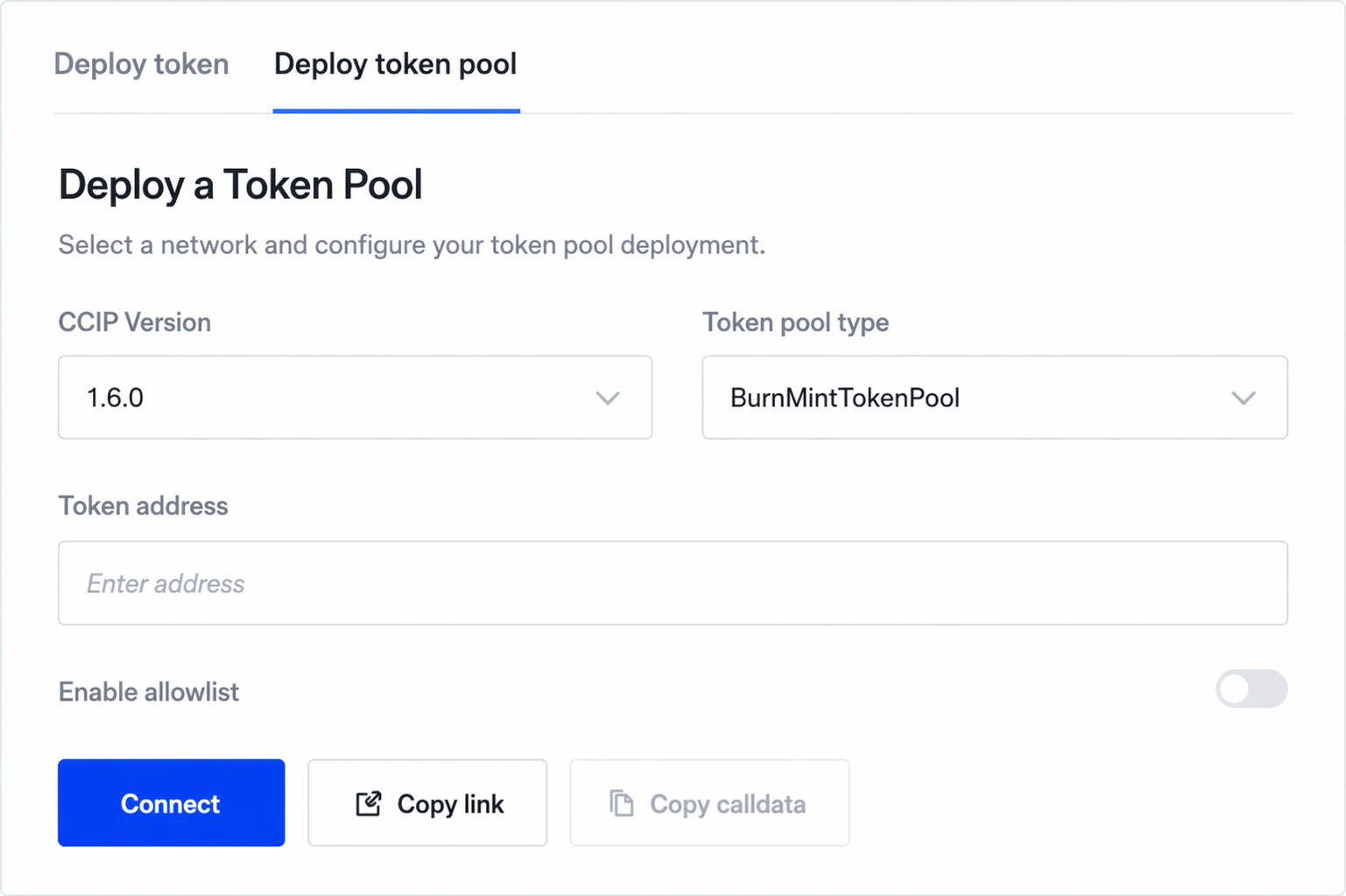
### Step 3: Grant ISSUER_ROLE to the BurnMintTokenPool
The BurnMintTokenPool must hold `ISSUER_ROLE` on your TIP-20 token in order to call `burn()` and `mint()` during cross-chain transfers.
1. Navigate to your deployed TIP-20 token contract on the [Tempo explorer](https://explore.testnet.tempo.xyz), select **Interact**, and call `grantRole(bytes32 role, address account)`.
2. For `role`, enter the `ISSUER_ROLE` ID: `0x114e74f6ea3bd819998f78687bfcb11b140da08e9b7d222fa9c1f1ba1f2aa122`
3. For `account`, enter your `BurnMintTokenPool` address.
4. Execute the transaction.
**Verify:** Call `hasRole(address account, bytes32 role)` with your `BurnMintTokenPool` address and the `ISSUER_ROLE` ID. The expected return is `true`.
### Step 4: Register Token in the CCIP TokenAdminRegistry (TAR)
TIP-20 tokens support self-serve TAR registration via OpenZeppelin's `AccessControl`. Because your admin wallet holds `DEFAULT_ADMIN_ROLE` (granted at factory deployment), you can register directly without manual assistance from Chainlink Labs.
In **Token Manager Expert Mode**, go to **Token Admin → Register token** and call `registerAccessControlDefaultAdmin()` with your TIP-20 token address.
You can verify this capability directly on the token contract — see an [example on the Tempo explorer](https://explore.tempo.xyz/address/0x09AC52380E6Ede653E122773734fDc8b4B716422?tab=interact).
This makes your admin wallet the proposed CCIP Token Admin. Proceed to Step 5 to accept and activate.
### Step 5: Accept Admin and Set Pool
**Accept Admin:**
In Token Manager Expert Mode, go to **Token Admin → Accept admin**.
1. Connect your admin wallet.
2. Enter your Tempo token address.
3. Click **Accept Admin** and pay gas.
Your admin wallet is now the official CCIP Token Admin for your Tempo token.
**Set Pool:**
In Token Manager Expert Mode, go to **Token Admin → Set pool**.
1. Enter your Tempo token address.
2. Enter your Tempo `BurnMintTokenPool` address.
3. Click **Set Pool** and pay gas.
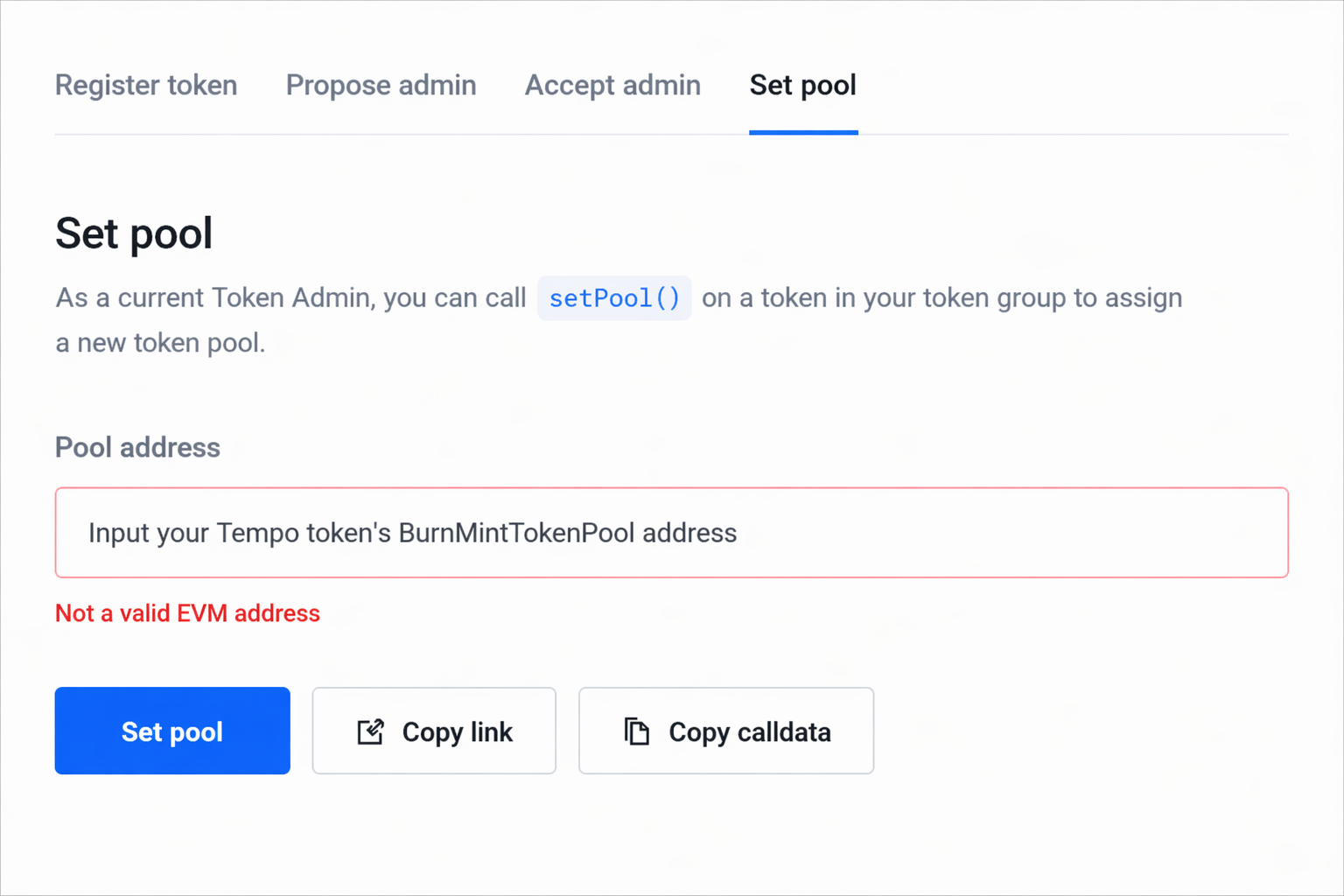
This activates the token and token pool for CCIP. The token is now ready to be wired to remote chains.
### Step 6: Wire Token Pools Across Chains
Now that the token pool is active on Tempo, connect it to your existing remote chains.
### **On Tempo (add remote chains)**
In Token Manager Expert Mode:
1. Go to **Token Pool → Chain Update → Apply Chain Updates**
2. Set the network to **Tempo Moderato Testnet**
3. Enter your **Tempo BurnMintTokenPool address**
4. Under **Add a new network**, configure each remote chain:
- **Network**: Select the remote chain (e.g., Avalanche Fuji)
- **Token Address**: Enter the token address on the remote chain
- **Token Pool Address**: Enter the remote chain's BurnMintTokenPool address
5. Click **Chain update** and pay gas
Leave **Inbound/Outbound rate limiters** at their default values unless you have specific requirements.
Ignore **Remove a network** during initial setup.
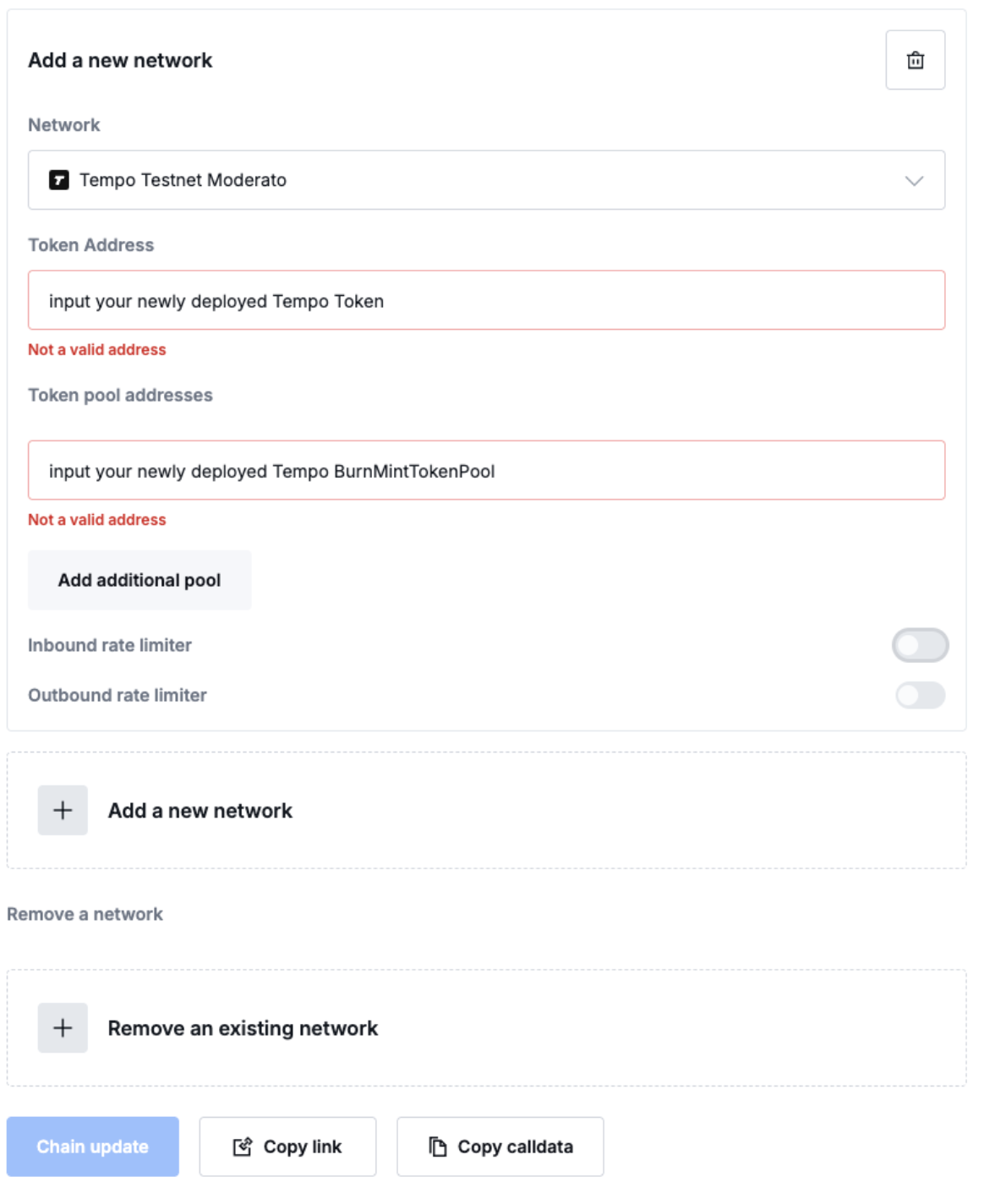
### **On each remote chain (add Tempo)**
Repeat the process on each connected chain:
1. Switch the network to the remote chain
2. Enter the existing token pool address on that chain
3. Under **Add a new network**:
- **Network**: Select **Tempo Moderato Testnet**
- **Token Address**: Enter your Tempo token address
- **Token Pool Address**: Enter your Tempo BurnMintTokenPool address
4. Click **Chain update** and pay gas
Repeat for each additional remote chain by switching the network at the top. At the end of this step, all token pools should be mutually wired to each other.
To maintain strong security and risk management it is *highly recommended* to enable [Token Pool Rate Limits](https://docs.chain.link/ccip/concepts/rate-limit-management/overview).
### Step 7: Test Cross-Chain Transfers
Use [**Transporter (testnet)**](https://test.transporter.io/) to test transfers across your connected chains.
1. In the **Token** dropdown, paste your source chain's token address — the token symbol should be detected automatically.
2. Select your source and destination networks.
3. Set the token amount and approve the spending limit.
4. Click **Send** and pay gas (e.g., using alphaUSD as the gas token on Tempo).
Test transfers in both directions across all connected chains. Your Token Manager dashboard will auto-detect configured networks once wiring is complete.
## **Contact Us**
To request Token Manager Expert Mode access, or if you have questions about your integration or need help validating your configuration, contact the Chainlink CCIP team:
- **CCIP Support:** [chain.link/ccip-contact](https://chain.link/ccip-contact?v=General%20Technical%20Support)
Once testing is complete, please share your CCIP transaction hashes with the team so the CCIP Directory and Transporter can be updated with your token's information.
---
# CCIP Solidity Interfaces & Contracts Reference Documentation (EVM)
Source: https://docs.chain.link/ccip/api-reference/evm
## Available Versions
### Latest Release
- **[CCIP v1.6.1](/ccip/api-reference/evm/v1.6.1)** (Current Version)
- Pool Library: `ReleaseOrMintInV1.amount` renamed to `sourceDenominatedAmount`
- TokenPool events: `Locked`/`Burned` and `Released`/`Minted` replaced by unified `LockedOrBurned` and `ReleasedOrMinted`
- Rate limiting: added `OutboundRateLimitConsumed` and `InboundRateLimitConsumed` events for monitoring consumption
- LockReleaseTokenPool constructor: removed `acceptLiquidity` parameter; `canAcceptLiquidity` capability removed
- LockReleaseTokenPool: removed `lockOrBurn` and `releaseOrMint` functions
- LockReleaseTokenPool: added `RebalancerSet` event
- Extensibility: standardized pool extension hooks via internal `_lockOrBurn` and `_releaseOrMint` in `TokenPool`
- **[CCIP v1.6.0](/ccip/api-reference/evm/v1.6.0)**
- Added support for SVM (Solana Virtual Machine) chains
- **[CCIP v1.5.1](/ccip/api-reference/evm/v1.5.1)**
- Added support for tokens with different decimals across chains
- Enhanced token pool upgrades to support multiple active pools, ensuring in-flight messages remain deliverable during upgrades
- Added decimal validation and overflow protection
- Upgraded token pool access control from OwnerIsCreator to Ownable2StepMsgSender for better security
- Introduced BurnMintERC20 contract for easy token deployment and cross-chain expansion
- Configurable decimals and max supply
- Built-in CCIP admin support
- Role-based access control for minting and burning
### Previous Versions
- **[CCIP v1.5.0](/ccip/api-reference/evm/v1.5.0)** (Legacy Version)
- Base implementation
- Cross-chain:
- Send arbitrary data
- Transfer tokens
- Programmable Token Transfers
- [Cross-Chain Token (CCT) standard](/ccip/concepts/cross-chain-token/overview)
- ⚠️ We recommend upgrading to v1.5.1 for latest features
## Documentation Structure
Each version includes detailed documentation for:
- Core Contracts (Router, Receiver)
- Token Pool Implementations
- Registry Components
- Interface Definitions
- Library Definitions
- Error Handling
---
# CCIP v1.6.1 API Reference
Source: https://docs.chain.link/ccip/api-reference/evm/v1.6.1
Last Updated: 2025-09-08
> **NOTE: Integrate Chainlink CCIP v1.6.1 into your project**
>
> npm
> yarn
> foundry
>
> If you use [NPM](https://www.npmjs.com/), install the [@chainlink/contracts-ccip NPM package](https://www.npmjs.com/package/@chainlink/contracts-ccip):
>
> ```shell
> npm install @chainlink/contracts-ccip@1.6.1
> ```
>
> If you use [Yarn](https://yarnpkg.com/), install the [@chainlink/contracts-ccip NPM package](https://www.npmjs.com/package/@chainlink/contracts-ccip):
>
> ```shell
> yarn add @chainlink/contracts-ccip@1.6.1
> ```
>
> If you use [Foundry](https://book.getfoundry.sh/), install the package:
>
> ```shell
> forge install smartcontractkit/chainlink-ccip@bbab0601244ce58e2ffac0dbc178a80aab1fa4a3
> ```
## API References
### Core Components
- [CCIPReceiver](/ccip/api-reference/evm/v1.6.1/ccip-receiver) - Base contract for receiving CCIP messages
- [Client](/ccip/api-reference/evm/v1.6.1/client) - Library providing structs and types for building CCIP messages
- [FeeQuoter](/ccip/api-reference/evm/v1.6.1/fee-quoter) - Contract for managing gas and token prices in USD and calculating cross-chain fees
- [Internal](/ccip/api-reference/evm/v1.6.1/internal) - Library providing internal data structures and utilities for cross-chain message processing
- [IRouterClient](/ccip/api-reference/evm/v1.6.1/i-router-client) - Interface for sending messages through CCIP
- [Pool](/ccip/api-reference/evm/v1.6.1/pool) - Library providing token pool functions for cross-chain operations
- [RateLimiter](/ccip/api-reference/evm/v1.6.1/rate-limiter) - Contract for managing rate limits on token transfers
- [TypeAndVersion](/ccip/api-reference/evm/v1.6.1/i-type-and-version) - Interface for contract versioning
### Token Pools
- [BurnFromMintTokenPool](/ccip/api-reference/evm/v1.6.1/burn-from-mint-token-pool) - Implementation using `burnFrom(address, amount)` for token burning
- [BurnMintERC20](/ccip/api-reference/evm/v1.6.1/burn-mint-erc20) - Implementation for burning and minting ERC20 tokens
- [BurnMintTokenPool](/ccip/api-reference/evm/v1.6.1/burn-mint-token-pool) - Implementation using `burn(amount)` for token burning
- [BurnMintTokenPoolAbstract](/ccip/api-reference/evm/v1.6.1/burn-mint-token-pool-abstract) - Abstract contract for burn/mint token handling
- [LockReleaseTokenPool](/ccip/api-reference/evm/v1.6.1/lock-release-token-pool) - Implementation for locking and releasing tokens on their native chain
- [TokenPool](/ccip/api-reference/evm/v1.6.1/token-pool) - Base abstract class defining common functionality for all token pools
### Access Control
- [Ownable2Step](/ccip/api-reference/evm/v1.6.1/ownable-2-step) - Base contract implementing secure two-step ownership transfer
- [Ownable2StepMsgSender](/ccip/api-reference/evm/v1.6.1/ownable-2-step-msg-sender) - Extension of Ownable2Step that sets msg.sender as initial owner
### Registry Components
- [RegistryModuleOwnerCustom](/ccip/api-reference/evm/v1.6.1/registry-module-owner-custom) - Registry module for token admin registration
- [TokenAdminRegistry](/ccip/api-reference/evm/v1.6.1/token-admin-registry) - Contract for storing token pool configurations
### Events and Error Handling
- [Events](/ccip/api-reference/evm/v1.6.1/events) - Events emitted during CCIP operations including `ccipSend` and `ccipReceive`
- [Errors](/ccip/api-reference/evm/v1.6.1/errors) - Comprehensive list of CCIP error codes and their descriptions
---
# CCIP v1.6.1 Client Library API Reference
Source: https://docs.chain.link/ccip/api-reference/evm/v1.6.1/client
Last Updated: 2025-09-08
> **NOTE: Integrate Chainlink CCIP v1.6.1 into your project**
>
> npm
> yarn
> foundry
>
> If you use [NPM](https://www.npmjs.com/), install the [@chainlink/contracts-ccip NPM package](https://www.npmjs.com/package/@chainlink/contracts-ccip):
>
> ```shell
> npm install @chainlink/contracts-ccip@1.6.1
> ```
>
> If you use [Yarn](https://yarnpkg.com/), install the [@chainlink/contracts-ccip NPM package](https://www.npmjs.com/package/@chainlink/contracts-ccip):
>
> ```shell
> yarn add @chainlink/contracts-ccip@1.6.1
> ```
>
> If you use [Foundry](https://book.getfoundry.sh/), install the package:
>
> ```shell
> forge install smartcontractkit/chainlink-ccip@bbab0601244ce58e2ffac0dbc178a80aab1fa4a3
> ```
## Client
A library that provides core data structures and utilities for building and handling cross-chain messages in CCIP.
[Git Source](https://github.com/smartcontractkit/chainlink-ccip/tree/contracts-ccip-v1.6.1/chains/evm/contracts/libraries/Client.sol)
## Structs
### Any2EVMMessage
Structure representing a message received from any chain to an EVM chain.
```solidity
struct Any2EVMMessage {
bytes32 messageId;
uint64 sourceChainSelector;
bytes sender;
bytes data;
EVMTokenAmount[] destTokenAmounts;
}
```
> **NOTE**
>
> Contains all necessary information about an incoming cross-chain message:
>
> - Message identification and source chain details
> - Sender information (can be decoded if from an EVM chain)
> - Custom message payload
> - Token transfer details in destination chain format
**Properties**
| Name | Type | Description |
| --------------------- | ------------------------------------- | ------------------------------------------------- |
| `messageId` | `bytes32` | Message ID corresponding to ccipSend on source |
| `sourceChainSelector` | `uint64` | Identifier of the source chain |
| `sender` | `bytes` | Sender address (use abi.decode if from EVM chain) |
| `data` | `bytes` | Custom payload from the original message |
| `destTokenAmounts` | [`EVMTokenAmount[]`](#evmtokenamount) | Token amounts in destination chain representation |
### EVM2AnyMessage
Structure for sending a message from an EVM chain to any supported chain.
```solidity
struct EVM2AnyMessage {
bytes receiver;
bytes data;
EVMTokenAmount[] tokenAmounts;
address feeToken;
bytes extraArgs;
}
```
> **NOTE**
>
> Defines the format for outgoing cross-chain messages:
>
> - Default gas limit is 200k if extraArgs is empty
> - Fee token can be set to address(0) to use native tokens (msg.value)
> - Extra arguments should be encoded using _argsToBytes([`EVMExtraArgsV1`](#evmextraargsv1)), _argsToBytes([`GenericExtraArgsV2`](#genericextraargsv2)), or _svmArgsToBytes([`SVMExtraArgsV1`](#svmextraargsv1))
**Properties**
| Name | Type | Description |
| -------------- | ------------------------------------- | --------------------------------------------------- |
| `receiver` | `bytes` | Encoded receiver address for destination EVM chains |
| `data` | `bytes` | Custom payload to send |
| `tokenAmounts` | [`EVMTokenAmount[]`](#evmtokenamount) | Tokens and amounts to transfer |
| `feeToken` | `address` | Token used for fees (address(0) for native tokens) |
| `extraArgs` | `bytes` | Additional arguments encoded with _argsToBytes |
### EVMExtraArgsV1
Structure for V1 extra arguments in cross-chain messages.
```solidity
struct EVMExtraArgsV1 {
uint256 gasLimit;
}
```
**Properties**
| Name | Type | Description |
| ---------- | --------- | -------------------------------------------- |
| `gasLimit` | `uint256` | Gas limit for execution on destination chain |
### GenericExtraArgsV2
Structure for V2 extra arguments in cross-chain messages.
```solidity
struct GenericExtraArgsV2 {
uint256 gasLimit;
bool allowOutOfOrderExecution;
}
```
> **NOTE**
>
> Enhanced version of extra arguments adding execution order control:
>
> - Includes configurable gas limit
> - Allows specifying out-of-order execution preference
> - Default value for allowOutOfOrderExecution varies by chain
> - Some chains enforce specific values and will revert if not set correctly
> - Compatible with multiple chain families (formerly EVMExtraArgsV2)
**Properties**
| Name | Type | Description |
| -------------------------- | --------- | --------------------------------------------- |
| `gasLimit` | `uint256` | Gas limit for execution on destination chain |
| `allowOutOfOrderExecution` | `bool` | Whether messages can be executed in any order |
### SVMExtraArgsV1
Structure for V1 extra arguments specific to Solana VM-based chains.
```solidity
struct SVMExtraArgsV1 {
uint32 computeUnits;
uint64 accountIsWritableBitmap;
bool allowOutOfOrderExecution;
bytes32 tokenReceiver;
bytes32[] accounts;
}
```
> **NOTE**
>
> Solana VM-specific arguments for cross-chain messages:
>
> - Configures compute units (Solana's equivalent to gas)
> - Specifies which accounts are writable
> - Controls message execution order
> - Defines token receiver details
> - Lists additional accounts needed for CCIP receiver execution
**Properties**
| Name | Type | Description |
| -------------------------- | ----------- | ------------------------------------------------------ |
| `computeUnits` | `uint32` | Compute units for execution on Solana |
| `accountIsWritableBitmap` | `uint64` | Bitmap indicating which accounts are writable |
| `allowOutOfOrderExecution` | `bool` | Whether messages can be executed in any order |
| `tokenReceiver` | `bytes32` | Address of the token receiver |
| `accounts` | `bytes32[]` | Additional accounts needed for CCIP receiver execution |
### EVMTokenAmount
Structure representing token amounts in CCIP messages.
```solidity
struct EVMTokenAmount {
address token;
uint256 amount;
}
```
> **NOTE**
>
> Core structure for token transfers used by the Risk Management Network (RMN):
>
> - Changes to this struct require RMN maintainer notification
> - Represents token amounts in their chain-specific format
**Properties**
| Name | Type | Description |
| -------- | --------- | -------------------------------- |
| `token` | `address` | Token address on the local chain |
| `amount` | `uint256` | Amount of tokens to transfer |
## State Variables
### EVM_EXTRA_ARGS_V1_TAG
```solidity
bytes4 public constant EVM_EXTRA_ARGS_V1_TAG = 0x97a657c9;
```
### GENERIC_EXTRA_ARGS_V2_TAG
```solidity
bytes4 public constant GENERIC_EXTRA_ARGS_V2_TAG = 0x181dcf10;
```
> **NOTE**
>
> The identifier tag for V2 generic extra arguments, available for multiple chain families (formerly
> EVM_EXTRA_ARGS_V2_TAG).
### SVM_EXTRA_ARGS_V1_TAG
```solidity
bytes4 public constant SVM_EXTRA_ARGS_V1_TAG = 0x1f3b3aba;
```
### SVM_EXTRA_ARGS_MAX_ACCOUNTS
```solidity
uint256 public constant SVM_EXTRA_ARGS_MAX_ACCOUNTS = 64;
```
### SVM_TOKEN_TRANSFER_DATA_OVERHEAD
```solidity
uint256 public constant SVM_TOKEN_TRANSFER_DATA_OVERHEAD = (4 + 32) // source_pool
+ 32 // token_address
+ 4 // gas_amount
+ 4 // extra_data overhead
+ 32 // amount
+ 32 // size of the token lookup table account
+ 32 // token-related accounts in the lookup table, over-estimated to 32, typically between 11 - 13
+ 32 // token account belonging to the token receiver, e.g ATA, not included in the token lookup table
+ 32 // per-chain token pool config, not included in the token lookup table
+ 32 // per-chain token billing config, not always included in the token lookup table
+ 32; // OffRamp pool signer PDA, not included in the token lookup table
```
> **NOTE**
>
> The expected static payload size of a token transfer when Borsh encoded and submitted to SVM. TokenPool extra data and
> offchain data sizes are dynamic, and should be accounted for separately. Each component represents space required for
> different parts of the token transfer operation on Solana.
### SVM_MESSAGING_ACCOUNTS_OVERHEAD
```solidity
uint256 public constant SVM_MESSAGING_ACCOUNTS_OVERHEAD = 2;
```
### SVM_ACCOUNT_BYTE_SIZE
```solidity
uint256 public constant SVM_ACCOUNT_BYTE_SIZE = 32;
```
## Functions
### _argsToBytes (V1)
Encodes EVMExtraArgsV1 into bytes for message transmission.
```solidity
function _argsToBytes(EVMExtraArgsV1 memory extraArgs) internal pure returns (bytes memory bts);
```
**Parameters**
| Name | Type | Description |
| ----------- | ----------------------------------- | -------------------------------- |
| `extraArgs` | [`EVMExtraArgsV1`](#evmextraargsv1) | The V1 extra arguments to encode |
**Returns**
| Type | Description |
| ------- | ------------------------------------ |
| `bytes` | The encoded extra arguments with tag |
### _argsToBytes (V2)
Encodes GenericExtraArgsV2 into bytes for message transmission.
```solidity
function _argsToBytes(GenericExtraArgsV2 memory extraArgs) internal pure returns (bytes memory bts);
```
**Parameters**
| Name | Type | Description |
| ----------- | ------------------------------------------- | ---------------------------------------- |
| `extraArgs` | [`GenericExtraArgsV2`](#genericextraargsv2) | The V2 generic extra arguments to encode |
**Returns**
| Type | Description |
| ------- | ------------------------------------ |
| `bytes` | The encoded extra arguments with tag |
### _svmArgsToBytes
Encodes SVMExtraArgsV1 into bytes for message transmission.
```solidity
function _svmArgsToBytes(SVMExtraArgsV1 memory extraArgs) internal pure returns (bytes memory bts);
```
**Parameters**
| Name | Type | Description |
| ----------- | ----------------------------------- | --------------------------------- |
| `extraArgs` | [`SVMExtraArgsV1`](#svmextraargsv1) | The SVM extra arguments to encode |
**Returns**
| Type | Description |
| ------- | ------------------------------------ |
| `bytes` | The encoded extra arguments with tag |
---
# CCIP v1.6.1 Internal Library API Reference
Source: https://docs.chain.link/ccip/api-reference/evm/v1.6.1/internal
Last Updated: 2025-11-05
> **NOTE: Integrate Chainlink CCIP v1.6.1 into your project**
>
> npm
> yarn
> foundry
>
> If you use [NPM](https://www.npmjs.com/), install the [@chainlink/contracts-ccip NPM package](https://www.npmjs.com/package/@chainlink/contracts-ccip):
>
> ```shell
> npm install @chainlink/contracts-ccip@1.6.1
> ```
>
> If you use [Yarn](https://yarnpkg.com/), install the [@chainlink/contracts-ccip NPM package](https://www.npmjs.com/package/@chainlink/contracts-ccip):
>
> ```shell
> yarn add @chainlink/contracts-ccip@1.6.1
> ```
>
> If you use [Foundry](https://book.getfoundry.sh/), install the package:
>
> ```shell
> forge install smartcontractkit/chainlink-ccip@bbab0601244ce58e2ffac0dbc178a80aab1fa4a3
> ```
## Internal
A library for CCIP internal definitions common to multiple contracts. Provides core data structures and utilities for cross-chain message processing.
[Git Source](https://github.com/smartcontractkit/chainlink-ccip/tree/contracts-ccip-v1.6.1/chains/evm/contracts/libraries/Internal.sol)
## Enums
### MessageExecutionState
Enum listing the possible message execution states within the offRamp contract.
```solidity
enum MessageExecutionState {
UNTOUCHED,
IN_PROGRESS,
SUCCESS,
FAILURE
}
```
> **NOTE**
>
> States represent the message execution lifecycle:
>
> - **UNTOUCHED**: Never executed
> - **IN_PROGRESS**: Currently being executed, used as replay protection
> - **SUCCESS**: Successfully executed (end state)
> - **FAILURE**: Unsuccessfully executed, manual execution is now enabled
## Structs
### RampMessageHeader
Structure representing a family-agnostic header for OnRamp and OffRamp messages.
```solidity
struct RampMessageHeader {
bytes32 messageId;
uint64 sourceChainSelector;
uint64 destChainSelector;
uint64 sequenceNumber;
uint64 nonce;
}
```
> **NOTE**
>
> The messageId is not expected to match hash(message), since it may originate from another ramp family. All identifiers are specific to CCIP.
**Properties**
| Name | Type | Description |
| --------------------- | --------- | --------------------------------------------------------------- |
| `messageId` | `bytes32` | Unique identifier generated with source chain's encoding scheme |
| `sourceChainSelector` | `uint64` | CCIP chain selector of the source chain (not chainId) |
| `destChainSelector` | `uint64` | CCIP chain selector of the destination chain (not chainId) |
| `sequenceNumber` | `uint64` | Sequence number, not unique across lanes |
| `nonce` | `uint64` | Nonce for this lane and sender, not unique across senders/lanes |
### EVM2AnyTokenTransfer
Structure representing token transfers from EVM chains to any destination chain.
```solidity
struct EVM2AnyTokenTransfer {
address sourcePoolAddress;
bytes destTokenAddress;
bytes extraData;
uint256 amount;
bytes destExecData;
}
```
> **NOTE**
>
> Contains trusted and untrusted data for EVM-sourced token transfers:
>
> - `sourcePoolAddress` is TRUSTED (obtained through the onRamp)
> - `destTokenAddress` is UNTRUSTED (pool owner can return any value)
> - `extraData` is capped at [`CCIP_LOCK_OR_BURN_V1_RET_BYTES`](/ccip/api-reference/evm/v1.6.1/pool#ccip_lock_or_burn_v1_ret_bytes) unless [`TokenTransferFeeConfig`](/ccip/api-reference/evm/v1.6.1/fee-quoter#tokentransferfeeconfig)`.destBytesOverhead` is set
**Properties**
| Name | Type | Description |
| ------------------- | --------- | ----------------------------------------------------------- |
| `sourcePoolAddress` | `address` | Source pool EVM address (trusted) |
| `destTokenAddress` | `bytes` | EVM address of the destination token (untrusted) |
| `extraData` | `bytes` | Optional pool data transferred to destination chain |
| `amount` | `uint256` | Amount of tokens to transfer |
| `destExecData` | `bytes` | Destination chain execution data (e.g., gas for EVM chains) |
### EVM2AnyRampMessage
Structure representing a family-agnostic message emitted from the OnRamp.
```solidity
struct EVM2AnyRampMessage {
RampMessageHeader header;
address sender;
bytes data;
bytes receiver;
bytes extraArgs;
address feeToken;
uint256 feeTokenAmount;
uint256 feeValueJuels;
EVM2AnyTokenTransfer[] tokenAmounts;
}
```
> **NOTE**
>
> Emitted in the [`CCIPMessageSent`](/ccip/api-reference/evm/v1.6.1/events#onramp) event. The messageId equals hash(EVM2AnyRampMessage) using the source EVM chain's encoding format. Note: hash(Any2EVMRampMessage) != hash(EVM2AnyRampMessage) due to encoding and parameter differences.
**Properties**
| Name | Type | Description |
| ---------------- | ------------------------------------------------- | -------------------------------------------------------- |
| `header` | [`RampMessageHeader`](#rampmessageheader) | Message header with identifiers and routing information |
| `sender` | `address` | Sender address on the source chain |
| `data` | `bytes` | Arbitrary data payload supplied by the message sender |
| `receiver` | `bytes` | Receiver address on the destination chain |
| `extraArgs` | `bytes` | Destination-chain specific args (e.g., gasLimit for EVM) |
| `feeToken` | `address` | Token used to pay fees |
| `feeTokenAmount` | `uint256` | Amount of fee token paid |
| `feeValueJuels` | `uint256` | Fee amount denominated in Juels |
| `tokenAmounts` | [`EVM2AnyTokenTransfer[]`](#evm2anytokentransfer) | Array of tokens and amounts to transfer |
## State Variables
### CHAIN_FAMILY_SELECTOR_EVM
```solidity
bytes4 public constant CHAIN_FAMILY_SELECTOR_EVM = 0x2812d52c;
```
### CHAIN_FAMILY_SELECTOR_SVM
```solidity
bytes4 public constant CHAIN_FAMILY_SELECTOR_SVM = 0x1e10bdc4;
```
### CHAIN_FAMILY_SELECTOR_APTOS
```solidity
bytes4 public constant CHAIN_FAMILY_SELECTOR_APTOS = 0xac77ffec;
```
### CHAIN_FAMILY_SELECTOR_SUI
```solidity
bytes4 public constant CHAIN_FAMILY_SELECTOR_SUI = 0xc4e05953;
```
### CHAIN_FAMILY_SELECTOR_TVM
```solidity
bytes4 public constant CHAIN_FAMILY_SELECTOR_TVM = 0x647e2ba9;
```
---
# CCIP v1.6.1 ITypeAndVersion Interface API Reference
Source: https://docs.chain.link/ccip/api-reference/evm/v1.6.1/i-type-and-version
> **NOTE: This contract is now available in Chainlink Contracts v1.4.0**
>
> npm
> yarn
> foundry
>
> If you use [NPM](https://www.npmjs.com/), install the [@chainlink/contracts NPM package](https://www.npmjs.com/package/@chainlink/contracts/v/1.4.0):
>
> ```shell
> npm install @chainlink/contracts@1.4.0
> ```
>
> > **NOTE**
> >
> > Note: This contract is now maintained under the [@chainlink/contracts](https://www.npmjs.com/package/@chainlink/contracts) package instead of [@chainlink/contracts-ccip](https://www.npmjs.com/package/@chainlink/contracts-ccip).
>
> If you use [Yarn](https://yarnpkg.com/), install the [@chainlink/contracts NPM package](https://www.npmjs.com/package/@chainlink/contracts/v/1.4.0):
>
> ```shell
> yarn add @chainlink/contracts@1.4.0
> ```
>
> > **NOTE**
> >
> > Note: This contract is now maintained under the [@chainlink/contracts](https://www.npmjs.com/package/@chainlink/contracts) package instead of [@chainlink/contracts-ccip](https://www.npmjs.com/package/@chainlink/contracts-ccip).
>
> If you use [Foundry](https://book.getfoundry.sh/), install the package:
>
> ```shell
> forge install smartcontractkit/chainlink-evm@e06cc226086ad91cfede63e96c63e5b3440c9801
> ```
>
> > **NOTE**
> >
> > Note: This contract is now maintained in the [chainlink-evm](https://github.com/smartcontractkit/chainlink-evm) repository instead of the [chainlink-ccip](https://github.com/smartcontractkit/chainlink-ccip) repository.
## ITypeAndVersion
An interface that provides type and version information for contracts.
[Git Source](https://github.com/smartcontractkit/chainlink-evm/blob/contracts-v1.4.0/contracts/src/v0.8/shared/interfaces/ITypeAndVersion.sol)
## Functions
### typeAndVersion
Returns the type and version of the contract.
```solidity
function typeAndVersion() external pure returns (string memory);
```
**Returns**
| Type | Description |
| -------- | ------------------------------------- |
| `string` | The type and version of the contract. |
---
# CCIP v1.6.1 IRouterClient API Reference
Source: https://docs.chain.link/ccip/api-reference/evm/v1.6.1/i-router-client
Last Updated: 2025-09-08
> **NOTE: Integrate Chainlink CCIP v1.6.1 into your project**
>
> npm
> yarn
> foundry
>
> If you use [NPM](https://www.npmjs.com/), install the [@chainlink/contracts-ccip NPM package](https://www.npmjs.com/package/@chainlink/contracts-ccip):
>
> ```shell
> npm install @chainlink/contracts-ccip@1.6.1
> ```
>
> If you use [Yarn](https://yarnpkg.com/), install the [@chainlink/contracts-ccip NPM package](https://www.npmjs.com/package/@chainlink/contracts-ccip):
>
> ```shell
> yarn add @chainlink/contracts-ccip@1.6.1
> ```
>
> If you use [Foundry](https://book.getfoundry.sh/), install the package:
>
> ```shell
> forge install smartcontractkit/chainlink-ccip@bbab0601244ce58e2ffac0dbc178a80aab1fa4a3
> ```
## IRouterClient
The IRouterClient interface provides the core functionality for sending cross-chain messages through CCIP (Chainlink Cross-Chain Interoperability Protocol).
[Git Source](https://github.com/smartcontractkit/chainlink-ccip/tree/contracts-ccip-v1.6.1/chains/evm/contracts/interfaces/IRouterClient.sol)
## Errors
### InsufficientFeeTokenAmount
Thrown when the provided fee token amount is insufficient for the message delivery.
```solidity
error InsufficientFeeTokenAmount();
```
### InvalidMsgValue
Thrown when the provided msg.value is invalid for the operation.
```solidity
error InvalidMsgValue();
```
### UnsupportedDestinationChain
Thrown when attempting to send a message to an unsupported destination chain.
```solidity
error UnsupportedDestinationChain(uint64 destChainSelector);
```
## Functions
### ccipSend
Sends a message to the destination chain through CCIP.
```solidity
function ccipSend(
uint64 destinationChainSelector,
Client.EVM2AnyMessage calldata message
) external payable returns (bytes32);
```
> **NOTE**
>
> Request a message to be sent to the destination chain.
>
> - Note: If msg.value is larger than the required fee (from getFee), the overpayment is accepted with no refund
> - The function will revert with an appropriate reason if the message is invalid
**Parameters**
| Name | Type | Description |
| -------------------------- | ------------------------------------------------------------------------------- | --------------------------------------------------------- |
| `destinationChainSelector` | `uint64` | The destination chain ID |
| `message` | [`Client.EVM2AnyMessage`](/ccip/api-reference/evm/v1.6.1/client#evm2anymessage) | The cross-chain CCIP message including data and/or tokens |
**Returns**
| Name | Type | Description |
| ----------- | --------- | -------------- |
| `messageId` | `bytes32` | The message ID |
### getFee
Gets the fee required for sending a CCIP message to the destination chain.
```solidity
function getFee(
uint64 destinationChainSelector,
Client.EVM2AnyMessage memory message
) external view returns (uint256 fee);
```
> **NOTE**
>
> Calculates the execution fee for message delivery to the destination chain. The fee is denominated in the feeToken specified in the message.
>
> The function will revert with an appropriate reason if the message is invalid.
>
> **Important Note for Hedera**: When using HBAR or WHBAR as fee tokens on Hedera, `getFee()` returns a value with 8 decimals that must be scaled by 10^10 before using it with `ccipSend()`. This scaling is only required for off-chain applications. See the [Chain-Specific Considerations](/ccip/concepts/best-practices/evm#chain-specific-considerations) section in the Best Practices guide for more details.
**Parameters**
| Name | Type | Description |
| -------------------------- | ------------------------------------------------------------------------------- | --------------------------------------------------------- |
| `destinationChainSelector` | `uint64` | The destination chainSelector |
| `message` | [`Client.EVM2AnyMessage`](/ccip/api-reference/evm/v1.6.1/client#evm2anymessage) | The cross-chain CCIP message including data and/or tokens |
**Returns**
| Name | Type | Description |
| ----- | --------- | -------------------------------------------------------------------------------------------------------------------------- |
| `fee` | `uint256` | Returns execution fee for the message delivery to destination chain, denominated in the feeToken specified in the message. |
### isChainSupported
Checks if the given chain ID is supported for sending/receiving.
```solidity
function isChainSupported(uint64 destChainSelector) external view returns (bool supported);
```
**Parameters**
| Name | Type | Description |
| ------------------- | -------- | ------------------- |
| `destChainSelector` | `uint64` | The chain to check. |
**Returns**
| Name | Type | Description |
| ----------- | ------ | ----------------------------------------- |
| `supported` | `bool` | is true if it is supported, false if not. |
---
# CCIP v1.6.1 FeeQuoter API Reference
Source: https://docs.chain.link/ccip/api-reference/evm/v1.6.1/fee-quoter
Last Updated: 2025-11-05
> **NOTE: Integrate Chainlink CCIP v1.6.1 into your project**
>
> npm
> yarn
> foundry
>
> If you use [NPM](https://www.npmjs.com/), install the [@chainlink/contracts-ccip NPM package](https://www.npmjs.com/package/@chainlink/contracts-ccip):
>
> ```shell
> npm install @chainlink/contracts-ccip@1.6.1
> ```
>
> If you use [Yarn](https://yarnpkg.com/), install the [@chainlink/contracts-ccip NPM package](https://www.npmjs.com/package/@chainlink/contracts-ccip):
>
> ```shell
> yarn add @chainlink/contracts-ccip@1.6.1
> ```
>
> If you use [Foundry](https://book.getfoundry.sh/), install the package:
>
> ```shell
> forge install smartcontractkit/chainlink-ccip@bbab0601244ce58e2ffac0dbc178a80aab1fa4a3
> ```
## FeeQuoter
The FeeQuoter contract stores gas and token prices in USD, manages chain-specific fee calculations, and provides fee estimation for cross-chain messages.
[Git Source](https://github.com/smartcontractkit/chainlink-ccip/tree/contracts-ccip-v1.6.1/chains/evm/contracts/FeeQuoter.sol)
## Errors
### TokenNotSupported
```solidity
error TokenNotSupported(address token);
```
**Parameters**
| Name | Type | Description |
| ------- | --------- | ----------------------------- |
| `token` | `address` | The unsupported token address |
### FeeTokenNotSupported
```solidity
error FeeTokenNotSupported(address token);
```
**Parameters**
| Name | Type | Description |
| ------- | --------- | --------------------------------- |
| `token` | `address` | The unsupported fee token address |
### StaleGasPrice
```solidity
error StaleGasPrice(uint64 destChainSelector, uint256 threshold, uint256 timePassed);
```
**Parameters**
| Name | Type | Description |
| ------------------- | --------- | -------------------------------------------- |
| `destChainSelector` | `uint64` | The destination chain selector |
| `threshold` | `uint256` | The staleness threshold in seconds |
| `timePassed` | `uint256` | The time passed since last update in seconds |
### MessageGasLimitTooHigh
```solidity
error MessageGasLimitTooHigh();
```
### MessageComputeUnitLimitTooHigh
```solidity
error MessageComputeUnitLimitTooHigh();
```
### DestinationChainNotEnabled
```solidity
error DestinationChainNotEnabled(uint64 destChainSelector);
```
**Parameters**
| Name | Type | Description |
| ------------------- | -------- | --------------------------------------- |
| `destChainSelector` | `uint64` | The disabled destination chain selector |
### ExtraArgOutOfOrderExecutionMustBeTrue
```solidity
error ExtraArgOutOfOrderExecutionMustBeTrue();
```
### InvalidExtraArgsTag
```solidity
error InvalidExtraArgsTag();
```
### InvalidExtraArgsData
```solidity
error InvalidExtraArgsData();
```
### MessageTooLarge
```solidity
error MessageTooLarge(uint256 maxSize, uint256 actualSize);
```
**Parameters**
| Name | Type | Description |
| ------------ | --------- | -------------------------------------- |
| `maxSize` | `uint256` | Maximum allowed message size |
| `actualSize` | `uint256` | Actual message size that was too large |
### UnsupportedNumberOfTokens
```solidity
error UnsupportedNumberOfTokens(uint256 numberOfTokens, uint256 maxNumberOfTokensPerMsg);
```
**Parameters**
| Name | Type | Description |
| ------------------------- | --------- | -------------------------------------------- |
| `numberOfTokens` | `uint256` | Number of tokens in the message |
| `maxNumberOfTokensPerMsg` | `uint256` | Maximum allowed number of tokens per message |
### MessageFeeTooHigh
```solidity
error MessageFeeTooHigh(uint256 msgFeeJuels, uint256 maxFeeJuelsPerMsg);
```
> **NOTE**
>
> Thrown when the calculated message fee exceeds the maximum allowed fee (see
> [`StaticConfig.maxFeeJuelsPerMsg`](#staticconfig)).
**Parameters**
| Name | Type | Description |
| ------------------- | --------- | ---------------------------------------- |
| `msgFeeJuels` | `uint256` | Calculated message fee in Juels |
| `maxFeeJuelsPerMsg` | `uint256` | Maximum allowed fee in Juels per message |
### InvalidTokenReceiver
```solidity
error InvalidTokenReceiver();
```
> **NOTE**
>
> Thrown when the token receiver is invalid for SVM or SUI chains, typically when it's zero and tokens are being
> transferred.
### TooManySVMExtraArgsAccounts
```solidity
error TooManySVMExtraArgsAccounts(uint256 numAccounts, uint256 maxAccounts);
```
**Parameters**
| Name | Type | Description |
| ------------- | --------- | ---------------------------------- |
| `numAccounts` | `uint256` | Number of accounts provided |
| `maxAccounts` | `uint256` | Maximum allowed number of accounts |
### InvalidSVMExtraArgsWritableBitmap
```solidity
error InvalidSVMExtraArgsWritableBitmap(uint64 accountIsWritableBitmap, uint256 numAccounts);
```
**Parameters**
| Name | Type | Description |
| ------------------------- | --------- | ------------------------------------ |
| `accountIsWritableBitmap` | `uint64` | The provided writable bitmap |
| `numAccounts` | `uint256` | Number of accounts in the extra args |
### InvalidChainFamilySelector
```solidity
error InvalidChainFamilySelector(bytes4 chainFamilySelector);
```
> **NOTE**
>
> Thrown when the destination chain's
> [`chainFamilySelector`](/ccip/api-reference/evm/v1.6.1/internal#chain_family_selector_evm) is invalid or unsupported.
**Parameters**
| Name | Type | Description |
| --------------------- | -------- | --------------------------------- |
| `chainFamilySelector` | `bytes4` | The invalid chain family selector |
## Structs
### TokenTransferFeeConfig
Structure defining the fee configuration for token transfers.
```solidity
struct TokenTransferFeeConfig {
uint32 minFeeUSDCents;
uint32 maxFeeUSDCents;
uint16 deciBps;
uint32 destGasOverhead;
uint32 destBytesOverhead;
bool isEnabled;
}
```
> **NOTE**
>
> Referenced in [`DestChainConfig`](#destchainconfig) for default values and can be set per-token via `applyTokenTransferFeeConfigUpdates`.
**Properties**
| Name | Type | Description |
| ------------------- | -------- | ------------------------------------------------------------------------------------------------------- |
| `minFeeUSDCents` | `uint32` | Minimum fee to charge per token transfer, multiples of 0.01 USD |
| `maxFeeUSDCents` | `uint32` | Maximum fee to charge per token transfer, multiples of 0.01 USD |
| `deciBps` | `uint16` | Basis points charged on token transfers, multiples of 0.1bps, or 1e-5 |
| `destGasOverhead` | `uint32` | Gas charged to execute the token transfer on the destination chain |
| `destBytesOverhead` | `uint32` | Data availability bytes returned from source pool, must be >= Pool.CCIP_LOCK_OR_BURN_V1_RET_BYTES |
| `isEnabled` | `bool` | Whether this token has custom transfer fees |
### DestChainConfig
Structure containing all configuration for a destination chain.
```solidity
struct DestChainConfig {
bool isEnabled;
uint16 maxNumberOfTokensPerMsg;
uint32 maxDataBytes;
uint32 maxPerMsgGasLimit;
uint32 destGasOverhead;
uint8 destGasPerPayloadByteBase;
uint8 destGasPerPayloadByteHigh;
uint16 destGasPerPayloadByteThreshold;
uint32 destDataAvailabilityOverheadGas;
uint16 destGasPerDataAvailabilityByte;
uint16 destDataAvailabilityMultiplierBps;
bytes4 chainFamilySelector;
bool enforceOutOfOrder;
uint16 defaultTokenFeeUSDCents;
uint32 defaultTokenDestGasOverhead;
uint32 defaultTxGasLimit;
uint64 gasMultiplierWeiPerEth;
uint32 gasPriceStalenessThreshold;
uint32 networkFeeUSDCents;
}
```
> **NOTE**
>
> Contains fee & validation configs for a destination chain. Retrieved via [`getDestChainConfig`](#getdestchainconfig).
**Properties**
| Name | Type | Description |
| ----------------------------------- | -------- | ------------------------------------------------------------------------------------------------------------------------------------------------- |
| `isEnabled` | `bool` | Whether this destination chain is enabled |
| `maxNumberOfTokensPerMsg` | `uint16` | Maximum number of distinct ERC20 tokens transferred per message |
| `maxDataBytes` | `uint32` | Maximum data payload size in bytes |
| `maxPerMsgGasLimit` | `uint32` | Maximum gas limit for messages targeting EVMs |
| `destGasOverhead` | `uint32` | Gas charged on top of the gasLimit to cover destination chain costs |
| `destGasPerPayloadByteBase` | `uint8` | Default dest-chain gas charged per byte of `data` payload |
| `destGasPerPayloadByteHigh` | `uint8` | High dest-chain gas charged per byte of `data` payload (for EIP-7623) |
| `destGasPerPayloadByteThreshold` | `uint16` | The value at which billing switches from base to high rate |
| `destDataAvailabilityOverheadGas` | `uint32` | Data availability gas charged for overhead costs (e.g., OCR) |
| `destGasPerDataAvailabilityByte` | `uint16` | Gas units charged per byte of message data requiring availability |
| `destDataAvailabilityMultiplierBps` | `uint16` | Multiplier for data availability gas, multiples of bps (0.0001) |
| `chainFamilySelector` | `bytes4` | Selector identifying the destination chain's family (see [`Internal` library](/ccip/api-reference/evm/v1.6.1/internal#chain_family_selector_evm)) |
| `enforceOutOfOrder` | `bool` | Whether to enforce allowOutOfOrderExecution extraArg to be true |
| `defaultTokenFeeUSDCents` | `uint16` | Default token fee charged per token transfer |
| `defaultTokenDestGasOverhead` | `uint32` | Default gas charged to execute a token transfer on the destination chain |
| `defaultTxGasLimit` | `uint32` | Default gas limit for a tx |
| `gasMultiplierWeiPerEth` | `uint64` | Multiplier for gas costs, 1e18 based (e.g., 11e17 = 10% extra cost) |
| `gasPriceStalenessThreshold` | `uint32` | Time in seconds a gas price can be stale before invalid (0 means disabled) |
| `networkFeeUSDCents` | `uint32` | Flat network fee to charge for messages, multiples of 0.01 USD |
### StaticConfig
Structure containing the static configuration of the FeeQuoter contract.
```solidity
struct StaticConfig {
uint96 maxFeeJuelsPerMsg;
address linkToken;
uint32 tokenPriceStalenessThreshold;
}
```
> **NOTE**
>
> Contains immutable configuration values set at contract deployment. Retrieved via [`getStaticConfig`](#getstaticconfig).
**Properties**
| Name | Type | Description |
| ------------------------------ | --------- | --------------------------------------------------------- |
| `maxFeeJuelsPerMsg` | `uint96` | Maximum fee that can be charged for a message |
| `linkToken` | `address` | LINK token address |
| `tokenPriceStalenessThreshold` | `uint32` | Time in seconds a token price can be stale before invalid |
## State Variables
### FEE_BASE_DECIMALS
```solidity
uint256 public constant FEE_BASE_DECIMALS = 36;
```
### typeAndVersion
```solidity
string public constant typeAndVersion = "FeeQuoter 1.6.1";
```
## Functions
### convertTokenAmount
Converts a token amount from the token's decimals to a fee-denominated amount.
```solidity
function convertTokenAmount(
address fromToken,
uint256 fromTokenAmount,
address toToken
) external view returns (uint256);
```
> **NOTE**
>
> This function converts token amounts based on their relative prices and decimals. Used for calculating fees when tokens with different decimal places are involved.
**Parameters**
| Name | Type | Description |
| ----------------- | --------- | ---------------------------------- |
| `fromToken` | `address` | The token to convert from |
| `fromTokenAmount` | `uint256` | The amount of fromToken to convert |
| `toToken` | `address` | The token to convert to |
**Returns**
| Type | Description |
| --------- | -------------------------------- |
| `uint256` | The equivalent amount in toToken |
### getFeeTokens
Returns the list of tokens that can be used to pay fees.
```solidity
function getFeeTokens() external view returns (address[] memory);
```
**Returns**
| Type | Description |
| ----------- | ---------------------------- |
| `address[]` | Array of fee token addresses |
### getValidatedFee
Calculates and validates the fee for a CCIP message.
```solidity
function getValidatedFee(
uint64 destChainSelector,
Client.EVM2AnyMessage calldata message
) external view returns (uint256);
```
> **NOTE**
>
> This is the primary function for fee calculation. It validates the message and destination chain, then calculates the total fee including execution costs, data availability costs, and token transfer fees.
**Parameters**
| Name | Type | Description |
| ------------------- | ----------------------- | ------------------------------------- |
| `destChainSelector` | `uint64` | The destination chain selector |
| `message` | `Client.EVM2AnyMessage` | The CCIP message to calculate fee for |
**Returns**
| Type | Description |
| --------- | --------------------------------------------------- |
| `uint256` | The total fee in the smallest unit of the fee token |
### getTokenTransferFeeConfig
Returns the token transfer fee configuration for a specific token and destination chain.
```solidity
function getTokenTransferFeeConfig(
uint64 destChainSelector,
address token
) external view returns (TokenTransferFeeConfig memory);
```
> **NOTE**
>
> Returns the custom [`TokenTransferFeeConfig`](#tokentransferfeeconfig) for a token if set, otherwise returns the default configuration from [`DestChainConfig`](#destchainconfig).
**Parameters**
| Name | Type | Description |
| ------------------- | --------- | ------------------------------ |
| `destChainSelector` | `uint64` | The destination chain selector |
| `token` | `address` | The token address |
**Returns**
| Type | Description |
| --------------------------------------------------- | ------------------------------------ |
| [`TokenTransferFeeConfig`](#tokentransferfeeconfig) | The token transfer fee configuration |
### getDestChainConfig
Returns the destination chain configuration for a given chain selector.
```solidity
function getDestChainConfig(
uint64 destChainSelector
) external view returns (DestChainConfig memory);
```
> **NOTE**
>
> Retrieves the complete [`DestChainConfig`](#destchainconfig) containing all fee and validation parameters for the destination chain.
**Parameters**
| Name | Type | Description |
| ------------------- | -------- | ------------------------------ |
| `destChainSelector` | `uint64` | The destination chain selector |
**Returns**
| Type | Description |
| ------------------------------------- | ----------------------------------- |
| [`DestChainConfig`](#destchainconfig) | The destination chain configuration |
### getStaticConfig
Returns the static configuration of the FeeQuoter contract.
```solidity
function getStaticConfig() external view returns (StaticConfig memory);
```
> **NOTE**
>
> Retrieves the immutable [`StaticConfig`](#staticconfig) values set at contract deployment.
**Returns**
| Type | Description |
| ------------------------------- | ------------------------ |
| [`StaticConfig`](#staticconfig) | The static configuration |
---
# CCIP v1.6.1 CCIPReceiver API Reference
Source: https://docs.chain.link/ccip/api-reference/evm/v1.6.1/ccip-receiver
Last Updated: 2025-09-08
> **NOTE: Integrate Chainlink CCIP v1.6.1 into your project**
>
> npm
> yarn
> foundry
>
> If you use [NPM](https://www.npmjs.com/), install the [@chainlink/contracts-ccip NPM package](https://www.npmjs.com/package/@chainlink/contracts-ccip):
>
> ```shell
> npm install @chainlink/contracts-ccip@1.6.1
> ```
>
> If you use [Yarn](https://yarnpkg.com/), install the [@chainlink/contracts-ccip NPM package](https://www.npmjs.com/package/@chainlink/contracts-ccip):
>
> ```shell
> yarn add @chainlink/contracts-ccip@1.6.1
> ```
>
> If you use [Foundry](https://book.getfoundry.sh/), install the package:
>
> ```shell
> forge install smartcontractkit/chainlink-ccip@bbab0601244ce58e2ffac0dbc178a80aab1fa4a3
> ```
## CCIPReceiver
An abstract base contract that provides core functionality for CCIP-enabled applications to receive cross-chain messages.
[Git Source](https://github.com/smartcontractkit/chainlink-ccip/tree/contracts-ccip-v1.6.1/chains/evm/contracts/applications/CCIPReceiver.sol)
> **NOTE**
>
> Base contract for CCIP applications that can receive messages, providing:
>
> - Secure message reception through router validation
> - Interface detection support (ERC165)
> - Customizable message handling through virtual functions
## Errors
### InvalidRouter
```solidity
error InvalidRouter(address router);
```
> **NOTE**
>
> Thrown when:
>
> - A zero address is provided during contract initialization
> - A function restricted to the router is called by an unauthorized address
**Parameters**
| Name | Type | Description |
| -------- | --------- | -------------------------- |
| `router` | `address` | The invalid router address |
## State Variables
### i_ccipRouter
```solidity
address internal immutable i_ccipRouter;
```
> **NOTE**
>
> The immutable address of the CCIP router contract that is authorized to deliver messages to this receiver.
## Modifiers
### onlyRouter
```solidity
modifier onlyRouter();
```
> **NOTE**
>
> Ensures that only the designated CCIP router can call the modified function. Reverts with `InvalidRouter` if called by
> any other address.
## Functions
### ccipReceive
Processes incoming CCIP messages from the router.
```solidity
function ccipReceive(Client.Any2EVMMessage calldata message) external virtual override onlyRouter;
```
> **NOTE**
>
> Called by the Router to deliver a message with the following characteristics:
>
> - Only accepts calls from the authorized router
> - If this function reverts, any associated token transfers also revert
> - Failed messages enter a FAILED state and become available for manual execution
**Parameters**
| Name | Type | Description |
| --------- | ------------------------------------------------------------------------------- | ---------------- |
| `message` | [`Client.Any2EVMMessage`](/ccip/api-reference/evm/v1.6.1/client#any2evmmessage) | The CCIP message |
### constructor
```solidity
constructor(address router);
```
> **NOTE**
>
> Initializes the CCIPReceiver contract with a router address:
>
> - Validates that the router address is not zero
> - Stores the router address immutably
**Parameters**
| Name | Type | Description |
| -------- | --------- | -------------------------------- |
| `router` | `address` | The CCIP router contract address |
### getRouter
Returns the address of the current CCIP router.
```solidity
function getRouter() public view virtual returns (address);
```
**Returns**
| Type | Description |
| --------- | ------------------------------- |
| `address` | The current CCIP router address |
### supportsInterface
Determines whether the contract implements specific interfaces.
```solidity
function supportsInterface(bytes4 interfaceId) public view virtual override returns (bool);
```
> **NOTE**
>
> Implements ERC165 interface detection with CCIP-specific behavior:
>
> - Returns true for IAny2EVMMessageReceiver and IERC165 interfaces
> - Used by CCIP to check if ccipReceive is available
> - If returns false or reverts: only tokens are transferred
> - If returns true: tokens are transferred and ccipReceive is called atomically
> - If contract has no code (EXTCODESIZE = 0): only tokens are transferred
**Parameters**
| Name | Type | Description |
| ------------- | -------- | --------------------------------- |
| `interfaceId` | `bytes4` | The interface identifier to check |
**Returns**
| Type | Description |
| ------ | ---------------------------------- |
| `bool` | True if the interface is supported |
### _ccipReceive
Internal function to be implemented by derived contracts for custom message handling.
```solidity
function _ccipReceive(Client.Any2EVMMessage memory message) internal virtual;
```
> **NOTE**
>
> Virtual function that must be overridden in implementing contracts to define custom message handling logic.
**Parameters**
| Name | Type | Description |
| --------- | ------------------------------------------------------------------------------- | --------------------------- |
| `message` | [`Client.Any2EVMMessage`](/ccip/api-reference/evm/v1.6.1/client#any2evmmessage) | The message to be processed |
---
# CCIP v1.6.1 Pool Library API Reference
Source: https://docs.chain.link/ccip/api-reference/evm/v1.6.1/pool
> **NOTE: Integrate Chainlink CCIP v1.6.1 into your project**
>
> npm
> yarn
> foundry
>
> If you use [NPM](https://www.npmjs.com/), install the [@chainlink/contracts-ccip NPM package](https://www.npmjs.com/package/@chainlink/contracts-ccip):
>
> ```shell
> npm install @chainlink/contracts-ccip@1.6.1
> ```
>
> If you use [Yarn](https://yarnpkg.com/), install the [@chainlink/contracts-ccip NPM package](https://www.npmjs.com/package/@chainlink/contracts-ccip):
>
> ```shell
> yarn add @chainlink/contracts-ccip@1.6.1
> ```
>
> If you use [Foundry](https://book.getfoundry.sh/), install the package:
>
> ```shell
> forge install smartcontractkit/chainlink-ccip@bbab0601244ce58e2ffac0dbc178a80aab1fa4a3
> ```
## Pool
A library that provides core data structures and constants for token pool operations in cross-chain transfers.
[Git Source](https://github.com/smartcontractkit/chainlink-ccip/tree/contracts-ccip-v1.6.1/chains/evm/contracts/libraries/Pool.sol)
> **NOTE**
>
> This library defines the fundamental structures and constants used in token pool operations:
>
> - Standardizes cross-chain token transfer data structures
> - Provides version identification and compatibility checks
> - Defines size constraints for return data
> - Facilitates secure token locking, burning, releasing, and minting operations through [`TokenPool`](/ccip/api-reference/evm/v1.6.1/token-pool)
## Structs
### LockOrBurnInV1
Input parameters for locking or burning tokens in cross-chain transfers.
```solidity
struct LockOrBurnInV1 {
bytes receiver;
uint64 remoteChainSelector;
address originalSender;
uint256 amount;
address localToken;
}
```
> **NOTE**
>
> Defines the parameters required for initiating a token lock or burn operation:
>
> - `receiver`: The destination chain recipient address (ABI encoded)
> - `remoteChainSelector`: The destination chain identifier
> - `originalSender`: The transaction initiator on the source chain
> - `amount`: Token quantity in source token decimals
> - `localToken`: The token contract address on the source chain
>
> The result of this operation is returned in [`LockOrBurnOutV1`](#lockorburnoutv1).
### LockOrBurnOutV1
Output data from a lock or burn operation.
```solidity
struct LockOrBurnOutV1 {
bytes destTokenAddress;
bytes destPoolData;
}
```
> **NOTE**
>
> Contains the results of a token lock or burn operation initiated by [`LockOrBurnInV1`](#lockorburninv1):
>
> - `destTokenAddress`: The token address on the destination chain (ABI encoded for EVM chains). **Note**: This value is UNTRUSTED as pool owners can return arbitrary values
> - `destPoolData`: Optional data for the destination chain, limited by [`CCIP_LOCK_OR_BURN_V1_RET_BYTES`](#ccip_lock_or_burn_v1_ret_bytes) unless configured otherwise in TokenTransferFeeConfig.destBytesOverhead
### ReleaseOrMintInV1
Input parameters for releasing or minting tokens in cross-chain transfers.
```solidity
struct ReleaseOrMintInV1 {
bytes originalSender;
uint64 remoteChainSelector;
address receiver;
uint256 sourceDenominatedAmount;
address localToken;
bytes sourcePoolAddress;
bytes sourcePoolData;
bytes offchainTokenData;
}
```
> **NOTE**
>
> Defines the parameters required for token release or mint operations:
>
> - `originalSender`: The transaction initiator on the source chain (ABI encoded)
> - `remoteChainSelector`: The source chain identifier
> - `receiver`: The recipient address on the destination chain
> - `sourceDenominatedAmount`: Token quantity in local token denomination on the source chain
> - `localToken`: The token contract address on the destination chain
> - `sourcePoolAddress`: The source pool contract address (ABI encoded for EVM chains). **WARNING**: Must be validated against expected pool address for the given `remoteChainSelector`
> - `sourcePoolData`: Processing data from the source pool
> - `offchainTokenData`: Additional processing data. **WARNING**: This is untrusted data
>
> The result of this operation is returned in [`ReleaseOrMintOutV1`](#releaseormintoutv1).
### ReleaseOrMintOutV1
Output data from a release or mint operation.
```solidity
struct ReleaseOrMintOutV1 {
uint256 destinationAmount;
}
```
> **NOTE**
>
> Contains the result of a token release or mint operation initiated by [`ReleaseOrMintInV1`](#releaseormintinv1):
>
> - `destinationAmount`: The quantity of tokens released or minted on the destination chain, denominated in the local token's decimals
> - Expected to match [`ReleaseOrMintInV1`](#releaseormintinv1).amount when source and destination chains use the same decimal precision
## State Variables
### CCIP_POOL_V1
```solidity
bytes4 public constant CCIP_POOL_V1 = 0xaff2afbf;
```
> **NOTE**
>
> A tag that signals support for the pool v1 standard, computed as `bytes4(keccak256("CCIP_POOL_V1"))`. Used for version
> compatibility checks.
### CCIP_POOL_V1_RET_BYTES
```solidity
uint16 public constant CCIP_POOL_V1_RET_BYTES = 32;
```
> **NOTE**
>
> The fixed number of bytes in the return data for a pool v1 `releaseOrMint`call. This value matches the size of the
> [`ReleaseOrMintOutV1`](#releaseormintoutv1) struct.
### CCIP_LOCK_OR_BURN_V1_RET_BYTES
```solidity
uint32 public constant CCIP_LOCK_OR_BURN_V1_RET_BYTES = 32;
```
> **NOTE**
>
> The default maximum number of bytes in the return data for a pool v1 `lockOrBurn` call. This limit can be adjusted
> through TokenTransferFeeConfig.destBytesOverhead if additional data capacity is needed.
---
# CCIP v1.6.1 TokenPool Contract API Reference
Source: https://docs.chain.link/ccip/api-reference/evm/v1.6.1/token-pool
> **NOTE: Integrate Chainlink CCIP v1.6.1 into your project**
>
> npm
> yarn
> foundry
>
> If you use [NPM](https://www.npmjs.com/), install the [@chainlink/contracts-ccip NPM package](https://www.npmjs.com/package/@chainlink/contracts-ccip):
>
> ```shell
> npm install @chainlink/contracts-ccip@1.6.1
> ```
>
> If you use [Yarn](https://yarnpkg.com/), install the [@chainlink/contracts-ccip NPM package](https://www.npmjs.com/package/@chainlink/contracts-ccip):
>
> ```shell
> yarn add @chainlink/contracts-ccip@1.6.1
> ```
>
> If you use [Foundry](https://book.getfoundry.sh/), install the package:
>
> ```shell
> forge install smartcontractkit/chainlink-ccip@bbab0601244ce58e2ffac0dbc178a80aab1fa4a3
> ```
## TokenPool
An abstract contract that provides base functionality for managing cross-chain token operations in CCIP. It handles token decimals across different chains, rate limiting, and access control.
[Git Source](https://github.com/smartcontractkit/chainlink-ccip/tree/contracts-ccip-v1.6.1/chains/evm/contracts/pools/TokenPool.sol)
**Inherits:**
- [Ownable2StepMsgSender](/ccip/api-reference/evm/v1.6.1/ownable-2-step-msg-sender)
> **NOTE**
>
> This contract supports tokens with different decimals across chains. However, this feature can affect token precision:
>
> - When tokens move from a chain with higher decimals to one with lower decimals, rounding occurs
> - Example: Moving 1.234567 tokens (6 decimals) to a chain with 3 decimals results in 1.234 tokens
> - When these tokens return to the original chain, they maintain the rounded value (1.234000)
> - The difference (0.000567) is either burned or remains in the pool, depending on the pool type
>
> Note: This precision loss only occurs with different decimal configurations across chains.
## Events
### AllowListAdd
Emitted when an address is added to the allowlist via [`applyAllowListUpdates`](#applyallowlistupdates).
```solidity
event AllowListAdd(address sender);
```
**Parameters**
| Name | Type | Indexed | Description |
| -------- | --------- | ------- | ------------------------------------------- |
| `sender` | `address` | No | The address that was added to the allowlist |
### AllowListRemove
Emitted when an address is removed from the allowlist via [`applyAllowListUpdates`](#applyallowlistupdates).
```solidity
event AllowListRemove(address sender);
```
**Parameters**
| Name | Type | Indexed | Description |
| -------- | --------- | ------- | ----------------------------------------------- |
| `sender` | `address` | No | The address that was removed from the allowlist |
### ChainAdded
Emitted when a new chain is configured in the pool via [`applyChainUpdates`](#applychainupdates).
```solidity
event ChainAdded(
uint64 remoteChainSelector,
bytes remoteToken,
RateLimiter.Config outboundRateLimiterConfig,
RateLimiter.Config inboundRateLimiterConfig
);
```
**Parameters**
| Name | Type | Indexed | Description |
| --------------------------- | -------------------------------------------------------------------------- | ------- | ----------------------------------------------- |
| `remoteChainSelector` | `uint64` | No | The identifier of the newly added chain |
| `remoteToken` | `bytes` | No | The token address on the remote chain |
| `outboundRateLimiterConfig` | [`RateLimiter.Config`](/ccip/api-reference/evm/v1.6.1/rate-limiter#config) | No | Rate limit configuration for outbound transfers |
| `inboundRateLimiterConfig` | [`RateLimiter.Config`](/ccip/api-reference/evm/v1.6.1/rate-limiter#config) | No | Rate limit configuration for inbound transfers |
### ChainConfigured
Emitted when a chain's configuration is updated via [`setChainRateLimiterConfig`](#setchainratelimiterconfig) or [`setChainRateLimiterConfigs`](#setchainratelimiterconfigs).
```solidity
event ChainConfigured(
uint64 remoteChainSelector,
RateLimiter.Config outboundRateLimiterConfig,
RateLimiter.Config inboundRateLimiterConfig
);
```
**Parameters**
| Name | Type | Indexed | Description |
| --------------------------- | -------------------------------------------------------------------------- | ------- | ------------------------------------------------------- |
| `remoteChainSelector` | `uint64` | No | The identifier of the chain being configured |
| `outboundRateLimiterConfig` | [`RateLimiter.Config`](/ccip/api-reference/evm/v1.6.1/rate-limiter#config) | No | Updated rate limit configuration for outbound transfers |
| `inboundRateLimiterConfig` | [`RateLimiter.Config`](/ccip/api-reference/evm/v1.6.1/rate-limiter#config) | No | Updated rate limit configuration for inbound transfers |
### ChainRemoved
Emitted when a chain is removed from the pool's configuration via [`applyChainUpdates`](#applychainupdates).
```solidity
event ChainRemoved(uint64 remoteChainSelector);
```
**Parameters**
| Name | Type | Indexed | Description |
| --------------------- | -------- | ------- | ----------------------------------------- |
| `remoteChainSelector` | `uint64` | No | The identifier of the chain being removed |
### LockedOrBurned
Emitted when tokens are locked or burned by the pool as part of an outbound cross-chain transfer.
```solidity
event LockedOrBurned(uint64 indexed remoteChainSelector, address token, address sender, uint256 amount);
```
**Parameters**
| Name | Type | Indexed | Description |
| --------------------- | --------- | ------- | ----------------------------------------------- |
| `remoteChainSelector` | `uint64` | Yes | The destination chain selector |
| `token` | `address` | No | The address of the token being locked or burned |
| `sender` | `address` | No | The address initiating the lock/burn operation |
| `amount` | `uint256` | No | The amount of tokens locked or burned |
### RemotePoolAdded
Emitted when a new remote pool is added via [`addRemotePool`](#addremotepool) or [`applyChainUpdates`](#applychainupdates).
```solidity
event RemotePoolAdded(uint64 indexed remoteChainSelector, bytes remotePoolAddress);
```
**Parameters**
| Name | Type | Indexed | Description |
| --------------------- | -------- | ------- | -------------------------------------------- |
| `remoteChainSelector` | `uint64` | Yes | The identifier of the chain for the new pool |
| `remotePoolAddress` | `bytes` | No | The address of the newly added pool |
### ReleasedOrMinted
Emitted when tokens are released or minted by the pool as part of an inbound cross-chain transfer.
```solidity
event ReleasedOrMinted(uint64 indexed remoteChainSelector, address token, address sender, address recipient, uint256 amount);
```
**Parameters**
| Name | Type | Indexed | Description |
| --------------------- | --------- | ------- | --------------------------------------------------- |
| `remoteChainSelector` | `uint64` | Yes | The source chain selector |
| `token` | `address` | No | The address of the token being released or minted |
| `sender` | `address` | No | The address initiating the release/mint operation |
| `recipient` | `address` | No | The address receiving the released or minted tokens |
| `amount` | `uint256` | No | The amount of tokens released or minted |
### RemotePoolRemoved
Emitted when a remote pool is removed via [`removeRemotePool`](#removeremotepool).
```solidity
event RemotePoolRemoved(uint64 indexed remoteChainSelector, bytes remotePoolAddress);
```
**Parameters**
| Name | Type | Indexed | Description |
| --------------------- | -------- | ------- | ---------------------------------------- |
| `remoteChainSelector` | `uint64` | Yes | The identifier of the chain for the pool |
| `remotePoolAddress` | `bytes` | No | The address of the removed pool |
### RouterUpdated
Emitted when the router address is updated via [`setRouter`](#setrouter).
```solidity
event RouterUpdated(address oldRouter, address newRouter);
```
**Parameters**
| Name | Type | Indexed | Description |
| ----------- | --------- | ------- | ------------------------------------ |
| `oldRouter` | `address` | No | The previous router contract address |
| `newRouter` | `address` | No | The new router contract address |
### RateLimitAdminSet
Emitted when the rate limit administrator is changed via [`setRateLimitAdmin`](#setratelimitadmin).
```solidity
event RateLimitAdminSet(address rateLimitAdmin);
```
**Parameters**
| Name | Type | Indexed | Description |
| ---------------- | --------- | ------- | ---------------------------------------- |
| `rateLimitAdmin` | `address` | No | The new rate limit administrator address |
### OutboundRateLimitConsumed
Emitted when the outbound rate limit is consumed via `lockOrBurn`.
```solidity
event OutboundRateLimitConsumed(uint64 indexed remoteChainSelector, address token, uint256 amount);
```
**Parameters**
| Name | Type | Indexed | Description |
| --------------------- | --------- | ------- | --------------------------------------------- |
| `remoteChainSelector` | `uint64` | Yes | The destination chain selector |
| `token` | `address` | No | The address of the token being sent |
| `amount` | `uint256` | No | The amount of tokens consuming the rate limit |
### InboundRateLimitConsumed
Emitted when the inbound rate limit is consumed via `releaseOrMint`.
```solidity
event InboundRateLimitConsumed(uint64 indexed remoteChainSelector, address token, uint256 amount);
```
**Parameters**
| Name | Type | Indexed | Description |
| --------------------- | --------- | ------- | --------------------------------------------- |
| `remoteChainSelector` | `uint64` | Yes | The source chain selector |
| `token` | `address` | No | The address of the token being received |
| `amount` | `uint256` | No | The amount of tokens consuming the rate limit |
## Errors
### AllowListNotEnabled
```solidity
error AllowListNotEnabled();
```
### CallerIsNotARampOnRouter
```solidity
error CallerIsNotARampOnRouter(address caller);
```
### ChainAlreadyExists
```solidity
error ChainAlreadyExists(uint64 chainSelector);
```
**Parameters**
| Name | Type | Description |
| --------------- | -------- | --------------------------------------------- |
| `chainSelector` | `uint64` | The selector of the chain that already exists |
### ChainNotAllowed
```solidity
error ChainNotAllowed(uint64 remoteChainSelector);
```
### CursedByRMN
```solidity
error CursedByRMN();
```
### InvalidDecimalArgs
```solidity
error InvalidDecimalArgs(uint8 expected, uint8 actual);
```
**Parameters**
| Name | Type | Description |
| ---------- | ------- | -------------------------------------- |
| `expected` | `uint8` | The expected number of decimals |
| `actual` | `uint8` | The actual number of decimals provided |
### InvalidRemoteChainDecimals
```solidity
error InvalidRemoteChainDecimals(bytes sourcePoolData);
```
**Parameters**
| Name | Type | Description |
| ---------------- | ------- | -------------------------------------- |
| `sourcePoolData` | `bytes` | The invalid decimal configuration data |
### InvalidRemotePoolForChain
```solidity
error InvalidRemotePoolForChain(uint64 remoteChainSelector, bytes remotePoolAddress);
```
**Parameters**
| Name | Type | Description |
| --------------------- | -------- | -------------------------------- |
| `remoteChainSelector` | `uint64` | The chain selector being queried |
| `remotePoolAddress` | `bytes` | The invalid pool address |
### InvalidSourcePoolAddress
```solidity
error InvalidSourcePoolAddress(bytes sourcePoolAddress);
```
### InvalidToken
```solidity
error InvalidToken(address token);
```
**Parameters**
| Name | Type | Description |
| ------- | --------- | -------------------------------- |
| `token` | `address` | The address of the invalid token |
### MismatchedArrayLengths
```solidity
error MismatchedArrayLengths();
```
### NonExistentChain
```solidity
error NonExistentChain(uint64 remoteChainSelector);
```
### OverflowDetected
```solidity
error OverflowDetected(uint8 remoteDecimals, uint8 localDecimals, uint256 remoteAmount);
```
**Parameters**
| Name | Type | Description |
| ---------------- | --------- | ----------------------------------- |
| `remoteDecimals` | `uint8` | The decimals on the remote chain |
| `localDecimals` | `uint8` | The decimals on the local chain |
| `remoteAmount` | `uint256` | The amount that caused the overflow |
### PoolAlreadyAdded
```solidity
error PoolAlreadyAdded(uint64 remoteChainSelector, bytes remotePoolAddress);
```
**Parameters**
| Name | Type | Description |
| --------------------- | -------- | ---------------------------------------- |
| `remoteChainSelector` | `uint64` | The chain selector where the pool exists |
| `remotePoolAddress` | `bytes` | The address of the already existing pool |
### SenderNotAllowed
```solidity
error SenderNotAllowed(address sender);
```
### Unauthorized
```solidity
error Unauthorized(address caller);
```
**Parameters**
| Name | Type | Description |
| -------- | --------- | ------------------------------------- |
| `caller` | `address` | The address that attempted the action |
### ZeroAddressNotAllowed
```solidity
error ZeroAddressNotAllowed();
```
## Structs
### ChainUpdate
Configuration data for adding or updating a chain.
```solidity
struct ChainUpdate {
uint64 remoteChainSelector;
bytes[] remotePoolAddresses;
bytes remoteTokenAddress;
RateLimiter.Config outboundRateLimiterConfig;
RateLimiter.Config inboundRateLimiterConfig;
}
```
> **NOTE**
>
> Fields:
>
> - `remoteChainSelector`: Chain identifier
> - `remotePoolAddresses`: List of authorized pool addresses on the
> remote chain
> - `remoteTokenAddress`: Token address on the remote chain
> - `outboundRateLimiterConfig`: Rate limits for
> sending tokens to this chain
> - `inboundRateLimiterConfig`: Rate limits for receiving tokens from this chain
### RemoteChainConfig
Internal configuration for a remote chain.
```solidity
struct RemoteChainConfig {
RateLimiter.TokenBucket outboundRateLimiterConfig;
RateLimiter.TokenBucket inboundRateLimiterConfig;
bytes remoteTokenAddress;
EnumerableSet.Bytes32Set remotePools;
}
```
> **NOTE**
>
> Fields:
>
> - `outboundRateLimiterConfig`: Active rate limiter for sending tokens
> - `inboundRateLimiterConfig`: Active rate limiter for receiving tokens
> - `remoteTokenAddress`: Token address on the remote chain
> - `remotePools`: Set of authorized pool addresses (stored as hashes)
## State Variables
### i_token
The token managed by this pool. Currently supports one token per pool.
```solidity
IERC20 internal immutable i_token;
```
### i_tokenDecimals
The number of decimals for the managed token.
```solidity
uint8 internal immutable i_tokenDecimals;
```
### i_rmnProxy
The Risk Management Network (RMN) proxy address.
```solidity
address internal immutable i_rmnProxy;
```
### i_allowlistEnabled
Flag indicating if the pool uses access control.
```solidity
bool internal immutable i_allowlistEnabled;
```
### s_allowlist
Set of addresses authorized to initiate cross-chain operations.
```solidity
EnumerableSet.AddressSet internal s_allowlist;
```
### s_router
The CCIP Router contract address.
```solidity
IRouter internal s_router;
```
### s_remoteChainSelectors
Set of authorized chain selectors for cross-chain operations.
```solidity
EnumerableSet.UintSet internal s_remoteChainSelectors;
```
### s_remoteChainConfigs
Configuration for each remote chain, including rate limits and token details.
```solidity
mapping(uint64 remoteChainSelector => RemoteChainConfig) internal s_remoteChainConfigs;
```
### s_remotePoolAddresses
Maps hashed pool addresses to their original form for verification.
```solidity
mapping(bytes32 poolAddressHash => bytes poolAddress) internal s_remotePoolAddresses;
```
### s_rateLimitAdmin
The address authorized to manage rate limits.
```solidity
address internal s_rateLimitAdmin;
```
## Functions
### _applyAllowListUpdates
Internal version of applyAllowListUpdates to allow for reuse in the constructor.
```solidity
function _applyAllowListUpdates(address[] memory removes, address[] memory adds) internal;
```
> **NOTE**
>
> Updates the allowlist by removing and adding addresses in a single operation.
> Only callable when allowlist is enabled (i_allowlistEnabled = true).
>
> Emits:
>
> - AllowListAdd for each successfully added address
> - AllowListRemove for each successfully removed address
**Parameters**
| Name | Type | Description |
| --------- | ----------- | ----------------------------------------------- |
| `removes` | `address[]` | Array of addresses to remove from the allowlist |
| `adds` | `address[]` | Array of addresses to add to the allowlist |
### _calculateLocalAmount
Calculates the local amount based on the remote amount and decimals.
*This function protects against overflows. If there is a transaction that hits the overflow check, it is
probably incorrect as that means the amount cannot be represented on this chain. If the local decimals have been
wrongly configured, the token developer could redeploy the pool with the correct decimals and manually re-execute the
CCIP tx to fix the issue.*
```solidity
function _calculateLocalAmount(uint256 remoteAmount, uint8 remoteDecimals) internal view virtual returns (uint256);
```
**Parameters**
| Name | Type | Description |
| ---------------- | --------- | ---------------------------------------------- |
| `remoteAmount` | `uint256` | The amount on the remote chain. |
| `remoteDecimals` | `uint8` | The decimals of the token on the remote chain. |
**Returns**
| Name | Type | Description |
| -------- | --------- | ----------------- |
| `` | `uint256` | The local amount. |
### _checkAllowList
Internal function to verify if a sender is authorized when allowlist is enabled.
```solidity
function _checkAllowList(address sender) internal view;
```
> **NOTE**
>
> Performs access control validation based on the i_allowlistEnabled flag:
>
> - If allowlist is disabled (i_allowlistEnabled = false), returns without checks
> - If allowlist is enabled, verifies sender is in s_allowlist
>
> Reverts with [`SenderNotAllowed`](#sendernotallowed) if:
>
> - Allowlist is enabled
> - Sender is not in the allowlist
**Parameters**
| Name | Type | Description |
| -------- | --------- | ----------------------------------- |
| `sender` | `address` | The address to check for permission |
### _consumeInboundRateLimit
Internal function to consume rate limiting capacity for incoming transfers.
```solidity
function _consumeInboundRateLimit(uint64 remoteChainSelector, uint256 amount) internal;
```
> **NOTE**
>
> Uses token bucket algorithm to manage rate limits:
>
> - Updates token bucket state based on elapsed time
> - Validates if requested amount can be consumed
> - Reduces available capacity by the consumed amount
>
> Reverts if:
>
> - Requested amount exceeds current capacity
> - Rate limiting is enabled and limits are exceeded
**Parameters**
| Name | Type | Description |
| --------------------- | --------- | --------------------------------------- |
| `remoteChainSelector` | `uint64` | The chain selector for the source chain |
| `amount` | `uint256` | The amount of tokens being transferred |
### _consumeOutboundRateLimit
Internal function to consume rate limiting capacity for outgoing transfers.
```solidity
function _consumeOutboundRateLimit(uint64 remoteChainSelector, uint256 amount) internal;
```
> **NOTE**
>
> Uses token bucket algorithm to manage rate limits:
>
> - Updates token bucket state based on elapsed time
> - Validates if requested amount can be consumed
> - Reduces available capacity by the consumed amount
>
> Reverts if:
>
> - Requested amount exceeds current capacity
> - Rate limiting is enabled and limits are exceeded
**Parameters**
| Name | Type | Description |
| --------------------- | --------- | -------------------------------------------- |
| `remoteChainSelector` | `uint64` | The chain selector for the destination chain |
| `amount` | `uint256` | The amount of tokens being transferred |
### _encodeLocalDecimals
Internal function to encode the local token's decimals for cross-chain communication.
```solidity
function _encodeLocalDecimals() internal view virtual returns (bytes memory);
```
> **NOTE**
>
> Used when communicating token decimal information to other chains. The encoding format ensures compatibility across
> different chains.
**Returns**
| Type | Description |
| ------- | --------------------------------------------- |
| `bytes` | ABI-encoded decimal places of the local token |
### _lockOrBurn
Abstract internal function designed to be overridden with the specific token lock or burn logic.
```solidity
function _lockOrBurn(uint256 amount) internal virtual;
```
> **NOTE**
>
> This function is a virtual placeholder within the main `lockOrBurn` workflow:
>
> - It is called by the public `lockOrBurn` function after all validations are complete.
> - Concrete child contracts (e.g., `LockReleaseTokenPool`, `BurnMintTokenPool`) must provide a specific implementation (either locking or burning tokens).
**Parameters**
| Name | Type | Description |
| -------- | --------- | ------------------------------------ |
| `amount` | `uint256` | The amount of tokens to lock or burn |
### _onlyOffRamp
Checks whether remote chain selector is configured on this contract, and if the msg.sender
is a permissioned offRamp for the given chain on the Router.
```solidity
function _onlyOffRamp(uint64 remoteChainSelector) internal view;
```
> **NOTE**
>
> Critical security check that validates:
>
> - Chain selector is configured in the pool
> - Caller is registered as an offRamp in the Router contract
> - Chain is active and allowed for transfers
>
> Reverts with:
>
> - [`ChainNotAllowed`](#chainnotallowed) if the chain is not configured
> - [`CallerIsNotARampOnRouter`](#callerisnotaramponrouter) if the caller is not an authorized offRamp
**Parameters**
| Name | Type | Description |
| --------------------- | -------- | ------------------------------------------------ |
| `remoteChainSelector` | `uint64` | The chain selector to validate authorization for |
### _onlyOnRamp
Checks whether remote chain selector is configured on this contract, and if the msg.sender
is a permissioned onRamp for the given chain on the Router.
```solidity
function _onlyOnRamp(uint64 remoteChainSelector) internal view;
```
> **NOTE**
>
> Critical security check that validates:
>
> - Chain selector is configured in the pool
> - Caller is the designated onRamp in the Router contract
> - Chain is active and allowed for transfers
>
> Reverts with:
>
> - [`ChainNotAllowed`](#chainnotallowed) if the chain is not configured
> - [`CallerIsNotARampOnRouter`](#callerisnotaramponrouter) if the caller is not the authorized onRamp
**Parameters**
| Name | Type | Description |
| --------------------- | -------- | ------------------------------------------------ |
| `remoteChainSelector` | `uint64` | The chain selector to validate authorization for |
### _parseRemoteDecimals
Internal function to decode the decimal configuration received from a remote chain.
```solidity
function _parseRemoteDecimals(bytes memory sourcePoolData) internal view virtual returns (uint8);
```
> **NOTE**
>
> - Falls back to local token decimals if source pool data is empty (for backward compatibility)
> - Validates that the decoded value is within uint8 range
> - Expects the data to be ABI-encoded uint256 that fits in uint8
>
> Reverts with [`InvalidRemoteChainDecimals`](#invalidremotechaindecimals) if:
>
> - Data length is not 32 bytes (invalid ABI encoding)
> - Decoded value exceeds uint8 range
**Parameters**
| Name | Type | Description |
| ---------------- | ------- | -------------------------------------- |
| `sourcePoolData` | `bytes` | The encoded decimal configuration data |
**Returns**
| Type | Description |
| ------- | ----------------------------------------------- |
| `uint8` | The number of decimals used on the remote chain |
### _releaseOrMint
Abstract internal function designed to be overridden with the specific token release or mint logic.
```solidity
function _releaseOrMint(address receiver, uint256 amount) internal virtual;
```
> **NOTE**
>
> This function is a virtual placeholder within the main `releaseOrMint` workflow:
>
> - It is called by the public `releaseOrMint` function after validation and amount calculations.
> - Concrete child contracts must implement the logic to either release (transfer) existing tokens or mint new ones to the receiver.
**Parameters**
| Name | Type | Description |
| ---------- | --------- | --------------------------------------- |
| `receiver` | `address` | The address receiving the tokens |
| `amount` | `uint256` | The amount of tokens to release or mint |
### _setRateLimitConfig
Internal function to update rate limit configuration for a chain.
```solidity
function _setRateLimitConfig(
uint64 remoteChainSelector,
RateLimiter.Config memory outboundConfig,
RateLimiter.Config memory inboundConfig
) internal;
```
> **NOTE**
>
> - Validates that the chain exists
> - Validates both rate limit configurations
> - Updates both inbound and outbound rate
> limits
> - Emits [`ChainConfigured`](#chainconfigured) event
**Parameters**
| Name | Type | Description |
| --------------------- | -------------------- | ----------------------------------------------- |
| `remoteChainSelector` | `uint64` | The chain selector to configure |
| `outboundConfig` | `RateLimiter.Config` | Rate limit configuration for outgoing transfers |
| `inboundConfig` | `RateLimiter.Config` | Rate limit configuration for incoming transfers |
### _setRemotePool
Internal function to add a pool address to the allowed remote token pools for a chain. Called during chain configuration and when adding individual remote pools.
```solidity
function _setRemotePool(uint64 remoteChainSelector, bytes memory remotePoolAddress) internal;
```
> **NOTE**
>
> The pool address is stored both as a hash for efficient lookups and in its original form for retrieval.
>
> Reverts with:
>
> - [`ZeroAddressNotAllowed`](#zeroaddressnotallowed) if the pool address is empty
> - [`PoolAlreadyAdded`](#poolalreadyadded) if the pool is already configured for this chain
>
> Emits [`RemotePoolAdded`](#remotepooladded) when the pool is successfully added.
**Parameters**
| Name | Type | Description |
| --------------------- | -------- | ------------------------------------------------------------------ |
| `remoteChainSelector` | `uint64` | The chain selector to add the pool for |
| `remotePoolAddress` | `bytes` | The address of the remote pool (encoded to support non-EVM chains) |
### _validateLockOrBurn
Internal function to validate lock or burn operations.
```solidity
function _validateLockOrBurn(Pool.LockOrBurnInV1 calldata lockOrBurnIn) internal;
```
> **NOTE**
>
> Validates:
>
> - Token is supported
> - RMN status is safe
> - Sender is allowlisted (if enabled)
> - Caller is authorized onRamp
> - Rate limits are not exceeded
### _validateReleaseOrMint
Internal function to validate release or mint operations.
```solidity
function _validateReleaseOrMint(Pool.ReleaseOrMintInV1 calldata releaseOrMintIn) internal;
```
> **NOTE**
>
> Validates:
>
> - Token is supported
> - RMN status is safe
> - Caller is authorized offRamp
> - Source pool is valid
> - Rate limits are not exceeded
### addRemotePool
Adds a new pool address for a remote chain.
```solidity
function addRemotePool(uint64 remoteChainSelector, bytes calldata remotePoolAddress) external onlyOwner;
```
> **NOTE**
>
> - Only callable by owner
> - Allows multiple pools per chain for upgrades
> - Previous pools remain valid for inflight messages
### applyAllowListUpdates
Apply updates to the allow list.
```solidity
function applyAllowListUpdates(address[] calldata removes, address[] calldata adds) external onlyOwner;
```
**Parameters**
| Name | Type | Description |
| --------- | ----------- | ---------------------------- |
| `removes` | `address[]` | The addresses to be removed. |
| `adds` | `address[]` | The addresses to be added. |
### applyChainUpdates
Updates chain configurations in bulk.
```solidity
function applyChainUpdates(
uint64[] calldata remoteChainSelectorsToRemove,
ChainUpdate[] calldata chainsToAdd
) external virtual onlyOwner;
```
> **NOTE**
>
> Allows:
>
> - Removing existing chains
> - Adding new chains with rate limits
> - Updating chain configurations Only callable by owner.
### constructor
```solidity
constructor(IERC20 token, uint8 localTokenDecimals, address[] memory allowlist, address rmnProxy, address router);
```
> **NOTE**
>
> Performs initial setup:
>
> - Validates non-zero addresses for token, router, and RMN proxy
> - Verifies token decimals match if ERC20Metadata is supported
> - Initializes allowlist if provided
> - Sets up immutable contract references
**Parameters**
| Name | Type | Description |
| -------------------- | ----------- | -------------------------------------------- |
| `token` | `IERC20` | The token to be managed by this pool |
| `localTokenDecimals` | `uint8` | The token's decimal places on this chain |
| `allowlist` | `address[]` | Initial set of authorized addresses (if any) |
| `rmnProxy` | `address` | The Risk Management Network proxy address |
| `router` | `address` | The CCIP Router contract address |
### getAllowList
Gets the allowed addresses.
```solidity
function getAllowList() external view returns (address[] memory);
```
**Returns**
| Name | Type | Description |
| -------- | ----------- | ---------------------- |
| `` | `address[]` | The allowed addresses. |
### getAllowListEnabled
Returns whether allowlist functionality is active.
```solidity
function getAllowListEnabled() external view returns (bool);
```
**Returns**
| Name | Type | Description |
| -------- | ------ | ------------------------------ |
| `` | `bool` | true is enabled, false if not. |
### getCurrentInboundRateLimiterState
Returns the current state of inbound rate limiting for a chain.
```solidity
function getCurrentInboundRateLimiterState(
uint64 remoteChainSelector
) external view returns (RateLimiter.TokenBucket memory);
```
**Parameters**
| Name | Type | Description |
| --------------------- | -------- | ------------------------------------------------ |
| `remoteChainSelector` | `uint64` | The chain selector to get rate limiter state for |
**Returns**
| Type | Description |
| ------------------------------------------------------------------------------------ | ----------------------------------------- |
| [`RateLimiter.TokenBucket`](/ccip/api-reference/evm/v1.6.1/rate-limiter#tokenbucket) | Current state of the inbound rate limiter |
### getCurrentOutboundRateLimiterState
Returns the current state of outbound rate limiting for a chain.
```solidity
function getCurrentOutboundRateLimiterState(
uint64 remoteChainSelector
) external view returns (RateLimiter.TokenBucket memory);
```
**Parameters**
| Name | Type | Description |
| --------------------- | -------- | ------------------------------------------------ |
| `remoteChainSelector` | `uint64` | The chain selector to get rate limiter state for |
**Returns**
| Type | Description |
| ------------------------------------------------------------------------------------ | ------------------------------------------ |
| [`RateLimiter.TokenBucket`](/ccip/api-reference/evm/v1.6.1/rate-limiter#tokenbucket) | Current state of the outbound rate limiter |
### getRateLimitAdmin
Returns the current rate limit administrator address.
```solidity
function getRateLimitAdmin() external view returns (address);
```
### getRemotePools
Returns the configured pool addresses for a remote chain.
```solidity
function getRemotePools(uint64 remoteChainSelector) public view returns (bytes[] memory);
```
**Parameters**
| Name | Type | Description |
| --------------------- | -------- | --------------------------- |
| `remoteChainSelector` | `uint64` | The remote chain identifier |
**Returns**
| Type | Description |
| --------- | ----------------------------------------------- |
| `bytes[]` | Array of encoded pool addresses on remote chain |
### getRemoteToken
Returns the token address on a remote chain.
```solidity
function getRemoteToken(uint64 remoteChainSelector) public view returns (bytes memory);
```
**Parameters**
| Name | Type | Description |
| --------------------- | -------- | --------------------------- |
| `remoteChainSelector` | `uint64` | The remote chain identifier |
**Returns**
| Type | Description |
| ------- | --------------------------------------------- |
| `bytes` | The encoded token address on the remote chain |
### getRmnProxy
Returns the Risk Management Network proxy address.
```solidity
function getRmnProxy() public view returns (address rmnProxy);
```
**Returns**
| Type | Description |
| --------- | ------------------------------ |
| `address` | The RMN proxy contract address |
### getRouter
Returns the current router address.
```solidity
function getRouter() public view returns (address router);
```
**Returns**
| Type | Description |
| --------- | -------------------------------- |
| `address` | The CCIP router contract address |
### getSupportedChains
Returns all configured chain selectors.
```solidity
function getSupportedChains() public view returns (uint64[] memory);
```
**Returns**
| Type | Description |
| ---------- | ----------------------------------- |
| `uint64[]` | Array of configured chain selectors |
### getToken
Returns the token managed by this pool.
```solidity
function getToken() public view returns (IERC20 token);
```
**Returns**
| Type | Description |
| -------- | -------------------------- |
| `IERC20` | The token contract address |
### getTokenDecimals
Returns the number of decimals for the managed token.
```solidity
function getTokenDecimals() public view virtual returns (uint8 decimals);
```
**Returns**
| Type | Description |
| ------- | ------------------------------------------ |
| `uint8` | The number of decimal places for the token |
### isRemotePool
Verifies if a pool address is configured for a remote chain.
```solidity
function isRemotePool(uint64 remoteChainSelector, bytes calldata remotePoolAddress) public view returns (bool);
```
**Parameters**
| Name | Type | Description |
| --------------------- | -------- | --------------------------- |
| `remoteChainSelector` | `uint64` | The remote chain identifier |
| `remotePoolAddress` | `bytes` | The pool address to verify |
**Returns**
| Type | Description |
| ------ | -------------------------------------------- |
| `bool` | True if the pool is configured for the chain |
### isSupportedChain
Checks if a chain is configured in the pool.
```solidity
function isSupportedChain(uint64 remoteChainSelector) public view returns (bool);
```
**Returns**
| Type | Description |
| ------ | ------------------------------------------- |
| `bool` | True if the chain is configured in the pool |
### isSupportedToken
Checks if a given token is supported by this pool.
```solidity
function isSupportedToken(address token) public view virtual returns (bool);
```
**Parameters**
| Name | Type | Description |
| ------- | --------- | -------------------------- |
| `token` | `address` | The token address to check |
**Returns**
| Type | Description |
| ------ | ------------------------------------------- |
| `bool` | True if the token is supported by this pool |
### lockOrBurn
Locks tokens in the pool for cross-chain transfer.
```solidity
function lockOrBurn(
Pool.LockOrBurnInV1 calldata lockOrBurnIn
) external virtual override returns (Pool.LockOrBurnOutV1 memory);
```
> **NOTE**
>
> Processes token locking with security validation:
>
> - Performs essential security checks through `_validateLockOrBurn`
> - Emits a [`LockedOrBurned`](#lockedorburned) event upon successful locking
> - Returns destination token information
**Parameters**
| Name | Type | Description |
| -------------- | --------------------------------------------------------------------------- | --------------------------------------- |
| `lockOrBurnIn` | [`Pool.LockOrBurnInV1`](/ccip/api-reference/evm/v1.6.1/pool#lockorburninv1) | Input parameters for the lock operation |
**Returns**
| Type | Description |
| ----------------------------------------------------------------------------- | ------------------------------------------------ |
| [`Pool.LockOrBurnOutV1`](/ccip/api-reference/evm/v1.6.1/pool#lockorburnoutv1) | Contains destination token address and pool data |
### releaseOrMint
Releases tokens from the pool to a recipient.
```solidity
function releaseOrMint(
Pool.ReleaseOrMintInV1 calldata releaseOrMintIn
) external virtual override returns (Pool.ReleaseOrMintOutV1 memory);
```
> **NOTE**
>
> Processes token release with security validation:
>
> - Performs essential security checks through `_validateReleaseOrMint`
> - Calculates correct local token amounts using decimal adjustments
> - Transfers tokens to the specified receiver
> - Emits a [`ReleasedOrMinted`](#releasedorminted) event
**Parameters**
| Name | Type | Description |
| ----------------- | --------------------------------------------------------------------------------- | ------------------------------------------ |
| `releaseOrMintIn` | [`Pool.ReleaseOrMintInV1`](/ccip/api-reference/evm/v1.6.1/pool#releaseormintinv1) | Input parameters for the release operation |
**Returns**
| Type | Description |
| ----------------------------------------------------------------------------------- | -------------------------------------------------- |
| [`Pool.ReleaseOrMintOutV1`](/ccip/api-reference/evm/v1.6.1/pool#releaseormintoutv1) | Contains the final amount released in local tokens |
### removeRemotePool
Removes a pool address from a remote chain's configuration.
```solidity
function removeRemotePool(uint64 remoteChainSelector, bytes calldata remotePoolAddress) external onlyOwner;
```
> **CAUTION**
>
> Ensure no inflight transactions exist before removal to prevent loss of funds.
>
> Reverts with:
>
> - [`NonExistentChain`](#nonexistentchain) if the chain is not configured
> - [`InvalidRemotePoolForChain`](#invalidremotepoolforchain) if the pool is not configured for the chain
>
> Emits [`RemotePoolRemoved`](#remotepoolremoved) when successful.
**Parameters**
| Name | Type | Description |
| --------------------- | -------- | ------------------------------------------ |
| `remoteChainSelector` | `uint64` | The chain selector to remove the pool from |
| `remotePoolAddress` | `bytes` | The address of the pool to remove |
### setChainRateLimiterConfig
Sets the chain rate limiter config.
```solidity
function setChainRateLimiterConfig(
uint64 remoteChainSelector,
RateLimiter.Config memory outboundConfig,
RateLimiter.Config memory inboundConfig
) external;
```
**Parameters**
| Name | Type | Description |
| --------------------- | -------------------------------------------------------------------------- | ----------------------------------------------------------------------------------------- |
| `remoteChainSelector` | `uint64` | The remote chain selector for which the rate limits apply. |
| `outboundConfig` | [`RateLimiter.Config`](/ccip/api-reference/evm/v1.6.1/rate-limiter#config) | The new outbound rate limiter config, meaning the onRamp rate limits for the given chain. |
| `inboundConfig` | [`RateLimiter.Config`](/ccip/api-reference/evm/v1.6.1/rate-limiter#config) | The new inbound rate limiter config, meaning the offRamp rate limits for the given chain. |
### setChainRateLimiterConfigs
Updates rate limit configurations for multiple chains.
```solidity
function setChainRateLimiterConfigs(
uint64[] calldata remoteChainSelectors,
RateLimiter.Config[] calldata outboundConfigs,
RateLimiter.Config[] calldata inboundConfigs
) external;
```
**Parameters**
| Name | Type | Description |
| ---------------------- | ---------------------------------------------------------------------------- | ------------------------------------------------------------------------------------------ |
| `remoteChainSelectors` | `uint64[]` | The chain selectors to configure |
| `outboundConfigs` | [`RateLimiter.Config[]`](/ccip/api-reference/evm/v1.6.1/rate-limiter#config) | The new outbound rate limiter configs, meaning the onRamp rate limits for the given chains |
| `inboundConfigs` | [`RateLimiter.Config[]`](/ccip/api-reference/evm/v1.6.1/rate-limiter#config) | The new inbound rate limiter configs, meaning the offRamp rate limits for the given chains |
### setRateLimitAdmin
Sets the address authorized to manage rate limits.
```solidity
function setRateLimitAdmin(address rateLimitAdmin) external onlyOwner;
```
### setRouter
Updates the router contract address.
```solidity
function setRouter(address newRouter) public onlyOwner;
```
**Parameters**
| Name | Type | Description |
| ----------- | --------- | ------------------------------- |
| `newRouter` | `address` | The new router contract address |
### supportsInterface
Implements ERC165 interface detection.
```solidity
function supportsInterface(bytes4 interfaceId) public pure virtual override returns (bool);
```
> **NOTE**
>
> Supports the following interfaces:
>
> - CCIP_POOL_V1
> - IPoolV1
> - IERC165
**Parameters**
| Name | Type | Description |
| ------------- | -------- | --------------------------------- |
| `interfaceId` | `bytes4` | The interface identifier to check |
**Returns**
| Type | Description |
| ------ | --------------------------------------------- |
| `bool` | True if the contract implements the interface |
## Rate Limiting
> **NOTE**
>
> Rate limiting is implemented with slightly higher inbound limits than outbound limits to accommodate chain finality and message batching:
>
> **Example Scenario:**
>
> 1. Chain A and B both have:
> - 100 tokens capacity
> - 1 token per second refill rate
>
> 2. Sequence of events:
> - At time 0: Chain A sends 100 tokens to Chain B
> - At time 5: Chain A sends 5 more tokens to Chain B
> - At time 6: The epoch containing blocks [0-5] is finalized
>
> 3. Impact:
> - Both transactions are included in the same merkle root
> - Both become executable simultaneously on Chain B
> - Chain B's pool needs 105 token capacity to process both messages
>
> **Recommendation:**
>
> - Configure inbound limits 5-10% higher than outbound limits
> - Exact buffer depends on:
> - Source chain epoch size
> - CCIP round time
> - Rate limit refill rate
---
# CCIP v1.6.1 BurnMintTokenPool Contract API Reference
Source: https://docs.chain.link/ccip/api-reference/evm/v1.6.1/burn-mint-token-pool
> **NOTE: Integrate Chainlink CCIP v1.6.1 into your project**
>
> npm
> yarn
> foundry
>
> If you use [NPM](https://www.npmjs.com/), install the [@chainlink/contracts-ccip NPM package](https://www.npmjs.com/package/@chainlink/contracts-ccip):
>
> ```shell
> npm install @chainlink/contracts-ccip@1.6.1
> ```
>
> If you use [Yarn](https://yarnpkg.com/), install the [@chainlink/contracts-ccip NPM package](https://www.npmjs.com/package/@chainlink/contracts-ccip):
>
> ```shell
> yarn add @chainlink/contracts-ccip@1.6.1
> ```
>
> If you use [Foundry](https://book.getfoundry.sh/), install the package:
>
> ```shell
> forge install smartcontractkit/chainlink-ccip@bbab0601244ce58e2ffac0dbc178a80aab1fa4a3
> ```
## BurnMintTokenPool
A specialized token pool implementation that handles the minting and burning of third-party tokens using the standard `burn(amount)` function.
[Git Source](https://github.com/smartcontractkit/chainlink-ccip/tree/contracts-ccip-v1.6.1/chains/evm/contracts/pools/BurnMintTokenPool.sol)
**Inherits:**
- [BurnMintTokenPoolAbstract](/ccip/api-reference/evm/v1.6.1/burn-mint-token-pool-abstract)
- [ITypeAndVersion](/ccip/api-reference/evm/v1.6.1/i-type-and-version)
> **NOTE**
>
> Key characteristics of this token pool:
>
> - Manages minting and burning operations for third-party tokens
> - Implements configurable whitelisting for transaction originators:
> - Can accept transactions from any address
> - Can restrict to only whitelisted addresses
> - Whitelisting configuration is permanent after deployment
> - Requires adjustable burner/minter roles in the token contract if pool redeployment is anticipated
> - Uses the standard `burn(amount)` function for token burning operations
## State Variables
### typeAndVersion
```solidity
string public constant override typeAndVersion = "BurnMintTokenPool 1.6.1";
```
> **NOTE**
>
> A constant identifier that specifies the contract type and version number for interface detection and version
> management.
**Returns**
| Type | Description |
| -------- | ------------------------------------------------- |
| `string` | The contract identifier "BurnMintTokenPool 1.6.1" |
## Functions
### _lockOrBurn
Internal function that implements the token burning logic for the `BurnMintTokenPool`.
```solidity
function _lockOrBurn(uint256 amount) internal virtual override;
```
> **NOTE**
>
> Overrides the virtual [`_lockOrBurn`](/ccip/api-reference/evm/v1.6.1/token-pool#_lockorburn) function from the base `TokenPool` contract:
>
> - Provides the specific "burn" implementation for the `BurnMintTokenPool`.
> - Calls the token's `burn(amount)` function directly
> - Requires the pool to have sufficient burning permissions
**Parameters**
| Name | Type | Description |
| -------- | --------- | ---------------------------- |
| `amount` | `uint256` | The number of tokens to burn |
### constructor
```solidity
constructor(
IBurnMintERC20 token,
uint8 localTokenDecimals,
address[] memory allowlist,
address rmnProxy,
address router
) TokenPool(token, localTokenDecimals, allowlist, rmnProxy, router);
```
> **NOTE**
>
> Initializes the token pool with its configuration parameters:
>
> - Sets up the token contract reference
> - Configures decimal precision for local tokens
> - Establishes the initial whitelist of authorized addresses
> - Links to the RMN proxy and router contracts
**Parameters**
| Name | Type | Description |
| -------------------- | ---------------- | ---------------------------------------------------- |
| `token` | `IBurnMintERC20` | The third-party token contract to manage |
| `localTokenDecimals` | `uint8` | The decimal precision for the local token |
| `allowlist` | `address[]` | Initial list of addresses authorized to use the pool |
| `rmnProxy` | `address` | Address of the RMN proxy contract |
| `router` | `address` | Address of the router contract |
---
# CCIP v1.6.1 BurnMintTokenPoolAbstract Contract API Reference
Source: https://docs.chain.link/ccip/api-reference/evm/v1.6.1/burn-mint-token-pool-abstract
> **NOTE: Integrate Chainlink CCIP v1.6.1 into your project**
>
> npm
> yarn
> foundry
>
> If you use [NPM](https://www.npmjs.com/), install the [@chainlink/contracts-ccip NPM package](https://www.npmjs.com/package/@chainlink/contracts-ccip):
>
> ```shell
> npm install @chainlink/contracts-ccip@1.6.1
> ```
>
> If you use [Yarn](https://yarnpkg.com/), install the [@chainlink/contracts-ccip NPM package](https://www.npmjs.com/package/@chainlink/contracts-ccip):
>
> ```shell
> yarn add @chainlink/contracts-ccip@1.6.1
> ```
>
> If you use [Foundry](https://book.getfoundry.sh/), install the package:
>
> ```shell
> forge install smartcontractkit/chainlink-ccip@bbab0601244ce58e2ffac0dbc178a80aab1fa4a3
> ```
## BurnMintTokenPoolAbstract
An abstract contract that implements core token pool functionality for burning and minting operations in cross-chain token transfers.
[Git Source](https://github.com/smartcontractkit/chainlink-ccip/tree/contracts-ccip-v1.6.1/chains/evm/contracts/pools/BurnMintTokenPoolAbstract.sol)
**Inherits:**
- [TokenPool](/ccip/api-reference/evm/v1.6.1/token-pool)
## Functions
### _releaseOrMint
Internal function that implements the token minting logic for a `BurnMintTokenPool`.
```solidity
function _releaseOrMint(address receiver, uint256 amount) internal virtual override;
```
> **NOTE**
>
> Overrides the virtual [`_releaseOrMint`](/ccip/api-reference/evm/v1.6.1/token-pool#_releaseormint) function from the base `TokenPool` contract:
>
> - Provides the specific "mint" implementation for the `BurnMintTokenPool`.
> - Calls the token's `mint(receiver, amount)` function directly.
**Parameters**
| Name | Type | Description |
| ---------- | --------- | --------------------------------- |
| `receiver` | `address` | The address to receive the tokens |
| `amount` | `uint256` | The number of tokens to mint |
---
# CCIP v1.6.1 BurnFromMintTokenPool Contract API Reference
Source: https://docs.chain.link/ccip/api-reference/evm/v1.6.1/burn-from-mint-token-pool
> **NOTE: Integrate Chainlink CCIP v1.6.1 into your project**
>
> npm
> yarn
> foundry
>
> If you use [NPM](https://www.npmjs.com/), install the [@chainlink/contracts-ccip NPM package](https://www.npmjs.com/package/@chainlink/contracts-ccip):
>
> ```shell
> npm install @chainlink/contracts-ccip@1.6.1
> ```
>
> If you use [Yarn](https://yarnpkg.com/), install the [@chainlink/contracts-ccip NPM package](https://www.npmjs.com/package/@chainlink/contracts-ccip):
>
> ```shell
> yarn add @chainlink/contracts-ccip@1.6.1
> ```
>
> If you use [Foundry](https://book.getfoundry.sh/), install the package:
>
> ```shell
> forge install smartcontractkit/chainlink-ccip@bbab0601244ce58e2ffac0dbc178a80aab1fa4a3
> ```
## BurnFromMintTokenPool
A specialized token pool contract that manages third-party tokens through minting and burning operations, specifically using the `burnFrom` function.
[Git Source](https://github.com/smartcontractkit/chainlink-ccip/tree/contracts-ccip-v1.6.1/chains/evm/contracts/pools/BurnFromMintTokenPool.sol)
**Inherits:**
- [BurnMintTokenPoolAbstract](/ccip/api-reference/evm/v1.6.1/burn-mint-token-pool-abstract)
- [ITypeAndVersion](/ccip/api-reference/evm/v1.6.1/i-type-and-version)
> **NOTE**
>
> This pool manages third-party token minting and burning operations with the following characteristics:
>
> - The pool's whitelisting mode is permanently set during contract deployment
> - The pool can be configured to either:
> - Accept transactions from any address as originalSender
> - Accept transactions only from whitelisted originalSender addresses
> - Whitelisting mode can only be changed by deploying a new pool
> - Before deployment, ensure the token's burner/minter roles can be adjusted if needed
> - This implementation extends BurnMintTokenPool by using the `burnFrom(from, amount)` function
## State Variables
### typeAndVersion
```solidity
string public constant override typeAndVersion = "BurnFromMintTokenPool 1.6.1";
```
**Returns**
| Type | Description |
| -------- | ----------------------------------------------------- |
| `string` | The contract identifier "BurnFromMintTokenPool 1.6.1" |
## Functions
### _lockOrBurn
Internal function that implements the token burning logic for the `BurnFromMintTokenPool`.
```solidity
function _lockOrBurn(uint256 amount) internal virtual override;
```
> **NOTE**
>
> Overrides the virtual [`_lockOrBurn`](/ccip/api-reference/evm/v1.6.1/token-pool#_lockorburn) function from the base `TokenPool` contract:
>
> - Provides the specific "burn" implementation for the `BurnFromMintTokenPool`.
> - Calls the token's `burnFrom(address(this), amount)` function.
> - Relies on the token allowance set in the constructor to authorize the burn operation from the pool's own address.
**Parameters**
| Name | Type | Description |
| -------- | --------- | ---------------------------- |
| `amount` | `uint256` | The number of tokens to burn |
### constructor
```solidity
constructor(
IBurnMintERC20 token,
uint8 localTokenDecimals,
address[] memory allowlist,
address rmnProxy,
address router
) TokenPool(token, localTokenDecimals, allowlist, rmnProxy, router);
```
> **NOTE**
>
> Sets up the BurnFromMintTokenPool contract with initial configuration.
>
> For maximum compatibility, the constructor automatically grants the pool maximum allowance to burn tokens from itself, as some tokens require explicit approval for burning operations.
**Parameters**
| Name | Type | Description |
| -------------------- | ---------------- | ------------------------------------------------------ |
| `token` | `IBurnMintERC20` | Address of the token contract to be managed |
| `localTokenDecimals` | `uint8` | Decimal precision of the local token |
| `allowlist` | `address[]` | List of addresses authorized to interact with the pool |
| `rmnProxy` | `address` | Address of the RMN proxy contract |
| `router` | `address` | Address of the router contract |
---
# CCIP v1.6.1 LockReleaseTokenPool Contract API Reference
Source: https://docs.chain.link/ccip/api-reference/evm/v1.6.1/lock-release-token-pool
> **NOTE: Integrate Chainlink CCIP v1.6.1 into your project**
>
> npm
> yarn
> foundry
>
> If you use [NPM](https://www.npmjs.com/), install the [@chainlink/contracts-ccip NPM package](https://www.npmjs.com/package/@chainlink/contracts-ccip):
>
> ```shell
> npm install @chainlink/contracts-ccip@1.6.1
> ```
>
> If you use [Yarn](https://yarnpkg.com/), install the [@chainlink/contracts-ccip NPM package](https://www.npmjs.com/package/@chainlink/contracts-ccip):
>
> ```shell
> yarn add @chainlink/contracts-ccip@1.6.1
> ```
>
> If you use [Foundry](https://book.getfoundry.sh/), install the package:
>
> ```shell
> forge install smartcontractkit/chainlink-ccip@bbab0601244ce58e2ffac0dbc178a80aab1fa4a3
> ```
## LockReleaseTokenPool
A specialized token pool for managing native tokens through a lock and release mechanism, with support for liquidity management.
[Git Source](https://github.com/smartcontractkit/chainlink-ccip/tree/contracts-ccip-v1.6.1/chains/evm/contracts/pools/LockReleaseTokenPool.sol)
**Inherits:**
- [TokenPool](/ccip/api-reference/evm/v1.6.1/token-pool)
- [ITypeAndVersion](/ccip/api-reference/evm/v1.6.1/i-type-and-version)
> **NOTE**
>
> A token pool designed for native chain tokens with the following features:
>
> - Manages one token per pool instance
> - Implements lock and release mechanisms for cross-chain transfers
> - Provides liquidity management functions for proper balance tracking
> - Supports liquidity provider operations
> - Facilitates pool upgrades through liquidity transfer mechanisms
## Events
### LiquidityTransferred
```solidity
event LiquidityTransferred(address indexed from, uint256 amount);
```
**Parameters**
| Name | Type | Indexed | Description |
| -------- | --------- | ------- | ----------------------------------- |
| `from` | `address` | Yes | The source pool address |
| `amount` | `uint256` | No | The amount of liquidity transferred |
### LiquidityAdded
```solidity
event LiquidityAdded(address indexed provider, uint256 indexed amount);
```
**Parameters**
| Name | Type | Indexed | Description |
| ---------- | --------- | ------- | ------------------------------------- |
| `provider` | `address` | Yes | The address providing the liquidity |
| `amount` | `uint256` | Yes | The amount of liquidity added to pool |
### LiquidityRemoved
```solidity
event LiquidityRemoved(address indexed provider, uint256 indexed amount);
```
**Parameters**
| Name | Type | Indexed | Description |
| ---------- | --------- | ------- | ----------------------------------------- |
| `provider` | `address` | Yes | The address withdrawing the liquidity |
| `amount` | `uint256` | Yes | The amount of liquidity removed from pool |
### RebalancerSet
```solidity
event RebalancerSet(address oldRebalancer, address newRebalancer);
```
**Parameters**
| Name | Type | Indexed | Description |
| --------------- | --------- | ------- | -------------------------------------- |
| `oldRebalancer` | `address` | No | The address of the previous rebalancer |
| `newRebalancer` | `address` | No | The address of the new rebalancer |
## Errors
### InsufficientLiquidity
```solidity
error InsufficientLiquidity();
```
## State Variables
### s_rebalancer
```solidity
address internal s_rebalancer;
```
### typeAndVersion
```solidity
string public constant override typeAndVersion = "LockReleaseTokenPool 1.6.1";
```
## Functions
### constructor
```solidity
constructor(
IERC20 token,
uint8 localTokenDecimals,
address[] memory allowlist,
address rmnProxy,
address router
) TokenPool(token, localTokenDecimals, allowlist, rmnProxy, router);
```
> **NOTE**
>
> Initializes the token pool with its configuration parameters:
>
> - Sets up the token contract reference
> - Configures decimal precision for local tokens
> - Establishes the initial whitelist
> - Links to the RMN proxy and router
**Parameters**
| Name | Type | Description |
| -------------------- | ----------- | ----------------------------------------- |
| `token` | `IERC20` | The token contract to manage |
| `localTokenDecimals` | `uint8` | The decimal precision for the local token |
| `allowlist` | `address[]` | Initial list of authorized addresses |
| `rmnProxy` | `address` | Address of the RMN proxy contract |
| `router` | `address` | Address of the router contract |
### getRebalancer
Returns the current rebalancer address.
```solidity
function getRebalancer() external view returns (address);
```
> **NOTE**
>
> Provides the address of the current liquidity manager (rebalancer). Can return address(0) if none is configured.
**Returns**
| Type | Description |
| --------- | ------------------------------------- |
| `address` | The current liquidity manager address |
### provideLiquidity
Adds external liquidity to the pool.
```solidity
function provideLiquidity(uint256 amount) external;
```
> **NOTE**
>
> Allows the rebalancer to add liquidity to the pool:
>
> - Requires prior token approval
> - Only callable by the authorized rebalancer
> - Only works if the pool accepts liquidity
**Parameters**
| Name | Type | Description |
| -------- | --------- | ---------------------------------- |
| `amount` | `uint256` | The amount of liquidity to provide |
### _releaseOrMint
Internal function that implements the token release logic for a `LockReleaseTokenPool`.
```solidity
function _releaseOrMint(address receiver, uint256 amount) internal virtual override;
```
> **NOTE**
>
> Overrides the virtual [`_releaseOrMint`](/ccip/api-reference/evm/v1.6.1/token-pool#_releaseormint) function from the base `TokenPool` contract:
>
> - Provides the specific "release" implementation for the `LockReleaseTokenPool`.
> - Uses `safeTransfer` to send the specified amount of tokens to the receiver.
**Parameters**
| Name | Type | Description |
| ---------- | --------- | --------------------------------- |
| `receiver` | `address` | The address to receive the tokens |
| `amount` | `uint256` | The number of tokens to release |
### setRebalancer
Updates the rebalancer address.
```solidity
function setRebalancer(address rebalancer) external onlyOwner;
```
**Parameters**
| Name | Type | Description |
| ------------ | --------- | --------------------------------- |
| `rebalancer` | `address` | The new rebalancer address to set |
### transferLiquidity
Transfers liquidity from an older pool version.
```solidity
function transferLiquidity(address from, uint256 amount) external onlyOwner;
```
> **NOTE**
>
> Facilitates pool upgrades by transferring liquidity from an older pool version:
>
> - Requires this pool to be set as rebalancer in the source pool
> - Can be used in conjunction with TokenAdminRegistry updates
> - Supports both atomic and gradual migration strategies
> - Enables smooth transition of liquidity and transactions
**Parameters**
| Name | Type | Description |
| -------- | --------- | ----------------------------------- |
| `from` | `address` | The address of the source pool |
| `amount` | `uint256` | The amount of liquidity to transfer |
### withdrawLiquidity
Removes liquidity from the pool.
```solidity
function withdrawLiquidity(uint256 amount) external;
```
> **NOTE**
>
> Allows the rebalancer to withdraw liquidity:
>
> - Only callable by the authorized rebalancer
> - Requires sufficient pool balance
> - Transfers tokens directly to the caller
**Parameters**
| Name | Type | Description |
| -------- | --------- | ----------------------------------- |
| `amount` | `uint256` | The amount of liquidity to withdraw |
---
# CCIP v1.6.1 TokenAdminRegistry Contract API Reference
Source: https://docs.chain.link/ccip/api-reference/evm/v1.6.1/token-admin-registry
> **NOTE: Integrate Chainlink CCIP v1.6.1 into your project**
>
> npm
> yarn
> foundry
>
> If you use [NPM](https://www.npmjs.com/), install the [@chainlink/contracts-ccip NPM package](https://www.npmjs.com/package/@chainlink/contracts-ccip):
>
> ```shell
> npm install @chainlink/contracts-ccip@1.6.1
> ```
>
> If you use [Yarn](https://yarnpkg.com/), install the [@chainlink/contracts-ccip NPM package](https://www.npmjs.com/package/@chainlink/contracts-ccip):
>
> ```shell
> yarn add @chainlink/contracts-ccip@1.6.1
> ```
>
> If you use [Foundry](https://book.getfoundry.sh/), install the package:
>
> ```shell
> forge install smartcontractkit/chainlink-ccip@bbab0601244ce58e2ffac0dbc178a80aab1fa4a3
> ```
## TokenAdminRegistry
A contract that manages token pool configurations and administrator access for CCIP-enabled tokens.
[Git Source](https://github.com/smartcontractkit/chainlink-ccip/tree/contracts-ccip-v1.6.1/chains/evm/contracts/tokenAdminRegistry/TokenAdminRegistry.sol)
**Inherits:**
- [ITypeAndVersion](/ccip/api-reference/evm/v1.6.1/i-type-and-version)
> **NOTE**
>
> This contract provides self-service token registration and administration:
>
> - Manages token pool configurations
> - Handles administrator permissions through [`proposeAdministrator`](#proposeadministrator) and [`acceptAdminRole`](#acceptadminrole)
> - Supports registry modules for flexible registration via [`addRegistryModule`](#addregistrymodule)
> - Implements secure admin role transfers using [`transferAdminRole`](#transferadminrole)
> - Not upgradeable due to significant data storage
>
> Note: This contract is designed as a customer-facing interface and stores substantial data, making it non-upgradeable by design.
## Events
### AdministratorTransferred
```solidity
event AdministratorTransferred(address indexed token, address indexed newAdmin);
```
**Parameters**
| Name | Type | Indexed | Description |
| ---------- | --------- | ------- | ------------------------------------- |
| `token` | `address` | Yes | The token whose administrator changed |
| `newAdmin` | `address` | Yes | The address of the new administrator |
### AdministratorTransferRequested
```solidity
event AdministratorTransferRequested(address indexed token, address indexed currentAdmin, address indexed newAdmin);
```
> **NOTE**
>
> Emitted when an administrator transfer is initiated via [`proposeAdministrator`](#proposeadministrator) or
> [`transferAdminRole`](#transferadminrole).
**Parameters**
| Name | Type | Indexed | Description |
| -------------- | --------- | ------- | --------------------------------- |
| `token` | `address` | Yes | The token for the transfer |
| `currentAdmin` | `address` | Yes | The current administrator address |
| `newAdmin` | `address` | Yes | The proposed new administrator |
### PoolSet
```solidity
event PoolSet(address indexed token, address indexed previousPool, address indexed newPool);
```
**Parameters**
| Name | Type | Indexed | Description |
| -------------- | --------- | ------- | ---------------------------- |
| `token` | `address` | Yes | The token whose pool changed |
| `previousPool` | `address` | Yes | The previous pool address |
| `newPool` | `address` | Yes | The new pool address |
### RegistryModuleAdded
```solidity
event RegistryModuleAdded(address module);
```
**Parameters**
| Name | Type | Indexed | Description |
| -------- | --------- | ------- | ------------------------- |
| `module` | `address` | No | The address of the module |
### RegistryModuleRemoved
```solidity
event RegistryModuleRemoved(address indexed module);
```
**Parameters**
| Name | Type | Indexed | Description |
| -------- | --------- | ------- | ------------------------- |
| `module` | `address` | Yes | The address of the module |
## Functions
### acceptAdminRole
Accepts the administrator role for a token.
```solidity
function acceptAdminRole(address localToken) external;
```
> **NOTE**
>
> Second step of the two-step administrator transfer process:
>
> - Only callable by the pending administrator
> - Clears the pending administrator after acceptance
> - Emits AdministratorTransferred event
**Parameters**
| Name | Type | Description |
| ------------ | --------- | ------------------------------------------ |
| `localToken` | `address` | The token to accept the administrator role |
### addRegistryModule
Adds a new registry module to the allowed modules list.
```solidity
function addRegistryModule(address module) external onlyOwner;
```
> **NOTE**
>
> Registry module management:
>
> - Only callable by contract owner
> - Emits RegistryModuleAdded event if module is added
> - No effect if module is already registered
**Parameters**
| Name | Type | Description |
| -------- | --------- | ----------------------- |
| `module` | `address` | The module to authorize |
### getAllConfiguredTokens
Returns a paginated list of configured tokens.
```solidity
function getAllConfiguredTokens(uint64 startIndex, uint64 maxCount) external view returns (address[] memory tokens);
```
> **NOTE**
>
> Pagination features:
>
> - Supports partial list retrieval to prevent RPC timeouts
> - Maintains consistent ordering
> - Returns empty array if startIndex is beyond list length
> - Automatically adjusts count if it exceeds available tokens
**Parameters**
| Name | Type | Description |
| ------------ | -------- | --------------------------------------------------------- |
| `startIndex` | `uint64` | Starting position in the list (0 for beginning) |
| `maxCount` | `uint64` | Maximum tokens to retrieve (use type(uint64).max for all) |
**Returns**
| Type | Description |
| ----------- | ---------------------------------- |
| `address[]` | List of configured token addresses |
### getPool
Returns the pool address for a specific token.
```solidity
function getPool(address token) external view returns (address);
```
> **NOTE**
>
> Returns address(0) if:
>
> - Token is not configured
> - Token is delisted from CCIP
**Parameters**
| Name | Type | Description |
| ------- | --------- | ------------------ |
| `token` | `address` | The token to query |
**Returns**
| Type | Description |
| --------- | ------------------------ |
| `address` | The token's pool address |
### getPools
Returns pool addresses for multiple tokens.
```solidity
function getPools(address[] calldata tokens) external view returns (address[] memory);
```
> **NOTE**
>
> Batch query functionality:
>
> - Returns address(0) for unconfigured tokens
> - Maintains order corresponding to input array
> - Useful for efficient multi-token queries
**Parameters**
| Name | Type | Description |
| -------- | ----------- | --------------- |
| `tokens` | `address[]` | Tokens to query |
**Returns**
| Type | Description |
| ----------- | ------------------------------------- |
| `address[]` | Array of corresponding pool addresses |
### getTokenConfig
Returns the complete configuration for a token.
```solidity
function getTokenConfig(address token) external view returns (TokenConfig memory);
```
> **NOTE**
>
> Returns all token configuration data:
>
> - Current administrator
> - Pending administrator (if any)
> - Token pool address
**Parameters**
| Name | Type | Description |
| ------- | --------- | -------------- |
| `token` | `address` | Token to query |
**Returns**
| Type | Description |
| ------------- | ---------------------------- |
| `TokenConfig` | Complete token configuration |
### isAdministrator
Checks if an address is the administrator for a token.
```solidity
function isAdministrator(address localToken, address administrator) external view returns (bool);
```
> **NOTE**
>
> Permission verification helper:
>
> - Returns true only for current administrator
> - Does not consider pending administrators
**Parameters**
| Name | Type | Description |
| --------------- | --------- | ----------------- |
| `localToken` | `address` | Token to check |
| `administrator` | `address` | Address to verify |
**Returns**
| Type | Description |
| ------ | ---------------------------------------- |
| `bool` | True if address is current administrator |
### isRegistryModule
Checks if an address is an authorized registry module.
```solidity
function isRegistryModule(address module) public view returns (bool);
```
> **NOTE**
>
> Module verification helper:
>
> - Returns true for authorized modules
> - Used for permission checks in proposeAdministrator
**Parameters**
| Name | Type | Description |
| -------- | --------- | ----------------- |
| `module` | `address` | Address to verify |
**Returns**
| Type | Description |
| ------ | ------------------------------------ |
| `bool` | True if address is authorized module |
### proposeAdministrator
Proposes an initial administrator for a token.
```solidity
function proposeAdministrator(address localToken, address administrator) external;
```
> **NOTE**
>
> Initial administrator setup:
>
> - Only callable by registry modules (see [`isRegistryModule`](#isregistrymodule)) or owner
> - Cannot override existing administrator (reverts with [`AlreadyRegistered`](#alreadyregistered))
> - Initiates two-step transfer process requiring [`acceptAdminRole`](#acceptadminrole)
> - Adds token to configured tokens list
> - Emits [`AdministratorTransferRequested`](#administratortransferrequested) event
**Parameters**
| Name | Type | Description |
| --------------- | --------- | ------------------------------ |
| `localToken` | `address` | Token to configure |
| `administrator` | `address` | Proposed administrator address |
### removeRegistryModule
Removes a registry module from the allowed modules list.
```solidity
function removeRegistryModule(address module) external onlyOwner;
```
> **NOTE**
>
> Registry module management:
>
> - Only callable by contract owner
> - Emits RegistryModuleRemoved event if module is removed
> - No effect if module is not registered
**Parameters**
| Name | Type | Description |
| -------- | --------- | -------------------- |
| `module` | `address` | The module to remove |
### setPool
Sets or updates the pool for a token.
```solidity
function setPool(address localToken, address pool) external onlyTokenAdmin(localToken);
```
> **NOTE**
>
> Pool configuration management:
>
> - Only callable by token administrator (reverts with [`OnlyAdministrator`](#onlyadministrator))
> - Can delist token by setting address(0)
> - Validates pool supports token (reverts with [`InvalidTokenPoolToken`](#invalidtokenpooltoken))
> - Emits [`PoolSet`](#poolset) event on changes
**Parameters**
| Name | Type | Description |
| ------------ | --------- | --------------------------------- |
| `localToken` | `address` | Token to configure |
| `pool` | `address` | New pool address (or 0 to delist) |
### transferAdminRole
Initiates transfer of administrator role.
```solidity
function transferAdminRole(address localToken, address newAdmin) external onlyTokenAdmin(localToken);
```
> **NOTE**
>
> First step of two-step administrator transfer:
>
> - Only callable by current administrator (reverts with [`OnlyAdministrator`](#onlyadministrator))
> - Can cancel pending transfer with address(0)
> - Requires [`acceptAdminRole`](#acceptadminrole) call to complete
> - Emits [`AdministratorTransferRequested`](#administratortransferrequested) event
**Parameters**
| Name | Type | Description |
| ------------ | --------- | -------------------------------------------------------- |
| `localToken` | `address` | The token contract whose admin role is being transferred |
| `newAdmin` | `address` | The proposed new administrator address (or 0 to cancel) |
## Events
### AdministratorTransferRequested
```solidity
event AdministratorTransferRequested(address indexed token, address indexed currentAdmin, address indexed newAdmin);
```
> **NOTE**
>
> Emitted when an administrator transfer is initiated via [`transferAdminRole`](#transferadminrole) or canceled.
**Parameters**
| Name | Type | Indexed | Description |
| -------------- | --------- | ------- | -------------------------------------------------------- |
| `token` | `address` | Yes | The token contract whose admin role is being transferred |
| `currentAdmin` | `address` | Yes | The current administrator address |
| `newAdmin` | `address` | Yes | The proposed new administrator address |
### AdministratorTransferred
```solidity
event AdministratorTransferred(address indexed token, address indexed newAdmin);
```
**Parameters**
| Name | Type | Indexed | Description |
| ---------- | --------- | ------- | -------------------------------------------------------- |
| `token` | `address` | Yes | The token contract whose admin role has been transferred |
| `newAdmin` | `address` | Yes | The new administrator address |
### PoolSet
```solidity
event PoolSet(address indexed token, address indexed previousPool, address indexed newPool);
```
**Parameters**
| Name | Type | Indexed | Description |
| -------------- | --------- | ------- | ---------------------------------- |
| `token` | `address` | Yes | The token address being configured |
| `previousPool` | `address` | Yes | The previous pool address |
| `newPool` | `address` | Yes | The new pool address |
### RegistryModuleAdded
```solidity
event RegistryModuleAdded(address module);
```
**Parameters**
| Name | Type | Indexed | Description |
| -------- | --------- | ------- | ------------------------------------------ |
| `module` | `address` | No | The address of the newly authorized module |
### RegistryModuleRemoved
```solidity
event RegistryModuleRemoved(address indexed module);
```
**Parameters**
| Name | Type | Indexed | Description |
| -------- | --------- | ------- | --------------------------------- |
| `module` | `address` | Yes | The address of the removed module |
## Errors
### AddressZero
```solidity
error ZeroAddress();
```
### AlreadyRegistered
```solidity
error AlreadyRegistered(address token);
```
**Parameters**
| Name | Type | Description |
| ------- | --------- | --------------------------------------------------- |
| `token` | `address` | The token address that already has an administrator |
### InvalidTokenPoolToken
```solidity
error InvalidTokenPoolToken(address token);
```
**Parameters**
| Name | Type | Description |
| ------- | --------- | --------------------------------------------------- |
| `token` | `address` | The token address that is not supported by the pool |
### OnlyAdministrator
```solidity
error OnlyAdministrator(address sender, address token);
```
**Parameters**
| Name | Type | Description |
| -------- | --------- | --------------------------------- |
| `sender` | `address` | The unauthorized caller's address |
| `token` | `address` | The token address being accessed |
### OnlyPendingAdministrator
```solidity
error OnlyPendingAdministrator(address sender, address token);
```
**Parameters**
| Name | Type | Description |
| -------- | --------- | --------------------------------- |
| `sender` | `address` | The unauthorized caller's address |
| `token` | `address` | The token address being accessed |
### OnlyRegistryModuleOrOwner
```solidity
error OnlyRegistryModuleOrOwner(address sender);
```
**Parameters**
| Name | Type | Description |
| -------- | --------- | --------------------------------- |
| `sender` | `address` | The unauthorized caller's address |
## Structs
### TokenConfig
Configuration data structure for each token.
```solidity
struct TokenConfig {
address administrator;
address pendingAdministrator;
address tokenPool;
}
```
> **NOTE**
>
> Token configuration fields:
>
> - `administrator`: Current token administrator
> - `pendingAdministrator`: Address pending administrator role transfer
> - `tokenPool`: Associated token pool address (0 if delisted)
## State Variables
### s_registryModules
```solidity
EnumerableSet.AddressSet internal s_registryModules;
```
### s_tokenConfig
```solidity
mapping(address token => TokenConfig) internal s_tokenConfig;
```
### s_tokens
```solidity
EnumerableSet.AddressSet internal s_tokens;
```
### typeAndVersion
```solidity
string public constant override typeAndVersion = "TokenAdminRegistry 1.5.0";
```
---
# CCIP v1.6.1 RegistryModuleOwnerCustom Contract API Reference
Source: https://docs.chain.link/ccip/api-reference/evm/v1.6.1/registry-module-owner-custom
> **NOTE: Integrate Chainlink CCIP v1.6.1 into your project**
>
> npm
> yarn
> foundry
>
> If you use [NPM](https://www.npmjs.com/), install the [@chainlink/contracts-ccip NPM package](https://www.npmjs.com/package/@chainlink/contracts-ccip):
>
> ```shell
> npm install @chainlink/contracts-ccip@1.6.1
> ```
>
> If you use [Yarn](https://yarnpkg.com/), install the [@chainlink/contracts-ccip NPM package](https://www.npmjs.com/package/@chainlink/contracts-ccip):
>
> ```shell
> yarn add @chainlink/contracts-ccip@1.6.1
> ```
>
> If you use [Foundry](https://book.getfoundry.sh/), install the package:
>
> ```shell
> forge install smartcontractkit/chainlink-ccip@bbab0601244ce58e2ffac0dbc178a80aab1fa4a3
> ```
## RegistryModuleOwnerCustom
A contract that facilitates token administrator registration through various ownership patterns.
[Git Source](https://github.com/smartcontractkit/chainlink-ccip/tree/contracts-ccip-v1.6.1/chains/evm/contracts/tokenAdminRegistry/RegistryModuleOwnerCustom.sol)
**Inherits:**
- [ITypeAndVersion](/ccip/api-reference/evm/v1.6.1/i-type-and-version)
> **NOTE**
>
> This contract provides multiple methods for registering token administrators:
>
> - Supports registration via [`getCCIPAdmin`](#registeradminviagetccipadmin) method
> - Supports registration via [`owner`](#registeradminviaowner) method
> - Supports registration via OpenZeppelin's [`AccessControl`](#registeraccesscontroldefaultadmin)
> - Enforces self-registration security pattern
> - Integrates with [`TokenAdminRegistry`](/ccip/api-reference/evm/v1.6.1/token-admin-registry) for administrator management
## Events
### AdministratorRegistered
```solidity
event AdministratorRegistered(address indexed token, address indexed administrator);
```
> **NOTE**
>
> Emitted when a new administrator is successfully registered for a token through any of the registration methods
> ([`registerAccessControlDefaultAdmin`](#registeraccesscontroldefaultadmin),
> [`registerAdminViaGetCCIPAdmin`](#registeradminviagetccipadmin), or
> [`registerAdminViaOwner`](#registeradminviaowner)).
**Parameters**
| Name | Type | Indexed | Description |
| --------------- | --------- | ------- | ------------------------------------ |
| `token` | `address` | Yes | The token contract address |
| `administrator` | `address` | Yes | The registered administrator address |
## Errors
### AddressZero
```solidity
error AddressZero();
```
> **NOTE**
>
> Thrown when attempting to initialize with a zero address for the
> [`TokenAdminRegistry`](/ccip/api-reference/evm/v1.6.1/token-admin-registry).
### CanOnlySelfRegister
```solidity
error CanOnlySelfRegister(address admin, address token);
```
> **NOTE**
>
> Thrown when an address attempts to register an administrator other than itself through any of the registration
> methods.
**Parameters**
| Name | Type | Description |
| ------- | --------- | ---------------------------------- |
| `admin` | `address` | The expected administrator address |
| `token` | `address` | The token contract address |
### RequiredRoleNotFound
```solidity
error RequiredRoleNotFound(address msgSender, bytes32 role, address token);
```
> **NOTE**
>
> Thrown when the caller lacks the required role for administrator registration in
> [`registerAccessControlDefaultAdmin`](#registeraccesscontroldefaultadmin).
**Parameters**
| Name | Type | Description |
| ----------- | --------- | ---------------------------- |
| `msgSender` | `address` | The caller's address |
| `role` | `bytes32` | The required role identifier |
| `token` | `address` | The token contract address |
## State Variables
### i_tokenAdminRegistry
```solidity
ITokenAdminRegistry internal immutable i_tokenAdminRegistry;
```
> **NOTE**
>
> Immutable reference to the [`TokenAdminRegistry`](/ccip/api-reference/evm/v1.6.1/token-admin-registry) contract that
> manages administrator registrations.
### typeAndVersion
```solidity
string public constant override typeAndVersion = "RegistryModuleOwnerCustom 1.6.1";
```
## Functions
### constructor
```solidity
constructor(address tokenAdminRegistry);
```
> **NOTE**
>
> Initializes the contract with a reference to the [`TokenAdminRegistry`](/ccip/api-reference/evm/v1.6.1/token-admin-registry):
>
> - Validates the tokenAdminRegistry address is not zero (reverts with [`AddressZero`](#addresszero))
> - Sets up the immutable registry reference
**Parameters**
| Name | Type | Description |
| -------------------- | --------- | ---------------------------------------------- |
| `tokenAdminRegistry` | `address` | The address of the TokenAdminRegistry contract |
### registerAccessControlDefaultAdmin
Registers a token administrator using OpenZeppelin's AccessControl DEFAULT_ADMIN_ROLE.
```solidity
function registerAccessControlDefaultAdmin(address token) external;
```
> **NOTE**
>
> Validates and registers an administrator using AccessControl:
>
> - Verifies caller has DEFAULT_ADMIN_ROLE (reverts with [`RequiredRoleNotFound`](#requiredrolenotfound))
> - Only allows self-registration (reverts with [`CanOnlySelfRegister`](#canonlyselfregister))
> - Emits [`AdministratorRegistered`](#administratorregistered) event on success
**Parameters**
| Name | Type | Description |
| ------- | --------- | ---------------------------------------- |
| `token` | `address` | The token contract to register admin for |
### registerAdminViaGetCCIPAdmin
Registers a token administrator using the `getCCIPAdmin` method.
```solidity
function registerAdminViaGetCCIPAdmin(address token) external;
```
> **NOTE**
>
> Validates and registers an administrator using getCCIPAdmin:
>
> - Calls token's getCCIPAdmin method
> - Only allows self-registration (reverts with [`CanOnlySelfRegister`](#canonlyselfregister))
> - Emits [`AdministratorRegistered`](#administratorregistered) event on success
**Parameters**
| Name | Type | Description |
| ------- | --------- | ---------------------------------------- |
| `token` | `address` | The token contract to register admin for |
### registerAdminViaOwner
Registers a token administrator using the `owner` method.
```solidity
function registerAdminViaOwner(address token) external;
```
> **NOTE**
>
> Validates and registers an administrator using owner pattern:
>
> - Calls token's owner method
> - Only allows self-registration (reverts with [`CanOnlySelfRegister`](#canonlyselfregister))
> - Emits [`AdministratorRegistered`](#administratorregistered) event on success
**Parameters**
| Name | Type | Description |
| ------- | --------- | ---------------------------------------- |
| `token` | `address` | The token contract to register admin for |
### _registerAdmin
Internal function to handle administrator registration.
```solidity
function _registerAdmin(address token, address admin) internal;
```
> **NOTE**
>
> Core registration logic:
>
> - Validates caller is the admin (reverts with [`CanOnlySelfRegister`](#canonlyselfregister))
> - Proposes administrator to registry
> - Emits [`AdministratorRegistered`](#administratorregistered) event
**Parameters**
| Name | Type | Description |
| ------- | --------- | ------------------------------------------ |
| `token` | `address` | The token contract to register admin for |
| `admin` | `address` | The administrator address being registered |
---
# CCIP v1.6.1 BurnMintERC20 Contract API Reference
Source: https://docs.chain.link/ccip/api-reference/evm/v1.6.1/burn-mint-erc20
> **NOTE: This contract is now available in Chainlink Contracts v1.4.0**
>
> npm
> yarn
> foundry
>
> If you use [NPM](https://www.npmjs.com/), install the [@chainlink/contracts NPM package](https://www.npmjs.com/package/@chainlink/contracts/v/1.4.0):
>
> ```shell
> npm install @chainlink/contracts@1.4.0
> ```
>
> > **NOTE**
> >
> > Note: This contract is now maintained under the [@chainlink/contracts](https://www.npmjs.com/package/@chainlink/contracts) package instead of [@chainlink/contracts-ccip](https://www.npmjs.com/package/@chainlink/contracts-ccip).
>
> If you use [Yarn](https://yarnpkg.com/), install the [@chainlink/contracts NPM package](https://www.npmjs.com/package/@chainlink/contracts/v/1.4.0):
>
> ```shell
> yarn add @chainlink/contracts@1.4.0
> ```
>
> > **NOTE**
> >
> > Note: This contract is now maintained under the [@chainlink/contracts](https://www.npmjs.com/package/@chainlink/contracts) package instead of [@chainlink/contracts-ccip](https://www.npmjs.com/package/@chainlink/contracts-ccip).
>
> If you use [Foundry](https://book.getfoundry.sh/), install the package:
>
> ```shell
> forge install smartcontractkit/chainlink-evm@e06cc226086ad91cfede63e96c63e5b3440c9801
> ```
>
> > **NOTE**
> >
> > Note: This contract is now maintained in the [chainlink-evm](https://github.com/smartcontractkit/chainlink-evm) repository instead of the [chainlink-ccip](https://github.com/smartcontractkit/chainlink-ccip) repository.
## BurnMintERC20
An ERC20-compliant token contract that extends the standard functionality with controlled minting and burning capabilities through role-based access control.
[Git Source](https://github.com/smartcontractkit/chainlink-evm/blob/contracts-v1.4.0/contracts/src/v0.8/shared/token/ERC20/BurnMintERC20.sol)
> **NOTE**
>
> Key features of this token contract:
>
> - Implements standard ERC20 functionality
> - Supports controlled token minting and burning through role assignments
> - Allows setting a maximum supply limit during deployment
> - Note: This contract is not yet audited or approved for production use
## Events
### CCIPAdminTransferred
```solidity
event CCIPAdminTransferred(address indexed previousAdmin, address indexed newAdmin);
```
> **NOTE**
>
> Logs when the CCIP administrator role changes hands. This event helps track administrative changes and provides
> transparency for role transfers.
**Parameters**
| Name | Type | Indexed | Description |
| --------------- | --------- | ------- | ------------------------------ |
| `previousAdmin` | `address` | Yes | The address that held the role |
| `newAdmin` | `address` | Yes | The address receiving the role |
## Errors
### InvalidRecipient
```solidity
error InvalidRecipient(address recipient);
```
> **NOTE**
>
> Thrown when an operation attempts to interact with an invalid address: - When the recipient is the zero address
> (`address(0)`) - When the recipient is the token contract itself (`address(this)`)
### MaxSupplyExceeded
```solidity
error MaxSupplyExceeded(uint256 supplyAfterMint);
```
> **NOTE**
>
> Thrown when a minting operation would cause the total supply to exceed the maximum allowed supply. The error includes
> the would-be total supply for debugging purposes.
## State Variables
### BURNER_ROLE
```solidity
bytes32 public constant BURNER_ROLE = keccak256("BURNER_ROLE");
```
> **NOTE**
>
> A unique identifier for the role that permits token burning operations. This role must be explicitly granted to
> addresses that need burning capabilities.
### MINTER_ROLE
```solidity
bytes32 public constant MINTER_ROLE = keccak256("MINTER_ROLE");
```
> **NOTE**
>
> A unique identifier for the role that permits token minting operations. This role must be explicitly granted to
> addresses that need minting capabilities.
## Functions
### _approve
Internal function that manages token spending allowances with built-in safety checks.
```solidity
function _approve(address owner, address spender, uint256 amount) internal virtual override;
```
> **NOTE**
>
> Extends OpenZeppelin's ERC20 approve functionality with additional safety measures:
>
> - Prevents approvals to the zero address (`address(0)`)
> - Prevents approvals to the token contract itself (`address(this)`)
**Parameters**
| Name | Type | Description |
| --------- | --------- | ------------------------------------------------ |
| `owner` | `address` | The address that currently owns the tokens |
| `spender` | `address` | The address that will be allowed to spend tokens |
| `amount` | `uint256` | The number of tokens to approve for spending |
### burn (with amount)
Allows authorized addresses to burn (destroy) tokens from their own account.
```solidity
function burn(uint256 amount) public override(IBurnMintERC20, ERC20Burnable) onlyRole(BURNER_ROLE);
```
> **NOTE**
>
> Extends OpenZeppelin's ERC20 burn functionality with role-based restrictions:
>
> - Caller must have the `BURNER_ROLE`
> - Prevents burning from the zero address
> - Automatically reduces the total token supply
**Parameters**
| Name | Type | Description |
| -------- | --------- | ------------------------------- |
| `amount` | `uint256` | The number of tokens to destroy |
### burn (with account)
Alternative burn function that allows burning tokens from a specified account.
```solidity
function burn(address account, uint256 amount) public virtual override;
```
> **NOTE**
>
> This function serves as a compatibility layer for older systems:
>
> - Internally calls `burnFrom` to handle the actual burning process
> - Maintains backward compatibility with systems using the older naming convention
> - Requires the same permissions as `burnFrom`
**Parameters**
| Name | Type | Description |
| --------- | --------- | --------------------------------- |
| `account` | `address` | The account to remove tokens from |
| `amount` | `uint256` | The number of tokens to destroy |
### burnFrom
Burns tokens from a specified account, requiring prior approval.
```solidity
function burnFrom(address account, uint256 amount) public override(IBurnMintERC20, ERC20Burnable) onlyRole(BURNER_ROLE);
```
> **NOTE**
>
> Enhanced burning functionality with multiple safety checks:
>
> - Caller must have the `BURNER_ROLE`
> - Requires prior approval from the token owner
> - Prevents burning from the zero address
> - Automatically reduces the total token supply
**Parameters**
| Name | Type | Description |
| --------- | --------- | --------------------------------- |
| `account` | `address` | The account to remove tokens from |
| `amount` | `uint256` | The number of tokens to destroy |
### constructor
```solidity
constructor(
string memory name,
string memory symbol,
uint8 decimals_,
uint256 maxSupply_,
uint256 preMint
) ERC20(name, symbol);
```
> **NOTE**
>
> Initializes a new token contract with the following setup:
>
> - Configures basic token properties (name, symbol, decimals)
> - Sets the maximum supply limit (if desired)
> - Mints initial tokens to the deployer (if specified)
> - Assigns the deployer as the default administrator
**Parameters**
| Name | Type | Description |
| ------------ | --------- | -------------------------------------------------- |
| `name` | `string` | The display name of the token |
| `symbol` | `string` | The token's ticker symbol |
| `decimals_` | `uint8` | The number of decimal places for token amounts |
| `maxSupply_` | `uint256` | The maximum allowed token supply (0 for unlimited) |
| `preMint` | `uint256` | The amount of tokens to mint to the deployer |
### decimals
Returns the token's decimal precision.
```solidity
function decimals() public view virtual override returns (uint8);
```
> **NOTE**
>
> Provides the number of decimal places used to represent token amounts. For example, if decimals is 18, then 1 token is
> represented as 1000000000000000000.
**Returns**
| Type | Description |
| ------- | --------------------------------------------------- |
| `uint8` | The number of decimal places used for token amounts |
### getCCIPAdmin
Retrieves the current CCIP administrator's address.
```solidity
function getCCIPAdmin() external view returns (address);
```
> **NOTE**
>
> Returns the address that currently holds the CCIP administrator role. This role is used for CCIP token registry
> management but has no other special permissions.
**Returns**
| Type | Description |
| --------- | ---------------------------------------- |
| `address` | The current CCIP administrator's address |
### grantMintAndBurnRoles
Assigns both minting and burning permissions to a single address.
```solidity
function grantMintAndBurnRoles(address burnAndMinter) external;
```
> **NOTE**
>
> A convenience function that:
>
> - Grants both `MINTER_ROLE` and `BURNER_ROLE` to the specified address
> - Uses existing role management functions for the actual permission assignment
> - Inherits access controls from the individual role granting functions
**Parameters**
| Name | Type | Description |
| --------------- | --------- | -------------------------------------------------------- |
| `burnAndMinter` | `address` | The address that will receive minting and burning rights |
### maxSupply
Returns the token's maximum supply limit.
```solidity
function maxSupply() public view virtual returns (uint256);
```
> **NOTE**
>
> Provides the maximum number of tokens that can exist. A value of 0 indicates no maximum supply limit is enforced.
**Returns**
| Type | Description |
| --------- | ---------------------------------------------------- |
| `uint256` | The maximum allowed token supply (0 means unlimited) |
### mint
Creates new tokens and assigns them to a specified address.
```solidity
function mint(address account, uint256 amount) external override onlyRole(MINTER_ROLE);
```
> **NOTE**
>
> Creates new tokens with multiple safety checks:
>
> - Caller must have the `MINTER_ROLE`
> - Prevents minting to invalid addresses (zero address or contract itself)
> - Enforces the maximum supply limit (if set)
> - Increases the total token supply
**Parameters**
| Name | Type | Description |
| --------- | --------- | -------------------------------------------- |
| `account` | `address` | The address that will receive the new tokens |
| `amount` | `uint256` | The number of new tokens to create |
### setCCIPAdmin
Updates the CCIP administrator role.
```solidity
function setCCIPAdmin(address newAdmin) public onlyRole(DEFAULT_ADMIN_ROLE);
```
> **NOTE**
>
> Transfers the CCIP administrator role with the following rules:
>
> - Only the contract owner (`DEFAULT_ADMIN_ROLE`) can call this function
> - The current CCIP administrator cannot transfer their own role
> - Setting to `address(0)` effectively removes the role
> - Uses a single-step transfer process
**Parameters**
| Name | Type | Description |
| ---------- | --------- | ------------------------------------------------------- |
| `newAdmin` | `address` | The address that will become the new CCIP administrator |
### supportsInterface
Determines whether the contract implements a specific interface.
```solidity
function supportsInterface(bytes4 interfaceId) public pure virtual override(AccessControl, IERC165) returns (bool);
```
> **NOTE**
>
> Implements EIP-165 interface detection, supporting:
>
> - ERC20 interface
> - BurnMintERC20 interface
> - ERC165 interface
> - AccessControl interface
> - CCIP Admin interface
**Parameters**
| Name | Type | Description |
| ------------- | -------- | --------------------------------- |
| `interfaceId` | `bytes4` | The interface identifier to check |
**Returns**
| Type | Description |
| ------ | --------------------------------------------------------- |
| `bool` | `true` if the contract implements the specified interface |
### _transfer
Internal function that handles token transfers between addresses.
```solidity
function _transfer(address from, address to, uint256 amount) internal virtual override;
```
> **NOTE**
>
> Extends OpenZeppelin's ERC20 transfer functionality with additional safety measures:
>
> - Prevents transfers to the zero address (`address(0)`)
> - Prevents transfers to the token contract itself (`address(this)`)
**Parameters**
| Name | Type | Description |
| -------- | --------- | -------------------------------- |
| `from` | `address` | The address sending tokens |
| `to` | `address` | The address receiving tokens |
| `amount` | `uint256` | The number of tokens to transfer |
---
# CCIP v1.6.1 RateLimiter Library API Reference
Source: https://docs.chain.link/ccip/api-reference/evm/v1.6.1/rate-limiter
> **NOTE: Integrate Chainlink CCIP v1.6.1 into your project**
>
> npm
> yarn
> foundry
>
> If you use [NPM](https://www.npmjs.com/), install the [@chainlink/contracts-ccip NPM package](https://www.npmjs.com/package/@chainlink/contracts-ccip):
>
> ```shell
> npm install @chainlink/contracts-ccip@1.6.1
> ```
>
> If you use [Yarn](https://yarnpkg.com/), install the [@chainlink/contracts-ccip NPM package](https://www.npmjs.com/package/@chainlink/contracts-ccip):
>
> ```shell
> yarn add @chainlink/contracts-ccip@1.6.1
> ```
>
> If you use [Foundry](https://book.getfoundry.sh/), install the package:
>
> ```shell
> forge install smartcontractkit/chainlink-ccip@bbab0601244ce58e2ffac0dbc178a80aab1fa4a3
> ```
## RateLimiter
A library implementing the Token Bucket algorithm for rate limiting cross-chain operations.
[Git Source](https://github.com/smartcontractkit/chainlink-ccip/tree/contracts-ccip-v1.6.1/chains/evm/contracts/libraries/RateLimiter.sol)
> **NOTE**
>
> This library provides rate limiting functionality with the following features:
>
> - Uses uint128 for safe state management
> - Supports USD value rate limiting with 18 decimals precision
> - Handles ERC20 token amount rate limiting
> - Implements automatic token bucket refill
> - Provides configuration validation and safety checks through [`Config`](#config)
> - Includes overflow protection for exceptional scenarios
## Events
### TokensConsumed
```solidity
event TokensConsumed(uint256 tokens);
```
**Parameters**
| Name | Type | Description |
| -------- | --------- | ----------------------------- |
| `tokens` | `uint256` | The number of tokens consumed |
### ConfigChanged
```solidity
event ConfigChanged(Config config);
```
**Parameters**
| Name | Type | Description |
| -------- | ------------------- | ----------------------------- |
| `config` | [`Config`](#config) | The new configuration applied |
## Errors
### BucketOverfilled
```solidity
error BucketOverfilled();
```
### OnlyCallableByAdminOrOwner
```solidity
error OnlyCallableByAdminOrOwner();
```
### TokenMaxCapacityExceeded
```solidity
error TokenMaxCapacityExceeded(uint256 capacity, uint256 requested, address tokenAddress);
```
### TokenRateLimitReached
```solidity
error TokenRateLimitReached(uint256 minWaitInSeconds, uint256 available, address tokenAddress);
```
> **NOTE**
>
> Thrown when attempting to consume more tokens than currently available in the [`TokenBucket`](#tokenbucket).
### AggregateValueMaxCapacityExceeded
```solidity
error AggregateValueMaxCapacityExceeded(uint256 capacity, uint256 requested);
```
### AggregateValueRateLimitReached
```solidity
error AggregateValueRateLimitReached(uint256 minWaitInSeconds, uint256 available);
```
> **NOTE**
>
> Thrown when attempting to consume more aggregate value than currently available in the [`TokenBucket`](#tokenbucket).
### InvalidRateLimitRate
```solidity
error InvalidRateLimitRate(Config rateLimiterConfig);
```
### DisabledNonZeroRateLimit
```solidity
error DisabledNonZeroRateLimit(Config config);
```
### RateLimitMustBeDisabled
```solidity
error RateLimitMustBeDisabled();
```
## Structs
### TokenBucket
Represents the state and configuration of a token bucket rate limiter.
```solidity
struct TokenBucket {
uint128 tokens;
uint32 lastUpdated;
bool isEnabled;
uint128 capacity;
uint128 rate;
}
```
> **NOTE**
>
> State management structure:
>
> - `tokens`: Current token balance in the bucket
> - `lastUpdated`: Timestamp of the last refill (in seconds, supports 100+ years)
> - `isEnabled`: Whether rate limiting is active
> - `capacity`: Maximum token capacity
> - `rate`: Tokens added per second during refill
>
> This struct uses the configuration parameters defined in [`Config`](#config).
### Config
Configuration parameters for the rate limiter.
```solidity
struct Config {
bool isEnabled;
uint128 capacity;
uint128 rate;
}
```
> **NOTE**
>
> Configuration structure used to configure [`TokenBucket`](#tokenbucket):
>
> - `isEnabled`: Activation state of the rate limiter
> - `capacity`: Maximum token capacity
> - `rate`: Token refill rate per second
## Functions
### _consume
Removes tokens from the pool, reducing the available rate capacity for subsequent calls.
```solidity
function _consume(TokenBucket storage s_bucket, uint256 requestTokens, address tokenAddress) internal;
```
> **NOTE**
>
> Key behaviors:
>
> - Skips execution if rate limiting is disabled or requestTokens is zero
> - Automatically refills tokens based on elapsed time
> - Enforces capacity and rate limits
> - Emits [`TokensConsumed`](#tokensconsumed) event for non-zero consumption
> - Reverts with [`TokenMaxCapacityExceeded`](#tokenmaxcapacityexceeded) or [`TokenRateLimitReached`](#tokenratelimitreached) on violations
**Parameters**
| Name | Type | Description |
| --------------- | ----------------------------- | --------------------------------------------------------------- |
| `s_bucket` | [`TokenBucket`](#tokenbucket) | The token bucket to consume from |
| `requestTokens` | `uint256` | The number of tokens to consume |
| `tokenAddress` | `address` | The token address (use address(0) for aggregate value capacity) |
### _currentTokenBucketState
Retrieves the current state of a token bucket, including automatic refill calculations.
```solidity
function _currentTokenBucketState(TokenBucket memory bucket) internal view returns (TokenBucket memory);
```
> **NOTE**
>
> Updates the bucket state to reflect the current block timestamp:
>
> - Calculates token refill based on elapsed time
> - Updates the lastUpdated timestamp
> - Returns the current state without modifying storage
**Returns**
| Type | Description |
| ----------------------------- | ------------------------------------- |
| [`TokenBucket`](#tokenbucket) | The current state of the token bucket |
### _setTokenBucketConfig
Updates the rate limiter configuration.
```solidity
function _setTokenBucketConfig(TokenBucket storage s_bucket, Config memory config) internal;
```
> **NOTE**
>
> Configuration update process:
>
> - Updates bucket state with current refill before applying changes
> - Adjusts token amount to respect new capacity
> - Updates bucket parameters (enabled state, capacity, rate)
> - Emits [`ConfigChanged`](#configchanged) event
**Parameters**
| Name | Type | Description |
| ---------- | ----------------------------- | ------------------------------ |
| `s_bucket` | [`TokenBucket`](#tokenbucket) | The token bucket to configure |
| `config` | [`Config`](#config) | The new configuration to apply |
### _validateTokenBucketConfig
Validates rate limiter configuration parameters.
```solidity
function _validateTokenBucketConfig(Config memory config, bool mustBeDisabled) internal pure;
```
> **NOTE**
>
> Validation rules:
>
> - For enabled configurations:
> - Rate must be non-zero and less than capacity
> - Validates against mustBeDisabled requirement
> - For disabled configurations:
> - Rate and capacity must be zero
> - May throw [`InvalidRateLimitRate`](#invalidratelimitrate), [`DisabledNonZeroRateLimit`](#disablednonzeroratelimit), or [`RateLimitMustBeDisabled`](#ratelimitmustbedisabled)
**Parameters**
| Name | Type | Description |
| ---------------- | ------------------- | ------------------------------------------ |
| `config` | [`Config`](#config) | The configuration to validate |
| `mustBeDisabled` | `bool` | Whether the configuration must be disabled |
### _calculateRefill
Calculates the number of tokens to add during a refill operation.
```solidity
function _calculateRefill(
uint256 capacity,
uint256 tokens,
uint256 timeDiff,
uint256 rate
) private pure returns (uint256);
```
> **NOTE**
>
> Refill calculation:
>
> - Computes tokens to add based on elapsed time and rate
> - Ensures result doesn't exceed bucket capacity
> - Returns the new token balance
> - Used internally by [`_currentTokenBucketState`](#_currenttokenbucketstate)
**Parameters**
| Name | Type | Description |
| ---------- | --------- | ------------------------------------------- |
| `capacity` | `uint256` | Maximum token capacity |
| `tokens` | `uint256` | Current token balance |
| `timeDiff` | `uint256` | Time elapsed since last refill (in seconds) |
| `rate` | `uint256` | Tokens per second refill rate |
**Returns**
| Type | Description |
| --------- | ---------------------------------- |
| `uint256` | The new token balance after refill |
### _min
Returns the smaller of two numbers.
```solidity
function _min(uint256 a, uint256 b) internal pure returns (uint256);
```
**Parameters**
| Name | Type | Description |
| ---- | --------- | ------------- |
| `a` | `uint256` | First number |
| `b` | `uint256` | Second number |
**Returns**
| Type | Description |
| --------- | ------------------------------ |
| `uint256` | The smaller of the two numbers |
---
# CCIP v1.6.1 Error Codes and Messages API Reference
Source: https://docs.chain.link/ccip/api-reference/evm/v1.6.1/errors
> **NOTE: Integrate Chainlink CCIP v1.6.1 into your project**
>
> npm
> yarn
> foundry
>
> If you use [NPM](https://www.npmjs.com/), install the [@chainlink/contracts-ccip NPM package](https://www.npmjs.com/package/@chainlink/contracts-ccip):
>
> ```shell
> npm install @chainlink/contracts-ccip@1.6.1
> ```
>
> If you use [Yarn](https://yarnpkg.com/), install the [@chainlink/contracts-ccip NPM package](https://www.npmjs.com/package/@chainlink/contracts-ccip):
>
> ```shell
> yarn add @chainlink/contracts-ccip@1.6.1
> ```
>
> If you use [Foundry](https://book.getfoundry.sh/), install the package:
>
> ```shell
> forge install smartcontractkit/chainlink-ccip@bbab0601244ce58e2ffac0dbc178a80aab1fa4a3
> ```
When invoking the `ccipSend` [function](/ccip/api-reference/evm/v1.6.1/i-router-client#ccipsend), it is possible to encounter various errors. These might be thrown either by the CCIP router or by one of the downstream contracts called by the CCIP router. Below is a compiled list of potential errors you might encounter. Referencing this list will enable you to capture and handle these exceptions gracefully.
## Router Errors
## OnRamp Errors
## FeeQuoter Errors
## Rate Limiter Errors
## Token (ERC20) Errors
## BurnMintERC20 Errors
## Token Pool Errors
---
# CCIP v1.6.1 Events API Reference
Source: https://docs.chain.link/ccip/api-reference/evm/v1.6.1/events
> **NOTE: Integrate Chainlink CCIP v1.6.1 into your project**
>
> npm
> yarn
> foundry
>
> If you use [NPM](https://www.npmjs.com/), install the [@chainlink/contracts-ccip NPM package](https://www.npmjs.com/package/@chainlink/contracts-ccip):
>
> ```shell
> npm install @chainlink/contracts-ccip@1.6.1
> ```
>
> If you use [Yarn](https://yarnpkg.com/), install the [@chainlink/contracts-ccip NPM package](https://www.npmjs.com/package/@chainlink/contracts-ccip):
>
> ```shell
> yarn add @chainlink/contracts-ccip@1.6.1
> ```
>
> If you use [Foundry](https://book.getfoundry.sh/), install the package:
>
> ```shell
> forge install smartcontractkit/chainlink-ccip@bbab0601244ce58e2ffac0dbc178a80aab1fa4a3
> ```
When invoking the `ccipSend` [function](/ccip/api-reference/evm/v1.6.1/i-router-client#ccipsend) or when a message is executed via `ccipReceive`, various events are emitted by CCIP contracts. Below is a compiled list of events you can expect during CCIP operations.
## `ccipSend`
These events are emitted when sending a cross-chain message using the `ccipSend` [function](/ccip/api-reference/evm/v1.6.1/i-router-client#ccipsend).
### OnRamp
### Token Pool (Send)
## `ccipReceive`
These events are emitted when a cross-chain message is executed on the destination chain.
### OffRamp
### Router
### Token Pool (Receive)
---
# CCIP v1.6.1 Ownable2Step Contract API Reference
Source: https://docs.chain.link/ccip/api-reference/evm/v1.6.1/ownable-2-step
> **NOTE: This contract is now available in Chainlink Contracts v1.4.0**
>
> npm
> yarn
> foundry
>
> If you use [NPM](https://www.npmjs.com/), install the [@chainlink/contracts NPM package](https://www.npmjs.com/package/@chainlink/contracts/v/1.4.0):
>
> ```shell
> npm install @chainlink/contracts@1.4.0
> ```
>
> > **NOTE**
> >
> > Note: This contract is now maintained under the [@chainlink/contracts](https://www.npmjs.com/package/@chainlink/contracts) package instead of [@chainlink/contracts-ccip](https://www.npmjs.com/package/@chainlink/contracts-ccip).
>
> If you use [Yarn](https://yarnpkg.com/), install the [@chainlink/contracts NPM package](https://www.npmjs.com/package/@chainlink/contracts/v/1.4.0):
>
> ```shell
> yarn add @chainlink/contracts@1.4.0
> ```
>
> > **NOTE**
> >
> > Note: This contract is now maintained under the [@chainlink/contracts](https://www.npmjs.com/package/@chainlink/contracts) package instead of [@chainlink/contracts-ccip](https://www.npmjs.com/package/@chainlink/contracts-ccip).
>
> If you use [Foundry](https://book.getfoundry.sh/), install the package:
>
> ```shell
> forge install smartcontractkit/chainlink-evm@e06cc226086ad91cfede63e96c63e5b3440c9801
> ```
>
> > **NOTE**
> >
> > Note: This contract is now maintained in the [chainlink-evm](https://github.com/smartcontractkit/chainlink-evm) repository instead of the [chainlink-ccip](https://github.com/smartcontractkit/chainlink-ccip) repository.
## Ownable2Step
A minimal contract that implements 2-step ownership transfer and nothing more. It's made to be minimal to reduce the impact of the bytecode size on any contract that inherits from it.
[Git Source](https://github.com/smartcontractkit/chainlink-evm/blob/contracts-v1.4.0/contracts/src/v0.8/shared/access/Ownable2Step.sol)
> **NOTE**
>
> This contract implements a secure two-step ownership transfer process:
>
> 1. Current owner initiates transfer using `transferOwnership`
> 2. New owner must accept using `acceptOwnership`
> 3. Transfer only completes after both steps
>
> This prevents accidental transfers to incorrect or inaccessible addresses.
## Events
### OwnershipTransferRequested
```solidity
event OwnershipTransferRequested(address indexed from, address indexed to);
```
**Parameters**
| Name | Type | Description |
| ------ | --------- | ------------------------------------- |
| `from` | `address` | Current owner initiating the transfer |
| `to` | `address` | Proposed new owner |
### OwnershipTransferred
```solidity
event OwnershipTransferred(address indexed from, address indexed to);
```
**Parameters**
| Name | Type | Description |
| ------ | --------- | -------------- |
| `from` | `address` | Previous owner |
| `to` | `address` | New owner |
## Errors
### CannotTransferToSelf
```solidity
error CannotTransferToSelf();
```
### MustBeProposedOwner
```solidity
error MustBeProposedOwner();
```
### OnlyCallableByOwner
```solidity
error OnlyCallableByOwner();
```
### OwnerCannotBeZero
```solidity
error OwnerCannotBeZero();
```
## State Variables
### s_owner
The owner is the current owner of the contract.
```solidity
address private s_owner;
```
> **NOTE**
>
> The owner is the second storage variable so any implementing contract could pack other state with it instead of the
> much less used s_pendingOwner.
### s_pendingOwner
The pending owner is the address to which ownership may be transferred.
```solidity
address private s_pendingOwner;
```
## Functions
### acceptOwnership
Allows an ownership transfer to be completed by the recipient.
```solidity
function acceptOwnership() external override;
```
> **NOTE**
>
> Reverts with `MustBeProposedOwner` if caller is not the pending owner.
>
> When successful:
>
> - Updates owner to the caller
> - Clears pending owner
> - Emits OwnershipTransferred event
### constructor
Initializes the contract with an owner and optionally a pending owner.
```solidity
constructor(address newOwner, address pendingOwner);
```
> **NOTE**
>
> - Reverts with `OwnerCannotBeZero` if newOwner is address(0)
> - Sets newOwner as the initial owner
> - If pendingOwner is not address(0), initiates ownership transfer to pendingOwner
**Parameters**
| Name | Type | Description |
| -------------- | --------- | -------------------------------------------------- |
| `newOwner` | `address` | The initial owner of the contract |
| `pendingOwner` | `address` | Optional address to initiate ownership transfer to |
### onlyOwner
Modifier that restricts function access to the contract owner.
```solidity
modifier onlyOwner();
```
### owner
Returns the current owner's address.
```solidity
function owner() public view override returns (address);
```
**Returns**
| Type | Description |
| --------- | -------------------------------- |
| `address` | The address of the current owner |
### transferOwnership
Allows an owner to begin transferring ownership to a new address.
```solidity
function transferOwnership(address to) public override onlyOwner;
```
> **NOTE**
>
> The new owner must call `acceptOwnership` to complete the transfer. No permissions are changed until acceptance.
>
> Reverts with:
>
> - `OnlyCallableByOwner` if caller is not the current owner
> - `CannotTransferToSelf` if attempting to transfer to current owner
**Parameters**
| Name | Type | Description |
| ---- | --------- | -------------------------------------------------- |
| `to` | `address` | The address to which ownership will be transferred |
### _validateOwnership
Internal function to validate access control.
```solidity
function _validateOwnership() internal view;
```
---
# CCIP v1.6.1 Ownable2StepMsgSender Contract API Reference
Source: https://docs.chain.link/ccip/api-reference/evm/v1.6.1/ownable-2-step-msg-sender
> **NOTE: This contract is now available in Chainlink Contracts v1.4.0**
>
> npm
> yarn
> foundry
>
> If you use [NPM](https://www.npmjs.com/), install the [@chainlink/contracts NPM package](https://www.npmjs.com/package/@chainlink/contracts/v/1.4.0):
>
> ```shell
> npm install @chainlink/contracts@1.4.0
> ```
>
> > **NOTE**
> >
> > Note: This contract is now maintained under the [@chainlink/contracts](https://www.npmjs.com/package/@chainlink/contracts) package instead of [@chainlink/contracts-ccip](https://www.npmjs.com/package/@chainlink/contracts-ccip).
>
> If you use [Yarn](https://yarnpkg.com/), install the [@chainlink/contracts NPM package](https://www.npmjs.com/package/@chainlink/contracts/v/1.4.0):
>
> ```shell
> yarn add @chainlink/contracts@1.4.0
> ```
>
> > **NOTE**
> >
> > Note: This contract is now maintained under the [@chainlink/contracts](https://www.npmjs.com/package/@chainlink/contracts) package instead of [@chainlink/contracts-ccip](https://www.npmjs.com/package/@chainlink/contracts-ccip).
>
> If you use [Foundry](https://book.getfoundry.sh/), install the package:
>
> ```shell
> forge install smartcontractkit/chainlink-evm@e06cc226086ad91cfede63e96c63e5b3440c9801
> ```
>
> > **NOTE**
> >
> > Note: This contract is now maintained in the [chainlink-evm](https://github.com/smartcontractkit/chainlink-evm) repository instead of the [chainlink-ccip](https://github.com/smartcontractkit/chainlink-ccip) repository.
## Ownable2StepMsgSender
A contract that facilitates two-step ownership transfer, providing enhanced security for ownership management. This contract extends `Ownable2Step` and automatically sets the deploying address (`msg.sender`) as the initial owner with no pending owner.
**Inherits:**
- [`Ownable2Step`](/ccip/api-reference/evm/v1.6.1/ownable-2-step) - Provides secure two-step ownership transfer functionality
> **NOTE**
>
> The two-step ownership transfer process enhances security by:
>
> 1. Requiring the current owner to initiate the transfer (step 1)
> 2. Requiring the new owner to accept ownership (step 2)
>
> This prevents accidental transfers to incorrect or inaccessible addresses.
[Git Source](https://github.com/smartcontractkit/chainlink-evm/blob/contracts-v1.4.0/contracts/src/v0.8/shared/access/Ownable2StepMsgSender.sol)
## Functions
### constructor
Initializes the contract with the deploying address as the owner and no pending owner.
```solidity
constructor() Ownable2Step(msg.sender, address(0));
```
> **NOTE**
>
> The constructor:
>
> - Sets `msg.sender` as the initial owner
> - Sets `address(0)` as the initial pending owner (indicating no pending transfer)
> - Inherits from Ownable2Step with these initial values
---
# CCIP v1.6.0 API Reference
Source: https://docs.chain.link/ccip/api-reference/evm/v1.6.0
Last Updated: 2025-05-19
> **NOTE: Integrate Chainlink CCIP v1.6.0 into your project**
>
> npm
> yarn
> foundry
>
> If you use [NPM](https://www.npmjs.com/), install the [@chainlink/contracts-ccip NPM package](https://www.npmjs.com/package/@chainlink/contracts-ccip):
>
> ```shell
> npm install @chainlink/contracts-ccip@1.6.0
> ```
>
> If you use [Yarn](https://yarnpkg.com/), install the [@chainlink/contracts-ccip NPM package](https://www.npmjs.com/package/@chainlink/contracts-ccip):
>
> ```shell
> yarn add @chainlink/contracts-ccip@1.6.0
> ```
>
> If you use [Foundry](https://book.getfoundry.sh/), install the package:
>
> ```shell
> forge install smartcontractkit/chainlink-ccip@2114b90f39c82c052e05af7c33d42c1ae98f4180
> ```
## API References
### Core Components
- [CCIPReceiver](/ccip/api-reference/evm/v1.6.0/ccip-receiver) - Base contract for receiving CCIP messages
- [Client](/ccip/api-reference/evm/v1.6.0/client) - Library providing structs and types for building CCIP messages
- [FeeQuoter](/ccip/api-reference/evm/v1.6.0/fee-quoter) - Contract for managing gas and token prices in USD and calculating cross-chain fees
- [Internal](/ccip/api-reference/evm/v1.6.0/internal) - Library providing internal data structures and utilities for cross-chain message processing
- [IRouterClient](/ccip/api-reference/evm/v1.6.0/i-router-client) - Interface for sending messages through CCIP
- [Pool](/ccip/api-reference/evm/v1.6.0/pool) - Library providing token pool functions for cross-chain operations
- [RateLimiter](/ccip/api-reference/evm/v1.6.0/rate-limiter) - Contract for managing rate limits on token transfers
- [TypeAndVersion](/ccip/api-reference/evm/v1.6.0/i-type-and-version) - Interface for contract versioning
### Token Pools
- [BurnFromMintTokenPool](/ccip/api-reference/evm/v1.6.0/burn-from-mint-token-pool) - Implementation using `burnFrom(address, amount)` for token burning
- [BurnMintERC20](/ccip/api-reference/evm/v1.6.0/burn-mint-erc20) - Implementation for burning and minting ERC20 tokens
- [BurnMintTokenPool](/ccip/api-reference/evm/v1.6.0/burn-mint-token-pool) - Implementation using `burn(amount)` for token burning
- [BurnMintTokenPoolAbstract](/ccip/api-reference/evm/v1.6.0/burn-mint-token-pool-abstract) - Abstract contract for burn/mint token handling
- [LockReleaseTokenPool](/ccip/api-reference/evm/v1.6.0/lock-release-token-pool) - Implementation for locking and releasing tokens on their native chain
- [TokenPool](/ccip/api-reference/evm/v1.6.0/token-pool) - Base abstract class defining common functionality for all token pools
### Access Control
- [Ownable2Step](/ccip/api-reference/evm/v1.6.0/ownable-2-step) - Base contract implementing secure two-step ownership transfer
- [Ownable2StepMsgSender](/ccip/api-reference/evm/v1.6.0/ownable-2-step-msg-sender) - Extension of Ownable2Step that sets msg.sender as initial owner
### Registry Components
- [RegistryModuleOwnerCustom](/ccip/api-reference/evm/v1.6.0/registry-module-owner-custom) - Registry module for token admin registration
- [TokenAdminRegistry](/ccip/api-reference/evm/v1.6.0/token-admin-registry) - Contract for storing token pool configurations
### Events and Error Handling
- [Events](/ccip/api-reference/evm/v1.6.0/events) - Events emitted during CCIP operations including `ccipSend` and `ccipReceive`
- [Errors](/ccip/api-reference/evm/v1.6.0/errors) - Comprehensive list of CCIP error codes and their descriptions
---
# CCIP v1.6.0 Client Library API Reference
Source: https://docs.chain.link/ccip/api-reference/evm/v1.6.0/client
Last Updated: 2025-01-17
> **NOTE: Integrate Chainlink CCIP v1.6.0 into your project**
>
> npm
> yarn
> foundry
>
> If you use [NPM](https://www.npmjs.com/), install the [@chainlink/contracts-ccip NPM package](https://www.npmjs.com/package/@chainlink/contracts-ccip):
>
> ```shell
> npm install @chainlink/contracts-ccip@1.6.0
> ```
>
> If you use [Yarn](https://yarnpkg.com/), install the [@chainlink/contracts-ccip NPM package](https://www.npmjs.com/package/@chainlink/contracts-ccip):
>
> ```shell
> yarn add @chainlink/contracts-ccip@1.6.0
> ```
>
> If you use [Foundry](https://book.getfoundry.sh/), install the package:
>
> ```shell
> forge install smartcontractkit/chainlink-ccip@2114b90f39c82c052e05af7c33d42c1ae98f4180
> ```
## Client
A library that provides core data structures and utilities for building and handling cross-chain messages in CCIP.
[Git Source](https://github.com/smartcontractkit/chainlink-ccip/blob/contracts-ccip-release/1.6.0/chains/evm/contracts/libraries/Client.sol)
## Structs
### Any2EVMMessage
Structure representing a message received from any chain to an EVM chain.
```solidity
struct Any2EVMMessage {
bytes32 messageId;
uint64 sourceChainSelector;
bytes sender;
bytes data;
EVMTokenAmount[] destTokenAmounts;
}
```
> **NOTE**
>
> Contains all necessary information about an incoming cross-chain message:
>
> - Message identification and source chain details
> - Sender information (can be decoded if from an EVM chain)
> - Custom message payload
> - Token transfer details in destination chain format
**Properties**
| Name | Type | Description |
| --------------------- | ------------------------------------- | ------------------------------------------------- |
| `messageId` | `bytes32` | Message ID corresponding to ccipSend on source |
| `sourceChainSelector` | `uint64` | Identifier of the source chain |
| `sender` | `bytes` | Sender address (use abi.decode if from EVM chain) |
| `data` | `bytes` | Custom payload from the original message |
| `destTokenAmounts` | [`EVMTokenAmount[]`](#evmtokenamount) | Token amounts in destination chain representation |
### EVM2AnyMessage
Structure for sending a message from an EVM chain to any supported chain.
```solidity
struct EVM2AnyMessage {
bytes receiver;
bytes data;
EVMTokenAmount[] tokenAmounts;
address feeToken;
bytes extraArgs;
}
```
> **NOTE**
>
> Defines the format for outgoing cross-chain messages:
>
> - Default gas limit is 200k if extraArgs is empty
> - Fee token can be set to address(0) to use native tokens (msg.value)
> - Extra arguments should be encoded using _argsToBytes([`EVMExtraArgsV1`](#evmextraargsv1)), _argsToBytes([`GenericExtraArgsV2`](#genericextraargsv2)), or _svmArgsToBytes([`SVMExtraArgsV1`](#svmextraargsv1))
**Properties**
| Name | Type | Description |
| -------------- | ------------------------------------- | --------------------------------------------------- |
| `receiver` | `bytes` | Encoded receiver address for destination EVM chains |
| `data` | `bytes` | Custom payload to send |
| `tokenAmounts` | [`EVMTokenAmount[]`](#evmtokenamount) | Tokens and amounts to transfer |
| `feeToken` | `address` | Token used for fees (address(0) for native tokens) |
| `extraArgs` | `bytes` | Additional arguments encoded with _argsToBytes |
### EVMExtraArgsV1
Structure for V1 extra arguments in cross-chain messages.
```solidity
struct EVMExtraArgsV1 {
uint256 gasLimit;
}
```
**Properties**
| Name | Type | Description |
| ---------- | --------- | -------------------------------------------- |
| `gasLimit` | `uint256` | Gas limit for execution on destination chain |
### GenericExtraArgsV2
Structure for V2 extra arguments in cross-chain messages.
```solidity
struct GenericExtraArgsV2 {
uint256 gasLimit;
bool allowOutOfOrderExecution;
}
```
> **NOTE**
>
> Enhanced version of extra arguments adding execution order control:
>
> - Includes configurable gas limit
> - Allows specifying out-of-order execution preference
> - Default value for allowOutOfOrderExecution varies by chain
> - Some chains enforce specific values and will revert if not set correctly
> - Compatible with multiple chain families (formerly EVMExtraArgsV2)
**Properties**
| Name | Type | Description |
| -------------------------- | --------- | --------------------------------------------- |
| `gasLimit` | `uint256` | Gas limit for execution on destination chain |
| `allowOutOfOrderExecution` | `bool` | Whether messages can be executed in any order |
### SVMExtraArgsV1
Structure for V1 extra arguments specific to Solana VM-based chains.
```solidity
struct SVMExtraArgsV1 {
uint32 computeUnits;
uint64 accountIsWritableBitmap;
bool allowOutOfOrderExecution;
bytes32 tokenReceiver;
bytes32[] accounts;
}
```
> **NOTE**
>
> Solana VM-specific arguments for cross-chain messages:
>
> - Configures compute units (Solana's equivalent to gas)
> - Specifies which accounts are writable
> - Controls message execution order
> - Defines token receiver details
> - Lists additional accounts needed for CCIP receiver execution
**Properties**
| Name | Type | Description |
| -------------------------- | ----------- | ------------------------------------------------------ |
| `computeUnits` | `uint32` | Compute units for execution on Solana |
| `accountIsWritableBitmap` | `uint64` | Bitmap indicating which accounts are writable |
| `allowOutOfOrderExecution` | `bool` | Whether messages can be executed in any order |
| `tokenReceiver` | `bytes32` | Address of the token receiver |
| `accounts` | `bytes32[]` | Additional accounts needed for CCIP receiver execution |
### EVMTokenAmount
Structure representing token amounts in CCIP messages.
```solidity
struct EVMTokenAmount {
address token;
uint256 amount;
}
```
> **NOTE**
>
> Core structure for token transfers used by the Risk Management Network (RMN):
>
> - Changes to this struct require RMN maintainer notification
> - Represents token amounts in their chain-specific format
**Properties**
| Name | Type | Description |
| -------- | --------- | -------------------------------- |
| `token` | `address` | Token address on the local chain |
| `amount` | `uint256` | Amount of tokens to transfer |
## State Variables
### EVM_EXTRA_ARGS_V1_TAG
```solidity
bytes4 public constant EVM_EXTRA_ARGS_V1_TAG = 0x97a657c9;
```
### GENERIC_EXTRA_ARGS_V2_TAG
```solidity
bytes4 public constant GENERIC_EXTRA_ARGS_V2_TAG = 0x181dcf10;
```
> **NOTE**
>
> The identifier tag for V2 generic extra arguments, available for multiple chain families (formerly
> EVM_EXTRA_ARGS_V2_TAG).
### SVM_EXTRA_ARGS_V1_TAG
```solidity
bytes4 public constant SVM_EXTRA_ARGS_V1_TAG = 0x1f3b3aba;
```
### SVM_EXTRA_ARGS_MAX_ACCOUNTS
```solidity
uint256 public constant SVM_EXTRA_ARGS_MAX_ACCOUNTS = 64;
```
### SVM_TOKEN_TRANSFER_DATA_OVERHEAD
```solidity
uint256 public constant SVM_TOKEN_TRANSFER_DATA_OVERHEAD = (4 + 32) // source_pool
+ 32 // token_address
+ 4 // gas_amount
+ 4 // extra_data overhead
+ 32 // amount
+ 32 // size of the token lookup table account
+ 32 // token-related accounts in the lookup table, over-estimated to 32, typically between 11 - 13
+ 32 // token account belonging to the token receiver, e.g ATA, not included in the token lookup table
+ 32 // per-chain token pool config, not included in the token lookup table
+ 32 // per-chain token billing config, not always included in the token lookup table
+ 32; // OffRamp pool signer PDA, not included in the token lookup table
```
> **NOTE**
>
> The expected static payload size of a token transfer when Borsh encoded and submitted to SVM. TokenPool extra data and
> offchain data sizes are dynamic, and should be accounted for separately. Each component represents space required for
> different parts of the token transfer operation on Solana.
### SVM_MESSAGING_ACCOUNTS_OVERHEAD
```solidity
uint256 public constant SVM_MESSAGING_ACCOUNTS_OVERHEAD = 2;
```
### SVM_ACCOUNT_BYTE_SIZE
```solidity
uint256 public constant SVM_ACCOUNT_BYTE_SIZE = 32;
```
## Functions
### _argsToBytes (V1)
Encodes EVMExtraArgsV1 into bytes for message transmission.
```solidity
function _argsToBytes(EVMExtraArgsV1 memory extraArgs) internal pure returns (bytes memory bts);
```
**Parameters**
| Name | Type | Description |
| ----------- | ----------------------------------- | -------------------------------- |
| `extraArgs` | [`EVMExtraArgsV1`](#evmextraargsv1) | The V1 extra arguments to encode |
**Returns**
| Type | Description |
| ------- | ------------------------------------ |
| `bytes` | The encoded extra arguments with tag |
### _argsToBytes (V2)
Encodes GenericExtraArgsV2 into bytes for message transmission.
```solidity
function _argsToBytes(GenericExtraArgsV2 memory extraArgs) internal pure returns (bytes memory bts);
```
**Parameters**
| Name | Type | Description |
| ----------- | ------------------------------------------- | ---------------------------------------- |
| `extraArgs` | [`GenericExtraArgsV2`](#genericextraargsv2) | The V2 generic extra arguments to encode |
**Returns**
| Type | Description |
| ------- | ------------------------------------ |
| `bytes` | The encoded extra arguments with tag |
### _svmArgsToBytes
Encodes SVMExtraArgsV1 into bytes for message transmission.
```solidity
function _svmArgsToBytes(SVMExtraArgsV1 memory extraArgs) internal pure returns (bytes memory bts);
```
**Parameters**
| Name | Type | Description |
| ----------- | ----------------------------------- | --------------------------------- |
| `extraArgs` | [`SVMExtraArgsV1`](#svmextraargsv1) | The SVM extra arguments to encode |
**Returns**
| Type | Description |
| ------- | ------------------------------------ |
| `bytes` | The encoded extra arguments with tag |
---
# CCIP v1.6.0 Internal Library API Reference
Source: https://docs.chain.link/ccip/api-reference/evm/v1.6.0/internal
Last Updated: 2025-11-05
> **NOTE: Integrate Chainlink CCIP v1.6.0 into your project**
>
> npm
> yarn
> foundry
>
> If you use [NPM](https://www.npmjs.com/), install the [@chainlink/contracts-ccip NPM package](https://www.npmjs.com/package/@chainlink/contracts-ccip):
>
> ```shell
> npm install @chainlink/contracts-ccip@1.6.0
> ```
>
> If you use [Yarn](https://yarnpkg.com/), install the [@chainlink/contracts-ccip NPM package](https://www.npmjs.com/package/@chainlink/contracts-ccip):
>
> ```shell
> yarn add @chainlink/contracts-ccip@1.6.0
> ```
>
> If you use [Foundry](https://book.getfoundry.sh/), install the package:
>
> ```shell
> forge install smartcontractkit/chainlink-ccip@2114b90f39c82c052e05af7c33d42c1ae98f4180
> ```
## Internal
A library for CCIP internal definitions common to multiple contracts. Provides core data structures and utilities for cross-chain message processing.
[Git Source](https://github.com/smartcontractkit/chainlink-ccip/tree/contracts-ccip-v1.6.0/chains/evm/contracts/libraries/Internal.sol)
## Enums
### MessageExecutionState
Enum listing the possible message execution states within the offRamp contract.
```solidity
enum MessageExecutionState {
UNTOUCHED,
IN_PROGRESS,
SUCCESS,
FAILURE
}
```
> **NOTE**
>
> States represent the message execution lifecycle:
>
> - **UNTOUCHED**: Never executed
> - **IN_PROGRESS**: Currently being executed, used as replay protection
> - **SUCCESS**: Successfully executed (end state)
> - **FAILURE**: Unsuccessfully executed, manual execution is now enabled
## Structs
### RampMessageHeader
Structure representing a family-agnostic header for OnRamp and OffRamp messages.
```solidity
struct RampMessageHeader {
bytes32 messageId;
uint64 sourceChainSelector;
uint64 destChainSelector;
uint64 sequenceNumber;
uint64 nonce;
}
```
> **NOTE**
>
> The messageId is not expected to match hash(message), since it may originate from another ramp family. All identifiers are specific to CCIP.
**Properties**
| Name | Type | Description |
| --------------------- | --------- | --------------------------------------------------------------- |
| `messageId` | `bytes32` | Unique identifier generated with source chain's encoding scheme |
| `sourceChainSelector` | `uint64` | CCIP chain selector of the source chain (not chainId) |
| `destChainSelector` | `uint64` | CCIP chain selector of the destination chain (not chainId) |
| `sequenceNumber` | `uint64` | Sequence number, not unique across lanes |
| `nonce` | `uint64` | Nonce for this lane and sender, not unique across senders/lanes |
### EVM2AnyTokenTransfer
Structure representing token transfers from EVM chains to any destination chain.
```solidity
struct EVM2AnyTokenTransfer {
address sourcePoolAddress;
bytes destTokenAddress;
bytes extraData;
uint256 amount;
bytes destExecData;
}
```
> **NOTE**
>
> Contains trusted and untrusted data for EVM-sourced token transfers:
>
> - `sourcePoolAddress` is TRUSTED (obtained through the onRamp)
> - `destTokenAddress` is UNTRUSTED (pool owner can return any value)
> - `extraData` is capped at [`CCIP_LOCK_OR_BURN_V1_RET_BYTES`](/ccip/api-reference/evm/v1.6.0/pool#ccip_lock_or_burn_v1_ret_bytes) unless [`TokenTransferFeeConfig`](/ccip/api-reference/evm/v1.6.0/fee-quoter#tokentransferfeeconfig)`.destBytesOverhead` is set
**Properties**
| Name | Type | Description |
| ------------------- | --------- | ----------------------------------------------------------- |
| `sourcePoolAddress` | `address` | Source pool EVM address (trusted) |
| `destTokenAddress` | `bytes` | EVM address of the destination token (untrusted) |
| `extraData` | `bytes` | Optional pool data transferred to destination chain |
| `amount` | `uint256` | Amount of tokens to transfer |
| `destExecData` | `bytes` | Destination chain execution data (e.g., gas for EVM chains) |
### EVM2AnyRampMessage
Structure representing a family-agnostic message emitted from the OnRamp.
```solidity
struct EVM2AnyRampMessage {
RampMessageHeader header;
address sender;
bytes data;
bytes receiver;
bytes extraArgs;
address feeToken;
uint256 feeTokenAmount;
uint256 feeValueJuels;
EVM2AnyTokenTransfer[] tokenAmounts;
}
```
> **NOTE**
>
> Emitted in the [`CCIPMessageSent`](/ccip/api-reference/evm/v1.6.0/events#onramp) event. The messageId equals hash(EVM2AnyRampMessage) using the source EVM chain's encoding format. Note: hash(Any2EVMRampMessage) != hash(EVM2AnyRampMessage) due to encoding and parameter differences.
**Properties**
| Name | Type | Description |
| ---------------- | ------------------------------------------------- | -------------------------------------------------------- |
| `header` | [`RampMessageHeader`](#rampmessageheader) | Message header with identifiers and routing information |
| `sender` | `address` | Sender address on the source chain |
| `data` | `bytes` | Arbitrary data payload supplied by the message sender |
| `receiver` | `bytes` | Receiver address on the destination chain |
| `extraArgs` | `bytes` | Destination-chain specific args (e.g., gasLimit for EVM) |
| `feeToken` | `address` | Token used to pay fees |
| `feeTokenAmount` | `uint256` | Amount of fee token paid |
| `feeValueJuels` | `uint256` | Fee amount denominated in Juels |
| `tokenAmounts` | [`EVM2AnyTokenTransfer[]`](#evm2anytokentransfer) | Array of tokens and amounts to transfer |
## State Variables
### CHAIN_FAMILY_SELECTOR_EVM
```solidity
bytes4 public constant CHAIN_FAMILY_SELECTOR_EVM = 0x2812d52c;
```
### CHAIN_FAMILY_SELECTOR_SVM
```solidity
bytes4 public constant CHAIN_FAMILY_SELECTOR_SVM = 0x1e10bdc4;
```
### CHAIN_FAMILY_SELECTOR_APTOS
```solidity
bytes4 public constant CHAIN_FAMILY_SELECTOR_APTOS = 0xac77ffec;
```
### CHAIN_FAMILY_SELECTOR_SUI
```solidity
bytes4 public constant CHAIN_FAMILY_SELECTOR_SUI = 0xc4e05953;
```
---
# CCIP v1.6.0 ITypeAndVersion Interface API Reference
Source: https://docs.chain.link/ccip/api-reference/evm/v1.6.0/i-type-and-version
> **NOTE: This contract is now available in Chainlink Contracts v1.4.0**
>
> npm
> yarn
> foundry
>
> If you use [NPM](https://www.npmjs.com/), install the [@chainlink/contracts NPM package](https://www.npmjs.com/package/@chainlink/contracts/v/1.4.0):
>
> ```shell
> npm install @chainlink/contracts@1.4.0
> ```
>
> > **NOTE**
> >
> > Note: This contract is now maintained under the [@chainlink/contracts](https://www.npmjs.com/package/@chainlink/contracts) package instead of [@chainlink/contracts-ccip](https://www.npmjs.com/package/@chainlink/contracts-ccip).
>
> If you use [Yarn](https://yarnpkg.com/), install the [@chainlink/contracts NPM package](https://www.npmjs.com/package/@chainlink/contracts/v/1.4.0):
>
> ```shell
> yarn add @chainlink/contracts@1.4.0
> ```
>
> > **NOTE**
> >
> > Note: This contract is now maintained under the [@chainlink/contracts](https://www.npmjs.com/package/@chainlink/contracts) package instead of [@chainlink/contracts-ccip](https://www.npmjs.com/package/@chainlink/contracts-ccip).
>
> If you use [Foundry](https://book.getfoundry.sh/), install the package:
>
> ```shell
> forge install smartcontractkit/chainlink-evm@e06cc226086ad91cfede63e96c63e5b3440c9801
> ```
>
> > **NOTE**
> >
> > Note: This contract is now maintained in the [chainlink-evm](https://github.com/smartcontractkit/chainlink-evm) repository instead of the [chainlink-ccip](https://github.com/smartcontractkit/chainlink-ccip) repository.
## ITypeAndVersion
An interface that provides type and version information for contracts.
[Git Source](https://github.com/smartcontractkit/chainlink-evm/blob/contracts-v1.4.0/contracts/src/v0.8/shared/interfaces/ITypeAndVersion.sol)
## Functions
### typeAndVersion
Returns the type and version of the contract.
```solidity
function typeAndVersion() external pure returns (string memory);
```
**Returns**
| Type | Description |
| -------- | ------------------------------------- |
| `string` | The type and version of the contract. |
---
# CCIP v1.6.0 IRouterClient API Reference
Source: https://docs.chain.link/ccip/api-reference/evm/v1.6.0/i-router-client
Last Updated: 2025-05-19
> **NOTE: Integrate Chainlink CCIP v1.6.0 into your project**
>
> npm
> yarn
> foundry
>
> If you use [NPM](https://www.npmjs.com/), install the [@chainlink/contracts-ccip NPM package](https://www.npmjs.com/package/@chainlink/contracts-ccip):
>
> ```shell
> npm install @chainlink/contracts-ccip@1.6.0
> ```
>
> If you use [Yarn](https://yarnpkg.com/), install the [@chainlink/contracts-ccip NPM package](https://www.npmjs.com/package/@chainlink/contracts-ccip):
>
> ```shell
> yarn add @chainlink/contracts-ccip@1.6.0
> ```
>
> If you use [Foundry](https://book.getfoundry.sh/), install the package:
>
> ```shell
> forge install smartcontractkit/chainlink-ccip@2114b90f39c82c052e05af7c33d42c1ae98f4180
> ```
## IRouterClient
The IRouterClient interface provides the core functionality for sending cross-chain messages through CCIP (Chainlink Cross-Chain Interoperability Protocol).
[Git Source](https://github.com/smartcontractkit/chainlink-ccip/blob/contracts-ccip-release/1.6.0/chains/evm/contracts/interfaces/IRouterClient.sol)
## Errors
### InsufficientFeeTokenAmount
Thrown when the provided fee token amount is insufficient for the message delivery.
```solidity
error InsufficientFeeTokenAmount();
```
### InvalidMsgValue
Thrown when the provided msg.value is invalid for the operation.
```solidity
error InvalidMsgValue();
```
### UnsupportedDestinationChain
Thrown when attempting to send a message to an unsupported destination chain.
```solidity
error UnsupportedDestinationChain(uint64 destChainSelector);
```
## Functions
### ccipSend
Sends a message to the destination chain through CCIP.
```solidity
function ccipSend(
uint64 destinationChainSelector,
Client.EVM2AnyMessage calldata message
) external payable returns (bytes32);
```
> **NOTE**
>
> Request a message to be sent to the destination chain.
>
> - Note: If msg.value is larger than the required fee (from getFee), the overpayment is accepted with no refund
> - The function will revert with an appropriate reason if the message is invalid
**Parameters**
| Name | Type | Description |
| -------------------------- | ------------------------------------------------------------------------------- | --------------------------------------------------------- |
| `destinationChainSelector` | `uint64` | The destination chain ID |
| `message` | [`Client.EVM2AnyMessage`](/ccip/api-reference/evm/v1.6.0/client#evm2anymessage) | The cross-chain CCIP message including data and/or tokens |
**Returns**
| Name | Type | Description |
| ----------- | --------- | -------------- |
| `messageId` | `bytes32` | The message ID |
### getFee
Gets the fee required for sending a CCIP message to the destination chain.
```solidity
function getFee(
uint64 destinationChainSelector,
Client.EVM2AnyMessage memory message
) external view returns (uint256 fee);
```
> **NOTE**
>
> Calculates the execution fee for message delivery to the destination chain. The fee is denominated in the feeToken specified in the message.
>
> The function will revert with an appropriate reason if the message is invalid.
>
> **Important Note for Hedera**: When using HBAR or WHBAR as fee tokens on Hedera, `getFee()` returns a value with 8 decimals that must be scaled by 10^10 before using it with `ccipSend()`. This scaling is only required for off-chain applications. See the [Chain-Specific Considerations](/ccip/concepts/best-practices/evm#chain-specific-considerations) section in the Best Practices guide for more details.
**Parameters**
| Name | Type | Description |
| -------------------------- | ------------------------------------------------------------------------------- | --------------------------------------------------------- |
| `destinationChainSelector` | `uint64` | The destination chainSelector |
| `message` | [`Client.EVM2AnyMessage`](/ccip/api-reference/evm/v1.6.0/client#evm2anymessage) | The cross-chain CCIP message including data and/or tokens |
**Returns**
| Name | Type | Description |
| ----- | --------- | -------------------------------------------------------------------------------------------------------------------------- |
| `fee` | `uint256` | Returns execution fee for the message delivery to destination chain, denominated in the feeToken specified in the message. |
### isChainSupported
Checks if the given chain ID is supported for sending/receiving.
```solidity
function isChainSupported(uint64 destChainSelector) external view returns (bool supported);
```
**Parameters**
| Name | Type | Description |
| ------------------- | -------- | ------------------- |
| `destChainSelector` | `uint64` | The chain to check. |
**Returns**
| Name | Type | Description |
| ----------- | ------ | ----------------------------------------- |
| `supported` | `bool` | is true if it is supported, false if not. |
---
# CCIP v1.6.0 FeeQuoter API Reference
Source: https://docs.chain.link/ccip/api-reference/evm/v1.6.0/fee-quoter
Last Updated: 2025-11-05
> **NOTE: Integrate Chainlink CCIP v1.6.0 into your project**
>
> npm
> yarn
> foundry
>
> If you use [NPM](https://www.npmjs.com/), install the [@chainlink/contracts-ccip NPM package](https://www.npmjs.com/package/@chainlink/contracts-ccip):
>
> ```shell
> npm install @chainlink/contracts-ccip@1.6.0
> ```
>
> If you use [Yarn](https://yarnpkg.com/), install the [@chainlink/contracts-ccip NPM package](https://www.npmjs.com/package/@chainlink/contracts-ccip):
>
> ```shell
> yarn add @chainlink/contracts-ccip@1.6.0
> ```
>
> If you use [Foundry](https://book.getfoundry.sh/), install the package:
>
> ```shell
> forge install smartcontractkit/chainlink-ccip@2114b90f39c82c052e05af7c33d42c1ae98f4180
> ```
## FeeQuoter
The FeeQuoter contract stores gas and token prices in USD, manages chain-specific fee calculations, and provides fee estimation for cross-chain messages.
[Git Source](https://github.com/smartcontractkit/chainlink-ccip/tree/contracts-ccip-v1.6.0/chains/evm/contracts/FeeQuoter.sol)
## Errors
### TokenNotSupported
```solidity
error TokenNotSupported(address token);
```
**Parameters**
| Name | Type | Description |
| ------- | --------- | ----------------------------- |
| `token` | `address` | The unsupported token address |
### FeeTokenNotSupported
```solidity
error FeeTokenNotSupported(address token);
```
**Parameters**
| Name | Type | Description |
| ------- | --------- | --------------------------------- |
| `token` | `address` | The unsupported fee token address |
### StaleGasPrice
```solidity
error StaleGasPrice(uint64 destChainSelector, uint256 threshold, uint256 timePassed);
```
**Parameters**
| Name | Type | Description |
| ------------------- | --------- | -------------------------------------------- |
| `destChainSelector` | `uint64` | The destination chain selector |
| `threshold` | `uint256` | The staleness threshold in seconds |
| `timePassed` | `uint256` | The time passed since last update in seconds |
### MessageGasLimitTooHigh
```solidity
error MessageGasLimitTooHigh();
```
### MessageComputeUnitLimitTooHigh
```solidity
error MessageComputeUnitLimitTooHigh();
```
### DestinationChainNotEnabled
```solidity
error DestinationChainNotEnabled(uint64 destChainSelector);
```
**Parameters**
| Name | Type | Description |
| ------------------- | -------- | --------------------------------------- |
| `destChainSelector` | `uint64` | The disabled destination chain selector |
### ExtraArgOutOfOrderExecutionMustBeTrue
```solidity
error ExtraArgOutOfOrderExecutionMustBeTrue();
```
### InvalidExtraArgsTag
```solidity
error InvalidExtraArgsTag();
```
### InvalidExtraArgsData
```solidity
error InvalidExtraArgsData();
```
### MessageTooLarge
```solidity
error MessageTooLarge(uint256 maxSize, uint256 actualSize);
```
**Parameters**
| Name | Type | Description |
| ------------ | --------- | -------------------------------------- |
| `maxSize` | `uint256` | Maximum allowed message size |
| `actualSize` | `uint256` | Actual message size that was too large |
### UnsupportedNumberOfTokens
```solidity
error UnsupportedNumberOfTokens(uint256 numberOfTokens, uint256 maxNumberOfTokensPerMsg);
```
**Parameters**
| Name | Type | Description |
| ------------------------- | --------- | -------------------------------------------- |
| `numberOfTokens` | `uint256` | Number of tokens in the message |
| `maxNumberOfTokensPerMsg` | `uint256` | Maximum allowed number of tokens per message |
### MessageFeeTooHigh
```solidity
error MessageFeeTooHigh(uint256 msgFeeJuels, uint256 maxFeeJuelsPerMsg);
```
> **NOTE**
>
> Thrown when the calculated message fee exceeds the maximum allowed fee (see
> [`StaticConfig.maxFeeJuelsPerMsg`](#staticconfig)).
**Parameters**
| Name | Type | Description |
| ------------------- | --------- | ---------------------------------------- |
| `msgFeeJuels` | `uint256` | Calculated message fee in Juels |
| `maxFeeJuelsPerMsg` | `uint256` | Maximum allowed fee in Juels per message |
### InvalidTokenReceiver
```solidity
error InvalidTokenReceiver();
```
> **NOTE**
>
> Thrown when the token receiver is invalid for SVM or SUI chains, typically when it's zero and tokens are being
> transferred.
### TooManySVMExtraArgsAccounts
```solidity
error TooManySVMExtraArgsAccounts(uint256 numAccounts, uint256 maxAccounts);
```
**Parameters**
| Name | Type | Description |
| ------------- | --------- | ---------------------------------- |
| `numAccounts` | `uint256` | Number of accounts provided |
| `maxAccounts` | `uint256` | Maximum allowed number of accounts |
### InvalidSVMExtraArgsWritableBitmap
```solidity
error InvalidSVMExtraArgsWritableBitmap(uint64 accountIsWritableBitmap, uint256 numAccounts);
```
**Parameters**
| Name | Type | Description |
| ------------------------- | --------- | ------------------------------------ |
| `accountIsWritableBitmap` | `uint64` | The provided writable bitmap |
| `numAccounts` | `uint256` | Number of accounts in the extra args |
### TooManySuiExtraArgsReceiverObjectIds
```solidity
error TooManySuiExtraArgsReceiverObjectIds(uint256 numReceiverObjectIds, uint256 maxReceiverObjectIds);
```
**Parameters**
| Name | Type | Description |
| ---------------------- | --------- | --------------------------------------------- |
| `numReceiverObjectIds` | `uint256` | Number of receiver object IDs provided |
| `maxReceiverObjectIds` | `uint256` | Maximum allowed number of receiver object IDs |
### InvalidChainFamilySelector
```solidity
error InvalidChainFamilySelector(bytes4 chainFamilySelector);
```
> **NOTE**
>
> Thrown when the destination chain's
> [`chainFamilySelector`](/ccip/api-reference/evm/v1.6.0/internal#chain_family_selector_evm) is invalid or unsupported.
**Parameters**
| Name | Type | Description |
| --------------------- | -------- | --------------------------------- |
| `chainFamilySelector` | `bytes4` | The invalid chain family selector |
## Structs
### TokenTransferFeeConfig
Structure defining the fee configuration for token transfers.
```solidity
struct TokenTransferFeeConfig {
uint32 minFeeUSDCents;
uint32 maxFeeUSDCents;
uint16 deciBps;
uint32 destGasOverhead;
uint32 destBytesOverhead;
bool isEnabled;
}
```
> **NOTE**
>
> Referenced in [`DestChainConfig`](#destchainconfig) for default values and can be set per-token via `applyTokenTransferFeeConfigUpdates`.
**Properties**
| Name | Type | Description |
| ------------------- | -------- | ------------------------------------------------------------------------------------------------------- |
| `minFeeUSDCents` | `uint32` | Minimum fee to charge per token transfer, multiples of 0.01 USD |
| `maxFeeUSDCents` | `uint32` | Maximum fee to charge per token transfer, multiples of 0.01 USD |
| `deciBps` | `uint16` | Basis points charged on token transfers, multiples of 0.1bps, or 1e-5 |
| `destGasOverhead` | `uint32` | Gas charged to execute the token transfer on the destination chain |
| `destBytesOverhead` | `uint32` | Data availability bytes returned from source pool, must be >= Pool.CCIP_LOCK_OR_BURN_V1_RET_BYTES |
| `isEnabled` | `bool` | Whether this token has custom transfer fees |
### DestChainConfig
Structure containing all configuration for a destination chain.
```solidity
struct DestChainConfig {
bool isEnabled;
uint16 maxNumberOfTokensPerMsg;
uint32 maxDataBytes;
uint32 maxPerMsgGasLimit;
uint32 destGasOverhead;
uint8 destGasPerPayloadByteBase;
uint8 destGasPerPayloadByteHigh;
uint16 destGasPerPayloadByteThreshold;
uint32 destDataAvailabilityOverheadGas;
uint16 destGasPerDataAvailabilityByte;
uint16 destDataAvailabilityMultiplierBps;
bytes4 chainFamilySelector;
bool enforceOutOfOrder;
uint16 defaultTokenFeeUSDCents;
uint32 defaultTokenDestGasOverhead;
uint32 defaultTxGasLimit;
uint64 gasMultiplierWeiPerEth;
uint32 gasPriceStalenessThreshold;
uint32 networkFeeUSDCents;
}
```
> **NOTE**
>
> Contains fee & validation configs for a destination chain. Retrieved via [`getDestChainConfig`](#getdestchainconfig).
**Properties**
| Name | Type | Description |
| ----------------------------------- | -------- | ------------------------------------------------------------------------------------------------------------------------------------------------- |
| `isEnabled` | `bool` | Whether this destination chain is enabled |
| `maxNumberOfTokensPerMsg` | `uint16` | Maximum number of distinct ERC20 tokens transferred per message |
| `maxDataBytes` | `uint32` | Maximum data payload size in bytes |
| `maxPerMsgGasLimit` | `uint32` | Maximum gas limit for messages targeting EVMs |
| `destGasOverhead` | `uint32` | Gas charged on top of the gasLimit to cover destination chain costs |
| `destGasPerPayloadByteBase` | `uint8` | Default dest-chain gas charged per byte of `data` payload |
| `destGasPerPayloadByteHigh` | `uint8` | High dest-chain gas charged per byte of `data` payload (for EIP-7623) |
| `destGasPerPayloadByteThreshold` | `uint16` | The value at which billing switches from base to high rate |
| `destDataAvailabilityOverheadGas` | `uint32` | Data availability gas charged for overhead costs (e.g., OCR) |
| `destGasPerDataAvailabilityByte` | `uint16` | Gas units charged per byte of message data requiring availability |
| `destDataAvailabilityMultiplierBps` | `uint16` | Multiplier for data availability gas, multiples of bps (0.0001) |
| `chainFamilySelector` | `bytes4` | Selector identifying the destination chain's family (see [`Internal` library](/ccip/api-reference/evm/v1.6.0/internal#chain_family_selector_evm)) |
| `enforceOutOfOrder` | `bool` | Whether to enforce allowOutOfOrderExecution extraArg to be true |
| `defaultTokenFeeUSDCents` | `uint16` | Default token fee charged per token transfer |
| `defaultTokenDestGasOverhead` | `uint32` | Default gas charged to execute a token transfer on the destination chain |
| `defaultTxGasLimit` | `uint32` | Default gas limit for a tx |
| `gasMultiplierWeiPerEth` | `uint64` | Multiplier for gas costs, 1e18 based (e.g., 11e17 = 10% extra cost) |
| `gasPriceStalenessThreshold` | `uint32` | Time in seconds a gas price can be stale before invalid (0 means disabled) |
| `networkFeeUSDCents` | `uint32` | Flat network fee to charge for messages, multiples of 0.01 USD |
### StaticConfig
Structure containing the static configuration of the FeeQuoter contract.
```solidity
struct StaticConfig {
uint96 maxFeeJuelsPerMsg;
address linkToken;
uint32 tokenPriceStalenessThreshold;
}
```
> **NOTE**
>
> Contains immutable configuration values set at contract deployment. Retrieved via [`getStaticConfig`](#getstaticconfig).
**Properties**
| Name | Type | Description |
| ------------------------------ | --------- | --------------------------------------------------------- |
| `maxFeeJuelsPerMsg` | `uint96` | Maximum fee that can be charged for a message |
| `linkToken` | `address` | LINK token address |
| `tokenPriceStalenessThreshold` | `uint32` | Time in seconds a token price can be stale before invalid |
## State Variables
### FEE_BASE_DECIMALS
```solidity
uint256 public constant FEE_BASE_DECIMALS = 36;
```
### typeAndVersion
```solidity
string public constant typeAndVersion = "FeeQuoter 1.6.0";
```
## Functions
### convertTokenAmount
Converts a token amount from the token's decimals to a fee-denominated amount.
```solidity
function convertTokenAmount(
address fromToken,
uint256 fromTokenAmount,
address toToken
) external view returns (uint256);
```
> **NOTE**
>
> This function converts token amounts based on their relative prices and decimals. Used for calculating fees when tokens with different decimal places are involved.
**Parameters**
| Name | Type | Description |
| ----------------- | --------- | ---------------------------------- |
| `fromToken` | `address` | The token to convert from |
| `fromTokenAmount` | `uint256` | The amount of fromToken to convert |
| `toToken` | `address` | The token to convert to |
**Returns**
| Type | Description |
| --------- | -------------------------------- |
| `uint256` | The equivalent amount in toToken |
### getFeeTokens
Returns the list of tokens that can be used to pay fees.
```solidity
function getFeeTokens() external view returns (address[] memory);
```
**Returns**
| Type | Description |
| ----------- | ---------------------------- |
| `address[]` | Array of fee token addresses |
### getValidatedFee
Calculates and validates the fee for a CCIP message.
```solidity
function getValidatedFee(
uint64 destChainSelector,
Client.EVM2AnyMessage calldata message
) external view returns (uint256);
```
> **NOTE**
>
> This is the primary function for fee calculation. It validates the message and destination chain, then calculates the total fee including execution costs, data availability costs, and token transfer fees.
**Parameters**
| Name | Type | Description |
| ------------------- | ----------------------- | ------------------------------------- |
| `destChainSelector` | `uint64` | The destination chain selector |
| `message` | `Client.EVM2AnyMessage` | The CCIP message to calculate fee for |
**Returns**
| Type | Description |
| --------- | --------------------------------------------------- |
| `uint256` | The total fee in the smallest unit of the fee token |
### getTokenTransferFeeConfig
Returns the token transfer fee configuration for a specific token and destination chain.
```solidity
function getTokenTransferFeeConfig(
uint64 destChainSelector,
address token
) external view returns (TokenTransferFeeConfig memory);
```
> **NOTE**
>
> Returns the custom [`TokenTransferFeeConfig`](#tokentransferfeeconfig) for a token if set, otherwise returns the default configuration from [`DestChainConfig`](#destchainconfig).
**Parameters**
| Name | Type | Description |
| ------------------- | --------- | ------------------------------ |
| `destChainSelector` | `uint64` | The destination chain selector |
| `token` | `address` | The token address |
**Returns**
| Type | Description |
| --------------------------------------------------- | ------------------------------------ |
| [`TokenTransferFeeConfig`](#tokentransferfeeconfig) | The token transfer fee configuration |
### getDestChainConfig
Returns the destination chain configuration for a given chain selector.
```solidity
function getDestChainConfig(
uint64 destChainSelector
) external view returns (DestChainConfig memory);
```
> **NOTE**
>
> Retrieves the complete [`DestChainConfig`](#destchainconfig) containing all fee and validation parameters for the destination chain.
**Parameters**
| Name | Type | Description |
| ------------------- | -------- | ------------------------------ |
| `destChainSelector` | `uint64` | The destination chain selector |
**Returns**
| Type | Description |
| ------------------------------------- | ----------------------------------- |
| [`DestChainConfig`](#destchainconfig) | The destination chain configuration |
### getStaticConfig
Returns the static configuration of the FeeQuoter contract.
```solidity
function getStaticConfig() external view returns (StaticConfig memory);
```
> **NOTE**
>
> Retrieves the immutable [`StaticConfig`](#staticconfig) values set at contract deployment.
**Returns**
| Type | Description |
| ------------------------------- | ------------------------ |
| [`StaticConfig`](#staticconfig) | The static configuration |
---
# CCIP v1.6.0 CCIPReceiver API Reference
Source: https://docs.chain.link/ccip/api-reference/evm/v1.6.0/ccip-receiver
Last Updated: 2025-05-19
> **NOTE: Integrate Chainlink CCIP v1.6.0 into your project**
>
> npm
> yarn
> foundry
>
> If you use [NPM](https://www.npmjs.com/), install the [@chainlink/contracts-ccip NPM package](https://www.npmjs.com/package/@chainlink/contracts-ccip):
>
> ```shell
> npm install @chainlink/contracts-ccip@1.6.0
> ```
>
> If you use [Yarn](https://yarnpkg.com/), install the [@chainlink/contracts-ccip NPM package](https://www.npmjs.com/package/@chainlink/contracts-ccip):
>
> ```shell
> yarn add @chainlink/contracts-ccip@1.6.0
> ```
>
> If you use [Foundry](https://book.getfoundry.sh/), install the package:
>
> ```shell
> forge install smartcontractkit/chainlink-ccip@2114b90f39c82c052e05af7c33d42c1ae98f4180
> ```
## CCIPReceiver
An abstract base contract that provides core functionality for CCIP-enabled applications to receive cross-chain messages.
[Git Source](https://github.com/smartcontractkit/chainlink-ccip/blob/contracts-ccip-release/1.6.0/chains/evm/contracts/applications/CCIPReceiver.sol)
> **NOTE**
>
> Base contract for CCIP applications that can receive messages, providing:
>
> - Secure message reception through router validation
> - Interface detection support (ERC165)
> - Customizable message handling through virtual functions
## Errors
### InvalidRouter
```solidity
error InvalidRouter(address router);
```
> **NOTE**
>
> Thrown when:
>
> - A zero address is provided during contract initialization
> - A function restricted to the router is called by an unauthorized address
**Parameters**
| Name | Type | Description |
| -------- | --------- | -------------------------- |
| `router` | `address` | The invalid router address |
## State Variables
### i_ccipRouter
```solidity
address internal immutable i_ccipRouter;
```
> **NOTE**
>
> The immutable address of the CCIP router contract that is authorized to deliver messages to this receiver.
## Modifiers
### onlyRouter
```solidity
modifier onlyRouter();
```
> **NOTE**
>
> Ensures that only the designated CCIP router can call the modified function. Reverts with `InvalidRouter` if called by
> any other address.
## Functions
### ccipReceive
Processes incoming CCIP messages from the router.
```solidity
function ccipReceive(Client.Any2EVMMessage calldata message) external virtual override onlyRouter;
```
> **NOTE**
>
> Called by the Router to deliver a message with the following characteristics:
>
> - Only accepts calls from the authorized router
> - If this function reverts, any associated token transfers also revert
> - Failed messages enter a FAILED state and become available for manual execution
**Parameters**
| Name | Type | Description |
| --------- | ------------------------------------------------------------------------------- | ---------------- |
| `message` | [`Client.Any2EVMMessage`](/ccip/api-reference/evm/v1.6.0/client#any2evmmessage) | The CCIP message |
### constructor
```solidity
constructor(address router);
```
> **NOTE**
>
> Initializes the CCIPReceiver contract with a router address:
>
> - Validates that the router address is not zero
> - Stores the router address immutably
**Parameters**
| Name | Type | Description |
| -------- | --------- | -------------------------------- |
| `router` | `address` | The CCIP router contract address |
### getRouter
Returns the address of the current CCIP router.
```solidity
function getRouter() public view virtual returns (address);
```
**Returns**
| Type | Description |
| --------- | ------------------------------- |
| `address` | The current CCIP router address |
### supportsInterface
Determines whether the contract implements specific interfaces.
```solidity
function supportsInterface(bytes4 interfaceId) public view virtual override returns (bool);
```
> **NOTE**
>
> Implements ERC165 interface detection with CCIP-specific behavior:
>
> - Returns true for IAny2EVMMessageReceiver and IERC165 interfaces
> - Used by CCIP to check if ccipReceive is available
> - If returns false or reverts: only tokens are transferred
> - If returns true: tokens are transferred and ccipReceive is called atomically
> - If contract has no code (EXTCODESIZE = 0): only tokens are transferred
**Parameters**
| Name | Type | Description |
| ------------- | -------- | --------------------------------- |
| `interfaceId` | `bytes4` | The interface identifier to check |
**Returns**
| Type | Description |
| ------ | ---------------------------------- |
| `bool` | True if the interface is supported |
### _ccipReceive
Internal function to be implemented by derived contracts for custom message handling.
```solidity
function _ccipReceive(Client.Any2EVMMessage memory message) internal virtual;
```
> **NOTE**
>
> Virtual function that must be overridden in implementing contracts to define custom message handling logic.
**Parameters**
| Name | Type | Description |
| --------- | ------------------------------------------------------------------------------- | --------------------------- |
| `message` | [`Client.Any2EVMMessage`](/ccip/api-reference/evm/v1.6.0/client#any2evmmessage) | The message to be processed |
---
# CCIP v1.6.0 Pool Library API Reference
Source: https://docs.chain.link/ccip/api-reference/evm/v1.6.0/pool
> **NOTE: Integrate Chainlink CCIP v1.6.0 into your project**
>
> npm
> yarn
> foundry
>
> If you use [NPM](https://www.npmjs.com/), install the [@chainlink/contracts-ccip NPM package](https://www.npmjs.com/package/@chainlink/contracts-ccip):
>
> ```shell
> npm install @chainlink/contracts-ccip@1.6.0
> ```
>
> If you use [Yarn](https://yarnpkg.com/), install the [@chainlink/contracts-ccip NPM package](https://www.npmjs.com/package/@chainlink/contracts-ccip):
>
> ```shell
> yarn add @chainlink/contracts-ccip@1.6.0
> ```
>
> If you use [Foundry](https://book.getfoundry.sh/), install the package:
>
> ```shell
> forge install smartcontractkit/chainlink-ccip@2114b90f39c82c052e05af7c33d42c1ae98f4180
> ```
## Pool
A library that provides core data structures and constants for token pool operations in cross-chain transfers.
[Git Source](https://github.com/smartcontractkit/chainlink-ccip/blob/contracts-ccip-release/1.6.0/chains/evm/contracts/libraries/Pool.sol)
> **NOTE**
>
> This library defines the fundamental structures and constants used in token pool operations:
>
> - Standardizes cross-chain token transfer data structures
> - Provides version identification and compatibility checks
> - Defines size constraints for return data
> - Facilitates secure token locking, burning, releasing, and minting operations through [`TokenPool`](/ccip/api-reference/evm/v1.6.0/token-pool)
## Structs
### LockOrBurnInV1
Input parameters for locking or burning tokens in cross-chain transfers.
```solidity
struct LockOrBurnInV1 {
bytes receiver;
uint64 remoteChainSelector;
address originalSender;
uint256 amount;
address localToken;
}
```
> **NOTE**
>
> Defines the parameters required for initiating a token lock or burn operation:
>
> - `receiver`: The destination chain recipient address (ABI encoded)
> - `remoteChainSelector`: The destination chain identifier
> - `originalSender`: The transaction initiator on the source chain
> - `amount`: Token quantity in source token decimals
> - `localToken`: The token contract address on the source chain
>
> The result of this operation is returned in [`LockOrBurnOutV1`](#lockorburnoutv1).
### LockOrBurnOutV1
Output data from a lock or burn operation.
```solidity
struct LockOrBurnOutV1 {
bytes destTokenAddress;
bytes destPoolData;
}
```
> **NOTE**
>
> Contains the results of a token lock or burn operation initiated by [`LockOrBurnInV1`](#lockorburninv1):
>
> - `destTokenAddress`: The token address on the destination chain (ABI encoded for EVM chains). **Note**: This value is UNTRUSTED as pool owners can return arbitrary values
> - `destPoolData`: Optional data for the destination chain, limited by [`CCIP_LOCK_OR_BURN_V1_RET_BYTES`](#ccip_lock_or_burn_v1_ret_bytes) unless configured otherwise in TokenTransferFeeConfig.destBytesOverhead
### ReleaseOrMintInV1
Input parameters for releasing or minting tokens in cross-chain transfers.
```solidity
struct ReleaseOrMintInV1 {
bytes originalSender;
uint64 remoteChainSelector;
address receiver;
uint256 amount;
address localToken;
bytes sourcePoolAddress;
bytes sourcePoolData;
bytes offchainTokenData;
}
```
> **NOTE**
>
> Defines the parameters required for token release or mint operations:
>
> - `originalSender`: The transaction initiator on the source chain (ABI encoded)
> - `remoteChainSelector`: The source chain identifier
> - `receiver`: The recipient address on the destination chain
> - `amount`: Token quantity in source token decimals
> - `localToken`: The token contract address on the destination chain
> - `sourcePoolAddress`: The source pool contract address (ABI encoded for EVM chains). **WARNING**: Must be validated against expected pool address for the given `remoteChainSelector`
> - `sourcePoolData`: Processing data from the source pool
> - `offchainTokenData`: Additional processing data. **WARNING**: This is untrusted data
>
> The result of this operation is returned in [`ReleaseOrMintOutV1`](#releaseormintoutv1).
### ReleaseOrMintOutV1
Output data from a release or mint operation.
```solidity
struct ReleaseOrMintOutV1 {
uint256 destinationAmount;
}
```
> **NOTE**
>
> Contains the result of a token release or mint operation initiated by [`ReleaseOrMintInV1`](#releaseormintinv1):
>
> - `destinationAmount`: The quantity of tokens released or minted on the destination chain, denominated in the local token's decimals
> - Expected to match [`ReleaseOrMintInV1`](#releaseormintinv1).amount when source and destination chains use the same decimal precision
## State Variables
### CCIP_POOL_V1
```solidity
bytes4 public constant CCIP_POOL_V1 = 0xaff2afbf;
```
> **NOTE**
>
> A tag that signals support for the pool v1 standard, computed as `bytes4(keccak256("CCIP_POOL_V1"))`. Used for version
> compatibility checks.
### CCIP_POOL_V1_RET_BYTES
```solidity
uint16 public constant CCIP_POOL_V1_RET_BYTES = 32;
```
> **NOTE**
>
> The fixed number of bytes in the return data for a pool v1 `releaseOrMint`call. This value matches the size of the
> [`ReleaseOrMintOutV1`](#releaseormintoutv1) struct.
### CCIP_LOCK_OR_BURN_V1_RET_BYTES
```solidity
uint32 public constant CCIP_LOCK_OR_BURN_V1_RET_BYTES = 32;
```
> **NOTE**
>
> The default maximum number of bytes in the return data for a pool v1 `lockOrBurn` call. This limit can be adjusted
> through TokenTransferFeeConfig.destBytesOverhead if additional data capacity is needed.
---
# CCIP v1.6.0 TokenPool Contract API Reference
Source: https://docs.chain.link/ccip/api-reference/evm/v1.6.0/token-pool
> **NOTE: Integrate Chainlink CCIP v1.6.0 into your project**
>
> npm
> yarn
> foundry
>
> If you use [NPM](https://www.npmjs.com/), install the [@chainlink/contracts-ccip NPM package](https://www.npmjs.com/package/@chainlink/contracts-ccip):
>
> ```shell
> npm install @chainlink/contracts-ccip@1.6.0
> ```
>
> If you use [Yarn](https://yarnpkg.com/), install the [@chainlink/contracts-ccip NPM package](https://www.npmjs.com/package/@chainlink/contracts-ccip):
>
> ```shell
> yarn add @chainlink/contracts-ccip@1.6.0
> ```
>
> If you use [Foundry](https://book.getfoundry.sh/), install the package:
>
> ```shell
> forge install smartcontractkit/chainlink-ccip@2114b90f39c82c052e05af7c33d42c1ae98f4180
> ```
## TokenPool
An abstract contract that provides base functionality for managing cross-chain token operations in CCIP. It handles token decimals across different chains, rate limiting, and access control.
[Git Source](https://github.com/smartcontractkit/chainlink-ccip/blob/contracts-ccip-release/1.6.0/chains/evm/contracts/pools/TokenPool.sol)
**Inherits:**
- [Ownable2StepMsgSender](/ccip/api-reference/evm/v1.6.0/ownable-2-step-msg-sender)
> **NOTE**
>
> This contract supports tokens with different decimals across chains. However, this feature can affect token precision:
>
> - When tokens move from a chain with higher decimals to one with lower decimals, rounding occurs
> - Example: Moving 1.234567 tokens (6 decimals) to a chain with 3 decimals results in 1.234 tokens
> - When these tokens return to the original chain, they maintain the rounded value (1.234000)
> - The difference (0.000567) is either burned or remains in the pool, depending on the pool type
>
> Note: This precision loss only occurs with different decimal configurations across chains.
## Events
### AllowListAdd
Emitted when an address is added to the allowlist via [`applyAllowListUpdates`](#applyallowlistupdates).
```solidity
event AllowListAdd(address sender);
```
**Parameters**
| Name | Type | Indexed | Description |
| -------- | --------- | ------- | ------------------------------------------- |
| `sender` | `address` | No | The address that was added to the allowlist |
### AllowListRemove
Emitted when an address is removed from the allowlist via [`applyAllowListUpdates`](#applyallowlistupdates).
```solidity
event AllowListRemove(address sender);
```
**Parameters**
| Name | Type | Indexed | Description |
| -------- | --------- | ------- | ----------------------------------------------- |
| `sender` | `address` | No | The address that was removed from the allowlist |
### Burned
Emitted when tokens are burned by the pool.
```solidity
event Burned(address indexed sender, uint256 amount);
```
**Parameters**
| Name | Type | Indexed | Description |
| -------- | --------- | ------- | ----------------------------------------- |
| `sender` | `address` | Yes | The address initiating the burn operation |
| `amount` | `uint256` | No | The amount of tokens burned |
### ChainAdded
Emitted when a new chain is configured in the pool via [`applyChainUpdates`](#applychainupdates).
```solidity
event ChainAdded(
uint64 remoteChainSelector,
bytes remoteToken,
RateLimiter.Config outboundRateLimiterConfig,
RateLimiter.Config inboundRateLimiterConfig
);
```
**Parameters**
| Name | Type | Indexed | Description |
| --------------------------- | -------------------------------------------------------------------------- | ------- | ----------------------------------------------- |
| `remoteChainSelector` | `uint64` | No | The identifier of the newly added chain |
| `remoteToken` | `bytes` | No | The token address on the remote chain |
| `outboundRateLimiterConfig` | [`RateLimiter.Config`](/ccip/api-reference/evm/v1.6.0/rate-limiter#config) | No | Rate limit configuration for outbound transfers |
| `inboundRateLimiterConfig` | [`RateLimiter.Config`](/ccip/api-reference/evm/v1.6.0/rate-limiter#config) | No | Rate limit configuration for inbound transfers |
### ChainConfigured
Emitted when a chain's configuration is updated via [`setChainRateLimiterConfig`](#setchainratelimiterconfig) or [`setChainRateLimiterConfigs`](#setchainratelimiterconfigs).
```solidity
event ChainConfigured(
uint64 remoteChainSelector,
RateLimiter.Config outboundRateLimiterConfig,
RateLimiter.Config inboundRateLimiterConfig
);
```
**Parameters**
| Name | Type | Indexed | Description |
| --------------------------- | -------------------------------------------------------------------------- | ------- | ------------------------------------------------------- |
| `remoteChainSelector` | `uint64` | No | The identifier of the chain being configured |
| `outboundRateLimiterConfig` | [`RateLimiter.Config`](/ccip/api-reference/evm/v1.6.0/rate-limiter#config) | No | Updated rate limit configuration for outbound transfers |
| `inboundRateLimiterConfig` | [`RateLimiter.Config`](/ccip/api-reference/evm/v1.6.0/rate-limiter#config) | No | Updated rate limit configuration for inbound transfers |
### ChainRemoved
Emitted when a chain is removed from the pool's configuration via [`applyChainUpdates`](#applychainupdates).
```solidity
event ChainRemoved(uint64 remoteChainSelector);
```
**Parameters**
| Name | Type | Indexed | Description |
| --------------------- | -------- | ------- | ----------------------------------------- |
| `remoteChainSelector` | `uint64` | No | The identifier of the chain being removed |
### Locked
Emitted when tokens are locked by the pool.
```solidity
event Locked(address indexed sender, uint256 amount);
```
**Parameters**
| Name | Type | Indexed | Description |
| -------- | --------- | ------- | ----------------------------------------- |
| `sender` | `address` | Yes | The address initiating the lock operation |
| `amount` | `uint256` | No | The amount of tokens locked |
### Minted
Emitted when tokens are minted by the pool.
```solidity
event Minted(address indexed sender, address indexed recipient, uint256 amount);
```
**Parameters**
| Name | Type | Indexed | Description |
| ----------- | --------- | ------- | ----------------------------------------- |
| `sender` | `address` | Yes | The address initiating the mint operation |
| `recipient` | `address` | Yes | The address receiving the minted tokens |
| `amount` | `uint256` | No | The amount of tokens minted |
### RemotePoolAdded
Emitted when a new remote pool is added via [`addRemotePool`](#addremotepool) or [`applyChainUpdates`](#applychainupdates).
```solidity
event RemotePoolAdded(uint64 indexed remoteChainSelector, bytes remotePoolAddress);
```
**Parameters**
| Name | Type | Indexed | Description |
| --------------------- | -------- | ------- | -------------------------------------------- |
| `remoteChainSelector` | `uint64` | Yes | The identifier of the chain for the new pool |
| `remotePoolAddress` | `bytes` | No | The address of the newly added pool |
### Released
Emitted when tokens are released by the pool.
```solidity
event Released(address indexed sender, address indexed recipient, uint256 amount);
```
**Parameters**
| Name | Type | Indexed | Description |
| ----------- | --------- | ------- | -------------------------------------------- |
| `sender` | `address` | Yes | The address initiating the release operation |
| `recipient` | `address` | Yes | The address receiving the released tokens |
| `amount` | `uint256` | No | The amount of tokens released |
### RemotePoolRemoved
Emitted when a remote pool is removed via [`removeRemotePool`](#removeremotepool).
```solidity
event RemotePoolRemoved(uint64 indexed remoteChainSelector, bytes remotePoolAddress);
```
**Parameters**
| Name | Type | Indexed | Description |
| --------------------- | -------- | ------- | ---------------------------------------- |
| `remoteChainSelector` | `uint64` | Yes | The identifier of the chain for the pool |
| `remotePoolAddress` | `bytes` | No | The address of the removed pool |
### RouterUpdated
Emitted when the router address is updated via [`setRouter`](#setrouter).
```solidity
event RouterUpdated(address oldRouter, address newRouter);
```
**Parameters**
| Name | Type | Indexed | Description |
| ----------- | --------- | ------- | ------------------------------------ |
| `oldRouter` | `address` | No | The previous router contract address |
| `newRouter` | `address` | No | The new router contract address |
### RateLimitAdminSet
Emitted when the rate limit administrator is changed via [`setRateLimitAdmin`](#setratelimitadmin).
```solidity
event RateLimitAdminSet(address rateLimitAdmin);
```
**Parameters**
| Name | Type | Indexed | Description |
| ---------------- | --------- | ------- | ---------------------------------------- |
| `rateLimitAdmin` | `address` | No | The new rate limit administrator address |
## Errors
### AllowListNotEnabled
```solidity
error AllowListNotEnabled();
```
### CallerIsNotARampOnRouter
```solidity
error CallerIsNotARampOnRouter(address caller);
```
### ChainAlreadyExists
```solidity
error ChainAlreadyExists(uint64 chainSelector);
```
**Parameters**
| Name | Type | Description |
| --------------- | -------- | --------------------------------------------- |
| `chainSelector` | `uint64` | The selector of the chain that already exists |
### ChainNotAllowed
```solidity
error ChainNotAllowed(uint64 remoteChainSelector);
```
### CursedByRMN
```solidity
error CursedByRMN();
```
### InvalidDecimalArgs
```solidity
error InvalidDecimalArgs(uint8 expected, uint8 actual);
```
**Parameters**
| Name | Type | Description |
| ---------- | ------- | -------------------------------------- |
| `expected` | `uint8` | The expected number of decimals |
| `actual` | `uint8` | The actual number of decimals provided |
### InvalidRemoteChainDecimals
```solidity
error InvalidRemoteChainDecimals(bytes sourcePoolData);
```
**Parameters**
| Name | Type | Description |
| ---------------- | ------- | -------------------------------------- |
| `sourcePoolData` | `bytes` | The invalid decimal configuration data |
### InvalidRemotePoolForChain
```solidity
error InvalidRemotePoolForChain(uint64 remoteChainSelector, bytes remotePoolAddress);
```
**Parameters**
| Name | Type | Description |
| --------------------- | -------- | -------------------------------- |
| `remoteChainSelector` | `uint64` | The chain selector being queried |
| `remotePoolAddress` | `bytes` | The invalid pool address |
### InvalidSourcePoolAddress
```solidity
error InvalidSourcePoolAddress(bytes sourcePoolAddress);
```
### InvalidToken
```solidity
error InvalidToken(address token);
```
**Parameters**
| Name | Type | Description |
| ------- | --------- | -------------------------------- |
| `token` | `address` | The address of the invalid token |
### MismatchedArrayLengths
```solidity
error MismatchedArrayLengths();
```
### NonExistentChain
```solidity
error NonExistentChain(uint64 remoteChainSelector);
```
### OverflowDetected
```solidity
error OverflowDetected(uint8 remoteDecimals, uint8 localDecimals, uint256 remoteAmount);
```
**Parameters**
| Name | Type | Description |
| ---------------- | --------- | ----------------------------------- |
| `remoteDecimals` | `uint8` | The decimals on the remote chain |
| `localDecimals` | `uint8` | The decimals on the local chain |
| `remoteAmount` | `uint256` | The amount that caused the overflow |
### PoolAlreadyAdded
```solidity
error PoolAlreadyAdded(uint64 remoteChainSelector, bytes remotePoolAddress);
```
**Parameters**
| Name | Type | Description |
| --------------------- | -------- | ---------------------------------------- |
| `remoteChainSelector` | `uint64` | The chain selector where the pool exists |
| `remotePoolAddress` | `bytes` | The address of the already existing pool |
### SenderNotAllowed
```solidity
error SenderNotAllowed(address sender);
```
### Unauthorized
```solidity
error Unauthorized(address caller);
```
**Parameters**
| Name | Type | Description |
| -------- | --------- | ------------------------------------- |
| `caller` | `address` | The address that attempted the action |
### ZeroAddressNotAllowed
```solidity
error ZeroAddressNotAllowed();
```
## Structs
### ChainUpdate
Configuration data for adding or updating a chain.
```solidity
struct ChainUpdate {
uint64 remoteChainSelector;
bytes[] remotePoolAddresses;
bytes remoteTokenAddress;
RateLimiter.Config outboundRateLimiterConfig;
RateLimiter.Config inboundRateLimiterConfig;
}
```
> **NOTE**
>
> Fields:
>
> - `remoteChainSelector`: Chain identifier
> - `remotePoolAddresses`: List of authorized pool addresses on the
> remote chain
> - `remoteTokenAddress`: Token address on the remote chain
> - `outboundRateLimiterConfig`: Rate limits for
> sending tokens to this chain
> - `inboundRateLimiterConfig`: Rate limits for receiving tokens from this chain
### RemoteChainConfig
Internal configuration for a remote chain.
```solidity
struct RemoteChainConfig {
RateLimiter.TokenBucket outboundRateLimiterConfig;
RateLimiter.TokenBucket inboundRateLimiterConfig;
bytes remoteTokenAddress;
EnumerableSet.Bytes32Set remotePools;
}
```
> **NOTE**
>
> Fields:
>
> - `outboundRateLimiterConfig`: Active rate limiter for sending tokens
> - `inboundRateLimiterConfig`: Active rate limiter for receiving tokens
> - `remoteTokenAddress`: Token address on the remote chain
> - `remotePools`: Set of authorized pool addresses (stored as hashes)
## State Variables
### i_token
The token managed by this pool. Currently supports one token per pool.
```solidity
IERC20 internal immutable i_token;
```
### i_tokenDecimals
The number of decimals for the managed token.
```solidity
uint8 internal immutable i_tokenDecimals;
```
### i_rmnProxy
The Risk Management Network (RMN) proxy address.
```solidity
address internal immutable i_rmnProxy;
```
### i_allowlistEnabled
Flag indicating if the pool uses access control.
```solidity
bool internal immutable i_allowlistEnabled;
```
### s_allowlist
Set of addresses authorized to initiate cross-chain operations.
```solidity
EnumerableSet.AddressSet internal s_allowlist;
```
### s_router
The CCIP Router contract address.
```solidity
IRouter internal s_router;
```
### s_remoteChainSelectors
Set of authorized chain selectors for cross-chain operations.
```solidity
EnumerableSet.UintSet internal s_remoteChainSelectors;
```
### s_remoteChainConfigs
Configuration for each remote chain, including rate limits and token details.
```solidity
mapping(uint64 remoteChainSelector => RemoteChainConfig) internal s_remoteChainConfigs;
```
### s_remotePoolAddresses
Maps hashed pool addresses to their original form for verification.
```solidity
mapping(bytes32 poolAddressHash => bytes poolAddress) internal s_remotePoolAddresses;
```
### s_rateLimitAdmin
The address authorized to manage rate limits.
```solidity
address internal s_rateLimitAdmin;
```
## Functions
### _applyAllowListUpdates
Internal version of applyAllowListUpdates to allow for reuse in the constructor.
```solidity
function _applyAllowListUpdates(address[] memory removes, address[] memory adds) internal;
```
> **NOTE**
>
> Updates the allowlist by removing and adding addresses in a single operation.
> Only callable when allowlist is enabled (i_allowlistEnabled = true).
>
> Emits:
>
> - AllowListAdd for each successfully added address
> - AllowListRemove for each successfully removed address
**Parameters**
| Name | Type | Description |
| --------- | ----------- | ----------------------------------------------- |
| `removes` | `address[]` | Array of addresses to remove from the allowlist |
| `adds` | `address[]` | Array of addresses to add to the allowlist |
### _calculateLocalAmount
Calculates the local amount based on the remote amount and decimals.
*This function protects against overflows. If there is a transaction that hits the overflow check, it is
probably incorrect as that means the amount cannot be represented on this chain. If the local decimals have been
wrongly configured, the token developer could redeploy the pool with the correct decimals and manually re-execute the
CCIP tx to fix the issue.*
```solidity
function _calculateLocalAmount(uint256 remoteAmount, uint8 remoteDecimals) internal view virtual returns (uint256);
```
**Parameters**
| Name | Type | Description |
| ---------------- | --------- | ---------------------------------------------- |
| `remoteAmount` | `uint256` | The amount on the remote chain. |
| `remoteDecimals` | `uint8` | The decimals of the token on the remote chain. |
**Returns**
| Name | Type | Description |
| -------- | --------- | ----------------- |
| `` | `uint256` | The local amount. |
### _checkAllowList
Internal function to verify if a sender is authorized when allowlist is enabled.
```solidity
function _checkAllowList(address sender) internal view;
```
> **NOTE**
>
> Performs access control validation based on the i_allowlistEnabled flag:
>
> - If allowlist is disabled (i_allowlistEnabled = false), returns without checks
> - If allowlist is enabled, verifies sender is in s_allowlist
>
> Reverts with [`SenderNotAllowed`](#sendernotallowed) if:
>
> - Allowlist is enabled
> - Sender is not in the allowlist
**Parameters**
| Name | Type | Description |
| -------- | --------- | ----------------------------------- |
| `sender` | `address` | The address to check for permission |
### _consumeInboundRateLimit
Internal function to consume rate limiting capacity for incoming transfers.
```solidity
function _consumeInboundRateLimit(uint64 remoteChainSelector, uint256 amount) internal;
```
> **NOTE**
>
> Uses token bucket algorithm to manage rate limits:
>
> - Updates token bucket state based on elapsed time
> - Validates if requested amount can be consumed
> - Reduces available capacity by the consumed amount
>
> Reverts if:
>
> - Requested amount exceeds current capacity
> - Rate limiting is enabled and limits are exceeded
**Parameters**
| Name | Type | Description |
| --------------------- | --------- | --------------------------------------- |
| `remoteChainSelector` | `uint64` | The chain selector for the source chain |
| `amount` | `uint256` | The amount of tokens being transferred |
### _consumeOutboundRateLimit
Internal function to consume rate limiting capacity for outgoing transfers.
```solidity
function _consumeOutboundRateLimit(uint64 remoteChainSelector, uint256 amount) internal;
```
> **NOTE**
>
> Uses token bucket algorithm to manage rate limits:
>
> - Updates token bucket state based on elapsed time
> - Validates if requested amount can be consumed
> - Reduces available capacity by the consumed amount
>
> Reverts if:
>
> - Requested amount exceeds current capacity
> - Rate limiting is enabled and limits are exceeded
**Parameters**
| Name | Type | Description |
| --------------------- | --------- | -------------------------------------------- |
| `remoteChainSelector` | `uint64` | The chain selector for the destination chain |
| `amount` | `uint256` | The amount of tokens being transferred |
### _encodeLocalDecimals
Internal function to encode the local token's decimals for cross-chain communication.
```solidity
function _encodeLocalDecimals() internal view virtual returns (bytes memory);
```
> **NOTE**
>
> Used when communicating token decimal information to other chains. The encoding format ensures compatibility across
> different chains.
**Returns**
| Type | Description |
| ------- | --------------------------------------------- |
| `bytes` | ABI-encoded decimal places of the local token |
### _onlyOffRamp
Checks whether remote chain selector is configured on this contract, and if the msg.sender
is a permissioned offRamp for the given chain on the Router.
```solidity
function _onlyOffRamp(uint64 remoteChainSelector) internal view;
```
> **NOTE**
>
> Critical security check that validates:
>
> - Chain selector is configured in the pool
> - Caller is registered as an offRamp in the Router contract
> - Chain is active and allowed for transfers
>
> Reverts with:
>
> - [`ChainNotAllowed`](#chainnotallowed) if the chain is not configured
> - [`CallerIsNotARampOnRouter`](#callerisnotaramponrouter) if the caller is not an authorized offRamp
**Parameters**
| Name | Type | Description |
| --------------------- | -------- | ------------------------------------------------ |
| `remoteChainSelector` | `uint64` | The chain selector to validate authorization for |
### _onlyOnRamp
Checks whether remote chain selector is configured on this contract, and if the msg.sender
is a permissioned onRamp for the given chain on the Router.
```solidity
function _onlyOnRamp(uint64 remoteChainSelector) internal view;
```
> **NOTE**
>
> Critical security check that validates:
>
> - Chain selector is configured in the pool
> - Caller is the designated onRamp in the Router contract
> - Chain is active and allowed for transfers
>
> Reverts with:
>
> - [`ChainNotAllowed`](#chainnotallowed) if the chain is not configured
> - [`CallerIsNotARampOnRouter`](#callerisnotaramponrouter) if the caller is not the authorized onRamp
**Parameters**
| Name | Type | Description |
| --------------------- | -------- | ------------------------------------------------ |
| `remoteChainSelector` | `uint64` | The chain selector to validate authorization for |
### _parseRemoteDecimals
Internal function to decode the decimal configuration received from a remote chain.
```solidity
function _parseRemoteDecimals(bytes memory sourcePoolData) internal view virtual returns (uint8);
```
> **NOTE**
>
> - Falls back to local token decimals if source pool data is empty (for backward compatibility)
> - Validates that the decoded value is within uint8 range
> - Expects the data to be ABI-encoded uint256 that fits in uint8
>
> Reverts with [`InvalidRemoteChainDecimals`](#invalidremotechaindecimals) if:
>
> - Data length is not 32 bytes (invalid ABI encoding)
> - Decoded value exceeds uint8 range
**Parameters**
| Name | Type | Description |
| ---------------- | ------- | -------------------------------------- |
| `sourcePoolData` | `bytes` | The encoded decimal configuration data |
**Returns**
| Type | Description |
| ------- | ----------------------------------------------- |
| `uint8` | The number of decimals used on the remote chain |
### _setRateLimitConfig
Internal function to update rate limit configuration for a chain.
```solidity
function _setRateLimitConfig(
uint64 remoteChainSelector,
RateLimiter.Config memory outboundConfig,
RateLimiter.Config memory inboundConfig
) internal;
```
> **NOTE**
>
> - Validates that the chain exists
> - Validates both rate limit configurations
> - Updates both inbound and outbound rate
> limits
> - Emits [`ChainConfigured`](#chainconfigured) event
**Parameters**
| Name | Type | Description |
| --------------------- | -------------------- | ----------------------------------------------- |
| `remoteChainSelector` | `uint64` | The chain selector to configure |
| `outboundConfig` | `RateLimiter.Config` | Rate limit configuration for outgoing transfers |
| `inboundConfig` | `RateLimiter.Config` | Rate limit configuration for incoming transfers |
### _setRemotePool
Internal function to add a pool address to the allowed remote token pools for a chain. Called during chain configuration and when adding individual remote pools.
```solidity
function _setRemotePool(uint64 remoteChainSelector, bytes memory remotePoolAddress) internal;
```
> **NOTE**
>
> The pool address is stored both as a hash for efficient lookups and in its original form for retrieval.
>
> Reverts with:
>
> - [`ZeroAddressNotAllowed`](#zeroaddressnotallowed) if the pool address is empty
> - [`PoolAlreadyAdded`](#poolalreadyadded) if the pool is already configured for this chain
>
> Emits [`RemotePoolAdded`](#remotepooladded) when the pool is successfully added.
**Parameters**
| Name | Type | Description |
| --------------------- | -------- | ------------------------------------------------------------------ |
| `remoteChainSelector` | `uint64` | The chain selector to add the pool for |
| `remotePoolAddress` | `bytes` | The address of the remote pool (encoded to support non-EVM chains) |
### _validateLockOrBurn
Internal function to validate lock or burn operations.
```solidity
function _validateLockOrBurn(Pool.LockOrBurnInV1 calldata lockOrBurnIn) internal;
```
> **NOTE**
>
> Validates:
>
> - Token is supported
> - RMN status is safe
> - Sender is allowlisted (if enabled)
> - Caller is authorized onRamp
> - Rate limits are not exceeded
### _validateReleaseOrMint
Internal function to validate release or mint operations.
```solidity
function _validateReleaseOrMint(Pool.ReleaseOrMintInV1 calldata releaseOrMintIn) internal;
```
> **NOTE**
>
> Validates:
>
> - Token is supported
> - RMN status is safe
> - Caller is authorized offRamp
> - Source pool is valid
> - Rate limits are not exceeded
### addRemotePool
Adds a new pool address for a remote chain.
```solidity
function addRemotePool(uint64 remoteChainSelector, bytes calldata remotePoolAddress) external onlyOwner;
```
> **NOTE**
>
> - Only callable by owner
> - Allows multiple pools per chain for upgrades
> - Previous pools remain valid for inflight messages
### applyAllowListUpdates
Apply updates to the allow list.
```solidity
function applyAllowListUpdates(address[] calldata removes, address[] calldata adds) external onlyOwner;
```
**Parameters**
| Name | Type | Description |
| --------- | ----------- | ---------------------------- |
| `removes` | `address[]` | The addresses to be removed. |
| `adds` | `address[]` | The addresses to be added. |
### applyChainUpdates
Updates chain configurations in bulk.
```solidity
function applyChainUpdates(
uint64[] calldata remoteChainSelectorsToRemove,
ChainUpdate[] calldata chainsToAdd
) external virtual onlyOwner;
```
> **NOTE**
>
> Allows:
>
> - Removing existing chains
> - Adding new chains with rate limits
> - Updating chain configurations Only callable by owner.
### constructor
```solidity
constructor(IERC20 token, uint8 localTokenDecimals, address[] memory allowlist, address rmnProxy, address router);
```
> **NOTE**
>
> Performs initial setup:
>
> - Validates non-zero addresses for token, router, and RMN proxy
> - Verifies token decimals match if ERC20Metadata is supported
> - Initializes allowlist if provided
> - Sets up immutable contract references
**Parameters**
| Name | Type | Description |
| -------------------- | ----------- | -------------------------------------------- |
| `token` | `IERC20` | The token to be managed by this pool |
| `localTokenDecimals` | `uint8` | The token's decimal places on this chain |
| `allowlist` | `address[]` | Initial set of authorized addresses (if any) |
| `rmnProxy` | `address` | The Risk Management Network proxy address |
| `router` | `address` | The CCIP Router contract address |
### getAllowList
Gets the allowed addresses.
```solidity
function getAllowList() external view returns (address[] memory);
```
**Returns**
| Name | Type | Description |
| -------- | ----------- | ---------------------- |
| `` | `address[]` | The allowed addresses. |
### getAllowListEnabled
Returns whether allowlist functionality is active.
```solidity
function getAllowListEnabled() external view returns (bool);
```
**Returns**
| Name | Type | Description |
| -------- | ------ | ------------------------------ |
| `` | `bool` | true is enabled, false if not. |
### getCurrentInboundRateLimiterState
Returns the current state of inbound rate limiting for a chain.
```solidity
function getCurrentInboundRateLimiterState(
uint64 remoteChainSelector
) external view returns (RateLimiter.TokenBucket memory);
```
**Parameters**
| Name | Type | Description |
| --------------------- | -------- | ------------------------------------------------ |
| `remoteChainSelector` | `uint64` | The chain selector to get rate limiter state for |
**Returns**
| Type | Description |
| ------------------------------------------------------------------------------------ | ----------------------------------------- |
| [`RateLimiter.TokenBucket`](/ccip/api-reference/evm/v1.6.0/rate-limiter#tokenbucket) | Current state of the inbound rate limiter |
### getCurrentOutboundRateLimiterState
Returns the current state of outbound rate limiting for a chain.
```solidity
function getCurrentOutboundRateLimiterState(
uint64 remoteChainSelector
) external view returns (RateLimiter.TokenBucket memory);
```
**Parameters**
| Name | Type | Description |
| --------------------- | -------- | ------------------------------------------------ |
| `remoteChainSelector` | `uint64` | The chain selector to get rate limiter state for |
**Returns**
| Type | Description |
| ------------------------------------------------------------------------------------ | ------------------------------------------ |
| [`RateLimiter.TokenBucket`](/ccip/api-reference/evm/v1.6.0/rate-limiter#tokenbucket) | Current state of the outbound rate limiter |
### getRateLimitAdmin
Returns the current rate limit administrator address.
```solidity
function getRateLimitAdmin() external view returns (address);
```
### getRemotePools
Returns the configured pool addresses for a remote chain.
```solidity
function getRemotePools(uint64 remoteChainSelector) public view returns (bytes[] memory);
```
**Parameters**
| Name | Type | Description |
| --------------------- | -------- | --------------------------- |
| `remoteChainSelector` | `uint64` | The remote chain identifier |
**Returns**
| Type | Description |
| --------- | ----------------------------------------------- |
| `bytes[]` | Array of encoded pool addresses on remote chain |
### getRemoteToken
Returns the token address on a remote chain.
```solidity
function getRemoteToken(uint64 remoteChainSelector) public view returns (bytes memory);
```
**Parameters**
| Name | Type | Description |
| --------------------- | -------- | --------------------------- |
| `remoteChainSelector` | `uint64` | The remote chain identifier |
**Returns**
| Type | Description |
| ------- | --------------------------------------------- |
| `bytes` | The encoded token address on the remote chain |
### getRmnProxy
Returns the Risk Management Network proxy address.
```solidity
function getRmnProxy() public view returns (address rmnProxy);
```
**Returns**
| Type | Description |
| --------- | ------------------------------ |
| `address` | The RMN proxy contract address |
### getRouter
Returns the current router address.
```solidity
function getRouter() public view returns (address router);
```
**Returns**
| Type | Description |
| --------- | -------------------------------- |
| `address` | The CCIP router contract address |
### getSupportedChains
Returns all configured chain selectors.
```solidity
function getSupportedChains() public view returns (uint64[] memory);
```
**Returns**
| Type | Description |
| ---------- | ----------------------------------- |
| `uint64[]` | Array of configured chain selectors |
### getToken
Returns the token managed by this pool.
```solidity
function getToken() public view returns (IERC20 token);
```
**Returns**
| Type | Description |
| -------- | -------------------------- |
| `IERC20` | The token contract address |
### getTokenDecimals
Returns the number of decimals for the managed token.
```solidity
function getTokenDecimals() public view virtual returns (uint8 decimals);
```
**Returns**
| Type | Description |
| ------- | ------------------------------------------ |
| `uint8` | The number of decimal places for the token |
### isRemotePool
Verifies if a pool address is configured for a remote chain.
```solidity
function isRemotePool(uint64 remoteChainSelector, bytes calldata remotePoolAddress) public view returns (bool);
```
**Parameters**
| Name | Type | Description |
| --------------------- | -------- | --------------------------- |
| `remoteChainSelector` | `uint64` | The remote chain identifier |
| `remotePoolAddress` | `bytes` | The pool address to verify |
**Returns**
| Type | Description |
| ------ | -------------------------------------------- |
| `bool` | True if the pool is configured for the chain |
### isSupportedChain
Checks if a chain is configured in the pool.
```solidity
function isSupportedChain(uint64 remoteChainSelector) public view returns (bool);
```
**Returns**
| Type | Description |
| ------ | ------------------------------------------- |
| `bool` | True if the chain is configured in the pool |
### isSupportedToken
Checks if a given token is supported by this pool.
```solidity
function isSupportedToken(address token) public view virtual returns (bool);
```
**Parameters**
| Name | Type | Description |
| ------- | --------- | -------------------------- |
| `token` | `address` | The token address to check |
**Returns**
| Type | Description |
| ------ | ------------------------------------------- |
| `bool` | True if the token is supported by this pool |
### removeRemotePool
Removes a pool address from a remote chain's configuration.
```solidity
function removeRemotePool(uint64 remoteChainSelector, bytes calldata remotePoolAddress) external onlyOwner;
```
> **CAUTION**
>
> Ensure no inflight transactions exist before removal to prevent loss of funds.
>
> Reverts with:
>
> - [`NonExistentChain`](#nonexistentchain) if the chain is not configured
> - [`InvalidRemotePoolForChain`](#invalidremotepoolforchain) if the pool is not configured for the chain
>
> Emits [`RemotePoolRemoved`](#remotepoolremoved) when successful.
**Parameters**
| Name | Type | Description |
| --------------------- | -------- | ------------------------------------------ |
| `remoteChainSelector` | `uint64` | The chain selector to remove the pool from |
| `remotePoolAddress` | `bytes` | The address of the pool to remove |
### setChainRateLimiterConfig
Sets the chain rate limiter config.
```solidity
function setChainRateLimiterConfig(
uint64 remoteChainSelector,
RateLimiter.Config memory outboundConfig,
RateLimiter.Config memory inboundConfig
) external;
```
**Parameters**
| Name | Type | Description |
| --------------------- | -------------------------------------------------------------------------- | ----------------------------------------------------------------------------------------- |
| `remoteChainSelector` | `uint64` | The remote chain selector for which the rate limits apply. |
| `outboundConfig` | [`RateLimiter.Config`](/ccip/api-reference/evm/v1.6.0/rate-limiter#config) | The new outbound rate limiter config, meaning the onRamp rate limits for the given chain. |
| `inboundConfig` | [`RateLimiter.Config`](/ccip/api-reference/evm/v1.6.0/rate-limiter#config) | The new inbound rate limiter config, meaning the offRamp rate limits for the given chain. |
### setChainRateLimiterConfigs
Updates rate limit configurations for multiple chains.
```solidity
function setChainRateLimiterConfigs(
uint64[] calldata remoteChainSelectors,
RateLimiter.Config[] calldata outboundConfigs,
RateLimiter.Config[] calldata inboundConfigs
) external;
```
**Parameters**
| Name | Type | Description |
| ---------------------- | ---------------------------------------------------------------------------- | ------------------------------------------------------------------------------------------ |
| `remoteChainSelectors` | `uint64[]` | The chain selectors to configure |
| `outboundConfigs` | [`RateLimiter.Config[]`](/ccip/api-reference/evm/v1.6.0/rate-limiter#config) | The new outbound rate limiter configs, meaning the onRamp rate limits for the given chains |
| `inboundConfigs` | [`RateLimiter.Config[]`](/ccip/api-reference/evm/v1.6.0/rate-limiter#config) | The new inbound rate limiter configs, meaning the offRamp rate limits for the given chains |
### setRateLimitAdmin
Sets the address authorized to manage rate limits.
```solidity
function setRateLimitAdmin(address rateLimitAdmin) external onlyOwner;
```
### setRouter
Updates the router contract address.
```solidity
function setRouter(address newRouter) public onlyOwner;
```
**Parameters**
| Name | Type | Description |
| ----------- | --------- | ------------------------------- |
| `newRouter` | `address` | The new router contract address |
### supportsInterface
Implements ERC165 interface detection.
```solidity
function supportsInterface(bytes4 interfaceId) public pure virtual override returns (bool);
```
> **NOTE**
>
> Supports the following interfaces:
>
> - CCIP_POOL_V1
> - IPoolV1
> - IERC165
**Parameters**
| Name | Type | Description |
| ------------- | -------- | --------------------------------- |
| `interfaceId` | `bytes4` | The interface identifier to check |
**Returns**
| Type | Description |
| ------ | --------------------------------------------- |
| `bool` | True if the contract implements the interface |
## Rate Limiting
> **NOTE**
>
> Rate limiting is implemented with slightly higher inbound limits than outbound limits to accommodate chain finality and message batching:
>
> **Example Scenario:**
>
> 1. Chain A and B both have:
> - 100 tokens capacity
> - 1 token per second refill rate
>
> 2. Sequence of events:
> - At time 0: Chain A sends 100 tokens to Chain B
> - At time 5: Chain A sends 5 more tokens to Chain B
> - At time 6: The epoch containing blocks [0-5] is finalized
>
> 3. Impact:
> - Both transactions are included in the same merkle root
> - Both become executable simultaneously on Chain B
> - Chain B's pool needs 105 token capacity to process both messages
>
> **Recommendation:**
>
> - Configure inbound limits 5-10% higher than outbound limits
> - Exact buffer depends on:
> - Source chain epoch size
> - CCIP round time
> - Rate limit refill rate
---
# CCIP v1.6.0 BurnMintTokenPool Contract API Reference
Source: https://docs.chain.link/ccip/api-reference/evm/v1.6.0/burn-mint-token-pool
> **NOTE: Integrate Chainlink CCIP v1.6.0 into your project**
>
> npm
> yarn
> foundry
>
> If you use [NPM](https://www.npmjs.com/), install the [@chainlink/contracts-ccip NPM package](https://www.npmjs.com/package/@chainlink/contracts-ccip):
>
> ```shell
> npm install @chainlink/contracts-ccip@1.6.0
> ```
>
> If you use [Yarn](https://yarnpkg.com/), install the [@chainlink/contracts-ccip NPM package](https://www.npmjs.com/package/@chainlink/contracts-ccip):
>
> ```shell
> yarn add @chainlink/contracts-ccip@1.6.0
> ```
>
> If you use [Foundry](https://book.getfoundry.sh/), install the package:
>
> ```shell
> forge install smartcontractkit/chainlink-ccip@2114b90f39c82c052e05af7c33d42c1ae98f4180
> ```
## BurnMintTokenPool
A specialized token pool implementation that handles the minting and burning of third-party tokens using the standard `burn(amount)` function.
[Git Source](https://github.com/smartcontractkit/chainlink-ccip/blob/contracts-ccip-release/1.6.0/chains/evm/contracts/pools/BurnMintTokenPool.sol)
**Inherits:**
- [BurnMintTokenPoolAbstract](/ccip/api-reference/evm/v1.6.0/burn-mint-token-pool-abstract)
- [ITypeAndVersion](/ccip/api-reference/evm/v1.6.0/i-type-and-version)
> **NOTE**
>
> Key characteristics of this token pool:
>
> - Manages minting and burning operations for third-party tokens
> - Implements configurable whitelisting for transaction originators:
> - Can accept transactions from any address
> - Can restrict to only whitelisted addresses
> - Whitelisting configuration is permanent after deployment
> - Requires adjustable burner/minter roles in the token contract if pool redeployment is anticipated
> - Uses the standard `burn(amount)` function for token burning operations
## State Variables
### typeAndVersion
```solidity
string public constant override typeAndVersion = "BurnMintTokenPool 1.5.1";
```
> **NOTE**
>
> A constant identifier that specifies the contract type and version number for interface detection and version
> management.
**Returns**
| Type | Description |
| -------- | ------------------------------------------------- |
| `string` | The contract identifier "BurnMintTokenPool 1.5.1" |
## Functions
### _burn
Internal function that executes the token burning operation using the standard burn interface.
```solidity
function _burn(uint256 amount) internal virtual override;
```
> **NOTE**
>
> Implements the abstract burn function from BurnMintTokenPoolAbstract:
>
> - Calls the token's `burn(amount)` function directly
> - Requires the pool to have sufficient burning permissions
**Parameters**
| Name | Type | Description |
| -------- | --------- | ---------------------------- |
| `amount` | `uint256` | The number of tokens to burn |
### constructor
```solidity
constructor(
IBurnMintERC20 token,
uint8 localTokenDecimals,
address[] memory allowlist,
address rmnProxy,
address router
) TokenPool(token, localTokenDecimals, allowlist, rmnProxy, router);
```
> **NOTE**
>
> Initializes the token pool with its configuration parameters:
>
> - Sets up the token contract reference
> - Configures decimal precision for local tokens
> - Establishes the initial whitelist of authorized addresses
> - Links to the RMN proxy and router contracts
**Parameters**
| Name | Type | Description |
| -------------------- | ---------------- | ---------------------------------------------------- |
| `token` | `IBurnMintERC20` | The third-party token contract to manage |
| `localTokenDecimals` | `uint8` | The decimal precision for the local token |
| `allowlist` | `address[]` | Initial list of addresses authorized to use the pool |
| `rmnProxy` | `address` | Address of the RMN proxy contract |
| `router` | `address` | Address of the router contract |
---
# CCIP v1.6.0 BurnMintTokenPoolAbstract Contract API Reference
Source: https://docs.chain.link/ccip/api-reference/evm/v1.6.0/burn-mint-token-pool-abstract
> **NOTE: Integrate Chainlink CCIP v1.6.0 into your project**
>
> npm
> yarn
> foundry
>
> If you use [NPM](https://www.npmjs.com/), install the [@chainlink/contracts-ccip NPM package](https://www.npmjs.com/package/@chainlink/contracts-ccip):
>
> ```shell
> npm install @chainlink/contracts-ccip@1.6.0
> ```
>
> If you use [Yarn](https://yarnpkg.com/), install the [@chainlink/contracts-ccip NPM package](https://www.npmjs.com/package/@chainlink/contracts-ccip):
>
> ```shell
> yarn add @chainlink/contracts-ccip@1.6.0
> ```
>
> If you use [Foundry](https://book.getfoundry.sh/), install the package:
>
> ```shell
> forge install smartcontractkit/chainlink-ccip@2114b90f39c82c052e05af7c33d42c1ae98f4180
> ```
## BurnMintTokenPoolAbstract
An abstract contract that implements core token pool functionality for burning and minting operations in cross-chain token transfers.
[Git Source](https://github.com/smartcontractkit/chainlink-ccip/blob/contracts-ccip-release/1.6.0/chains/evm/contracts/pools/BurnMintTokenPoolAbstract.sol)
**Inherits:**
- [TokenPool](/ccip/api-reference/evm/v1.6.0/token-pool)
## Events
### Burned
```solidity
event Burned(address indexed sender, uint256 amount);
```
**Parameters**
| Name | Type | Indexed | Description |
| -------- | --------- | ------- | ----------------------------------------- |
| `sender` | `address` | Yes | The address initiating the burn operation |
| `amount` | `uint256` | No | The number of tokens burned |
### Minted
```solidity
event Minted(address indexed sender, address indexed recipient, uint256 amount);
```
**Parameters**
| Name | Type | Indexed | Description |
| ----------- | --------- | ------- | ----------------------------------------- |
| `sender` | `address` | Yes | The address initiating the mint operation |
| `recipient` | `address` | Yes | The address receiving the minted tokens |
| `amount` | `uint256` | No | The number of tokens minted |
## Functions
### _burn
Internal function that executes the token burning operation.
```solidity
function _burn(uint256 amount) internal virtual;
```
> **NOTE**
>
> Contains the specific burn call for a pool.
>
> This method can be overridden to create pools with different burn signatures without duplicating the underlying logic.
**Parameters**
| Name | Type | Description |
| -------- | --------- | ---------------------------- |
| `amount` | `uint256` | The number of tokens to burn |
### lockOrBurn
Burns tokens in the pool during a cross-chain transfer.
```solidity
function lockOrBurn(
Pool.LockOrBurnInV1 calldata lockOrBurnIn
) external virtual override returns (Pool.LockOrBurnOutV1 memory);
```
> **NOTE**
>
> Burns tokens in the pool with essential security validation:
>
> - Performs security validation through `_validateLockOrBurn`
> - Burns the specified amount of tokens
> - Emits a `Burned` event
> - Returns destination token information
**Parameters**
| Name | Type | Description |
| -------------- | --------------------------------------------------------------------------- | --------------------------------------- |
| `lockOrBurnIn` | [`Pool.LockOrBurnInV1`](/ccip/api-reference/evm/v1.6.0/pool#lockorburninv1) | Input parameters for the burn operation |
**Returns**
| Type | Description |
| ----------------------------------------------------------------------------- | ------------------------------------------------ |
| [`Pool.LockOrBurnOutV1`](/ccip/api-reference/evm/v1.6.0/pool#lockorburnoutv1) | Contains destination token address and pool data |
### releaseOrMint
Mints new tokens to a recipient during a cross-chain transfer.
```solidity
function releaseOrMint(
Pool.ReleaseOrMintInV1 calldata releaseOrMintIn
) external virtual override returns (Pool.ReleaseOrMintOutV1 memory);
```
> **NOTE**
>
> Mints tokens to a specified recipient with the following steps:
>
> - Performs security validation through `_validateReleaseOrMint`
> - Calculates the correct local token amount using decimal adjustments
> - Mints tokens to the specified receiver
> - Emits a `Minted` event
**Parameters**
| Name | Type | Description |
| ----------------- | --------------------------------------------------------------------------------- | --------------------------------------- |
| `releaseOrMintIn` | [`Pool.ReleaseOrMintInV1`](/ccip/api-reference/evm/v1.6.0/pool#releaseormintinv1) | Input parameters for the mint operation |
**Returns**
| Type | Description |
| ----------------------------------------------------------------------------------- | ------------------------------------------------ |
| [`Pool.ReleaseOrMintOutV1`](/ccip/api-reference/evm/v1.6.0/pool#releaseormintoutv1) | Contains the final amount minted in local tokens |
---
# CCIP v1.6.0 BurnFromMintTokenPool Contract API Reference
Source: https://docs.chain.link/ccip/api-reference/evm/v1.6.0/burn-from-mint-token-pool
> **NOTE: Integrate Chainlink CCIP v1.6.0 into your project**
>
> npm
> yarn
> foundry
>
> If you use [NPM](https://www.npmjs.com/), install the [@chainlink/contracts-ccip NPM package](https://www.npmjs.com/package/@chainlink/contracts-ccip):
>
> ```shell
> npm install @chainlink/contracts-ccip@1.6.0
> ```
>
> If you use [Yarn](https://yarnpkg.com/), install the [@chainlink/contracts-ccip NPM package](https://www.npmjs.com/package/@chainlink/contracts-ccip):
>
> ```shell
> yarn add @chainlink/contracts-ccip@1.6.0
> ```
>
> If you use [Foundry](https://book.getfoundry.sh/), install the package:
>
> ```shell
> forge install smartcontractkit/chainlink-ccip@2114b90f39c82c052e05af7c33d42c1ae98f4180
> ```
## BurnFromMintTokenPool
A specialized token pool contract that manages third-party tokens through minting and burning operations, specifically using the `burnFrom` function.
[Git Source](https://github.com/smartcontractkit/chainlink-ccip/blob/contracts-ccip-release/1.6.0/chains/evm/contracts/pools/BurnFromMintTokenPool.sol)
**Inherits:**
- [BurnMintTokenPoolAbstract](/ccip/api-reference/evm/v1.6.0/burn-mint-token-pool-abstract)
- [ITypeAndVersion](/ccip/api-reference/evm/v1.6.0/i-type-and-version)
> **NOTE**
>
> This pool manages third-party token minting and burning operations with the following characteristics:
>
> - The pool's whitelisting mode is permanently set during contract deployment
> - The pool can be configured to either:
> - Accept transactions from any address as originalSender
> - Accept transactions only from whitelisted originalSender addresses
> - Whitelisting mode can only be changed by deploying a new pool
> - Before deployment, ensure the token's burner/minter roles can be adjusted if needed
> - This implementation extends BurnMintTokenPool by using the `burnFrom(from, amount)` function
## State Variables
### typeAndVersion
```solidity
string public constant override typeAndVersion = "BurnFromMintTokenPool 1.5.1";
```
**Returns**
| Type | Description |
| -------- | ----------------------------------------------------- |
| `string` | The contract identifier "BurnFromMintTokenPool 1.5.1" |
## Functions
### _burn
Internal function that executes the token burning operation.
```solidity
function _burn(uint256 amount) internal virtual override;
```
> **NOTE**
>
> Implements the core burn functionality for the pool.
>
> The function can be overridden in derived contracts to implement different burning mechanisms while preserving the base logic.
**Parameters**
| Name | Type | Description |
| -------- | --------- | ------------------------------ |
| `amount` | `uint256` | The quantity of tokens to burn |
### constructor
```solidity
constructor(
IBurnMintERC20 token,
uint8 localTokenDecimals,
address[] memory allowlist,
address rmnProxy,
address router
) TokenPool(token, localTokenDecimals, allowlist, rmnProxy, router);
```
> **NOTE**
>
> Sets up the BurnFromMintTokenPool contract with initial configuration.
>
> For maximum compatibility, the constructor automatically grants the pool maximum allowance to burn tokens from itself, as some tokens require explicit approval for burning operations.
**Parameters**
| Name | Type | Description |
| -------------------- | ---------------- | ------------------------------------------------------ |
| `token` | `IBurnMintERC20` | Address of the token contract to be managed |
| `localTokenDecimals` | `uint8` | Decimal precision of the local token |
| `allowlist` | `address[]` | List of addresses authorized to interact with the pool |
| `rmnProxy` | `address` | Address of the RMN proxy contract |
| `router` | `address` | Address of the router contract |
---
# CCIP v1.6.0 LockReleaseTokenPool Contract API Reference
Source: https://docs.chain.link/ccip/api-reference/evm/v1.6.0/lock-release-token-pool
> **NOTE: Integrate Chainlink CCIP v1.6.0 into your project**
>
> npm
> yarn
> foundry
>
> If you use [NPM](https://www.npmjs.com/), install the [@chainlink/contracts-ccip NPM package](https://www.npmjs.com/package/@chainlink/contracts-ccip):
>
> ```shell
> npm install @chainlink/contracts-ccip@1.6.0
> ```
>
> If you use [Yarn](https://yarnpkg.com/), install the [@chainlink/contracts-ccip NPM package](https://www.npmjs.com/package/@chainlink/contracts-ccip):
>
> ```shell
> yarn add @chainlink/contracts-ccip@1.6.0
> ```
>
> If you use [Foundry](https://book.getfoundry.sh/), install the package:
>
> ```shell
> forge install smartcontractkit/chainlink-ccip@2114b90f39c82c052e05af7c33d42c1ae98f4180
> ```
## LockReleaseTokenPool
A specialized token pool for managing native tokens through a lock and release mechanism, with support for liquidity management.
[Git Source](https://github.com/smartcontractkit/chainlink-ccip/blob/contracts-ccip-release/1.6.0/chains/evm/contracts/pools/LockReleaseTokenPool.sol)
**Inherits:**
- [TokenPool](/ccip/api-reference/evm/v1.6.0/token-pool)
- [ITypeAndVersion](/ccip/api-reference/evm/v1.6.0/i-type-and-version)
> **NOTE**
>
> A token pool designed for native chain tokens with the following features:
>
> - Manages one token per pool instance
> - Implements lock and release mechanisms for cross-chain transfers
> - Provides liquidity management functions for proper balance tracking
> - Supports liquidity provider operations
> - Facilitates pool upgrades through liquidity transfer mechanisms
## Events
### LiquidityTransferred
```solidity
event LiquidityTransferred(address indexed from, uint256 amount);
```
**Parameters**
| Name | Type | Indexed | Description |
| -------- | --------- | ------- | ----------------------------------- |
| `from` | `address` | Yes | The source pool address |
| `amount` | `uint256` | No | The amount of liquidity transferred |
## Errors
### InsufficientLiquidity
```solidity
error InsufficientLiquidity();
```
### LiquidityNotAccepted
```solidity
error LiquidityNotAccepted();
```
## State Variables
### i_acceptLiquidity
```solidity
bool internal immutable i_acceptLiquidity;
```
> **NOTE**
>
> Immutable flag indicating whether the pool accepts external liquidity. This setting cannot be changed after
> deployment.
### s_rebalancer
```solidity
address internal s_rebalancer;
```
### typeAndVersion
```solidity
string public constant override typeAndVersion = "LockReleaseTokenPool 1.5.1";
```
## Functions
### canAcceptLiquidity
Determines whether the pool can accept external liquidity.
```solidity
function canAcceptLiquidity() external view returns (bool);
```
> **NOTE**
>
> Returns the immutable configuration indicating if the pool accepts external liquidity. External liquidity might not be required when:
>
> - There is one canonical token on the chain
> - CCIP handles mint/burn operations on other chains
> - The invariant `balanceOf(pool) on home chain >= sum(totalSupply(mint/burn "wrapped" token) on all remote chains)` is maintained
**Returns**
| Type | Description |
| ------ | ------------------------------------------- |
| `bool` | True if the pool accepts external liquidity |
### constructor
```solidity
constructor(
IERC20 token,
uint8 localTokenDecimals,
address[] memory allowlist,
address rmnProxy,
bool acceptLiquidity,
address router
) TokenPool(token, localTokenDecimals, allowlist, rmnProxy, router);
```
> **NOTE**
>
> Initializes the token pool with its configuration parameters:
>
> - Sets up the token contract reference
> - Configures decimal precision for local tokens
> - Establishes the initial whitelist
> - Links to the RMN proxy and router
> - Sets the liquidity acceptance policy
**Parameters**
| Name | Type | Description |
| -------------------- | ----------- | ------------------------------------------- |
| `token` | `IERC20` | The token contract to manage |
| `localTokenDecimals` | `uint8` | The decimal precision for the local token |
| `allowlist` | `address[]` | Initial list of authorized addresses |
| `rmnProxy` | `address` | Address of the RMN proxy contract |
| `acceptLiquidity` | `bool` | Whether the pool accepts external liquidity |
| `router` | `address` | Address of the router contract |
### getRebalancer
Returns the current rebalancer address.
```solidity
function getRebalancer() external view returns (address);
```
> **NOTE**
>
> Provides the address of the current liquidity manager (rebalancer). Can return address(0) if none is configured.
**Returns**
| Type | Description |
| --------- | ------------------------------------- |
| `address` | The current liquidity manager address |
### lockOrBurn
Locks tokens in the pool for cross-chain transfer.
```solidity
function lockOrBurn(
Pool.LockOrBurnInV1 calldata lockOrBurnIn
) external virtual override returns (Pool.LockOrBurnOutV1 memory);
```
> **NOTE**
>
> Processes token locking with security validation:
>
> - Performs essential security checks through `_validateLockOrBurn`
> - Emits a `Locked` event upon successful locking
> - Returns destination token information
**Parameters**
| Name | Type | Description |
| -------------- | --------------------------------------------------------------------------- | --------------------------------------- |
| `lockOrBurnIn` | [`Pool.LockOrBurnInV1`](/ccip/api-reference/evm/v1.6.0/pool#lockorburninv1) | Input parameters for the lock operation |
**Returns**
| Type | Description |
| ----------------------------------------------------------------------------- | ------------------------------------------------ |
| [`Pool.LockOrBurnOutV1`](/ccip/api-reference/evm/v1.6.0/pool#lockorburnoutv1) | Contains destination token address and pool data |
### provideLiquidity
Adds external liquidity to the pool.
```solidity
function provideLiquidity(uint256 amount) external;
```
> **NOTE**
>
> Allows the rebalancer to add liquidity to the pool:
>
> - Requires prior token approval
> - Only callable by the authorized rebalancer
> - Only works if the pool accepts liquidity
**Parameters**
| Name | Type | Description |
| -------- | --------- | ---------------------------------- |
| `amount` | `uint256` | The amount of liquidity to provide |
### releaseOrMint
Releases tokens from the pool to a recipient.
```solidity
function releaseOrMint(
Pool.ReleaseOrMintInV1 calldata releaseOrMintIn
) external virtual override returns (Pool.ReleaseOrMintOutV1 memory);
```
> **NOTE**
>
> Processes token release with security validation:
>
> - Performs essential security checks through `_validateReleaseOrMint`
> - Calculates correct local token amounts using decimal adjustments
> - Transfers tokens to the specified receiver
> - Emits a `Released` event
**Parameters**
| Name | Type | Description |
| ----------------- | --------------------------------------------------------------------------------- | ------------------------------------------ |
| `releaseOrMintIn` | [`Pool.ReleaseOrMintInV1`](/ccip/api-reference/evm/v1.6.0/pool#releaseormintinv1) | Input parameters for the release operation |
**Returns**
| Type | Description |
| ----------------------------------------------------------------------------------- | -------------------------------------------------- |
| [`Pool.ReleaseOrMintOutV1`](/ccip/api-reference/evm/v1.6.0/pool#releaseormintoutv1) | Contains the final amount released in local tokens |
### setRebalancer
Updates the rebalancer address.
```solidity
function setRebalancer(address rebalancer) external onlyOwner;
```
**Parameters**
| Name | Type | Description |
| ------------ | --------- | --------------------------------- |
| `rebalancer` | `address` | The new rebalancer address to set |
### supportsInterface
Checks interface support using ERC165.
```solidity
function supportsInterface(bytes4 interfaceId) public pure virtual override returns (bool);
```
**Parameters**
| Name | Type | Description |
| ------------- | -------- | --------------------------------- |
| `interfaceId` | `bytes4` | The interface identifier to check |
**Returns**
| Type | Description |
| ------ | ---------------------------------- |
| `bool` | True if the interface is supported |
### transferLiquidity
Transfers liquidity from an older pool version.
```solidity
function transferLiquidity(address from, uint256 amount) external onlyOwner;
```
> **NOTE**
>
> Facilitates pool upgrades by transferring liquidity from an older pool version:
>
> - Requires this pool to be set as rebalancer in the source pool
> - Can be used in conjunction with TokenAdminRegistry updates
> - Supports both atomic and gradual migration strategies
> - Enables smooth transition of liquidity and transactions
**Parameters**
| Name | Type | Description |
| -------- | --------- | ----------------------------------- |
| `from` | `address` | The address of the source pool |
| `amount` | `uint256` | The amount of liquidity to transfer |
### withdrawLiquidity
Removes liquidity from the pool.
```solidity
function withdrawLiquidity(uint256 amount) external;
```
> **NOTE**
>
> Allows the rebalancer to withdraw liquidity:
>
> - Only callable by the authorized rebalancer
> - Requires sufficient pool balance
> - Transfers tokens directly to the caller
**Parameters**
| Name | Type | Description |
| -------- | --------- | ----------------------------------- |
| `amount` | `uint256` | The amount of liquidity to withdraw |
---
# CCIP v1.6.0 TokenAdminRegistry Contract API Reference
Source: https://docs.chain.link/ccip/api-reference/evm/v1.6.0/token-admin-registry
> **NOTE: Integrate Chainlink CCIP v1.6.0 into your project**
>
> npm
> yarn
> foundry
>
> If you use [NPM](https://www.npmjs.com/), install the [@chainlink/contracts-ccip NPM package](https://www.npmjs.com/package/@chainlink/contracts-ccip):
>
> ```shell
> npm install @chainlink/contracts-ccip@1.6.0
> ```
>
> If you use [Yarn](https://yarnpkg.com/), install the [@chainlink/contracts-ccip NPM package](https://www.npmjs.com/package/@chainlink/contracts-ccip):
>
> ```shell
> yarn add @chainlink/contracts-ccip@1.6.0
> ```
>
> If you use [Foundry](https://book.getfoundry.sh/), install the package:
>
> ```shell
> forge install smartcontractkit/chainlink-ccip@2114b90f39c82c052e05af7c33d42c1ae98f4180
> ```
## TokenAdminRegistry
A contract that manages token pool configurations and administrator access for CCIP-enabled tokens.
[Git Source](https://github.com/smartcontractkit/chainlink-ccip/blob/contracts-ccip-release/1.6.0/chains/evm/contracts/tokenAdminRegistry/TokenAdminRegistry.sol)
**Inherits:**
- [ITypeAndVersion](/ccip/api-reference/evm/v1.6.0/i-type-and-version)
> **NOTE**
>
> This contract provides self-service token registration and administration:
>
> - Manages token pool configurations
> - Handles administrator permissions through [`proposeAdministrator`](#proposeadministrator) and [`acceptAdminRole`](#acceptadminrole)
> - Supports registry modules for flexible registration via [`addRegistryModule`](#addregistrymodule)
> - Implements secure admin role transfers using [`transferAdminRole`](#transferadminrole)
> - Not upgradeable due to significant data storage
>
> Note: This contract is designed as a customer-facing interface and stores substantial data, making it non-upgradeable by design.
## Functions
### acceptAdminRole
Accepts the administrator role for a token.
```solidity
function acceptAdminRole(address localToken) external;
```
> **NOTE**
>
> Second step of the two-step administrator transfer process:
>
> - Only callable by the pending administrator
> - Clears the pending administrator after acceptance
> - Emits AdministratorTransferred event
**Parameters**
| Name | Type | Description |
| ------------ | --------- | ------------------------------------------ |
| `localToken` | `address` | The token to accept the administrator role |
### addRegistryModule
Adds a new registry module to the allowed modules list.
```solidity
function addRegistryModule(address module) external onlyOwner;
```
> **NOTE**
>
> Registry module management:
>
> - Only callable by contract owner
> - Emits RegistryModuleAdded event if module is added
> - No effect if module is already registered
**Parameters**
| Name | Type | Description |
| -------- | --------- | ----------------------- |
| `module` | `address` | The module to authorize |
### getAllConfiguredTokens
Returns a paginated list of configured tokens.
```solidity
function getAllConfiguredTokens(uint64 startIndex, uint64 maxCount) external view returns (address[] memory tokens);
```
> **NOTE**
>
> Pagination features:
>
> - Supports partial list retrieval to prevent RPC timeouts
> - Maintains consistent ordering
> - Returns empty array if startIndex is beyond list length
> - Automatically adjusts count if it exceeds available tokens
**Parameters**
| Name | Type | Description |
| ------------ | -------- | --------------------------------------------------------- |
| `startIndex` | `uint64` | Starting position in the list (0 for beginning) |
| `maxCount` | `uint64` | Maximum tokens to retrieve (use type(uint64).max for all) |
**Returns**
| Type | Description |
| ----------- | ---------------------------------- |
| `address[]` | List of configured token addresses |
### getPool
Returns the pool address for a specific token.
```solidity
function getPool(address token) external view returns (address);
```
> **NOTE**
>
> Returns address(0) if:
>
> - Token is not configured
> - Token is delisted from CCIP
**Parameters**
| Name | Type | Description |
| ------- | --------- | ------------------ |
| `token` | `address` | The token to query |
**Returns**
| Type | Description |
| --------- | ------------------------ |
| `address` | The token's pool address |
### getPools
Returns pool addresses for multiple tokens.
```solidity
function getPools(address[] calldata tokens) external view returns (address[] memory);
```
> **NOTE**
>
> Batch query functionality:
>
> - Returns address(0) for unconfigured tokens
> - Maintains order corresponding to input array
> - Useful for efficient multi-token queries
**Parameters**
| Name | Type | Description |
| -------- | ----------- | --------------- |
| `tokens` | `address[]` | Tokens to query |
**Returns**
| Type | Description |
| ----------- | ------------------------------------- |
| `address[]` | Array of corresponding pool addresses |
### getTokenConfig
Returns the complete configuration for a token.
```solidity
function getTokenConfig(address token) external view returns (TokenConfig memory);
```
> **NOTE**
>
> Returns all token configuration data:
>
> - Current administrator
> - Pending administrator (if any)
> - Token pool address
**Parameters**
| Name | Type | Description |
| ------- | --------- | -------------- |
| `token` | `address` | Token to query |
**Returns**
| Type | Description |
| ------------- | ---------------------------- |
| `TokenConfig` | Complete token configuration |
### isAdministrator
Checks if an address is the administrator for a token.
```solidity
function isAdministrator(address localToken, address administrator) external view returns (bool);
```
> **NOTE**
>
> Permission verification helper:
>
> - Returns true only for current administrator
> - Does not consider pending administrators
**Parameters**
| Name | Type | Description |
| --------------- | --------- | ----------------- |
| `localToken` | `address` | Token to check |
| `administrator` | `address` | Address to verify |
**Returns**
| Type | Description |
| ------ | ---------------------------------------- |
| `bool` | True if address is current administrator |
### isRegistryModule
Checks if an address is an authorized registry module.
```solidity
function isRegistryModule(address module) public view returns (bool);
```
> **NOTE**
>
> Module verification helper:
>
> - Returns true for authorized modules
> - Used for permission checks in proposeAdministrator
**Parameters**
| Name | Type | Description |
| -------- | --------- | ----------------- |
| `module` | `address` | Address to verify |
**Returns**
| Type | Description |
| ------ | ------------------------------------ |
| `bool` | True if address is authorized module |
### proposeAdministrator
Proposes an initial administrator for a token.
```solidity
function proposeAdministrator(address localToken, address administrator) external;
```
> **NOTE**
>
> Initial administrator setup:
>
> - Only callable by registry modules (see [`isRegistryModule`](#isregistrymodule)) or owner
> - Cannot override existing administrator (reverts with [`AlreadyRegistered`](#alreadyregistered))
> - Initiates two-step transfer process requiring [`acceptAdminRole`](#acceptadminrole)
> - Adds token to configured tokens list
> - Emits [`AdministratorTransferRequested`](#administratortransferrequested) event
**Parameters**
| Name | Type | Description |
| --------------- | --------- | ------------------------------ |
| `localToken` | `address` | Token to configure |
| `administrator` | `address` | Proposed administrator address |
### removeRegistryModule
Removes a registry module from the allowed modules list.
```solidity
function removeRegistryModule(address module) external onlyOwner;
```
> **NOTE**
>
> Registry module management:
>
> - Only callable by contract owner
> - Emits RegistryModuleRemoved event if module is removed
> - No effect if module is not registered
**Parameters**
| Name | Type | Description |
| -------- | --------- | -------------------- |
| `module` | `address` | The module to remove |
### setPool
Sets or updates the pool for a token.
```solidity
function setPool(address localToken, address pool) external onlyTokenAdmin(localToken);
```
> **NOTE**
>
> Pool configuration management:
>
> - Only callable by token administrator (reverts with [`OnlyAdministrator`](#onlyadministrator))
> - Can delist token by setting address(0)
> - Validates pool supports token (reverts with [`InvalidTokenPoolToken`](#invalidtokenpooltoken))
> - Emits [`PoolSet`](#poolset) event on changes
**Parameters**
| Name | Type | Description |
| ------------ | --------- | --------------------------------- |
| `localToken` | `address` | Token to configure |
| `pool` | `address` | New pool address (or 0 to delist) |
### transferAdminRole
Initiates transfer of administrator role.
```solidity
function transferAdminRole(address localToken, address newAdmin) external onlyTokenAdmin(localToken);
```
> **NOTE**
>
> First step of two-step administrator transfer:
>
> - Only callable by current administrator (reverts with [`OnlyAdministrator`](#onlyadministrator))
> - Can cancel pending transfer with address(0)
> - Requires [`acceptAdminRole`](#acceptadminrole) call to complete
> - Emits [`AdministratorTransferRequested`](#administratortransferrequested) event
**Parameters**
| Name | Type | Description |
| ------------ | --------- | -------------------------------------------------------- |
| `localToken` | `address` | The token contract whose admin role is being transferred |
| `newAdmin` | `address` | The proposed new administrator address (or 0 to cancel) |
## Events
### AdministratorTransferRequested
```solidity
event AdministratorTransferRequested(address indexed token, address indexed currentAdmin, address indexed newAdmin);
```
> **NOTE**
>
> Emitted when an administrator transfer is initiated via [`transferAdminRole`](#transferadminrole) or canceled.
**Parameters**
| Name | Type | Indexed | Description |
| -------------- | --------- | ------- | -------------------------------------------------------- |
| `token` | `address` | Yes | The token contract whose admin role is being transferred |
| `currentAdmin` | `address` | Yes | The current administrator address |
| `newAdmin` | `address` | Yes | The proposed new administrator address |
### AdministratorTransferred
```solidity
event AdministratorTransferred(address indexed token, address indexed newAdmin);
```
**Parameters**
| Name | Type | Indexed | Description |
| ---------- | --------- | ------- | -------------------------------------------------------- |
| `token` | `address` | Yes | The token contract whose admin role has been transferred |
| `newAdmin` | `address` | Yes | The new administrator address |
### PoolSet
```solidity
event PoolSet(address indexed token, address indexed previousPool, address indexed newPool);
```
**Parameters**
| Name | Type | Indexed | Description |
| -------------- | --------- | ------- | ---------------------------------- |
| `token` | `address` | Yes | The token address being configured |
| `previousPool` | `address` | Yes | The previous pool address |
| `newPool` | `address` | Yes | The new pool address |
### RegistryModuleAdded
```solidity
event RegistryModuleAdded(address module);
```
**Parameters**
| Name | Type | Indexed | Description |
| -------- | --------- | ------- | ------------------------------------------ |
| `module` | `address` | No | The address of the newly authorized module |
### RegistryModuleRemoved
```solidity
event RegistryModuleRemoved(address indexed module);
```
**Parameters**
| Name | Type | Indexed | Description |
| -------- | --------- | ------- | --------------------------------- |
| `module` | `address` | Yes | The address of the removed module |
## Errors
### AddressZero
```solidity
error ZeroAddress();
```
### AlreadyRegistered
```solidity
error AlreadyRegistered(address token);
```
**Parameters**
| Name | Type | Description |
| ------- | --------- | --------------------------------------------------- |
| `token` | `address` | The token address that already has an administrator |
### InvalidTokenPoolToken
```solidity
error InvalidTokenPoolToken(address token);
```
**Parameters**
| Name | Type | Description |
| ------- | --------- | --------------------------------------------------- |
| `token` | `address` | The token address that is not supported by the pool |
### OnlyAdministrator
```solidity
error OnlyAdministrator(address sender, address token);
```
**Parameters**
| Name | Type | Description |
| -------- | --------- | --------------------------------- |
| `sender` | `address` | The unauthorized caller's address |
| `token` | `address` | The token address being accessed |
### OnlyPendingAdministrator
```solidity
error OnlyPendingAdministrator(address sender, address token);
```
**Parameters**
| Name | Type | Description |
| -------- | --------- | --------------------------------- |
| `sender` | `address` | The unauthorized caller's address |
| `token` | `address` | The token address being accessed |
### OnlyRegistryModuleOrOwner
```solidity
error OnlyRegistryModuleOrOwner(address sender);
```
**Parameters**
| Name | Type | Description |
| -------- | --------- | --------------------------------- |
| `sender` | `address` | The unauthorized caller's address |
## Structs
### TokenConfig
Configuration data structure for each token.
```solidity
struct TokenConfig {
address administrator;
address pendingAdministrator;
address tokenPool;
}
```
> **NOTE**
>
> Token configuration fields:
>
> - `administrator`: Current token administrator
> - `pendingAdministrator`: Address pending administrator role transfer
> - `tokenPool`: Associated token pool address (0 if delisted)
## State Variables
### s_registryModules
```solidity
EnumerableSet.AddressSet internal s_registryModules;
```
### s_tokenConfig
```solidity
mapping(address token => TokenConfig) internal s_tokenConfig;
```
### s_tokens
```solidity
EnumerableSet.AddressSet internal s_tokens;
```
### typeAndVersion
```solidity
string public constant override typeAndVersion = "TokenAdminRegistry 1.5.0";
```
---
# CCIP v1.6.0 RegistryModuleOwnerCustom Contract API Reference
Source: https://docs.chain.link/ccip/api-reference/evm/v1.6.0/registry-module-owner-custom
> **NOTE: Integrate Chainlink CCIP v1.6.0 into your project**
>
> npm
> yarn
> foundry
>
> If you use [NPM](https://www.npmjs.com/), install the [@chainlink/contracts-ccip NPM package](https://www.npmjs.com/package/@chainlink/contracts-ccip):
>
> ```shell
> npm install @chainlink/contracts-ccip@1.6.0
> ```
>
> If you use [Yarn](https://yarnpkg.com/), install the [@chainlink/contracts-ccip NPM package](https://www.npmjs.com/package/@chainlink/contracts-ccip):
>
> ```shell
> yarn add @chainlink/contracts-ccip@1.6.0
> ```
>
> If you use [Foundry](https://book.getfoundry.sh/), install the package:
>
> ```shell
> forge install smartcontractkit/chainlink-ccip@2114b90f39c82c052e05af7c33d42c1ae98f4180
> ```
## RegistryModuleOwnerCustom
A contract that facilitates token administrator registration through various ownership patterns.
[Git Source](https://github.com/smartcontractkit/chainlink-ccip/blob/contracts-ccip-release/1.6.0/chains/evm/contracts/tokenAdminRegistry/RegistryModuleOwnerCustom.sol)
**Inherits:**
- [ITypeAndVersion](/ccip/api-reference/evm/v1.6.0/i-type-and-version)
> **NOTE**
>
> This contract provides multiple methods for registering token administrators:
>
> - Supports registration via [`getCCIPAdmin`](#registeradminviagetccipadmin) method
> - Supports registration via [`owner`](#registeradminviaowner) method
> - Supports registration via OpenZeppelin's [`AccessControl`](#registeraccesscontroldefaultadmin)
> - Enforces self-registration security pattern
> - Integrates with [`TokenAdminRegistry`](/ccip/api-reference/evm/v1.6.0/token-admin-registry) for administrator management
## Events
### AdministratorRegistered
```solidity
event AdministratorRegistered(address indexed token, address indexed administrator);
```
> **NOTE**
>
> Emitted when a new administrator is successfully registered for a token through any of the registration methods
> ([`registerAccessControlDefaultAdmin`](#registeraccesscontroldefaultadmin),
> [`registerAdminViaGetCCIPAdmin`](#registeradminviagetccipadmin), or
> [`registerAdminViaOwner`](#registeradminviaowner)).
**Parameters**
| Name | Type | Indexed | Description |
| --------------- | --------- | ------- | ------------------------------------ |
| `token` | `address` | Yes | The token contract address |
| `administrator` | `address` | Yes | The registered administrator address |
## Errors
### AddressZero
```solidity
error AddressZero();
```
> **NOTE**
>
> Thrown when attempting to initialize with a zero address for the
> [`TokenAdminRegistry`](/ccip/api-reference/evm/v1.6.0/token-admin-registry).
### CanOnlySelfRegister
```solidity
error CanOnlySelfRegister(address admin, address token);
```
> **NOTE**
>
> Thrown when an address attempts to register an administrator other than itself through any of the registration
> methods.
**Parameters**
| Name | Type | Description |
| ------- | --------- | ---------------------------------- |
| `admin` | `address` | The expected administrator address |
| `token` | `address` | The token contract address |
### RequiredRoleNotFound
```solidity
error RequiredRoleNotFound(address msgSender, bytes32 role, address token);
```
> **NOTE**
>
> Thrown when the caller lacks the required role for administrator registration in
> [`registerAccessControlDefaultAdmin`](#registeraccesscontroldefaultadmin).
**Parameters**
| Name | Type | Description |
| ----------- | --------- | ---------------------------- |
| `msgSender` | `address` | The caller's address |
| `role` | `bytes32` | The required role identifier |
| `token` | `address` | The token contract address |
## State Variables
### i_tokenAdminRegistry
```solidity
ITokenAdminRegistry internal immutable i_tokenAdminRegistry;
```
> **NOTE**
>
> Immutable reference to the [`TokenAdminRegistry`](/ccip/api-reference/evm/v1.6.0/token-admin-registry) contract that
> manages administrator registrations.
### typeAndVersion
```solidity
string public constant override typeAndVersion = "RegistryModuleOwnerCustom 1.6.0";
```
## Functions
### constructor
```solidity
constructor(address tokenAdminRegistry);
```
> **NOTE**
>
> Initializes the contract with a reference to the [`TokenAdminRegistry`](/ccip/api-reference/evm/v1.6.0/token-admin-registry):
>
> - Validates the tokenAdminRegistry address is not zero (reverts with [`AddressZero`](#addresszero))
> - Sets up the immutable registry reference
**Parameters**
| Name | Type | Description |
| -------------------- | --------- | ---------------------------------------------- |
| `tokenAdminRegistry` | `address` | The address of the TokenAdminRegistry contract |
### registerAccessControlDefaultAdmin
Registers a token administrator using OpenZeppelin's AccessControl DEFAULT_ADMIN_ROLE.
```solidity
function registerAccessControlDefaultAdmin(address token) external;
```
> **NOTE**
>
> Validates and registers an administrator using AccessControl:
>
> - Verifies caller has DEFAULT_ADMIN_ROLE (reverts with [`RequiredRoleNotFound`](#requiredrolenotfound))
> - Only allows self-registration (reverts with [`CanOnlySelfRegister`](#canonlyselfregister))
> - Emits [`AdministratorRegistered`](#administratorregistered) event on success
**Parameters**
| Name | Type | Description |
| ------- | --------- | ---------------------------------------- |
| `token` | `address` | The token contract to register admin for |
### registerAdminViaGetCCIPAdmin
Registers a token administrator using the `getCCIPAdmin` method.
```solidity
function registerAdminViaGetCCIPAdmin(address token) external;
```
> **NOTE**
>
> Validates and registers an administrator using getCCIPAdmin:
>
> - Calls token's getCCIPAdmin method
> - Only allows self-registration (reverts with [`CanOnlySelfRegister`](#canonlyselfregister))
> - Emits [`AdministratorRegistered`](#administratorregistered) event on success
**Parameters**
| Name | Type | Description |
| ------- | --------- | ---------------------------------------- |
| `token` | `address` | The token contract to register admin for |
### registerAdminViaOwner
Registers a token administrator using the `owner` method.
```solidity
function registerAdminViaOwner(address token) external;
```
> **NOTE**
>
> Validates and registers an administrator using owner pattern:
>
> - Calls token's owner method
> - Only allows self-registration (reverts with [`CanOnlySelfRegister`](#canonlyselfregister))
> - Emits [`AdministratorRegistered`](#administratorregistered) event on success
**Parameters**
| Name | Type | Description |
| ------- | --------- | ---------------------------------------- |
| `token` | `address` | The token contract to register admin for |
### _registerAdmin
Internal function to handle administrator registration.
```solidity
function _registerAdmin(address token, address admin) internal;
```
> **NOTE**
>
> Core registration logic:
>
> - Validates caller is the admin (reverts with [`CanOnlySelfRegister`](#canonlyselfregister))
> - Proposes administrator to registry
> - Emits [`AdministratorRegistered`](#administratorregistered) event
**Parameters**
| Name | Type | Description |
| ------- | --------- | ------------------------------------------ |
| `token` | `address` | The token contract to register admin for |
| `admin` | `address` | The administrator address being registered |
---
# CCIP v1.6.0 BurnMintERC20 Contract API Reference
Source: https://docs.chain.link/ccip/api-reference/evm/v1.6.0/burn-mint-erc20
> **NOTE: This contract is now available in Chainlink Contracts v1.4.0**
>
> npm
> yarn
> foundry
>
> If you use [NPM](https://www.npmjs.com/), install the [@chainlink/contracts NPM package](https://www.npmjs.com/package/@chainlink/contracts/v/1.4.0):
>
> ```shell
> npm install @chainlink/contracts@1.4.0
> ```
>
> > **NOTE**
> >
> > Note: This contract is now maintained under the [@chainlink/contracts](https://www.npmjs.com/package/@chainlink/contracts) package instead of [@chainlink/contracts-ccip](https://www.npmjs.com/package/@chainlink/contracts-ccip).
>
> If you use [Yarn](https://yarnpkg.com/), install the [@chainlink/contracts NPM package](https://www.npmjs.com/package/@chainlink/contracts/v/1.4.0):
>
> ```shell
> yarn add @chainlink/contracts@1.4.0
> ```
>
> > **NOTE**
> >
> > Note: This contract is now maintained under the [@chainlink/contracts](https://www.npmjs.com/package/@chainlink/contracts) package instead of [@chainlink/contracts-ccip](https://www.npmjs.com/package/@chainlink/contracts-ccip).
>
> If you use [Foundry](https://book.getfoundry.sh/), install the package:
>
> ```shell
> forge install smartcontractkit/chainlink-evm@e06cc226086ad91cfede63e96c63e5b3440c9801
> ```
>
> > **NOTE**
> >
> > Note: This contract is now maintained in the [chainlink-evm](https://github.com/smartcontractkit/chainlink-evm) repository instead of the [chainlink-ccip](https://github.com/smartcontractkit/chainlink-ccip) repository.
## BurnMintERC20
An ERC20-compliant token contract that extends the standard functionality with controlled minting and burning capabilities through role-based access control.
[Git Source](https://github.com/smartcontractkit/chainlink-evm/blob/contracts-v1.4.0/contracts/src/v0.8/shared/token/ERC20/BurnMintERC20.sol)
> **NOTE**
>
> Key features of this token contract:
>
> - Implements standard ERC20 functionality
> - Supports controlled token minting and burning through role assignments
> - Allows setting a maximum supply limit during deployment
> - Note: This contract is not yet audited or approved for production use
## Events
### CCIPAdminTransferred
```solidity
event CCIPAdminTransferred(address indexed previousAdmin, address indexed newAdmin);
```
> **NOTE**
>
> Logs when the CCIP administrator role changes hands. This event helps track administrative changes and provides
> transparency for role transfers.
**Parameters**
| Name | Type | Indexed | Description |
| --------------- | --------- | ------- | ------------------------------ |
| `previousAdmin` | `address` | Yes | The address that held the role |
| `newAdmin` | `address` | Yes | The address receiving the role |
## Errors
### InvalidRecipient
```solidity
error InvalidRecipient(address recipient);
```
> **NOTE**
>
> Thrown when an operation attempts to interact with an invalid address: - When the recipient is the zero address
> (`address(0)`) - When the recipient is the token contract itself (`address(this)`)
### MaxSupplyExceeded
```solidity
error MaxSupplyExceeded(uint256 supplyAfterMint);
```
> **NOTE**
>
> Thrown when a minting operation would cause the total supply to exceed the maximum allowed supply. The error includes
> the would-be total supply for debugging purposes.
## State Variables
### BURNER_ROLE
```solidity
bytes32 public constant BURNER_ROLE = keccak256("BURNER_ROLE");
```
> **NOTE**
>
> A unique identifier for the role that permits token burning operations. This role must be explicitly granted to
> addresses that need burning capabilities.
### MINTER_ROLE
```solidity
bytes32 public constant MINTER_ROLE = keccak256("MINTER_ROLE");
```
> **NOTE**
>
> A unique identifier for the role that permits token minting operations. This role must be explicitly granted to
> addresses that need minting capabilities.
## Functions
### _approve
Internal function that manages token spending allowances with built-in safety checks.
```solidity
function _approve(address owner, address spender, uint256 amount) internal virtual override;
```
> **NOTE**
>
> Extends OpenZeppelin's ERC20 approve functionality with additional safety measures:
>
> - Prevents approvals to the zero address (`address(0)`)
> - Prevents approvals to the token contract itself (`address(this)`)
**Parameters**
| Name | Type | Description |
| --------- | --------- | ------------------------------------------------ |
| `owner` | `address` | The address that currently owns the tokens |
| `spender` | `address` | The address that will be allowed to spend tokens |
| `amount` | `uint256` | The number of tokens to approve for spending |
### burn (with amount)
Allows authorized addresses to burn (destroy) tokens from their own account.
```solidity
function burn(uint256 amount) public override(IBurnMintERC20, ERC20Burnable) onlyRole(BURNER_ROLE);
```
> **NOTE**
>
> Extends OpenZeppelin's ERC20 burn functionality with role-based restrictions:
>
> - Caller must have the `BURNER_ROLE`
> - Prevents burning from the zero address
> - Automatically reduces the total token supply
**Parameters**
| Name | Type | Description |
| -------- | --------- | ------------------------------- |
| `amount` | `uint256` | The number of tokens to destroy |
### burn (with account)
Alternative burn function that allows burning tokens from a specified account.
```solidity
function burn(address account, uint256 amount) public virtual override;
```
> **NOTE**
>
> This function serves as a compatibility layer for older systems:
>
> - Internally calls `burnFrom` to handle the actual burning process
> - Maintains backward compatibility with systems using the older naming convention
> - Requires the same permissions as `burnFrom`
**Parameters**
| Name | Type | Description |
| --------- | --------- | --------------------------------- |
| `account` | `address` | The account to remove tokens from |
| `amount` | `uint256` | The number of tokens to destroy |
### burnFrom
Burns tokens from a specified account, requiring prior approval.
```solidity
function burnFrom(address account, uint256 amount) public override(IBurnMintERC20, ERC20Burnable) onlyRole(BURNER_ROLE);
```
> **NOTE**
>
> Enhanced burning functionality with multiple safety checks:
>
> - Caller must have the `BURNER_ROLE`
> - Requires prior approval from the token owner
> - Prevents burning from the zero address
> - Automatically reduces the total token supply
**Parameters**
| Name | Type | Description |
| --------- | --------- | --------------------------------- |
| `account` | `address` | The account to remove tokens from |
| `amount` | `uint256` | The number of tokens to destroy |
### constructor
```solidity
constructor(
string memory name,
string memory symbol,
uint8 decimals_,
uint256 maxSupply_,
uint256 preMint
) ERC20(name, symbol);
```
> **NOTE**
>
> Initializes a new token contract with the following setup:
>
> - Configures basic token properties (name, symbol, decimals)
> - Sets the maximum supply limit (if desired)
> - Mints initial tokens to the deployer (if specified)
> - Assigns the deployer as the default administrator
**Parameters**
| Name | Type | Description |
| ------------ | --------- | -------------------------------------------------- |
| `name` | `string` | The display name of the token |
| `symbol` | `string` | The token's ticker symbol |
| `decimals_` | `uint8` | The number of decimal places for token amounts |
| `maxSupply_` | `uint256` | The maximum allowed token supply (0 for unlimited) |
| `preMint` | `uint256` | The amount of tokens to mint to the deployer |
### decimals
Returns the token's decimal precision.
```solidity
function decimals() public view virtual override returns (uint8);
```
> **NOTE**
>
> Provides the number of decimal places used to represent token amounts. For example, if decimals is 18, then 1 token is
> represented as 1000000000000000000.
**Returns**
| Type | Description |
| ------- | --------------------------------------------------- |
| `uint8` | The number of decimal places used for token amounts |
### getCCIPAdmin
Retrieves the current CCIP administrator's address.
```solidity
function getCCIPAdmin() external view returns (address);
```
> **NOTE**
>
> Returns the address that currently holds the CCIP administrator role. This role is used for CCIP token registry
> management but has no other special permissions.
**Returns**
| Type | Description |
| --------- | ---------------------------------------- |
| `address` | The current CCIP administrator's address |
### grantMintAndBurnRoles
Assigns both minting and burning permissions to a single address.
```solidity
function grantMintAndBurnRoles(address burnAndMinter) external;
```
> **NOTE**
>
> A convenience function that:
>
> - Grants both `MINTER_ROLE` and `BURNER_ROLE` to the specified address
> - Uses existing role management functions for the actual permission assignment
> - Inherits access controls from the individual role granting functions
**Parameters**
| Name | Type | Description |
| --------------- | --------- | -------------------------------------------------------- |
| `burnAndMinter` | `address` | The address that will receive minting and burning rights |
### maxSupply
Returns the token's maximum supply limit.
```solidity
function maxSupply() public view virtual returns (uint256);
```
> **NOTE**
>
> Provides the maximum number of tokens that can exist. A value of 0 indicates no maximum supply limit is enforced.
**Returns**
| Type | Description |
| --------- | ---------------------------------------------------- |
| `uint256` | The maximum allowed token supply (0 means unlimited) |
### mint
Creates new tokens and assigns them to a specified address.
```solidity
function mint(address account, uint256 amount) external override onlyRole(MINTER_ROLE);
```
> **NOTE**
>
> Creates new tokens with multiple safety checks:
>
> - Caller must have the `MINTER_ROLE`
> - Prevents minting to invalid addresses (zero address or contract itself)
> - Enforces the maximum supply limit (if set)
> - Increases the total token supply
**Parameters**
| Name | Type | Description |
| --------- | --------- | -------------------------------------------- |
| `account` | `address` | The address that will receive the new tokens |
| `amount` | `uint256` | The number of new tokens to create |
### setCCIPAdmin
Updates the CCIP administrator role.
```solidity
function setCCIPAdmin(address newAdmin) public onlyRole(DEFAULT_ADMIN_ROLE);
```
> **NOTE**
>
> Transfers the CCIP administrator role with the following rules:
>
> - Only the contract owner (`DEFAULT_ADMIN_ROLE`) can call this function
> - The current CCIP administrator cannot transfer their own role
> - Setting to `address(0)` effectively removes the role
> - Uses a single-step transfer process
**Parameters**
| Name | Type | Description |
| ---------- | --------- | ------------------------------------------------------- |
| `newAdmin` | `address` | The address that will become the new CCIP administrator |
### supportsInterface
Determines whether the contract implements a specific interface.
```solidity
function supportsInterface(bytes4 interfaceId) public pure virtual override(AccessControl, IERC165) returns (bool);
```
> **NOTE**
>
> Implements EIP-165 interface detection, supporting:
>
> - ERC20 interface
> - BurnMintERC20 interface
> - ERC165 interface
> - AccessControl interface
> - CCIP Admin interface
**Parameters**
| Name | Type | Description |
| ------------- | -------- | --------------------------------- |
| `interfaceId` | `bytes4` | The interface identifier to check |
**Returns**
| Type | Description |
| ------ | --------------------------------------------------------- |
| `bool` | `true` if the contract implements the specified interface |
### _transfer
Internal function that handles token transfers between addresses.
```solidity
function _transfer(address from, address to, uint256 amount) internal virtual override;
```
> **NOTE**
>
> Extends OpenZeppelin's ERC20 transfer functionality with additional safety measures:
>
> - Prevents transfers to the zero address (`address(0)`)
> - Prevents transfers to the token contract itself (`address(this)`)
**Parameters**
| Name | Type | Description |
| -------- | --------- | -------------------------------- |
| `from` | `address` | The address sending tokens |
| `to` | `address` | The address receiving tokens |
| `amount` | `uint256` | The number of tokens to transfer |
---
# CCIP v1.6.0 RateLimiter Library API Reference
Source: https://docs.chain.link/ccip/api-reference/evm/v1.6.0/rate-limiter
> **NOTE: Integrate Chainlink CCIP v1.6.0 into your project**
>
> npm
> yarn
> foundry
>
> If you use [NPM](https://www.npmjs.com/), install the [@chainlink/contracts-ccip NPM package](https://www.npmjs.com/package/@chainlink/contracts-ccip):
>
> ```shell
> npm install @chainlink/contracts-ccip@1.6.0
> ```
>
> If you use [Yarn](https://yarnpkg.com/), install the [@chainlink/contracts-ccip NPM package](https://www.npmjs.com/package/@chainlink/contracts-ccip):
>
> ```shell
> yarn add @chainlink/contracts-ccip@1.6.0
> ```
>
> If you use [Foundry](https://book.getfoundry.sh/), install the package:
>
> ```shell
> forge install smartcontractkit/chainlink-ccip@2114b90f39c82c052e05af7c33d42c1ae98f4180
> ```
## RateLimiter
A library implementing the Token Bucket algorithm for rate limiting cross-chain operations.
[Git Source](https://github.com/smartcontractkit/chainlink-ccip/blob/contracts-ccip-release/1.6.0/chains/evm/contracts/libraries/RateLimiter.sol)
> **NOTE**
>
> This library provides rate limiting functionality with the following features:
>
> - Uses uint128 for safe state management
> - Supports USD value rate limiting with 18 decimals precision
> - Handles ERC20 token amount rate limiting
> - Implements automatic token bucket refill
> - Provides configuration validation and safety checks through [`Config`](#config)
> - Includes overflow protection for exceptional scenarios
## Events
### TokensConsumed
```solidity
event TokensConsumed(uint256 tokens);
```
**Parameters**
| Name | Type | Description |
| -------- | --------- | ----------------------------- |
| `tokens` | `uint256` | The number of tokens consumed |
### ConfigChanged
```solidity
event ConfigChanged(Config config);
```
**Parameters**
| Name | Type | Description |
| -------- | ------------------- | ----------------------------- |
| `config` | [`Config`](#config) | The new configuration applied |
## Errors
### BucketOverfilled
```solidity
error BucketOverfilled();
```
### OnlyCallableByAdminOrOwner
```solidity
error OnlyCallableByAdminOrOwner();
```
### TokenMaxCapacityExceeded
```solidity
error TokenMaxCapacityExceeded(uint256 capacity, uint256 requested, address tokenAddress);
```
### TokenRateLimitReached
```solidity
error TokenRateLimitReached(uint256 minWaitInSeconds, uint256 available, address tokenAddress);
```
> **NOTE**
>
> Thrown when attempting to consume more tokens than currently available in the [`TokenBucket`](#tokenbucket).
### AggregateValueMaxCapacityExceeded
```solidity
error AggregateValueMaxCapacityExceeded(uint256 capacity, uint256 requested);
```
### AggregateValueRateLimitReached
```solidity
error AggregateValueRateLimitReached(uint256 minWaitInSeconds, uint256 available);
```
> **NOTE**
>
> Thrown when attempting to consume more aggregate value than currently available in the [`TokenBucket`](#tokenbucket).
### InvalidRateLimitRate
```solidity
error InvalidRateLimitRate(Config rateLimiterConfig);
```
### DisabledNonZeroRateLimit
```solidity
error DisabledNonZeroRateLimit(Config config);
```
### RateLimitMustBeDisabled
```solidity
error RateLimitMustBeDisabled();
```
## Structs
### TokenBucket
Represents the state and configuration of a token bucket rate limiter.
```solidity
struct TokenBucket {
uint128 tokens;
uint32 lastUpdated;
bool isEnabled;
uint128 capacity;
uint128 rate;
}
```
> **NOTE**
>
> State management structure:
>
> - `tokens`: Current token balance in the bucket
> - `lastUpdated`: Timestamp of the last refill (in seconds, supports 100+ years)
> - `isEnabled`: Whether rate limiting is active
> - `capacity`: Maximum token capacity
> - `rate`: Tokens added per second during refill
>
> This struct uses the configuration parameters defined in [`Config`](#config).
### Config
Configuration parameters for the rate limiter.
```solidity
struct Config {
bool isEnabled;
uint128 capacity;
uint128 rate;
}
```
> **NOTE**
>
> Configuration structure used to configure [`TokenBucket`](#tokenbucket):
>
> - `isEnabled`: Activation state of the rate limiter
> - `capacity`: Maximum token capacity
> - `rate`: Token refill rate per second
## Functions
### _consume
Removes tokens from the pool, reducing the available rate capacity for subsequent calls.
```solidity
function _consume(TokenBucket storage s_bucket, uint256 requestTokens, address tokenAddress) internal;
```
> **NOTE**
>
> Key behaviors:
>
> - Skips execution if rate limiting is disabled or requestTokens is zero
> - Automatically refills tokens based on elapsed time
> - Enforces capacity and rate limits
> - Emits [`TokensConsumed`](#tokensconsumed) event for non-zero consumption
> - Reverts with [`TokenMaxCapacityExceeded`](#tokenmaxcapacityexceeded) or [`TokenRateLimitReached`](#tokenratelimitreached) on violations
**Parameters**
| Name | Type | Description |
| --------------- | ----------------------------- | --------------------------------------------------------------- |
| `s_bucket` | [`TokenBucket`](#tokenbucket) | The token bucket to consume from |
| `requestTokens` | `uint256` | The number of tokens to consume |
| `tokenAddress` | `address` | The token address (use address(0) for aggregate value capacity) |
### _currentTokenBucketState
Retrieves the current state of a token bucket, including automatic refill calculations.
```solidity
function _currentTokenBucketState(TokenBucket memory bucket) internal view returns (TokenBucket memory);
```
> **NOTE**
>
> Updates the bucket state to reflect the current block timestamp:
>
> - Calculates token refill based on elapsed time
> - Updates the lastUpdated timestamp
> - Returns the current state without modifying storage
**Returns**
| Type | Description |
| ----------------------------- | ------------------------------------- |
| [`TokenBucket`](#tokenbucket) | The current state of the token bucket |
### _setTokenBucketConfig
Updates the rate limiter configuration.
```solidity
function _setTokenBucketConfig(TokenBucket storage s_bucket, Config memory config) internal;
```
> **NOTE**
>
> Configuration update process:
>
> - Updates bucket state with current refill before applying changes
> - Adjusts token amount to respect new capacity
> - Updates bucket parameters (enabled state, capacity, rate)
> - Emits [`ConfigChanged`](#configchanged) event
**Parameters**
| Name | Type | Description |
| ---------- | ----------------------------- | ------------------------------ |
| `s_bucket` | [`TokenBucket`](#tokenbucket) | The token bucket to configure |
| `config` | [`Config`](#config) | The new configuration to apply |
### _validateTokenBucketConfig
Validates rate limiter configuration parameters.
```solidity
function _validateTokenBucketConfig(Config memory config, bool mustBeDisabled) internal pure;
```
> **NOTE**
>
> Validation rules:
>
> - For enabled configurations:
> - Rate must be non-zero and less than capacity
> - Validates against mustBeDisabled requirement
> - For disabled configurations:
> - Rate and capacity must be zero
> - May throw [`InvalidRateLimitRate`](#invalidratelimitrate), [`DisabledNonZeroRateLimit`](#disablednonzeroratelimit), or [`RateLimitMustBeDisabled`](#ratelimitmustbedisabled)
**Parameters**
| Name | Type | Description |
| ---------------- | ------------------- | ------------------------------------------ |
| `config` | [`Config`](#config) | The configuration to validate |
| `mustBeDisabled` | `bool` | Whether the configuration must be disabled |
### _calculateRefill
Calculates the number of tokens to add during a refill operation.
```solidity
function _calculateRefill(
uint256 capacity,
uint256 tokens,
uint256 timeDiff,
uint256 rate
) private pure returns (uint256);
```
> **NOTE**
>
> Refill calculation:
>
> - Computes tokens to add based on elapsed time and rate
> - Ensures result doesn't exceed bucket capacity
> - Returns the new token balance
> - Used internally by [`_currentTokenBucketState`](#_currenttokenbucketstate)
**Parameters**
| Name | Type | Description |
| ---------- | --------- | ------------------------------------------- |
| `capacity` | `uint256` | Maximum token capacity |
| `tokens` | `uint256` | Current token balance |
| `timeDiff` | `uint256` | Time elapsed since last refill (in seconds) |
| `rate` | `uint256` | Tokens per second refill rate |
**Returns**
| Type | Description |
| --------- | ---------------------------------- |
| `uint256` | The new token balance after refill |
### _min
Returns the smaller of two numbers.
```solidity
function _min(uint256 a, uint256 b) internal pure returns (uint256);
```
**Parameters**
| Name | Type | Description |
| ---- | --------- | ------------- |
| `a` | `uint256` | First number |
| `b` | `uint256` | Second number |
**Returns**
| Type | Description |
| --------- | ------------------------------ |
| `uint256` | The smaller of the two numbers |
---
# CCIP v1.6.0 Error Codes and Messages API Reference
Source: https://docs.chain.link/ccip/api-reference/evm/v1.6.0/errors
> **NOTE: Integrate Chainlink CCIP v1.6.0 into your project**
>
> npm
> yarn
> foundry
>
> If you use [NPM](https://www.npmjs.com/), install the [@chainlink/contracts-ccip NPM package](https://www.npmjs.com/package/@chainlink/contracts-ccip):
>
> ```shell
> npm install @chainlink/contracts-ccip@1.6.0
> ```
>
> If you use [Yarn](https://yarnpkg.com/), install the [@chainlink/contracts-ccip NPM package](https://www.npmjs.com/package/@chainlink/contracts-ccip):
>
> ```shell
> yarn add @chainlink/contracts-ccip@1.6.0
> ```
>
> If you use [Foundry](https://book.getfoundry.sh/), install the package:
>
> ```shell
> forge install smartcontractkit/chainlink-ccip@2114b90f39c82c052e05af7c33d42c1ae98f4180
> ```
When invoking the `ccipSend` [function](/ccip/api-reference/evm/v1.6.0/i-router-client#ccipsend), it is possible to encounter various errors. These might be thrown either by the CCIP router or by one of the downstream contracts called by the CCIP router. Below is a compiled list of potential errors you might encounter. Referencing this list will enable you to capture and handle these exceptions gracefully.
## Router Errors
## OnRamp Errors
## FeeQuoter Errors
## Rate Limiter Errors
## Token (ERC20) Errors
## BurnMintERC20 Errors
## Token Pool Errors
---
# CCIP v1.6.0 Events API Reference
Source: https://docs.chain.link/ccip/api-reference/evm/v1.6.0/events
> **NOTE: Integrate Chainlink CCIP v1.6.0 into your project**
>
> npm
> yarn
> foundry
>
> If you use [NPM](https://www.npmjs.com/), install the [@chainlink/contracts-ccip NPM package](https://www.npmjs.com/package/@chainlink/contracts-ccip):
>
> ```shell
> npm install @chainlink/contracts-ccip@1.6.0
> ```
>
> If you use [Yarn](https://yarnpkg.com/), install the [@chainlink/contracts-ccip NPM package](https://www.npmjs.com/package/@chainlink/contracts-ccip):
>
> ```shell
> yarn add @chainlink/contracts-ccip@1.6.0
> ```
>
> If you use [Foundry](https://book.getfoundry.sh/), install the package:
>
> ```shell
> forge install smartcontractkit/chainlink-ccip@2114b90f39c82c052e05af7c33d42c1ae98f4180
> ```
When invoking the `ccipSend` [function](/ccip/api-reference/evm/v1.6.0/i-router-client#ccipsend) or when a message is executed via `ccipReceive`, various events are emitted by CCIP contracts. Below is a compiled list of events you can expect during CCIP operations.
## `ccipSend`
These events are emitted when sending a cross-chain message using the `ccipSend` [function](/ccip/api-reference/evm/v1.6.0/i-router-client#ccipsend).
### OnRamp
### Token Pool (Send)
## `ccipReceive`
These events are emitted when a cross-chain message is executed on the destination chain.
### OffRamp
### Router
### Token Pool (Receive)
---
# CCIP v1.6.0 Ownable2Step Contract API Reference
Source: https://docs.chain.link/ccip/api-reference/evm/v1.6.0/ownable-2-step
> **NOTE: This contract is now available in Chainlink Contracts v1.4.0**
>
> npm
> yarn
> foundry
>
> If you use [NPM](https://www.npmjs.com/), install the [@chainlink/contracts NPM package](https://www.npmjs.com/package/@chainlink/contracts/v/1.4.0):
>
> ```shell
> npm install @chainlink/contracts@1.4.0
> ```
>
> > **NOTE**
> >
> > Note: This contract is now maintained under the [@chainlink/contracts](https://www.npmjs.com/package/@chainlink/contracts) package instead of [@chainlink/contracts-ccip](https://www.npmjs.com/package/@chainlink/contracts-ccip).
>
> If you use [Yarn](https://yarnpkg.com/), install the [@chainlink/contracts NPM package](https://www.npmjs.com/package/@chainlink/contracts/v/1.4.0):
>
> ```shell
> yarn add @chainlink/contracts@1.4.0
> ```
>
> > **NOTE**
> >
> > Note: This contract is now maintained under the [@chainlink/contracts](https://www.npmjs.com/package/@chainlink/contracts) package instead of [@chainlink/contracts-ccip](https://www.npmjs.com/package/@chainlink/contracts-ccip).
>
> If you use [Foundry](https://book.getfoundry.sh/), install the package:
>
> ```shell
> forge install smartcontractkit/chainlink-evm@e06cc226086ad91cfede63e96c63e5b3440c9801
> ```
>
> > **NOTE**
> >
> > Note: This contract is now maintained in the [chainlink-evm](https://github.com/smartcontractkit/chainlink-evm) repository instead of the [chainlink-ccip](https://github.com/smartcontractkit/chainlink-ccip) repository.
## Ownable2Step
A minimal contract that implements 2-step ownership transfer and nothing more. It's made to be minimal to reduce the impact of the bytecode size on any contract that inherits from it.
[Git Source](https://github.com/smartcontractkit/chainlink-evm/blob/contracts-v1.4.0/contracts/src/v0.8/shared/access/Ownable2Step.sol)
> **NOTE**
>
> This contract implements a secure two-step ownership transfer process:
>
> 1. Current owner initiates transfer using `transferOwnership`
> 2. New owner must accept using `acceptOwnership`
> 3. Transfer only completes after both steps
>
> This prevents accidental transfers to incorrect or inaccessible addresses.
## Events
### OwnershipTransferRequested
```solidity
event OwnershipTransferRequested(address indexed from, address indexed to);
```
**Parameters**
| Name | Type | Description |
| ------ | --------- | ------------------------------------- |
| `from` | `address` | Current owner initiating the transfer |
| `to` | `address` | Proposed new owner |
### OwnershipTransferred
```solidity
event OwnershipTransferred(address indexed from, address indexed to);
```
**Parameters**
| Name | Type | Description |
| ------ | --------- | -------------- |
| `from` | `address` | Previous owner |
| `to` | `address` | New owner |
## Errors
### CannotTransferToSelf
```solidity
error CannotTransferToSelf();
```
### MustBeProposedOwner
```solidity
error MustBeProposedOwner();
```
### OnlyCallableByOwner
```solidity
error OnlyCallableByOwner();
```
### OwnerCannotBeZero
```solidity
error OwnerCannotBeZero();
```
## State Variables
### s_owner
The owner is the current owner of the contract.
```solidity
address private s_owner;
```
> **NOTE**
>
> The owner is the second storage variable so any implementing contract could pack other state with it instead of the
> much less used s_pendingOwner.
### s_pendingOwner
The pending owner is the address to which ownership may be transferred.
```solidity
address private s_pendingOwner;
```
## Functions
### acceptOwnership
Allows an ownership transfer to be completed by the recipient.
```solidity
function acceptOwnership() external override;
```
> **NOTE**
>
> Reverts with `MustBeProposedOwner` if caller is not the pending owner.
>
> When successful:
>
> - Updates owner to the caller
> - Clears pending owner
> - Emits OwnershipTransferred event
### constructor
Initializes the contract with an owner and optionally a pending owner.
```solidity
constructor(address newOwner, address pendingOwner);
```
> **NOTE**
>
> - Reverts with `OwnerCannotBeZero` if newOwner is address(0)
> - Sets newOwner as the initial owner
> - If pendingOwner is not address(0), initiates ownership transfer to pendingOwner
**Parameters**
| Name | Type | Description |
| -------------- | --------- | -------------------------------------------------- |
| `newOwner` | `address` | The initial owner of the contract |
| `pendingOwner` | `address` | Optional address to initiate ownership transfer to |
### onlyOwner
Modifier that restricts function access to the contract owner.
```solidity
modifier onlyOwner();
```
### owner
Returns the current owner's address.
```solidity
function owner() public view override returns (address);
```
**Returns**
| Type | Description |
| --------- | -------------------------------- |
| `address` | The address of the current owner |
### transferOwnership
Allows an owner to begin transferring ownership to a new address.
```solidity
function transferOwnership(address to) public override onlyOwner;
```
> **NOTE**
>
> The new owner must call `acceptOwnership` to complete the transfer. No permissions are changed until acceptance.
>
> Reverts with:
>
> - `OnlyCallableByOwner` if caller is not the current owner
> - `CannotTransferToSelf` if attempting to transfer to current owner
**Parameters**
| Name | Type | Description |
| ---- | --------- | -------------------------------------------------- |
| `to` | `address` | The address to which ownership will be transferred |
### _validateOwnership
Internal function to validate access control.
```solidity
function _validateOwnership() internal view;
```
---
# CCIP v1.6.0 Ownable2StepMsgSender Contract API Reference
Source: https://docs.chain.link/ccip/api-reference/evm/v1.6.0/ownable-2-step-msg-sender
> **NOTE: This contract is now available in Chainlink Contracts v1.4.0**
>
> npm
> yarn
> foundry
>
> If you use [NPM](https://www.npmjs.com/), install the [@chainlink/contracts NPM package](https://www.npmjs.com/package/@chainlink/contracts/v/1.4.0):
>
> ```shell
> npm install @chainlink/contracts@1.4.0
> ```
>
> > **NOTE**
> >
> > Note: This contract is now maintained under the [@chainlink/contracts](https://www.npmjs.com/package/@chainlink/contracts) package instead of [@chainlink/contracts-ccip](https://www.npmjs.com/package/@chainlink/contracts-ccip).
>
> If you use [Yarn](https://yarnpkg.com/), install the [@chainlink/contracts NPM package](https://www.npmjs.com/package/@chainlink/contracts/v/1.4.0):
>
> ```shell
> yarn add @chainlink/contracts@1.4.0
> ```
>
> > **NOTE**
> >
> > Note: This contract is now maintained under the [@chainlink/contracts](https://www.npmjs.com/package/@chainlink/contracts) package instead of [@chainlink/contracts-ccip](https://www.npmjs.com/package/@chainlink/contracts-ccip).
>
> If you use [Foundry](https://book.getfoundry.sh/), install the package:
>
> ```shell
> forge install smartcontractkit/chainlink-evm@e06cc226086ad91cfede63e96c63e5b3440c9801
> ```
>
> > **NOTE**
> >
> > Note: This contract is now maintained in the [chainlink-evm](https://github.com/smartcontractkit/chainlink-evm) repository instead of the [chainlink-ccip](https://github.com/smartcontractkit/chainlink-ccip) repository.
## Ownable2StepMsgSender
A contract that facilitates two-step ownership transfer, providing enhanced security for ownership management. This contract extends `Ownable2Step` and automatically sets the deploying address (`msg.sender`) as the initial owner with no pending owner.
**Inherits:**
- [`Ownable2Step`](/ccip/api-reference/evm/v1.6.0/ownable-2-step) - Provides secure two-step ownership transfer functionality
> **NOTE**
>
> The two-step ownership transfer process enhances security by:
>
> 1. Requiring the current owner to initiate the transfer (step 1)
> 2. Requiring the new owner to accept ownership (step 2)
>
> This prevents accidental transfers to incorrect or inaccessible addresses.
[Git Source](https://github.com/smartcontractkit/chainlink-evm/blob/contracts-v1.4.0/contracts/src/v0.8/shared/access/Ownable2StepMsgSender.sol)
## Functions
### constructor
Initializes the contract with the deploying address as the owner and no pending owner.
```solidity
constructor() Ownable2Step(msg.sender, address(0));
```
> **NOTE**
>
> The constructor:
>
> - Sets `msg.sender` as the initial owner
> - Sets `address(0)` as the initial pending owner (indicating no pending transfer)
> - Inherits from Ownable2Step with these initial values
---
# CCIP v1.5.1 API Reference
Source: https://docs.chain.link/ccip/api-reference/evm/v1.5.1
> **NOTE: Integrate Chainlink CCIP v1.5.1 into your project**
>
> npm
> yarn
> foundry
>
> If you use [NPM](https://www.npmjs.com/), install the [@chainlink/contracts-ccip NPM package](https://www.npmjs.com/package/@chainlink/contracts-ccip):
>
> ```shell
> npm install @chainlink/contracts-ccip@1.5.1-beta.0
> ```
>
> If you use [Yarn](https://yarnpkg.com/), install the [@chainlink/contracts-ccip NPM package](https://www.npmjs.com/package/@chainlink/contracts-ccip):
>
> ```shell
> yarn add @chainlink/contracts-ccip@1.5.1-beta.0
> ```
>
> If you use [Foundry](https://book.getfoundry.sh/), install the package:
>
> ```shell
> forge install smartcontractkit/ccip@5e7b2096586bc32c6e975fc13f4c411eb687f833
> ```
## API References
### Core Components
- [CCIPReceiver](/ccip/api-reference/evm/v1.5.1/ccip-receiver) - Base contract for receiving CCIP messages
- [Client](/ccip/api-reference/evm/v1.5.1/client) - Library providing structs and types for building CCIP messages
- [FeeQuoter](/ccip/api-reference/evm/v1.5.1/fee-quoter) - Contract for managing gas and token prices in USD and calculating cross-chain fees
- [Internal](/ccip/api-reference/evm/v1.5.1/internal) - Library providing internal data structures and utilities for cross-chain message processing
- [IRouterClient](/ccip/api-reference/evm/v1.5.1/i-router-client) - Interface for sending messages through CCIP
- [Pool](/ccip/api-reference/evm/v1.5.1/pool) - Library providing token pool functions for cross-chain operations
- [RateLimiter](/ccip/api-reference/evm/v1.5.1/rate-limiter) - Contract for managing rate limits on token transfers
- [TypeAndVersion](/ccip/api-reference/evm/v1.5.1/i-type-and-version) - Interface for contract versioning
### Token Pools
- [BurnFromMintTokenPool](/ccip/api-reference/evm/v1.5.1/burn-from-mint-token-pool) - Implementation using `burnFrom(address, amount)` for token burning
- [BurnMintERC20](/ccip/api-reference/evm/v1.5.1/burn-mint-erc20) - Implementation for burning and minting ERC20 tokens
- [BurnMintTokenPool](/ccip/api-reference/evm/v1.5.1/burn-mint-token-pool) - Implementation using `burn(amount)` for token burning
- [BurnMintTokenPoolAbstract](/ccip/api-reference/evm/v1.5.1/burn-mint-token-pool-abstract) - Abstract contract for burn/mint token handling
- [LockReleaseTokenPool](/ccip/api-reference/evm/v1.5.1/lock-release-token-pool) - Implementation for locking and releasing tokens on their native chain
- [TokenPool](/ccip/api-reference/evm/v1.5.1/token-pool) - Base abstract class defining common functionality for all token pools
### Access Control
- [Ownable2Step](/ccip/api-reference/evm/v1.5.1/ownable-2-step) - Base contract implementing secure two-step ownership transfer
- [Ownable2StepMsgSender](/ccip/api-reference/evm/v1.5.1/ownable-2-step-msg-sender) - Extension of Ownable2Step that sets msg.sender as initial owner
### Registry Components
- [RegistryModuleOwnerCustom](/ccip/api-reference/evm/v1.5.1/registry-module-owner-custom) - Registry module for token admin registration
- [TokenAdminRegistry](/ccip/api-reference/evm/v1.5.1/token-admin-registry) - Contract for storing token pool configurations
### Events and Error Handling
- [Events](/ccip/api-reference/evm/v1.5.1/events) - Events emitted during CCIP operations including `ccipSend` and `ccipReceive`
- [Errors](/ccip/api-reference/evm/v1.5.1/errors) - Comprehensive list of CCIP error codes and their descriptions
---
# CCIP v1.5.1 Client Library API Reference
Source: https://docs.chain.link/ccip/api-reference/evm/v1.5.1/client
> **NOTE: Integrate Chainlink CCIP v1.5.1 into your project**
>
> npm
> yarn
> foundry
>
> If you use [NPM](https://www.npmjs.com/), install the [@chainlink/contracts-ccip NPM package](https://www.npmjs.com/package/@chainlink/contracts-ccip):
>
> ```shell
> npm install @chainlink/contracts-ccip@1.5.1-beta.0
> ```
>
> If you use [Yarn](https://yarnpkg.com/), install the [@chainlink/contracts-ccip NPM package](https://www.npmjs.com/package/@chainlink/contracts-ccip):
>
> ```shell
> yarn add @chainlink/contracts-ccip@1.5.1-beta.0
> ```
>
> If you use [Foundry](https://book.getfoundry.sh/), install the package:
>
> ```shell
> forge install smartcontractkit/ccip@5e7b2096586bc32c6e975fc13f4c411eb687f833
> ```
## Client
A library that provides core data structures and utilities for building and handling cross-chain messages in CCIP.
[Git Source](https://github.com/smartcontractkit/ccip/blob/0df0625eea603ba8572d5382d72979a7f2b12bfb/contracts/src/v0.8/ccip/libraries/Client.sol)
## Structs
### Any2EVMMessage
Structure representing a message received from any chain to an EVM chain.
```solidity
struct Any2EVMMessage {
bytes32 messageId;
uint64 sourceChainSelector;
bytes sender;
bytes data;
EVMTokenAmount[] destTokenAmounts;
}
```
> **NOTE**
>
> Contains all necessary information about an incoming cross-chain message:
>
> - Message identification and source chain details
> - Sender information (can be decoded if from an EVM chain)
> - Custom message payload
> - Token transfer details in destination chain format
**Properties**
| Name | Type | Description |
| --------------------- | ------------------------------------- | ------------------------------------------------- |
| `messageId` | `bytes32` | Message ID corresponding to ccipSend on source |
| `sourceChainSelector` | `uint64` | Identifier of the source chain |
| `sender` | `bytes` | Sender address (use abi.decode if from EVM chain) |
| `data` | `bytes` | Custom payload from the original message |
| `destTokenAmounts` | [`EVMTokenAmount[]`](#evmtokenamount) | Token amounts in destination chain representation |
### EVM2AnyMessage
Structure for sending a message from an EVM chain to any supported chain.
```solidity
struct EVM2AnyMessage {
bytes receiver;
bytes data;
EVMTokenAmount[] tokenAmounts;
address feeToken;
bytes extraArgs;
}
```
> **NOTE**
>
> Defines the format for outgoing cross-chain messages:
>
> - Default gas limit is 200k if extraArgs is empty
> - Fee token can be set to address(0) to use native tokens (msg.value)
> - Extra arguments should be encoded using _argsToBytes([`EVMExtraArgsV2`](#evmextraargsv2))
**Properties**
| Name | Type | Description |
| -------------- | ------------------------------------- | --------------------------------------------------- |
| `receiver` | `bytes` | Encoded receiver address for destination EVM chains |
| `data` | `bytes` | Custom payload to send |
| `tokenAmounts` | [`EVMTokenAmount[]`](#evmtokenamount) | Tokens and amounts to transfer |
| `feeToken` | `address` | Token used for fees (address(0) for native tokens) |
| `extraArgs` | `bytes` | Additional arguments encoded with _argsToBytes |
### EVMExtraArgsV1
Structure for V1 extra arguments in cross-chain messages.
```solidity
struct EVMExtraArgsV1 {
uint256 gasLimit;
}
```
**Properties**
| Name | Type | Description |
| ---------- | --------- | -------------------------------------------- |
| `gasLimit` | `uint256` | Gas limit for execution on destination chain |
### EVMExtraArgsV2
Structure for V2 extra arguments in cross-chain messages.
```solidity
struct EVMExtraArgsV2 {
uint256 gasLimit;
bool allowOutOfOrderExecution;
}
```
> **NOTE**
>
> Enhanced version of extra arguments adding execution order control:
>
> - Includes configurable gas limit
> - Allows specifying out-of-order execution preference
> - Default value for allowOutOfOrderExecution varies by chain
> - Some chains enforce specific values and will revert if not set correctly
**Properties**
| Name | Type | Description |
| -------------------------- | --------- | --------------------------------------------- |
| `gasLimit` | `uint256` | Gas limit for execution on destination chain |
| `allowOutOfOrderExecution` | `bool` | Whether messages can be executed in any order |
### EVMTokenAmount
Structure representing token amounts in CCIP messages.
```solidity
struct EVMTokenAmount {
address token;
uint256 amount;
}
```
> **NOTE**
>
> Core structure for token transfers used by the Risk Management Network (RMN):
>
> - Changes to this struct require RMN maintainer notification
> - Represents token amounts in their chain-specific format
**Properties**
| Name | Type | Description |
| -------- | --------- | -------------------------------- |
| `token` | `address` | Token address on the local chain |
| `amount` | `uint256` | Amount of tokens to transfer |
## State Variables
### EVM_EXTRA_ARGS_V1_TAG
```solidity
bytes4 public constant EVM_EXTRA_ARGS_V1_TAG = 0x97a657c9;
```
### EVM_EXTRA_ARGS_V2_TAG
```solidity
bytes4 public constant EVM_EXTRA_ARGS_V2_TAG = 0x181dcf10;
```
## Functions
### _argsToBytes (V1)
Encodes EVMExtraArgsV1 into bytes for message transmission.
```solidity
function _argsToBytes(EVMExtraArgsV1 memory extraArgs) internal pure returns (bytes memory bts);
```
**Parameters**
| Name | Type | Description |
| ----------- | ----------------------------------- | -------------------------------- |
| `extraArgs` | [`EVMExtraArgsV1`](#evmextraargsv1) | The V1 extra arguments to encode |
**Returns**
| Type | Description |
| ------- | ------------------------------------ |
| `bytes` | The encoded extra arguments with tag |
### _argsToBytes (V2)
Encodes EVMExtraArgsV2 into bytes for message transmission.
```solidity
function _argsToBytes(EVMExtraArgsV2 memory extraArgs) internal pure returns (bytes memory bts);
```
**Parameters**
| Name | Type | Description |
| ----------- | ----------------------------------- | -------------------------------- |
| `extraArgs` | [`EVMExtraArgsV2`](#evmextraargsv2) | The V2 extra arguments to encode |
**Returns**
| Type | Description |
| ------- | ------------------------------------ |
| `bytes` | The encoded extra arguments with tag |
---
# CCIP v1.5.1 Internal Library API Reference
Source: https://docs.chain.link/ccip/api-reference/evm/v1.5.1/internal
Last Updated: 2024-08-15
> **NOTE: Integrate Chainlink CCIP v1.5.1 into your project**
>
> npm
> yarn
> foundry
>
> If you use [NPM](https://www.npmjs.com/), install the [@chainlink/contracts-ccip NPM package](https://www.npmjs.com/package/@chainlink/contracts-ccip):
>
> ```shell
> npm install @chainlink/contracts-ccip@1.5.1-beta.0
> ```
>
> If you use [Yarn](https://yarnpkg.com/), install the [@chainlink/contracts-ccip NPM package](https://www.npmjs.com/package/@chainlink/contracts-ccip):
>
> ```shell
> yarn add @chainlink/contracts-ccip@1.5.1-beta.0
> ```
>
> If you use [Foundry](https://book.getfoundry.sh/), install the package:
>
> ```shell
> forge install smartcontractkit/ccip@5e7b2096586bc32c6e975fc13f4c411eb687f833
> ```
## Internal
A library for CCIP internal definitions common to multiple contracts. Provides core data structures and utilities for cross-chain message processing.
[Git Source](https://github.com/smartcontractkit/ccip/blob/0df0625eea603ba8572d5382d72979a7f2b12bfb/contracts/src/v0.8/ccip/libraries/Internal.sol)
## Errors
### InvalidEVMAddress
```solidity
error InvalidEVMAddress(bytes encodedAddress);
```
**Parameters**
| Name | Type | Description |
| ---------------- | ------- | --------------------------- |
| `encodedAddress` | `bytes` | The invalid encoded address |
## Enums
### MessageExecutionState
Enum listing the possible message execution states within the offRamp contract.
```solidity
enum MessageExecutionState {
UNTOUCHED,
IN_PROGRESS,
SUCCESS,
FAILURE
}
```
> **NOTE**
>
> States represent the message execution lifecycle:
>
> - **UNTOUCHED**: Never executed
> - **IN_PROGRESS**: Currently being executed, used as replay protection
> - **SUCCESS**: Successfully executed (end state)
> - **FAILURE**: Unsuccessfully executed, manual execution is now enabled
>
> RMN depends on this enum. If changing, please notify the RMN maintainers.
### OCRPluginType
CCIP OCR plugin type, used to separate execution & commit transmissions and configs.
```solidity
enum OCRPluginType {
Commit,
Execution
}
```
> **NOTE**
>
> Distinguishes between:
>
> - **Commit**: Commitment phase OCR plugin
> - **Execution**: Execution phase OCR plugin
## Structs
### PriceUpdates
A collection of token price and gas price updates.
```solidity
struct PriceUpdates {
TokenPriceUpdate[] tokenPriceUpdates;
GasPriceUpdate[] gasPriceUpdates;
}
```
**Properties**
| Name | Type | Description |
| ------------------- | ----------------------------------------- | ---------------------------- |
| `tokenPriceUpdates` | [`TokenPriceUpdate[]`](#tokenpriceupdate) | Array of token price updates |
| `gasPriceUpdates` | [`GasPriceUpdate[]`](#gaspriceupdate) | Array of gas price updates |
### TokenPriceUpdate
Token price in USD.
```solidity
struct TokenPriceUpdate {
address sourceToken;
uint224 usdPerToken;
}
```
**Properties**
| Name | Type | Description |
| ------------- | --------- | ---------------------------------------------------- |
| `sourceToken` | `address` | Source token address |
| `usdPerToken` | `uint224` | 1e18 USD per 1e18 of the smallest token denomination |
### GasPriceUpdate
Gas price for a given chain in USD, its value may contain tightly packed fields.
```solidity
struct GasPriceUpdate {
uint64 destChainSelector;
uint224 usdPerUnitGas;
}
```
**Properties**
| Name | Type | Description |
| ------------------- | --------- | -------------------------------------------------------------- |
| `destChainSelector` | `uint64` | Destination chain selector |
| `usdPerUnitGas` | `uint224` | 1e18 USD per smallest unit (e.g. wei) of destination chain gas |
### TimestampedPackedUint224
A timestamped uint224 value that can contain several tightly packed fields.
```solidity
struct TimestampedPackedUint224 {
uint224 value;
uint32 timestamp;
}
```
**Properties**
| Name | Type | Description |
| ----------- | --------- | ------------------------------------------- |
| `value` | `uint224` | Value in uint224, can contain packed fields |
| `timestamp` | `uint32` | Timestamp of the most recent price update |
### PoolUpdate
Structure for token pool updates.
```solidity
struct PoolUpdate {
address token;
address pool;
}
```
**Properties**
| Name | Type | Description |
| ------- | --------- | ------------------------ |
| `token` | `address` | The IERC20 token address |
| `pool` | `address` | The token pool address |
### SourceTokenData
Structure containing token-specific data from the source chain.
```solidity
struct SourceTokenData {
bytes sourcePoolAddress;
bytes destTokenAddress;
bytes extraData;
uint32 destGasAmount;
}
```
> **NOTE**
>
> Contains trusted and untrusted data:
>
> - `sourcePoolAddress` is TRUSTED (obtained through the onRamp)
> - `destTokenAddress` is UNTRUSTED (pool owner can return any value)
> - `extraData` is capped at [`CCIP_LOCK_OR_BURN_V1_RET_BYTES`](/ccip/api-reference/evm/v1.5.1/pool#ccip_lock_or_burn_v1_ret_bytes) unless [`TokenTransferFeeConfig`](/ccip/api-reference/evm/v1.5.1/fee-quoter#tokentransferfeeconfig)`.destBytesOverhead` is set
**Properties**
| Name | Type | Description |
| ------------------- | -------- | ------------------------------------------------------------------ |
| `sourcePoolAddress` | `bytes` | Source pool address, abi encoded (trusted) |
| `destTokenAddress` | `bytes` | Destination token address, abi encoded for EVM chains (untrusted) |
| `extraData` | `bytes` | Optional pool data transferred to destination chain |
| `destGasAmount` | `uint32` | Gas available for releaseOrMint and balanceOf calls on the offRamp |
### ExecutionReportSingleChain
Report submitted by the execution DON at the execution phase (including chain selector data).
```solidity
struct ExecutionReportSingleChain {
uint64 sourceChainSelector;
Any2EVMRampMessage[] messages;
bytes[][] offchainTokenData;
bytes32[] proofs;
uint256 proofFlagBits;
}
```
**Properties**
| Name | Type | Description |
| --------------------- | --------------------------------------------- | --------------------------------------------------- |
| `sourceChainSelector` | `uint64` | Source chain selector for which report is submitted |
| `messages` | [`Any2EVMRampMessage[]`](#any2evmrampmessage) | Array of messages to execute |
| `offchainTokenData` | `bytes[][]` | Bytes array for each message, per transferred token |
| `proofs` | `bytes32[]` | Merkle proofs |
| `proofFlagBits` | `uint256` | Bitmap of proof flags |
### ExecutionReport
Report submitted by the execution DON at the execution phase.
```solidity
struct ExecutionReport {
EVM2EVMMessage[] messages;
bytes[][] offchainTokenData;
bytes32[] proofs;
uint256 proofFlagBits;
}
```
**Properties**
| Name | Type | Description |
| ------------------- | ------------------------------------- | --------------------------------------------------- |
| `messages` | [`EVM2EVMMessage[]`](#evm2evmmessage) | Array of messages to execute |
| `offchainTokenData` | `bytes[][]` | Bytes array for each message, per transferred token |
| `proofs` | `bytes32[]` | Merkle proofs |
| `proofFlagBits` | `uint256` | Bitmap of proof flags |
### EVM2EVMMessage
The cross chain message that gets committed to EVM chains.
```solidity
struct EVM2EVMMessage {
uint64 sourceChainSelector;
address sender;
address receiver;
uint64 sequenceNumber;
uint256 gasLimit;
bool strict;
uint64 nonce;
address feeToken;
uint256 feeTokenAmount;
bytes data;
Client.EVMTokenAmount[] tokenAmounts;
bytes[] sourceTokenData;
bytes32 messageId;
}
```
> **NOTE**
>
> RMN depends on this struct. If changing, please notify the RMN maintainers.
>
> The struct has 13 fields including 3 variable arrays. Each variable array takes 1 more slot to store its length. When abi encoded, excluding array contents, EVM2EVMMessage takes up 16 slots of 32 bytes each. For structs containing arrays, 1 more slot is added to the front, reaching a total of 17.
**Properties**
| Name | Type | Description |
| --------------------- | ------------------------- | --------------------------------------------------------- |
| `sourceChainSelector` | `uint64` | Chain selector of the source chain (not chainId) |
| `sender` | `address` | Sender address on the source chain |
| `receiver` | `address` | Receiver address on the destination chain |
| `sequenceNumber` | `uint64` | Sequence number, not unique across lanes |
| `gasLimit` | `uint256` | User supplied maximum gas for destination chain execution |
| `strict` | `bool` | DEPRECATED |
| `nonce` | `uint64` | Nonce for this lane and sender, not unique across lanes |
| `feeToken` | `address` | Fee token address |
| `feeTokenAmount` | `uint256` | Fee token amount |
| `data` | `bytes` | Arbitrary data payload supplied by the message sender |
| `tokenAmounts` | `Client.EVMTokenAmount[]` | Array of tokens and amounts to transfer |
| `sourceTokenData` | `bytes[]` | Array of token data, one per token |
| `messageId` | `bytes32` | Hash of the message data |
### RampMessageHeader
Family-agnostic header for OnRamp & OffRamp messages.
```solidity
struct RampMessageHeader {
bytes32 messageId;
uint64 sourceChainSelector;
uint64 destChainSelector;
uint64 sequenceNumber;
uint64 nonce;
}
```
> **NOTE**
>
> The messageId is not expected to match hash(message), since it may originate from another ramp family. All identifiers are CCIP-specific, not chain-native identifiers.
**Properties**
| Name | Type | Description |
| --------------------- | --------- | --------------------------------------------------------------- |
| `messageId` | `bytes32` | Unique identifier generated with source chain's encoding scheme |
| `sourceChainSelector` | `uint64` | CCIP chain selector of the source chain (not chainId) |
| `destChainSelector` | `uint64` | CCIP chain selector of the destination chain (not chainId) |
| `sequenceNumber` | `uint64` | Sequence number, not unique across lanes |
| `nonce` | `uint64` | Nonce for this lane and sender, not unique across senders/lanes |
### EVM2AnyTokenTransfer
Structure representing token transfers from EVM chains to any destination chain.
```solidity
struct EVM2AnyTokenTransfer {
address sourcePoolAddress;
bytes destTokenAddress;
bytes extraData;
uint256 amount;
bytes destExecData;
}
```
> **NOTE**
>
> Contains trusted and untrusted data for EVM-sourced token transfers:
>
> - `sourcePoolAddress` is TRUSTED (obtained through the onRamp)
> - `destTokenAddress` is UNTRUSTED (pool owner can return any value)
> - `extraData` is capped at `CCIP_LOCK_OR_BURN_V1_RET_BYTES` unless `TokenTransferFeeConfig.destBytesOverhead` is set
**Properties**
| Name | Type | Description |
| ------------------- | --------- | ------------------------------------------------------------------ |
| `sourcePoolAddress` | `address` | Source pool EVM address (trusted) |
| `destTokenAddress` | `bytes` | EVM address of the destination token (untrusted) |
| `extraData` | `bytes` | Optional pool data transferred to destination chain |
| `amount` | `uint256` | Amount of tokens to transfer |
| `destExecData` | `bytes` | Destination chain execution data (e.g., gas amount for EVM chains) |
### Any2EVMTokenTransfer
Structure representing token transfers from any source chain to EVM chains.
```solidity
struct Any2EVMTokenTransfer {
bytes sourcePoolAddress;
address destTokenAddress;
uint32 destGasAmount;
bytes extraData;
uint256 amount;
}
```
> **NOTE**
>
> The source pool address is TRUSTED as it was obtained through the onRamp and can be relied upon by the destination pool to validate the source pool.
**Properties**
| Name | Type | Description |
| ------------------- | --------- | ----------------------------------------------------------------- |
| `sourcePoolAddress` | `bytes` | Source pool EVM address encoded to bytes (trusted) |
| `destTokenAddress` | `address` | Address of destination token |
| `destGasAmount` | `uint32` | Gas available for releaseOrMint and transfer calls on the offRamp |
| `extraData` | `bytes` | Optional pool data transferred to destination chain |
| `amount` | `uint256` | Amount of tokens to transfer |
### Any2EVMRampMessage
Family-agnostic message routed to an OffRamp.
```solidity
struct Any2EVMRampMessage {
RampMessageHeader header;
bytes sender;
bytes data;
address receiver;
uint256 gasLimit;
Any2EVMTokenTransfer[] tokenAmounts;
}
```
> **NOTE**
>
> Note: hash(Any2EVMRampMessage) != hash(EVM2AnyRampMessage) and hash(Any2EVMRampMessage) != messageId due to encoding & parameter differences.
>
> The struct has 10 fields including 3 variable unnested arrays (data, receiver and tokenAmounts). When abi encoded, excluding array contents, it takes up 13 slots of 32 bytes each. For structs containing arrays, 1 more slot is added to the front, reaching a total of 14.
**Properties**
| Name | Type | Description |
| -------------- | ------------------------------------------------- | --------------------------------------------------------- |
| `header` | [`RampMessageHeader`](#rampmessageheader) | Message header with identifiers and routing information |
| `sender` | `bytes` | Sender address on the source chain |
| `data` | `bytes` | Arbitrary data payload supplied by the message sender |
| `receiver` | `address` | Receiver address on the destination chain |
| `gasLimit` | `uint256` | User supplied maximum gas for destination chain execution |
| `tokenAmounts` | [`Any2EVMTokenTransfer[]`](#any2evmtokentransfer) | Array of tokens and amounts to transfer |
### EVM2AnyRampMessage
Family-agnostic message emitted from the OnRamp.
```solidity
struct EVM2AnyRampMessage {
RampMessageHeader header;
address sender;
bytes data;
bytes receiver;
bytes extraArgs;
address feeToken;
uint256 feeTokenAmount;
uint256 feeValueJuels;
EVM2AnyTokenTransfer[] tokenAmounts;
}
```
> **NOTE**
>
> Emitted in the CCIPMessageSent event. The messageId equals hash(EVM2AnyRampMessage) using the source EVM chain's encoding format. Note: hash(Any2EVMRampMessage) != hash(EVM2AnyRampMessage) due to encoding and parameter differences.
**Properties**
| Name | Type | Description |
| ---------------- | ------------------------------------------------- | -------------------------------------------------------- |
| `header` | [`RampMessageHeader`](#rampmessageheader) | Message header with identifiers and routing information |
| `sender` | `address` | Sender address on the source chain |
| `data` | `bytes` | Arbitrary data payload supplied by the message sender |
| `receiver` | `bytes` | Receiver address on the destination chain |
| `extraArgs` | `bytes` | Destination-chain specific args (e.g., gasLimit for EVM) |
| `feeToken` | `address` | Token used to pay fees |
| `feeTokenAmount` | `uint256` | Amount of fee token paid |
| `feeValueJuels` | `uint256` | Fee amount denominated in Juels |
| `tokenAmounts` | [`EVM2AnyTokenTransfer[]`](#evm2anytokentransfer) | Array of tokens and amounts to transfer |
### MerkleRoot
Struct to hold a merkle root and an interval for a source chain.
```solidity
struct MerkleRoot {
uint64 sourceChainSelector;
bytes onRampAddress;
uint64 minSeqNr;
uint64 maxSeqNr;
bytes32 merkleRoot;
}
```
> **NOTE**
>
> RMN depends on this struct. If changing, please notify the RMN maintainers.
>
> This struct uses inefficient packing intentionally chosen to maintain order of specificity. Not a storage struct so impact is minimal.
**Properties**
| Name | Type | Description |
| --------------------- | --------- | -------------------------------------------------------------- |
| `sourceChainSelector` | `uint64` | Remote source chain selector that the Merkle Root is scoped to |
| `onRampAddress` | `bytes` | Generic onramp address (for EVM, use abi.encode) |
| `minSeqNr` | `uint64` | Minimum sequence number, inclusive |
| `maxSeqNr` | `uint64` | Maximum sequence number, inclusive |
| `merkleRoot` | `bytes32` | Merkle root covering the interval & source chain messages |
## State Variables
### GAS_FOR_CALL_EXACT_CHECK
```solidity
uint16 internal constant GAS_FOR_CALL_EXACT_CHECK = 5_000;
```
> **NOTE**
>
> The minimum amount of gas to perform the call with exact gas. Included in the offramp so it can be redeployed to
> adjust should a hardfork change the gas costs of relevant opcodes in callWithExactGas.
### MAX_RET_BYTES
```solidity
uint16 internal constant MAX_RET_BYTES = 4 + 4 * 32;
```
> **NOTE**
>
> Maximum return data limited to a selector plus 4 words. This avoids malicious contracts from returning large amounts
> of data and causing repeated out-of-gas scenarios.
### MAX_BALANCE_OF_RET_BYTES
```solidity
uint256 internal constant MAX_BALANCE_OF_RET_BYTES = 32;
```
### GAS_PRICE_BITS
```solidity
uint8 public constant GAS_PRICE_BITS = 112;
```
> **NOTE**
>
> Gas price is stored in 112-bit unsigned int. uint224 can pack 2 prices. When packing L1 and L2 gas prices, L1 gas
> price is left-shifted to the higher-order bits.
### MESSAGE_FIXED_BYTES
```solidity
uint256 public constant MESSAGE_FIXED_BYTES = 32 * 17;
```
> **NOTE**
>
> EVM2EVMMessage struct has 13 fields, including 3 variable arrays. Each variable array takes 1 more slot to store its
> length. When abi encoded, excluding array contents, EVM2EVMMessage takes up a fixed number of 16 slots, 32 bytes each.
> For structs that contain arrays, 1 more slot is added to the front, reaching a total of 17.
### MESSAGE_FIXED_BYTES_PER_TOKEN
```solidity
uint256 public constant MESSAGE_FIXED_BYTES_PER_TOKEN = 32 * ((1 + 3 * 3) + 2);
```
> **NOTE**
>
> Each token transfer adds 1 EVMTokenAmount and 3 bytes at 3 slots each and one slot for the destGasAmount. When abi
> encoded, each EVMTokenAmount takes 2 slots, each bytes takes 1 slot for length, one slot of data and one slot for the
> offset. This results in effectively 3\*3 slots per SourceTokenData.
### ANY_2_EVM_MESSAGE_FIXED_BYTES
```solidity
uint256 public constant ANY_2_EVM_MESSAGE_FIXED_BYTES = 32 * 14;
```
> **NOTE**
>
> Any2EVMRampMessage struct has 10 fields, including 3 variable unnested arrays (data, receiver and tokenAmounts). Each
> variable array takes 1 more slot to store its length. When abi encoded, excluding array contents, Any2EVMMessage takes
> up a fixed number of 13 slots, 32 bytes each. For structs that contain arrays, 1 more slot is added to the front,
> reaching a total of 14. The fixed bytes does not cover struct data (this is represented by
> ANY_2_EVM_MESSAGE_FIXED_BYTES_PER_TOKEN).
### ANY_2_EVM_MESSAGE_FIXED_BYTES_PER_TOKEN
```solidity
uint256 public constant ANY_2_EVM_MESSAGE_FIXED_BYTES_PER_TOKEN = 32 * ((2 * 3) + 3);
```
> **NOTE**
>
> Each token transfer adds 1 RampTokenAmount. RampTokenAmount has 5 fields, 2 of which are bytes type, 1 Address, 1
> uint256 and 1 uint32. Each bytes type takes 1 slot for length, 1 slot for data and 1 slot for the offset. Address,
> uint256 amount, and uint32 destGasAmount each take 1 slot.
### EVM_2_EVM_MESSAGE_HASH
```solidity
bytes32 internal constant EVM_2_EVM_MESSAGE_HASH = keccak256("EVM2EVMMessageHashV2");
```
### ANY_2_EVM_MESSAGE_HASH
```solidity
bytes32 internal constant ANY_2_EVM_MESSAGE_HASH = keccak256("Any2EVMMessageHashV1");
```
### EVM_2_ANY_MESSAGE_HASH
```solidity
bytes32 internal constant EVM_2_ANY_MESSAGE_HASH = keccak256("EVM2AnyMessageHashV1");
```
### CHAIN_FAMILY_SELECTOR_EVM
```solidity
bytes4 public constant CHAIN_FAMILY_SELECTOR_EVM = 0x2812d52c;
```
### PRECOMPILE_SPACE
```solidity
uint256 public constant PRECOMPILE_SPACE = 1024;
```
> **NOTE**
>
> The first 1024 addresses are disallowed to avoid calling into a range known for hosting precompiles. Calling into
> precompiles probably won't cause issues, but this is a conservative safety measure. While there is no official range
> of precompiles, EIP-7587 proposes to reserve the range 0x100 to 0x1ff. This range is more conservative. The zero
> address is also disallowed as a common practice.
## Functions
### _hash (EVM2EVMMessage)
```solidity
function _hash(
EVM2EVMMessage memory original,
bytes32 metadataHash
) internal pure returns (bytes32);
```
> **NOTE**
>
> Used to hash messages for single-lane ramps.
>
> OnRamp hash(EVM2EVMMessage) = OffRamp hash(EVM2EVMMessage)
>
> The EVM2EVMMessage's messageId is expected to be the output of this hash function.
>
> This hashing scheme is also used by RMN. If changing it, please notify the RMN maintainers.
**Parameters**
| Name | Type | Description |
| -------------- | ----------------------------------- | --------------------------------------------------------------- |
| `original` | [`EVM2EVMMessage`](#evm2evmmessage) | Message to hash |
| `metadataHash` | `bytes32` | Immutable metadata hash representing a lane with a fixed OnRamp |
**Returns**
| Name | Type | Description |
| --------------- | --------- | ----------------------------- |
| `hashedMessage` | `bytes32` | Hashed message as a keccak256 |
### _hash (Any2EVMRampMessage)
```solidity
function _hash(
Any2EVMRampMessage memory original,
bytes32 metadataHash
) internal pure returns (bytes32);
```
> **NOTE**
>
> Used to hash messages for multi-lane family-agnostic OffRamps.
>
> OnRamp hash(EVM2AnyMessage) != Any2EVMRampMessage.messageId
>
> OnRamp hash(EVM2AnyMessage) != OffRamp hash(Any2EVMRampMessage)
>
> This hashing scheme is also used by RMN. If changing it, please notify the RMN maintainers.
**Parameters**
| Name | Type | Description |
| -------------- | ------------------------------------------- | ----------------------------------------- |
| `original` | [`Any2EVMRampMessage`](#any2evmrampmessage) | OffRamp message to hash |
| `metadataHash` | `bytes32` | Hash preimage to ensure global uniqueness |
**Returns**
| Name | Type | Description |
| --------------- | --------- | ----------------------------- |
| `hashedMessage` | `bytes32` | Hashed message as a keccak256 |
### _hash (EVM2AnyRampMessage)
```solidity
function _hash(
EVM2AnyRampMessage memory original,
bytes32 metadataHash
) internal pure returns (bytes32);
```
> **NOTE**
>
> Used to hash messages for multi-lane family-agnostic OnRamps.
>
> This hashing scheme is also used by RMN. If changing it, please notify the RMN maintainers.
**Parameters**
| Name | Type | Description |
| -------------- | ------------------------------------------- | ----------------------------------------- |
| `original` | [`EVM2AnyRampMessage`](#evm2anyrampmessage) | OnRamp message to hash |
| `metadataHash` | `bytes32` | Hash preimage to ensure global uniqueness |
**Returns**
| Name | Type | Description |
| --------------- | --------- | ----------------------------- |
| `hashedMessage` | `bytes32` | Hashed message as a keccak256 |
### _validateEVMAddress
```solidity
function _validateEVMAddress(
bytes memory encodedAddress
) internal pure returns (address);
```
> **NOTE**
>
> Validates parsing of abi encoded addresses by ensuring the address is within the EVM address space. If it isn't, it will revert with an InvalidEVMAddress error, which can be caught and handled more gracefully than a revert from abi.decode.
>
> Disallows the first 1024 addresses (PRECOMPILE_SPACE) and the zero address.
**Parameters**
| Name | Type | Description |
| ---------------- | ------- | ----------------------------------- |
| `encodedAddress` | `bytes` | The abi-encoded address to validate |
**Returns**
| Name | Type | Description |
| --------- | --------- | ------------------------------ |
| `address` | `address` | The validated address if valid |
---
# CCIP v1.5.1 ITypeAndVersion Interface API Reference
Source: https://docs.chain.link/ccip/api-reference/evm/v1.5.1/i-type-and-version
> **NOTE: Integrate Chainlink CCIP v1.5.1 into your project**
>
> npm
> yarn
> foundry
>
> If you use [NPM](https://www.npmjs.com/), install the [@chainlink/contracts-ccip NPM package](https://www.npmjs.com/package/@chainlink/contracts-ccip):
>
> ```shell
> npm install @chainlink/contracts-ccip@1.5.1-beta.0
> ```
>
> If you use [Yarn](https://yarnpkg.com/), install the [@chainlink/contracts-ccip NPM package](https://www.npmjs.com/package/@chainlink/contracts-ccip):
>
> ```shell
> yarn add @chainlink/contracts-ccip@1.5.1-beta.0
> ```
>
> If you use [Foundry](https://book.getfoundry.sh/), install the package:
>
> ```shell
> forge install smartcontractkit/ccip@5e7b2096586bc32c6e975fc13f4c411eb687f833
> ```
## ITypeAndVersion
An interface that provides type and version information for contracts.
[Git Source](https://github.com/smartcontractkit/ccip/blob/0df0625eea603ba8572d5382d72979a7f2b12bfb/contracts/src/v0.8/shared/interfaces/ITypeAndVersion.sol)
## Functions
### typeAndVersion
Returns the type and version of the contract.
```solidity
function typeAndVersion() external pure returns (string memory);
```
**Returns**
| Type | Description |
| -------- | ------------------------------------- |
| `string` | The type and version of the contract. |
---
# CCIP v1.5.1 IRouterClient API Reference
Source: https://docs.chain.link/ccip/api-reference/evm/v1.5.1/i-router-client
> **NOTE: Integrate Chainlink CCIP v1.5.1 into your project**
>
> npm
> yarn
> foundry
>
> If you use [NPM](https://www.npmjs.com/), install the [@chainlink/contracts-ccip NPM package](https://www.npmjs.com/package/@chainlink/contracts-ccip):
>
> ```shell
> npm install @chainlink/contracts-ccip@1.5.1-beta.0
> ```
>
> If you use [Yarn](https://yarnpkg.com/), install the [@chainlink/contracts-ccip NPM package](https://www.npmjs.com/package/@chainlink/contracts-ccip):
>
> ```shell
> yarn add @chainlink/contracts-ccip@1.5.1-beta.0
> ```
>
> If you use [Foundry](https://book.getfoundry.sh/), install the package:
>
> ```shell
> forge install smartcontractkit/ccip@5e7b2096586bc32c6e975fc13f4c411eb687f833
> ```
## IRouterClient
The IRouterClient interface provides the core functionality for sending cross-chain messages through CCIP (Chainlink Cross-Chain Interoperability Protocol).
[Git Source](https://github.com/smartcontractkit/chainlink/blob/contracts-v1.3.0/contracts/src/v0.8/ccip/interfaces/IRouterClient.sol)
## Errors
### InsufficientFeeTokenAmount
Thrown when the provided fee token amount is insufficient for the message delivery.
```solidity
error InsufficientFeeTokenAmount();
```
### InvalidMsgValue
Thrown when the provided msg.value is invalid for the operation.
```solidity
error InvalidMsgValue();
```
### UnsupportedDestinationChain
Thrown when attempting to send a message to an unsupported destination chain.
```solidity
error UnsupportedDestinationChain(uint64 destChainSelector);
```
## Functions
### ccipSend
Sends a message to the destination chain through CCIP.
```solidity
function ccipSend(
uint64 destinationChainSelector,
Client.EVM2AnyMessage calldata message
) external payable returns (bytes32);
```
> **NOTE**
>
> Request a message to be sent to the destination chain.
>
> - Note: If msg.value is larger than the required fee (from getFee), the overpayment is accepted with no refund
> - The function will revert with an appropriate reason if the message is invalid
**Parameters**
| Name | Type | Description |
| -------------------------- | ------------------------------------------------------------------------------- | --------------------------------------------------------- |
| `destinationChainSelector` | `uint64` | The destination chain ID |
| `message` | [`Client.EVM2AnyMessage`](/ccip/api-reference/evm/v1.5.1/client#evm2anymessage) | The cross-chain CCIP message including data and/or tokens |
**Returns**
| Name | Type | Description |
| ----------- | --------- | -------------- |
| `messageId` | `bytes32` | The message ID |
### getFee
Gets the fee required for sending a CCIP message to the destination chain.
```solidity
function getFee(
uint64 destinationChainSelector,
Client.EVM2AnyMessage memory message
) external view returns (uint256 fee);
```
> **NOTE**
>
> Calculates the execution fee for message delivery to the destination chain. The fee is denominated in the feeToken specified in the message.
>
> The function will revert with an appropriate reason if the message is invalid.
>
> **Important Note for Hedera**: When using HBAR or WHBAR as fee tokens on Hedera, `getFee()` returns a value with 8 decimals that must be scaled by 10^10 before using it with `ccipSend()`. This scaling is only required for off-chain applications. See the [Chain-Specific Considerations](/ccip/concepts/best-practices/evm#chain-specific-considerations) section in the Best Practices guide for more details.
**Parameters**
| Name | Type | Description |
| -------------------------- | ------------------------------------------------------------------------------- | --------------------------------------------------------- |
| `destinationChainSelector` | `uint64` | The destination chainSelector |
| `message` | [`Client.EVM2AnyMessage`](/ccip/api-reference/evm/v1.5.1/client#evm2anymessage) | The cross-chain CCIP message including data and/or tokens |
**Returns**
| Name | Type | Description |
| ----- | --------- | -------------------------------------------------------------------------------------------------------------------------- |
| `fee` | `uint256` | Returns execution fee for the message delivery to destination chain, denominated in the feeToken specified in the message. |
### isChainSupported
Checks if the given chain ID is supported for sending/receiving.
```solidity
function isChainSupported(uint64 destChainSelector) external view returns (bool supported);
```
**Parameters**
| Name | Type | Description |
| ------------------- | -------- | ------------------- |
| `destChainSelector` | `uint64` | The chain to check. |
**Returns**
| Name | Type | Description |
| ----------- | ------ | ----------------------------------------- |
| `supported` | `bool` | is true if it is supported, false if not. |
---
# CCIP v1.5.1 FeeQuoter API Reference
Source: https://docs.chain.link/ccip/api-reference/evm/v1.5.1/fee-quoter
Last Updated: 2024-08-15
> **NOTE: Integrate Chainlink CCIP v1.5.1 into your project**
>
> npm
> yarn
> foundry
>
> If you use [NPM](https://www.npmjs.com/), install the [@chainlink/contracts-ccip NPM package](https://www.npmjs.com/package/@chainlink/contracts-ccip):
>
> ```shell
> npm install @chainlink/contracts-ccip@1.5.1-beta.0
> ```
>
> If you use [Yarn](https://yarnpkg.com/), install the [@chainlink/contracts-ccip NPM package](https://www.npmjs.com/package/@chainlink/contracts-ccip):
>
> ```shell
> yarn add @chainlink/contracts-ccip@1.5.1-beta.0
> ```
>
> If you use [Foundry](https://book.getfoundry.sh/), install the package:
>
> ```shell
> forge install smartcontractkit/ccip@5e7b2096586bc32c6e975fc13f4c411eb687f833
> ```
## FeeQuoter
The FeeQuoter contract stores gas and token prices in USD, manages chain-specific fee calculations, and provides fee estimation for cross-chain messages.
[Git Source](https://github.com/smartcontractkit/ccip/blob/0df0625eea603ba8572d5382d72979a7f2b12bfb/contracts/src/v0.8/ccip/FeeQuoter.sol)
## Errors
### TokenNotSupported
```solidity
error TokenNotSupported(address token);
```
**Parameters**
| Name | Type | Description |
| ------- | --------- | ----------------------------- |
| `token` | `address` | The unsupported token address |
### FeeTokenNotSupported
```solidity
error FeeTokenNotSupported(address token);
```
**Parameters**
| Name | Type | Description |
| ------- | --------- | --------------------------------- |
| `token` | `address` | The unsupported fee token address |
### StaleGasPrice
```solidity
error StaleGasPrice(uint64 destChainSelector, uint256 threshold, uint256 timePassed);
```
**Parameters**
| Name | Type | Description |
| ------------------- | --------- | -------------------------------------------- |
| `destChainSelector` | `uint64` | The destination chain selector |
| `threshold` | `uint256` | The staleness threshold in seconds |
| `timePassed` | `uint256` | The time passed since last update in seconds |
### StaleKeystoneUpdate
```solidity
error StaleKeystoneUpdate(address token, uint256 feedTimestamp, uint256 storedTimeStamp);
```
**Parameters**
| Name | Type | Description |
| ----------------- | --------- | ---------------------------------- |
| `token` | `address` | The token address |
| `feedTimestamp` | `uint256` | The timestamp from the feed update |
| `storedTimeStamp` | `uint256` | The currently stored timestamp |
### DataFeedValueOutOfUint224Range
```solidity
error DataFeedValueOutOfUint224Range();
```
### InvalidDestBytesOverhead
```solidity
error InvalidDestBytesOverhead(address token, uint32 destBytesOverhead);
```
**Parameters**
| Name | Type | Description |
| ------------------- | --------- | -------------------------------------- |
| `token` | `address` | The token address |
| `destBytesOverhead` | `uint32` | The invalid destination bytes overhead |
### MessageGasLimitTooHigh
```solidity
error MessageGasLimitTooHigh();
```
### DestinationChainNotEnabled
```solidity
error DestinationChainNotEnabled(uint64 destChainSelector);
```
**Parameters**
| Name | Type | Description |
| ------------------- | -------- | --------------------------------------- |
| `destChainSelector` | `uint64` | The disabled destination chain selector |
### ExtraArgOutOfOrderExecutionMustBeTrue
```solidity
error ExtraArgOutOfOrderExecutionMustBeTrue();
```
### InvalidExtraArgsTag
```solidity
error InvalidExtraArgsTag();
```
### SourceTokenDataTooLarge
```solidity
error SourceTokenDataTooLarge(address token);
```
**Parameters**
| Name | Type | Description |
| ------- | --------- | ------------------------------------ |
| `token` | `address` | The token with oversized source data |
### InvalidDestChainConfig
```solidity
error InvalidDestChainConfig(uint64 destChainSelector);
```
**Parameters**
| Name | Type | Description |
| ------------------- | -------- | -------------------------------------------------- |
| `destChainSelector` | `uint64` | The destination chain selector with invalid config |
### MessageFeeTooHigh
```solidity
error MessageFeeTooHigh(uint256 msgFeeJuels, uint256 maxFeeJuelsPerMsg);
```
> **NOTE**
>
> Thrown when the calculated message fee exceeds the maximum allowed fee (see
> [`StaticConfig.maxFeeJuelsPerMsg`](#staticconfig)).
**Parameters**
| Name | Type | Description |
| ------------------- | --------- | ---------------------------------------- |
| `msgFeeJuels` | `uint256` | Calculated message fee in Juels |
| `maxFeeJuelsPerMsg` | `uint256` | Maximum allowed fee in Juels per message |
### InvalidStaticConfig
```solidity
error InvalidStaticConfig();
```
### MessageTooLarge
```solidity
error MessageTooLarge(uint256 maxSize, uint256 actualSize);
```
**Parameters**
| Name | Type | Description |
| ------------ | --------- | -------------------------------------- |
| `maxSize` | `uint256` | Maximum allowed message size |
| `actualSize` | `uint256` | Actual message size that was too large |
### UnsupportedNumberOfTokens
```solidity
error UnsupportedNumberOfTokens();
```
## Events
### FeeTokenAdded
```solidity
event FeeTokenAdded(address indexed feeToken);
```
**Parameters**
| Name | Type | Description |
| ---------- | --------- | ---------------------------- |
| `feeToken` | `address` | The fee token that was added |
### FeeTokenRemoved
```solidity
event FeeTokenRemoved(address indexed feeToken);
```
**Parameters**
| Name | Type | Description |
| ---------- | --------- | ------------------------------ |
| `feeToken` | `address` | The fee token that was removed |
### UsdPerUnitGasUpdated
```solidity
event UsdPerUnitGasUpdated(uint64 indexed destChain, uint256 value, uint256 timestamp);
```
**Parameters**
| Name | Type | Description |
| ----------- | --------- | -------------------------------------- |
| `destChain` | `uint64` | The destination chain selector |
| `value` | `uint256` | The new gas price in USD (18 decimals) |
| `timestamp` | `uint256` | The timestamp of the update |
### UsdPerTokenUpdated
```solidity
event UsdPerTokenUpdated(address indexed token, uint256 value, uint256 timestamp);
```
**Parameters**
| Name | Type | Description |
| ----------- | --------- | ---------------------------------------- |
| `token` | `address` | The token address |
| `value` | `uint256` | The new token price in USD (18 decimals) |
| `timestamp` | `uint256` | The timestamp of the update |
### PriceFeedPerTokenUpdated
```solidity
event PriceFeedPerTokenUpdated(address indexed token, TokenPriceFeedConfig priceFeedConfig);
```
**Parameters**
| Name | Type | Description |
| ----------------- | ----------------------------------------------- | -------------------------------- |
| `token` | `address` | The token address |
| `priceFeedConfig` | [`TokenPriceFeedConfig`](#tokenpricefeedconfig) | The new price feed configuration |
### TokenTransferFeeConfigUpdated
```solidity
event TokenTransferFeeConfigUpdated(
uint64 indexed destChainSelector,
address indexed token,
TokenTransferFeeConfig tokenTransferFeeConfig
);
```
**Parameters**
| Name | Type | Description |
| ------------------------ | --------------------------------------------------- | ---------------------------------------- |
| `destChainSelector` | `uint64` | The destination chain selector |
| `token` | `address` | The token address |
| `tokenTransferFeeConfig` | [`TokenTransferFeeConfig`](#tokentransferfeeconfig) | The new token transfer fee configuration |
### TokenTransferFeeConfigDeleted
```solidity
event TokenTransferFeeConfigDeleted(uint64 indexed destChainSelector, address indexed token);
```
**Parameters**
| Name | Type | Description |
| ------------------- | --------- | ------------------------------ |
| `destChainSelector` | `uint64` | The destination chain selector |
| `token` | `address` | The token address |
### PremiumMultiplierWeiPerEthUpdated
```solidity
event PremiumMultiplierWeiPerEthUpdated(address indexed token, uint64 premiumMultiplierWeiPerEth);
```
**Parameters**
| Name | Type | Description |
| ---------------------------- | --------- | ---------------------------------------- |
| `token` | `address` | The token address |
| `premiumMultiplierWeiPerEth` | `uint64` | The new premium multiplier (wei per ETH) |
### DestChainConfigUpdated
```solidity
event DestChainConfigUpdated(uint64 indexed destChainSelector, DestChainConfig destChainConfig);
```
**Parameters**
| Name | Type | Description |
| ------------------- | ------------------------------------- | --------------------------------------- |
| `destChainSelector` | `uint64` | The destination chain selector |
| `destChainConfig` | [`DestChainConfig`](#destchainconfig) | The new destination chain configuration |
### DestChainAdded
```solidity
event DestChainAdded(uint64 indexed destChainSelector, DestChainConfig destChainConfig);
```
**Parameters**
| Name | Type | Description |
| ------------------- | ------------------------------------- | ----------------------------------- |
| `destChainSelector` | `uint64` | The destination chain selector |
| `destChainConfig` | [`DestChainConfig`](#destchainconfig) | The destination chain configuration |
## Structs
### TokenPriceFeedConfig
Token price data feed configuration.
```solidity
struct TokenPriceFeedConfig {
address dataFeedAddress;
uint8 tokenDecimals;
}
```
**Properties**
| Name | Type | Description |
| ----------------- | --------- | ----------------------------------------------------------- |
| `dataFeedAddress` | `address` | AggregatorV3Interface contract address (0 if feed is unset) |
| `tokenDecimals` | `uint8` | Decimals of the token that the feed represents |
### TokenPriceFeedUpdate
Token price data feed update.
```solidity
struct TokenPriceFeedUpdate {
address sourceToken;
TokenPriceFeedConfig feedConfig;
}
```
**Properties**
| Name | Type | Description |
| ------------- | ----------------------------------------------- | ------------------------------- |
| `sourceToken` | `address` | Source token to update feed for |
| `feedConfig` | [`TokenPriceFeedConfig`](#tokenpricefeedconfig) | Feed config update data |
### StaticConfig
Struct that contains the static configuration.
```solidity
struct StaticConfig {
uint96 maxFeeJuelsPerMsg;
address linkToken;
uint32 tokenPriceStalenessThreshold;
}
```
**Properties**
| Name | Type | Description |
| ------------------------------ | --------- | ------------------------------------------------------------------- |
| `maxFeeJuelsPerMsg` | `uint96` | Maximum fee that can be charged for a message |
| `linkToken` | `address` | LINK token address |
| `tokenPriceStalenessThreshold` | `uint32` | Time (seconds) a token price can be stale before considered invalid |
### ReceivedCCIPFeedReport
The struct representing the received CCIP feed report from Keystone IReceiver.onReport().
```solidity
struct ReceivedCCIPFeedReport {
address token;
uint224 price;
uint32 timestamp;
}
```
**Properties**
| Name | Type | Description |
| ----------- | --------- | ------------------------------------------ |
| `token` | `address` | Token address |
| `price` | `uint224` | Price of the token in USD with 18 decimals |
| `timestamp` | `uint32` | Timestamp of the price update |
### DestChainConfig
Struct to hold the fee & validation configs for a destination chain.
```solidity
struct DestChainConfig {
bool isEnabled;
uint16 maxNumberOfTokensPerMsg;
uint32 maxDataBytes;
uint32 maxPerMsgGasLimit;
uint32 destGasOverhead;
uint16 destGasPerPayloadByte;
uint32 destDataAvailabilityOverheadGas;
uint16 destGasPerDataAvailabilityByte;
uint16 destDataAvailabilityMultiplierBps;
uint16 defaultTokenFeeUSDCents;
uint32 defaultTokenDestGasOverhead;
uint32 defaultTxGasLimit;
uint64 gasMultiplierWeiPerEth;
uint32 networkFeeUSDCents;
uint32 gasPriceStalenessThreshold;
bool enforceOutOfOrder;
bytes4 chainFamilySelector;
}
```
**Properties**
| Name | Type | Description |
| ----------------------------------- | -------- | -------------------------------------------------------------------------------- |
| `isEnabled` | `bool` | Whether this destination chain is enabled |
| `maxNumberOfTokensPerMsg` | `uint16` | Maximum number of distinct ERC20 tokens transferred per message |
| `maxDataBytes` | `uint32` | Maximum payload data size in bytes |
| `maxPerMsgGasLimit` | `uint32` | Maximum gas limit for messages targeting EVMs |
| `destGasOverhead` | `uint32` | Gas charged on top of gasLimit to cover destination chain costs |
| `destGasPerPayloadByte` | `uint16` | Destination chain gas charged for passing each byte of data payload to receiver |
| `destDataAvailabilityOverheadGas` | `uint32` | Extra data availability gas charged on top of the message, e.g. for OCR |
| `destGasPerDataAvailabilityByte` | `uint16` | Amount of gas to charge per byte of message data that needs availability |
| `destDataAvailabilityMultiplierBps` | `uint16` | Multiplier for data availability gas, multiples of bps, or 0.0001 |
| `defaultTokenFeeUSDCents` | `uint16` | Default token fee charged per token transfer (overridable per token) |
| `defaultTokenDestGasOverhead` | `uint32` | Default gas charged to execute token transfer on destination chain (overridable) |
| `defaultTxGasLimit` | `uint32` | Default gas limit for a transaction |
| `gasMultiplierWeiPerEth` | `uint64` | Multiplier for gas costs, 1e18 based (e.g., 11e17 = 10% extra cost) |
| `networkFeeUSDCents` | `uint32` | Flat network fee to charge for messages, multiples of 0.01 USD |
| `gasPriceStalenessThreshold` | `uint32` | Time (seconds) a gas price can be stale before invalid (0 means disabled) |
| `enforceOutOfOrder` | `bool` | Whether to enforce the allowOutOfOrderExecution extraArg value to be true |
| `chainFamilySelector` | `bytes4` | Selector identifying the destination chain's family (determines validations) |
### DestChainConfigArgs
Struct to hold the configs and its destination chain selector.
```solidity
struct DestChainConfigArgs {
uint64 destChainSelector;
DestChainConfig destChainConfig;
}
```
> **NOTE**
>
> Same as DestChainConfig but with the destChainSelector so that an array of these can be passed in the constructor and
> the applyDestChainConfigUpdates function.
**Properties**
| Name | Type | Description |
| ------------------- | ------------------------------------- | --------------------------------------- |
| `destChainSelector` | `uint64` | Destination chain selector |
| `destChainConfig` | [`DestChainConfig`](#destchainconfig) | Config to update for the chain selector |
### TokenTransferFeeConfig
Struct to hold the transfer fee configuration for token transfers.
```solidity
struct TokenTransferFeeConfig {
uint32 minFeeUSDCents;
uint32 maxFeeUSDCents;
uint16 deciBps;
uint32 destGasOverhead;
uint32 destBytesOverhead;
bool isEnabled;
}
```
**Properties**
| Name | Type | Description |
| ------------------- | -------- | ----------------------------------------------------------------------------------------------------------------------------- |
| `minFeeUSDCents` | `uint32` | Minimum fee to charge per token transfer, multiples of 0.01 USD |
| `maxFeeUSDCents` | `uint32` | Maximum fee to charge per token transfer, multiples of 0.01 USD |
| `deciBps` | `uint16` | Basis points charged on token transfers, multiples of 0.1bps, or 1e-5 |
| `destGasOverhead` | `uint32` | Gas charged to execute the token transfer on the destination chain |
| `destBytesOverhead` | `uint32` | Extra data availability bytes from source pool sent to destination pool. Must be >= Pool.CCIP_LOCK_OR_BURN_V1_RET_BYTES |
| `isEnabled` | `bool` | Whether this token has custom transfer fees |
### TokenTransferFeeConfigSingleTokenArgs
Struct to hold the token transfer fee configurations for a token.
```solidity
struct TokenTransferFeeConfigSingleTokenArgs {
address token;
TokenTransferFeeConfig tokenTransferFeeConfig;
}
```
> **NOTE**
>
> Same as TokenTransferFeeConfig but with the token address included so that an array of these can be passed in the
> TokenTransferFeeConfigArgs struct to set the mapping.
**Properties**
| Name | Type | Description |
| ------------------------ | --------------------------------------------------- | ------------------------------------ |
| `token` | `address` | Token address |
| `tokenTransferFeeConfig` | [`TokenTransferFeeConfig`](#tokentransferfeeconfig) | Transfer fee configuration for token |
### TokenTransferFeeConfigArgs
Struct to hold the token transfer fee configurations for a destination chain and a set of tokens.
```solidity
struct TokenTransferFeeConfigArgs {
uint64 destChainSelector;
TokenTransferFeeConfigSingleTokenArgs[] tokenTransferFeeConfigs;
}
```
> **NOTE**
>
> Same as TokenTransferFeeConfigSingleTokenArgs but with the destChainSelector and an array of
> TokenTransferFeeConfigSingleTokenArgs included so that an array of these can be passed in the constructor and the
> applyTokenTransferFeeConfigUpdates function.
**Properties**
| Name | Type | Description |
| ------------------------- | ----------------------------------------------------------------------------------- | ------------------------------------------ |
| `destChainSelector` | `uint64` | Destination chain selector |
| `tokenTransferFeeConfigs` | [`TokenTransferFeeConfigSingleTokenArgs[]`](#tokentransferfeeconfigsingletokenargs) | Array of token transfer fee configurations |
### TokenTransferFeeConfigRemoveArgs
Struct to hold a pair of destination chain selector and token address.
```solidity
struct TokenTransferFeeConfigRemoveArgs {
uint64 destChainSelector;
address token;
}
```
> **NOTE**
>
> Used to pass an array of these in the applyTokenTransferFeeConfigUpdates function to remove the token transfer fee
> configuration for a token.
**Properties**
| Name | Type | Description |
| ------------------- | --------- | -------------------------- |
| `destChainSelector` | `uint64` | Destination chain selector |
| `token` | `address` | Token address |
### PremiumMultiplierWeiPerEthArgs
Struct to hold the fee token configuration for a token.
```solidity
struct PremiumMultiplierWeiPerEthArgs {
address token;
uint64 premiumMultiplierWeiPerEth;
}
```
> **NOTE**
>
> Same as the s_premiumMultiplierWeiPerEth but with the token address included so that an array of these can be passed
> in the constructor and applyPremiumMultiplierWeiPerEthUpdates to set the mapping.
**Properties**
| Name | Type | Description |
| ---------------------------- | --------- | -------------------------------------------------- |
| `token` | `address` | Token address |
| `premiumMultiplierWeiPerEth` | `uint64` | Multiplier for destination chain specific premiums |
## State Variables
### FEE_BASE_DECIMALS
```solidity
uint256 public constant FEE_BASE_DECIMALS = 36;
```
### KEYSTONE_PRICE_DECIMALS
```solidity
uint256 public constant KEYSTONE_PRICE_DECIMALS = 18;
```
### typeAndVersion
```solidity
string public constant override typeAndVersion = "FeeQuoter 1.6.0-dev";
```
---
# CCIP v1.5.1 CCIPReceiver API Reference
Source: https://docs.chain.link/ccip/api-reference/evm/v1.5.1/ccip-receiver
> **NOTE: Integrate Chainlink CCIP v1.5.1 into your project**
>
> npm
> yarn
> foundry
>
> If you use [NPM](https://www.npmjs.com/), install the [@chainlink/contracts-ccip NPM package](https://www.npmjs.com/package/@chainlink/contracts-ccip):
>
> ```shell
> npm install @chainlink/contracts-ccip@1.5.1-beta.0
> ```
>
> If you use [Yarn](https://yarnpkg.com/), install the [@chainlink/contracts-ccip NPM package](https://www.npmjs.com/package/@chainlink/contracts-ccip):
>
> ```shell
> yarn add @chainlink/contracts-ccip@1.5.1-beta.0
> ```
>
> If you use [Foundry](https://book.getfoundry.sh/), install the package:
>
> ```shell
> forge install smartcontractkit/ccip@5e7b2096586bc32c6e975fc13f4c411eb687f833
> ```
## CCIPReceiver
An abstract base contract that provides core functionality for CCIP-enabled applications to receive cross-chain messages.
[Git Source](https://github.com/smartcontractkit/ccip/blob/0df0625eea603ba8572d5382d72979a7f2b12bfb/contracts/src/v0.8/ccip/applications/CCIPReceiver.sol)
> **NOTE**
>
> Base contract for CCIP applications that can receive messages, providing:
>
> - Secure message reception through router validation
> - Interface detection support (ERC165)
> - Customizable message handling through virtual functions
## Errors
### InvalidRouter
```solidity
error InvalidRouter(address router);
```
> **NOTE**
>
> Thrown when:
>
> - A zero address is provided during contract initialization
> - A function restricted to the router is called by an unauthorized address
**Parameters**
| Name | Type | Description |
| -------- | --------- | -------------------------- |
| `router` | `address` | The invalid router address |
## State Variables
### i_ccipRouter
```solidity
address internal immutable i_ccipRouter;
```
> **NOTE**
>
> The immutable address of the CCIP router contract that is authorized to deliver messages to this receiver.
## Modifiers
### onlyRouter
```solidity
modifier onlyRouter();
```
> **NOTE**
>
> Ensures that only the designated CCIP router can call the modified function. Reverts with `InvalidRouter` if called by
> any other address.
## Functions
### ccipReceive
Processes incoming CCIP messages from the router.
```solidity
function ccipReceive(Client.Any2EVMMessage calldata message) external virtual override onlyRouter;
```
> **NOTE**
>
> Called by the Router to deliver a message with the following characteristics:
>
> - Only accepts calls from the authorized router
> - If this function reverts, any associated token transfers also revert
> - Failed messages enter a FAILED state and become available for manual execution
**Parameters**
| Name | Type | Description |
| --------- | ------------------------------------------------------------------------------- | ---------------- |
| `message` | [`Client.Any2EVMMessage`](/ccip/api-reference/evm/v1.5.1/client#any2evmmessage) | The CCIP message |
### constructor
```solidity
constructor(address router);
```
> **NOTE**
>
> Initializes the CCIPReceiver contract with a router address:
>
> - Validates that the router address is not zero
> - Stores the router address immutably
**Parameters**
| Name | Type | Description |
| -------- | --------- | -------------------------------- |
| `router` | `address` | The CCIP router contract address |
### getRouter
Returns the address of the current CCIP router.
```solidity
function getRouter() public view virtual returns (address);
```
**Returns**
| Type | Description |
| --------- | ------------------------------- |
| `address` | The current CCIP router address |
### supportsInterface
Determines whether the contract implements specific interfaces.
```solidity
function supportsInterface(bytes4 interfaceId) public view virtual override returns (bool);
```
> **NOTE**
>
> Implements ERC165 interface detection with CCIP-specific behavior:
>
> - Returns true for IAny2EVMMessageReceiver and IERC165 interfaces
> - Used by CCIP to check if ccipReceive is available
> - If returns false or reverts: only tokens are transferred
> - If returns true: tokens are transferred and ccipReceive is called atomically
> - If contract has no code (EXTCODESIZE = 0): only tokens are transferred
**Parameters**
| Name | Type | Description |
| ------------- | -------- | --------------------------------- |
| `interfaceId` | `bytes4` | The interface identifier to check |
**Returns**
| Type | Description |
| ------ | ---------------------------------- |
| `bool` | True if the interface is supported |
### _ccipReceive
Internal function to be implemented by derived contracts for custom message handling.
```solidity
function _ccipReceive(Client.Any2EVMMessage memory message) internal virtual;
```
> **NOTE**
>
> Virtual function that must be overridden in implementing contracts to define custom message handling logic.
**Parameters**
| Name | Type | Description |
| --------- | ------------------------------------------------------------------------------- | --------------------------- |
| `message` | [`Client.Any2EVMMessage`](/ccip/api-reference/evm/v1.5.1/client#any2evmmessage) | The message to be processed |
---
# CCIP v1.5.1 Pool Library API Reference
Source: https://docs.chain.link/ccip/api-reference/evm/v1.5.1/pool
> **NOTE: Integrate Chainlink CCIP v1.5.1 into your project**
>
> npm
> yarn
> foundry
>
> If you use [NPM](https://www.npmjs.com/), install the [@chainlink/contracts-ccip NPM package](https://www.npmjs.com/package/@chainlink/contracts-ccip):
>
> ```shell
> npm install @chainlink/contracts-ccip@1.5.1-beta.0
> ```
>
> If you use [Yarn](https://yarnpkg.com/), install the [@chainlink/contracts-ccip NPM package](https://www.npmjs.com/package/@chainlink/contracts-ccip):
>
> ```shell
> yarn add @chainlink/contracts-ccip@1.5.1-beta.0
> ```
>
> If you use [Foundry](https://book.getfoundry.sh/), install the package:
>
> ```shell
> forge install smartcontractkit/ccip@5e7b2096586bc32c6e975fc13f4c411eb687f833
> ```
## Pool
A library that provides core data structures and constants for token pool operations in cross-chain transfers.
[Git Source](https://github.com/smartcontractkit/ccip/blob/0df0625eea603ba8572d5382d72979a7f2b12bfb/contracts/src/v0.8/ccip/libraries/Pool.sol)
> **NOTE**
>
> This library defines the fundamental structures and constants used in token pool operations:
>
> - Standardizes cross-chain token transfer data structures
> - Provides version identification and compatibility checks
> - Defines size constraints for return data
> - Facilitates secure token locking, burning, releasing, and minting operations through [`TokenPool`](/ccip/api-reference/evm/v1.5.1/token-pool)
## Structs
### LockOrBurnInV1
Input parameters for locking or burning tokens in cross-chain transfers.
```solidity
struct LockOrBurnInV1 {
bytes receiver;
uint64 remoteChainSelector;
address originalSender;
uint256 amount;
address localToken;
}
```
> **NOTE**
>
> Defines the parameters required for initiating a token lock or burn operation:
>
> - `receiver`: The destination chain recipient address (ABI encoded)
> - `remoteChainSelector`: The destination chain identifier
> - `originalSender`: The transaction initiator on the source chain
> - `amount`: Token quantity in source token decimals
> - `localToken`: The token contract address on the source chain
>
> The result of this operation is returned in [`LockOrBurnOutV1`](#lockorburnoutv1).
### LockOrBurnOutV1
Output data from a lock or burn operation.
```solidity
struct LockOrBurnOutV1 {
bytes destTokenAddress;
bytes destPoolData;
}
```
> **NOTE**
>
> Contains the results of a token lock or burn operation initiated by [`LockOrBurnInV1`](#lockorburninv1):
>
> - `destTokenAddress`: The token address on the destination chain (ABI encoded for EVM chains). **Note**: This value is UNTRUSTED as pool owners can return arbitrary values
> - `destPoolData`: Optional data for the destination chain, limited by [`CCIP_LOCK_OR_BURN_V1_RET_BYTES`](#ccip_lock_or_burn_v1_ret_bytes) unless configured otherwise in TokenTransferFeeConfig.destBytesOverhead
### ReleaseOrMintInV1
Input parameters for releasing or minting tokens in cross-chain transfers.
```solidity
struct ReleaseOrMintInV1 {
bytes originalSender;
uint64 remoteChainSelector;
address receiver;
uint256 amount;
address localToken;
bytes sourcePoolAddress;
bytes sourcePoolData;
bytes offchainTokenData;
}
```
> **NOTE**
>
> Defines the parameters required for token release or mint operations:
>
> - `originalSender`: The transaction initiator on the source chain (ABI encoded)
> - `remoteChainSelector`: The source chain identifier
> - `receiver`: The recipient address on the destination chain
> - `amount`: Token quantity in source token decimals
> - `localToken`: The token contract address on the destination chain
> - `sourcePoolAddress`: The source pool contract address (ABI encoded for EVM chains). **WARNING**: Must be validated against expected pool address for the given `remoteChainSelector`
> - `sourcePoolData`: Processing data from the source pool
> - `offchainTokenData`: Additional processing data. **WARNING**: This is untrusted data
>
> The result of this operation is returned in [`ReleaseOrMintOutV1`](#releaseormintoutv1).
### ReleaseOrMintOutV1
Output data from a release or mint operation.
```solidity
struct ReleaseOrMintOutV1 {
uint256 destinationAmount;
}
```
> **NOTE**
>
> Contains the result of a token release or mint operation initiated by [`ReleaseOrMintInV1`](#releaseormintinv1):
>
> - `destinationAmount`: The quantity of tokens released or minted on the destination chain, denominated in the local token's decimals
> - Expected to match [`ReleaseOrMintInV1`](#releaseormintinv1).amount when source and destination chains use the same decimal precision
## State Variables
### CCIP_POOL_V1
```solidity
bytes4 public constant CCIP_POOL_V1 = 0xaff2afbf;
```
> **NOTE**
>
> A tag that signals support for the pool v1 standard, computed as `bytes4(keccak256("CCIP_POOL_V1"))`. Used for version
> compatibility checks.
### CCIP_POOL_V1_RET_BYTES
```solidity
uint16 public constant CCIP_POOL_V1_RET_BYTES = 32;
```
> **NOTE**
>
> The fixed number of bytes in the return data for a pool v1 `releaseOrMint`call. This value matches the size of the
> [`ReleaseOrMintOutV1`](#releaseormintoutv1) struct.
### CCIP_LOCK_OR_BURN_V1_RET_BYTES
```solidity
uint32 public constant CCIP_LOCK_OR_BURN_V1_RET_BYTES = 32;
```
> **NOTE**
>
> The default maximum number of bytes in the return data for a pool v1 `lockOrBurn` call. This limit can be adjusted
> through TokenTransferFeeConfig.destBytesOverhead if additional data capacity is needed.
---
# CCIP v1.5.1 TokenPool Contract API Reference
Source: https://docs.chain.link/ccip/api-reference/evm/v1.5.1/token-pool
> **NOTE: Integrate Chainlink CCIP v1.5.1 into your project**
>
> npm
> yarn
> foundry
>
> If you use [NPM](https://www.npmjs.com/), install the [@chainlink/contracts-ccip NPM package](https://www.npmjs.com/package/@chainlink/contracts-ccip):
>
> ```shell
> npm install @chainlink/contracts-ccip@1.5.1-beta.0
> ```
>
> If you use [Yarn](https://yarnpkg.com/), install the [@chainlink/contracts-ccip NPM package](https://www.npmjs.com/package/@chainlink/contracts-ccip):
>
> ```shell
> yarn add @chainlink/contracts-ccip@1.5.1-beta.0
> ```
>
> If you use [Foundry](https://book.getfoundry.sh/), install the package:
>
> ```shell
> forge install smartcontractkit/ccip@5e7b2096586bc32c6e975fc13f4c411eb687f833
> ```
## TokenPool
An abstract contract that provides base functionality for managing cross-chain token operations in CCIP. It handles token decimals across different chains, rate limiting, and access control.
[Git Source](https://github.com/smartcontractkit/ccip/blob/0df0625eea603ba8572d5382d72979a7f2b12bfb/contracts/src/v0.8/ccip/pools/TokenPool.sol)
**Inherits:**
- [Ownable2StepMsgSender](/ccip/api-reference/evm/v1.5.1/ownable-2-step-msg-sender)
> **NOTE**
>
> This contract supports tokens with different decimals across chains. However, this feature can affect token precision:
>
> - When tokens move from a chain with higher decimals to one with lower decimals, rounding occurs
> - Example: Moving 1.234567 tokens (6 decimals) to a chain with 3 decimals results in 1.234 tokens
> - When these tokens return to the original chain, they maintain the rounded value (1.234000)
> - The difference (0.000567) is either burned or remains in the pool, depending on the pool type
>
> Note: This precision loss only occurs with different decimal configurations across chains.
## Events
### AllowListAdd
Emitted when an address is added to the allowlist via [`applyAllowListUpdates`](#applyallowlistupdates).
```solidity
event AllowListAdd(address sender);
```
**Parameters**
| Name | Type | Indexed | Description |
| -------- | --------- | ------- | ------------------------------------------- |
| `sender` | `address` | No | The address that was added to the allowlist |
### AllowListRemove
Emitted when an address is removed from the allowlist via [`applyAllowListUpdates`](#applyallowlistupdates).
```solidity
event AllowListRemove(address sender);
```
**Parameters**
| Name | Type | Indexed | Description |
| -------- | --------- | ------- | ----------------------------------------------- |
| `sender` | `address` | No | The address that was removed from the allowlist |
### Burned
Emitted when tokens are burned by the pool.
```solidity
event Burned(address indexed sender, uint256 amount);
```
**Parameters**
| Name | Type | Indexed | Description |
| -------- | --------- | ------- | ----------------------------------------- |
| `sender` | `address` | Yes | The address initiating the burn operation |
| `amount` | `uint256` | No | The amount of tokens burned |
### ChainAdded
Emitted when a new chain is configured in the pool via [`applyChainUpdates`](#applychainupdates).
```solidity
event ChainAdded(
uint64 remoteChainSelector,
bytes remoteToken,
RateLimiter.Config outboundRateLimiterConfig,
RateLimiter.Config inboundRateLimiterConfig
);
```
**Parameters**
| Name | Type | Indexed | Description |
| --------------------------- | -------------------------------------------------------------------------- | ------- | ----------------------------------------------- |
| `remoteChainSelector` | `uint64` | No | The identifier of the newly added chain |
| `remoteToken` | `bytes` | No | The token address on the remote chain |
| `outboundRateLimiterConfig` | [`RateLimiter.Config`](/ccip/api-reference/evm/v1.5.1/rate-limiter#config) | No | Rate limit configuration for outbound transfers |
| `inboundRateLimiterConfig` | [`RateLimiter.Config`](/ccip/api-reference/evm/v1.5.1/rate-limiter#config) | No | Rate limit configuration for inbound transfers |
### ChainConfigured
Emitted when a chain's configuration is updated via [`setChainRateLimiterConfig`](#setchainratelimiterconfig) or [`setChainRateLimiterConfigs`](#setchainratelimiterconfigs).
```solidity
event ChainConfigured(
uint64 remoteChainSelector,
RateLimiter.Config outboundRateLimiterConfig,
RateLimiter.Config inboundRateLimiterConfig
);
```
**Parameters**
| Name | Type | Indexed | Description |
| --------------------------- | -------------------------------------------------------------------------- | ------- | ------------------------------------------------------- |
| `remoteChainSelector` | `uint64` | No | The identifier of the chain being configured |
| `outboundRateLimiterConfig` | [`RateLimiter.Config`](/ccip/api-reference/evm/v1.5.1/rate-limiter#config) | No | Updated rate limit configuration for outbound transfers |
| `inboundRateLimiterConfig` | [`RateLimiter.Config`](/ccip/api-reference/evm/v1.5.1/rate-limiter#config) | No | Updated rate limit configuration for inbound transfers |
### ChainRemoved
Emitted when a chain is removed from the pool's configuration via [`applyChainUpdates`](#applychainupdates).
```solidity
event ChainRemoved(uint64 remoteChainSelector);
```
**Parameters**
| Name | Type | Indexed | Description |
| --------------------- | -------- | ------- | ----------------------------------------- |
| `remoteChainSelector` | `uint64` | No | The identifier of the chain being removed |
### Locked
Emitted when tokens are locked by the pool.
```solidity
event Locked(address indexed sender, uint256 amount);
```
**Parameters**
| Name | Type | Indexed | Description |
| -------- | --------- | ------- | ----------------------------------------- |
| `sender` | `address` | Yes | The address initiating the lock operation |
| `amount` | `uint256` | No | The amount of tokens locked |
### Minted
Emitted when tokens are minted by the pool.
```solidity
event Minted(address indexed sender, address indexed recipient, uint256 amount);
```
**Parameters**
| Name | Type | Indexed | Description |
| ----------- | --------- | ------- | ----------------------------------------- |
| `sender` | `address` | Yes | The address initiating the mint operation |
| `recipient` | `address` | Yes | The address receiving the minted tokens |
| `amount` | `uint256` | No | The amount of tokens minted |
### RemotePoolAdded
Emitted when a new remote pool is added via [`addRemotePool`](#addremotepool) or [`applyChainUpdates`](#applychainupdates).
```solidity
event RemotePoolAdded(uint64 indexed remoteChainSelector, bytes remotePoolAddress);
```
**Parameters**
| Name | Type | Indexed | Description |
| --------------------- | -------- | ------- | -------------------------------------------- |
| `remoteChainSelector` | `uint64` | Yes | The identifier of the chain for the new pool |
| `remotePoolAddress` | `bytes` | No | The address of the newly added pool |
### Released
Emitted when tokens are released by the pool.
```solidity
event Released(address indexed sender, address indexed recipient, uint256 amount);
```
**Parameters**
| Name | Type | Indexed | Description |
| ----------- | --------- | ------- | -------------------------------------------- |
| `sender` | `address` | Yes | The address initiating the release operation |
| `recipient` | `address` | Yes | The address receiving the released tokens |
| `amount` | `uint256` | No | The amount of tokens released |
### RemotePoolRemoved
Emitted when a remote pool is removed via [`removeRemotePool`](#removeremotepool).
```solidity
event RemotePoolRemoved(uint64 indexed remoteChainSelector, bytes remotePoolAddress);
```
**Parameters**
| Name | Type | Indexed | Description |
| --------------------- | -------- | ------- | ---------------------------------------- |
| `remoteChainSelector` | `uint64` | Yes | The identifier of the chain for the pool |
| `remotePoolAddress` | `bytes` | No | The address of the removed pool |
### RouterUpdated
Emitted when the router address is updated via [`setRouter`](#setrouter).
```solidity
event RouterUpdated(address oldRouter, address newRouter);
```
**Parameters**
| Name | Type | Indexed | Description |
| ----------- | --------- | ------- | ------------------------------------ |
| `oldRouter` | `address` | No | The previous router contract address |
| `newRouter` | `address` | No | The new router contract address |
### RateLimitAdminSet
Emitted when the rate limit administrator is changed via [`setRateLimitAdmin`](#setratelimitadmin).
```solidity
event RateLimitAdminSet(address rateLimitAdmin);
```
**Parameters**
| Name | Type | Indexed | Description |
| ---------------- | --------- | ------- | ---------------------------------------- |
| `rateLimitAdmin` | `address` | No | The new rate limit administrator address |
## Errors
### AllowListNotEnabled
```solidity
error AllowListNotEnabled();
```
### CallerIsNotARampOnRouter
```solidity
error CallerIsNotARampOnRouter(address caller);
```
### ChainAlreadyExists
```solidity
error ChainAlreadyExists(uint64 chainSelector);
```
**Parameters**
| Name | Type | Description |
| --------------- | -------- | --------------------------------------------- |
| `chainSelector` | `uint64` | The selector of the chain that already exists |
### ChainNotAllowed
```solidity
error ChainNotAllowed(uint64 remoteChainSelector);
```
### CursedByRMN
```solidity
error CursedByRMN();
```
### InvalidDecimalArgs
```solidity
error InvalidDecimalArgs(uint8 expected, uint8 actual);
```
**Parameters**
| Name | Type | Description |
| ---------- | ------- | -------------------------------------- |
| `expected` | `uint8` | The expected number of decimals |
| `actual` | `uint8` | The actual number of decimals provided |
### InvalidRemoteChainDecimals
```solidity
error InvalidRemoteChainDecimals(bytes sourcePoolData);
```
**Parameters**
| Name | Type | Description |
| ---------------- | ------- | -------------------------------------- |
| `sourcePoolData` | `bytes` | The invalid decimal configuration data |
### InvalidRemotePoolForChain
```solidity
error InvalidRemotePoolForChain(uint64 remoteChainSelector, bytes remotePoolAddress);
```
**Parameters**
| Name | Type | Description |
| --------------------- | -------- | -------------------------------- |
| `remoteChainSelector` | `uint64` | The chain selector being queried |
| `remotePoolAddress` | `bytes` | The invalid pool address |
### InvalidSourcePoolAddress
```solidity
error InvalidSourcePoolAddress(bytes sourcePoolAddress);
```
### InvalidToken
```solidity
error InvalidToken(address token);
```
**Parameters**
| Name | Type | Description |
| ------- | --------- | -------------------------------- |
| `token` | `address` | The address of the invalid token |
### MismatchedArrayLengths
```solidity
error MismatchedArrayLengths();
```
### NonExistentChain
```solidity
error NonExistentChain(uint64 remoteChainSelector);
```
### OverflowDetected
```solidity
error OverflowDetected(uint8 remoteDecimals, uint8 localDecimals, uint256 remoteAmount);
```
**Parameters**
| Name | Type | Description |
| ---------------- | --------- | ----------------------------------- |
| `remoteDecimals` | `uint8` | The decimals on the remote chain |
| `localDecimals` | `uint8` | The decimals on the local chain |
| `remoteAmount` | `uint256` | The amount that caused the overflow |
### PoolAlreadyAdded
```solidity
error PoolAlreadyAdded(uint64 remoteChainSelector, bytes remotePoolAddress);
```
**Parameters**
| Name | Type | Description |
| --------------------- | -------- | ---------------------------------------- |
| `remoteChainSelector` | `uint64` | The chain selector where the pool exists |
| `remotePoolAddress` | `bytes` | The address of the already existing pool |
### SenderNotAllowed
```solidity
error SenderNotAllowed(address sender);
```
### Unauthorized
```solidity
error Unauthorized(address caller);
```
**Parameters**
| Name | Type | Description |
| -------- | --------- | ------------------------------------- |
| `caller` | `address` | The address that attempted the action |
### ZeroAddressNotAllowed
```solidity
error ZeroAddressNotAllowed();
```
## Structs
### ChainUpdate
Configuration data for adding or updating a chain.
```solidity
struct ChainUpdate {
uint64 remoteChainSelector;
bytes[] remotePoolAddresses;
bytes remoteTokenAddress;
RateLimiter.Config outboundRateLimiterConfig;
RateLimiter.Config inboundRateLimiterConfig;
}
```
> **NOTE**
>
> Fields:
>
> - `remoteChainSelector`: Chain identifier
> - `remotePoolAddresses`: List of authorized pool addresses on the
> remote chain
> - `remoteTokenAddress`: Token address on the remote chain
> - `outboundRateLimiterConfig`: Rate limits for
> sending tokens to this chain
> - `inboundRateLimiterConfig`: Rate limits for receiving tokens from this chain
### RemoteChainConfig
Internal configuration for a remote chain.
```solidity
struct RemoteChainConfig {
RateLimiter.TokenBucket outboundRateLimiterConfig;
RateLimiter.TokenBucket inboundRateLimiterConfig;
bytes remoteTokenAddress;
EnumerableSet.Bytes32Set remotePools;
}
```
> **NOTE**
>
> Fields:
>
> - `outboundRateLimiterConfig`: Active rate limiter for sending tokens
> - `inboundRateLimiterConfig`: Active rate limiter for receiving tokens
> - `remoteTokenAddress`: Token address on the remote chain
> - `remotePools`: Set of authorized pool addresses (stored as hashes)
## State Variables
### i_token
The token managed by this pool. Currently supports one token per pool.
```solidity
IERC20 internal immutable i_token;
```
### i_tokenDecimals
The number of decimals for the managed token.
```solidity
uint8 internal immutable i_tokenDecimals;
```
### i_rmnProxy
The Risk Management Network (RMN) proxy address.
```solidity
address internal immutable i_rmnProxy;
```
### i_allowlistEnabled
Flag indicating if the pool uses access control.
```solidity
bool internal immutable i_allowlistEnabled;
```
### s_allowlist
Set of addresses authorized to initiate cross-chain operations.
```solidity
EnumerableSet.AddressSet internal s_allowlist;
```
### s_router
The CCIP Router contract address.
```solidity
IRouter internal s_router;
```
### s_remoteChainSelectors
Set of authorized chain selectors for cross-chain operations.
```solidity
EnumerableSet.UintSet internal s_remoteChainSelectors;
```
### s_remoteChainConfigs
Configuration for each remote chain, including rate limits and token details.
```solidity
mapping(uint64 remoteChainSelector => RemoteChainConfig) internal s_remoteChainConfigs;
```
### s_remotePoolAddresses
Maps hashed pool addresses to their original form for verification.
```solidity
mapping(bytes32 poolAddressHash => bytes poolAddress) internal s_remotePoolAddresses;
```
### s_rateLimitAdmin
The address authorized to manage rate limits.
```solidity
address internal s_rateLimitAdmin;
```
## Functions
### _applyAllowListUpdates
Internal version of applyAllowListUpdates to allow for reuse in the constructor.
```solidity
function _applyAllowListUpdates(address[] memory removes, address[] memory adds) internal;
```
> **NOTE**
>
> Updates the allowlist by removing and adding addresses in a single operation.
> Only callable when allowlist is enabled (i_allowlistEnabled = true).
>
> Emits:
>
> - AllowListAdd for each successfully added address
> - AllowListRemove for each successfully removed address
**Parameters**
| Name | Type | Description |
| --------- | ----------- | ----------------------------------------------- |
| `removes` | `address[]` | Array of addresses to remove from the allowlist |
| `adds` | `address[]` | Array of addresses to add to the allowlist |
### _calculateLocalAmount
Calculates the local amount based on the remote amount and decimals.
*This function protects against overflows. If there is a transaction that hits the overflow check, it is
probably incorrect as that means the amount cannot be represented on this chain. If the local decimals have been
wrongly configured, the token developer could redeploy the pool with the correct decimals and manually re-execute the
CCIP tx to fix the issue.*
```solidity
function _calculateLocalAmount(uint256 remoteAmount, uint8 remoteDecimals) internal view virtual returns (uint256);
```
**Parameters**
| Name | Type | Description |
| ---------------- | --------- | ---------------------------------------------- |
| `remoteAmount` | `uint256` | The amount on the remote chain. |
| `remoteDecimals` | `uint8` | The decimals of the token on the remote chain. |
**Returns**
| Name | Type | Description |
| -------- | --------- | ----------------- |
| `` | `uint256` | The local amount. |
### _checkAllowList
Internal function to verify if a sender is authorized when allowlist is enabled.
```solidity
function _checkAllowList(address sender) internal view;
```
> **NOTE**
>
> Performs access control validation based on the i_allowlistEnabled flag:
>
> - If allowlist is disabled (i_allowlistEnabled = false), returns without checks
> - If allowlist is enabled, verifies sender is in s_allowlist
>
> Reverts with [`SenderNotAllowed`](#sendernotallowed) if:
>
> - Allowlist is enabled
> - Sender is not in the allowlist
**Parameters**
| Name | Type | Description |
| -------- | --------- | ----------------------------------- |
| `sender` | `address` | The address to check for permission |
### _consumeInboundRateLimit
Internal function to consume rate limiting capacity for incoming transfers.
```solidity
function _consumeInboundRateLimit(uint64 remoteChainSelector, uint256 amount) internal;
```
> **NOTE**
>
> Uses token bucket algorithm to manage rate limits:
>
> - Updates token bucket state based on elapsed time
> - Validates if requested amount can be consumed
> - Reduces available capacity by the consumed amount
>
> Reverts if:
>
> - Requested amount exceeds current capacity
> - Rate limiting is enabled and limits are exceeded
**Parameters**
| Name | Type | Description |
| --------------------- | --------- | --------------------------------------- |
| `remoteChainSelector` | `uint64` | The chain selector for the source chain |
| `amount` | `uint256` | The amount of tokens being transferred |
### _consumeOutboundRateLimit
Internal function to consume rate limiting capacity for outgoing transfers.
```solidity
function _consumeOutboundRateLimit(uint64 remoteChainSelector, uint256 amount) internal;
```
> **NOTE**
>
> Uses token bucket algorithm to manage rate limits:
>
> - Updates token bucket state based on elapsed time
> - Validates if requested amount can be consumed
> - Reduces available capacity by the consumed amount
>
> Reverts if:
>
> - Requested amount exceeds current capacity
> - Rate limiting is enabled and limits are exceeded
**Parameters**
| Name | Type | Description |
| --------------------- | --------- | -------------------------------------------- |
| `remoteChainSelector` | `uint64` | The chain selector for the destination chain |
| `amount` | `uint256` | The amount of tokens being transferred |
### _encodeLocalDecimals
Internal function to encode the local token's decimals for cross-chain communication.
```solidity
function _encodeLocalDecimals() internal view virtual returns (bytes memory);
```
> **NOTE**
>
> Used when communicating token decimal information to other chains. The encoding format ensures compatibility across
> different chains.
**Returns**
| Type | Description |
| ------- | --------------------------------------------- |
| `bytes` | ABI-encoded decimal places of the local token |
### _onlyOffRamp
Checks whether remote chain selector is configured on this contract, and if the msg.sender
is a permissioned offRamp for the given chain on the Router.
```solidity
function _onlyOffRamp(uint64 remoteChainSelector) internal view;
```
> **NOTE**
>
> Critical security check that validates:
>
> - Chain selector is configured in the pool
> - Caller is registered as an offRamp in the Router contract
> - Chain is active and allowed for transfers
>
> Reverts with:
>
> - [`ChainNotAllowed`](#chainnotallowed) if the chain is not configured
> - [`CallerIsNotARampOnRouter`](#callerisnotaramponrouter) if the caller is not an authorized offRamp
**Parameters**
| Name | Type | Description |
| --------------------- | -------- | ------------------------------------------------ |
| `remoteChainSelector` | `uint64` | The chain selector to validate authorization for |
### _onlyOnRamp
Checks whether remote chain selector is configured on this contract, and if the msg.sender
is a permissioned onRamp for the given chain on the Router.
```solidity
function _onlyOnRamp(uint64 remoteChainSelector) internal view;
```
> **NOTE**
>
> Critical security check that validates:
>
> - Chain selector is configured in the pool
> - Caller is the designated onRamp in the Router contract
> - Chain is active and allowed for transfers
>
> Reverts with:
>
> - [`ChainNotAllowed`](#chainnotallowed) if the chain is not configured
> - [`CallerIsNotARampOnRouter`](#callerisnotaramponrouter) if the caller is not the authorized onRamp
**Parameters**
| Name | Type | Description |
| --------------------- | -------- | ------------------------------------------------ |
| `remoteChainSelector` | `uint64` | The chain selector to validate authorization for |
### _parseRemoteDecimals
Internal function to decode the decimal configuration received from a remote chain.
```solidity
function _parseRemoteDecimals(bytes memory sourcePoolData) internal view virtual returns (uint8);
```
> **NOTE**
>
> - Falls back to local token decimals if source pool data is empty (for backward compatibility)
> - Validates that the decoded value is within uint8 range
> - Expects the data to be ABI-encoded uint256 that fits in uint8
>
> Reverts with [`InvalidRemoteChainDecimals`](#invalidremotechaindecimals) if:
>
> - Data length is not 32 bytes (invalid ABI encoding)
> - Decoded value exceeds uint8 range
**Parameters**
| Name | Type | Description |
| ---------------- | ------- | -------------------------------------- |
| `sourcePoolData` | `bytes` | The encoded decimal configuration data |
**Returns**
| Type | Description |
| ------- | ----------------------------------------------- |
| `uint8` | The number of decimals used on the remote chain |
### _setRateLimitConfig
Internal function to update rate limit configuration for a chain.
```solidity
function _setRateLimitConfig(
uint64 remoteChainSelector,
RateLimiter.Config memory outboundConfig,
RateLimiter.Config memory inboundConfig
) internal;
```
> **NOTE**
>
> - Validates that the chain exists
> - Validates both rate limit configurations
> - Updates both inbound and outbound rate
> limits
> - Emits [`ChainConfigured`](#chainconfigured) event
**Parameters**
| Name | Type | Description |
| --------------------- | -------------------- | ----------------------------------------------- |
| `remoteChainSelector` | `uint64` | The chain selector to configure |
| `outboundConfig` | `RateLimiter.Config` | Rate limit configuration for outgoing transfers |
| `inboundConfig` | `RateLimiter.Config` | Rate limit configuration for incoming transfers |
### _setRemotePool
Internal function to add a pool address to the allowed remote token pools for a chain. Called during chain configuration and when adding individual remote pools.
```solidity
function _setRemotePool(uint64 remoteChainSelector, bytes memory remotePoolAddress) internal;
```
> **NOTE**
>
> The pool address is stored both as a hash for efficient lookups and in its original form for retrieval.
>
> Reverts with:
>
> - [`ZeroAddressNotAllowed`](#zeroaddressnotallowed) if the pool address is empty
> - [`PoolAlreadyAdded`](#poolalreadyadded) if the pool is already configured for this chain
>
> Emits [`RemotePoolAdded`](#remotepooladded) when the pool is successfully added.
**Parameters**
| Name | Type | Description |
| --------------------- | -------- | ------------------------------------------------------------------ |
| `remoteChainSelector` | `uint64` | The chain selector to add the pool for |
| `remotePoolAddress` | `bytes` | The address of the remote pool (encoded to support non-EVM chains) |
### _validateLockOrBurn
Internal function to validate lock or burn operations.
```solidity
function _validateLockOrBurn(Pool.LockOrBurnInV1 calldata lockOrBurnIn) internal;
```
> **NOTE**
>
> Validates:
>
> - Token is supported
> - RMN status is safe
> - Sender is allowlisted (if enabled)
> - Caller is authorized onRamp
> - Rate limits are not exceeded
### _validateReleaseOrMint
Internal function to validate release or mint operations.
```solidity
function _validateReleaseOrMint(Pool.ReleaseOrMintInV1 calldata releaseOrMintIn) internal;
```
> **NOTE**
>
> Validates:
>
> - Token is supported
> - RMN status is safe
> - Caller is authorized offRamp
> - Source pool is valid
> - Rate limits are not exceeded
### addRemotePool
Adds a new pool address for a remote chain.
```solidity
function addRemotePool(uint64 remoteChainSelector, bytes calldata remotePoolAddress) external onlyOwner;
```
> **NOTE**
>
> - Only callable by owner
> - Allows multiple pools per chain for upgrades
> - Previous pools remain valid for inflight messages
### applyAllowListUpdates
Apply updates to the allow list.
```solidity
function applyAllowListUpdates(address[] calldata removes, address[] calldata adds) external onlyOwner;
```
**Parameters**
| Name | Type | Description |
| --------- | ----------- | ---------------------------- |
| `removes` | `address[]` | The addresses to be removed. |
| `adds` | `address[]` | The addresses to be added. |
### applyChainUpdates
Updates chain configurations in bulk.
```solidity
function applyChainUpdates(
uint64[] calldata remoteChainSelectorsToRemove,
ChainUpdate[] calldata chainsToAdd
) external virtual onlyOwner;
```
> **NOTE**
>
> Allows:
>
> - Removing existing chains
> - Adding new chains with rate limits
> - Updating chain configurations Only callable by owner.
### constructor
```solidity
constructor(IERC20 token, uint8 localTokenDecimals, address[] memory allowlist, address rmnProxy, address router);
```
> **NOTE**
>
> Performs initial setup:
>
> - Validates non-zero addresses for token, router, and RMN proxy
> - Verifies token decimals match if ERC20Metadata is supported
> - Initializes allowlist if provided
> - Sets up immutable contract references
**Parameters**
| Name | Type | Description |
| -------------------- | ----------- | -------------------------------------------- |
| `token` | `IERC20` | The token to be managed by this pool |
| `localTokenDecimals` | `uint8` | The token's decimal places on this chain |
| `allowlist` | `address[]` | Initial set of authorized addresses (if any) |
| `rmnProxy` | `address` | The Risk Management Network proxy address |
| `router` | `address` | The CCIP Router contract address |
### getAllowList
Gets the allowed addresses.
```solidity
function getAllowList() external view returns (address[] memory);
```
**Returns**
| Name | Type | Description |
| -------- | ----------- | ---------------------- |
| `` | `address[]` | The allowed addresses. |
### getAllowListEnabled
Returns whether allowlist functionality is active.
```solidity
function getAllowListEnabled() external view returns (bool);
```
**Returns**
| Name | Type | Description |
| -------- | ------ | ------------------------------ |
| `` | `bool` | true is enabled, false if not. |
### getCurrentInboundRateLimiterState
Returns the current state of inbound rate limiting for a chain.
```solidity
function getCurrentInboundRateLimiterState(
uint64 remoteChainSelector
) external view returns (RateLimiter.TokenBucket memory);
```
**Parameters**
| Name | Type | Description |
| --------------------- | -------- | ------------------------------------------------ |
| `remoteChainSelector` | `uint64` | The chain selector to get rate limiter state for |
**Returns**
| Type | Description |
| ------------------------------------------------------------------------------------ | ----------------------------------------- |
| [`RateLimiter.TokenBucket`](/ccip/api-reference/evm/v1.5.1/rate-limiter#tokenbucket) | Current state of the inbound rate limiter |
### getCurrentOutboundRateLimiterState
Returns the current state of outbound rate limiting for a chain.
```solidity
function getCurrentOutboundRateLimiterState(
uint64 remoteChainSelector
) external view returns (RateLimiter.TokenBucket memory);
```
**Parameters**
| Name | Type | Description |
| --------------------- | -------- | ------------------------------------------------ |
| `remoteChainSelector` | `uint64` | The chain selector to get rate limiter state for |
**Returns**
| Type | Description |
| ------------------------------------------------------------------------------------ | ------------------------------------------ |
| [`RateLimiter.TokenBucket`](/ccip/api-reference/evm/v1.5.1/rate-limiter#tokenbucket) | Current state of the outbound rate limiter |
### getRateLimitAdmin
Returns the current rate limit administrator address.
```solidity
function getRateLimitAdmin() external view returns (address);
```
### getRemotePools
Returns the configured pool addresses for a remote chain.
```solidity
function getRemotePools(uint64 remoteChainSelector) public view returns (bytes[] memory);
```
**Parameters**
| Name | Type | Description |
| --------------------- | -------- | --------------------------- |
| `remoteChainSelector` | `uint64` | The remote chain identifier |
**Returns**
| Type | Description |
| --------- | ----------------------------------------------- |
| `bytes[]` | Array of encoded pool addresses on remote chain |
### getRemoteToken
Returns the token address on a remote chain.
```solidity
function getRemoteToken(uint64 remoteChainSelector) public view returns (bytes memory);
```
**Parameters**
| Name | Type | Description |
| --------------------- | -------- | --------------------------- |
| `remoteChainSelector` | `uint64` | The remote chain identifier |
**Returns**
| Type | Description |
| ------- | --------------------------------------------- |
| `bytes` | The encoded token address on the remote chain |
### getRmnProxy
Returns the Risk Management Network proxy address.
```solidity
function getRmnProxy() public view returns (address rmnProxy);
```
**Returns**
| Type | Description |
| --------- | ------------------------------ |
| `address` | The RMN proxy contract address |
### getRouter
Returns the current router address.
```solidity
function getRouter() public view returns (address router);
```
**Returns**
| Type | Description |
| --------- | -------------------------------- |
| `address` | The CCIP router contract address |
### getSupportedChains
Returns all configured chain selectors.
```solidity
function getSupportedChains() public view returns (uint64[] memory);
```
**Returns**
| Type | Description |
| ---------- | ----------------------------------- |
| `uint64[]` | Array of configured chain selectors |
### getToken
Returns the token managed by this pool.
```solidity
function getToken() public view returns (IERC20 token);
```
**Returns**
| Type | Description |
| -------- | -------------------------- |
| `IERC20` | The token contract address |
### getTokenDecimals
Returns the number of decimals for the managed token.
```solidity
function getTokenDecimals() public view virtual returns (uint8 decimals);
```
**Returns**
| Type | Description |
| ------- | ------------------------------------------ |
| `uint8` | The number of decimal places for the token |
### isRemotePool
Verifies if a pool address is configured for a remote chain.
```solidity
function isRemotePool(uint64 remoteChainSelector, bytes calldata remotePoolAddress) public view returns (bool);
```
**Parameters**
| Name | Type | Description |
| --------------------- | -------- | --------------------------- |
| `remoteChainSelector` | `uint64` | The remote chain identifier |
| `remotePoolAddress` | `bytes` | The pool address to verify |
**Returns**
| Type | Description |
| ------ | -------------------------------------------- |
| `bool` | True if the pool is configured for the chain |
### isSupportedChain
Checks if a chain is configured in the pool.
```solidity
function isSupportedChain(uint64 remoteChainSelector) public view returns (bool);
```
**Returns**
| Type | Description |
| ------ | ------------------------------------------- |
| `bool` | True if the chain is configured in the pool |
### isSupportedToken
Checks if a given token is supported by this pool.
```solidity
function isSupportedToken(address token) public view virtual returns (bool);
```
**Parameters**
| Name | Type | Description |
| ------- | --------- | -------------------------- |
| `token` | `address` | The token address to check |
**Returns**
| Type | Description |
| ------ | ------------------------------------------- |
| `bool` | True if the token is supported by this pool |
### removeRemotePool
Removes a pool address from a remote chain's configuration.
```solidity
function removeRemotePool(uint64 remoteChainSelector, bytes calldata remotePoolAddress) external onlyOwner;
```
> **CAUTION**
>
> Ensure no inflight transactions exist before removal to prevent loss of funds.
>
> Reverts with:
>
> - [`NonExistentChain`](#nonexistentchain) if the chain is not configured
> - [`InvalidRemotePoolForChain`](#invalidremotepoolforchain) if the pool is not configured for the chain
>
> Emits [`RemotePoolRemoved`](#remotepoolremoved) when successful.
**Parameters**
| Name | Type | Description |
| --------------------- | -------- | ------------------------------------------ |
| `remoteChainSelector` | `uint64` | The chain selector to remove the pool from |
| `remotePoolAddress` | `bytes` | The address of the pool to remove |
### setChainRateLimiterConfig
Sets the chain rate limiter config.
```solidity
function setChainRateLimiterConfig(
uint64 remoteChainSelector,
RateLimiter.Config memory outboundConfig,
RateLimiter.Config memory inboundConfig
) external;
```
**Parameters**
| Name | Type | Description |
| --------------------- | -------------------------------------------------------------------------- | ----------------------------------------------------------------------------------------- |
| `remoteChainSelector` | `uint64` | The remote chain selector for which the rate limits apply. |
| `outboundConfig` | [`RateLimiter.Config`](/ccip/api-reference/evm/v1.5.1/rate-limiter#config) | The new outbound rate limiter config, meaning the onRamp rate limits for the given chain. |
| `inboundConfig` | [`RateLimiter.Config`](/ccip/api-reference/evm/v1.5.1/rate-limiter#config) | The new inbound rate limiter config, meaning the offRamp rate limits for the given chain. |
### setChainRateLimiterConfigs
Updates rate limit configurations for multiple chains.
```solidity
function setChainRateLimiterConfigs(
uint64[] calldata remoteChainSelectors,
RateLimiter.Config[] calldata outboundConfigs,
RateLimiter.Config[] calldata inboundConfigs
) external;
```
**Parameters**
| Name | Type | Description |
| ---------------------- | ---------------------------------------------------------------------------- | ------------------------------------------------------------------------------------------ |
| `remoteChainSelectors` | `uint64[]` | The chain selectors to configure |
| `outboundConfigs` | [`RateLimiter.Config[]`](/ccip/api-reference/evm/v1.5.1/rate-limiter#config) | The new outbound rate limiter configs, meaning the onRamp rate limits for the given chains |
| `inboundConfigs` | [`RateLimiter.Config[]`](/ccip/api-reference/evm/v1.5.1/rate-limiter#config) | The new inbound rate limiter configs, meaning the offRamp rate limits for the given chains |
### setRateLimitAdmin
Sets the address authorized to manage rate limits.
```solidity
function setRateLimitAdmin(address rateLimitAdmin) external onlyOwner;
```
### setRouter
Updates the router contract address.
```solidity
function setRouter(address newRouter) public onlyOwner;
```
**Parameters**
| Name | Type | Description |
| ----------- | --------- | ------------------------------- |
| `newRouter` | `address` | The new router contract address |
### supportsInterface
Implements ERC165 interface detection.
```solidity
function supportsInterface(bytes4 interfaceId) public pure virtual override returns (bool);
```
> **NOTE**
>
> Supports the following interfaces:
>
> - CCIP_POOL_V1
> - IPoolV1
> - IERC165
**Parameters**
| Name | Type | Description |
| ------------- | -------- | --------------------------------- |
| `interfaceId` | `bytes4` | The interface identifier to check |
**Returns**
| Type | Description |
| ------ | --------------------------------------------- |
| `bool` | True if the contract implements the interface |
## Rate Limiting
> **NOTE**
>
> Rate limiting is implemented with slightly higher inbound limits than outbound limits to accommodate chain finality and message batching:
>
> **Example Scenario:**
>
> 1. Chain A and B both have:
> - 100 tokens capacity
> - 1 token per second refill rate
>
> 2. Sequence of events:
> - At time 0: Chain A sends 100 tokens to Chain B
> - At time 5: Chain A sends 5 more tokens to Chain B
> - At time 6: The epoch containing blocks [0-5] is finalized
>
> 3. Impact:
> - Both transactions are included in the same merkle root
> - Both become executable simultaneously on Chain B
> - Chain B's pool needs 105 token capacity to process both messages
>
> **Recommendation:**
>
> - Configure inbound limits 5-10% higher than outbound limits
> - Exact buffer depends on:
> - Source chain epoch size
> - CCIP round time
> - Rate limit refill rate
---
# CCIP v1.5.1 BurnMintTokenPool Contract API Reference
Source: https://docs.chain.link/ccip/api-reference/evm/v1.5.1/burn-mint-token-pool
> **NOTE: Integrate Chainlink CCIP v1.5.1 into your project**
>
> npm
> yarn
> foundry
>
> If you use [NPM](https://www.npmjs.com/), install the [@chainlink/contracts-ccip NPM package](https://www.npmjs.com/package/@chainlink/contracts-ccip):
>
> ```shell
> npm install @chainlink/contracts-ccip@1.5.1-beta.0
> ```
>
> If you use [Yarn](https://yarnpkg.com/), install the [@chainlink/contracts-ccip NPM package](https://www.npmjs.com/package/@chainlink/contracts-ccip):
>
> ```shell
> yarn add @chainlink/contracts-ccip@1.5.1-beta.0
> ```
>
> If you use [Foundry](https://book.getfoundry.sh/), install the package:
>
> ```shell
> forge install smartcontractkit/ccip@5e7b2096586bc32c6e975fc13f4c411eb687f833
> ```
## BurnMintTokenPool
A specialized token pool implementation that handles the minting and burning of third-party tokens using the standard `burn(amount)` function.
[Git Source](https://github.com/smartcontractkit/ccip/blob/0df0625eea603ba8572d5382d72979a7f2b12bfb/contracts/src/v0.8/ccip/pools/BurnMintTokenPool.sol)
**Inherits:**
- [BurnMintTokenPoolAbstract](/ccip/api-reference/evm/v1.5.1/burn-mint-token-pool-abstract)
- [ITypeAndVersion](/ccip/api-reference/evm/v1.5.1/i-type-and-version)
> **NOTE**
>
> Key characteristics of this token pool:
>
> - Manages minting and burning operations for third-party tokens
> - Implements configurable whitelisting for transaction originators:
> - Can accept transactions from any address
> - Can restrict to only whitelisted addresses
> - Whitelisting configuration is permanent after deployment
> - Requires adjustable burner/minter roles in the token contract if pool redeployment is anticipated
> - Uses the standard `burn(amount)` function for token burning operations
## State Variables
### typeAndVersion
```solidity
string public constant override typeAndVersion = "BurnMintTokenPool 1.5.1";
```
> **NOTE**
>
> A constant identifier that specifies the contract type and version number for interface detection and version
> management.
**Returns**
| Type | Description |
| -------- | ------------------------------------------------- |
| `string` | The contract identifier "BurnMintTokenPool 1.5.1" |
## Functions
### _burn
Internal function that executes the token burning operation using the standard burn interface.
```solidity
function _burn(uint256 amount) internal virtual override;
```
> **NOTE**
>
> Implements the abstract burn function from BurnMintTokenPoolAbstract:
>
> - Calls the token's `burn(amount)` function directly
> - Requires the pool to have sufficient burning permissions
**Parameters**
| Name | Type | Description |
| -------- | --------- | ---------------------------- |
| `amount` | `uint256` | The number of tokens to burn |
### constructor
```solidity
constructor(
IBurnMintERC20 token,
uint8 localTokenDecimals,
address[] memory allowlist,
address rmnProxy,
address router
) TokenPool(token, localTokenDecimals, allowlist, rmnProxy, router);
```
> **NOTE**
>
> Initializes the token pool with its configuration parameters:
>
> - Sets up the token contract reference
> - Configures decimal precision for local tokens
> - Establishes the initial whitelist of authorized addresses
> - Links to the RMN proxy and router contracts
**Parameters**
| Name | Type | Description |
| -------------------- | ---------------- | ---------------------------------------------------- |
| `token` | `IBurnMintERC20` | The third-party token contract to manage |
| `localTokenDecimals` | `uint8` | The decimal precision for the local token |
| `allowlist` | `address[]` | Initial list of addresses authorized to use the pool |
| `rmnProxy` | `address` | Address of the RMN proxy contract |
| `router` | `address` | Address of the router contract |
---
# CCIP v1.5.1 BurnMintTokenPoolAbstract Contract API Reference
Source: https://docs.chain.link/ccip/api-reference/evm/v1.5.1/burn-mint-token-pool-abstract
> **NOTE: Integrate Chainlink CCIP v1.5.1 into your project**
>
> npm
> yarn
> foundry
>
> If you use [NPM](https://www.npmjs.com/), install the [@chainlink/contracts-ccip NPM package](https://www.npmjs.com/package/@chainlink/contracts-ccip):
>
> ```shell
> npm install @chainlink/contracts-ccip@1.5.1-beta.0
> ```
>
> If you use [Yarn](https://yarnpkg.com/), install the [@chainlink/contracts-ccip NPM package](https://www.npmjs.com/package/@chainlink/contracts-ccip):
>
> ```shell
> yarn add @chainlink/contracts-ccip@1.5.1-beta.0
> ```
>
> If you use [Foundry](https://book.getfoundry.sh/), install the package:
>
> ```shell
> forge install smartcontractkit/ccip@5e7b2096586bc32c6e975fc13f4c411eb687f833
> ```
## BurnMintTokenPoolAbstract
An abstract contract that implements core token pool functionality for burning and minting operations in cross-chain token transfers.
[Git Source](https://github.com/smartcontractkit/ccip/blob/0df0625eea603ba8572d5382d72979a7f2b12bfb/contracts/src/v0.8/ccip/pools/BurnMintTokenPoolAbstract.sol)
**Inherits:**
- [TokenPool](/ccip/api-reference/evm/v1.5.1/token-pool)
## Events
### Burned
```solidity
event Burned(address indexed sender, uint256 amount);
```
**Parameters**
| Name | Type | Indexed | Description |
| -------- | --------- | ------- | ----------------------------------------- |
| `sender` | `address` | Yes | The address initiating the burn operation |
| `amount` | `uint256` | No | The number of tokens burned |
### Minted
```solidity
event Minted(address indexed sender, address indexed recipient, uint256 amount);
```
**Parameters**
| Name | Type | Indexed | Description |
| ----------- | --------- | ------- | ----------------------------------------- |
| `sender` | `address` | Yes | The address initiating the mint operation |
| `recipient` | `address` | Yes | The address receiving the minted tokens |
| `amount` | `uint256` | No | The number of tokens minted |
## Functions
### _burn
Internal function that executes the token burning operation.
```solidity
function _burn(uint256 amount) internal virtual;
```
> **NOTE**
>
> Contains the specific burn call for a pool.
>
> This method can be overridden to create pools with different burn signatures without duplicating the underlying logic.
**Parameters**
| Name | Type | Description |
| -------- | --------- | ---------------------------- |
| `amount` | `uint256` | The number of tokens to burn |
### lockOrBurn
Burns tokens in the pool during a cross-chain transfer.
```solidity
function lockOrBurn(
Pool.LockOrBurnInV1 calldata lockOrBurnIn
) external virtual override returns (Pool.LockOrBurnOutV1 memory);
```
> **NOTE**
>
> Burns tokens in the pool with essential security validation:
>
> - Performs security validation through `_validateLockOrBurn`
> - Burns the specified amount of tokens
> - Emits a `Burned` event
> - Returns destination token information
**Parameters**
| Name | Type | Description |
| -------------- | --------------------------------------------------------------------------- | --------------------------------------- |
| `lockOrBurnIn` | [`Pool.LockOrBurnInV1`](/ccip/api-reference/evm/v1.5.1/pool#lockorburninv1) | Input parameters for the burn operation |
**Returns**
| Type | Description |
| ----------------------------------------------------------------------------- | ------------------------------------------------ |
| [`Pool.LockOrBurnOutV1`](/ccip/api-reference/evm/v1.5.1/pool#lockorburnoutv1) | Contains destination token address and pool data |
### releaseOrMint
Mints new tokens to a recipient during a cross-chain transfer.
```solidity
function releaseOrMint(
Pool.ReleaseOrMintInV1 calldata releaseOrMintIn
) external virtual override returns (Pool.ReleaseOrMintOutV1 memory);
```
> **NOTE**
>
> Mints tokens to a specified recipient with the following steps:
>
> - Performs security validation through `_validateReleaseOrMint`
> - Calculates the correct local token amount using decimal adjustments
> - Mints tokens to the specified receiver
> - Emits a `Minted` event
**Parameters**
| Name | Type | Description |
| ----------------- | --------------------------------------------------------------------------------- | --------------------------------------- |
| `releaseOrMintIn` | [`Pool.ReleaseOrMintInV1`](/ccip/api-reference/evm/v1.5.1/pool#releaseormintinv1) | Input parameters for the mint operation |
**Returns**
| Type | Description |
| ----------------------------------------------------------------------------------- | ------------------------------------------------ |
| [`Pool.ReleaseOrMintOutV1`](/ccip/api-reference/evm/v1.5.1/pool#releaseormintoutv1) | Contains the final amount minted in local tokens |
---
# CCIP v1.5.1 BurnFromMintTokenPool Contract API Reference
Source: https://docs.chain.link/ccip/api-reference/evm/v1.5.1/burn-from-mint-token-pool
> **NOTE: Integrate Chainlink CCIP v1.5.1 into your project**
>
> npm
> yarn
> foundry
>
> If you use [NPM](https://www.npmjs.com/), install the [@chainlink/contracts-ccip NPM package](https://www.npmjs.com/package/@chainlink/contracts-ccip):
>
> ```shell
> npm install @chainlink/contracts-ccip@1.5.1-beta.0
> ```
>
> If you use [Yarn](https://yarnpkg.com/), install the [@chainlink/contracts-ccip NPM package](https://www.npmjs.com/package/@chainlink/contracts-ccip):
>
> ```shell
> yarn add @chainlink/contracts-ccip@1.5.1-beta.0
> ```
>
> If you use [Foundry](https://book.getfoundry.sh/), install the package:
>
> ```shell
> forge install smartcontractkit/ccip@5e7b2096586bc32c6e975fc13f4c411eb687f833
> ```
## BurnFromMintTokenPool
A specialized token pool contract that manages third-party tokens through minting and burning operations, specifically using the `burnFrom` function.
[Git Source](https://github.com/smartcontractkit/ccip/blob/0df0625eea603ba8572d5382d72979a7f2b12bfb/contracts/src/v0.8/ccip/pools/BurnFromMintTokenPool.sol)
**Inherits:**
- [BurnMintTokenPoolAbstract](/ccip/api-reference/evm/v1.5.1/burn-mint-token-pool-abstract)
- [ITypeAndVersion](/ccip/api-reference/evm/v1.5.1/i-type-and-version)
> **NOTE**
>
> This pool manages third-party token minting and burning operations with the following characteristics:
>
> - The pool's whitelisting mode is permanently set during contract deployment
> - The pool can be configured to either:
> - Accept transactions from any address as originalSender
> - Accept transactions only from whitelisted originalSender addresses
> - Whitelisting mode can only be changed by deploying a new pool
> - Before deployment, ensure the token's burner/minter roles can be adjusted if needed
> - This implementation extends BurnMintTokenPool by using the `burnFrom(from, amount)` function
## State Variables
### typeAndVersion
```solidity
string public constant override typeAndVersion = "BurnFromMintTokenPool 1.5.1";
```
**Returns**
| Type | Description |
| -------- | ----------------------------------------------------- |
| `string` | The contract identifier "BurnFromMintTokenPool 1.5.1" |
## Functions
### _burn
Internal function that executes the token burning operation.
```solidity
function _burn(uint256 amount) internal virtual override;
```
> **NOTE**
>
> Implements the core burn functionality for the pool.
>
> The function can be overridden in derived contracts to implement different burning mechanisms while preserving the base logic.
**Parameters**
| Name | Type | Description |
| -------- | --------- | ------------------------------ |
| `amount` | `uint256` | The quantity of tokens to burn |
### constructor
```solidity
constructor(
IBurnMintERC20 token,
uint8 localTokenDecimals,
address[] memory allowlist,
address rmnProxy,
address router
) TokenPool(token, localTokenDecimals, allowlist, rmnProxy, router);
```
> **NOTE**
>
> Sets up the BurnFromMintTokenPool contract with initial configuration.
>
> For maximum compatibility, the constructor automatically grants the pool maximum allowance to burn tokens from itself, as some tokens require explicit approval for burning operations.
**Parameters**
| Name | Type | Description |
| -------------------- | ---------------- | ------------------------------------------------------ |
| `token` | `IBurnMintERC20` | Address of the token contract to be managed |
| `localTokenDecimals` | `uint8` | Decimal precision of the local token |
| `allowlist` | `address[]` | List of addresses authorized to interact with the pool |
| `rmnProxy` | `address` | Address of the RMN proxy contract |
| `router` | `address` | Address of the router contract |
---
# CCIP v1.5.1 LockReleaseTokenPool Contract API Reference
Source: https://docs.chain.link/ccip/api-reference/evm/v1.5.1/lock-release-token-pool
> **NOTE: Integrate Chainlink CCIP v1.5.1 into your project**
>
> npm
> yarn
> foundry
>
> If you use [NPM](https://www.npmjs.com/), install the [@chainlink/contracts-ccip NPM package](https://www.npmjs.com/package/@chainlink/contracts-ccip):
>
> ```shell
> npm install @chainlink/contracts-ccip@1.5.1-beta.0
> ```
>
> If you use [Yarn](https://yarnpkg.com/), install the [@chainlink/contracts-ccip NPM package](https://www.npmjs.com/package/@chainlink/contracts-ccip):
>
> ```shell
> yarn add @chainlink/contracts-ccip@1.5.1-beta.0
> ```
>
> If you use [Foundry](https://book.getfoundry.sh/), install the package:
>
> ```shell
> forge install smartcontractkit/ccip@5e7b2096586bc32c6e975fc13f4c411eb687f833
> ```
## LockReleaseTokenPool
A specialized token pool for managing native tokens through a lock and release mechanism, with support for liquidity management.
[Git Source](https://github.com/smartcontractkit/ccip/blob/0df0625eea603ba8572d5382d72979a7f2b12bfb/contracts/src/v0.8/ccip/pools/LockReleaseTokenPool.sol)
**Inherits:**
- [TokenPool](/ccip/api-reference/evm/v1.5.1/token-pool)
- [ITypeAndVersion](/ccip/api-reference/evm/v1.5.1/i-type-and-version)
> **NOTE**
>
> A token pool designed for native chain tokens with the following features:
>
> - Manages one token per pool instance
> - Implements lock and release mechanisms for cross-chain transfers
> - Provides liquidity management functions for proper balance tracking
> - Supports liquidity provider operations
> - Facilitates pool upgrades through liquidity transfer mechanisms
## Events
### LiquidityTransferred
```solidity
event LiquidityTransferred(address indexed from, uint256 amount);
```
**Parameters**
| Name | Type | Indexed | Description |
| -------- | --------- | ------- | ----------------------------------- |
| `from` | `address` | Yes | The source pool address |
| `amount` | `uint256` | No | The amount of liquidity transferred |
## Errors
### InsufficientLiquidity
```solidity
error InsufficientLiquidity();
```
### LiquidityNotAccepted
```solidity
error LiquidityNotAccepted();
```
## State Variables
### i_acceptLiquidity
```solidity
bool internal immutable i_acceptLiquidity;
```
> **NOTE**
>
> Immutable flag indicating whether the pool accepts external liquidity. This setting cannot be changed after
> deployment.
### s_rebalancer
```solidity
address internal s_rebalancer;
```
### typeAndVersion
```solidity
string public constant override typeAndVersion = "LockReleaseTokenPool 1.5.1";
```
## Functions
### canAcceptLiquidity
Determines whether the pool can accept external liquidity.
```solidity
function canAcceptLiquidity() external view returns (bool);
```
> **NOTE**
>
> Returns the immutable configuration indicating if the pool accepts external liquidity. External liquidity might not be required when:
>
> - There is one canonical token on the chain
> - CCIP handles mint/burn operations on other chains
> - The invariant `balanceOf(pool) on home chain >= sum(totalSupply(mint/burn "wrapped" token) on all remote chains)` is maintained
**Returns**
| Type | Description |
| ------ | ------------------------------------------- |
| `bool` | True if the pool accepts external liquidity |
### constructor
```solidity
constructor(
IERC20 token,
uint8 localTokenDecimals,
address[] memory allowlist,
address rmnProxy,
bool acceptLiquidity,
address router
) TokenPool(token, localTokenDecimals, allowlist, rmnProxy, router);
```
> **NOTE**
>
> Initializes the token pool with its configuration parameters:
>
> - Sets up the token contract reference
> - Configures decimal precision for local tokens
> - Establishes the initial whitelist
> - Links to the RMN proxy and router
> - Sets the liquidity acceptance policy
**Parameters**
| Name | Type | Description |
| -------------------- | ----------- | ------------------------------------------- |
| `token` | `IERC20` | The token contract to manage |
| `localTokenDecimals` | `uint8` | The decimal precision for the local token |
| `allowlist` | `address[]` | Initial list of authorized addresses |
| `rmnProxy` | `address` | Address of the RMN proxy contract |
| `acceptLiquidity` | `bool` | Whether the pool accepts external liquidity |
| `router` | `address` | Address of the router contract |
### getRebalancer
Returns the current rebalancer address.
```solidity
function getRebalancer() external view returns (address);
```
> **NOTE**
>
> Provides the address of the current liquidity manager (rebalancer). Can return address(0) if none is configured.
**Returns**
| Type | Description |
| --------- | ------------------------------------- |
| `address` | The current liquidity manager address |
### lockOrBurn
Locks tokens in the pool for cross-chain transfer.
```solidity
function lockOrBurn(
Pool.LockOrBurnInV1 calldata lockOrBurnIn
) external virtual override returns (Pool.LockOrBurnOutV1 memory);
```
> **NOTE**
>
> Processes token locking with security validation:
>
> - Performs essential security checks through `_validateLockOrBurn`
> - Emits a `Locked` event upon successful locking
> - Returns destination token information
**Parameters**
| Name | Type | Description |
| -------------- | --------------------------------------------------------------------------- | --------------------------------------- |
| `lockOrBurnIn` | [`Pool.LockOrBurnInV1`](/ccip/api-reference/evm/v1.5.1/pool#lockorburninv1) | Input parameters for the lock operation |
**Returns**
| Type | Description |
| ----------------------------------------------------------------------------- | ------------------------------------------------ |
| [`Pool.LockOrBurnOutV1`](/ccip/api-reference/evm/v1.5.1/pool#lockorburnoutv1) | Contains destination token address and pool data |
### provideLiquidity
Adds external liquidity to the pool.
```solidity
function provideLiquidity(uint256 amount) external;
```
> **NOTE**
>
> Allows the rebalancer to add liquidity to the pool:
>
> - Requires prior token approval
> - Only callable by the authorized rebalancer
> - Only works if the pool accepts liquidity
**Parameters**
| Name | Type | Description |
| -------- | --------- | ---------------------------------- |
| `amount` | `uint256` | The amount of liquidity to provide |
### releaseOrMint
Releases tokens from the pool to a recipient.
```solidity
function releaseOrMint(
Pool.ReleaseOrMintInV1 calldata releaseOrMintIn
) external virtual override returns (Pool.ReleaseOrMintOutV1 memory);
```
> **NOTE**
>
> Processes token release with security validation:
>
> - Performs essential security checks through `_validateReleaseOrMint`
> - Calculates correct local token amounts using decimal adjustments
> - Transfers tokens to the specified receiver
> - Emits a `Released` event
**Parameters**
| Name | Type | Description |
| ----------------- | --------------------------------------------------------------------------------- | ------------------------------------------ |
| `releaseOrMintIn` | [`Pool.ReleaseOrMintInV1`](/ccip/api-reference/evm/v1.5.1/pool#releaseormintinv1) | Input parameters for the release operation |
**Returns**
| Type | Description |
| ----------------------------------------------------------------------------------- | -------------------------------------------------- |
| [`Pool.ReleaseOrMintOutV1`](/ccip/api-reference/evm/v1.5.1/pool#releaseormintoutv1) | Contains the final amount released in local tokens |
### setRebalancer
Updates the rebalancer address.
```solidity
function setRebalancer(address rebalancer) external onlyOwner;
```
**Parameters**
| Name | Type | Description |
| ------------ | --------- | --------------------------------- |
| `rebalancer` | `address` | The new rebalancer address to set |
### supportsInterface
Checks interface support using ERC165.
```solidity
function supportsInterface(bytes4 interfaceId) public pure virtual override returns (bool);
```
**Parameters**
| Name | Type | Description |
| ------------- | -------- | --------------------------------- |
| `interfaceId` | `bytes4` | The interface identifier to check |
**Returns**
| Type | Description |
| ------ | ---------------------------------- |
| `bool` | True if the interface is supported |
### transferLiquidity
Transfers liquidity from an older pool version.
```solidity
function transferLiquidity(address from, uint256 amount) external onlyOwner;
```
> **NOTE**
>
> Facilitates pool upgrades by transferring liquidity from an older pool version:
>
> - Requires this pool to be set as rebalancer in the source pool
> - Can be used in conjunction with TokenAdminRegistry updates
> - Supports both atomic and gradual migration strategies
> - Enables smooth transition of liquidity and transactions
**Parameters**
| Name | Type | Description |
| -------- | --------- | ----------------------------------- |
| `from` | `address` | The address of the source pool |
| `amount` | `uint256` | The amount of liquidity to transfer |
### withdrawLiquidity
Removes liquidity from the pool.
```solidity
function withdrawLiquidity(uint256 amount) external;
```
> **NOTE**
>
> Allows the rebalancer to withdraw liquidity:
>
> - Only callable by the authorized rebalancer
> - Requires sufficient pool balance
> - Transfers tokens directly to the caller
**Parameters**
| Name | Type | Description |
| -------- | --------- | ----------------------------------- |
| `amount` | `uint256` | The amount of liquidity to withdraw |
---
# CCIP v1.5.1 TokenAdminRegistry Contract API Reference
Source: https://docs.chain.link/ccip/api-reference/evm/v1.5.1/token-admin-registry
> **NOTE: Integrate Chainlink CCIP v1.5.1 into your project**
>
> npm
> yarn
> foundry
>
> If you use [NPM](https://www.npmjs.com/), install the [@chainlink/contracts-ccip NPM package](https://www.npmjs.com/package/@chainlink/contracts-ccip):
>
> ```shell
> npm install @chainlink/contracts-ccip@1.5.1-beta.0
> ```
>
> If you use [Yarn](https://yarnpkg.com/), install the [@chainlink/contracts-ccip NPM package](https://www.npmjs.com/package/@chainlink/contracts-ccip):
>
> ```shell
> yarn add @chainlink/contracts-ccip@1.5.1-beta.0
> ```
>
> If you use [Foundry](https://book.getfoundry.sh/), install the package:
>
> ```shell
> forge install smartcontractkit/ccip@5e7b2096586bc32c6e975fc13f4c411eb687f833
> ```
## TokenAdminRegistry
A contract that manages token pool configurations and administrator access for CCIP-enabled tokens.
[Git Source](https://github.com/smartcontractkit/ccip/blob/0df0625eea603ba8572d5382d72979a7f2b12bfb/contracts/src/v0.8/ccip/tokenAdminRegistry/TokenAdminRegistry.sol)
**Inherits:**
- [ITypeAndVersion](/ccip/api-reference/evm/v1.5.1/i-type-and-version)
> **NOTE**
>
> This contract provides self-service token registration and administration:
>
> - Manages token pool configurations
> - Handles administrator permissions through [`proposeAdministrator`](#proposeadministrator) and [`acceptAdminRole`](#acceptadminrole)
> - Supports registry modules for flexible registration via [`addRegistryModule`](#addregistrymodule)
> - Implements secure admin role transfers using [`transferAdminRole`](#transferadminrole)
> - Not upgradeable due to significant data storage
>
> Note: This contract is designed as a customer-facing interface and stores substantial data, making it non-upgradeable by design.
## Functions
### acceptAdminRole
Accepts the administrator role for a token.
```solidity
function acceptAdminRole(address localToken) external;
```
> **NOTE**
>
> Second step of the two-step administrator transfer process:
>
> - Only callable by the pending administrator
> - Clears the pending administrator after acceptance
> - Emits AdministratorTransferred event
**Parameters**
| Name | Type | Description |
| ------------ | --------- | ------------------------------------------ |
| `localToken` | `address` | The token to accept the administrator role |
### addRegistryModule
Adds a new registry module to the allowed modules list.
```solidity
function addRegistryModule(address module) external onlyOwner;
```
> **NOTE**
>
> Registry module management:
>
> - Only callable by contract owner
> - Emits RegistryModuleAdded event if module is added
> - No effect if module is already registered
**Parameters**
| Name | Type | Description |
| -------- | --------- | ----------------------- |
| `module` | `address` | The module to authorize |
### getAllConfiguredTokens
Returns a paginated list of configured tokens.
```solidity
function getAllConfiguredTokens(uint64 startIndex, uint64 maxCount) external view returns (address[] memory tokens);
```
> **NOTE**
>
> Pagination features:
>
> - Supports partial list retrieval to prevent RPC timeouts
> - Maintains consistent ordering
> - Returns empty array if startIndex is beyond list length
> - Automatically adjusts count if it exceeds available tokens
**Parameters**
| Name | Type | Description |
| ------------ | -------- | --------------------------------------------------------- |
| `startIndex` | `uint64` | Starting position in the list (0 for beginning) |
| `maxCount` | `uint64` | Maximum tokens to retrieve (use type(uint64).max for all) |
**Returns**
| Type | Description |
| ----------- | ---------------------------------- |
| `address[]` | List of configured token addresses |
### getPool
Returns the pool address for a specific token.
```solidity
function getPool(address token) external view returns (address);
```
> **NOTE**
>
> Returns address(0) if:
>
> - Token is not configured
> - Token is delisted from CCIP
**Parameters**
| Name | Type | Description |
| ------- | --------- | ------------------ |
| `token` | `address` | The token to query |
**Returns**
| Type | Description |
| --------- | ------------------------ |
| `address` | The token's pool address |
### getPools
Returns pool addresses for multiple tokens.
```solidity
function getPools(address[] calldata tokens) external view returns (address[] memory);
```
> **NOTE**
>
> Batch query functionality:
>
> - Returns address(0) for unconfigured tokens
> - Maintains order corresponding to input array
> - Useful for efficient multi-token queries
**Parameters**
| Name | Type | Description |
| -------- | ----------- | --------------- |
| `tokens` | `address[]` | Tokens to query |
**Returns**
| Type | Description |
| ----------- | ------------------------------------- |
| `address[]` | Array of corresponding pool addresses |
### getTokenConfig
Returns the complete configuration for a token.
```solidity
function getTokenConfig(address token) external view returns (TokenConfig memory);
```
> **NOTE**
>
> Returns all token configuration data:
>
> - Current administrator
> - Pending administrator (if any)
> - Token pool address
**Parameters**
| Name | Type | Description |
| ------- | --------- | -------------- |
| `token` | `address` | Token to query |
**Returns**
| Type | Description |
| ------------- | ---------------------------- |
| `TokenConfig` | Complete token configuration |
### isAdministrator
Checks if an address is the administrator for a token.
```solidity
function isAdministrator(address localToken, address administrator) external view returns (bool);
```
> **NOTE**
>
> Permission verification helper:
>
> - Returns true only for current administrator
> - Does not consider pending administrators
**Parameters**
| Name | Type | Description |
| --------------- | --------- | ----------------- |
| `localToken` | `address` | Token to check |
| `administrator` | `address` | Address to verify |
**Returns**
| Type | Description |
| ------ | ---------------------------------------- |
| `bool` | True if address is current administrator |
### isRegistryModule
Checks if an address is an authorized registry module.
```solidity
function isRegistryModule(address module) public view returns (bool);
```
> **NOTE**
>
> Module verification helper:
>
> - Returns true for authorized modules
> - Used for permission checks in proposeAdministrator
**Parameters**
| Name | Type | Description |
| -------- | --------- | ----------------- |
| `module` | `address` | Address to verify |
**Returns**
| Type | Description |
| ------ | ------------------------------------ |
| `bool` | True if address is authorized module |
### proposeAdministrator
Proposes an initial administrator for a token.
```solidity
function proposeAdministrator(address localToken, address administrator) external;
```
> **NOTE**
>
> Initial administrator setup:
>
> - Only callable by registry modules (see [`isRegistryModule`](#isregistrymodule)) or owner
> - Cannot override existing administrator (reverts with [`AlreadyRegistered`](#alreadyregistered))
> - Initiates two-step transfer process requiring [`acceptAdminRole`](#acceptadminrole)
> - Adds token to configured tokens list
> - Emits [`AdministratorTransferRequested`](#administratortransferrequested) event
**Parameters**
| Name | Type | Description |
| --------------- | --------- | ------------------------------ |
| `localToken` | `address` | Token to configure |
| `administrator` | `address` | Proposed administrator address |
### removeRegistryModule
Removes a registry module from the allowed modules list.
```solidity
function removeRegistryModule(address module) external onlyOwner;
```
> **NOTE**
>
> Registry module management:
>
> - Only callable by contract owner
> - Emits RegistryModuleRemoved event if module is removed
> - No effect if module is not registered
**Parameters**
| Name | Type | Description |
| -------- | --------- | -------------------- |
| `module` | `address` | The module to remove |
### setPool
Sets or updates the pool for a token.
```solidity
function setPool(address localToken, address pool) external onlyTokenAdmin(localToken);
```
> **NOTE**
>
> Pool configuration management:
>
> - Only callable by token administrator (reverts with [`OnlyAdministrator`](#onlyadministrator))
> - Can delist token by setting address(0)
> - Validates pool supports token (reverts with [`InvalidTokenPoolToken`](#invalidtokenpooltoken))
> - Emits [`PoolSet`](#poolset) event on changes
**Parameters**
| Name | Type | Description |
| ------------ | --------- | --------------------------------- |
| `localToken` | `address` | Token to configure |
| `pool` | `address` | New pool address (or 0 to delist) |
### transferAdminRole
Initiates transfer of administrator role.
```solidity
function transferAdminRole(address localToken, address newAdmin) external onlyTokenAdmin(localToken);
```
> **NOTE**
>
> First step of two-step administrator transfer:
>
> - Only callable by current administrator (reverts with [`OnlyAdministrator`](#onlyadministrator))
> - Can cancel pending transfer with address(0)
> - Requires [`acceptAdminRole`](#acceptadminrole) call to complete
> - Emits [`AdministratorTransferRequested`](#administratortransferrequested) event
**Parameters**
| Name | Type | Description |
| ------------ | --------- | -------------------------------------------------------- |
| `localToken` | `address` | The token contract whose admin role is being transferred |
| `newAdmin` | `address` | The proposed new administrator address (or 0 to cancel) |
## Events
### AdministratorTransferRequested
```solidity
event AdministratorTransferRequested(address indexed token, address indexed currentAdmin, address indexed newAdmin);
```
> **NOTE**
>
> Emitted when an administrator transfer is initiated via [`transferAdminRole`](#transferadminrole) or canceled.
**Parameters**
| Name | Type | Indexed | Description |
| -------------- | --------- | ------- | -------------------------------------------------------- |
| `token` | `address` | Yes | The token contract whose admin role is being transferred |
| `currentAdmin` | `address` | Yes | The current administrator address |
| `newAdmin` | `address` | Yes | The proposed new administrator address |
### AdministratorTransferred
```solidity
event AdministratorTransferred(address indexed token, address indexed newAdmin);
```
**Parameters**
| Name | Type | Indexed | Description |
| ---------- | --------- | ------- | -------------------------------------------------------- |
| `token` | `address` | Yes | The token contract whose admin role has been transferred |
| `newAdmin` | `address` | Yes | The new administrator address |
### PoolSet
```solidity
event PoolSet(address indexed token, address indexed previousPool, address indexed newPool);
```
**Parameters**
| Name | Type | Indexed | Description |
| -------------- | --------- | ------- | ---------------------------------- |
| `token` | `address` | Yes | The token address being configured |
| `previousPool` | `address` | Yes | The previous pool address |
| `newPool` | `address` | Yes | The new pool address |
### RegistryModuleAdded
```solidity
event RegistryModuleAdded(address module);
```
**Parameters**
| Name | Type | Indexed | Description |
| -------- | --------- | ------- | ------------------------------------------ |
| `module` | `address` | No | The address of the newly authorized module |
### RegistryModuleRemoved
```solidity
event RegistryModuleRemoved(address indexed module);
```
**Parameters**
| Name | Type | Indexed | Description |
| -------- | --------- | ------- | --------------------------------- |
| `module` | `address` | Yes | The address of the removed module |
## Errors
### AddressZero
```solidity
error ZeroAddress();
```
### AlreadyRegistered
```solidity
error AlreadyRegistered(address token);
```
**Parameters**
| Name | Type | Description |
| ------- | --------- | --------------------------------------------------- |
| `token` | `address` | The token address that already has an administrator |
### InvalidTokenPoolToken
```solidity
error InvalidTokenPoolToken(address token);
```
**Parameters**
| Name | Type | Description |
| ------- | --------- | --------------------------------------------------- |
| `token` | `address` | The token address that is not supported by the pool |
### OnlyAdministrator
```solidity
error OnlyAdministrator(address sender, address token);
```
**Parameters**
| Name | Type | Description |
| -------- | --------- | --------------------------------- |
| `sender` | `address` | The unauthorized caller's address |
| `token` | `address` | The token address being accessed |
### OnlyPendingAdministrator
```solidity
error OnlyPendingAdministrator(address sender, address token);
```
**Parameters**
| Name | Type | Description |
| -------- | --------- | --------------------------------- |
| `sender` | `address` | The unauthorized caller's address |
| `token` | `address` | The token address being accessed |
### OnlyRegistryModuleOrOwner
```solidity
error OnlyRegistryModuleOrOwner(address sender);
```
**Parameters**
| Name | Type | Description |
| -------- | --------- | --------------------------------- |
| `sender` | `address` | The unauthorized caller's address |
## Structs
### TokenConfig
Configuration data structure for each token.
```solidity
struct TokenConfig {
address administrator;
address pendingAdministrator;
address tokenPool;
}
```
> **NOTE**
>
> Token configuration fields:
>
> - `administrator`: Current token administrator
> - `pendingAdministrator`: Address pending administrator role transfer
> - `tokenPool`: Associated token pool address (0 if delisted)
## State Variables
### s_registryModules
```solidity
EnumerableSet.AddressSet internal s_registryModules;
```
### s_tokenConfig
```solidity
mapping(address token => TokenConfig) internal s_tokenConfig;
```
### s_tokens
```solidity
EnumerableSet.AddressSet internal s_tokens;
```
### typeAndVersion
```solidity
string public constant override typeAndVersion = "TokenAdminRegistry 1.5.0";
```
---
# CCIP v1.5.1 RegistryModuleOwnerCustom Contract API Reference
Source: https://docs.chain.link/ccip/api-reference/evm/v1.5.1/registry-module-owner-custom
> **NOTE: Integrate Chainlink CCIP v1.5.1 into your project**
>
> npm
> yarn
> foundry
>
> If you use [NPM](https://www.npmjs.com/), install the [@chainlink/contracts-ccip NPM package](https://www.npmjs.com/package/@chainlink/contracts-ccip):
>
> ```shell
> npm install @chainlink/contracts-ccip@1.5.1-beta.0
> ```
>
> If you use [Yarn](https://yarnpkg.com/), install the [@chainlink/contracts-ccip NPM package](https://www.npmjs.com/package/@chainlink/contracts-ccip):
>
> ```shell
> yarn add @chainlink/contracts-ccip@1.5.1-beta.0
> ```
>
> If you use [Foundry](https://book.getfoundry.sh/), install the package:
>
> ```shell
> forge install smartcontractkit/ccip@5e7b2096586bc32c6e975fc13f4c411eb687f833
> ```
## RegistryModuleOwnerCustom
A contract that facilitates token administrator registration through various ownership patterns.
[Git Source](https://github.com/smartcontractkit/ccip/blob/0df0625eea603ba8572d5382d72979a7f2b12bfb/contracts/src/v0.8/ccip/tokenAdminRegistry/RegistryModuleOwnerCustom.sol)
**Inherits:**
- [ITypeAndVersion](/ccip/api-reference/evm/v1.5.1/i-type-and-version)
> **NOTE**
>
> This contract provides multiple methods for registering token administrators:
>
> - Supports registration via [`getCCIPAdmin`](#registeradminviagetccipadmin) method
> - Supports registration via [`owner`](#registeradminviaowner) method
> - Supports registration via OpenZeppelin's [`AccessControl`](#registeraccesscontroldefaultadmin)
> - Enforces self-registration security pattern
> - Integrates with [`TokenAdminRegistry`](/ccip/api-reference/evm/v1.5.1/token-admin-registry) for administrator management
## Events
### AdministratorRegistered
```solidity
event AdministratorRegistered(address indexed token, address indexed administrator);
```
> **NOTE**
>
> Emitted when a new administrator is successfully registered for a token through any of the registration methods
> ([`registerAccessControlDefaultAdmin`](#registeraccesscontroldefaultadmin),
> [`registerAdminViaGetCCIPAdmin`](#registeradminviagetccipadmin), or
> [`registerAdminViaOwner`](#registeradminviaowner)).
**Parameters**
| Name | Type | Indexed | Description |
| --------------- | --------- | ------- | ------------------------------------ |
| `token` | `address` | Yes | The token contract address |
| `administrator` | `address` | Yes | The registered administrator address |
## Errors
### AddressZero
```solidity
error AddressZero();
```
> **NOTE**
>
> Thrown when attempting to initialize with a zero address for the
> [`TokenAdminRegistry`](/ccip/api-reference/evm/v1.5.1/token-admin-registry).
### CanOnlySelfRegister
```solidity
error CanOnlySelfRegister(address admin, address token);
```
> **NOTE**
>
> Thrown when an address attempts to register an administrator other than itself through any of the registration
> methods.
**Parameters**
| Name | Type | Description |
| ------- | --------- | ---------------------------------- |
| `admin` | `address` | The expected administrator address |
| `token` | `address` | The token contract address |
### RequiredRoleNotFound
```solidity
error RequiredRoleNotFound(address msgSender, bytes32 role, address token);
```
> **NOTE**
>
> Thrown when the caller lacks the required role for administrator registration in
> [`registerAccessControlDefaultAdmin`](#registeraccesscontroldefaultadmin).
**Parameters**
| Name | Type | Description |
| ----------- | --------- | ---------------------------- |
| `msgSender` | `address` | The caller's address |
| `role` | `bytes32` | The required role identifier |
| `token` | `address` | The token contract address |
## State Variables
### i_tokenAdminRegistry
```solidity
ITokenAdminRegistry internal immutable i_tokenAdminRegistry;
```
> **NOTE**
>
> Immutable reference to the [`TokenAdminRegistry`](/ccip/api-reference/evm/v1.5.1/token-admin-registry) contract that
> manages administrator registrations.
### typeAndVersion
```solidity
string public constant override typeAndVersion = "RegistryModuleOwnerCustom 1.6.0";
```
## Functions
### constructor
```solidity
constructor(address tokenAdminRegistry);
```
> **NOTE**
>
> Initializes the contract with a reference to the [`TokenAdminRegistry`](/ccip/api-reference/evm/v1.5.1/token-admin-registry):
>
> - Validates the tokenAdminRegistry address is not zero (reverts with [`AddressZero`](#addresszero))
> - Sets up the immutable registry reference
**Parameters**
| Name | Type | Description |
| -------------------- | --------- | ---------------------------------------------- |
| `tokenAdminRegistry` | `address` | The address of the TokenAdminRegistry contract |
### registerAccessControlDefaultAdmin
Registers a token administrator using OpenZeppelin's AccessControl DEFAULT_ADMIN_ROLE.
```solidity
function registerAccessControlDefaultAdmin(address token) external;
```
> **NOTE**
>
> Validates and registers an administrator using AccessControl:
>
> - Verifies caller has DEFAULT_ADMIN_ROLE (reverts with [`RequiredRoleNotFound`](#requiredrolenotfound))
> - Only allows self-registration (reverts with [`CanOnlySelfRegister`](#canonlyselfregister))
> - Emits [`AdministratorRegistered`](#administratorregistered) event on success
**Parameters**
| Name | Type | Description |
| ------- | --------- | ---------------------------------------- |
| `token` | `address` | The token contract to register admin for |
### registerAdminViaGetCCIPAdmin
Registers a token administrator using the `getCCIPAdmin` method.
```solidity
function registerAdminViaGetCCIPAdmin(address token) external;
```
> **NOTE**
>
> Validates and registers an administrator using getCCIPAdmin:
>
> - Calls token's getCCIPAdmin method
> - Only allows self-registration (reverts with [`CanOnlySelfRegister`](#canonlyselfregister))
> - Emits [`AdministratorRegistered`](#administratorregistered) event on success
**Parameters**
| Name | Type | Description |
| ------- | --------- | ---------------------------------------- |
| `token` | `address` | The token contract to register admin for |
### registerAdminViaOwner
Registers a token administrator using the `owner` method.
```solidity
function registerAdminViaOwner(address token) external;
```
> **NOTE**
>
> Validates and registers an administrator using owner pattern:
>
> - Calls token's owner method
> - Only allows self-registration (reverts with [`CanOnlySelfRegister`](#canonlyselfregister))
> - Emits [`AdministratorRegistered`](#administratorregistered) event on success
**Parameters**
| Name | Type | Description |
| ------- | --------- | ---------------------------------------- |
| `token` | `address` | The token contract to register admin for |
### _registerAdmin
Internal function to handle administrator registration.
```solidity
function _registerAdmin(address token, address admin) internal;
```
> **NOTE**
>
> Core registration logic:
>
> - Validates caller is the admin (reverts with [`CanOnlySelfRegister`](#canonlyselfregister))
> - Proposes administrator to registry
> - Emits [`AdministratorRegistered`](#administratorregistered) event
**Parameters**
| Name | Type | Description |
| ------- | --------- | ------------------------------------------ |
| `token` | `address` | The token contract to register admin for |
| `admin` | `address` | The administrator address being registered |
---
# CCIP v1.5.1 BurnMintERC20 Contract API Reference
Source: https://docs.chain.link/ccip/api-reference/evm/v1.5.1/burn-mint-erc20
> **NOTE: Integrate Chainlink CCIP v1.5.1 into your project**
>
> npm
> yarn
> foundry
>
> If you use [NPM](https://www.npmjs.com/), install the [@chainlink/contracts-ccip NPM package](https://www.npmjs.com/package/@chainlink/contracts-ccip):
>
> ```shell
> npm install @chainlink/contracts-ccip@1.5.1-beta.0
> ```
>
> If you use [Yarn](https://yarnpkg.com/), install the [@chainlink/contracts-ccip NPM package](https://www.npmjs.com/package/@chainlink/contracts-ccip):
>
> ```shell
> yarn add @chainlink/contracts-ccip@1.5.1-beta.0
> ```
>
> If you use [Foundry](https://book.getfoundry.sh/), install the package:
>
> ```shell
> forge install smartcontractkit/ccip@5e7b2096586bc32c6e975fc13f4c411eb687f833
> ```
## BurnMintERC20
An ERC20-compliant token contract that extends the standard functionality with controlled minting and burning capabilities through role-based access control.
[Git Source](https://github.com/smartcontractkit/ccip/blob/0df0625eea603ba8572d5382d72979a7f2b12bfb/contracts/src/v0.8/shared/token/ERC20/BurnMintERC20.sol)
> **NOTE**
>
> Key features of this token contract:
>
> - Implements standard ERC20 functionality
> - Supports controlled token minting and burning through role assignments
> - Allows setting a maximum supply limit during deployment
> - Note: This contract is not yet audited or approved for production use
## Events
### CCIPAdminTransferred
```solidity
event CCIPAdminTransferred(address indexed previousAdmin, address indexed newAdmin);
```
> **NOTE**
>
> Logs when the CCIP administrator role changes hands. This event helps track administrative changes and provides
> transparency for role transfers.
**Parameters**
| Name | Type | Indexed | Description |
| --------------- | --------- | ------- | ------------------------------ |
| `previousAdmin` | `address` | Yes | The address that held the role |
| `newAdmin` | `address` | Yes | The address receiving the role |
## Errors
### InvalidRecipient
```solidity
error InvalidRecipient(address recipient);
```
> **NOTE**
>
> Thrown when an operation attempts to interact with an invalid address: - When the recipient is the zero address
> (`address(0)`) - When the recipient is the token contract itself (`address(this)`)
### MaxSupplyExceeded
```solidity
error MaxSupplyExceeded(uint256 supplyAfterMint);
```
> **NOTE**
>
> Thrown when a minting operation would cause the total supply to exceed the maximum allowed supply. The error includes
> the would-be total supply for debugging purposes.
## State Variables
### BURNER_ROLE
```solidity
bytes32 public constant BURNER_ROLE = keccak256("BURNER_ROLE");
```
> **NOTE**
>
> A unique identifier for the role that permits token burning operations. This role must be explicitly granted to
> addresses that need burning capabilities.
### MINTER_ROLE
```solidity
bytes32 public constant MINTER_ROLE = keccak256("MINTER_ROLE");
```
> **NOTE**
>
> A unique identifier for the role that permits token minting operations. This role must be explicitly granted to
> addresses that need minting capabilities.
## Functions
### _approve
Internal function that manages token spending allowances with built-in safety checks.
```solidity
function _approve(address owner, address spender, uint256 amount) internal virtual override;
```
> **NOTE**
>
> Extends OpenZeppelin's ERC20 approve functionality with additional safety measures:
>
> - Prevents approvals to the zero address (`address(0)`)
> - Prevents approvals to the token contract itself (`address(this)`)
**Parameters**
| Name | Type | Description |
| --------- | --------- | ------------------------------------------------ |
| `owner` | `address` | The address that currently owns the tokens |
| `spender` | `address` | The address that will be allowed to spend tokens |
| `amount` | `uint256` | The number of tokens to approve for spending |
### burn (with amount)
Allows authorized addresses to burn (destroy) tokens from their own account.
```solidity
function burn(uint256 amount) public override(IBurnMintERC20, ERC20Burnable) onlyRole(BURNER_ROLE);
```
> **NOTE**
>
> Extends OpenZeppelin's ERC20 burn functionality with role-based restrictions:
>
> - Caller must have the `BURNER_ROLE`
> - Prevents burning from the zero address
> - Automatically reduces the total token supply
**Parameters**
| Name | Type | Description |
| -------- | --------- | ------------------------------- |
| `amount` | `uint256` | The number of tokens to destroy |
### burn (with account)
Alternative burn function that allows burning tokens from a specified account.
```solidity
function burn(address account, uint256 amount) public virtual override;
```
> **NOTE**
>
> This function serves as a compatibility layer for older systems:
>
> - Internally calls `burnFrom` to handle the actual burning process
> - Maintains backward compatibility with systems using the older naming convention
> - Requires the same permissions as `burnFrom`
**Parameters**
| Name | Type | Description |
| --------- | --------- | --------------------------------- |
| `account` | `address` | The account to remove tokens from |
| `amount` | `uint256` | The number of tokens to destroy |
### burnFrom
Burns tokens from a specified account, requiring prior approval.
```solidity
function burnFrom(address account, uint256 amount) public override(IBurnMintERC20, ERC20Burnable) onlyRole(BURNER_ROLE);
```
> **NOTE**
>
> Enhanced burning functionality with multiple safety checks:
>
> - Caller must have the `BURNER_ROLE`
> - Requires prior approval from the token owner
> - Prevents burning from the zero address
> - Automatically reduces the total token supply
**Parameters**
| Name | Type | Description |
| --------- | --------- | --------------------------------- |
| `account` | `address` | The account to remove tokens from |
| `amount` | `uint256` | The number of tokens to destroy |
### constructor
```solidity
constructor(
string memory name,
string memory symbol,
uint8 decimals_,
uint256 maxSupply_,
uint256 preMint
) ERC20(name, symbol);
```
> **NOTE**
>
> Initializes a new token contract with the following setup:
>
> - Configures basic token properties (name, symbol, decimals)
> - Sets the maximum supply limit (if desired)
> - Mints initial tokens to the deployer (if specified)
> - Assigns the deployer as the default administrator
**Parameters**
| Name | Type | Description |
| ------------ | --------- | -------------------------------------------------- |
| `name` | `string` | The display name of the token |
| `symbol` | `string` | The token's ticker symbol |
| `decimals_` | `uint8` | The number of decimal places for token amounts |
| `maxSupply_` | `uint256` | The maximum allowed token supply (0 for unlimited) |
| `preMint` | `uint256` | The amount of tokens to mint to the deployer |
### decimals
Returns the token's decimal precision.
```solidity
function decimals() public view virtual override returns (uint8);
```
> **NOTE**
>
> Provides the number of decimal places used to represent token amounts. For example, if decimals is 18, then 1 token is
> represented as 1000000000000000000.
**Returns**
| Type | Description |
| ------- | --------------------------------------------------- |
| `uint8` | The number of decimal places used for token amounts |
### getCCIPAdmin
Retrieves the current CCIP administrator's address.
```solidity
function getCCIPAdmin() external view returns (address);
```
> **NOTE**
>
> Returns the address that currently holds the CCIP administrator role. This role is used for CCIP token registry
> management but has no other special permissions.
**Returns**
| Type | Description |
| --------- | ---------------------------------------- |
| `address` | The current CCIP administrator's address |
### grantMintAndBurnRoles
Assigns both minting and burning permissions to a single address.
```solidity
function grantMintAndBurnRoles(address burnAndMinter) external;
```
> **NOTE**
>
> A convenience function that:
>
> - Grants both `MINTER_ROLE` and `BURNER_ROLE` to the specified address
> - Uses existing role management functions for the actual permission assignment
> - Inherits access controls from the individual role granting functions
**Parameters**
| Name | Type | Description |
| --------------- | --------- | -------------------------------------------------------- |
| `burnAndMinter` | `address` | The address that will receive minting and burning rights |
### maxSupply
Returns the token's maximum supply limit.
```solidity
function maxSupply() public view virtual returns (uint256);
```
> **NOTE**
>
> Provides the maximum number of tokens that can exist. A value of 0 indicates no maximum supply limit is enforced.
**Returns**
| Type | Description |
| --------- | ---------------------------------------------------- |
| `uint256` | The maximum allowed token supply (0 means unlimited) |
### mint
Creates new tokens and assigns them to a specified address.
```solidity
function mint(address account, uint256 amount) external override onlyRole(MINTER_ROLE);
```
> **NOTE**
>
> Creates new tokens with multiple safety checks:
>
> - Caller must have the `MINTER_ROLE`
> - Prevents minting to invalid addresses (zero address or contract itself)
> - Enforces the maximum supply limit (if set)
> - Increases the total token supply
**Parameters**
| Name | Type | Description |
| --------- | --------- | -------------------------------------------- |
| `account` | `address` | The address that will receive the new tokens |
| `amount` | `uint256` | The number of new tokens to create |
### setCCIPAdmin
Updates the CCIP administrator role.
```solidity
function setCCIPAdmin(address newAdmin) public onlyRole(DEFAULT_ADMIN_ROLE);
```
> **NOTE**
>
> Transfers the CCIP administrator role with the following rules:
>
> - Only the contract owner (`DEFAULT_ADMIN_ROLE`) can call this function
> - The current CCIP administrator cannot transfer their own role
> - Setting to `address(0)` effectively removes the role
> - Uses a single-step transfer process
**Parameters**
| Name | Type | Description |
| ---------- | --------- | ------------------------------------------------------- |
| `newAdmin` | `address` | The address that will become the new CCIP administrator |
### supportsInterface
Determines whether the contract implements a specific interface.
```solidity
function supportsInterface(bytes4 interfaceId) public pure virtual override(AccessControl, IERC165) returns (bool);
```
> **NOTE**
>
> Implements EIP-165 interface detection, supporting:
>
> - ERC20 interface
> - BurnMintERC20 interface
> - ERC165 interface
> - AccessControl interface
> - CCIP Admin interface
**Parameters**
| Name | Type | Description |
| ------------- | -------- | --------------------------------- |
| `interfaceId` | `bytes4` | The interface identifier to check |
**Returns**
| Type | Description |
| ------ | --------------------------------------------------------- |
| `bool` | `true` if the contract implements the specified interface |
### _transfer
Internal function that handles token transfers between addresses.
```solidity
function _transfer(address from, address to, uint256 amount) internal virtual override;
```
> **NOTE**
>
> Extends OpenZeppelin's ERC20 transfer functionality with additional safety measures:
>
> - Prevents transfers to the zero address (`address(0)`)
> - Prevents transfers to the token contract itself (`address(this)`)
**Parameters**
| Name | Type | Description |
| -------- | --------- | -------------------------------- |
| `from` | `address` | The address sending tokens |
| `to` | `address` | The address receiving tokens |
| `amount` | `uint256` | The number of tokens to transfer |
---
# CCIP v1.5.1 RateLimiter Library API Reference
Source: https://docs.chain.link/ccip/api-reference/evm/v1.5.1/rate-limiter
> **NOTE: Integrate Chainlink CCIP v1.5.1 into your project**
>
> npm
> yarn
> foundry
>
> If you use [NPM](https://www.npmjs.com/), install the [@chainlink/contracts-ccip NPM package](https://www.npmjs.com/package/@chainlink/contracts-ccip):
>
> ```shell
> npm install @chainlink/contracts-ccip@1.5.1-beta.0
> ```
>
> If you use [Yarn](https://yarnpkg.com/), install the [@chainlink/contracts-ccip NPM package](https://www.npmjs.com/package/@chainlink/contracts-ccip):
>
> ```shell
> yarn add @chainlink/contracts-ccip@1.5.1-beta.0
> ```
>
> If you use [Foundry](https://book.getfoundry.sh/), install the package:
>
> ```shell
> forge install smartcontractkit/ccip@5e7b2096586bc32c6e975fc13f4c411eb687f833
> ```
## RateLimiter
A library implementing the Token Bucket algorithm for rate limiting cross-chain operations.
[Git Source](https://github.com/smartcontractkit/ccip/blob/0df0625eea603ba8572d5382d72979a7f2b12bfb/contracts/src/v0.8/ccip/libraries/RateLimiter.sol)
> **NOTE**
>
> This library provides rate limiting functionality with the following features:
>
> - Uses uint128 for safe state management
> - Supports USD value rate limiting with 18 decimals precision
> - Handles ERC20 token amount rate limiting
> - Implements automatic token bucket refill
> - Provides configuration validation and safety checks through [`Config`](#config)
> - Includes overflow protection for exceptional scenarios
## Events
### TokensConsumed
```solidity
event TokensConsumed(uint256 tokens);
```
**Parameters**
| Name | Type | Description |
| -------- | --------- | ----------------------------- |
| `tokens` | `uint256` | The number of tokens consumed |
### ConfigChanged
```solidity
event ConfigChanged(Config config);
```
**Parameters**
| Name | Type | Description |
| -------- | ------------------- | ----------------------------- |
| `config` | [`Config`](#config) | The new configuration applied |
## Errors
### BucketOverfilled
```solidity
error BucketOverfilled();
```
### OnlyCallableByAdminOrOwner
```solidity
error OnlyCallableByAdminOrOwner();
```
### TokenMaxCapacityExceeded
```solidity
error TokenMaxCapacityExceeded(uint256 capacity, uint256 requested, address tokenAddress);
```
### TokenRateLimitReached
```solidity
error TokenRateLimitReached(uint256 minWaitInSeconds, uint256 available, address tokenAddress);
```
> **NOTE**
>
> Thrown when attempting to consume more tokens than currently available in the [`TokenBucket`](#tokenbucket).
### AggregateValueMaxCapacityExceeded
```solidity
error AggregateValueMaxCapacityExceeded(uint256 capacity, uint256 requested);
```
### AggregateValueRateLimitReached
```solidity
error AggregateValueRateLimitReached(uint256 minWaitInSeconds, uint256 available);
```
> **NOTE**
>
> Thrown when attempting to consume more aggregate value than currently available in the [`TokenBucket`](#tokenbucket).
### InvalidRateLimitRate
```solidity
error InvalidRateLimitRate(Config rateLimiterConfig);
```
### DisabledNonZeroRateLimit
```solidity
error DisabledNonZeroRateLimit(Config config);
```
### RateLimitMustBeDisabled
```solidity
error RateLimitMustBeDisabled();
```
## Structs
### TokenBucket
Represents the state and configuration of a token bucket rate limiter.
```solidity
struct TokenBucket {
uint128 tokens;
uint32 lastUpdated;
bool isEnabled;
uint128 capacity;
uint128 rate;
}
```
> **NOTE**
>
> State management structure:
>
> - `tokens`: Current token balance in the bucket
> - `lastUpdated`: Timestamp of the last refill (in seconds, supports 100+ years)
> - `isEnabled`: Whether rate limiting is active
> - `capacity`: Maximum token capacity
> - `rate`: Tokens added per second during refill
>
> This struct uses the configuration parameters defined in [`Config`](#config).
### Config
Configuration parameters for the rate limiter.
```solidity
struct Config {
bool isEnabled;
uint128 capacity;
uint128 rate;
}
```
> **NOTE**
>
> Configuration structure used to configure [`TokenBucket`](#tokenbucket):
>
> - `isEnabled`: Activation state of the rate limiter
> - `capacity`: Maximum token capacity
> - `rate`: Token refill rate per second
## Functions
### _consume
Removes tokens from the pool, reducing the available rate capacity for subsequent calls.
```solidity
function _consume(TokenBucket storage s_bucket, uint256 requestTokens, address tokenAddress) internal;
```
> **NOTE**
>
> Key behaviors:
>
> - Skips execution if rate limiting is disabled or requestTokens is zero
> - Automatically refills tokens based on elapsed time
> - Enforces capacity and rate limits
> - Emits [`TokensConsumed`](#tokensconsumed) event for non-zero consumption
> - Reverts with [`TokenMaxCapacityExceeded`](#tokenmaxcapacityexceeded) or [`TokenRateLimitReached`](#tokenratelimitreached) on violations
**Parameters**
| Name | Type | Description |
| --------------- | ----------------------------- | --------------------------------------------------------------- |
| `s_bucket` | [`TokenBucket`](#tokenbucket) | The token bucket to consume from |
| `requestTokens` | `uint256` | The number of tokens to consume |
| `tokenAddress` | `address` | The token address (use address(0) for aggregate value capacity) |
### _currentTokenBucketState
Retrieves the current state of a token bucket, including automatic refill calculations.
```solidity
function _currentTokenBucketState(TokenBucket memory bucket) internal view returns (TokenBucket memory);
```
> **NOTE**
>
> Updates the bucket state to reflect the current block timestamp:
>
> - Calculates token refill based on elapsed time
> - Updates the lastUpdated timestamp
> - Returns the current state without modifying storage
**Returns**
| Type | Description |
| ----------------------------- | ------------------------------------- |
| [`TokenBucket`](#tokenbucket) | The current state of the token bucket |
### _setTokenBucketConfig
Updates the rate limiter configuration.
```solidity
function _setTokenBucketConfig(TokenBucket storage s_bucket, Config memory config) internal;
```
> **NOTE**
>
> Configuration update process:
>
> - Updates bucket state with current refill before applying changes
> - Adjusts token amount to respect new capacity
> - Updates bucket parameters (enabled state, capacity, rate)
> - Emits [`ConfigChanged`](#configchanged) event
**Parameters**
| Name | Type | Description |
| ---------- | ----------------------------- | ------------------------------ |
| `s_bucket` | [`TokenBucket`](#tokenbucket) | The token bucket to configure |
| `config` | [`Config`](#config) | The new configuration to apply |
### _validateTokenBucketConfig
Validates rate limiter configuration parameters.
```solidity
function _validateTokenBucketConfig(Config memory config, bool mustBeDisabled) internal pure;
```
> **NOTE**
>
> Validation rules:
>
> - For enabled configurations:
> - Rate must be non-zero and less than capacity
> - Validates against mustBeDisabled requirement
> - For disabled configurations:
> - Rate and capacity must be zero
> - May throw [`InvalidRateLimitRate`](#invalidratelimitrate), [`DisabledNonZeroRateLimit`](#disablednonzeroratelimit), or [`RateLimitMustBeDisabled`](#ratelimitmustbedisabled)
**Parameters**
| Name | Type | Description |
| ---------------- | ------------------- | ------------------------------------------ |
| `config` | [`Config`](#config) | The configuration to validate |
| `mustBeDisabled` | `bool` | Whether the configuration must be disabled |
### _calculateRefill
Calculates the number of tokens to add during a refill operation.
```solidity
function _calculateRefill(
uint256 capacity,
uint256 tokens,
uint256 timeDiff,
uint256 rate
) private pure returns (uint256);
```
> **NOTE**
>
> Refill calculation:
>
> - Computes tokens to add based on elapsed time and rate
> - Ensures result doesn't exceed bucket capacity
> - Returns the new token balance
> - Used internally by [`_currentTokenBucketState`](#_currenttokenbucketstate)
**Parameters**
| Name | Type | Description |
| ---------- | --------- | ------------------------------------------- |
| `capacity` | `uint256` | Maximum token capacity |
| `tokens` | `uint256` | Current token balance |
| `timeDiff` | `uint256` | Time elapsed since last refill (in seconds) |
| `rate` | `uint256` | Tokens per second refill rate |
**Returns**
| Type | Description |
| --------- | ---------------------------------- |
| `uint256` | The new token balance after refill |
### _min
Returns the smaller of two numbers.
```solidity
function _min(uint256 a, uint256 b) internal pure returns (uint256);
```
**Parameters**
| Name | Type | Description |
| ---- | --------- | ------------- |
| `a` | `uint256` | First number |
| `b` | `uint256` | Second number |
**Returns**
| Type | Description |
| --------- | ------------------------------ |
| `uint256` | The smaller of the two numbers |
---
# CCIP v1.5.1 Error Codes and Messages API Reference
Source: https://docs.chain.link/ccip/api-reference/evm/v1.5.1/errors
> **NOTE: Integrate Chainlink CCIP v1.5.1 into your project**
>
> npm
> yarn
> foundry
>
> If you use [NPM](https://www.npmjs.com/), install the [@chainlink/contracts-ccip NPM package](https://www.npmjs.com/package/@chainlink/contracts-ccip):
>
> ```shell
> npm install @chainlink/contracts-ccip@1.5.1-beta.0
> ```
>
> If you use [Yarn](https://yarnpkg.com/), install the [@chainlink/contracts-ccip NPM package](https://www.npmjs.com/package/@chainlink/contracts-ccip):
>
> ```shell
> yarn add @chainlink/contracts-ccip@1.5.1-beta.0
> ```
>
> If you use [Foundry](https://book.getfoundry.sh/), install the package:
>
> ```shell
> forge install smartcontractkit/ccip@5e7b2096586bc32c6e975fc13f4c411eb687f833
> ```
When invoking the `ccipSend` [function](/ccip/api-reference/evm/v1.5.1/i-router-client#ccipsend), it is possible to encounter various errors. These might be thrown either by the CCIP router or by one of the downstream contracts called by the CCIP router. Below is a compiled list of potential errors you might encounter. Referencing this list will enable you to capture and handle these exceptions gracefully.
## Router Errors
## OnRamp Errors
## Rate Limiter Errors
## Token (ERC20) Errors
## BurnMintERC20 Errors
## Token Pool Errors
---
# CCIP v1.5.1 Events API Reference
Source: https://docs.chain.link/ccip/api-reference/evm/v1.5.1/events
> **NOTE: Integrate Chainlink CCIP v1.5.1 into your project**
>
> npm
> yarn
> foundry
>
> If you use [NPM](https://www.npmjs.com/), install the [@chainlink/contracts-ccip NPM package](https://www.npmjs.com/package/@chainlink/contracts-ccip):
>
> ```shell
> npm install @chainlink/contracts-ccip@1.5.1-beta.0
> ```
>
> If you use [Yarn](https://yarnpkg.com/), install the [@chainlink/contracts-ccip NPM package](https://www.npmjs.com/package/@chainlink/contracts-ccip):
>
> ```shell
> yarn add @chainlink/contracts-ccip@1.5.1-beta.0
> ```
>
> If you use [Foundry](https://book.getfoundry.sh/), install the package:
>
> ```shell
> forge install smartcontractkit/ccip@5e7b2096586bc32c6e975fc13f4c411eb687f833
> ```
When invoking the `ccipSend` [function](/ccip/api-reference/evm/v1.5.1/i-router-client#ccipsend) or when a message is executed via `ccipReceive`, various events are emitted by CCIP contracts. Below is a compiled list of events you can expect during CCIP operations.
## `ccipSend`
These events are emitted when sending a cross-chain message using the `ccipSend` [function](/ccip/api-reference/evm/v1.5.1/i-router-client#ccipsend).
### OnRamp
### Token Pool (Send)
## `ccipReceive`
These events are emitted when a cross-chain message is executed on the destination chain.
### OffRamp
### Router
### Token Pool (Receive)
---
# CCIP v1.5.1 Ownable2Step Contract API Reference
Source: https://docs.chain.link/ccip/api-reference/evm/v1.5.1/ownable-2-step
> **NOTE: Integrate Chainlink CCIP v1.5.1 into your project**
>
> npm
> yarn
> foundry
>
> If you use [NPM](https://www.npmjs.com/), install the [@chainlink/contracts-ccip NPM package](https://www.npmjs.com/package/@chainlink/contracts-ccip):
>
> ```shell
> npm install @chainlink/contracts-ccip@1.5.1-beta.0
> ```
>
> If you use [Yarn](https://yarnpkg.com/), install the [@chainlink/contracts-ccip NPM package](https://www.npmjs.com/package/@chainlink/contracts-ccip):
>
> ```shell
> yarn add @chainlink/contracts-ccip@1.5.1-beta.0
> ```
>
> If you use [Foundry](https://book.getfoundry.sh/), install the package:
>
> ```shell
> forge install smartcontractkit/ccip@5e7b2096586bc32c6e975fc13f4c411eb687f833
> ```
## Ownable2Step
A minimal contract that implements 2-step ownership transfer and nothing more. It's made to be minimal to reduce the impact of the bytecode size on any contract that inherits from it.
[Git Source](https://github.com/smartcontractkit/ccip/blob/0df0625eea603ba8572d5382d72979a7f2b12bfb/contracts/src/v0.8/shared/access/Ownable2Step.sol)
> **NOTE**
>
> This contract implements a secure two-step ownership transfer process:
>
> 1. Current owner initiates transfer using `transferOwnership`
> 2. New owner must accept using `acceptOwnership`
> 3. Transfer only completes after both steps
>
> This prevents accidental transfers to incorrect or inaccessible addresses.
## Events
### OwnershipTransferRequested
```solidity
event OwnershipTransferRequested(address indexed from, address indexed to);
```
**Parameters**
| Name | Type | Description |
| ------ | --------- | ------------------------------------- |
| `from` | `address` | Current owner initiating the transfer |
| `to` | `address` | Proposed new owner |
### OwnershipTransferred
```solidity
event OwnershipTransferred(address indexed from, address indexed to);
```
**Parameters**
| Name | Type | Description |
| ------ | --------- | -------------- |
| `from` | `address` | Previous owner |
| `to` | `address` | New owner |
## Errors
### CannotTransferToSelf
```solidity
error CannotTransferToSelf();
```
### MustBeProposedOwner
```solidity
error MustBeProposedOwner();
```
### OnlyCallableByOwner
```solidity
error OnlyCallableByOwner();
```
### OwnerCannotBeZero
```solidity
error OwnerCannotBeZero();
```
## State Variables
### s_owner
The owner is the current owner of the contract.
```solidity
address private s_owner;
```
> **NOTE**
>
> The owner is the second storage variable so any implementing contract could pack other state with it instead of the
> much less used s_pendingOwner.
### s_pendingOwner
The pending owner is the address to which ownership may be transferred.
```solidity
address private s_pendingOwner;
```
## Functions
### acceptOwnership
Allows an ownership transfer to be completed by the recipient.
```solidity
function acceptOwnership() external override;
```
> **NOTE**
>
> Reverts with `MustBeProposedOwner` if caller is not the pending owner.
>
> When successful:
>
> - Updates owner to the caller
> - Clears pending owner
> - Emits OwnershipTransferred event
### constructor
Initializes the contract with an owner and optionally a pending owner.
```solidity
constructor(address newOwner, address pendingOwner);
```
> **NOTE**
>
> - Reverts with `OwnerCannotBeZero` if newOwner is address(0)
> - Sets newOwner as the initial owner
> - If pendingOwner is not address(0), initiates ownership transfer to pendingOwner
**Parameters**
| Name | Type | Description |
| -------------- | --------- | -------------------------------------------------- |
| `newOwner` | `address` | The initial owner of the contract |
| `pendingOwner` | `address` | Optional address to initiate ownership transfer to |
### onlyOwner
Modifier that restricts function access to the contract owner.
```solidity
modifier onlyOwner();
```
### owner
Returns the current owner's address.
```solidity
function owner() public view override returns (address);
```
**Returns**
| Type | Description |
| --------- | -------------------------------- |
| `address` | The address of the current owner |
### transferOwnership
Allows an owner to begin transferring ownership to a new address.
```solidity
function transferOwnership(address to) public override onlyOwner;
```
> **NOTE**
>
> The new owner must call `acceptOwnership` to complete the transfer. No permissions are changed until acceptance.
>
> Reverts with:
>
> - `OnlyCallableByOwner` if caller is not the current owner
> - `CannotTransferToSelf` if attempting to transfer to current owner
**Parameters**
| Name | Type | Description |
| ---- | --------- | -------------------------------------------------- |
| `to` | `address` | The address to which ownership will be transferred |
### _validateOwnership
Internal function to validate access control.
```solidity
function _validateOwnership() internal view;
```
---
# CCIP v1.5.1 Ownable2StepMsgSender Contract API Reference
Source: https://docs.chain.link/ccip/api-reference/evm/v1.5.1/ownable-2-step-msg-sender
> **NOTE: Integrate Chainlink CCIP v1.5.1 into your project**
>
> npm
> yarn
> foundry
>
> If you use [NPM](https://www.npmjs.com/), install the [@chainlink/contracts-ccip NPM package](https://www.npmjs.com/package/@chainlink/contracts-ccip):
>
> ```shell
> npm install @chainlink/contracts-ccip@1.5.1-beta.0
> ```
>
> If you use [Yarn](https://yarnpkg.com/), install the [@chainlink/contracts-ccip NPM package](https://www.npmjs.com/package/@chainlink/contracts-ccip):
>
> ```shell
> yarn add @chainlink/contracts-ccip@1.5.1-beta.0
> ```
>
> If you use [Foundry](https://book.getfoundry.sh/), install the package:
>
> ```shell
> forge install smartcontractkit/ccip@5e7b2096586bc32c6e975fc13f4c411eb687f833
> ```
## Ownable2StepMsgSender
A contract that facilitates two-step ownership transfer, providing enhanced security for ownership management. This contract extends `Ownable2Step` and automatically sets the deploying address (`msg.sender`) as the initial owner with no pending owner.
**Inherits:**
- [`Ownable2Step`](/ccip/api-reference/evm/v1.5.1/ownable-2-step) - Provides secure two-step ownership transfer functionality
> **NOTE**
>
> The two-step ownership transfer process enhances security by:
>
> 1. Requiring the current owner to initiate the transfer (step 1)
> 2. Requiring the new owner to accept ownership (step 2)
>
> This prevents accidental transfers to incorrect or inaccessible addresses.
[Git Source](https://github.com/smartcontractkit/ccip/blob/0df0625eea603ba8572d5382d72979a7f2b12bfb/contracts/src/v0.8/shared/access/Ownable2StepMsgSender.sol)
## Functions
### constructor
Initializes the contract with the deploying address as the owner and no pending owner.
```solidity
constructor() Ownable2Step(msg.sender, address(0));
```
> **NOTE**
>
> The constructor:
>
> - Sets `msg.sender` as the initial owner
> - Sets `address(0)` as the initial pending owner (indicating no pending transfer)
> - Inherits from Ownable2Step with these initial values
---
# CCIP v1.5.0 API Reference
Source: https://docs.chain.link/ccip/api-reference/evm/v1.5.0
> **NOTE: Integrate Chainlink CCIP v1.5.0 into your project**
>
> npm
> yarn
> foundry
>
> If you use [NPM](https://www.npmjs.com/), install the [@chainlink/contracts-ccip NPM package](https://www.npmjs.com/package/@chainlink/contracts-ccip):
>
> ```shell
> npm install @chainlink/contracts-ccip@1.5.0
> ```
>
> If you use [Yarn](https://yarnpkg.com/), install the [@chainlink/contracts-ccip NPM package](https://www.npmjs.com/package/@chainlink/contracts-ccip):
>
> ```shell
> yarn add @chainlink/contracts-ccip@1.5.0
> ```
>
> If you use [Foundry](https://book.getfoundry.sh/), install the package:
>
> ```shell
> forge install smartcontractkit/ccip@5c711214167b7e6f05cf6de74bdab9f6e26763b2
> ```
> **NOTE**
>
> You are viewing API documentation for CCIP v1.5.0. For the latest version (v1.5.1), see the [v1.5.1
> documentation](/ccip/api-reference/evm/v1.5.1).
## API References
### Core Components
- [CCIPReceiver](/ccip/api-reference/evm/v1.5.0/ccip-receiver) - Base contract for receiving CCIP messages
- [Client](/ccip/api-reference/evm/v1.5.0/client) - Library providing structs and types for building CCIP messages
- [Internal](/ccip/api-reference/evm/v1.5.0/internal) - Library providing internal data structures and utilities for cross-chain message processing
- [IRouterClient](/ccip/api-reference/evm/v1.5.0/i-router-client) - Interface for sending messages through CCIP
- [Pool](/ccip/api-reference/evm/v1.5.0/pool) - Library providing token pool functions for cross-chain operations
### Token Pools
- [TokenPool](/ccip/api-reference/evm/v1.5.0/token-pool) - Base abstract class defining common functionality for all token pools
- [BurnMintTokenPoolAbstract](/ccip/api-reference/evm/v1.5.0/burn-mint-token-pool-abstract) - Abstract contract for burn/mint token handling
- [BurnMintTokenPool](/ccip/api-reference/evm/v1.5.0/burn-mint-token-pool) - Implementation using `burn(amount)` for token burning
- [BurnFromMintTokenPool](/ccip/api-reference/evm/v1.5.0/burn-from-mint-token-pool) - Implementation using `burnFrom(address, amount)` for token burning
- [LockReleaseTokenPool](/ccip/api-reference/evm/v1.5.0/lock-release-token-pool) - Implementation for locking and releasing tokens on their native chain
### Registry Components
- [TokenAdminRegistry](/ccip/api-reference/evm/v1.5.0/token-admin-registry) - Contract for storing token pool configurations
- [RegistryModuleOwnerCustom](/ccip/api-reference/evm/v1.5.0/registry-module-owner-custom) - Registry module for token admin registration
### Events and Error Handling
- [Events](/ccip/api-reference/evm/v1.5.0/events) - Events emitted during CCIP operations including `ccipSend` and `ccipReceive`
- [Errors](/ccip/api-reference/evm/v1.5.0/errors) - Comprehensive list of CCIP error codes and their descriptions
---
# CCIP v1.5.0 Client Library API Reference
Source: https://docs.chain.link/ccip/api-reference/evm/v1.5.0/client
> **NOTE: Integrate Chainlink CCIP v1.5.0 into your project**
>
> npm
> yarn
> foundry
>
> If you use [NPM](https://www.npmjs.com/), install the [@chainlink/contracts-ccip NPM package](https://www.npmjs.com/package/@chainlink/contracts-ccip):
>
> ```shell
> npm install @chainlink/contracts-ccip@1.5.0
> ```
>
> If you use [Yarn](https://yarnpkg.com/), install the [@chainlink/contracts-ccip NPM package](https://www.npmjs.com/package/@chainlink/contracts-ccip):
>
> ```shell
> yarn add @chainlink/contracts-ccip@1.5.0
> ```
>
> If you use [Foundry](https://book.getfoundry.sh/), install the package:
>
> ```shell
> forge install smartcontractkit/ccip@5c711214167b7e6f05cf6de74bdab9f6e26763b2
> ```
CCIP senders and receivers use the CCIP [`Client`](https://github.com/smartcontractkit/ccip/tree/release/contracts-ccip-1.5.0/contracts/src/v0.8/ccip/libraries/Client.sol) library to build CCIP messages.
```solidity
import { Client } from "@chainlink/contracts-ccip/src/v0.8/ccip/libraries/Client.sol";
```
## Types and Constants
### EVMTokenAmount
Use this solidity struct to specify the token address and amount.
```solidity
struct EVMTokenAmount {
address token;
uint256 amount;
}
```
| Name | Type | Description |
| ------ | ------- | --------------------------------- |
| token | address | token address on the local chain. |
| amount | uint256 | Amount of tokens. |
### Any2EVMMessage
CCIP receivers use this solidity struct to parse the received CCIP message.
```solidity
struct Any2EVMMessage {
bytes32 messageId;
uint64 sourceChainSelector;
bytes sender;
bytes data;
struct Client.EVMTokenAmount[] destTokenAmounts;
}
```
| Name | Type | Description |
| ------------------- | ------------------------ | ------------------------------------------------------------------------------------ |
| messageId | bytes32 | CCIP messageId, generated on the source chain. |
| sourceChainSelector | uint64 | Source chain selector. |
| sender | bytes | Sender address. `abi.decode(sender, (address))` if the source chain is an EVM chain. |
| data | bytes | Payload sent within the CCIP message. |
| destTokenAmounts | Client.EVMTokenAmount[] | Tokens and their amounts in their destination chain representation. |
### EVM2AnyMessage
CCIP senders use this solidity struct to build the CCIP message.
```solidity
struct EVM2AnyMessage {
bytes receiver;
bytes data;
struct Client.EVMTokenAmount[] tokenAmounts;
address feeToken;
bytes extraArgs;
}
```
| Name | Type | Description |
| ------------ | ------------------------ | -------------------------------------------------------------------------------------------------------------------------------- |
| receiver | bytes | Receiver address. Use `abi.encode(sender)` to encode the address to *bytes*. |
| data | bytes | Payload sent within the CCIP message. |
| tokenAmounts | Client.EVMTokenAmount[] | Tokens and their amounts in the source chain representation. |
| feeToken | address | Address of feeToken. Set `address(0)` to pay in native gas tokens such as ETH on Ethereum or POL on Polygon. |
| extraArgs | bytes | Users fill in the [EVMExtraArgs struct](#evmextraargs) then encode it to bytes using the [_argsToBytes function](#_argstobytes) |
### EVM_EXTRA_ARGS_TAG
#### EVM_EXTRA_ARGS_V1_TAG
```solidity
bytes4 EVM_EXTRA_ARGS_V1_TAG
```
#### EVM_EXTRA_ARGS_V2_TAG
```solidity
bytes4 EVM_EXTRA_ARGS_V2_TAG
```
### EVMExtraArgs
#### EVMExtraArgsV1
```solidity
struct EVMExtraArgsV1 {
uint256 gasLimit;
}
```
| Name | Type | Description |
| -------- | ------- | ------------------------------------------------------------------------------------------------------------------------------------------------------------------------------------------------------------------------------------ |
| gasLimit | uint256 | specifies the maximum amount of gas CCIP can consume to execute `ccipReceive()` on the contract located on the destination blockchain. Read [Setting gasLimit](/ccip/concepts/best-practices/evm#setting-gaslimit) for more details. |
#### EVMExtraArgsV2
```solidity
struct EVMExtraArgsV2 {
uint256 gasLimit;
bool allowOutOfOrderExecution;
}
```
| Name | Type | Description |
| ------------------------ | ------- | ------------------------------------------------------------------------------------------------------------------------------------------------------------------------------------------------------------------------------------------------------------------------------------- |
| gasLimit | uint256 | specifies the maximum amount of gas CCIP can consume to execute `ccipReceive()` on the contract located on the destination blockchain. Read [Setting gasLimit](/ccip/concepts/best-practices/evm#setting-gaslimit) for more details. |
| allowOutOfOrderExecution | bool | if true, it indicates that the message can be executed in any order relative to other messages from the same sender. This value's default varies by chain. On some chains, a particular value is enforced, meaning if the expected value is not set, the message request will revert. |
## Functions
### _argsToBytes
#### _argsToBytes (v1)
```solidity
function _argsToBytes(struct Client.EVMExtraArgsV1 extraArgs) internal pure returns (bytes bts)
```
It is used to convert the arguments to bytes.
##### Parameters
| Name | Type | Description |
| --------- | ---------------------------------------- | ---------------- |
| extraArgs | [Client.EVMExtraArgsV1](#evmextraargsv1) | Extra arguments. |
##### Return Values
| Name | Type | Description |
| ---- | ----- | ----------------------------------- |
| bts | bytes | Encoded extra arguments in *bytes*. |
#### _argsToBytes (v2)
```solidity
function _argsToBytes(struct Client.EVMExtraArgsV2 extraArgs) internal pure returns (bytes bts)
```
It is used to convert the arguments to bytes.
##### Parameters
| Name | Type | Description |
| --------- | ---------------------------------------- | ---------------- |
| extraArgs | [Client.EVMExtraArgsV2](#evmextraargsv2) | Extra arguments. |
##### Return Values
| Name | Type | Description |
| ---- | ----- | ----------------------------------- |
| bts | bytes | Encoded extra arguments in *bytes*. |
---
# CCIP v1.5.0 Internal Library API Reference
Source: https://docs.chain.link/ccip/api-reference/evm/v1.5.0/internal
> **NOTE: Integrate Chainlink CCIP v1.5.0 into your project**
>
> npm
> yarn
> foundry
>
> If you use [NPM](https://www.npmjs.com/), install the [@chainlink/contracts-ccip NPM package](https://www.npmjs.com/package/@chainlink/contracts-ccip):
>
> ```shell
> npm install @chainlink/contracts-ccip@1.5.0
> ```
>
> If you use [Yarn](https://yarnpkg.com/), install the [@chainlink/contracts-ccip NPM package](https://www.npmjs.com/package/@chainlink/contracts-ccip):
>
> ```shell
> yarn add @chainlink/contracts-ccip@1.5.0
> ```
>
> If you use [Foundry](https://book.getfoundry.sh/), install the package:
>
> ```shell
> forge install smartcontractkit/ccip@5c711214167b7e6f05cf6de74bdab9f6e26763b2
> ```
## Internal
A library for CCIP internal definitions common to multiple contracts. Provides core data structures and utilities for cross-chain message processing.
[Git Source](https://github.com/smartcontractkit/ccip/tree/release/contracts-ccip-1.5.0/contracts/src/v0.8/ccip/libraries/Internal.sol)
## Errors
### InvalidEVMAddress
```solidity
error InvalidEVMAddress(bytes encodedAddress);
```
**Parameters**
| Name | Type | Description |
| ---------------- | ------- | --------------------------- |
| `encodedAddress` | `bytes` | The invalid encoded address |
## Enums
### MessageExecutionState
Enum listing the possible message execution states within the offRamp contract.
```solidity
enum MessageExecutionState {
UNTOUCHED,
IN_PROGRESS,
SUCCESS,
FAILURE
}
```
> **NOTE**
>
> States represent the message execution lifecycle:
>
> - **UNTOUCHED**: Never executed
> - **IN_PROGRESS**: Currently being executed, used as replay protection
> - **SUCCESS**: Successfully executed (end state)
> - **FAILURE**: Unsuccessfully executed, manual execution is now enabled
>
> RMN depends on this enum. If changing, please notify the RMN maintainers.
### OCRPluginType
CCIP OCR plugin type, used to separate execution & commit transmissions and configs.
```solidity
enum OCRPluginType {
Commit,
Execution
}
```
> **NOTE**
>
> Distinguishes between:
>
> - **Commit**: Commitment phase OCR plugin
> - **Execution**: Execution phase OCR plugin
## Structs
### PriceUpdates
A collection of token price and gas price updates.
```solidity
struct PriceUpdates {
TokenPriceUpdate[] tokenPriceUpdates;
GasPriceUpdate[] gasPriceUpdates;
}
```
**Properties**
| Name | Type | Description |
| ------------------- | ----------------------------------------- | ---------------------------- |
| `tokenPriceUpdates` | [`TokenPriceUpdate[]`](#tokenpriceupdate) | Array of token price updates |
| `gasPriceUpdates` | [`GasPriceUpdate[]`](#gaspriceupdate) | Array of gas price updates |
### TokenPriceUpdate
Token price in USD.
```solidity
struct TokenPriceUpdate {
address sourceToken;
uint224 usdPerToken;
}
```
**Properties**
| Name | Type | Description |
| ------------- | --------- | ---------------------------------------------------- |
| `sourceToken` | `address` | Source token address |
| `usdPerToken` | `uint224` | 1e18 USD per 1e18 of the smallest token denomination |
### GasPriceUpdate
Gas price for a given chain in USD, its value may contain tightly packed fields.
```solidity
struct GasPriceUpdate {
uint64 destChainSelector;
uint224 usdPerUnitGas;
}
```
**Properties**
| Name | Type | Description |
| ------------------- | --------- | -------------------------------------------------------------- |
| `destChainSelector` | `uint64` | Destination chain selector |
| `usdPerUnitGas` | `uint224` | 1e18 USD per smallest unit (e.g. wei) of destination chain gas |
### TimestampedPackedUint224
A timestamped uint224 value that can contain several tightly packed fields.
```solidity
struct TimestampedPackedUint224 {
uint224 value;
uint32 timestamp;
}
```
**Properties**
| Name | Type | Description |
| ----------- | --------- | ------------------------------------------- |
| `value` | `uint224` | Value in uint224, can contain packed fields |
| `timestamp` | `uint32` | Timestamp of the most recent price update |
### PoolUpdate
Structure for token pool updates.
```solidity
struct PoolUpdate {
address token;
address pool;
}
```
**Properties**
| Name | Type | Description |
| ------- | --------- | ------------------------ |
| `token` | `address` | The IERC20 token address |
| `pool` | `address` | The token pool address |
### SourceTokenData
Structure containing token-specific data from the source chain.
```solidity
struct SourceTokenData {
bytes sourcePoolAddress;
bytes destTokenAddress;
bytes extraData;
uint32 destGasAmount;
}
```
> **NOTE**
>
> Contains trusted and untrusted data:
>
> - `sourcePoolAddress` is TRUSTED (obtained through the onRamp)
> - `destTokenAddress` is UNTRUSTED (pool owner can return any value)
> - `extraData` is capped at [`CCIP_LOCK_OR_BURN_V1_RET_BYTES`](/ccip/api-reference/evm/v1.5.0/pool#ccip_lock_or_burn_v1_ret_bytes) unless `TokenTransferFeeConfig.destBytesOverhead` is set
**Properties**
| Name | Type | Description |
| ------------------- | -------- | ------------------------------------------------------------------ |
| `sourcePoolAddress` | `bytes` | Source pool address, abi encoded (trusted) |
| `destTokenAddress` | `bytes` | Destination token address, abi encoded for EVM chains (untrusted) |
| `extraData` | `bytes` | Optional pool data transferred to destination chain |
| `destGasAmount` | `uint32` | Gas available for releaseOrMint and balanceOf calls on the offRamp |
### ExecutionReportSingleChain
Report submitted by the execution DON at the execution phase (including chain selector data).
```solidity
struct ExecutionReportSingleChain {
uint64 sourceChainSelector;
Any2EVMRampMessage[] messages;
bytes[][] offchainTokenData;
bytes32[] proofs;
uint256 proofFlagBits;
}
```
**Properties**
| Name | Type | Description |
| --------------------- | --------------------------------------------- | --------------------------------------------------- |
| `sourceChainSelector` | `uint64` | Source chain selector for which report is submitted |
| `messages` | [`Any2EVMRampMessage[]`](#any2evmrampmessage) | Array of messages to execute |
| `offchainTokenData` | `bytes[][]` | Bytes array for each message, per transferred token |
| `proofs` | `bytes32[]` | Merkle proofs |
| `proofFlagBits` | `uint256` | Bitmap of proof flags |
### ExecutionReport
Report submitted by the execution DON at the execution phase.
```solidity
struct ExecutionReport {
EVM2EVMMessage[] messages;
bytes[][] offchainTokenData;
bytes32[] proofs;
uint256 proofFlagBits;
}
```
**Properties**
| Name | Type | Description |
| ------------------- | ------------------------------------- | --------------------------------------------------- |
| `messages` | [`EVM2EVMMessage[]`](#evm2evmmessage) | Array of messages to execute |
| `offchainTokenData` | `bytes[][]` | Bytes array for each message, per transferred token |
| `proofs` | `bytes32[]` | Merkle proofs |
| `proofFlagBits` | `uint256` | Bitmap of proof flags |
### EVM2EVMMessage
The cross chain message that gets committed to EVM chains.
```solidity
struct EVM2EVMMessage {
uint64 sourceChainSelector;
address sender;
address receiver;
uint64 sequenceNumber;
uint256 gasLimit;
bool strict;
uint64 nonce;
address feeToken;
uint256 feeTokenAmount;
bytes data;
Client.EVMTokenAmount[] tokenAmounts;
bytes[] sourceTokenData;
bytes32 messageId;
}
```
> **NOTE**
>
> RMN depends on this struct. If changing, please notify the RMN maintainers.
>
> The struct has 13 fields including 3 variable arrays. Each variable array takes 1 more slot to store its length. When abi encoded, excluding array contents, EVM2EVMMessage takes up 16 slots of 32 bytes each. For structs containing arrays, 1 more slot is added to the front, reaching a total of 17.
**Properties**
| Name | Type | Description |
| --------------------- | ------------------------- | --------------------------------------------------------- |
| `sourceChainSelector` | `uint64` | Chain selector of the source chain (not chainId) |
| `sender` | `address` | Sender address on the source chain |
| `receiver` | `address` | Receiver address on the destination chain |
| `sequenceNumber` | `uint64` | Sequence number, not unique across lanes |
| `gasLimit` | `uint256` | User supplied maximum gas for destination chain execution |
| `strict` | `bool` | DEPRECATED |
| `nonce` | `uint64` | Nonce for this lane and sender, not unique across lanes |
| `feeToken` | `address` | Fee token address |
| `feeTokenAmount` | `uint256` | Fee token amount |
| `data` | `bytes` | Arbitrary data payload supplied by the message sender |
| `tokenAmounts` | `Client.EVMTokenAmount[]` | Array of tokens and amounts to transfer |
| `sourceTokenData` | `bytes[]` | Array of token data, one per token |
| `messageId` | `bytes32` | Hash of the message data |
### RampMessageHeader
Family-agnostic header for OnRamp & OffRamp messages.
```solidity
struct RampMessageHeader {
bytes32 messageId;
uint64 sourceChainSelector;
uint64 destChainSelector;
uint64 sequenceNumber;
uint64 nonce;
}
```
> **NOTE**
>
> The messageId is not expected to match hash(message), since it may originate from another ramp family. All identifiers are CCIP-specific, not chain-native identifiers.
**Properties**
| Name | Type | Description |
| --------------------- | --------- | --------------------------------------------------------------- |
| `messageId` | `bytes32` | Unique identifier generated with source chain's encoding scheme |
| `sourceChainSelector` | `uint64` | CCIP chain selector of the source chain (not chainId) |
| `destChainSelector` | `uint64` | CCIP chain selector of the destination chain (not chainId) |
| `sequenceNumber` | `uint64` | Sequence number, not unique across lanes |
| `nonce` | `uint64` | Nonce for this lane and sender, not unique across senders/lanes |
### EVM2AnyTokenTransfer
Structure representing token transfers from EVM chains to any destination chain.
```solidity
struct EVM2AnyTokenTransfer {
address sourcePoolAddress;
bytes destTokenAddress;
bytes extraData;
uint256 amount;
bytes destExecData;
}
```
> **NOTE**
>
> Contains trusted and untrusted data for EVM-sourced token transfers:
>
> - `sourcePoolAddress` is TRUSTED (obtained through the onRamp)
> - `destTokenAddress` is UNTRUSTED (pool owner can return any value)
> - `extraData` is capped at `CCIP_LOCK_OR_BURN_V1_RET_BYTES` unless `TokenTransferFeeConfig.destBytesOverhead` is set
**Properties**
| Name | Type | Description |
| ------------------- | --------- | ------------------------------------------------------------------ |
| `sourcePoolAddress` | `address` | Source pool EVM address (trusted) |
| `destTokenAddress` | `bytes` | EVM address of the destination token (untrusted) |
| `extraData` | `bytes` | Optional pool data transferred to destination chain |
| `amount` | `uint256` | Amount of tokens to transfer |
| `destExecData` | `bytes` | Destination chain execution data (e.g., gas amount for EVM chains) |
### Any2EVMTokenTransfer
Structure representing token transfers from any source chain to EVM chains.
```solidity
struct Any2EVMTokenTransfer {
bytes sourcePoolAddress;
address destTokenAddress;
uint32 destGasAmount;
bytes extraData;
uint256 amount;
}
```
> **NOTE**
>
> The source pool address is TRUSTED as it was obtained through the onRamp and can be relied upon by the destination pool to validate the source pool.
**Properties**
| Name | Type | Description |
| ------------------- | --------- | ----------------------------------------------------------------- |
| `sourcePoolAddress` | `bytes` | Source pool EVM address encoded to bytes (trusted) |
| `destTokenAddress` | `address` | Address of destination token |
| `destGasAmount` | `uint32` | Gas available for releaseOrMint and transfer calls on the offRamp |
| `extraData` | `bytes` | Optional pool data transferred to destination chain |
| `amount` | `uint256` | Amount of tokens to transfer |
### Any2EVMRampMessage
Family-agnostic message routed to an OffRamp.
```solidity
struct Any2EVMRampMessage {
RampMessageHeader header;
bytes sender;
bytes data;
address receiver;
uint256 gasLimit;
Any2EVMTokenTransfer[] tokenAmounts;
}
```
> **NOTE**
>
> Note: hash(Any2EVMRampMessage) != hash(EVM2AnyRampMessage) and hash(Any2EVMRampMessage) != messageId due to encoding & parameter differences.
>
> The struct has 10 fields including 3 variable unnested arrays (data, receiver and tokenAmounts). When abi encoded, excluding array contents, it takes up 13 slots of 32 bytes each. For structs containing arrays, 1 more slot is added to the front, reaching a total of 14.
**Properties**
| Name | Type | Description |
| -------------- | ------------------------------------------------- | --------------------------------------------------------- |
| `header` | [`RampMessageHeader`](#rampmessageheader) | Message header with identifiers and routing information |
| `sender` | `bytes` | Sender address on the source chain |
| `data` | `bytes` | Arbitrary data payload supplied by the message sender |
| `receiver` | `address` | Receiver address on the destination chain |
| `gasLimit` | `uint256` | User supplied maximum gas for destination chain execution |
| `tokenAmounts` | [`Any2EVMTokenTransfer[]`](#any2evmtokentransfer) | Array of tokens and amounts to transfer |
### EVM2AnyRampMessage
Family-agnostic message emitted from the OnRamp.
```solidity
struct EVM2AnyRampMessage {
RampMessageHeader header;
address sender;
bytes data;
bytes receiver;
bytes extraArgs;
address feeToken;
uint256 feeTokenAmount;
uint256 feeValueJuels;
EVM2AnyTokenTransfer[] tokenAmounts;
}
```
> **NOTE**
>
> Emitted in the CCIPMessageSent event. The messageId equals hash(EVM2AnyRampMessage) using the source EVM chain's encoding format. Note: hash(Any2EVMRampMessage) != hash(EVM2AnyRampMessage) due to encoding and parameter differences.
**Properties**
| Name | Type | Description |
| ---------------- | ------------------------------------------------- | -------------------------------------------------------- |
| `header` | [`RampMessageHeader`](#rampmessageheader) | Message header with identifiers and routing information |
| `sender` | `address` | Sender address on the source chain |
| `data` | `bytes` | Arbitrary data payload supplied by the message sender |
| `receiver` | `bytes` | Receiver address on the destination chain |
| `extraArgs` | `bytes` | Destination-chain specific args (e.g., gasLimit for EVM) |
| `feeToken` | `address` | Token used to pay fees |
| `feeTokenAmount` | `uint256` | Amount of fee token paid |
| `feeValueJuels` | `uint256` | Fee amount denominated in Juels |
| `tokenAmounts` | [`EVM2AnyTokenTransfer[]`](#evm2anytokentransfer) | Array of tokens and amounts to transfer |
### MerkleRoot
Struct to hold a merkle root and an interval for a source chain.
```solidity
struct MerkleRoot {
uint64 sourceChainSelector;
bytes onRampAddress;
uint64 minSeqNr;
uint64 maxSeqNr;
bytes32 merkleRoot;
}
```
> **NOTE**
>
> RMN depends on this struct. If changing, please notify the RMN maintainers.
>
> This struct uses inefficient packing intentionally chosen to maintain order of specificity. Not a storage struct so impact is minimal.
**Properties**
| Name | Type | Description |
| --------------------- | --------- | -------------------------------------------------------------- |
| `sourceChainSelector` | `uint64` | Remote source chain selector that the Merkle Root is scoped to |
| `onRampAddress` | `bytes` | Generic onramp address (for EVM, use abi.encode) |
| `minSeqNr` | `uint64` | Minimum sequence number, inclusive |
| `maxSeqNr` | `uint64` | Maximum sequence number, inclusive |
| `merkleRoot` | `bytes32` | Merkle root covering the interval & source chain messages |
## State Variables
### GAS_FOR_CALL_EXACT_CHECK
```solidity
uint16 internal constant GAS_FOR_CALL_EXACT_CHECK = 5_000;
```
> **NOTE**
>
> The minimum amount of gas to perform the call with exact gas. Included in the offramp so it can be redeployed to
> adjust should a hardfork change the gas costs of relevant opcodes in callWithExactGas.
### MAX_RET_BYTES
```solidity
uint16 internal constant MAX_RET_BYTES = 4 + 4 * 32;
```
> **NOTE**
>
> Maximum return data limited to a selector plus 4 words. This avoids malicious contracts from returning large amounts
> of data and causing repeated out-of-gas scenarios.
### MAX_BALANCE_OF_RET_BYTES
```solidity
uint256 internal constant MAX_BALANCE_OF_RET_BYTES = 32;
```
### GAS_PRICE_BITS
```solidity
uint8 public constant GAS_PRICE_BITS = 112;
```
> **NOTE**
>
> Gas price is stored in 112-bit unsigned int. uint224 can pack 2 prices. When packing L1 and L2 gas prices, L1 gas
> price is left-shifted to the higher-order bits.
### MESSAGE_FIXED_BYTES
```solidity
uint256 public constant MESSAGE_FIXED_BYTES = 32 * 17;
```
> **NOTE**
>
> EVM2EVMMessage struct has 13 fields, including 3 variable arrays. Each variable array takes 1 more slot to store its
> length. When abi encoded, excluding array contents, EVM2EVMMessage takes up a fixed number of 16 slots, 32 bytes each.
> For structs that contain arrays, 1 more slot is added to the front, reaching a total of 17.
### MESSAGE_FIXED_BYTES_PER_TOKEN
```solidity
uint256 public constant MESSAGE_FIXED_BYTES_PER_TOKEN = 32 * ((1 + 3 * 3) + 2);
```
> **NOTE**
>
> Each token transfer adds 1 EVMTokenAmount and 3 bytes at 3 slots each and one slot for the destGasAmount. When abi
> encoded, each EVMTokenAmount takes 2 slots, each bytes takes 1 slot for length, one slot of data and one slot for the
> offset. This results in effectively 3\*3 slots per SourceTokenData.
### ANY_2_EVM_MESSAGE_FIXED_BYTES
```solidity
uint256 public constant ANY_2_EVM_MESSAGE_FIXED_BYTES = 32 * 14;
```
> **NOTE**
>
> Any2EVMRampMessage struct has 10 fields, including 3 variable unnested arrays (data, receiver and tokenAmounts). Each
> variable array takes 1 more slot to store its length. When abi encoded, excluding array contents, Any2EVMMessage takes
> up a fixed number of 13 slots, 32 bytes each. For structs that contain arrays, 1 more slot is added to the front,
> reaching a total of 14. The fixed bytes does not cover struct data (this is represented by
> ANY_2_EVM_MESSAGE_FIXED_BYTES_PER_TOKEN).
### ANY_2_EVM_MESSAGE_FIXED_BYTES_PER_TOKEN
```solidity
uint256 public constant ANY_2_EVM_MESSAGE_FIXED_BYTES_PER_TOKEN = 32 * 10;
```
> **NOTE**
>
> Each token transfer adds 1 RampTokenAmount. RampTokenAmount has 4 fields, including 3 bytes. Each bytes takes 1 more
> slot to store its length, and one slot to store the offset. When abi encoded, each token transfer takes up 10 slots,
> excluding bytes contents.
### EVM_2_EVM_MESSAGE_HASH
```solidity
bytes32 internal constant EVM_2_EVM_MESSAGE_HASH = keccak256("EVM2EVMMessageHashV2");
```
### ANY_2_EVM_MESSAGE_HASH
```solidity
bytes32 internal constant ANY_2_EVM_MESSAGE_HASH = keccak256("Any2EVMMessageHashV1");
```
### EVM_2_ANY_MESSAGE_HASH
```solidity
bytes32 internal constant EVM_2_ANY_MESSAGE_HASH = keccak256("EVM2AnyMessageHashV1");
```
### CHAIN_FAMILY_SELECTOR_EVM
```solidity
bytes4 public constant CHAIN_FAMILY_SELECTOR_EVM = 0x2812d52c;
```
### PRECOMPILE_SPACE
```solidity
uint256 public constant PRECOMPILE_SPACE = 1024;
```
> **NOTE**
>
> The first 1024 addresses are disallowed to avoid calling into a range known for hosting precompiles. Calling into
> precompiles probably won't cause issues, but this is a conservative safety measure. While there is no official range
> of precompiles, EIP-7587 proposes to reserve the range 0x100 to 0x1ff. This range is more conservative. The zero
> address is also disallowed as a common practice.
## Functions
### _hash (EVM2EVMMessage)
```solidity
function _hash(
EVM2EVMMessage memory original,
bytes32 metadataHash
) internal pure returns (bytes32);
```
> **NOTE**
>
> Used to hash messages for single-lane ramps.
>
> OnRamp hash(EVM2EVMMessage) = OffRamp hash(EVM2EVMMessage)
>
> The EVM2EVMMessage's messageId is expected to be the output of this hash function.
>
> This hashing scheme is also used by RMN. If changing it, please notify the RMN maintainers.
**Parameters**
| Name | Type | Description |
| -------------- | ----------------------------------- | --------------------------------------------------------------- |
| `original` | [`EVM2EVMMessage`](#evm2evmmessage) | Message to hash |
| `metadataHash` | `bytes32` | Immutable metadata hash representing a lane with a fixed OnRamp |
**Returns**
| Name | Type | Description |
| --------------- | --------- | ----------------------------- |
| `hashedMessage` | `bytes32` | Hashed message as a keccak256 |
### _hash (Any2EVMRampMessage)
```solidity
function _hash(
Any2EVMRampMessage memory original,
bytes memory onRamp
) internal pure returns (bytes32);
```
> **NOTE**
>
> Used to hash messages for multi-lane family-agnostic OffRamps.
>
> OnRamp hash(EVM2AnyMessage) != Any2EVMRampMessage.messageId
>
> OnRamp hash(EVM2AnyMessage) != OffRamp hash(Any2EVMRampMessage)
>
> This hashing scheme is also used by RMN. If changing it, please notify the RMN maintainers.
**Parameters**
| Name | Type | Description |
| ---------- | ------------------------------------------- | ------------------------------------------------------------------ |
| `original` | [`Any2EVMRampMessage`](#any2evmrampmessage) | OffRamp message to hash |
| `onRamp` | `bytes` | OnRamp to hash the message with - used to compute the metadataHash |
**Returns**
| Name | Type | Description |
| --------------- | --------- | ----------------------------- |
| `hashedMessage` | `bytes32` | Hashed message as a keccak256 |
### _hash (EVM2AnyRampMessage)
```solidity
function _hash(
EVM2AnyRampMessage memory original,
bytes32 metadataHash
) internal pure returns (bytes32);
```
> **NOTE**
>
> Used to hash messages for multi-lane family-agnostic OnRamps.
>
> This hashing scheme is also used by RMN. If changing it, please notify the RMN maintainers.
**Parameters**
| Name | Type | Description |
| -------------- | ------------------------------------------- | ----------------------------------------- |
| `original` | [`EVM2AnyRampMessage`](#evm2anyrampmessage) | OnRamp message to hash |
| `metadataHash` | `bytes32` | Hash preimage to ensure global uniqueness |
**Returns**
| Name | Type | Description |
| --------------- | --------- | ----------------------------- |
| `hashedMessage` | `bytes32` | Hashed message as a keccak256 |
### _validateEVMAddress
```solidity
function _validateEVMAddress(
bytes memory encodedAddress
) internal pure returns (address);
```
> **NOTE**
>
> Validates parsing of abi encoded addresses by ensuring the address is within the EVM address space. If it isn't, it will revert with an InvalidEVMAddress error, which can be caught and handled more gracefully than a revert from abi.decode.
>
> Disallows the first 1024 addresses (PRECOMPILE_SPACE) and the zero address.
**Parameters**
| Name | Type | Description |
| ---------------- | ------- | ----------------------------------- |
| `encodedAddress` | `bytes` | The abi-encoded address to validate |
**Returns**
| Name | Type | Description |
| --------- | --------- | ------------------------------ |
| `address` | `address` | The validated address if valid |
---
# CCIP v1.5.0 ITypeAndVersion Interface API Reference
Source: https://docs.chain.link/ccip/api-reference/evm/v1.5.0/i-type-and-version
> **NOTE: Integrate Chainlink CCIP v1.5.1 into your project**
>
> npm
> yarn
> foundry
>
> If you use [NPM](https://www.npmjs.com/), install the [@chainlink/contracts-ccip NPM package](https://www.npmjs.com/package/@chainlink/contracts-ccip):
>
> ```shell
> npm install @chainlink/contracts-ccip@1.5.1-beta.0
> ```
>
> If you use [Yarn](https://yarnpkg.com/), install the [@chainlink/contracts-ccip NPM package](https://www.npmjs.com/package/@chainlink/contracts-ccip):
>
> ```shell
> yarn add @chainlink/contracts-ccip@1.5.1-beta.0
> ```
>
> If you use [Foundry](https://book.getfoundry.sh/), install the package:
>
> ```shell
> forge install smartcontractkit/ccip@5e7b2096586bc32c6e975fc13f4c411eb687f833
> ```
## ITypeAndVersion
An interface that provides type and version information for contracts.
[Git Source](https://github.com/smartcontractkit/ccip/tree/release/contracts-ccip-1.5.0/contracts/src/v0.8/shared/interfaces/ITypeAndVersion.sol)
## Functions
### typeAndVersion
Returns the type and version of the contract.
```solidity
function typeAndVersion() external pure returns (string memory);
```
**Returns**
| Type | Description |
| -------- | ------------------------------------- |
| `string` | The type and version of the contract. |
---
# CCIP v1.5.0 IRouterClient API Reference
Source: https://docs.chain.link/ccip/api-reference/evm/v1.5.0/i-router-client
> **NOTE: Integrate Chainlink CCIP v1.5.0 into your project**
>
> npm
> yarn
> foundry
>
> If you use [NPM](https://www.npmjs.com/), install the [@chainlink/contracts-ccip NPM package](https://www.npmjs.com/package/@chainlink/contracts-ccip):
>
> ```shell
> npm install @chainlink/contracts-ccip@1.5.0
> ```
>
> If you use [Yarn](https://yarnpkg.com/), install the [@chainlink/contracts-ccip NPM package](https://www.npmjs.com/package/@chainlink/contracts-ccip):
>
> ```shell
> yarn add @chainlink/contracts-ccip@1.5.0
> ```
>
> If you use [Foundry](https://book.getfoundry.sh/), install the package:
>
> ```shell
> forge install smartcontractkit/ccip@5c711214167b7e6f05cf6de74bdab9f6e26763b2
> ```
To send messages through CCIP, users must interact with the [`IRouterClient`](https://github.com/smartcontractkit/ccip/tree/release/contracts-ccip-1.5.0/contracts/src/v0.8/ccip/interfaces/IRouterClient.sol) interface.
After you import `IRouterClient.sol`, you can initialize a router client instance:
```solidity
import {IRouterClient} from "@chainlink/contracts-ccip/src/v0.8/ccip/interfaces/IRouterClient.sol";
...
IRouterClient router;
constructor(address _router) {
router = IRouterClient(_router);
}
```
## Errors
### UnsupportedDestinationChain
```solidity
error UnsupportedDestinationChain(uint64 destChainSelector)
```
### InsufficientFeeTokenAmount
```solidity
error InsufficientFeeTokenAmount()
```
### InvalidMsgValue
```solidity
error InvalidMsgValue()
```
## Functions
### isChainSupported
```solidity
function isChainSupported(uint64 chainSelector) external view returns (bool supported)
```
Checks if the given chain ID is supported for sending/receiving.
#### Parameters
| Name | Type | Description |
| ------------- | ------ | ------------------- |
| chainSelector | uint64 | The chain to check. |
#### Return Values
| Name | Type | Description |
| --------- | ---- | ------------------------------------- |
| supported | bool | is true if supported or false if not. |
### getSupportedTokens
> **NOTE: Deprecation Notice**
>
> This function is deprecated and will be deactivated in future versions. We recommend avoiding its use at this time. An
> alternative method will be provided in an upcoming release.
```solidity
function getSupportedTokens(uint64 chainSelector) external view returns (address[] tokens)
```
Gets a list of all supported tokens which can be sent or received
to or from a given chain ID.
#### Parameters
| Name | Type | Description |
| ------------- | ------ | ------------------ |
| chainSelector | uint64 | The chainSelector. |
#### Return Values
| Name | Type | Description |
| ------ | ---------- | -------------------------------------- |
| tokens | address[] | The addresses of all supported tokens. |
### getFee
```solidity
function getFee(uint64 destinationChainSelector, struct Client.EVM2AnyMessage message) external view returns (uint256 fee)
```
*returns 0 fees on invalid message.*
#### Parameters
| Name | Type | Description |
| ------------------------ | ------------------------------------------------------------------------------------ | ---------------------------------------------------------- |
| destinationChainSelector | uint64 | The destination chainSelector |
| message | struct [Client.EVM2AnyMessage](/ccip/api-reference/evm/v1.5.0/client#evm2anymessage) | The cross-chain CCIP message, including data and/or tokens |
#### Return Values
| Name | Type | Description |
| ---- | ------- | -------------------------------------------------------------------------------------------- |
| fee | uint256 | returns guaranteed execution fee for the specified message delivery to the destination chain |
### ccipSend
```solidity
function ccipSend(uint64 destinationChainSelector, struct Client.EVM2AnyMessage message) external payable returns (bytes32)
```
Request a message to be sent to the destination chain.
> **CAUTION**
>
> If the `msg.value` exceeds the required fee from `getFee`, the overpayment is accepted with no refund.
#### Parameters
| Name | Type | Description |
| ------------------------ | ------------------------------------------------------------------------------------ | ---------------------------------------------------------- |
| destinationChainSelector | uint64 | The destination chain ID |
| message | struct [Client.EVM2AnyMessage](/ccip/api-reference/evm/v1.5.0/client#evm2anymessage) | The cross-chain CCIP message, including data and/or tokens |
#### Return Values
| Name | Type | Description |
| ---- | ------- | ------------------------ |
| [0] | bytes32 | messageId The message ID |
---
# CCIP v1.5.0 CCIPReceiver API Reference
Source: https://docs.chain.link/ccip/api-reference/evm/v1.5.0/ccip-receiver
> **NOTE: Integrate Chainlink CCIP v1.5.0 into your project**
>
> npm
> yarn
> foundry
>
> If you use [NPM](https://www.npmjs.com/), install the [@chainlink/contracts-ccip NPM package](https://www.npmjs.com/package/@chainlink/contracts-ccip):
>
> ```shell
> npm install @chainlink/contracts-ccip@1.5.0
> ```
>
> If you use [Yarn](https://yarnpkg.com/), install the [@chainlink/contracts-ccip NPM package](https://www.npmjs.com/package/@chainlink/contracts-ccip):
>
> ```shell
> yarn add @chainlink/contracts-ccip@1.5.0
> ```
>
> If you use [Foundry](https://book.getfoundry.sh/), install the package:
>
> ```shell
> forge install smartcontractkit/ccip@5c711214167b7e6f05cf6de74bdab9f6e26763b2
> ```
CCIP receiver contracts inherit from [`CCIPReceiver`](https://github.com/smartcontractkit/ccip/tree/release/contracts-ccip-1.5.0/contracts/src/v0.8/ccip/applications/CCIPReceiver.sol).
```solidity
import {CCIPReceiver} from "@chainlink/contracts-ccip/src/v0.8/ccip/applications/CCIPReceiver.sol";
...
constructor(address _router) is CCIPReceiver(router) {
}
```
## Functions
### constructor
```solidity
constructor(address router) internal
```
### supportsInterface
```solidity
function supportsInterface(bytes4 interfaceId) public pure returns (bool)
```
IERC165 supports an interfaceId
#### Parameters
| Name | Type | Description |
| ----------- | ------ | ------------------------ |
| interfaceId | bytes4 | The interfaceId to check |
#### Return Values
| Name | Type | Description |
| ---- | ---- | ------------------------------------ |
| [0] | bool | true if the interfaceId is supported |
### ccipReceive
```solidity
function ccipReceive(struct Client.Any2EVMMessage message) external override onlyRouter
```
Only the Router can call this function to deliver a message.
If this reverts, any token transfers also revert. The message
will move to a FAILED state and become available for manual execution.
#### Parameters
| Name | Type | Description |
| ------- | ------------------------------------------------------------------------------------ | ------------ |
| message | struct [Client.Any2EVMMessage](/ccip/api-reference/evm/v1.5.0/client#any2evmmessage) | CCIP Message |
### _ccipReceive
```solidity
function _ccipReceive(struct Client.Any2EVMMessage message) internal virtual
```
Override this function in your implementation.
#### Parameters
| Name | Type | Description |
| ------- | ------------------------------------------------------------------------------------ | -------------- |
| message | struct [Client.Any2EVMMessage](/ccip/api-reference/evm/v1.5.0/client#any2evmmessage) | Any2EVMMessage |
### getRouter
```solidity
function getRouter() public view returns (address)
```
This function returns the current Router address.
#### Return Values
| Name | Type | Description |
| ---- | ------- | ----------------- |
| [0] | address | i_router address |
### InvalidRouter
```solidity
error InvalidRouter(address router)
```
### onlyRouter
```solidity
modifier onlyRouter()
```
*Only calls from the set router are accepted.*
---
# CCIP v1.5.0 Pool Library API Reference
Source: https://docs.chain.link/ccip/api-reference/evm/v1.5.0/pool
> **NOTE: Integrate Chainlink CCIP v1.5.0 into your project**
>
> npm
> yarn
> foundry
>
> If you use [NPM](https://www.npmjs.com/), install the [@chainlink/contracts-ccip NPM package](https://www.npmjs.com/package/@chainlink/contracts-ccip):
>
> ```shell
> npm install @chainlink/contracts-ccip@1.5.0
> ```
>
> If you use [Yarn](https://yarnpkg.com/), install the [@chainlink/contracts-ccip NPM package](https://www.npmjs.com/package/@chainlink/contracts-ccip):
>
> ```shell
> yarn add @chainlink/contracts-ccip@1.5.0
> ```
>
> If you use [Foundry](https://book.getfoundry.sh/), install the package:
>
> ```shell
> forge install smartcontractkit/ccip@5c711214167b7e6f05cf6de74bdab9f6e26763b2
> ```
The [`Pool`](https://github.com/smartcontractkit/ccip/tree/release/contracts-ccip-1.5.0/contracts/src/v0.8/ccip/libraries/Pool.sol) library provides various token pool functions to construct return data for cross-chain operations in Chainlink's CCIP.
```solidity
import { Pool } from "@chainlink/contracts-ccip/src/v0.8/ccip/libraries/Pool.sol";
```
## Types and Constants
### CCIP_POOL_V1
The tag used to signal support for the Pool v1 standard.
```solidity
bytes4 CCIP_POOL_V1
```
### CCIP_POOL_V1_RET_BYTES
The number of bytes in the return data for a pool v1 `releaseOrMint` call.
```solidity
uint16 CCIP_POOL_V1_RET_BYTES
```
### CCIP_LOCK_OR_BURN_V1_RET_BYTES
The default maximum number of bytes in the return data for a pool v1 `lockOrBurn` call.
```solidity
uint32 CCIP_LOCK_OR_BURN_V1_RET_BYTES
```
## Structs
### LockOrBurnInV1
This struct is used when locking or burning tokens for cross-chain operations.
```solidity
struct LockOrBurnInV1 {
bytes receiver;
uint64 remoteChainSelector;
address originalSender;
uint256 amount;
address localToken;
}
```
| Name | Type | Description |
| ------------------- | ------- | --------------------------------------------------------------------------------- |
| receiver | bytes | The recipient of the tokens on the destination chain, ABI encoded. |
| remoteChainSelector | uint64 | The chain ID of the destination chain. |
| originalSender | address | The original sender of the transaction on the source chain. |
| amount | uint256 | The amount of tokens to lock or burn, denominated in the source token's decimals. |
| localToken | address | The address of the token on this chain to lock or burn. |
### LockOrBurnOutV1
This struct represents the output data from a lockOrBurn call.
```solidity
struct LockOrBurnOutV1 {
bytes destTokenAddress;
bytes destPoolData;
}
```
| Name | Type | Description |
| ---------------- | ----- | --------------------------------------------------------------------------------------------------------------------- |
| destTokenAddress | bytes | The address of the destination token, ABI encoded. This value is untrusted as any pool owner can modify it. |
| destPoolData | bytes | Optional pool data to be transferred to the destination chain, capped by default at `CCIP_LOCK_OR_BURN_V1_RET_BYTES`. |
### ReleaseOrMintInV1
This struct is used to release or mint tokens on the destination chain.
```solidity
struct ReleaseOrMintInV1 {
bytes originalSender;
uint64 remoteChainSelector;
address receiver;
uint256 amount;
address localToken;
bytes sourcePoolAddress;
bytes sourcePoolData;
bytes offchainTokenData;
}
```
| Name | Type | Description |
| ------------------- | ------- | ------------------------------------------------------------------------------------------------- |
| originalSender | bytes | The original sender of the transaction on the source chain. |
| remoteChainSelector | uint64 | The chain ID of the source chain. |
| receiver | address | The recipient of the tokens on the destination chain. |
| amount | uint256 | The amount of tokens to release or mint, denominated in the source token's decimals. |
| localToken | address | The address of the token on this chain to release or mint. |
| sourcePoolAddress | bytes | The address of the source pool, ABI encoded. This value must be verified before processing funds. |
| sourcePoolData | bytes | Data received from the source pool to process the release or mint. |
| offchainTokenData | bytes | Untrusted offchain data to process the release or mint. |
> **NOTE**
>
> - The `sourcePoolAddress` field in `ReleaseOrMintInV1` should be verified before any processing occurs to ensure that it matches the expected pool address for the given `remoteChainSelector`.
>
> - The `offchainTokenData` field is considered untrusted data and should be handled accordingly.
>
> - Fields like `destTokenAddress` and `sourcePoolAddress` may contain ABI encoded data for EVM chains.
### ReleaseOrMintOutV1
This struct represents the output data from a `releaseOrMint` call.
```solidity
struct ReleaseOrMintOutV1 {
uint256 destinationAmount;
}
```
| Name | Type | Description |
| ----------------- | ------- | ------------------------------------------------------------------------------------------------------------------------------------------------ |
| destinationAmount | uint256 | The number of tokens released or minted on the destination chain, denominated in the local token's decimals. Expected to match the input amount. |
---
# CCIP v1.5.0 TokenPool Contract API Reference
Source: https://docs.chain.link/ccip/api-reference/evm/v1.5.0/token-pool
> **NOTE: Integrate Chainlink CCIP v1.5.0 into your project**
>
> npm
> yarn
> foundry
>
> If you use [NPM](https://www.npmjs.com/), install the [@chainlink/contracts-ccip NPM package](https://www.npmjs.com/package/@chainlink/contracts-ccip):
>
> ```shell
> npm install @chainlink/contracts-ccip@1.5.0
> ```
>
> If you use [Yarn](https://yarnpkg.com/), install the [@chainlink/contracts-ccip NPM package](https://www.npmjs.com/package/@chainlink/contracts-ccip):
>
> ```shell
> yarn add @chainlink/contracts-ccip@1.5.0
> ```
>
> If you use [Foundry](https://book.getfoundry.sh/), install the package:
>
> ```shell
> forge install smartcontractkit/ccip@5c711214167b7e6f05cf6de74bdab9f6e26763b2
> ```
## TokenPool
The [`TokenPool`](https://github.com/smartcontractkit/ccip/tree/release/contracts-ccip-1.5.0/contracts/src/v0.8/ccip/pools/TokenPool.sol) contract is an abstract base class that defines common functionality for all token pools within the CCIP ecosystem. A token pool acts as an isolated location for holding tokens and executing token-specific logic, especially as tokens move across chains in a cross-chain interoperability setup. The contract implements validation mechanisms to ensure that tokens are securely transferred, burned, or locked when they are transferred between blockchains.
## Errors
### CallerIsNotARampOnRouter
```solidity
error CallerIsNotARampOnRouter(address caller)
```
### ZeroAddressNotAllowed
```solidity
error ZeroAddressNotAllowed()
```
### SenderNotAllowed
```solidity
error SenderNotAllowed(address sender)
```
### AllowListNotEnabled
```solidity
error AllowListNotEnabled()
```
### NonExistentChain
```solidity
error NonExistentChain(uint64 remoteChainSelector)
```
### ChainNotAllowed
```solidity
error ChainNotAllowed(uint64 remoteChainSelector)
```
### CursedByRMN
```solidity
error CursedByRMN()
```
### ChainAlreadyExists
```solidity
error ChainAlreadyExists(uint64 chainSelector)
```
### InvalidSourcePoolAddress
```solidity
error InvalidSourcePoolAddress(bytes sourcePoolAddress)
```
### InvalidToken
```solidity
error InvalidToken(address token)
```
### Unauthorized
```solidity
error Unauthorized(address caller)
```
## Events
### Locked
```solidity
event Locked(address sender, uint256 amount)
```
### Burned
```solidity
event Burned(address sender, uint256 amount)
```
### Released
```solidity
event Released(address sender, address recipient, uint256 amount)
```
### Minted
```solidity
event Minted(address sender, address recipient, uint256 amount)
```
### ChainAdded
```solidity
event ChainAdded(uint64 remoteChainSelector, bytes remoteToken, struct RateLimiter.Config outboundRateLimiterConfig, struct RateLimiter.Config inboundRateLimiterConfig)
```
### ChainConfigured
```solidity
event ChainConfigured(uint64 remoteChainSelector, struct RateLimiter.Config outboundRateLimiterConfig, struct RateLimiter.Config inboundRateLimiterConfig)
```
### ChainRemoved
```solidity
event ChainRemoved(uint64 remoteChainSelector)
```
### RemotePoolSet
```solidity
event RemotePoolSet(uint64 remoteChainSelector, bytes previousPoolAddress, bytes remotePoolAddress)
```
### AllowListAdd
```solidity
event AllowListAdd(address sender)
```
### AllowListRemove
```solidity
event AllowListRemove(address sender)
```
### RouterUpdated
```solidity
event RouterUpdated(address oldRouter, address newRouter)
```
## Structs
### ChainUpdate
```solidity
struct ChainUpdate {
uint64 remoteChainSelector;
bool allowed;
bytes remotePoolAddress;
bytes remoteTokenAddress;
struct RateLimiter.Config outboundRateLimiterConfig;
struct RateLimiter.Config inboundRateLimiterConfig;
}
```
| Name | Type | Description |
| ------------------------- | ------------------ | ------------------------------------------------------------------------------------------------- |
| remoteChainSelector | uint64 | Remote chain selector. |
| allowed | bool | Whether the chain should be enabled. |
| remotePoolAddress | bytes | Address of the remote pool, ABI encoded in the case of a remote EVM chain. |
| remoteTokenAddress | bytes | Address of the remote token, ABI encoded in the case of a remote EVM chain. |
| outboundRateLimiterConfig | RateLimiter.Config | Outbound rate limited config, meaning the rate limits for all of the onRamps for the given chain. |
| inboundRateLimiterConfig | RateLimiter.Config | Inbound rate limited config, meaning the rate limits for all of the offRamps for the given chain. |
### RemoteChainConfig
```solidity
struct RemoteChainConfig {
struct RateLimiter.TokenBucket outboundRateLimiterConfig;
struct RateLimiter.TokenBucket inboundRateLimiterConfig;
bytes remotePoolAddress;
bytes remoteTokenAddress;
}
```
| Name | Type | Description |
| ------------------------- | ----------------------- | ------------------------------------------------------------------------------------------------- |
| outboundRateLimiterConfig | RateLimiter.TokenBucket | Outbound rate limited config, meaning the rate limits for all of the onRamps for the given chain. |
| inboundRateLimiterConfig | RateLimiter.TokenBucket | Inbound rate limited config, meaning the rate limits for all of the offRamps for the given chain. |
| remotePoolAddress | bytes | Address of the remote pool, ABI encoded in the case of a remote EVM chain. |
| remoteTokenAddress | bytes | Address of the remote token, ABI encoded in the case of a remote EVM chain. |
## Variables
### i_token
```solidity
IERC20 i_token
```
*The bridgeable token that is managed by this pool.*
### i_rmnProxy
```solidity
address i_rmnProxy
```
*The address of the RMN proxy.*
### i_allowlistEnabled
```solidity
bool i_allowlistEnabled
```
*The immutable flag that indicates if the pool is access-controlled.*
## Mappings
### s_allowList
```solidity
struct EnumerableSet.AddressSet s_allowList
```
*A set of addresses allowed to trigger lockOrBurn as original senders. Only takes effect if i_allowlistEnabled is true.*
### s_router
```solidity
contract IRouter s_router
```
*The address of the router.*
### s_remoteChainSelectors
```solidity
struct EnumerableSet.UintSet s_remoteChainSelectors
```
*A set of allowed chain selectors.*
### s_remoteChainConfigs
```solidity
mapping(uint64 => struct TokenPool.RemoteChainConfig) s_remoteChainConfigs
```
### s_rateLimitAdmin
```solidity
address s_rateLimitAdmin
```
*The address of the rate limiter admin. Can be address(0) if none is configured.*
## Functions
### constructor
```solidity
constructor(contract IERC20 token, address[] allowlist, address rmnProxy, address router) internal
```
### getRmnProxy
```solidity
function getRmnProxy() public view returns (address rmnProxy)
```
Gets the RMN proxy address.
#### Return Values
| Name | Type | Description |
| -------- | ------- | --------------------- |
| rmnProxy | address | Address of RMN proxy. |
### isSupportedToken
```solidity
function isSupportedToken(address token) public view virtual returns (bool)
```
Returns if the token pool supports the given token.
#### Parameters
| Name | Type | Description |
| ----- | ------- | ------------------------- |
| token | address | The address of the token. |
#### Return Values
| Name | Type | Description |
| ---- | ---- | ------------------------------- |
| [0] | bool | true if the token is supported. |
### getToken
```solidity
function getToken() public view returns (contract IERC20 token)
```
Gets the IERC20 token that this pool can lock or burn.
#### Return Values
| Name | Type | Description |
| ----- | ------ | ----------------- |
| token | IERC20 | The IERC20 token. |
### getRouter
```solidity
function getRouter() public view returns (address router)
```
Gets the pool's Router.
#### Return Values
| Name | Type | Description |
| ------ | ------- | ------------------ |
| router | address | The pool's Router. |
### setRouter
```solidity
function setRouter(address newRouter) public
```
Sets the pool's Router.
#### Parameters
| Name | Type | Description |
| --------- | ------- | ----------------------- |
| newRouter | address | The new Router address. |
### supportsInterface
```solidity
function supportsInterface(bytes4 interfaceId) public pure virtual returns (bool)
```
Signals which version of the pool interface is supported.
### _validateLockOrBurn
```solidity
function _validateLockOrBurn(struct Pool.LockOrBurnInV1 lockOrBurnIn) internal
```
Validates the lock or burn input for correctness.
#### Parameters
| Name | Type | Description |
| ------------ | -------------------------- | ---------------------- |
| lockOrBurnIn | struct Pool.LockOrBurnInV1 | The input to validate. |
### _validateReleaseOrMint
```solidity
function _validateReleaseOrMint(struct Pool.ReleaseOrMintInV1 releaseOrMintIn) internal
```
Validates the release or mint input for correctness.
#### Parameters
| Name | Type | Description |
| --------------- | ----------------------------- | ---------------------- |
| releaseOrMintIn | struct Pool.ReleaseOrMintInV1 | The input to validate. |
### getRemotePool
```solidity
function getRemotePool(uint64 remoteChainSelector) public view returns (bytes)
```
Gets the pool address on the remote chain.
#### Parameters
| Name | Type | Description |
| ------------------- | ------ | ---------------------- |
| remoteChainSelector | uint64 | Remote chain selector. |
### getRemoteToken
```solidity
function getRemoteToken(uint64 remoteChainSelector) public view returns (bytes)
```
Gets the token address on the remote chain.
#### Parameters
| Name | Type | Description |
| ------------------- | ------ | ---------------------- |
| remoteChainSelector | uint64 | Remote chain selector. |
### setRemotePool
```solidity
function setRemotePool(uint64 remoteChainSelector, bytes remotePoolAddress) external
```
Sets the remote pool address for a given chain selector.
#### Parameters
| Name | Type | Description |
| ------------------- | ------ | ------------------------------- |
| remoteChainSelector | uint64 | The remote chain selector. |
| remotePoolAddress | bytes | The address of the remote pool. |
### isSupportedChain
```solidity
function isSupportedChain(uint64 remoteChainSelector) public view returns (bool)
```
Checks whether a remote chain is supported in the token pool.
#### Parameters
| Name | Type | Description |
| ------------------- | ------ | ---------------------- |
| remoteChainSelector | uint64 | Remote chain selector. |
#### Return Values
| Name | Type | Description |
| ---- | ---- | ------------------------------------------- |
| [0] | bool | true if the chain is supported by the pool. |
### getSupportedChains
```solidity
function getSupportedChains() public view returns (uint64[] memory)
```
Gets the list of allowed chains.
#### Return Values
| Name | Type | Description |
| ---- | --------- | ----------------------- |
| [0] | uint64[] | List of allowed chains. |
### applyChainUpdates
```solidity
function applyChainUpdates(ChainUpdate[] calldata chains) external virtual onlyOwner
```
Sets the permissions for a list of chain selectors. The senders for these chains must be allowed on the Router to interact with this pool.
#### Parameters
| Name | Type | Description |
| ------ | ----------------------- | ----------------------------------------------------------- |
| chains | ChainUpdate[] calldata | A list of chains and their permission status & rate limits. |
### setRateLimitAdmin
```solidity
function setRateLimitAdmin(address rateLimitAdmin) external onlyOwner
```
Sets the rate limiter admin address.
#### Parameters
| Name | Type | Description |
| -------------- | ------- | ----------------------------------- |
| rateLimitAdmin | address | The new rate limiter admin address. |
### getRateLimitAdmin
```solidity
function getRateLimitAdmin() external view returns (address)
```
Gets the rate limiter admin address.
#### Return Values
| Name | Type | Description |
| -------------- | ------- | --------------------------------------- |
| rateLimitAdmin | address | The current rate limiter admin address. |
### getCurrentOutboundRateLimiterState
```solidity
function getCurrentOutboundRateLimiterState(uint64 remoteChainSelector) external view returns (RateLimiter.TokenBucket)
```
Gets the token bucket state for outbound rate limits.
#### Parameters
| Name | Type | Description |
| ------------------- | ------ | ---------------------- |
| remoteChainSelector | uint64 | Remote chain selector. |
#### Return Values
| Name | Type | Description |
| ---- | ----------------------- | ----------------------------------------------- |
| [0] | RateLimiter.TokenBucket | The current state of the outbound rate limiter. |
### getCurrentInboundRateLimiterState
```solidity
function getCurrentInboundRateLimiterState(uint64 remoteChainSelector) external view returns (RateLimiter.TokenBucket)
```
Gets the token bucket state for inbound rate limits.
#### Parameters
| Name | Type | Description |
| ------------------- | ------ | ---------------------- |
| remoteChainSelector | uint64 | Remote chain selector. |
#### Return Values
| Name | Type | Description |
| ---- | ----------------------- | ---------------------------------------------- |
| [0] | RateLimiter.TokenBucket | The current state of the inbound rate limiter. |
### setChainRateLimiterConfig
```solidity
function setChainRateLimiterConfig(
uint64 remoteChainSelector,
RateLimiter.Config memory outboundConfig,
RateLimiter.Config memory inboundConfig
) external
```
Sets the chain rate limiter config.
#### Parameters
| Name | Type | Description |
| ------------------- | ------------------ | ------------------------------------ |
| remoteChainSelector | uint64 | Remote chain selector. |
| outboundConfig | RateLimiter.Config | Outbound rate limiter configuration. |
| inboundConfig | RateLimiter.Config | Inbound rate limiter configuration. |
### getAllowListEnabled
```solidity
function getAllowListEnabled() external view returns (bool)
```
Gets whether the allowList functionality is enabled.
#### Return Values
| Name | Type | Description |
| ---- | ---- | --------------------------------- |
| [0] | bool | true if the allowList is enabled. |
### getAllowList
```solidity
function getAllowList() external view returns (address[] memory)
```
Gets the list of allowed addresses in the allowlist.
#### Return Values
| Name | Type | Description |
| ---- | ---------- | -------------------------- |
| [0] | address[] | List of allowed addresses. |
### applyAllowListUpdates
```solidity
function applyAllowListUpdates(address[] calldata removes, address[] calldata adds) external onlyOwner
```
Applies updates to the allow list.
#### Parameters
| Name | Type | Description |
| ------- | ---------- | --------------------------------------- |
| removes | address[] | Addresses to remove from the allowlist. |
| adds | address[] | Addresses to add to the allowlist. |
---
# CCIP v1.5.0 BurnMintTokenPool Contract API Reference
Source: https://docs.chain.link/ccip/api-reference/evm/v1.5.0/burn-mint-token-pool
> **NOTE: Integrate Chainlink CCIP v1.5.0 into your project**
>
> npm
> yarn
> foundry
>
> If you use [NPM](https://www.npmjs.com/), install the [@chainlink/contracts-ccip NPM package](https://www.npmjs.com/package/@chainlink/contracts-ccip):
>
> ```shell
> npm install @chainlink/contracts-ccip@1.5.0
> ```
>
> If you use [Yarn](https://yarnpkg.com/), install the [@chainlink/contracts-ccip NPM package](https://www.npmjs.com/package/@chainlink/contracts-ccip):
>
> ```shell
> yarn add @chainlink/contracts-ccip@1.5.0
> ```
>
> If you use [Foundry](https://book.getfoundry.sh/), install the package:
>
> ```shell
> forge install smartcontractkit/ccip@5c711214167b7e6f05cf6de74bdab9f6e26763b2
> ```
## BurnMintTokenPool
[`BurnMintTokenPool`](https://github.com/smartcontractkit/ccip/tree/release/contracts-ccip-1.5.0/contracts/src/v0.8/ccip/pools/BurnMintTokenPool.sol) is a concrete implementation that inherits from [`BurnMintTokenPoolAbstract`](/ccip/api-reference/evm/v1.5.0/burn-mint-token-pool-abstract). It is designed to mint and burn a 3rd-party token, using the `burn(amount)` function for burning tokens. Pool whitelisting mode is set during the contract's deployment and cannot be modified later.
## Variables
### typeAndVersion
```solidity
string typeAndVersion
```
## Functions
### constructor
```solidity
constructor(contract IBurnMintERC20 token, address[] allowlist, address rmnProxy, address router) public
```
#### Parameters
| Name | Type | Description |
| --------- | -------------- | --------------------------------------------------------------------- |
| token | IBurnMintERC20 | The token that will be burned and minted. |
| allowlist | address[] | List of addresses allowed to be original senders for token transfers. |
| rmnProxy | address | The RMN proxy address. |
| router | address | The router address. |
### _burn
```solidity
function _burn(uint256 amount) internal virtual
```
Contains the specific burn call for a pool using the token's burn(amount) function.
#### Parameters
| Name | Type | Description |
| ------ | ------- | ----------------------------- |
| amount | uint256 | The amount of tokens to burn. |
---
# CCIP v1.5.0 BurnMintTokenPoolAbstract Contract API Reference
Source: https://docs.chain.link/ccip/api-reference/evm/v1.5.0/burn-mint-token-pool-abstract
> **NOTE: Integrate Chainlink CCIP v1.5.0 into your project**
>
> npm
> yarn
> foundry
>
> If you use [NPM](https://www.npmjs.com/), install the [@chainlink/contracts-ccip NPM package](https://www.npmjs.com/package/@chainlink/contracts-ccip):
>
> ```shell
> npm install @chainlink/contracts-ccip@1.5.0
> ```
>
> If you use [Yarn](https://yarnpkg.com/), install the [@chainlink/contracts-ccip NPM package](https://www.npmjs.com/package/@chainlink/contracts-ccip):
>
> ```shell
> yarn add @chainlink/contracts-ccip@1.5.0
> ```
>
> If you use [Foundry](https://book.getfoundry.sh/), install the package:
>
> ```shell
> forge install smartcontractkit/ccip@5c711214167b7e6f05cf6de74bdab9f6e26763b2
> ```
## BurnMintTokenPoolAbstract
[`BurnMintTokenPoolAbstract`](https://github.com/smartcontractkit/ccip/tree/release/contracts-ccip-1.5.0/contracts/src/v0.8/ccip/pools/BurnMintTokenPoolAbstract.sol) is an abstract contract that extends the [`TokenPool`](/ccip/api-reference/evm/v1.5.0/token-pool) contract. It defines the common logic for burning tokens in the pool. This contract contains validation mechanisms and logic for burning tokens in the context of a cross-chain token transfer. When allowlist is enabled, it ensures only token-developer specified addresses can transfer tokens.
## Functions
### _burn
```solidity
function _burn(uint256 amount) internal virtual
```
Contains the specific burn call for a pool.
#### Parameters
| Name | Type | Description |
| ------ | ------- | ----------------------------- |
| amount | uint256 | The amount of tokens to burn. |
### lockOrBurn
```solidity
function lockOrBurn(struct Pool.LockOrBurnInV1 lockOrBurnIn) external virtual returns (struct Pool.LockOrBurnOutV1)
```
Burn the token in the pool.
#### Parameters
| Name | Type | Description |
| ------------ | ------------------- | ---------------------------------------- |
| lockOrBurnIn | Pool.LockOrBurnInV1 | The input parameters for burning tokens. |
#### Return Values
| Name | Type | Description |
| ---- | -------------------- | ----------------------------------------- |
| [0] | Pool.LockOrBurnOutV1 | The output data after burning the tokens. |
### releaseOrMint
```solidity
function releaseOrMint(struct Pool.ReleaseOrMintInV1 releaseOrMintIn) external virtual returns (struct Pool.ReleaseOrMintOutV1)
```
Mint tokens from the pool to the recipient.
#### Parameters
| Name | Type | Description |
| --------------- | ---------------------- | ---------------------------------------- |
| releaseOrMintIn | Pool.ReleaseOrMintInV1 | The input parameters for minting tokens. |
#### Return Values
| Name | Type | Description |
| ---- | ----------------------- | ----------------------------------------- |
| [0] | Pool.ReleaseOrMintOutV1 | The output data after minting the tokens. |
---
# CCIP v1.5.0 BurnFromMintTokenPool Contract API Reference
Source: https://docs.chain.link/ccip/api-reference/evm/v1.5.0/burn-from-mint-token-pool
> **NOTE: Integrate Chainlink CCIP v1.5.0 into your project**
>
> npm
> yarn
> foundry
>
> If you use [NPM](https://www.npmjs.com/), install the [@chainlink/contracts-ccip NPM package](https://www.npmjs.com/package/@chainlink/contracts-ccip):
>
> ```shell
> npm install @chainlink/contracts-ccip@1.5.0
> ```
>
> If you use [Yarn](https://yarnpkg.com/), install the [@chainlink/contracts-ccip NPM package](https://www.npmjs.com/package/@chainlink/contracts-ccip):
>
> ```shell
> yarn add @chainlink/contracts-ccip@1.5.0
> ```
>
> If you use [Foundry](https://book.getfoundry.sh/), install the package:
>
> ```shell
> forge install smartcontractkit/ccip@5c711214167b7e6f05cf6de74bdab9f6e26763b2
> ```
## BurnFromMintTokenPool
[`BurnFromMintTokenPool`](https://github.com/smartcontractkit/ccip/tree/release/contracts-ccip-1.5.0/contracts/src/v0.8/ccip/pools/BurnFromMintTokenPool.sol) is a concrete implementation that inherits from [`BurnMintTokenPoolAbstract`](/ccip/api-reference/evm/v1.5.0/burn-mint-token-pool-abstract). It is designed to mint and burn a 3rd-party token, using the `burnFrom(address, amount)` function for burning tokens, where the contract burns tokens from its own balance. When allowlist is enabled, it ensures only token-developer specified addresses can transfer tokens.
## Variables
### typeAndVersion
```solidity
string typeAndVersion
```
## Functions
### constructor
```solidity
constructor(contract IBurnMintERC20 token, address[] allowlist, address rmnProxy, address router) public
```
#### Parameters
| Name | Type | Description |
| --------- | -------------- | --------------------------------------------------------------------- |
| token | IBurnMintERC20 | The token that will be burned and minted. |
| allowlist | address[] | List of addresses allowed to be original senders for token transfers. |
| rmnProxy | address | The RMN proxy address. |
| router | address | The router address. |
### _burn
```solidity
function _burn(uint256 amount) internal virtual
```
Contains the specific burn call for a pool using the token's burnFrom(address, amount) function.
#### Parameters
| Name | Type | Description |
| ------ | ------- | ----------------------------- |
| amount | uint256 | The amount of tokens to burn. |
---
# CCIP v1.5.0 LockReleaseTokenPool Contract API Reference
Source: https://docs.chain.link/ccip/api-reference/evm/v1.5.0/lock-release-token-pool
> **NOTE: Integrate Chainlink CCIP v1.5.0 into your project**
>
> npm
> yarn
> foundry
>
> If you use [NPM](https://www.npmjs.com/), install the [@chainlink/contracts-ccip NPM package](https://www.npmjs.com/package/@chainlink/contracts-ccip):
>
> ```shell
> npm install @chainlink/contracts-ccip@1.5.0
> ```
>
> If you use [Yarn](https://yarnpkg.com/), install the [@chainlink/contracts-ccip NPM package](https://www.npmjs.com/package/@chainlink/contracts-ccip):
>
> ```shell
> yarn add @chainlink/contracts-ccip@1.5.0
> ```
>
> If you use [Foundry](https://book.getfoundry.sh/), install the package:
>
> ```shell
> forge install smartcontractkit/ccip@5c711214167b7e6f05cf6de74bdab9f6e26763b2
> ```
## LockReleaseTokenPool
The [`LockReleaseTokenPool`](https://github.com/smartcontractkit/ccip/tree/release/contracts-ccip-1.5.0/contracts/src/v0.8/ccip/pools/LockReleaseTokenPool.sol) contract is used for handling tokens on their native chain using a lock and release mechanism. It allows tokens to be locked in the pool, facilitating their transfer across blockchains, and then released to the recipient on the destination chain. When allowlist is enabled, it ensures only token-developer specified addresses can transfer tokens.
This contract inherits from the [`TokenPool`](/ccip/api-reference/evm/v1.5.0/token-pool) contract and implements additional functions for liquidity management.
### typeAndVersion
```solidity
string typeAndVersion
```
### constructor
```solidity
constructor(IERC20 token, address[] allowlist, address rmnProxy, bool acceptLiquidity, address router)
```
Initializes the pool with a token, allowlist, RMN proxy, and router. The constructor also determines whether the pool can accept liquidity.
#### Parameters
| Name | Type | Description |
| --------------- | ---------- | --------------------------------------------------------------------- |
| token | IERC20 | The token managed by the pool. |
| allowlist | address[] | List of addresses allowed to be original senders for token transfers. |
| rmnProxy | address | The RMN proxy address. |
| acceptLiquidity | bool | Whether the pool accepts liquidity. |
| router | address | The router address for cross-chain communication. |
### lockOrBurn
```solidity
function lockOrBurn(Pool.LockOrBurnInV1 calldata lockOrBurnIn) external virtual returns (Pool.LockOrBurnOutV1 memory)
```
Locks the token in the pool for transfer across chains.
#### Parameters
| Name | Type | Description |
| ------------ | ---------------------------- | --------------------------------------- |
| lockOrBurnIn | Pool.LockOrBurnInV1 calldata | Encoded data fields for token transfer. |
#### Return Values
| Name | Type | Description |
| ---------------- | ----- | --------------------------------------------------- |
| destTokenAddress | bytes | The destination token address on the remote chain. |
| destPoolData | bytes | Optional data to be passed to the destination pool. |
### releaseOrMint
```solidity
function releaseOrMint(Pool.ReleaseOrMintInV1 calldata releaseOrMintIn) external virtual returns (Pool.ReleaseOrMintOutV1 memory)
```
Releases tokens from the pool to the recipient.
#### Parameters
| Name | Type | Description |
| --------------- | ------------------------------- | ---------------------------------------------------------- |
| releaseOrMintIn | Pool.ReleaseOrMintInV1 calldata | Encoded data fields for releasing tokens to the recipient. |
#### Return Values
| Name | Type | Description |
| ----------------- | ------- | ----------------------------------------------------------------- |
| destinationAmount | uint256 | The amount of tokens released or minted on the destination chain. |
### getRebalancer
```solidity
function getRebalancer() external view returns (address)
```
Gets the address of the rebalancer.
#### Return Values
| Name | Type | Description |
| ---------- | ------- | ----------------------- |
| rebalancer | address | The current rebalancer. |
### setRebalancer
```solidity
function setRebalancer(address rebalancer) external
```
Sets the LiquidityManager address. Only callable by the contract owner.
#### Parameters
| Name | Type | Description |
| ---------- | ------- | --------------------------------- |
| rebalancer | address | The new LiquidityManager address. |
### canAcceptLiquidity
```solidity
function canAcceptLiquidity() external view returns (bool)
```
Checks if the pool can accept liquidity.
#### Return Values
| Name | Type | Description |
| ---- | ---- | ---------------------------------------------------- |
| [0] | bool | true if the pool accepts liquidity, false otherwise. |
### provideLiquidity
```solidity
function provideLiquidity(uint256 amount) external
```
Adds liquidity to the pool.
#### Parameters
| Name | Type | Description |
| ------ | ------- | ----------------------------------- |
| amount | uint256 | Amount of liquidity to be provided. |
### withdrawLiquidity
```solidity
function withdrawLiquidity(uint256 amount) external
```
Removes liquidity from the pool and sends the tokens to the sender.
#### Parameters
| Name | Type | Description |
| ------ | ------- | ------------------------------------ |
| amount | uint256 | Amount of liquidity to be withdrawn. |
### transferLiquidity
```solidity
function transferLiquidity(address from, uint256 amount) external
```
Transfers liquidity from an older version of the pool to this pool.
#### Parameters
| Name | Type | Description |
| ------ | ------- | --------------------------------------------------------- |
| from | address | The address of the older pool to transfer liquidity from. |
| amount | uint256 | The amount of liquidity to transfer. |
### supportsInterface
```solidity
function supportsInterface(bytes4 interfaceId) public pure virtual returns (bool)
```
Checks which interface the contract supports.
#### Parameters
| Name | Type | Description |
| ----------- | ------ | ------------------------- |
| interfaceId | bytes4 | The interface identifier. |
#### Return Values
| Name | Type | Description |
| ---- | ---- | ----------------------------------- |
| [0] | bool | true if the interface is supported. |
---
# CCIP v1.5.0 TokenAdminRegistry Contract API Reference
Source: https://docs.chain.link/ccip/api-reference/evm/v1.5.0/token-admin-registry
> **NOTE: Integrate Chainlink CCIP v1.5.0 into your project**
>
> npm
> yarn
> foundry
>
> If you use [NPM](https://www.npmjs.com/), install the [@chainlink/contracts-ccip NPM package](https://www.npmjs.com/package/@chainlink/contracts-ccip):
>
> ```shell
> npm install @chainlink/contracts-ccip@1.5.0
> ```
>
> If you use [Yarn](https://yarnpkg.com/), install the [@chainlink/contracts-ccip NPM package](https://www.npmjs.com/package/@chainlink/contracts-ccip):
>
> ```shell
> yarn add @chainlink/contracts-ccip@1.5.0
> ```
>
> If you use [Foundry](https://book.getfoundry.sh/), install the package:
>
> ```shell
> forge install smartcontractkit/ccip@5c711214167b7e6f05cf6de74bdab9f6e26763b2
> ```
The [`TokenAdminRegistry`](https://github.com/smartcontractkit/ccip/tree/release/contracts-ccip-1.5.0/contracts/src/v0.8/ccip/tokenAdminRegistry/TokenAdminRegistry.sol) contract stores the token pool configuration for all cross-chain tokens. It operates on a self-serve basis, where tokens can be registered without intervention from the CCIP owner.
*This contract is not considered upgradable, as it is a customer-facing contract that will store significant amounts of data.*
## Errors
### OnlyRegistryModuleOrOwner
```solidity
error OnlyRegistryModuleOrOwner(address sender)
```
### OnlyAdministrator
```solidity
error OnlyAdministrator(address sender, address token)
```
### OnlyPendingAdministrator
```solidity
error OnlyPendingAdministrator(address sender, address token)
```
### AlreadyRegistered
```solidity
error AlreadyRegistered(address token)
```
### ZeroAddress
```solidity
error ZeroAddress()
```
### InvalidTokenPoolToken
```solidity
error InvalidTokenPoolToken(address token)
```
## Events
### PoolSet
```solidity
event PoolSet(address token, address previousPool, address newPool)
```
### AdministratorTransferRequested
```solidity
event AdministratorTransferRequested(address token, address currentAdmin, address newAdmin)
```
### AdministratorTransferred
```solidity
event AdministratorTransferred(address token, address newAdmin)
```
### RegistryModuleAdded
```solidity
event RegistryModuleAdded(address module)
```
### RegistryModuleRemoved
```solidity
event RegistryModuleRemoved(address module)
```
## Structs
### TokenConfig
```solidity
struct TokenConfig {
address administrator;
address pendingAdministrator;
address tokenPool;
}
```
| Name | Type | Description |
| -------------------- | ------- | ------------------------------------- |
| administrator | address | Current administrator of the token. |
| pendingAdministrator | address | Pending administrator for transfer. |
| tokenPool | address | Token pool associated with the token. |
## Constants
### typeAndVersion
```solidity
string typeAndVersion
```
*The version of the TokenAdminRegistry contract.*
## Mappings
### s_tokenConfig
```solidity
mapping(address => struct TokenAdminRegistry.TokenConfig) s_tokenConfig
```
*Stores the configuration for each token.*
### s_tokens
```solidity
struct EnumerableSet.AddressSet s_tokens
```
*List of all tokens that have been configured.*
### s_registryModules
```solidity
struct EnumerableSet.AddressSet s_registryModules
```
*List of all registry modules allowed to interact with the contract.*
## Functions
### getPools
```solidity
function getPools(address[] tokens) external view returns (address[])
```
Returns the pools for the given tokens.
*Will return `address(0)` for tokens that do not have an associated pool.*
#### Parameters
| Name | Type | Description |
| ------ | ---------- | ---------------------------------- |
| tokens | address[] | Array of token addresses to query. |
#### Return Values
| Name | Type | Description |
| ---- | ---------- | --------------------------------------- |
| [0] | address[] | Array of pool addresses for each token. |
### getPool
```solidity
function getPool(address token) external view returns (address)
```
Returns the pool for the given token.
#### Parameters
| Name | Type | Description |
| ----- | ------- | ------------------------------ |
| token | address | The token to get the pool for. |
#### Return Values
| Name | Type | Description |
| ---- | ------- | --------------------------- |
| [0] | address | Pool address for the token. |
### getTokenConfig
```solidity
function getTokenConfig(address token) external view returns (struct TokenAdminRegistry.TokenConfig)
```
Returns the configuration for a token.
#### Parameters
| Name | Type | Description |
| ----- | ------- | --------------------------------------- |
| token | address | The token to get the configuration for. |
#### Return Values
| Name | Type | Description |
| ---- | ------------------------------------- | ---------------------------- |
| [0] | struct TokenAdminRegistry.TokenConfig | Configuration for the token. |
### getAllConfiguredTokens
```solidity
function getAllConfiguredTokens(uint64 startIndex, uint64 maxCount) external view returns (address[] tokens)
```
Returns a list of tokens that are configured in the TokenAdminRegistry.
*The function is paginated to avoid RPC timeouts.*
#### Parameters
| Name | Type | Description |
| ---------- | ------ | ---------------------------------------------------------------------------------------------------- |
| startIndex | uint64 | Starting index in the list (use 0 to start from the beginning). |
| maxCount | uint64 | Maximum number of tokens to retrieve (use `type(uint64).max` to retrieve all tokens in large lists). |
#### Return Values
| Name | Type | Description |
| ------ | ---------- | ---------------------------------------- |
| tokens | address[] | Array of addresses of configured tokens. |
### setPool
```solidity
function setPool(address localToken, address pool) external
```
Sets the pool for a token. Setting the pool to `address(0)` will delist the token from CCIP.
#### Parameters
| Name | Type | Description |
| ---------- | ------- | ------------------------------------- |
| localToken | address | The token to associate with the pool. |
| pool | address | The pool to associate with the token. |
### transferAdminRole
```solidity
function transferAdminRole(address localToken, address newAdmin) external
```
Transfers the administrator role for a token. The new admin must call `acceptAdminRole` to finalize the transfer.
#### Parameters
| Name | Type | Description |
| ---------- | ------- | ----------------------------------------- |
| localToken | address | The token to transfer the admin role for. |
| newAdmin | address | The new administrator's address. |
### acceptAdminRole
```solidity
function acceptAdminRole(address localToken) external
```
Accepts the administrator role for a token.
*Only the pending administrator can call this function.*
#### Parameters
| Name | Type | Description |
| ---------- | ------- | ----------------------------------------------------- |
| localToken | address | The token for which the admin role is being accepted. |
### isAdministrator
```solidity
function isAdministrator(address localToken, address administrator) external view returns (bool)
```
Returns whether an address is the administrator of the given token.
#### Parameters
| Name | Type | Description |
| ------------- | ------- | ----------------------------------------- |
| localToken | address | The token to check the administrator for. |
| administrator | address | The administrator address to check. |
#### Return Values
| Name | Type | Description |
| ---- | ---- | ---------------------------------------- |
| [0] | bool | True if the address is an administrator. |
### proposeAdministrator
```solidity
function proposeAdministrator(address localToken, address administrator) external
```
Proposes a new administrator for the token.
*Can only be called by a registry module.*
#### Parameters
| Name | Type | Description |
| ------------- | ------- | ------------------------------------- |
| localToken | address | The token to propose a new admin for. |
| administrator | address | The new administrator address. |
### isRegistryModule
```solidity
function isRegistryModule(address module) public view returns (bool)
```
Returns whether an address is a valid registry module.
#### Parameters
| Name | Type | Description |
| ------ | ------- | ---------------------------- |
| module | address | The module address to check. |
#### Return Values
| Name | Type | Description |
| ---- | ---- | ----------------------------------------- |
| [0] | bool | True if the address is a registry module. |
### addRegistryModule
```solidity
function addRegistryModule(address module) external
```
Adds a new registry module to the list of allowed modules.
#### Parameters
| Name | Type | Description |
| ------ | ------- | --------------------------------- |
| module | address | The address of the module to add. |
### removeRegistryModule
```solidity
function removeRegistryModule(address module) external
```
Removes a registry module from the list of allowed modules.
#### Parameters
| Name | Type | Description |
| ------ | ------- | ------------------------------------ |
| module | address | The address of the module to remove. |
### onlyTokenAdmin
```solidity
modifier onlyTokenAdmin(address token)
```
Modifier that checks if an address is the administrator of the given token.
---
# CCIP v1.5.0 RegistryModuleOwnerCustom Contract API Reference
Source: https://docs.chain.link/ccip/api-reference/evm/v1.5.0/registry-module-owner-custom
> **NOTE: Integrate Chainlink CCIP v1.5.0 into your project**
>
> npm
> yarn
> foundry
>
> If you use [NPM](https://www.npmjs.com/), install the [@chainlink/contracts-ccip NPM package](https://www.npmjs.com/package/@chainlink/contracts-ccip):
>
> ```shell
> npm install @chainlink/contracts-ccip@1.5.0
> ```
>
> If you use [Yarn](https://yarnpkg.com/), install the [@chainlink/contracts-ccip NPM package](https://www.npmjs.com/package/@chainlink/contracts-ccip):
>
> ```shell
> yarn add @chainlink/contracts-ccip@1.5.0
> ```
>
> If you use [Foundry](https://book.getfoundry.sh/), install the package:
>
> ```shell
> forge install smartcontractkit/ccip@5c711214167b7e6f05cf6de74bdab9f6e26763b2
> ```
The [`RegistryModuleOwnerCustom`](https://github.com/smartcontractkit/ccip/tree/release/contracts-ccip-1.5.0/contracts/src/v0.8/ccip/tokenAdminRegistry/RegistryModuleOwnerCustom.sol) contract is responsible for registering the administrator of a token in the [`TokenAdminRegistry`](/ccip/api-reference/evm/v1.5.0/token-admin-registry). This contract allows for the registration of token administrators through either the `getCCIPAdmin()` method (for tokens with a CCIP admin) or the `owner()` method (for standard tokens with an owner). The contract enforces that only the rightful administrator of the token can register themselves, ensuring secure and accurate registration within the `TokenAdminRegistry`. The contract also emits an event, `AdministratorRegistered`, whenever a token administrator is successfully registered.
## Errors
### CanOnlySelfRegister
```solidity
error CanOnlySelfRegister(address admin, address token)
```
### AddressZero
```solidity
error AddressZero()
```
## Events
### AdministratorRegistered
```solidity
event AdministratorRegistered(address token, address administrator)
```
## Constants
### typeAndVersion
```solidity
string typeAndVersion
```
## Variables
### i_tokenAdminRegistry
```solidity
ITokenAdminRegistry i_tokenAdminRegistry
```
## Functions
### constructor
```solidity
constructor(address tokenAdminRegistry) public
```
### registerAdminViaGetCCIPAdmin
```solidity
function registerAdminViaGetCCIPAdmin(address token) external
```
Registers the admin of the token using the `getCCIPAdmin` method.
*The caller must be the admin returned by the `getCCIPAdmin` method.*
#### Parameters
| Name | Type | Description |
| ----- | ------- | ------------------------------------ |
| token | address | The token to register the admin for. |
### registerAdminViaOwner
```solidity
function registerAdminViaOwner(address token) external
```
Registers the admin of the token using the `owner` method.
*The caller must be the admin returned by the `owner` method.*
#### Parameters
| Name | Type | Description |
| ----- | ------- | ------------------------------------ |
| token | address | The token to register the admin for. |
### _registerAdmin
```solidity
function _registerAdmin(address token, address admin) internal
```
Registers the admin of the token to msg.sender given that the admin is equal to msg.sender.
#### Parameters
| Name | Type | Description |
| ----- | ------- | ------------------------------------ |
| token | address | The token to register the admin for. |
| admin | address | The caller must be the admin. |
---
# CCIP v1.5.0 Error Codes and Messages API Reference
Source: https://docs.chain.link/ccip/api-reference/evm/v1.5.0/errors
> **NOTE: Integrate Chainlink CCIP v1.5.0 into your project**
>
> npm
> yarn
> foundry
>
> If you use [NPM](https://www.npmjs.com/), install the [@chainlink/contracts-ccip NPM package](https://www.npmjs.com/package/@chainlink/contracts-ccip):
>
> ```shell
> npm install @chainlink/contracts-ccip@1.5.0
> ```
>
> If you use [Yarn](https://yarnpkg.com/), install the [@chainlink/contracts-ccip NPM package](https://www.npmjs.com/package/@chainlink/contracts-ccip):
>
> ```shell
> yarn add @chainlink/contracts-ccip@1.5.0
> ```
>
> If you use [Foundry](https://book.getfoundry.sh/), install the package:
>
> ```shell
> forge install smartcontractkit/ccip@5c711214167b7e6f05cf6de74bdab9f6e26763b2
> ```
If you get errors when invoking the `ccipSend` [function](/ccip/api-reference/evm/v1.5.0/i-router-client#ccipsend), the errors might be thrown either by the CCIP router or by one of the downstream contracts called by the CCIP router. Below is a compiled list of potential errors you might encounter. Referencing this list will enable you to capture and handle these exceptions gracefully.
## Router Errors
## OnRamp Errors
## Rate Limiter Errors
## Token (ERC20) Errors
## Price Registry Errors
---
# CCIP v1.5.0 Events API Reference
Source: https://docs.chain.link/ccip/api-reference/evm/v1.5.0/events
> **NOTE: Integrate Chainlink CCIP v1.5.0 into your project**
>
> npm
> yarn
> foundry
>
> If you use [NPM](https://www.npmjs.com/), install the [@chainlink/contracts-ccip NPM package](https://www.npmjs.com/package/@chainlink/contracts-ccip):
>
> ```shell
> npm install @chainlink/contracts-ccip@1.5.0
> ```
>
> If you use [Yarn](https://yarnpkg.com/), install the [@chainlink/contracts-ccip NPM package](https://www.npmjs.com/package/@chainlink/contracts-ccip):
>
> ```shell
> yarn add @chainlink/contracts-ccip@1.5.0
> ```
>
> If you use [Foundry](https://book.getfoundry.sh/), install the package:
>
> ```shell
> forge install smartcontractkit/ccip@5c711214167b7e6f05cf6de74bdab9f6e26763b2
> ```
When invoking the `ccipSend` [function](/ccip/api-reference/evm/v1.5.0/i-router-client#ccipsend) or when a message is executed via `ccipReceive`, various events are emitted by CCIP contracts. Below is a compiled list of events you can expect during CCIP operations.
## `ccipSend`
These events are emitted when sending a cross-chain message using the `ccipSend` [function](/ccip/api-reference/evm/v1.5.0/i-router-client#ccipsend).
### OnRamp
### Token Pool (Send)
## `ccipReceive`
These events are emitted when a cross-chain message is executed on the destination chain.
### OffRamp
### Router
### Token Pool (Receive)
---
# CCIP Program Interfaces Reference Documentation (Solana)
Source: https://docs.chain.link/ccip/api-reference/svm
## Available Versions
### Latest Release
- **[CCIP v1.6.0](/ccip/api-reference/svm/v1.6.0)** (Current Version)
- Initial release for Solana
- Cross-chain messaging from Solana to EVM and SVM chains
- Token transfers using SPL tokens
- Support for native SOL or SPL fee payments
- Configurable gas limits and out-of-order execution
## Documentation Structure
Each version includes detailed documentation for:
- Message Structures and Extra Args
- Router Instructions
- Receiver Instructions
- Events
- Error Handling
---
# CCIP v1.6.0 SVM API Reference
Source: https://docs.chain.link/ccip/api-reference/svm/v1.6.0
> **NOTE**
>
> You are viewing API documentation for CCIP v1.6.0 on SVM-based blockchains, which is the latest version for Solana
> integration.
## API References
### Core Components
- [Messages](/ccip/api-reference/svm/v1.6.0/messages) - Message structures and extra args for cross-chain messaging
- [Router](/ccip/api-reference/svm/v1.6.0/router) - Instructions for sending messages and managing CCIP routing on Solana
- [Receiver](/ccip/api-reference/svm/v1.6.0/receiver) - Implementation guide for CCIP message receivers on SVM blockchains
### Token Pool Components
- [Base Token Pool Library](/ccip/api-reference/svm/v1.6.0/base-token-pool) - Shared library providing common functionality for all token pool implementations
- [BurnMint Token Pool](/ccip/api-reference/svm/v1.6.0/burn-mint-token-pool) - Token pool implementation using burn and mint strategy for cross-chain transfers
- [Lock-Release Token Pool](/ccip/api-reference/svm/v1.6.0/lock-release-token-pool) - Token pool implementation using lock and release strategy with liquidity management
### Reference Materials
- [Events](/ccip/api-reference/svm/v1.6.0/events) - Event emissions for tracking cross-chain messages and token operations
- [Errors](/ccip/api-reference/svm/v1.6.0/errors) - Comprehensive list of CCIP error codes and troubleshooting guidance
---
# CCIP v1.6.0 SVM Messages API Reference
Source: https://docs.chain.link/ccip/api-reference/svm/v1.6.0/messages
## Messages
### SVMTokenAmount
The `SVMTokenAmount` struct captures essential information about a specific token and the transfer amount.
```rust
pub struct SVMTokenAmount {
pub token: Pubkey,
pub amount: u64,
}
```
**Parameters**
| Field | Type | Description |
| -------- | -------- | ----------------------------------------------------------------------------------------------- |
| `token` | `Pubkey` | The **mint address** of the token on Solana. For example, the Mint `Pubkey` for an SPL token. |
| `amount` | `u64` | The number of tokens to transfer is in the token's smallest unit (often nine decimals for SPL). |
**Where it's used**:
- CCIP Sender: As part of `SVM2AnyMessage.token_amounts`
- CCIP Receiver: As part of `Any2SVMMessage.token_amounts`
## Extra Args
Below is a developer-focused API reference for the extra arguments used when sending SVM → EVM or SVM → SVM messages. These extra arguments get serialized into the `extra_args` field inside the `SVM2AnyMessage` struct. We will show:
1. The **constants** (tags), identifying each extra-args type.
2. The **struct layouts** (`EVMExtraArgsV2` and `SVMExtraArgsV1`).
3. How to **serialize** (and deserialize) these extra-args so they can be appended to the extra_args in a CCIP message.
### Tags
You **prepend** a 4-byte "tag" inside your message, identifying which extra args to use. These tags are just constants, computed as 32-bit from a known hash:
| Constant | Value (Hex) | Purpose |
| ----------------------- | ------------ | ----------------------------------------------- |
| `EVM_EXTRA_ARGS_V2_TAG` | `0x181dcf10` | Denotes `EVMExtraArgsV2` (SVM → EVM extra args) |
| `SVM_EXTRA_ARGS_V1_TAG` | `0x1f3b3aba` | Denotes `SVMExtraArgsV1` (SVM → SVM extra args) |
### `EVMExtraArgsV2`
When sending a message **from SVM-based blockchains (e.g., Solana) to EVM-based blockchains (e.g., Ethereum)**, you can supply extra parameters such as a per-message `gas_limit`. This is particularly relevant for an EVM-based destination that requires enough gas to call the receiver contract.
```rust
/// `bytes4(keccak256("CCIP EVMExtraArgsV2"))` = `0x181dcf10`
pub const EVM_EXTRA_ARGS_V2_TAG: u32 = 0x181dcf10;
#[derive(Clone, AnchorSerialize, AnchorDeserialize, Default)]
pub struct EVMExtraArgsV2 {
pub gas_limit: u128, // message gas limit for EVM execution
pub allow_out_of_order_execution: bool, // user-configurable OOO execution
}
```
**Parameters**
| Field | Type | Description |
| ------------------------------ | ------ | ---------------------------------------------------------------------------------------------------------------------------------------------------------------- |
| `gas_limit` | `u128` | The exact **gas limit** to call the `ccipReceive` function of the Receiver contract. If your Receiver contract needs 50,000 gas to run, set `gas_limit = 50000`. |
| `allow_out_of_order_execution` | `bool` | If `true`, you let CCIP process the message in a potentially **out-of-order** manner. |
Below is a Rust function showing how to serialize an `EVMExtraArgsV2`:
```rust
fn create_evm_extra_args(gas_limit: u128, ooo: bool) -> Vec {
use anchor_lang::AnchorSerialize;
let data = EVMExtraArgsV2 {
gas_limit,
allow_out_of_order_execution: ooo,
};
// 1) Start with the 4-byte tag, big-endian
let mut buffer = EVM_EXTRA_ARGS_V2_TAG.to_be_bytes().to_vec();
// 2) Serialize the struct via Borsh
let mut serialized = data.try_to_vec().unwrap();
// 3) Append the serialized payload
buffer.append(&mut serialized);
buffer
}
```
### `SVMExtraArgsV1`
If your destination is another SVM-based blockchain, the extra args can define `compute_units`, an accounts list, and whether you allow out-of-order execution, among other fields.
```rust
/// `bytes4(keccak256("CCIP SVMExtraArgsV1"))` = `0x1f3b3aba`
pub const SVM_EXTRA_ARGS_V1_TAG: u32 = 0x1f3b3aba;
#[derive(Clone, AnchorSerialize, AnchorDeserialize, Default)]
pub struct SVMExtraArgsV1 {
pub compute_units: u32, // Offchain usage for compute budget
pub account_is_writable_bitmap: u64, // Bitmask describing which accounts are writable
pub allow_out_of_order_execution: bool, // Must match the receiving chain config if OOO
pub token_receiver: [u8; 32], // If tokens are sent, cannot be the 0-address
pub accounts: Vec<[u8; 32]>, // Additional accounts for SVM cross-program calls
}
```
**Parameters**
| Field | Type | Description |
| ------------------------------ | --------------- | -------------------------------------------------------------------------------------------------------------------------------------------------------------------------------------------------------------------------------------------------- |
| `compute_units` | `u32` | An optional override determines how many compute units the destination OffRamp should set. |
| `account_is_writable_bitmap` | `u64` | A bitmask marking which `accounts` entries are writable (bit = 1) vs. read-only (bit = 0). For example, if the 2nd bit is set, the underlying on-chain program treats `accounts[1]` as writable. |
| `allow_out_of_order_execution` | `bool` | Whether this cross-chain message may be executed out of order (OOO). If `true`, the normal strict sequence requirement can be bypassed, allowing the chain to process it earlier/later. |
| `token_receiver` | `[u8; 32]` | A Solana Pubkey (32 bytes) that receives tokens if the cross-chain message includes token transfers. If so, this field must be nonzero. Typically, the Associated Token Account (ATA) of the receiver. Set this to [0; 32] if no tokens are sent. |
| `accounts` | `Vec<[u8; 32]>` | A list of additional accounts (each a 32-byte Solana `Pubkey`) that the transaction needs to reference on the destination chain. These might be program IDs to invoke, PDAs storing state, or other required accounts. |
Below is a Rust function showing how to serialize an `SVMExtraArgsV1`:
```rust
fn create_svm_extra_args(
compute_units: u32,
account_is_writable_bitmap: u64,
allow_ooo: bool,
token_receiver: [u8; 32],
accounts: Vec<[u8; 32]>,
) -> Vec {
use anchor_lang::AnchorSerialize;
let data = SVMExtraArgsV1 {
compute_units,
account_is_writable_bitmap,
allow_out_of_order_execution: allow_ooo,
token_receiver,
accounts,
};
// 1) Start with the 4-byte tag, big-endian
let mut buffer = SVM_EXTRA_ARGS_V1_TAG.to_be_bytes().to_vec();
// 2) Serialize the struct via Borsh (AnchorSerialize)
let mut serialized = data.try_to_vec().unwrap();
// 3) Append the serialized payload
buffer.append(&mut serialized);
buffer
}
```
## Message Structures
### SVM2AnyMessage
When you send a cross-chain message from SVM-based blockchains to another blockchain, the `SVM2AnyMessage` struct packages all necessary data: destination address, payload, tokens, fees, and any extra arguments.
```rust
pub struct SVM2AnyMessage {
pub receiver: Vec,
pub data: Vec,
pub token_amounts: Vec,
pub fee_token: Pubkey,
pub extra_args: Vec,
}
```
**Parameters**
| Field | Type | Description |
| --------------- | --------------------- | -------------------------------------------------------------------------------------------------------- |
| `receiver` | `Vec` | The destination address in raw byte format (since different blockchains have different address lengths). |
| `data` | `Vec` | Arbitrary payload to be parsed by the receiver on the destination blockchain. |
| `token_amounts` | `Vec` | List of tokens to transfer. |
| `fee_token` | `Pubkey` | Mint of the fee token used to pay cross-chain fees. Use `Pubkey::default()` if paying with native SOL. |
| `extra_args` | `Vec` | Additional arguments or metadata (Read Extra Args for more details). |
### Any2SVMMessage
When the OffRamp executes a cross-chain message into an SVM-based blockchain (e.g., Solana), it provides an `Any2SVMMessage` to the receiving program. This struct lets you verify the source, handle tokens, and parse the payload.
```rust
pub struct Any2SVMMessage {
pub message_id: [u8; 32],
pub source_chain_selector: u64,
pub sender: Vec,
pub data: Vec,
pub token_amounts: Vec,
}
```
**Parameters**
| Field | Type | Description |
| ----------------------- | --------------------- | ----------------------------------------------------------------------------- |
| `message_id` | `[u8; 32]` | Unique 32-byte ID for this cross-chain message. |
| `source_chain_selector` | `u64` | Indicates which blockchain the message originated from. |
| `sender` | `Vec` | The sender's address on the source blockchain, in raw byte format. |
| `data` | `Vec` | Arbitrary payload to be parsed by the receiver on the destination blockchain. |
| `token_amounts` | `Vec` | If tokens are bridged, they appear here, along with how many. |
### SVM2AnyRampMessage
When sending a cross-chain message from a Solana-compatible (SVM) blockchain to a destination chain (EVM, SVM, etc.), the `SVM2AnyRampMessage` struct describes all necessary data and token information. It's typically constructed inside the ccip_send call.
```rust
#[derive(Clone, AnchorSerialize, AnchorDeserialize)]
pub struct SVM2AnyRampMessage {
pub header: RampMessageHeader,
pub sender: Pubkey,
pub data: Vec,
pub receiver: Vec,
pub extra_args: Vec,
pub fee_token: Pubkey,
pub token_amounts: Vec,
pub fee_token_amount: CrossChainAmount,
pub fee_value_juels: CrossChainAmount,
}
```
**Parameters**
| Field | Type | Description |
| ------------------ | --------------------------- | --------------------------------------------------------------------------------------------------------------------------------------------------------------------------------------------------------------------------------------------------------------------------------------------------------------------------------------------------------------------------------------------------------------------------------------------------------------------------------------------------------- |
| `header` | `RampMessageHeader` | Metadata about the message: `message_id`, `source_chain_selector`, `dest_chain_selector`, `sequence_number`, `nonce`. |
| `sender` | `Pubkey` | The sender's Solana Pubkey (32 bytes) on the source chain, representing the wallet or program that invoked `ccip_send`. |
| `data` | `Vec` | Arbitrary payload data. |
| `receiver` | `Vec` | The destination address in raw bytes. For example, if it's an EVM chain, this might be 20 bytes (the EVM contract address). If it's an SVM chain, it might be 32 bytes (a Solana Pubkey). |
| `extra_args` | `Vec` | Serialized "extra arguments" relevant to the destination. |
| `fee_token` | `Pubkey` | Mint of the token used to pay the cross-chain fees. |
| `token_amounts` | `Vec` | List of tokens locked or burned as part of this cross-chain message. Each `SVM2AnyTokenTransfer` in the array has: `source_pool_address` (the source pool address that locked/burned these tokens), `dest_token_address` (the byte address for the destination token contract), `extra_data` (optional data attached to this token transfer), `amount` (how many tokens are locked on Solana, denominated in the source token's decimals), and `dest_exec_data` (destination-chain execution parameters). |
| `fee_token_amount` | `CrossChainAmount` | The billing token amount (in local chain decimals) was ultimately charged as a fee. |
| `fee_value_juels` | `CrossChainAmount` | The fees are converted to Juels. |
---
# CCIP v1.6.0 SVM Router API Reference
Source: https://docs.chain.link/ccip/api-reference/svm/v1.6.0/router
## Router
[Git Source](https://github.com/smartcontractkit/chainlink-ccip/tree/solana-v1.6.0/chains/solana/contracts/programs/ccip-router)
Below is a complete API reference for the CCIP Router program instructions.
### Message Sending
#### `ccip_send`
This instruction is the entry point for sending a cross-chain message from an SVM-based blockchain to a specified destination blockchain.
```rust
fn ccip_send(
ctx: Context,
dest_chain_selector: u64,
message: SVM2AnyMessage,
token_indexes: Vec
) -> Result<[u8; 32]>;
```
##### Parameters
| Name | Type | Description |
| --------------------- | ---------------- | ---------------------------------------------------------------------------------------------------------------------- |
| `dest_chain_selector` | `u64` | The unique CCIP blockchain identifier of the destination blockchain. |
| `message` | `SVM2AnyMessage` | Read [Messages](/ccip/api-reference/svm/v1.6.0/messages#svm2anymessage) for more details. |
| `token_indexes` | `Vec` | Index offsets slicing the remaining accounts so each token's subset can be grouped (see [Context](#context-accounts)). |
##### Context (Accounts)
These are the required accounts passed alongside the instructions. For relevant PDAs, the instructions on how to derive seeds are given below.
| Field | Type | Writable? | Description |
| ----------------------------------- | --------------------------------------- | --------- | -------------------------------------------------------------------------------------------------------------------------------------------------------------------------------------------------------------------------------------------------------------------------------------------------------------------------------------------------------------------------------------------------------------- |
| `config` | `Account` | No | Router config PDA. **Derivation**: `["config"]` under the `ccip_router` program. |
| `dest_chain_state` | `Account` | Yes | Per-destination blockchain PDA for `sequence_number`, chain config, etc. **Derivation**: `["dest_chain_state", dest_chain_selector]` under the `ccip_router` program. |
| `nonce` | `Account` | Yes | Current nonce PDA for `(authority, dest_chain_selector)`. **Derivation**: `["nonce", dest_chain_selector, authority_pubkey]` under the `ccip_router` program. |
| `authority` | `Signer<'info>` | Yes | The user/wallet paying for the `ccip_send` transaction. Also, it must match the seeds in `nonce`. |
| `system_program` | `Program<'info, System>` | No | Standard System Program. |
| `fee_token_program` | `Interface<'info, TokenInterface>` | No | The token program used for fee payment (e.g., SPL Token). If paying with native SOL, this is just the `SystemProgramID`. |
| `fee_token_mint` | `InterfaceAccount<'info, Mint>` | No | Fee token mint. If paying in SPL, pass your chosen token mint. If paying in native SOL, a special "zero" mint (`Pubkey::default()`) or "[native mint](https://docs.rs/spl-token/latest/spl_token/native_mint/constant.ID.html)" (`native_mint::ID`) is used. |
| `fee_token_user_associated_account` | `UncheckedAccount<'info>` | Yes | If fees are paid in SPL, this is the user's ATA. **Derivation**: It is derived via the Associated Token Program seeds: `[authority_pubkey, fee_token_program.key(), fee_token_mint.key() ]` under the relevant Token Program (Make sure you use the correct token program ID—**Token-2022** vs.SPL Token). If paying with native SOL, pass the zero address (`Pubkey::default())` and do not mark it writable. |
| `fee_token_receiver` | `InterfaceAccount<'info, TokenAccount>` | Yes | The ATA where all the fees are collected. **Derivation**: from `[fee_billing_signer,fee_token_program.key(),fee_token_mint.key()]`. |
| `fee_billing_signer` | `UncheckedAccount<'info>` | No | PDA is the router's billing authority for transferring fees (native SOL or SPL tokens). from fee_token_user_associated_account to fee_token_receiver. **Derivation**: `["fee_billing_signer"]` under the `ccip_router` program. |
| `fee_quoter` | `UncheckedAccount<'info>` | No | The **Fee Quoter** program ID. |
| `fee_quoter_config` | `UncheckedAccount<'info>` | No | The global Fee Quoter config PDA. **Derivation**: `["config"]` under the `fee_quoter` program. |
| `fee_quoter_dest_chain` | `UncheckedAccount<'info>` | No | Per-destination blockchain PDA in the Fee Quoter program. It stores chain-specific configuration (gas price data, limits, etc.) for SVM2Any messages. **Derivation**: `["dest_chain",dest_chain_selector]` under the `fee_quoter` program. |
| `fee_quoter_billing_token_config` | `UncheckedAccount<'info>` | No | A per-fee-token PDA in the Fee Quoter program stores token-specific parameters (price data, billing premiums, etc.) used to calculate fees. **Derivation**: If the message pays fees in native SOL, the seed uses the `native_mint::ID`; otherwise, it uses the SPL token's `mint` public key. `["fee_billing_token_config", seed]` under the `fee_quoter` program. |
| `fee_quoter_link_token_config` | `UncheckedAccount<'info>` | No | PDA containing the Fee Quoter's LINK token billing configuration (LINK price data, premium multipliers, etc.). The fee token amount is converted into "juels" using LINK's valuation from this account during fee calculation. **Derivation**: `["fee_billing_token_config", link_token_mint]` under the `fee_quoter` program. |
| `rmn_remote` | `UncheckedAccount<'info>` | No | The RMN program ID used to verify if a given chain is cursed. |
| `rmn_remote_curses` | `UncheckedAccount<'info>` | No | PDA containing list of curses chain selectors and global curses. **Derivation**: `["curses"]` under the `rmn_remote` program. |
| `rmn_remote_config` | `UncheckedAccount<'info>` | No | RMN config PDA, containing configuration that control how curse verification works. **Derivation**: `["config"]` under the `rmn_remote` program. |
| `token_pools_signer` | `UncheckedAccount<'info>` | Yes | PDA with the authority to **CPI** into token pool logic (mint/burn, lock/release). **Derivation**: `["external_token_pools_signer"]` under the `ccip_router` program. |
| `remaining_accounts` | `&[AccountInfo]` (slice) | Yes | You pass extra accounts for each token you wish to transfer (does not include fee tokens). Typically includes the sender ATA, the token pool config, token admin registry PDAs… etc. |
##### How `remaining_accounts` and `token_indexes` Work
When you call the Router's `ccip_send` instruction, you pass:
1. A list of `token_amounts` you want to transfer cross-chain.
2. A slice of `remaining_accounts` containing the per-token PDAs (e.g., user token ATA, pool config, token admin registry PDA, etc.).
3. A `token_indexes` array tells the Router where in `remaining_accounts` each token's sub-slice begins.
###### Reason for `remaining_accounts`
On Solana, each Anchor instruction has a fixed set of named accounts. However, CCIP must handle any number of tokens, each requiring many accounts. Rather than define a massive static context, the Router uses Anchor's dynamic `ctx.remaining_accounts`: All token-specific accounts are packed into one slice.
###### Reason for `token_indexes`
The Router must figure out which segment of that slice corresponds to token #0, token #1, etc. So you provide an integer offset in `token_indexes[i]` indicating where the `i`th token's accounts begin inside `remaining_accounts`.
The Router:
- Slices out `[start..end)` for the `i`th token's accounts. The subslice is from start up to but **not** including end. This is how you indicate that the token i's accounts occupy positions start, start+1, …, end-1.
- Validates each account.
- Calls the appropriate token pool to the lock-or-burn operation on them.
###### Structure of Each Token's Sub-slice
Inside each token's sub-slice, the Router expects:
1. The user's token account (ATA).
2. The token's chain PDAs.
3. Lookup table PDAs, token admin registry, pool program, pool config, pool signer, token program, the mint, etc.
In total, it is typically **12 or more** accounts per token. Repeat that "per-token chunk" of \~12 accounts for each token if you have multiple tokens. These accounts are extracted in this order:
| Index | Account | Description |
| ----- | ---------------------- | -------------------------------------------------------------------------------------------------------------------------------------------------------------------------------------------------------------------------------------------------------------------------------------------------------------------------------------------------------------------------------------------------------------------------- |
| 0 | `user_token_account` | ATA for `(authority, mint, token_program)`. |
| 1 | `token_billing_config` | Per-destination blockchain-specific fee overrides for a given token. **Note**: In most cases, tokens do not have a custom billing fee structure. In these cases, CCIP uses the fallback default fee configuration. PDA `["per_chain_per_token_config", dest_chain_selector, mint]` under the fee_quoter program. |
| 2 | `pool_chain_config` | PDA `["ccip_tokenpool_chainconfig", dest_chain_selector, mint]` under fee_quoter program. |
| 3 | `lookup_table` | Address Lookup Table that the token's admin registry claims. Must match the Token Admin Registry's `lookup_table` field. |
| 4 | `token_admin_registry` | PDA `["token_admin_registry", mint]` under the ccip_router program. |
| 5 | `pool_program` | The Token Pool program ID (for CPI calls). |
| 6 | `pool_config` | PDA `[ "ccip_tokenpool_config", mint ]` under the pool_program. |
| 7 | `pool_token_account` | ATA for (`pool_signer`, `mint`, `token_program`). |
| 8 | `pool_signer` | PDA `[ "ccip_tokenpool_signer", mint ]` under the pool_program. |
| 9 | `token_program` | Token program ID (e.g. `spl_token` or 2022). Also, it must match the mint's `owner`. |
| 10 | `mint` | The SPL Mint (public key) for this token. |
| 11 | `fee_token_config` | A token billing configuration account under the Fee Quoter program. It contains settings such as whether there is a specific pricing for the token, its pricing in USD, and any premium multipliers. **Note**: In most cases, tokens do not have a custom billing fee structure. In these cases, CCIP uses the fallback default fee configuration. PDA `["fee_billing_token_config", mint]` under the fee_quoter program. |
| 12 | `…` | Additional accounts are passed if required by the token pool. |
###### Examples
**One Token Transfer**
Suppose you want to send **one token** (`myMint`) cross-chain:
1. `token_amounts`: length = 1, e.g. `[{ token: myMint_pubkey, amount: 1000000 }]`.
2. `token_indexes`: `[1]`. Meaning:
- The 0th token's remaining_accounts sub-slice will be `[token_indexes[0] .. endOfArray)`, i.e. `[1..]`.
- The user's Associated Token Account (ATA) for that token is found at `remaining_accounts[0]`.
3. Your `remaining_accounts` must have:
- **1** user's ATA (the sender ATA for the single token).
- **12** pool-related accounts (pool config, chain config, token program, etc.).
That is **13** total.

**Two Token Transfers**
Suppose you want to send **two tokens** (`mintA` and `mintB`) cross-chain:
1. `token_amounts`: length = 2, e.g. `[{ token: mintA_pubkey, amount: 1000000 },{ token: mintB_pubkey, amount: 2000000 } ]`.
2. `token_indexes` must be length=2 since there are two tokens, and token_indexes = [2, 14]. Explanation:
- After we skip the user ATAs at indices [0..2), we want the next 12 accounts for the first token to lie in `[2..14)`, and then the next 12 for the second token to lie in `[14..end)`.
- The Router program will use token_indexes:
1. For the first token: The sub slice is [2..14).
2. For the second token: The sub slice is [14…endOfArray).
3. Your `remaining_accounts` must have:
- **2** user ATAs (one for `mintA`, one for `mintB`).
- **12** pool accounts for `mintA`.
- **12** pool accounts for `mintB`.
Thus `2 + 12 + 12 = 26` accounts in `remaining_accounts`.

#### `get_fee`
Queries the Router for the fee required to send a cross-chain message. This is a permissionless call that calculates fees without verifying curse status to avoid RMN CPI overhead.
```rust
fn get_fee(
ctx: Context,
dest_chain_selector: u64,
message: SVM2AnyMessage,
) -> Result;
```
##### Parameters
| Name | Type | Description |
| --------------------- | ---------------- | ---------------------------------------------------------------------------------------------------------------------------------- |
| `dest_chain_selector` | `u64` | The unique CCIP blockchain identifier of the destination blockchain. |
| `message` | `SVM2AnyMessage` | The message for which to calculate fees. Read [Messages](/ccip/api-reference/svm/v1.6.0/messages#svm2anymessage) for more details. |
##### Return Value
| Type | Description |
| -------------- | -------------------------------------------------------------------- |
| `GetFeeResult` | Contains fee amount, fee in juels (LINK), and the fee token address. |
```rust
struct GetFeeResult {
pub amount: u64, // Fee amount in the specified fee token
pub juels: u128, // Fee value converted to LINK juels
pub token: Pubkey, // The fee token address
}
```
##### Context (Accounts)
| Field | Type | Writable? | Description |
| --------------------------------- | ------------------------- | --------- | ------------------------------------------------------------------------------------------------------------------------------------------------------------------------------------- |
| `config` | `Account` | No | Router config PDA. **Derivation**: `["config"]` under the `ccip_router` program. |
| `dest_chain_state` | `Account` | No | Per-destination blockchain PDA for retrieving lane version. **Derivation**: `["dest_chain_state", dest_chain_selector]` under the `ccip_router` program. |
| `fee_quoter` | `UncheckedAccount<'info>` | No | The **Fee Quoter** program ID. |
| `fee_quoter_config` | `UncheckedAccount<'info>` | No | The global Fee Quoter config PDA. **Derivation**: `["config"]` under the `fee_quoter` program. |
| `fee_quoter_dest_chain` | `UncheckedAccount<'info>` | No | Per-destination blockchain PDA in the Fee Quoter program. **Derivation**: `["dest_chain", dest_chain_selector]` under the `fee_quoter` program. |
| `fee_quoter_billing_token_config` | `UncheckedAccount<'info>` | No | Fee token billing configuration PDA. **Derivation**: `["fee_billing_token_config", fee_token_mint]` under the `fee_quoter` program. Uses `native_mint::ID` if paying with native SOL. |
| `fee_quoter_link_token_config` | `UncheckedAccount<'info>` | No | LINK token billing configuration PDA for fee conversion. **Derivation**: `["fee_billing_token_config", link_token_mint]` under the `fee_quoter` program. |
| `remaining_accounts` | `&[AccountInfo]` (slice) | No | Per-token billing configurations. See [Remaining Accounts Structure](#remaining-accounts-structure-for-get_fee) below. |
##### Remaining Accounts Structure for `get_fee`
The `remaining_accounts` must be provided in this specific order for each token being transferred:
1. **Billing Token Config**: Token-specific billing configuration under the Fee Quoter program
- **Derivation**: `["fee_billing_token_config", token_mint]` under the `fee_quoter` program
2. **Per-Chain Per-Token Config**: Chain and token specific fee overrides under the Fee Quoter program
- **Derivation**: `["per_chain_per_token_config", dest_chain_selector, token_mint]` under the `fee_quoter` program
**Example for 2 tokens:**
```
remaining_accounts = [
billing_config_token_A, // Token A billing config
per_chain_config_token_A, // Token A per-chain config
billing_config_token_B, // Token B billing config
per_chain_config_token_B, // Token B per-chain config
]
```
##### Usage Notes
- **Permissionless**: Anyone can call this instruction to query fees
- **No Curse Check**: Does not verify RMN curse status for performance
- **Fee Calculation**: Returns both the fee amount in the specified token and the equivalent value in LINK juels
- **Token Support**: Supports both native SOL and SPL token fee payments
### Token Administration
These instructions manage token administrator roles and token registration with CCIP.
#### `owner_propose_administrator`
Proposes a token administrator for a given SPL token. This is used for self-service registration when you control the token's mint authority.
```rust
fn owner_propose_administrator(
ctx: Context,
token_admin_registry_admin: Pubkey,
) -> Result<()>;
```
##### Parameters
| Name | Type | Description |
| ---------------------------- | -------- | --------------------------------------------------- |
| `token_admin_registry_admin` | `Pubkey` | The public key of the proposed token administrator. |
##### Context (Accounts)
| Field | Type | Writable? | Description |
| ---------------------- | ------------------------------- | --------- | ------------------------------------------------------------------------------------------------------------------------- |
| `config` | `Account` | No | Router config PDA. **Derivation**: `["config"]` under the `ccip_router` program. |
| `token_admin_registry` | `Account` | Yes | Token admin registry PDA to initialize. **Derivation**: `["token_admin_registry", mint]` under the `ccip_router` program. |
| `mint` | `InterfaceAccount<'info, Mint>` | No | The SPL token mint for which to propose an administrator. |
| `authority` | `Signer<'info>` | Yes | Must be the mint authority of the SPL token. |
| `system_program` | `Program<'info, System>` | No | Standard System Program. |
##### Authorization
- **Caller**: Must be the SPL token's `mint_authority`
- **Registry State**: TokenAdminRegistry PDA must not already exist for this mint
#### `owner_override_pending_administrator`
Overrides the pending administrator before they accept the role. Can only be called by the token's mint authority.
```rust
fn owner_override_pending_administrator(
ctx: Context,
token_admin_registry_admin: Pubkey,
) -> Result<()>;
```
##### Parameters
| Name | Type | Description |
| ---------------------------- | -------- | ------------------------------------------------- |
| `token_admin_registry_admin` | `Pubkey` | The public key of the new proposed administrator. |
##### Context (Accounts)
| Field | Type | Writable? | Description |
| ---------------------- | ------------------------------- | --------- | -------------------------------------------------------------------------------------------------------------------- |
| `config` | `Account` | No | Router config PDA. **Derivation**: `["config"]` under the `ccip_router` program. |
| `token_admin_registry` | `Account` | Yes | Existing token admin registry PDA. **Derivation**: `["token_admin_registry", mint]` under the `ccip_router` program. |
| `mint` | `InterfaceAccount<'info, Mint>` | No | The SPL token mint. |
| `authority` | `Signer<'info>` | Yes | Must be the mint authority of the SPL token. |
| `system_program` | `Program<'info, System>` | No | Standard System Program. |
##### Authorization
- **Caller**: Must be the SPL token's `mint_authority`
- **Registry State**: TokenAdminRegistry PDA must exist but have no accepted administrator yet
#### `ccip_admin_propose_administrator`
Proposes a token administrator via CCIP governance. Used when the caller cannot access the mint authority.
```rust
fn ccip_admin_propose_administrator(
ctx: Context,
token_admin_registry_admin: Pubkey,
) -> Result<()>;
```
##### Parameters
| Name | Type | Description |
| ---------------------------- | -------- | --------------------------------------------------- |
| `token_admin_registry_admin` | `Pubkey` | The public key of the proposed token administrator. |
##### Context (Accounts)
| Field | Type | Writable? | Description |
| ---------------------- | ------------------------------- | --------- | ------------------------------------------------------------------------------------------------------------------------- |
| `config` | `Account` | No | Router config PDA. **Derivation**: `["config"]` under the `ccip_router` program. |
| `token_admin_registry` | `Account` | Yes | Token admin registry PDA to initialize. **Derivation**: `["token_admin_registry", mint]` under the `ccip_router` program. |
| `mint` | `InterfaceAccount<'info, Mint>` | No | The SPL token mint for which to propose an administrator. |
| `authority` | `Signer<'info>` | Yes | Must be the Router program's upgrade authority. |
| `system_program` | `Program<'info, System>` | No | Standard System Program. |
##### Authorization
- **Caller**: Must be the Router program's upgrade authority
- **Registry State**: TokenAdminRegistry PDA must not already exist for this mint
#### `accept_admin_role_token_admin_registry`
Accepts the administrator role for a token. Must be called by the pending administrator to finalize registration.
```rust
fn accept_admin_role_token_admin_registry(
ctx: Context,
) -> Result<()>;
```
##### Parameters
This instruction takes no additional parameters.
##### Context (Accounts)
| Field | Type | Writable? | Description |
| ---------------------- | ------------------------------- | --------- | -------------------------------------------------------------------------------------------------------------------- |
| `config` | `Account` | No | Router config PDA. **Derivation**: `["config"]` under the `ccip_router` program. |
| `token_admin_registry` | `Account` | Yes | Existing token admin registry PDA. **Derivation**: `["token_admin_registry", mint]` under the `ccip_router` program. |
| `mint` | `InterfaceAccount<'info, Mint>` | No | The SPL token mint. |
| `authority` | `Signer<'info>` | Yes | Must be the pending administrator listed in the token admin registry. |
##### Authorization
- **Caller**: Must match the `pending_administrator` field in the TokenAdminRegistry PDA
- **Registry State**: TokenAdminRegistry PDA must exist with a pending administrator
#### `transfer_admin_role_token_admin_registry`
Transfers the administrator role to a new administrator. This is a two-step process requiring the new admin to accept.
```rust
fn transfer_admin_role_token_admin_registry(
ctx: Context